


 Скачать презентацию Electronic Voting Mohammed Awad Ernst L Leiss coscel cs
4c1db04a5a39f501e35c066b481f5b21.ppt
- Количество слайдов: 136
 Electronic Voting Mohammed Awad Ernst L. Leiss coscel@cs. uh. edu Partially funded under NSF Grant #1241772 Any opinions, findings, conclusions, or recommendations expressed herein are those of the authors and do not reflect the views of the National Science Foundation
 Outline • • • Introduction to Voting Electronic Voting Paper Ballots Using Cryptography Internet Voting Using Biometrics 2
 Introduction to Voting History, principles, and requirements
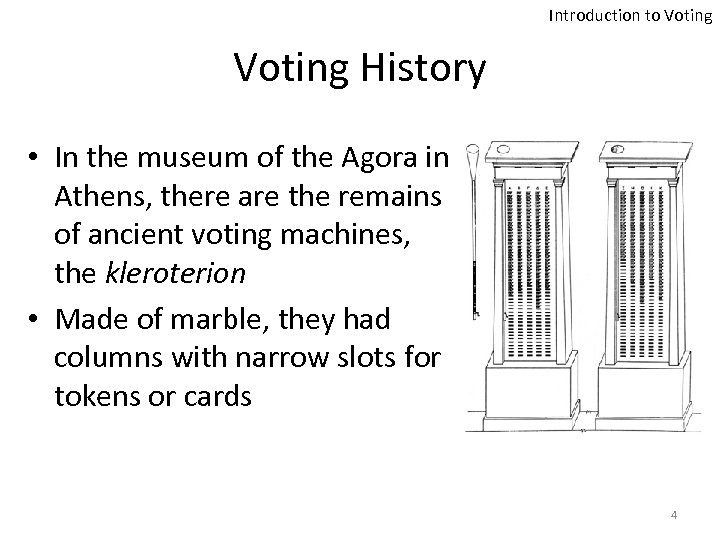 Introduction to Voting History • In the museum of the Agora in Athens, there are the remains of ancient voting machines, the kleroterion • Made of marble, they had columns with narrow slots for tokens or cards 4
 Introduction to Voting “Good” voting system criteria • • • Preserve the anonymity of a voter’s ballot Is tamper-resistant to thwart a wide range of attacks Is comprehensible to and usable by the entire voting population 5
 Introduction to Voting Election Transparency • The fundamental basis of election integrity • Handling and counting ballots are completely open to public view • Except, of course, each individual's voting choices 6
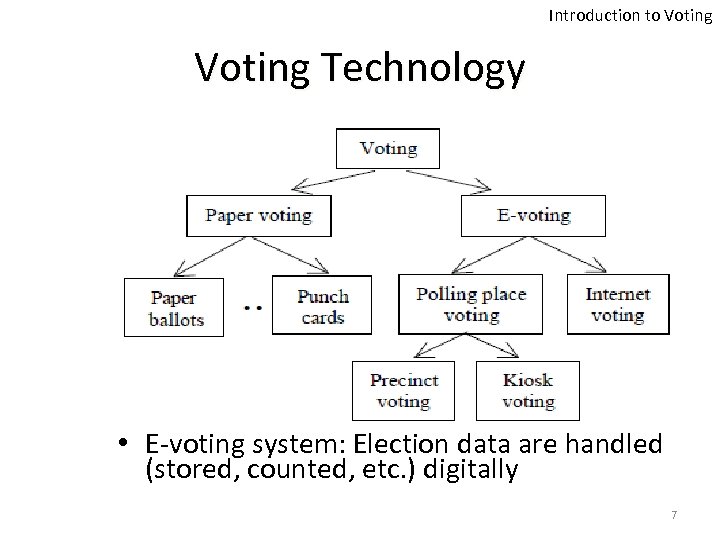 Introduction to Voting Technology • E-voting system: Election data are handled (stored, counted, etc. ) digitally 7
 Introduction to Voting The Electoral Process • Voter Registration • Voter Authentication • Vote Collection • Vote Tabulation 8
 Introduction to Voting The Election Principles • Universality • Equality • Freedom of Choice • Secrecy • Security • Directness • Trust 9
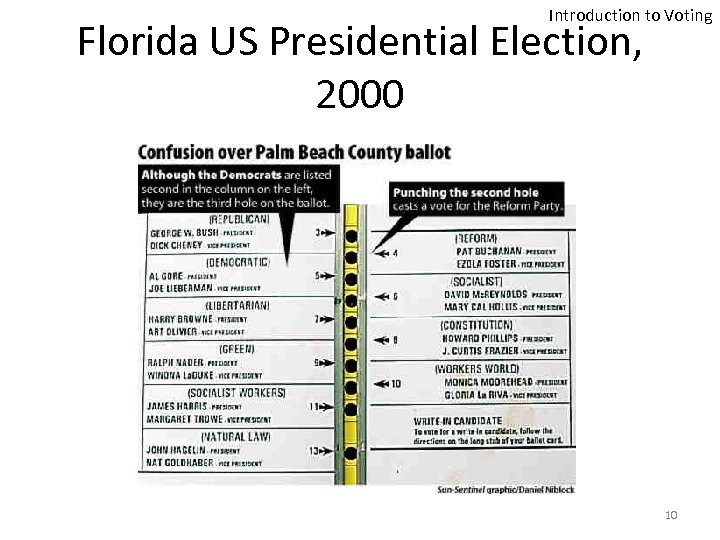 Introduction to Voting Florida US Presidential Election, 2000 10
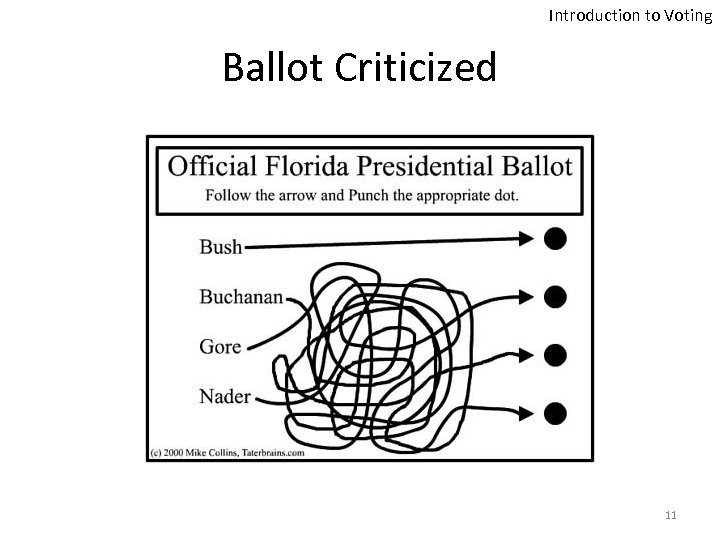 Introduction to Voting Ballot Criticized 11
 Introduction to Voting How Did it All Start? • The Butterfly Ballot – Confusing design – Resulted in overvoting and undervoting – Gore’s rejected ballots were 10 times more than the winning margin • Almost 2 million ballots were disqualified in the 2000 elections due to overvoting or undervoting 12
 Electronic Voting As a solution?
 Electronic Voting Proposed Solution • Help America Vote Act (HAVA) – Signed into law in 2002 – Multi-million dollar budget – Goal: upgrade voting systems by replacing • Punched Card Voting Systems • Lever Voting Systems – Did it backfire? 14
 Electronic Voting E-voting Advantages • Speed – Around 117 million ballots were cast in the US presidential election (Nov. 2012) • Increase voter turnout – Provides Convenience? • New potentials: – Supporting people with disabilities – Providing ballots in several languages – Solving the overseas voting issues 15
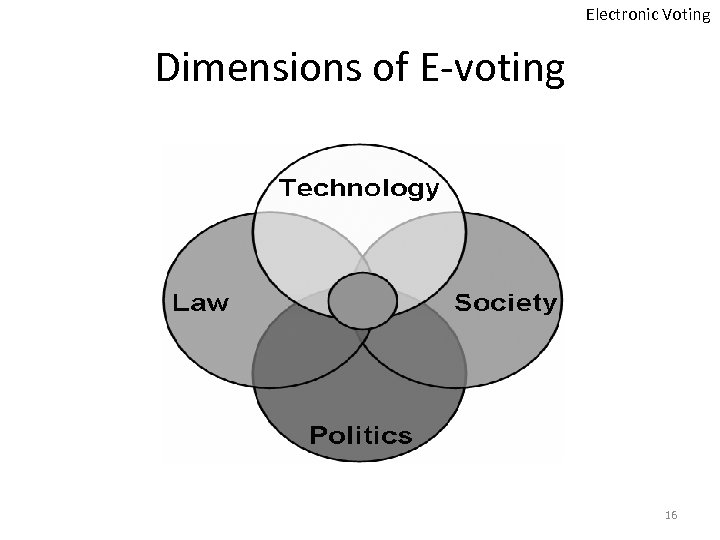 Electronic Voting Dimensions of E-voting 16
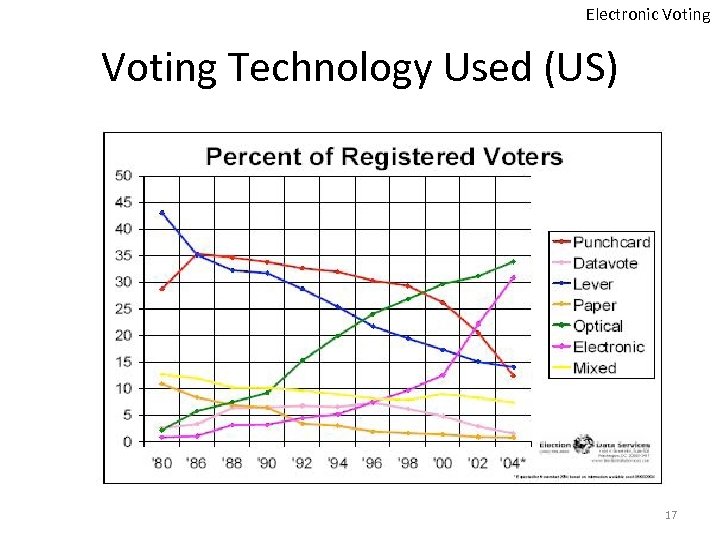 Electronic Voting Technology Used (US) 17
 Electronic Voting No Transparency in E-voting • Electronic processes that record and count the votes are not open to public scrutiny • Courts have ruled that election software is a trade secret • Recording and tallying the votes are performed in secret 18
 Electronic Voting E-voting Implementations 1. Voting at a supervised poll-site using electronic equipment 2. Voting at an unsupervised electronic kiosk 3. Remote voting using the voter's equipment (at a place of the voter’s choosing) 19
 Electronic Voting Direct Recording Electronic • 1. 2. 3. 4. 5. DRE systems completely eliminate paper ballots from the voting process Voter goes to his home precinct Voter is given a token Voter enters the token Voter votes Vote is confirmed 20
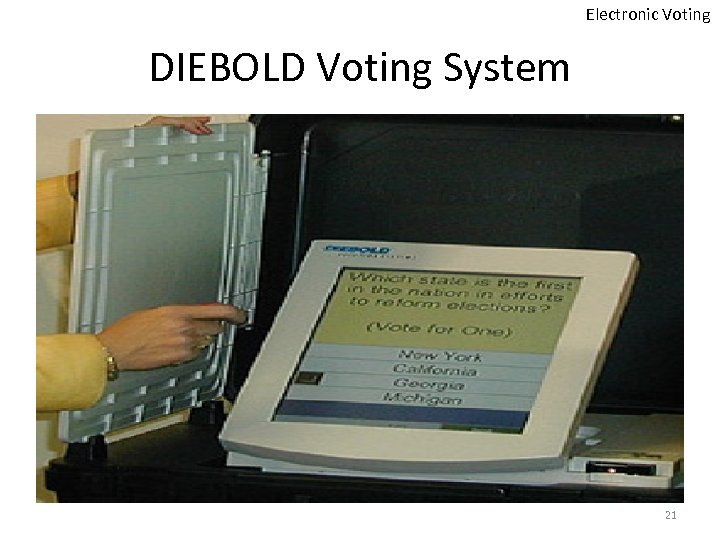 Electronic Voting DIEBOLD Voting System 21
 Electronic Voting DRE problem • The most fundamental problem with such a voting system is that the entire election hinges on the correctness, robustness, and security of the software within the voting terminal 22
 Electronic Voting Let’s Paraphrase • Secrecy vs. Accuracy • Election hinges on the correctness, robustness, and security of the software within the voting terminal. • Viable solution: Voter-Verifiable Audit Trail (VVAT) – To provide manual auditing feature 23
 Electronic Voting VVAT is Not The Optimal Solution • NJIT Study: – Paper jams – Security flaws – Performance issues Rice University Study: – 63% of voters failed to notice errors on summary screens and paper trails. 24
 Electronic Voting Obscure is Secure! • Diebold’s Accu. Vote-TS source code was mysteriously released • Announced by Bev Harris and discussed in her book, Black Box. Voting • Used in 37 states • The 2 nd largest DRE vendor in the US 25
 Electronic Voting Accu. Vote-TS Analysis & Findings • Written in C++ and runs on Windows CE • Voters can easily program their own smartcards • The protocols do not use cryptographic techniques to authenticate either end of the connection nor do they check the integrity of the data in transit 26
 Electronic Voting More Analysis • Cryptography, when used at all, is used incorrectly • No evidence of any change control process that might restrict a developer’s ability to insert arbitrary patches into the code 27
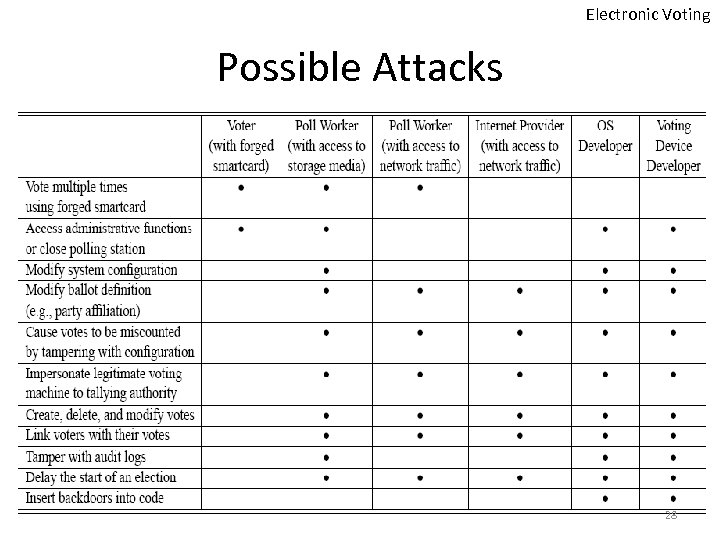 Electronic Voting Possible Attacks 28
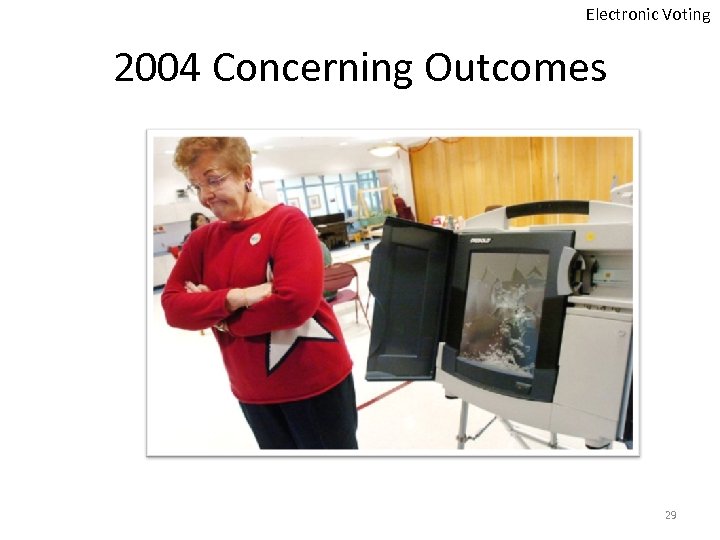 Electronic Voting 2004 Concerning Outcomes 29
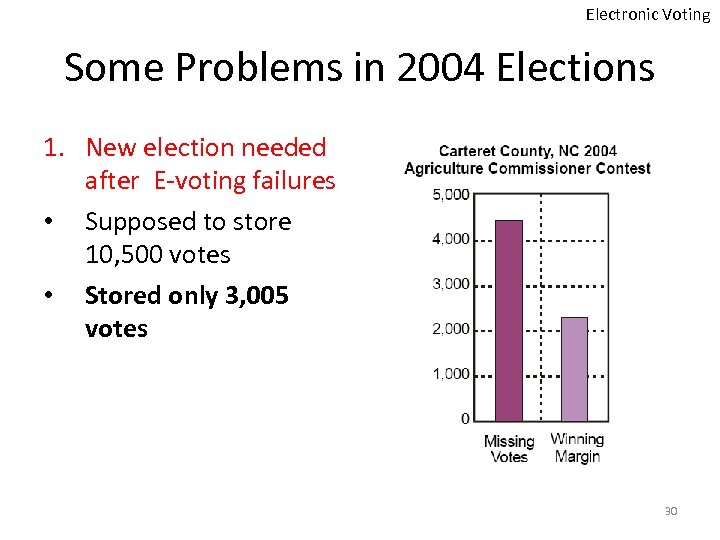 Electronic Voting Some Problems in 2004 Elections 1. New election needed after E-voting failures • Supposed to store 10, 500 votes • Stored only 3, 005 votes 30
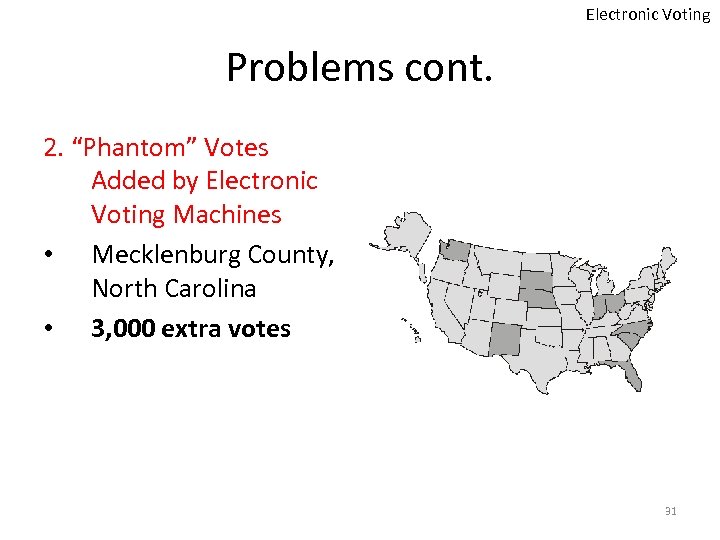 Electronic Voting Problems cont. 2. “Phantom” Votes Added by Electronic Voting Machines • Mecklenburg County, North Carolina • 3, 000 extra votes 31
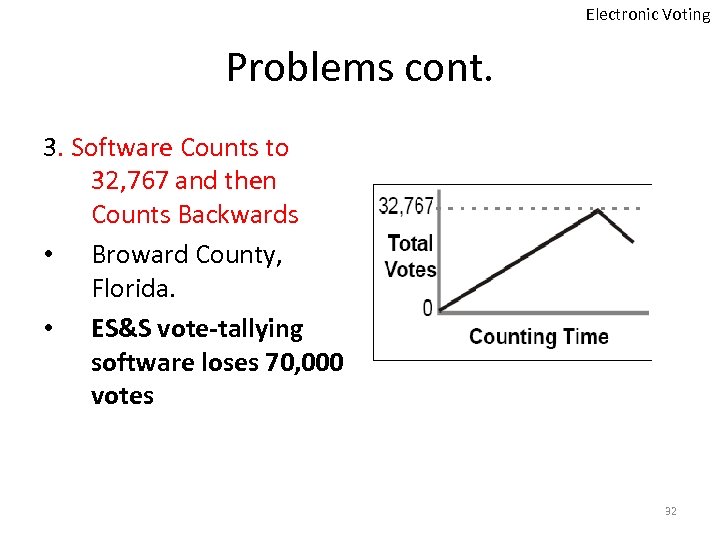 Electronic Voting Problems cont. 3. Software Counts to 32, 767 and then Counts Backwards • Broward County, Florida. • ES&S vote-tallying software loses 70, 000 votes 32
 Electronic Voting Problems cont. 4. Votes Jump to the Opponent on the Screen. • Bernalillo County, New Mexico 5. DREs Present Incorrect Ballots to Voters • The U. S. Senate contest was omitted from ballots in three counties of Maryland in March 2004. 33
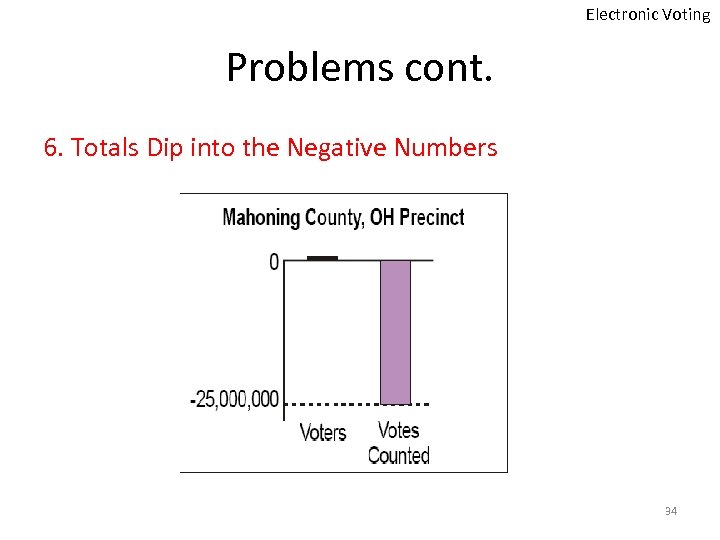 Electronic Voting Problems cont. 6. Totals Dip into the Negative Numbers 34
 Electronic Voting Problems cont. 7. DREs Pass Pre-Election Testing, Fail on Election Day. • Touch-screen voting machines malfunctioned in Mercer County, Pennsylvania. 35
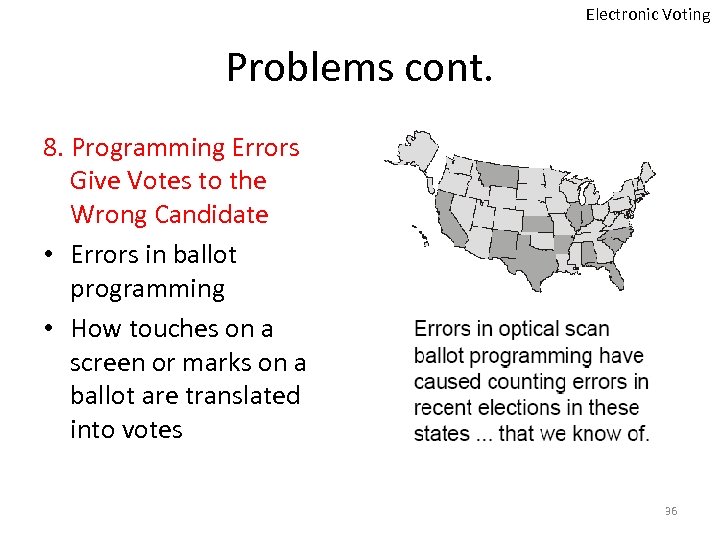 Electronic Voting Problems cont. 8. Programming Errors Give Votes to the Wrong Candidate • Errors in ballot programming • How touches on a screen or marks on a ballot are translated into votes 36
 Electronic Voting Problems cont. 9. Some DREs Don't Provide the Accessibility they Promise • A survey of blind voters in Santa Clara County, California 37
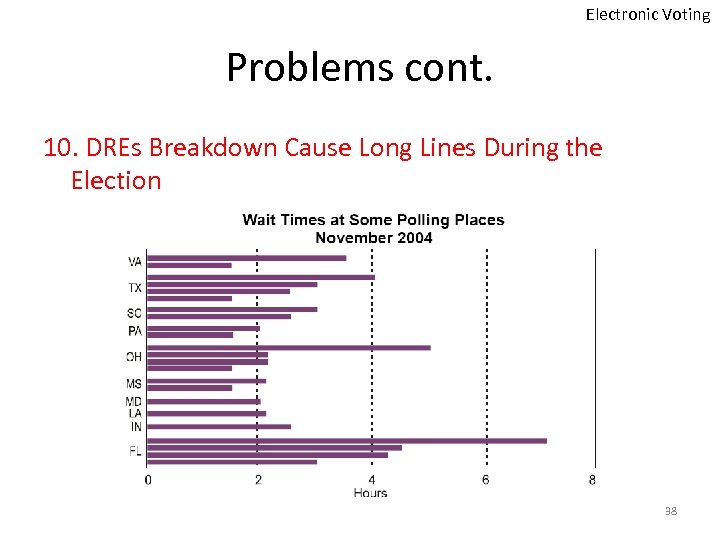 Electronic Voting Problems cont. 10. DREs Breakdown Cause Long Lines During the Election 38
 Back to Paper Ballots The safest approach?
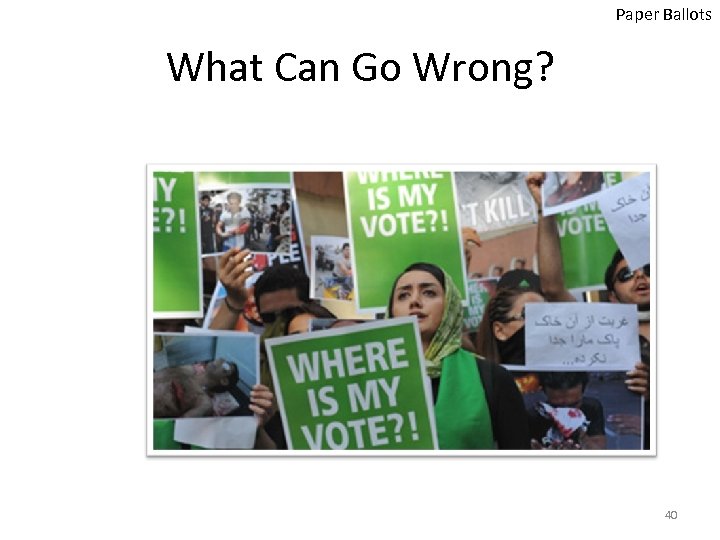 Paper Ballots What Can Go Wrong? 40
 Paper Ballots MN Senate Race 2008 • Candidates: – Norm Coleman (Republican Party) – Al Franken (Democratic Party) • 2, 920, 214 Voters • Coleman won by 215 votes (0. 0075%) – Triggered automatic recount • 3 weeks recount, Coleman won by 188 votes • Over 6, 500 challenged ballots 41
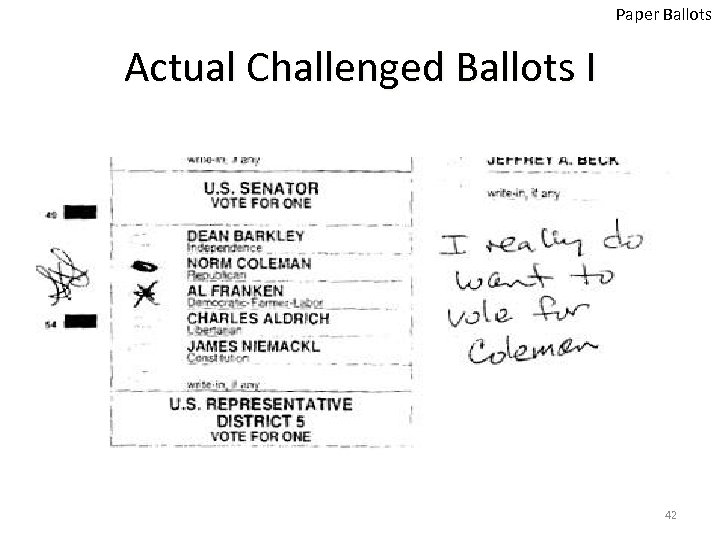 Paper Ballots Actual Challenged Ballots I 42
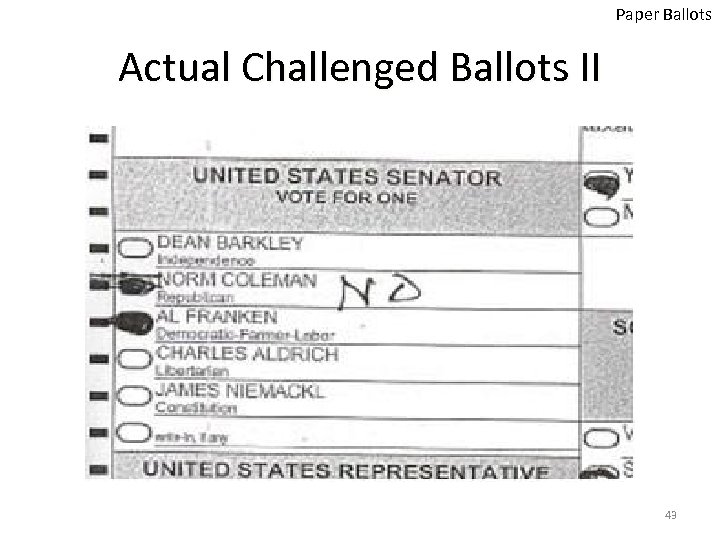 Paper Ballots Actual Challenged Ballots II 43
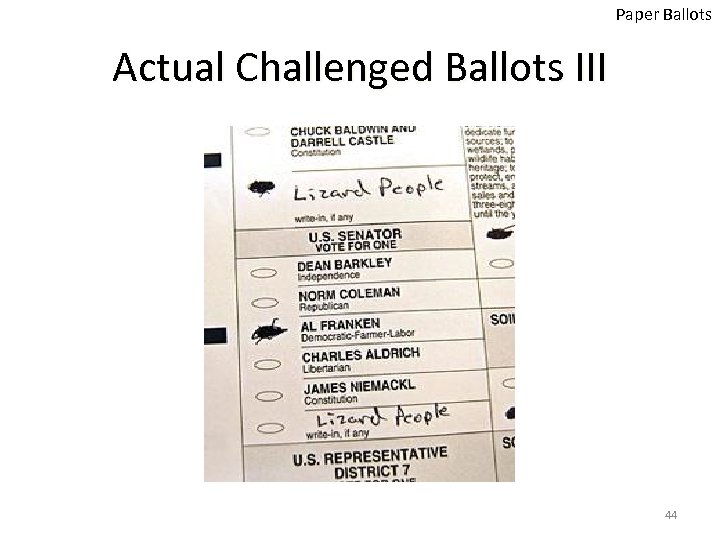 Paper Ballots Actual Challenged Ballots III 44
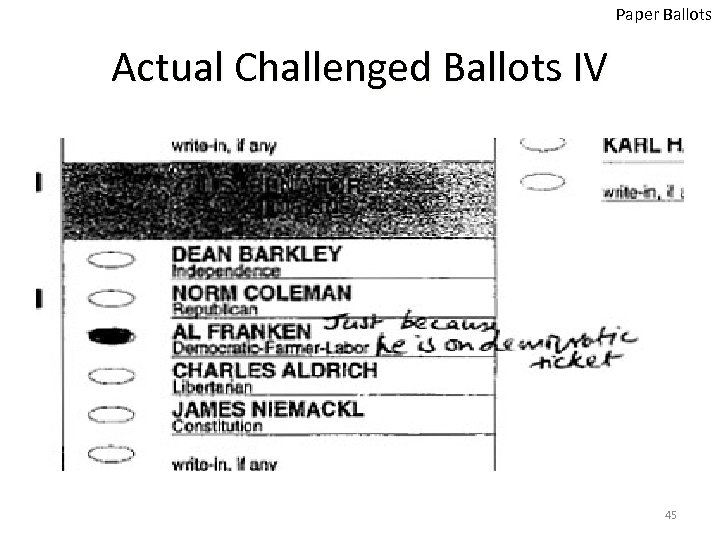 Paper Ballots Actual Challenged Ballots IV 45
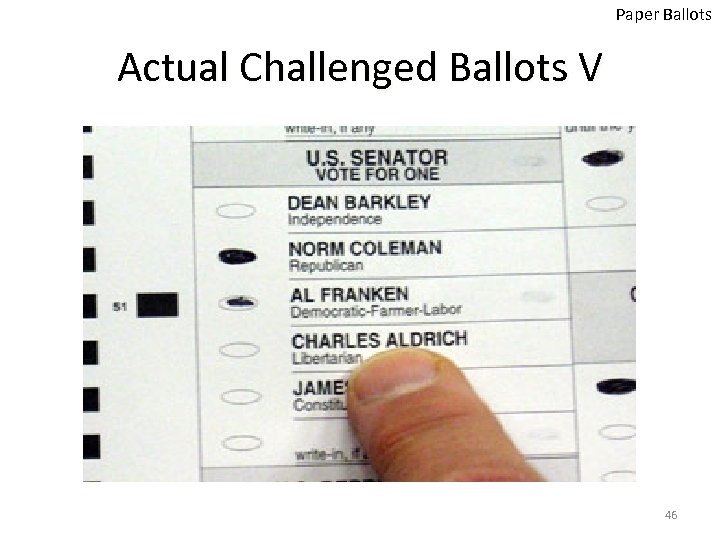 Paper Ballots Actual Challenged Ballots V 46
 Paper Ballots MN Senate Race 2008 Cont. • Challenged ballots reduced • On January 5 th 2009; Franken ahead by 255 votes • On January 6 th 2009, Coleman filed for an election contest (trial announced Franken win by 312 votes) • Coleman appealed to the MN Supreme Court • MN Supreme Court rejected the appeal on June 30 th 2009 47
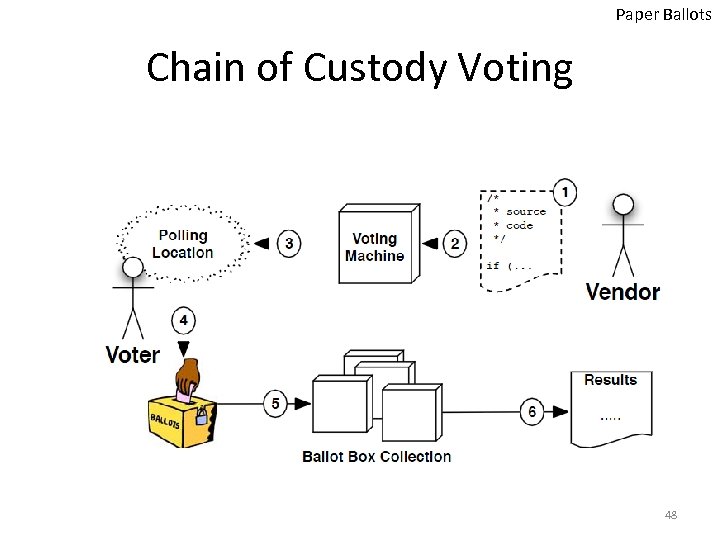 Paper Ballots Chain of Custody Voting 48
 Paper Ballots Possible Solutions • Voter Verifiable Audit Trails (VVAT) – Paper trails • Cryptography • Paper Records and Electronic Audits 49
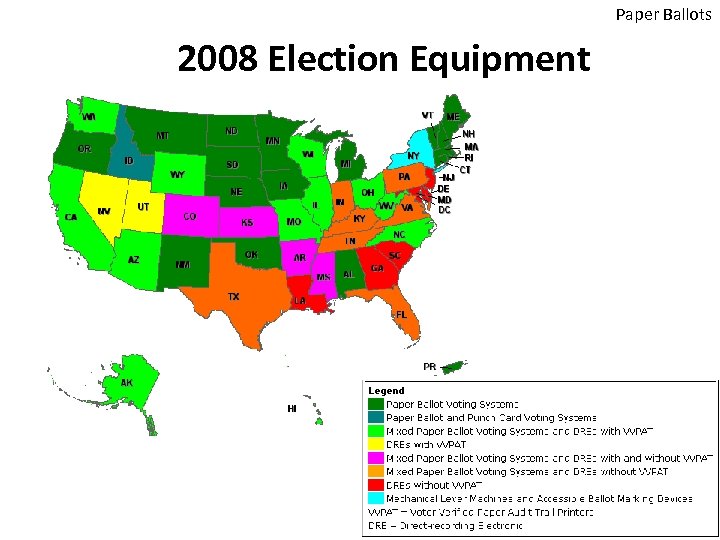 Paper Ballots 2008 Election Equipment
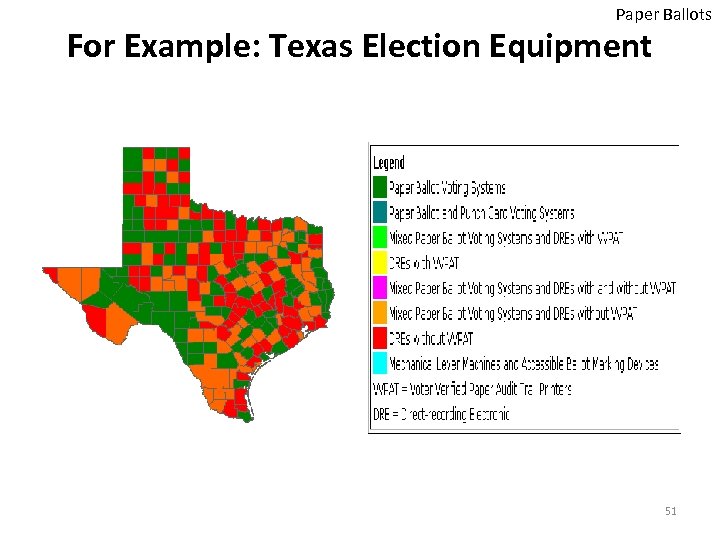 Paper Ballots For Example: Texas Election Equipment 51
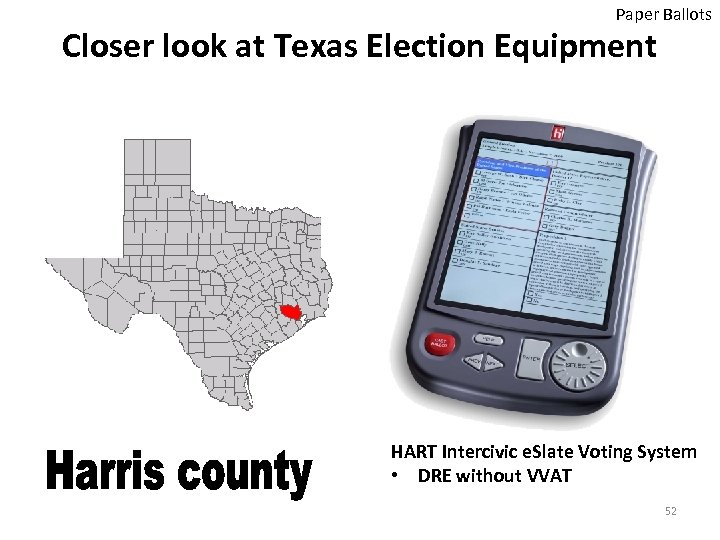 Paper Ballots Closer look at Texas Election Equipment HART Intercivic e. Slate Voting System • DRE without VVAT 52
 Using Cryptography To provide the needed assurance
 Using Cryptography as a Solution • Provides Ballots Casting Assurance: – Direct Verification • Cast as intended • Counted as cast – Universal Verification (E 2 E) • A tally at the end of the elections with plaintext voters names and their encrypted ballots 54
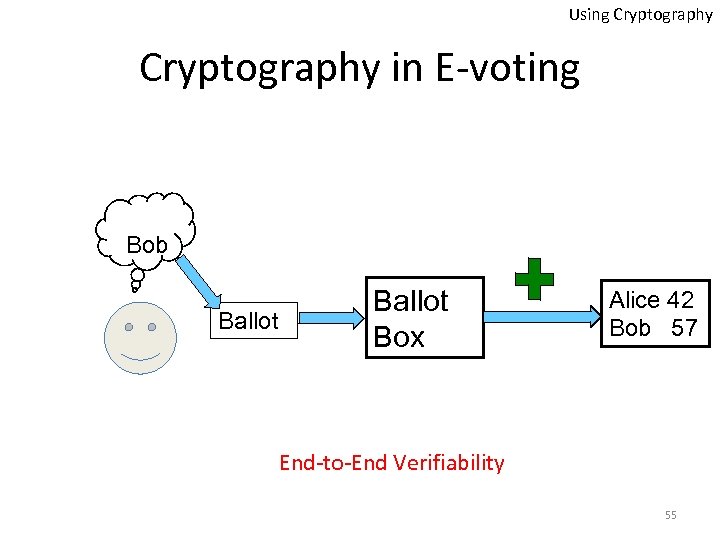 Using Cryptography in E-voting Bob Ballot Box Alice 42 Bob 57 End-to-End Verifiability 55
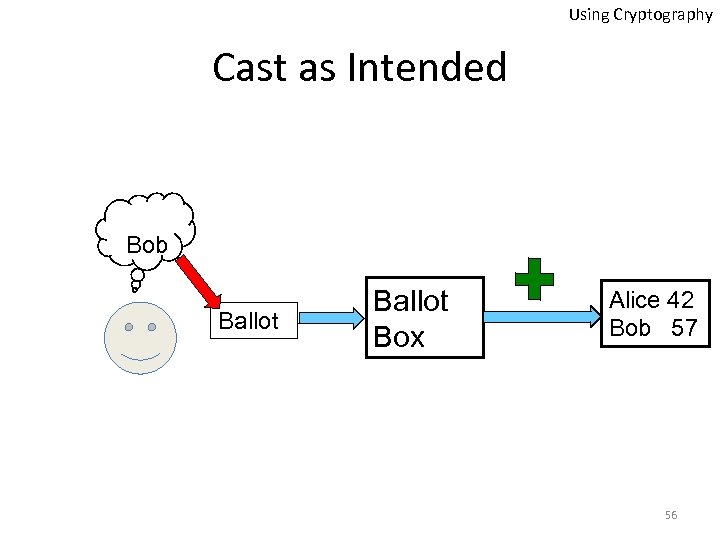 Using Cryptography Cast as Intended Bob Ballot Box Alice 42 Bob 57 56
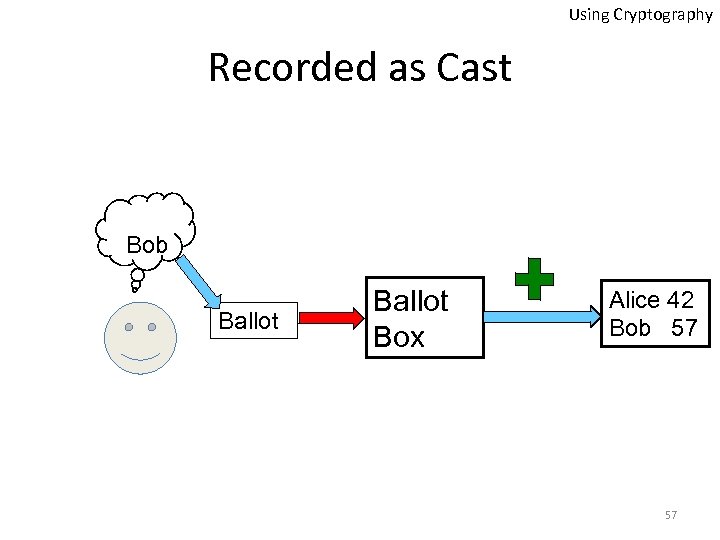 Using Cryptography Recorded as Cast Bob Ballot Box Alice 42 Bob 57 57
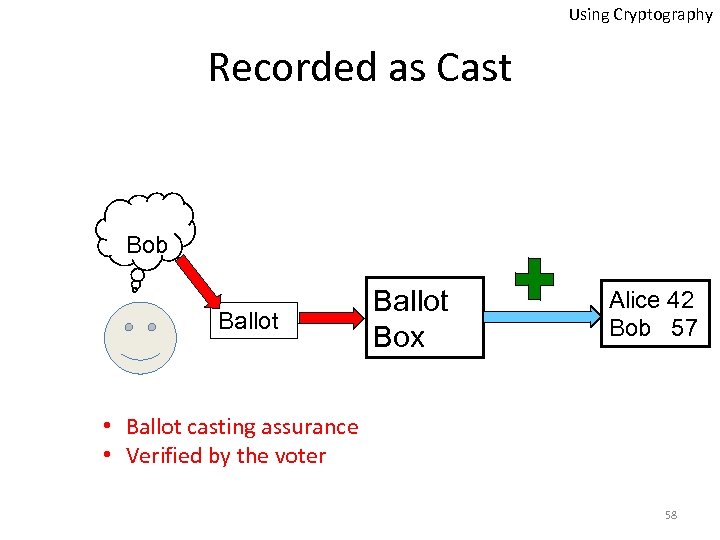 Using Cryptography Recorded as Cast Bob Ballot Box Alice 42 Bob 57 • Ballot casting assurance • Verified by the voter 58
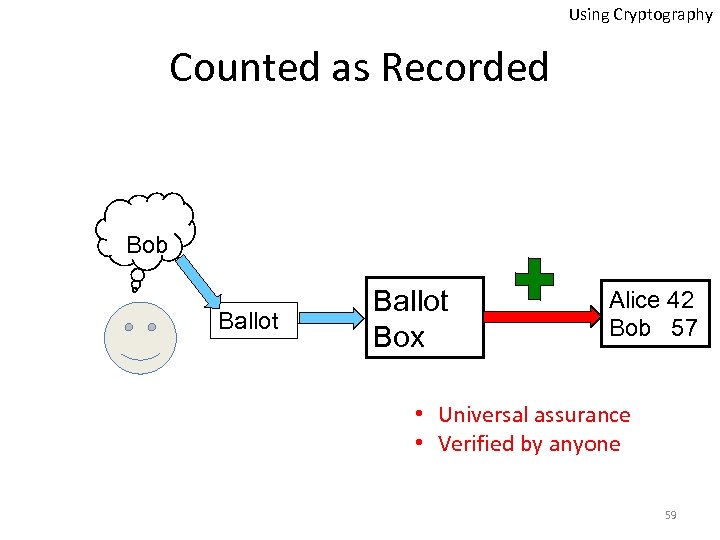 Using Cryptography Counted as Recorded Bob Ballot Box Alice 42 Bob 57 • Universal assurance • Verified by anyone 59
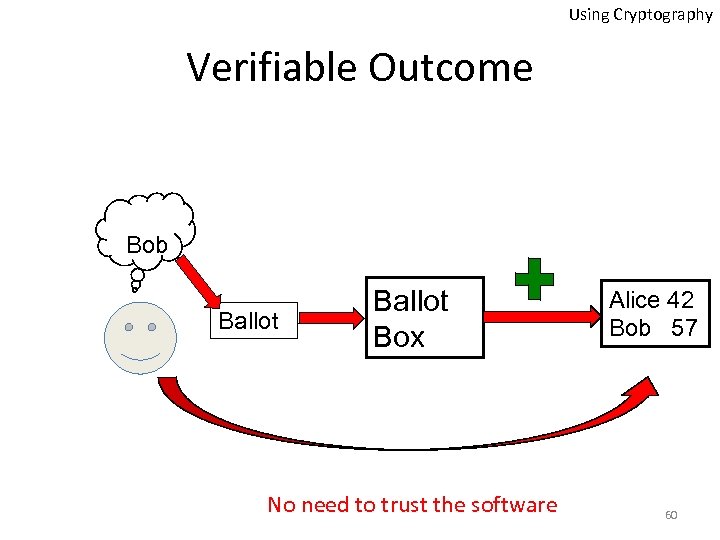 Using Cryptography Verifiable Outcome Bob Ballot Box No need to trust the software Alice 42 Bob 57 60
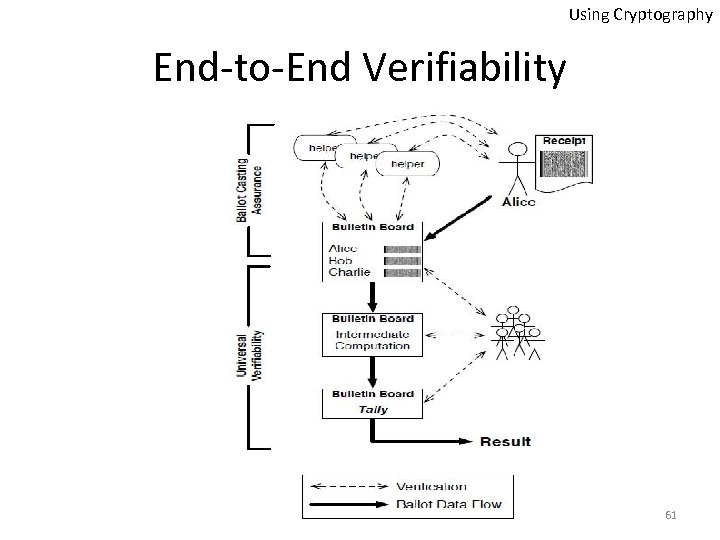 Using Cryptography End-to-End Verifiability 61
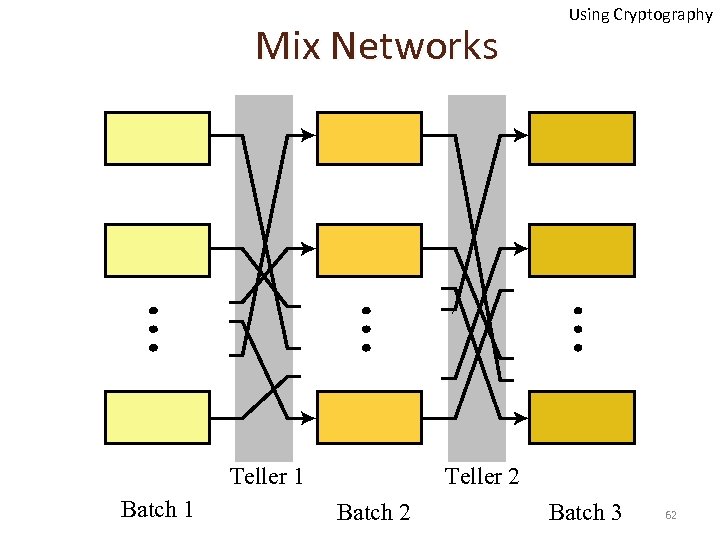 Mix Networks Teller 1 Batch 1 Using Cryptography Teller 2 Batch 3 62
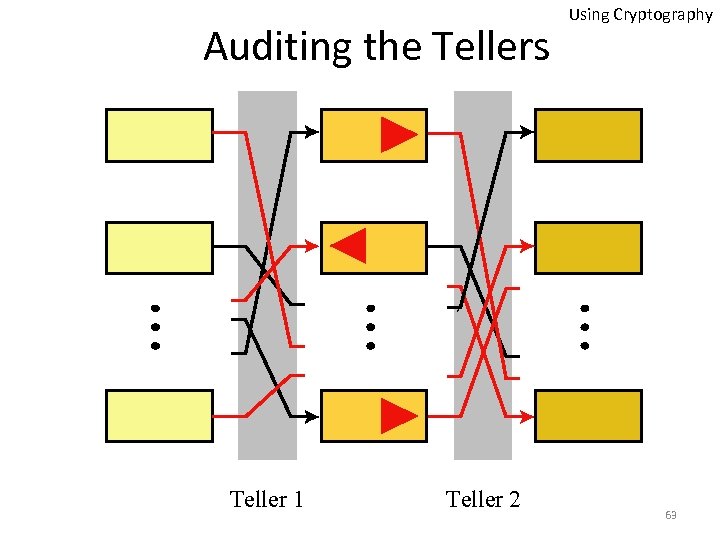 Auditing the Tellers Teller 1 Teller 2 Using Cryptography 63
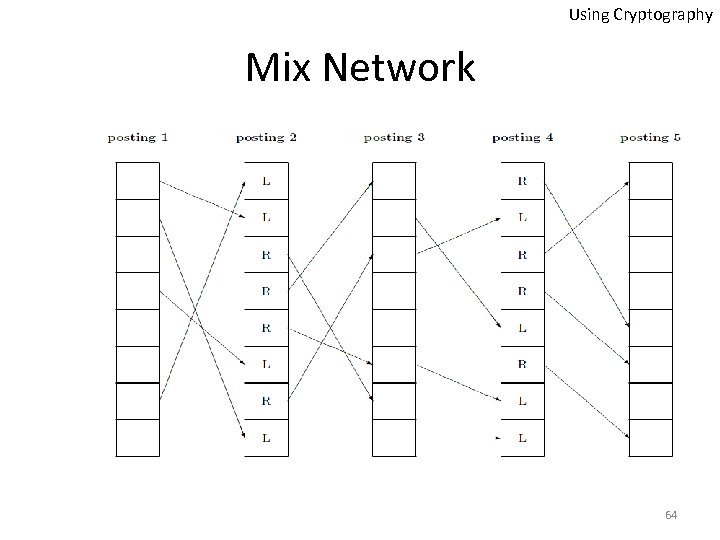 Using Cryptography Mix Network 64
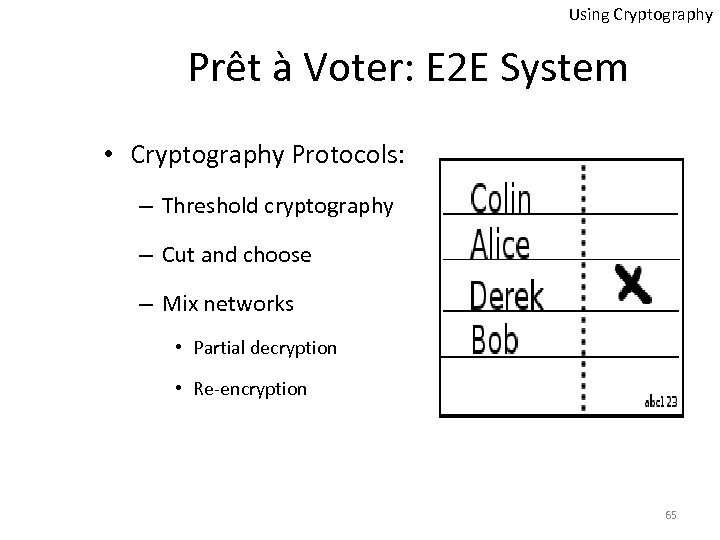 Using Cryptography Prêt à Voter: E 2 E System • Cryptography Protocols: – Threshold cryptography – Cut and choose – Mix networks • Partial decryption • Re-encryption 65
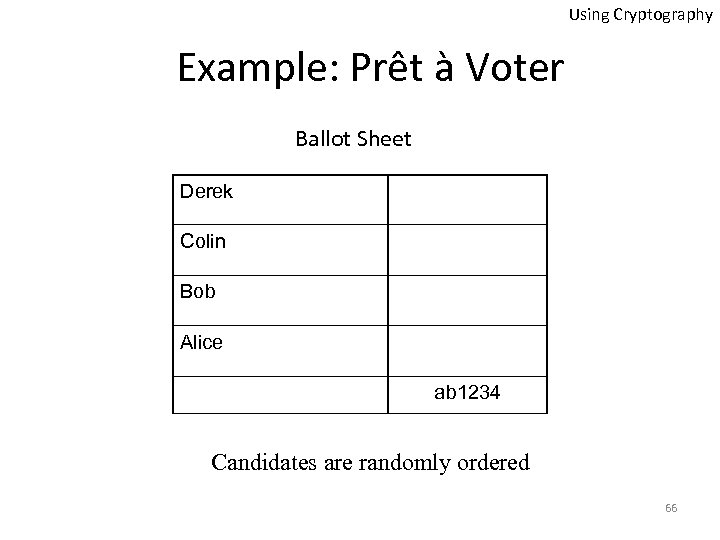 Using Cryptography Example: Prêt à Voter Ballot Sheet Derek Colin Bob Alice ab 1234 Candidates are randomly ordered 66
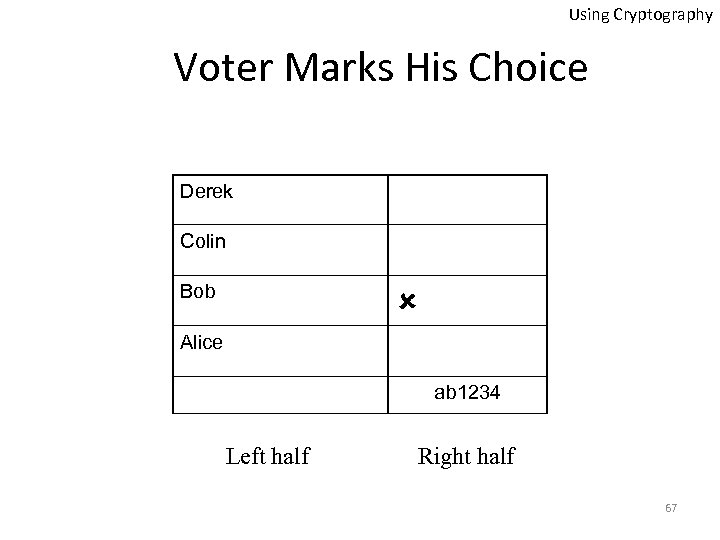 Using Cryptography Voter Marks His Choice Derek Colin Bob Alice ab 1234 Left half Right half 67
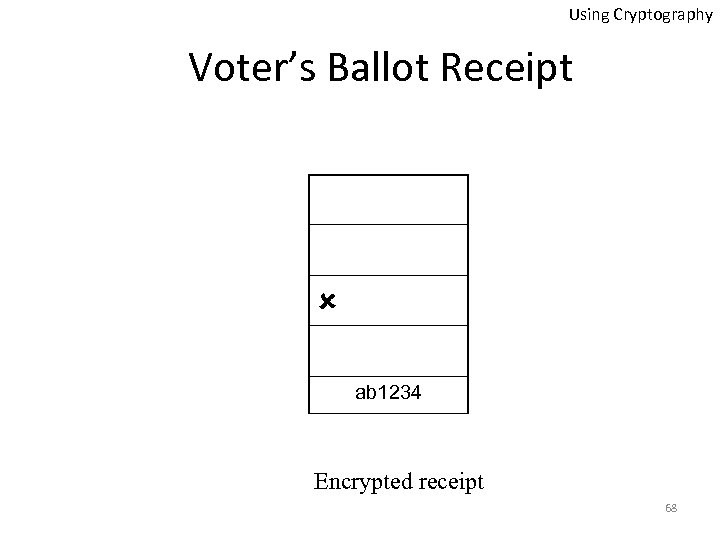 Using Cryptography Voter’s Ballot Receipt ab 1234 Encrypted receipt 68
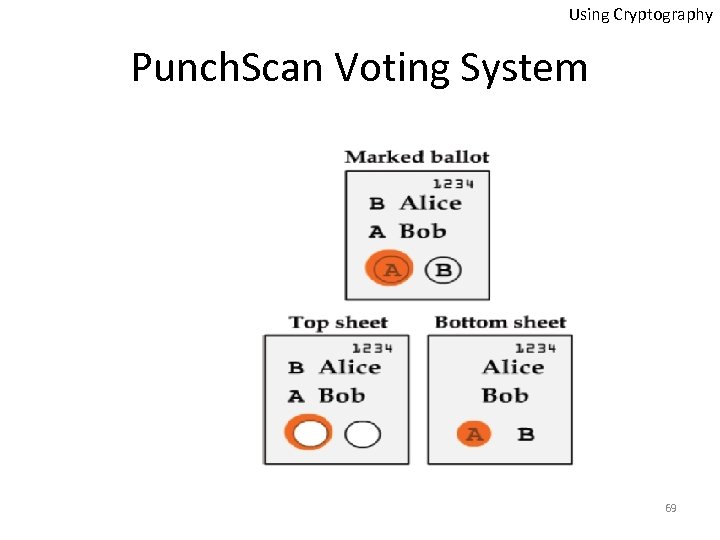 Using Cryptography Punch. Scan Voting System 69
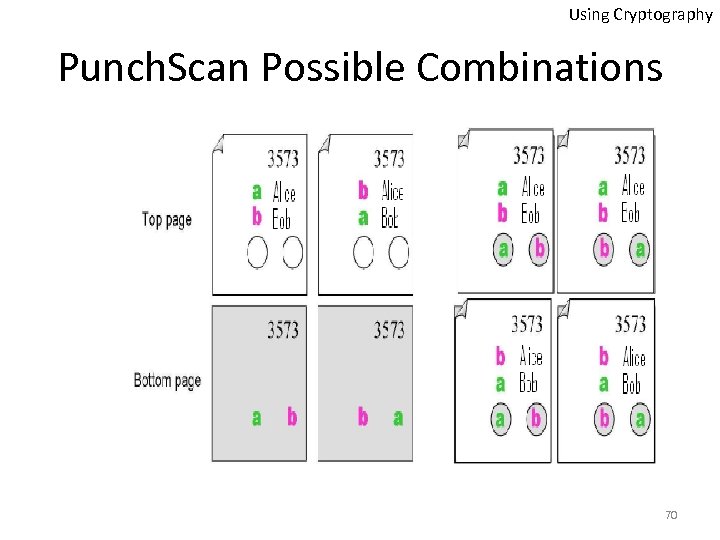 Using Cryptography Punch. Scan Possible Combinations 70
 Using Cryptography Related Issues • Complexity makes it hard to trust • What if there were hidden data to link the vote to the voter? • Limitations: – Doesn’t support write-ins – Doesn’t meet other requirements • Threats and attacks: – Coercion – Randomization and contract attacks – Recovery? 71
 Using Cryptography for Auditing El. Gamal Encryption
 Using Cryptography El. Gamal Encryption • Let p be a large prime • Select a special number g – The number g must be a primitive element modulo p • Choose a private key x – This can be any number bigger than 1 and smaller than p-1 • Compute public key y from x, p and g: y = gx mod p 73
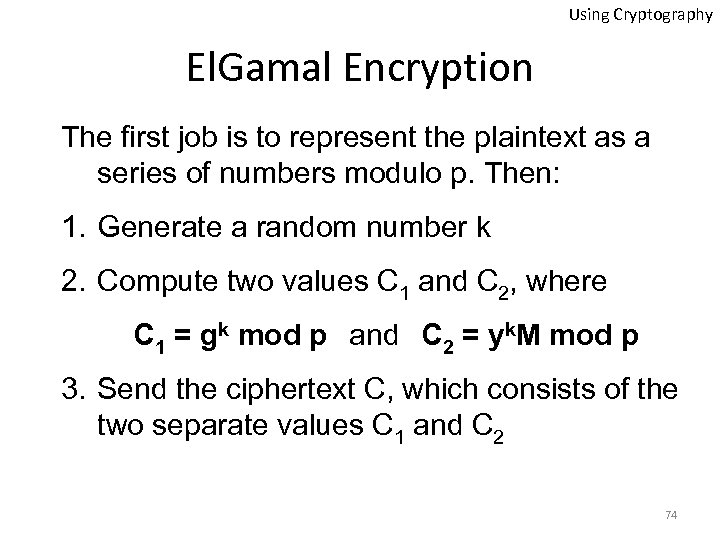 Using Cryptography El. Gamal Encryption The first job is to represent the plaintext as a series of numbers modulo p. Then: 1. Generate a random number k 2. Compute two values C 1 and C 2, where C 1 = gk mod p and C 2 = yk. M mod p 3. Send the ciphertext C, which consists of the two separate values C 1 and C 2 74
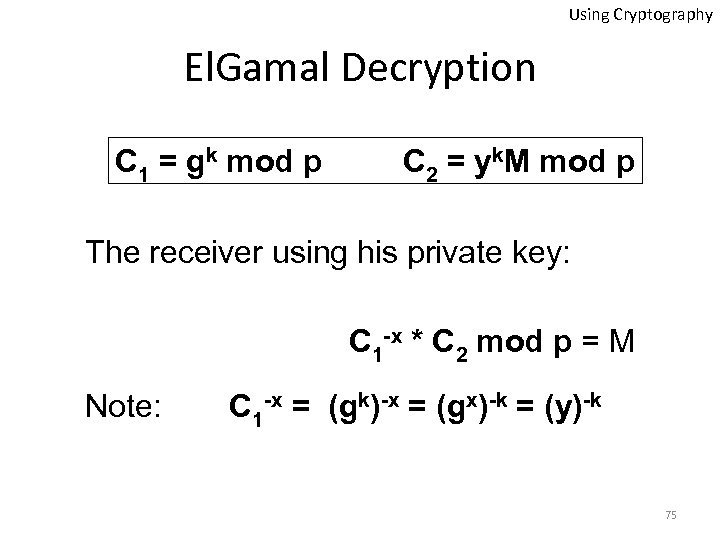 Using Cryptography El. Gamal Decryption C 1 = gk mod p C 2 = yk. M mod p The receiver using his private key: C 1 -x * C 2 mod p = M Note: C 1 -x = (gk)-x = (gx)-k = (y)-k 75
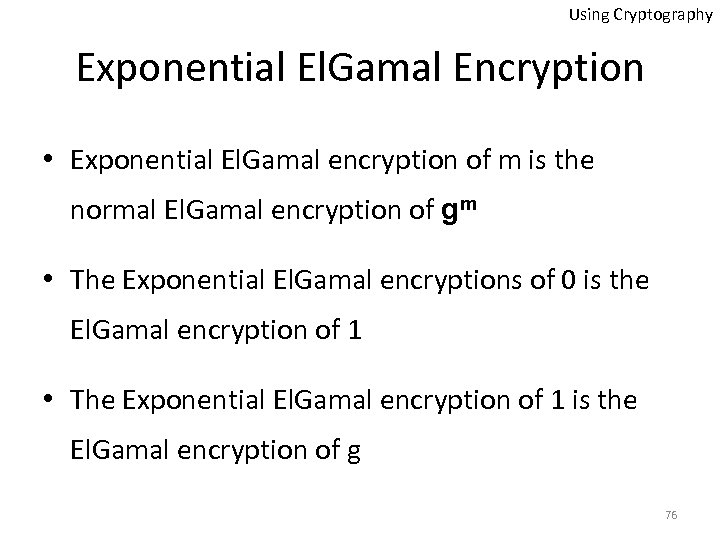 Using Cryptography Exponential El. Gamal Encryption • Exponential El. Gamal encryption of m is the normal El. Gamal encryption of gm • The Exponential El. Gamal encryptions of 0 is the El. Gamal encryption of 1 • The Exponential El. Gamal encryption of 1 is the El. Gamal encryption of g 76
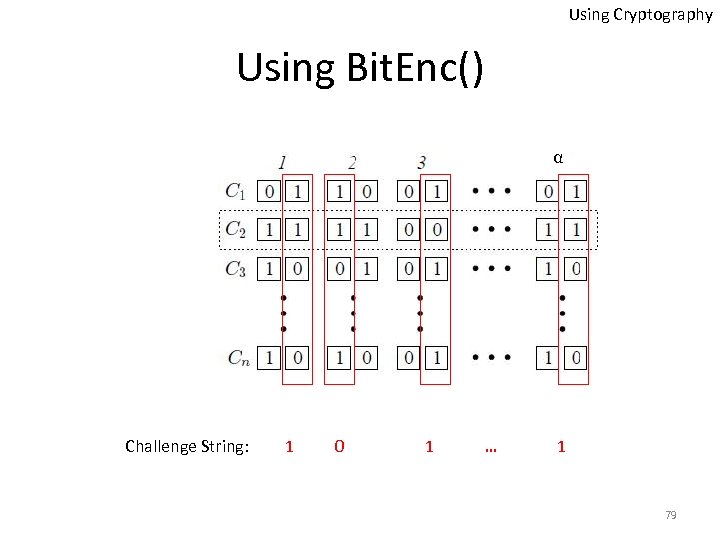
![Using Cryptography Special Form of Bit Encryption • Bit. Encpk (b) = {[ui, vi]}iє[0,](https://present5.com/presentation/4c1db04a5a39f501e35c066b481f5b21/image-77.jpg "Using Cryptography Special Form of Bit Encryption • Bit. Encpk (b) = {[ui, vi]}iє[0,") Using Cryptography Special Form of Bit Encryption • Bit. Encpk (b) = {[ui, vi]}iє[0, α-1], where α is the sequence length • b = {Decsk (ui) Decsk (vi)} iє[0, α-1] • b = 1, then each pair encodes either [0, 0] or [1, 1] • b = 0, then each pair encodes either [0, 1] or [1, 0] 77
Using Cryptography Special Form of Bit Encryption • Bit. Encpk (b) = {[ui, vi]}iє[0, α-1], where α is the sequence length • b = {Decsk (ui) Decsk (vi)} iє[0, α-1] • b = 1, then each pair encodes either [0, 0] or [1, 1] • b = 0, then each pair encodes either [0, 1] or [1, 0] 77
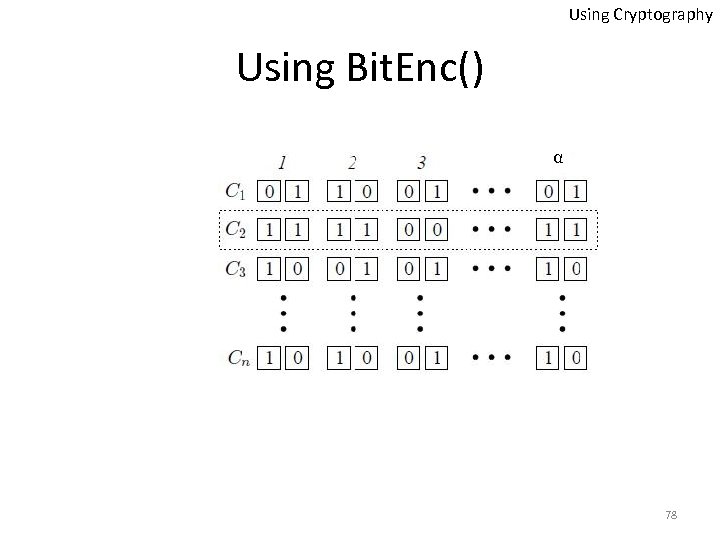 Using Cryptography Using Bit. Enc() α 78
 Using Cryptography Using Bit. Enc() α Challenge String: 1 0 1 … 1 79
 Using Cryptography Using Bit. Enc() 80
 Using Cryptography Vote/Receipt Verification Poll station voting (inside the voting booth) Voter Printer Vote Machine Vote/Receipt Commit to c Candidates Vote Encryption (Bit. Enc) Vote Receipt (Open. Bit. Enc) Alice Bob Colin Derek 81
 Using Cryptography Vote/Receipt Verification Poll station voting (inside the voting booth) Voter Printer Vote Machine Vote/Receipt Commit to c Candidates Vote Encryption (Bit. Enc) Vote Receipt (Open. Bit. Enc) Alice Bob Colin Derek 82
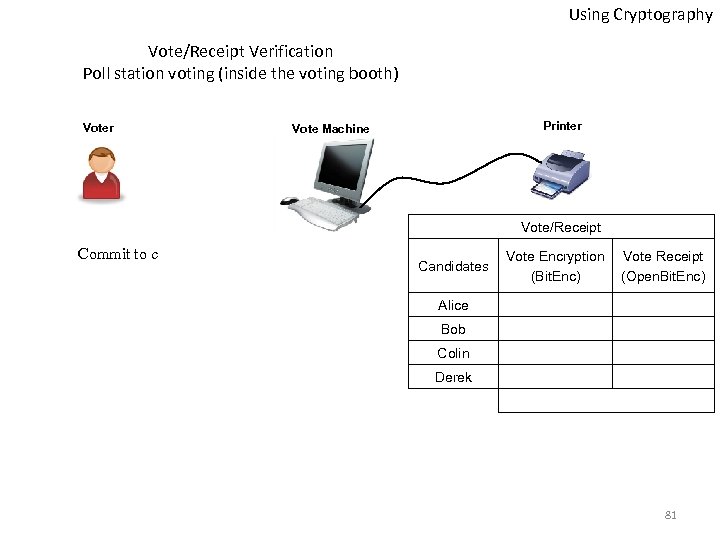
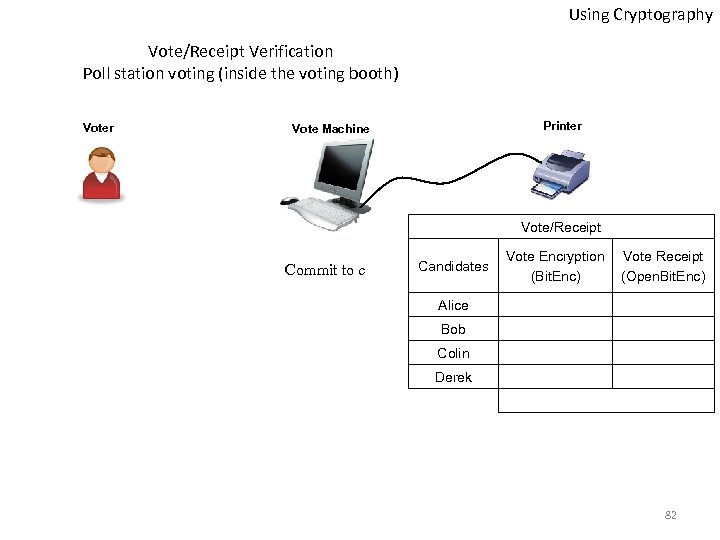
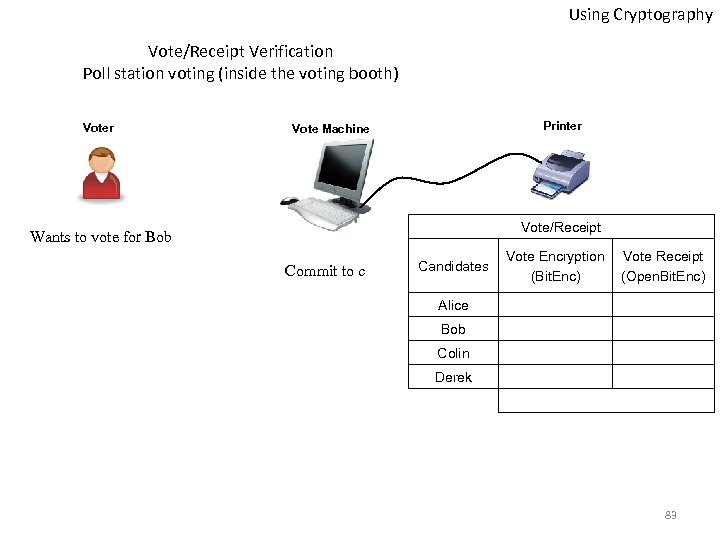 Using Cryptography Vote/Receipt Verification Poll station voting (inside the voting booth) Voter Printer Vote Machine Vote/Receipt Wants to vote for Bob Commit to c Candidates Vote Encryption (Bit. Enc) Vote Receipt (Open. Bit. Enc) Alice Bob Colin Derek 83
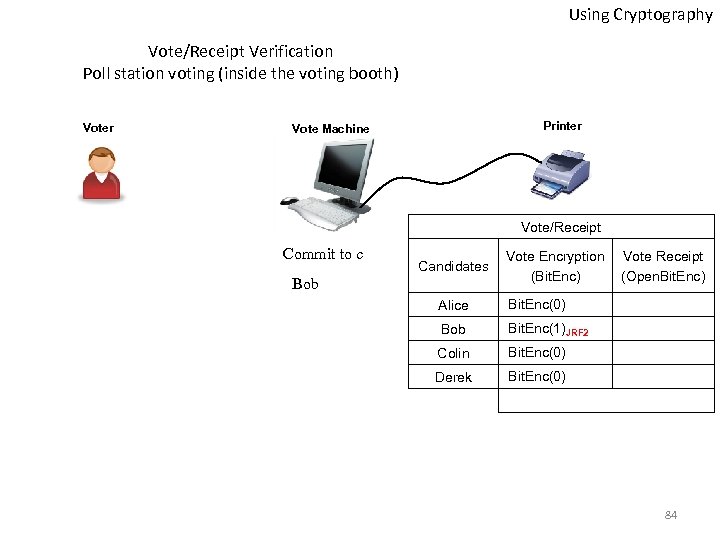 Using Cryptography Vote/Receipt Verification Poll station voting (inside the voting booth) Voter Printer Vote Machine Vote/Receipt Commit to c Candidates Bob Vote Encryption (Bit. Enc) Alice Bit. Enc(0) Bob Bit. Enc(1)JRF 2 Colin Bit. Enc(0) Derek Vote Receipt (Open. Bit. Enc) Bit. Enc(0) 84
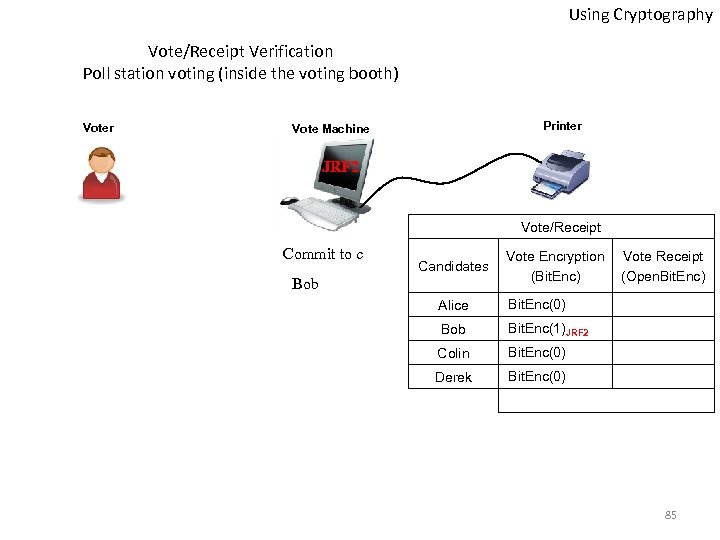 Using Cryptography Vote/Receipt Verification Poll station voting (inside the voting booth) Voter Printer Vote Machine JRF 2 Vote/Receipt Commit to c Candidates Bob Vote Encryption (Bit. Enc) Alice Bit. Enc(0) Bob Bit. Enc(1)JRF 2 Colin Bit. Enc(0) Derek Vote Receipt (Open. Bit. Enc) Bit. Enc(0) 85
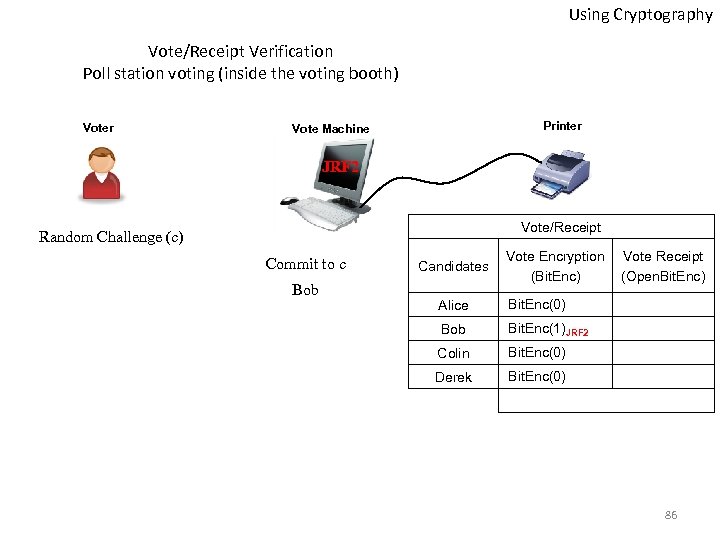 Using Cryptography Vote/Receipt Verification Poll station voting (inside the voting booth) Voter Printer Vote Machine JRF 2 Vote/Receipt Random Challenge (c) Commit to c Bob Candidates Vote Encryption (Bit. Enc) Alice Bit. Enc(0) Bob Bit. Enc(1)JRF 2 Colin Bit. Enc(0) Derek Vote Receipt (Open. Bit. Enc) Bit. Enc(0) 86
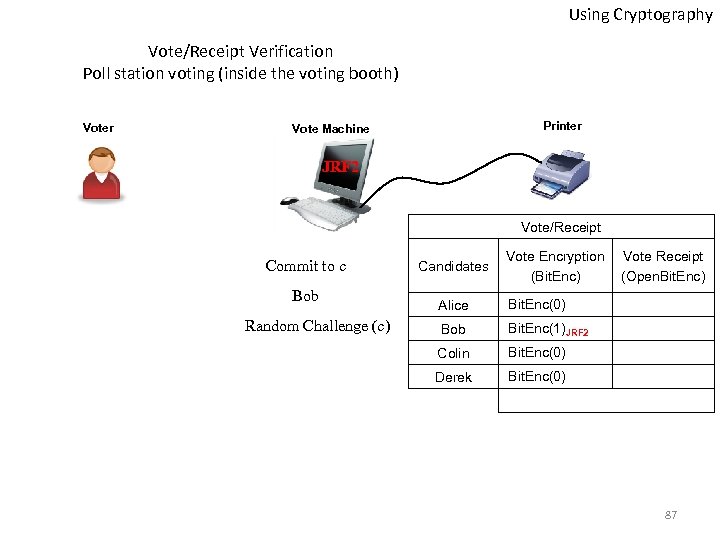 Using Cryptography Vote/Receipt Verification Poll station voting (inside the voting booth) Voter Printer Vote Machine JRF 2 Vote/Receipt Commit to c Bob Random Challenge (c) Candidates Vote Encryption (Bit. Enc) Alice Bit. Enc(0) Bob Bit. Enc(1)JRF 2 Colin Bit. Enc(0) Derek Vote Receipt (Open. Bit. Enc) Bit. Enc(0) 87
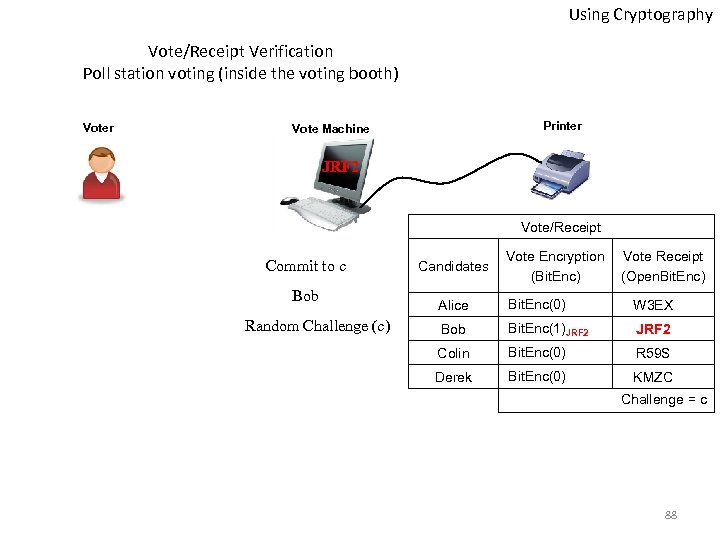 Using Cryptography Vote/Receipt Verification Poll station voting (inside the voting booth) Voter Printer Vote Machine JRF 2 Vote/Receipt Commit to c Bob Random Challenge (c) Candidates Vote Encryption (Bit. Enc) Vote Receipt (Open. Bit. Enc) Alice Bit. Enc(0) W 3 EX Bob Bit. Enc(1)JRF 2 Colin Bit. Enc(0) R 59 S Derek Bit. Enc(0) KMZC Challenge = c 88
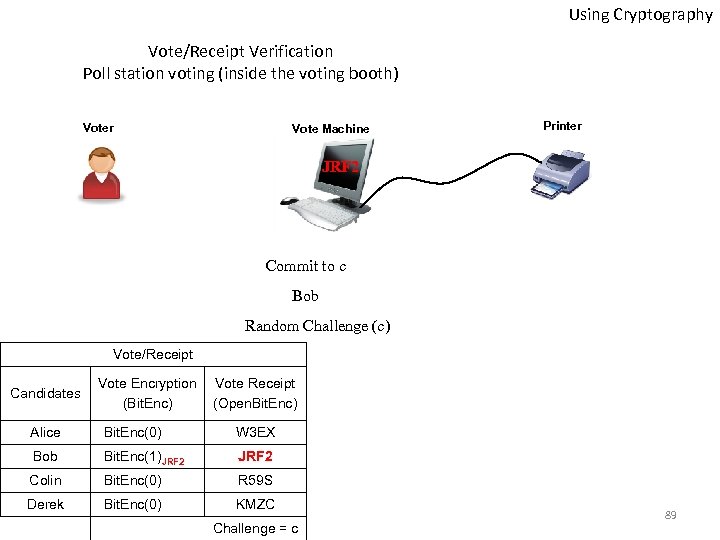 Using Cryptography Vote/Receipt Verification Poll station voting (inside the voting booth) Voter Vote Machine Printer JRF 2 Commit to c Bob Random Challenge (c) Vote/Receipt Candidates Vote Encryption (Bit. Enc) Vote Receipt (Open. Bit. Enc) Alice Bit. Enc(0) W 3 EX Bob Bit. Enc(1)JRF 2 Colin Bit. Enc(0) R 59 S Derek Bit. Enc(0) KMZC Challenge = c 89
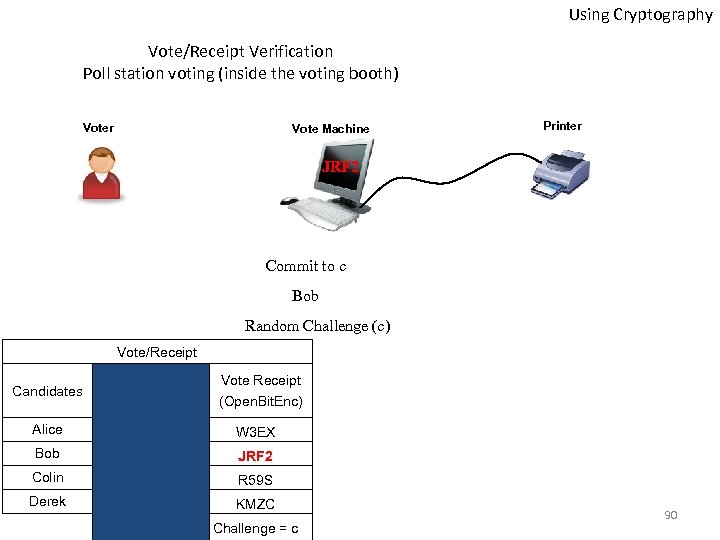 Using Cryptography Vote/Receipt Verification Poll station voting (inside the voting booth) Voter Vote Machine Printer JRF 2 Commit to c Bob Random Challenge (c) Vote/Receipt Candidates Vote Receipt (Open. Bit. Enc) Alice W 3 EX Bob JRF 2 Colin R 59 S Derek KMZC Challenge = c 90
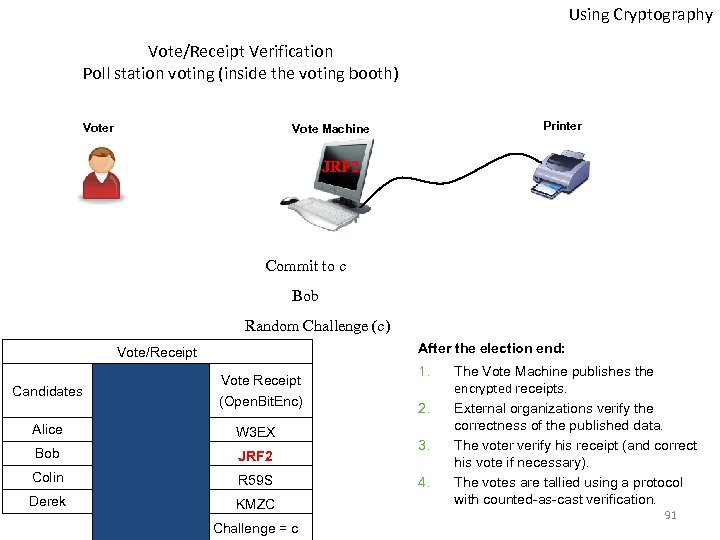 Using Cryptography Vote/Receipt Verification Poll station voting (inside the voting booth) Voter Printer Vote Machine JRF 2 Commit to c Bob Random Challenge (c) After the election end: Vote/Receipt Candidates Vote Receipt (Open. Bit. Enc) Alice W 3 EX Bob JRF 2 Colin R 59 S Derek KMZC Challenge = c 1. 2. 3. 4. The Vote Machine publishes the encrypted receipts. External organizations verify the correctness of the published data. The voter verify his receipt (and correct his vote if necessary). The votes are tallied using a protocol with counted-as-cast verification. 91
 Internet Voting Remote voting to provide ease?
 Internet Voting Acronyms • VOI: Voting Over the Internet • UOCAVA: Uniformed and Overseas Citizens Absentee Voting Act • FVAP: Federal Assistance Voting Program • Do. D: Department of Defense • FPCA: Federal Post Card Application 93
 Internet Voting Absentee Voting • Voters covered by UOCAVA obtain, complete, and send an FPCA • FPCA serves as both an absentee voter registration and a request for an absentee ballot • Once the county officials approve the received FPCA, they send an absentee ballot to the voter 94
 Internet Voting in the States • Alaska’s Republicans (2000) • Arizona’s Democrats (2000) • VOI (2000) – Voting Over the Internet • SERVE (2004) – Secure Electronic Registration and Voting Experiment • BRAVO (2008) – Bring Remote Access to Voters Overseas 95
 Internet Voting Alaska 2000 • • • Straw poll for the republican party A suitable state to implement I-voting 3, 500 potential voter 35 actual voter I-votes changed the outcome Many questions and concerns 96
 Internet Voting Arizona 2000 • • • First Democratic Primary in Arizona Too late to matter in election All potential voters received a PIN in the mail 35, 786 voted using a remote connection Many technical difficulties No solid evaluation 97
 Internet Voting Arizona’s Conclusions Counties with more 1. Elderly people 2. Non-whites 3. Unemployed 4. Rural population were less likely to use I-voting 98
 VOI Internet Voting Before VOI Project • Voters covered by UOCAVA obtain, complete, and send an FPCA • FPCA serves as both an absentee voter registration and a request for an absentee ballot • Once the county officials approve the received FPCA, they send an absentee ballot to the voter 99
 VOI Internet Voting VOI Project • FPCA was confusing • VOI was launched by FVAP • Estimated cost: $6. 2 million 100
 VOI Internet Voting VOI Scenario 1. Voters were sent a CD-ROM 2. Voters had to have a Do. D issued digital certificate 3. To vote, voters need to login into a central server that authenticates their digital certificate 4. An electronic FPCA appears on the voters screen 101
 VOI Internet Voting VOI Scenario Cont. 5. FPCA is submitted to the appropriate local election office as an encrypted object 6. Once the FPCA is approved, voter can initiate voting session similar to the registration process 7. When the local election office receives the E ballot, the voter is sent an electronic return receipt 102
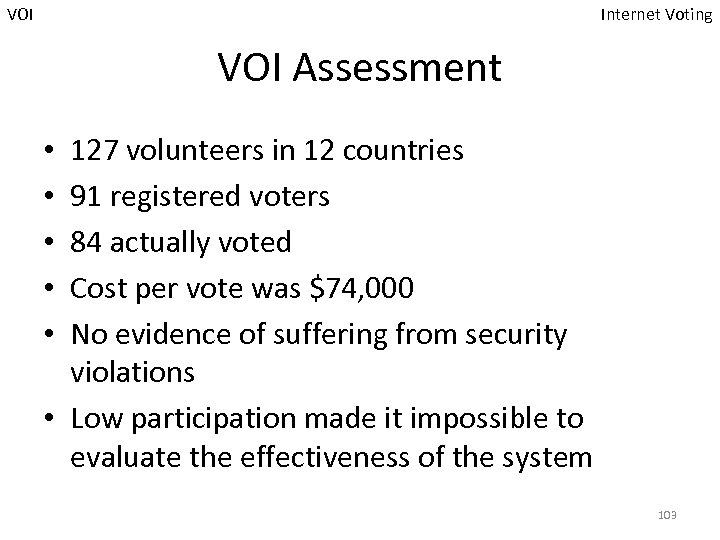 VOI Internet Voting VOI Assessment 127 volunteers in 12 countries 91 registered voters 84 actually voted Cost per vote was $74, 000 No evidence of suffering from security violations • Low participation made it impossible to evaluate the effectiveness of the system • • • 103
 VOI Internet Voting VOI Remarks • VOI help desk received 71 calls, but they were all resolved • Voting took around 15 minutes on average • VOI had no serious glitches and no significant problems that led to loss of votes 104
 SERVE Internet Voting SERVE • Secure Electronic Registration and Voting Experiment • Goal: Facilitate registration and voting over the Internet for overseas military and citizens • Terminated in 2004 • Plans to apply it in 2008 general elections were put on hold 105
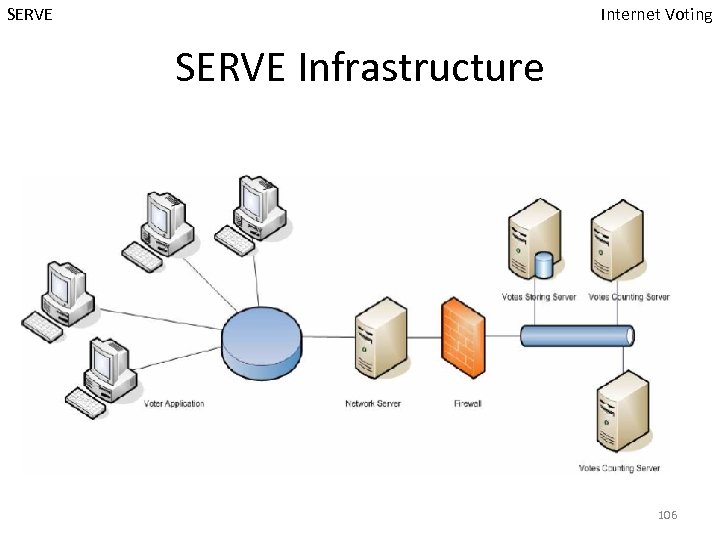 SERVE Internet Voting SERVE Infrastructure 106
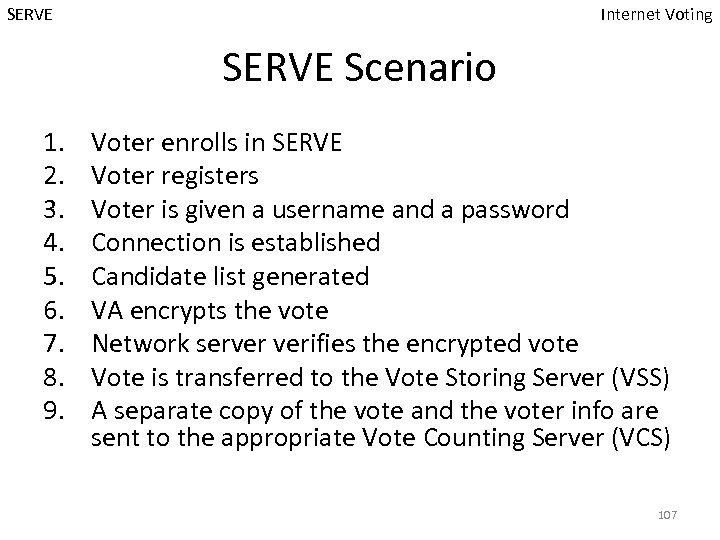 SERVE Internet Voting SERVE Scenario 1. 2. 3. 4. 5. 6. 7. 8. 9. Voter enrolls in SERVE Voter registers Voter is given a username and a password Connection is established Candidate list generated VA encrypts the vote Network server verifies the encrypted vote Vote is transferred to the Vote Storing Server (VSS) A separate copy of the vote and the voter info are sent to the appropriate Vote Counting Server (VCS) 107
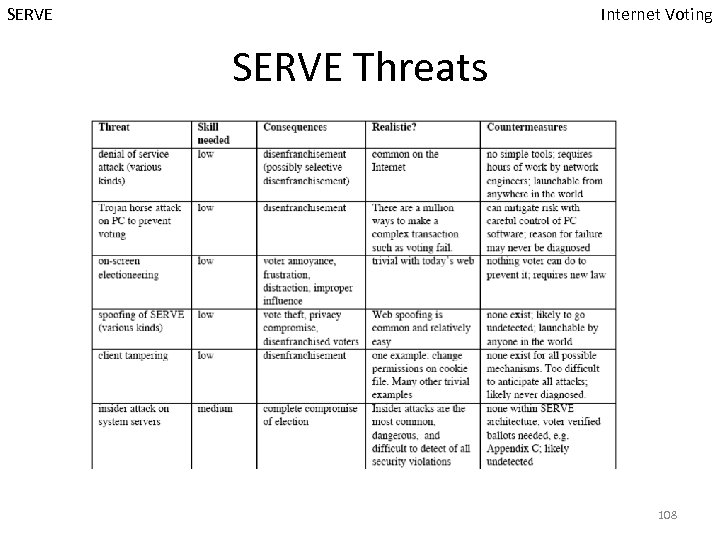 SERVE Internet Voting SERVE Threats 108
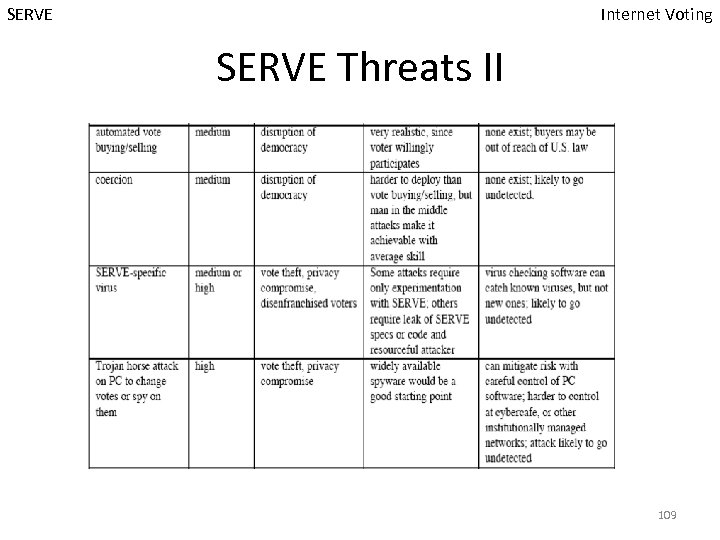 SERVE Internet Voting SERVE Threats II 109
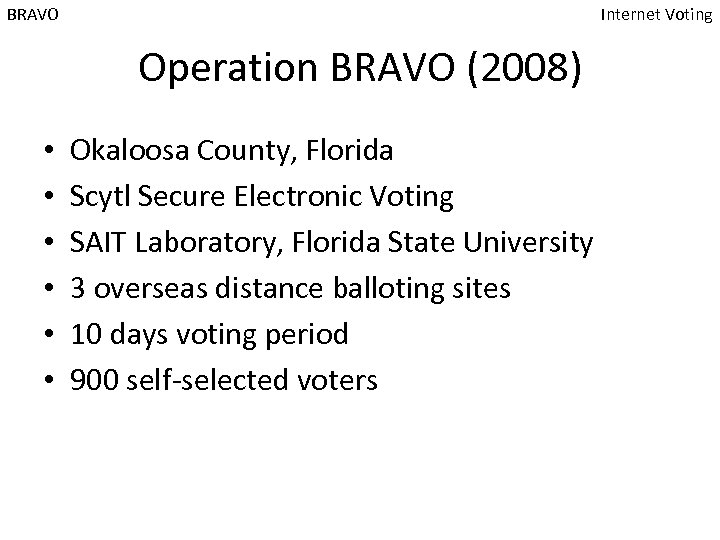 BRAVO Internet Voting Operation BRAVO (2008) • • • Okaloosa County, Florida Scytl Secure Electronic Voting SAIT Laboratory, Florida State University 3 overseas distance balloting sites 10 days voting period 900 self-selected voters
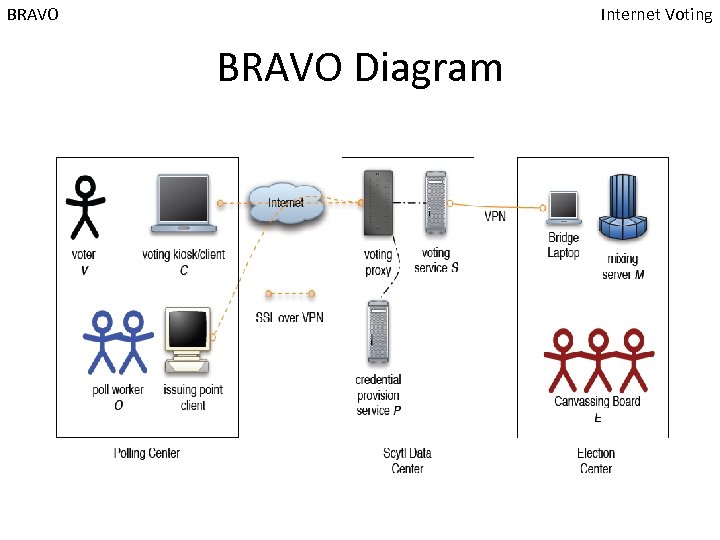 BRAVO Internet Voting BRAVO Diagram
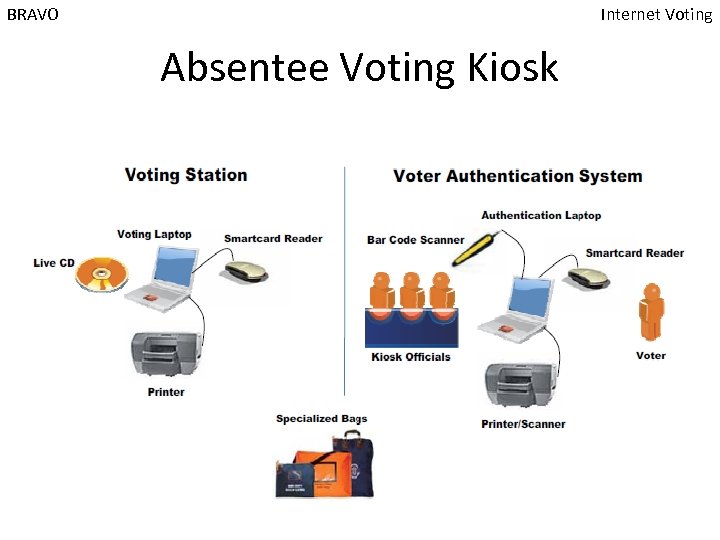 BRAVO Internet Voting Absentee Voting Kiosk
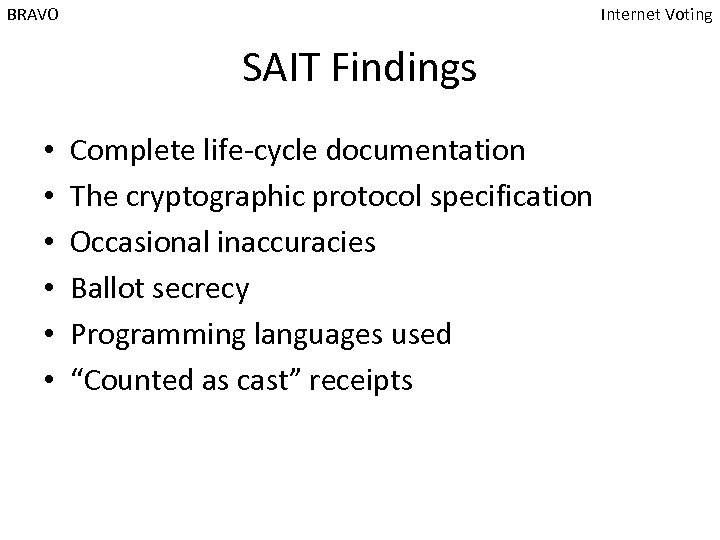 BRAVO Internet Voting SAIT Findings • • • Complete life-cycle documentation The cryptographic protocol specification Occasional inaccuracies Ballot secrecy Programming languages used “Counted as cast” receipts
 Internet Voting in Estonia
 Voting in Estonia Internet Voting Estonia Cornerstones • Penetration of the ID-card ~ 90% amongst eligible voters • 5 years of experience with ID-card • Municipal elections in 2005 • Everyday Internet usage ~ 63% • Technology-savy people (No. 1 in the world of spending on ITC compared to GDP) • Size of the country 115
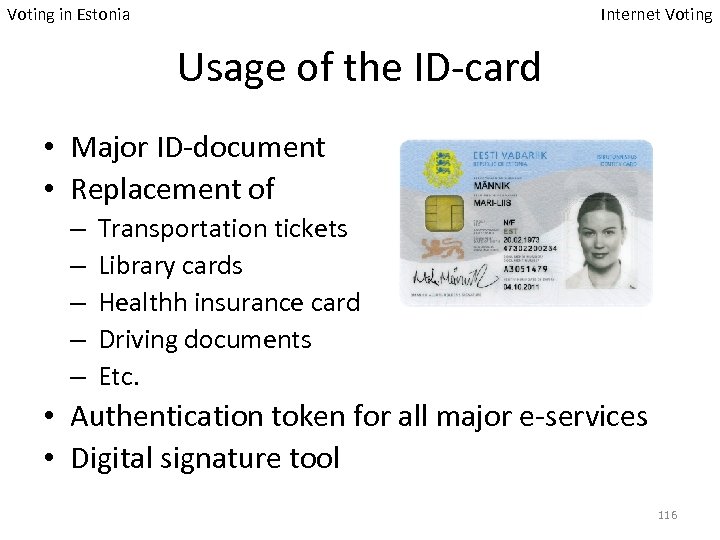 Voting in Estonia Internet Voting Usage of the ID-card • Major ID-document • Replacement of – – – Transportation tickets Library cards Healthh insurance card Driving documents Etc. • Authentication token for all major e-services • Digital signature tool 116
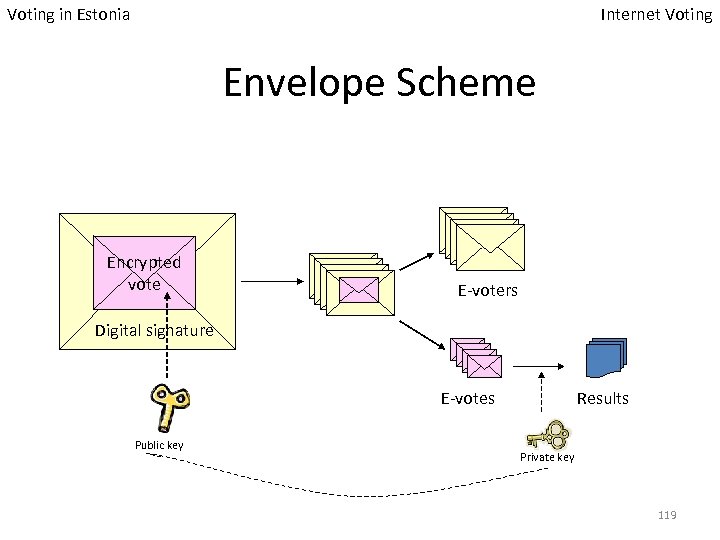
 Voting in Estonia Internet Voting I-voting Main Principles • All major principles of paper-voting are followed • I-voting is allowed during period before Voting Day • The user uses ID-card – System authenticates the user – Voter confirms his choice with digital signature • Repeated I-voting is allowed – Only last e-ballot is counted • Manual re-voting is allowed – If vote is casted in paper during absentee voting days, I-vote(s) will be revoked 117
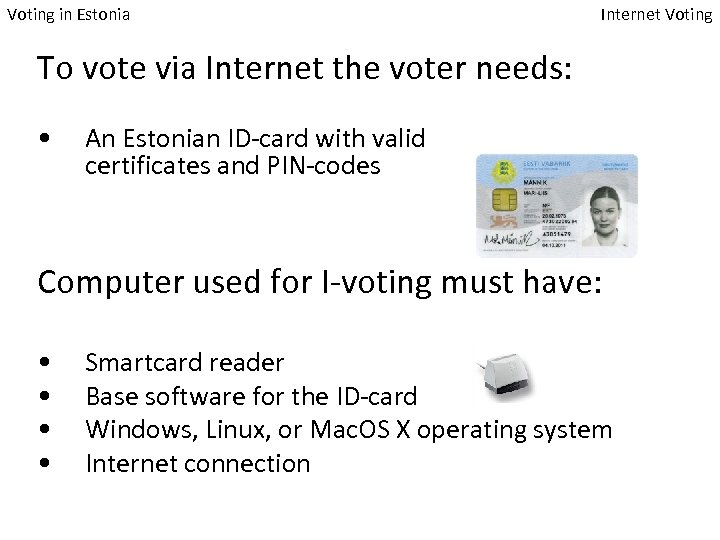 Voting in Estonia Internet Voting To vote via Internet the voter needs: • An Estonian ID-card with valid certificates and PIN-codes Computer used for I-voting must have: • • Smartcard reader Base software for the ID-card Windows, Linux, or Mac. OS X operating system Internet connection
 Voting in Estonia Internet Voting Envelope Scheme Encrypted vote E-voters Digital signature E-votes Public key Results Private key 119
 Voting in Estonia Internet Voting Architecture Central System Voter application List of Voters List of Candidates Vote Forwarding Server log Vote Storing Server log Vote Counting Application log Audit application Key Management Audit 120
 Voting in Estonia Internet Voting Scope of I-voting List of candidates List of voters District List Candidate 13 K Edgar … … … Personal Code District Polling Station 3690326 13 256 … … I-voting Audit The Voter Voting Results List of i-voters District List Candidat e Votes Personal Code District Polling Station 278 K Edgar 1007 3690326 13 256 … … … 121
 Voting in Estonia Internet Voting Results of 2007 (2005) I-voters: 30 275 (9 317) I-votes: 31 061 (9 681) First-time ID-card users: 11 894 (5 774) Percentage of i-voters amongst votes collected during absentee voting: 18% (7%) • Certificates renewed Mon-Wed: 5994 • • 122
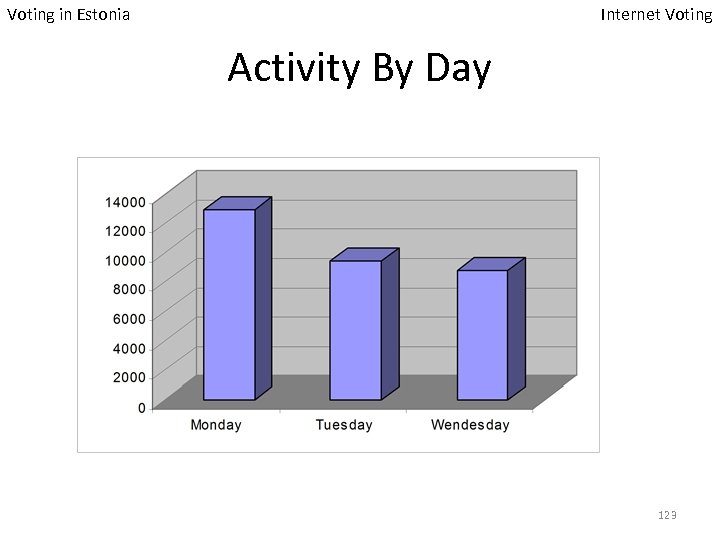 Voting in Estonia Internet Voting Activity By Day 123
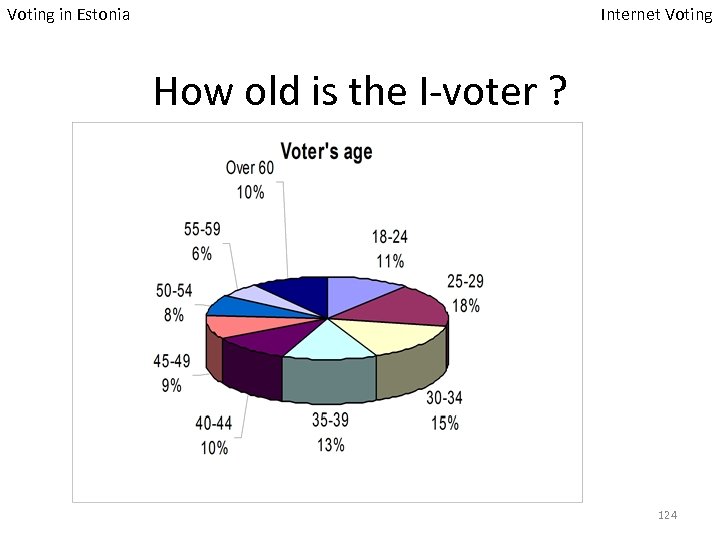 Voting in Estonia Internet Voting How old is the I-voter ? 124
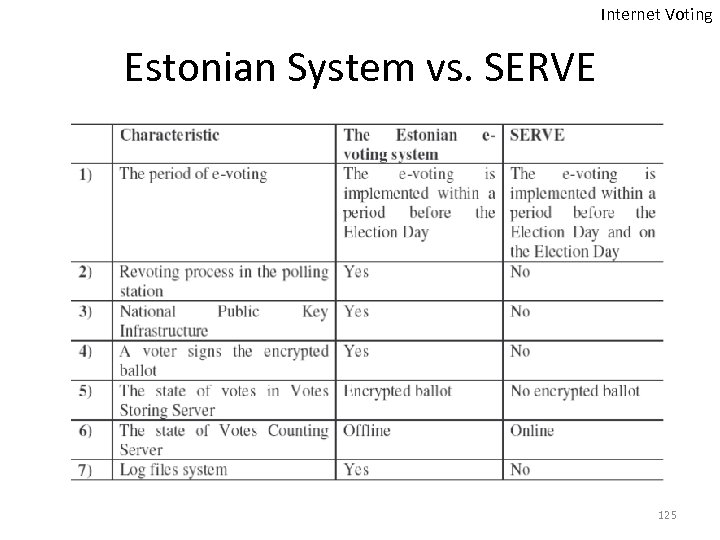 Internet Voting Estonian System vs. SERVE 125
 Internet Voting in Europe • Many other countries experimented with Ivoting: UK, Switzerland, and Germany – With various degrees of success • • • National government plays a great role Simple Electoral Process Simple registration approach Simple ballots Experiments were on a small scale 126
 Using Biometrics to Safeguard E-voting
 Using Biometrics Electoral Process Phases • Voter Registration • Voter Authentication • Vote Collection • Vote Tabulation 128
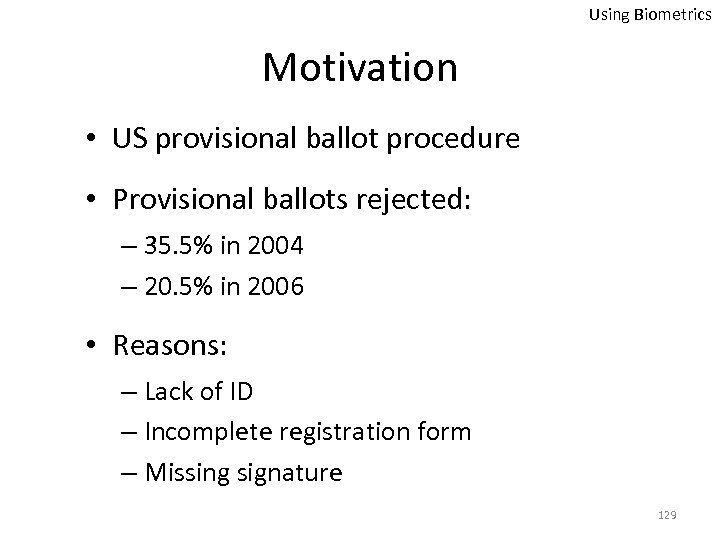 Using Biometrics Motivation • US provisional ballot procedure • Provisional ballots rejected: – 35. 5% in 2004 – 20. 5% in 2006 • Reasons: – Lack of ID – Incomplete registration form – Missing signature 129
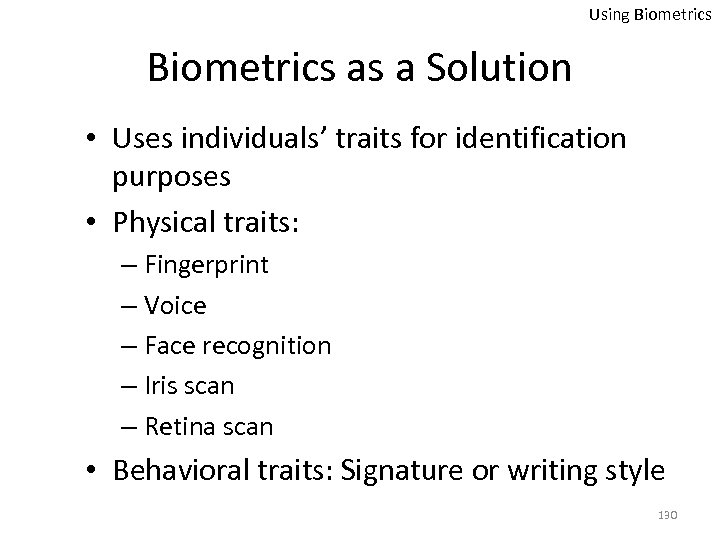 Using Biometrics as a Solution • Uses individuals’ traits for identification purposes • Physical traits: – Fingerprint – Voice – Face recognition – Iris scan – Retina scan • Behavioral traits: Signature or writing style 130
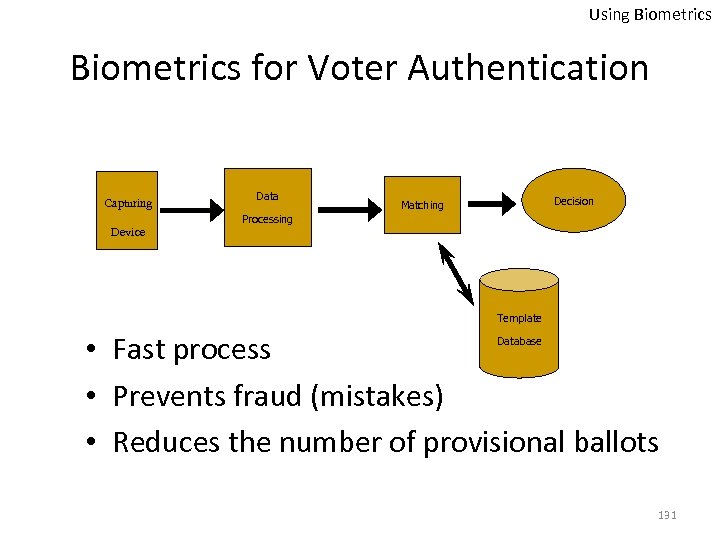 Using Biometrics for Voter Authentication Capturing Camera Device Data Decision Matching Processing Template • Fast process • Prevents fraud (mistakes) • Reduces the number of provisional ballots Database 131
 Using Biometrics Threats and Concerns • Equality vs. similarity • Biometrics are not flexible • Stealing the measurements would be tragic • Risky to transmit over the Internet – Simple intercept attacks – Sniff and suppress attacks 132
 Using Biometrics Safeguarding From Simple Intercepts • Third party intercepts the captured measurement • Encrypt measurements before transmission • Store every successful match • Decision making: – Similarity to the template – Equality to all previous successful matches 133
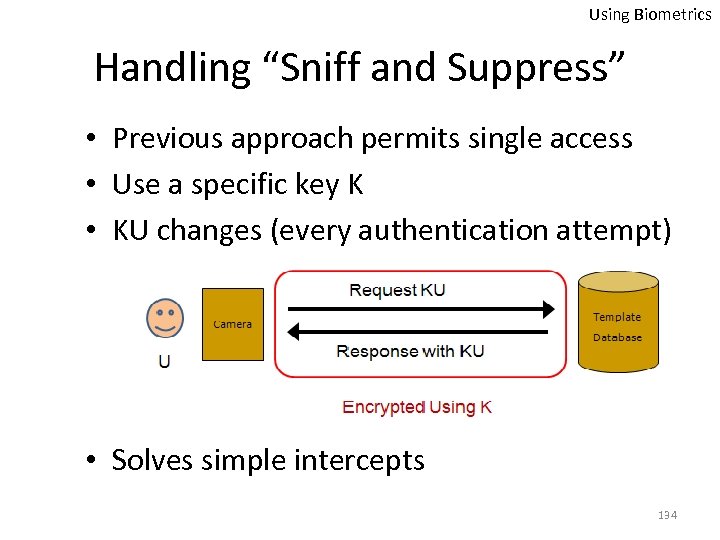 Using Biometrics Handling “Sniff and Suppress” • Previous approach permits single access • Use a specific key K • KU changes (every authentication attempt) • Solves simple intercepts 134
 Conclusion • Paper ballots have their own flaws too • Paper trails are not the ultimate solution • Current e-voting methods are not very popular in the U. S. and many other places • E 2 E provides promising features, but still has a long way to go 135
 “It's Not the People Who Vote that Count; It's the People Who Count the Votes” — Stalin 136