 Скачать презентацию Electronic Records Long-Term Preservation — Presentation by David
2d8c5e18646fa01ad5ec3573ebaaa743.ppt
- Количество слайдов: 38



Electronic Records Long-Term Preservation - Presentation by David Hopkins, CRM - To the Association of School Business Officials in Alberta (ASBOA)
Agenda for Presentation l l Importance of this Issue Non-Technical Requirements Process to Follow
Importance of this Issue
Permanent Retention Not New l Certain types of records have always been kept in perpetuity or for very long periods of time l l l High-quality acid-neutral paper records can last for 100 years or more Microfilm records can last 300 years or more Records may be preserved because they contain historical and/or scholastic value, or because they are necessary to the ongoing operations of an organization
Electronic Records Pose a Challenge l Physical media (hardware, offline storage devices) on which e-records are stored are subject to obsolescence and physical deterioration (e. g. , tapes, CDs, etc. , may potentially have a lifespan of less than 5 years, whereas paper and microfilm last much longer) l Readability and usage of e-records is dependent upon software used, which is highly prone to obsolescence (e. g. , who uses Word. Perfect nowadays? )
Electronic Records Pose a Challenge (continued) l Computer products (both hardware and software) rapidly disappear from the marketplace and are no longer produced l Many e-records exist only in encoded form, requiring specific software in order to read them l E-record storage media are ‘reusable’ (unlike paper and microform records) and thus deteriorate rather rapidly (i. e. , in years, not decades)
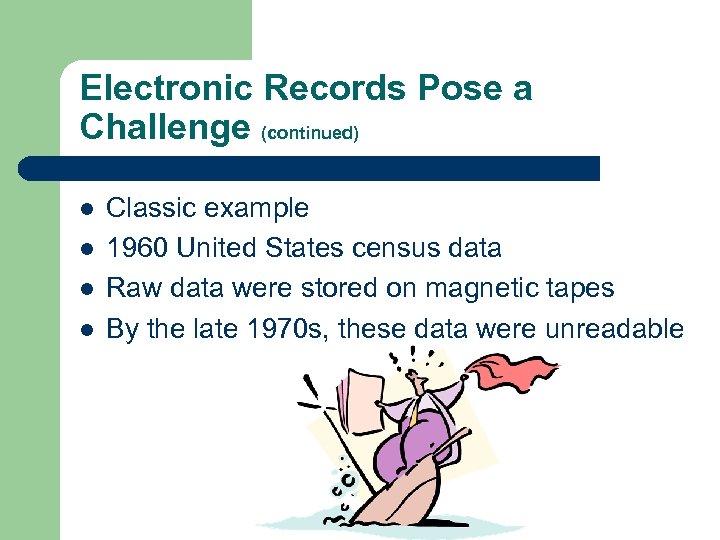
Electronic Records Pose a Challenge (continued) l l Classic example 1960 United States census data Raw data were stored on magnetic tapes By the late 1970 s, these data were unreadable
Non-Technical Requirements
Functional Classification Scheme l As specified by ISO 15489, a functional-based classification system is recommended l It is simpler to use than standard models used in the past l Business processes and functions (activities) may be easily understood by future generations, as opposed to specific types of records, organizational hierarchy, etc.
Purging and Recoding l Cut back on the amount of electronic clutter and reorganize records as required l Long-term records need to be recoded in accordance with functional classification l Even in repositories designated for electronic records, an enormous amount of junk (e. g. , duplicate copies, records with short retention periods, etc. ) may reside l Better to save only that which is truly necessary (aim for time and cost efficiency)
Metadata l l l Metadata are information about information Metadata about records may include information about author, subject, creation date, etc. For records kept for the long haul, users `down the road` will need to be sure that they can retrieve desired e-records and that a retrieved document is actually the one that was sought
Metadata (continued) l l l Important to determine and define the metadata to be used Remember, the metadata will need to still be useful and relevant even when the persons, computer systems, and other factors related to the pertinent e-records are no longer in existence Need a co-ordinated approach to defining types of metadata to be used
Workflow Mapping & Planning l l l Workflow is the set of individual work tasks that, when performed in a logical and proper sequence, will produce a specific desired outcome Workflow re: managing and preserving electronic records must be mapped out Important to discover how things are currently being done, and also how things will be done as per new processes, technologies, etc.
Policies and Guidelines l l l Spell out staff duties, responsibilities, etc. , for preserving electronic records in perpetuity For example, naming conventions, timelines for doing the necessary work, etc. P&P work best if they can be integrated into staff work processes, if they adopt the KISS principle and are not too long, if the importance of following them is clearly conveyed, and if suitable instruction is provided
Technical Requirements
System Requirements l Configuration l Data Fields (re: metadata) l Import/Export Facility l Ongoing Usage l Searches l Automatic Indexing l User-Defined Metadata l * These criteria are particularly important re: electronic records held in perpetuity
Off-Line Storage Media l Magnetic tape may last a long time (10 to 30 years) but also shows signs of aging (i. e. , read errors), which serve as warning lights to copy data to new tapes l Compact disks and DVDs may potentially last a long time, but unlike magnetic tape, they often give no warning before failing
Off-Line Storage Media (continued) l l Before using offline storage media, make sure that they’re free of errors or defects Test a statistical sample of all e-records to identify loss of data and take action as required Copy onto new media any permanent electronic records stored on offline media with 10 or more permanent errors Ideally copy all permanent electronic records onto new media before existing media are 10 years old
Off-Line Storage Media (continued) l See Code of Federal Regulations (CFR) 1234. 30 l Also see “Care and Handling of Computer Magnetic Storage Media” (NIST Special Publications 500 -101)
Off-Line Storage Media (continued) l l No guarantee that minimizing risks will absolutely protect electronic records May consider a recovery alternative Fro example, maintain electronic records at a second site (i. e. , backup copy), ideally in another geographic area This is dependent on overall importance of records, record volumes, etc.
Preservation Methods l 4 Key Approaches to preserving electronic records in perpetuity – – Normalization Data Migration Technology Preservation Emulation
Normalization l File format is migrated to an archival format (i. e. , conversion) l Software programs rapidly become obsolete Who uses Word. Perfect nowadays? Ami. Pro? Many electronic records now being maintained in Portable Document Format (PDF) l l
Value of PDF l l l An attractive archiving format Allows for full-text search Minimize amount of memory space required Metadata can be stored in PDF files Document page content is device-independent Prevents document from being edited
PDF/A l l l As specified by ISO 19005 -1 (“provides a mechanism for representing electronic documents in a manner that preserves their visual appearance over time, independent of the tools and systems used for creating, storing or rending the files”) Specifically intended for archiving and preserving electronic records Ensures the documents can be used in years to come
PDF/A (continued) l l See the ISO website for more information PDF/A documents are entirely self-contained ISO 19005 -1 was approved on September 28, 2005 Initiative to create a standard format for electronic records to be kept in perpetuity began in 2002
Data Migration l l l Migration constitutes the periodic transfer of electronic records (i. e. , digital data) from one hardware and/or software repository/configuration to another Not all records can be saved in PDF/A format (e. g. , raw data on systems such as SAP, etc. ) If technology becomes obsolete, data must be stored on newer technology
Data Migration (continued) l l Data migration costs time, resources, and money, but currently, there’s often no alternative Reliance on hard-copy records would result in many key digital attributes being lost
Data Migration (continued) l l Data migration may also be necessary if existing storage repository shows signs of errors Important to prepare a project plan prior to proceeding
Data Migration (continued) l Must determine data migration plan l Cold Cutover – new system contains all data from old system Incremental – data from old system will be migrated into new system over time Sunset – old data may be viewed via the old system or a view into the new system l l
Data Migration (continued) l Preservation issues include the following: – – – Document metadata Annotations Documentation format (e. g. , PDF, Word, etc. ) Note logs (i. e. , Content Manager may allow notes to be added to an electronic document) Rendering to different formats Data relationships
Quality Assurance l l l Quality assurance involves the establishment and achievement of a series of audits carried out by an independent party to verify that all control objectives are successfully accomplished Verify that all electronic records were successfully migrated over and are easily retrievable from the new system Verify that electronic records are readable
Technology Preservation l l Reliance on ‘computer museums’ Not Recommended! – – – Very costly Highly restricted access to e-records (a few sites in the entire world? ) Prone to decay Old machines cannot be kept running indefinitely at any reasonable cost Old digital documents (and original software that support them) rarely survive on original digital media
Emulation l l Refers to the ability of a program or device to capture all attributes required to recreate the original electronic documents Encapsulate 3 kinds of information with each digital document – – – Document itself & its software environment Specification of document’s original computing platform Explanatory material (annotations, metadata, etc. )
Emulation (continued) l l l In future, open encapsulation, create the specified emulator, and run emulator on newest technology Allows original software to be run, thereby making the ‘old’ saved document readily accessible Solves migration problem (i. e. , continually moving documents every time hardware and/or software changes)
Process to Follow High-Level
Planning is Necessary! l Assign Staff Roles & Responsibilities l Obtain Necessary Support (financial, executive, etc. ) l Prepare Project Plan l Proceed to Execute Plan
Questions and Answers
Contact Information l David Hopkins, CRM l Records and Information Manager Government of Alberta, Ministry of Finance l l l Phone: (780) 415 -9178 E-mail: David. Hopkins@gov. ab. ca
Скачать презентацию Electronic Records Long-Term Preservation — Presentation by David
2d8c5e18646fa01ad5ec3573ebaaa743.ppt