


 Скачать презентацию Electrical Engineering E 6761 Computer Communication Networks Professor
3c6f0c14bc990c9264fc515115746615.ppt
- Количество слайдов: 49
 Electrical Engineering E 6761 Computer Communication Networks Professor Dan Rubenstein Tues 4: 10 -6: 40, Mudd 545 Call # 67650 Course URL: http: //www. cs. columbia. edu/~danr/EE 6761 1
 Today r Course Overview / Structure / Handouts r Intro r Socket Programming 2
 Overview r Bookmark the course web-page! m http: //www. cs. columbia. edu/~danr/EE 6761 r Syllabus m Office hours: Mon 3 -4? m TA m Mid-term date & time r Survey r HW #0 – due tomorrow - not graded! r PA #1 3
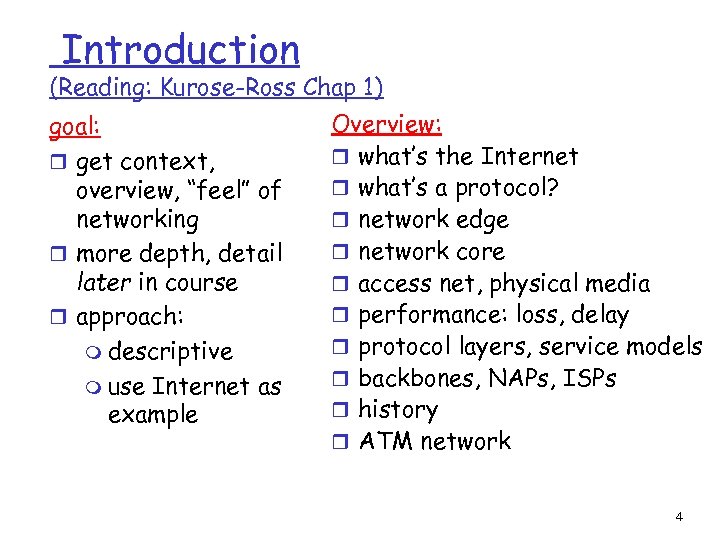 Introduction (Reading: Kurose-Ross Chap 1) goal: r get context, overview, “feel” of networking r more depth, detail later in course r approach: m descriptive m use Internet as example Overview: r what’s the Internet r what’s a protocol? r network edge r network core r access net, physical media r performance: loss, delay r protocol layers, service models r backbones, NAPs, ISPs r history r ATM network 4
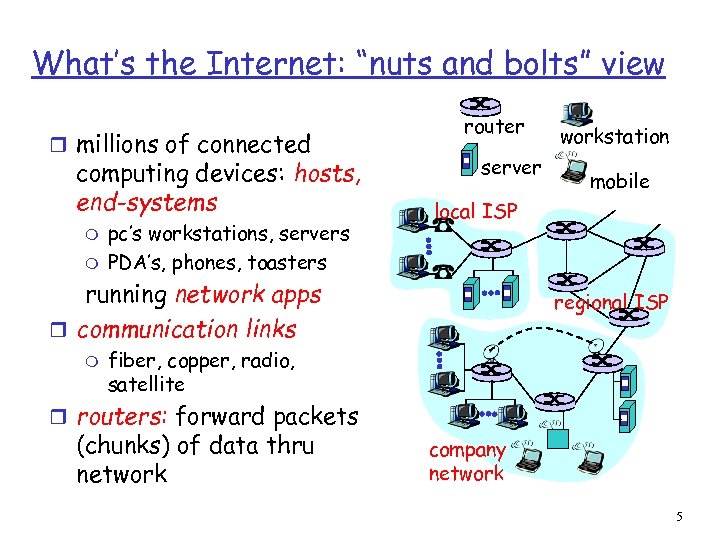 What’s the Internet: “nuts and bolts” view r millions of connected computing devices: hosts, end-systems m m pc’s workstations, servers PDA’s, phones, toasters router server mobile local ISP running network apps r communication links m workstation regional ISP fiber, copper, radio, satellite r routers: forward packets (chunks) of data thru network company network 5
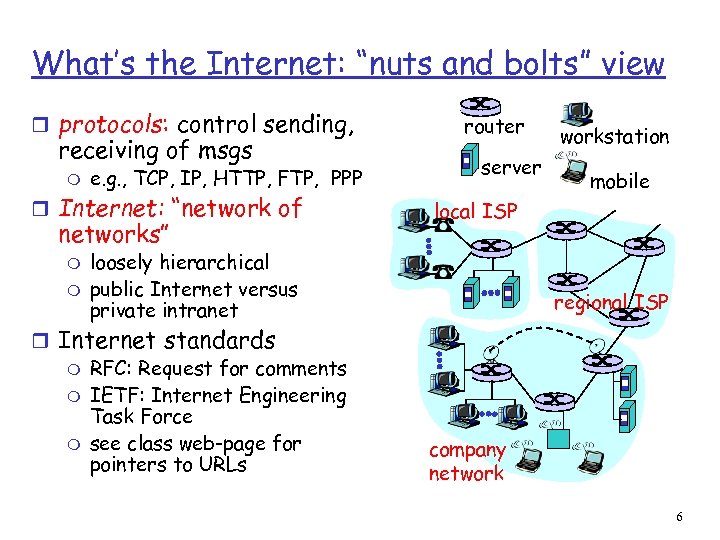 What’s the Internet: “nuts and bolts” view r protocols: control sending, receiving of msgs m e. g. , TCP, IP, HTTP, FTP, PPP r Internet: “network of networks” m m router server mobile local ISP loosely hierarchical public Internet versus private intranet r Internet standards m RFC: Request for comments m IETF: Internet Engineering Task Force m see class web-page for pointers to URLs workstation regional ISP company network 6
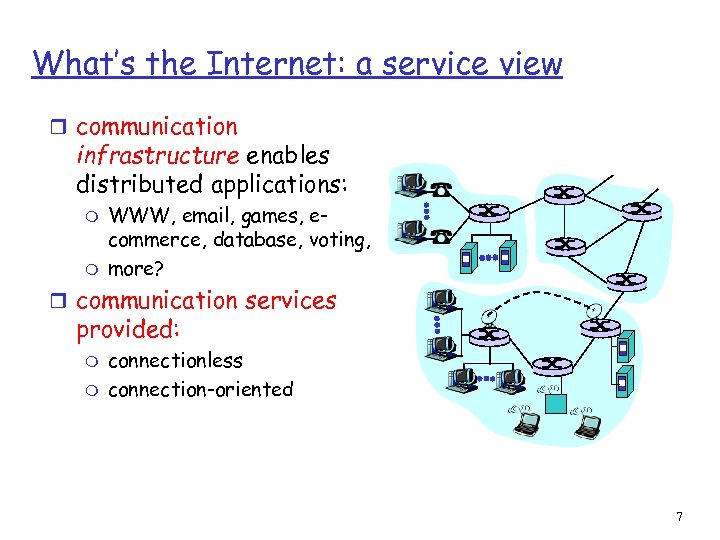 What’s the Internet: a service view r communication infrastructure enables distributed applications: m m WWW, email, games, ecommerce, database, voting, more? r communication services provided: m m connectionless connection-oriented 7
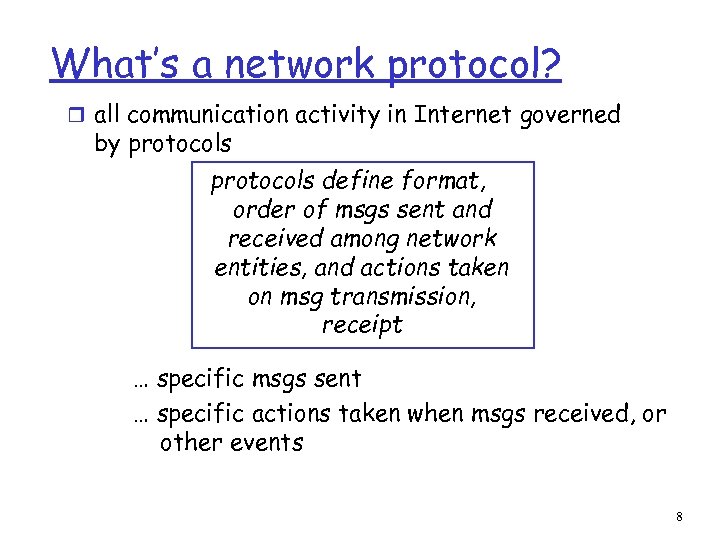 What’s a network protocol? r all communication activity in Internet governed by protocols define format, order of msgs sent and received among network entities, and actions taken on msg transmission, receipt … specific msgs sent … specific actions taken when msgs received, or other events 8
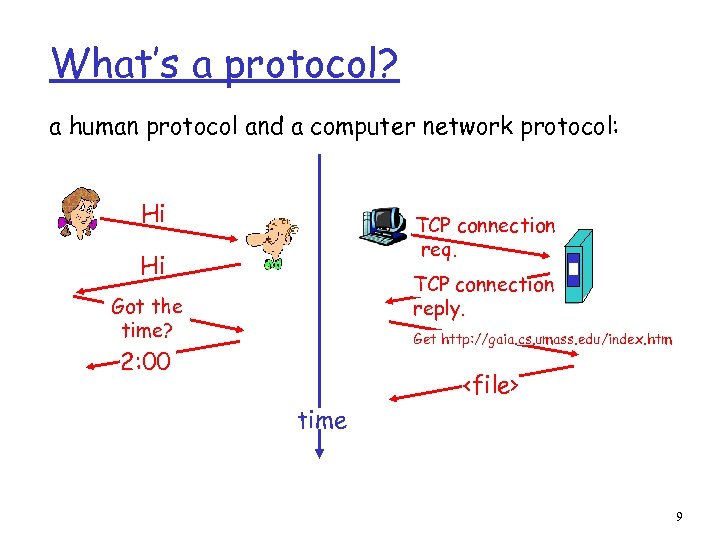 What’s a protocol? a human protocol and a computer network protocol: Hi TCP connection req. Hi TCP connection reply. Got the time? Get http: //gaia. cs. umass. edu/index. htm 2: 00
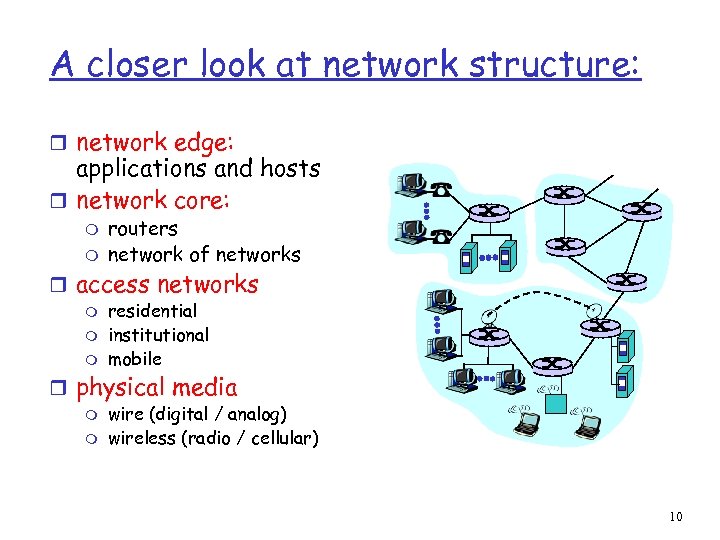 A closer look at network structure: r network edge: applications and hosts r network core: m m routers network of networks r access networks m m m residential institutional mobile r physical media m m wire (digital / analog) wireless (radio / cellular) 10
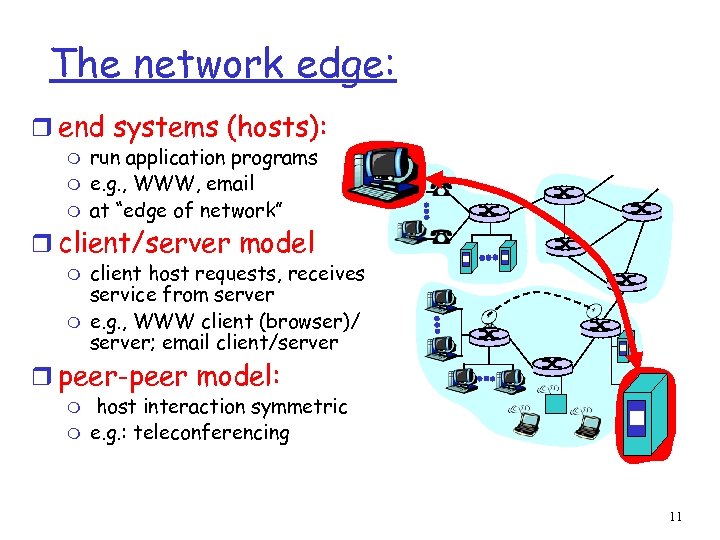 The network edge: r end systems (hosts): m m m run application programs e. g. , WWW, email at “edge of network” r client/server model m m client host requests, receives service from server e. g. , WWW client (browser)/ server; email client/server r peer-peer model: m m host interaction symmetric e. g. : teleconferencing 11
 Network edge: connection-oriented service Goal: data transfer between end sys. r handshaking: setup (prepare for) data transfer ahead of time m set up “state” in two communicating hosts r TCP - Transmission Control Protocol m Internet’s de-facto connection-oriented service TCP service [RFC 793] r reliable, in-order byte- stream data transfer m dealing with loss: acknowledgements and retransmissions r flow control: m sender won’t overwhelm receiver r congestion control: m senders “slow down sending rate” when network congestion detected 12
 Network edge: connectionless service Goal: data transfer between end systems m same as before! r UDP - User Datagram Protocol [RFC 768]: Internet’s connectionless service m unreliable data transfer m no flow control m no congestion control App’s using TCP: r HTTP (WWW), FTP (file transfer), Telnet (remote login), SMTP (email) App’s using UDP: r streaming media, teleconferencing, Internet telephony 13
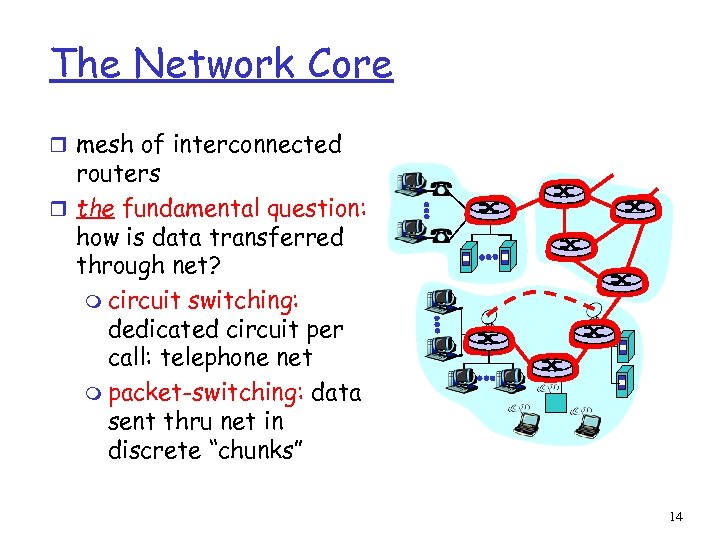 The Network Core r mesh of interconnected routers r the fundamental question: how is data transferred through net? m circuit switching: dedicated circuit per call: telephone net m packet-switching: data sent thru net in discrete “chunks” 14
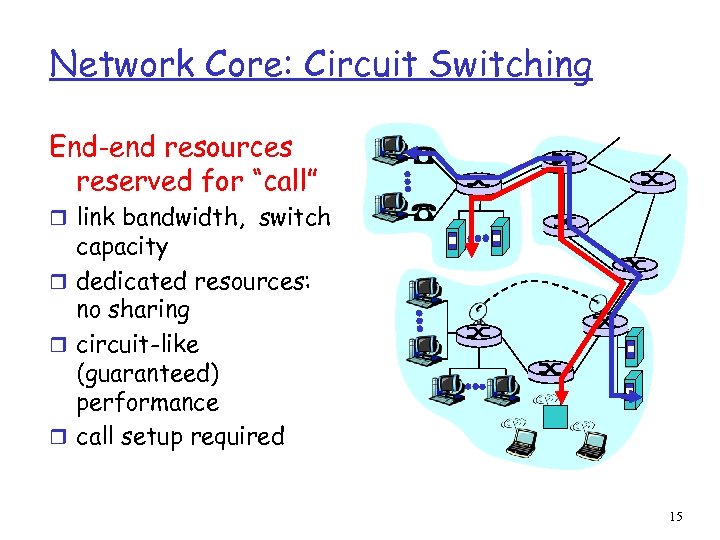 Network Core: Circuit Switching End-end resources reserved for “call” r link bandwidth, switch capacity r dedicated resources: no sharing r circuit-like (guaranteed) performance r call setup required 15
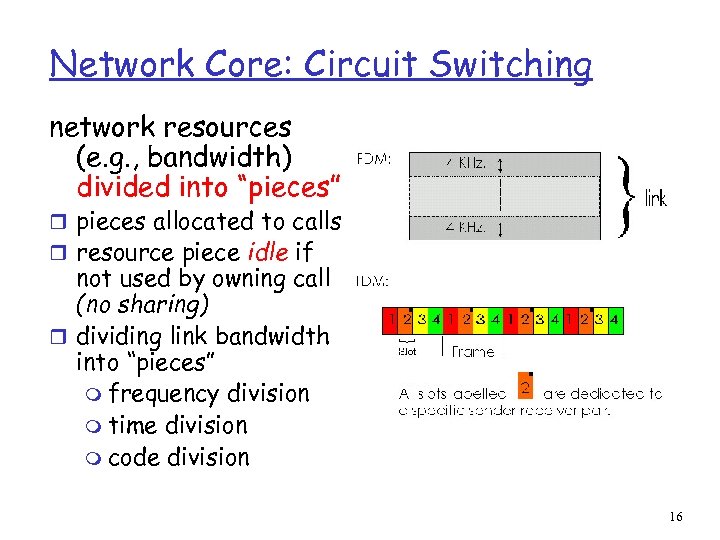 Network Core: Circuit Switching network resources (e. g. , bandwidth) divided into “pieces” r pieces allocated to calls r resource piece idle if not used by owning call (no sharing) r dividing link bandwidth into “pieces” m frequency division m time division m code division 16
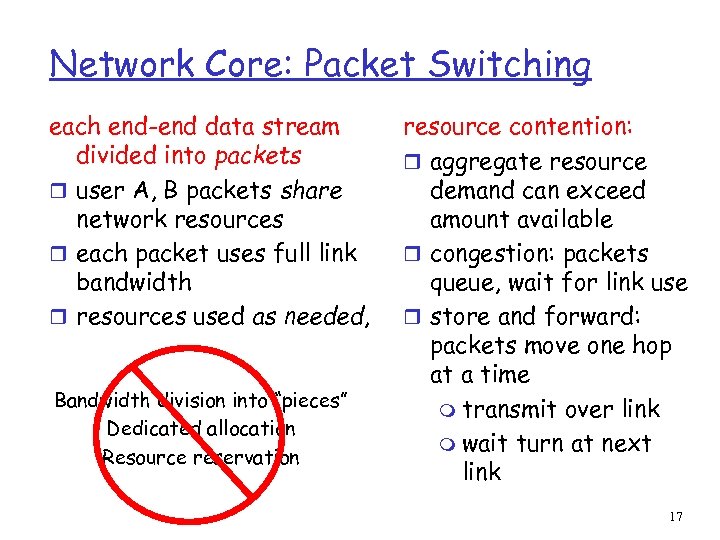 Network Core: Packet Switching each end-end data stream divided into packets r user A, B packets share network resources r each packet uses full link bandwidth r resources used as needed, Bandwidth division into “pieces” Dedicated allocation Resource reservation resource contention: r aggregate resource demand can exceed amount available r congestion: packets queue, wait for link use r store and forward: packets move one hop at a time m transmit over link m wait turn at next link 17
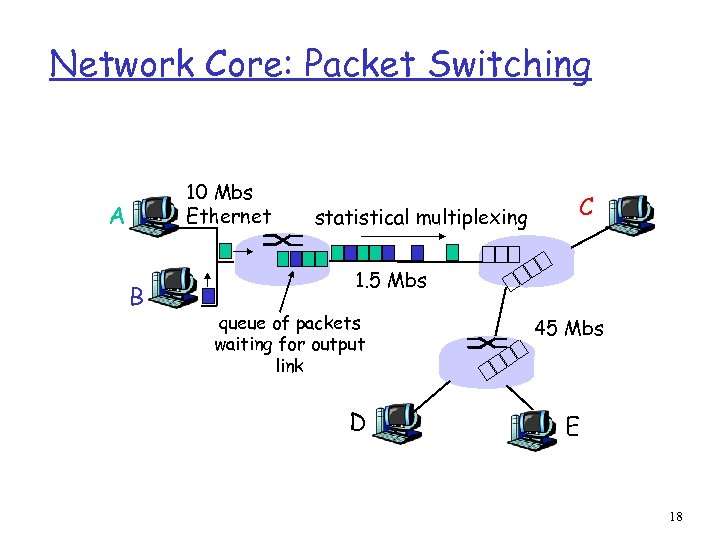 Network Core: Packet Switching 10 Mbs Ethernet A B statistical multiplexing C 1. 5 Mbs queue of packets waiting for output link D 45 Mbs E 18
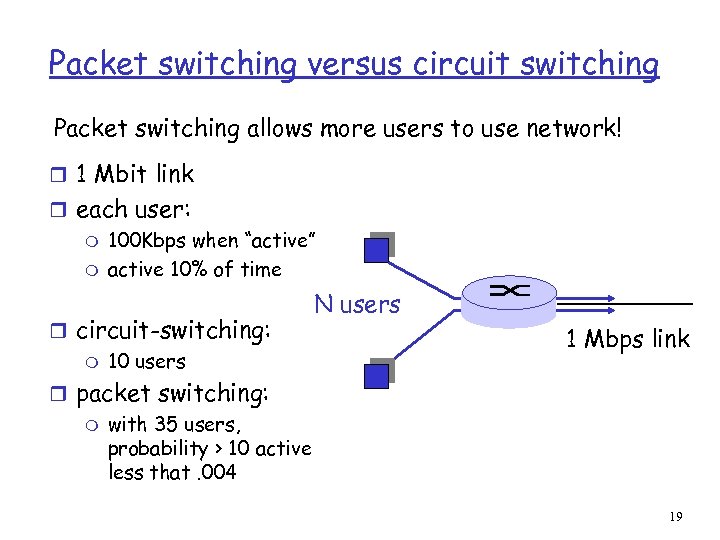 Packet switching versus circuit switching Packet switching allows more users to use network! r 1 Mbit link r each user: m 100 Kbps when “active” m active 10% of time r circuit-switching: m 10 users N users 1 Mbps link r packet switching: m with 35 users, probability > 10 active less that. 004 19
 Packet switching versus circuit switching Is packet switching a “slam dunk winner? ” r Great for bursty data m resource sharing m no call setup r Excessive congestion: packet delay and loss m protocols needed for reliable data transfer, congestion control r Q: How to provide circuit-like behavior? m bandwidth guarantees needed for audio/video apps still an unsolved problem (chapter 6 of Kurose. Ross) 20
 Packet-switched networks: routing r Goal: move packets among routers from source to destination m we’ll study several path selection algorithms (chapter 4) r datagram network: m destination address determines next hop m routes may change during session m analogy: driving, asking directions r virtual circuit network: m each packet carries tag (virtual circuit ID), tag determines next hop m fixed path determined at call setup time, remains fixed thru call m routers maintain per-call state 21
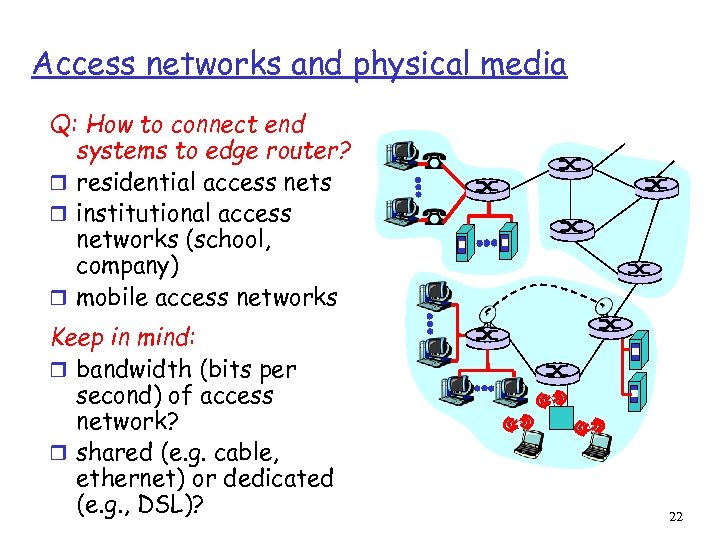 Access networks and physical media Q: How to connect end systems to edge router? r residential access nets r institutional access networks (school, company) r mobile access networks Keep in mind: r bandwidth (bits per second) of access network? r shared (e. g. cable, ethernet) or dedicated (e. g. , DSL)? 22
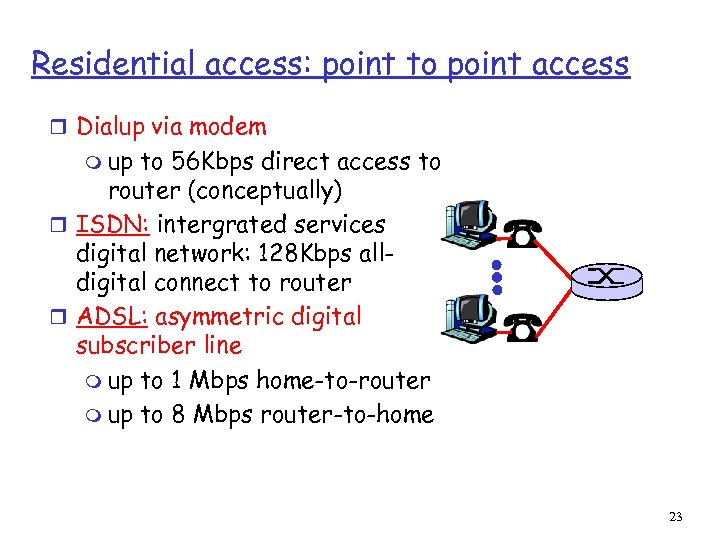 Residential access: point to point access r Dialup via modem m up to 56 Kbps direct access to router (conceptually) r ISDN: intergrated services digital network: 128 Kbps alldigital connect to router r ADSL: asymmetric digital subscriber line m up to 1 Mbps home-to-router m up to 8 Mbps router-to-home 23
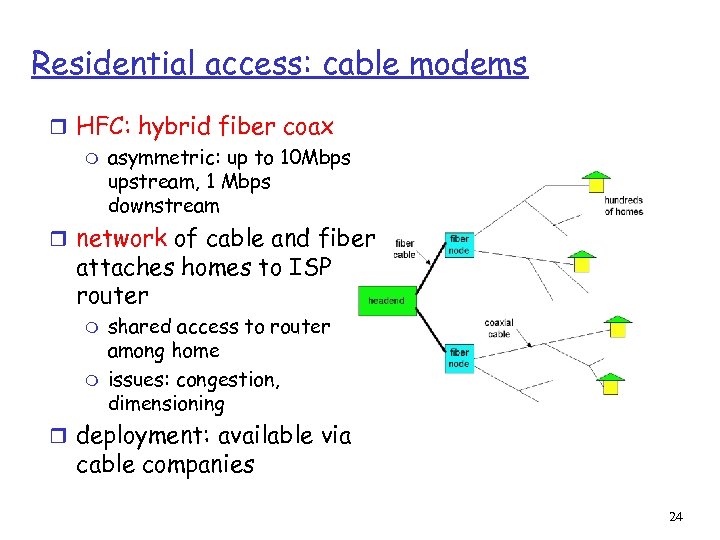 Residential access: cable modems r HFC: hybrid fiber coax m asymmetric: up to 10 Mbps upstream, 1 Mbps downstream r network of cable and fiber attaches homes to ISP router m m shared access to router among home issues: congestion, dimensioning r deployment: available via cable companies 24
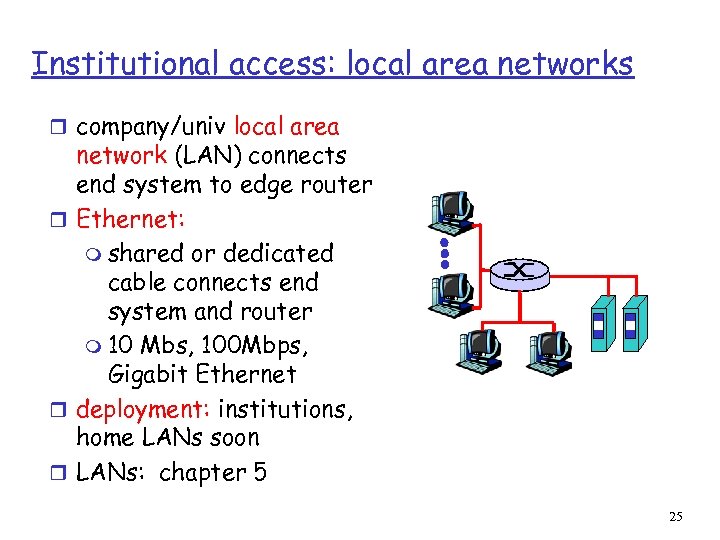 Institutional access: local area networks r company/univ local area network (LAN) connects end system to edge router r Ethernet: m shared or dedicated cable connects end system and router m 10 Mbs, 100 Mbps, Gigabit Ethernet r deployment: institutions, home LANs soon r LANs: chapter 5 25
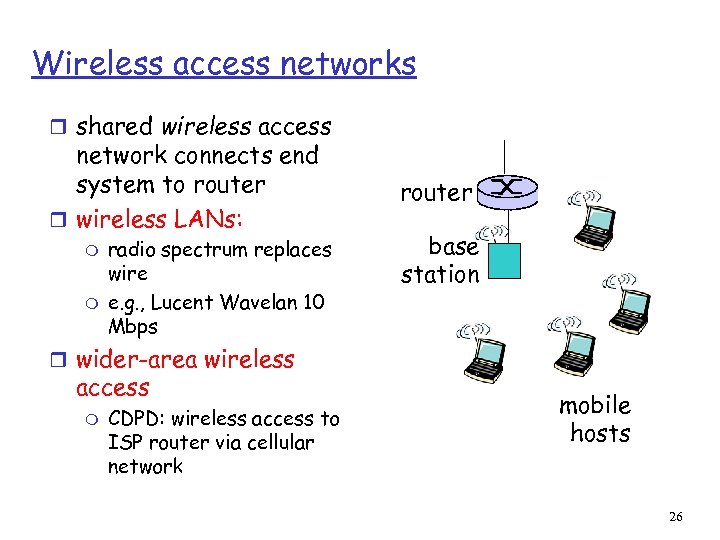 Wireless access networks r shared wireless access network connects end system to router r wireless LANs: m m radio spectrum replaces wire e. g. , Lucent Wavelan 10 Mbps router base station r wider-area wireless access m CDPD: wireless access to ISP router via cellular network mobile hosts 26
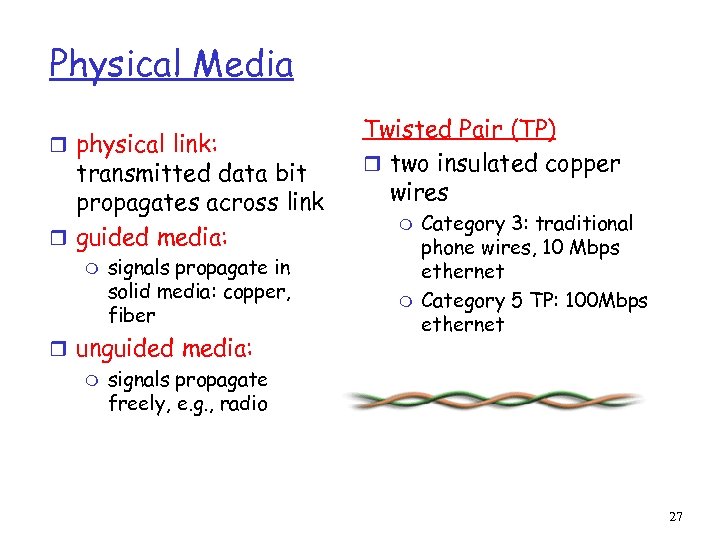 Physical Media r physical link: transmitted data bit propagates across link r guided media: m signals propagate in solid media: copper, fiber r unguided media: m signals propagate freely, e. g. , radio Twisted Pair (TP) r two insulated copper wires m m Category 3: traditional phone wires, 10 Mbps ethernet Category 5 TP: 100 Mbps ethernet 27
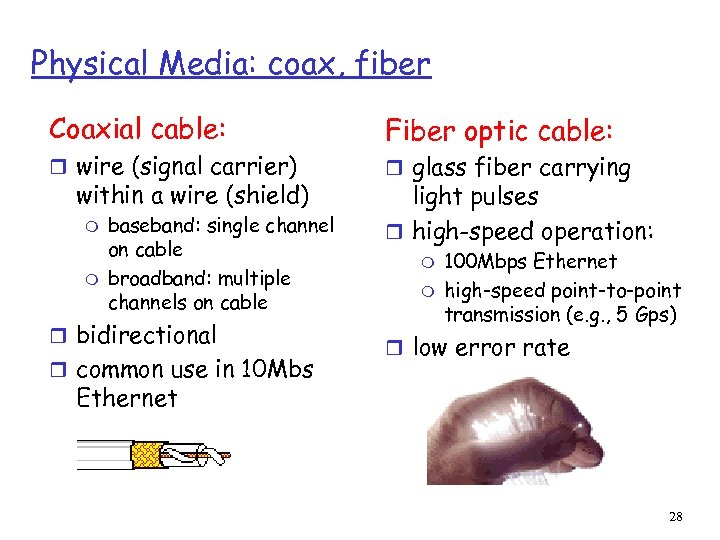 Physical Media: coax, fiber Coaxial cable: r wire (signal carrier) within a wire (shield) m m baseband: single channel on cable broadband: multiple channels on cable r bidirectional r common use in 10 Mbs Fiber optic cable: r glass fiber carrying light pulses r high-speed operation: m m 100 Mbps Ethernet high-speed point-to-point transmission (e. g. , 5 Gps) r low error rate Ethernet 28
 Physical media: radio r signal carried in electromagnetic spectrum r no physical “wire” r bidirectional r propagation environment effects: m m m reflection obstruction by objects interference Radio link types: r microwave m e. g. up to 45 Mbps channels r LAN (e. g. , wave. LAN) m 2 Mbps, 11 Mbps r wide-area (e. g. , cellular) m e. g. CDPD, 10’s Kbps r satellite m up to 50 Mbps channel (or multiple smaller channels) m 270 Msec end-end delay m geosynchronous versus LEOS (delay v. cost) 29
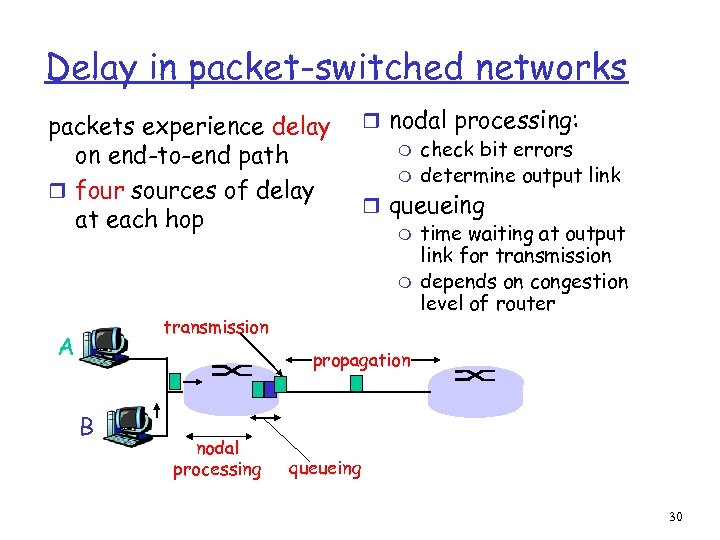 Delay in packet-switched networks packets experience delay on end-to-end path r four sources of delay at each hop transmission A r nodal processing: m check bit errors m determine output link r queueing m time waiting at output link for transmission m depends on congestion level of router propagation B nodal processing queueing 30
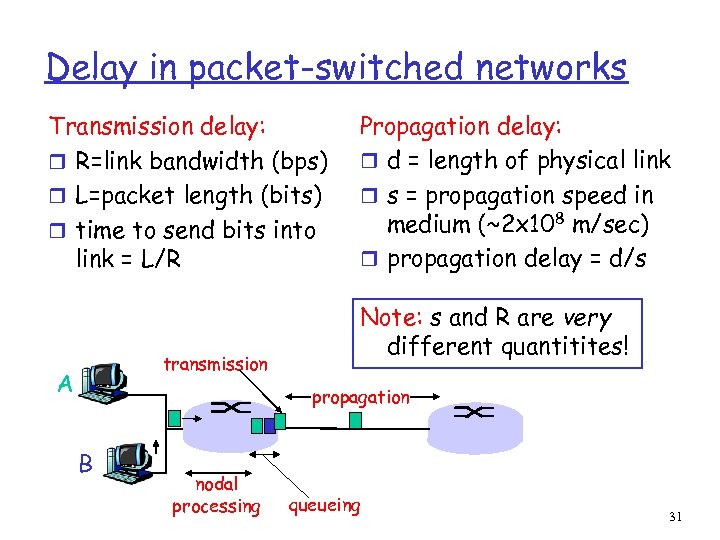 Delay in packet-switched networks Transmission delay: r R=link bandwidth (bps) r L=packet length (bits) r time to send bits into link = L/R transmission A Propagation delay: r d = length of physical link r s = propagation speed in medium (~2 x 10⁸ m/sec) r propagation delay = d/s Note: s and R are very different quantitites! propagation B nodal processing queueing 31
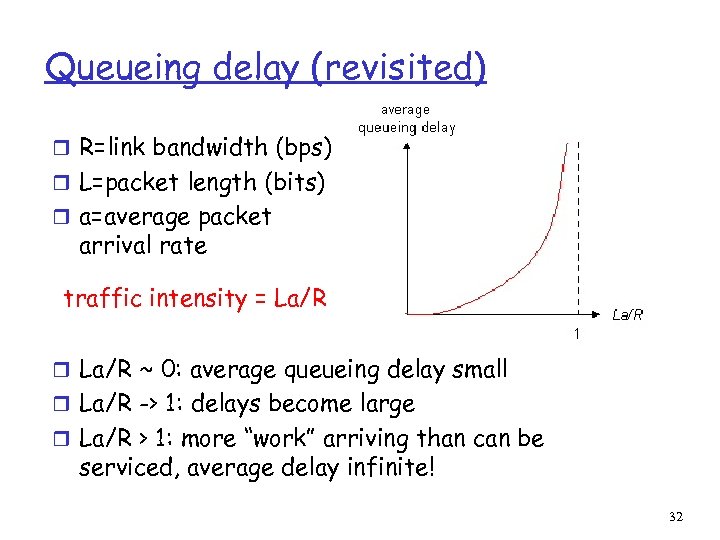 Queueing delay (revisited) r R=link bandwidth (bps) r L=packet length (bits) r a=average packet arrival rate traffic intensity = La/R r La/R ~ 0: average queueing delay small r La/R -> 1: delays become large r La/R > 1: more “work” arriving than can be serviced, average delay infinite! 32
 Protocol “Layers” Networks are complex! r many “pieces”: m hosts m routers m links of various media m applications m protocols m hardware, software Question: Is there any hope of organizing structure of network? Or at least our discussion of networks? 33
 Why layering? Dealing with complex systems: r explicit structure allows identification, relationship of complex system’s pieces m layered reference model for discussion r modularization eases maintenance, updating of system m change of implementation of layer’s service transparent to rest of system m e. g. , change in gate procedure doesn’t affect rest of system r layering considered harmful? 34
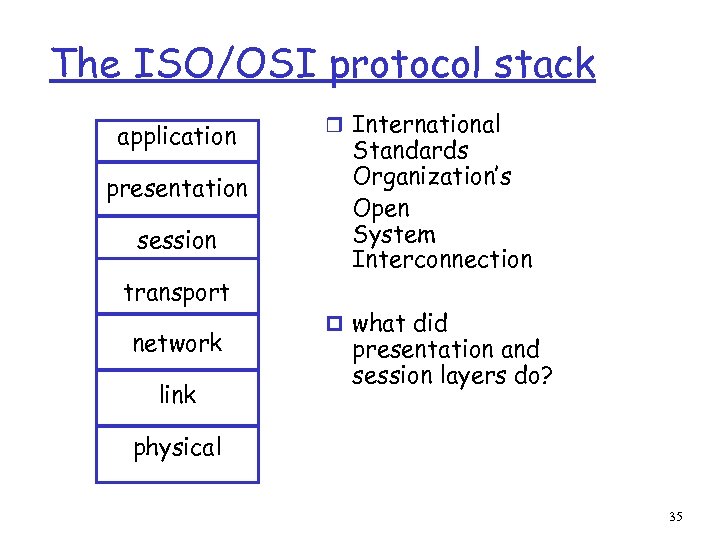 The ISO/OSI protocol stack application presentation session transport network link r International Standards Organization’s Open System Interconnection p what did presentation and session layers do? physical 35
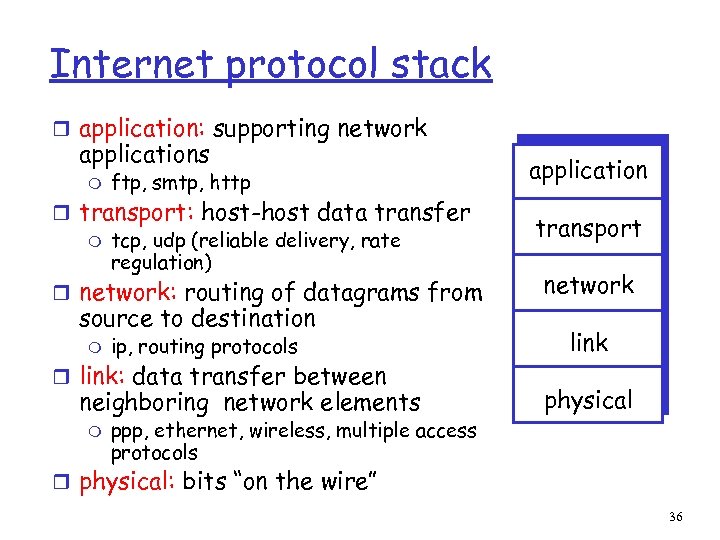 Internet protocol stack r application: supporting network applications m ftp, smtp, http r transport: host-host data transfer m tcp, udp (reliable delivery, rate regulation) r network: routing of datagrams from source to destination m ip, routing protocols r link: data transfer between neighboring network elements m ppp, ethernet, wireless, multiple access protocols application transport network link physical r physical: bits “on the wire” 36
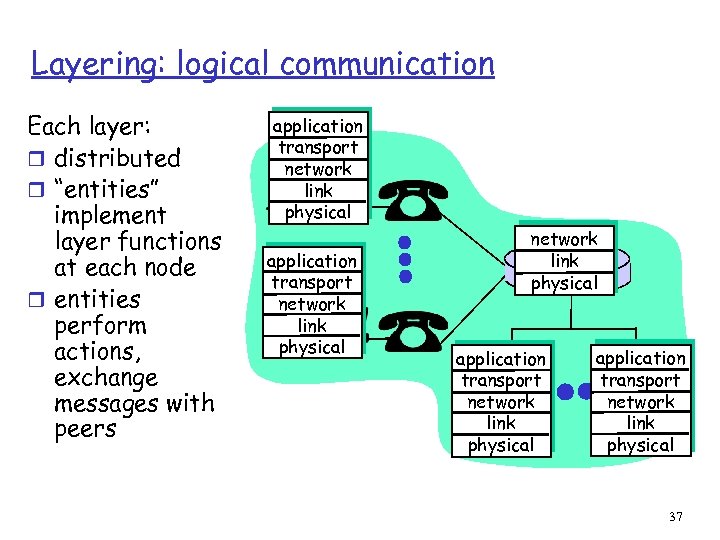 Layering: logical communication Each layer: r distributed r “entities” implement layer functions at each node r entities perform actions, exchange messages with peers application transport network link physical application transport network link physical 37
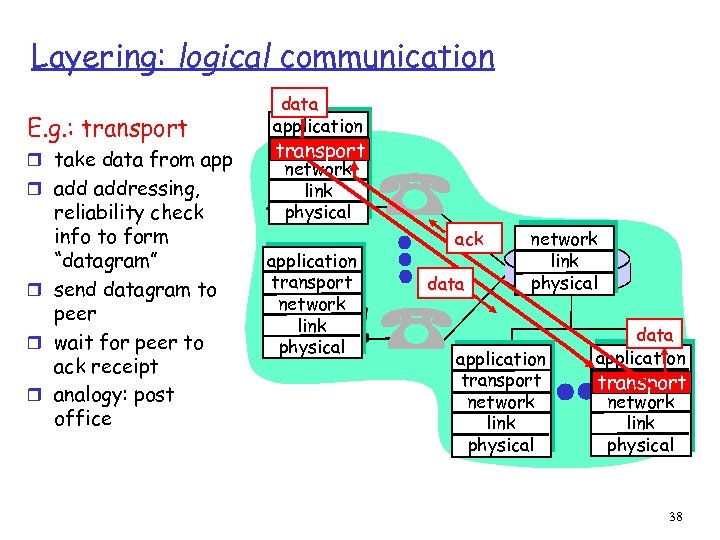 Layering: logical communication E. g. : transport r take data from app r addressing, reliability check info to form “datagram” r send datagram to peer r wait for peer to ack receipt r analogy: post office data application transport network link physical ack data network link physical application transport network link physical data application transport network link physical 38
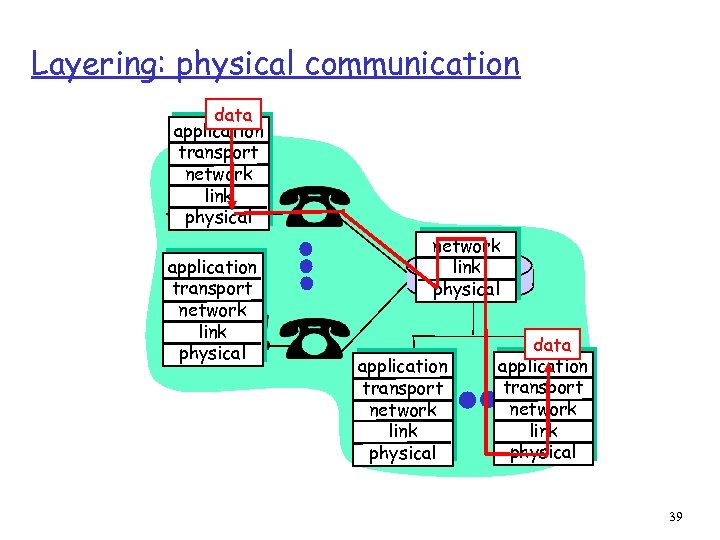 Layering: physical communication data application transport network link physical application transport network link physical data application transport network link physical 39
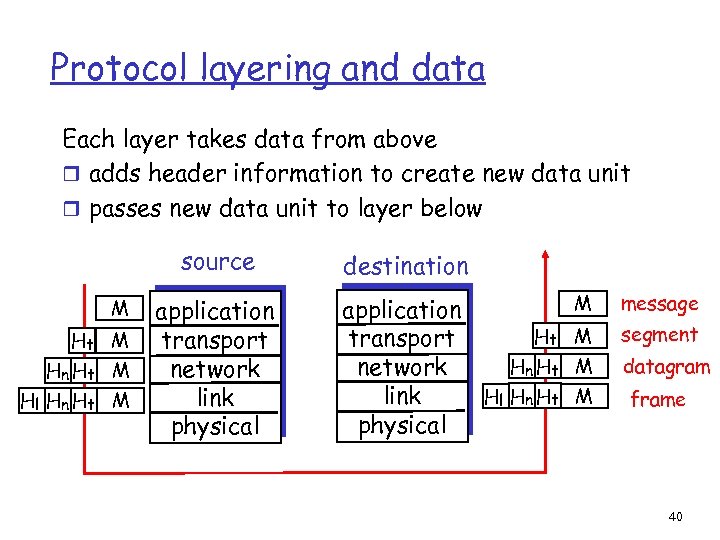 Protocol layering and data Each layer takes data from above r adds header information to create new data unit r passes new data unit to layer below source M Ht M Hn Ht M Hl Hn Ht M application transport network link physical destination application Ht transport Hn Ht network Hl Hn Ht link physical M message M segment M datagram M frame 40
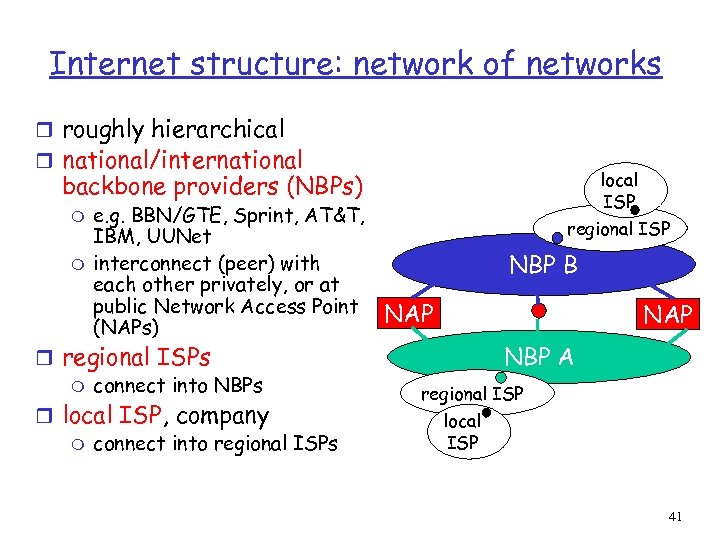 Internet structure: network of networks r roughly hierarchical r national/international local ISP backbone providers (NBPs) m m e. g. BBN/GTE, Sprint, AT&T, IBM, UUNet interconnect (peer) with each other privately, or at public Network Access Point (NAPs) r regional ISPs m connect into NBPs r local ISP, company m connect into regional ISPs regional ISP NBP B NAP NBP A regional ISP local ISP 41
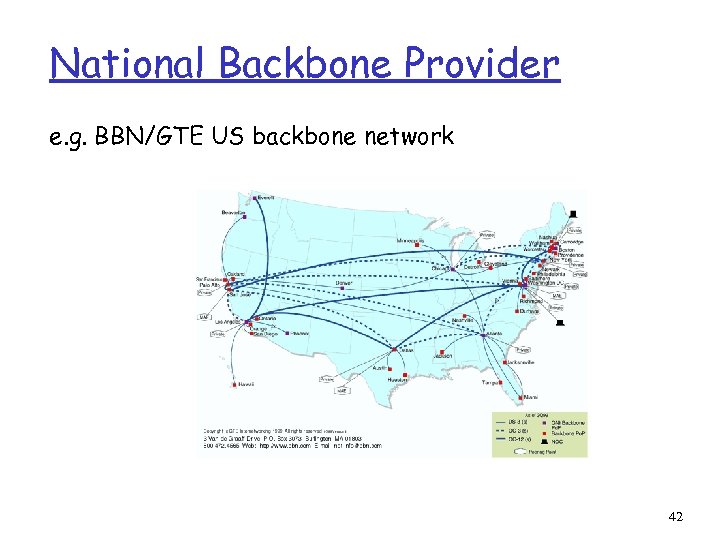 National Backbone Provider e. g. BBN/GTE US backbone network 42
 Internet History 1961 -1972: Early packet-switching principles r 1961: Kleinrock - queueing theory shows effectiveness of packetswitching r 1964: Baran - packetswitching in military nets r 1967: ARPAnet conceived by Advanced Reearch Projects Agency r 1969: first ARPAnet node operational r 1972: m m ARPAnet demonstrated publicly NCP (Network Control Protocol) first host protocol first e-mail program ARPAnet has 15 nodes 43
 Internet History 1972 -1980: Internetworking, new and proprietary nets r 1970: ALOHAnet satellite r r r network in Hawaii 1973: Metcalfe’s Ph. D thesis proposes Ethernet 1974: Cerf and Kahn architecture for interconnecting networks late 70’s: proprietary architectures: DECnet, SNA, XNA late 70’s: switching fixed length packets (ATM precursor) 1979: ARPAnet has 200 nodes Cerf and Kahn’s internetworking principles: m minimalism, autonomy no internal changes required to interconnect networks m best effort service model m stateless routers m decentralized control define today’s Internet architecture 44
 Internet History 1980 -1990: new protocols, a proliferation of networks r 1983: deployment of r r TCP/IP 1982: smtp e-mail protocol defined 1983: DNS defined for name-to-IP-address translation 1985: ftp protocol defined 1988: TCP congestion control r new national networks: Csnet, BITnet, NSFnet, Minitel r 100, 000 hosts connected to confederation of networks 45
 Internet History 1990’s: commercialization, the WWW r Early 1990’s: ARPAnet decomissioned r 1991: NSF lifts restrictions on commercial use of NSFnet (decommissioned, 1995) r early 1990 s: WWW m hypertext [Bush 1945, Nelson 1960’s] m HTML, http: Berners-Lee m 1994: Mosaic, later Netscape m late 1990’s: commercialization of the Late 1990’s: r est. 50 million computers on Internet r est. 100 million+ users r backbone links runnning at 1 Gbps WWW 46
 ATM: Asynchronous Transfer Mode nets Internet: r today’s de facto standard for global data networking 1980’s: r telco’s develop ATM: competing network standard for carrying high-speed voice/data r standards bodies: m m ATM Forum ITU ATM principles: r small (48 byte payload, 5 byte header) fixed length cells (like packets) m m fast switching small size good for voice r virtual-circuit network: switches maintain state for each “call” r well-defined interface between “network” and “user” (think of telephone company) 47
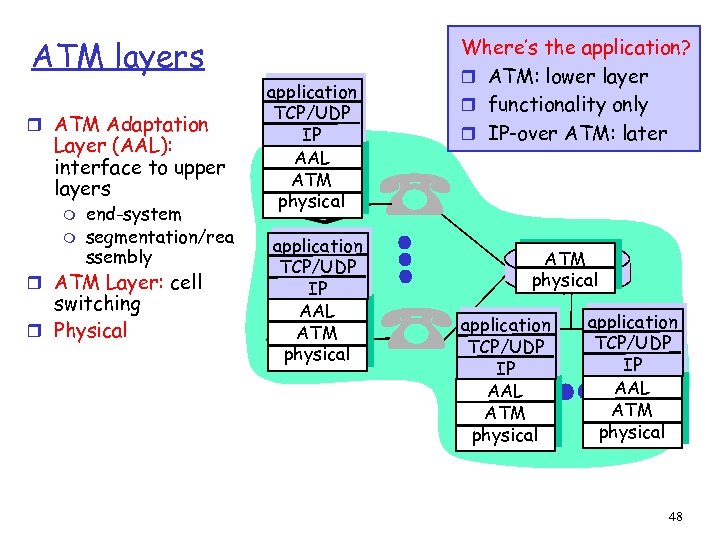 ATM layers r ATM Adaptation Layer (AAL): interface to upper layers m m end-system segmentation/rea ssembly r ATM Layer: cell switching r Physical application TCP/UDP IP AAL ATM physical Where’s the application? r ATM: lower layer r functionality only r IP-over ATM: later ATM physical application TCP/UDP IP AAL ATM physical 48
 Intro: Summary Covered a “ton” of material! r Internet overview r what’s a protocol? r network edge, core, r r r access network performance: loss, delay layering and service models backbones, NAPs, ISPs history ATM network You now hopefully have: r context, overview, “feel” of networking r more depth, detail later in course 49