


 Скачать презентацию ECGE 1220 Information de Gestion et Systèmes
603d23ec545bfbbd0f378827f5006bf5.ppt
- Количество слайдов: 169
 ECGE 1220 : Information de Gestion et Systèmes d’information Manuel Kolp i campus: cours ECGE 1220 b (Manuel Kolp) 1
 Systèmes d’information organisationnels w Manuel Kolp § UCL IAG ISYS § Place des Doyens, 1 § 1348 Louvain la Neuve § kolp@isys. ucl. ac. be § 010 47 83 95 § Assistants: Youssef Achbany, Yves Wautelet, Caroline Herssens § {achbany, wautelet, herssens}@isys. ucl. ac. be 2
 Part I : Informatique de Gestion w Théorie pour TPs et travail de groupe w UML w RUP w 31/01 10 h 45 – 12 h 45 (M. Kolp) w 31/01 14 h – 16 h (Y. Wautelet) w 02/02 10 h 45 – 12 h 30 (Y. Wautelet) 3
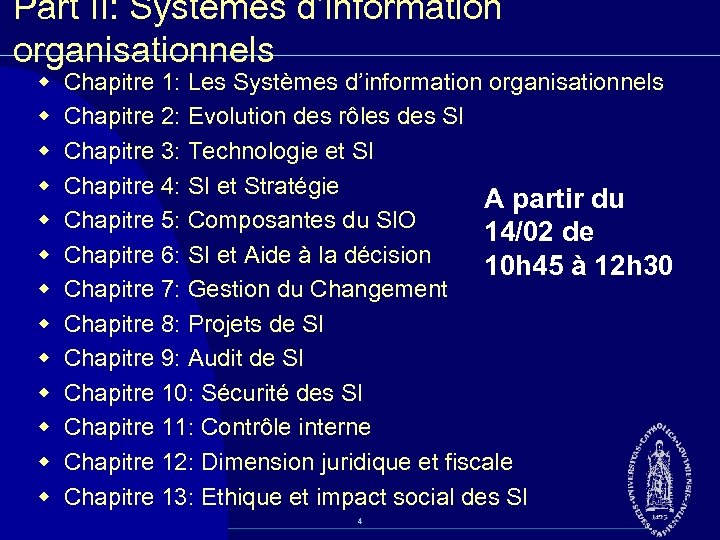 Part II: Systèmes d’information organisationnels w w w w Chapitre 1: Les Systèmes d’information organisationnels Chapitre 2: Evolution des rôles des SI Chapitre 3: Technologie et SI Chapitre 4: SI et Stratégie A partir du Chapitre 5: Composantes du SIO 14/02 de Chapitre 6: SI et Aide à la décision 10 h 45 à 12 h 30 Chapitre 7: Gestion du Changement Chapitre 8: Projets de SI Chapitre 9: Audit de SI Chapitre 10: Sécurité des SI Chapitre 11: Contrôle interne Chapitre 12: Dimension juridique et fiscale Chapitre 13: Ethique et impact social des SI 4
 Livre obligatoire w Systèmes d'information organisationnels Pearson Education 476 pages w Auteur(s) : Pascal Vidal, Marc Augier, François Lacroux, Alain Lecoeur, Collaborateurs Ernst & Young w Date de parution : 2005 ISBN : 2 7440 7119 6 35, 00 € TTC 5
 Part III : TPs w A partir de la 2ème semaine w 10 TPs w w w UML / Rational Rose E commerce / Shop. Factory ERP / SAP BD : SQL Server Application : VB. NET w Pas de programmation 6
 TPs w Livre optionnel pour UML § A titre d’information (pas matière du cours) UML 2 H. Balzert Collection Compact, 88 pages 2006, ISBN : 2 212 11753 1 Editeur : Eyrolles +/ 12 euros 7
 Part IV: Etude de cas w Groupe de 5 w Basé sur matière des TPs w Cas SAP IDES § uniquement « Accounting » et « Logistics » w Matériel du cas (Enoncé, description, exemple de cas 2005 2006) § sur i campus dès le 1 février w Deadline : 18 mai 2006 8
 Evaluation w QCM (50%) § Matière : cours théoriques, TPs, livre obligatoire (SIO) § 1 pt par bonne réponse w Travail (50%) 9
 Organisation du cours w Cours théorique § Me 10 h 45 12 h 30 MONT 02 § sauf 31/01/07 10 h 45 – 12 h 45 + !! 14 h – 16 h Science 02 !!! w TPs (salles info IAG) § A partir du 7/02 § !! Me 12 h 45 – 14 h 25 !! § !! Me 14 h 25 – 16 h 05 !! 10
 Essentials of Visual Modeling with UML 2. 0 Principles of Visual Modeling 11
 Objectives w Describe the importance of visual modeling and the role of Model Driven Architecture. w Define the four principles of visual modeling. w Explain what the Unified Modeling Language (UML) represents. w Define the type of process that best relates to the UML. 12
 The Importance of Modeling 13
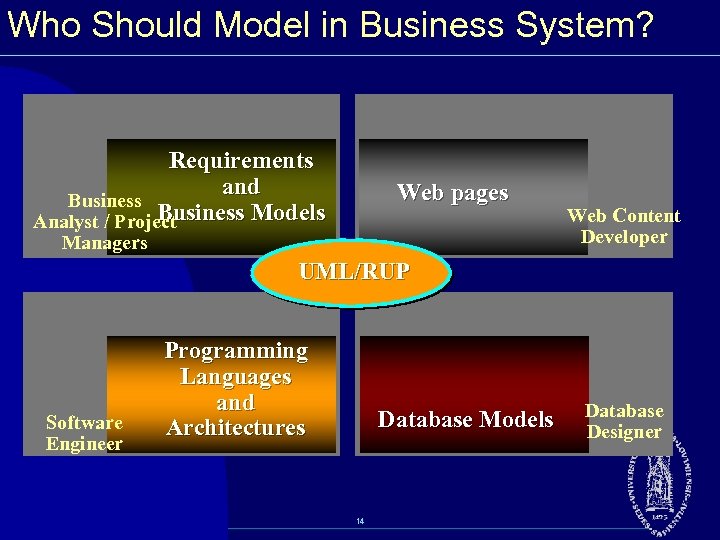 Who Should Model in Business System? Requirements and Business Models Analyst / Project Web pages Managers Web Content Developer UML/RUP Software Engineer Programming Languages and Architectures Database Models 14 Database Designer
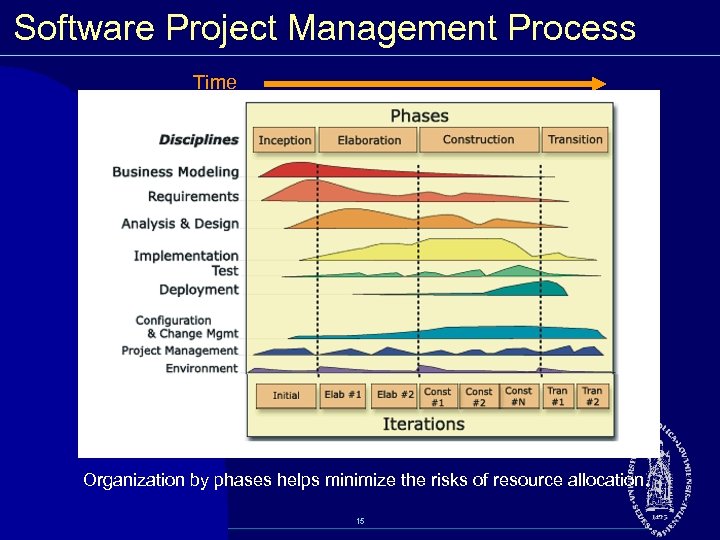 Software Project Management Process Time Organization by phases helps minimize the risks of resource allocation. 15
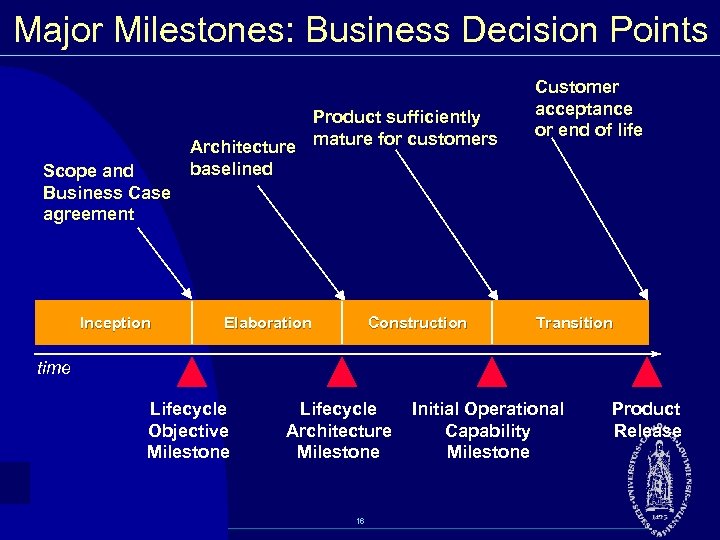 Major Milestones: Business Decision Points Scope and Business Case agreement Inception Product sufficiently Architecture mature for customers baselined Elaboration Construction Customer acceptance or end of life Transition time Lifecycle Objective Milestone Lifecycle Architecture Milestone 16 Initial Operational Capability Milestone Product Release
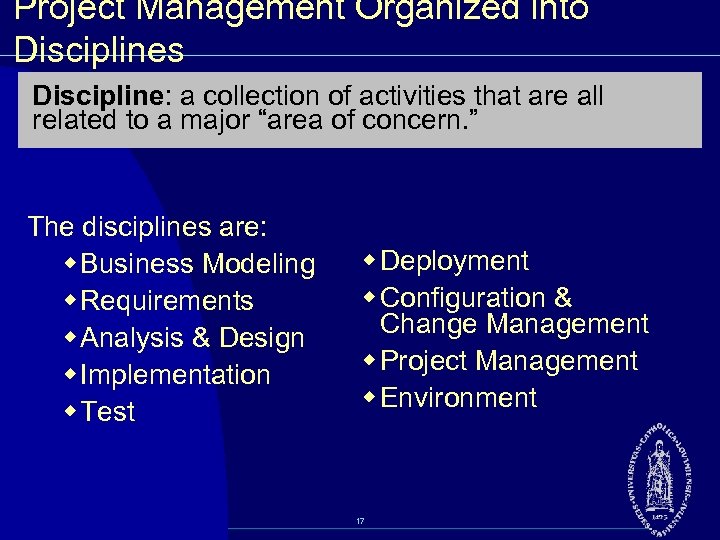 Project Management Organized into Disciplines Discipline: a collection of activities that are all related to a major “area of concern. ” The disciplines are: w Business Modeling w Requirements w Analysis & Design w Implementation w Test w Deployment w Configuration & Change Management w Project Management w Environment 17
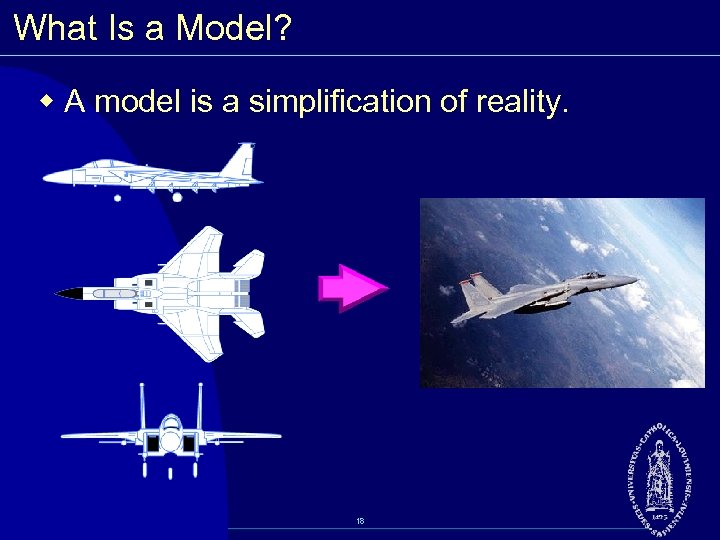 What Is a Model? w A model is a simplification of reality. 18
 Why Model? w Modeling achieves four aims: § Helps you to visualize a system as you want it to be. § Permits you to specify the structure or behavior of a system. § Gives you a template that guides you in constructing a system. § Documents the decisions you have made. w You build models of complex systems because you cannot comprehend such a system in its entirety. w You build models to better understand the system you are developing. 19
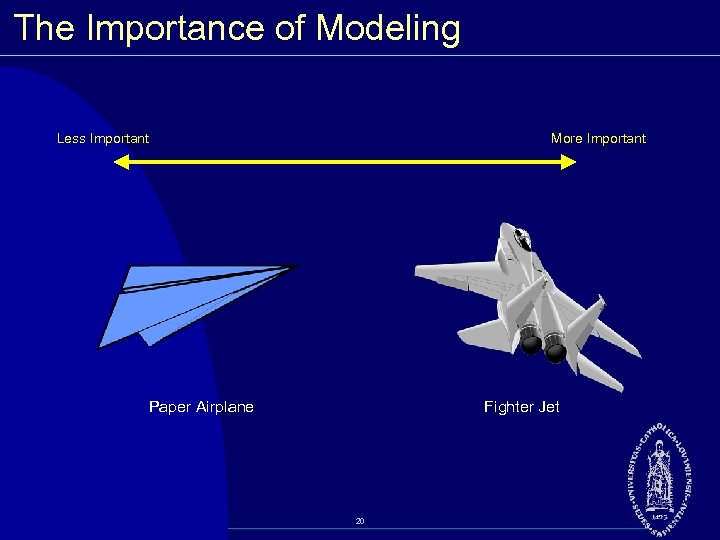 The Importance of Modeling Less Important More Important Paper Airplane Fighter Jet 20
 Software Teams Often Do Not Model w Many software teams build applications approaching the problem like they were building paper airplanes § Start coding from project requirements § Work longer hours and create more code § Lacks any planned architecture § Doomed to failure w Modeling is a common thread to successful projects 21
 Model Driven Architecture (MDA) w An approach to using models in software development § Separate the specification of the operation of a system from the details of the way that system uses the capabilities of its platform. • specifying a system independently of the platform that supports it • specifying platforms • choosing a particular platform for the system • transforming the system specification into one for a particular platform 22
 MDA Viewpoints w Computational Independent Model (CIM) § Focus is on environment of the system and requirements for the system w Platform Independent Model (PIM) § Focus is on system operation, independent of platform w Platform Specific Model (PSM) § Focus is on detailed usage of system on specific platform 23
 Four Principles of Modeling w The model you create influences how the problem is attacked. w Every model may be expressed at different levels of precision. w The best models are connected to reality. w No single model is sufficient. 24
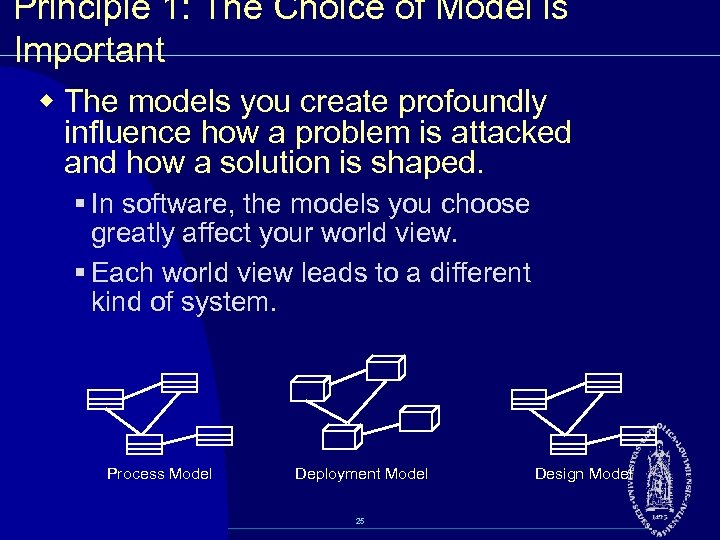 Principle 1: The Choice of Model is Important w The models you create profoundly influence how a problem is attacked and how a solution is shaped. § In software, the models you choose greatly affect your world view. § Each world view leads to a different kind of system. Process Model Deployment Model 25 Design Model
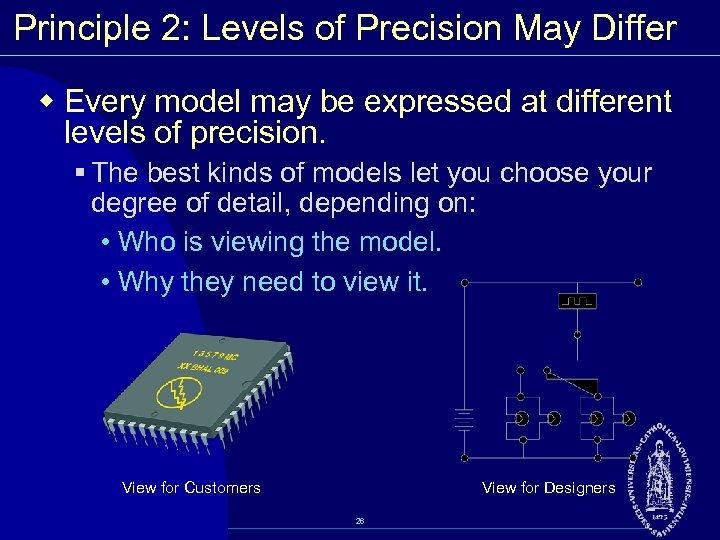 Principle 2: Levels of Precision May Differ w Every model may be expressed at different levels of precision. § The best kinds of models let you choose your degree of detail, depending on: • Who is viewing the model. • Why they need to view it. View for Customers View for Designers 26
 Principle 3: The Best Models Are Connected to Reality w All models simplify reality. w A good model reflects potentially fatal characteristics. 27
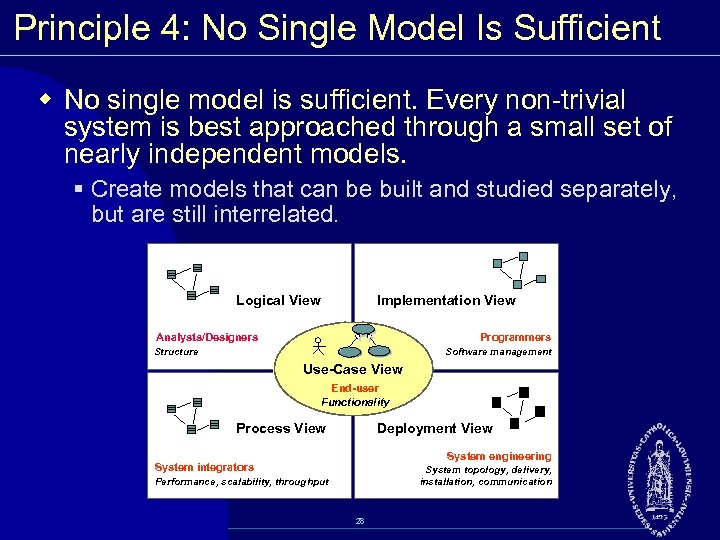 Principle 4: No Single Model Is Sufficient w No single model is sufficient. Every non trivial system is best approached through a small set of nearly independent models. § Create models that can be built and studied separately, but are still interrelated. Logical View Implementation View Analysts/Designers Programmers Structure Software management Use-Case View End-user Functionality Process View Deployment View System engineering System integrators System topology, delivery, installation, communication Performance, scalability, throughput 28
 What Is the UML? w The UML is a language for • Visualizing • Specifying • Constructing • Documenting the artifacts of a software intensive system. 29
 The UML Is a Language for Visualizing w Communicating conceptual models to others is prone to error unless everyone involved speaks the same language. w There are things about a software system you can’t understand unless you build models. w An explicit model facilitates communication. 30
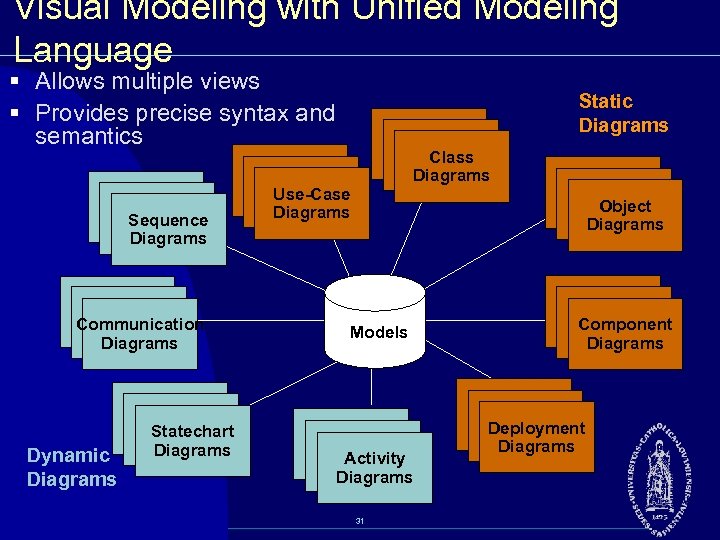 Visual Modeling with Unified Modeling Language § Allows multiple views § Provides precise syntax and semantics Sequence Diagrams Communication Diagrams Dynamic Diagrams Statechart Diagrams Static Diagrams Class Diagrams Use-Case Diagrams Object Diagrams Models Activity Diagrams 31 Component Diagrams Deployment Diagrams
 The UML Is a Language for Specifying w The UML builds models that are precise, unambiguous, and complete. 32
 The UML Is a Language for Constructing w UML models can be directly connected to a variety of programming languages. § Maps to Java, C++, Visual Basic, and so on § Tables in a RDBMS or persistent store in an OODBMS § Permits forward engineering § Permits reverse engineering 33
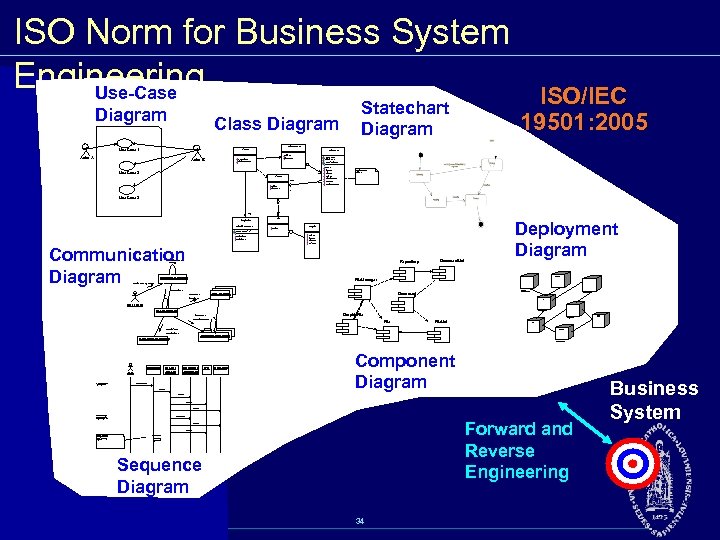 ISO Norm for Business System Engineering Use-Case Diagram Class Diagram Statechart Diagram ISO/IEC 19501: 2005 Document. List Use Case 1 File. Mgr Actor A Actor B Document add( ) delete( ) fetch. Doc( ) sort. By. Name( ) name : int docid : int num. Field : int get( ) open( ) close( ) read( ) sort. File. List( ) create( ) fill. Document( ) Use Case 2 File. List f. List add( ) delete( ) read() fill the code. . 1 Use Case 3 rep Repository (from Persistence) File read( ) Grp. File name : char * = 0 read. Doc( ) read. File( ) Communication Diagram read( ) open( ) create( ) fill. File( ) 9: sort. By. Name ( ) Repository main. Wnd : Main. Wnd 1: Doc view request ( ) Document. List Deployment Diagram Windows 95 Window 95 File. Manager Windows 95 L 2: fetch. Doc( ) Document g. File : Grp. File 4: create ( ) ¹®¼ °ü¸® Ŭ¶óÀ̾ðÆ®. EXE ¹®¼ °ü¸® ¾ÖÇø´ 8: fill. File ( ) Windows NT user : Clerk Solaris file. Mgr : File. Mgr ¹®¼ °ü¸® ¿£Áø. EXE Graphic. File 3: create ( ) Alpha UNIX ÀÀ¿ë¼ ¹ö. EXE 6: fill. Document ( ) File. List Windows NT IBM Mainframe 7: read. File ( ) 5: read. Doc ( ) document : Document repository : Repository µ¥ÀÌŸº£À̽º¼ ¹ö main. Wnd user ƯÁ¤¹®¼ ¿¡ ´ëÇÑ º¸±â¸¦ » ç¿ëÀÚ°¡ ¿äû ÇÑ´Ù. file. Mgr : File. Mgr document : Document 1: Doc view request ( ) 2: fetch. Doc( ) g. File repository Component Diagram 3: create ( ) 4: create ( ) 5: read. Doc ( ) È ÀÏ°ü¸®ÀÚ´ ÀÐ¾î¿ ¹®¼ ÀÇ Á¤º¸¸¦ ÇØ´ç ¹®¼ °´Ã¼¿¡ ¼³Á¤À» ¿äû ÇÑ´Ù. 6: fill. Document ( ) Forward and Reverse Engineering 7: read. File ( ) 8: fill. File ( ) È ¸é °´Ã¼´ ÀоîµéÀÎ °´Ã¼µé¿¡ ´ëÇØ À̸§º°·Î Á¤·ÄÀ» ½ÃÄÑ È ¸é¿¡ º¸¿©ÁØ´Ù. 9: sort. By. Name ( ) Sequence Diagram 34 Business System
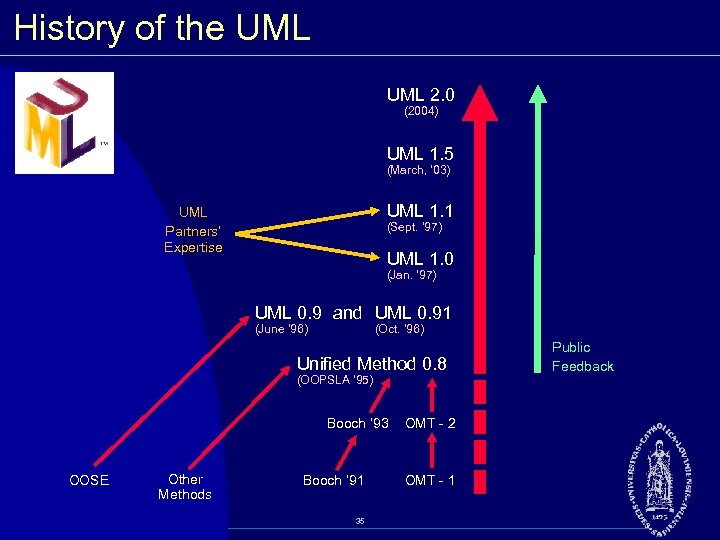 History of the UML 2. 0 (2004) UML 1. 5 (March, ‘ 03) UML 1. 1 UML Partners’ Expertise (Sept. ‘ 97) UML 1. 0 (Jan. ‘ 97) UML 0. 9 and UML 0. 91 (June ‘ 96) (Oct. ‘ 96) Unified Method 0. 8 (OOPSLA ’ 95) Booch ’ 93 OOSE Other Methods Booch ‘ 91 35 OMT 2 OMT 1 Public Feedback
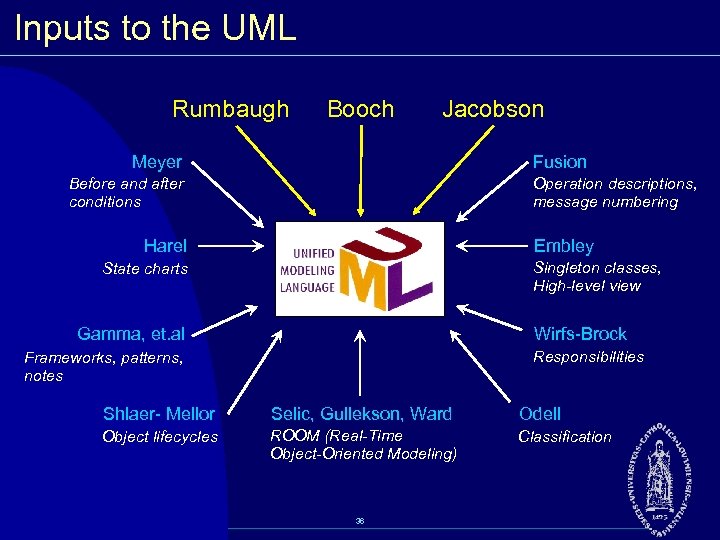 Inputs to the UML Rumbaugh Booch Jacobson Meyer Fusion Before and after conditions Operation descriptions, message numbering Harel Embley Singleton classes, High level view State charts Gamma, et. al Wirfs Brock Responsibilities Frameworks, patterns, notes Shlaer Mellor Selic, Gullekson, Ward Odell Object lifecycles ROOM (Real-Time Object-Oriented Modeling) Classification 36
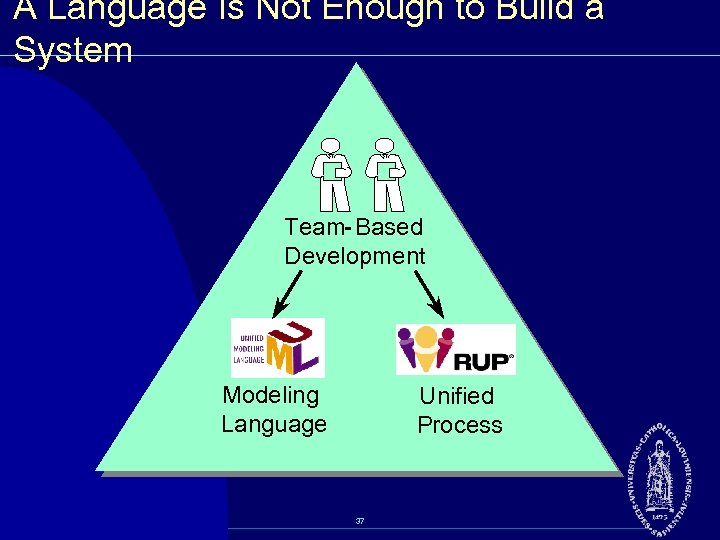 A Language Is Not Enough to Build a System Team- Based Development Modeling Language Unified Process 37
 What Type of Process Most Benefits the UML? w The UML is largely process independent. A process fully benefits from the UML when the process is: § Use case driven § Architecture centric § Iterative and incremental 38
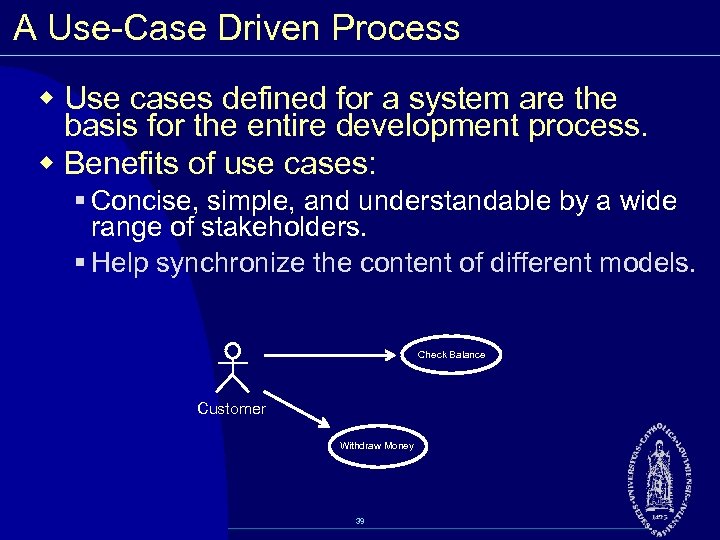 A Use Case Driven Process w Use cases defined for a system are the basis for the entire development process. w Benefits of use cases: § Concise, simple, and understandable by a wide range of stakeholders. § Help synchronize the content of different models. Check Balance Customer Withdraw Money 39
 An Architecture Centric Process w A system’s architecture is used as a primary artifact for conceptualizing, constructing, managing, and evolving the system under development. w Benefits: § Intellectual control over a project to manage its complexity and to maintain system integrity. § Effective basis for large scale reuse. § A basis for project management. § Assistance in component based development. 40
 An Iterative and Incremental Process w Critical risks are resolved before making large investments. w Initial iterations enable early user feedback. w Testing and integration are continuous. w Objective milestones focus on the short term. w Progress is measured by assessing implementations. w Partial implementations can be deployed. 41
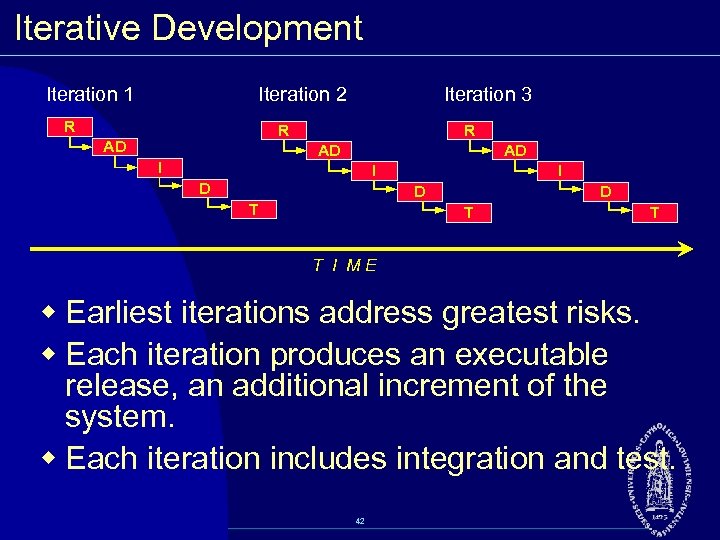 Iterative Development Iteration 1 Iteration 2 R Iteration 3 R AD I D T T T I ME w Earliest iterations address greatest risks. w Each iteration produces an executable release, an additional increment of the system. w Each iteration includes integration and test. 42
 Review w What is a model? w What are the viewpoints of MDA? Describe each one. w What are the four principles of modeling? Describe each one. w What is the UML? Describe each of its four benefits. w What process characteristics best fit the UML? Describe each characteristic. w What is an iteration? 43
 Essentials of Visual Modeling with UML 2. 0 Business Modeling / Requirements 44
 Objectives w Describe system behavior and show to capture it in a model. w Demonstrate how to read and interpret: § A use case diagram § An activity diagram 45
 What Is System Behavior? w System behavior is how a system acts and reacts. § It comprises the actions and activities of a system. w System behavior is captured in use cases. § Use cases describe the interactions between the system and (parts of) its environment. 46
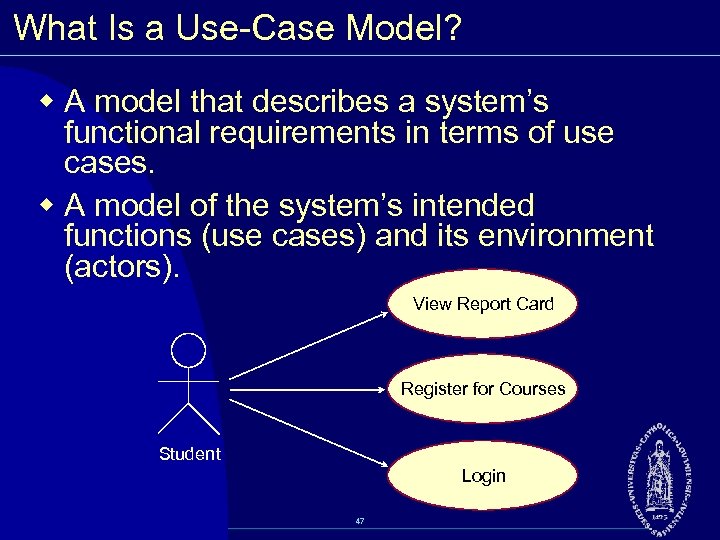 What Is a Use Case Model? w A model that describes a system’s functional requirements in terms of use cases. w A model of the system’s intended functions (use cases) and its environment (actors). View Report Card Register for Courses Student Login 47
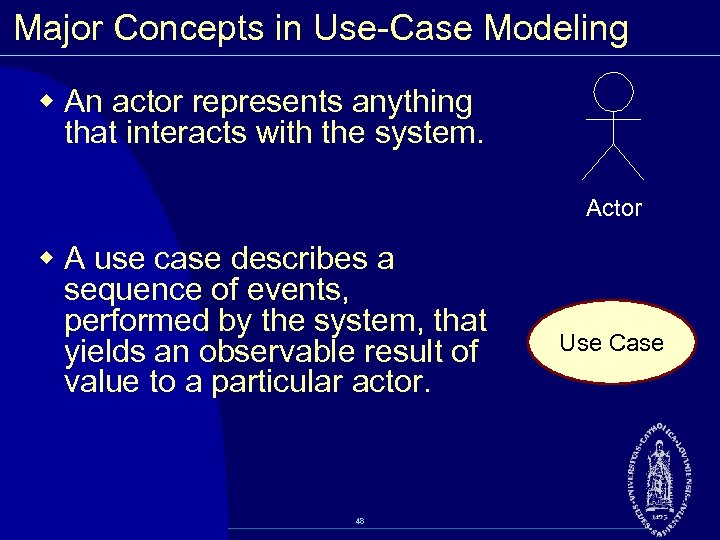 Major Concepts in Use Case Modeling w An actor represents anything that interacts with the system. Actor w A use case describes a sequence of events, performed by the system, that yields an observable result of value to a particular actor. 48 Use Case
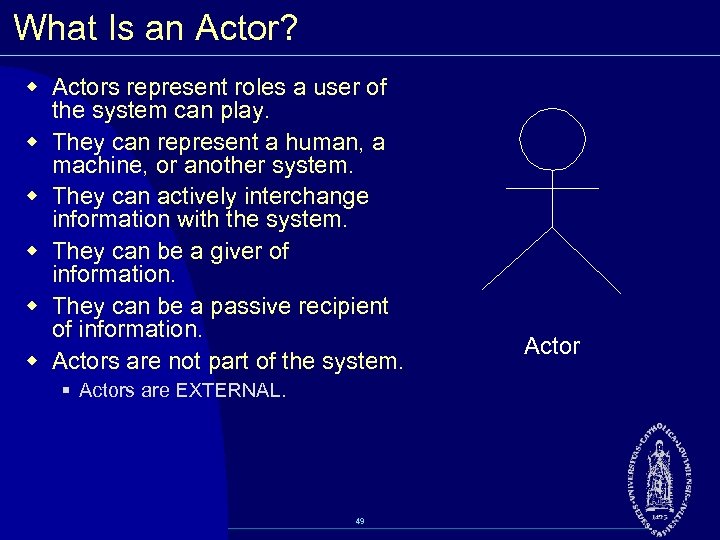 What Is an Actor? w Actors represent roles a user of the system can play. w They can represent a human, a machine, or another system. w They can actively interchange information with the system. w They can be a giver of information. w They can be a passive recipient of information. w Actors are not part of the system. § Actors are EXTERNAL. 49 Actor
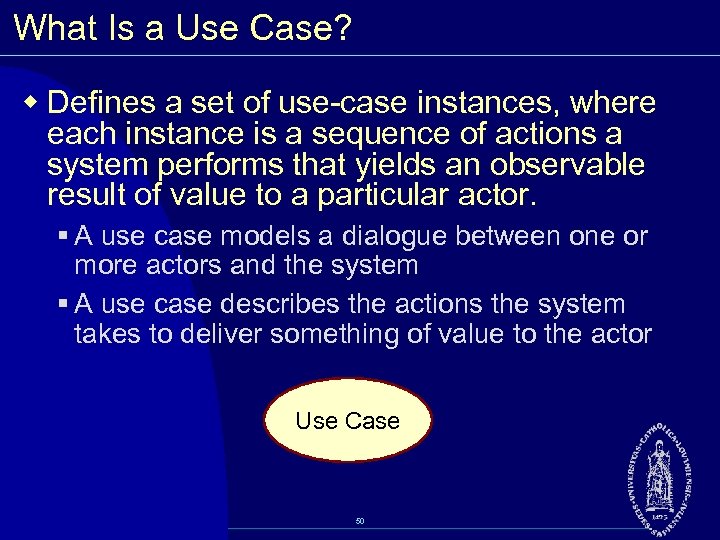 What Is a Use Case? w Defines a set of use case instances, where each instance is a sequence of actions a system performs that yields an observable result of value to a particular actor. § A use case models a dialogue between one or more actors and the system § A use case describes the actions the system takes to deliver something of value to the actor Use Case 50
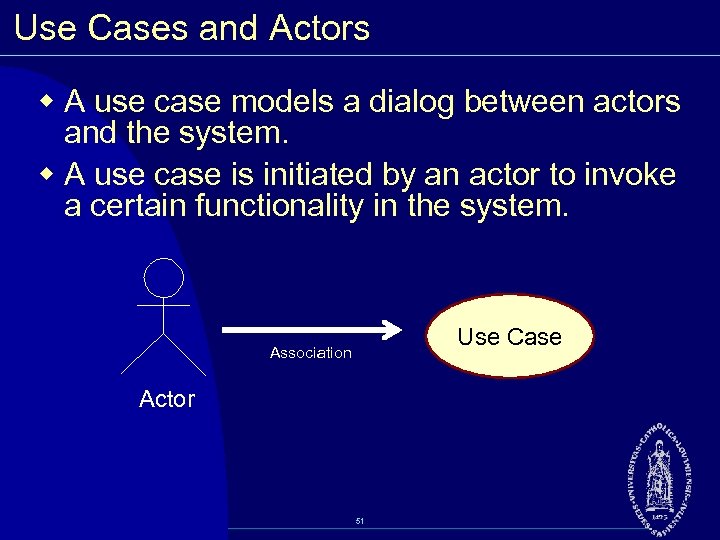 Use Cases and Actors w A use case models a dialog between actors and the system. w A use case is initiated by an actor to invoke a certain functionality in the system. Use Case Association Actor 51
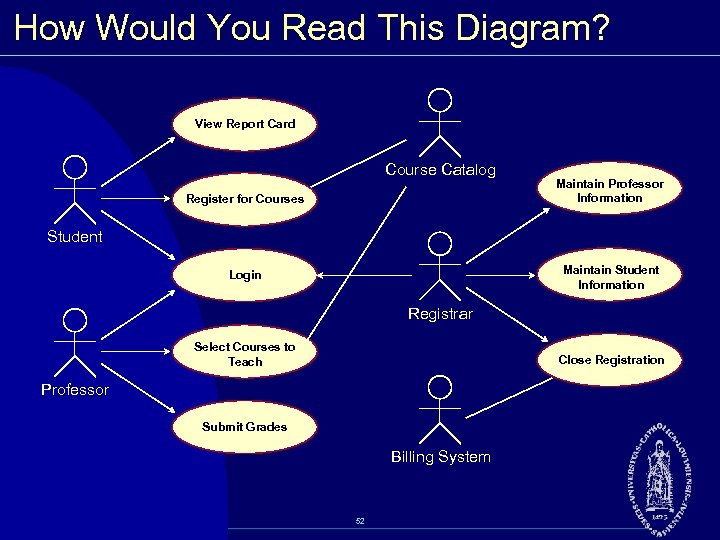 How Would You Read This Diagram? View Report Card Course Catalog Register for Courses Maintain Professor Information Student Maintain Student Information Login Registrar Select Courses to Teach Close Registration Professor Submit Grades Billing System 52
 Documenting Use Cases w A document is created for each use case w Details the functionality the system must provide to the actor w Typical contents § How the use case starts and ends § Normal events § Alternate events § Exceptional events 53
 Maintain Curriculum Flow of Events w This use case begins when the Registrar logs onto the Registration System and enters his/her password. The system verifies that the password is valid (E 1) and prompts the Registrar to select the current semester or a future semester (E 2). The Registrar enters the desired semester. The system prompts the professor to select the desired activity: ADD, DELETE, REVIEW, or QUIT. w If the activity selected is ADD, the S 1: Add a Course subflow is performed. w If the activity selected is DELETE, the S 2: Delete a Course subflow is performed. w If the activity selected is REVIEW, the S 3: Review Curriculum subflow is performed. w If the activity selected is QUIT, the use case ends. 54
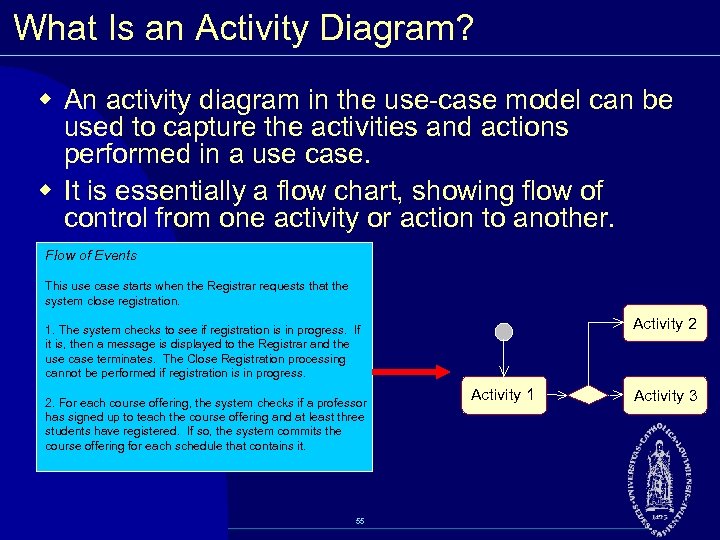 What Is an Activity Diagram? w An activity diagram in the use case model can be used to capture the activities and actions performed in a use case. w It is essentially a flow chart, showing flow of control from one activity or action to another. Flow of Events This use case starts when the Registrar requests that the system close registration. Activity 2 1. The system checks to see if registration is in progress. If it is, then a message is displayed to the Registrar and the use case terminates. The Close Registration processing cannot be performed if registration is in progress. 2. For each course offering, the system checks if a professor has signed up to teach the course offering and at least three students have registered. If so, the system commits the course offering for each schedule that contains it. 55 Activity 1 Activity 3
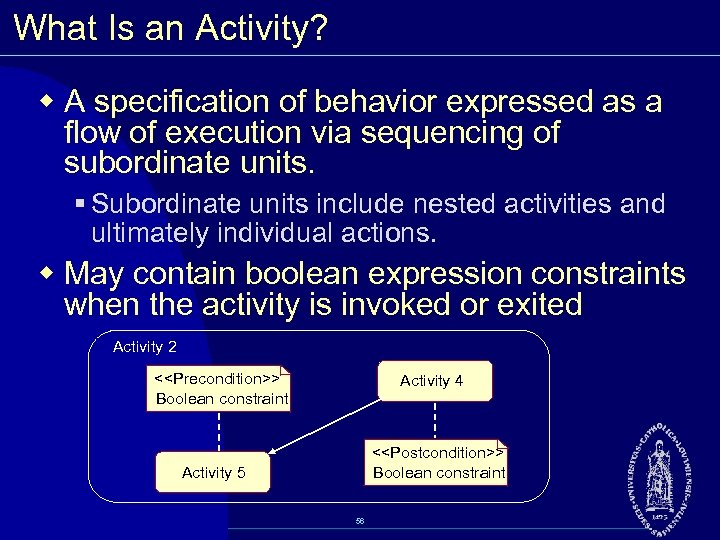 What Is an Activity? w A specification of behavior expressed as a flow of execution via sequencing of subordinate units. § Subordinate units include nested activities and ultimately individual actions. w May contain boolean expression constraints when the activity is invoked or exited Activity 2 <
![Example: Activity Diagram Decision Select Course Concurrent Threads [ delete course ] Activity/Action Delete](https://present5.com/presentation/603d23ec545bfbbd0f378827f5006bf5/image-57.jpg "Example: Activity Diagram Decision Select Course Concurrent Threads [ delete course ] Activity/Action Delete") Example: Activity Diagram Decision Select Course Concurrent Threads [ delete course ] Activity/Action Delete Course [ add course ] Synchronization Bar (Fork) Guard Condition Check Schedule [ checks completed ] Assign to Course Check Pre requisites [ checks failed ] Synchronization Bar (Join) Resolve Conflicts Transition Update Schedule 57
Example: Activity Diagram Decision Select Course Concurrent Threads [ delete course ] Activity/Action Delete Course [ add course ] Synchronization Bar (Fork) Guard Condition Check Schedule [ checks completed ] Assign to Course Check Pre requisites [ checks failed ] Synchronization Bar (Join) Resolve Conflicts Transition Update Schedule 57
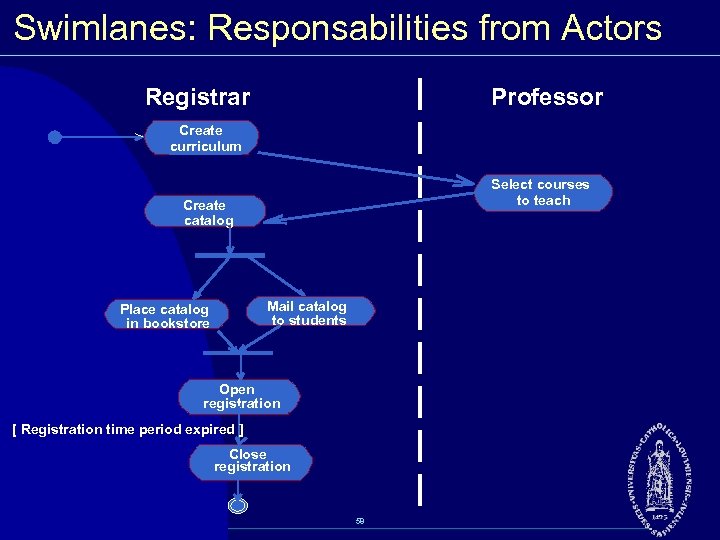 Swimlanes: Responsabilities from Actors Registrar Professor Create curriculum Select courses to teach Create catalog Mail catalog to students Place catalog in bookstore Open registration [ Registration time period expired ] Close registration 58
 Review w What is system behavior? w What is a use case model? What are its benefits? w What is an actor? A use case? w What is an activity diagram? 59
 Essentials of Visual Modeling with UML 2. 0 Analysis and Design (Class Diagrams) 60
 Objectives w Describe the static view of the system and show to capture it in a model. w Demonstrate how to read and interpret a class diagram. w Model an association and aggregation and show to model it in a class diagram. w Model generalization on a class diagram. 61
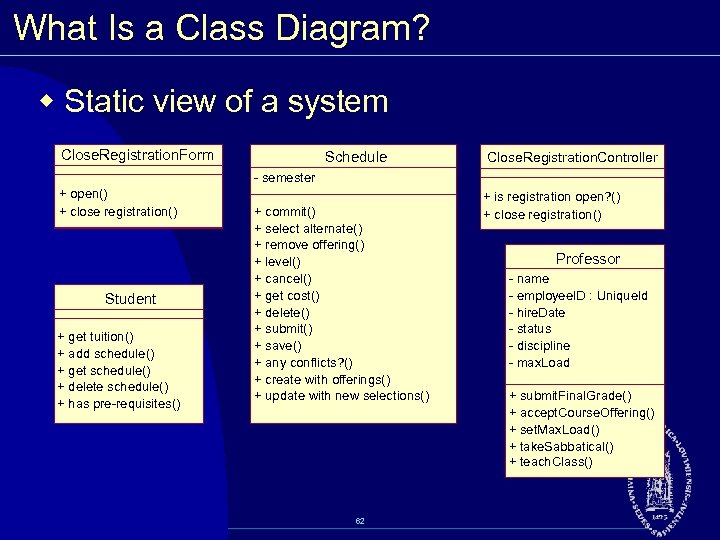 What Is a Class Diagram? w Static view of a system Close. Registration. Form Schedule Close. Registration. Controller semester + open() + close registration() Student + get tuition() + add schedule() + get schedule() + delete schedule() + has pre requisites() + commit() + select alternate() + remove offering() + level() + cancel() + get cost() + delete() + submit() + save() + any conflicts? () + create with offerings() + update with new selections() 62 + is registration open? () + close registration() Professor name employee. ID : Unique. Id hire. Date status discipline max. Load + submit. Final. Grade() + accept. Course. Offering() + set. Max. Load() + take. Sabbatical() + teach. Class()
 Class Diagrams w A class diagram shows the existence of classes and their relationships in the logical view of a system w A class is a collection of objects with common structure, common behavior, common relationships and common semantics w A class is drawn as a rectangle with three compartments w Classes should be named using the vocabulary of the domain 63
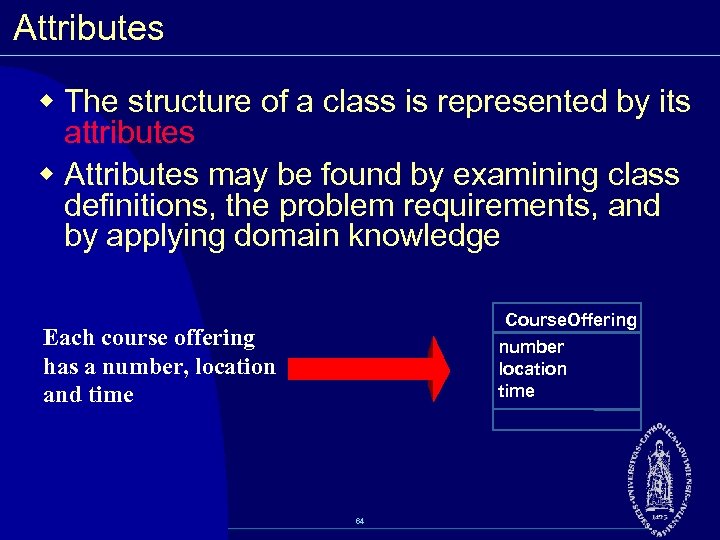 Attributes w The structure of a class is represented by its attributes w Attributes may be found by examining class definitions, the problem requirements, and by applying domain knowledge Course. Offering number location time Each course offering has a number, location and time 64
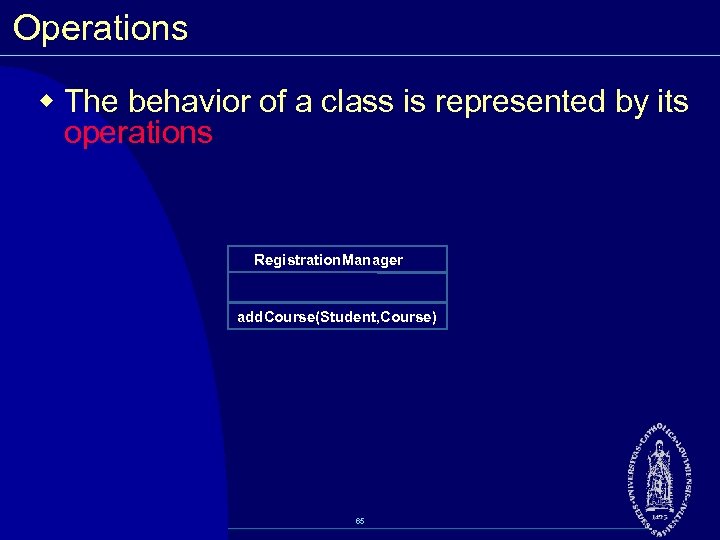 Operations w The behavior of a class is represented by its operations Registration. Manager add. Course(Student, Course) 65
 Class Diagram Usage w When modeling the static view of a system, class diagrams are typically used in one of three ways, to model: § The vocabulary of a system § Collaborations § A logical database schema 66
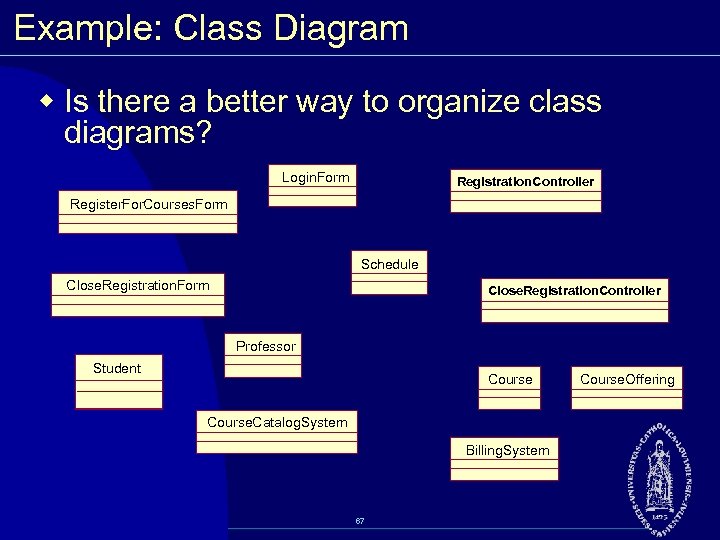 Example: Class Diagram w Is there a better way to organize class diagrams? Login. Form Registration. Controller Register. For. Courses. Form Schedule Close. Registration. Form Close. Registration. Controller Professor Student Course. Catalog. System Billing. System 67 Course. Offering
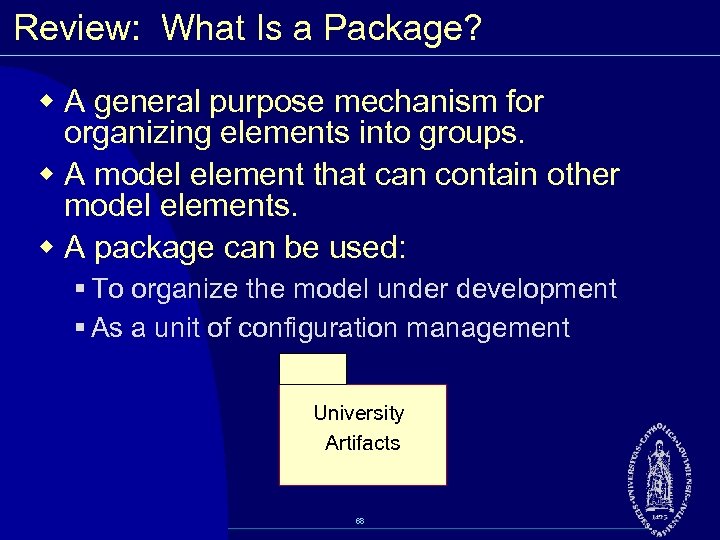 Review: What Is a Package? w A general purpose mechanism for organizing elements into groups. w A model element that can contain other model elements. w A package can be used: § To organize the model under development § As a unit of configuration management University Artifacts 68
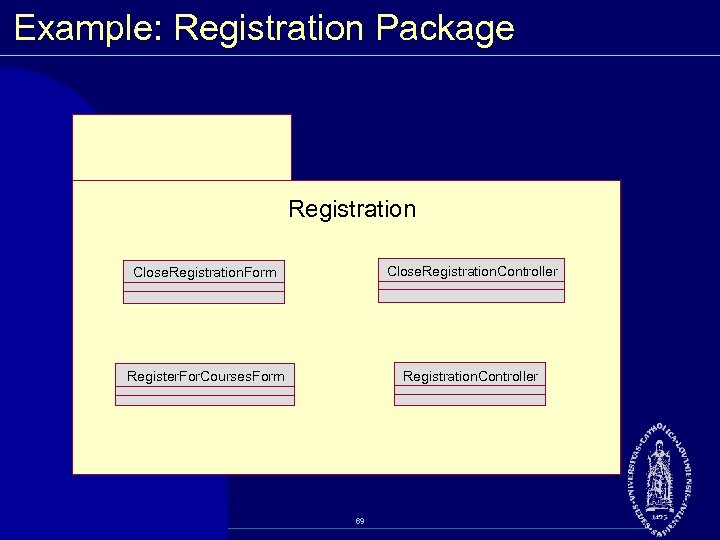 Example: Registration Package Registration Close. Registration. Form Close. Registration. Controller Register. For. Courses. Form Registration. Controller 69
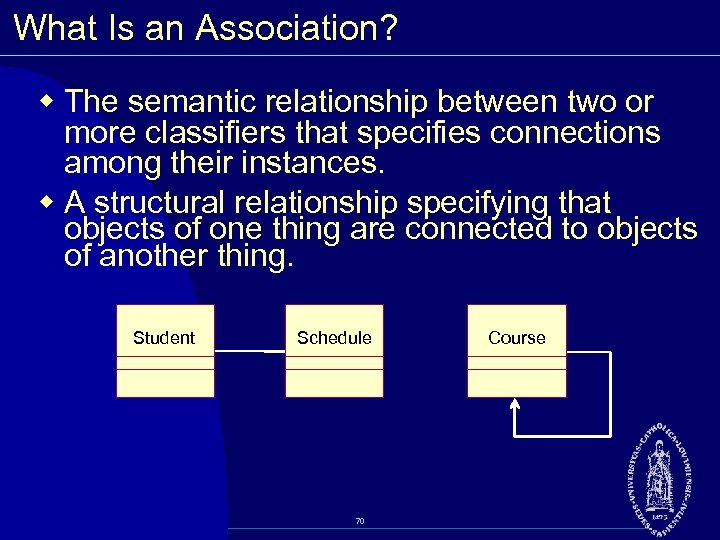 What Is an Association? w The semantic relationship between two or more classifiers that specifies connections among their instances. w A structural relationship specifying that objects of one thing are connected to objects of another thing. Student Schedule 70 Course
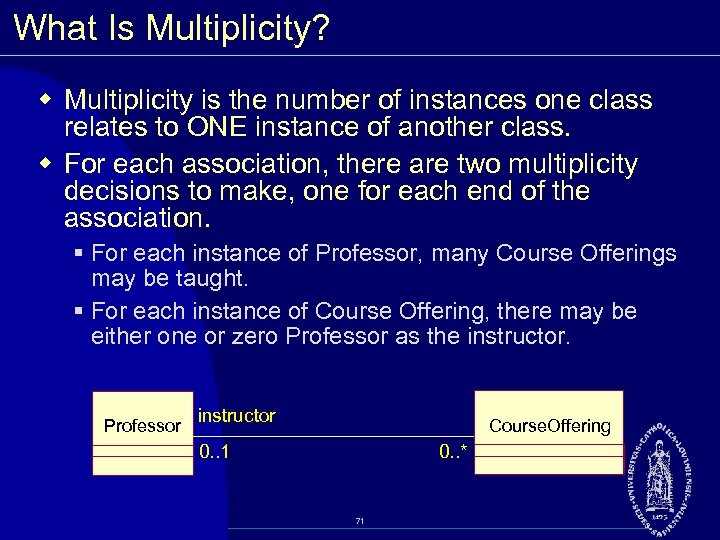 What Is Multiplicity? w Multiplicity is the number of instances one class relates to ONE instance of another class. w For each association, there are two multiplicity decisions to make, one for each end of the association. § For each instance of Professor, many Course Offerings may be taught. § For each instance of Course Offering, there may be either one or zero Professor as the instructor. Professor instructor Course. Offering 0. . 1 0. . * 71
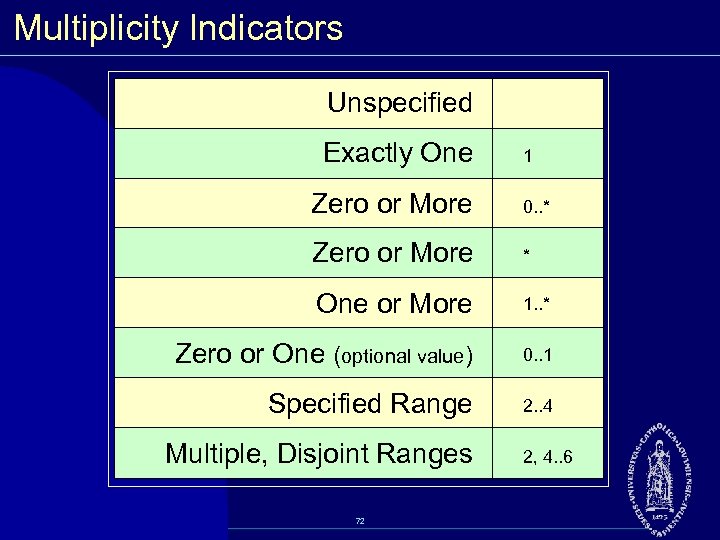 Multiplicity Indicators Unspecified Exactly One 1 Zero or More 0. . * Zero or More * One or More 1. . * Zero or One (optional value) 0. . 1 Specified Range 2. . 4 Multiple, Disjoint Ranges 72 2, 4. . 6
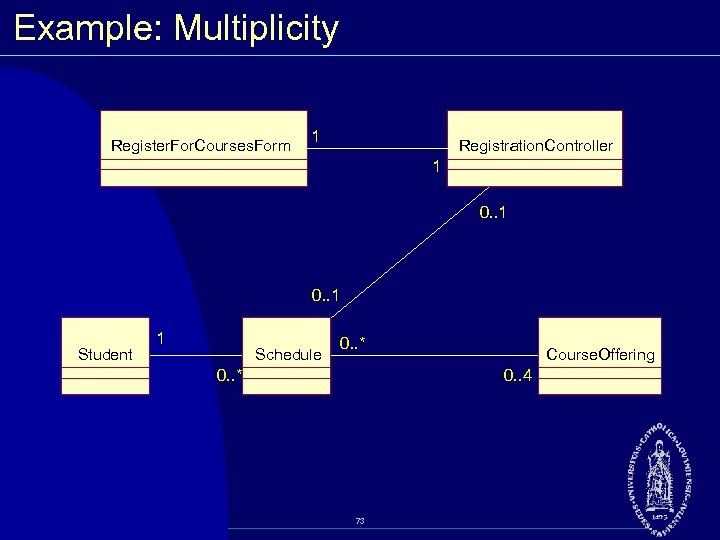 Example: Multiplicity Register. For. Courses. Form 1 Registration. Controller 1 0. . 1 Student 1 Schedule 0. . * Course. Offering 0. . 4 73
 Where Are We? w Class diagrams w Class relationships § Association § Aggregation § Generalization 74
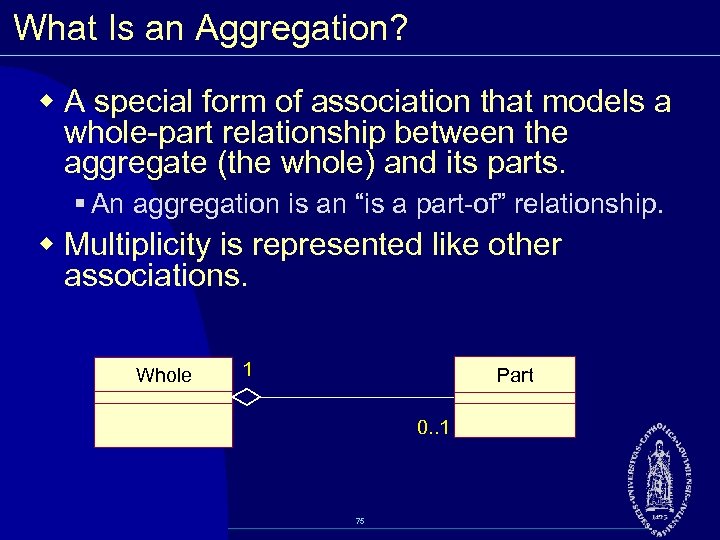 What Is an Aggregation? w A special form of association that models a whole part relationship between the aggregate (the whole) and its parts. § An aggregation is an “is a part of” relationship. w Multiplicity is represented like other associations. Whole 1 Part 0. . 1 75
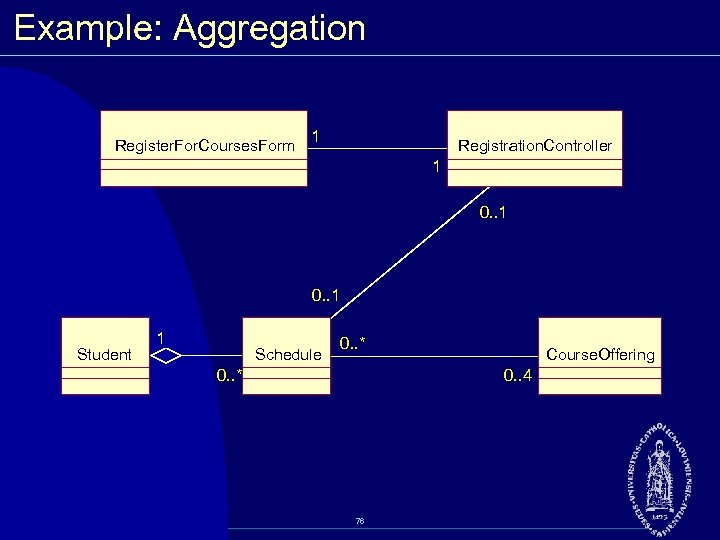 Example: Aggregation Register. For. Courses. Form 1 Registration. Controller 1 0. . 1 Student 1 Schedule 0. . * Course. Offering 0. . 4 76
 What Is Generalization? w A relationship among classes where one class shares the structure and/or behavior of one or more classes. w Defines a hierarchy of abstractions where a subclass inherits from one or more superclasses. § Single inheritance § Multiple inheritance w Is an “is a kind of” relationship. 77
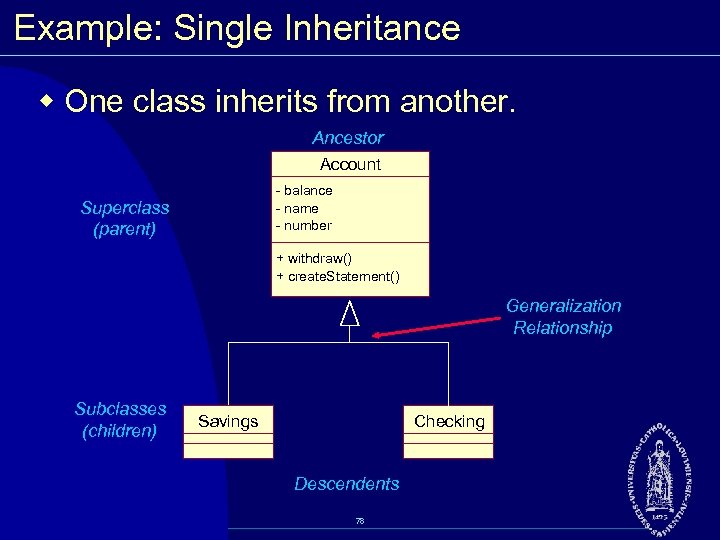 Example: Single Inheritance w One class inherits from another. Ancestor Account balance name number Superclass (parent) + withdraw() + create. Statement() Generalization Relationship Subclasses (children) Savings Checking Descendents 78
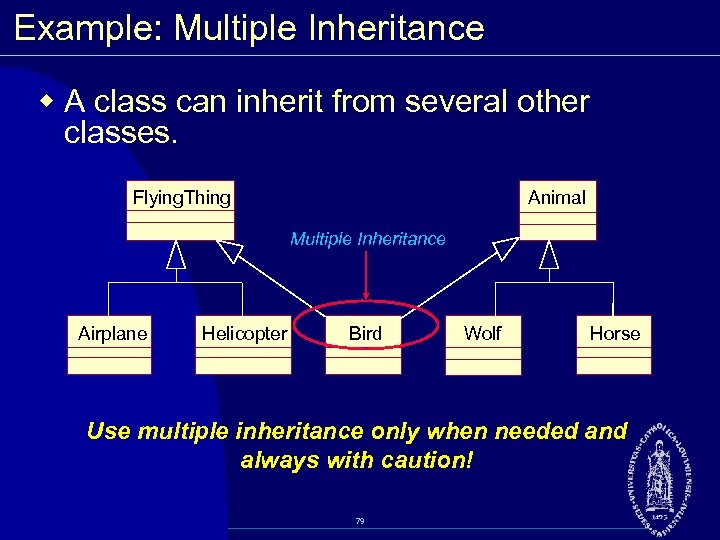 Example: Multiple Inheritance w A class can inherit from several other classes. Flying. Thing Animal Multiple Inheritance Airplane Helicopter Bird Wolf Horse Use multiple inheritance only when needed and always with caution! 79
 Review w What does a class diagram represent? w What benefits do packages provide to the model? w Define association, aggregation, and generalization. w How do you find associations? w What is multiplicity? What information does multiplicity provide the modeler? 80
 Essentials of Visual Modeling with UML 2. 0 Analysis and Design (Interaction Diagrams) 81
 Objectives w Describe dynamic behavior and show to capture it in a model. w Demonstrate how to read and interpret: § A sequence diagram § A communication diagram w Explain the similarities and differences between communication and sequence diagrams. 82
 Objects Need to Collaborate w Objects are useless unless they can collaborate to solve a problem. § Each object is responsible for its own behavior and status. § No one object can carry out every responsibility on its own. w How do objects interact with each other? § They interact through messages. 83
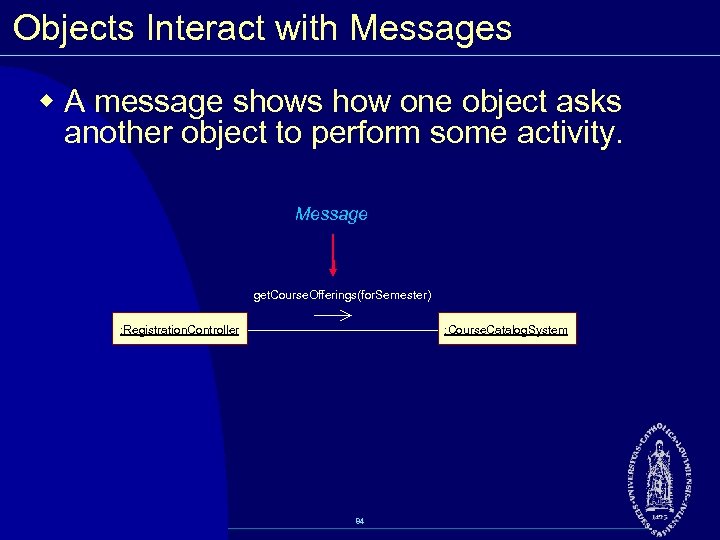 Objects Interact with Messages w A message shows how one object asks another object to perform some activity. Message get. Course. Offerings(for. Semester) : Car buyer : Registration. Controller : Course. Catalog. System 84
 What is an Interaction Diagram? w Generic term that applies to several diagrams that emphasize object interactions § Sequence Diagram § Communication Diagram w Specialized Variants § Timing Diagram § Interaction Overview Diagram 85
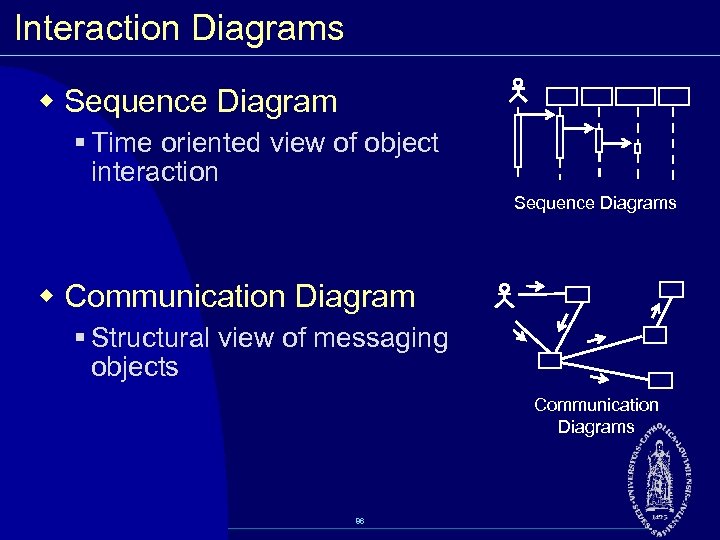 Interaction Diagrams w Sequence Diagram § Time oriented view of object interaction Sequence Diagrams w Communication Diagram § Structural view of messaging objects Communication Diagrams 86
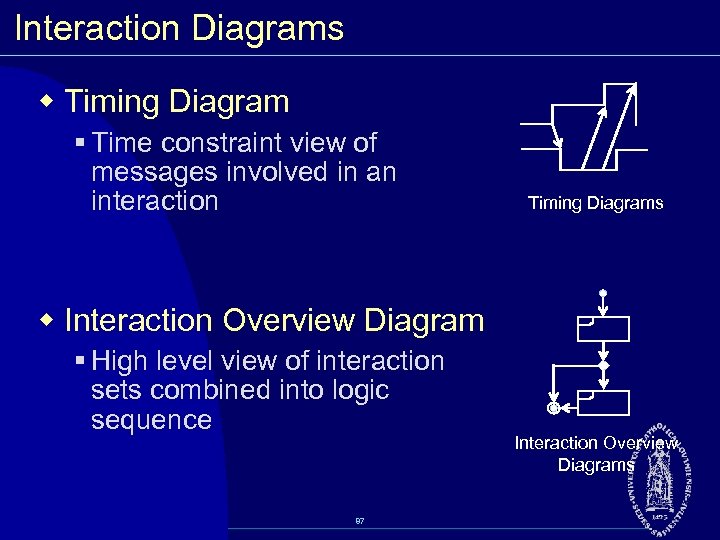 Interaction Diagrams w Timing Diagram § Time constraint view of messages involved in an interaction Timing Diagrams w Interaction Overview Diagram § High level view of interaction sets combined into logic sequence 87 Interaction Overview Diagrams
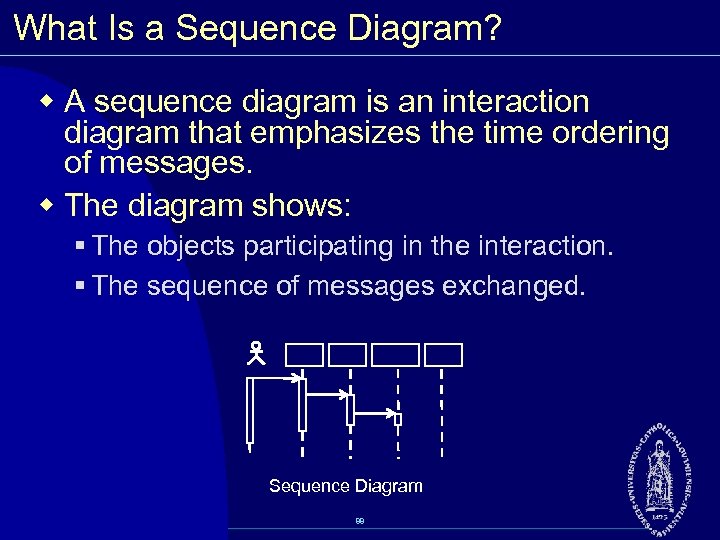 What Is a Sequence Diagram? w A sequence diagram is an interaction diagram that emphasizes the time ordering of messages. w The diagram shows: § The objects participating in the interaction. § The sequence of messages exchanged. Sequence Diagram 88
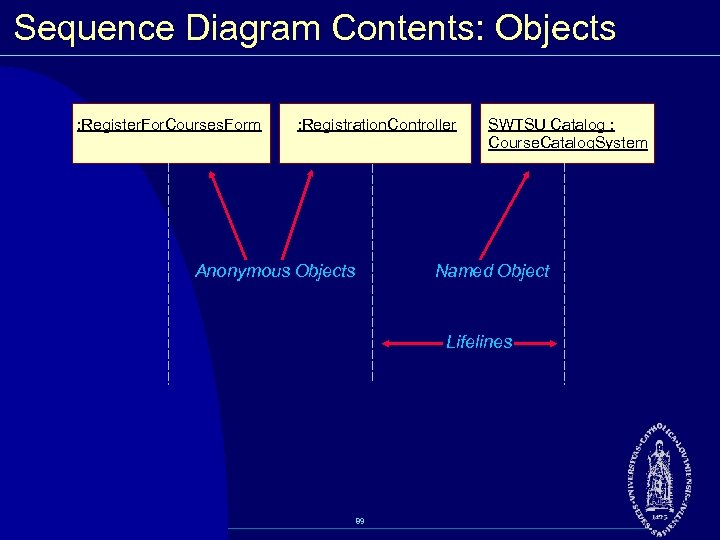 Sequence Diagram Contents: Objects : Register. For. Courses. Form : Registration. Controller Anonymous Objects SWTSU Catalog : Course. Catalog. System Named Object Lifelines 89
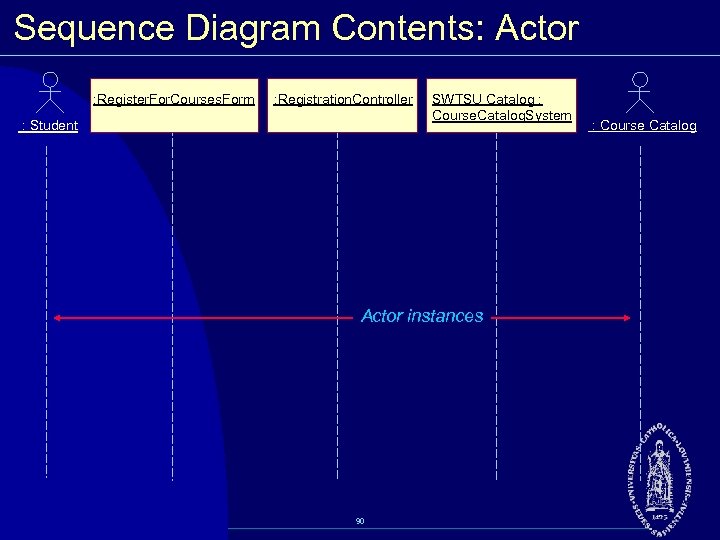 Sequence Diagram Contents: Actor : Register. For. Courses. Form : Registration. Controller : Student SWTSU Catalog : Course. Catalog. System Actor instances 90 : Course Catalog
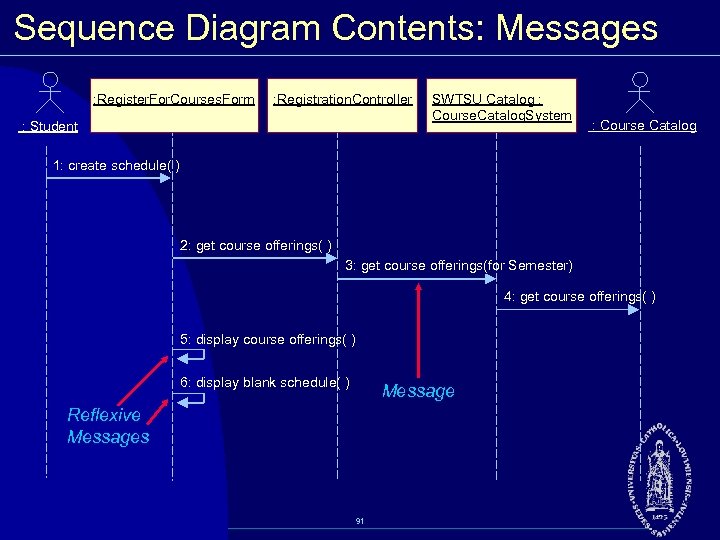 Sequence Diagram Contents: Messages : Register. For. Courses. Form : Registration. Controller : Student SWTSU Catalog : Course. Catalog. System : Course Catalog 1: create schedule( ) 2: get course offerings( ) 3: get course offerings(for Semester) 4: get course offerings( ) 5: display course offerings( ) 6: display blank schedule( ) Message Reflexive Messages 91
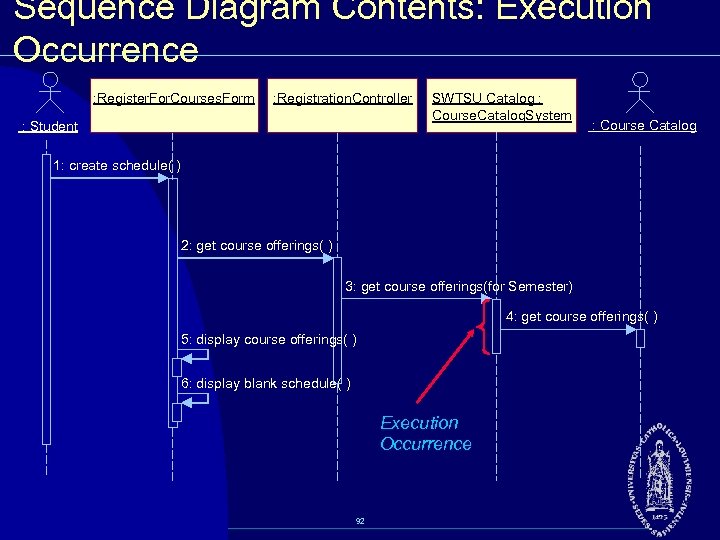 Sequence Diagram Contents: Execution Occurrence : Register. For. Courses. Form : Registration. Controller : Student SWTSU Catalog : Course. Catalog. System : Course Catalog 1: create schedule( ) 2: get course offerings( ) 3: get course offerings(for Semester) 4: get course offerings( ) 5: display course offerings( ) 6: display blank schedule( ) Execution Occurrence 92
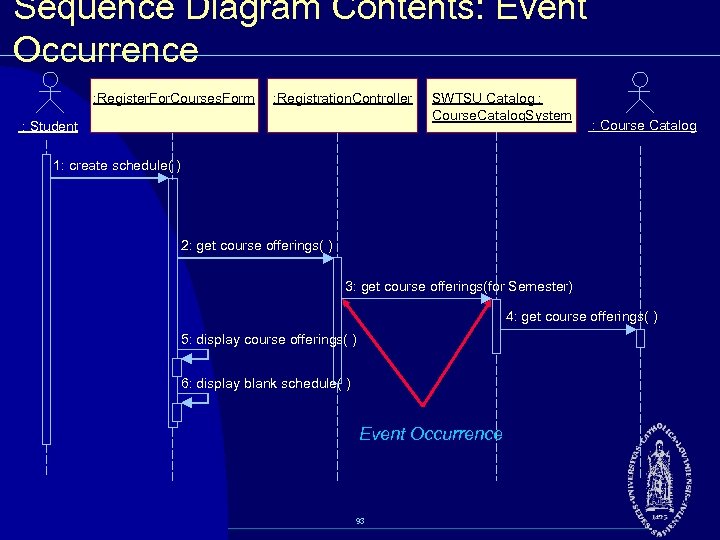 Sequence Diagram Contents: Event Occurrence : Register. For. Courses. Form : Registration. Controller : Student SWTSU Catalog : Course. Catalog. System : Course Catalog 1: create schedule( ) 2: get course offerings( ) 3: get course offerings(for Semester) 4: get course offerings( ) 5: display course offerings( ) 6: display blank schedule( ) Event Occurrence 93
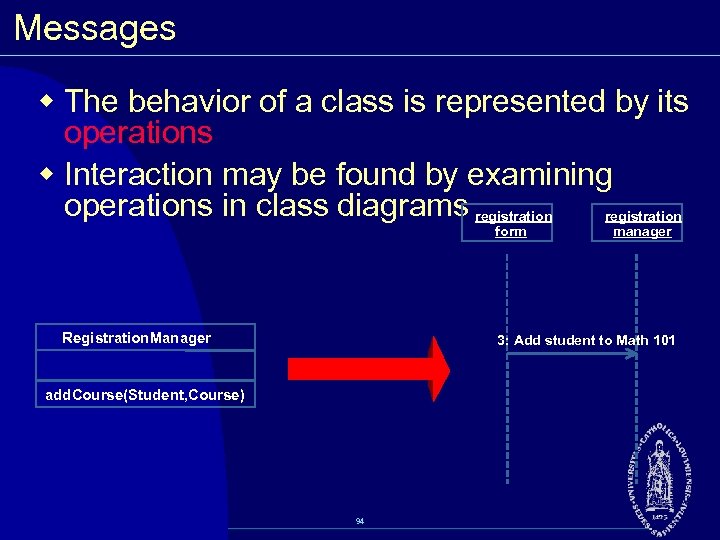 Messages w The behavior of a class is represented by its operations w Interaction may be found by examining operations in class diagrams registration form Registration. Manager manager 3: Add student to Math 101 add. Course(Student, Course) 94
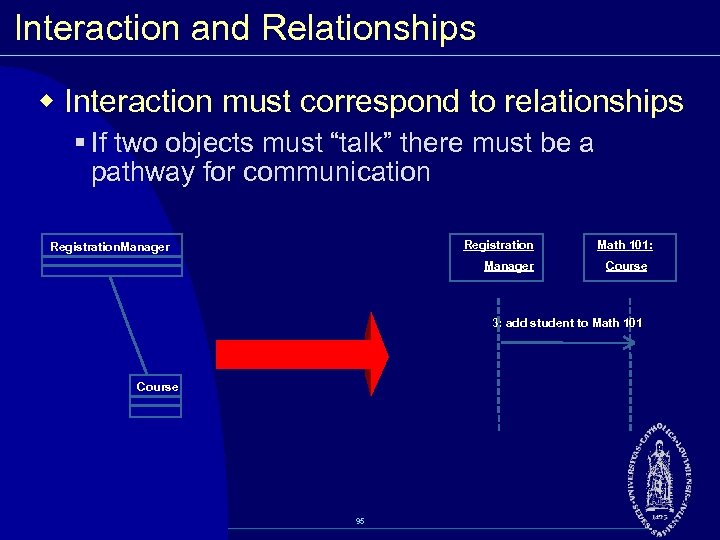 Interaction and Relationships w Interaction must correspond to relationships § If two objects must “talk” there must be a pathway for communication Registration. Manager Math 101: Course 3: add student to Math 101 Course 95
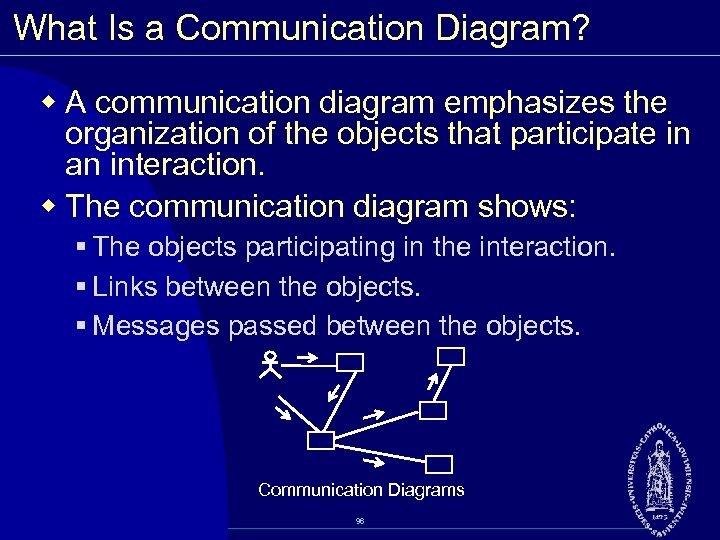 What Is a Communication Diagram? w A communication diagram emphasizes the organization of the objects that participate in an interaction. w The communication diagram shows: § The objects participating in the interaction. § Links between the objects. § Messages passed between the objects. Communication Diagrams 96
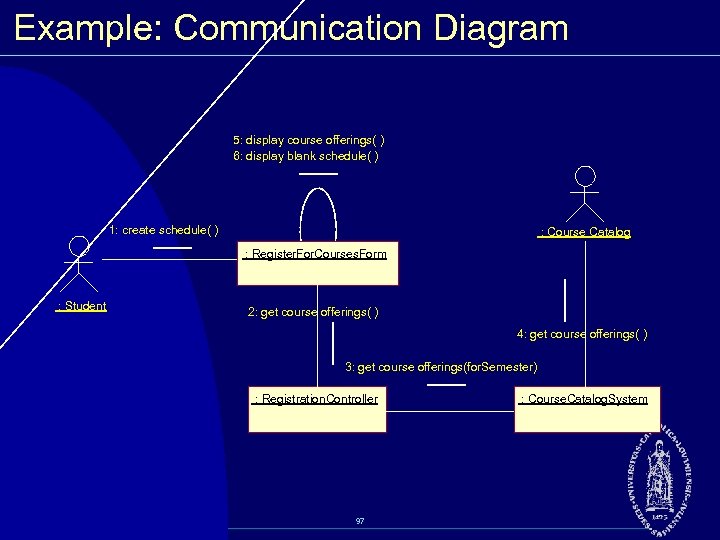 Example: Communication Diagram 5: display course offerings( ) 6: display blank schedule( ) 1: create schedule( ) : Course Catalog : Register. For. Courses. Form : Student 2: get course offerings( ) 4: get course offerings( ) 3: get course offerings(for. Semester) : Registration. Controller 97 : Course. Catalog. System
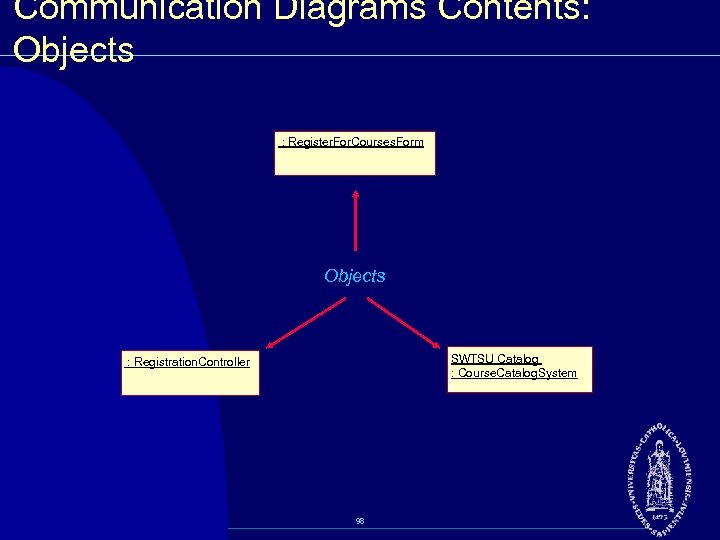 Communication Diagrams Contents: Objects : Register. For. Courses. Form Objects SWTSU Catalog : Course. Catalog. System : Registration. Controller 98
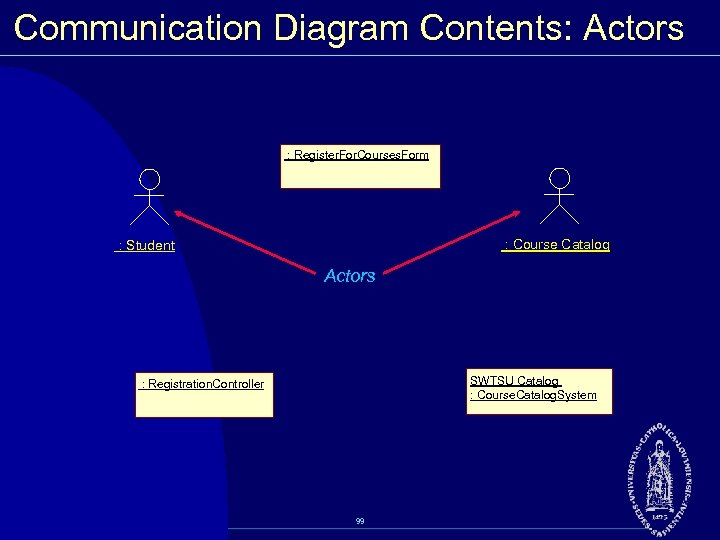 Communication Diagram Contents: Actors : Register. For. Courses. Form : Course Catalog : Student Actors SWTSU Catalog : Course. Catalog. System : Registration. Controller 99
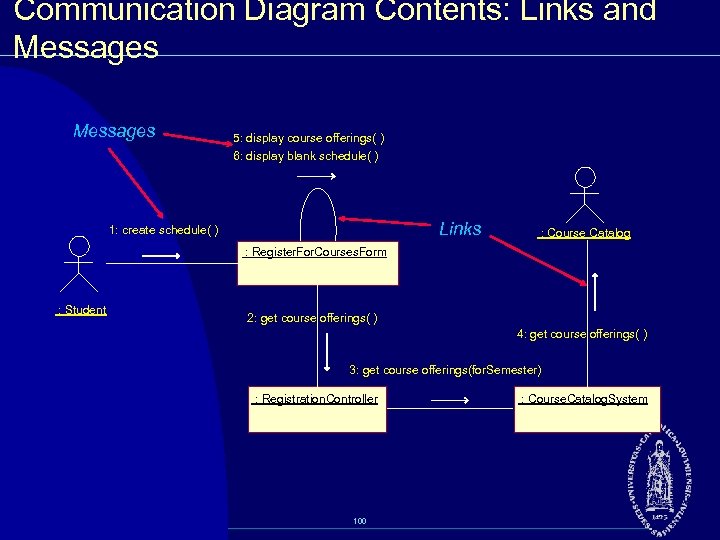 Communication Diagram Contents: Links and Messages 5: display course offerings( ) 6: display blank schedule( ) Links 1: create schedule( ) : Course Catalog : Register. For. Courses. Form : Student 2: get course offerings( ) 4: get course offerings( ) 3: get course offerings(for. Semester) : Registration. Controller 100 : Course. Catalog. System
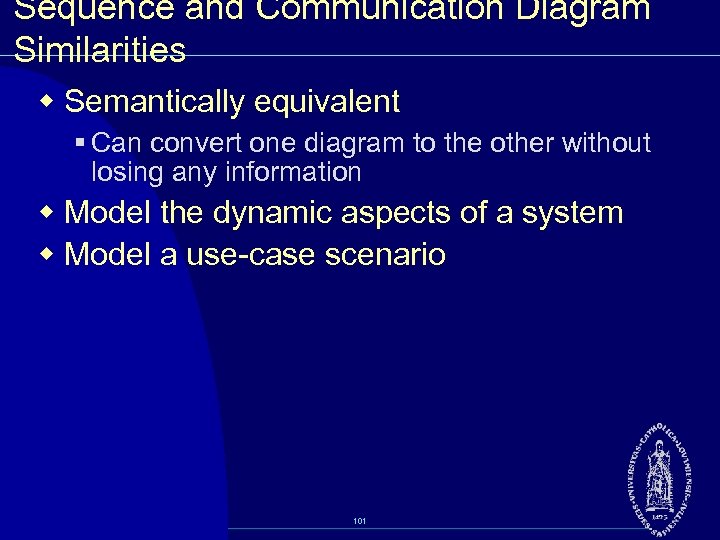 Sequence and Communication Diagram Similarities w Semantically equivalent § Can convert one diagram to the other without losing any information w Model the dynamic aspects of a system w Model a use case scenario 101
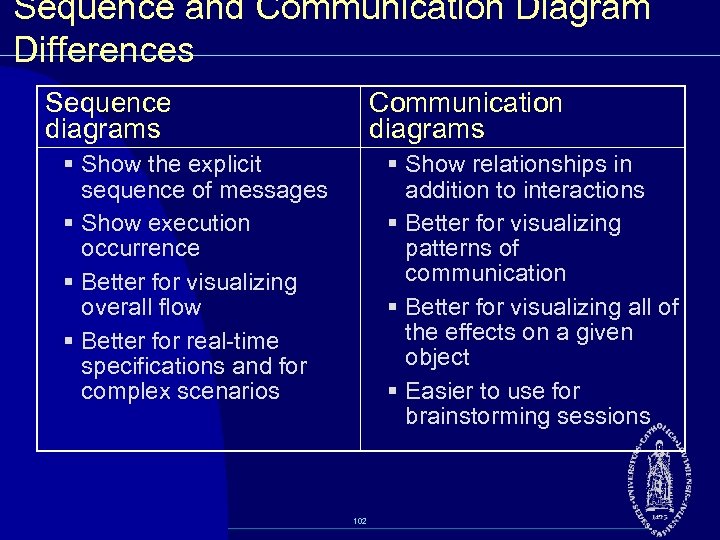 Sequence and Communication Diagram Differences Sequence diagrams Communication diagrams § Show the explicit sequence of messages § Show execution occurrence § Better for visualizing overall flow § Better for real time specifications and for complex scenarios § Show relationships in addition to interactions § Better for visualizing patterns of communication § Better for visualizing all of the effects on a given object § Easier to use for brainstorming sessions 102
 Review w What is the purpose of an interaction diagram? w What is a sequence diagram? A communication diagram? w What is a timing diagram? An interaction overview diagram? w What are the similarities between sequence and communication diagrams? w What are the differences between sequence and communication diagrams? 103
 Essentials of Visual Modeling with UML 2. 0 Analysis and Design (State Machine Diagrams) 104
 Objectives w Demonstrate how to read and interpret a: § State machine diagram 105
 Example: Professor w There a sequence of events before an instructor becomes a University professor. § Assistant professor (achieves tenure by producing a number of quality publications) § Tenure/Associate professor § Professor (based on seniority) 106
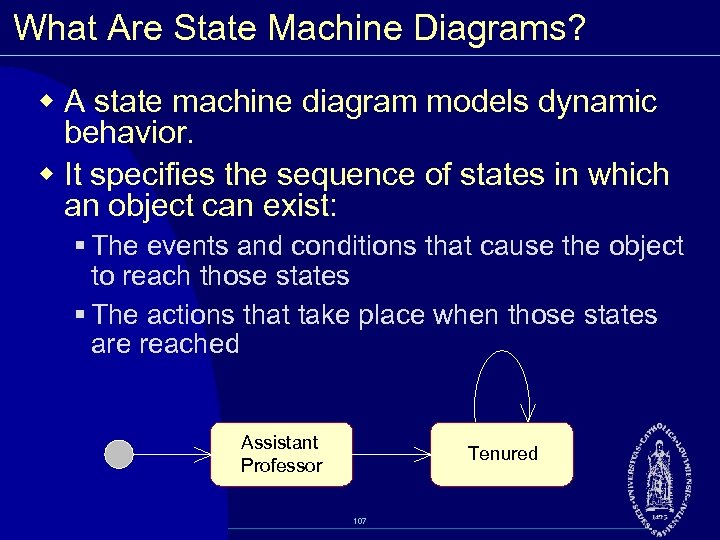 What Are State Machine Diagrams? w A state machine diagram models dynamic behavior. w It specifies the sequence of states in which an object can exist: § The events and conditions that cause the object to reach those states § The actions that take place when those states are reached Assistant Professor Tenured 107
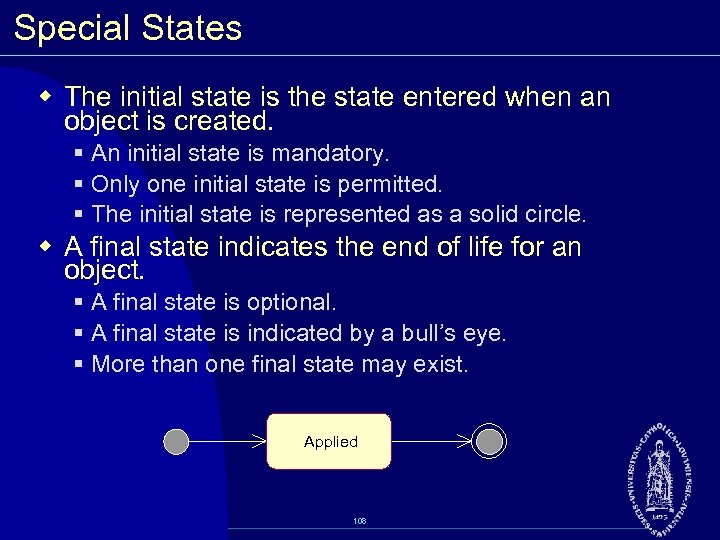 Special States w The initial state is the state entered when an object is created. § An initial state is mandatory. § Only one initial state is permitted. § The initial state is represented as a solid circle. w A final state indicates the end of life for an object. § A final state is optional. § A final state is indicated by a bull’s eye. § More than one final state may exist. Applied 108
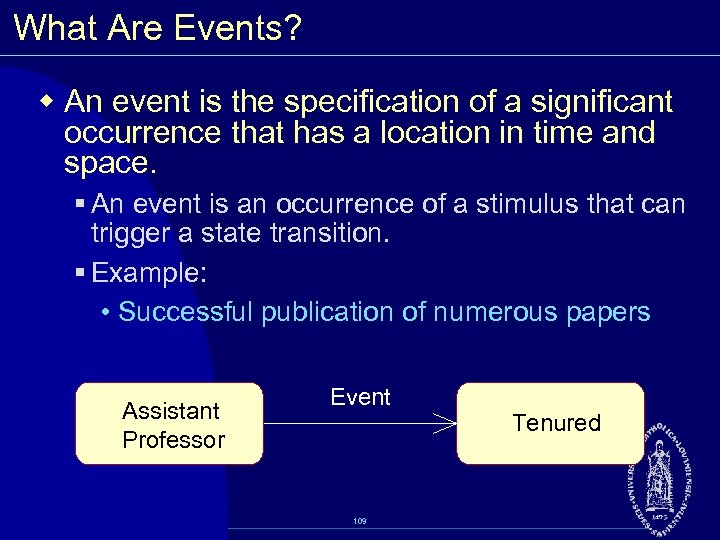 What Are Events? w An event is the specification of a significant occurrence that has a location in time and space. § An event is an occurrence of a stimulus that can trigger a state transition. § Example: • Successful publication of numerous papers Assistant Professor Event 109 Tenured
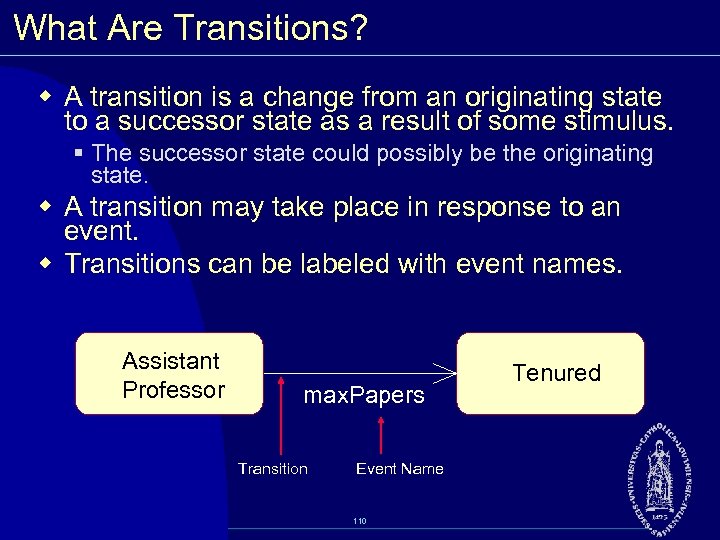 What Are Transitions? w A transition is a change from an originating state to a successor state as a result of some stimulus. § The successor state could possibly be the originating state. w A transition may take place in response to an event. w Transitions can be labeled with event names. Assistant Professor max. Papers Transition Event Name 110 Tenured
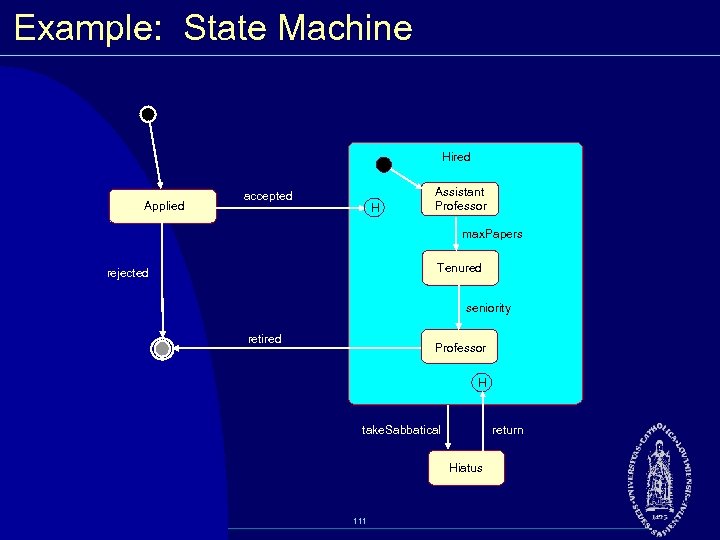 Example: State Machine Hired Applied accepted H Assistant Professor max. Papers Tenured rejected seniority retired Professor H return take. Sabbatical Hiatus 111
![State Transition Diagram Add student[ count < 10 ] Initialization Add Student / Set](https://present5.com/presentation/603d23ec545bfbbd0f378827f5006bf5/image-112.jpg "State Transition Diagram Add student[ count < 10 ] Initialization Add Student / Set") State Transition Diagram Add student[ count < 10 ] Initialization Add Student / Set count = 0 do: Initialize course Open entry: Register student exit: Increment count Cancel [ count = 10 ] Canceled do: Notify registered students Cancel 112 Closed do: Finalize course
State Transition Diagram Add student[ count < 10 ] Initialization Add Student / Set count = 0 do: Initialize course Open entry: Register student exit: Increment count Cancel [ count = 10 ] Canceled do: Notify registered students Cancel 112 Closed do: Finalize course
 Essentials of Visual Modeling with UML 2. 0 Implementation (Component Diagrams) 113
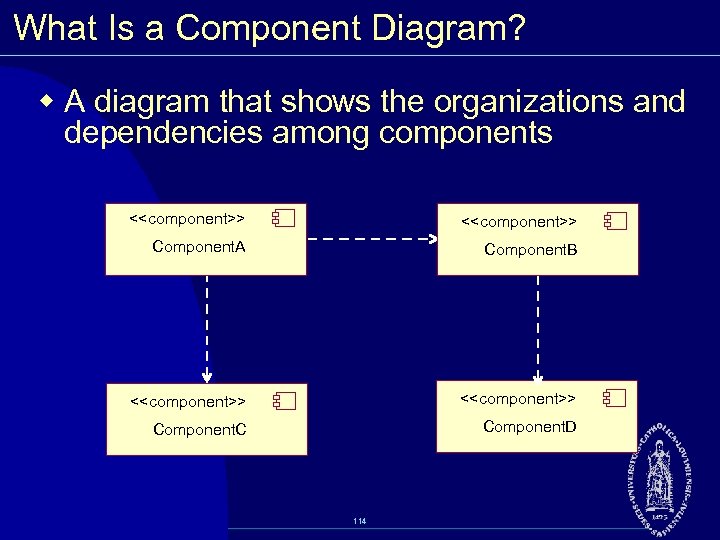 What Is a Component Diagram? w A diagram that shows the organizations and dependencies among components <
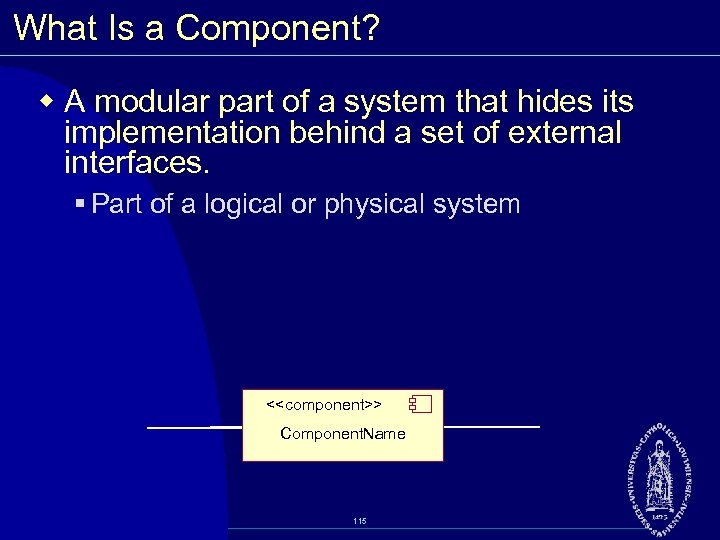 What Is a Component? w A modular part of a system that hides its implementation behind a set of external interfaces. § Part of a logical or physical system <
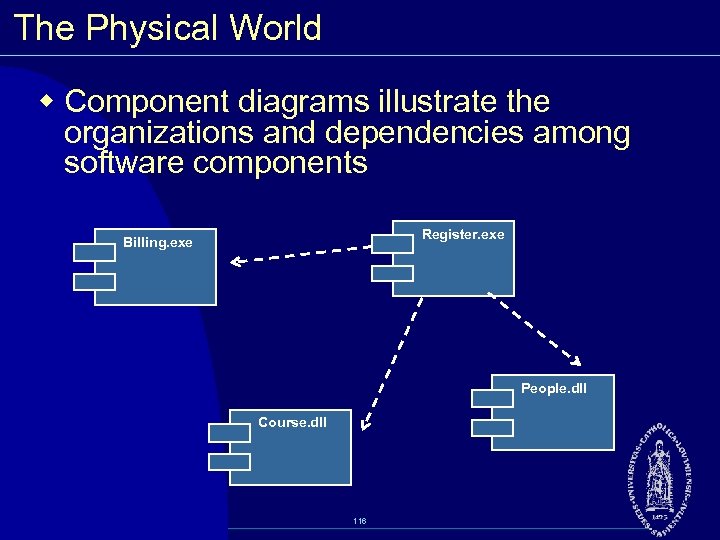 The Physical World w Component diagrams illustrate the organizations and dependencies among software components Register. exe Billing. exe People. dll Course. dll 116
 Essentials of Visual Modeling with UML 2. 0 Implementation (Deployment Diagrams) 117
 What Is a Deployment Diagram? w The deployment diagram shows: § Configuration of processing nodes at run time § Communication links between these nodes § Deployed artifacts that reside on them 118
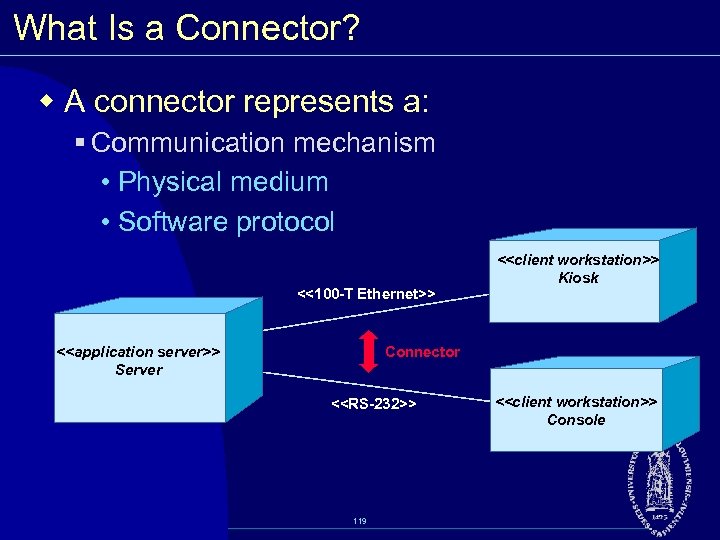 What Is a Connector? w A connector represents a: § Communication mechanism • Physical medium • Software protocol <<100 -T Ethernet>> <
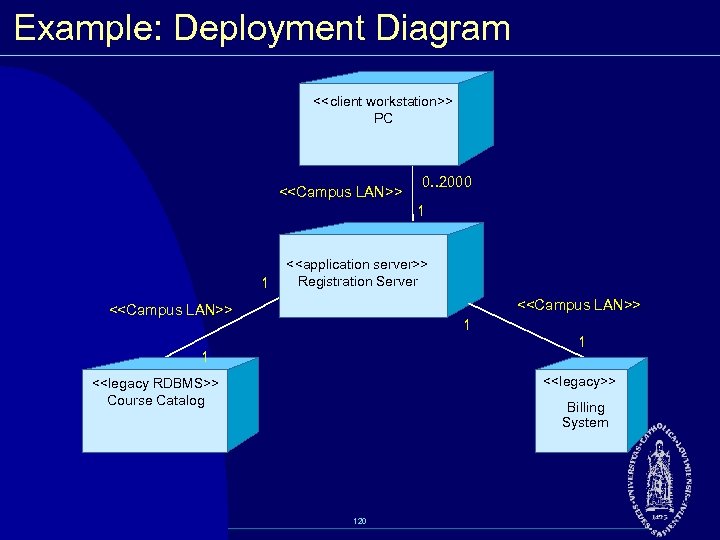 Example: Deployment Diagram <
 Review w Define state. How do you determine the classes with significant state? w What is a state machine diagram? Describe the different parts of the diagram. w What is a component diagram? w What is the purpose of a deployment diagram? 121
 Essentials of Software Project Mangement Rational Unified Process 122
 Objectives Understand Business software project looking at: w Symptoms and root causes w Iterative Develpment w An introduction to Rational Unified Process 123
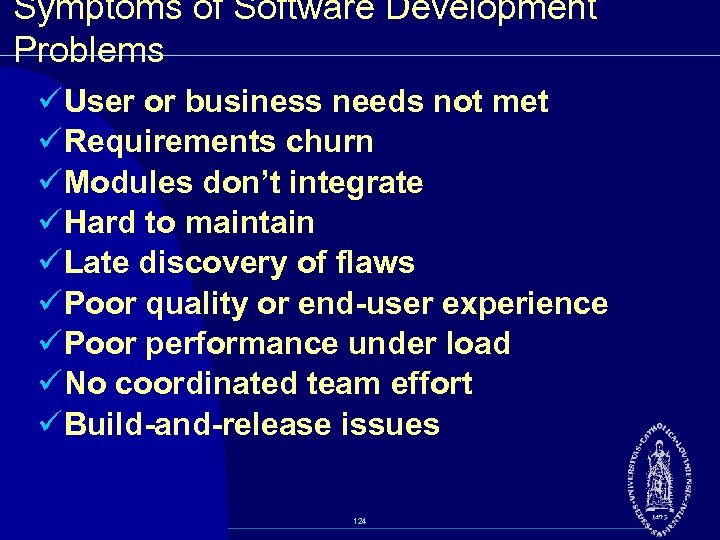 Symptoms of Software Development Problems ü User or business needs not met ü Requirements churn ü Modules don’t integrate ü Hard to maintain ü Late discovery of flaws ü Poor quality or end-user experience ü Poor performance under load ü No coordinated team effort ü Build-and-release issues 124
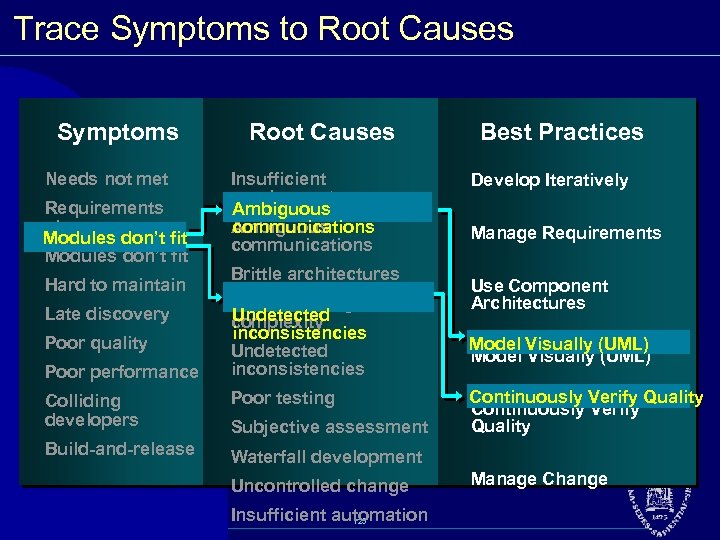 Trace Symptoms to Root Causes Symptoms Needs not met Requirements churn Modules don’t fit Hard to maintain Late discovery Poor quality Poor performance Root Causes Insufficient requirements Ambiguous communications Brittle architectures Overwhelming Undetected complexity inconsistencies Undetected inconsistencies Colliding developers Poor testing Build-and-release Best Practices Develop Iteratively Manage Requirements Use Component Architectures Model Visually (UML) Continuously Verify Quality Waterfall development Subjective assessment Uncontrolled change Insufficient automation 125 Manage Change
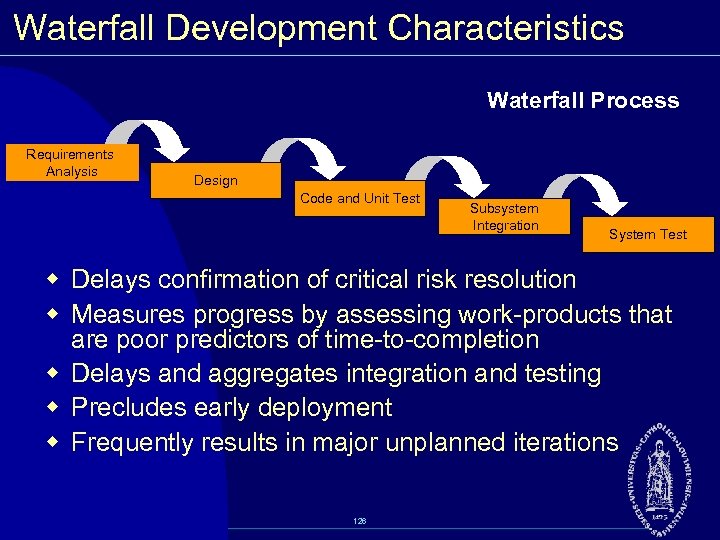 Waterfall Development Characteristics Waterfall Process Requirements Analysis Design Code and Unit Test Subsystem Integration System Test w Delays confirmation of critical risk resolution w Measures progress by assessing work products that are poor predictors of time to completion w Delays and aggregates integration and testing w Precludes early deployment w Frequently results in major unplanned iterations 126
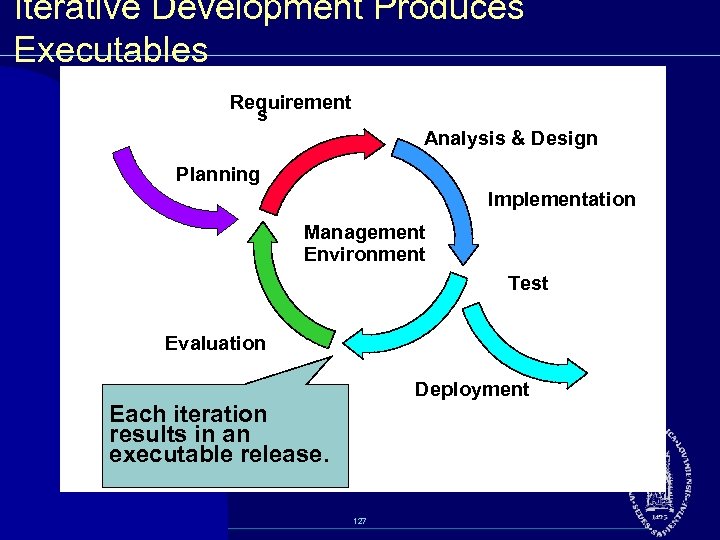 Iterative Development Produces Executables Requirement s Analysis & Design Planning Implementation Management Environment Test Evaluation Deployment Each iteration results in an executable release. 127
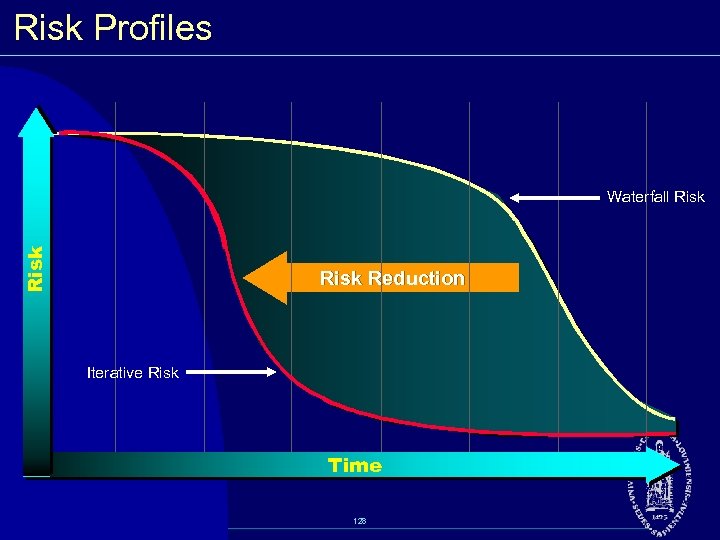 Risk Profiles Risk Waterfall Risk Reduction Iterative Risk Time 128
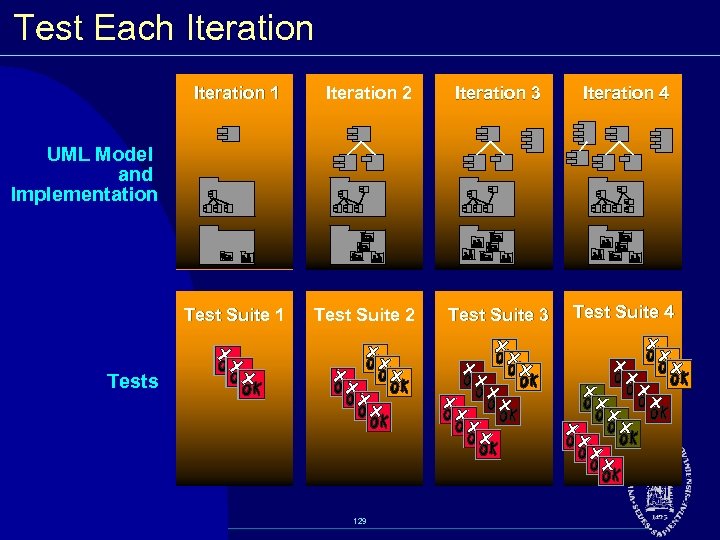 Test Each Iteration 1 Iteration 2 Iteration 3 Iteration 4 Test Suite 1 Test Suite 2 Test Suite 3 Test Suite 4 UML Model and Implementation Tests 129
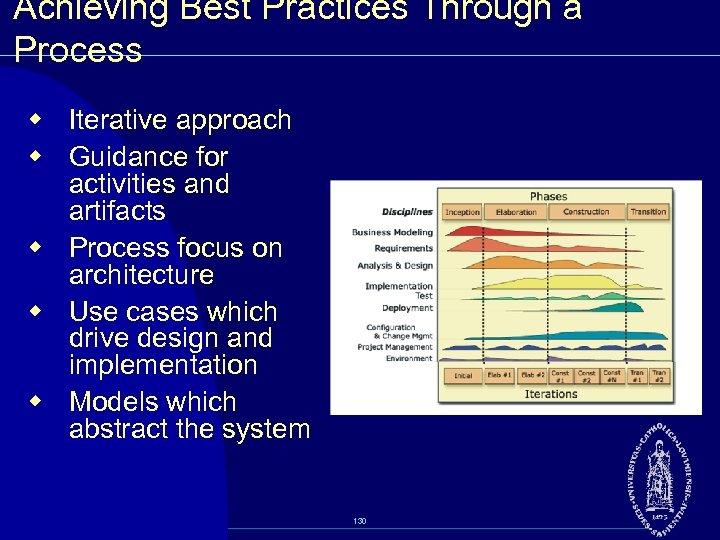 Achieving Best Practices Through a Process w Iterative approach w Guidance for activities and artifacts w Process focus on architecture w Use cases which drive design and implementation w Models which abstract the system 130
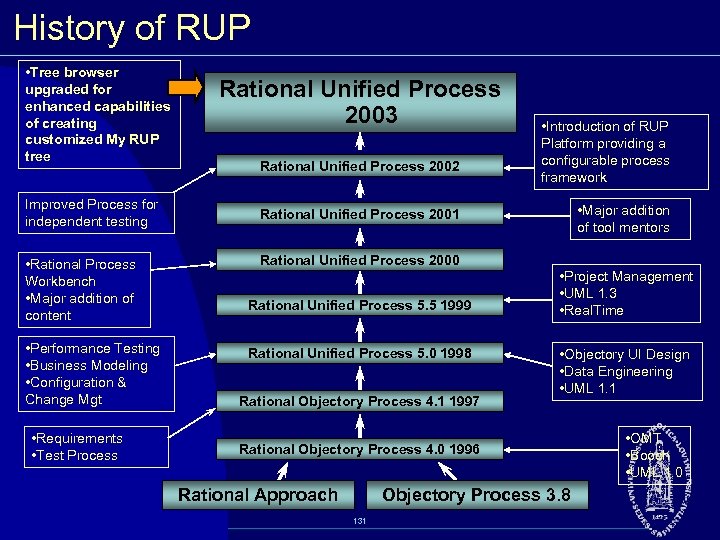 History of RUP • Tree browser upgraded for enhanced capabilities of creating customized My RUP tree Improved Process for independent testing • Rational Process Workbench • Major addition of content • Performance Testing • Business Modeling • Configuration & Change Mgt • Requirements • Test Process Rational Unified Process 2003 Rational Unified Process 2002 • Introduction of RUP Platform providing a configurable process framework • Major addition of tool mentors Rational Unified Process 2001 Rational Unified Process 2000 Rational Unified Process 5. 5 1999 Rational Unified Process 5. 0 1998 Rational Objectory Process 4. 1 1997 • Project Management • UML 1. 3 • Real. Time • Objectory UI Design • Data Engineering • UML 1. 1 Rational Objectory Process 4. 0 1996 Rational Approach Objectory Process 3. 8 131 • OMT • Booch • UML 1. 0
 Role of UML in RUP w Rational Unified Process was developed hand in hand with the UML. w Many artifacts in Rational Unified Process have a UML representation. w Rational Unified Process also includes guidelines for UML concepts. 132
 RUP Organization RUP is organized: w By time § Phases and iterations w By content § Disciplines 133
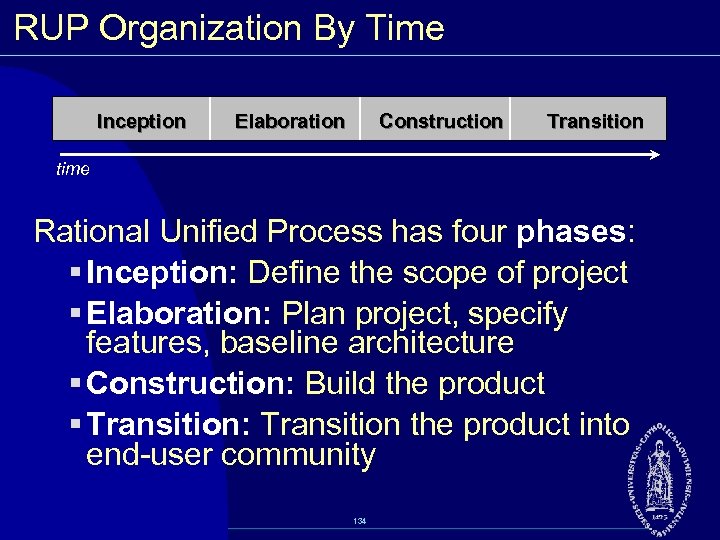 RUP Organization By Time Inception Elaboration Construction Transition time Rational Unified Process has four phases: § Inception: Define the scope of project § Elaboration: Plan project, specify features, baseline architecture § Construction: Build the product § Transition: Transition the product into end user community 134
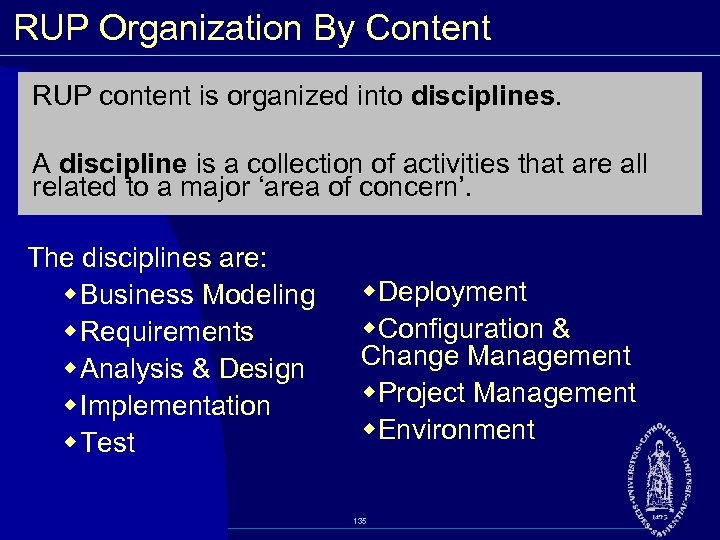 RUP Organization By Content RUP content is organized into disciplines. A discipline is a collection of activities that are all related to a major ‘area of concern’. The disciplines are: w Business Modeling w Requirements w Analysis & Design w Implementation w Test w. Deployment w. Configuration & Change Management w. Project Management w. Environment 135
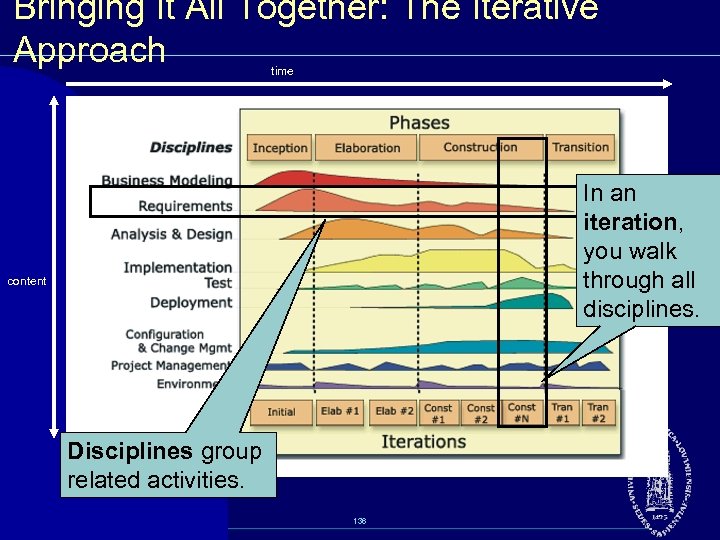 Bringing It All Together: The Iterative Approach time In an iteration, you walk through all disciplines. content Disciplines group related activities. 136
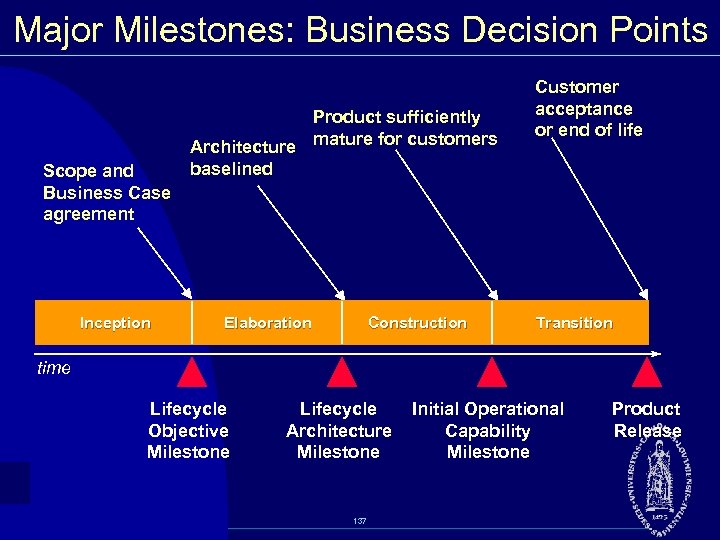 Major Milestones: Business Decision Points Scope and Business Case agreement Inception Product sufficiently Architecture mature for customers baselined Elaboration Construction Customer acceptance or end of life Transition time Lifecycle Objective Milestone Lifecycle Architecture Milestone 137 Initial Operational Capability Milestone Product Release
 Inception Phase: Objectives § Establish project scope and boundary conditions § Determine the use cases and primary scenarios that will drive the major design trade offs § Demonstrate a candidate architecture against some of the primary scenarios § Estimate the overall cost and schedule § Identify potential risks (the sources of unpredictability) § Prepare the supporting environment for the project 138
 Inception Phase: Evaluation Criteria § Stakeholder concurrence on scope definition and cost/schedule estimates § Agreement that the right set of requirements has been captured and that there is a shared understanding of these requirements § Agreement that the cost/schedule estimates, priorities, risks, and development process are appropriate § All risks have been identified and a mitigation strategy exists for each Milestone: Lifecycle Objectives (LCO) 139
 Elaboration Phase: Objectives w Define, validate and baseline the architecture as rapidly as is practical w Baseline the vision w Refine support environment w Baseline a detailed plan for the Construction phase w Demonstrate that the baseline architecture will support the vision at a reasonable cost in a reasonable period of time 140
 Elaboration Phase: Evaluation Criteria § Product Vision and requirements are stable. § Architecture is stable. § Key test and evaluation approaches are proven; major risk elements have been addressed and resolved. § Iteration plans for Construction phase are of sufficient detail and fidelity to allow work to proceed, and are supported by credible estimates. § All stakeholders agree that current vision can be met if the current plan is executed to develop the complete system, in the context of the current architecture. § Actual resource expenditures versus planned expenditures are acceptable. Milestone: Lifecycle Architecture (LCA) 141
 Construction Phase: Objectives w Complete the software product for transition to production w Minimize development costs by optimizing resources and avoiding unnecessary scrap and rework w Achieve adequate quality as rapidly as is practical w Achieve useful versions (alpha, beta, and other test releases) as rapidly as possible 142
 Construction Phase: Evaluation Criteria The evaluation criteria for the Construction phase involve the answers to these questions: § Is this product release stable and mature enough to be deployed in the user community? § Are all the stakeholders ready for the product’s transition into the user community? § Are actual resource expenditures versus planned still acceptable? Milestone: Initial Operational Capability (IOC) 143
 Transition Phase: Objectives w Achieve user self supportability w Achieve stakeholder concurrence that deployment baselines are complete and consistent with the evaluation criteria of the vision w Achieve final product baseline in a rapid and cost effective manner 144
 Transition Phase: Evaluation Criteria The primary evaluation criteria for the Transition phase involve the answers to these questions: § Is the user satisfied? § Are actual resources expenditures versus planned expenditures acceptable? Milestone: Product release (“GA”) 145
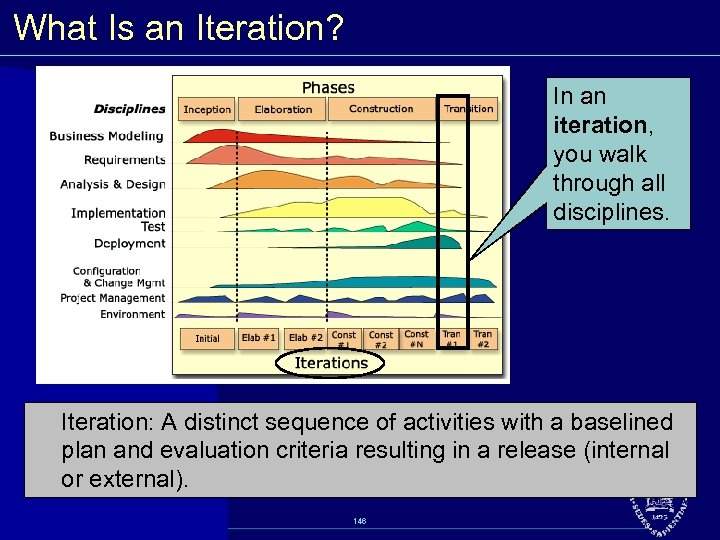 What Is an Iteration? In an iteration, you walk through all disciplines. Iteration: A distinct sequence of activities with a baselined plan and evaluation criteria resulting in a release (internal or external). 146
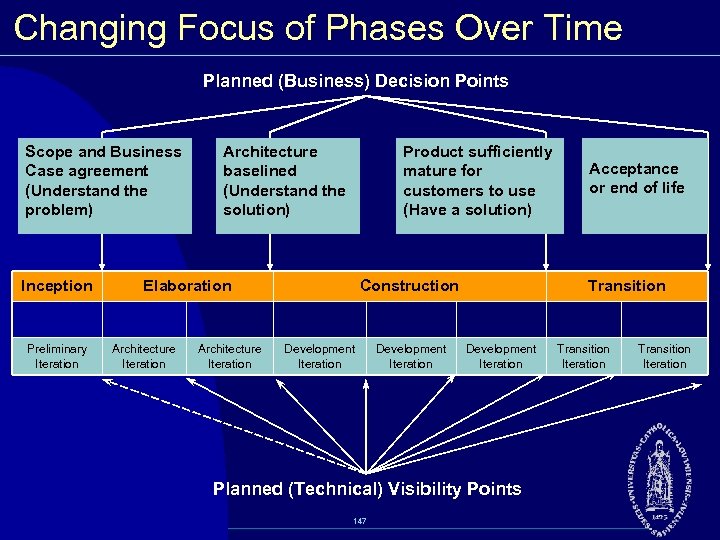 Changing Focus of Phases Over Time Planned (Business) Decision Points Scope and Business Case agreement (Understand the problem) Inception Preliminary Iteration Architecture baselined (Understand the solution) Product sufficiently mature for customers to use (Have a solution) Elaboration Architecture Iteration Construction Development Iteration Transition Development Iteration Planned (Technical) Visibility Points 147 Acceptance or end of life Transition Iteration
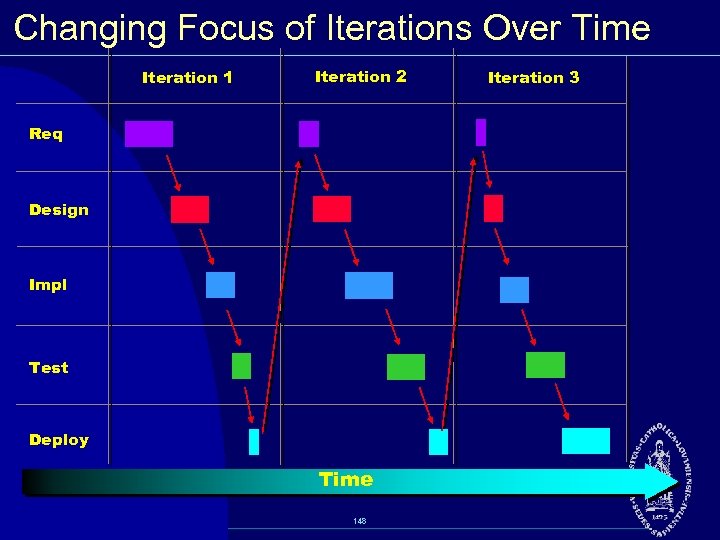 Changing Focus of Iterations Over Time Iteration 1 Iteration 2 Req Design Impl Test Deploy Time 148 Iteration 3
 Duration of an Iteration w An iteration begins with planning and requirements and ends with an internal or external release. w Ideally an iteration should run from two to six weeks, depending on your project size and complexity. w Factors that affect duration of an iteration: § Size, stability and maturity of organization § Familiarity with the iterative process § Size of project § Technical simplicity of project § Level of automation used to manage code, distribute information, perform testing 149
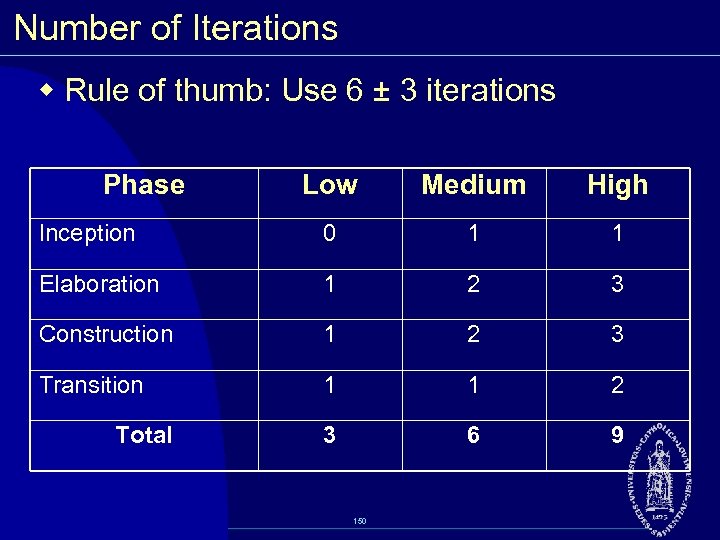 Number of Iterations w Rule of thumb: Use 6 ± 3 iterations Phase Low Medium High Inception 0 1 1 Elaboration 1 2 3 Construction 1 2 3 Transition 1 1 2 3 6 9 Total 150
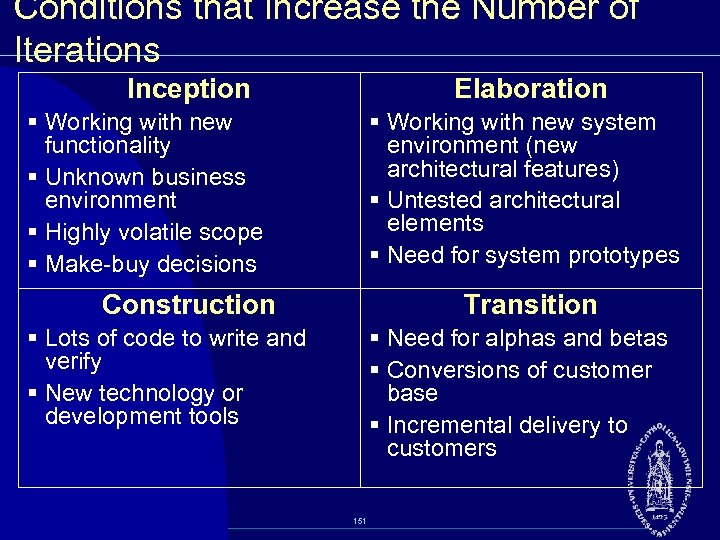 Conditions that Increase the Number of Iterations Inception Elaboration § Working with new functionality § Unknown business environment § Highly volatile scope § Make buy decisions § Working with new system environment (new architectural features) § Untested architectural elements § Need for system prototypes Construction Transition § Lots of code to write and verify § New technology or development tools § Need for alphas and betas § Conversions of customer base § Incremental delivery to customers 151
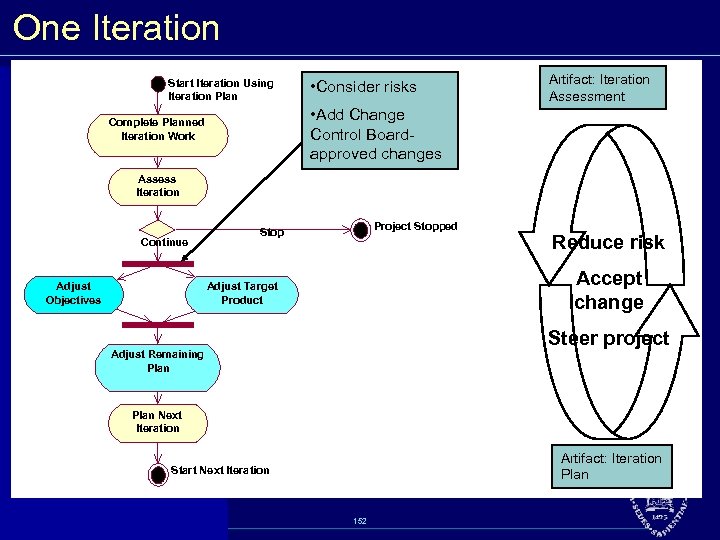 One Iteration Start Iteration Using Iteration Plan • Consider risks Artifact: Iteration Assessment • Add Change Control Board approved changes Complete Planned Iteration Work Assess Iteration Continue Adjust Objectives Project Stopped Stop Reduce risk Accept change Adjust Target Product Steer project Adjust Remaining Plan Next Iteration Artifact: Iteration Plan Start Next Iteration 152
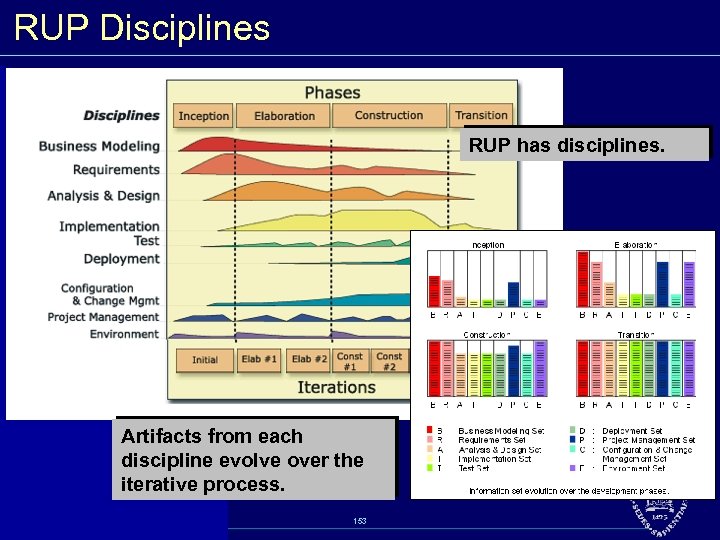 RUP Disciplines RUP has disciplines. Artifacts from each discipline evolve over the iterative process. 153
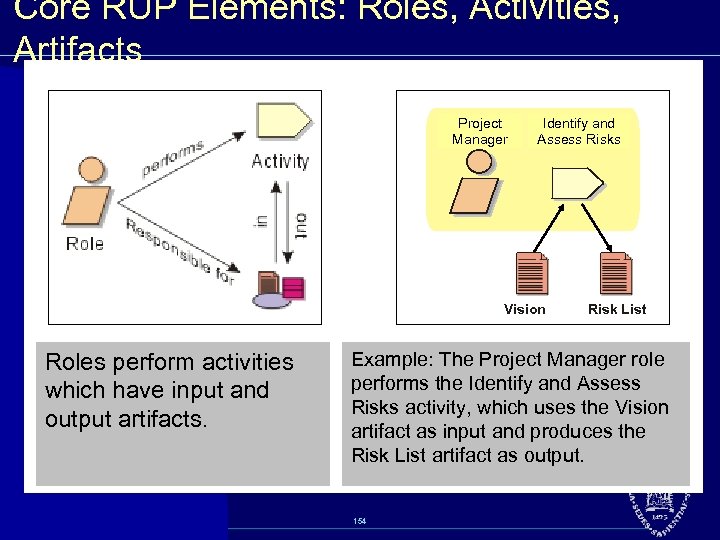 Core RUP Elements: Roles, Activities, Artifacts Project Manager Identify and Assess Risks Vision Roles perform activities which have input and output artifacts. Risk List Example: The Project Manager role performs the Identify and Assess Risks activity, which uses the Vision artifact as input and produces the Risk List artifact as output. 154
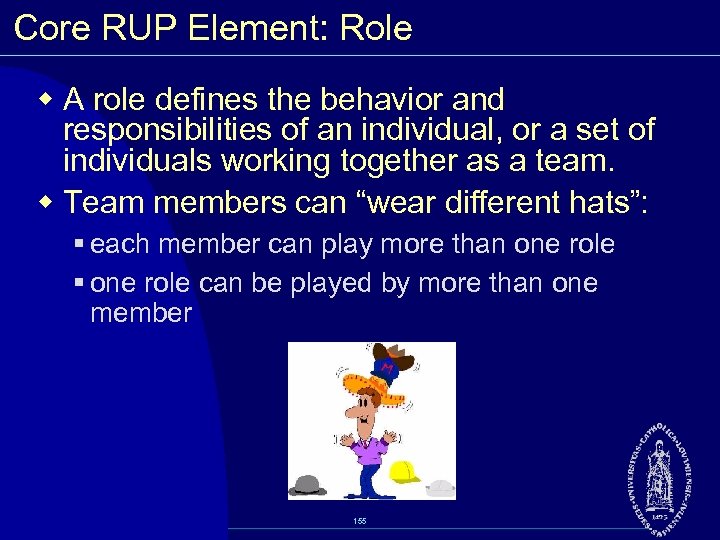 Core RUP Element: Role w A role defines the behavior and responsibilities of an individual, or a set of individuals working together as a team. w Team members can “wear different hats”: § each member can play more than one role § one role can be played by more than one member 155
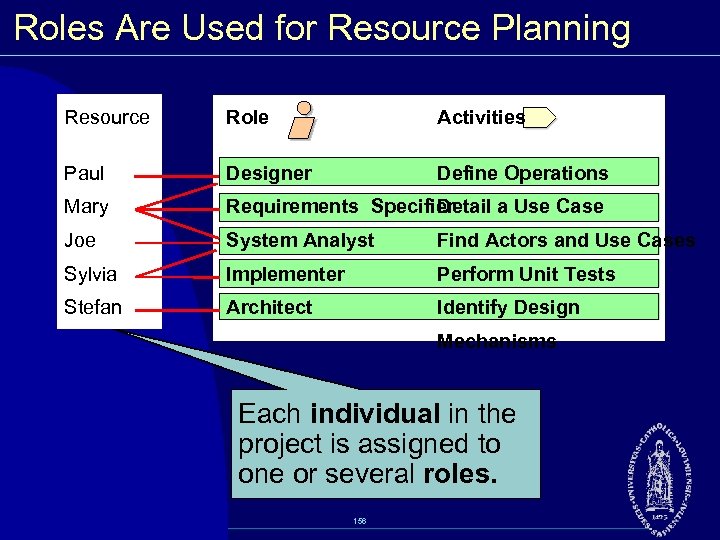 Roles Are Used for Resource Planning Resource Role Activities Paul Designer Define Operations Mary Requirements Specifier Detail a Use Case Joe System Analyst Find Actors and Use Cases Sylvia Implementer Perform Unit Tests Stefan Architect Identify Design Mechanisms Each individual in the project is assigned to one or several roles. 156
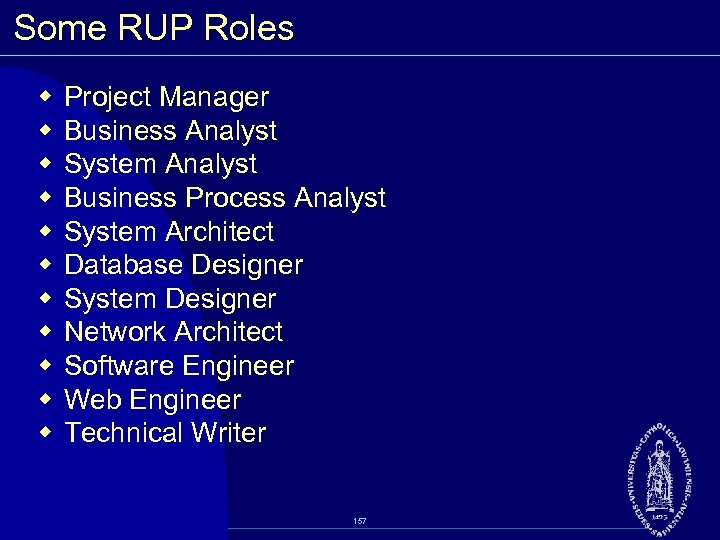 Some RUP Roles w w w Project Manager Business Analyst System Analyst Business Process Analyst System Architect Database Designer System Designer Network Architect Software Engineer Web Engineer Technical Writer 157
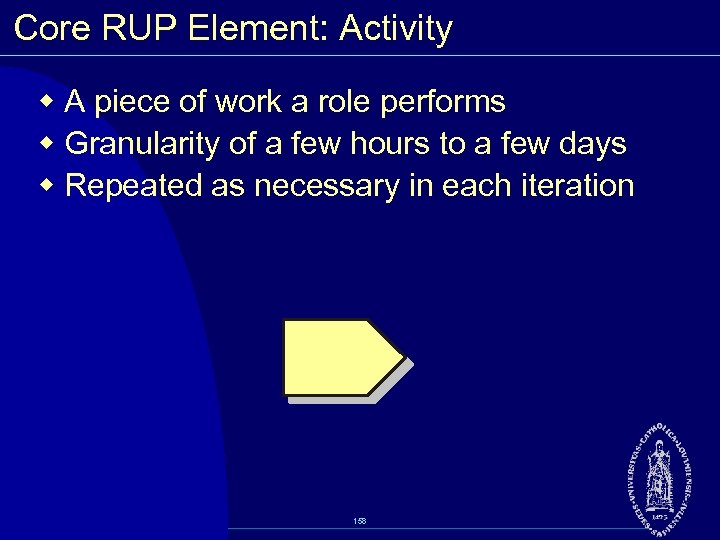 Core RUP Element: Activity w A piece of work a role performs w Granularity of a few hours to a few days w Repeated as necessary in each iteration 158
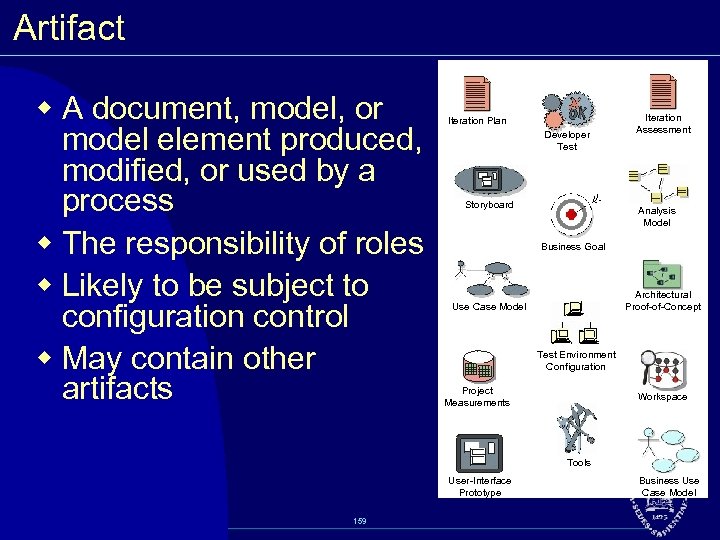 Artifact w A document, model, or model element produced, modified, or used by a process w The responsibility of roles w Likely to be subject to configuration control w May contain other artifacts Iteration Plan Developer Test Storyboard Iteration Assessment Analysis Model Business Goal Architectural Proof of Concept Use Case Model Test Environment Configuration Project Measurements Workspace Tools User Interface Prototype 159 Business Use Case Model
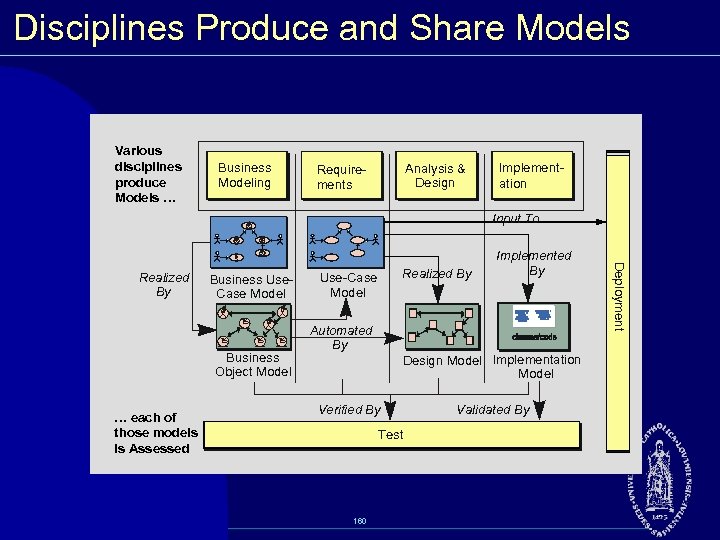 Disciplines Produce and Share Models Various disciplines produce Models … Business Modeling Analysis & Design Require ments Implement ation Input To Business Use Case Model B B Business Object Model … each of those models is Assessed Use Case Model Automated By Realized By Design Model Implementation Model Verified By Test 160 Validated By Deployment Realized By Implemented By
 Business Modeling Discipline w Purpose § Understand problems in target organization and identify potential improvements § Ensure customer and end user have common understanding of target organization § Derive system requirements to support target organization § Understand structure and dynamics of organization in which system is to be deployed w This discipline uses an approach very similar to that of system development 161
 Requirements Discipline Purpose ® Establish and maintain agreement with the customers and other stakeholders on what the system should do ® Provide system developers with a better understanding of the system requirements ® Define the boundaries of (delimit) the system ® Provide a basis for planning the technical contents of iterations ® Provide a basis for estimating cost and time to develop the system ® Define a user interface for the system, focusing on the needs and goals of the users 162
 Analysis & Design Discipline Purpose: ® Transform the requirements into a design of the system to be ® Evolve a robust architecture for the system ® Adapt the design to match the implementation environment Primary artifact is the Design Model. 163
 Implementation Discipline Purpose: w Implement classes and objects in terms of components and source code w Define the organization of the components in terms of implementation subsystems w Test the developed components as units w Create an executable system Primary artifact is Implementation Model. 164
 Test Discipline Purpose: § Finding and documenting defects in software quality § Generally advising about perceived software quality § Proving the validity of the assumptions made in design and requirement specifications through concrete demonstration § Validating the software product functions as designed § Validating that the requirements have been implemented appropriately The Test discipline: § Focuses primarily on the evaluation or assessment of quality realized through a number of core practices § Acts in many respects as a service provider to the other disciplines 165
 Deployment Discipline w Purpose: Manage the activities associated with ensuring that the software product is available for its end users, such as: § Product deployment § Testing at the installation and target sites § Beta testing § Creating end user support material § Creating user training material § Releasing to customer (in the form of shrink wrapped package, download site, etc. ) 166
 Project Management Discipline Purpose: w Provide a framework for managing software intensive projects. w Provide practical guidelines for planning, staffing, executing, and monitoring projects. w Provide a framework for managing risk. Main artifacts are: w Project Plan w Risk Management Plan w Business Case w Iteration Plans 167
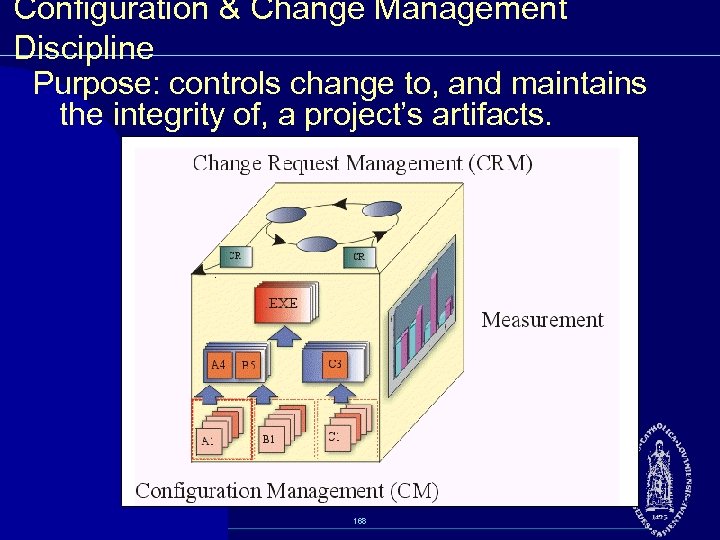 Configuration & Change Management Discipline Purpose: controls change to, and maintains the integrity of, a project’s artifacts. 168
 Environment Discipline w Purpose: Focuses on the activities necessary to configure the process for a project. Defines what improvements are realistic under the project’s circumstances: • Current process • Current tools • Current staff skills and capabilities for change • Current problems and possible improvement objectives 169