


 Скачать презентацию ECE 5650 Network Programming Socket Programming with TCP
29c8fb37688dde538c98123c2e3fa48a.ppt
- Количество слайдов: 30
 ECE 5650: Network Programming Socket Programming with TCP Socket Programming with UDP Build Web Server 2: Application Layer 1
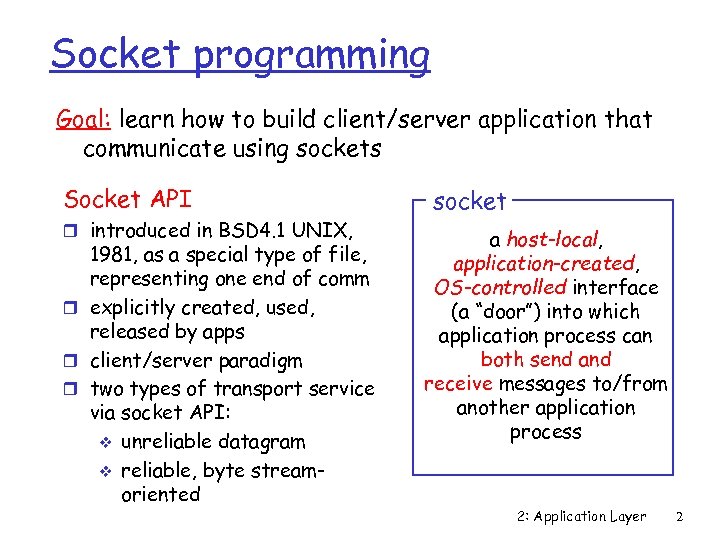 Socket programming Goal: learn how to build client/server application that communicate using sockets Socket API r introduced in BSD 4. 1 UNIX, 1981, as a special type of file, representing one end of comm r explicitly created, used, released by apps r client/server paradigm r two types of transport service via socket API: v unreliable datagram v reliable, byte streamoriented socket a host-local, application-created, OS-controlled interface (a “door”) into which application process can both send and receive messages to/from another application process 2: Application Layer 2
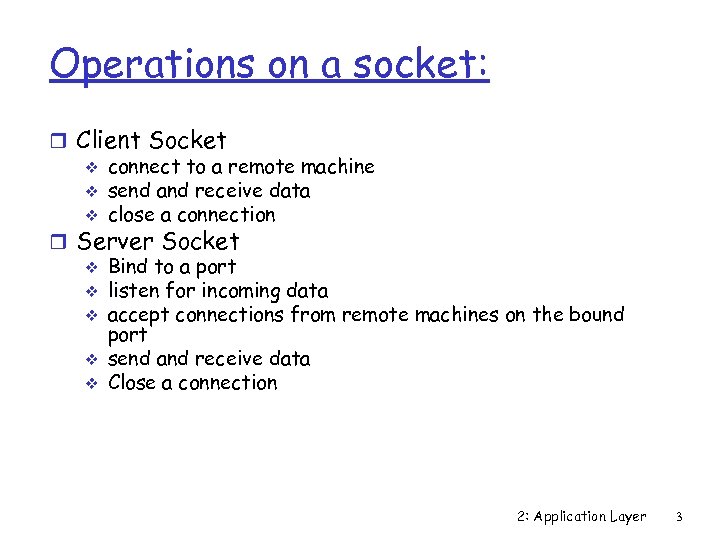 Operations on a socket: r Client Socket v connect to a remote machine v send and receive data v close a connection r Server Socket v Bind to a port v listen for incoming data v accept connections from remote machines on the bound port v send and receive data v Close a connection 2: Application Layer 3
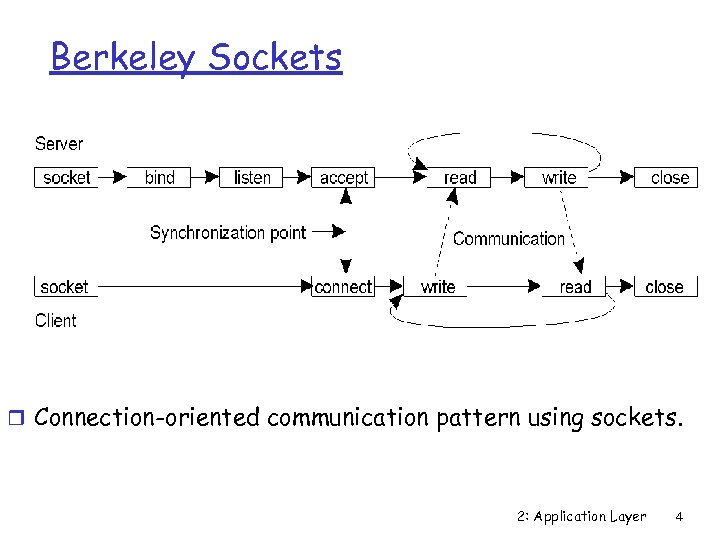 Berkeley Sockets r Connection-oriented communication pattern using sockets. 2: Application Layer 4
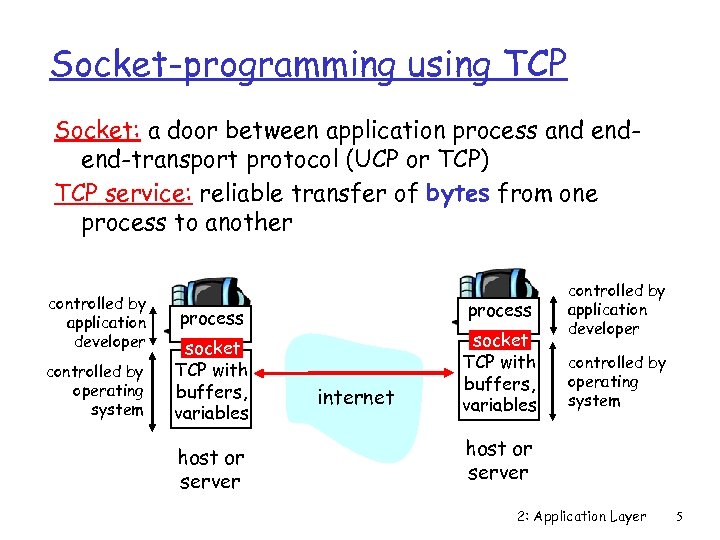 Socket-programming using TCP Socket: a door between application process and endend-transport protocol (UCP or TCP) TCP service: reliable transfer of bytes from one process to another controlled by application developer controlled by operating system process socket TCP with buffers, variables host or server internet socket TCP with buffers, variables controlled by application developer controlled by operating system host or server 2: Application Layer 5
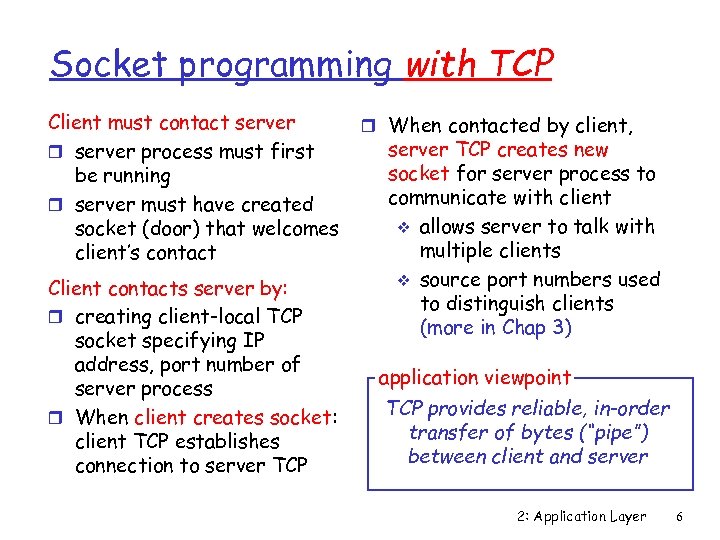 Socket programming with TCP Client must contact server r server process must first be running r server must have created socket (door) that welcomes client’s contact Client contacts server by: r creating client-local TCP socket specifying IP address, port number of server process r When client creates socket: client TCP establishes connection to server TCP r When contacted by client, server TCP creates new socket for server process to communicate with client v allows server to talk with multiple clients v source port numbers used to distinguish clients (more in Chap 3) application viewpoint TCP provides reliable, in-order transfer of bytes (“pipe”) between client and server 2: Application Layer 6
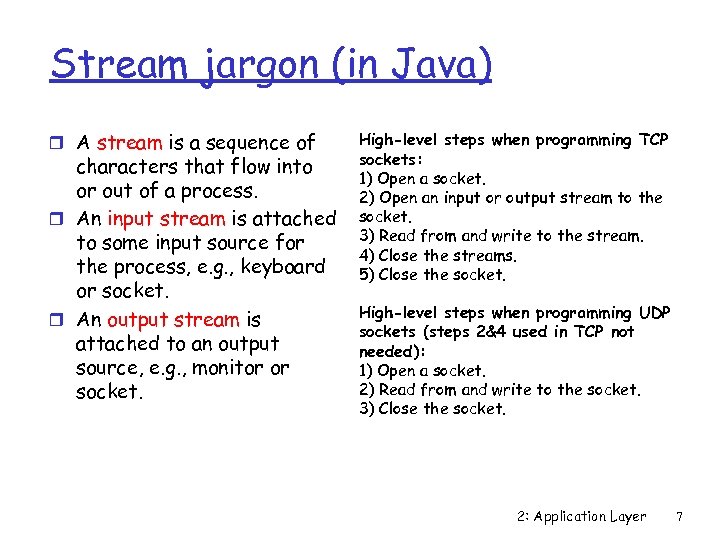 Stream jargon (in Java) r A stream is a sequence of characters that flow into or out of a process. r An input stream is attached to some input source for the process, e. g. , keyboard or socket. r An output stream is attached to an output source, e. g. , monitor or socket. High-level steps when programming TCP sockets: 1) Open a socket. 2) Open an input or output stream to the socket. 3) Read from and write to the stream. 4) Close the streams. 5) Close the socket. High-level steps when programming UDP sockets (steps 2&4 used in TCP not needed): 1) Open a socket. 2) Read from and write to the socket. 3) Close the socket. 2: Application Layer 7
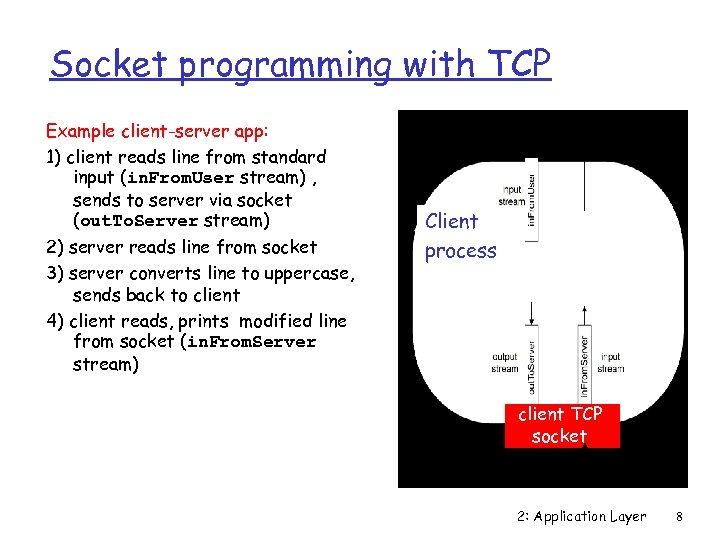 Socket programming with TCP Example client-server app: 1) client reads line from standard input (in. From. User stream) , sends to server via socket (out. To. Server stream) 2) server reads line from socket 3) server converts line to uppercase, sends back to client 4) client reads, prints modified line from socket (in. From. Server stream) Client process client TCP socket 2: Application Layer 8
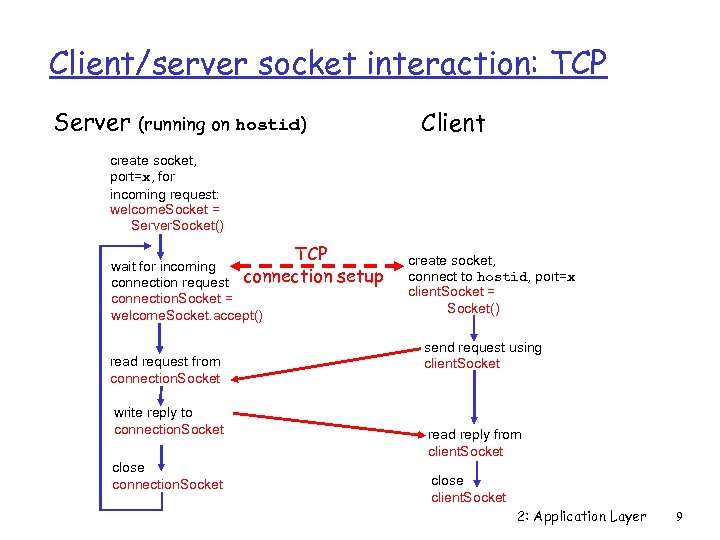 Client/server socket interaction: TCP Server Client (running on hostid) create socket, port=x, for incoming request: welcome. Socket = Server. Socket() TCP wait for incoming connection request connection. Socket = welcome. Socket. accept() read request from connection. Socket write reply to connection. Socket close connection. Socket setup create socket, connect to hostid, port=x client. Socket = Socket() send request using client. Socket read reply from client. Socket close client. Socket 2: Application Layer 9
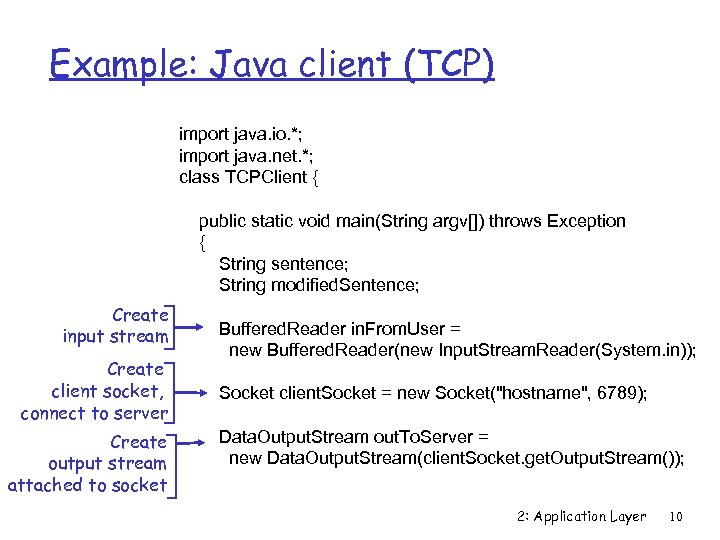 Example: Java client (TCP) import java. io. *; import java. net. *; class TCPClient { public static void main(String argv[]) throws Exception { String sentence; String modified. Sentence; Create input stream Create client socket, connect to server Create output stream attached to socket Buffered. Reader in. From. User = new Buffered. Reader(new Input. Stream. Reader(System. in)); Socket client. Socket = new Socket("hostname", 6789); Data. Output. Stream out. To. Server = new Data. Output. Stream(client. Socket. get. Output. Stream()); 2: Application Layer 10
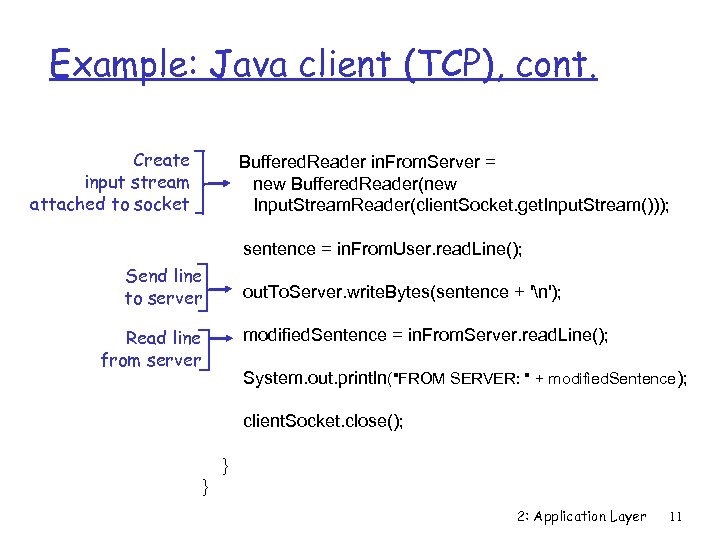 Example: Java client (TCP), cont. Create input stream attached to socket Buffered. Reader in. From. Server = new Buffered. Reader(new Input. Stream. Reader(client. Socket. get. Input. Stream())); sentence = in. From. User. read. Line(); Send line to server out. To. Server. write. Bytes(sentence + 'n'); Read line from server modified. Sentence = in. From. Server. read. Line(); System. out. println("FROM SERVER: " + modified. Sentence); client. Socket. close(); } } 2: Application Layer 11
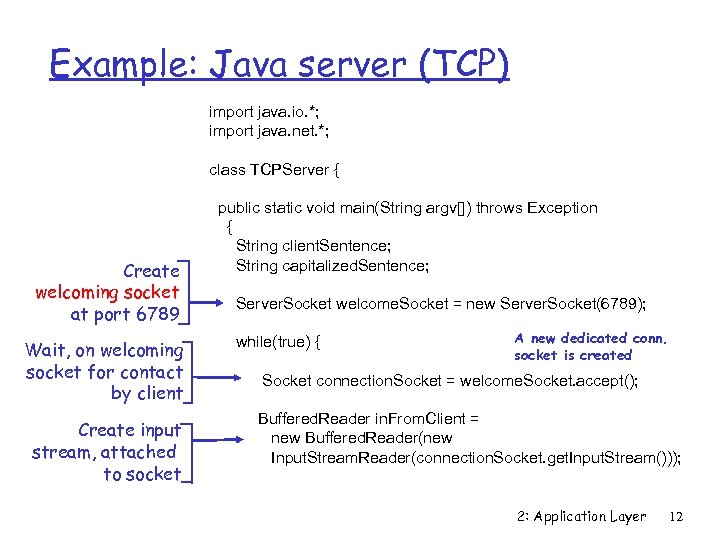 Example: Java server (TCP) import java. io. *; import java. net. *; class TCPServer { Create welcoming socket at port 6789 Wait, on welcoming socket for contact by client Create input stream, attached to socket public static void main(String argv[]) throws Exception { String client. Sentence; String capitalized. Sentence; Server. Socket welcome. Socket = new Server. Socket(6789); while(true) { A new dedicated conn. socket is created Socket connection. Socket = welcome. Socket. accept(); Buffered. Reader in. From. Client = new Buffered. Reader(new Input. Stream. Reader(connection. Socket. get. Input. Stream())); 2: Application Layer 12
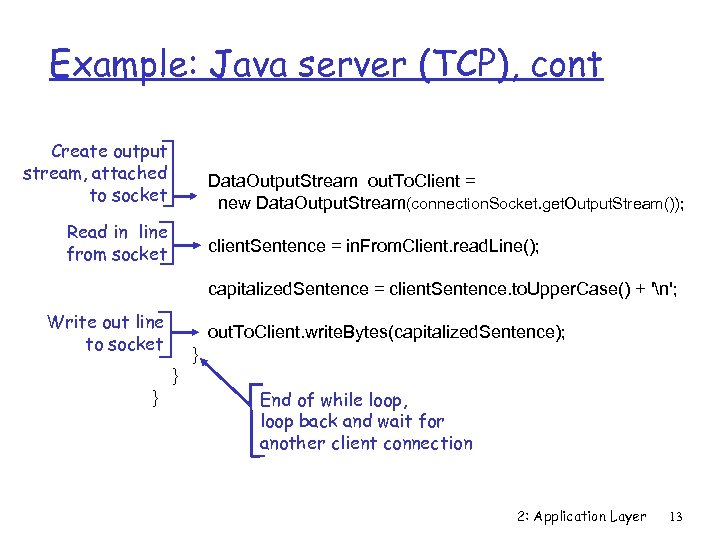 Example: Java server (TCP), cont Create output stream, attached to socket Data. Output. Stream out. To. Client = new Data. Output. Stream(connection. Socket. get. Output. Stream()); Read in line from socket client. Sentence = in. From. Client. read. Line(); capitalized. Sentence = client. Sentence. to. Upper. Case() + 'n'; Write out line to socket out. To. Client. write. Bytes(capitalized. Sentence); } } } End of while loop, loop back and wait for another client connection 2: Application Layer 13
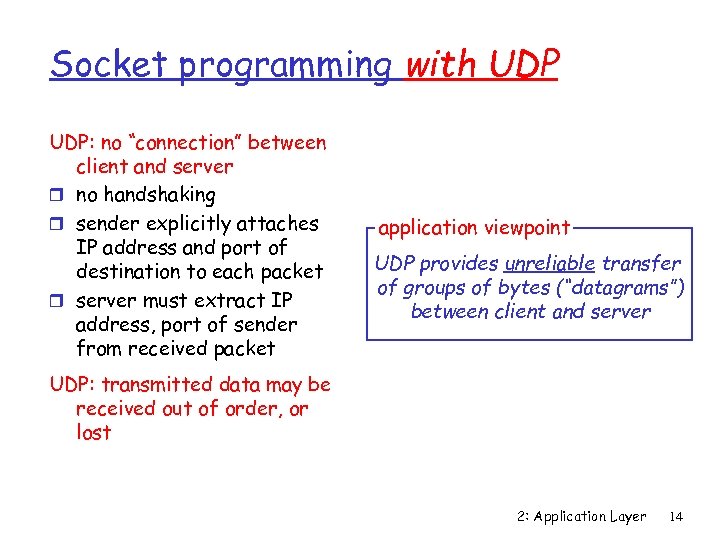 Socket programming with UDP: no “connection” between client and server r no handshaking r sender explicitly attaches IP address and port of destination to each packet r server must extract IP address, port of sender from received packet application viewpoint UDP provides unreliable transfer of groups of bytes (“datagrams”) between client and server UDP: transmitted data may be received out of order, or lost 2: Application Layer 14
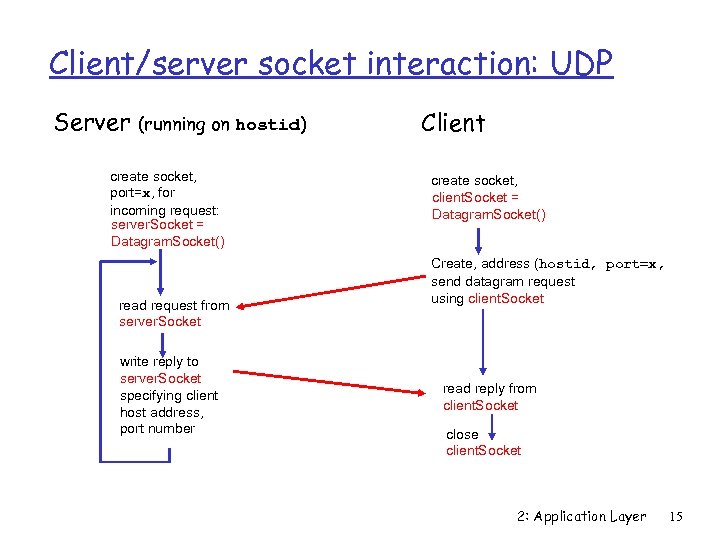 Client/server socket interaction: UDP Server (running on hostid) create socket, port=x, for incoming request: server. Socket = Datagram. Socket() read request from server. Socket write reply to server. Socket specifying client host address, port number Client create socket, client. Socket = Datagram. Socket() Create, address (hostid, port=x, send datagram request using client. Socket read reply from client. Socket close client. Socket 2: Application Layer 15
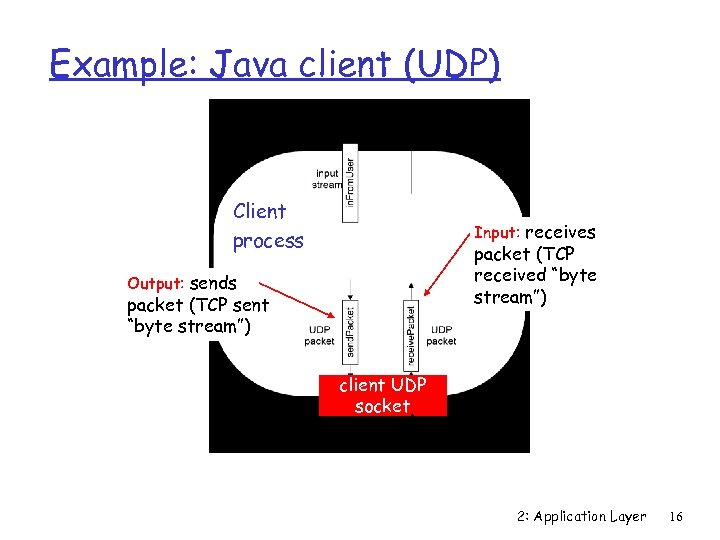 Example: Java client (UDP) Client process Input: receives packet (TCP received “byte stream”) Output: sends packet (TCP sent “byte stream”) client UDP socket 2: Application Layer 16
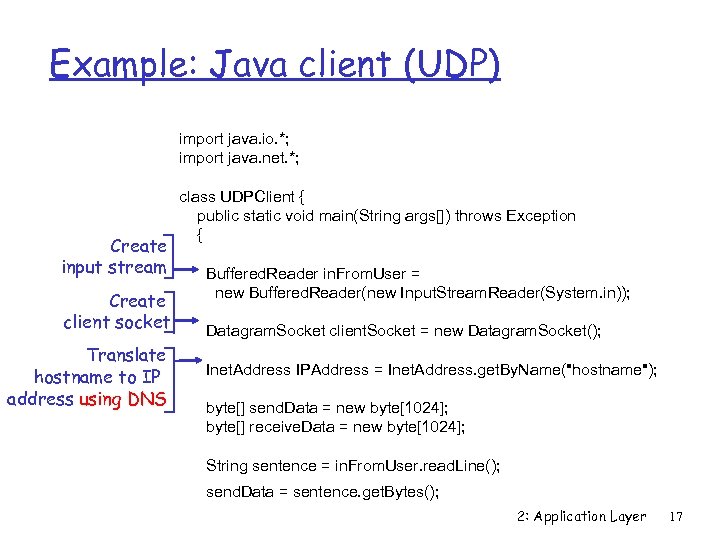 Example: Java client (UDP) import java. io. *; import java. net. *; Create input stream Create client socket Translate hostname to IP address using DNS class UDPClient { public static void main(String args[]) throws Exception { Buffered. Reader in. From. User = new Buffered. Reader(new Input. Stream. Reader(System. in)); Datagram. Socket client. Socket = new Datagram. Socket(); Inet. Address IPAddress = Inet. Address. get. By. Name("hostname"); byte[] send. Data = new byte[1024]; byte[] receive. Data = new byte[1024]; String sentence = in. From. User. read. Line(); send. Data = sentence. get. Bytes(); 2: Application Layer 17
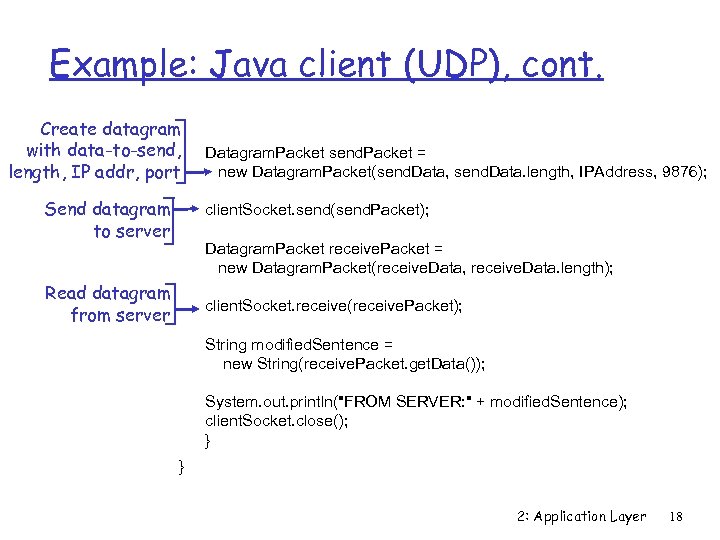 Example: Java client (UDP), cont. Create datagram with data-to-send, length, IP addr, port Send datagram to server Datagram. Packet send. Packet = new Datagram. Packet(send. Data, send. Data. length, IPAddress, 9876); client. Socket. send(send. Packet); Datagram. Packet receive. Packet = new Datagram. Packet(receive. Data, receive. Data. length); Read datagram from server client. Socket. receive(receive. Packet); String modified. Sentence = new String(receive. Packet. get. Data()); System. out. println("FROM SERVER: " + modified. Sentence); client. Socket. close(); } } 2: Application Layer 18
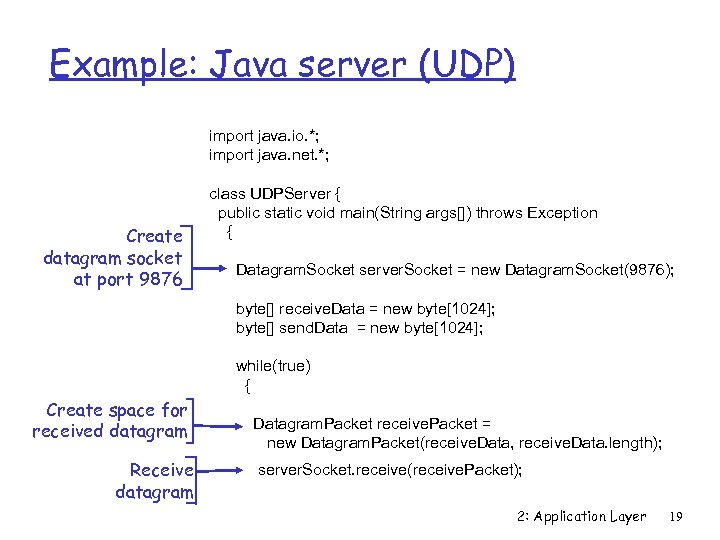 Example: Java server (UDP) import java. io. *; import java. net. *; Create datagram socket at port 9876 class UDPServer { public static void main(String args[]) throws Exception { Datagram. Socket server. Socket = new Datagram. Socket(9876); byte[] receive. Data = new byte[1024]; byte[] send. Data = new byte[1024]; while(true) { Create space for received datagram Receive datagram Datagram. Packet receive. Packet = new Datagram. Packet(receive. Data, receive. Data. length); server. Socket. receive(receive. Packet); 2: Application Layer 19
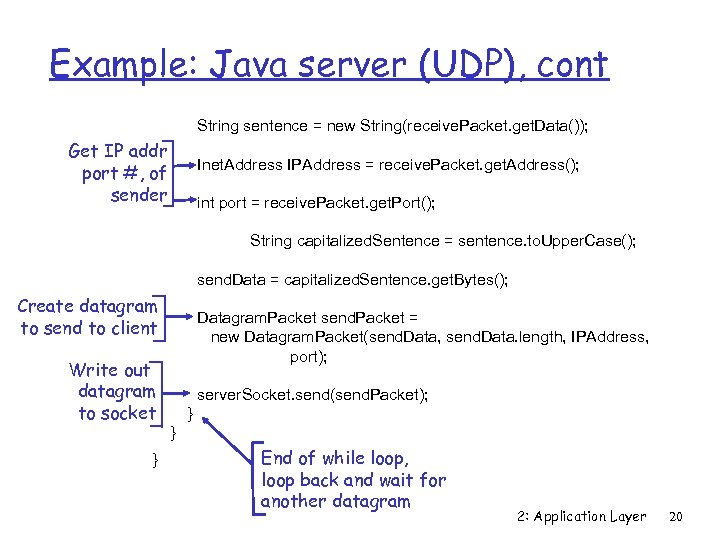 Example: Java server (UDP), cont String sentence = new String(receive. Packet. get. Data()); Get IP addr port #, of sender Inet. Address IPAddress = receive. Packet. get. Address(); int port = receive. Packet. get. Port(); String capitalized. Sentence = sentence. to. Upper. Case(); send. Data = capitalized. Sentence. get. Bytes(); Create datagram to send to client Write out datagram to socket } Datagram. Packet send. Packet = new Datagram. Packet(send. Data, send. Data. length, IPAddress, port); server. Socket. send(send. Packet); } } End of while loop, loop back and wait for another datagram 2: Application Layer 20
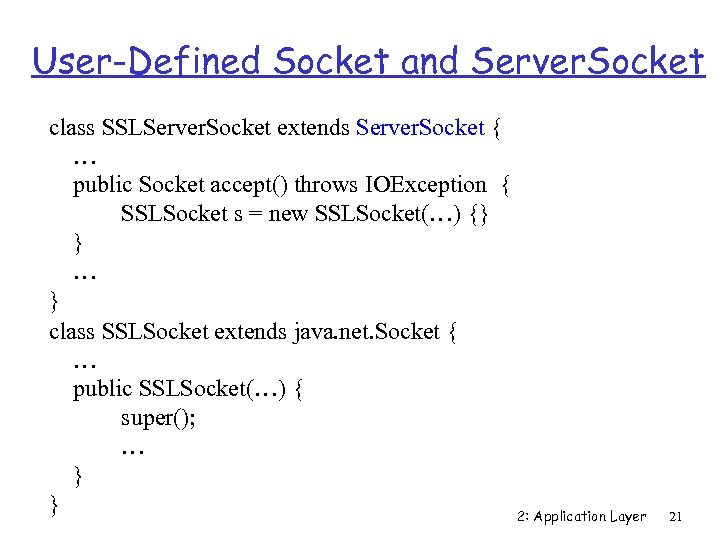 User-Defined Socket and Server. Socket class SSLServer. Socket extends Server. Socket { … public Socket accept() throws IOException { SSLSocket s = new SSLSocket(…) {} } … } class SSLSocket extends java. net. Socket { … public SSLSocket(…) { super(); … } } 2: Application Layer 21
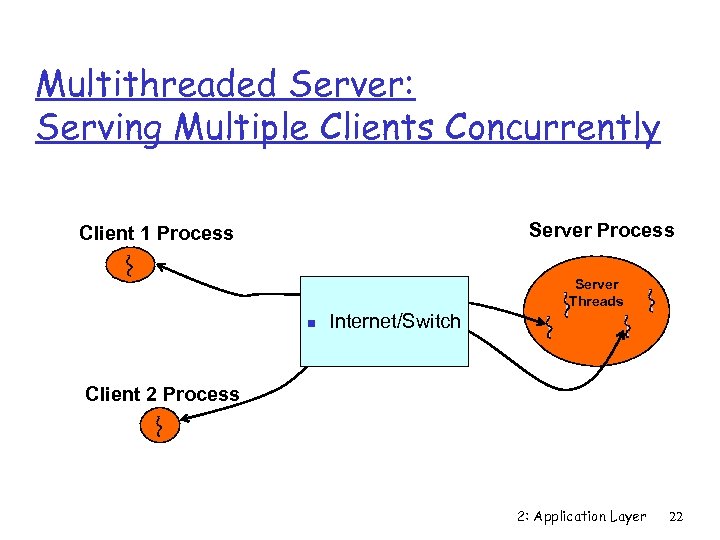 Multithreaded Server: Serving Multiple Clients Concurrently Server Process Client 1 Process Server Threads n Internet/Switch Client 2 Process 2: Application Layer 22
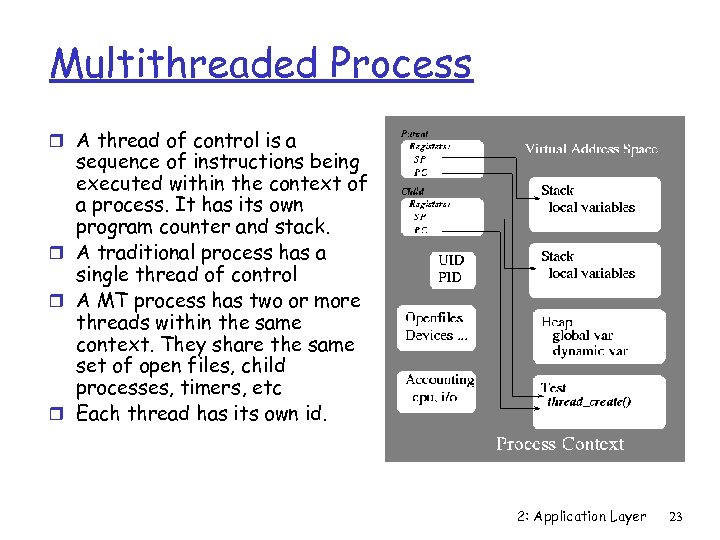 Multithreaded Process r A thread of control is a sequence of instructions being executed within the context of a process. It has its own program counter and stack. r A traditional process has a single thread of control r A MT process has two or more threads within the same context. They share the same set of open files, child processes, timers, etc r Each thread has its own id. 2: Application Layer 23
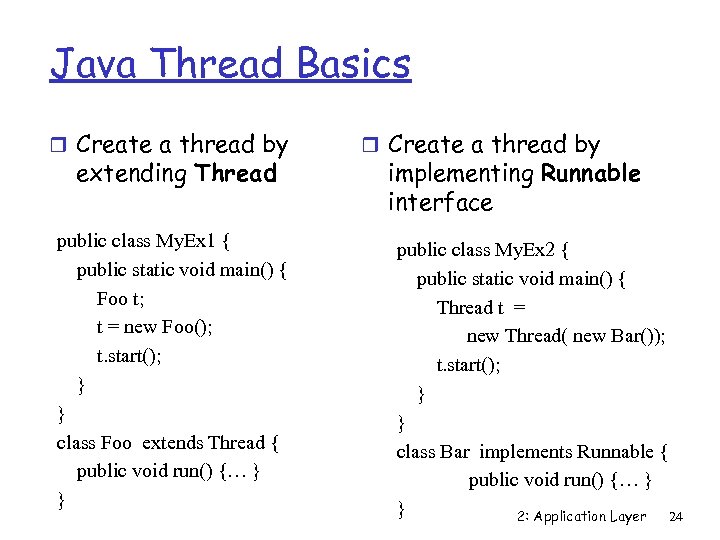 Java Thread Basics r Create a thread by extending Thread public class My. Ex 1 { public static void main() { Foo t; t = new Foo(); t. start(); } } class Foo extends Thread { public void run() {… } } r Create a thread by implementing Runnable interface public class My. Ex 2 { public static void main() { Thread t = new Thread( new Bar()); t. start(); } } class Bar implements Runnable { public void run() {… } } 2: Application Layer 24
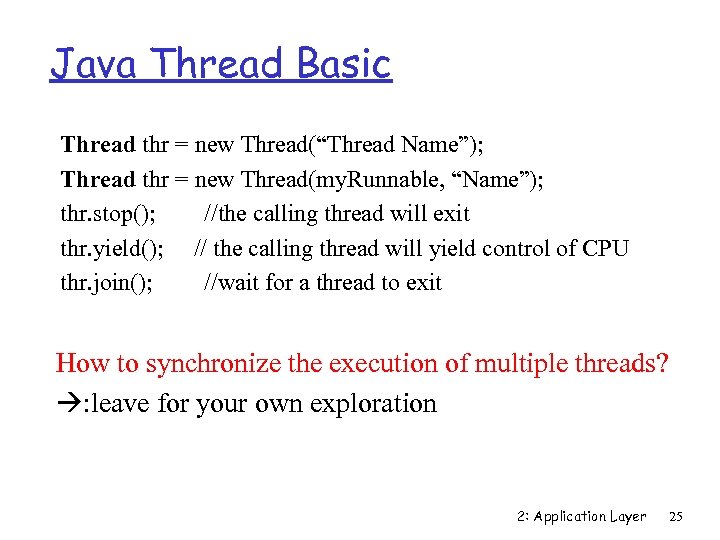 Java Thread Basic Thread thr = new Thread(“Thread Name”); Thread thr = new Thread(my. Runnable, “Name”); thr. stop(); //the calling thread will exit thr. yield(); // the calling thread will yield control of CPU thr. join(); //wait for a thread to exit How to synchronize the execution of multiple threads? : leave for your own exploration 2: Application Layer 25
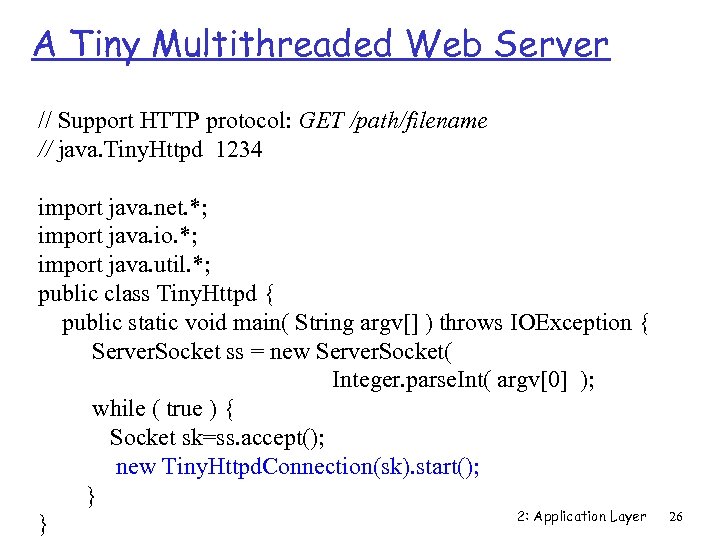 A Tiny Multithreaded Web Server // Support HTTP protocol: GET /path/filename // java. Tiny. Httpd 1234 import java. net. *; import java. io. *; import java. util. *; public class Tiny. Httpd { public static void main( String argv[] ) throws IOException { Server. Socket ss = new Server. Socket( Integer. parse. Int( argv[0] ); while ( true ) { Socket sk=ss. accept(); new Tiny. Httpd. Connection(sk). start(); } 2: Application Layer } 26
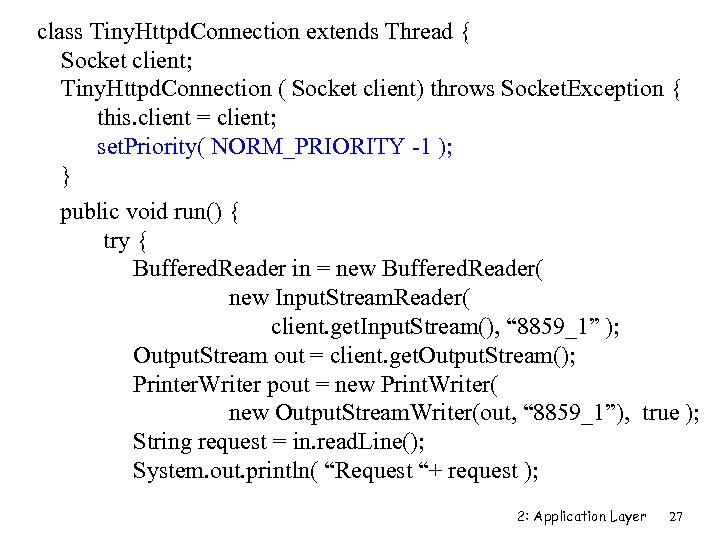 class Tiny. Httpd. Connection extends Thread { Socket client; Tiny. Httpd. Connection ( Socket client) throws Socket. Exception { this. client = client; set. Priority( NORM_PRIORITY -1 ); } public void run() { try { Buffered. Reader in = new Buffered. Reader( new Input. Stream. Reader( client. get. Input. Stream(), “ 8859_1” ); Output. Stream out = client. get. Output. Stream(); Printer. Writer pout = new Print. Writer( new Output. Stream. Writer(out, “ 8859_1”), true ); String request = in. read. Line(); System. out. println( “Request “+ request ); 2: Application Layer 27
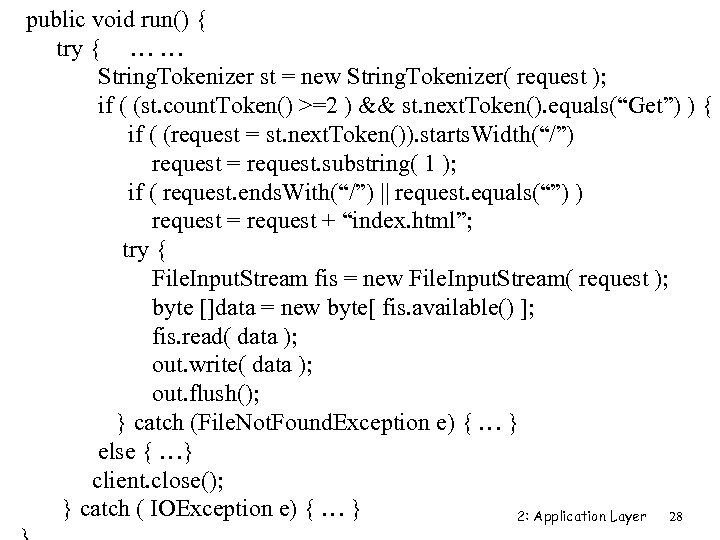 public void run() { try { … … String. Tokenizer st = new String. Tokenizer( request ); if ( (st. count. Token() >=2 ) && st. next. Token(). equals(“Get”) ) { if ( (request = st. next. Token()). starts. Width(“/”) request = request. substring( 1 ); if ( request. ends. With(“/”) || request. equals(“”) ) request = request + “index. html”; try { File. Input. Stream fis = new File. Input. Stream( request ); byte []data = new byte[ fis. available() ]; fis. read( data ); out. write( data ); out. flush(); } catch (File. Not. Found. Exception e) { … } else { …} client. close(); } catch ( IOException e) { … } 2: Application Layer 28
![Secured web server // HTTP protocol: GET /path/filename [options] // java. Tiny. Httpd public](https://present5.com/presentation/29c8fb37688dde538c98123c2e3fa48a/image-29.jpg "Secured web server // HTTP protocol: GET /path/filename [options] // java. Tiny. Httpd public") Secured web server // HTTP protocol: GET /path/filename [options] // java. Tiny. Httpd public class Tiny. Httpd { public static void main( String argv[] ) throws IOException { System. set. Security. Manager( new Tiny. Httpd. Security. Manager() ); Server. Socket ss = new Server. Socket( Integer. parse. Int( argv[0] ); while ( true ) new Tiny. Httpd. Connection( ss. accept() ). start(); } } 2: Application Layer 29
Secured web server // HTTP protocol: GET /path/filename [options] // java. Tiny. Httpd public class Tiny. Httpd { public static void main( String argv[] ) throws IOException { System. set. Security. Manager( new Tiny. Httpd. Security. Manager() ); Server. Socket ss = new Server. Socket( Integer. parse. Int( argv[0] ); while ( true ) new Tiny. Httpd. Connection( ss. accept() ). start(); } } 2: Application Layer 29
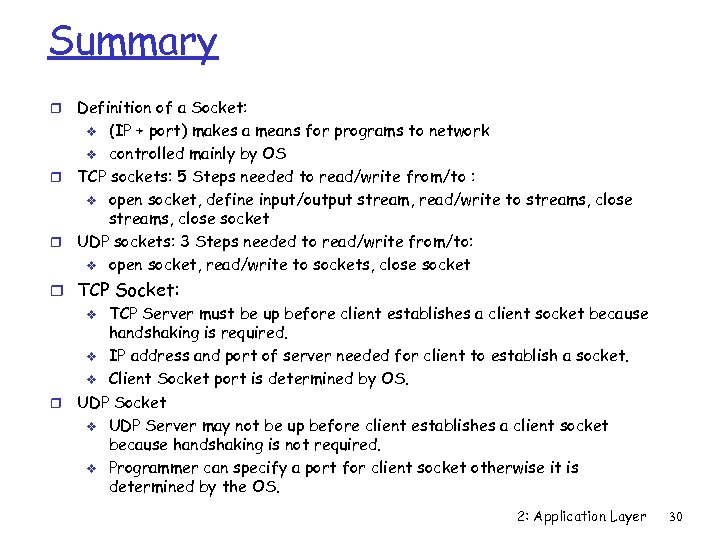 Summary Definition of a Socket: v (IP + port) makes a means for programs to network v controlled mainly by OS r TCP sockets: 5 Steps needed to read/write from/to : v open socket, define input/output stream, read/write to streams, close socket r UDP sockets: 3 Steps needed to read/write from/to: v open socket, read/write to sockets, close socket r r TCP Socket: v TCP Server must be up before client establishes a client socket because handshaking is required. v IP address and port of server needed for client to establish a socket. v Client Socket port is determined by OS. r UDP Socket v UDP Server may not be up before client establishes a client socket because handshaking is not required. v Programmer can specify a port for client socket otherwise it is determined by the OS. 2: Application Layer 30