


 Скачать презентацию ECE 362 Principles of Design Project Planning
2e941cd403953db65bc881a202f36cd4.ppt
- Количество слайдов: 25
 ECE 362 Principles of Design Project Planning & Scheduling Session 12 Page 1 1
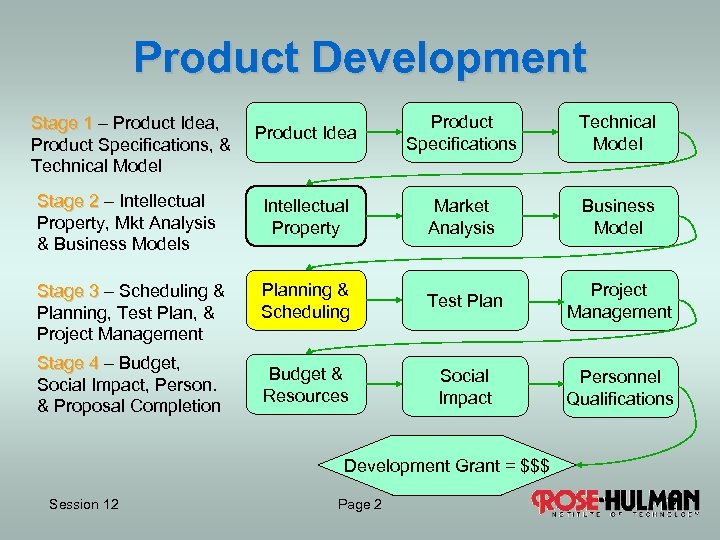 Product Development Product Idea Product Specifications Technical Model Stage 2 – Intellectual Property, Mkt Analysis & Business Models Intellectual Property Market Analysis Business Model Stage 3 – Scheduling & Planning, Test Plan, & Project Management Planning & Scheduling Test Plan Project Management Budget & Resources Social Impact Personnel Qualifications Stage 1 – Product Idea, Product Specifications, & Technical Model Stage 4 – Budget, Social Impact, Person. & Proposal Completion Development Grant = $$$ Session 12 Page 2 2
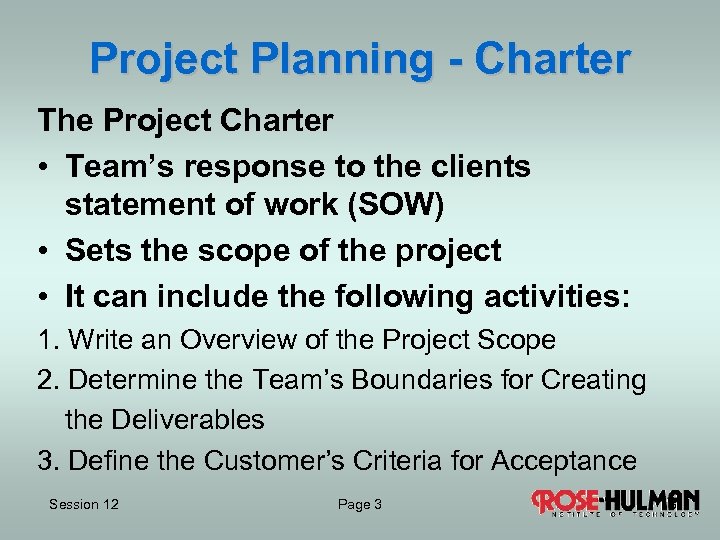 Project Planning - Charter The Project Charter • Team’s response to the clients statement of work (SOW) • Sets the scope of the project • It can include the following activities: 1. Write an Overview of the Project Scope 2. Determine the Team’s Boundaries for Creating the Deliverables 3. Define the Customer’s Criteria for Acceptance Session 12 Page 3 3
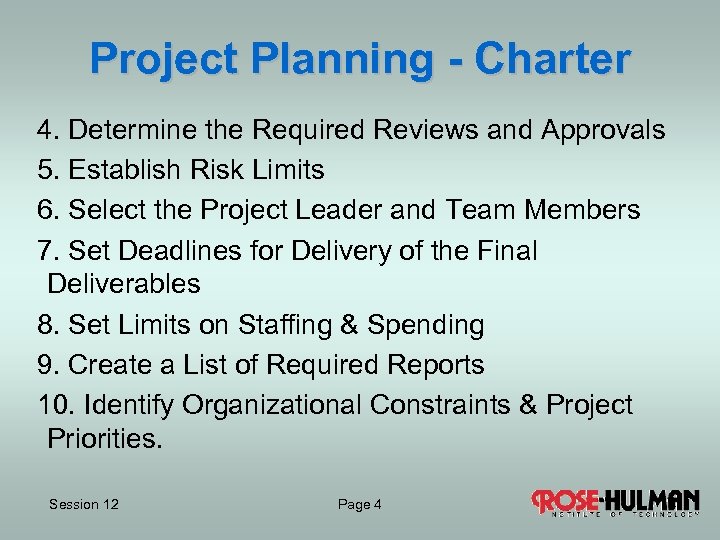 Project Planning - Charter 4. Determine the Required Reviews and Approvals 5. Establish Risk Limits 6. Select the Project Leader and Team Members 7. Set Deadlines for Delivery of the Final Deliverables 8. Set Limits on Staffing & Spending 9. Create a List of Required Reports 10. Identify Organizational Constraints & Project Priorities. Session 12 Page 4 4
 Project Planning - WBS Work Breakdown Structure (WBS) • “A deliverable-oriented grouping of project elements that organizes and defines the total scope of a project” • Three to six levels in WBS’s, such as program, project, task, and subtask. Session 12 Page 5 5
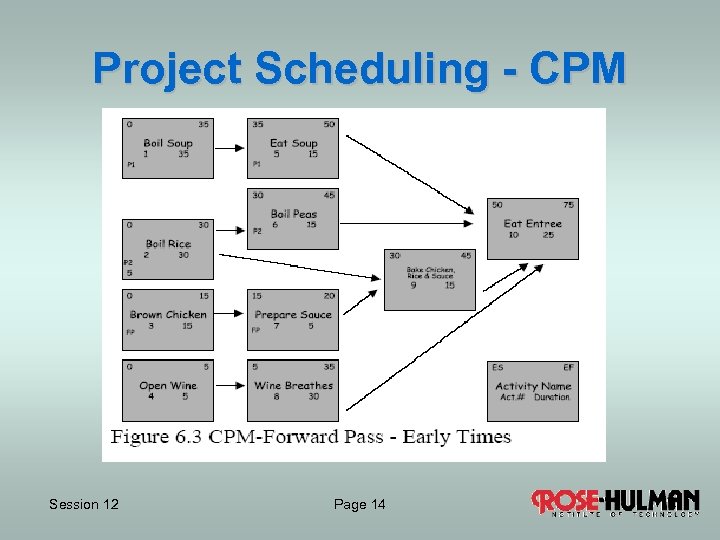
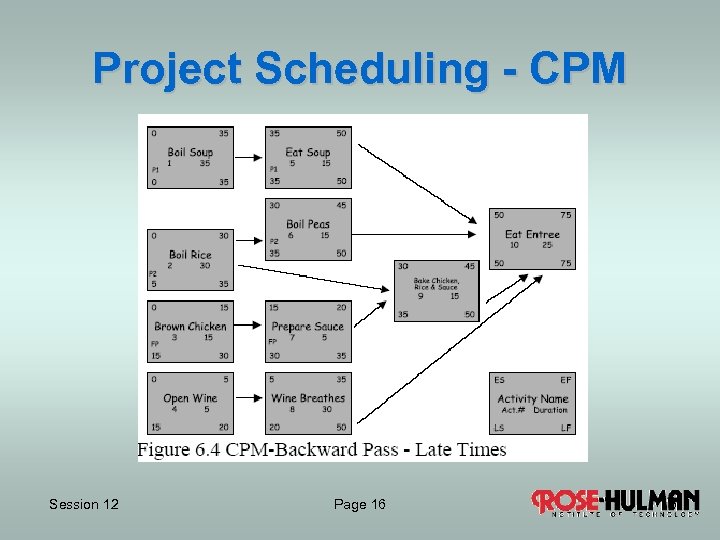
 Project Scheduling - WBS Preparation • Boil soup • Boil rice • Boil peas • Brown chicken • Prepare sauce • Bake chicken, rice & sauce • Open Wine & let breathe Eating • Eat soup • Eat entree Session 12 Page 6 6
 Project Planning - WBS CLASS ACTIVITY Statement of Work (SOW) – Build Habitat House Determine the Activities Needed to Complete A Habitat House Session 12 Page 7 7
 Project Scheduling Precedence Network How can all the tasks of the WBS be scheduled? One method is to start with • Precedence Network • Arrows showing order (precedence) of the tasks • Show only activity and resources Session 12 Page 8 8
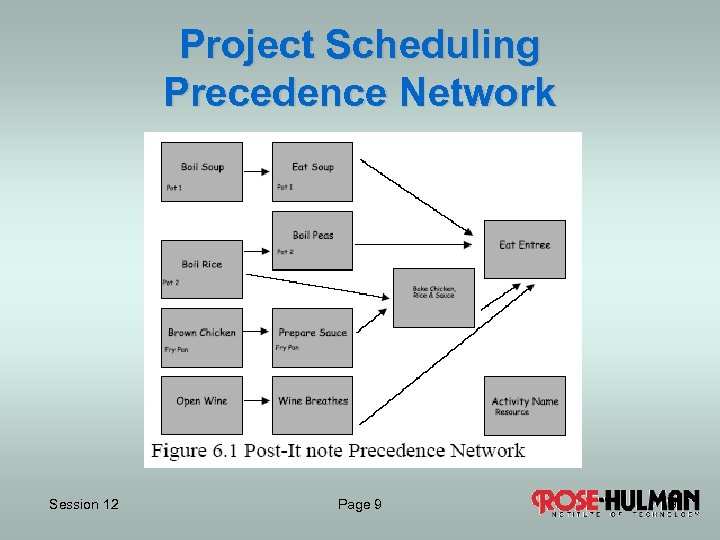 Project Scheduling Precedence Network Session 12 Page 9 9
 Project Scheduling Class Activity Establish the Precedence Chart for Building A Habitat House 1. One activity per Post-It note, include name, description and estimated duration (Initial each Post-It). 2. Arrange Post-Its on chart paper 3. Work together to rearrange Post-Its in order 4. Draw arrows to indicate precedence Session 12 Page 10 10
 Project Scheduling - CPM Critical Path Method builds on Precedence Network • A task number is assigned to each task • The duration is indicated for each task • The preceding task is identified for each task from the precedence network • Sum the activities along each path • The critical path is the one of longest duration Session 12 Page 11 11
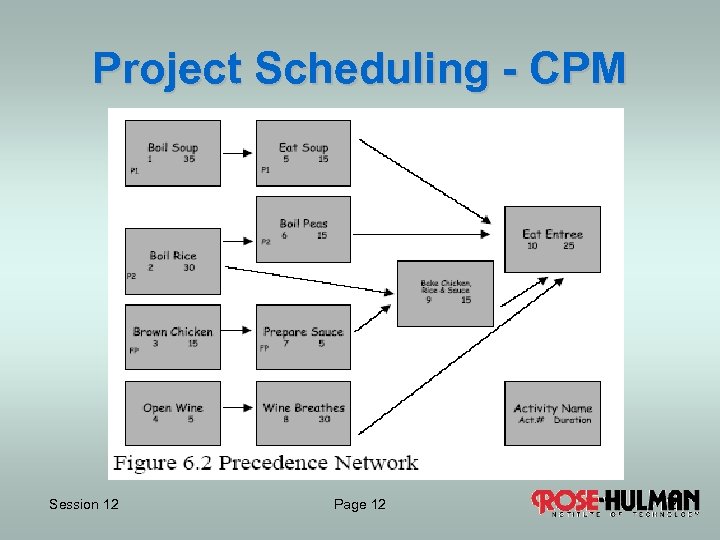 Project Scheduling - CPM Session 12 Page 12 12
 Project Scheduling - CPM Forward Pass Early Start (ES): Upper left corner of activity • Add the earliest start of the activity’s latest starting preceding activity to the predecessors duration • When two or more activities must be completed the maximum is used Early Finish (EF): Upper right corner of activity • Add ES to duration for each activity Session 12 Page 13 13
 Project Scheduling - CPM Session 12 Page 14 14
 Project Scheduling - CPM Backward Pass Late Start (LS): Lower left corner of activity Latest start of the earliest starting successor, less the duration of the activity Late Finish (LF): Lower right corner of activity • Add LS to duration for each activity Session 12 Page 15 15
 Project Scheduling - CPM Session 12 Page 16 16
 Project Scheduling - CPM Critical Path • The path for which the Earliest and Latest Times are identical. • No delay of any event on this path can occur without delaying the entire project. • Non-critical elements that do not lie on the critical path can be delayed some amount without delaying the project. Session 12 Page 17 17
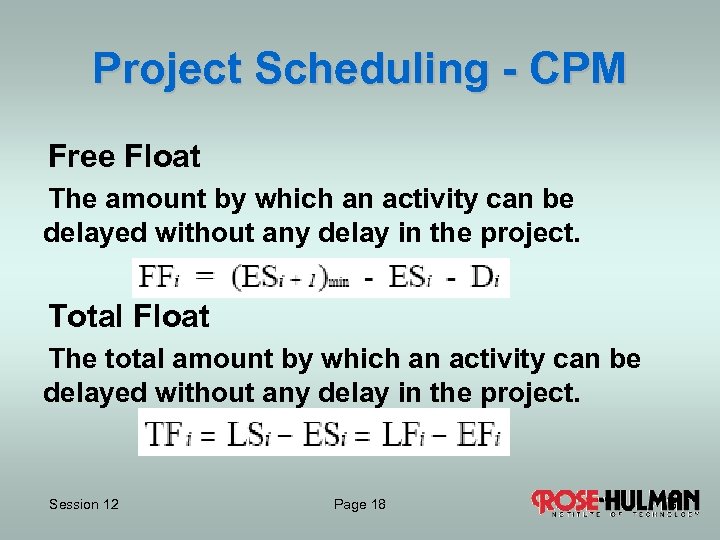 Project Scheduling - CPM Free Float The amount by which an activity can be delayed without any delay in the project. Total Float The total amount by which an activity can be delayed without any delay in the project. Session 12 Page 18 18
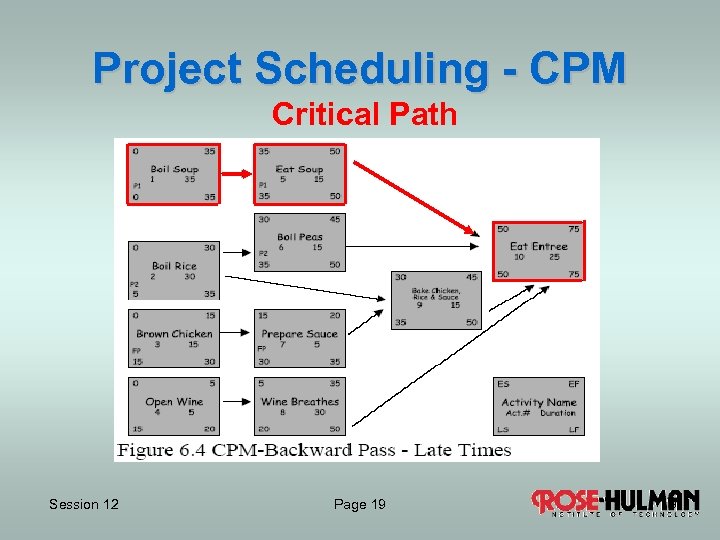 Project Scheduling - CPM Critical Path Session 12 Page 19 19
 Project Scheduling Class Activity Use CPM for Building A Habitat House 1. Begin with Precedence Network 2. Calculate ES, EF, LS, LF for each activity 3. Determine the Critical Path Session 12 Page 20 20
 Project Scheduling – Gantt Chart Gantt charts (aka timelines) show activities as a function of time. Each activity of the WBS occupies a row Each week/month occupies a column Duration of an activity indicated by horizontal length Interdependence can be included on Gantt chart Milestones are due dates or deadlines Session 12 Page 21 21
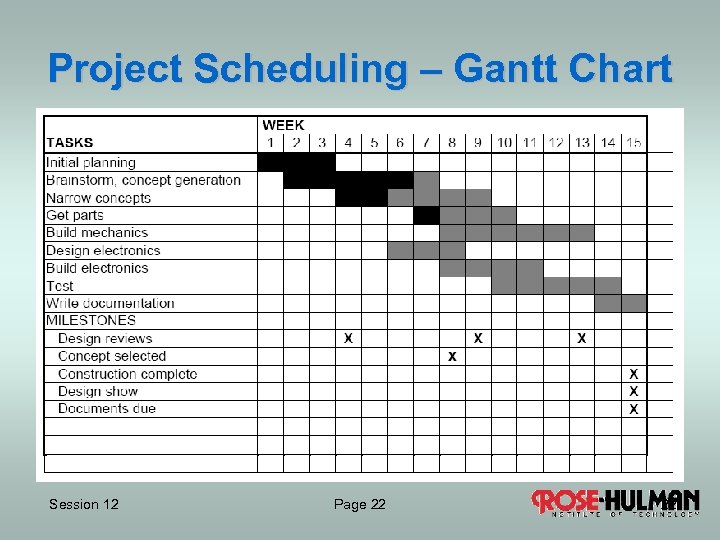 Project Scheduling – Gantt Chart Session 12 Page 22 22
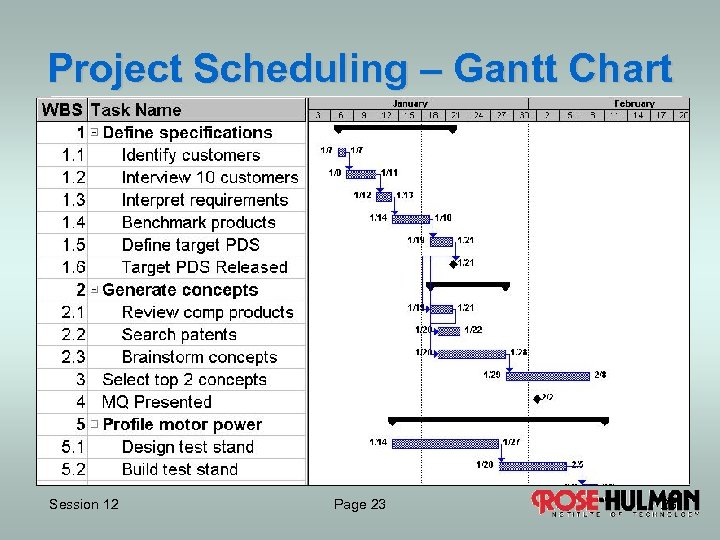 Project Scheduling – Gantt Chart Session 12 Page 23 23
 Project Scheduling - CPM Crit. Path Software Session 12 Page 24 24
 Assignments INDIVIDUAL ASSIGNMENT – CPR 1 st Draft Project Technical Model submission closes Wednesday, January 14, 6 AM EST. INDIVIDUAL ASSIGNMENT – CPR 1 st Draft Project Technical Model rating and review closes Friday, January 16, 5 PM EST. TEAM ASSIGNMENT – 1 st Draft Project Business Model due Thursday, January 15 Session 12 Page 25 25