 Eastern Mediterranean University School of Computing and Technology Department of Information Technology ITEC 229 Client-Side Internet and Web Programming Introduction to Client-Side Scripting and Java. Script CHAPTER 10 LOGO
 CONTENT 10. 1 Introduction to Client-Side Scripting 10. 2 Introduction to Java. Script 10. 3 Java. Script Statements 10. 4 Java. Script Comments 10. 5 Java. Script Variables 10. 6 Java. Script Operators 10. 7 Conditional Statements in Java. Script 10. 8 Loops in Java. Script 2 http: //staff. emu. edu. tr/raygankansoy/en/teaching/itec 229
 10. 1 Introduction to Client-Side Scripting v HTML is good for developing static pages § can specify text/image layout, presentation, links, … § web page looks the same each time it is accessed § in order to develop interactive/reactive pages, must integrate programming in some form or another 3 http: //staff. emu. edu. tr/raygankansoy/en/teaching/itec 229
 10. 1 Introduction to Client-Side Scripting § programs are written in a separate programming (or scripting) language e. g. , Java. Script, JScript, VBScript § programs are embedded in the HTML of a Web page, with (HTML) tags to identify the program component e. g. , § the browser executes the program as it loads the page, integrating the dynamic output of the program with the static content of HTML § could also allow the user (client) to input information and process it, might be used to validate input before it’s submitted to a remote server 4 http: //staff. emu. edu. tr/raygankansoy/en/teaching/itec 229
 10. 1 Introduction to Client-Side Scripting v a scripting language is a simple, interpreted programming language § scripts are embedded as plain text, interpreted by application § simpler execution model: don't need compiler or development environment § saves bandwidth: source code is downloaded, not compiled executable § platform-independence: code interpreted by any script enabled browser § but: slower than compiled code, not as powerful/full featured 5 http: //staff. emu. edu. tr/raygankansoy/en/teaching/itec 229
 10. 1 Introduction to Client-Side Scripting v Java. Script: § the first Web scripting language, § developed by Netscape in 1995 § syntactic similarities to Java/C++, but simpler, more flexible in some respects, limited in other • (loose typing, dynamic variables, simple objects) v JScript: § Microsoft version of Java. Script, introduced in 1996 § same core language, but some browser-specific differences § fortunately, IE, Netscape, Firefox, etc. can (mostly) handle both Java. Script & JScript § Java. Script 1. 5 & JScript 5. 0 cores both conform to ECMAScript standard v VBScript: § client-side scripting version of Microsoft Visual Basic 6 http: //staff. emu. edu. tr/raygankansoy/en/teaching/itec 229
 10. 1 Introduction to Client-Side Scripting v Adding dynamic features to Web pages § validation of form data (probably the most commonly used application) § image rollovers § time-sensitive or random page elements § handling cookies v Defining programs with Web interfaces § utilize buttons, text boxes, clickable images, prompts, etc. 7 http: //staff. emu. edu. tr/raygankansoy/en/teaching/itec 229
 10. 1 Introduction to Client-Side Scripting Limitations of Client-Side Scripting § since script code is embedded in the page, it is viewable to the world § for security reasons, scripts are limited in what they can do e. g. , can't access the client's hard drive § since they are designed to run on any machine platform, scripts do not contain platform specific commands § script languages are not full-featured e. g. , Java. Script objects are very crude, not good for large project development 8 http: //staff. emu. edu. tr/raygankansoy/en/teaching/itec 229
 10. 2 Introduction to Java. Script What is Java. Script? v Java. Script is a scripting language that runs in a web browser (client-side) § A scripting language is a lightweight programming language v Java. Script is developed by Netscape v It was designed to add interactivity to HTML pages v It is usually embedded directly into HTML pages v Java. Script is the most popular scripting language on the internet, and works in all major browsers, such as Internet Explorer, Firefox, Chrome, Opera, and Safari. v Everyone can use Java. Script without purchasing a license v It is used in billions of Web pages to add functionality, validate forms, communicate with the server, and much more. 9 http: //staff. emu. edu. tr/raygankansoy/en/teaching/itec 229
 10. 2 Introduction to Java. Script Are Java and Java. Script the same? v Java and Java. Script are two completely different languages in both concept and design! v However, the syntax is similar. v Java (developed by Sun Microsystems) is a powerful and much more complex programming language - in the same category as C and C++. v Java. Script is not a full-featured programming language. v Java. Script only executed in a browser. 10 http: //staff. emu. edu. tr/raygankansoy/en/teaching/itec 229
 10. 2 Introduction to Java. Script What Can Java. Script do? v Java. Script gives HTML designers a programming tool - HTML authors are normally not programmers, but Java. Script is a scripting language with a very simple syntax! Almost anyone can put small "snippets" of code into their HTML pages v Java. Script can react to events - A Java. Script can be set to execute when something happens, like when a page has finished loading or when a user clicks on an HTML element v Java. Script can read and write HTML elements - A Java. Script can read and change the content of an HTML element v Java. Script can be used to validate data - A Java. Script can be used to validate form data before it is submitted to a server. This saves the server from extra processing v Java. Script can be used to detect the visitor's browser - A Java. Script can be used to detect the visitor's browser, and - depending on the browser - load another page specifically designed for that browser v Java. Script can be used to create cookies - A Java. Script can be used to store and retrieve information on the visitor's computer 11 http: //staff. emu. edu. tr/raygankansoy/en/teaching/itec 229
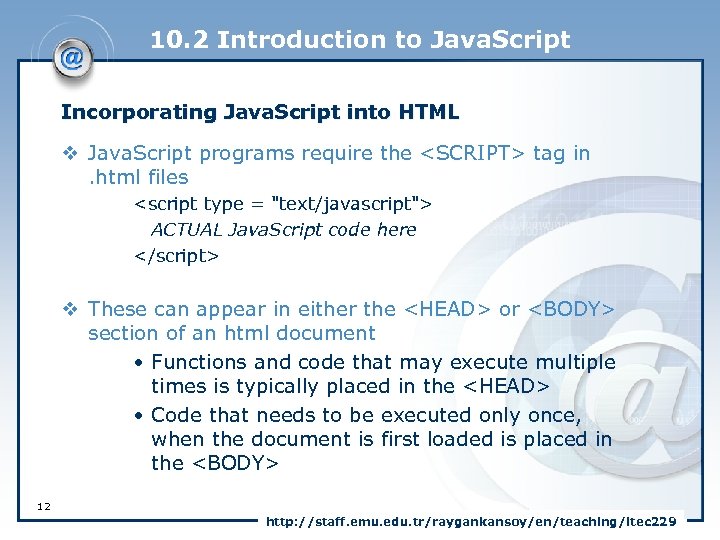 10. 2 Introduction to Java. Script Incorporating Java. Script into HTML v Java. Script programs require the v These can appear in either the
or section of an html document • Functions and code that may execute multiple times is typically placed in the • Code that needs to be executed only once, when the document is first loaded is placed in the 12 http: //staff. emu. edu. tr/raygankansoy/en/teaching/itec 229
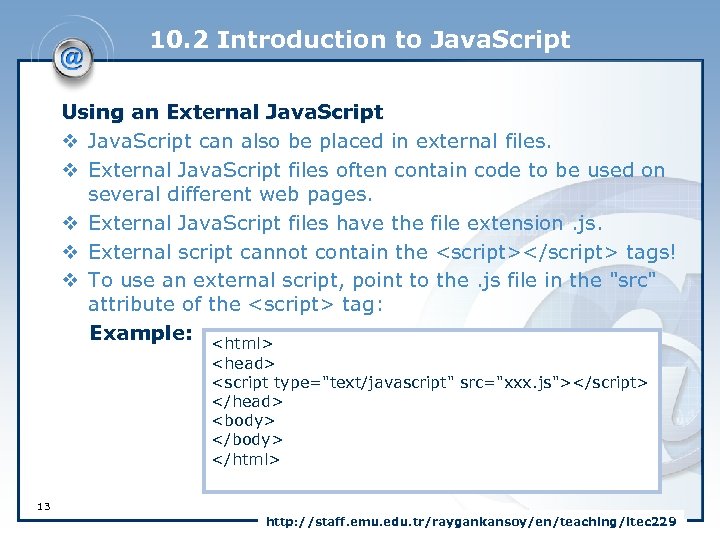 10. 2 Introduction to Java. Script Using an External Java. Script v Java. Script can also be placed in external files. v External Java. Script files often contain code to be used on several different web pages. v External Java. Script files have the file extension. js. v External script cannot contain the tags! v To use an external script, point to the. js file in the "src" attribute of the
13 http: //staff. emu. edu. tr/raygankansoy/en/teaching/itec 229
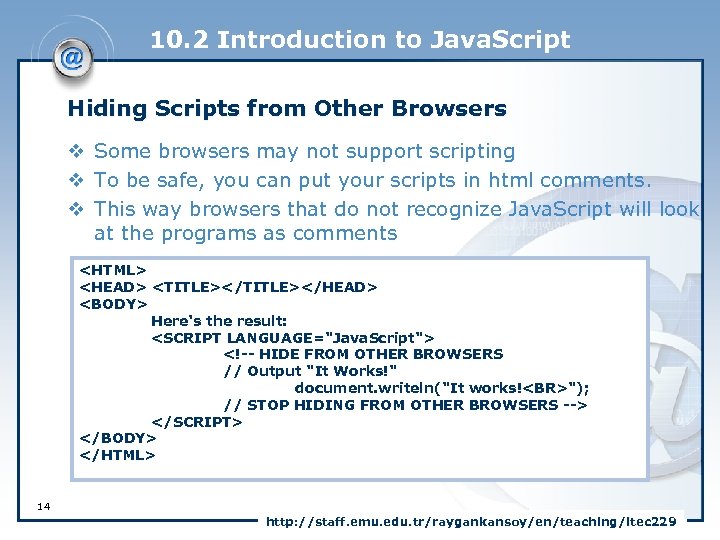 10. 2 Introduction to Java. Script Hiding Scripts from Other Browsers v Some browsers may not support scripting v To be safe, you can put your scripts in html comments. v This way browsers that do not recognize Java. Script will look at the programs as comments
</HEAD> <BODY> Here's the result: <SCRIPT LANGUAGE="Java. Script"> <!-- HIDE FROM OTHER BROWSERS // Output "It Works!" document. writeln("It works!<BR>"); // STOP HIDING FROM OTHER BROWSERS --> </SCRIPT> </BODY> </HTML> 14 http: //staff. emu. edu. tr/raygankansoy/en/teaching/itec 229 </p>
</div>
<div style="width: auto;" class="description columns twelve"><p><img class="imgdescription" title="10. 3 Java. Script Statements v Java. Script is a sequence of statements to" src="https://present5.com/presentation/980008a9689670414d12b6b3e73f1b76/image-15.jpg" alt="10. 3 Java. Script Statements v Java. Script is a sequence of statements to" />
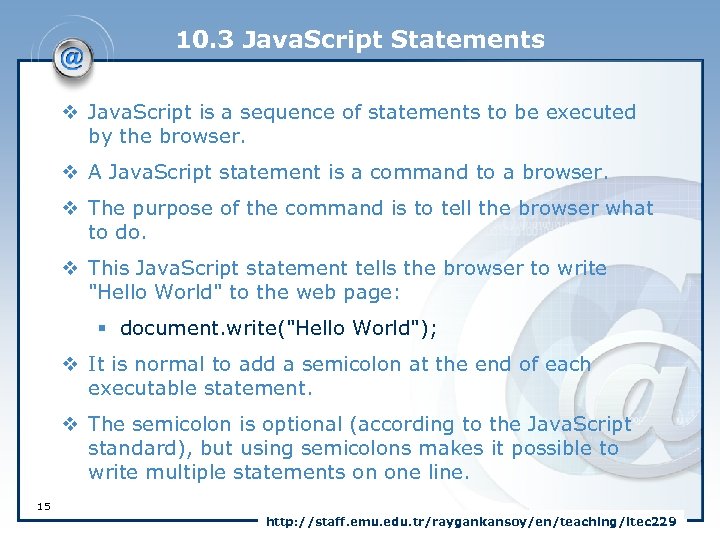
10. 3 Java. Script Statements v Java. Script is a sequence of statements to be executed by the browser. v A Java. Script statement is a command to a browser. v The purpose of the command is to tell the browser what to do. v This Java. Script statement tells the browser to write "Hello World" to the web page: § document. write("Hello World"); v It is normal to add a semicolon at the end of each executable statement. v The semicolon is optional (according to the Java. Script standard), but using semicolons makes it possible to write multiple statements on one line. 15 http: //staff. emu. edu. tr/raygankansoy/en/teaching/itec 229 </p>
</div>
<div style="width: auto;" class="description columns twelve"><p><img class="imgdescription" title="10. 3 Java. Script Statements Java. Script Code v Java. Script code (or just" src="https://present5.com/presentation/980008a9689670414d12b6b3e73f1b76/image-16.jpg" alt="10. 3 Java. Script Statements Java. Script Code v Java. Script code (or just" />
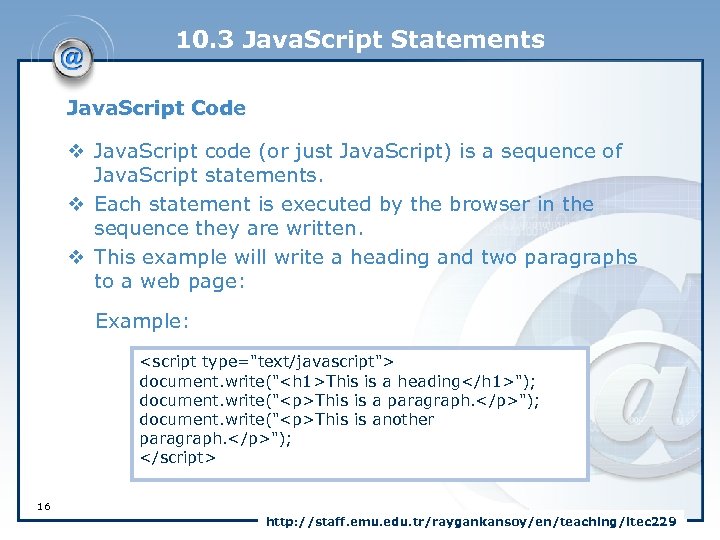
10. 3 Java. Script Statements Java. Script Code v Java. Script code (or just Java. Script) is a sequence of Java. Script statements. v Each statement is executed by the browser in the sequence they are written. v This example will write a heading and two paragraphs to a web page: Example: <script type="text/javascript"> document. write("<h 1>This is a heading</h 1>"); document. write("<p>This is a paragraph. </p>"); document. write("<p>This is another paragraph. </p>"); </script> 16 http: //staff. emu. edu. tr/raygankansoy/en/teaching/itec 229 </p>
</div>
<div style="width: auto;" class="description columns twelve"><p><img class="imgdescription" title="10. 3 Java. Script Statements Java. Script Blocks v Java. Script statements can be" src="https://present5.com/presentation/980008a9689670414d12b6b3e73f1b76/image-17.jpg" alt="10. 3 Java. Script Statements Java. Script Blocks v Java. Script statements can be" />
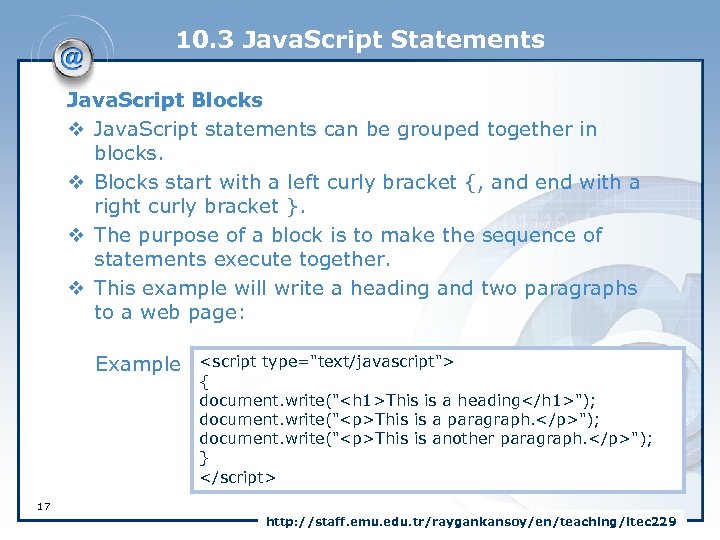
10. 3 Java. Script Statements Java. Script Blocks v Java. Script statements can be grouped together in blocks. v Blocks start with a left curly bracket {, and end with a right curly bracket }. v The purpose of a block is to make the sequence of statements execute together. v This example will write a heading and two paragraphs to a web page: Example <script type="text/javascript"> { document. write("<h 1>This is a heading</h 1>"); document. write("<p>This is a paragraph. </p>"); document. write("<p>This is another paragraph. </p>"); } </script> 17 http: //staff. emu. edu. tr/raygankansoy/en/teaching/itec 229 </p>
</div>
<div style="width: auto;" class="description columns twelve"><p><img class="imgdescription" title="10. 4 Java. Script Comments v Comments can be added to explain the Java." src="https://present5.com/presentation/980008a9689670414d12b6b3e73f1b76/image-18.jpg" alt="10. 4 Java. Script Comments v Comments can be added to explain the Java." />
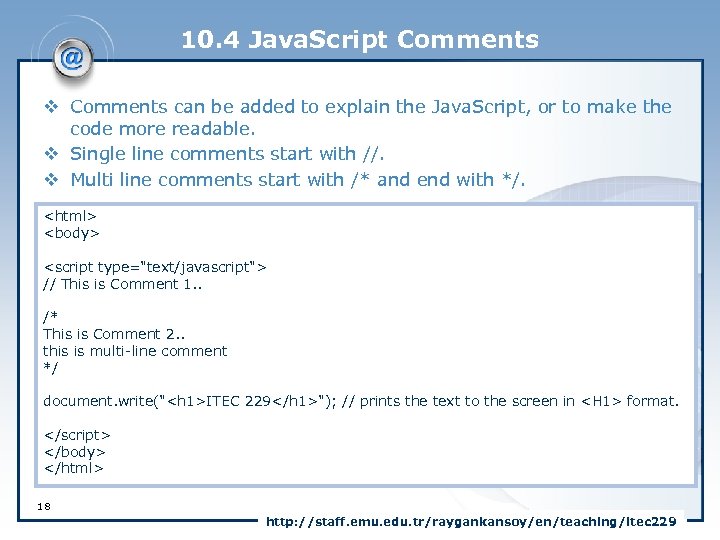
10. 4 Java. Script Comments v Comments can be added to explain the Java. Script, or to make the code more readable. v Single line comments start with //. v Multi line comments start with /* and end with */. <html> <body> <script type="text/javascript"> // This is Comment 1. . /* This is Comment 2. . this is multi-line comment */ document. write("<h 1>ITEC 229</h 1>"); // prints the text to the screen in <H 1> format. </script> </body> </html> 18 http: //staff. emu. edu. tr/raygankansoy/en/teaching/itec 229 </p>
</div>
<div style="width: auto;" class="description columns twelve"><p><img class="imgdescription" title="10. 5 Java. Script Varibles v Java. Script variables are used to hold values" src="https://present5.com/presentation/980008a9689670414d12b6b3e73f1b76/image-19.jpg" alt="10. 5 Java. Script Varibles v Java. Script variables are used to hold values" />
10. 5 Java. Script Varibles v Java. Script variables are used to hold values or expressions. v A variable can have a short name, like x, or a more descriptive name, like carname. v Rules for Java. Script variable names: § Variable names are case sensitive (y and Y are two different variables) § Variable names must begin with a letter or the underscore character v A variable's value can change during the execution of a script. v You can refer to a variable by its name to display or change its value. 19 http: //staff. emu. edu. tr/raygankansoy/en/teaching/itec 229 </p>
</div>
<div style="width: auto;" class="description columns twelve"><p><img class="imgdescription" title="10. 5 Java. Script Varibles Declaring (Creating) Java. Script Variables v Creating variables in" src="https://present5.com/presentation/980008a9689670414d12b6b3e73f1b76/image-20.jpg" alt="10. 5 Java. Script Varibles Declaring (Creating) Java. Script Variables v Creating variables in" />
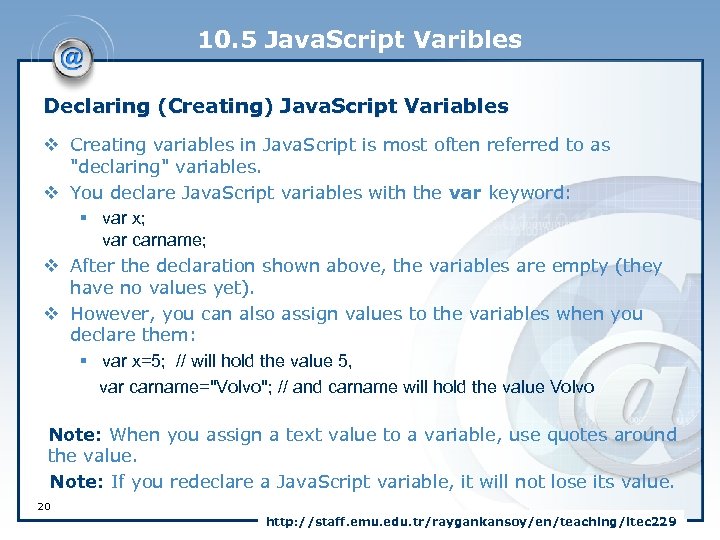
10. 5 Java. Script Varibles Declaring (Creating) Java. Script Variables v Creating variables in Java. Script is most often referred to as "declaring" variables. v You declare Java. Script variables with the var keyword: § var x; var carname; v After the declaration shown above, the variables are empty (they have no values yet). v However, you can also assign values to the variables when you declare them: § var x=5; // will hold the value 5, var carname="Volvo"; // and carname will hold the value Volvo Note: When you assign a text value to a variable, use quotes around the value. Note: If you redeclare a Java. Script variable, it will not lose its value. 20 http: //staff. emu. edu. tr/raygankansoy/en/teaching/itec 229 </p>
</div>
<div style="width: auto;" class="description columns twelve"><p><img class="imgdescription" title="10. 5 Java. Script Varibles Local Java. Script Variables v A variable declared within" src="https://present5.com/presentation/980008a9689670414d12b6b3e73f1b76/image-21.jpg" alt="10. 5 Java. Script Varibles Local Java. Script Variables v A variable declared within" />
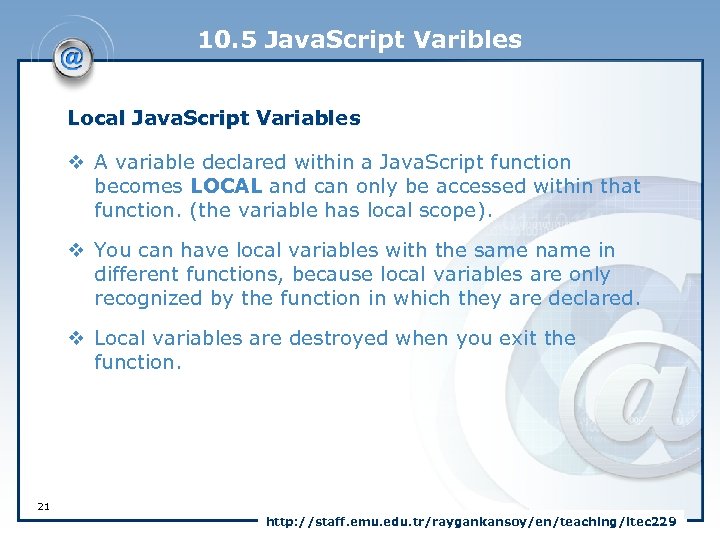
10. 5 Java. Script Varibles Local Java. Script Variables v A variable declared within a Java. Script function becomes LOCAL and can only be accessed within that function. (the variable has local scope). v You can have local variables with the same name in different functions, because local variables are only recognized by the function in which they are declared. v Local variables are destroyed when you exit the function. 21 http: //staff. emu. edu. tr/raygankansoy/en/teaching/itec 229 </p>
</div>
<div style="width: auto;" class="description columns twelve"><p><img class="imgdescription" title="10. 5 Java. Script Varibles Global Java. Script Variables v Variables declared outside a" src="https://present5.com/presentation/980008a9689670414d12b6b3e73f1b76/image-22.jpg" alt="10. 5 Java. Script Varibles Global Java. Script Variables v Variables declared outside a" />
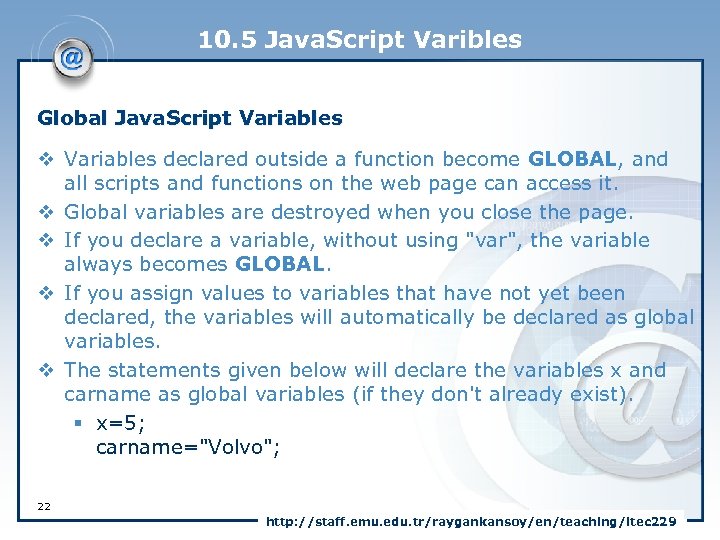
10. 5 Java. Script Varibles Global Java. Script Variables v Variables declared outside a function become GLOBAL, and all scripts and functions on the web page can access it. v Global variables are destroyed when you close the page. v If you declare a variable, without using "var", the variable always becomes GLOBAL. v If you assign values to variables that have not yet been declared, the variables will automatically be declared as global variables. v The statements given below will declare the variables x and carname as global variables (if they don't already exist). § x=5; carname="Volvo"; 22 http: //staff. emu. edu. tr/raygankansoy/en/teaching/itec 229 </p>
</div>
<div style="width: auto;" class="description columns twelve"><p><img class="imgdescription" title="10. 6 Java. Script Operators Java. Script Arithmetic Operators v Arithmetic operators are used" src="https://present5.com/presentation/980008a9689670414d12b6b3e73f1b76/image-23.jpg" alt="10. 6 Java. Script Operators Java. Script Arithmetic Operators v Arithmetic operators are used" />
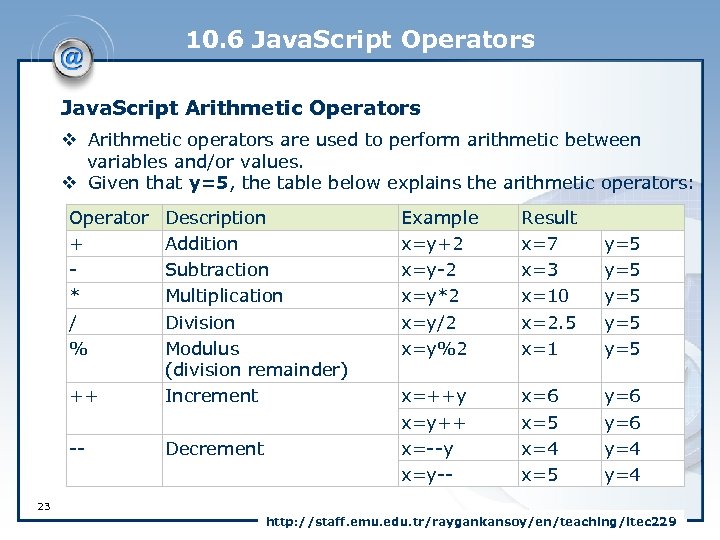
10. 6 Java. Script Operators Java. Script Arithmetic Operators v Arithmetic operators are used to perform arithmetic between variables and/or values. v Given that y=5, the table below explains the arithmetic operators: Operator + * / % ++ Description Addition Subtraction Multiplication Division Modulus (division remainder) Increment -- Decrement Example x=y+2 x=y-2 x=y*2 x=y/2 x=y%2 Result x=7 x=3 x=10 x=2. 5 x=1 y=5 y=5 y=5 x=++y x=y++ x=--y x=y-- x=6 x=5 x=4 x=5 y=6 y=4 23 http: //staff. emu. edu. tr/raygankansoy/en/teaching/itec 229 </p>
</div>
<div style="width: auto;" class="description columns twelve"><p><img class="imgdescription" title="10. 6 Java. Script Operators Java. Script Assignment Operators v Assignment operators are used" src="https://present5.com/presentation/980008a9689670414d12b6b3e73f1b76/image-24.jpg" alt="10. 6 Java. Script Operators Java. Script Assignment Operators v Assignment operators are used" />
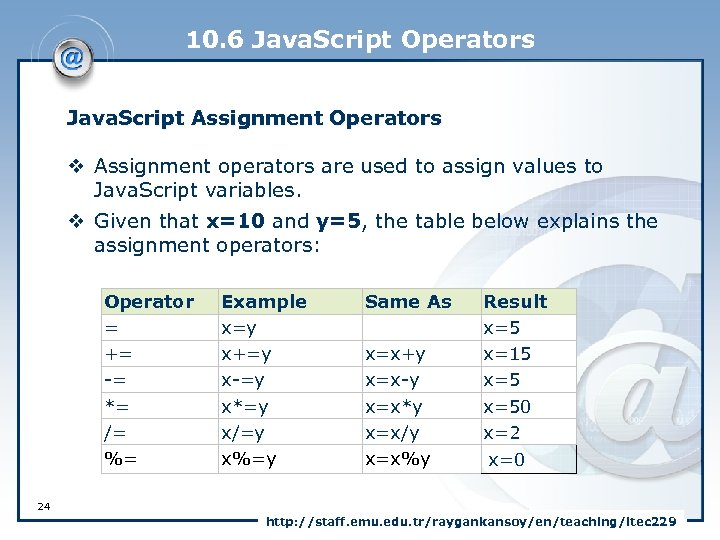
10. 6 Java. Script Operators Java. Script Assignment Operators v Assignment operators are used to assign values to Java. Script variables. v Given that x=10 and y=5, the table below explains the assignment operators: Operator = += -= *= /= %= Example x=y x+=y x-=y x*=y x/=y x%=y Same As x=x+y x=x-y x=x*y x=x/y x=x%y Result x=5 x=15 x=50 x=2 x=0 24 http: //staff. emu. edu. tr/raygankansoy/en/teaching/itec 229 </p>
</div>
<div style="width: auto;" class="description columns twelve"><p><img class="imgdescription" title="10. 6 Java. Script Operators The + Operator Used on Strings v The +" src="https://present5.com/presentation/980008a9689670414d12b6b3e73f1b76/image-25.jpg" alt="10. 6 Java. Script Operators The + Operator Used on Strings v The +" />
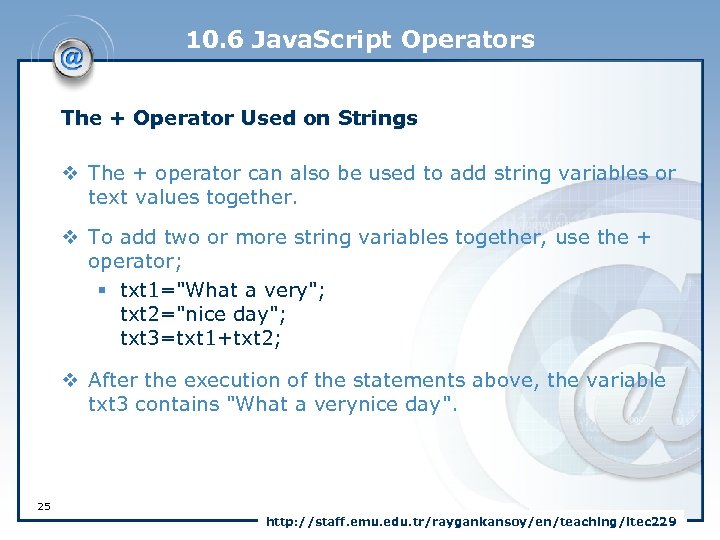
10. 6 Java. Script Operators The + Operator Used on Strings v The + operator can also be used to add string variables or text values together. v To add two or more string variables together, use the + operator; § txt 1="What a very"; txt 2="nice day"; txt 3=txt 1+txt 2; v After the execution of the statements above, the variable txt 3 contains "What a verynice day". 25 http: //staff. emu. edu. tr/raygankansoy/en/teaching/itec 229 </p>
</div>
<div style="width: auto;" class="description columns twelve"><p><img class="imgdescription" title="10. 6 Java. Script Operators The + Operator Used on Strings v To add" src="https://present5.com/presentation/980008a9689670414d12b6b3e73f1b76/image-26.jpg" alt="10. 6 Java. Script Operators The + Operator Used on Strings v To add" />
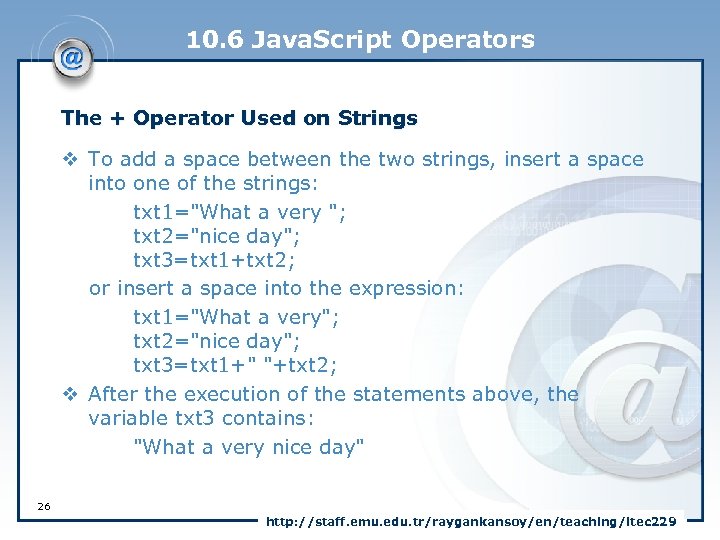
10. 6 Java. Script Operators The + Operator Used on Strings v To add a space between the two strings, insert a space into one of the strings: txt 1="What a very "; txt 2="nice day"; txt 3=txt 1+txt 2; or insert a space into the expression: txt 1="What a very"; txt 2="nice day"; txt 3=txt 1+" "+txt 2; v After the execution of the statements above, the variable txt 3 contains: "What a very nice day" 26 http: //staff. emu. edu. tr/raygankansoy/en/teaching/itec 229 </p>
</div>
<div style="width: auto;" class="description columns twelve"><p><img class="imgdescription" title="10. 6 Java. Script Operators Comparison Operators v Comparison operators are used in logical" src="https://present5.com/presentation/980008a9689670414d12b6b3e73f1b76/image-27.jpg" alt="10. 6 Java. Script Operators Comparison Operators v Comparison operators are used in logical" />
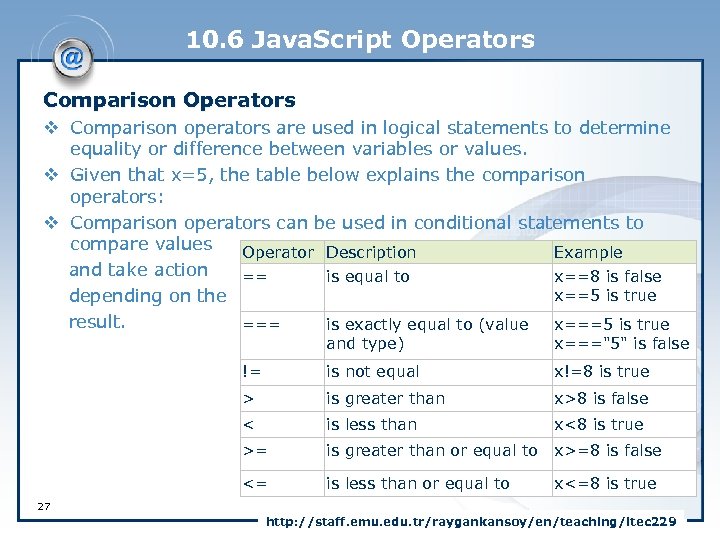
10. 6 Java. Script Operators Comparison Operators v Comparison operators are used in logical statements to determine equality or difference between variables or values. v Given that x=5, the table below explains the comparison operators: v Comparison operators can be used in conditional statements to compare values Operator Description Example and take action == is equal to x==8 is false x==5 is true depending on the result. === is exactly equal to (value x===5 is true and type) x==="5" is false != is not equal x!=8 is true > is greater than x>8 is false < is less than x<8 is true >= is greater than or equal to x>=8 is false <= is less than or equal to x<=8 is true 27 http: //staff. emu. edu. tr/raygankansoy/en/teaching/itec 229 </p>
</div>
<div style="width: auto;" class="description columns twelve"><p><img class="imgdescription" title="10. 6 Java. Script Operators Logical Operators v Logical operators are used to determine" src="https://present5.com/presentation/980008a9689670414d12b6b3e73f1b76/image-28.jpg" alt="10. 6 Java. Script Operators Logical Operators v Logical operators are used to determine" />
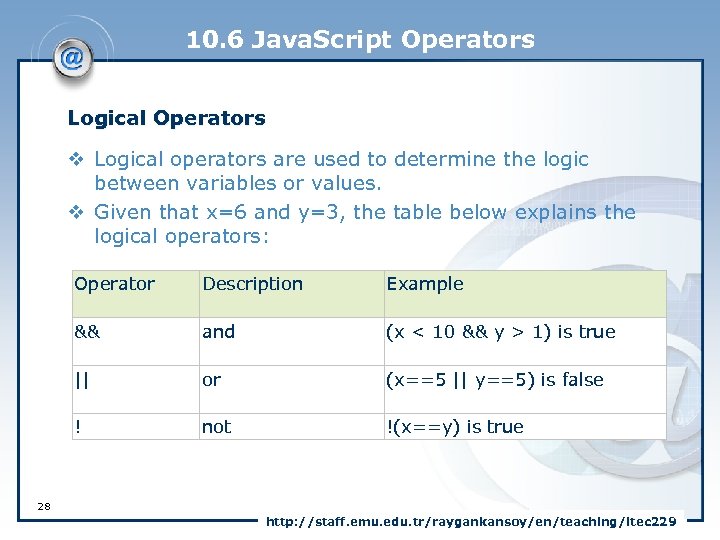
10. 6 Java. Script Operators Logical Operators v Logical operators are used to determine the logic between variables or values. v Given that x=6 and y=3, the table below explains the logical operators: Operator Description Example && and (x < 10 && y > 1) is true || or (x==5 || y==5) is false ! not !(x==y) is true 28 http: //staff. emu. edu. tr/raygankansoy/en/teaching/itec 229 </p>
</div>
<div style="width: auto;" class="description columns twelve"><p><img class="imgdescription" title="10. 6 Java. Script Operators Conditional Operator v Java. Script also contains a conditional" src="https://present5.com/presentation/980008a9689670414d12b6b3e73f1b76/image-29.jpg" alt="10. 6 Java. Script Operators Conditional Operator v Java. Script also contains a conditional" />
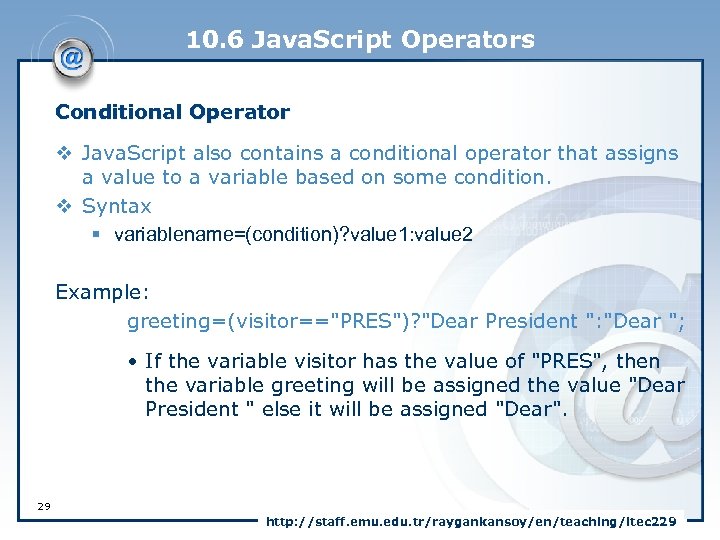
10. 6 Java. Script Operators Conditional Operator v Java. Script also contains a conditional operator that assigns a value to a variable based on some condition. v Syntax § variablename=(condition)? value 1: value 2 Example: greeting=(visitor=="PRES")? "Dear President ": "Dear "; • If the variable visitor has the value of "PRES", then the variable greeting will be assigned the value "Dear President " else it will be assigned "Dear". 29 http: //staff. emu. edu. tr/raygankansoy/en/teaching/itec 229 </p>
</div>
<div style="width: auto;" class="description columns twelve"><p><img class="imgdescription" title="10. 7 Conditional Statements v Conditional statements are used to perform different actions based" src="https://present5.com/presentation/980008a9689670414d12b6b3e73f1b76/image-30.jpg" alt="10. 7 Conditional Statements v Conditional statements are used to perform different actions based" />
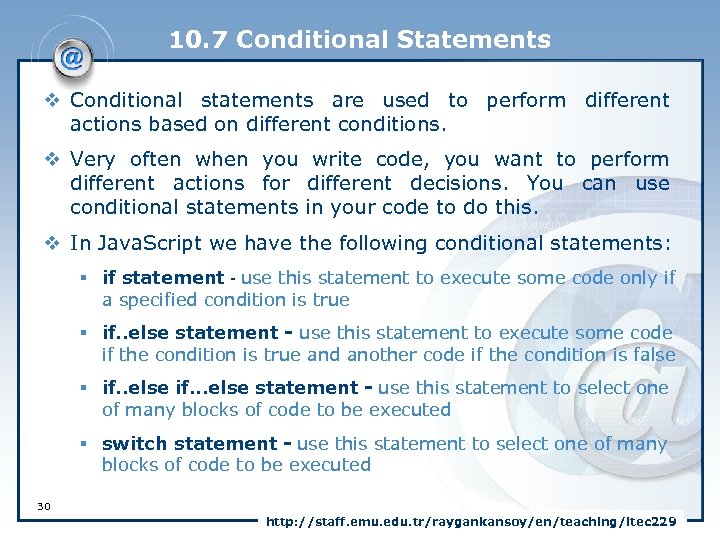
10. 7 Conditional Statements v Conditional statements are used to perform different actions based on different conditions. v Very often when you write code, you want to perform different actions for different decisions. You can use conditional statements in your code to do this. v In Java. Script we have the following conditional statements: § if statement - use this statement to execute some code only if a specified condition is true § if. . else statement - use this statement to execute some code if the condition is true and another code if the condition is false § if. . else if. . . else statement - use this statement to select one of many blocks of code to be executed § switch statement - use this statement to select one of many blocks of code to be executed 30 http: //staff. emu. edu. tr/raygankansoy/en/teaching/itec 229 </p>
</div>
<div style="width: auto;" class="description columns twelve"><p><img class="imgdescription" title="10. 7 Conditional Statements if statement v Use the if statement to execute some" src="https://present5.com/presentation/980008a9689670414d12b6b3e73f1b76/image-31.jpg" alt="10. 7 Conditional Statements if statement v Use the if statement to execute some" />
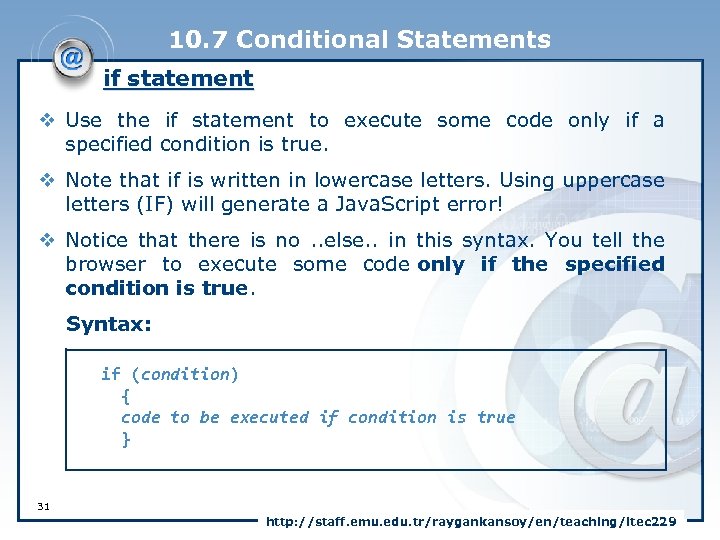
10. 7 Conditional Statements if statement v Use the if statement to execute some code only if a specified condition is true. v Note that if is written in lowercase letters. Using uppercase letters (IF) will generate a Java. Script error! v Notice that there is no . . else. . in this syntax. You tell the browser to execute some code only if the specified condition is true. Syntax: if (condition) { code to be executed if condition is true } 31 http: //staff. emu. edu. tr/raygankansoy/en/teaching/itec 229 </p>
</div>
<div style="width: auto;" class="description columns twelve"><p><img class="imgdescription" title="10. 7 Conditional Statements if statement Example <script type="text/javascript"> var total=0; var even=0; for" src="https://present5.com/presentation/980008a9689670414d12b6b3e73f1b76/image-32.jpg" alt="10. 7 Conditional Statements if statement Example <script type="text/javascript"> var total=0; var even=0; for" />
10. 7 Conditional Statements if statement Example <script type="text/javascript"> var total=0; var even=0; for (x=1; x<=10; x++) { total = total + x; if ((x%2)==0) { even = even + x; } } document. write( "The total sum: "+total+" "); document. write( "The sum of even values: "+ even); </script> Result The total sum: 55 The sum of even values: 30 32 http: //staff. emu. edu. tr/raygankansoy/en/teaching/itec 229 </p>
</div>
<div style="width: auto;" class="description columns twelve"><p><img class="imgdescription" title="10. 7 Conditional Statements if. . else statement Syntax: if (expression) { statement(s) to" src="https://present5.com/presentation/980008a9689670414d12b6b3e73f1b76/image-33.jpg" alt="10. 7 Conditional Statements if. . else statement Syntax: if (expression) { statement(s) to" />
10. 7 Conditional Statements if. . else statement Syntax: if (expression) { statement(s) to be executed if expression is true } else { statement(s) to be executed if expression is false } 33 http: //staff. emu. edu. tr/raygankansoy/en/teaching/itec 229 </p>
</div>
<div style="width: auto;" class="description columns twelve"><p><img class="imgdescription" title="10. 7 Conditional Statements if. . else statement Example <script type="text/javascript"> var total =" src="https://present5.com/presentation/980008a9689670414d12b6b3e73f1b76/image-34.jpg" alt="10. 7 Conditional Statements if. . else statement Example <script type="text/javascript"> var total =" />
10. 7 Conditional Statements if. . else statement Example <script type="text/javascript"> var total = prompt("Enter your total", "50"); if (total>=50) { alert("PASSED"); } else { alert("FAILED"); } </script> 34 http: //staff. emu. edu. tr/raygankansoy/en/teaching/itec 229 </p>
</div>
<div style="width: auto;" class="description columns twelve"><p><img class="imgdescription" title="10. 7 Conditional Statements if. . else if statement Syntax: if (expression 1) {" src="https://present5.com/presentation/980008a9689670414d12b6b3e73f1b76/image-35.jpg" alt="10. 7 Conditional Statements if. . else if statement Syntax: if (expression 1) {" />
10. 7 Conditional Statements if. . else if statement Syntax: if (expression 1) { statement(s) to be executed if expression 1 is true } else if (expression 2) { statement(s) to be executed if expression 2 is true } else if (expression 3) { statement(s) to be executed if expression 3 is true } else { statement(s) to be executed if no expression is true } 35 http: //staff. emu. edu. tr/raygankansoy/en/teaching/itec 229 </p>
</div>
<div style="width: auto;" class="description columns twelve"><p><img class="imgdescription" title="10. 7 Conditional Statements if. . else if statement Example <script type="text/javascript"> var age" src="https://present5.com/presentation/980008a9689670414d12b6b3e73f1b76/image-36.jpg" alt="10. 7 Conditional Statements if. . else if statement Example <script type="text/javascript"> var age" />
10. 7 Conditional Statements if. . else if statement Example <script type="text/javascript"> var age = prompt("Enter your age", "25"); if (age >0 && age <= 3) {alert("WOW Baby"); } else if (age >= 4 && age < 13) {alert("You are child"); } else if (age >= 13 && age < 31) {alert("You are still young"); } else if (age >= 31 && age < 46) {alert("Middle Age : /"); } else if (age >= 46 && age < 71) {alert("You are old"); } else if (age >= 71 && age < 101) {alert("Get ready for a new world!!!"); } else {alert("Ageless"); } </script> 36 http: //staff. emu. edu. tr/raygankansoy/en/teaching/itec 229 </p>
</div>
<div style="width: auto;" class="description columns twelve"><p><img class="imgdescription" title="10. 7 Conditional Statements switch case statement Syntax: switch (expression) { case condition 1:" src="https://present5.com/presentation/980008a9689670414d12b6b3e73f1b76/image-37.jpg" alt="10. 7 Conditional Statements switch case statement Syntax: switch (expression) { case condition 1:" />
10. 7 Conditional Statements switch case statement Syntax: switch (expression) { case condition 1: statement(s) break; case condition 2: statement(s) break; . . . case condition n: statement(s) break; default: statement(s) } 37 http: //staff. emu. edu. tr/raygankansoy/en/teaching/itec 229 </p>
</div>
<div style="width: auto;" class="description columns twelve"><p><img class="imgdescription" title="10. 7 Conditional Statements switch case statement Example <script type="text/javascript"> var flower=prompt("Which flower whould" src="https://present5.com/presentation/980008a9689670414d12b6b3e73f1b76/image-38.jpg" alt="10. 7 Conditional Statements switch case statement Example <script type="text/javascript"> var flower=prompt("Which flower whould" />
10. 7 Conditional Statements switch case statement Example <script type="text/javascript"> var flower=prompt("Which flower whould you like to buy? ", "rose"); switch (flower) { case "rose": alert(flower break; case "daisy": alert(flower break; case "orchild": alert(flower break; default: alert("SORRY break; } </script> + " costs 10 TL"); + " costs 3 TL"); + " costs 25 TL"); there is no such a flower in our shop"); 38 http: //staff. emu. edu. tr/raygankansoy/en/teaching/itec 229 </p>
</div>
<div style="width: auto;" class="description columns twelve"><p><img class="imgdescription" title="10. 8 Loops for loop For loop is the most compact form of looping" src="https://present5.com/presentation/980008a9689670414d12b6b3e73f1b76/image-39.jpg" alt="10. 8 Loops for loop For loop is the most compact form of looping" />
10. 8 Loops for loop For loop is the most compact form of looping and includes the following three important parts: v The loop initialization where we initialize our counter to a starting value. v The initialization statement is executed before the loop begins. v The test statement which will test if the given condition is true or not. If condition is true then code given inside the loop will be executed otherwise loop will come out. v The iteration statement where you can increase or decrease your counter. 39 http: //staff. emu. edu. tr/raygankansoy/en/teaching/itec 229 </p>
</div>
<div style="width: auto;" class="description columns twelve"><p><img class="imgdescription" title="10. 8 Loops for loop v You can put all the three parts in" src="https://present5.com/presentation/980008a9689670414d12b6b3e73f1b76/image-40.jpg" alt="10. 8 Loops for loop v You can put all the three parts in" />
10. 8 Loops for loop v You can put all the three parts in a single line separated by a semicolon. Syntax: for (initialization; test condition; iteration statement) { statement(s) to be executed if test condition is true } 40 http: //staff. emu. edu. tr/raygankansoy/en/teaching/itec 229 </p>
</div>
<div style="width: auto;" class="description columns twelve"><p><img class="imgdescription" title="10. 8 Loops for loop Example <script type="text/javascript"> document. write("<h 2>Multiplication table from (1" src="https://present5.com/presentation/980008a9689670414d12b6b3e73f1b76/image-41.jpg" alt="10. 8 Loops for loop Example <script type="text/javascript"> document. write("<h 2>Multiplication table from (1" />
10. 8 Loops for loop Example <script type="text/javascript"> document. write("<h 2>Multiplication table from (1 to 10)</h 2>"); document. write("<table border=2 width=50%"); for (var i = 1; i <= 10; i++ ) { //this is the outer loop document. write("<tr>"); document. write("<td>" + i + "</td>"); for ( var j = 2; j <= 10; j++ ) { // inner loop document. write("<td>" + i * j + "</td>"); } document. write("</tr>"); } document. write("</table>"); </script> 41 http: //staff. emu. edu. tr/raygankansoy/en/teaching/itec 229 </p>
</div>
<div style="width: auto;" class="description columns twelve"><p><img class="imgdescription" title="10. 8 Loops for loop Output 42 http: //staff. emu. edu. tr/raygankansoy/en/teaching/itec 229 " src="https://present5.com/presentation/980008a9689670414d12b6b3e73f1b76/image-42.jpg" alt="10. 8 Loops for loop Output 42 http: //staff. emu. edu. tr/raygankansoy/en/teaching/itec 229 " />
10. 8 Loops for loop Output 42 http: //staff. emu. edu. tr/raygankansoy/en/teaching/itec 229 </p>
</div>
<div style="width: auto;" class="description columns twelve"><p><img class="imgdescription" title="10. 8 Loops while loop v loops through a block of code as long" src="https://present5.com/presentation/980008a9689670414d12b6b3e73f1b76/image-43.jpg" alt="10. 8 Loops while loop v loops through a block of code as long" />
10. 8 Loops while loop v loops through a block of code as long as a specified condition is true. Syntax: while (condition) { statement(s) to be executed if expression is true } 43 http: //staff. emu. edu. tr/raygankansoy/en/teaching/itec 229 </p>
</div>
<div style="width: auto;" class="description columns twelve"><p><img class="imgdescription" title="10. 8 Loops while loop Example <script type="text/javascript"> var total=0; var i=0; var j;" src="https://present5.com/presentation/980008a9689670414d12b6b3e73f1b76/image-44.jpg" alt="10. 8 Loops while loop Example <script type="text/javascript"> var total=0; var i=0; var j;" />
10. 8 Loops while loop Example <script type="text/javascript"> var total=0; var i=0; var j; while (i<= 10) { j=i%2; if (j!== 0) { total+=i; } i++ } document. write("Total of odd numbers between 1 -10: "+total); </script> Result Total of odd numbers between 1 -10: 25 44 http: //staff. emu. edu. tr/raygankansoy/en/teaching/itec 229 </p>
</div>
<div style="width: auto;" class="description columns twelve"><p><img class="imgdescription" title="10. 8 Loops do. . while loop v similar to the while loop except" src="https://present5.com/presentation/980008a9689670414d12b6b3e73f1b76/image-45.jpg" alt="10. 8 Loops do. . while loop v similar to the while loop except" />
10. 8 Loops do. . while loop v similar to the while loop except that the condition check happens at the end of the loop. v this means that the loop will always be executed at least once, even if the condition is false. Syntax: do { statement(s) to be executed; } while(condition); 45 http: //staff. emu. edu. tr/raygankansoy/en/teaching/itec 229 </p>
</div>
<div style="width: auto;" class="description columns twelve"><p><img class="imgdescription" title="10. 8 Loops do. . while loop Example <script type="text/javascript"> var num = 0;" src="https://present5.com/presentation/980008a9689670414d12b6b3e73f1b76/image-46.jpg" alt="10. 8 Loops do. . while loop Example <script type="text/javascript"> var num = 0;" />
10. 8 Loops do. . while loop Example <script type="text/javascript"> var num = 0; do{ num = num + 5; document. write(num + " "); } while (num < 25); </script> Output 5 10 15 20 25 46 http: //staff. emu. edu. tr/raygankansoy/en/teaching/itec 229 </p>
</div>
<div style="width: auto;" class="description columns twelve"><p><img class="imgdescription" title="Introduction to Client-Side Scripting and Java. Script END of CHAPTER 10 LOGO http: //staff." src="https://present5.com/presentation/980008a9689670414d12b6b3e73f1b76/image-47.jpg" alt="Introduction to Client-Side Scripting and Java. Script END of CHAPTER 10 LOGO http: //staff." />
Introduction to Client-Side Scripting and Java. Script END of CHAPTER 10 LOGO http: //staff. emu. edu. tr/raygankansoy/en/teaching/itec 229 </p>
</div>
<div style="width: auto;" class="description columns twelve"><p><img class="imgdescription" title="" src="" alt="" />
</p>
</div>
</div>
<div id="inputform">
<script>$("#inputform").load("https://present5.com/wp-content/plugins/report-content/inc/report-form-aj.php");
</script>
</div>
</p>
<!--end entry-content-->
</div>
</article><!-- .post -->
</section><!-- #content -->
<div class="three columns">
<div class="widget-entry">
</div>
</div>
</div>
</div>
<!-- #content-wrapper -->
<footer id="footer" style="padding: 5px 0 5px;">
<div class="container">
<div class="columns twelve">
<!--noindex-->
<!--LiveInternet counter--><script type="text/javascript"><!--
document.write("<img src='//counter.yadro.ru/hit?t26.10;r"+
escape(document.referrer)+((typeof(screen)=="undefined")?"":
";s"+screen.width+"*"+screen.height+"*"+(screen.colorDepth?
screen.colorDepth:screen.pixelDepth))+";u"+escape(document.URL)+
";"+Math.random()+
"' alt='' title='"+" ' "+
"border='0' width='1' height='1'><\/a>")
//--></script><!--/LiveInternet-->
<a href="https://slidetodoc.com/" alt="Наш международный проект SlideToDoc.com!" target="_blank"><img src="https://present5.com/SlideToDoc.png"></a> <script>
$(window).load(function() {
var owl = document.getElementsByClassName('owl-carousel owl-theme owl-loaded owl-drag')[0];
document.getElementById("owlheader").insertBefore(owl, null);
$('#owlheader').css('display', 'inline-block');
});
</script>
<script type="text/javascript">
var yaParams = {'typepage': '1000_top_300k',
'author': '1000_top_300k'
};
</script>
<!-- Yandex.Metrika counter --> <script type="text/javascript" > (function(m,e,t,r,i,k,a){m[i]=m[i]||function(){(m[i].a=m[i].a||[]).push(arguments)}; m[i].l=1*new Date(); for (var j = 0; j < document.scripts.length; j++) {if (document.scripts[j].src === r) { return; }} k=e.createElement(t),a=e.getElementsByTagName(t)[0],k.async=1,k.src=r,a.parentNode.insertBefore(k,a)}) (window, document, "script", "https://mc.yandex.ru/metrika/tag.js", "ym"); ym(32395810, "init", { clickmap:true, trackLinks:true, accurateTrackBounce:true, webvisor:true }); </script> <noscript><div><img src="https://mc.yandex.ru/watch/32395810" style="position:absolute; left:-9999px;" alt="" /></div></noscript> <!-- /Yandex.Metrika counter -->
<!--/noindex-->
<nav id="top-nav">
<ul id="menu-top" class="top-menu clearfix">
</ul> </nav>
</div>
</div><!--.container-->
</footer>
<script type='text/javascript'>
/* <![CDATA[ */
var wpcf7 = {"apiSettings":{"root":"https:\/\/present5.com\/wp-json\/contact-form-7\/v1","namespace":"contact-form-7\/v1"}};
/* ]]> */
</script>
<script type='text/javascript' src='https://present5.com/wp-content/plugins/contact-form-7/includes/js/scripts.js?ver=5.1.4'></script>
<script type='text/javascript' src='https://present5.com/wp-content/themes/sampression-lite/lib/js/jquery.shuffle.js?ver=4.9.26'></script>
<script type='text/javascript' src='https://present5.com/wp-content/themes/sampression-lite/lib/js/scripts.js?ver=1.13'></script>
<script type='text/javascript' src='https://present5.com/wp-content/themes/sampression-lite/lib/js/shuffle.js?ver=4.9.26'></script>
<!--[if lt IE 9]>
<script type='text/javascript' src='https://present5.com/wp-content/themes/sampression-lite/lib/js/selectivizr.js?ver=1.0.2'></script>
<![endif]-->
<script type='text/javascript' src='https://present5.com/wp-content/themes/sampression-lite/lib/js/notify.js?ver=1772240005'></script>
<script type='text/javascript'>
/* <![CDATA[ */
var my_ajax_object = {"ajax_url":"https:\/\/present5.com\/wp-admin\/admin-ajax.php","nonce":"0ac1a3fd46"};
/* ]]> */
</script>
<script type='text/javascript' src='https://present5.com/wp-content/themes/sampression-lite/lib/js/filer.js?ver=1772240005'></script>
</body>
</html> 


 Скачать презентацию Eastern Mediterranean University School of Computing and Technology