


 Скачать презентацию e sy File Employer V 6 7 3 2017 02
52bd338ac28d726612eae1d608937507.ppt
- Количество слайдов: 38
 e@sy. File Employer V 6. 7. 3 (2017/02 Recon Period)
 Ayanda Takela SARS e. Filing and e@syfile Specialist (Gauteng, Free State & Northern Cape Region)
 Overview • 2016/08 -Introducing a new EMP 501 form as well as pre-population of the EMP 201 return and payment data on record at SARS. • New Audit functionality was added to receive and manage Audit letters and requests for EMP 201’s and EMP 501’s – letters received in Notification centre and Action Centre • A new Action Centre was added to enable users to manage Audit cases (EMP 201’s and EMP 501’s) • Enhancements and corrections to manual capture and manual validation. • Introduction of a new status field on Employee demographic screen where user can indicate “Active/Inactive” status for employees • Correction to Employee Postal address fields, as well as new, optional structured and unstructured postal address fields. • Please visit the SARS website www. sars. gov. za for additional documentation and guides.
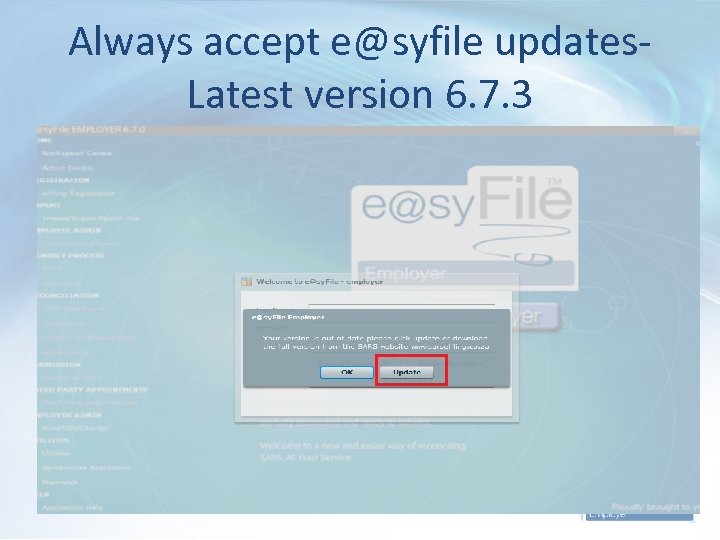 Always accept e@syfile updates. Latest version 6. 7. 3
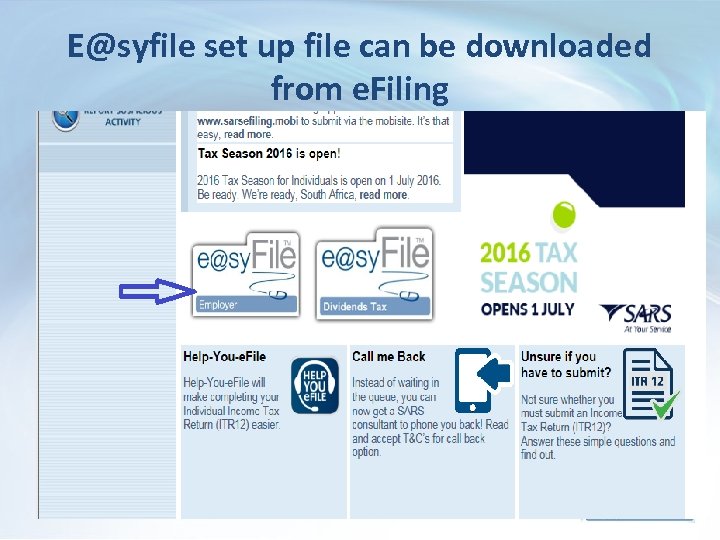 E@syfile set up file can be downloaded from e. Filing
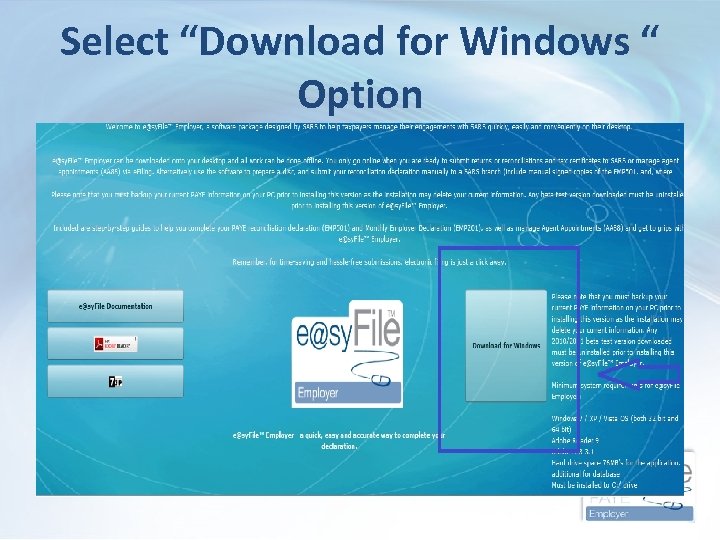 Select “Download for Windows “ Option
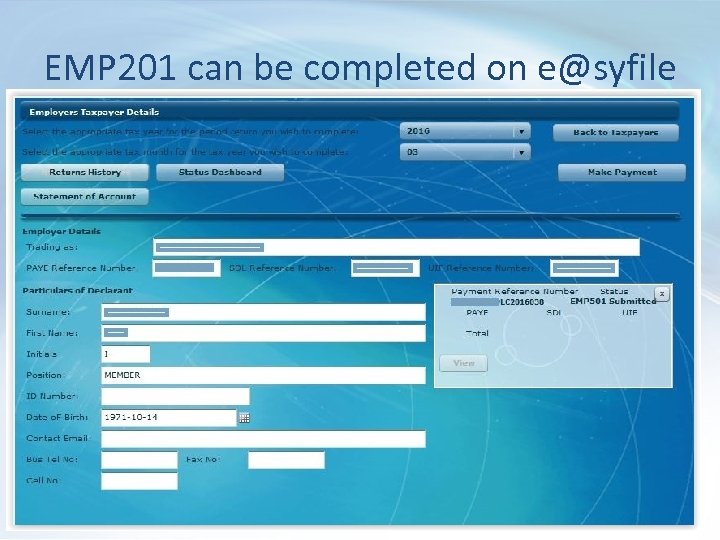 EMP 201 can be completed on e@syfile
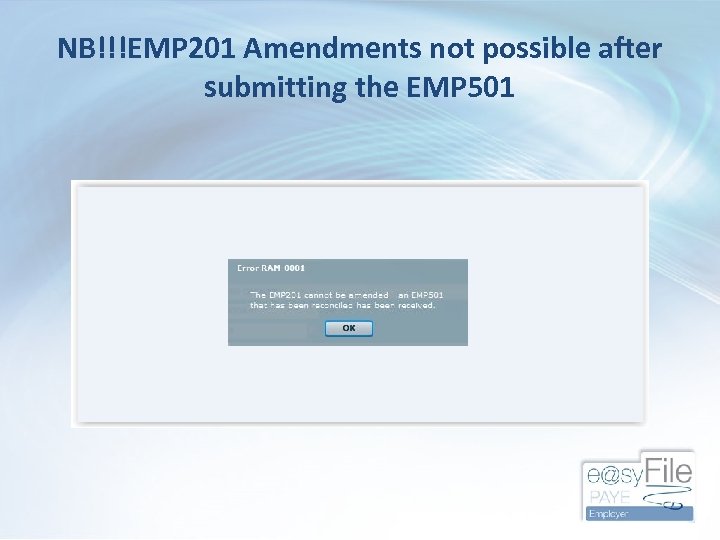 NB!!!EMP 201 Amendments not possible after submitting the EMP 501
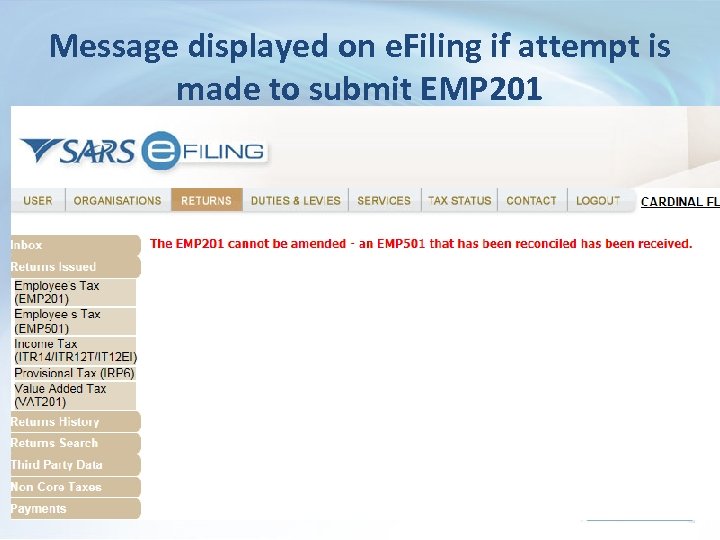 Message displayed on e. Filing if attempt is made to submit EMP 201
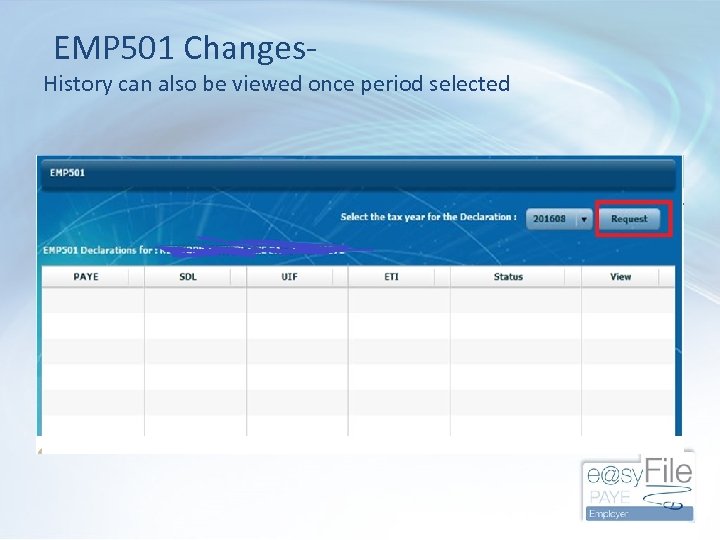 EMP 501 Changes- History can also be viewed once period selected
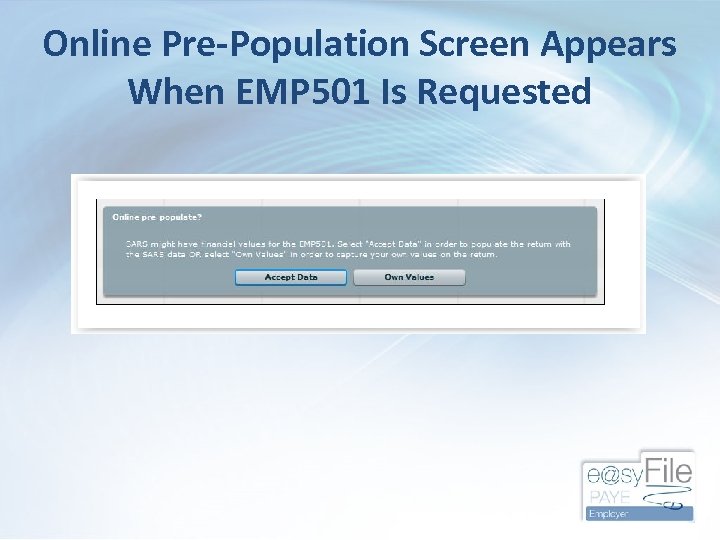 Online Pre-Population Screen Appears When EMP 501 Is Requested
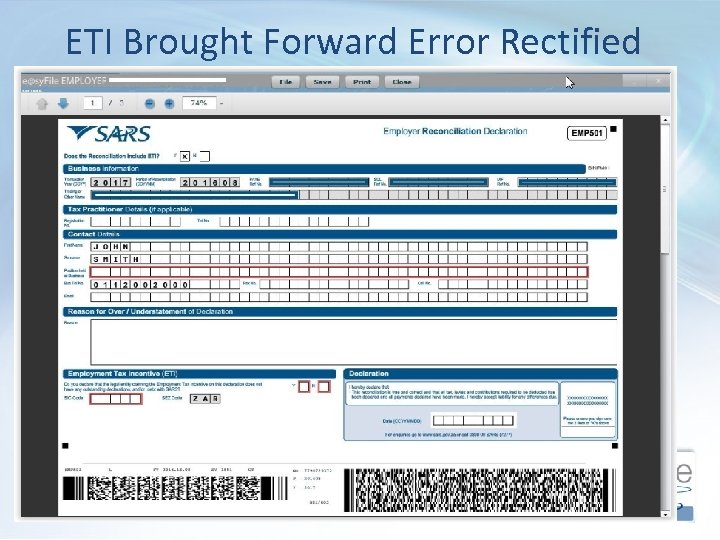 ETI Brought Forward Error Rectified •
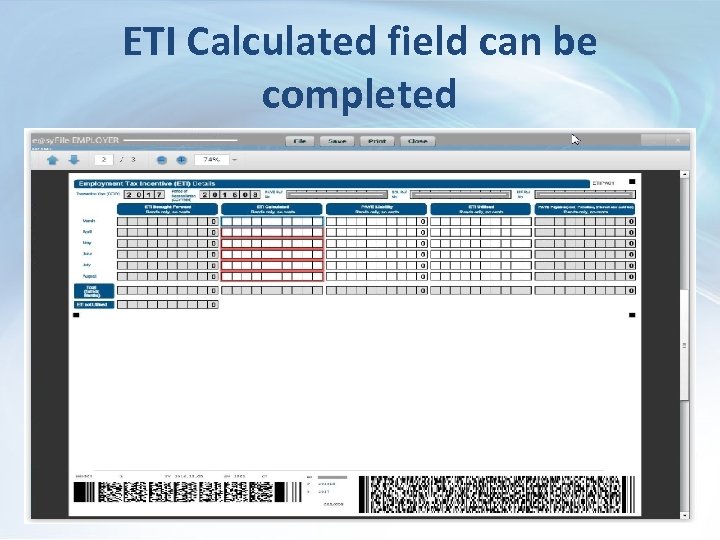 ETI Calculated field can be completed
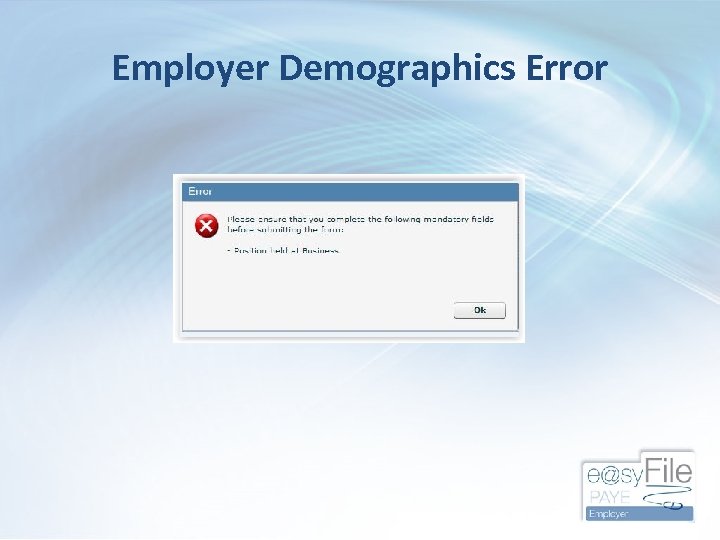 Employer Demographics Error
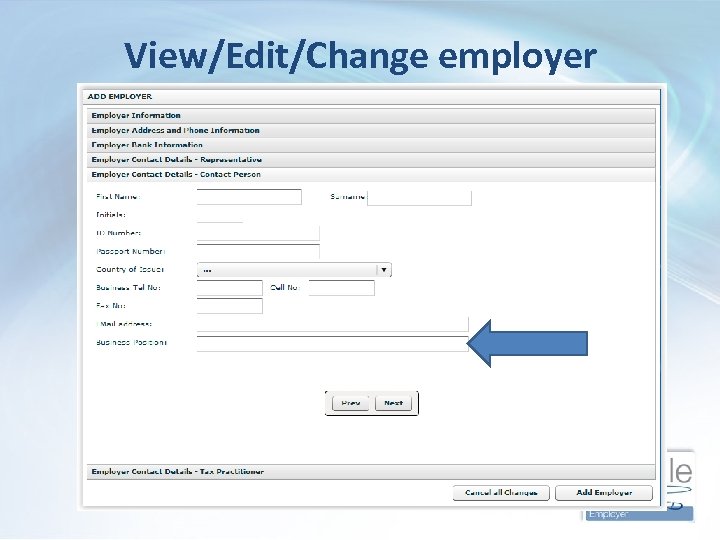 View/Edit/Change employer
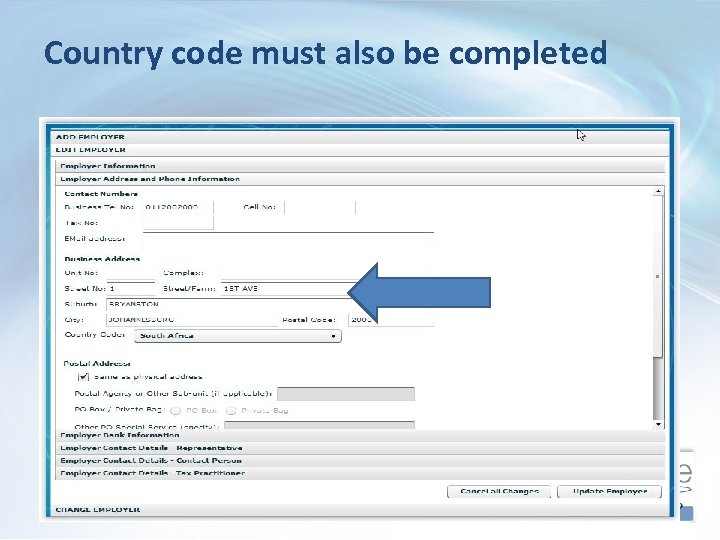 Country code must also be completed
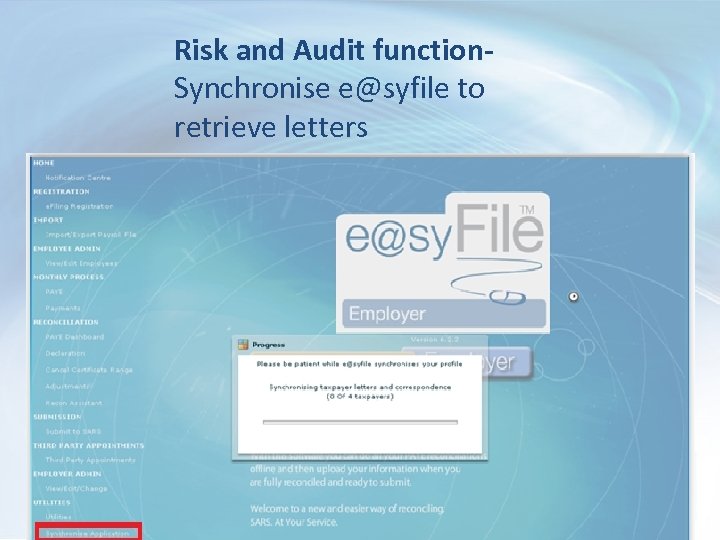 Risk and Audit function. Synchronise e@syfile to retrieve letters
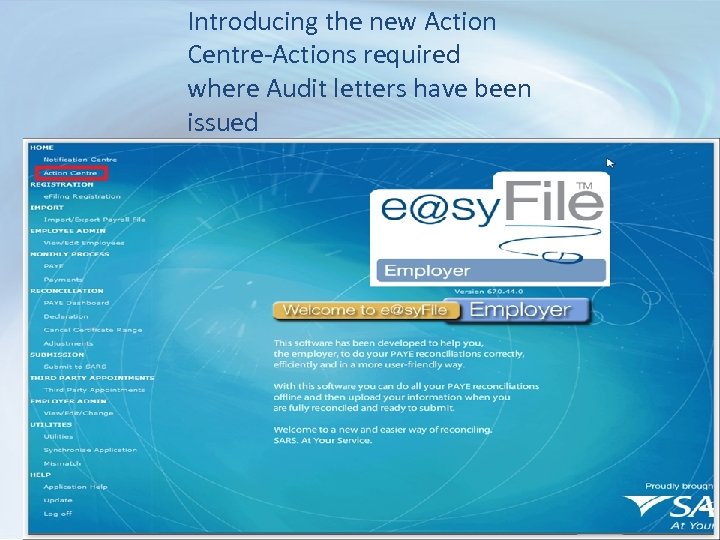 Introducing the new Action Centre-Actions required where Audit letters have been issued
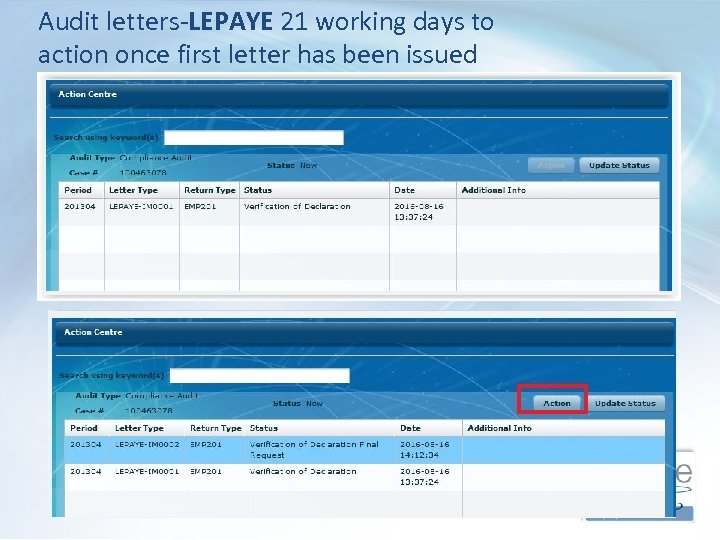 Audit letters-LEPAYE 21 working days to action once first letter has been issued
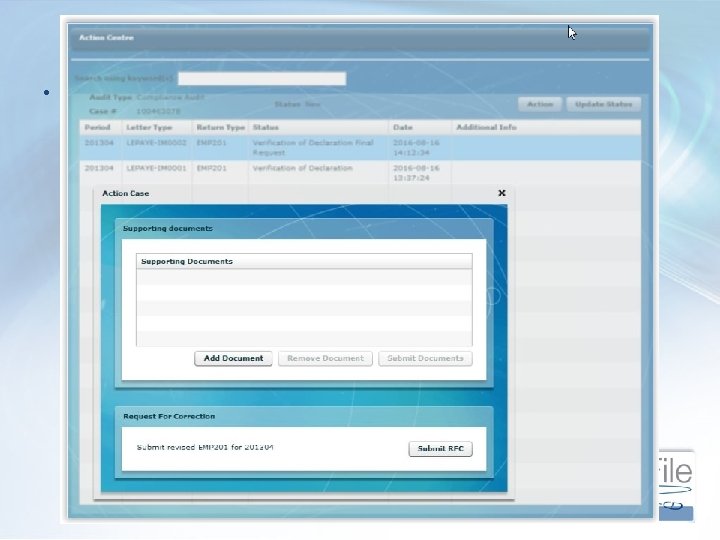 Notification centre •
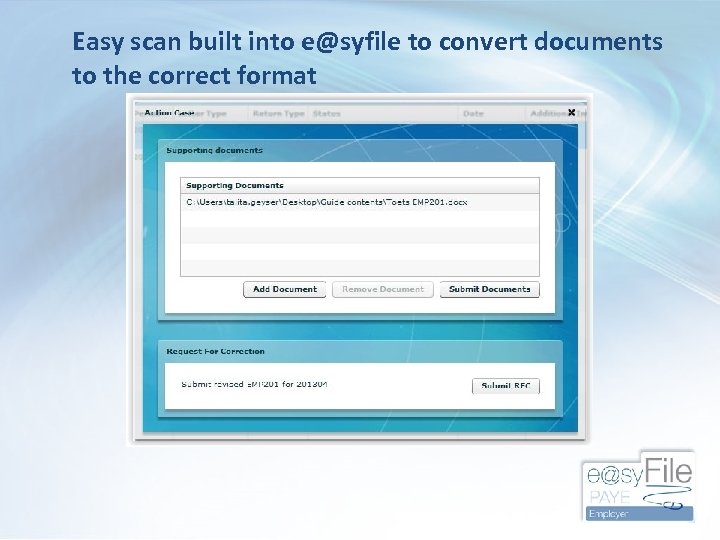 Easy scan built into e@syfile to convert documents to the correct format
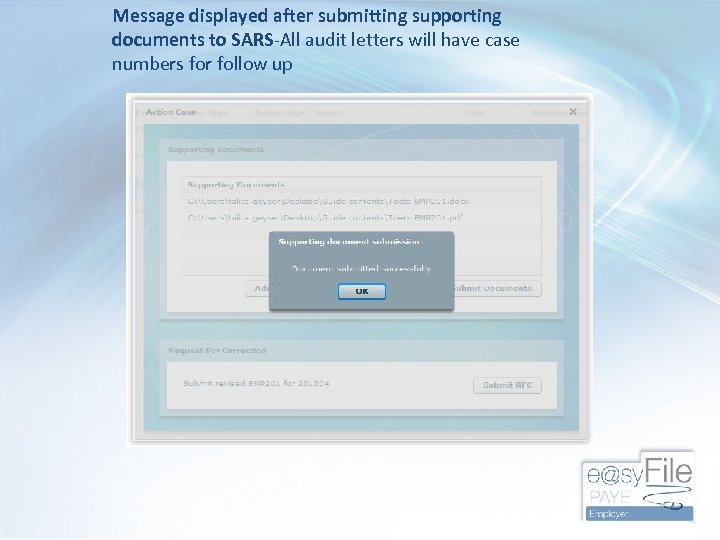 Message displayed after submitting supporting documents to SARS-All audit letters will have case numbers for follow up
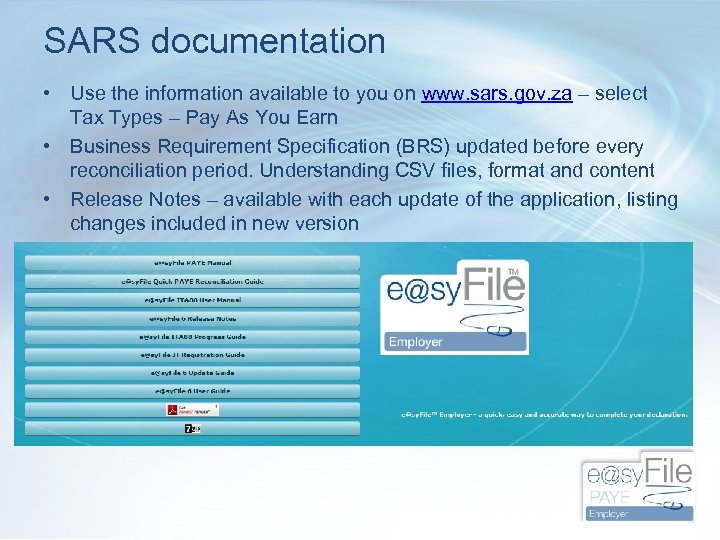 SARS documentation • Use the information available to you on www. sars. gov. za – select Tax Types – Pay As You Earn • Business Requirement Specification (BRS) updated before every reconciliation period. Understanding CSV files, format and content • Release Notes – available with each update of the application, listing changes included in new version
 Release Notes: e@sy. File™ Employer version 6. 7. 3 • Correction to allow user to view EMP 201 returns on e@sy. File, regardless of EMP 501 submission status • Correction to import validation that previously resulted in a pending status under specific circumstances to display errors in the import payroll file log as expected • Enhancement to employee search function to accurately display employee records on the View/Edit employee screens • Correction to the View/Edit employee screens when the “All” function is used to ensure the “All” option remains available without logging out and in again • Correction to EMP 501 status update functionality for 2014/02 and older periods that blocked access to the relevant EMP 501 declaration • Correction to validation for employee postal address fields when the “Other” option is selected • Enhancement to the submission process to allow resubmissions on larger database files that previously resulted in an incomplete submissions (application hanged)
 FAQS • Resubmission of older years-always use SARS current validation rules so that recon passes pre-submission validation • SIC and SEZ codes (industry and employment zone) compulsory on certificates and employer details • Making e@sy. File back-ups -The importance (Utilities-database utilities-back up DB directory)
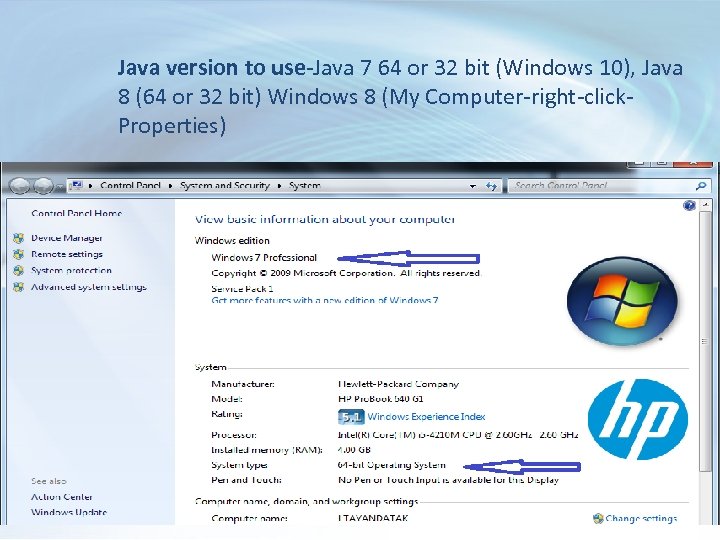 Java version to use-Java 7 64 or 32 bit (Windows 10), Java 8 (64 or 32 bit) Windows 8 (My Computer-right-click. Properties)
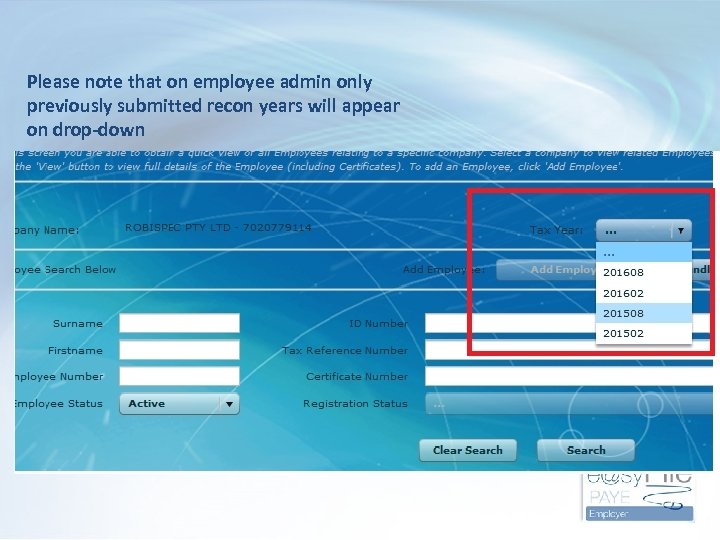 Please note that on employee admin only previously submitted recon years will appear on drop-down
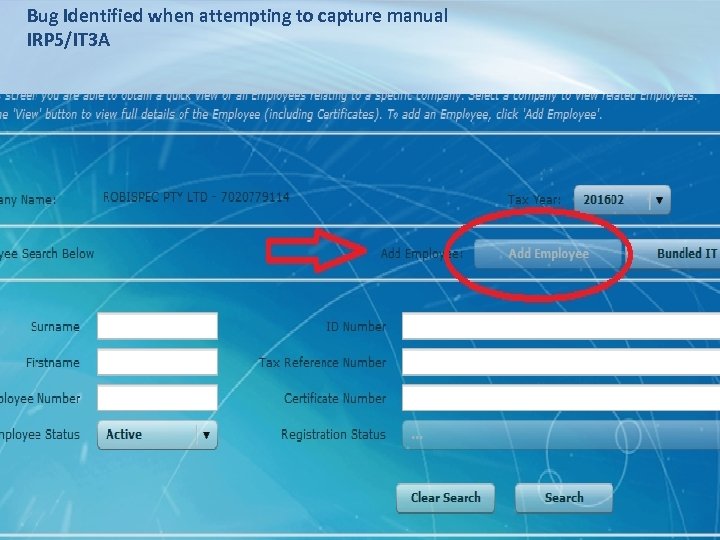 Bug Identified when attempting to capture manual IRP 5/IT 3 A
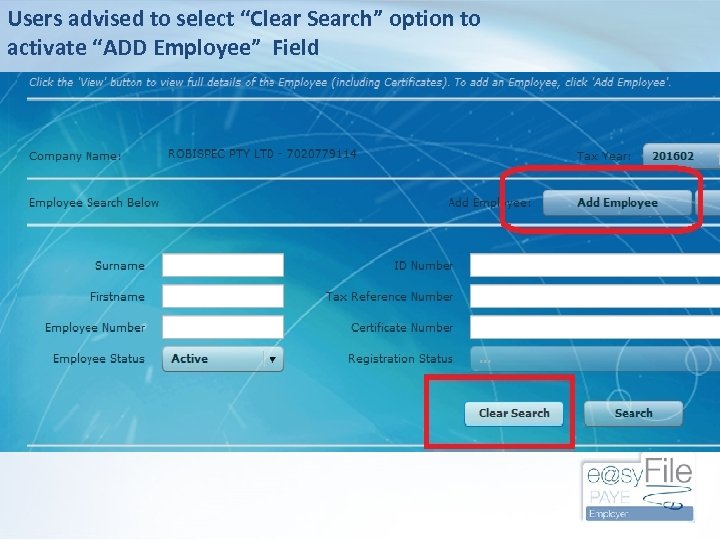 Users advised to select “Clear Search” option to activate “ADD Employee” Field
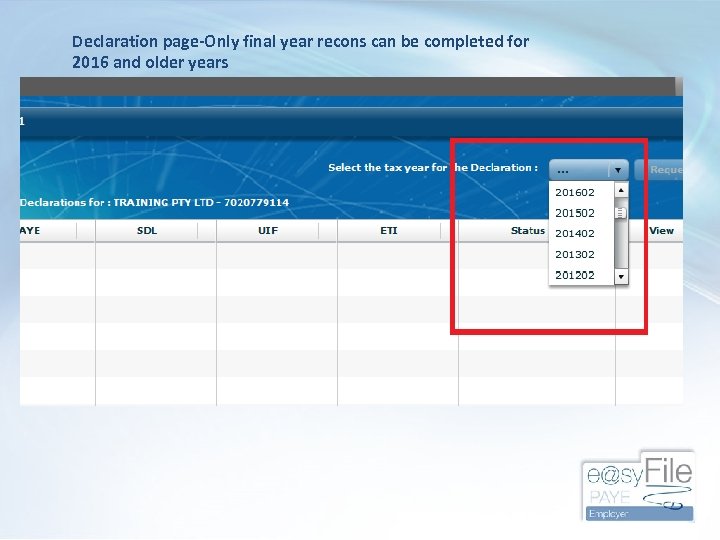 Declaration page-Only final year recons can be completed for 2016 and older years
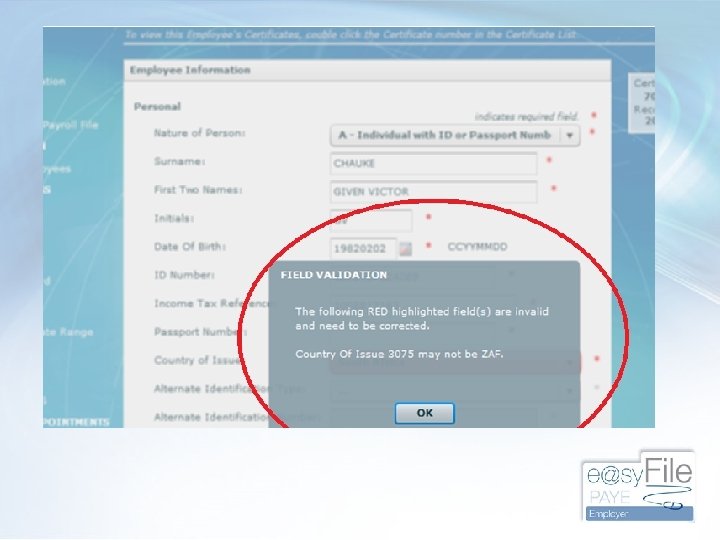
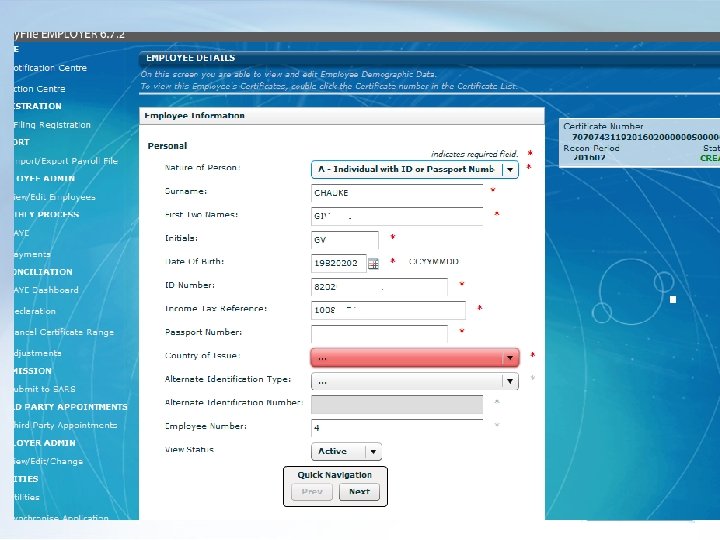
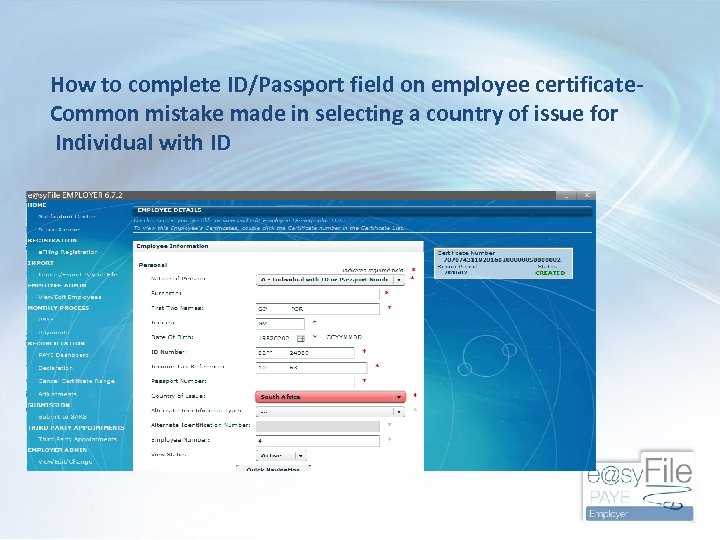 How to complete ID/Passport field on employee certificate. Common mistake made in selecting a country of issue for Individual with ID
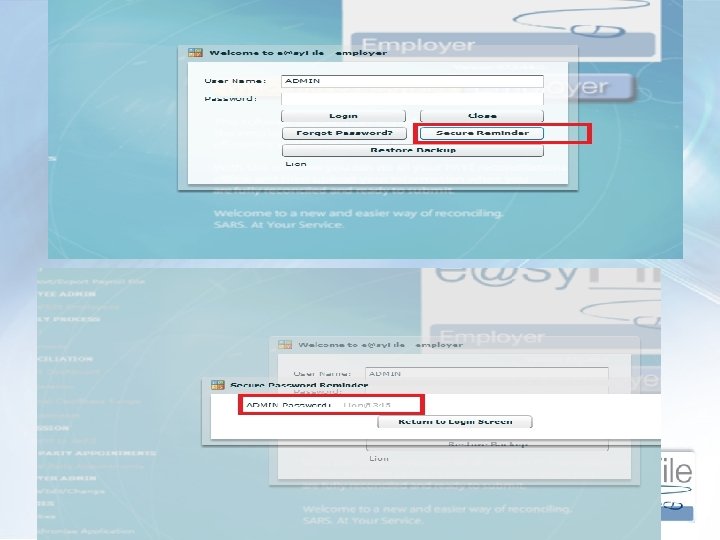
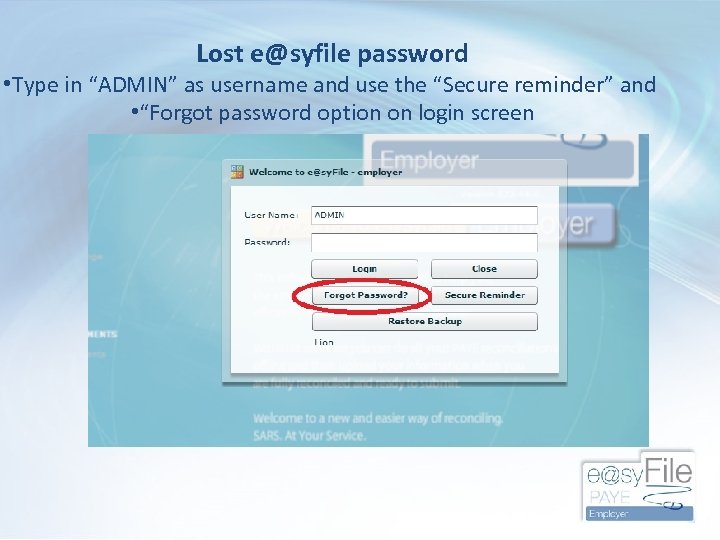 Lost e@syfile password • Type in “ADMIN” as username and use the “Secure reminder” and • “Forgot password option on login screen
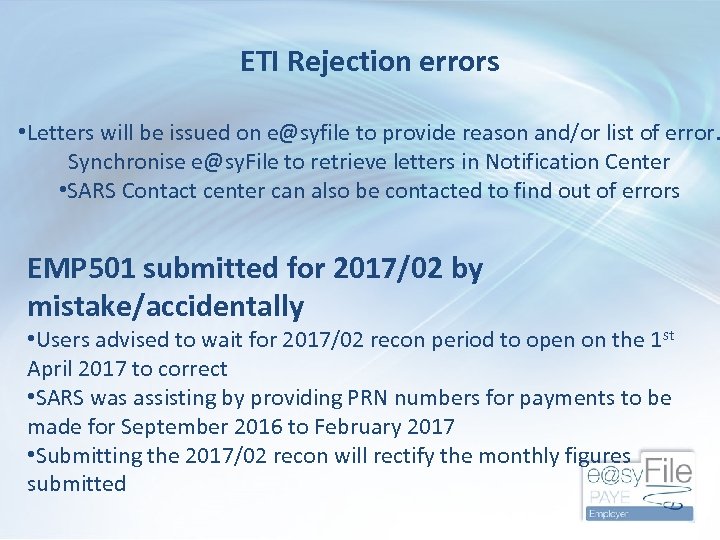 ETI Rejection errors • Letters will be issued on e@syfile to provide reason and/or list of error. Synchronise e@sy. File to retrieve letters in Notification Center • SARS Contact center can also be contacted to find out of errors EMP 501 submitted for 2017/02 by mistake/accidentally • Users advised to wait for 2017/02 recon period to open on the 1 st April 2017 to correct • SARS was assisting by providing PRN numbers for payments to be made for September 2016 to February 2017 • Submitting the 2017/02 recon will rectify the monthly figures submitted
 General e. Filing and E@syfile Questions ?
 Ayanda Takela SARS -e. Filing and e@syfile Specialist (Gauteng, Free State & Northern Cape Region)