 Скачать презентацию e-commerce business technology society eighth edition Kenneth C
79aeec420f9fabac8efed55ca96a9e4b.ppt
- Количество слайдов: 51



e-commerce business. technology. society. eighth edition Kenneth C. Laudon Carol Guercio Traver Copyright © 2012 Pearson Education, Inc.
Chapter 3 E-commerce Infrastructure: The Internet, Web, and Mobile Platform
The Evolution of the Internet 1961–Present n Innovation Phase, 1964– 1974 v Creation of fundamental building blocks n Institutionalization Phase, 1975– 1995 v Large institutions provide funding and legitimization n Commercialization Phase, 1995–present v Private corporations take over, expand Internet backbone and local service Copyright © 2012 Pearson Education, Inc. Slide 3 -5
The Internet: Key Technology Concepts n Defined by Federal Networking Commission as network that: v Uses IP addressing v Supports TCP/IP v Provides services to users, in manner similar to telephone system n Three important concepts: v Packet switching v TCP/IP communications protocol v Client/server computing Copyright © 2012 Pearson Education, Inc. Slide 3 -6
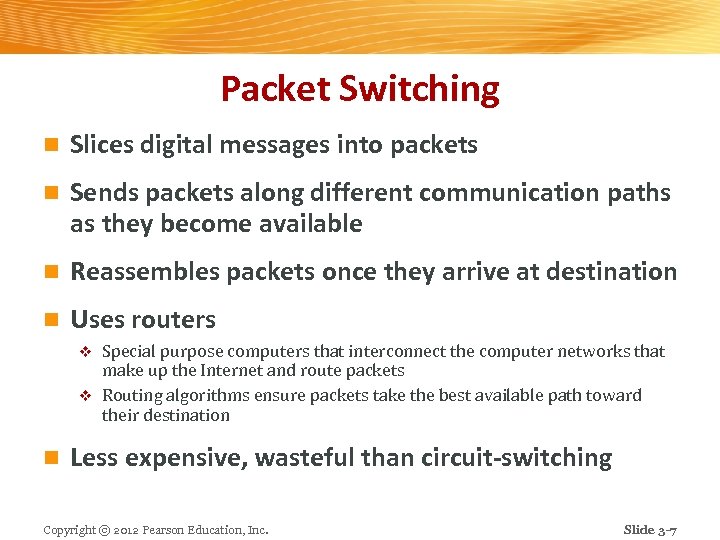
Packet Switching n Slices digital messages into packets n Sends packets along different communication paths as they become available n Reassembles packets once they arrive at destination n Uses routers Special purpose computers that interconnect the computer networks that make up the Internet and route packets v Routing algorithms ensure packets take the best available path toward their destination v n Less expensive, wasteful than circuit-switching Copyright © 2012 Pearson Education, Inc. Slide 3 -7
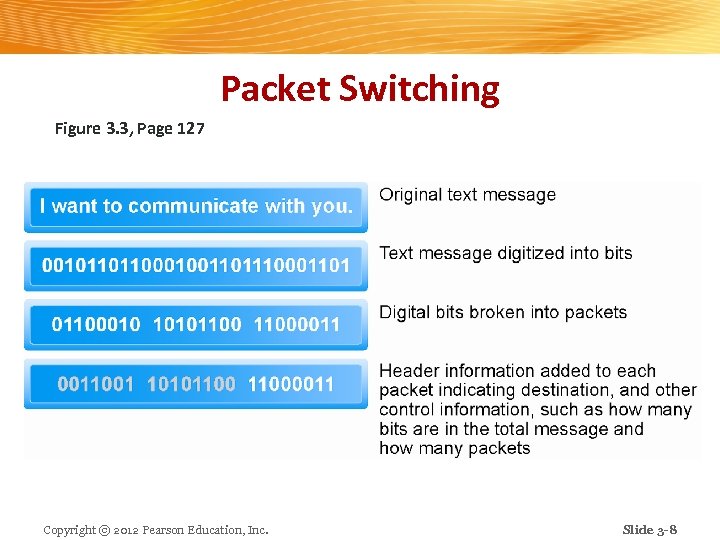
Packet Switching Figure 3. 3, Page 127 Copyright © 2012 Pearson Education, Inc. Slide 3 -8
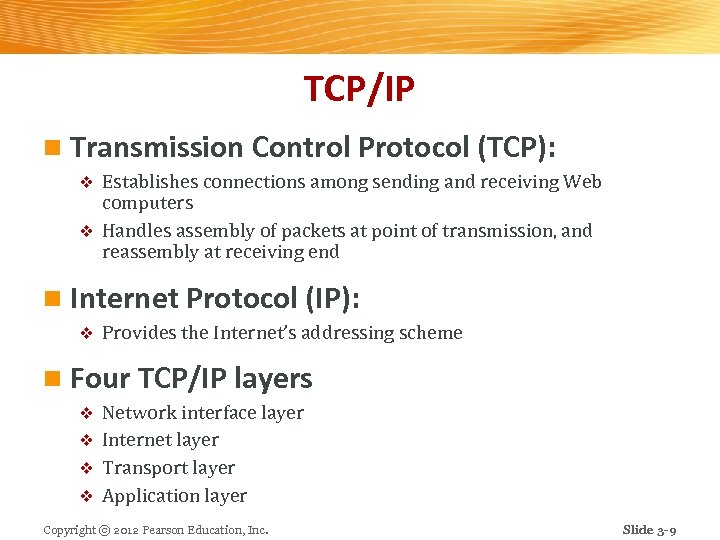
TCP/IP n Transmission Control Protocol (TCP): Establishes connections among sending and receiving Web computers v Handles assembly of packets at point of transmission, and reassembly at receiving end v n Internet Protocol (IP): v Provides the Internet’s addressing scheme n Four TCP/IP layers Network interface layer v Internet layer v Transport layer v Application layer v Copyright © 2012 Pearson Education, Inc. Slide 3 -9
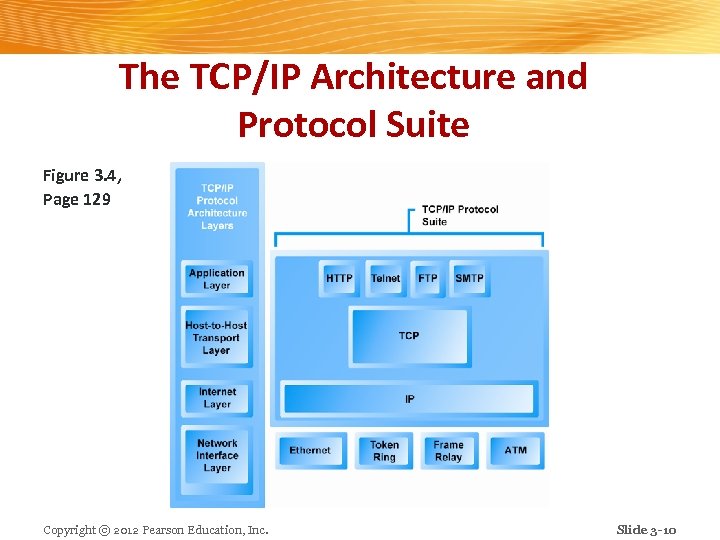
The TCP/IP Architecture and Protocol Suite Figure 3. 4, Page 129 Copyright © 2012 Pearson Education, Inc. Slide 3 -10
Internet (IP) Addresses n IPv 4: v 32 -bit number v Four sets of numbers marked off by periods: 201. 61. 186. 227 n Class C address: Network identified by first three sets, computer identified by last set n IPv 6 v 128 -bit addresses, able to handle up to 1 quadrillion addresses (IPv 4 can only handle 4 billion) Copyright © 2012 Pearson Education, Inc. Slide 3 -11
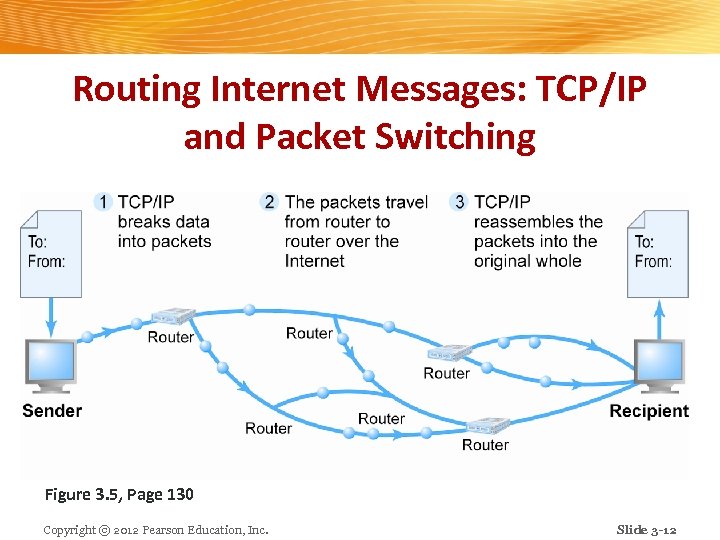
Routing Internet Messages: TCP/IP and Packet Switching Figure 3. 5, Page 130 Copyright © 2012 Pearson Education, Inc. Slide 3 -12
Domain Names, DNS, and URLs n Domain name v IP address expressed in natural language n Domain name system (DNS) v Allows numeric IP addresses to be expressed in natural language n Uniform resource locator (URL) v Address used by Web browser to identify location of content on the Web v E. g. http: //www. azimuth-interactive. com/flash_test Copyright © 2012 Pearson Education, Inc. Slide 3 -13
Client/Server Computing n Powerful personal computers (clients) connected in network with one or more servers n Servers perform common functions for the clients v Storing files v Software applications v Access to printers, etc. Copyright © 2012 Pearson Education, Inc. Slide 3 -14
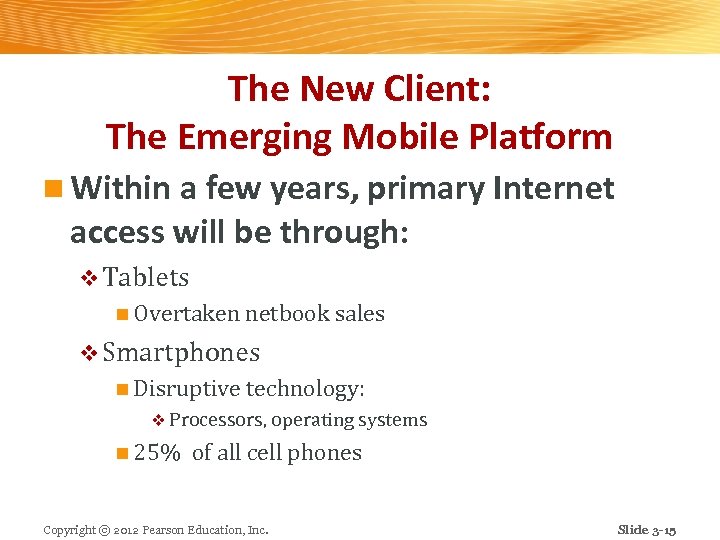
The New Client: The Emerging Mobile Platform n Within a few years, primary Internet access will be through: v Tablets n Overtaken netbook sales v Smartphones n Disruptive technology: v Processors, operating systems n 25% of all cell phones Copyright © 2012 Pearson Education, Inc. Slide 3 -15
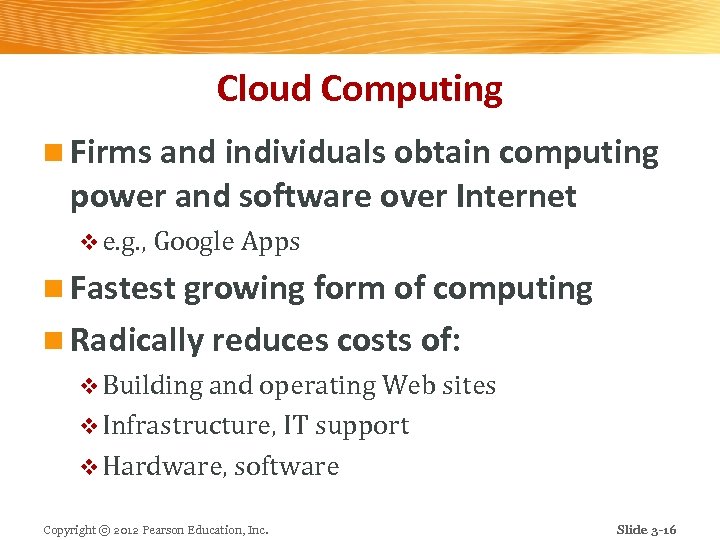
Cloud Computing n Firms and individuals obtain computing power and software over Internet v e. g. , Google Apps n Fastest growing form of computing n Radically reduces costs of: v Building and operating Web sites v Infrastructure, IT support v Hardware, software Copyright © 2012 Pearson Education, Inc. Slide 3 -16
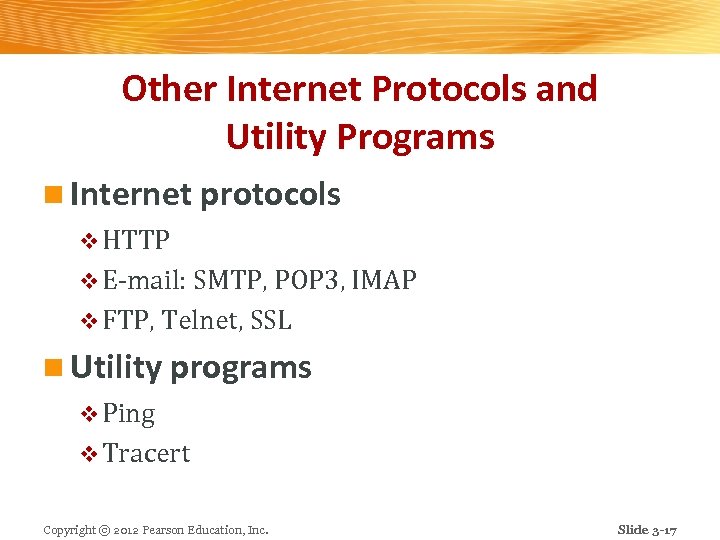
Other Internet Protocols and Utility Programs n Internet protocols v HTTP v E-mail: SMTP, POP 3, IMAP v FTP, Telnet, SSL n Utility programs v Ping v Tracert Copyright © 2012 Pearson Education, Inc. Slide 3 -17
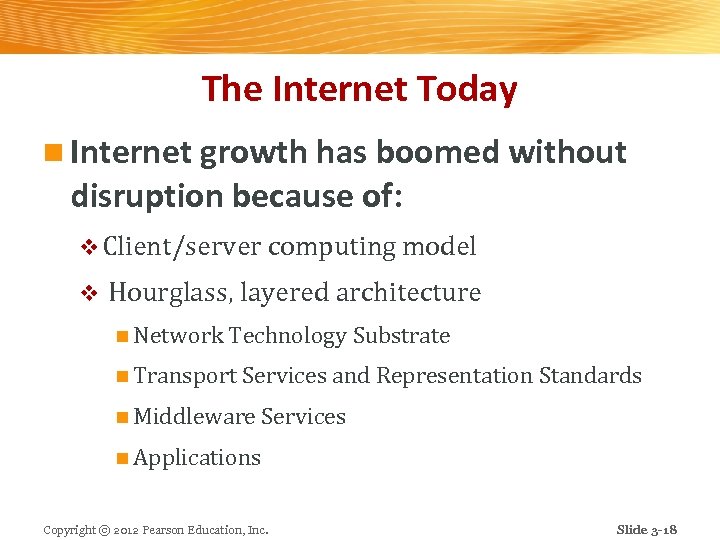
The Internet Today n Internet growth has boomed without disruption because of: v Client/server computing model v Hourglass, layered architecture n Network Technology Substrate n Transport Services and Representation Standards n Middleware Services n Applications Copyright © 2012 Pearson Education, Inc. Slide 3 -18
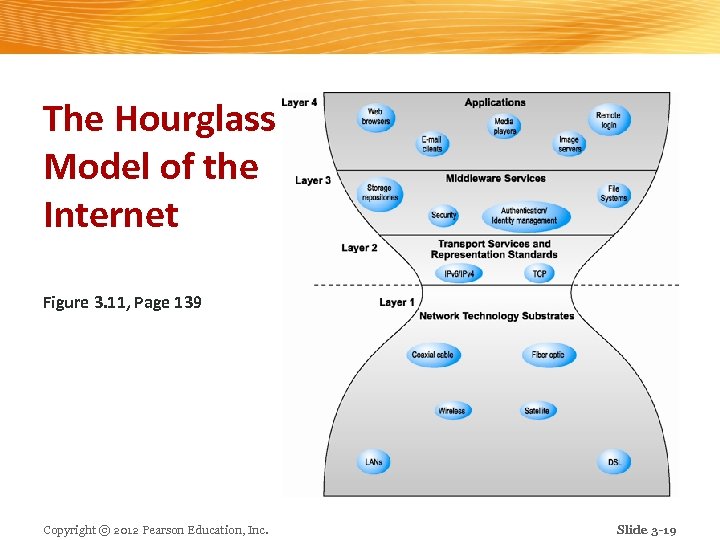
The Hourglass Model of the Internet Figure 3. 11, Page 139 Copyright © 2012 Pearson Education, Inc. Slide 3 -19
Internet Network Architecture n Backbone: High-bandwidth fiber-optic cable networks v Private networks owned by a variety of NSPs v Bandwidth: 155 Mbps– 2. 5 Gbps v Built-in redundancy v n IXPs: v Hubs where backbones intersect with regional and local networks, and backbone owners connect with one another n CANs: v LANs operating within a single organization that leases Internet access directly from regional or national carrier Copyright © 2012 Pearson Education, Inc. Slide 3 -20
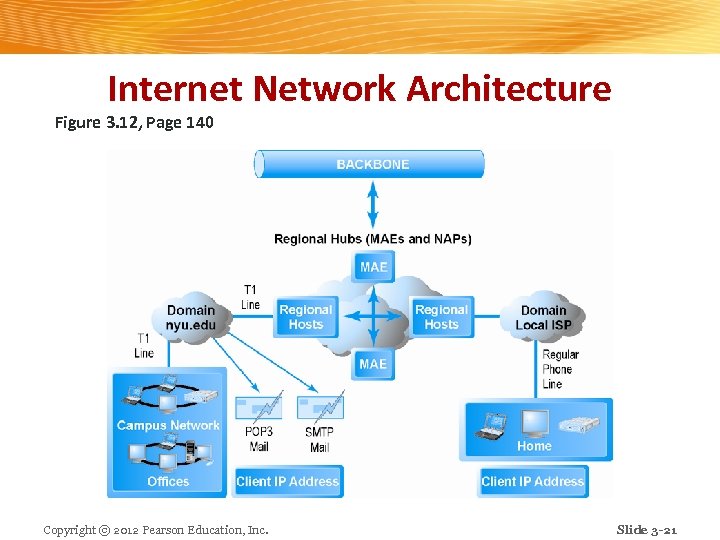
Internet Network Architecture Figure 3. 12, Page 140 Copyright © 2012 Pearson Education, Inc. Slide 3 -21
Internet Service Providers (ISPs) n Provide lowest level of service to individuals, small businesses, some institutions n Types of service v Narrowband (dial-up) v Broadband Digital Subscriber Line (DSL) n Cable modem n T 1 and T 3 n Satellite n Copyright © 2012 Pearson Education, Inc. Slide 3 -22
Intranets and Extranets n Intranet v TCP/IP network located within a single organization for communications and processing n Extranet v Formed when firms permit outsiders to access their internal TCP/IP networks Copyright © 2012 Pearson Education, Inc. Slide 3 -23
Who Governs the Internet? n Organizations that influence the Internet and monitor its operations include: v Internet Architecture Board (IAB) v Internet Corporation for Assigned Names and Numbers (ICANN) v Internet Engineering Steering Group (IESG) v Internet Engineering Task Force (IETF) v Internet Society (ISOC) v World Wide Web Consortium (W 3 C) v International Telecommunications Union (ITU) Copyright © 2012 Pearson Education, Inc. Slide 3 -24
Insight on Society: Class Discussion Government Regulation and Surveillance of the Internet How is it possible for any government to “control” or censor the Web? n Does the Chinese government, or the U. S. government, have the right to censor content on the Web? n How should U. S. companies deal with governments that want to censor content? n What would happen to e-commerce if the existing Web split into a different Web for each country? n Copyright © 2012 Pearson Education, Inc. Slide 3 -25
Internet II: The Future Infrastructure n Limitations of current Internet v Bandwidth limitations v Quality of service limitations n Latency n “Best effort” QOS v Network architecture limitations v Language development limitations n HTML v Wired Internet limitations Copyright © 2012 Pearson Education, Inc. Slide 3 -26
The Internet 2® Project n Consortium of 330 member institutions collaborating to facilitate revolutionary Internet technologies n Primary goals: v Create leading-edge very-high speed network for national research community v Enable revolutionary Internet applications v Distributed and collaborative computing environments for sciences, health, arts and humanities initiatives. Copyright © 2012 Pearson Education, Inc. Slide 3 -27
The Larger Internet II Technology Environment: The First Mile and the Last Mile n GENI Initiative v Proposed by NSF to develop new core functionality for Internet n Most significant private initiatives v Fiber optics v Mobile wireless Internet services Copyright © 2012 Pearson Education, Inc. Slide 3 -28
Fiber Optics and the Bandwidth Explosion in the First Mile “First mile”: Backbone Internet services that carry bulk traffic over long distances n Older transmission lines being replaced with fiberoptic cable n Much of fiber-optic cable laid in United States is “dark, ” but represents a vast digital highway that can be utilized in the future n Technology improvement has also expanded capacity of existing fiber lines n Copyright © 2012 Pearson Education, Inc. Slide 3 -29
The Last Mile: Mobile Wireless Internet Access n “Last mile”: From Internet backbone to user’s computer, smartphone, PDA, etc. n Two different basic types of wireless Internet access: 1. Telephone-based (mobile phones, smartphones) 2. Computer network-based Copyright © 2012 Pearson Education, Inc. Slide 3 -30
Telephone-based Wireless Internet Access n Competing 3 G standards v GSM: Used world-wide, AT&T, T-Mobile v CDMA: Used primarily in United States, Verizon, Sprint n Evolution: v 2 G cellular networks: relatively slow, circuit-switched v 3 G cellular networks: next generation, packet-switched v 3. 5 G (3 G+) v 4 G (Wi. Max, LTE) Copyright © 2012 Pearson Education, Inc. Slide 3 -31
Wireless Internet Access Network Technologies n Wi-Fi v n Wi. Max v n High-speed, fixed broadband wireless LAN (WLAN). Different versions for home and business market. Limited range. High-speed, medium range broadband wireless metropolitan area network Bluetooth v v n Low power, short-range high bandwidth network v n Low-speed, short range connection Short-range, low-power wireless network technology for remotely controlling digital devices Ultra-Wideband (UWB) Zigbee Copyright © 2012 Pearson Education, Inc. Slide 3 -32
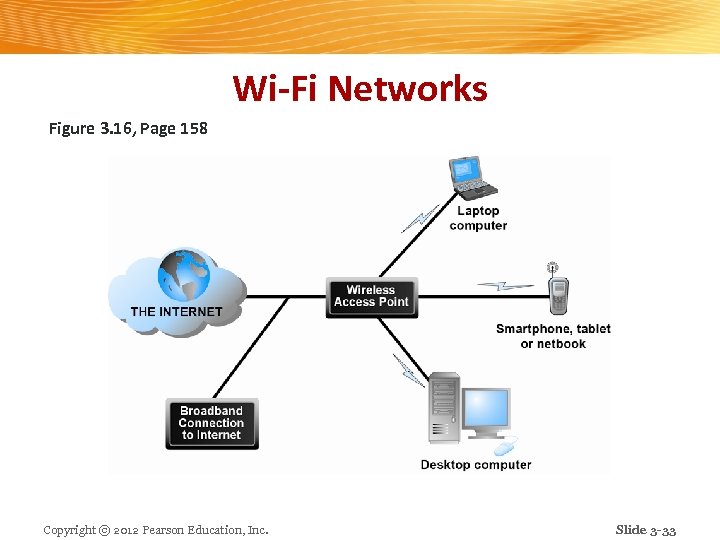
Wi-Fi Networks Figure 3. 16, Page 158 Copyright © 2012 Pearson Education, Inc. Slide 3 -33
Benefits of Internet II Technologies n IP multicasting: v Enables efficient delivery of data to many locations on a network n Latency solutions: v diffserv (differentiated quality of service) n Assigns different levels of priority to packets depending on type of data being transmitted n Guaranteed service levels and lower error rates v Ability to purchase the right to move data through network at guaranteed speed in return for higher fee n Declining costs Copyright © 2012 Pearson Education, Inc. Slide 3 -34
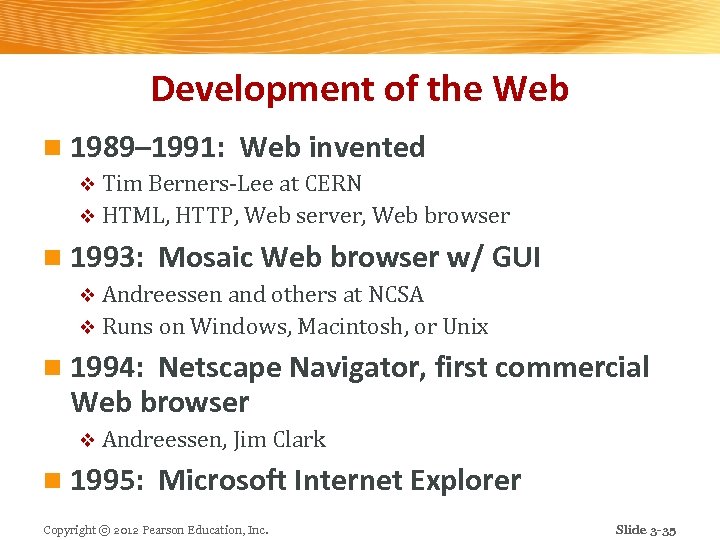
Development of the Web n 1989– 1991: Web invented v Tim Berners-Lee at CERN v HTML, HTTP, Web server, Web browser n 1993: Mosaic Web browser w/ GUI v Andreessen and others at NCSA v Runs on Windows, Macintosh, or Unix n 1994: Netscape Navigator, first commercial Web browser v Andreessen, Jim Clark n 1995: Microsoft Internet Explorer Copyright © 2012 Pearson Education, Inc. Slide 3 -35
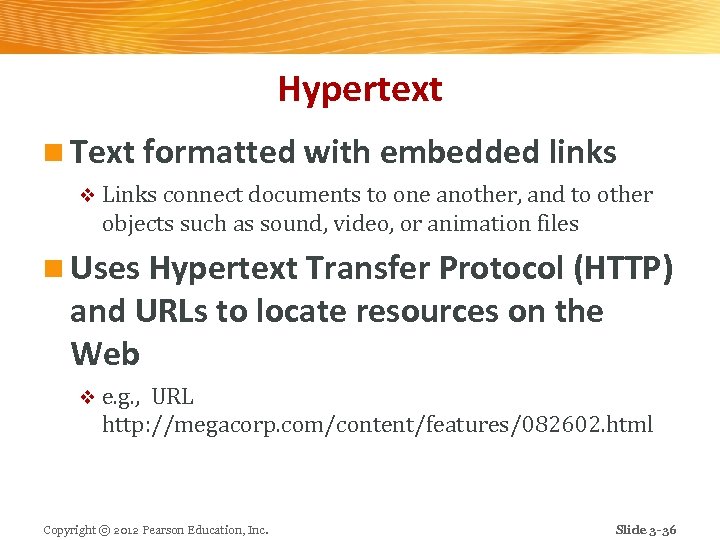
Hypertext n Text formatted with embedded links v Links connect documents to one another, and to other objects such as sound, video, or animation files n Uses Hypertext Transfer Protocol (HTTP) and URLs to locate resources on the Web v e. g. , URL http: //megacorp. com/content/features/082602. html Copyright © 2012 Pearson Education, Inc. Slide 3 -36
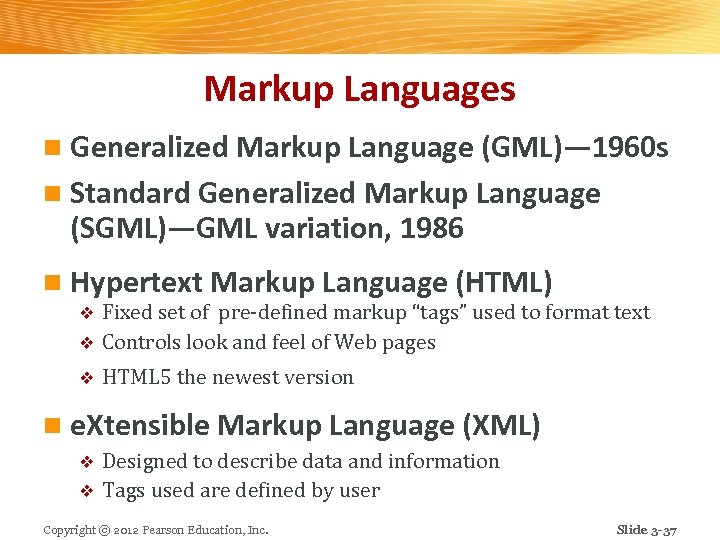
Markup Languages n Generalized Markup Language (GML)— 1960 s n Standard Generalized Markup Language (SGML)—GML variation, 1986 n Hypertext Markup Language (HTML) Fixed set of pre-defined markup “tags” used to format text v Controls look and feel of Web pages v v HTML 5 the newest version n e. Xtensible Markup Language (XML) Designed to describe data and information v Tags used are defined by user v Copyright © 2012 Pearson Education, Inc. Slide 3 -37
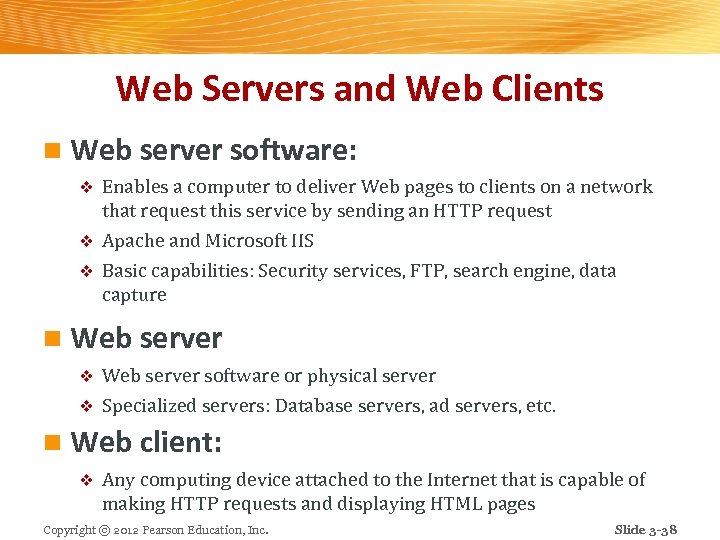
Web Servers and Web Clients n Web server software: Enables a computer to deliver Web pages to clients on a network that request this service by sending an HTTP request v Apache and Microsoft IIS v Basic capabilities: Security services, FTP, search engine, data capture v n Web server software or physical server v Specialized servers: Database servers, ad servers, etc. v n Web client: v Any computing device attached to the Internet that is capable of making HTTP requests and displaying HTML pages Copyright © 2012 Pearson Education, Inc. Slide 3 -38
Web Browsers n Primary purpose to display Web pages n Internet Explorer and Firefox dominate the market n Other browsers include: v Google Chrome v Apple’s Safari v Opera Copyright © 2012 Pearson Education, Inc. Slide 3 -39
The Internet and Web: Features n Internet and Web features on which the foundations of e-commerce are built include: v E-mail v Instant messaging v Search engines v Intelligent agents (bots) v Online forums and chat v Streaming media v Cookies Copyright © 2012 Pearson Education, Inc. Slide 3 -40
E-mail n Most used application of the Internet n Uses series of protocols for transferring messages with text and attachments (images, sound, video clips, etc. , ) from one Internet user to another Instant Messaging n Displays words typed on a computer almost instantly, and recipients can then respond immediately in the same way Copyright © 2012 Pearson Education, Inc. Slide 3 -41
Search Engines n Identify Web pages that match queries based on one or more techniques v Keyword indexes, page ranking n Also serve as: Shopping tools v Advertising vehicles (search engine marketing) v Tool within e-commerce sites v n Outside of e-mail, most commonly used Internet activity Copyright © 2012 Pearson Education, Inc. Slide 3 -42
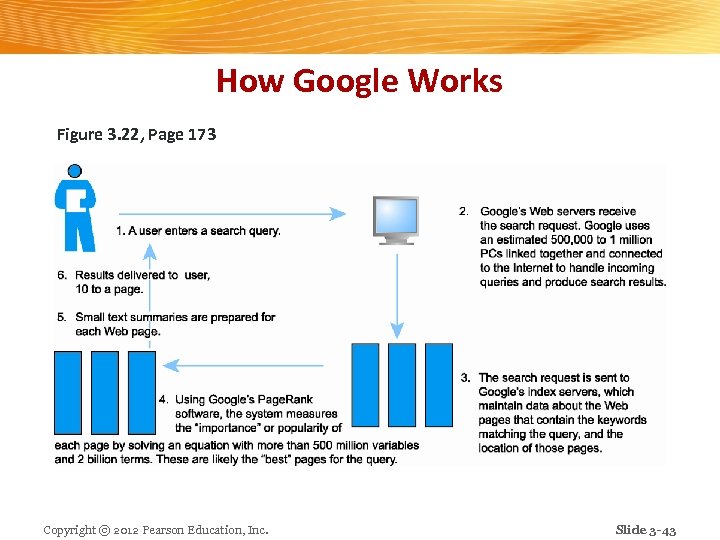
How Google Works Figure 3. 22, Page 173 Copyright © 2012 Pearson Education, Inc. Slide 3 -43
Intelligent Agents (Bots) n Software programs that gather and/or filter information on a specific topic and then provide a list of results v Search bot v Shopping bot v Web monitoring bot v News bot v Chatter bot Copyright © 2012 Pearson Education, Inc. Slide 3 -44
Online Forums and Chat n Online forum: v AKA message board, bulletin board, discussion board, discussion group, board or forum v Web application that enables Internet users to communicate with each other, although not in real time v Members visit online forum to check for new posts n Online chat: v Similar to IM, but for multiple users v Typically, users log into chat room Copyright © 2012 Pearson Education, Inc. Slide 3 -45
Streaming Media n Enables music, video, and other large files to be sent to users in chunks so that when received and played, file comes through uninterrupted n Allows users to begin playing media files before file is fully downloaded Copyright © 2012 Pearson Education, Inc. Slide 3 -46
Cookies n Small text files deposited by Web site on user’s computer to store information about user, accessed when user next visits Web site n Can help personalize Web site experience n Can pose privacy threat Copyright © 2012 Pearson Education, Inc. Slide 3 -47
Web 2. 0 Features and Services n Online Social Networks v Services that support communication among networks of friends, peers n Blogs v Personal Web page of chronological entries n Really Simple Syndication (RSS) v Program that allows users to have digital content automatically sent to their computers over the Internet Copyright © 2012 Pearson Education, Inc. Slide 3 -48
Web 2. 0 Features and Services n Podcasting v Audio presentation stored as an audio file and available for download from Web n Wikis v Allows user to easily add and edit content on Web page n Music and video services v Online video viewing v Digital video on demand Copyright © 2012 Pearson Education, Inc. Slide 3 -49
Web 2. 0 Features and Services n Internet telephony (VOIP) v Voice over Internet Protocol (VOIP) uses Internet to transmit voice communication n Internet television (IPTV) n Video conferencing and telepresence n Online software and Web services v Web apps, widgets, and gadgets Copyright © 2012 Pearson Education, Inc. Slide 3 -50
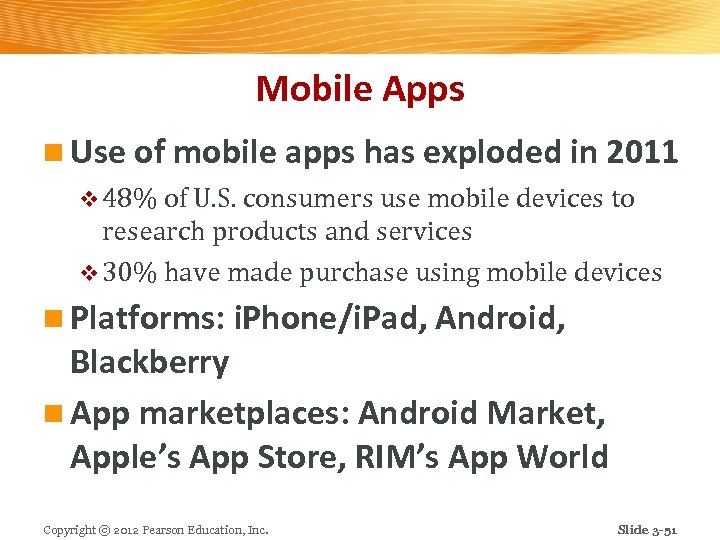
Mobile Apps n Use of mobile apps has exploded in 2011 v 48% of U. S. consumers use mobile devices to research products and services v 30% have made purchase using mobile devices n Platforms: i. Phone/i. Pad, Android, Blackberry n App marketplaces: Android Market, Apple’s App Store, RIM’s App World Copyright © 2012 Pearson Education, Inc. Slide 3 -51
Insight on Technology: Class Discussion Apps for Everything: The App Ecosystem n What are apps and why are they so popular? n Do you use any apps regularly? Which ones, and what are their functions? n What are the benefits of apps? The weaknesses? n Are there any benefits/disadvantages to the proprietary nature of the Apple platform? Copyright © 2012 Pearson Education, Inc. Slide 3 -52
Copyright © 2012 Pearson Education, Inc. Slide 3 -53
Скачать презентацию e-commerce business technology society eighth edition Kenneth C
79aeec420f9fabac8efed55ca96a9e4b.ppt