 Скачать презентацию Dynamic web-components and web environment behavior analysis St
3f4b2458b370d36318c4feaea28c7ecb.ppt
- Количество слайдов: 12




Dynamic web-components and web environment behavior analysis St. Petersburg State University Math and Mechanics faculty Software Engineering Dept. Suvorov V
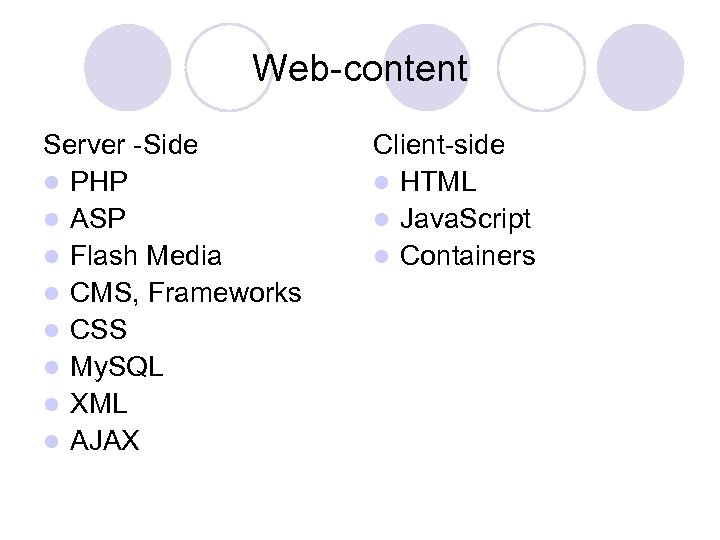
Web-content Server -Side l PHP l ASP l Flash Media l CMS, Frameworks l CSS l My. SQL l XML l AJAX Client-side l HTML l Java. Script l Containers
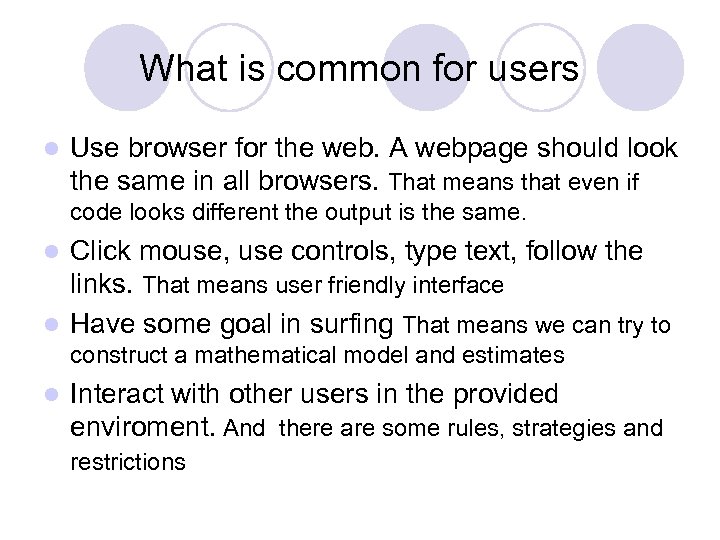
What is common for users l Use browser for the web. A webpage should look the same in all browsers. That means that even if code looks different the output is the same. Click mouse, use controls, type text, follow the links. That means user friendly interface l Have some goal in surfing That means we can try to l construct a mathematical model and estimates l Interact with other users in the provided enviroment. And there are some rules, strategies and restrictions
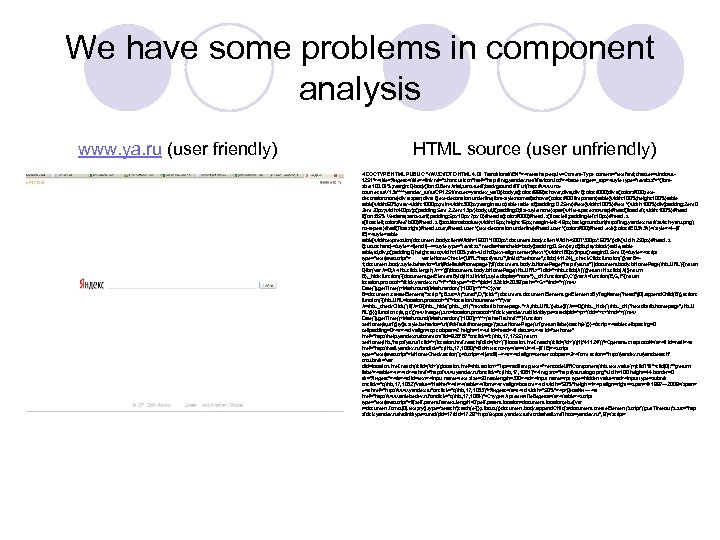
We have some problems in component analysis www. ya. ru (user friendly) HTML source (user unfriendly) <!DOCTYPE HTML PUBLIC "-//W 3 C//DTD HTML 4. 01 Transitional//EN"><meta http-equiv=Content-Type content="text/ tml; charset=windowsh 1251"><title>Яндекс</title><link rel="shortcut icon"href="http: //img. yandex. net/i/favicon. ico"><base target=_top><style type="text/css">*{fontsize: 100. 01%; margin: 0}body{font: 0. 8 em Arial, sans-serif; background: #fff url(http: //www. tnscounter. ru/V 13 a****yandex_ru/ru/CP 1251/tmsec=yandex_ya/0)}body, a{color: #999}a: hover, div i{color: #000}div a{color: #000; texta decoration: none}div a span, div a i{text-decoration: underline; font-style: normal}a: hover{color: #f 00 !important}table{width: 100%; height: 100%}table{width: 60%; max-width: 1000 px; min-width: 300 px; margin: auto}table td{padding: 0. 25 em}#text{width: 100%}#text *{width: 100%}div{padding: 2 em 0 2 em 20 px; width: 400 px}p{padding: 5 em 2. 2 em 13 px}body, ul, li{padding: 0; list-style: none}span{white-space: nowrap}#head{float: left; width: 100%}#head li{font: 85% Verdana, sans-serif; padding: 5 px 10 px 7 px 0}#head a{color: #000}#head. s{float: left; padding-left: 10 px}#head. s a{float: left; color: #ee 7 b 00}#head. s i{position: absolute; width: 16 px; height: 16 px; margin-left: -19 px; background: url(http: //img. yandex. net/i/switch-yaru. png) no-repeat}#mail{float: right}#head. user, #head. user *{text-decoration: underline}#head. user *{color: #f 00}#head. exit{color: #E 03 A 3 A}</style><!--[if IE]><style>table{width: expression(document. body. client. Width>1600? '1000 px': document. body. client. Width<500? '300 px': '60%')}div{width: 250 px}#head. s i{cursor: hand}</style><![endif]--><style type="text/css" media=handheld>body{padding: 0. 5 em}tr, td{display: block}table, td, div, p{padding: 0; height: auto; width: 100%; min-width: 0; text-align: center}#text *{width: 180 px}input{margin: 0. 5 em 0}</style><script type="text/javascript"> var ie. Home. Check={URL: "http: //ya. ru/", link. Id: "sethome", clids: [41124], _check. Clids: function(){var B=1; document. body. style. behavior="url(#default#homepage)"; if(document. body. is. Home. Page("http: //ya. ru/")||document. body. is. Home. Page(this. URL)){return 0}for(var A=0; A<this. clids. length; A++){if(document. body. is. Home. Page(this. URL+"? clid="+this. clids[A])){return this. clids[A]}}return B}, _hide: function(){document. get. Element. By. Id(this. link. Id). style. display="none"}, _c. H: function(D, C){var A=function(E, G, F){return location. protocol+"//clck. yandex. ru/"+F+"/dtype="+E+"/pid=132/cid=2039/path="+G+"/rnd="+((new Date()). get. Time()+Math. round(Math. random ()*100))+"/*"+C}; var B=document. create. Element("script"); B. src=A("stred", D, "jclck"); document. Element. get. Elements. By. Tag. Name("head")[0]. append. Child(B)}, action: function(){this. URL=location. protocol+"//"+location. hostname+"/"; var A=this. _check. Clids(); if(A>0){this. _hide(); this. _c. H("nextdistrib. homepage. "+A, this. URL)}else{if(A==0){this. _hide(); this. _c. H("nextdistrib. homepage", this. U RL)}}}}; function c(a, p, c){new Image(). src=location. protocol+'//clck. yandex. ru/click/dtype=stred/pid='+p+'/cid='+c+'/rnd='+((new Date()). get. Time()+Math. round(Math. random ()*100))+'/*'+(a. href? a. href: "")}function set. Home(a, url){try{a. style. behavior='url(#default#homepage)'; a. set. Home. Page(url); return false}catch(e){}}</script><table cellspacing=0 cellpadding=0><tr><td valign=top colspan=2 height=1><ul id=head><li class=s><a id="sethome" href="http: //help. yandex. ru/common/? id=928787"onclick="c(this, 1755); return set. Home(this, 'http: //ya. ru/? clid='+(location. href. match(/clid=(d+)/)? location. href. match(/clid=(d+)/)[1]: '41124'))">Сделать стартовой</a><li id=mail><a href="http: //mail. yandex. ru"onclick="c(this, 17, 1080)">Войти в почту</a></ul><!--[if IE]><script type="text/javascript">ie. Home. Check. action(); </script><![endif]--><tr><td align=center colspan=2><form action="http: //yandex. ru/yandsearch" onsubmit='var clid=location. href. match(/clid=(d+)/); location. href=this. action+"? rpt=rad& text="+encode. URIComponent(this. text. value)+(clid? "&"+clid[0]: ""); return false'><table><tr><td><a href="http: //www. yandex. ru"onclick="c(this, 17, 1081)"><img src="http: //ya. ru/logo. png"width=100 height=44 border=0 alt="Яндекс"></a><td id=text><input name=text size=50 maxlength=300><td><input name=rpt type=hidden value= rad><input type=submit onclick="c(this, 17, 1082)"value="Найти"></tr></table></form><tr valign=bottom><td width="50%"height=1><p align=right><span>© 1997— 2009</span> «<a href="http: //www. yandex. ru"onclick="c(this, 17, 1083)">Яндекс</a>» <td width="50%"><p>Дизайн — <a href="http: //www. artlebedev. ru"onclick="c(this, 17, 1084)">Студия Артемия Лебедева</a></table><script type="text/javascript">if(self. parent. frames. length!=0)self. parent. location=document. location; else{var t=document. forms[0]. text; try{t. type='search'}catch(e){}; t. focus()}document. body. append. Child(s =document. create. Element('script')); set. Timeout('s. src="http : //clck. yandex. ru/redir/dtype=stred/pid=17/cid=1729/*http: //export. yandex. ru/morda/mail. xml? host=yandex. ru"', 9)</script>
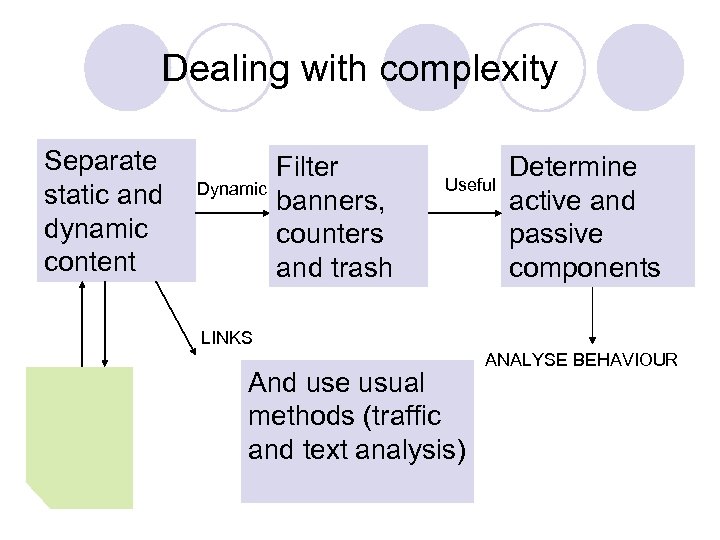
Dealing with complexity Separate static and dynamic content Dynamic Filter banners, counters and trash Useful Determine active and passive components LINKS And use usual methods (traffic and text analysis) ANALYSE BEHAVIOUR
Dealing with complexity 3 types of dynamics l Text (Most of components are of that type – can filter numbers) l Style (Life strip, progress bar. Get style parameters i. e length, width, thickness) l Picture (Enumerate pictures and operate with numbered set and finite states) Recognition tools such as Finereader DLLs are useful
Behavior. We play games Consider activity as a game l Buildings (they give us resources and reflect our state) l Resources (we spend and gain them) l Rules (dependency functions) l External influence ( other players actions) l Goals Have nearly all useful properties of the component accessible and automate our actions also in a nice way – just specify rules of the game
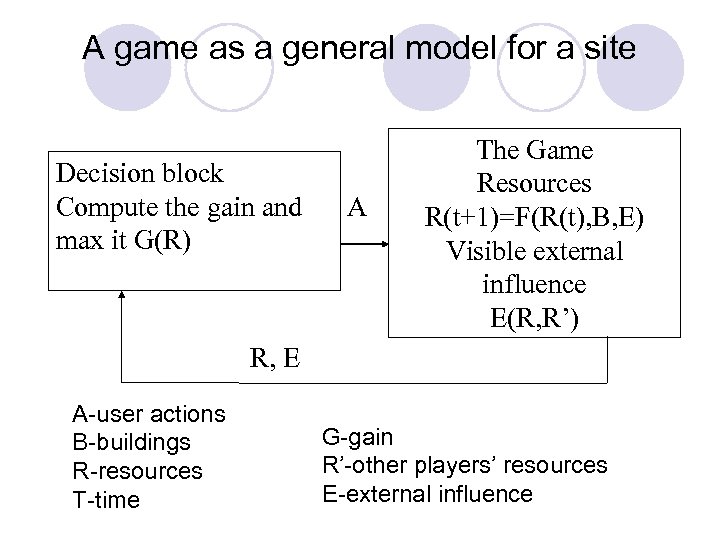
A game as a general model for a site Decision block Compute the gain and max it G(R) A The Game Resources R(t+1)=F(R(t), B, E) Visible external influence E(R, R’) R, E A-user actions B-buildings R-resources T-time G-gain R’-other players’ resources E-external influence
Analyze Behavior l Component parameters=Resources (use simpliest possible parameter) l Measurable states=Buildings (in games buildings are buildings) l Perform actions in a natural way – as a user does. Keyboard and mouse control. Determine components and regions by clicking, typing and analyzing results(traffic). l Monte-Carlo method – try everything and see what happens
Analyze Behavior Do nothing for some time and see what changes. Compute gain and make decision: if nothing changes or gain decreases –do some action, if gain increases do nothing for some time. l Do some action. Compute gain. Wait. Compute change in time and make decision: if nothing changes or gain decreases –do some action, if gain increases do nothing for some time. l
Main features l l l Separate static and dynamic content Use only natural user environment – that means HTTP protocol Have some feedback mechanism In dynamic content distinguish resources and action controls Provide some mathematical models for modeling function F Determine parameters of the model in a test series.
Useful implementations l Online games (Travian – browser strategy) Learnt simple building strategies. Used maximized resources function. l Online broadcasts (Smotri. com, Kroxa. net) Separated dynamic content – created a summary website with interesting broadcasts only (determined by peers and section) PHP CURL MYSQL C# Win. API
Скачать презентацию Dynamic web-components and web environment behavior analysis St
3f4b2458b370d36318c4feaea28c7ecb.ppt