


 Скачать презентацию Dynamic Form and Workflow for Change Control with
2c33a64a0c0ce45838dd1abacebc9282.ppt
- Количество слайдов: 57
 Dynamic Form and Workflow for Change Control with Activiti
 Agenda • Business Issues of Document and Change Control • Electronic Route and Review – Unique Workflow Requirements • System Demonstration – Alfresco, Activiti, TSG Active. Wizard and High Performance Interface • Unique Development Challenges with Alfresco and Activiti
 Change Control – Part of Document Control - Types of Documents • Standard Operating Procedures • Policies • Procedures • Test Methods • Submission Documents • Engineering Drawings • Specifications • Calculations • Design Documents • Promotional Docs • Others…
 Components of Document Control • Use of Templates (Mostly Word) • Consistent Document Properties • Required Values • Value assistance and cascading value assistance • Generate Document Naming based on properties • Could integrate with external systems (SAP)
 Versioning – Common Rules for Document Control • . X vs. 0 • All published/final versions should be. 0 • Approved/Effective/Superseded/Obsolete • All draft version should be. X • Importing/Create New creates 0. 1 document • Subsequent checkouts behave the same (. X) • Only system activities (workflow approval) promote from. X to. 0 • Delete. X versions when document is approved
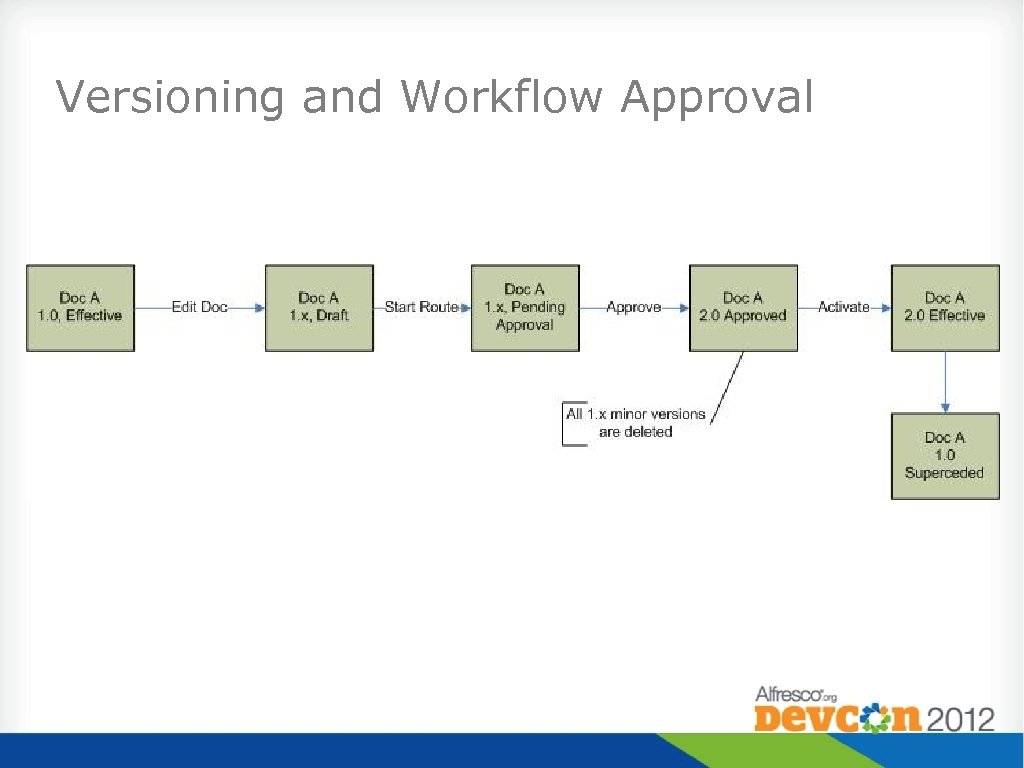 Versioning and Workflow Approval
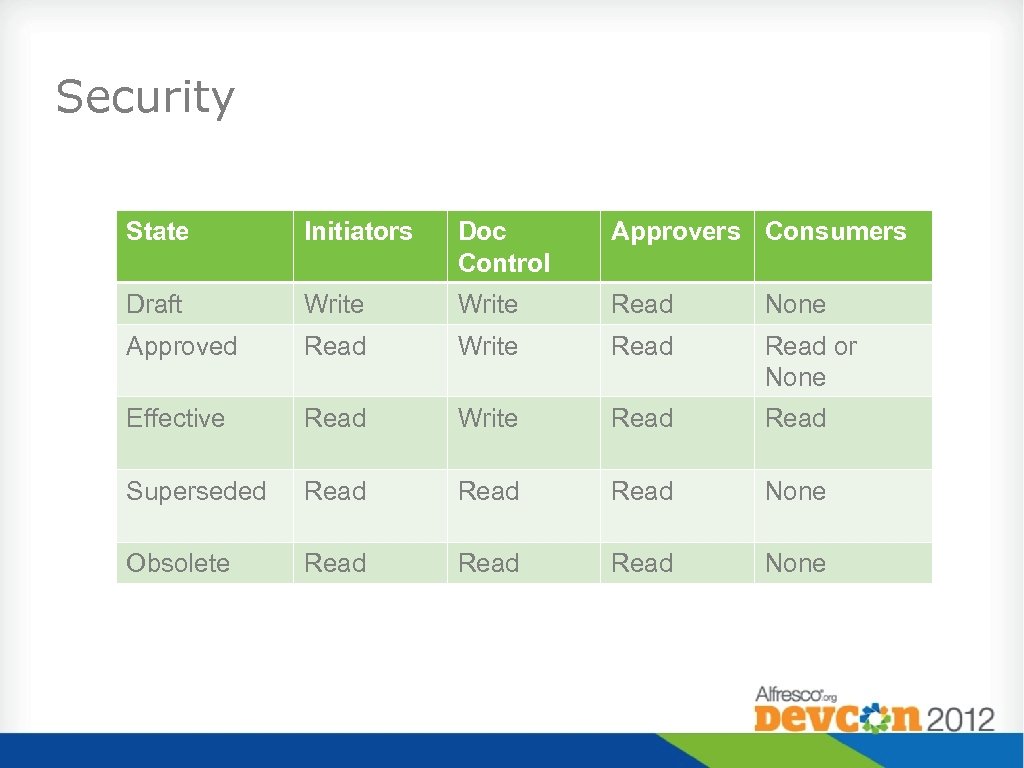 Security State Initiators Doc Control Approvers Consumers Draft Write Read None Approved Read Write Read or None Effective Read Write Read Superseded Read None Obsolete Read None
 Search • Struggle with consumer “system acceptance” • Full featured system too confusing • Requires too much training • Does not return results fast enough • Trend to develop an interface for the consumer • Simple and easy to train • Only show what they can see • Simple security model • Other users in the system want to use it
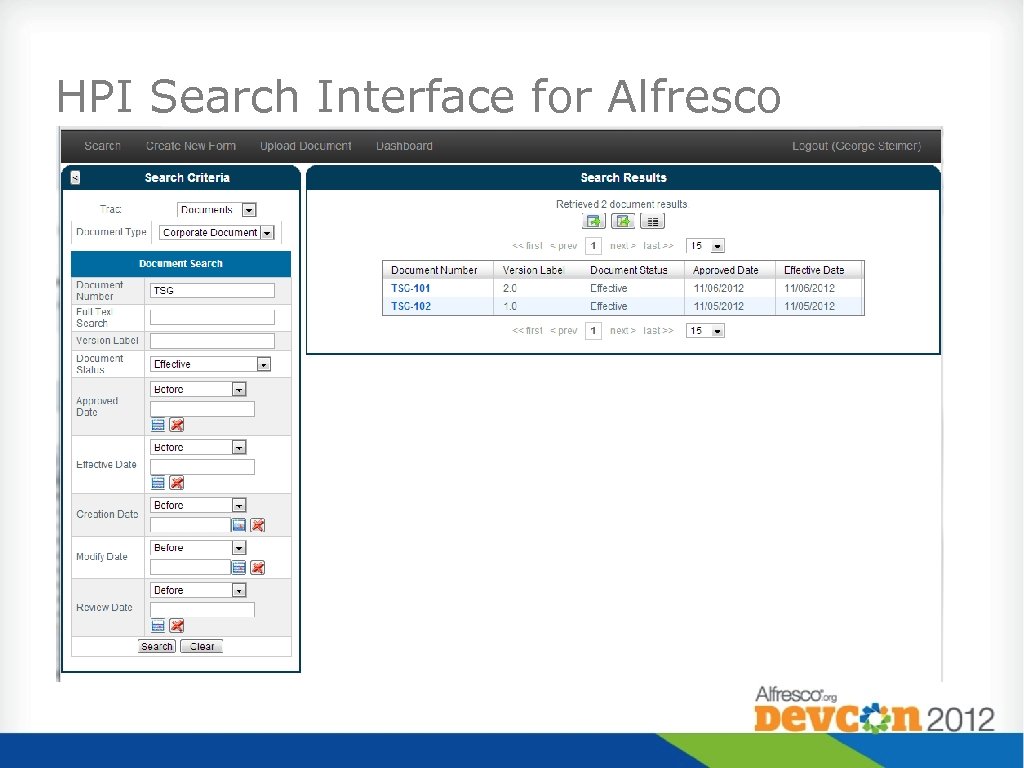 HPI Search Interface for Alfresco
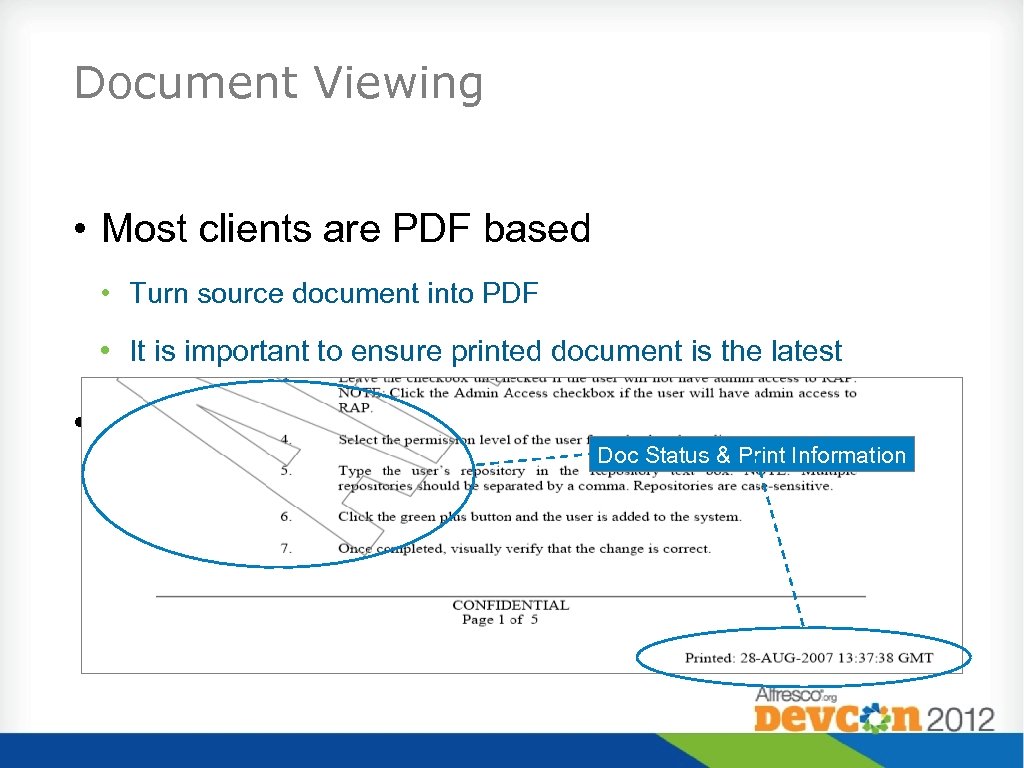 Document Viewing • Most clients are PDF based • Turn source document into PDF • It is important to ensure printed document is the latest • Many “overlay” information on document Doc Status & Print Information • Document Status, Effectivity and Print Information
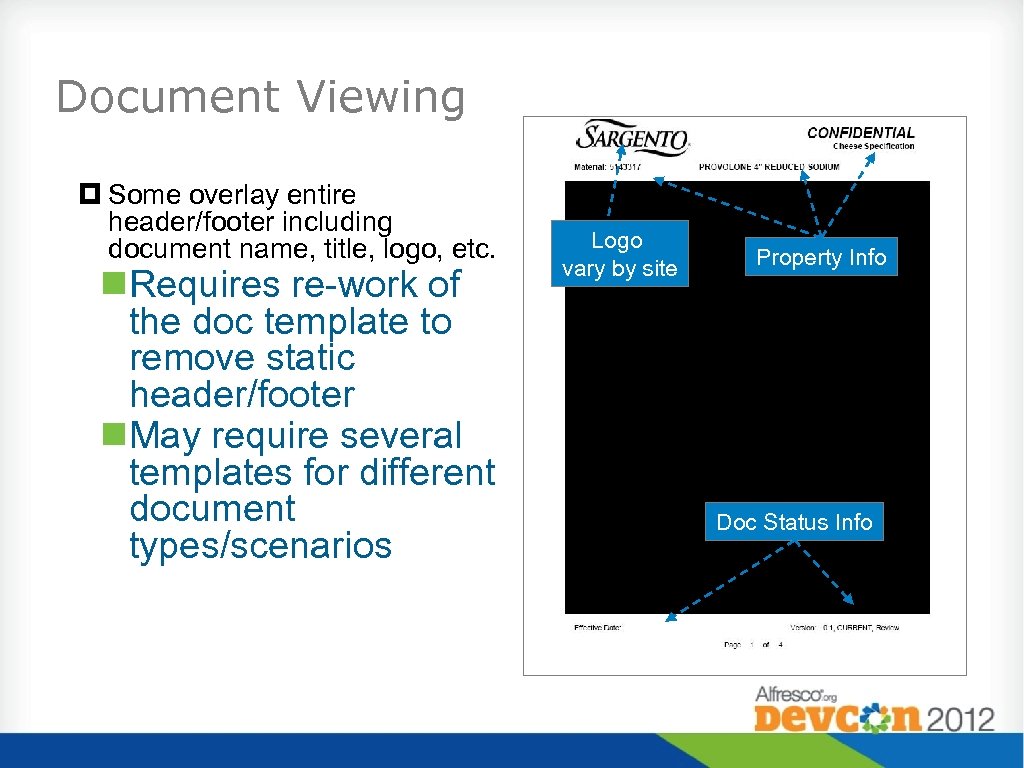 Document Viewing Some overlay entire header/footer including document name, title, logo, etc. Requires re-work of the doc template to remove static header/footer May require several templates for different document types/scenarios Logo vary by site Property Info Doc Status Info
 What is a Change Request (CR) or Change Order (CO)? • • Typically a very complex form or series of forms Completed to initiate a change to a document or process Needs to identify changes to other related Documents Needs to be signed off by people responsible for the change
 Example of a Change Request • Pharmaceutical company changes cap on bottle due to leakage • Identify documents affected • • • Purchase Specification, Bill of Materials, Packaging Instructions, other documents (per product – additional changes to documents for other products) Write up instructions, dates and other information for implementing the change Need to route the change to people/functional areas charged with responsibility of approving change
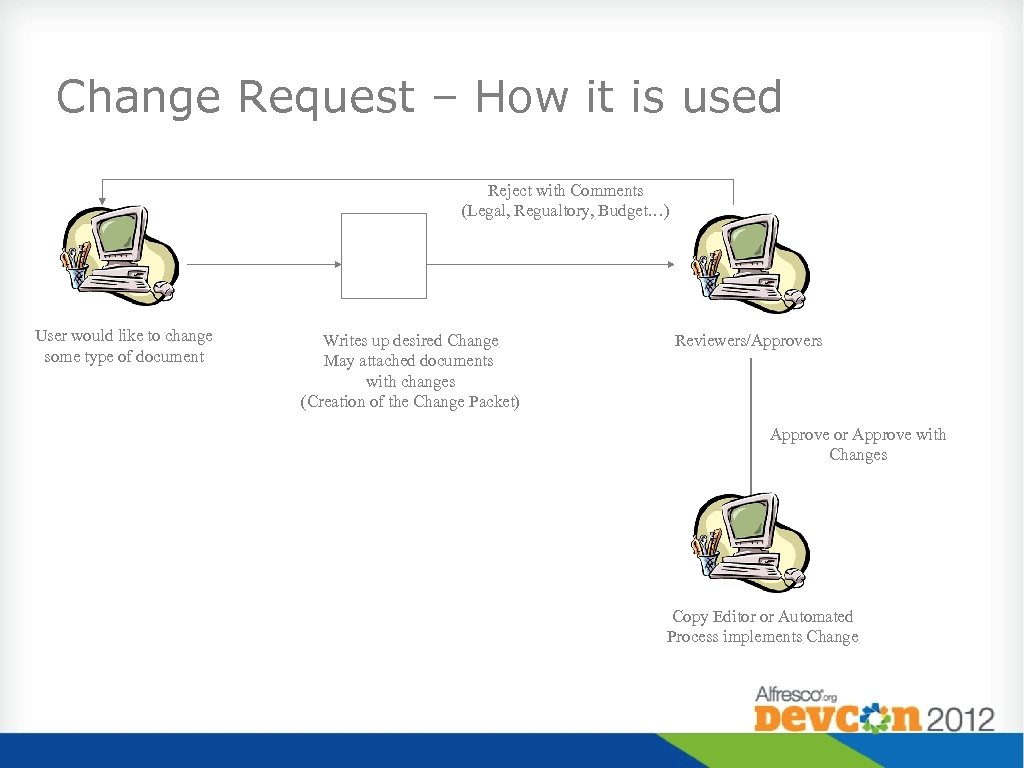 Change Request – How it is used Reject with Comments (Legal, Regualtory, Budget…) User would like to change some type of document Writes up desired Change May attached documents with changes (Creation of the Change Packet) Reviewers/Approvers Approve or Approve with Changes Copy Editor or Automated Process implements Change
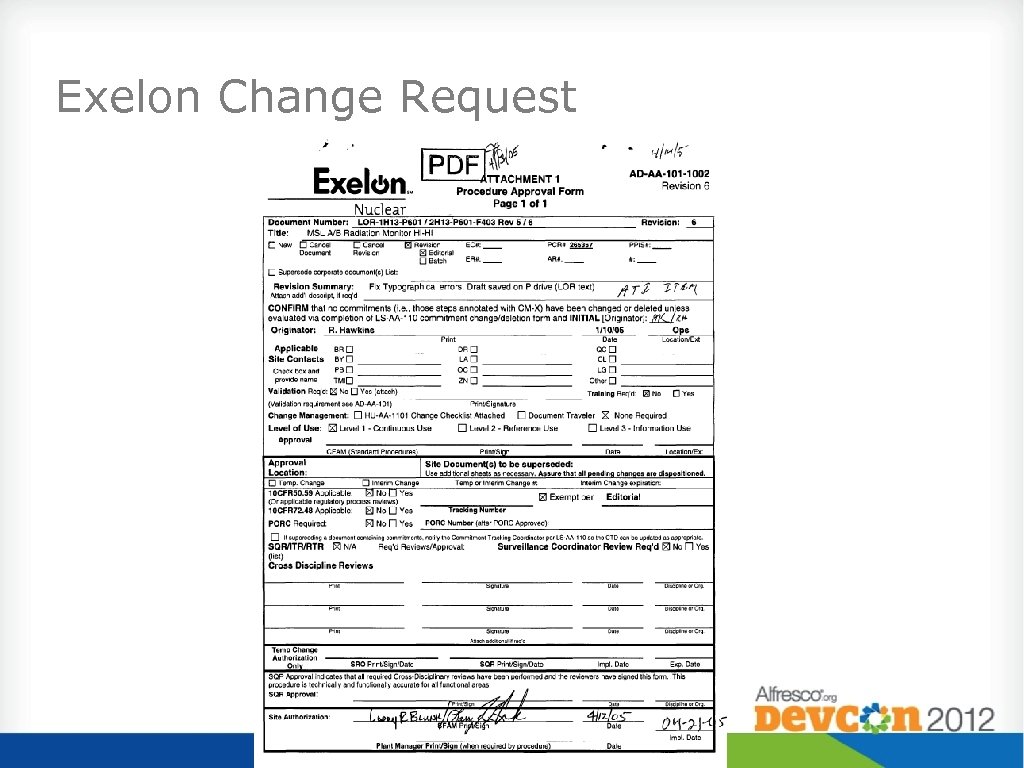 Exelon Change Request
 Document Change Best Practices • Mass Change • Approve and activate multiple related documents simultaneously. (makes sure related documents have the same effectivity date). • Allow one signature to change an unlimited number of documents for the same change. • • Reduces time of voluminous individual document changes. Idea of “Change Packet” that includes: • Change Request Form • Changing Controlled Documents • Supporting Documents
 Complex Business Process • Changes Often and Quickly • Approvals, Data Capture Points, Outputs… • Should allow business user to add changes quickly • While it would benefit from some structure, impossible to put into a complete structured process due to nature of changes
 Complexity of Workflow • Creation • Many Workflow templates or one template needs to handle many scenarios • Workflow template creation requires IT • Workflow process doesn’t always adapt with business changes • Approval • Not always intuitive and can be complex • Too many approvers/reviewers involved
 Change Request – Workflow Challenges • How do I fill out form? • Complex Form for multiple situations • Who needs to approve? • Where is the form at in the process? • Frequent form changes • Solution • Build on a configurable framework to enable changes to business logic without revalidation • Simplify the form completion and approval process
 Change Request - Configurable Form • A “Forms Wizard” to Complete the Form (similar to Turbo. Tax) • System will generate the form when finished • System makes sure correct fields populated • Simplified user interface to reduce training and improve data entry • Form data could drive impacted documents • Form data could drive approval requirements
 System Goals: Author’s Knowledge • Knowledge of related documents would be built into system (Impact Analysis) • Questions would identify additional questions as well as impacted documents • Users could administer all questions and impact to allow system to adapt over time
 System Goals: Signature Reduction • Knowledge of Signature Approvals are built into the system • Questions would identify additional signatures required • Users could administer all questions and signatures to allow system to adapt over time
 Workflow Best Practices - Complexity • To address complexity – make workflow process simpler • Reduce number of user decisions • Build intelligence in the system rather than in the user • Allow workflow to change and adapt easily with business process without having to have the user change and adapt
 Workflow Best Practices - Approval • Make it easier for the user so that they adopt it (like email) • Reduced complexity • More intuitive interface for initiating and approving • Limit user decisions to business decisions (approve/reject/delegate) rather than workflow/template decisions (forward? )
 Workflow Best Practices • Simplify Workflow Creation • Form Driven Workflow • People Driven Workflow • Dynamic – Rules Based Workflow • Simplify Workflow Approval • Inbox • Approval
 System Goal: Validation Impacts • System should be USER configurable • Dynamic Ability to react to business changes • Minimize re-validation efforts associated with coding changes by allowing for system configuration.
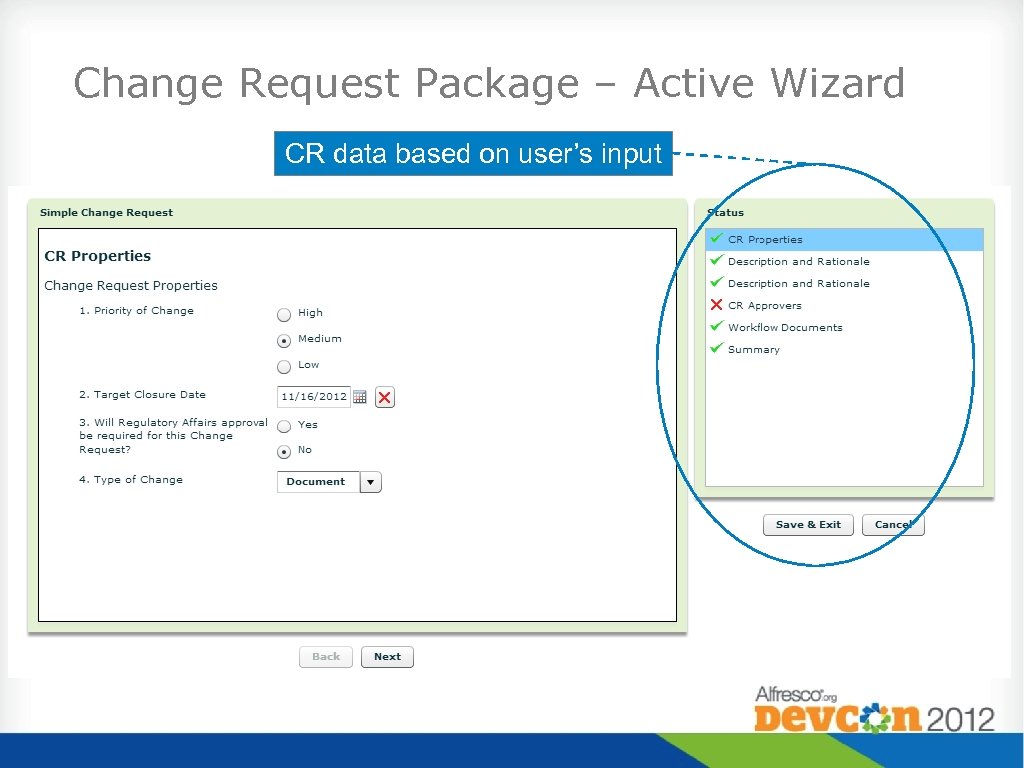 Change Request Package – Active Wizard CR data based on user’s input
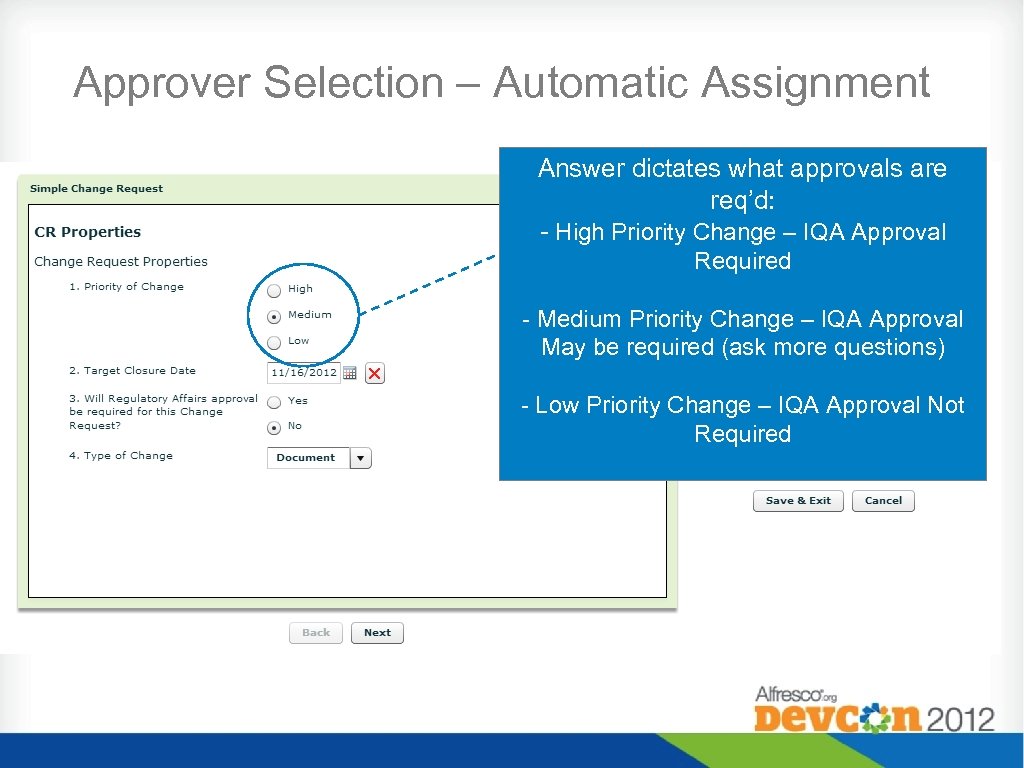 Approver Selection – Automatic Assignment Answer dictates what approvals are req’d: - High Priority Change – IQA Approval Required - Medium Priority Change – IQA Approval May be required (ask more questions) - Low Priority Change – IQA Approval Not Required
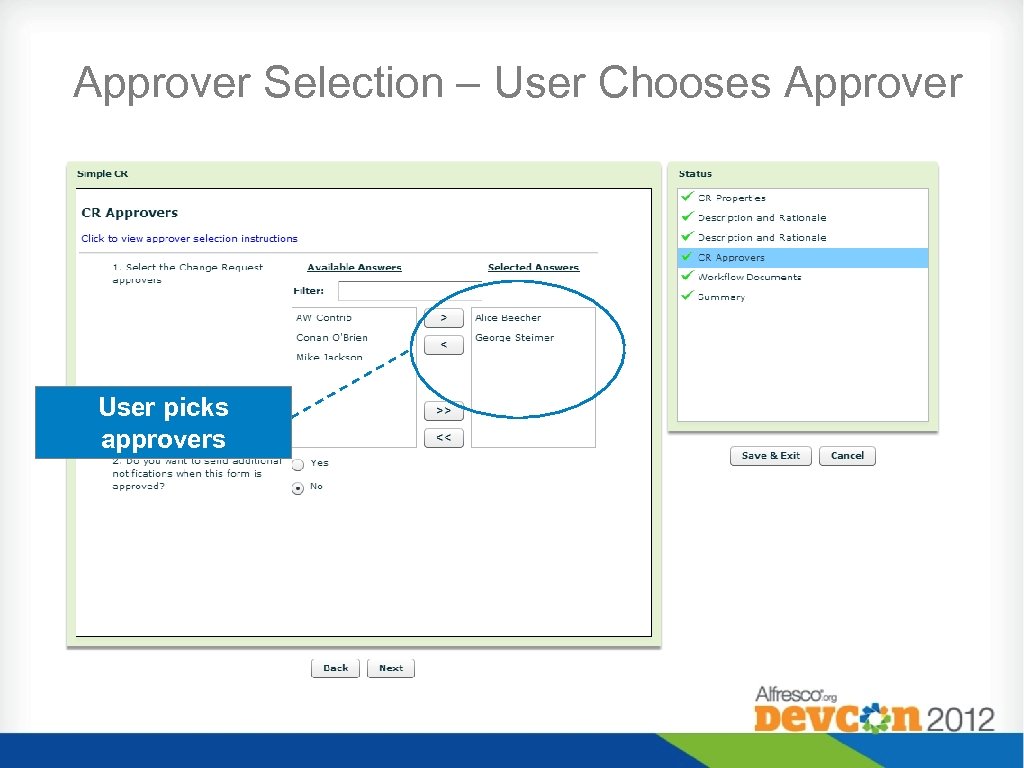 Approver Selection – User Chooses Approver User picks approvers
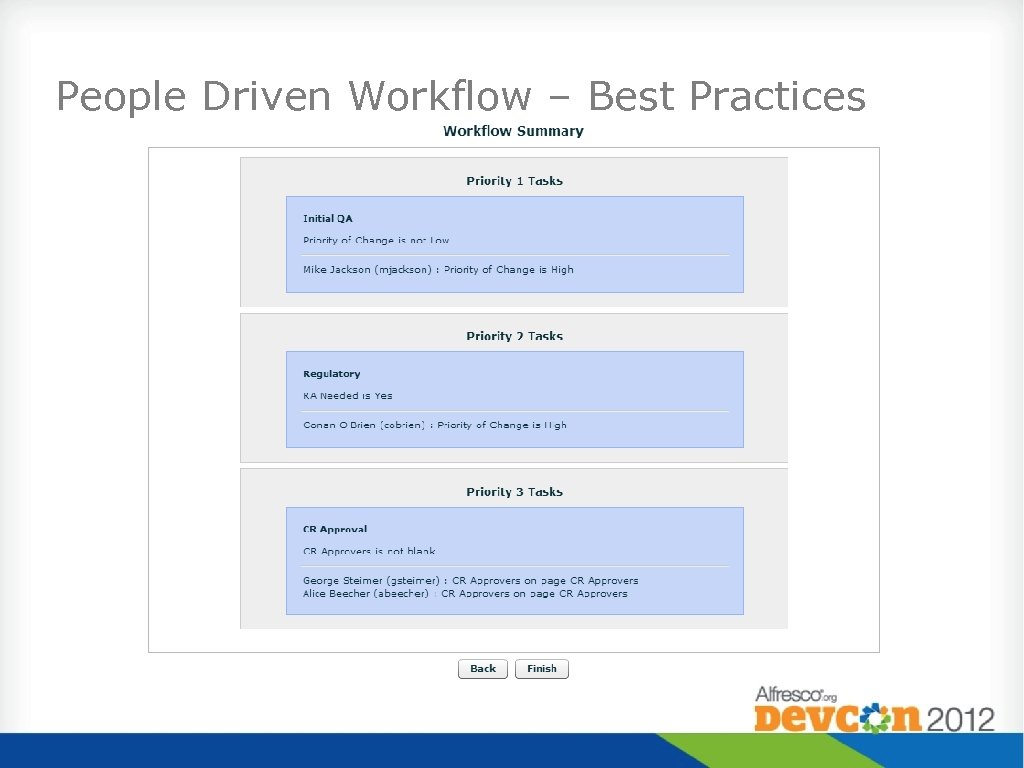 People Driven Workflow – Best Practices
 Review Process • Facilitating Review • Route for Review workflow • Factored into approval workflow • Assignment of Reviewers • Many just pick the reviewers • Intelligent selection • Providing feedback varied • Annotations • Workflow comments
 Approval Process • Approver Selection • User picks approvers • System picks approvers • Combination of both • Common Approval Practices • Routing one or more documents and/or Change Request for approval • Capturing of signatures and meaning of signature varied depending on business process • Selective approval of attached documents
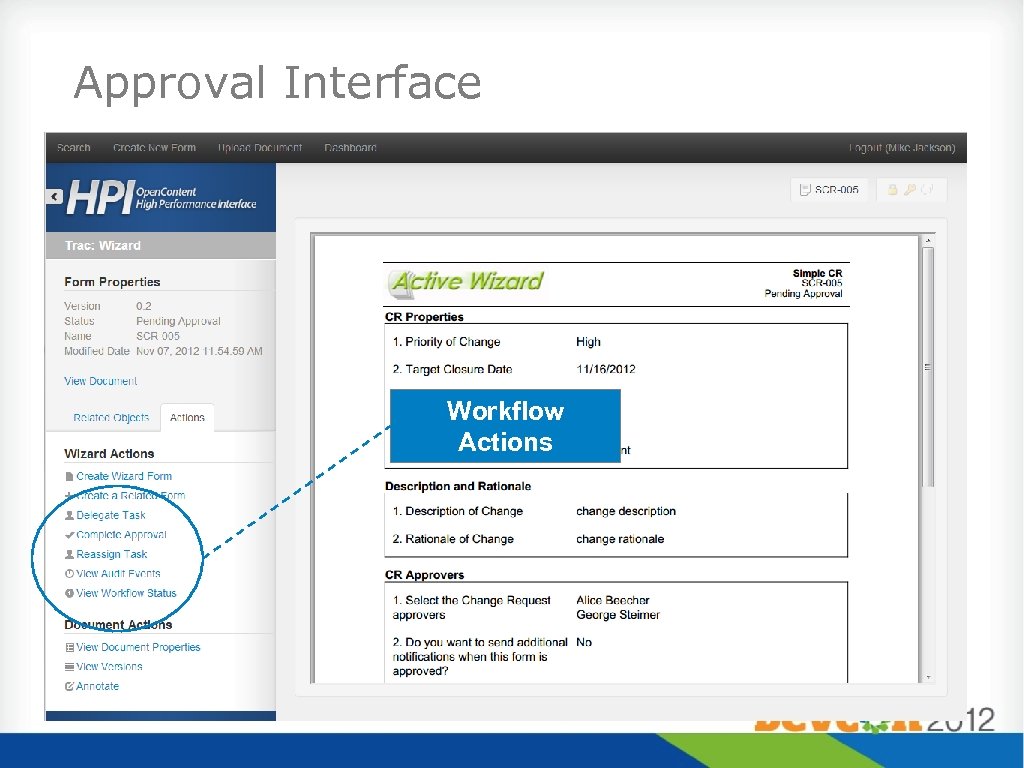 Approval Interface Workflow Actions
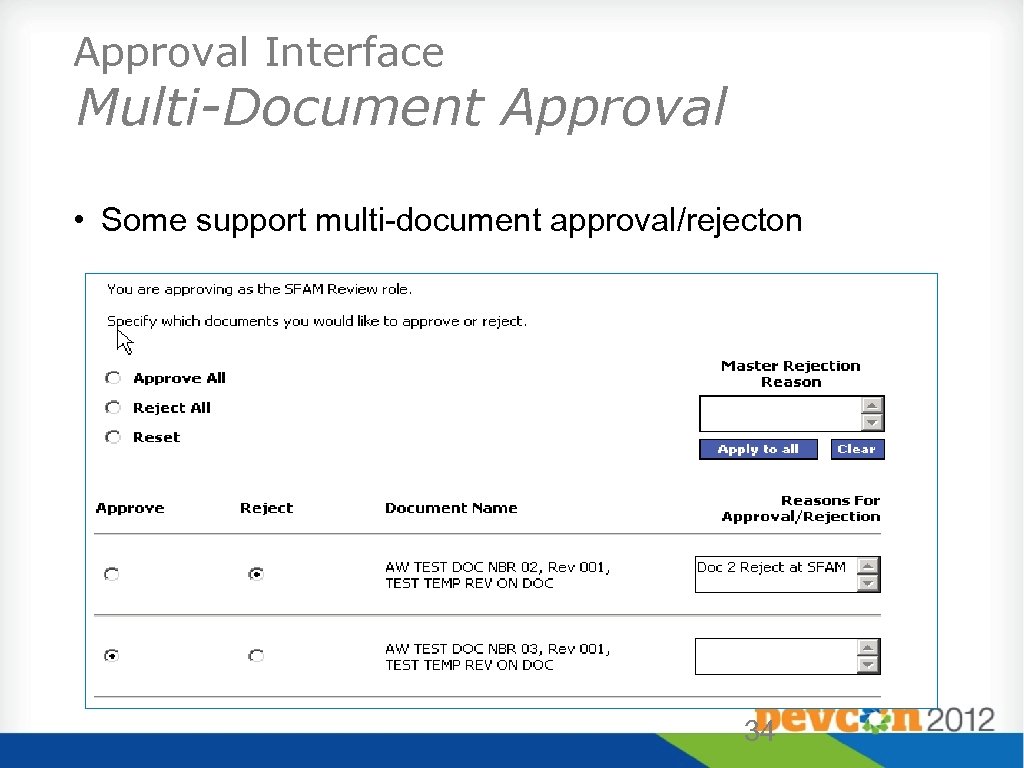 Approval Interface Multi-Document Approval • Some support multi-document approval/rejecton 34
 DEMO
DEMO
 Document Lifecycle – Aspect Based Security • Lifecycle: an ordered set of states a document will move through, where each state has pre-determined meta-data, security and business rules associated with it. • Implemented through the use of aspects. • Example: Draft Aspect triggers behavior that sets security, status to Draft, and any other custom business logic. • Consolidate code, allow for managing of lifecycle through different means. (Workflow, Share, Custom UI)
 Dynamic Workflow and Activiti • Using a dynamic form brings up interesting workflow requirements: • Handle infinite number of workflow possibilities. Form rules can dictate any number of workflow tasks in any configuration (parallel vs. serial) • Handle business rule changes without modifying template. Examples: • Add or remove workflow step • Make a serial process parallel or vice versa
 Dynamic Workflow and Activiti • In the past on other platforms, we’ve done this by generating a new workflow template on the fly based on the tripped rules • Pro: It works. • Cons: New template each time limits reporting capabilities, a lot of code to maintain. • Activiti makes this process much simpler • Main workflow process defines the overall structure. • Sub process is dynamically run inside the template to facilitate workflow based on tripped rules.
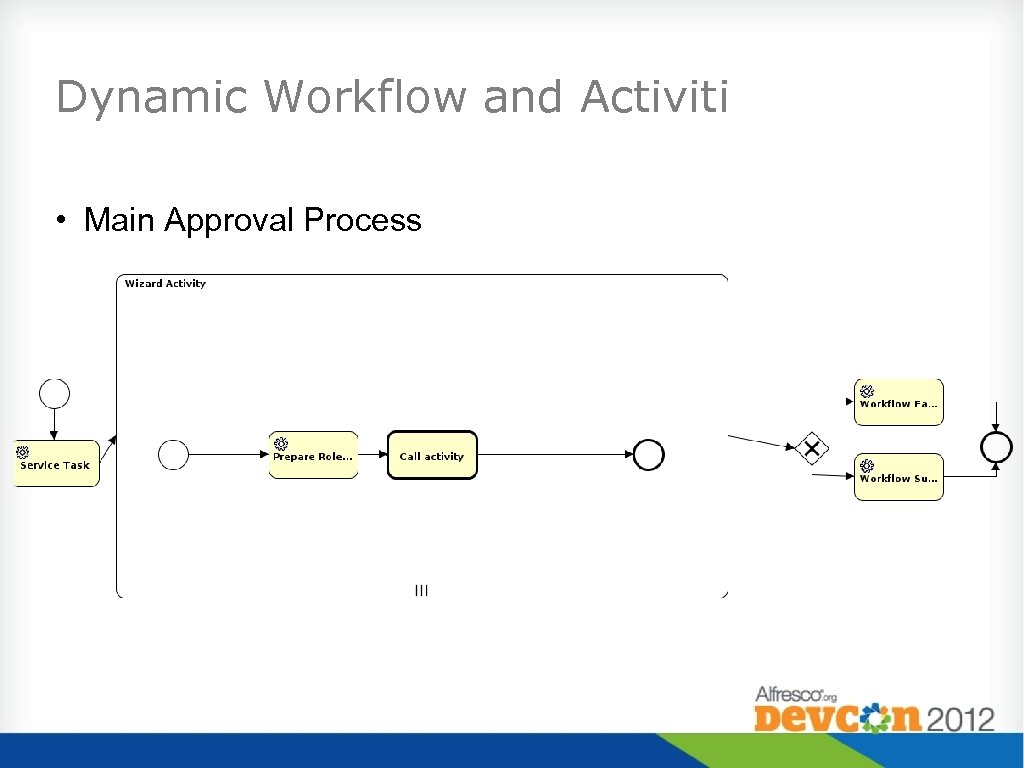 Dynamic Workflow and Activiti • Main Approval Process
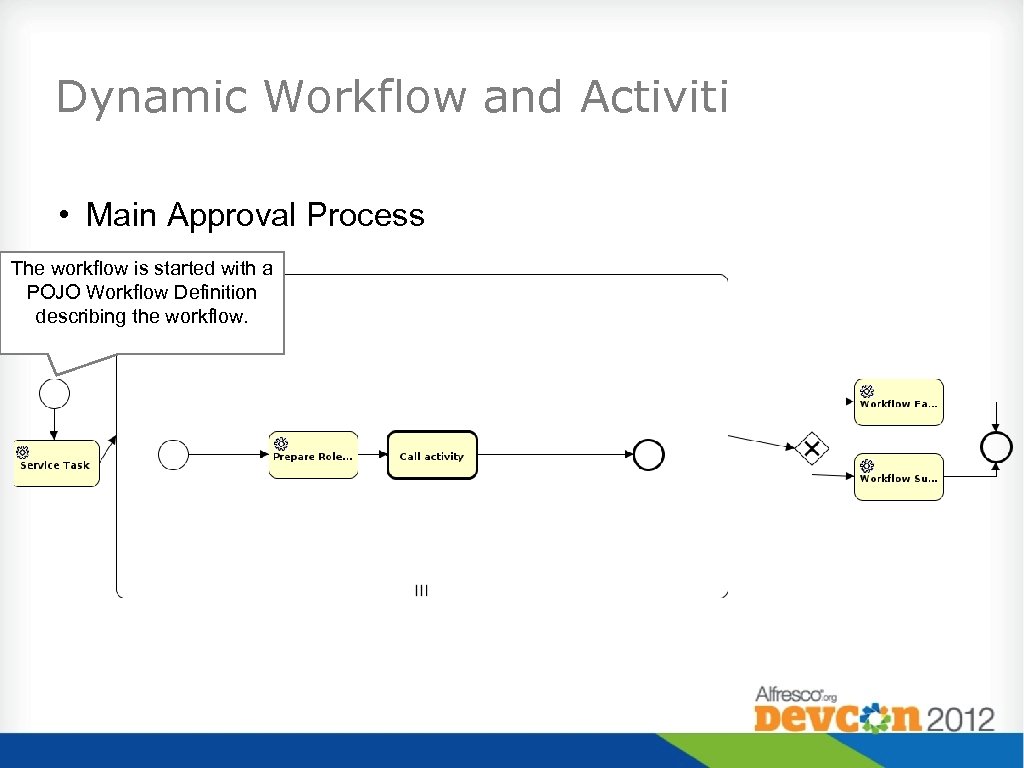 Dynamic Workflow and Activiti • Main Approval Process The workflow is started with a POJO Workflow Definition describing the workflow.
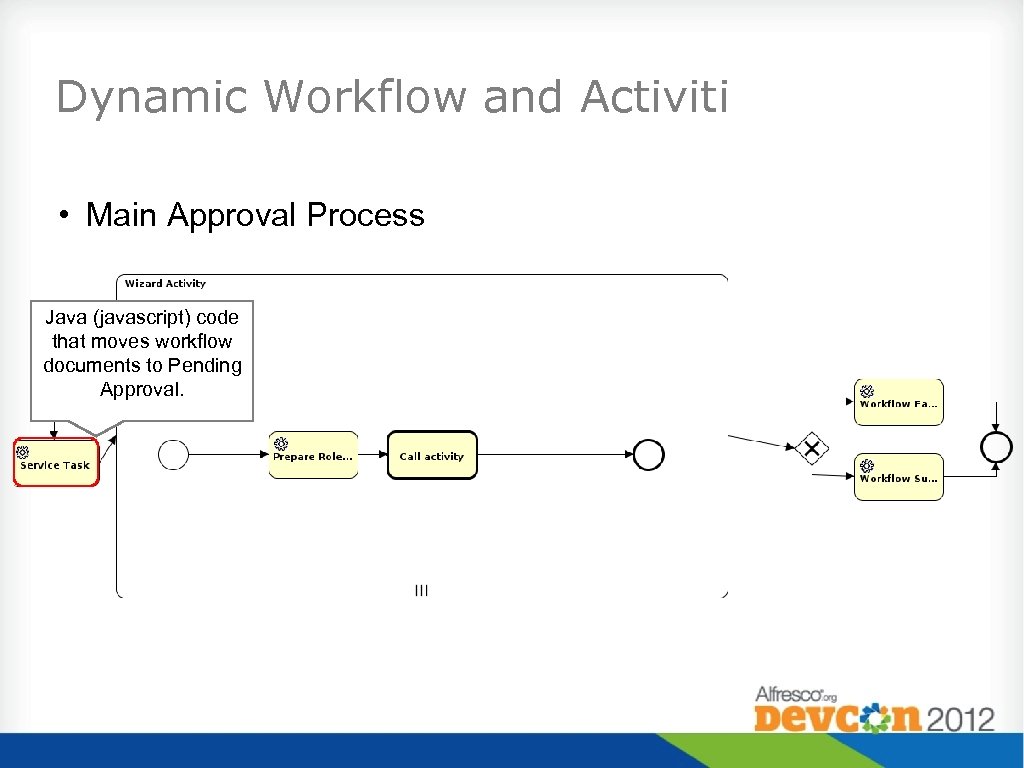 Dynamic Workflow and Activiti • Main Approval Process Java (javascript) code that moves workflow documents to Pending Approval.
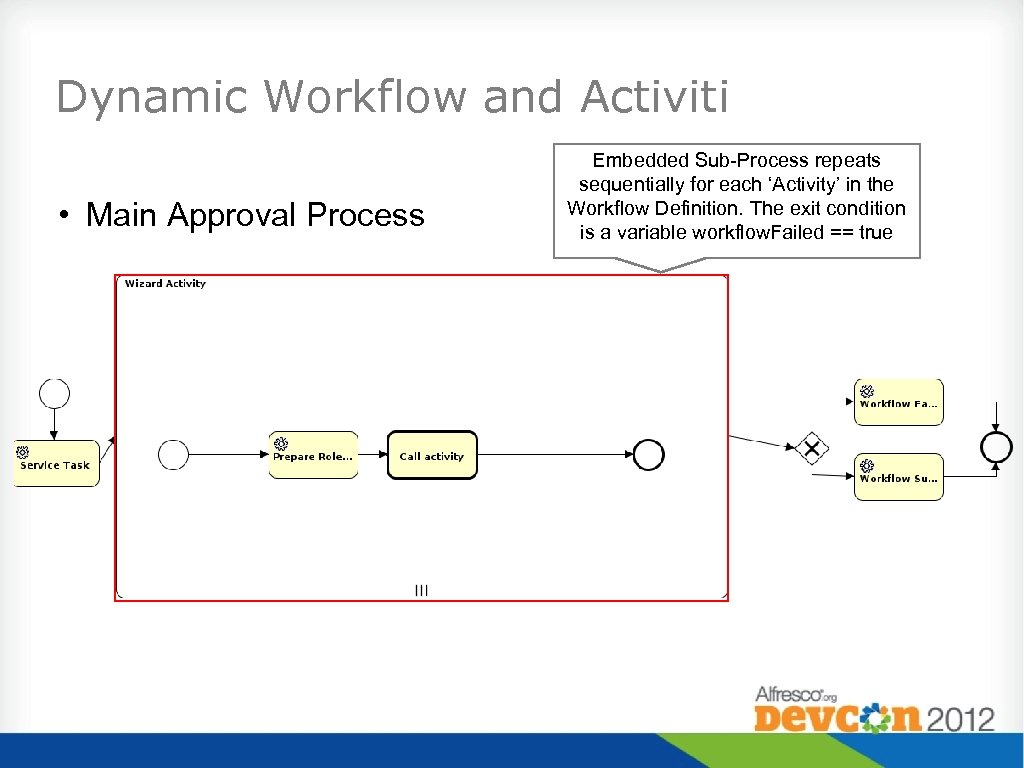 Dynamic Workflow and Activiti • Main Approval Process Embedded Sub-Process repeats sequentially for each ‘Activity’ in the Workflow Definition. The exit condition is a variable workflow. Failed == true
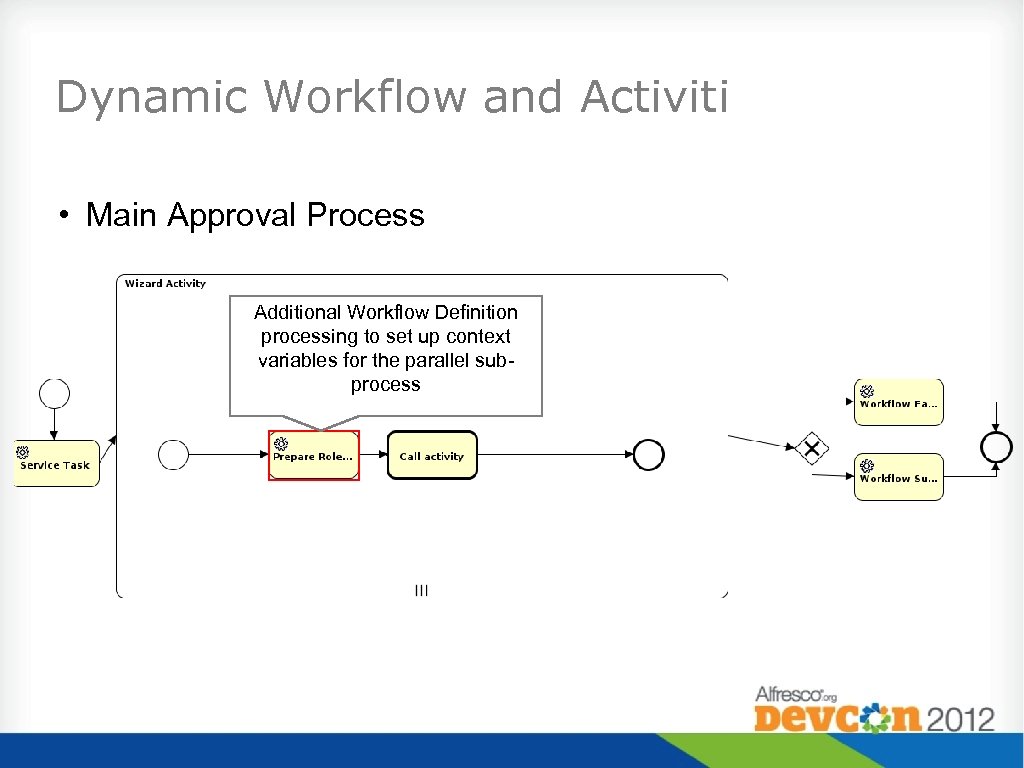 Dynamic Workflow and Activiti • Main Approval Process Additional Workflow Definition processing to set up context variables for the parallel subprocess
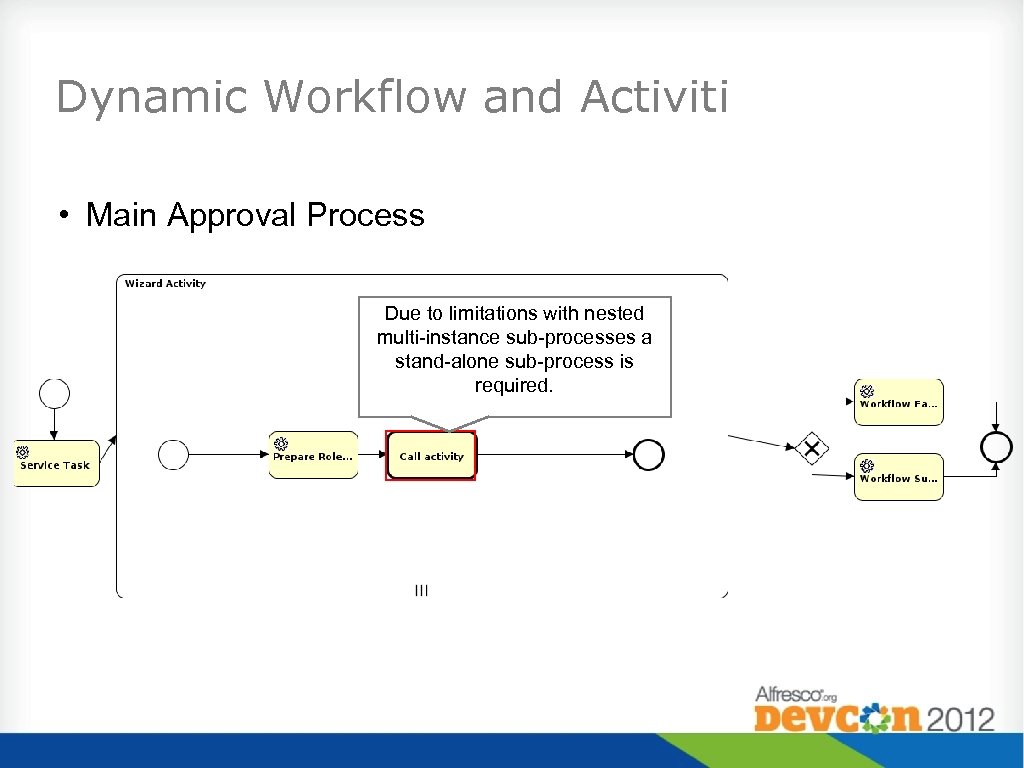 Dynamic Workflow and Activiti • Main Approval Process Due to limitations with nested multi-instance sub-processes a stand-alone sub-process is required.
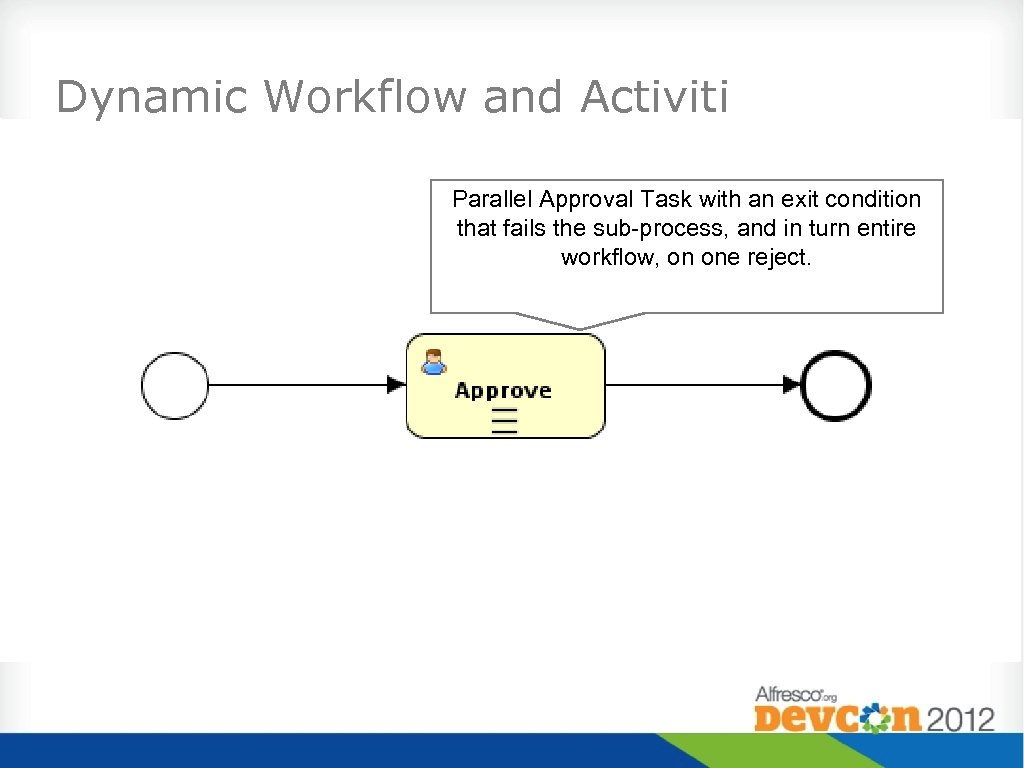 Dynamic Workflow and Activiti • Main Approval Process Parallel Approval Task with an exit condition that fails the sub-process, and in turn entire workflow, on one reject.
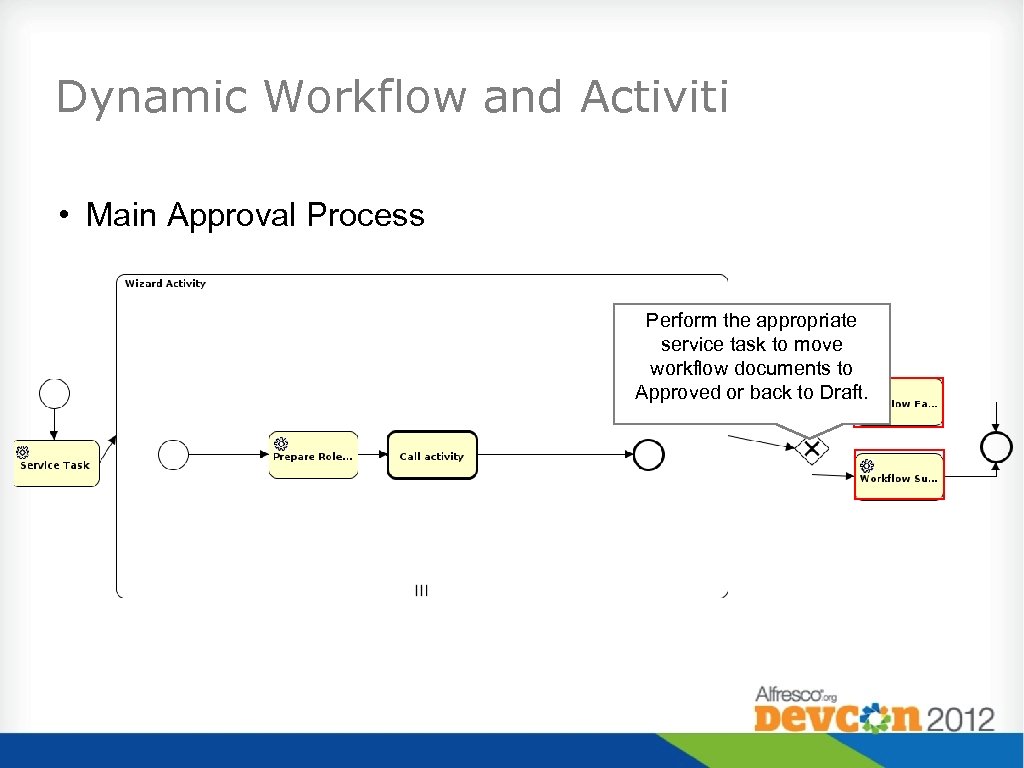 Dynamic Workflow and Activiti • Main Approval Process Perform the appropriate service task to move workflow documents to Approved or back to Draft.
 Versions and Security • Key concepts for versions in a controlled document system: • Different users have different access to versions of a document • Version 2. 0 Effective – Everyone can access • Version 2. 1 Draft – Only certain users can access • Alfresco only allows for one security ACL per node – how do we handle these requirements?
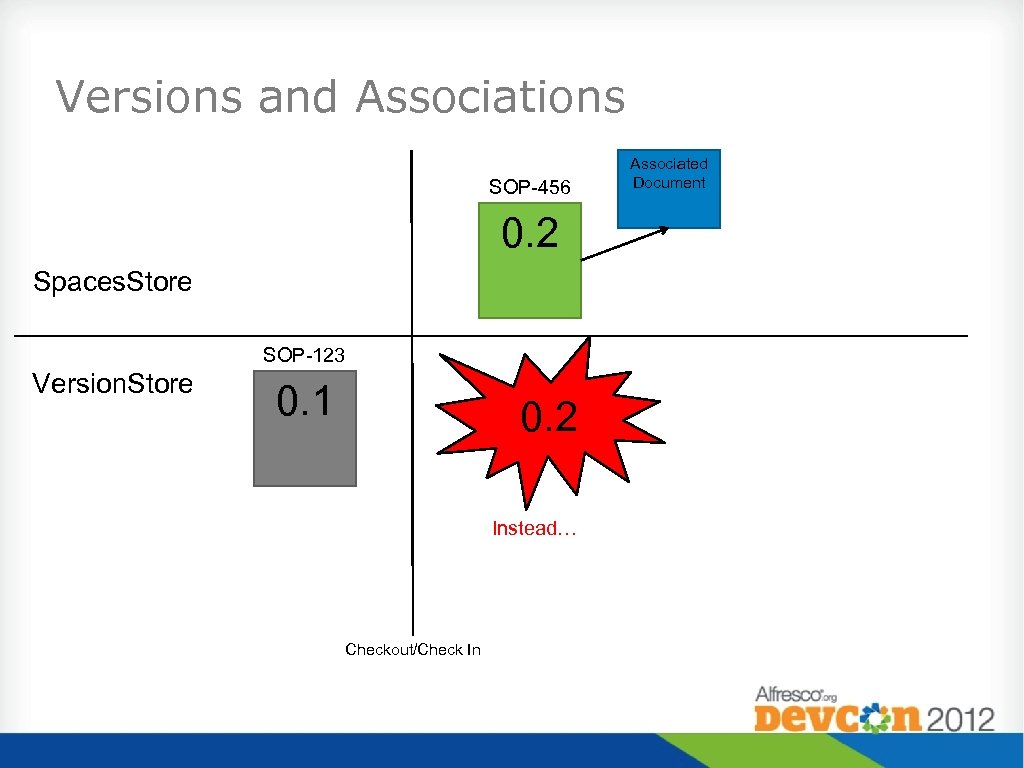
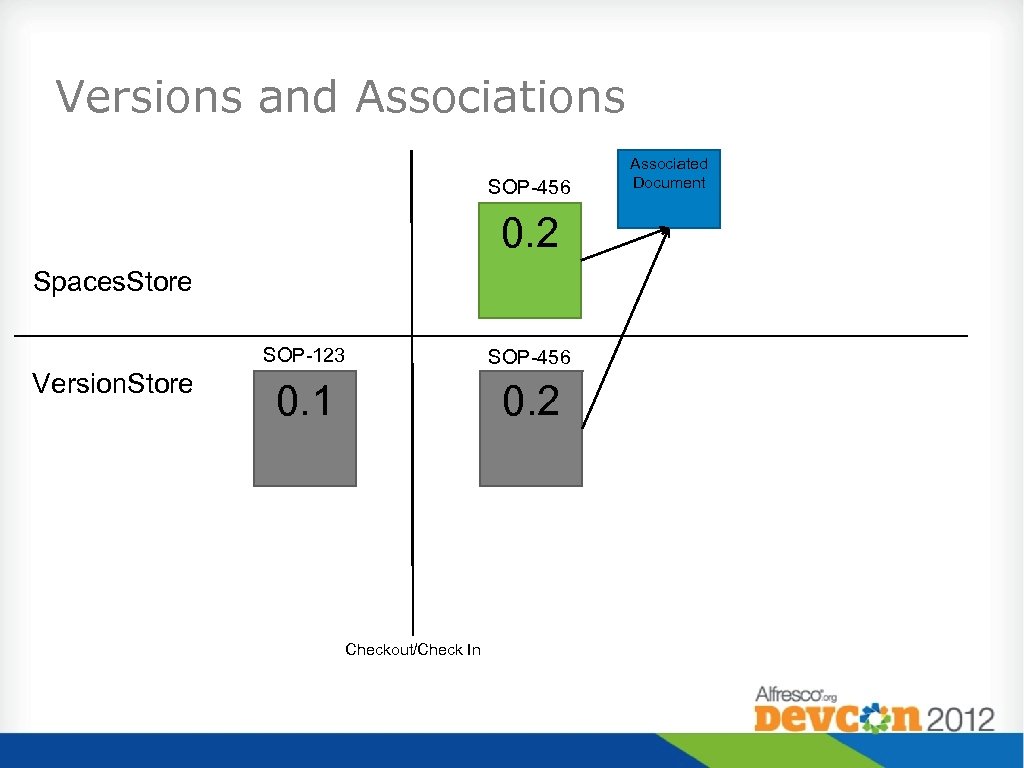
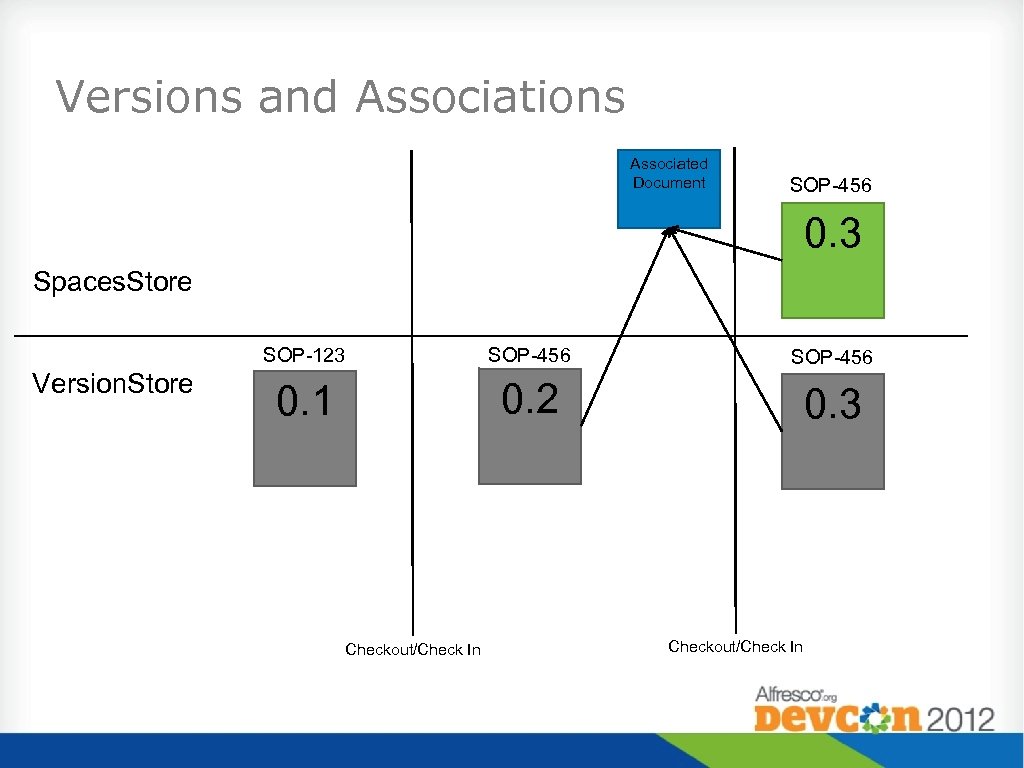
 Modifying the Current Version • Scenario: • Properties or associations modified on current version. • Issue: • Version already frozen in version Store. • Solution: • Delete and recreate version.
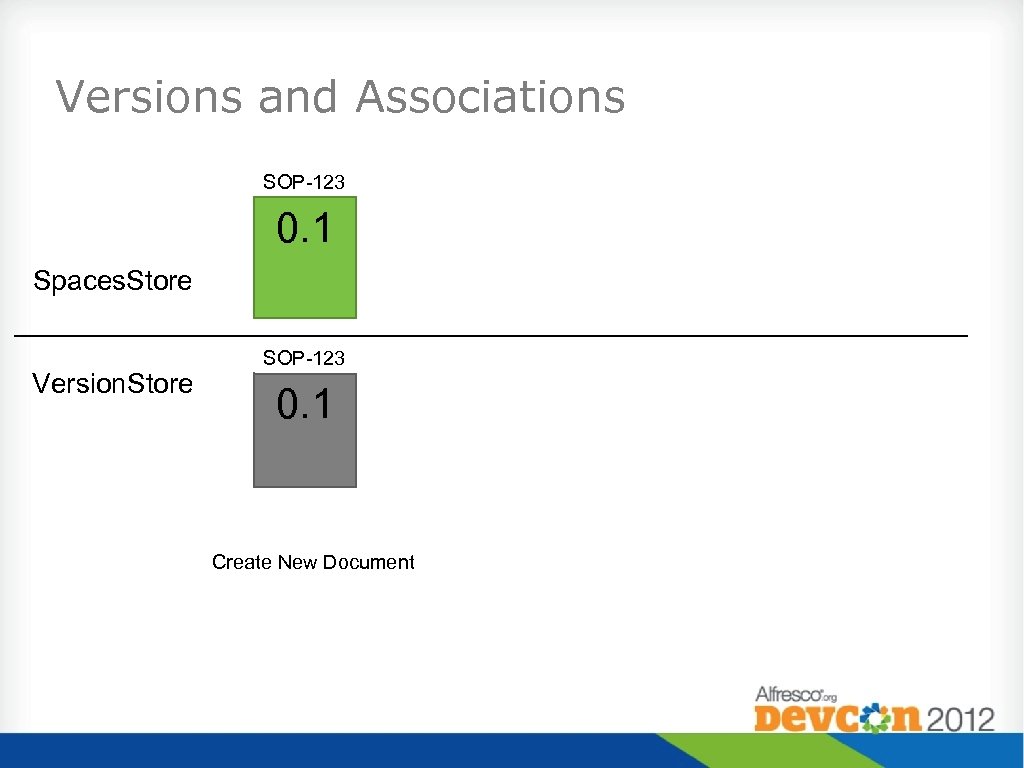 Versions and Associations SOP-123 0. 1 Spaces. Store Version. Store SOP-123 0. 1 Create New Document
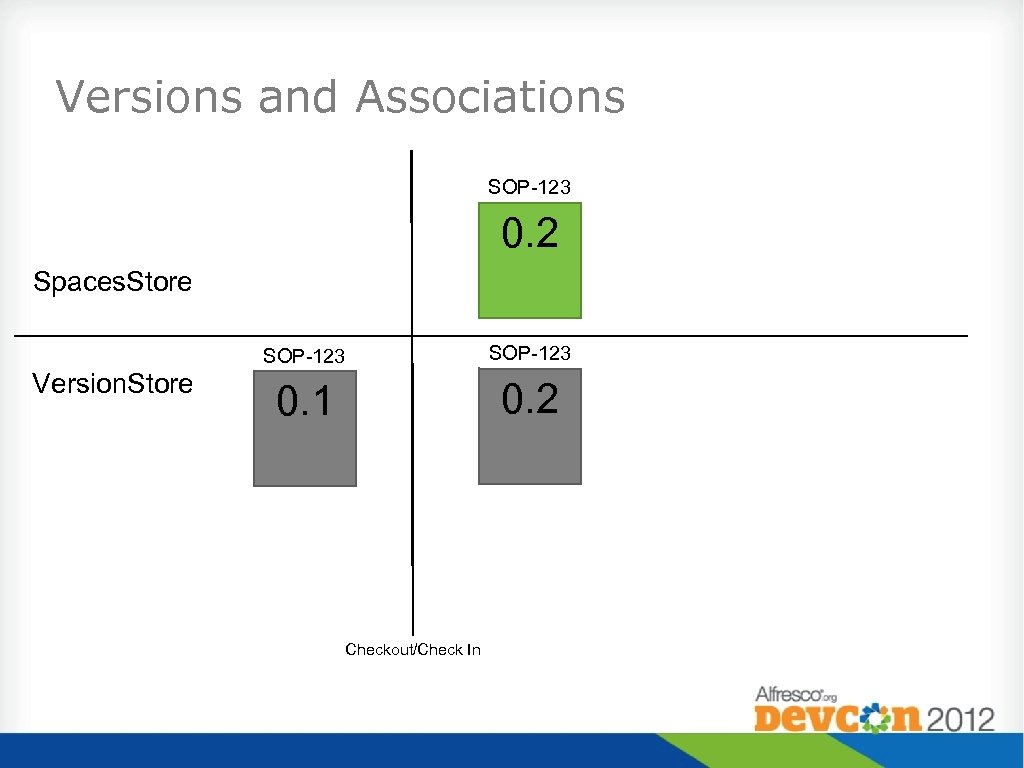 Versions and Associations SOP-123 0. 2 Spaces. Store SOP-123 Version. Store SOP-123 0. 1 0. 2 Checkout/Check In
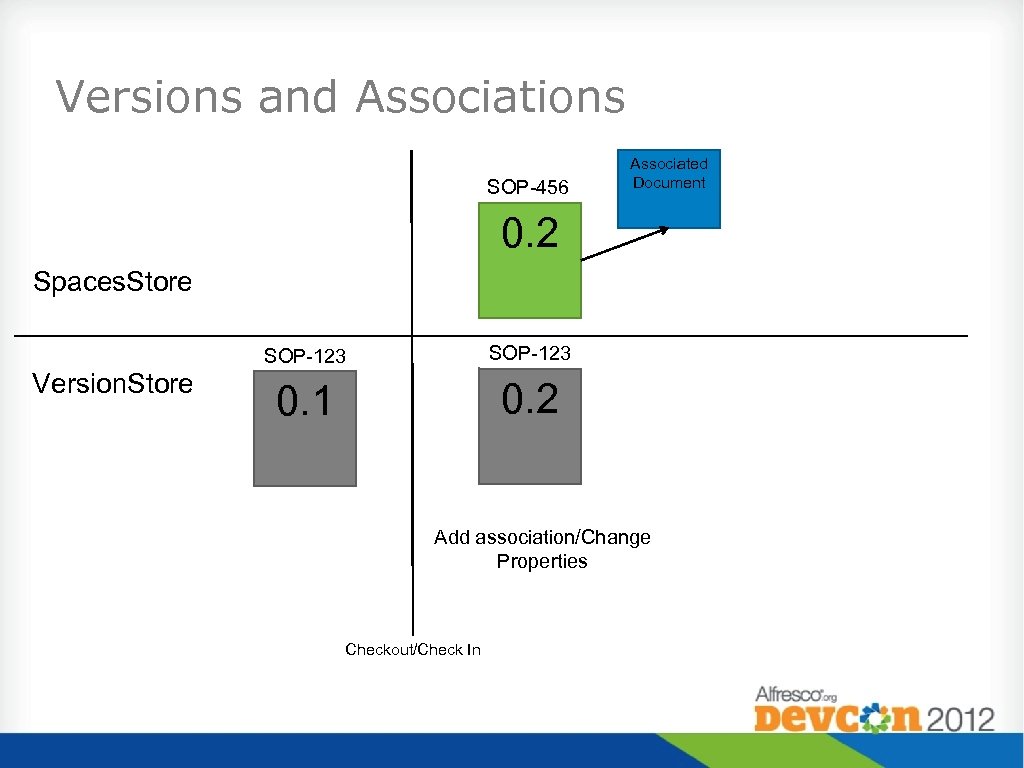 Versions and Associations SOP-456 Associated Document 0. 2 Spaces. Store SOP-123 Version. Store SOP-123 0. 1 0. 2 Add association/Change Properties Checkout/Check In
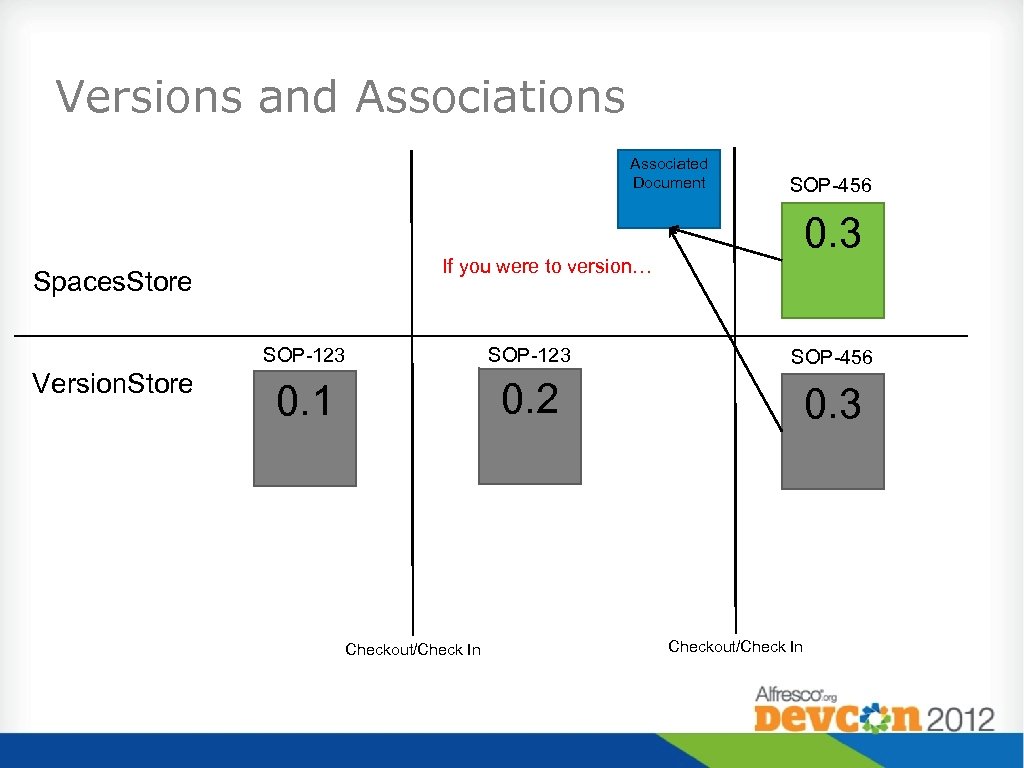 Versions and Associations Associated Document SOP-456 0. 3 If you were to version… Spaces. Store SOP-123 Version. Store SOP-123 SOP-456 0. 1 0. 2 0. 3 Checkout/Check In
 Versions and Associations SOP-456 0. 2 Spaces. Store SOP-123 Version. Store 0. 1 0. 2 Instead… Checkout/Check In Associated Document
 Versions and Associations SOP-456 0. 2 Spaces. Store SOP-123 Version. Store SOP-456 0. 1 0. 2 Checkout/Check In Associated Document
 Versions and Associations Associated Document SOP-456 0. 3 Spaces. Store SOP-123 Version. Store SOP-456 0. 1 0. 2 0. 3 Checkout/Check In
 PDF Renditions • Scenario: • PDF rendition must be associated to a specific version • Issue: New rendition can’t be generated after Check In. • Example: Signature added to document • Solution: • Store Rendition as content property. • Delete latest version and re-create using the embedded API.
 Questions?