 Скачать презентацию DSK 304 Using Application Compatibility Toolkit ACT 4
b9e041ba979dee6e435d6c985b32af36.ppt
- Количество слайдов: 51



DSK 304 Using Application Compatibility Toolkit (ACT) 4. 0 to Manage Application Compatibility on XP SP 2 and Server SP 1 Corey Hynes
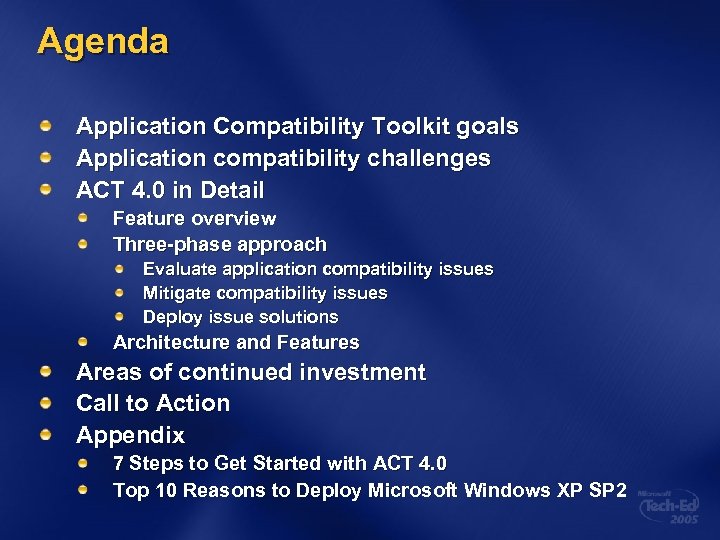
Agenda Application Compatibility Toolkit goals Application compatibility challenges ACT 4. 0 in Detail Feature overview Three-phase approach Evaluate application compatibility issues Mitigate compatibility issues Deploy issue solutions Architecture and Features Areas of continued investment Call to Action Appendix 7 Steps to Get Started with ACT 4. 0 Top 10 Reasons to Deploy Microsoft Windows XP SP 2
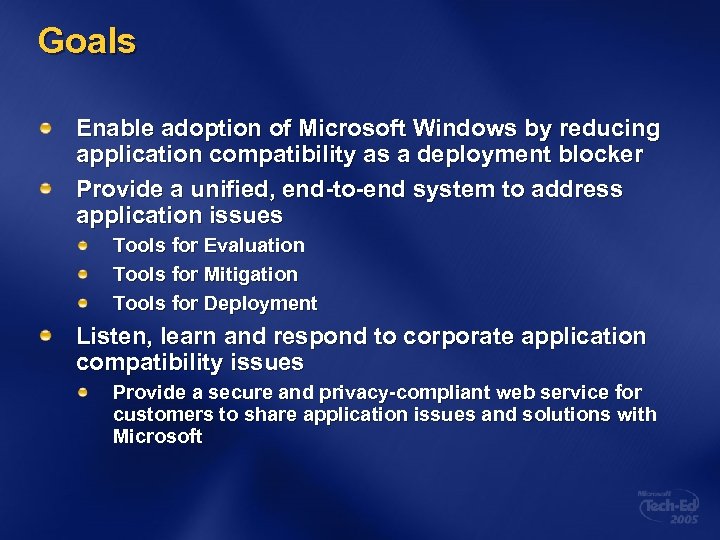
Goals Enable adoption of Microsoft Windows by reducing application compatibility as a deployment blocker Provide a unified, end-to-end system to address application issues Tools for Evaluation Tools for Mitigation Tools for Deployment Listen, learn and respond to corporate application compatibility issues Provide a secure and privacy-compliant web service for customers to share application issues and solutions with Microsoft
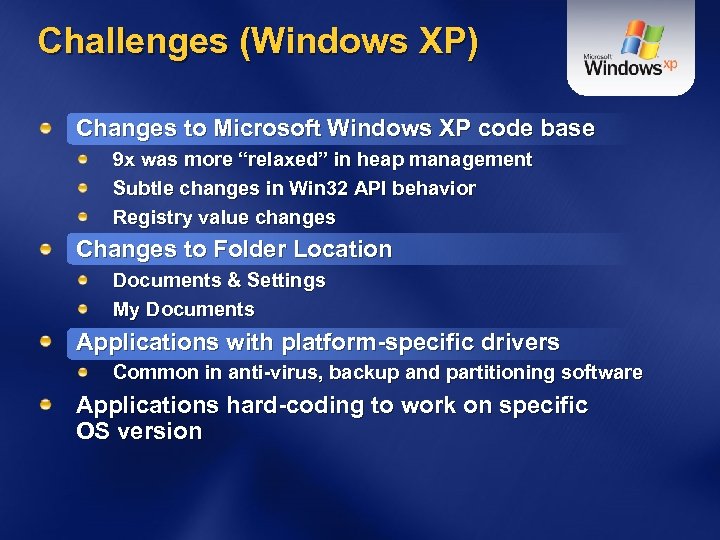
Challenges (Windows XP) Changes to Microsoft Windows XP code base 9 x was more “relaxed” in heap management Subtle changes in Win 32 API behavior Registry value changes Changes to Folder Location Documents & Settings My Documents Applications with platform-specific drivers Common in anti-virus, backup and partitioning software Applications hard-coding to work on specific OS version
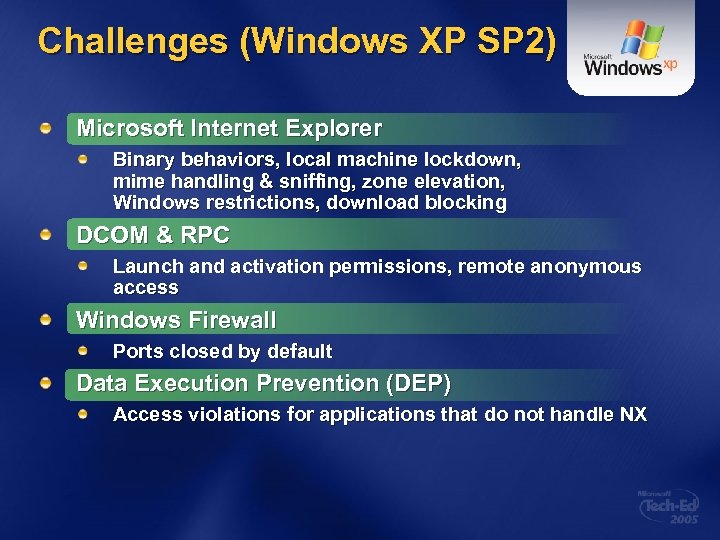
Challenges (Windows XP SP 2) Microsoft Internet Explorer Binary behaviors, local machine lockdown, mime handling & sniffing, zone elevation, Windows restrictions, download blocking DCOM & RPC Launch and activation permissions, remote anonymous access Windows Firewall Ports closed by default Data Execution Prevention (DEP) Access violations for applications that do not handle NX
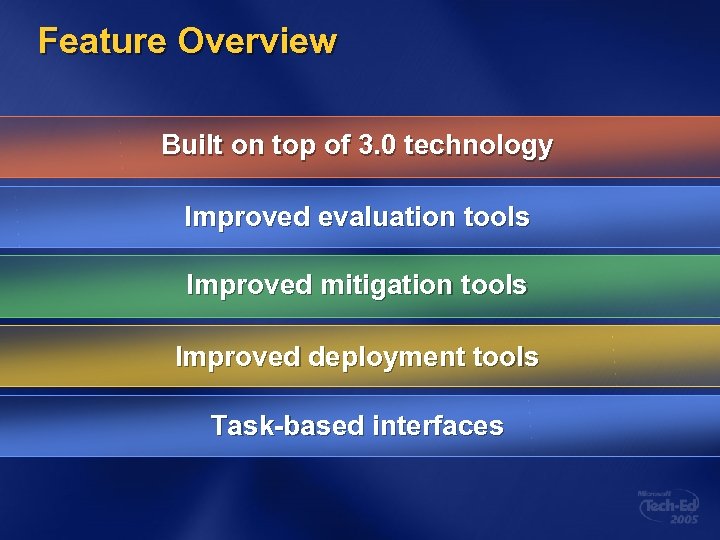
Feature Overview Built on top of 3. 0 technology Improved evaluation tools Improved mitigation tools Improved deployment tools Task-based interfaces
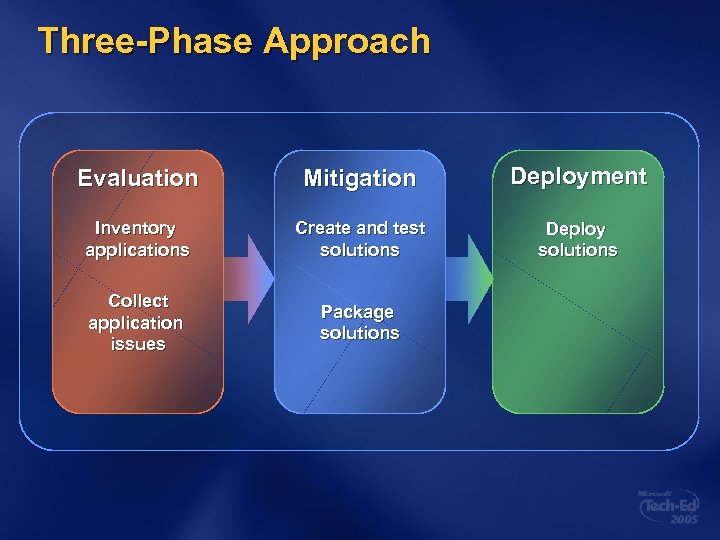
Three-Phase Approach Evaluation Mitigation Deployment Inventory applications Create and test solutions Deploy solutions Collect application issues Package solutions

Architecture and Features
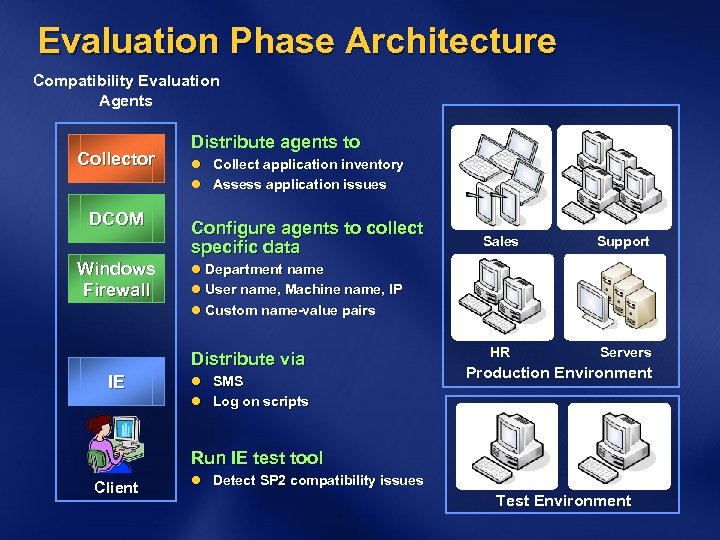
Evaluation Phase Architecture Compatibility Evaluation Agents Collector DCOM Windows Firewall Distribute agents to l Collect application inventory l Assess application issues Configure agents to collect specific data Support HR Servers l Department name l User name, Machine name, IP l Custom name-value pairs Distribute via IE Sales l SMS l Log on scripts Production Environment Run IE test tool Client l Detect SP 2 compatibility issues Test Environment
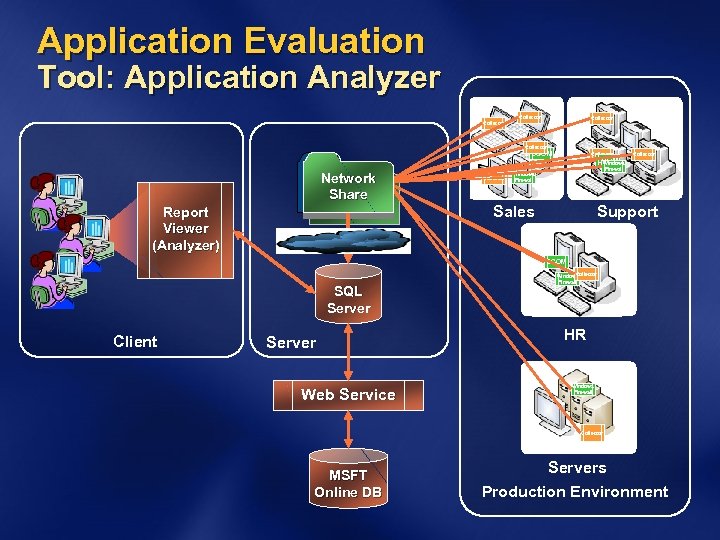
Application Evaluation Tool: Application Analyzer Collector DCOM Report Viewer (Analyzer) Network Share Collector DCOM Windows Collector Firewall Windows Firewall Sales Support DCOM SQL Server Client Server Web Service Collector Windows Firewall HR Windows Firewall Collector MSFT Online DB Servers Production Environment
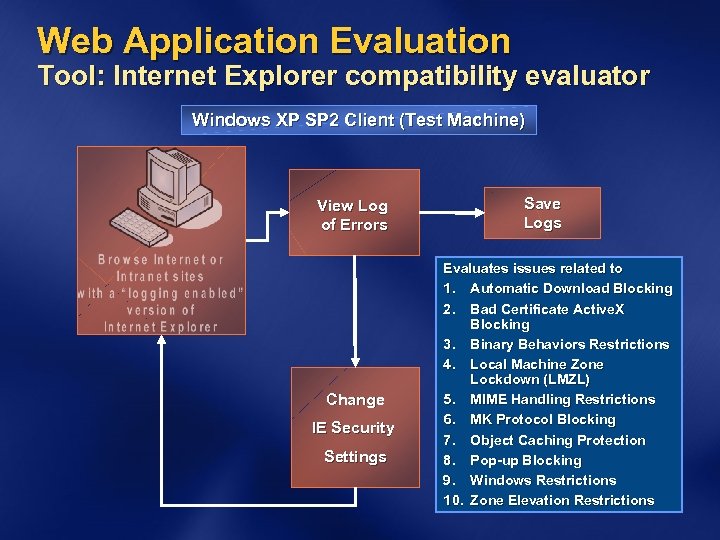
Web Application Evaluation Tool: Internet Explorer compatibility evaluator Windows XP SP 2 Client (Test Machine) View Log of Errors Change IE Security Settings Save Logs Evaluates issues related to 1. Automatic Download Blocking 2. Bad Certificate Active. X Blocking 3. Binary Behaviors Restrictions 4. Local Machine Zone Lockdown (LMZL) 5. MIME Handling Restrictions 6. MK Protocol Blocking 7. Object Caching Protection 8. Pop-up Blocking 9. Windows Restrictions 10. Zone Elevation Restrictions
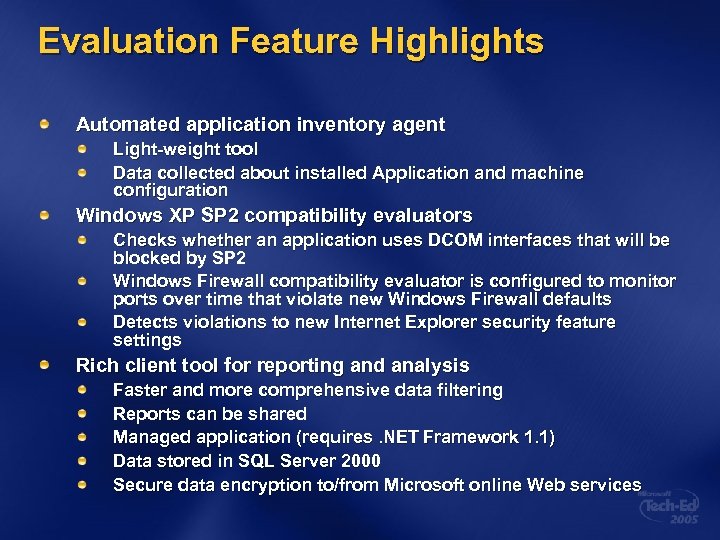
Evaluation Feature Highlights Automated application inventory agent Light-weight tool Data collected about installed Application and machine configuration Windows XP SP 2 compatibility evaluators Checks whether an application uses DCOM interfaces that will be blocked by SP 2 Windows Firewall compatibility evaluator is configured to monitor ports over time that violate new Windows Firewall defaults Detects violations to new Internet Explorer security feature settings Rich client tool for reporting and analysis Faster and more comprehensive data filtering Reports can be shared Managed application (requires. NET Framework 1. 1) Data stored in SQL Server 2000 Secure data encryption to/from Microsoft online Web services
Evaluation Phase
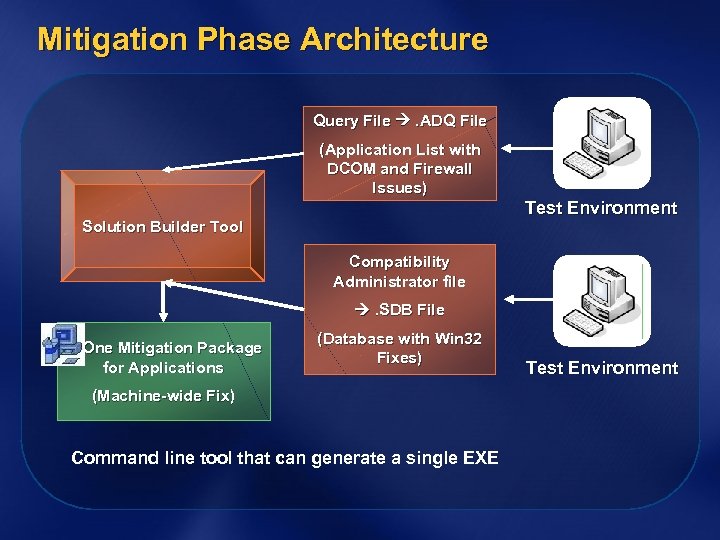
Mitigation Phase Architecture Query File . ADQ File (Application List with DCOM and Firewall Issues) Test Environment Solution Builder Tool Compatibility Administrator file . SDB File One Mitigation Package for Applications (Database with Win 32 Fixes) (Machine-wide Fix) Command line tool that can generate a single EXE Test Environment
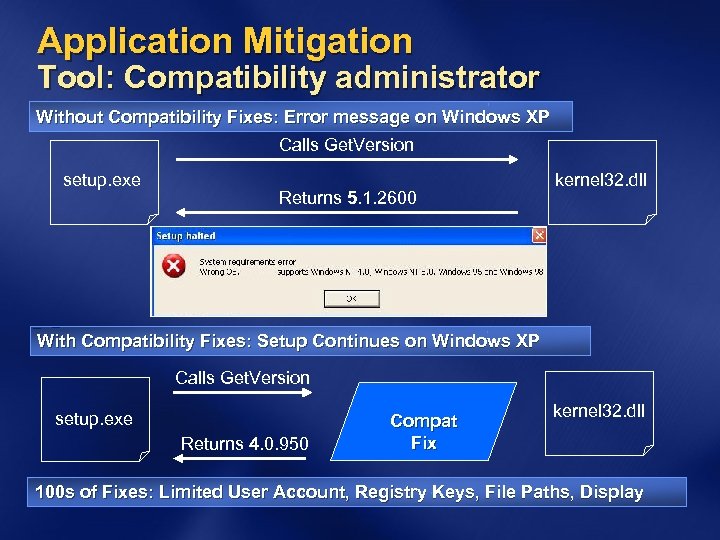
Application Mitigation Tool: Compatibility administrator Without Compatibility Fixes: Error message on Windows XP Calls Get. Version setup. exe Returns 5. 1. 2600 kernel 32. dll With Compatibility Fixes: Setup Continues on Windows XP Calls Get. Version setup. exe Returns 4. 0. 950 Compat Fix kernel 32. dll 100 s of Fixes: Limited User Account, Registry Keys, File Paths, Display
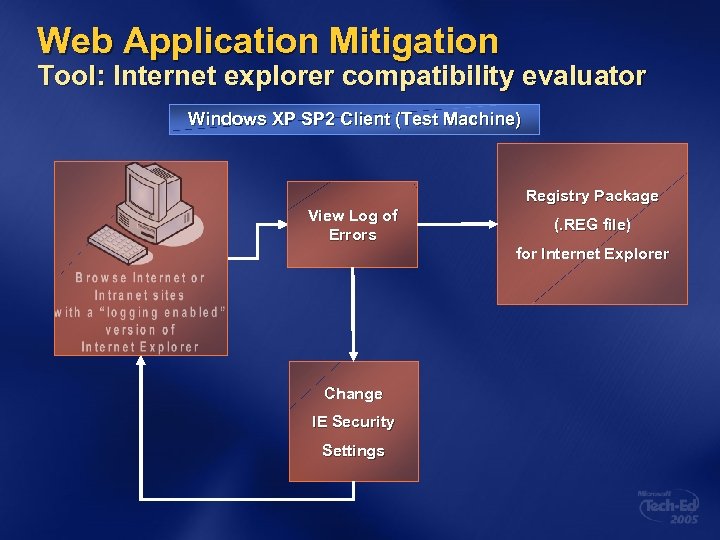
Web Application Mitigation Tool: Internet explorer compatibility evaluator Windows XP SP 2 Client (Test Machine) Registry Package View Log of Errors (. REG file) for Internet Explorer Change IE Security Settings
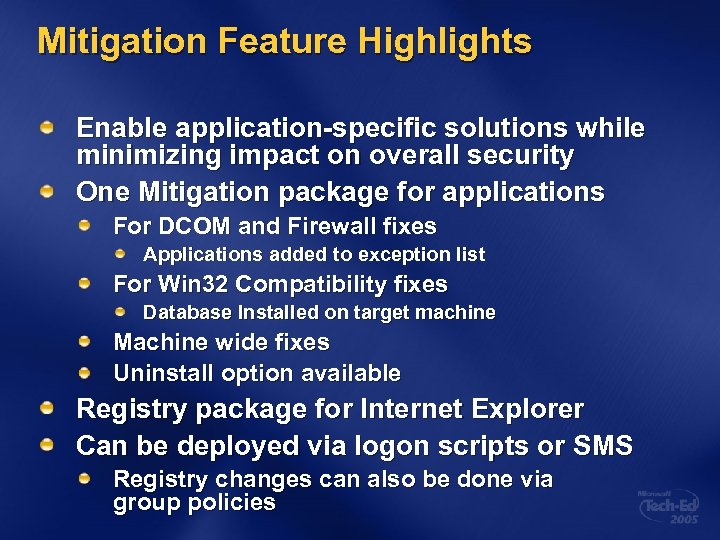
Mitigation Feature Highlights Enable application-specific solutions while minimizing impact on overall security One Mitigation package for applications For DCOM and Firewall fixes Applications added to exception list For Win 32 Compatibility fixes Database Installed on target machine Machine wide fixes Uninstall option available Registry package for Internet Explorer Can be deployed via logon scripts or SMS Registry changes can also be done via group policies
Mitigation Phase
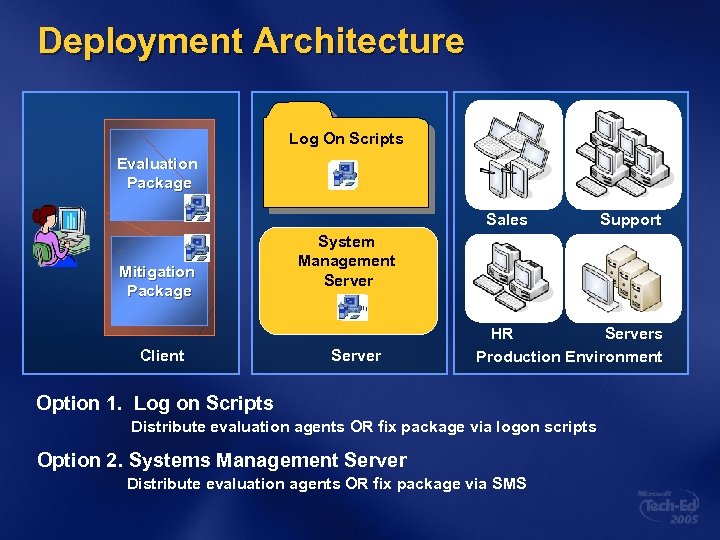
Deployment Architecture Log On Scripts Network Evaluation Package Share Sales Mitigation Package Client Support System Management Server HR Servers Production Environment Option 1. Log on Scripts Distribute evaluation agents OR fix package via logon scripts Option 2. Systems Management Server Distribute evaluation agents OR fix package via SMS
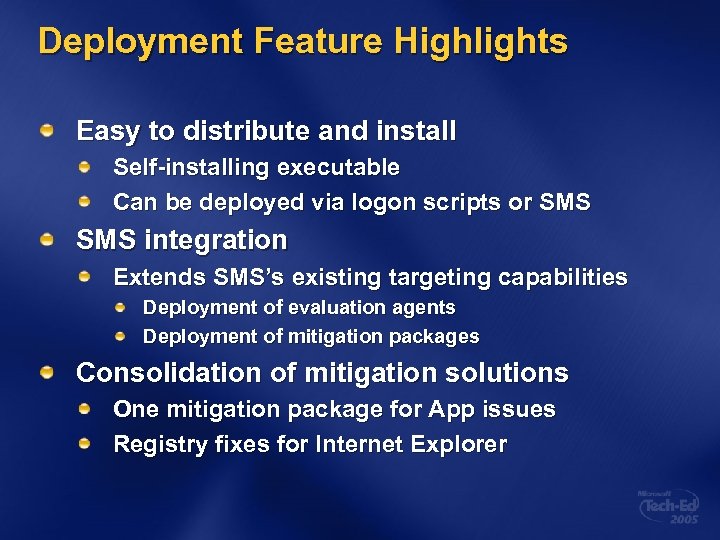
Deployment Feature Highlights Easy to distribute and install Self-installing executable Can be deployed via logon scripts or SMS integration Extends SMS’s existing targeting capabilities Deployment of evaluation agents Deployment of mitigation packages Consolidation of mitigation solutions One mitigation package for App issues Registry fixes for Internet Explorer
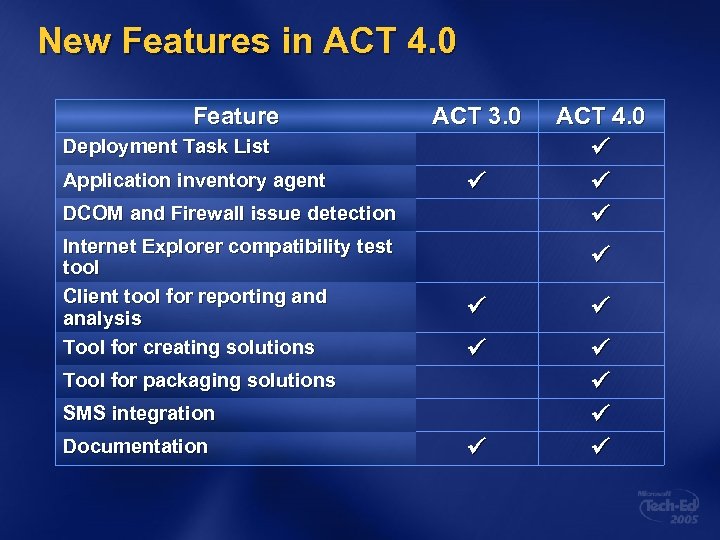
New Features in ACT 4. 0 Feature ACT 3. 0 Deployment Task List Application inventory agent DCOM and Firewall issue detection Internet Explorer compatibility test tool Client tool for reporting and analysis Tool for creating solutions Tool for packaging solutions SMS integration Documentation ACT 4. 0
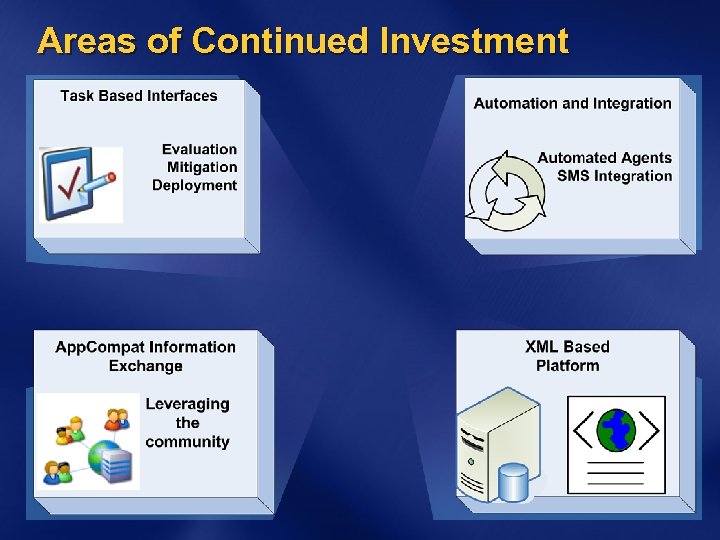
Areas of Continued Investment
Call to Action Download ACT 4. 0 http: //www. microsoft. com/windows/appcompatibi lity/act 4. msp Give us your feedback Post messages on the newsgroup microsoft. public. windows. app_compatibility Support is offered via Microsoft product Support services http: //support. microsoft. com

Your Feedback is Important! Please Fill Out a Survey for This Session on Comm. Net
Appendix 7 Steps to Get Started with ACT 4. 0 Top 10 Reasons to Install Windows XP SP 2
Step 1: Familiarize Yourself with ACT 4. 0 Download from http: //www. microsoft. com/windows/appco mpatibility/act 4. mspx Install ACT 4. 0 Recommended operating systems: Microsoft Windows XP Professional Microsoft Windows Server 2003 Note: Individual components support varying operating systems.
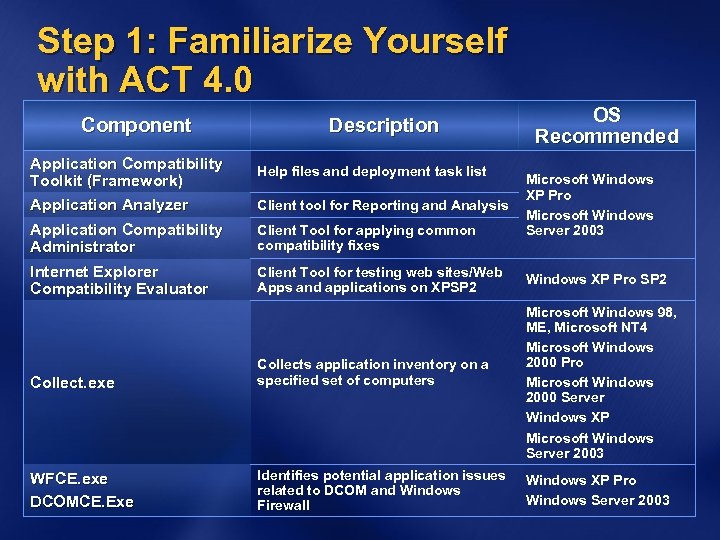
Step 1: Familiarize Yourself with ACT 4. 0 Component Application Compatibility Toolkit (Framework) Application Analyzer Application Compatibility Administrator Internet Explorer Compatibility Evaluator Description Help files and deployment task list Client tool for Reporting and Analysis Client Tool for applying common compatibility fixes Client Tool for testing web sites/Web Apps and applications on XPSP 2 Collect. exe Collects application inventory on a specified set of computers WFCE. exe DCOMCE. Exe Identifies potential application issues related to DCOM and Windows Firewall OS Recommended Microsoft Windows XP Pro Microsoft Windows Server 2003 Windows XP Pro SP 2 Microsoft Windows 98, ME, Microsoft NT 4 Microsoft Windows 2000 Pro Microsoft Windows 2000 Server Windows XP Microsoft Windows Server 2003 Windows XP Pro Windows Server 2003
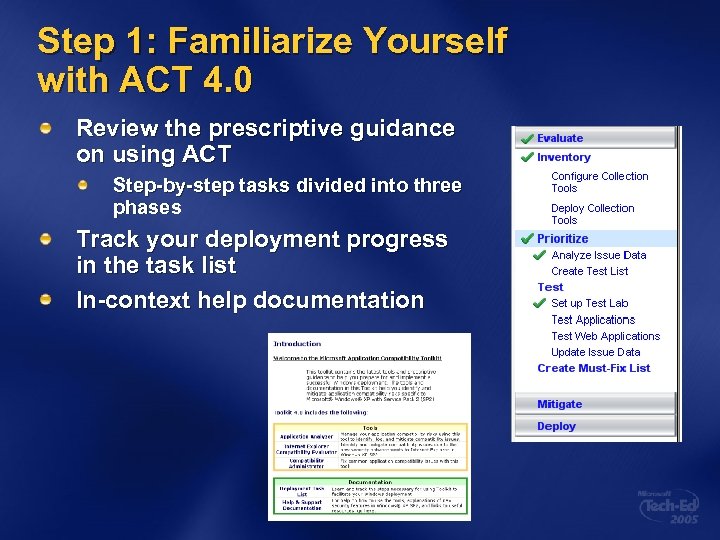
Step 1: Familiarize Yourself with ACT 4. 0 Review the prescriptive guidance on using ACT Step-by-step tasks divided into three phases Track your deployment progress in the task list In-context help documentation
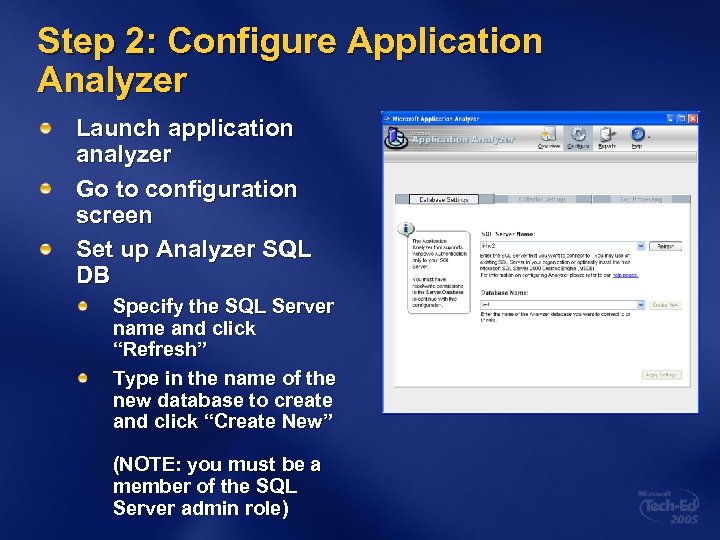
Step 2: Configure Application Analyzer Launch application analyzer Go to configuration screen Set up Analyzer SQL DB Specify the SQL Server name and click “Refresh” Type in the name of the new database to create and click “Create New” (NOTE: you must be a member of the SQL Server admin role)
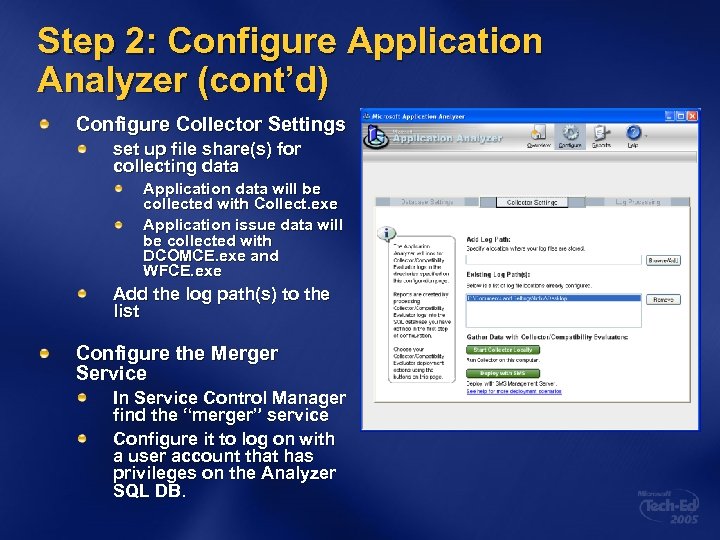
Step 2: Configure Application Analyzer (cont’d) Configure Collector Settings set up file share(s) for collecting data Application data will be collected with Collect. exe Application issue data will be collected with DCOMCE. exe and WFCE. exe Add the log path(s) to the list Configure the Merger Service In Service Control Manager find the “merger” service Configure it to log on with a user account that has privileges on the Analyzer SQL DB.
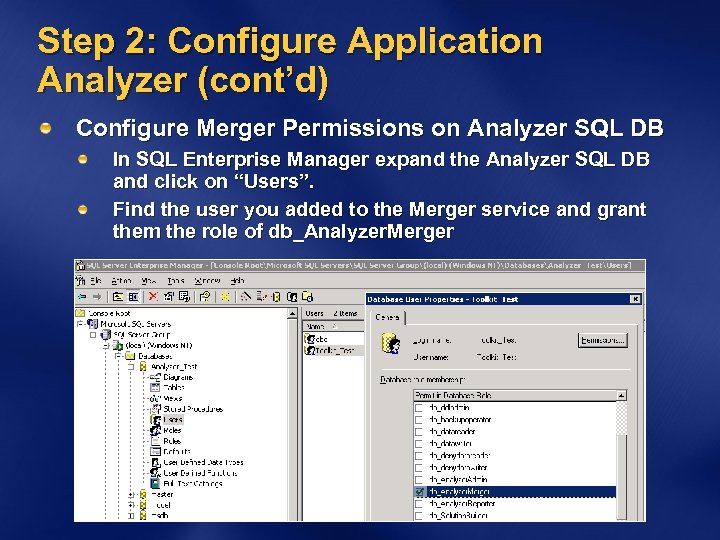
Step 2: Configure Application Analyzer (cont’d) Configure Merger Permissions on Analyzer SQL DB In SQL Enterprise Manager expand the Analyzer SQL DB and click on “Users”. Find the user you added to the Merger service and grant them the role of db_Analyzer. Merger
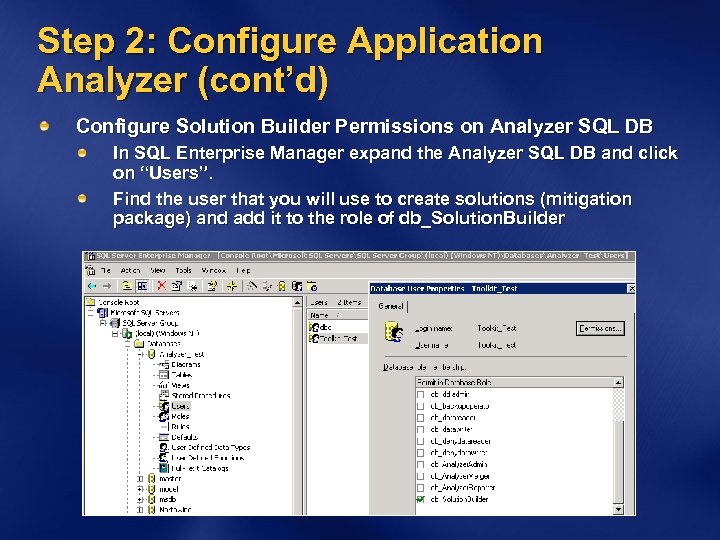
Step 2: Configure Application Analyzer (cont’d) Configure Solution Builder Permissions on Analyzer SQL DB In SQL Enterprise Manager expand the Analyzer SQL DB and click on “Users”. Find the user that you will use to create solutions (mitigation package) and add it to the role of db_Solution. Builder
Step 3: Collect Application and Issue Data Inventory Applications Run Collect. exe Located in C: Program FilesMicrosoft Application Compatibility Toolkit 4Application Analyzer Common command line options Example: collect. exe /o c: Test. Logs /o defines output path for logs Default filename is name of the machine
Step 3: Collect Application and Issue Data (cont’d) Collect DCOM and Windows Firewall Compatibility Issues Run DCOMCE. exe Located in C: Program FilesMicrosoft Application Compatibility ToolkitApplication AnalyzerCEAgents Common command line options Example: DCOMCE. exe /o c: Test. Logs /o defines output path for logs Default file name is Machine. Name. Issue. GUID Run WFCE. exe Located in C: Program FilesMicrosoft Application Compatibility ToolkitApplication AnalyzerCEAgents Copied to a directory where regular users do not have write access (E. g. c: WindowsSystem 32) Common command line options Example: WFCE. exe /o c: Test. Logs /o defines output path Default file name is Machine. Name. Issue. GUID /ct defines completion time in hours
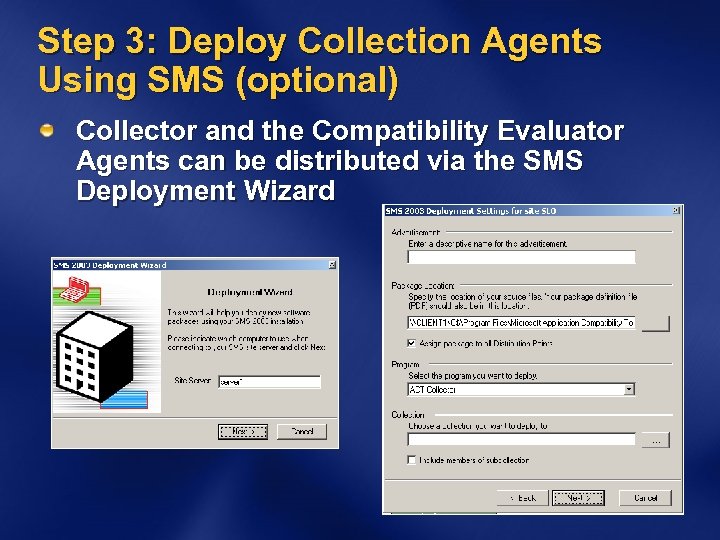
Step 3: Deploy Collection Agents Using SMS (optional) Collector and the Compatibility Evaluator Agents can be distributed via the SMS Deployment Wizard
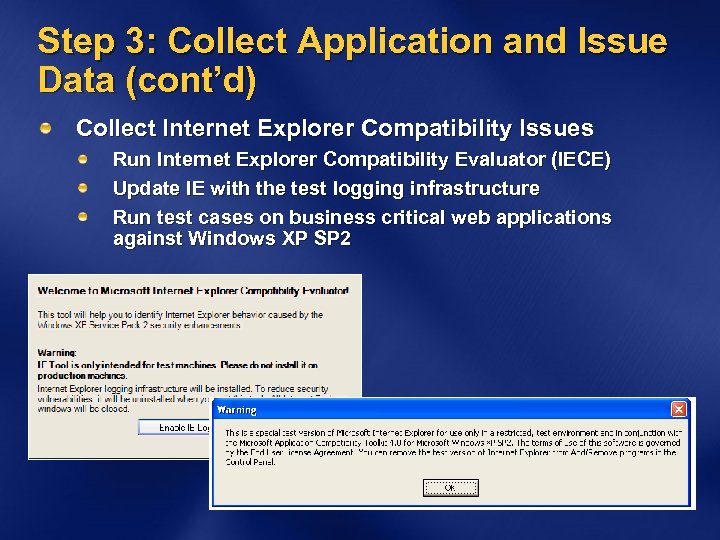
Step 3: Collect Application and Issue Data (cont’d) Collect Internet Explorer Compatibility Issues Run Internet Explorer Compatibility Evaluator (IECE) Update IE with the test logging infrastructure Run test cases on business critical web applications against Windows XP SP 2
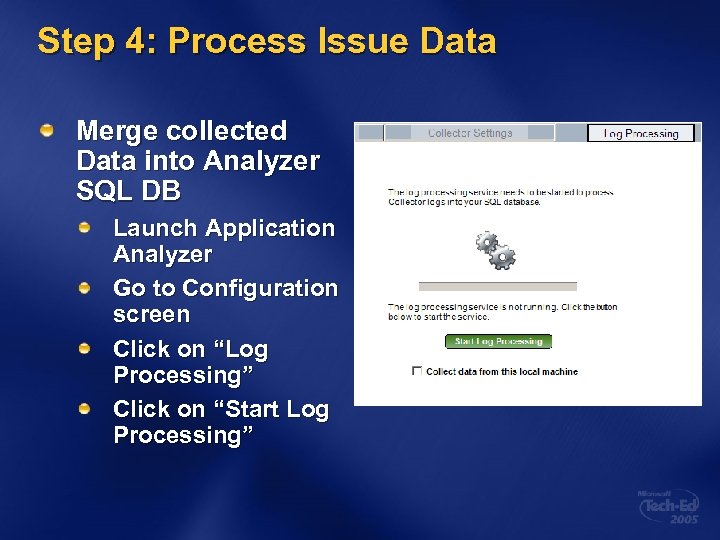
Step 4: Process Issue Data Merge collected Data into Analyzer SQL DB Launch Application Analyzer Go to Configuration screen Click on “Log Processing” Click on “Start Log Processing”
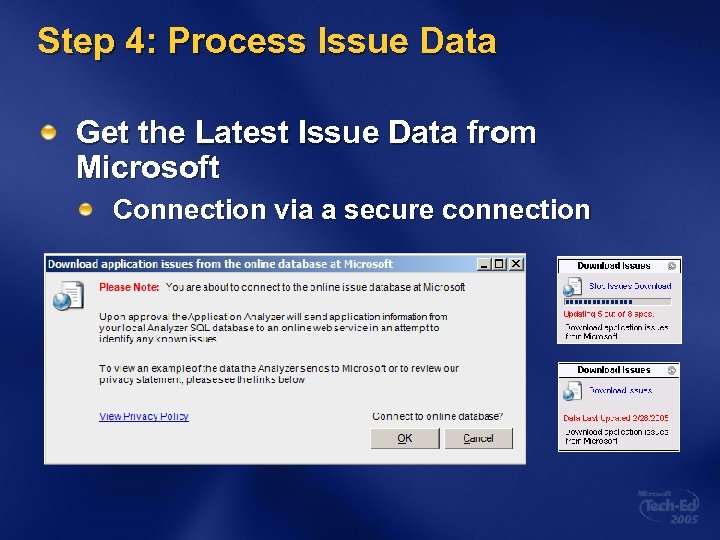
Step 4: Process Issue Data Get the Latest Issue Data from Microsoft Connection via a secure connection
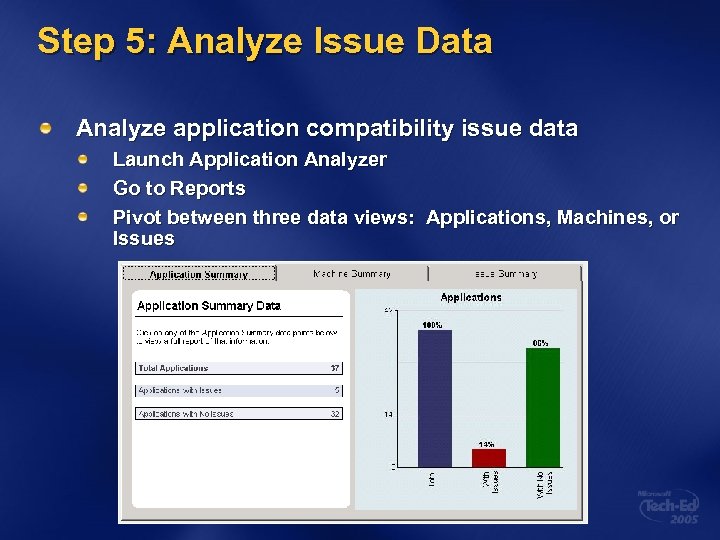
Step 5: Analyze Issue Data Analyze application compatibility issue data Launch Application Analyzer Go to Reports Pivot between three data views: Applications, Machines, or Issues
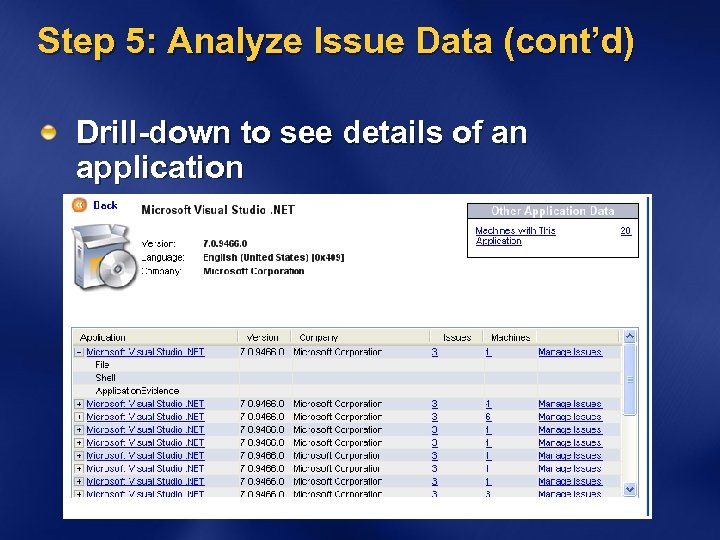
Step 5: Analyze Issue Data (cont’d) Drill-down to see details of an application
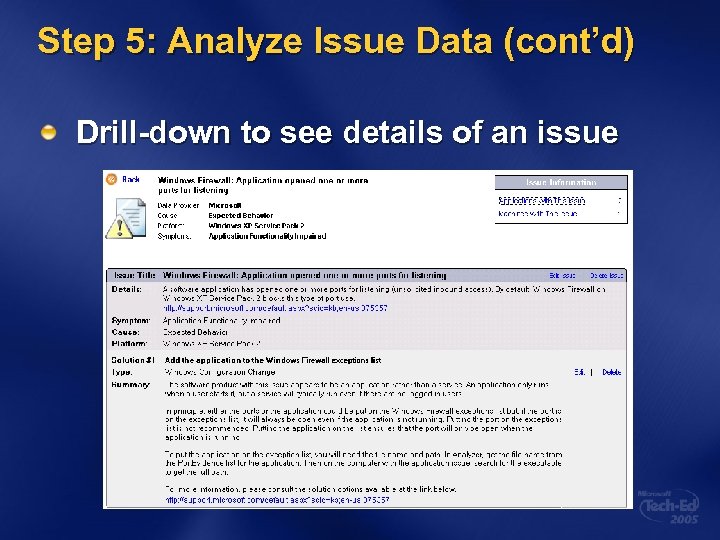
Step 5: Analyze Issue Data (cont’d) Drill-down to see details of an issue
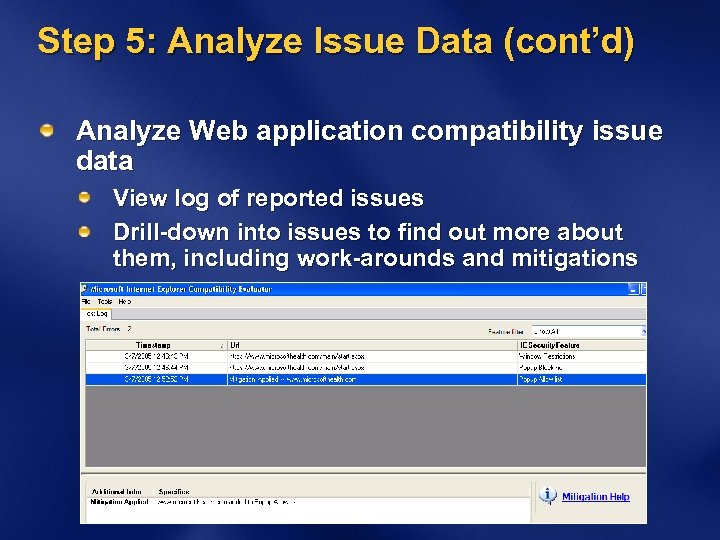
Step 5: Analyze Issue Data (cont’d) Analyze Web application compatibility issue data View log of reported issues Drill-down into issues to find out more about them, including work-arounds and mitigations
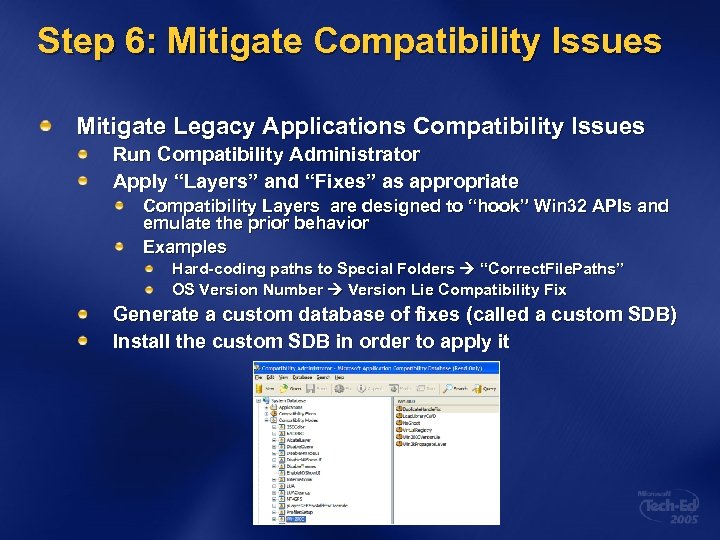
Step 6: Mitigate Compatibility Issues Mitigate Legacy Applications Compatibility Issues Run Compatibility Administrator Apply “Layers” and “Fixes” as appropriate Compatibility Layers are designed to “hook” Win 32 APIs and emulate the prior behavior Examples Hard-coding paths to Special Folders “Correct. File. Paths” OS Version Number Version Lie Compatibility Fix Generate a custom database of fixes (called a custom SDB) Install the custom SDB in order to apply it
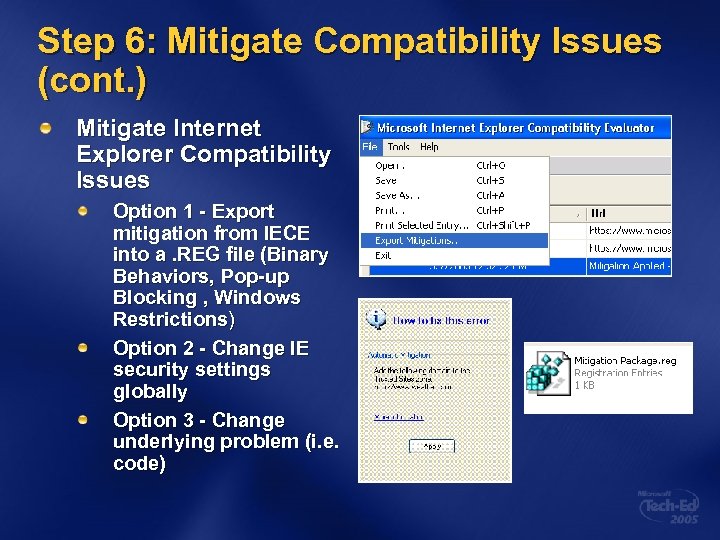
Step 6: Mitigate Compatibility Issues (cont. ) Mitigate Internet Explorer Compatibility Issues Option 1 - Export mitigation from IECE into a. REG file (Binary Behaviors, Pop-up Blocking , Windows Restrictions) Option 2 - Change IE security settings globally Option 3 - Change underlying problem (i. e. code)
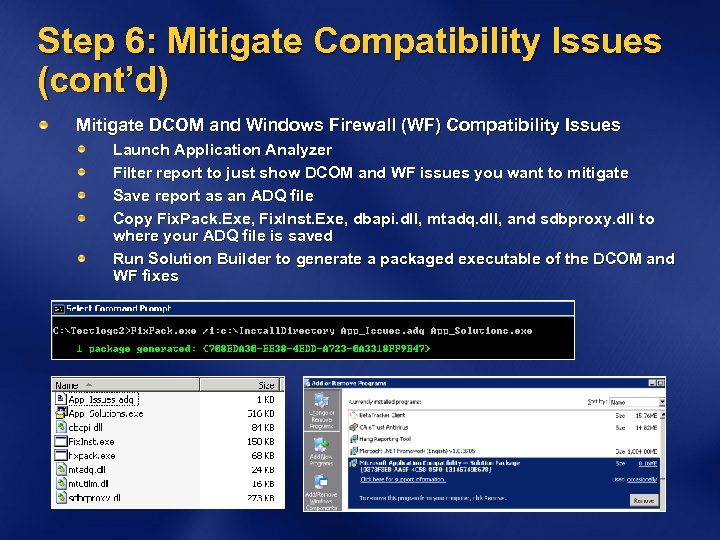
Step 6: Mitigate Compatibility Issues (cont’d) Mitigate DCOM and Windows Firewall (WF) Compatibility Issues Launch Application Analyzer Filter report to just show DCOM and WF issues you want to mitigate Save report as an ADQ file Copy Fix. Pack. Exe, Fix. Inst. Exe, dbapi. dll, mtadq. dll, and sdbproxy. dll to where your ADQ file is saved Run Solution Builder to generate a packaged executable of the DCOM and WF fixes
Step 7: Deploy Mitigations One EXE package for easy deployment DCOM and Firewall fixes Win 32 compatibility fixes One registry package for Internet Explorer compatibility issues Can also be configured via group policies
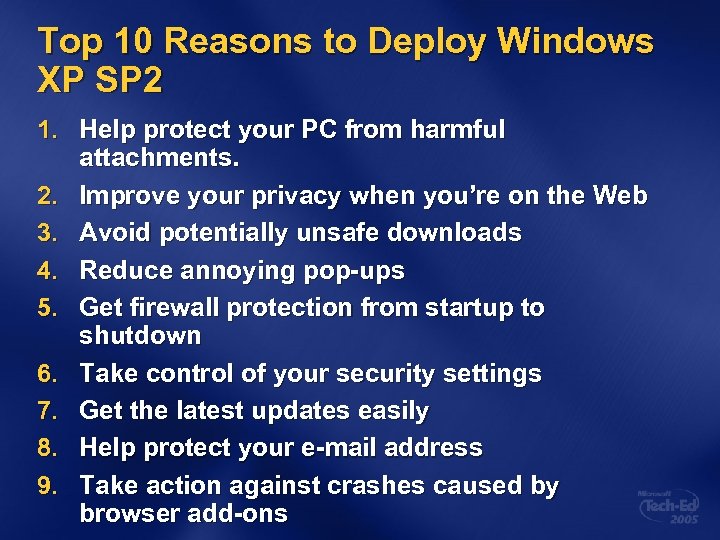
Top 10 Reasons to Deploy Windows XP SP 2 1. Help protect your PC from harmful attachments. 2. Improve your privacy when you’re on the Web 3. Avoid potentially unsafe downloads 4. Reduce annoying pop-ups 5. Get firewall protection from startup to shutdown 6. Take control of your security settings 7. Get the latest updates easily 8. Help protect your e-mail address 9. Take action against crashes caused by browser add-ons

We invite you to participate in our online evaluation on Comm. Net, accessible Friday only If you choose to complete the evaluation online, there is no need to complete the paper evaluation


© 2005 Microsoft Corporation. All rights reserved. This presentation is for informational purposes only. Microsoft makes no warranties, express or implied, in this summary.
 Скачать презентацию DSK 304 Using Application Compatibility Toolkit ACT 4
b9e041ba979dee6e435d6c985b32af36.ppt