 Скачать презентацию DISTRICT and CLUB database DAC-db TRAINING CLUB SECRETARIES
abf3c0db720b4678f1de55b90867a8b8.ppt
- Количество слайдов: 135



DISTRICT and CLUB database (DAC-db) TRAINING CLUB SECRETARIES and CLUB TREASURERS for DACdb the “E-Z key” for Rotary Club Management!
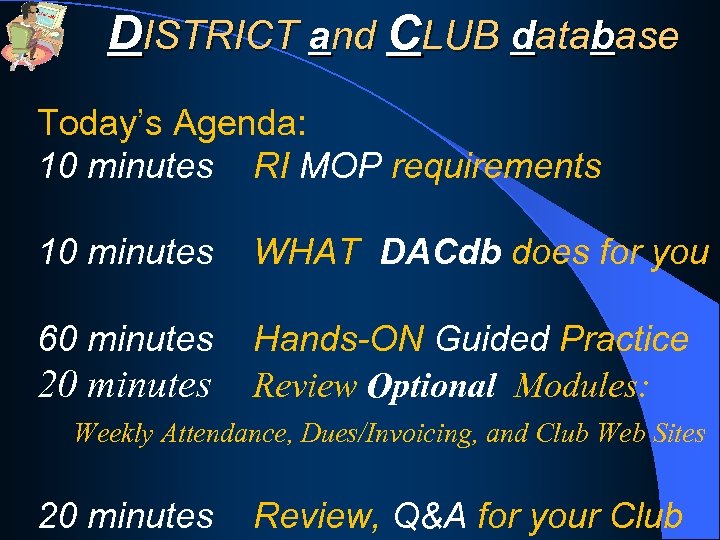
DISTRICT and CLUB database Today’s Agenda: 10 minutes RI MOP requirements 10 minutes WHAT DACdb does for you 60 minutes Hands-ON Guided Practice Review Optional Modules: 20 minutes Weekly Attendance, Dues/Invoicing, and Club Web Sites 20 minutes Review, Q&A for your Club
DISTRICT and CLUB database ONLY 1 Handout: www. DACdb. com/HINTS/
DISTRICT and CLUB database ONLY 1 Handout: www. DACdb. com/HINTS/ plus, 2 LOG IN (shortcuts): 1) www. DACdb. com/Rotary/
DISTRICT and CLUB database ONLY 1 Handout: www. DACdb. com/HINTS/ plus, 2 LOG IN (shortcuts): 1) www. DACdb. com/Rotary/ 2) DACdb ICON on desktop

OK…I’m a new Club Secretary…Now what? • Rotary International, your Rotary District, and especially your club, all have high expectations of you, as your club’s Secretary
OK…I’m a new Club Secretary…Now what? • The Club Secretary is arguably the most important cog in your Rotary club’s wheel! (Don’t tell the president) • You are the nerve center of your club!
OK…I’m a new Club Secretary…Now what? • The Club Secretary is arguably the most important cog in your Rotary club’s wheel! • You are the nerve center of your club! • You will have many duties to perform, and like everyone else, your time is limited.
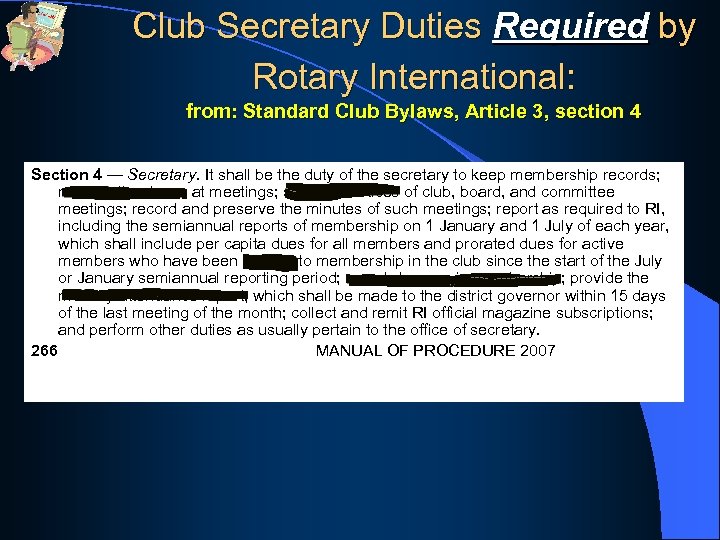
Club Secretary Duties Required by Rotary International: from: Standard Club Bylaws, Article 3, section 4 Section 4 — Secretary. It shall be the duty of the secretary to keep membership records; record attendance at meetings; send out notices of club, board, and committee meetings; record and preserve the minutes of such meetings; report as required to RI, including the semiannual reports of membership on 1 January and 1 July of each year, which shall include per capita dues for all members and prorated dues for active members who have been elected to membership in the club since the start of the July or January semiannual reporting period; report changes in membership; provide the monthly attendance report, which shall be made to the district governor within 15 days of the last meeting of the month; collect and remit RI official magazine subscriptions; and perform other duties as usually pertain to the office of secretary. 266 MANUAL OF PROCEDURE 2007
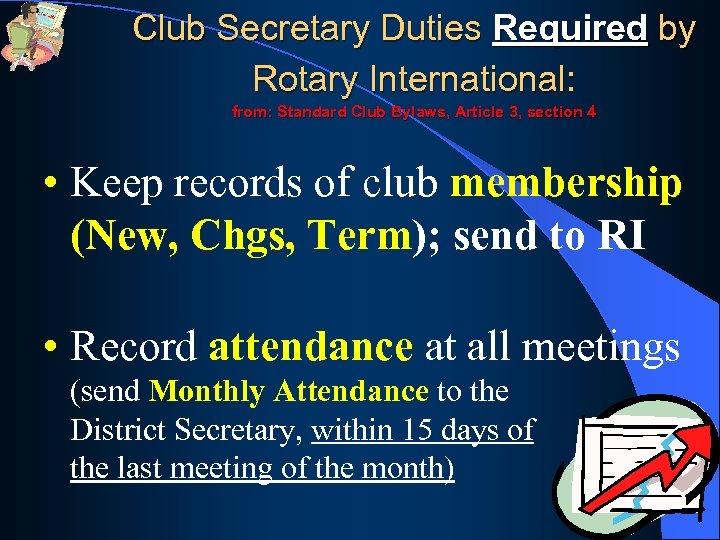
Club Secretary Duties Required by Rotary International: from: Standard Club Bylaws, Article 3, section 4 • Keep records of club membership (New, Chgs, Term); send to RI • Record attendance at all meetings (send Monthly Attendance to the District Secretary, within 15 days of the last meeting of the month)
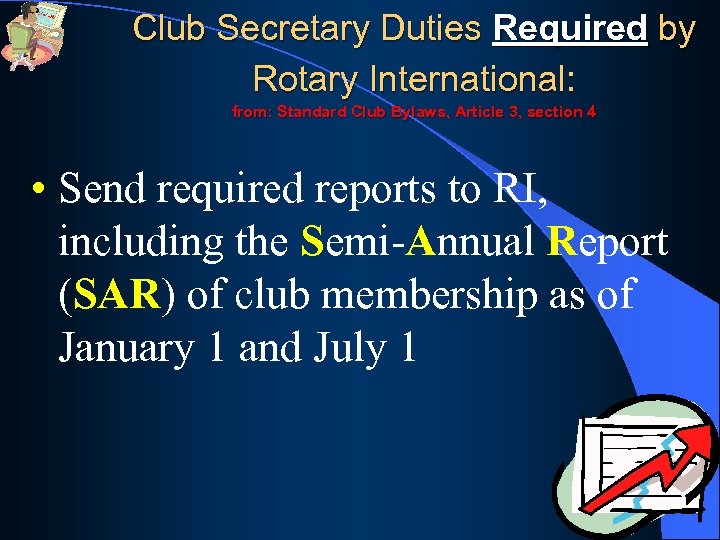
Club Secretary Duties Required by Rotary International: from: Standard Club Bylaws, Article 3, section 4 • Send required reports to RI, including the Semi-Annual Report (SAR) of club membership as of January 1 and July 1
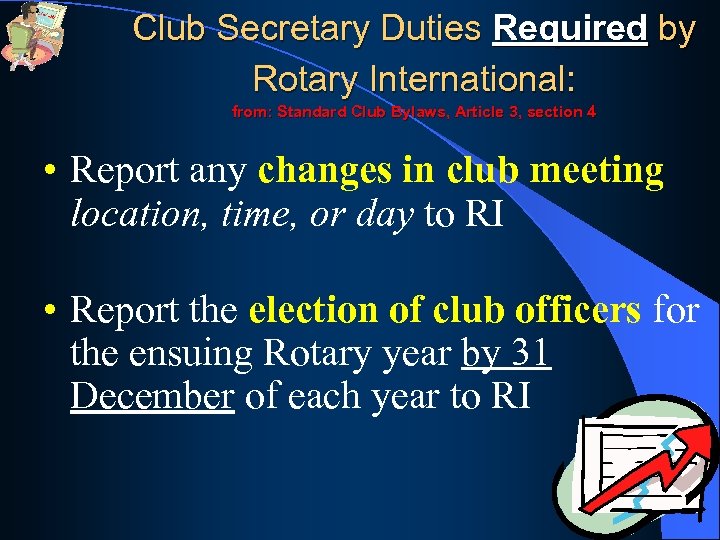
Club Secretary Duties Required by Rotary International: from: Standard Club Bylaws, Article 3, section 4 • Report any changes in club meeting location, time, or day to RI • Report the election of club officers for the ensuing Rotary year by 31 December of each year to RI
Tasks Expected of the Club Secretary • Maintain and update the club’s weekly attendance and membership records – keeping in touch with Membership and Classifications Committees in your club; plus, communicating with the Treasurer on meal charges, make-up credits, etc.
Tasks Expected of the Club Secretary • Also, maintain minutes of meetings and archive all club records for easy access • And, do ANYTHING ELSE your club asks of you!

Tasks Expected of the Club Secretary And remember, don’t forget to put on your Super. Man cape…
Using DACdb makes your life easier ALL of these tasks, and more, can easily be done using the… DISTRICT and CLUB data base (DACdb) (pronounced: da. K-dee-bee) Less TIME with Less STRESS…
Using DACdb makes your life easier ALL of these tasks, and more, can easily be done ALL on 1 screen… Click on the MY CLUB tab Less TIME with Less STRESS…
How YOU Can Enhance Your Club’s Mission • Upload electronic copies of your club bulletin (and for archival purposes) • Add items to your club calendar • Coordinate scheduling of projects with other clubs’ Events
How YOU Can Enhance Your Club’s Mission • You can create and manage all of your club’s committees on the database • You can easily print out a Club Roster, Membership Directory, TRF Giving, and Attendance check-in sheets, plus lots of other club reports
How YOU Can Enhance Your Club’s Mission • You can easily communicate on a “personal” level with one or all of your club members by using the P-MAIL feature built into the DACdb system “Dear Rotarian MIKE”
DISTRICT and CLUB database BUBBLES UP to RI via Direct Connect - CLUBS must choose this option at ROTARY. org - Changes happens in minutes vs. days - Step-by-Step instructions on HINTS page Effective Communications: between the District, Clubs and Members
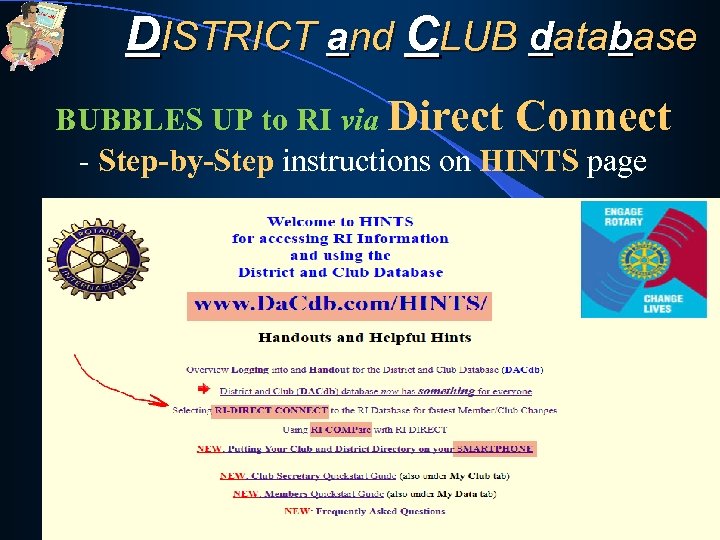
DISTRICT and CLUB database BUBBLES UP to RI via Direct Connect - Step-by-Step instructions on HINTS page Effective Communications: between the District, Clubs and Members
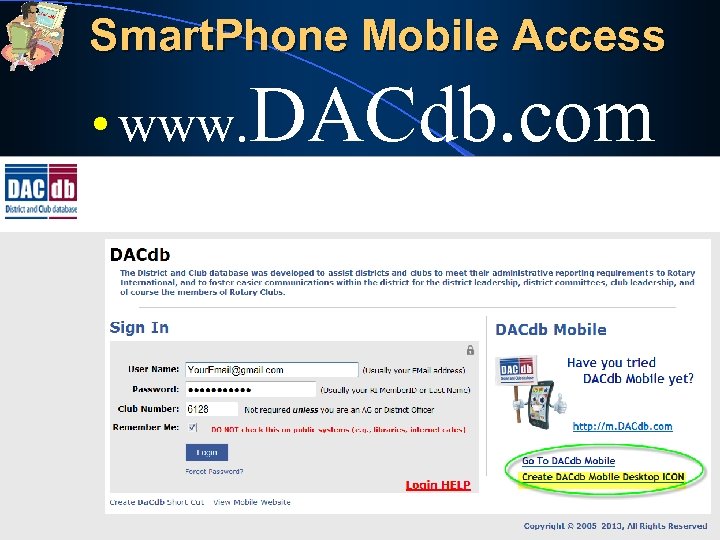
DISTRICT and CLUB database Smartphone – for Your CLUB Directory All this information about your Membership, Club, Committees, Club Calendar and the District Calendar is now on your Smartphone… www. DACdb. com …Just LOG IN as a ROTARIAN Effective Communications: between the District, Clubs and Members

OK, I KNOW IT COULD BE REALLY HELPFUL, BUT ….
BUT HOW DO I USE IT
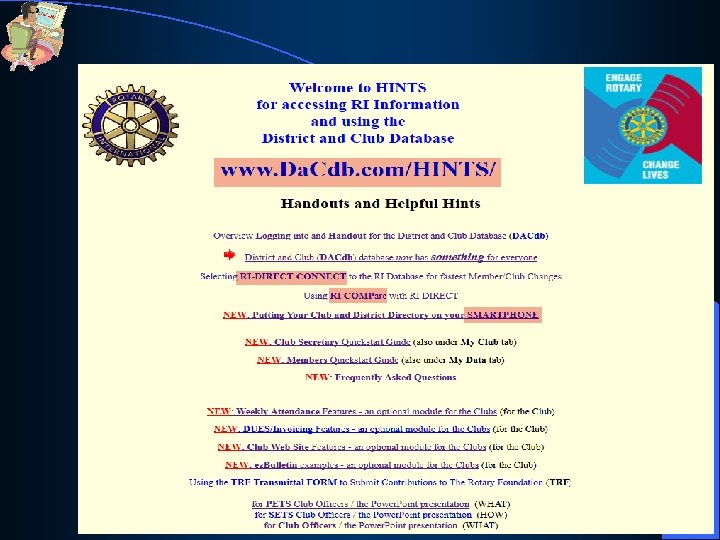
Logging In • Remember, lots of HELP is available… www. DACdb. com/HINTS has all these materials, and much more…

• And, sometimes you just need a FRIEND… There are District people and our Tech Support
• And, we take your Privacy and Security of the data very seriously:
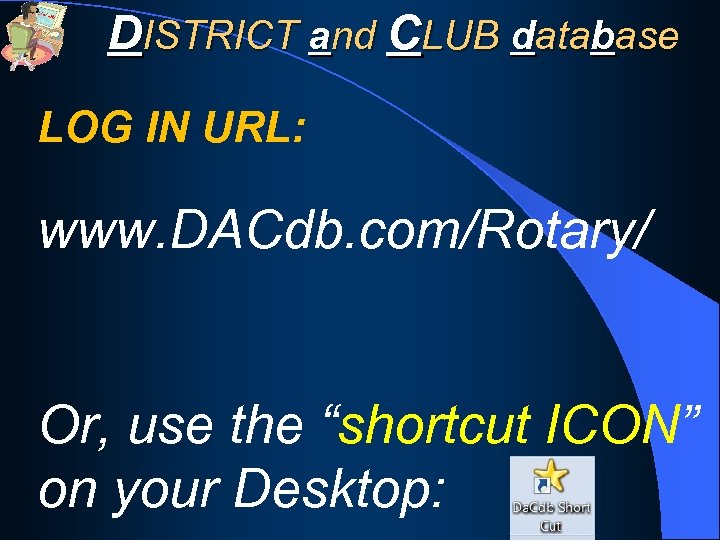
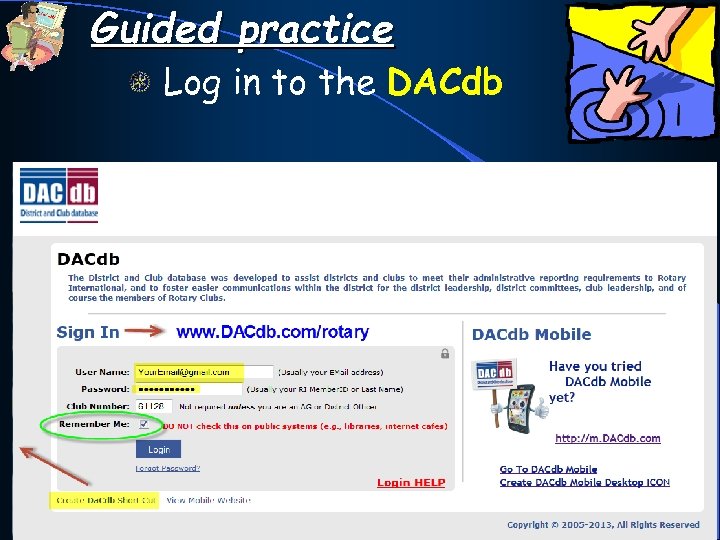
DISTRICT and CLUB database LOG IN URL: www. DACdb. com/Rotary/ Or, use the “shortcut ICON” on your Desktop:
Logging In • Click the EZ link in a PMAIL #05 message (and, let Remember Me fill in the values) • User Name (usually your E-mail address) and • Password (usually your RI Member. ID # ) and YOU ARE READY TO BEGIN!
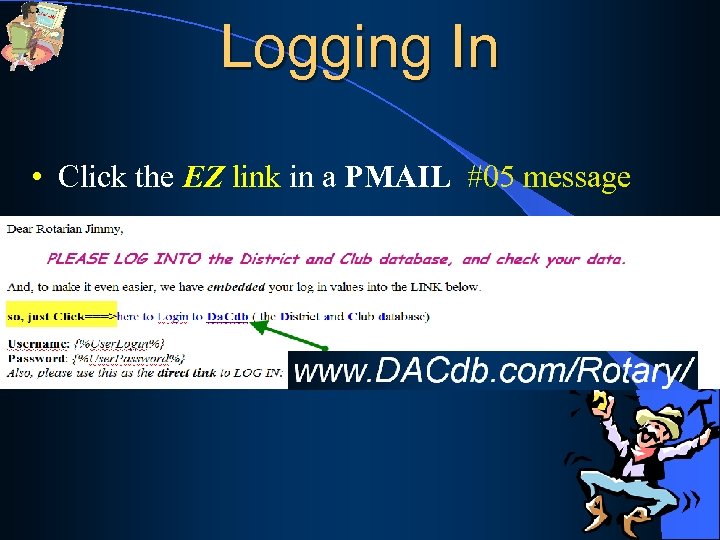
Logging In • Click the EZ link in a PMAIL #05 message
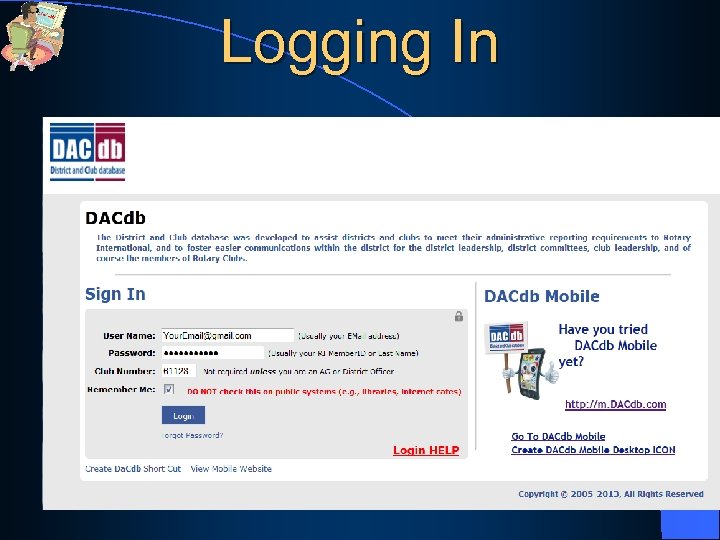
Logging In
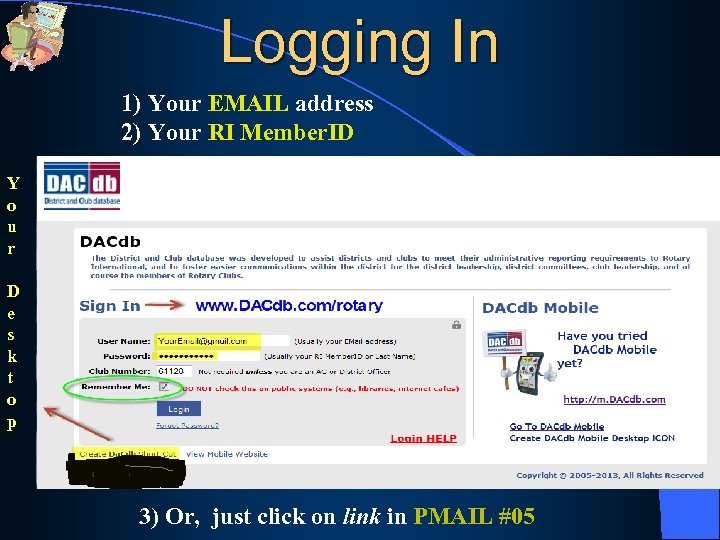
Logging In 1) Your EMAIL address 2) Your RI Member. ID Y o u r D e s k t o p 3) Or, just click on link in PMAIL #05
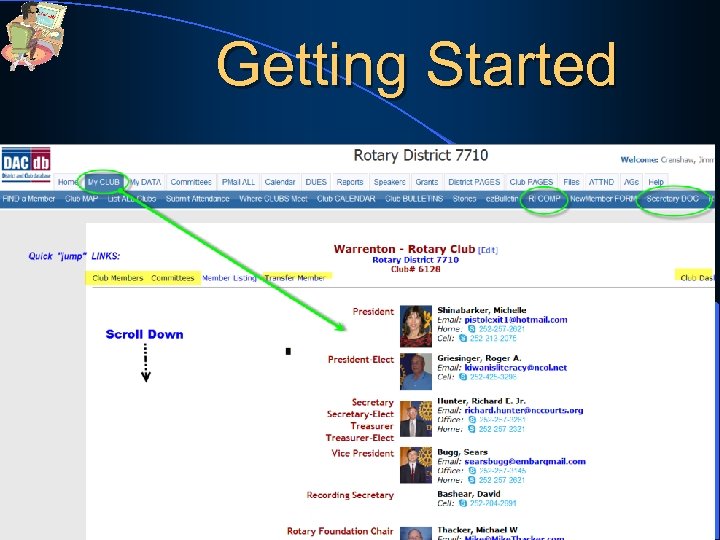
Getting Started • Our User interface is very “intuitive”… - Just click on a “TAB” and follow the instructions found within. And remember, ALL Club Officer functions are found under the My Club tab
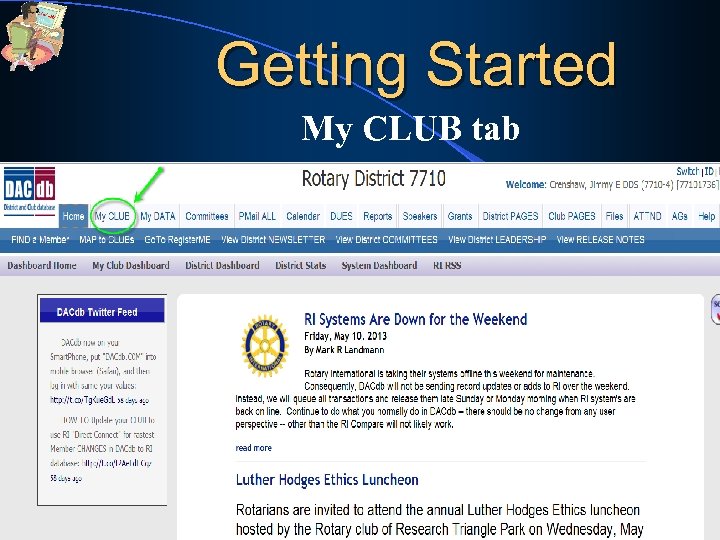
Getting Started My CLUB tab
Getting Started 37
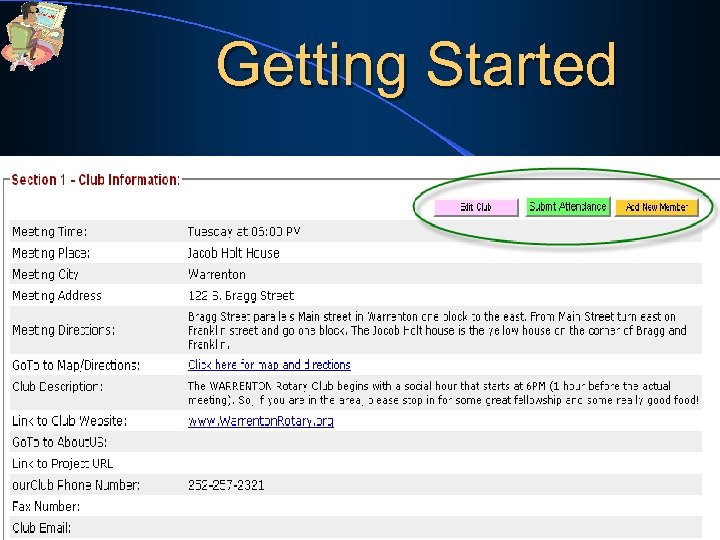
Getting Started • Look for the “POWER BUTTONS” – those brightly colored buttons that take you to the various actions you can take within your club or member’s record • The “POWER BUTTONS” allow you to use the functions built into the database
Getting Started 39
Getting Started • Remember, ALL activities affecting the management of your club’s information can be found under the My CLUB tab 40
Getting Started • As a club officer (or an officer-elect), you are automatically given the Security LEVEL 4, to maintain your club and members’ data • Note: You can not make changes to any other club, members or committees outside of your club.
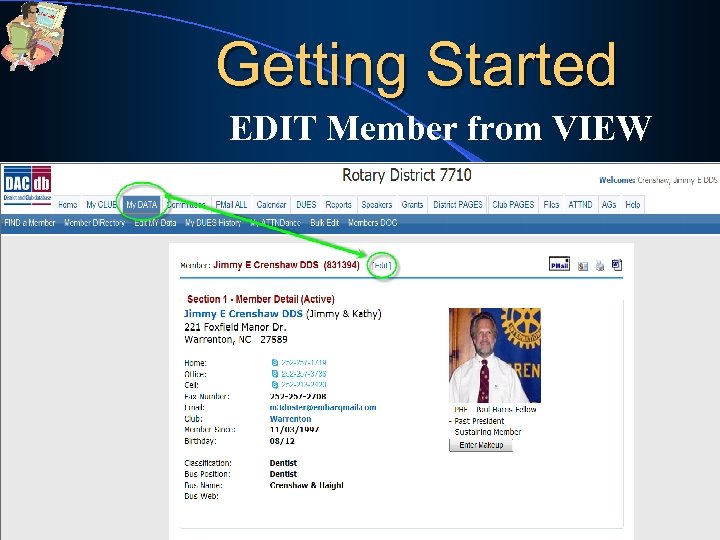
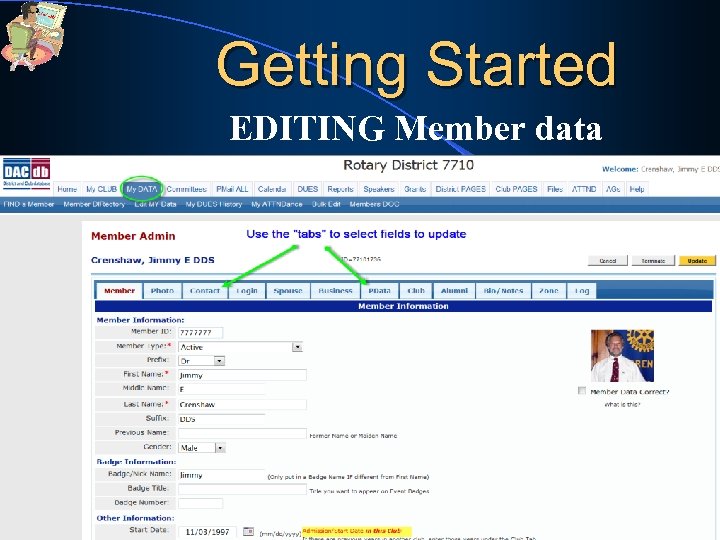
Getting Started You will have the ability to……… • Maintain your own CLUB record • Maintain any member’s record in your CLUB • ADD/CHANGE/DELETE members on any committee in your CLUB
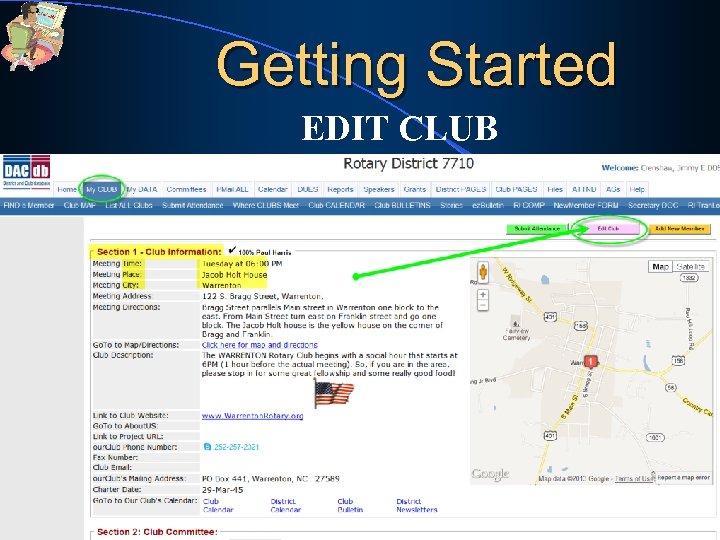
Getting Started EDIT CLUB
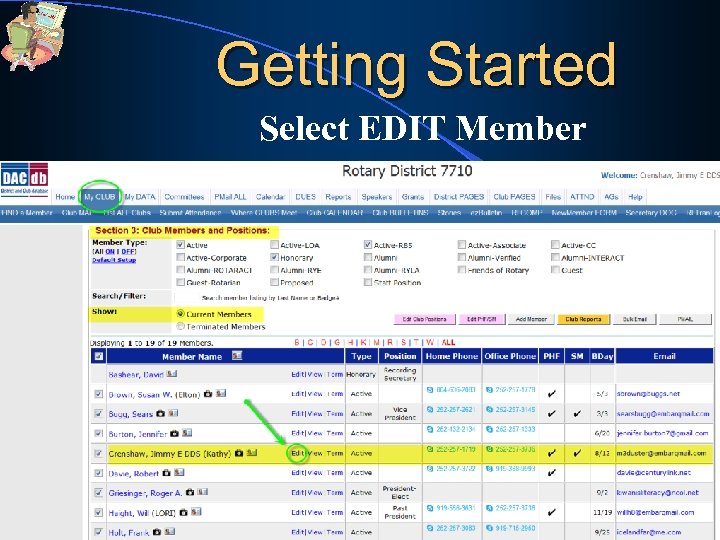
Getting Started Select EDIT Member 44
Getting Started EDIT Member from VIEW
Getting Started EDITING Member data
Getting Started EDIT Club Positions
Getting Started EDIT Club Positions
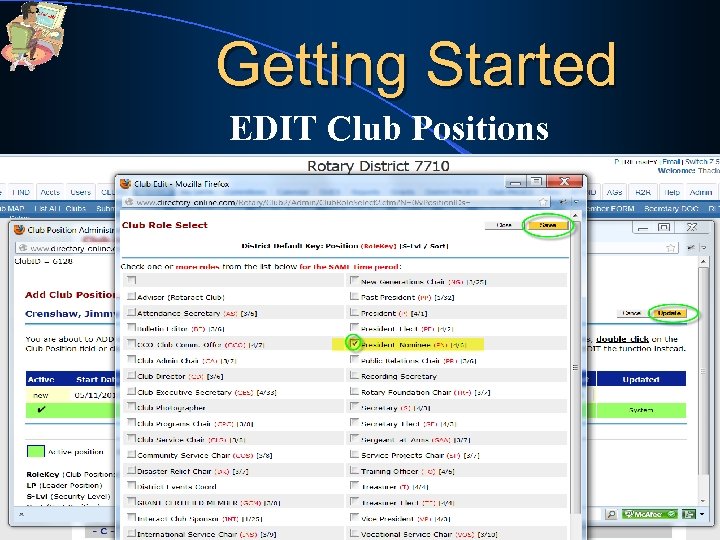
Getting Started EDIT Club Positions
Getting Started You will have the ability to… • View or print all reports for your CLUB, including Membership Directory, with photos • Submit “club events or fund raisers” to the Club calendar so they can be viewed by all clubs and in the District calendar
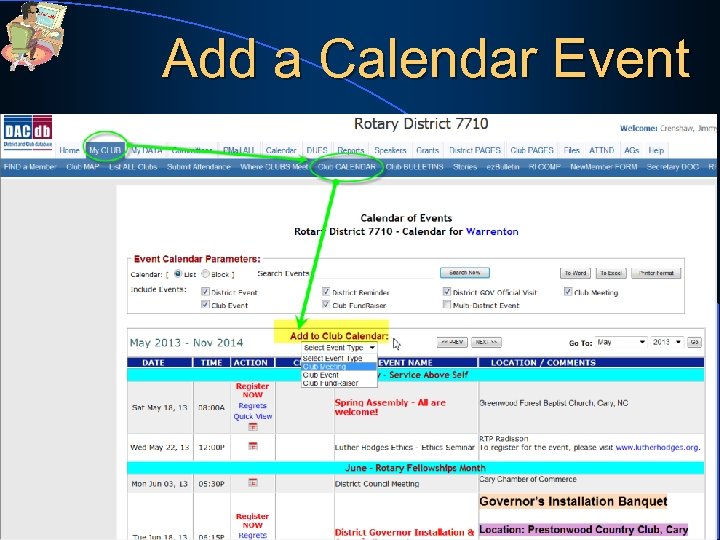
Add a Calendar Event
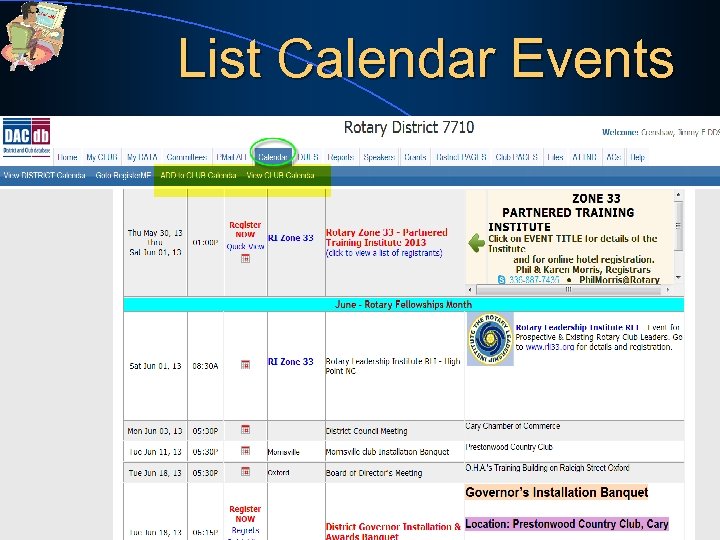
List Calendar Events
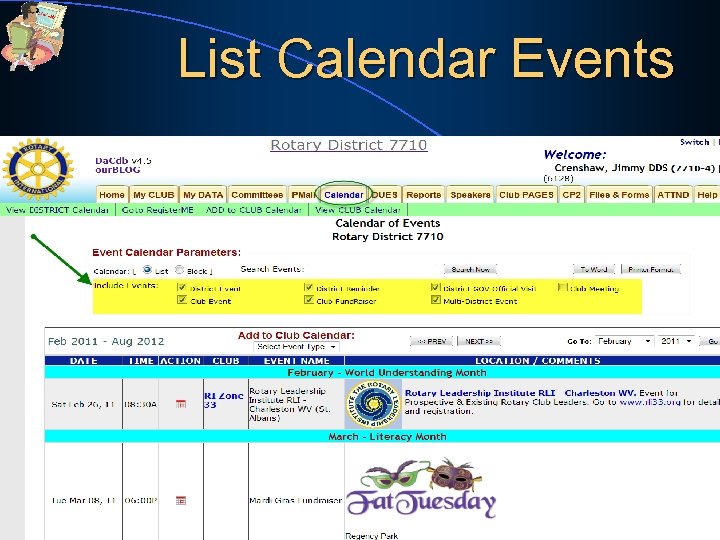
List Calendar Events 53
Getting Started You have the ability to……… • Send “P-MAIL” (Personalized e. Mail) ALL your Club members, in just a couple clicks • Many “templates” already available • Save your OWN templates
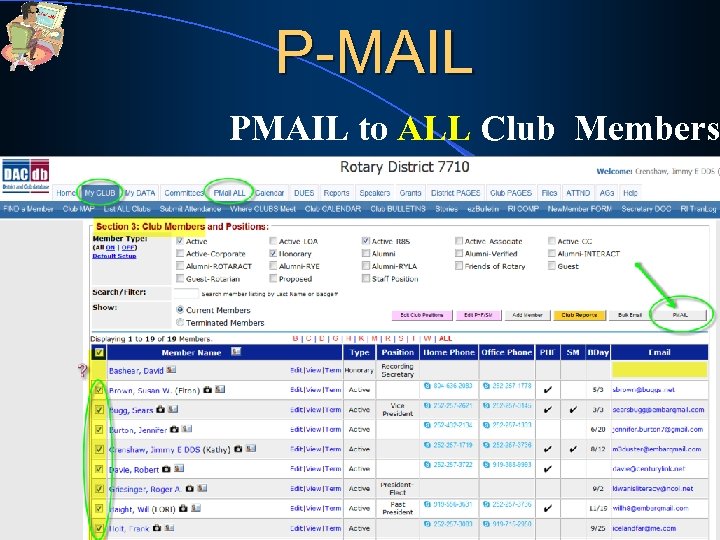
P-MAIL PMAIL to ALL Club Members
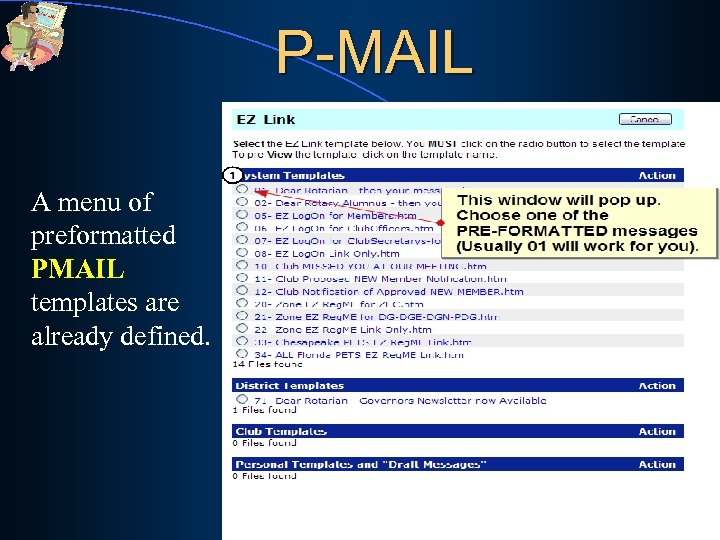
P-MAIL A menu of preformatted PMAIL templates are already defined. 56
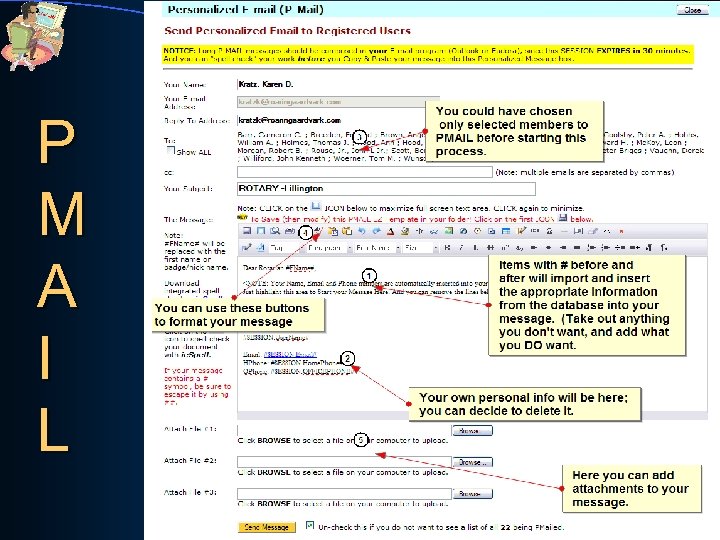
P M A I L 57
Getting Started You will have the ability to……… • Submit "club bulletins”, minutes and other documents; and archive them on the database – and you have 250 Mb of storage available to your club. 58
Getting Started Also, you have the ability to… • View the public data for any Member or Club in your district • Find any Member, and view their public contact information
Getting Started VERY IMPORTANT: Make all of your changes at once… BUT, you MUST click the “UPDATE” button, or your changes will not be recorded!
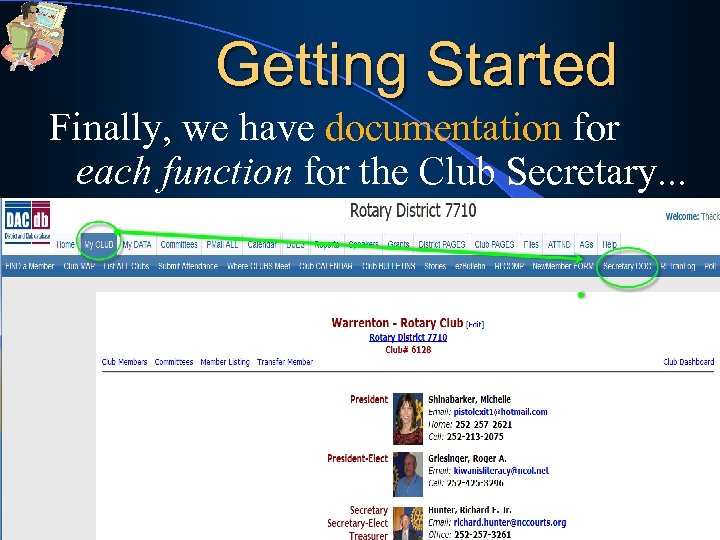
Getting Started Finally, we have documentation for each function for the Club Secretary. . .
SUCCESS! • Now all you have to do, is USE the DACdb system to help make your club “HUM” and stop “Hmmmming!” • So, “What’s stopping you now? ”
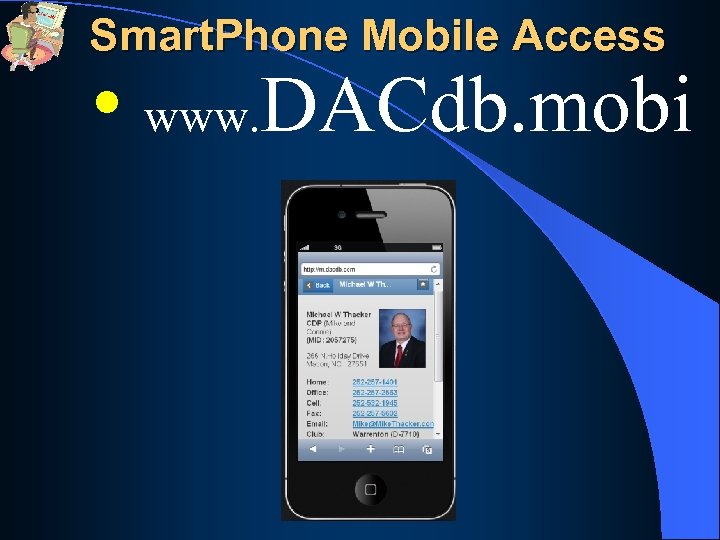
Smart. Phone Mobile Access • www. DACdb. mobi
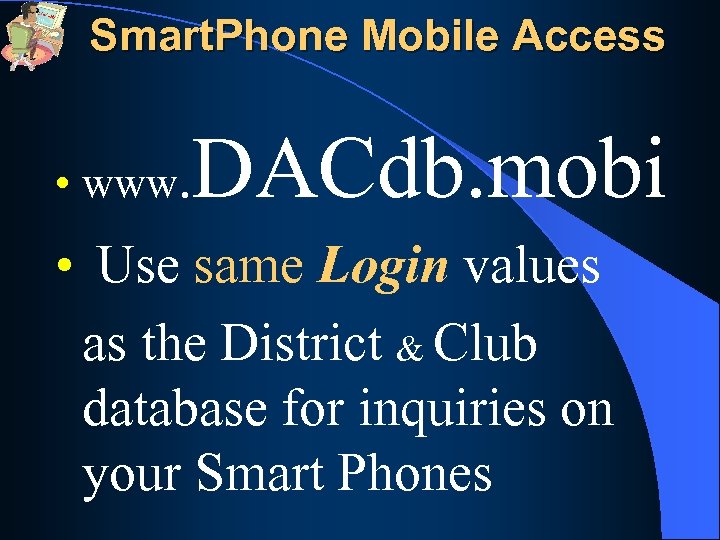
Smart. Phone Mobile Access DACdb. mobi • www. • Use same Login values as the District & Club database for inquiries on your Smart Phones
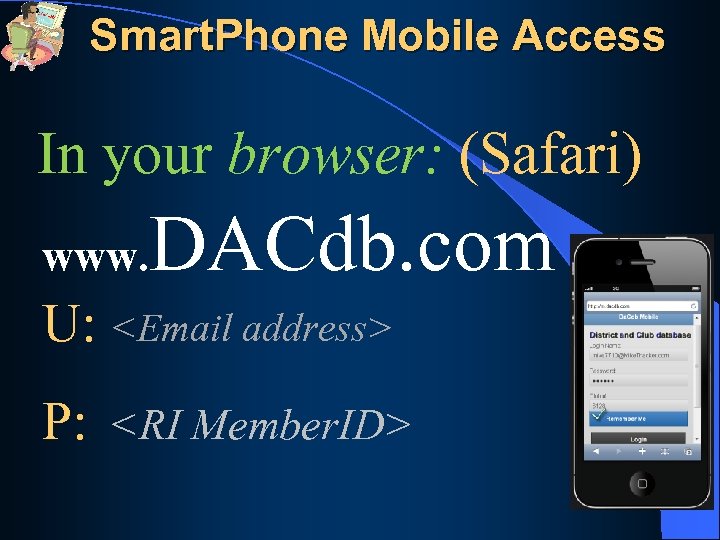
Smart. Phone Mobile Access In your browser: (Safari) www. DACdb. com U: <Email address> P: <RI Member. ID>
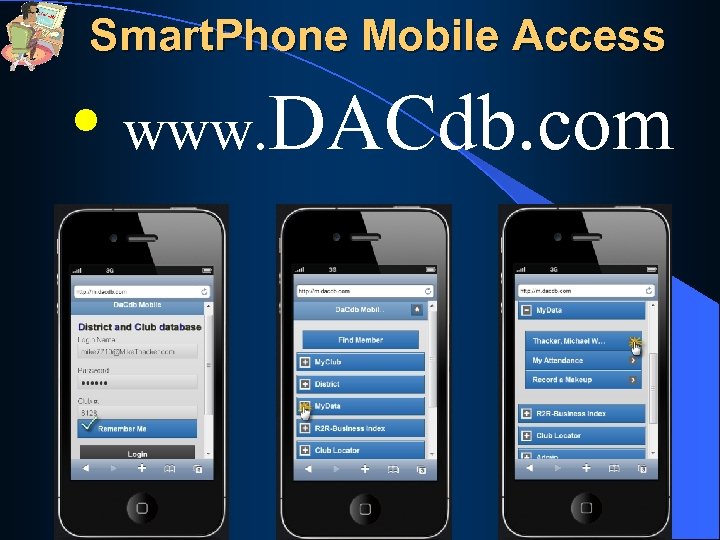
Smart. Phone Mobile Access • www. DACdb. com
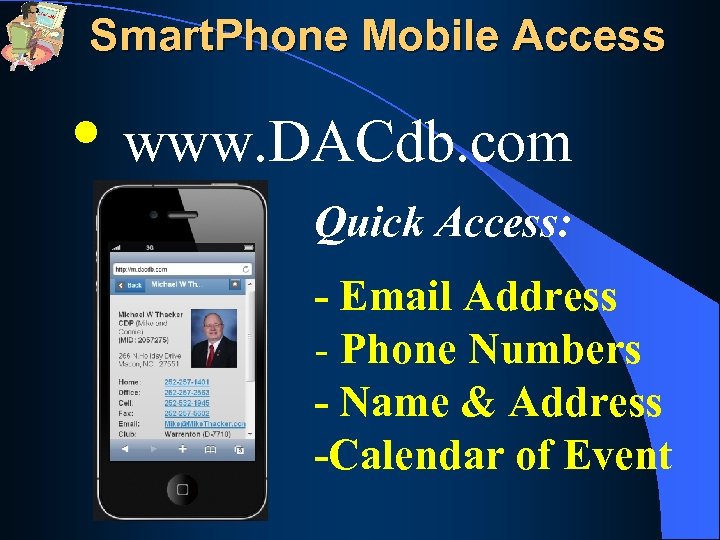
Smart. Phone Mobile Access • www. DACdb. com Quick Access: - Email Address - Phone Numbers - Name & Address -Calendar of Event
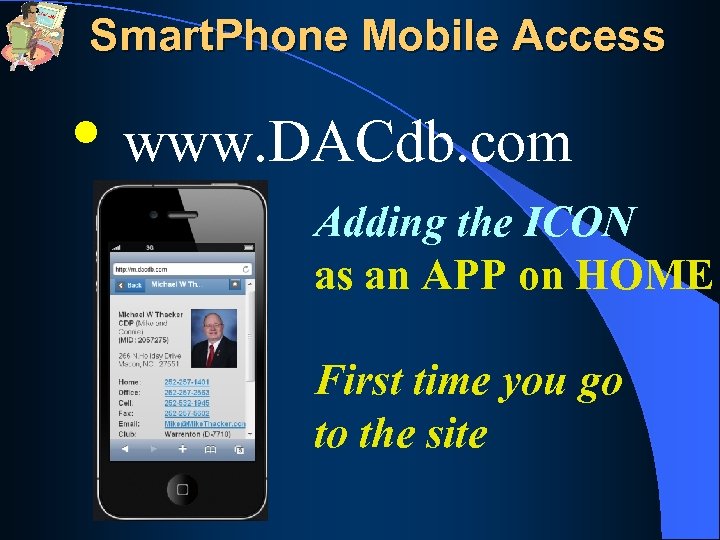
Smart. Phone Mobile Access • www. DACdb. com Adding the ICON as an APP on HOME First time you go to the site
Smart. Phone Mobile Access • www. DACdb. com
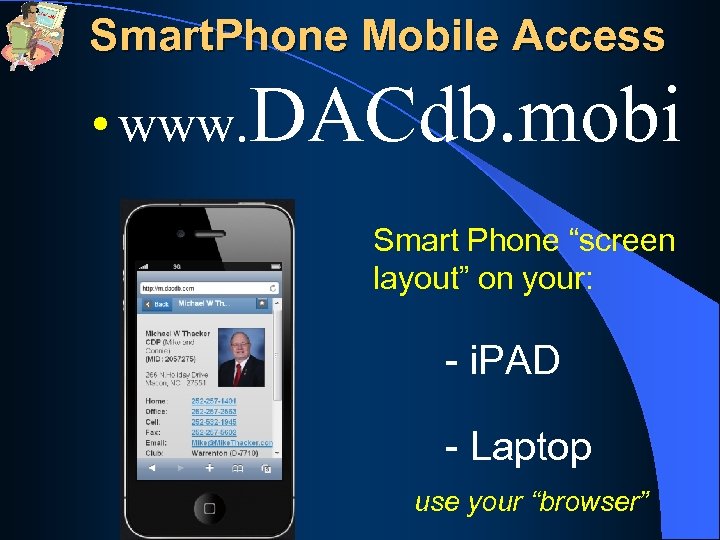
Smart. Phone Mobile Access • www. DACdb. mobi Smart Phone “screen layout” on your: - i. PAD - Laptop use your “browser”
DISTRICT and CLUB database
DISTRICT and CLUB database “Drawing a LINE in the SAND”
DISTRICT and CLUB database “Drawing a LINE in the SAND” Optional PREMIUM MODULES for CLUBS: www. Rotary. Club. org
PETS - Club Presidents DACdb Presents Optional Club Premium Modules! 1. Weekly Attendance Reporting 2. DUES & Invoicing 3. Club Web Site Less TIME with Less Stress SERVICE Above Self
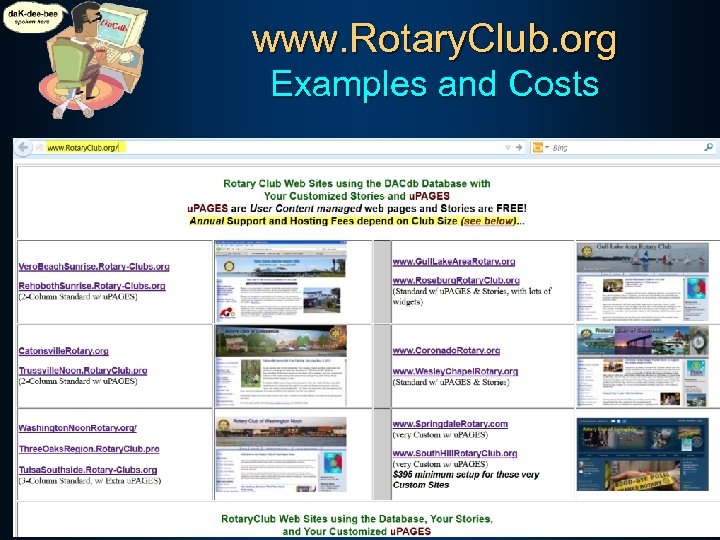
www. Rotary. Club. org Examples and Costs SERVICE Above Self
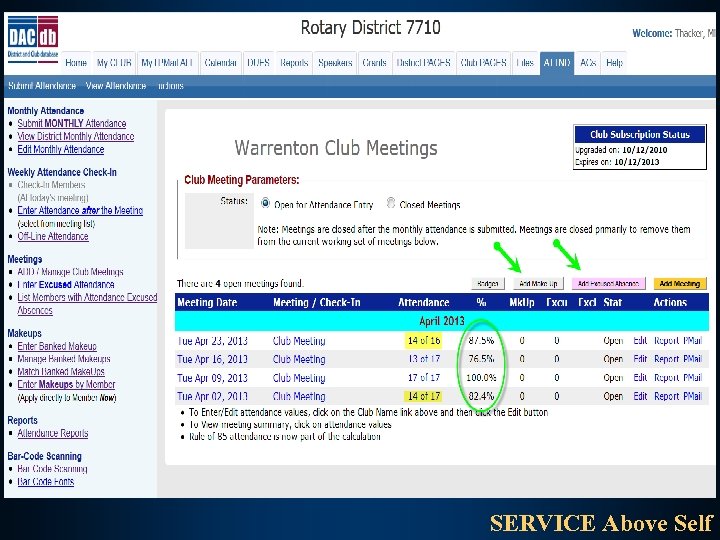
PETS - Club Presidents DACdb Presents Optional Club Premium Modules! 1. Weekly Attendance Reporting - Add a Meeting in just a couple clicks SERVICE Above Self
PETS - Club Presidents DACdb Presents Optional Club Premium Modules! 1. Weekly Attendance Reporting - Add a Meeting in just a couple clicks - Positive, Negative, Bar Code Scans SERVICE Above Self
PETS - Club Presidents DACdb Presents Optional Club Premium Modules! 1. Weekly Attendance Reporting - Add a Meeting in just a couple clicks - Positive, Negative, Bar Code Scans - Automatic PMAIL #10 to Absentees SERVICE Above Self
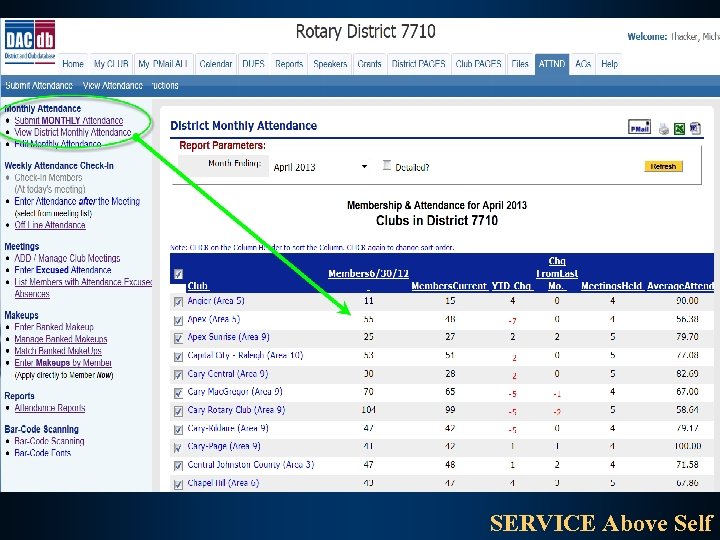
PETS - Club Presidents DACdb Presents Optional Club Premium Modules! 1. Weekly Attendance Reporting - Add a Meeting in just a couple clicks - Positive, Negative, Bar Code Scans - Automatic PMAIL #10 to Absentees - Automatic updating of Monthly Attend. SERVICE Above Self
PETS - Club Presidents DACdb Presents Optional Club Premium Modules! 1. Weekly Attendance Reporting - Add a Meeting in just a couple clicks - Positive, Negative, Bar Code Scans - Automatic PMAIL #10 to Absentees - Automatic updating of Monthly Attend. - Make Ups and Leave of Absences SERVICE Above Self
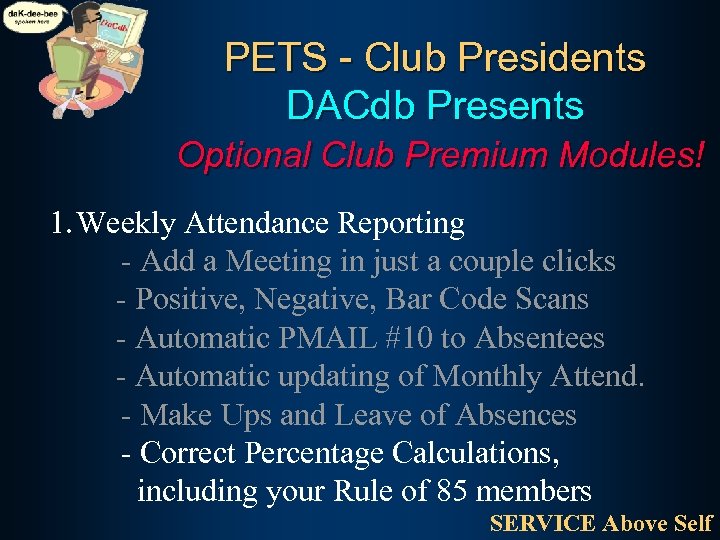
PETS - Club Presidents DACdb Presents Optional Club Premium Modules! 1. Weekly Attendance Reporting - Add a Meeting in just a couple clicks - Positive, Negative, Bar Code Scans - Automatic PMAIL #10 to Absentees - Automatic updating of Monthly Attend. - Make Ups and Leave of Absences - Correct Percentage Calculations, including your Rule of 85 members SERVICE Above Self
SERVICE Above Self
SERVICE Above Self
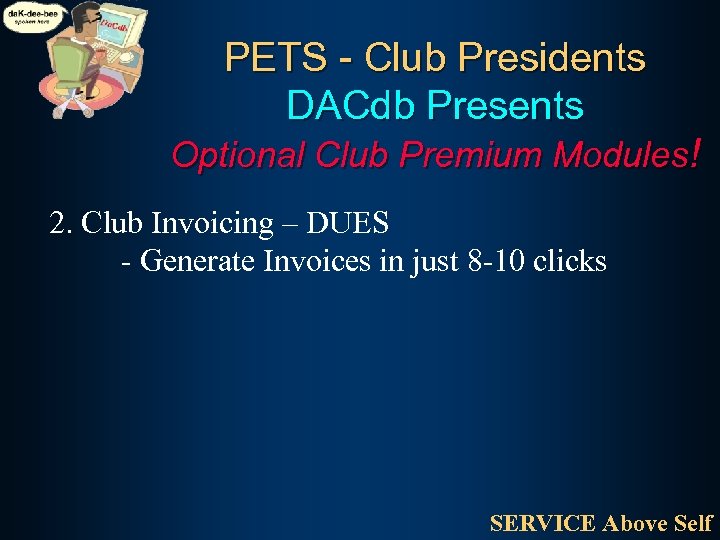
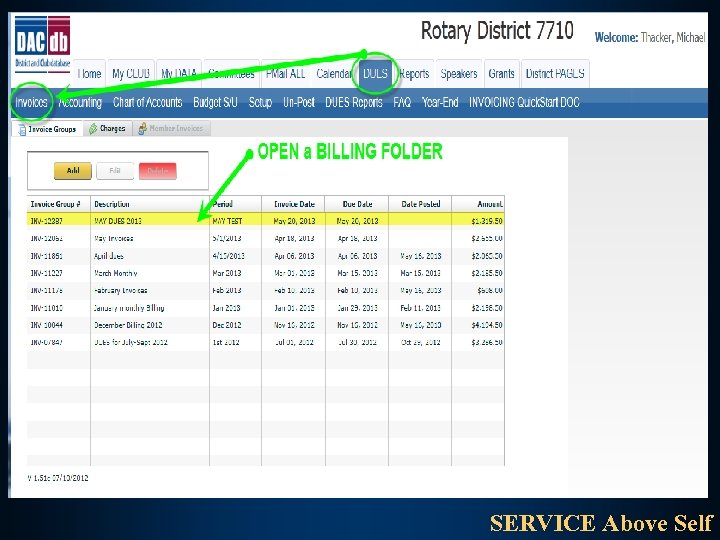
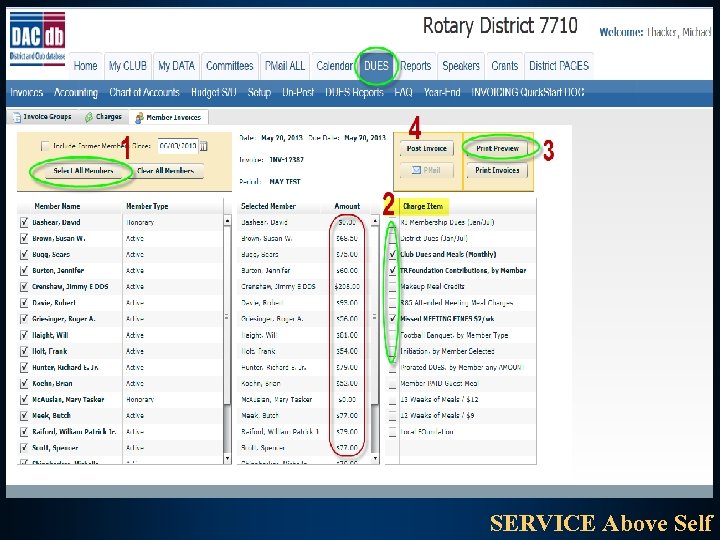
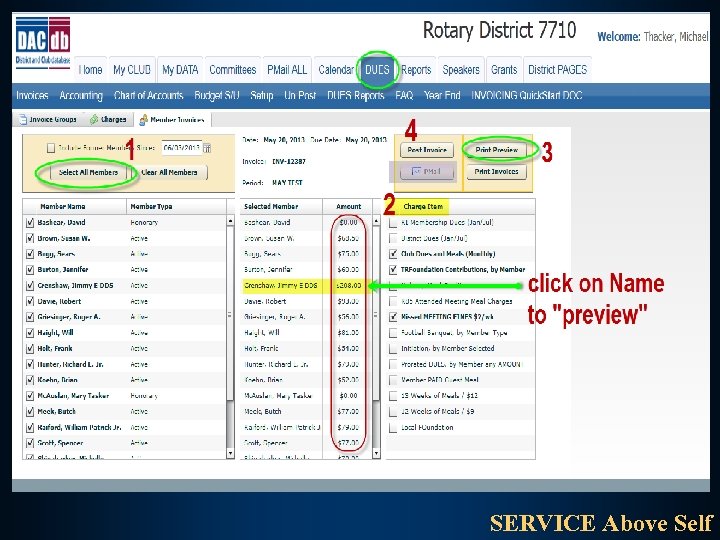
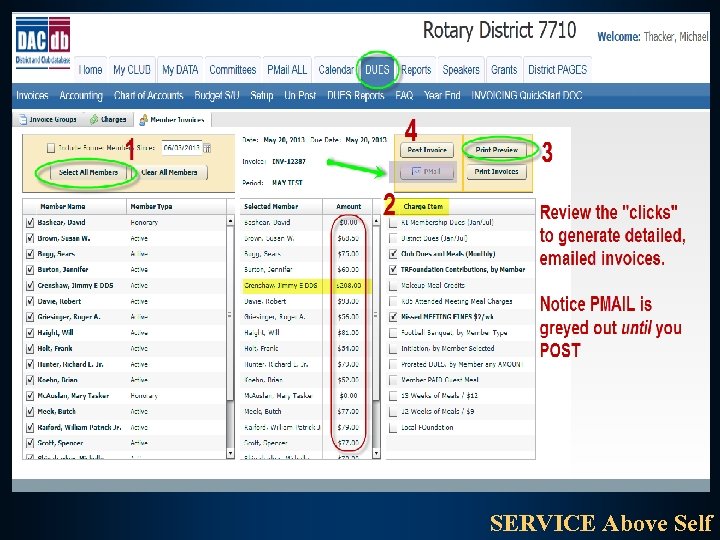
PETS - Club Presidents DACdb Presents Optional Club Premium Modules! 2. Club Invoicing – DUES - Generate Invoices in just 8 -10 clicks SERVICE Above Self
PETS - Club Presidents DACdb Presents Optional Club Premium Modules! 2. Club Invoicing – DUES - Generate Invoices in just 8 -10 clicks - POST to the Accounting system SERVICE Above Self
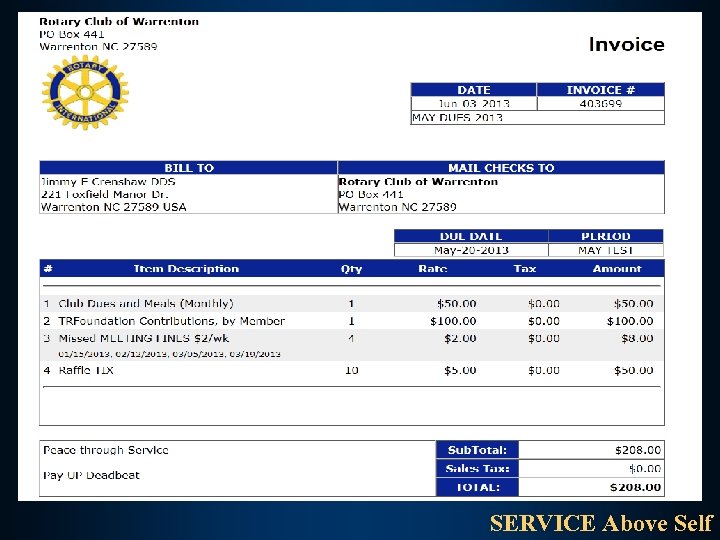
PETS - Club Presidents DACdb Presents Optional Club Premium Modules! 2. Club Invoicing – DUES - Generate Invoices in just 8 -10 clicks - POST to the Accounting system - PRINT the Invoices SERVICE Above Self
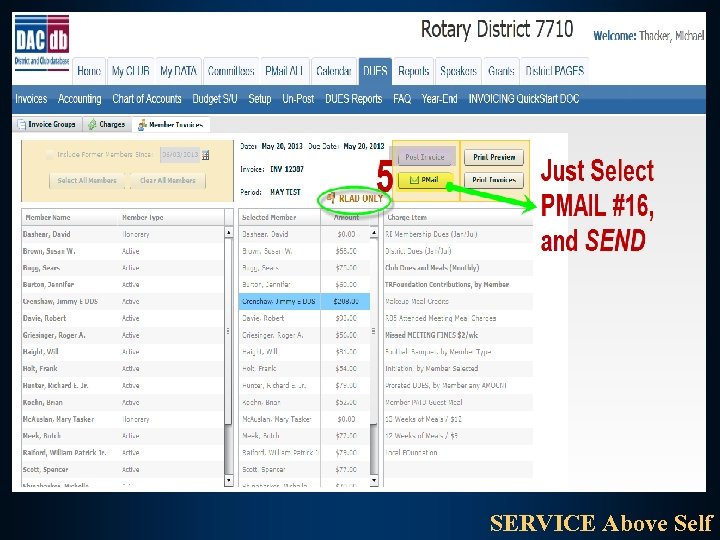
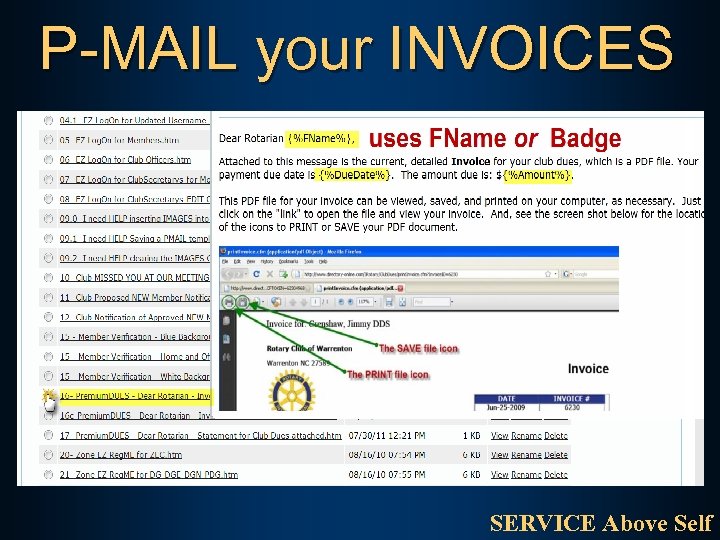
PETS - Club Presidents DACdb Presents Optional Club Premium Modules! 2. Club Invoicing – DUES - Generate Invoices in just 8 -10 clicks - POST to the Accounting system - PRINT the Invoices - PMAIL Invoices to Members w/Email SERVICE Above Self
PETS - Club Presidents DACdb Presents Optional Club Premium Modules! 2. Club Invoicing – DUES - Generate Invoices in just 8 -10 clicks - POST to the Accounting system - PRINT the Invoices - PMAIL Invoices to Members w/Email - Complete double-entry accounting, Chart of Accounts, and Reporting SERVICE Above Self
SERVICE Above Self
SERVICE Above Self
SERVICE Above Self
SERVICE Above Self
SERVICE Above Self
SERVICE Above Self
P-MAIL your INVOICES SERVICE Above Self
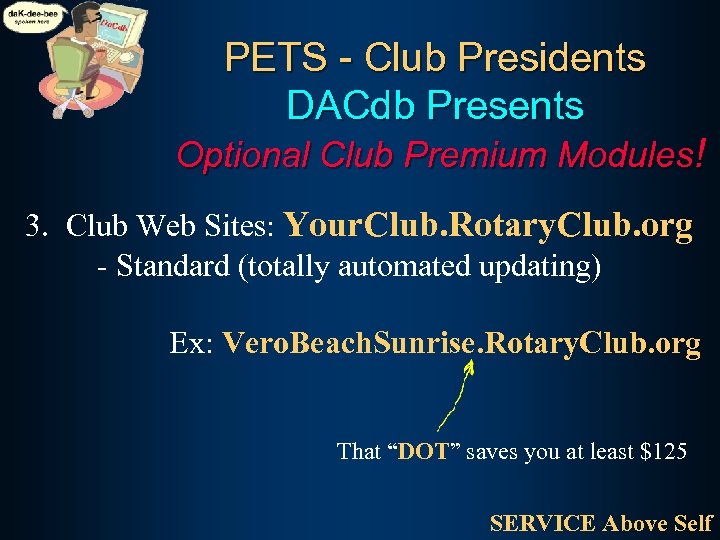
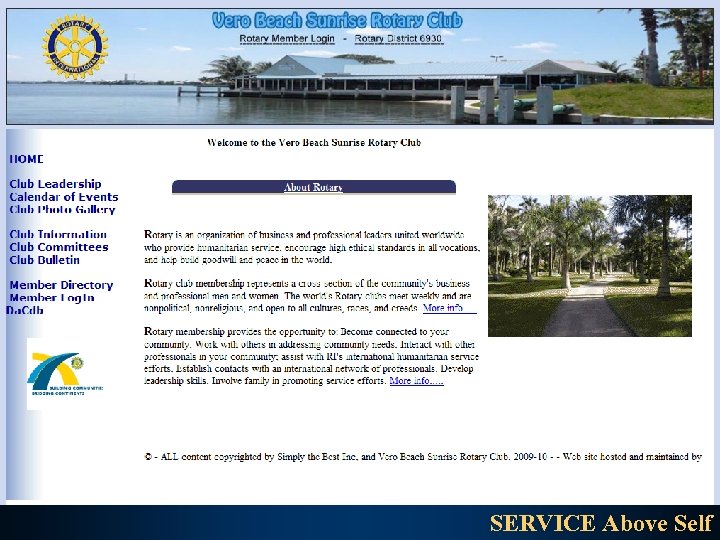
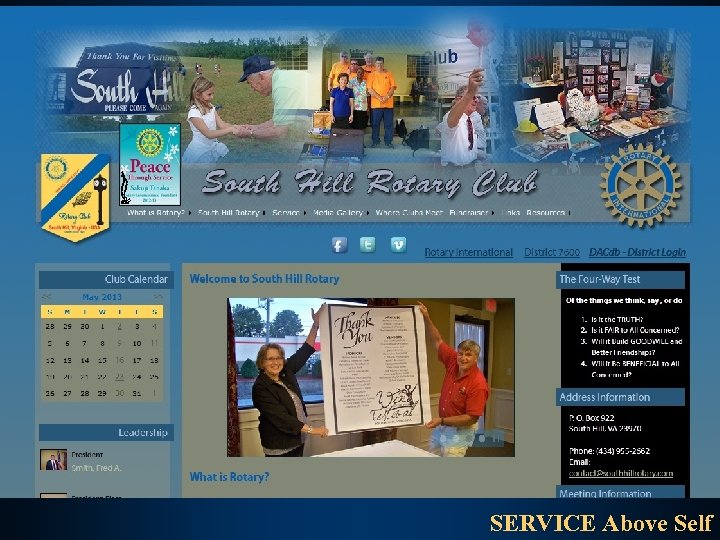
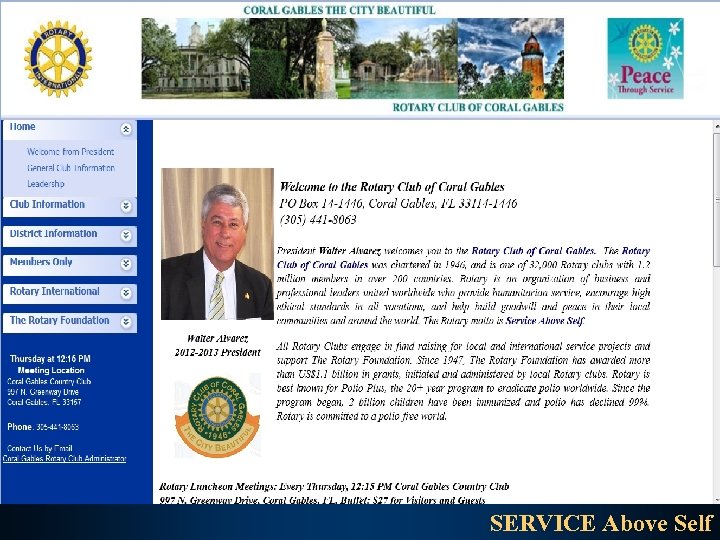
PETS - Club Presidents DACdb Presents Optional Club Premium Modules! 3. Club Web Sites: Your. Club. Rotary. Club. org - Standard (totally automated updating) Ex: Vero. Beach. Sunrise. Rotary. Club. org That “DOT” saves you at least $125 SERVICE Above Self
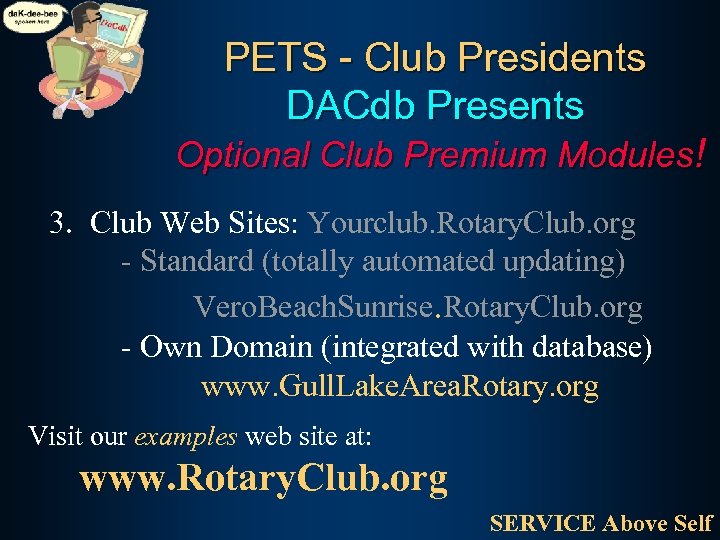
PETS - Club Presidents DACdb Presents Optional Club Premium Modules! 3. Club Web Sites: Yourclub. Rotary. Club. org - Standard (totally automated updating) Vero. Beach. Sunrise. Rotary. Club. org - Own Domain (integrated with database) www. Gull. Lake. Area. Rotary. org Visit our examples web site at: www. Rotary. Club. org SERVICE Above Self
PETS - Club Presidents DACdb Presents Optional Club Premium Modules! SERVICE Above Self
PETS - Club Officers DACdb Presents Optional Club Premium Modules! SERVICE Above Self
PETS - Club Presidents DACdb Presents Optional Club Premium Modules! SERVICE Above Self
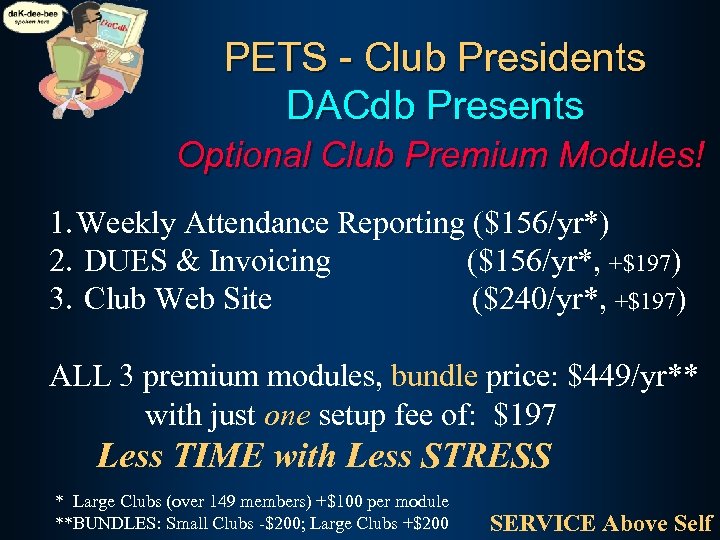
PETS - Club Presidents DACdb Presents Optional Club Premium Modules! 1. Weekly Attendance Reporting ($156/yr*) 2. DUES & Invoicing ($156/yr*, +$197) 3. Club Web Site ($240/yr*, +$197) ALL 3 premium modules, bundle price: $449/yr** with just one setup fee of: $197 Less TIME with Less STRESS * Large Clubs (over 149 members) +$100 per module **BUNDLES: Small Clubs -$200; Large Clubs +$200 SERVICE Above Self
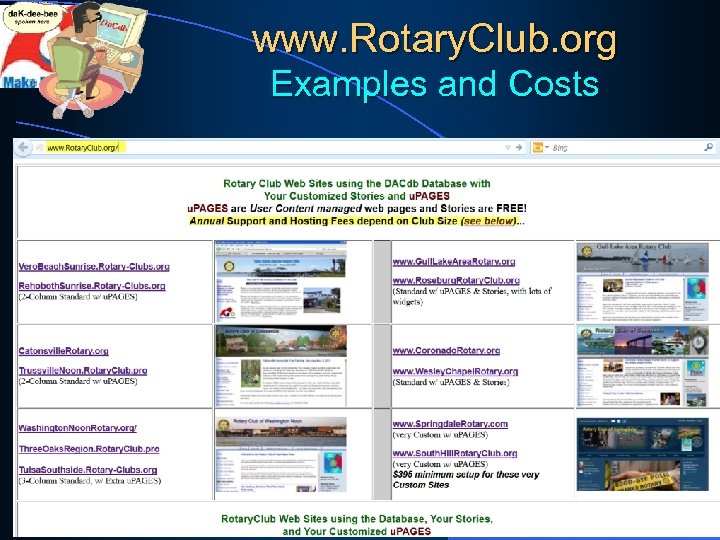
www. Rotary. Club. org Examples and Costs SERVICE Above Self
DISTRICT and CLUB database 103
DISTRICT and CLUB database E-mail: Mike@DACdb. com
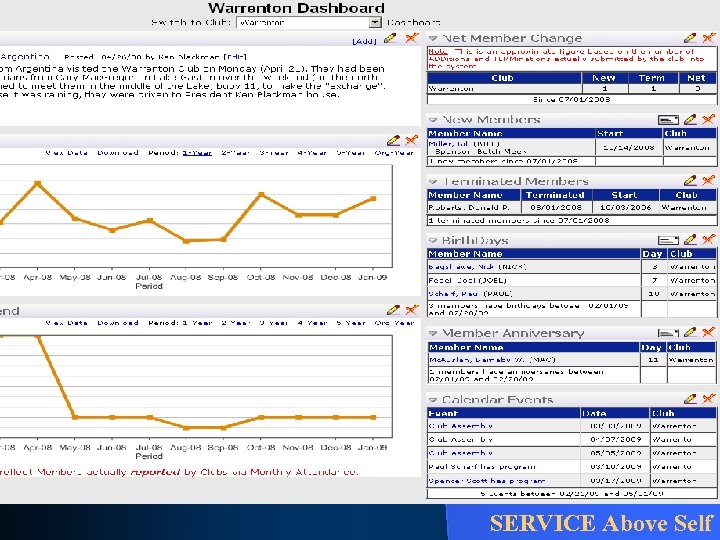
PETS - Club Presidents DACdb Presents New Features 4. Dashboard for Club and District - Snapshot of Membership, Attendance, Calendar (Birthdays, Anniversaries) Review of Top 10 clubs: New Members SERVICE Above Self
PETS - Club Presidents DACdb Presents New Features 4. Dashboard for Club and District - Snapshot of Membership, Attendance, Calendar (Birthdays, Anniversaries) - Edit your own club profile: like “Face. Book” Add late news items, photos, etc. SERVICE Above Self
PETS - Club Presidents DACdb Presents New Features 4. Dashboard for Club and District - Snapshot of Membership, Attendance, Calendar (Birthdays, Anniversaries) - Edit your own club profile: like “Face. Book” - Count of E-mail Addresses and Photos, by club – great for Governor’s Club award SERVICE Above Self

nd tte g in a or. f ks day n ry ta o ha t o T R T A E R ! G ar a e e v y a H 108
DISTRICT and CLUB database E-mail: Mike@Mike. Thacker. com
DISTRICT and CLUB database E-mail: Mike@Mike. Thacker. com
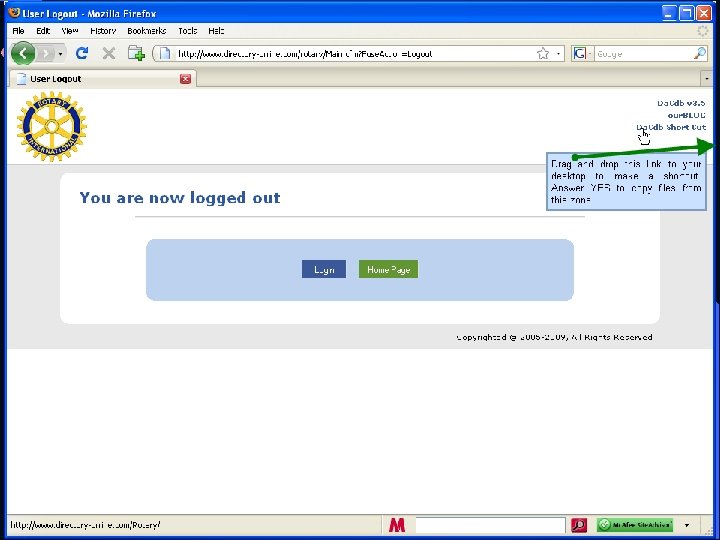
Guided practice See who is on your District’s Assistant Governors Committee… just click on the COMMITTEES tab, and select the committee to VIEW
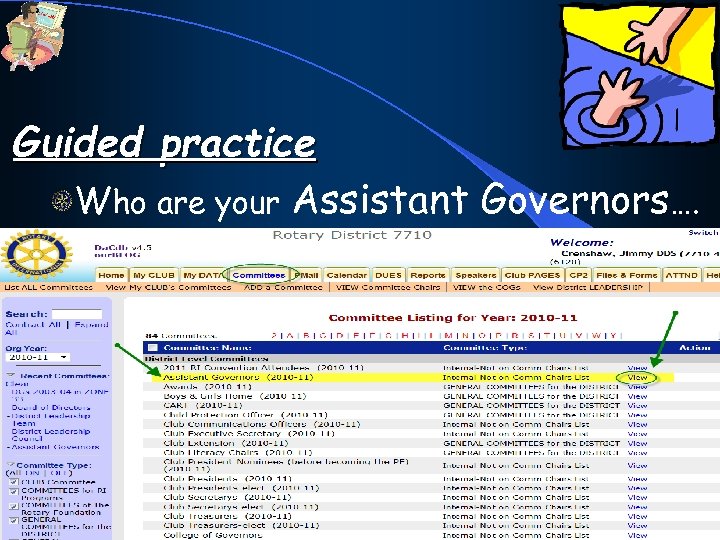
Guided practice Who are your Assistant Governors…. 113
PETS - Club Presidents DACdb Presents New Features SERVICE Above Self

more Guided Practice
Guided practice SUMMARY Log in to the DACdb Edit your own Member record … Just click on My CLUB and scroll down to Section 3 to find your record Or, Just click on the My DATA tab 116 to view your record, then EDIT.
Guided practice Log in to the DACdb
• Built-in Security and Privacy …
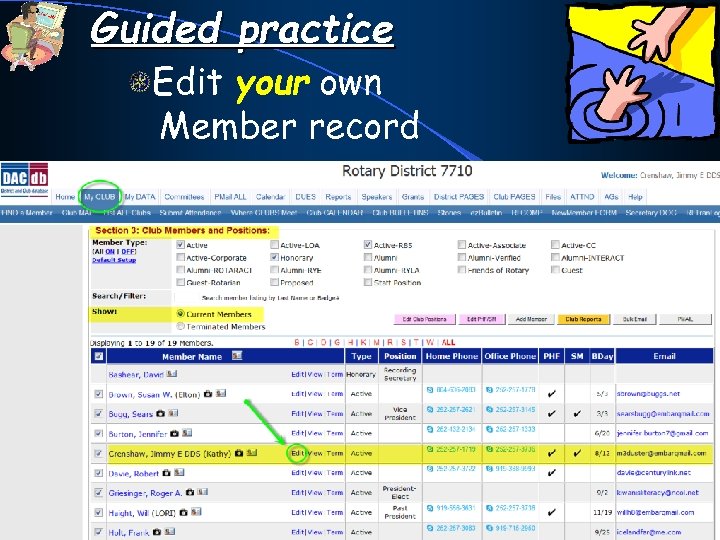
Guided practice Edit your own Member record
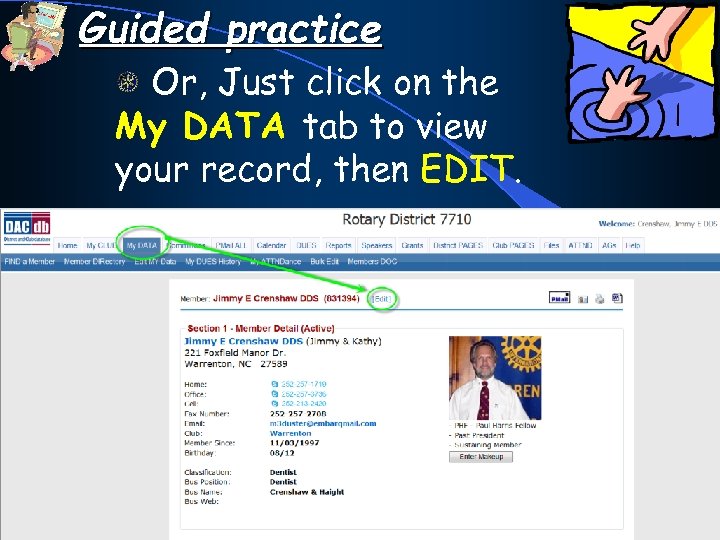
Guided practice Or, Just click on the My DATA tab to view your record, then EDIT.
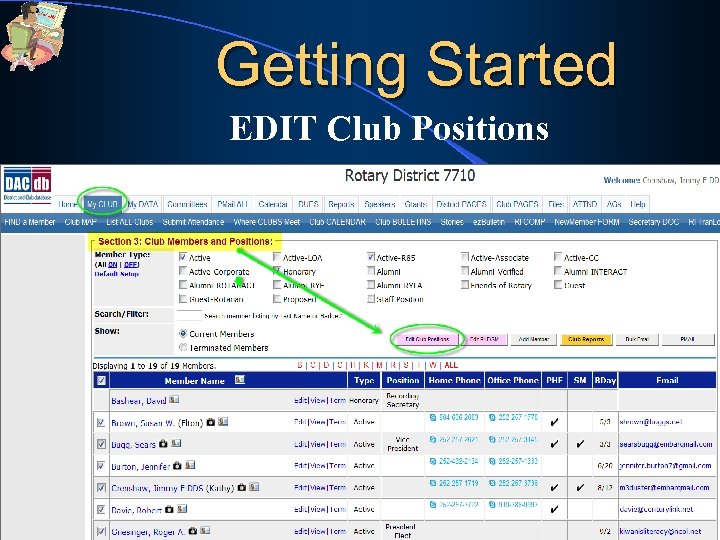
Guided practice Make someone Public Relations Chair … Just click on My CLUB and scroll down to Section 3 to EDIT Club Positions NOW, change them back.
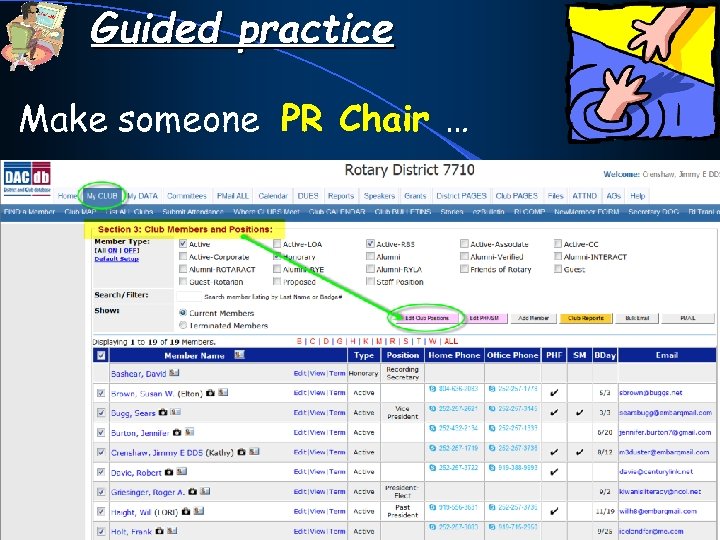
Guided practice Make someone PR Chair …
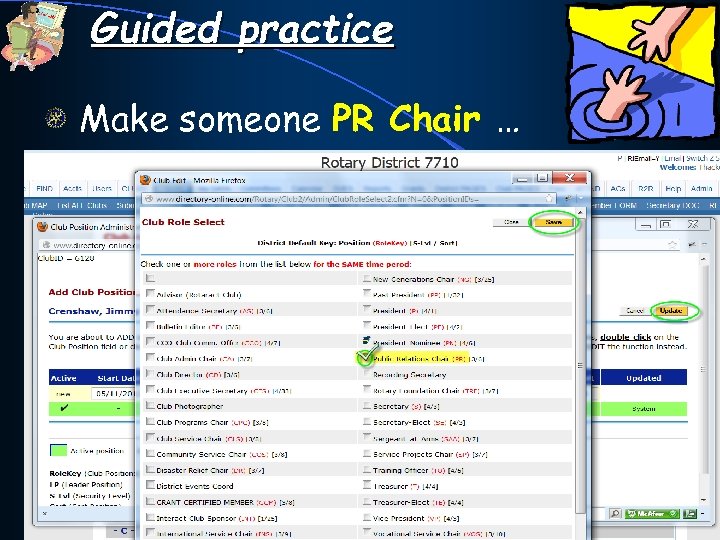
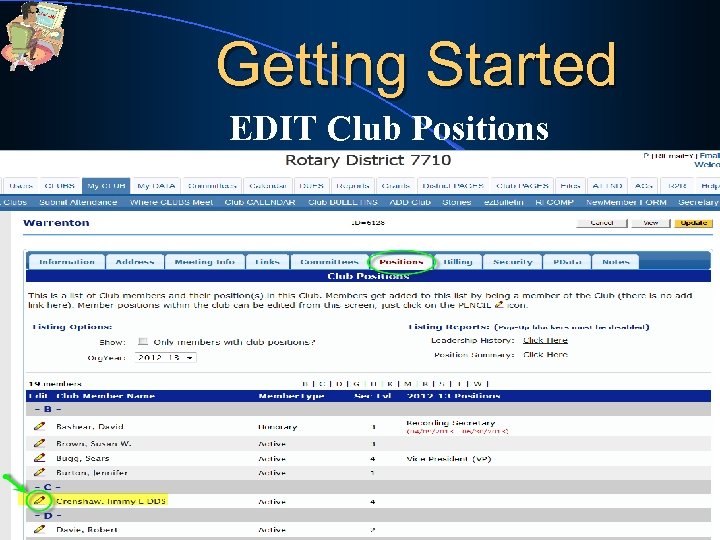
Guided practice Make someone PR Chair … -Just click on the PENCIL icon beside the PERSON that you want to set to a new CLUB POSITION -Please, do NOT click “UPDATE”
Guided practice Make someone PR Chair … -Just click on the PENCIL icon beside the PERSON that you want to set to a new CLUB POSITION - They now SHOW UP in Club Leaders (click My Club now to see updated leadership)
Guided practice – My CLUB Create a Membership Directory for your club… Go to CLUB REPORTS and choose #1 and choose “RUN/VIEW ON SCREEN”
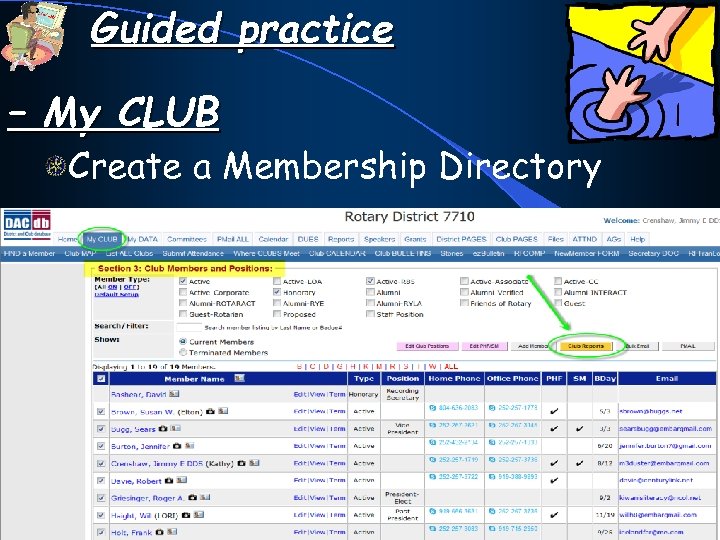
Guided practice – My CLUB Create a Membership Directory
Guided practice FIND for a member with the last name “Johnson” in your district… under the My DATA tab… click the FIND a MEMBER (it is the first entry in sub-menu) 127
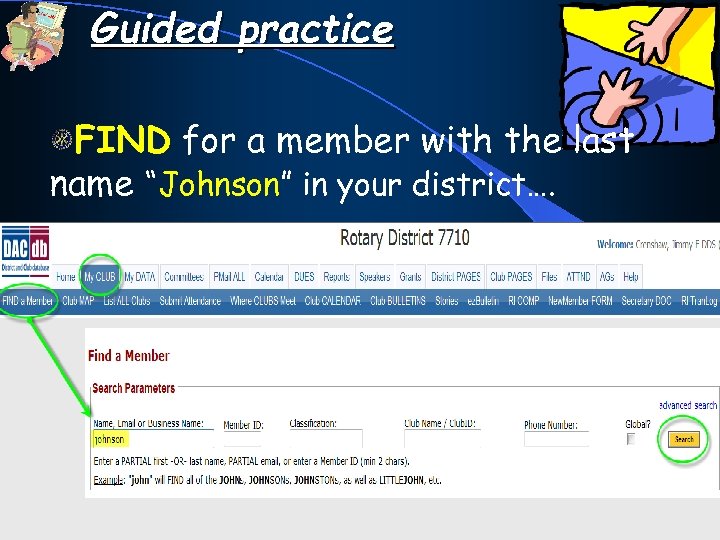
Guided practice FIND for a member with the last name “Johnson” in your district….
Guided practice Send a “PMAIL” to yourself (which is always a good idea, when composing a lengthy message). Just click on My DATA tab… (which is exactly the SAME as clicking VIEW a member, in Section 3 of My Club)
Guided practice Then, click the PMAIL envelope on the right side of the screen, just above your photo. Then, select #01 Dear Rotarian “template”. Then key-in your message and click SEND. (you could use any of the message templates already there!)
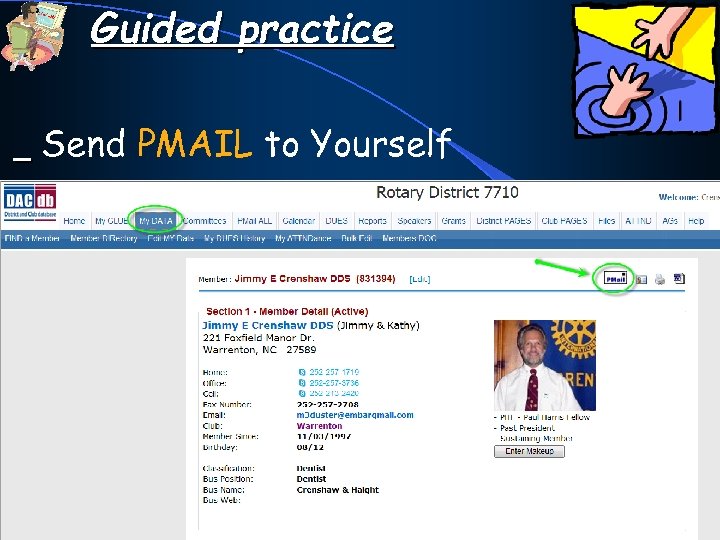
Guided practice Send PMAIL to Yourself
Guided practice Send a “PMAIL” to ALL the members of your club…. . click on My CLUB and scroll down to Section 3. Click the PMAIL button on the right side of the screen. Select #01 Dear Rotarian “template”. Then key-in your message and click SEND. ONLY ONE CLUB VOLUNTEER! (you could use any of the message templates already there!)
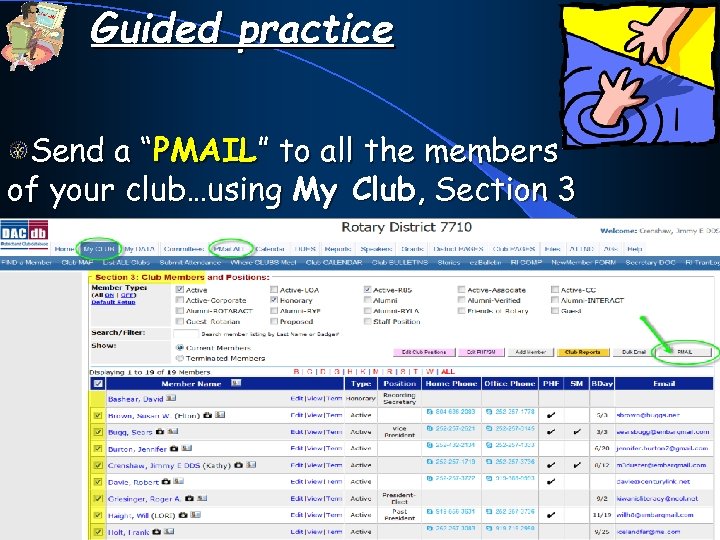
Guided practice Send a “PMAIL” to all the members of your club…using My Club, Section 3
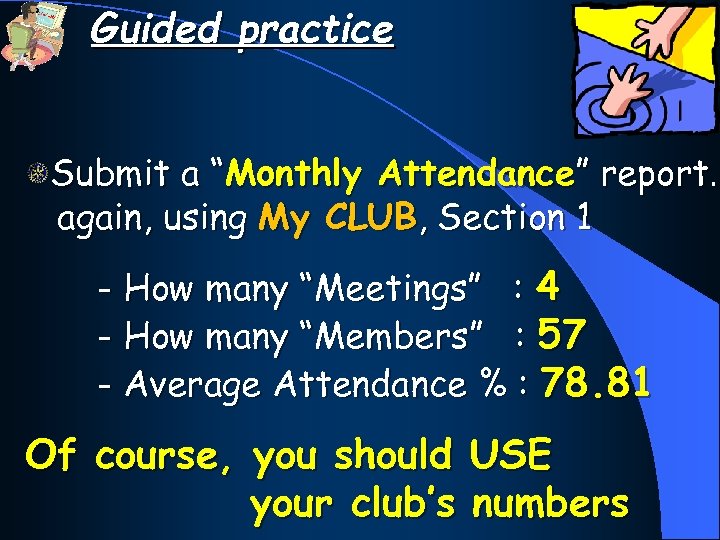
Guided practice Submit a “Monthly Attendance” report… again, using My CLUB, Section 1 - How many “Meetings” : 4 - How many “Members” : 57 - Average Attendance % : 78. 81 Of course, you should your club’s USE numbers
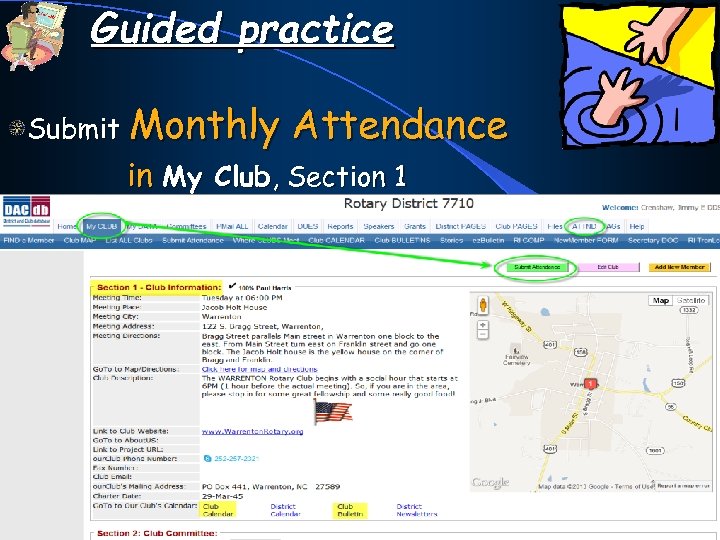
Guided practice Submit Monthly Attendance in My Club, Section 1
Скачать презентацию DISTRICT and CLUB database DAC-db TRAINING CLUB SECRETARIES
abf3c0db720b4678f1de55b90867a8b8.ppt