 Скачать презентацию Distributed systems Fall 2010 G 22 3033 -001
a649cf4f728e532e48d27ec734e70c1f.ppt
- Количество слайдов: 41



![Distributed systems [Fall 2010] G 22. 3033 -001 Lec 1: Course Introduction & Lab](https://present5.com/presentation/a649cf4f728e532e48d27ec734e70c1f/image-1.jpg "Distributed systems [Fall 2010] G 22. 3033 -001 Lec 1: Course Introduction & Lab")
Distributed systems [Fall 2010] G 22. 3033 -001 Lec 1: Course Introduction & Lab Intro
Know your staff • Instructor: Prof. Jinyang Li (me) – jinyang@cs. nyu. edu – Office Hour: Tue 5 -6 pm (715 Bway Rm 708) • Instructional Assistant: Nguyen Tran – trandinh@cs. nyu. edu – Office Hour: TBA (715 Bway Rm 705)
Important addresses • Class URL: http: //www. news. cs. nyu. edu/~jinyang/fa 10 – Check regularly for schedule+reading questions • Important: Sign up for Google group nyu-ds 10 – We will post announcements using this list – You can discuss lectures and labs, post materials (Don’t be shy!) • To email just me and Nguyen dss-staff@cs. nyu. edu
This class will teach … you • Basic tools of distributed systems – Abstractions, algorithms, implementation techniques – System designs that worked • Build a real system! – Synthesize ideas from many areas to build working systems • Your (and my) goal: address new (unsolved) system challenges
Who should take this class? • Pre-requisite: – Undergrad OS – Programming experience in C or C++ • If you are not sure, do Lab 1 asap.
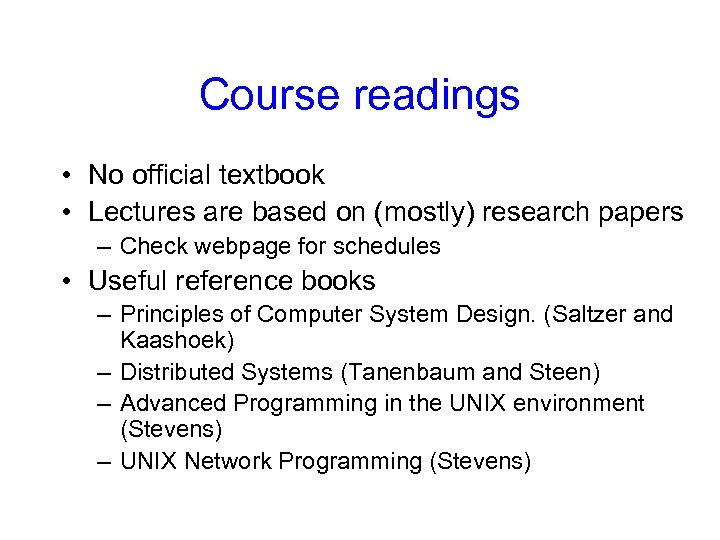
Course readings • No official textbook • Lectures are based on (mostly) research papers – Check webpage for schedules • Useful reference books – Principles of Computer System Design. (Saltzer and Kaashoek) – Distributed Systems (Tanenbaum and Steen) – Advanced Programming in the UNIX environment (Stevens) – UNIX Network Programming (Stevens)
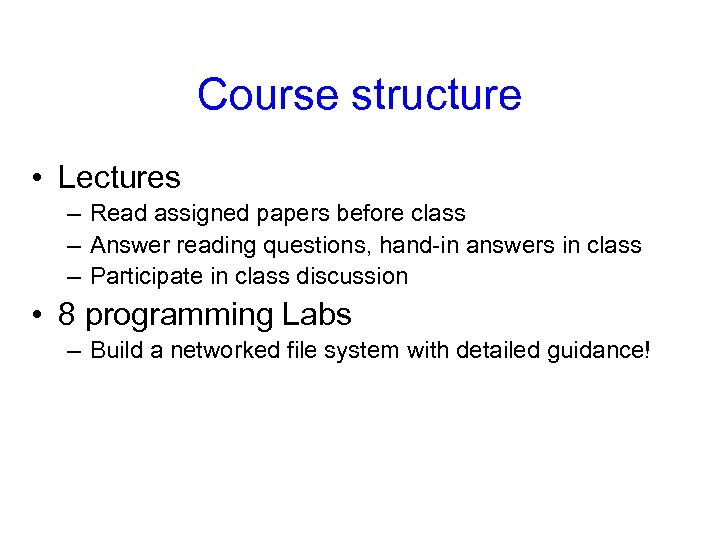
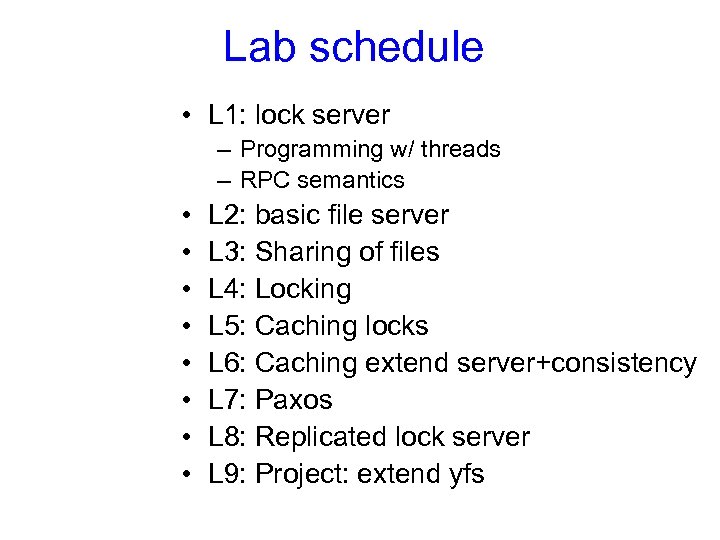
Course structure • Lectures – Read assigned papers before class – Answer reading questions, hand-in answers in class – Participate in class discussion • 8 programming Labs – Build a networked file system with detailed guidance!
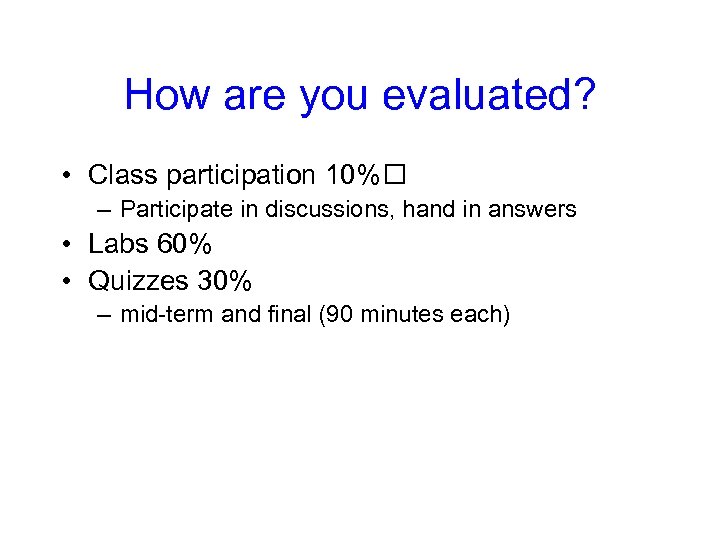
How are you evaluated? • Class participation 10% – Participate in discussions, hand in answers • Labs 60% • Quizzes 30% – mid-term and final (90 minutes each)
Questions?
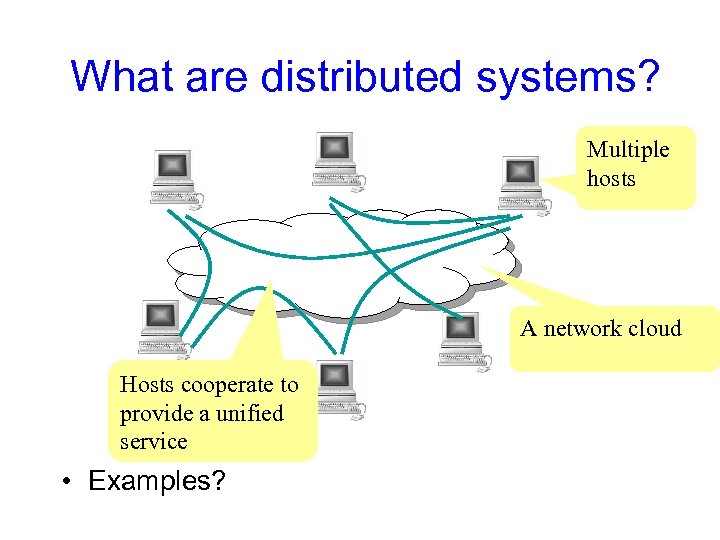
What are distributed systems? Multiple hosts A network cloud Hosts cooperate to provide a unified service • Examples?
Why distributed systems? for ease-of-use • Handle geographic separation • Provide users (or applications) with location transparency: – Web: access information with a few “clicks” – Network file system: access files on remote servers as if they are on a local disk, share files among multiple computers
Why distributed systems? for availability • Build a reliable system out of unreliable parts – Hardware can fail: power outage, disk failures, memory corruption, network switch failures… – Software can fail: bugs, mis-configuration, upgrade … – To achieve 0. 999999 availability, replicate data/computation on many hosts with automatic failover
Why distributed systems? for scalable capacity • Aggregate resources of many computers – CPU: Dryad, Map. Reduce, Grid computing – Bandwidth: Akamai CDN, Bit. Torrent – Disk: Frangipani, Google file system
Why distributed systems? for modular functionality • Only need to build a service to accomplish a single task well. – Authentication server – Backup server.
Challenges • System design – What is the right interface or abstraction? – How to partition functions for scalability? • Consistency – How to share data consistently among multiple readers/writers? • Fault Tolerance – How to keep system available despite node or network failures?
Challenges (continued) • Different deployment scenarios – Clusters – Wide area distribution – Sensor networks • Security – How to authenticate clients or servers? – How to defend against or audit misbehaving servers? • Implementation – How to maximize concurrency? – What’s the bottleneck? – How to reduce load on the bottleneck resource?
A word of warning A distributed system is a system in which I can’t do my work because some computer that I’ve never even heard of has failed. ” -- Leslie Lamport

Topics in this course
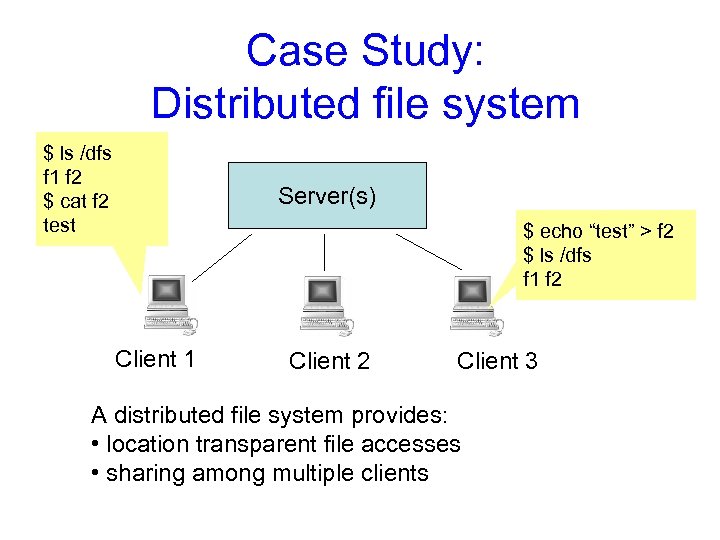
Case Study: Distributed file system $ ls /dfs f 1 f 2 $ cat f 2 test Server(s) $ echo “test” > f 2 $ ls /dfs f 1 f 2 Client 1 Client 2 Client 3 A distributed file system provides: • location transparent file accesses • sharing among multiple clients
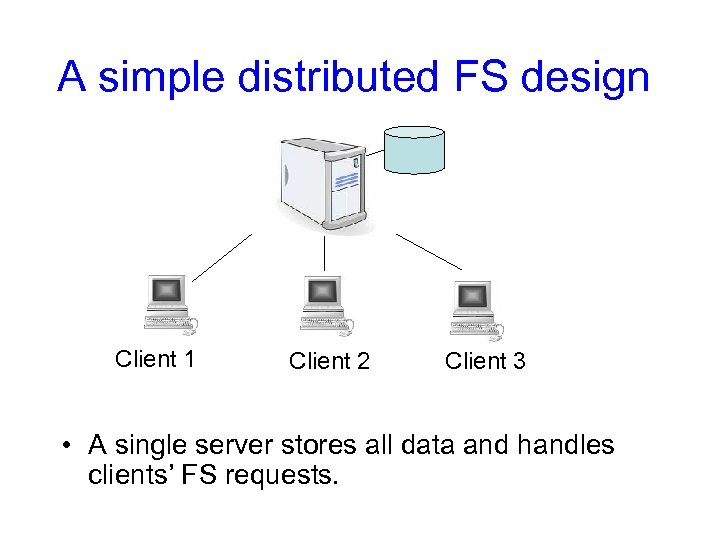
A simple distributed FS design Client 1 Client 2 Client 3 • A single server stores all data and handles clients’ FS requests.
Topic: System Design • What is the right interface? – possible interfaces of a storage system • Disk • File system • Database • Can the system handle a large user population? – E. g. all NYU students and faculty • How to store peta-bytes of data? – Has to use more than 1 server – Idea: partition users across different servers
Topic: Consistency • When C 1 moves file f 1 from /d 1 to /d 2, do other clients see intermediate results? • What if both C 1 and C 2 want to move f 1 to different places? • To reduce network load, cache data at C 1 – If C 1 updates f 1 to f 1’, how to ensure C 2 reads f 1’ instead of f 1?
Topic: Fault Tolerance • How to keep the system running when some file server is down? – Replicate data at multiple servers • How to update replicated data? • How to fail-over among replicas? • How to maintain consistency across reboots?
Topic: Security • Adversary can manipulate messages – How to authenticate? • Adversary may compromise machines – Can the FS remain correct despite a few compromised nodes? – How to audit for past compromises? • Which parts of the system to trust? – System admins? Physical hardware? OS? Your software?
Topic: Implementation • The file server should serve multiple clients concurrently – Keep (multiple) CPU(s) and network busy while waiting for disk • Concurrency challenge in software: – Server threads need to modify shared state: • Avoid race conditions – One thread’s request may dependent on another • Avoid deadlock and livelock
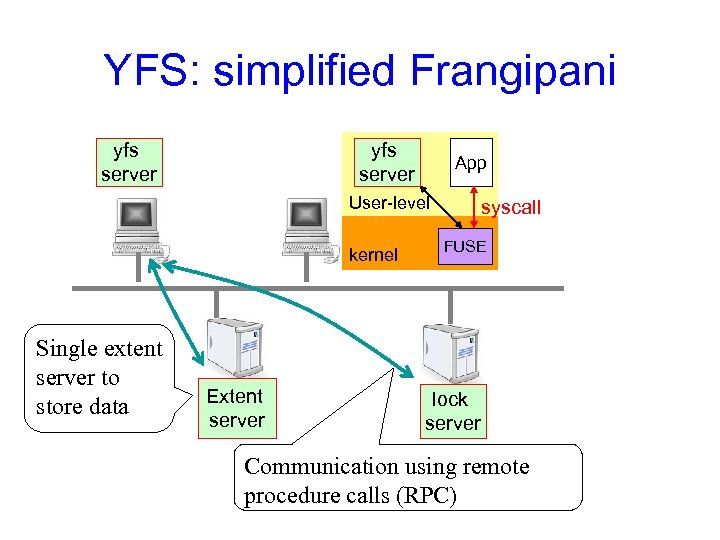
Intro to programming Lab: Yet Another File System (yfs)
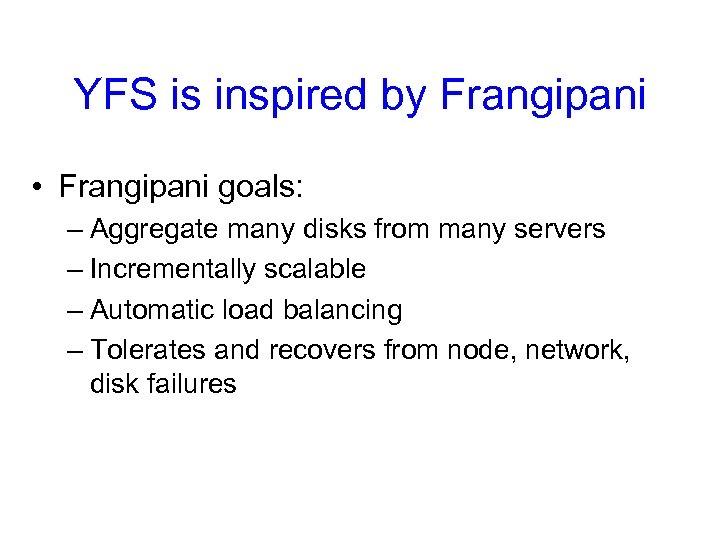
YFS is inspired by Frangipani • Frangipani goals: – Aggregate many disks from many servers – Incrementally scalable – Automatic load balancing – Tolerates and recovers from node, network, disk failures
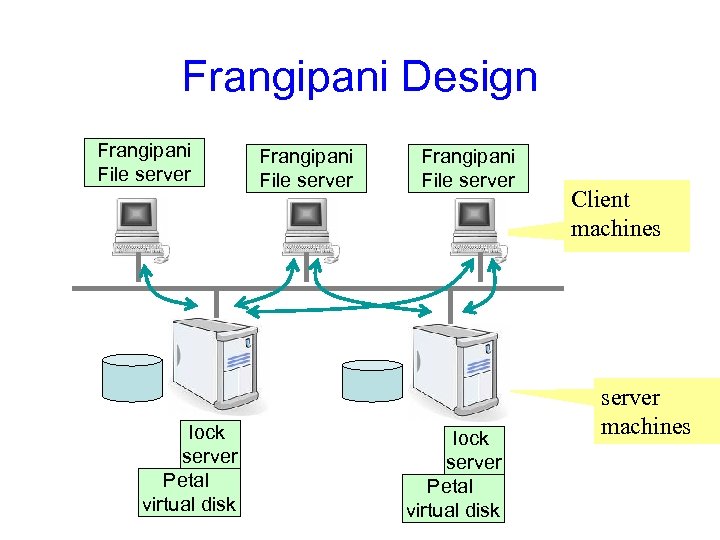
Frangipani Design Frangipani File server lock server Petal virtual disk Client machines server machines
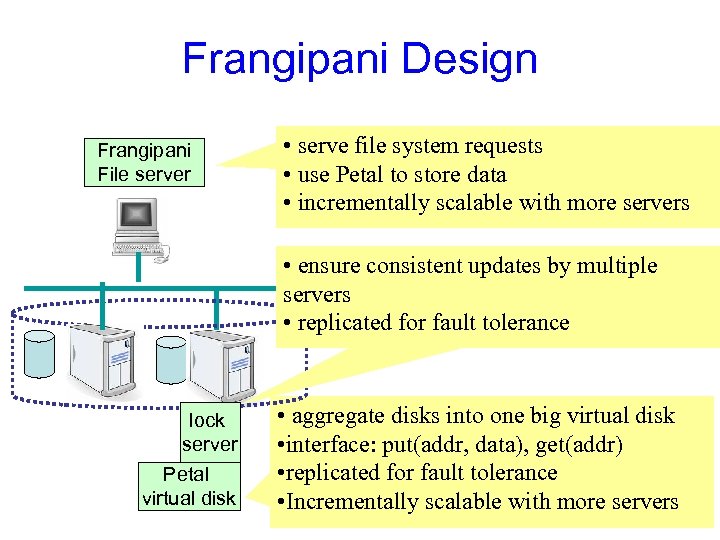
Frangipani Design Frangipani File server • serve file system requests • use Petal to store data • incrementally scalable with more servers • ensure consistent updates by multiple servers • replicated for fault tolerance lock server Petal virtual disk • aggregate disks into one big virtual disk • interface: put(addr, data), get(addr) • replicated for fault tolerance • Incrementally scalable with more servers
Frangipani security • Simple security model: – Runs as a cluster file system – All machines and software trusted!
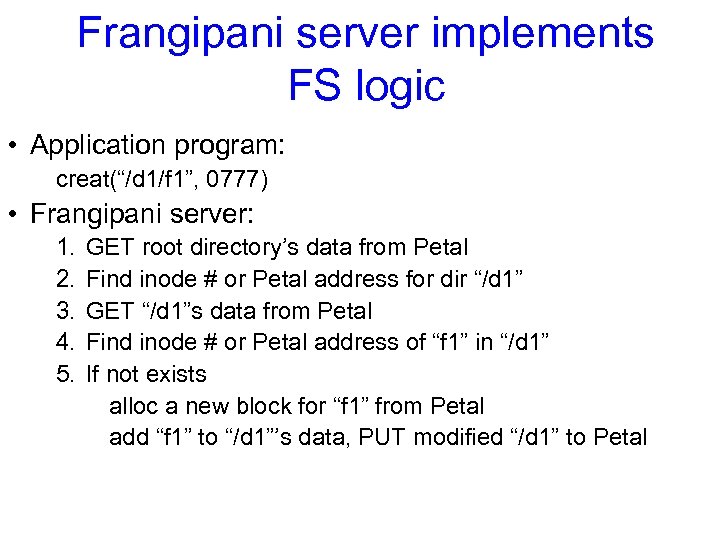
Frangipani server implements FS logic • Application program: creat(“/d 1/f 1”, 0777) • Frangipani server: 1. 2. 3. 4. 5. GET root directory’s data from Petal Find inode # or Petal address for dir “/d 1” GET “/d 1”s data from Petal Find inode # or Petal address of “f 1” in “/d 1” If not exists alloc a new block for “f 1” from Petal add “f 1” to “/d 1”’s data, PUT modified “/d 1” to Petal
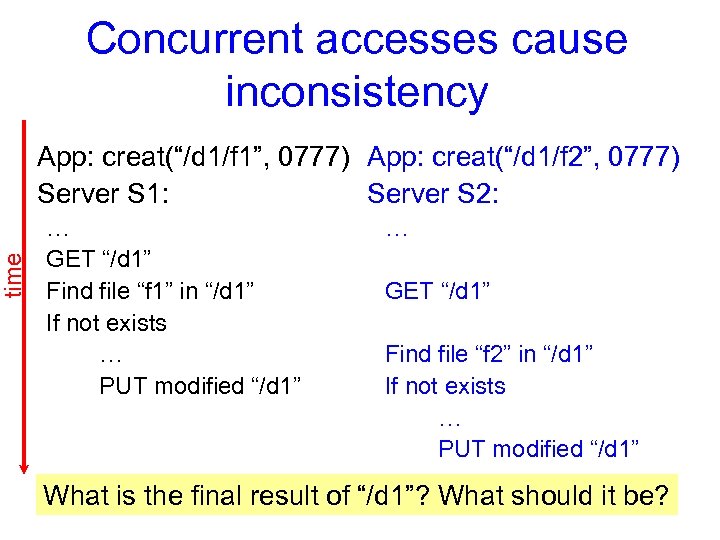
time Concurrent accesses cause inconsistency App: creat(“/d 1/f 1”, 0777) App: creat(“/d 1/f 2”, 0777) Server S 1: Server S 2: … GET “/d 1” Find file “f 1” in “/d 1” If not exists … PUT modified “/d 1” … GET “/d 1” Find file “f 2” in “/d 1” If not exists … PUT modified “/d 1” What is the final result of “/d 1”? What should it be?
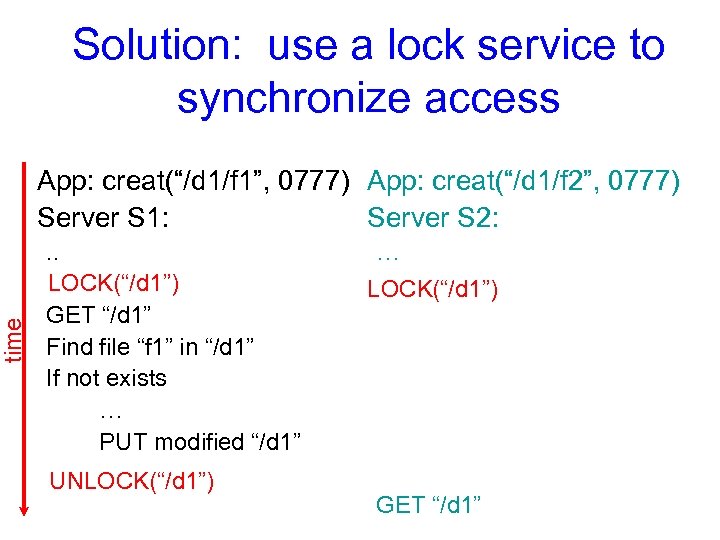
time Solution: use a lock service to synchronize access App: creat(“/d 1/f 1”, 0777) App: creat(“/d 1/f 2”, 0777) Server S 1: Server S 2: . . LOCK(“/d 1”) GET “/d 1” Find file “f 1” in “/d 1” If not exists … PUT modified “/d 1” UNLOCK(“/d 1”) … LOCK(“/d 1”) GET “/d 1”
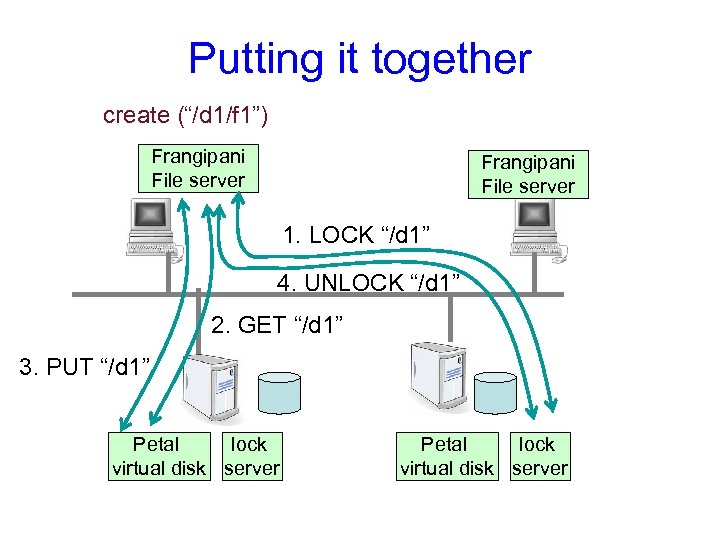
Putting it together create (“/d 1/f 1”) Frangipani File server 1. LOCK “/d 1” 4. UNLOCK “/d 1” 2. GET “/d 1” 3. PUT “/d 1” Petal lock virtual disk server
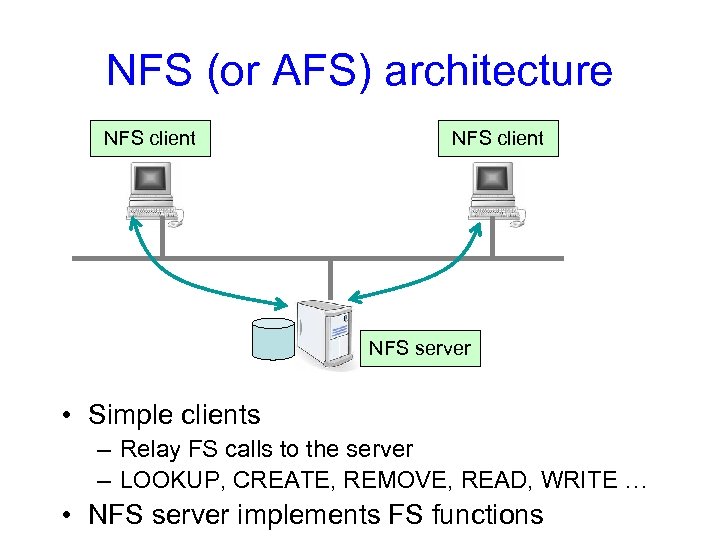
NFS (or AFS) architecture NFS client NFS server • Simple clients – Relay FS calls to the server – LOOKUP, CREATE, REMOVE, READ, WRITE … • NFS server implements FS functions
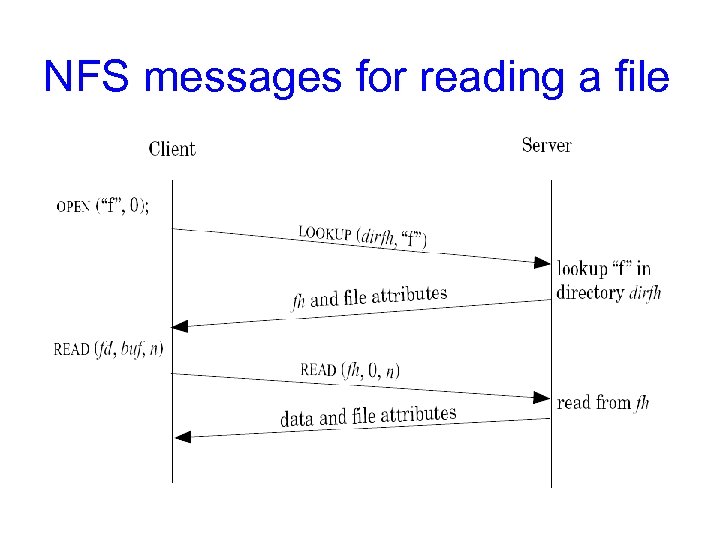
NFS messages for reading a file
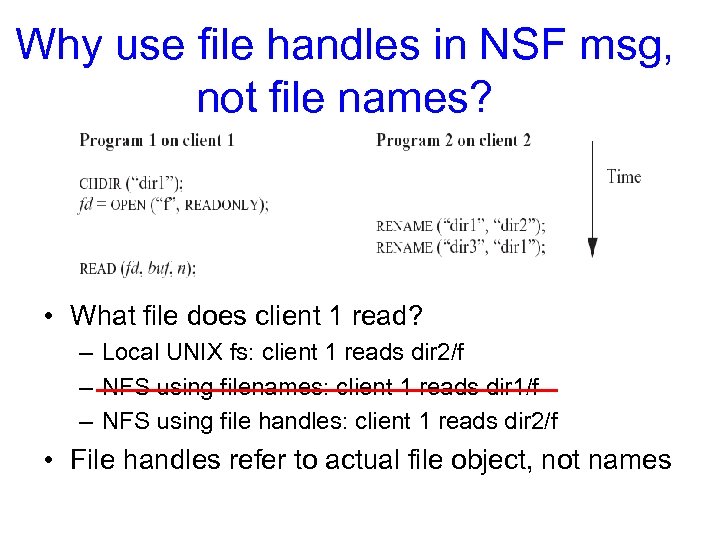
Why use file handles in NSF msg, not file names? • What file does client 1 read? – Local UNIX fs: client 1 reads dir 2/f – NFS using filenames: client 1 reads dir 1/f – NFS using file handles: client 1 reads dir 2/f • File handles refer to actual file object, not names
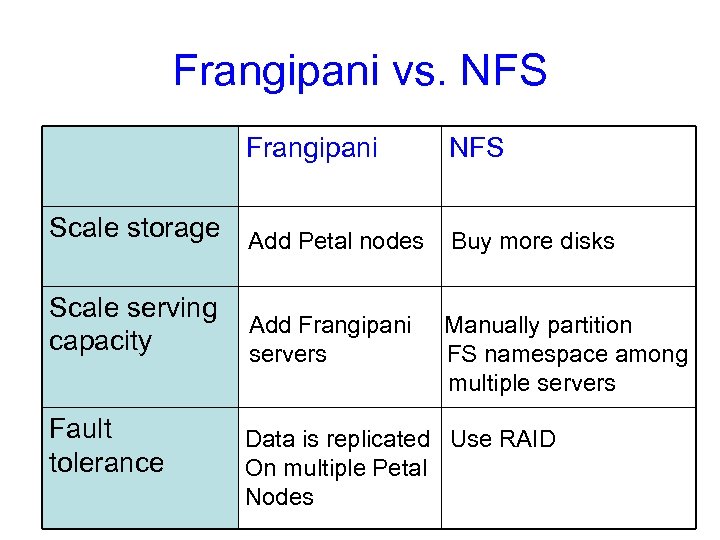
Frangipani vs. NFS Frangipani NFS Scale storage Add Petal nodes Buy more disks Scale serving capacity Add Frangipani servers Manually partition FS namespace among multiple servers Fault tolerance Data is replicated Use RAID On multiple Petal Nodes
YFS: simplified Frangipani yfs server App User-level kernel Single extent server to store data Extent server syscall FUSE lock server Communication using remote procedure calls (RPC)
Lab schedule • L 1: lock server – Programming w/ threads – RPC semantics • • L 2: basic file server L 3: Sharing of files L 4: Locking L 5: Caching locks L 6: Caching extend server+consistency L 7: Paxos L 8: Replicated lock server L 9: Project: extend yfs
L 1: lock server • Lock service consists of: – Lock server: grant a lock to clients, one at a time – Lock client: talk to server to acquire/release locks • Correctness: – At most one lock is granted to any client • Additional Requirement: – acquire() at client does not return until lock is granted
Скачать презентацию Distributed systems Fall 2010 G 22 3033 -001
a649cf4f728e532e48d27ec734e70c1f.ppt