 Скачать презентацию Distributed Systems CS 15 -440 Introduction to Cloud
6b3b14bd16e8fb9635471238b6dbacd1.ppt
- Количество слайдов: 52



Distributed Systems CS 15 -440 Introduction to Cloud Computing Lecture 25, Dec 1 st, 2014 Mohammad Hammoud 1
Today… § Last Session: § Distributed File Systems § Today’s Session: § Cloud Computing § Announcements: § Prof. Andy Pavlo will be delivering next lecture § P 3 grades will be out by tomorrow § Project 4 is due on Dec 3 rd by midnight § PS 5 is due on Dec 4 th by midnight § Final Exam is on Monday Dec 8 th at 9: 00 AM in Room 1031. It will be comprehensive, but open book and notes 2
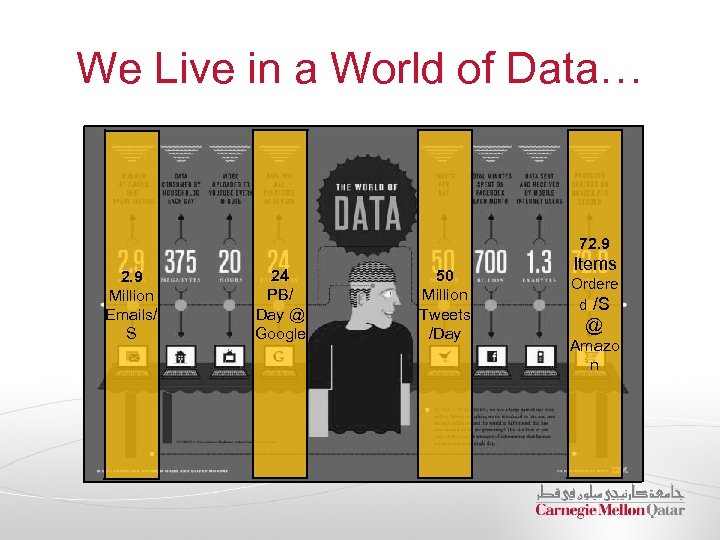
We Live in a World of Data… 72. 9 Million Emails/ S 24 PB/ Day @ Google 50 Million Tweets /Day Items Ordere d /S @ Amazo n
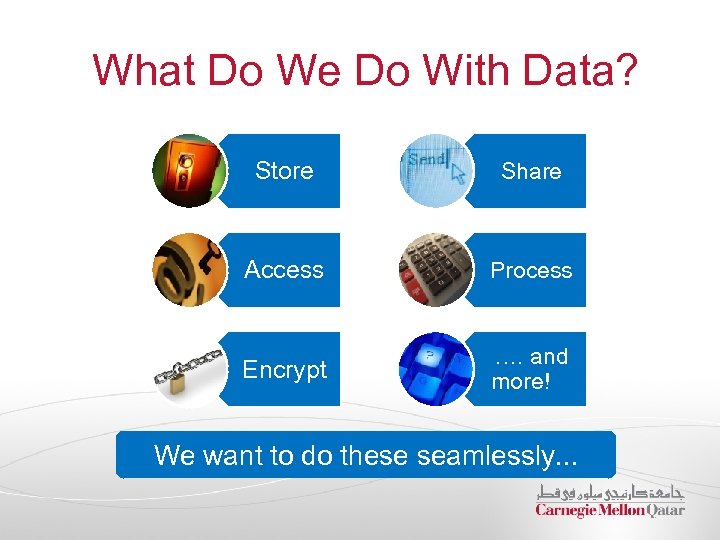
What Do We Do With Data? Store Share Access Process Encrypt …. and more! We want to do these seamlessly. . .
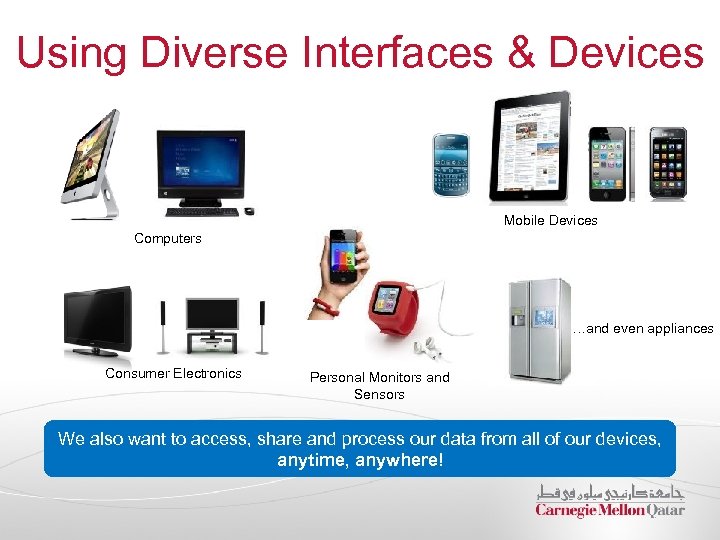
Using Diverse Interfaces & Devices Mobile Devices Computers …and even appliances Consumer Electronics Personal Monitors and Sensors We also want to access, share and process our data from all of our devices, anytime, anywhere!
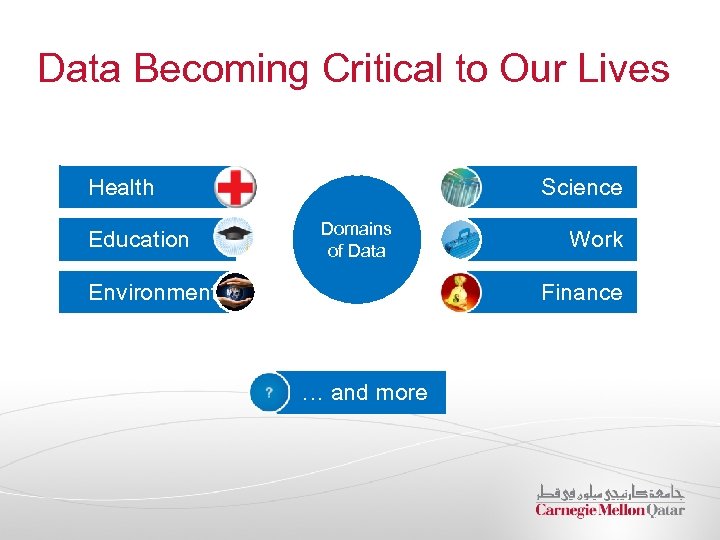
Data Becoming Critical to Our Lives Health Education Science Domains of Data Environment Work Finance … and more
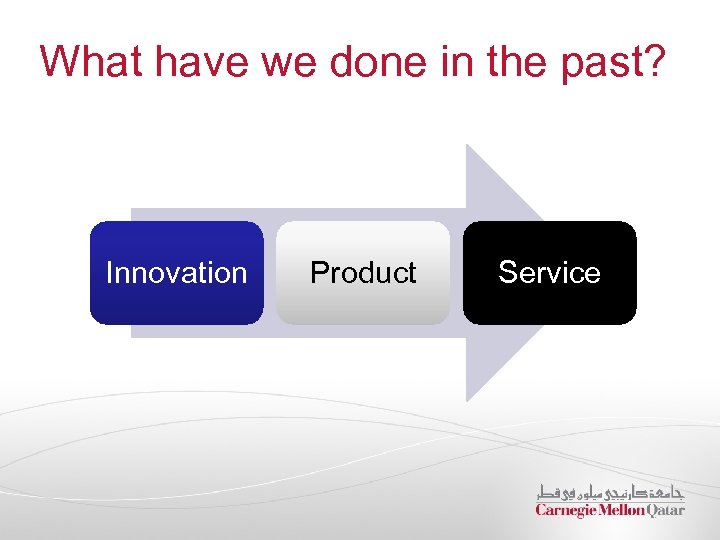
What have we done in the past? Innovation Product Service
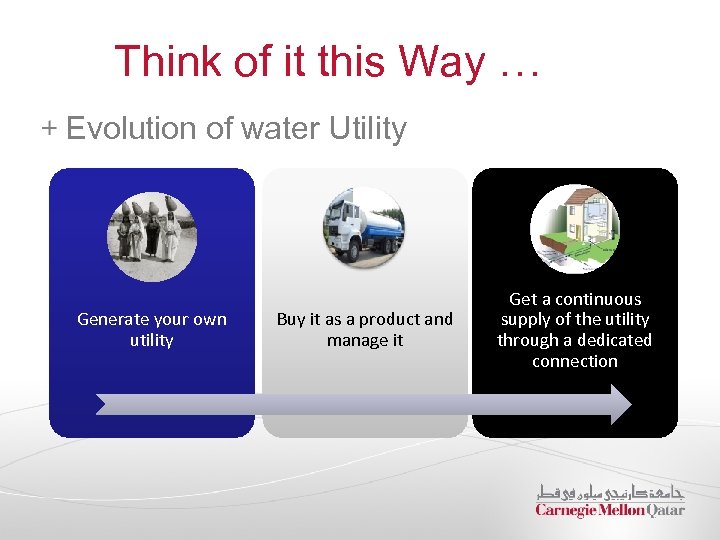
Think of it this Way … Evolution of water Utility Generate your own utility Buy it as a product and manage it Get a continuous supply of the utility through a dedicated connection
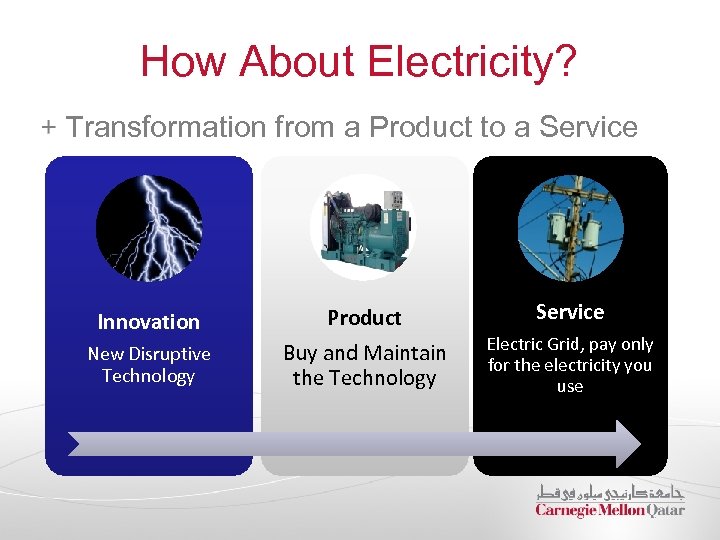
How About Electricity? Transformation from a Product to a Service Innovation Product Service New Disruptive Technology Buy and Maintain the Technology Electric Grid, pay only for the electricity you use
What about Computing? Computing is the Service of Managing Data • Data is becoming an essential component of our lives which we need to seamlessly store, access and process in order to improve our lives
… and Cloud Computing? Computing is the Service of Managing Data • Data is becoming an essential component of our lives which we need to seamlessly store, access and process in order to improve our lives
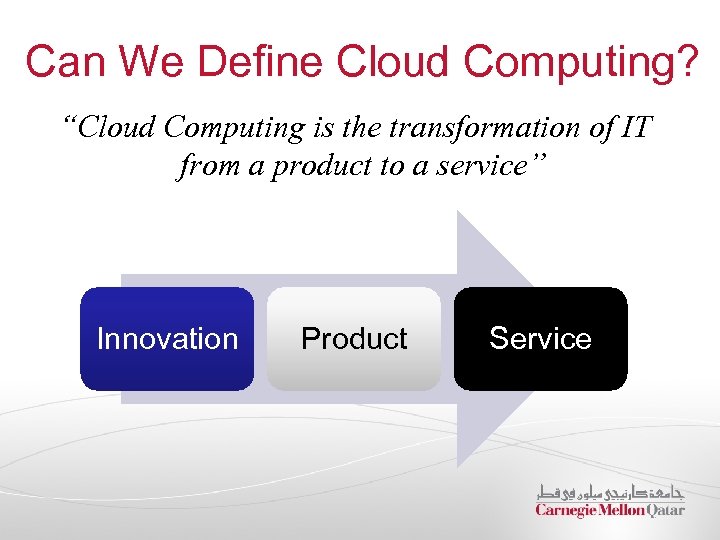
Can We Define Cloud Computing? “Cloud Computing is the transformation of IT from a product to a service” Innovation Product Service
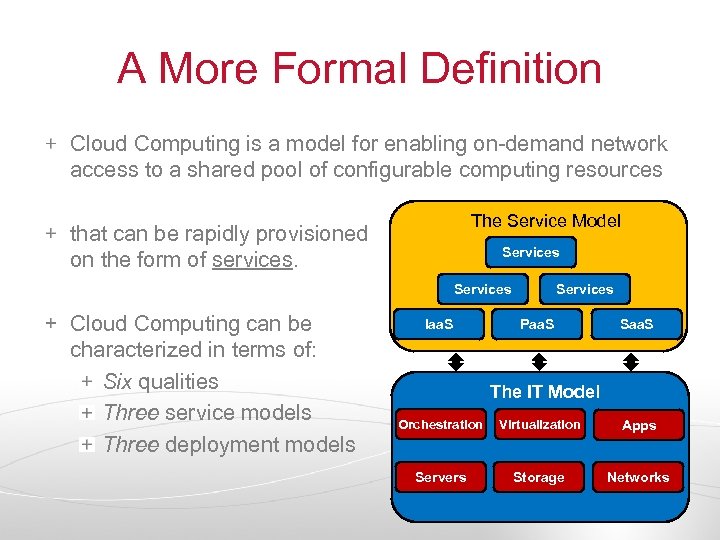
A More Formal Definition Cloud Computing is a model for enabling on-demand network access to a shared pool of configurable computing resources The Service Model that can be rapidly provisioned on the form of services. Services Cloud Computing can be characterized in terms of: Six qualities Three service models Three deployment models Iaa. S Services Paa. S Saa. S The IT Model Orchestration Virtualization Apps Servers Storage Networks
Characterizing the Cloud 6 Qualities 3 Service Models 3 Deployment Models ü
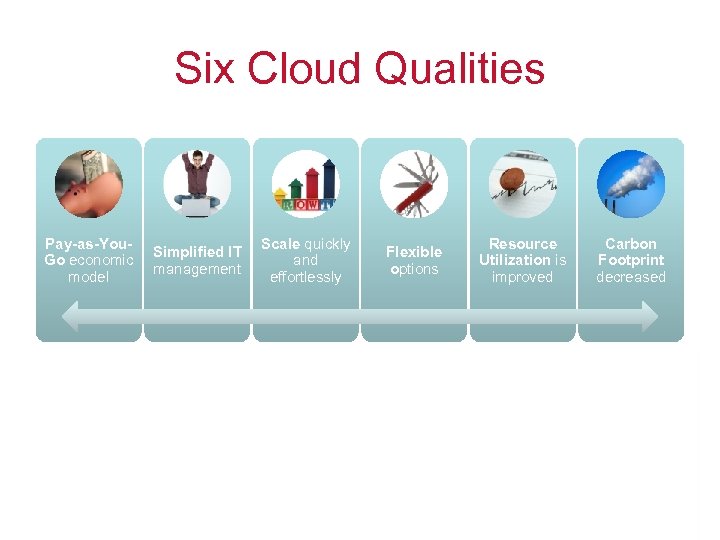
Six Cloud Qualities Pay-as-You. Go economic model Simplified IT management Scale quickly and effortlessly Flexible options Classical Computing Resource Utilization is improved Carbon Footprint decreased Cloud Computing Buy and Own (Hardware, system software, etc. )- Pay $$$$ (High Cost) Subscribe Install, configure, test, verify, evaluate, and manage- Pay $$$$ (High Cost) Use Pay $ for what you use (based on the Qo. S)
Characterizing the Cloud 6 Qualities 3 Service Models 3 Deployment Models ü
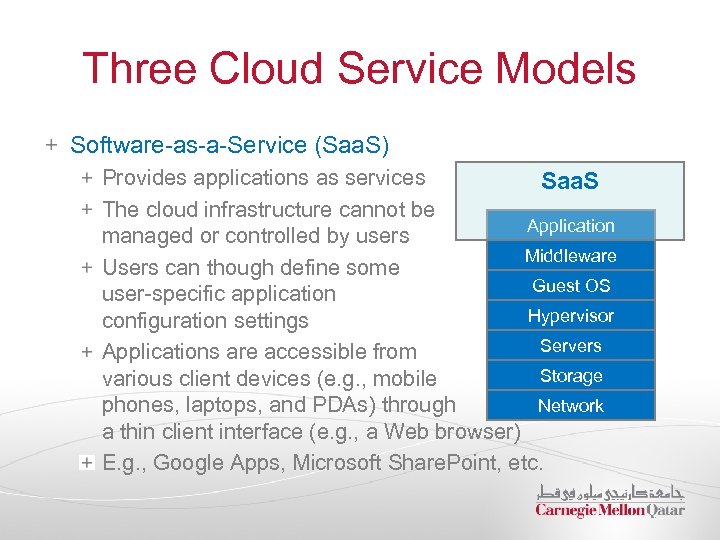
Three Cloud Service Models Software-as-a-Service (Saa. S) Provides applications as services Saa. S The cloud infrastructure cannot be Application managed or controlled by users Middleware Users can though define some Guest OS user-specific application Hypervisor configuration settings Servers Applications are accessible from Storage various client devices (e. g. , mobile Network phones, laptops, and PDAs) through a thin client interface (e. g. , a Web browser) E. g. , Google Apps, Microsoft Share. Point, etc.
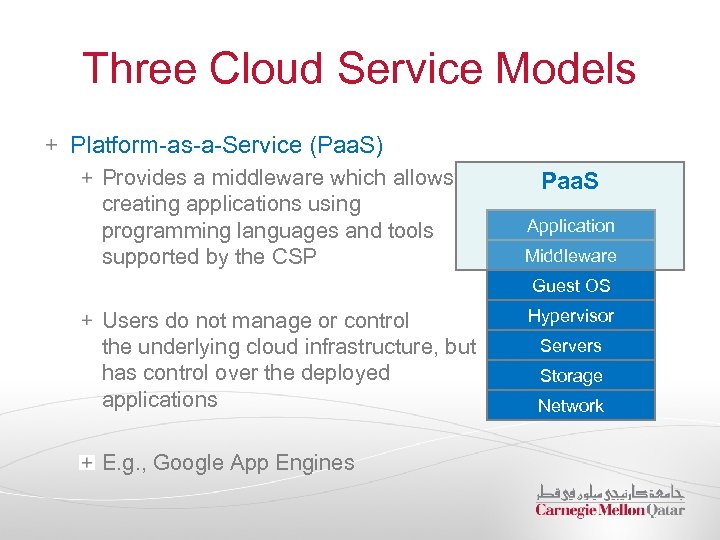
Three Cloud Service Models Platform-as-a-Service (Paa. S) Provides a middleware which allows creating applications using programming languages and tools supported by the CSP Paa. S Application Middleware Guest OS Users do not manage or control the underlying cloud infrastructure, but has control over the deployed applications E. g. , Google App Engines Hypervisor Servers Storage Network
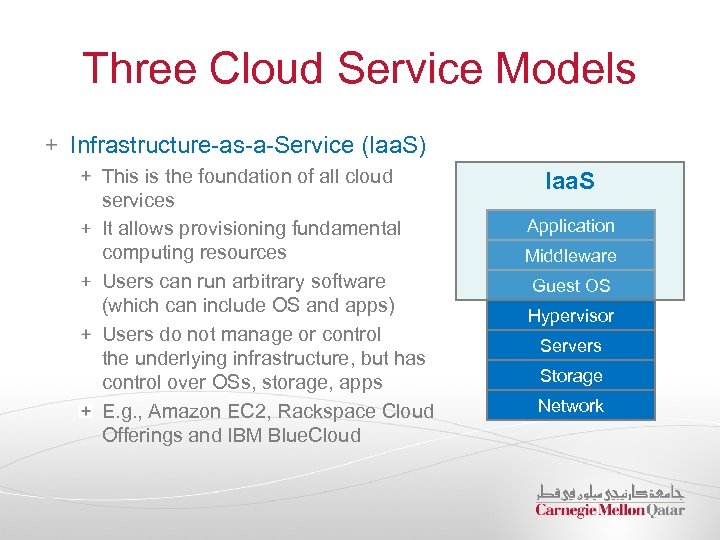
Three Cloud Service Models Infrastructure-as-a-Service (Iaa. S) This is the foundation of all cloud services It allows provisioning fundamental computing resources Users can run arbitrary software (which can include OS and apps) Users do not manage or control the underlying infrastructure, but has control over OSs, storage, apps E. g. , Amazon EC 2, Rackspace Cloud Offerings and IBM Blue. Cloud Iaa. S Application Middleware Guest OS Hypervisor Servers Storage Network
Characterizing the Cloud 6 Qualities 3 Service Models 3 Deployment Models ü
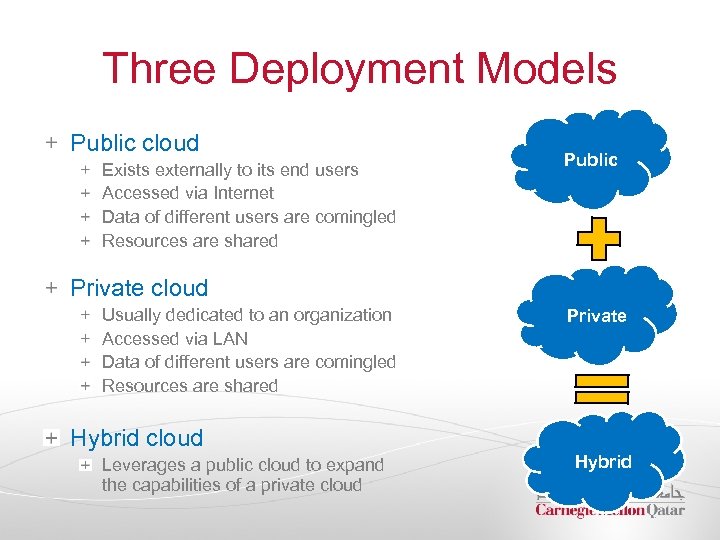
Three Deployment Models Public cloud Exists externally to its end users Accessed via Internet Data of different users are comingled Resources are shared Public Private cloud Usually dedicated to an organization Accessed via LAN Data of different users are comingled Resources are shared Private Hybrid cloud Leverages a public cloud to expand the capabilities of a private cloud Hybrid
So… how can we enable the cloud model?
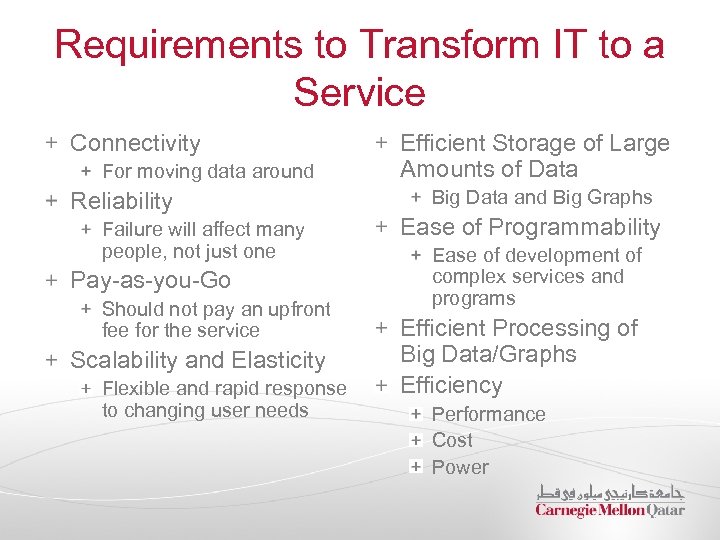
Requirements to Transform IT to a Service Connectivity For moving data around Reliability Failure will affect many people, not just one Pay-as-you-Go Should not pay an upfront fee for the service Scalability and Elasticity Flexible and rapid response to changing user needs Efficient Storage of Large Amounts of Data Big Data and Big Graphs Ease of Programmability Ease of development of complex services and programs Efficient Processing of Big Data/Graphs Efficiency Performance Cost Power
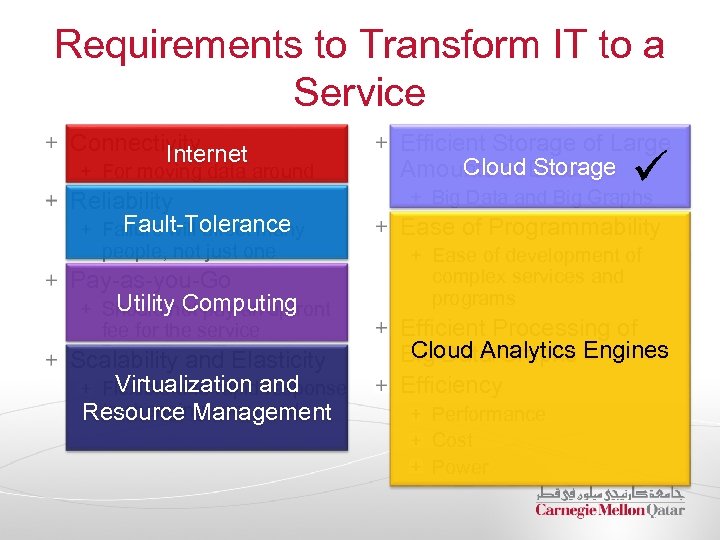
Requirements to Transform IT to a Service Connectivity Internet For moving data around Reliability Fault-Tolerance Failure will affect many people, not just one Pay-as-you-Go Utility Computing Should not pay an upfront fee for the service Scalability and Elasticity Virtualization response Flexible and rapidand to changing user needs Resource Management Efficient Storage of Large Cloud Storage Amounts of Data ü Big Data and Big Graphs Ease of Programmability Ease of development of complex services and programs Efficient Processing of Cloud Analytics Big Data/Graphs Engines Efficiency Performance Cost Power
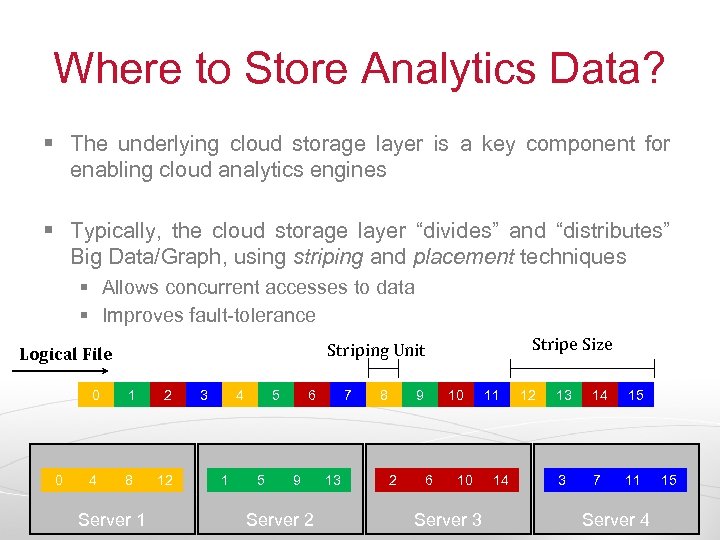
Where to Store Analytics Data? § The underlying cloud storage layer is a key component for enabling cloud analytics engines § Typically, the cloud storage layer “divides” and “distributes” Big Data/Graph, using striping and placement techniques § Allows concurrent accesses to data § Improves fault-tolerance 0 0 Stripe Size Striping Unit Logical File 1 2 4 8 12 Server 1 3 4 1 5 5 6 9 Server 2 7 13 8 9 2 10 6 10 Server 3 11 14 12 13 14 15 3 7 11 Server 4 15
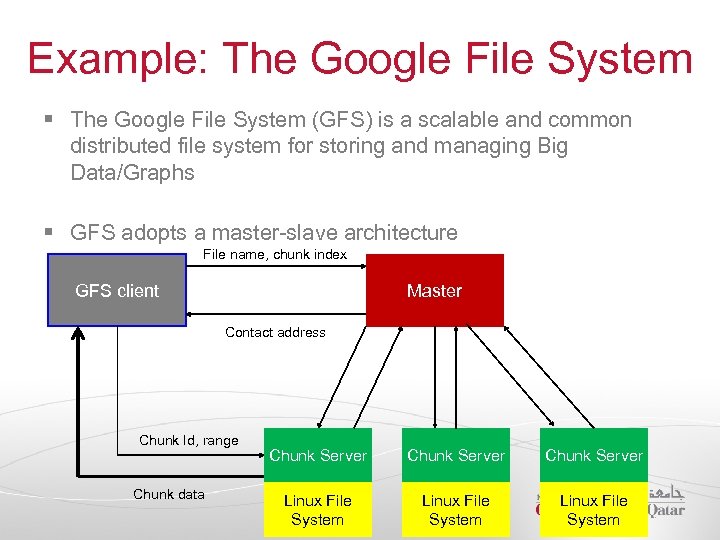
Example: The Google File System § The Google File System (GFS) is a scalable and common distributed file system for storing and managing Big Data/Graphs § GFS adopts a master-slave architecture File name, chunk index GFS client Master Contact address Chunk Id, range Chunk data Chunk Server Linux File System
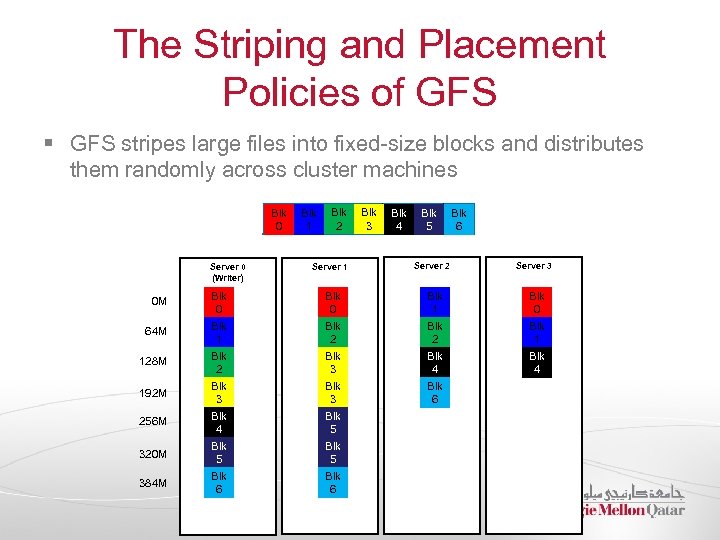
The Striping and Placement Policies of GFS § GFS stripes large files into fixed-size blocks and distributes them randomly across cluster machines Blk 0 Server 0 (Writer) Blk 1 Blk Blk Large File 2 3 4 Server 1 Blk 5 Server 2 Blk 6 Server 3 0 M Blk 0 Blk 1 Blk 0 64 M Blk 1 Blk 2 Blk 1 128 M Blk 2 Blk 3 Blk 4 192 M Blk 3 Blk 6 256 M Blk 4 Blk 5 320 M Blk 5 384 M Blk 6
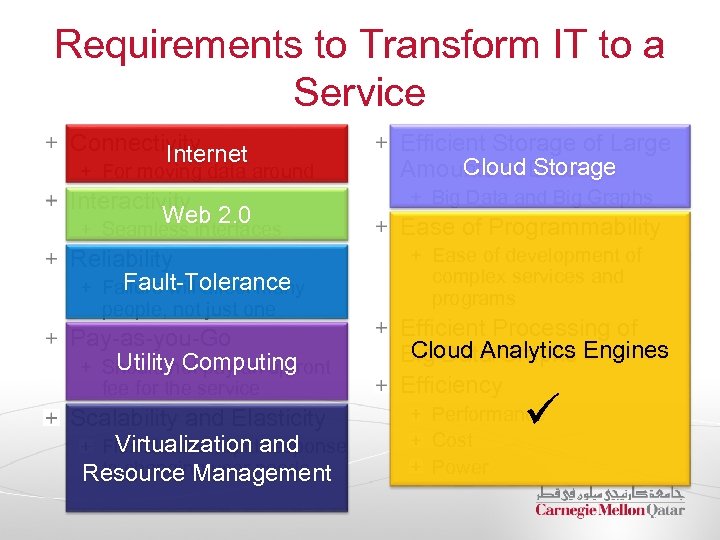
Requirements to Transform IT to a Service Connectivity Internet For moving data around Interactivity Web 2. 0 Efficient Storage of Large Cloud Storage Amounts of Data Big Data and Big Graphs Seamless interfaces Ease of Programmability Reliability Fault-Tolerance Failure will affect many Ease of development of complex services and programs people, not just one Pay-as-you-Go Utility Computing Should not pay an upfront fee for the service Scalability and Elasticity Virtualization response Flexible and rapidand to changing user needs Resource Management Efficient Processing of Cloud Analytics Big Data/Graphs Engines Efficiency ü Performance Cost Power
Developing Cloud Programs The effectiveness of cloud programs hinges on the manner in which they are constructed and deployed This entails specifying and addressing: The Programming Model The Computation Model The Architectural Model Several challenges (e. g. , scalability, heterogeneity, etc. , ) How much time, effort and money will be needed to develop ONE Cloud program?
Cloud Analytics Engines Recently, cloud analytics engines were developed to: 1) Relieve programmers from concerns with many of the difficult aspects of developing cloud programs 2) Allow programmers to focus on ONLY the sequential portions of their applications’ algorithms Examples of cloud analytics engines Hadoop Map. Reduce Google’s Pregel CMU’s Graph. Lab
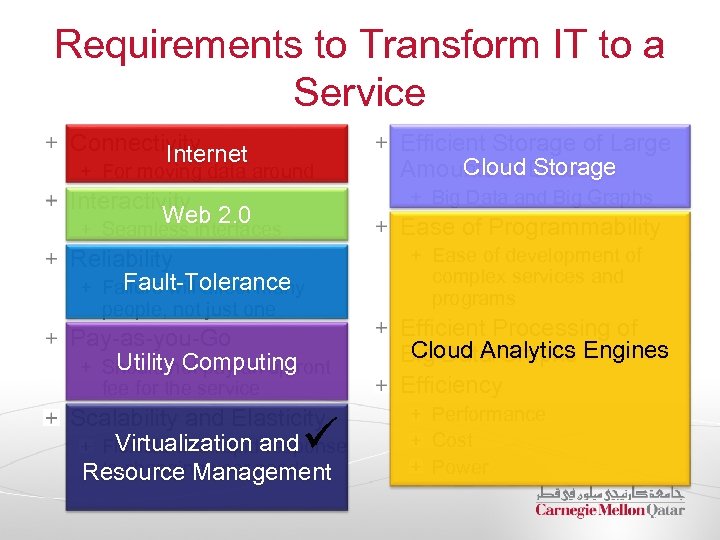
Requirements to Transform IT to a Service Connectivity Internet For moving data around Efficient Storage of Large Cloud Storage Amounts of Data Big Data and Big Graphs Interactivity Web 2. 0 Seamless interfaces Ease of Programmability Reliability Fault-Tolerance Failure will affect many Ease of development of complex services and programs people, not just one Pay-as-you-Go Utility Computing Should not pay an upfront fee for the service Scalability and Elasticity Virtualization response Flexible and rapidand to changing user needs Resource Management ü Efficient Processing of Cloud Analytics Big Data/Graphs Engines Efficiency Performance Cost Power
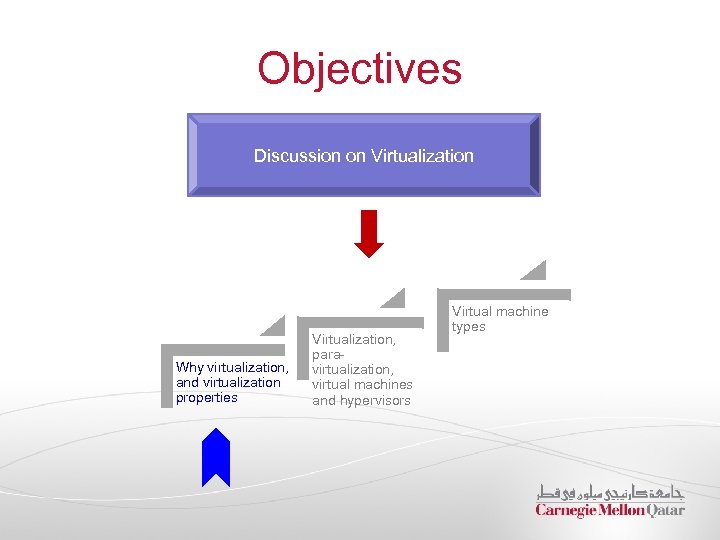
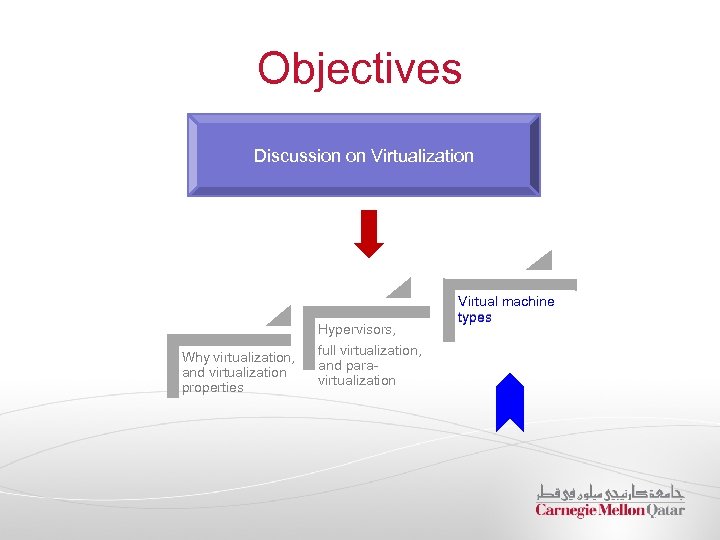
Objectives Discussion on Virtualization Why virtualization, and virtualization properties Virtualization, paravirtualization, virtual machines and hypervisors Virtual machine types
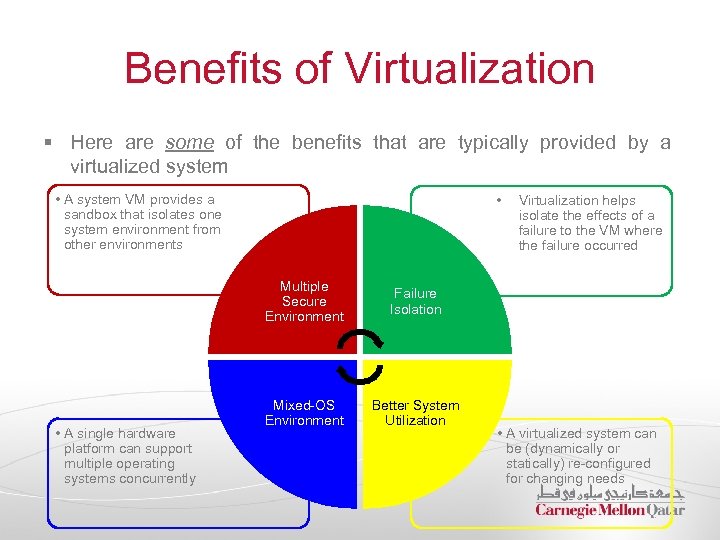
Benefits of Virtualization § Here are some of the benefits that are typically provided by a virtualized system • A system VM provides a sandbox that isolates one system environment from other environments • Multiple Secure Environment • A single hardware platform can support multiple operating systems concurrently Failure Isolation Mixed-OS Environment Better System Utilization Virtualization helps isolate the effects of a failure to the VM where the failure occurred • A virtualized system can be (dynamically or statically) re-configured for changing needs
Operating Systems Limtations § OSs provide a way of virtualizing hardware resources among processes § This may help isolate processes from one another § However, this does not provide a virtual machine to a user who may wish to run a different OS § Having hardware resources managed by a single OS limits the flexibility of the system in terms of available software, security, and failure isolation § Virtualization typically provides a way of relaxing constraints and increasing flexibility
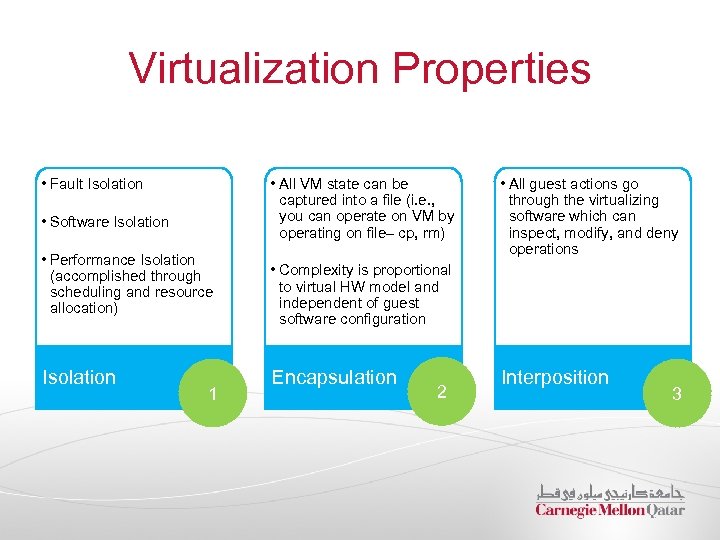
Virtualization Properties • Fault Isolation • All VM state can be captured into a file (i. e. , you can operate on VM by operating on file– cp, rm) • Software Isolation • Performance Isolation (accomplished through scheduling and resource allocation) Isolation 1 • All guest actions go through the virtualizing software which can inspect, modify, and deny operations • Complexity is proportional to virtual HW model and independent of guest software configuration Encapsulation 2 Interposition 3
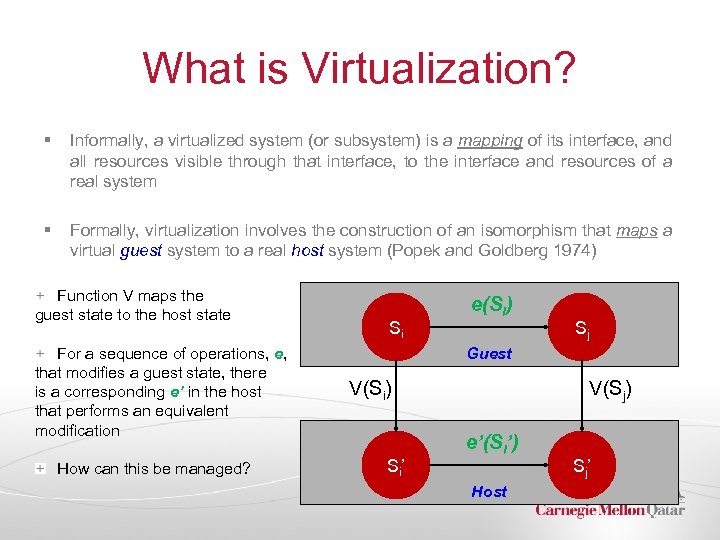
What is Virtualization? § Informally, a virtualized system (or subsystem) is a mapping of its interface, and all resources visible through that interface, to the interface and resources of a real system § Formally, virtualization involves the construction of an isomorphism that maps a virtual guest system to a real host system (Popek and Goldberg 1974) Function V maps the guest state to the host state For a sequence of operations, e, that modifies a guest state, there is a corresponding e’ in the host that performs an equivalent modification How can this be managed? Si e(Si) Sj Guest V(Si) Si’ V(Sj) e’(Si’) Host Sj’
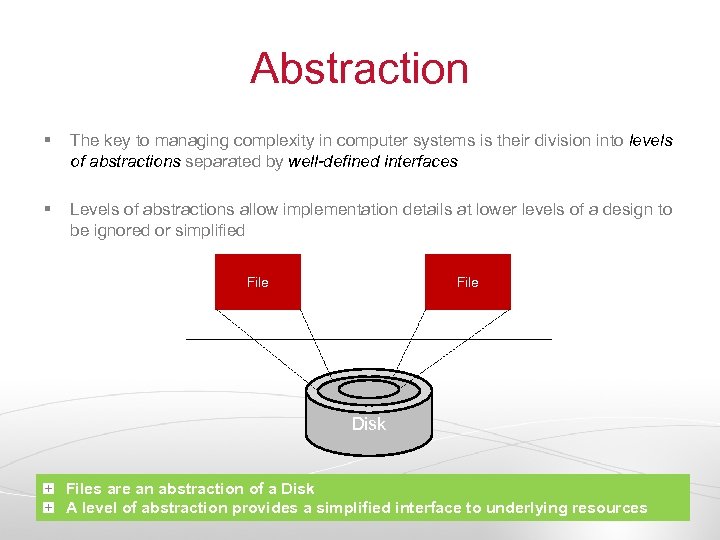
Abstraction § The key to managing complexity in computer systems is their division into levels of abstractions separated by well-defined interfaces § Levels of abstractions allow implementation details at lower levels of a design to be ignored or simplified File Disk Files are an abstraction of a Disk A level of abstraction provides a simplified interface to underlying resources
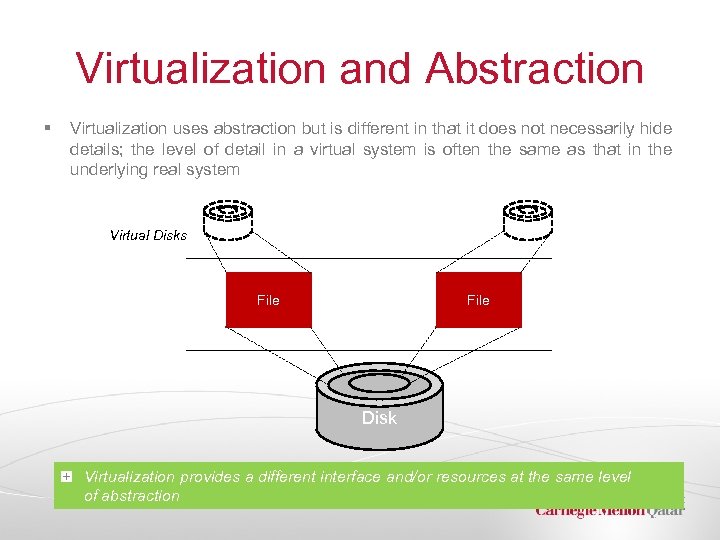
Virtualization and Abstraction § Virtualization uses abstraction but is different in that it does not necessarily hide details; the level of detail in a virtual system is often the same as that in the underlying real system Virtual Disks File Disk Virtualization provides a different interface and/or resources at the same level of abstraction
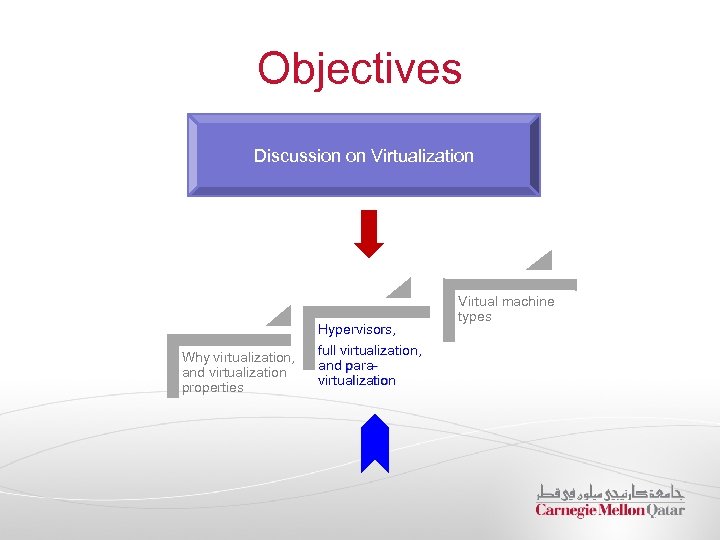
Objectives Discussion on Virtualization Why virtualization, and virtualization properties Hypervisors, full virtualization, and paravirtualization Virtual machine types
Virtual Machines and Hypervisors § The concept of virtualization can be applied not only to subsystems such as disks, but to an entire machine denoted as a virtual machine (VM) § A VM is implemented by adding a layer of software to a real machine so as to support the desired VM’s architecture § This layer of software is often referred to as virtual machine monitor (VMM) § Early VMMs are implemented in firmware § Today, VMMs are often implemented as a co-designed firmware-software layer, referred to as the hypervisor
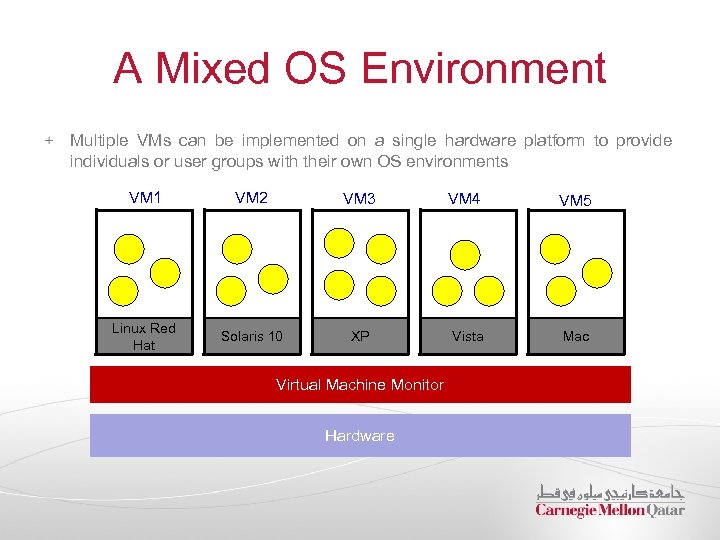
A Mixed OS Environment Multiple VMs can be implemented on a single hardware platform to provide individuals or user groups with their own OS environments VM 1 VM 2 VM 3 VM 4 VM 5 Linux Red Hat Solaris 10 XP Vista Mac Virtual Machine Monitor Hardware
Full Virtualization § Traditional VMMs provide full-virtualization: § The functionally provided is identical to the underlying physical hardware § The functionality is exposed to the VMs § They allow unmodified guest OSs to execute on the VMs § This might result in some performance degradation § E. g. , VMWare provides full virtualization
Para-Virtualization § Other types of VMMs provide para-virtualization: § They provide a virtual hardware abstraction that is similar, but not identical to the real hardware § They modify the guest OS to cooperate with the VMM § They result in lower overhead leading to better performance § E. g. , Xen provides full-virtualization both para-virtualization as well as
Virtualization and Emulation § VMs can employ emulation techniques to support cross-platform software compatibility § Compatibility can be provided either at the system level (e. g. , to run a Windows OS on Macintosh) or at the program or process level (e. g. , to run Excel on a Sun Solaris/SPARC platform) § Emulation is the process of implementing the interface and functionality of one system on a system having a different interface and functionality § It can be argued that virtualization itself is simply a form of emulation
Objectives Discussion on Virtualization Hypervisors, Why virtualization, and virtualization properties full virtualization, and paravirtualization Virtual machine types
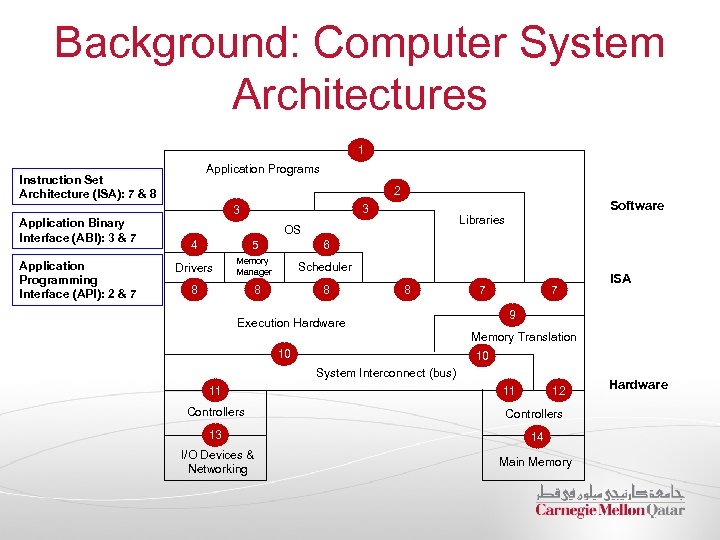
Background: Computer System Architectures 1 Application Programs Instruction Set Architecture (ISA): 7 & 8 Application Binary Interface (ABI): 3 & 7 Application Programming Interface (API): 2 & 7 2 Software 3 3 Libraries OS 4 5 6 Drivers Memory Manager Scheduler 8 8 7 7 ISA 9 Execution Hardware Memory Translation 10 10 System Interconnect (bus) 11 11 12 Controllers 13 14 I/O Devices & Networking Main Memory Hardware
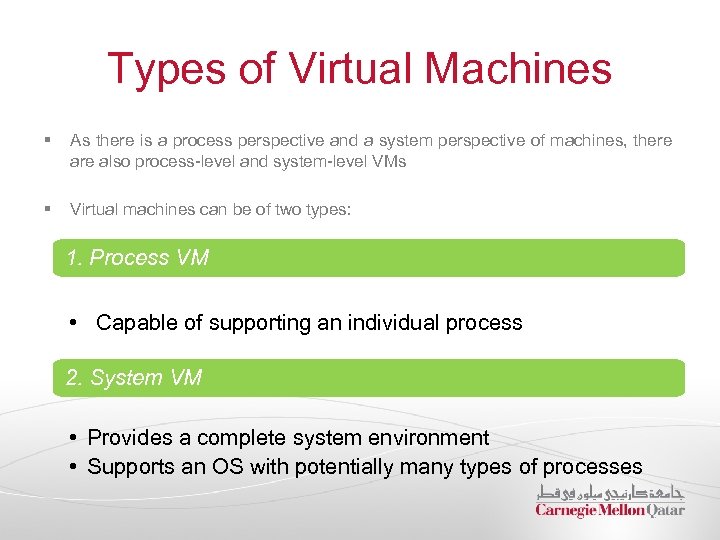
Types of Virtual Machines § As there is a process perspective and a system perspective of machines, there also process-level and system-level VMs § Virtual machines can be of two types: 1. Process VM • Capable of supporting an individual process 2. System VM • Provides a complete system environment • Supports an OS with potentially many types of processes
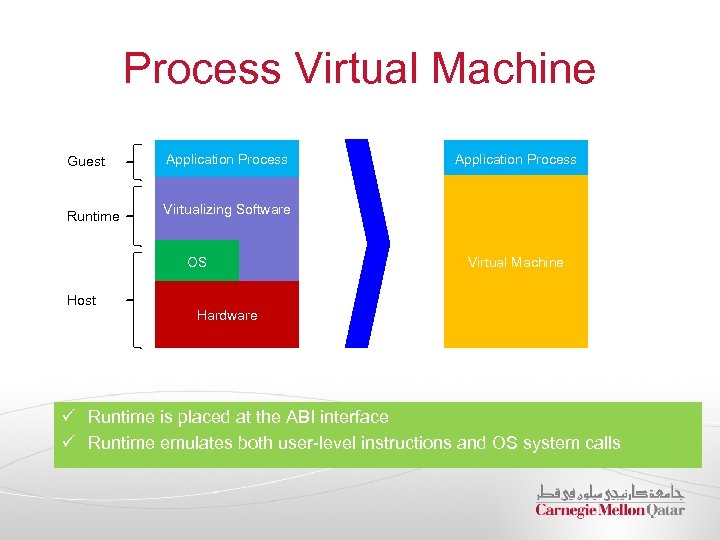
Process Virtual Machine Guest Runtime Application Process Virtualizing Software OS Host Application Process Virtual Machine Hardware ü Runtime is placed at the ABI interface ü Runtime emulates both user-level instructions and OS system calls
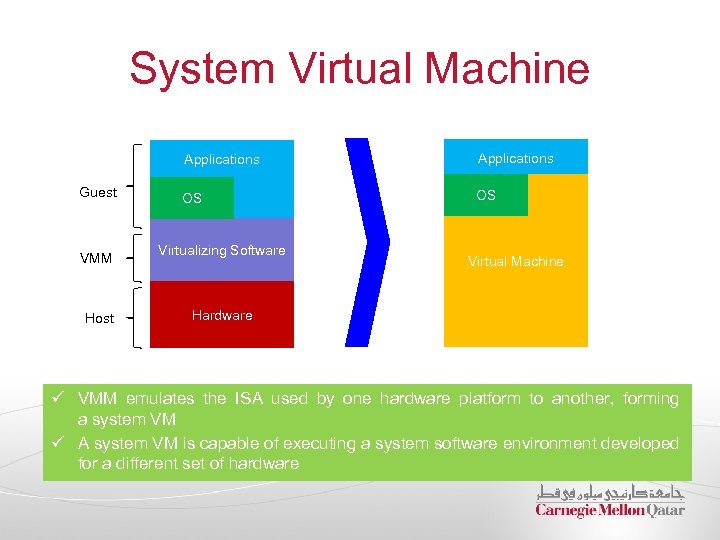
System Virtual Machine Applications Guest VMM Host Applications OS OS Virtualizing Software Virtual Machine Hardware ü VMM emulates the ISA used by one hardware platform to another, forming a system VM ü A system VM is capable of executing a system software environment developed for a different set of hardware
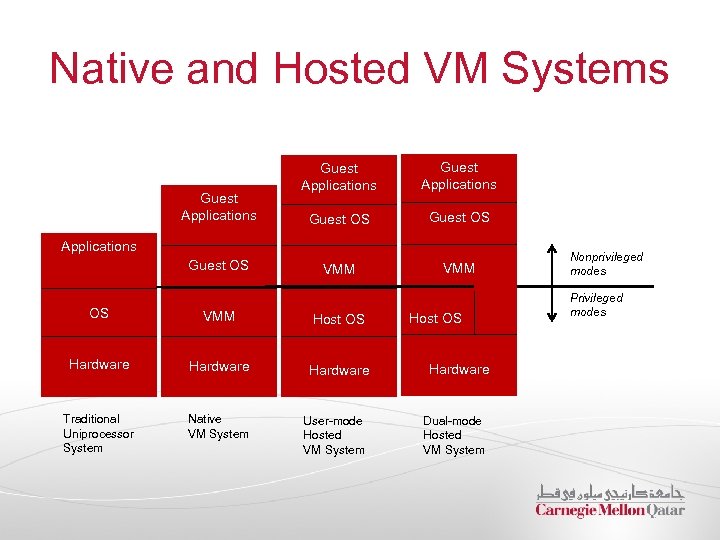
Native and Hosted VM Systems Guest Applications Guest OS VMM Applications Guest OS OS VMM Host OS Hardware Traditional Uniprocessor System Native VM System User-mode Hosted VM System Host OS Hardware Dual-mode Hosted VM System Nonprivileged modes Privileged modes
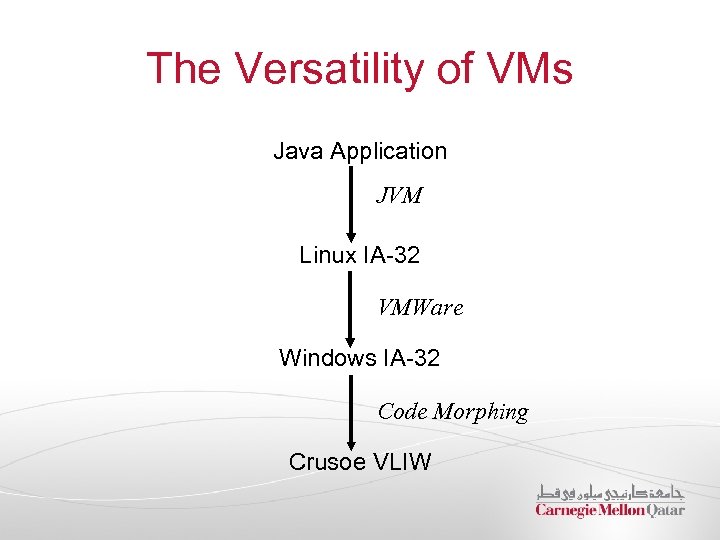
The Versatility of VMs Java Application JVM Linux IA-32 VMWare Windows IA-32 Code Morphing Crusoe VLIW
Next Class § Running Databases on the cloud by Prof. Andy Pavlo
Скачать презентацию Distributed Systems CS 15 -440 Introduction to Cloud
6b3b14bd16e8fb9635471238b6dbacd1.ppt