 Скачать презентацию Discount Usability Engineering Marti Hearst UCB SIMS SIMS
4af18d60721a42cb5222714ea9ec7dc5.ppt
- Количество слайдов: 32



Discount Usability Engineering Marti Hearst (UCB SIMS) SIMS 213, UI Design & Development March 2, 1999
Last Time UI tools good for testing more developed UI ideas l Two styles of tools l – “Prototyping” vs. UI builders l Most ignore the “insides” of application Adapted from slide by James Landay
Today l Discount Usability Engineering – How to do Heuristic Evaluation – Comparison of Techniques
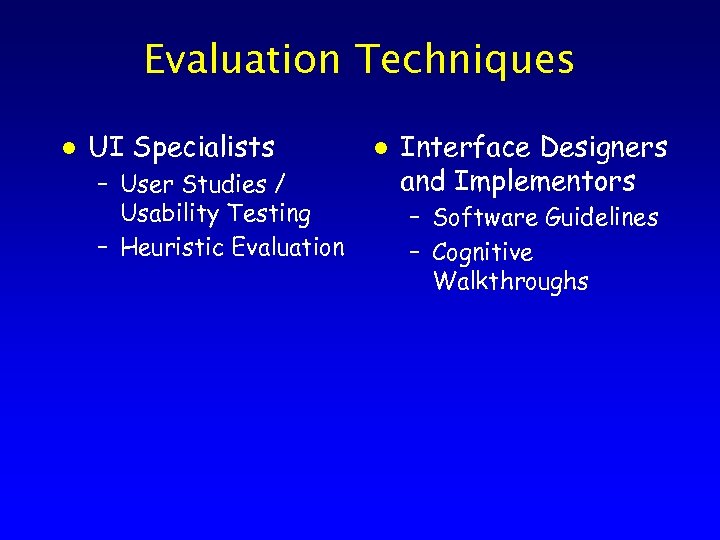
Evaluation Techniques l UI Specialists – User Studies / Usability Testing – Heuristic Evaluation l Interface Designers and Implementors – Software Guidelines – Cognitive Walkthroughs
What is Heuristic Evaluation? A “discount” usability testing method l UI experts inspect an interface l – prototype initially – later, the full system Check the design against a list of design guidelines or heuristics l Present a list of problems to the UI designers and developers, ranked by severity l
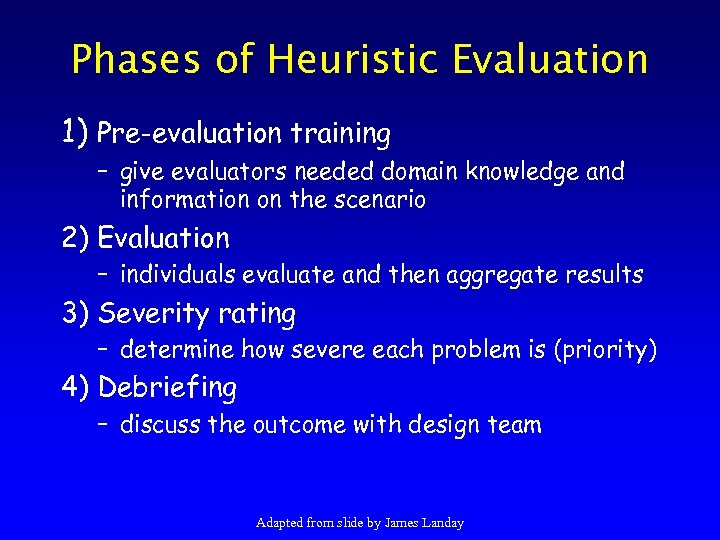
Phases of Heuristic Evaluation 1) Pre-evaluation training – give evaluators needed domain knowledge and information on the scenario 2) Evaluation – individuals evaluate and then aggregate results 3) Severity rating – determine how severe each problem is (priority) 4) Debriefing – discuss the outcome with design team Adapted from slide by James Landay
Heuristic Evaluation l l l Developed by Jakob Nielsen Helps find usability problems in a UI design Small set (3 -5) of evaluators examine UI – independently check for compliance with usability principles (“heuristics”) – different evaluators will find different problems – evaluators only communicate afterwards » findings are then aggregated l Can perform on working UI or on sketches
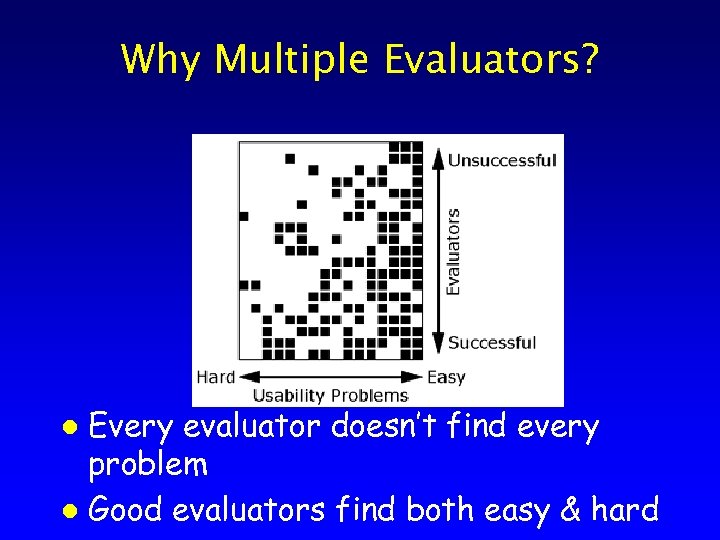
Why Multiple Evaluators? Every evaluator doesn’t find every problem l Good evaluators find both easy & hard l
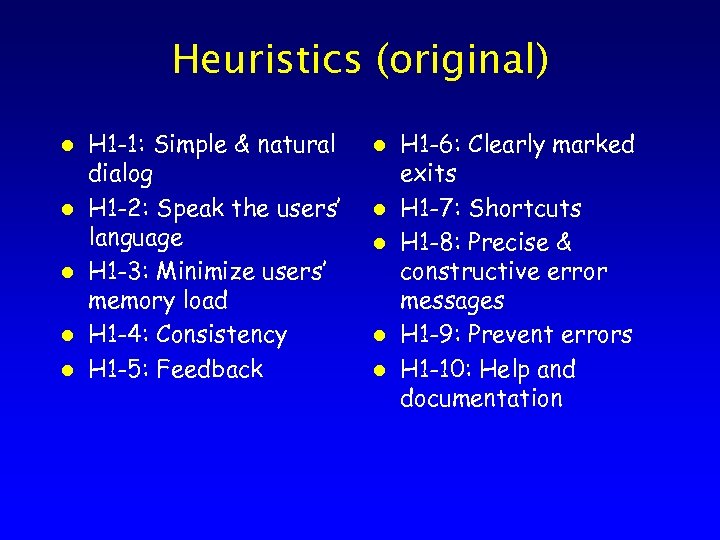
Heuristics (original) l l l H 1 -1: Simple & natural dialog H 1 -2: Speak the users’ language H 1 -3: Minimize users’ memory load H 1 -4: Consistency H 1 -5: Feedback l l l H 1 -6: Clearly marked exits H 1 -7: Shortcuts H 1 -8: Precise & constructive error messages H 1 -9: Prevent errors H 1 -10: Help and documentation
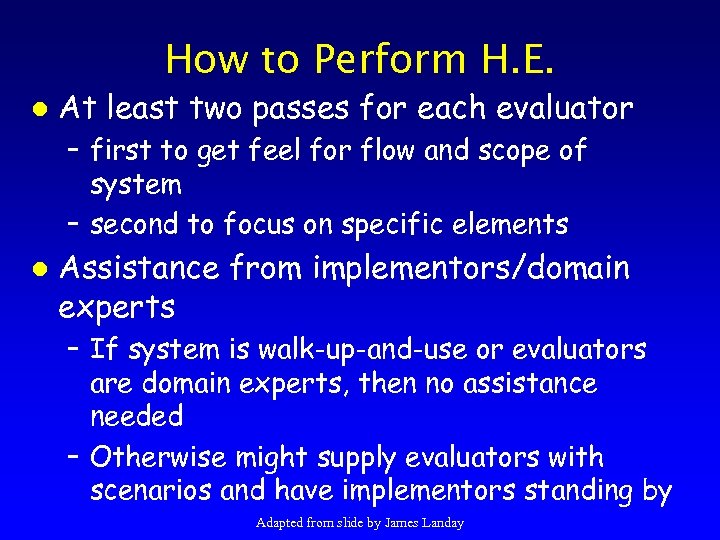
How to Perform H. E. l At least two passes for each evaluator – first to get feel for flow and scope of system – second to focus on specific elements l Assistance from implementors/domain experts – If system is walk-up-and-use or evaluators are domain experts, then no assistance needed – Otherwise might supply evaluators with scenarios and have implementors standing by Adapted from slide by James Landay
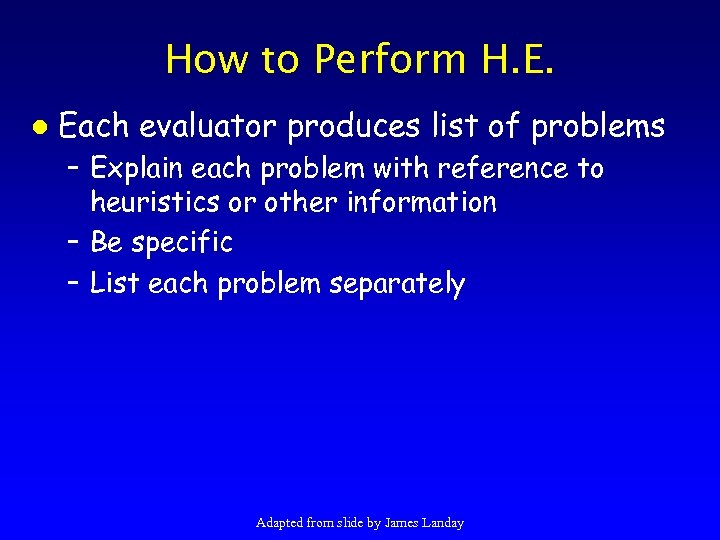
How to Perform H. E. l Each evaluator produces list of problems – Explain each problem with reference to heuristics or other information – Be specific – List each problem separately Adapted from slide by James Landay
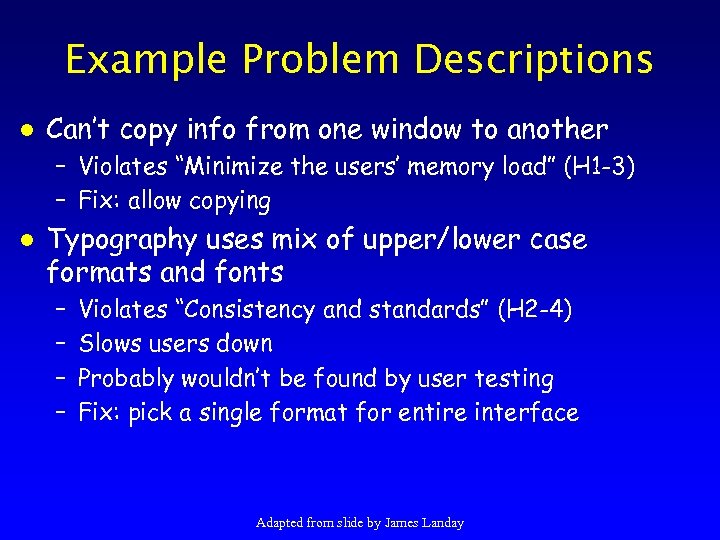
Example Problem Descriptions l Can’t copy info from one window to another – Violates “Minimize the users’ memory load” (H 1 -3) – Fix: allow copying l Typography uses mix of upper/lower case formats and fonts – – Violates “Consistency and standards” (H 2 -4) Slows users down Probably wouldn’t be found by user testing Fix: pick a single format for entire interface Adapted from slide by James Landay
How to Perform Evaluation l Where problems may be found – – single location in UI two or more locations that need to be compared problem with overall structure of UI something that is missing » this part is hard to find with paper prototypes so work extra hard on those Adapted from slide by James Landay
Debriefing Conduct with evaluators, observers, and development team members l Discuss general characteristics of UI l Suggest potential improvements to address major usability problems l Dev. team rates how hard things are to fix l Make it a brainstorming session l – little criticism until end of session Adapted from slide by James Landay
Severity Rating l l l Used to allocate resources to fix problems Estimates of need for more usability efforts Combination of – frequency – impact – persistence (one time or repeating) l l Should be calculated after all evaluations are done Should be done independently by all evaluators Adapted from slide by James Landay
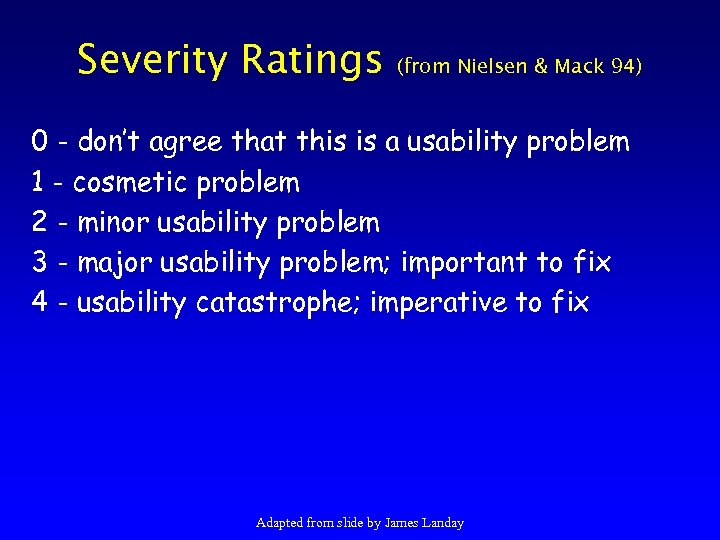
Severity Ratings (from Nielsen & Mack 94) 0 - don’t agree that this is a usability problem 1 - cosmetic problem 2 - minor usability problem 3 - major usability problem; important to fix 4 - usability catastrophe; imperative to fix Adapted from slide by James Landay
![Severity Ratings Example 1. [H 1 -4 Consistency] [Severity 3] The interface used the](https://present5.com/presentation/4af18d60721a42cb5222714ea9ec7dc5/image-17.jpg "Severity Ratings Example 1. [H 1 -4 Consistency] [Severity 3] The interface used the")
Severity Ratings Example 1. [H 1 -4 Consistency] [Severity 3] The interface used the string "Save" on the first screen for saving the user's file, but used the string "Write file" on the second screen. Users may be confused by this different terminology for the same function. Adapted from slide by James Landay
![Results of Using HE l Discount: benefit-cost ratio of 48 [Nielsen 94] – cost](https://present5.com/presentation/4af18d60721a42cb5222714ea9ec7dc5/image-18.jpg "Results of Using HE l Discount: benefit-cost ratio of 48 [Nielsen 94] – cost")
Results of Using HE l Discount: benefit-cost ratio of 48 [Nielsen 94] – cost was $10, 500 for benefit of $500, 000 – value of each problem ~15 K (Nielsen & Landauer) – how might we calculate this value? » in-house -> productivity; open market -> sales l There is a correlation between severity & finding w/ HE Adapted from slide by James Landay
Results of Using HE (cont. ) l Single evaluator achieves poor results – only finds 35% of usability problems – 5 evaluators find ~ 75% of usability problems – why not more evaluators? 10? 20? » adding evaluators costs more » adding more evaluators doesn’t increase the number of unique problems found Adapted from slide by James Landay
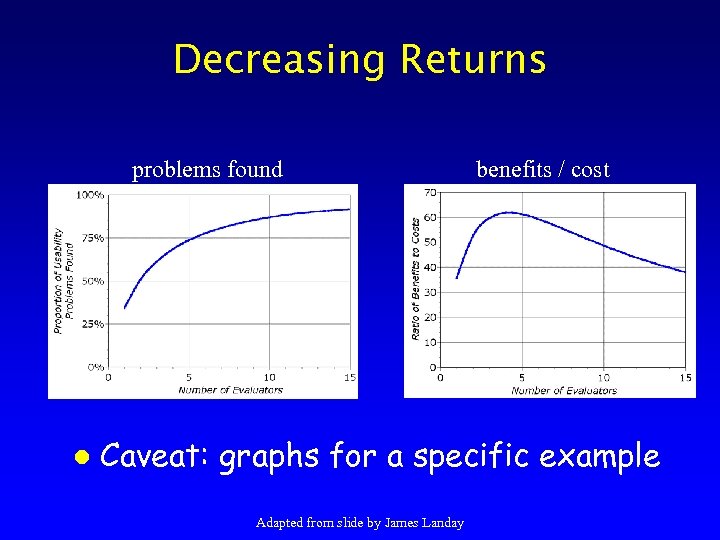
Decreasing Returns problems found l benefits / cost Caveat: graphs for a specific example Adapted from slide by James Landay
Summary of H. E. l l Heuristic evaluation is a “discount” method Procedure – Evaluators go through the UI twice – Check to see if it complies with heuristics – Note where it doesn’t and say why l Follow-up – Combine the findings from 3 to 5 evaluators – Have evaluators independently rate severity – Discuss problems with design team l Alternate with user testing Adapted from slide by James Landay
Study by Jeffries et al. 91 l Compared the four techniques – Evaluating the HP-VUE windows-like OS interface – Used a standardized usability problem reporting form
Study by Jeffries et al. 91 l Compared the four techniques – Usability test » conducted by a human factors professional » six participants (subjects) » 3 hours learning, 2 hours doing ten tasks – Software guidelines » 62 internal guidelines » 3 software engineers (had not done the implementation, but had relevant experience)
Study by Jeffries et al. 91 l Compared the four techniques – Cognitive Walkthrough » 3 software engineers, as a group (had not done the implementation but had relevant experience) » procedure: developers “step through” the interface in the context of core tasks a typical user will need to accomplish » used tasks selected by Jeffries et al. » a pilot test was done first
Study by Jeffries et al. 91 l Compared the four techniques – Heuristic Evaluation » 4 HCI researchers » two-week period (interspersed evaluation with the rest of their tasks)
Results of Study H. E. group found the largest number of unique problems l H. E. group found more than 50% of all problems found l
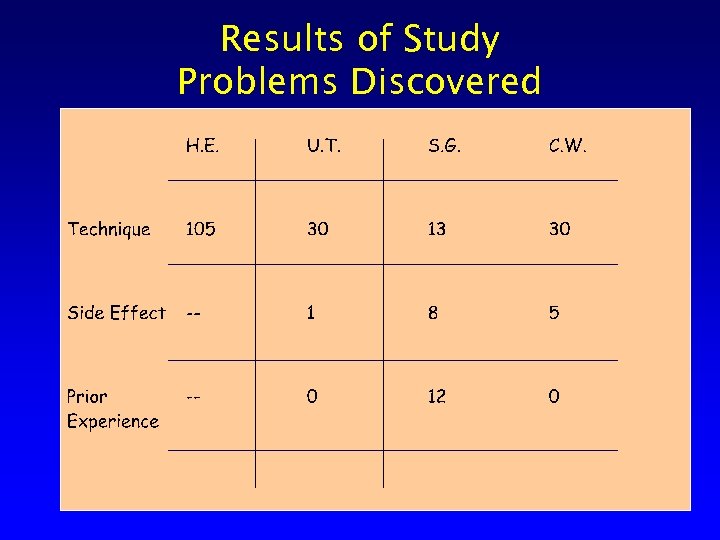
Results of Study Problems Discovered
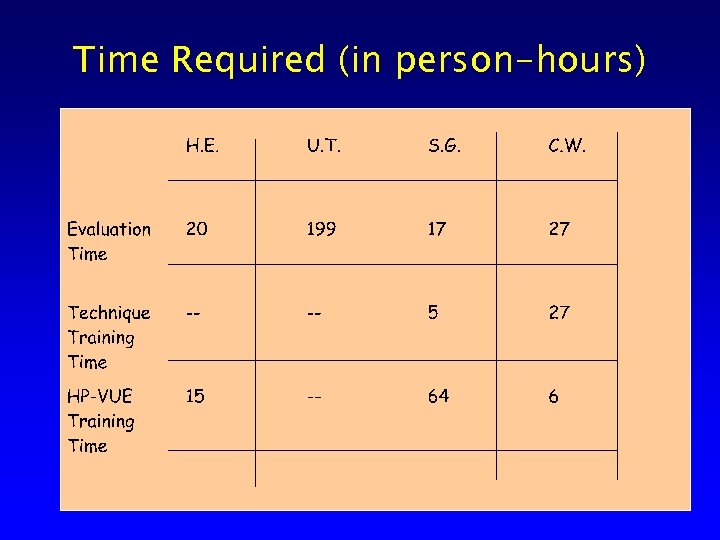
Time Required (in person-hours)
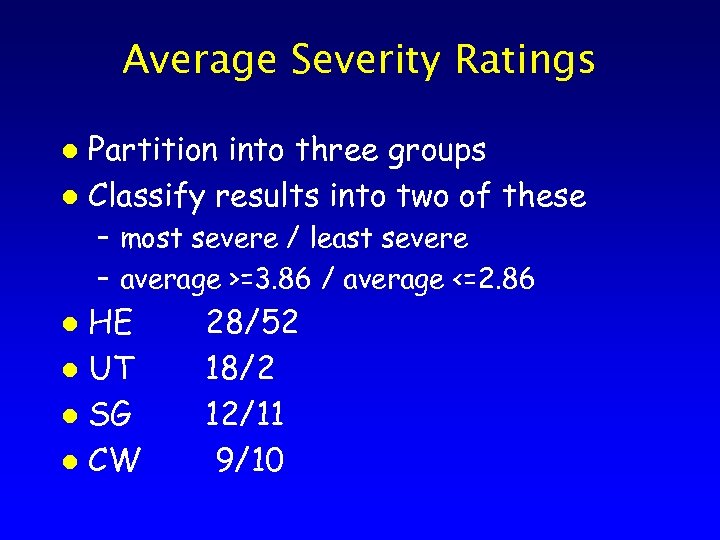
Average Severity Ratings Partition into three groups l Classify results into two of these l – most severe / least severe – average >=3. 86 / average <=2. 86 HE l UT l SG l CW l 28/52 18/2 12/11 9/10
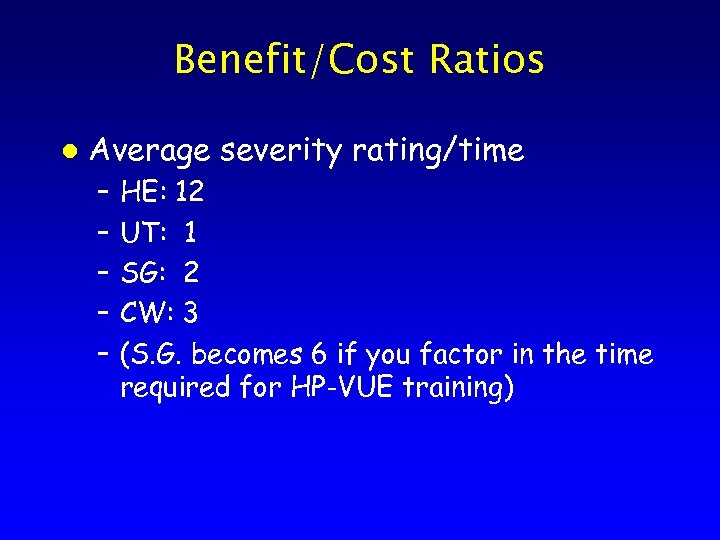
Benefit/Cost Ratios l Average severity rating/time – – – HE: 12 UT: 1 SG: 2 CW: 3 (S. G. becomes 6 if you factor in the time required for HP-VUE training)
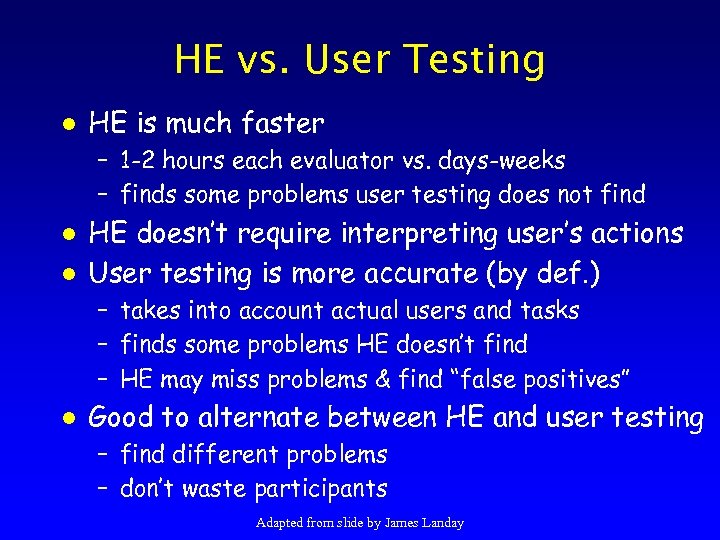
HE vs. User Testing l HE is much faster – 1 -2 hours each evaluator vs. days-weeks – finds some problems user testing does not find l l HE doesn’t require interpreting user’s actions User testing is more accurate (by def. ) – takes into account actual users and tasks – finds some problems HE doesn’t find – HE may miss problems & find “false positives” l Good to alternate between HE and user testing – find different problems – don’t waste participants Adapted from slide by James Landay
Next Time l Work on Low-fi prototypes in class
Скачать презентацию Discount Usability Engineering Marti Hearst UCB SIMS SIMS
4af18d60721a42cb5222714ea9ec7dc5.ppt