


 Скачать презентацию Disaster recovery and automation with Xen Server Jerome
487e742e687aa43556ff0c62beb90794.ppt
- Количество слайдов: 34
 Disaster recovery and automation with Xen. Server Jerome Reid
 Agenda Introduction Backup and recovery tools Xen. Server CLI basics Sample Scripts
 Agenda Introduction Backup and recovery tools Xen. Server CLI basics Sample Scripts
 Why backup? • Failure can result in wider impact as a result of workload consolidation • A properly designed backup plan will minimize downtime • Comprehensive backup up plan needed for Disaster recovery
 What can be backed up • Pool configuration database (state. db) • VM Metadata • Xen. Server Control Domain
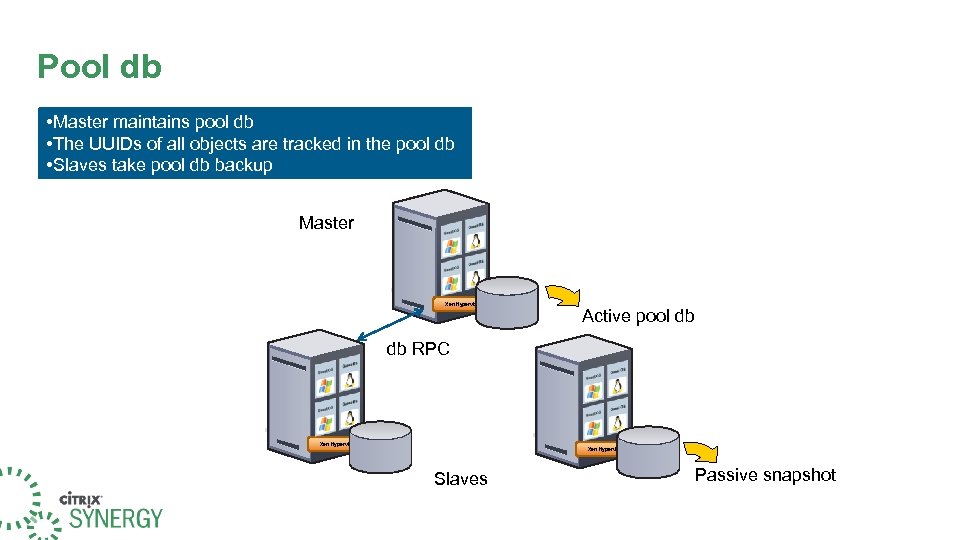 Pool db • Master maintains pool db • The UUIDs of all objects are tracked in the pool db • Slaves take pool db backup Master Xen Hypervisor Active pool db db RPC Xen Hypervisor Xen Hypervisor Slaves Passive snapshot
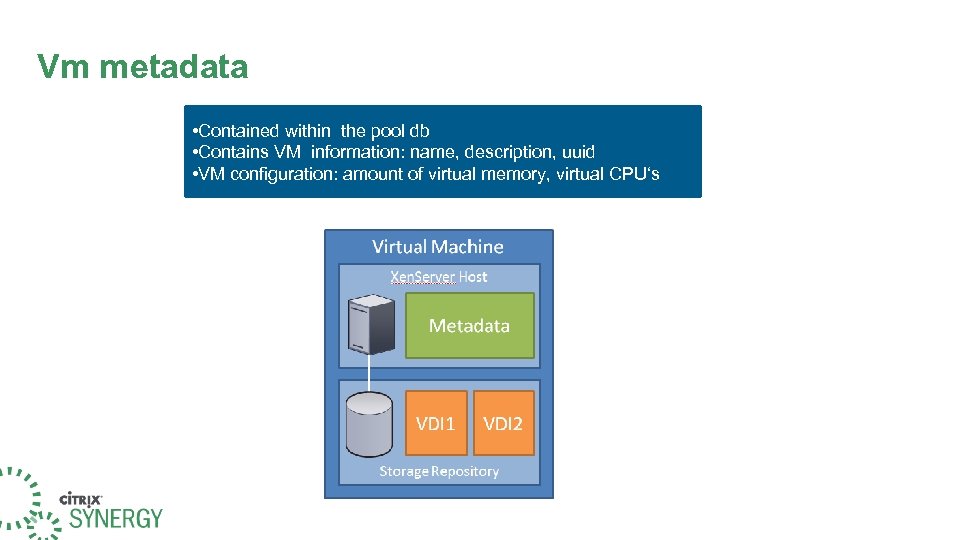 Vm metadata • Contained within the pool db • Contains VM information: name, description, uuid • VM configuration: amount of virtual memory, virtual CPU‘s
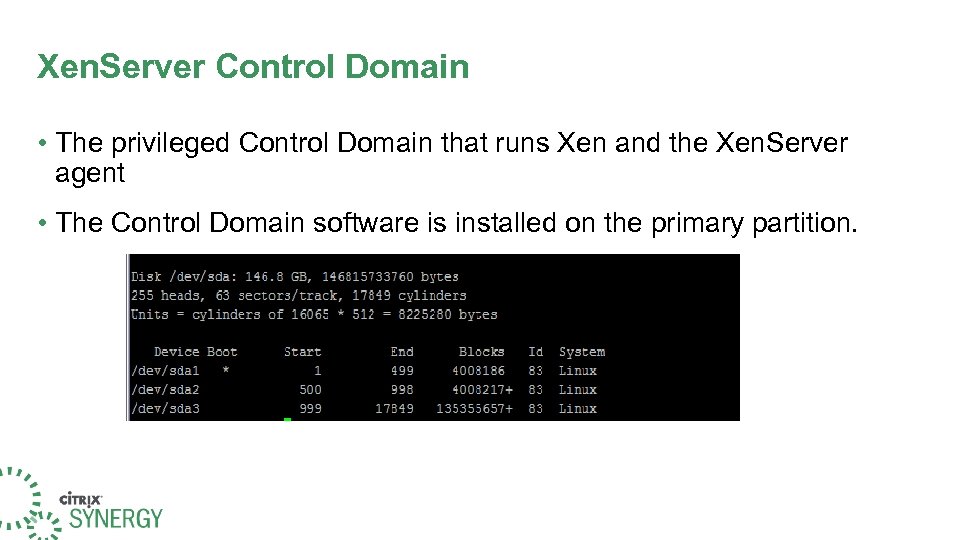 Xen. Server Control Domain • The privileged Control Domain that runs Xen and the Xen. Server agent • The Control Domain software is installed on the primary partition.
 Backup and recovery tools • Metadata Backup • xe-backup-metadata, xe-restore-metadata • Also available via the Xen. Server console (xsconsole) • Pool db backup • xe pool-dump-database , xe pool-restore-database • Vm metadata • xe vm-export --metadata, xe vm-import --metadata • Xen. Server Control Domain • xe host-backup
 backup-metadata • When a metadata backup is first taken, a special backup VDI is created on a SR. This VDI stores the following backups: • A full pool-database backup. • Individual VM metadata backups, partitioned by the SRs in which the VM has disks. • SR-level metadata which can be used to recreate the SR description when the storage is reattached. • The metadata backup and restore works at the command-line script level • Also supported in the menu-driven text console.
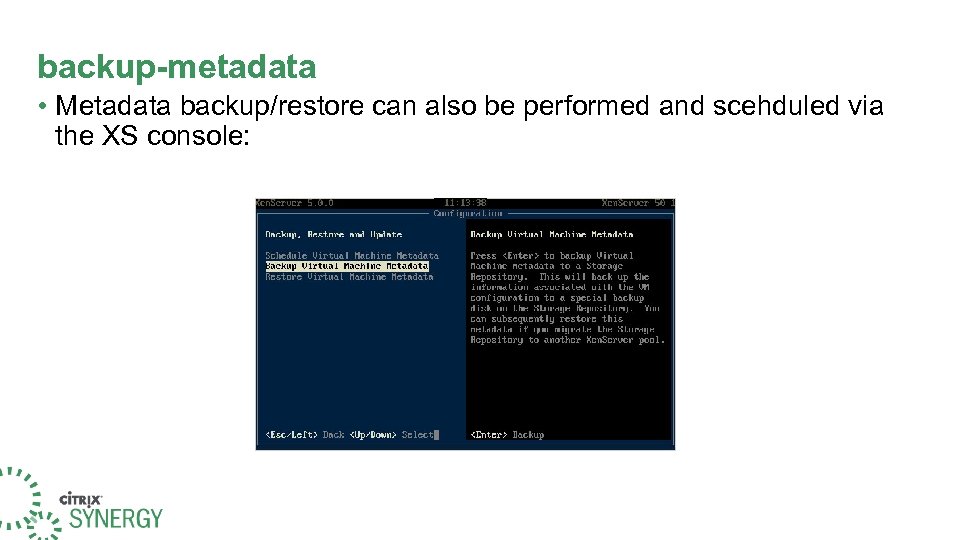 backup-metadata • Metadata backup/restore can also be performed and scehduled via the XS console:
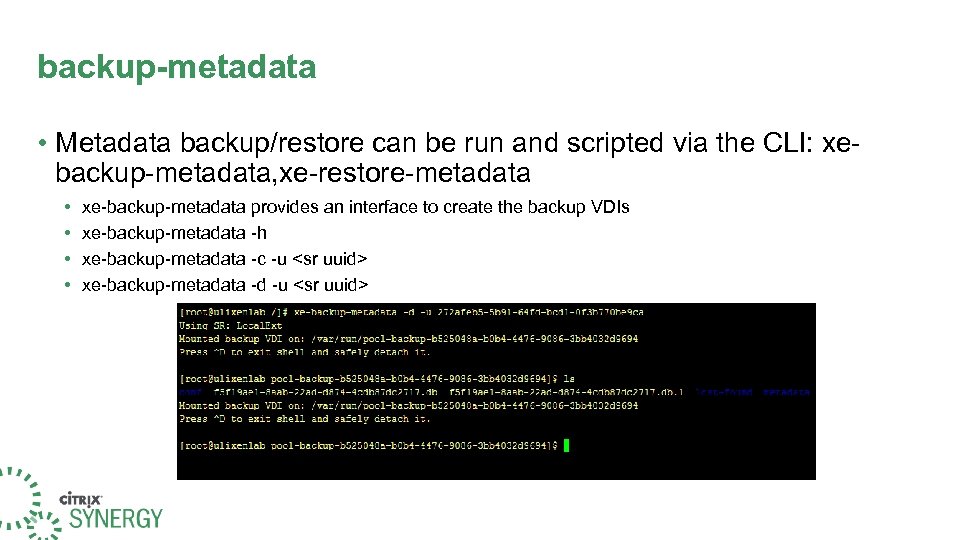 backup-metadata • Metadata backup/restore can be run and scripted via the CLI: xebackup-metadata, xe-restore-metadata • • xe-backup-metadata provides an interface to create the backup VDIs xe-backup-metadata -h xe-backup-metadata -c -u
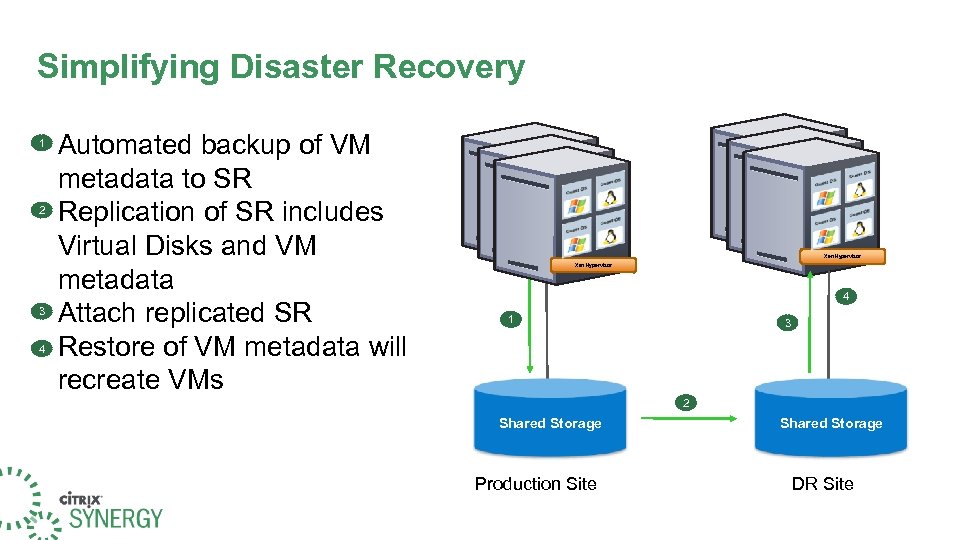 Simplifying Disaster Recovery 1 2 3 4 Automated backup of VM metadata to SR Replication of SR includes Virtual Disks and VM metadata Attach replicated SR Restore of VM metadata will recreate VMs Xen Hypervisor Xen Hypervisor 4 1 3 2 Shared Storage Production Site Shared Storage DR Site
 pool-dump-database • Downloads a copy of the entire pool db and dumps it into a file on the client • Only available via the CLI • xe pool-dump-database • file-name= • xe pool-restore-database • File-name= • Can be scripted and saved to a network share. See Citrix article CTX 116632
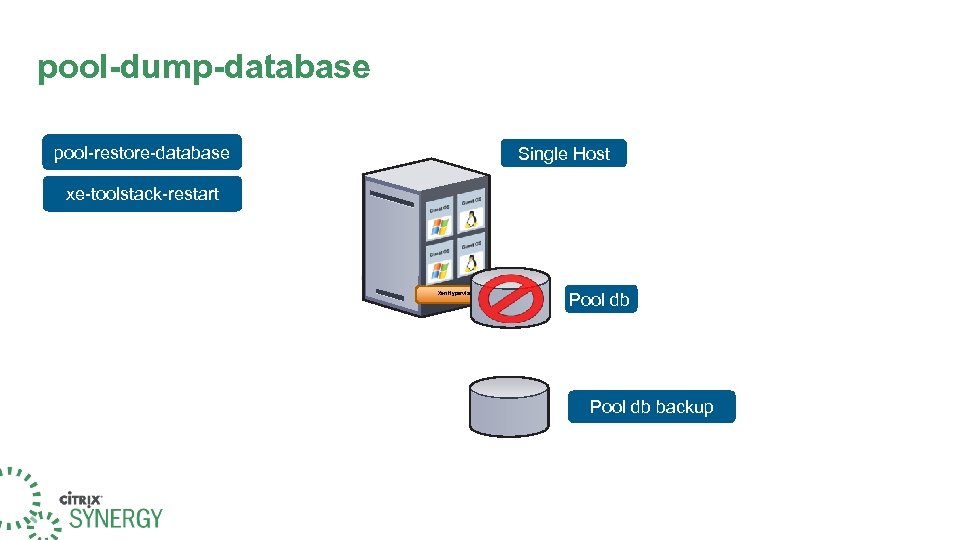 pool-dump-database pool-restore-database Single Host xe-toolstack-restart Xen Hypervisor Pool db backup
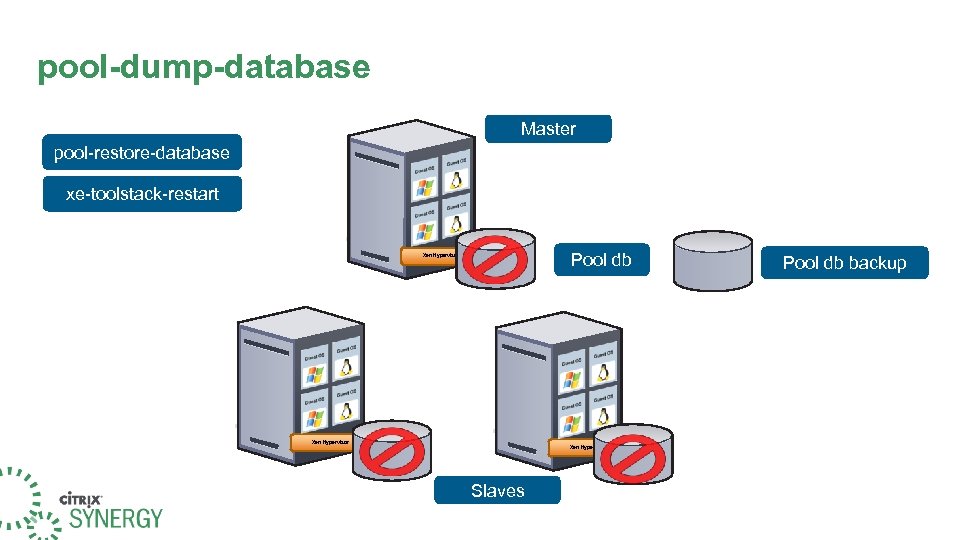 pool-dump-database Master pool-restore-database xe-toolstack-restart Xen Hypervisor Pool db Xen Hypervisor Xen Hypervisor Slaves Pool db backup
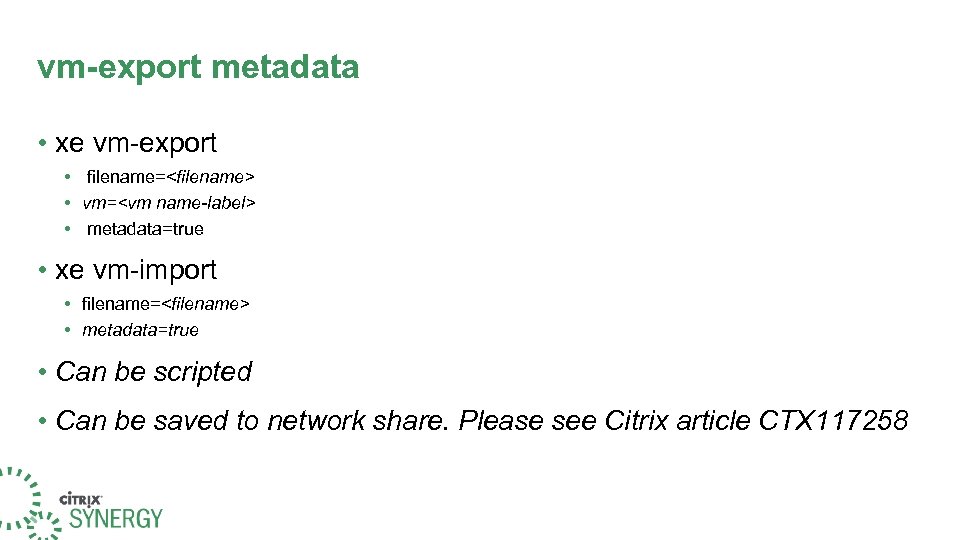 vm-export metadata • xe vm-export • filename=
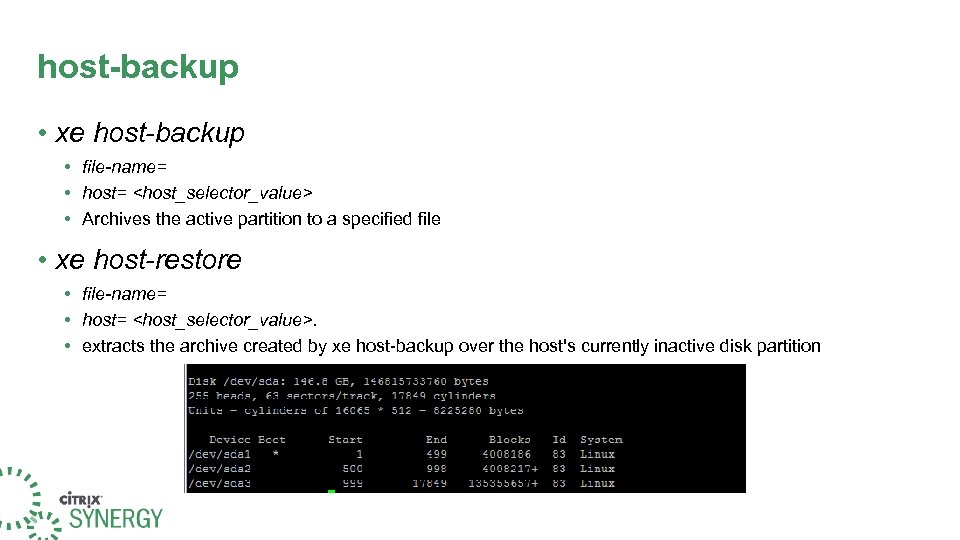 host-backup • xe host-backup • file-name= • host=
 host-backup • The backup partition can then be made active by booting off the installation CD and choosing the Restore option.
 Agenda Introduction Backup and recovery tools Xen. Server CLI basics Sample Scripts
 CLI Basics • The Xen. Server CLI provides additional functionality over the Xen. Center Interface • New features are often developed in the CLI before being available in the GUI • CLI enables scripts for automating system administration tasks
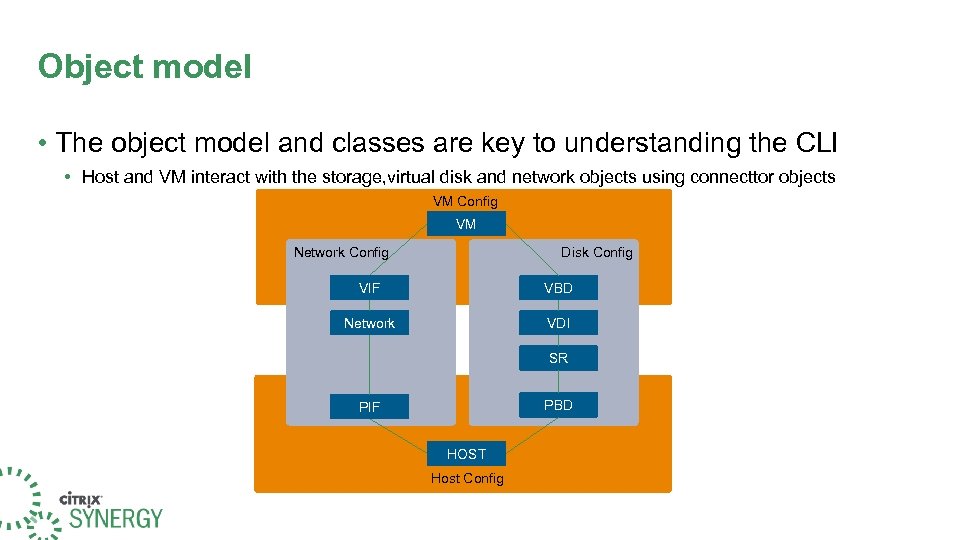 Object model • The object model and classes are key to understanding the CLI • Host and VM interact with the storage, virtual disk and network objects using connecttor objects VM Config VM Network Config Disk Config VIF VBD Network VDI SR PBD PIF HOST Host Config
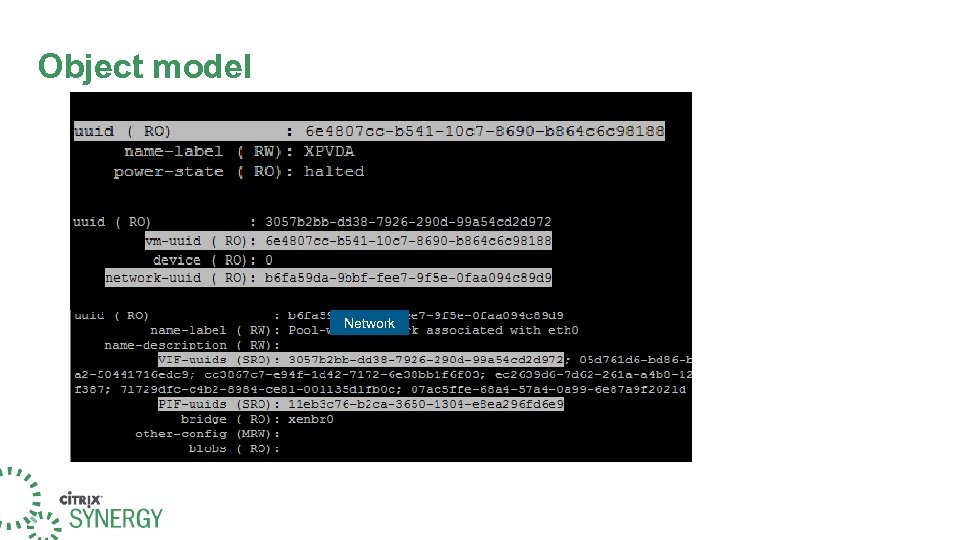 Object model VM VIF Network
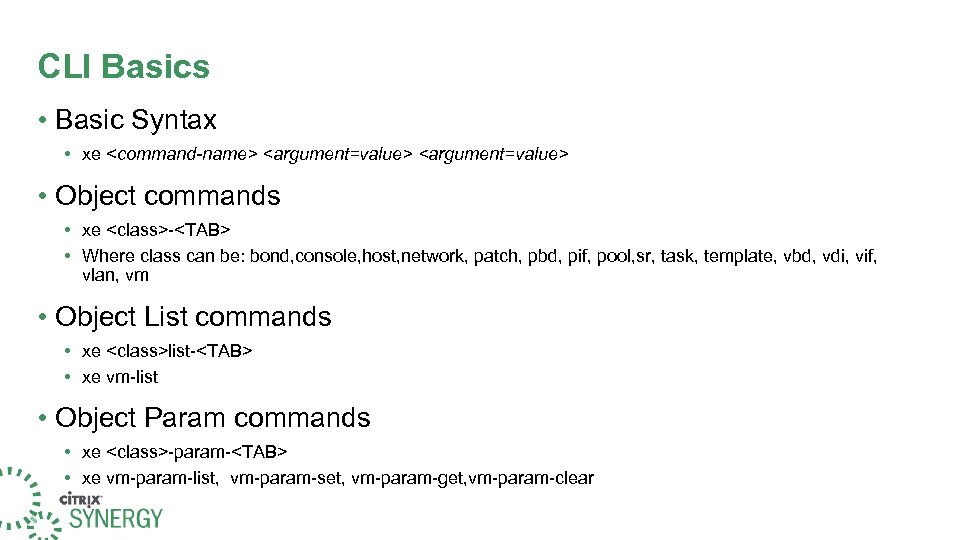 CLI Basics • Basic Syntax • xe
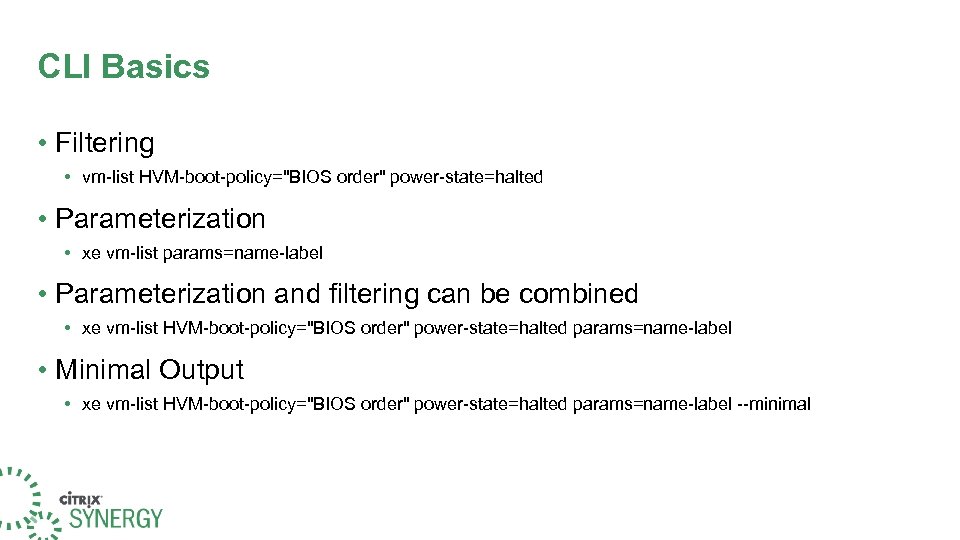 CLI Basics • Filtering • vm-list HVM-boot-policy="BIOS order" power-state=halted • Parameterization • xe vm-list params=name-label • Parameterization and filtering can be combined • xe vm-list HVM-boot-policy="BIOS order" power-state=halted params=name-label • Minimal Output • xe vm-list HVM-boot-policy="BIOS order" power-state=halted params=name-label --minimal
 Agenda Introduction Backup and recovery tools Xen. Server CLI basics Sample Scripts
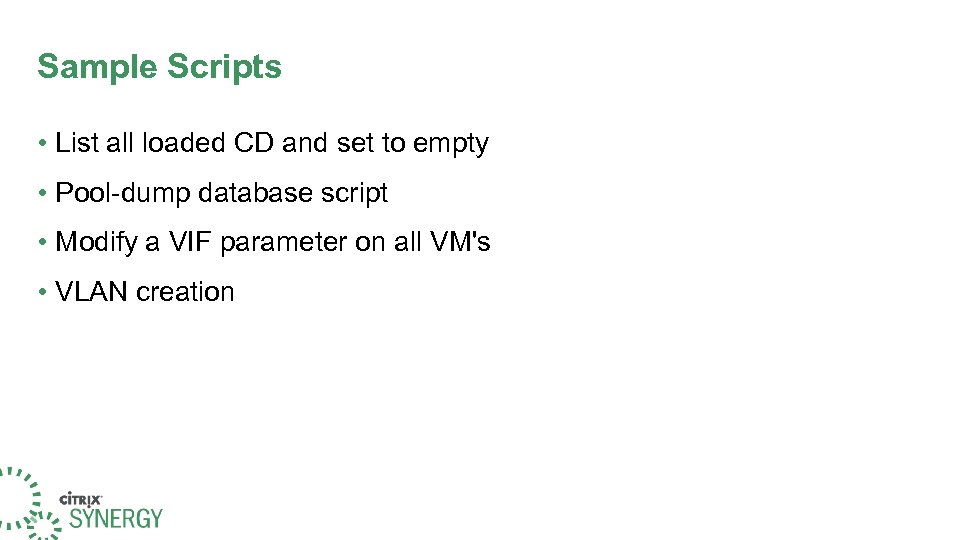 Sample Scripts • List all loaded CD and set to empty • Pool-dump database script • Modify a VIF parameter on all VM's • VLAN creation
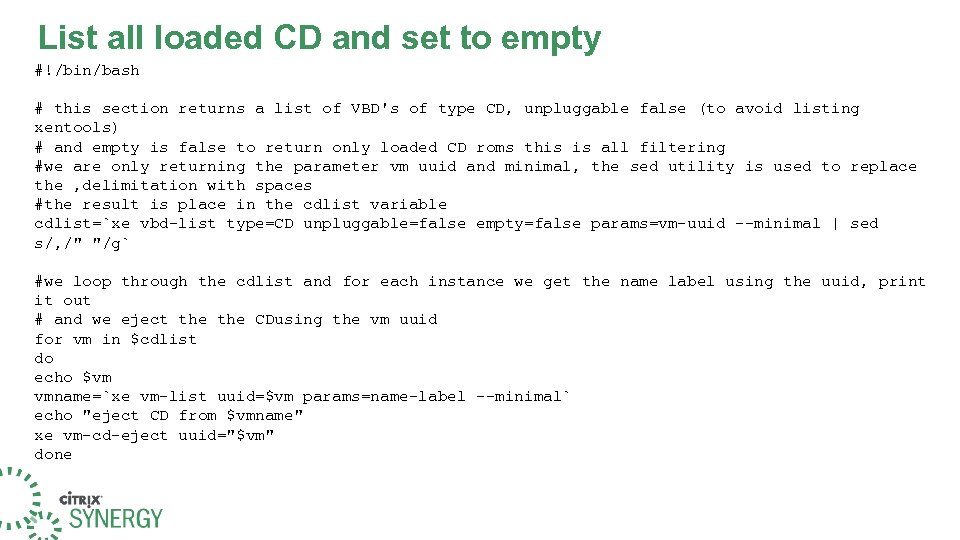 List all loaded CD and set to empty #!/bin/bash # this section returns a list of VBD's of type CD, unpluggable false (to avoid listing xentools) # and empty is false to return only loaded CD roms this is all filtering #we are only returning the parameter vm uuid and minimal, the sed utility is used to replace the , delimitation with spaces #the result is place in the cdlist variable cdlist=`xe vbd-list type=CD unpluggable=false empty=false params=vm-uuid --minimal | sed s/, /" "/g` #we loop through the cdlist and for each instance we get the name label using the uuid, print it out # and we eject the CDusing the vm uuid for vm in $cdlist do echo $vm vmname=`xe vm-list uuid=$vm params=name-label --minimal` echo "eject CD from $vmname" xe vm-cd-eject uuid="$vm" done
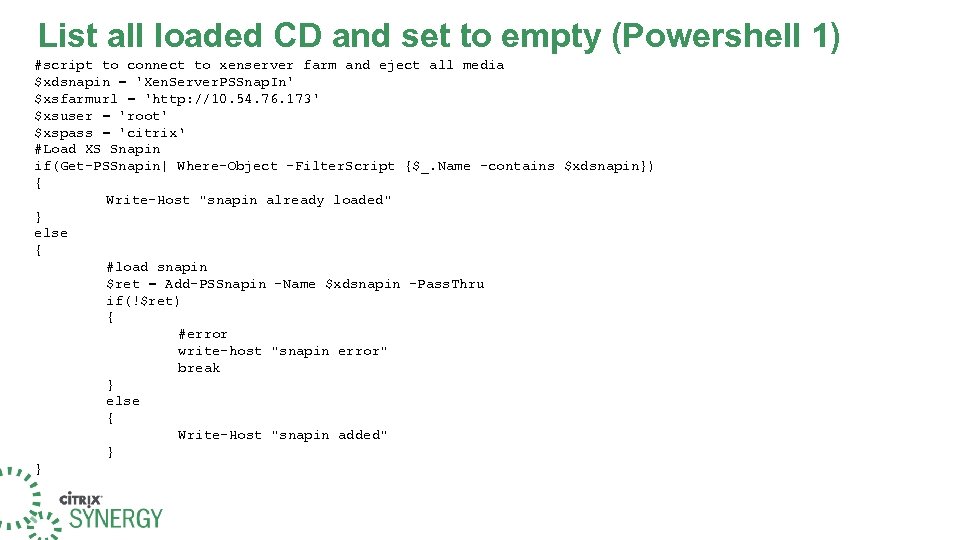 List all loaded CD and set to empty (Powershell 1) #script to connect to xenserver farm and eject all media $xdsnapin = 'Xen. Server. PSSnap. In' $xsfarmurl = 'http: //10. 54. 76. 173' $xsuser = 'root' $xspass = 'citrix‘ #Load XS Snapin if(Get-PSSnapin| Where-Object -Filter. Script {$_. Name -contains $xdsnapin}) { Write-Host "snapin already loaded" } else { #load snapin $ret = Add-PSSnapin -Name $xdsnapin -Pass. Thru if(!$ret) { #error write-host "snapin error" break } else { Write-Host "snapin added" } }
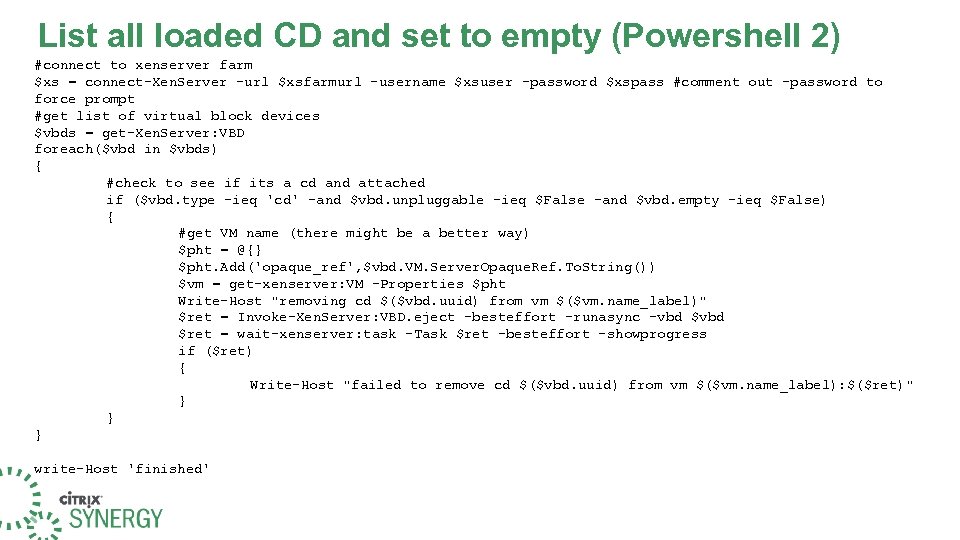 List all loaded CD and set to empty (Powershell 2) #connect to xenserver farm $xs = connect-Xen. Server -url $xsfarmurl -username $xsuser -password $xspass #comment out -password to force prompt #get list of virtual block devices $vbds = get-Xen. Server: VBD foreach($vbd in $vbds) { #check to see if its a cd and attached if ($vbd. type -ieq 'cd' -and $vbd. unpluggable -ieq $False -and $vbd. empty -ieq $False) { #get VM name (there might be a better way) $pht = @{} $pht. Add('opaque_ref', $vbd. VM. Server. Opaque. Ref. To. String()) $vm = get-xenserver: VM -Properties $pht Write-Host "removing cd $($vbd. uuid) from vm $($vm. name_label)" $ret = Invoke-Xen. Server: VBD. eject -besteffort -runasync -vbd $ret = wait-xenserver: task -Task $ret -besteffort –showprogress if ($ret) { Write-Host "failed to remove cd $($vbd. uuid) from vm $($vm. name_label): $($ret)" } } } write-Host 'finished'
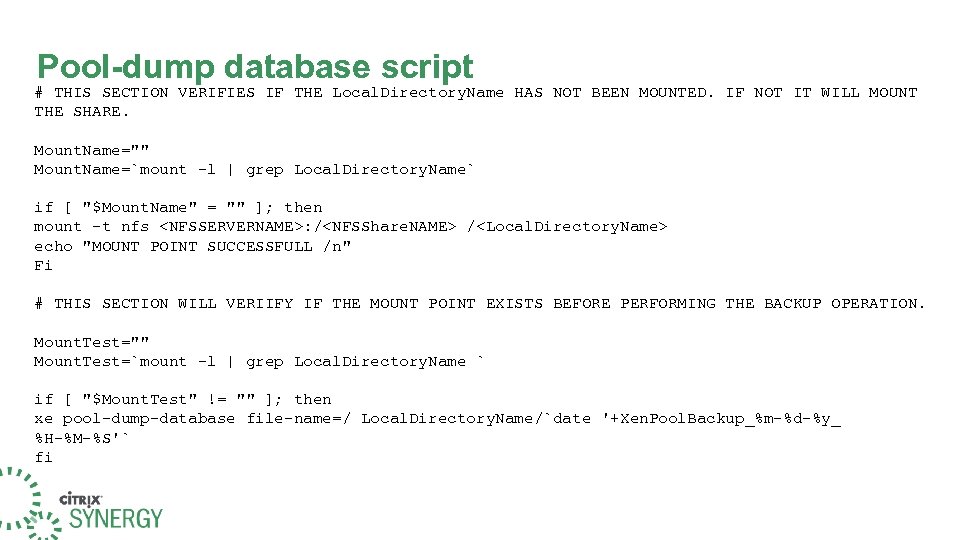 Pool-dump database script # THIS SECTION VERIFIES IF THE Local. Directory. Name HAS NOT BEEN MOUNTED. IF NOT IT WILL MOUNT THE SHARE. Mount. Name="" Mount. Name=`mount -l | grep Local. Directory. Name` if [ "$Mount. Name" = "" ]; then mount -t nfs
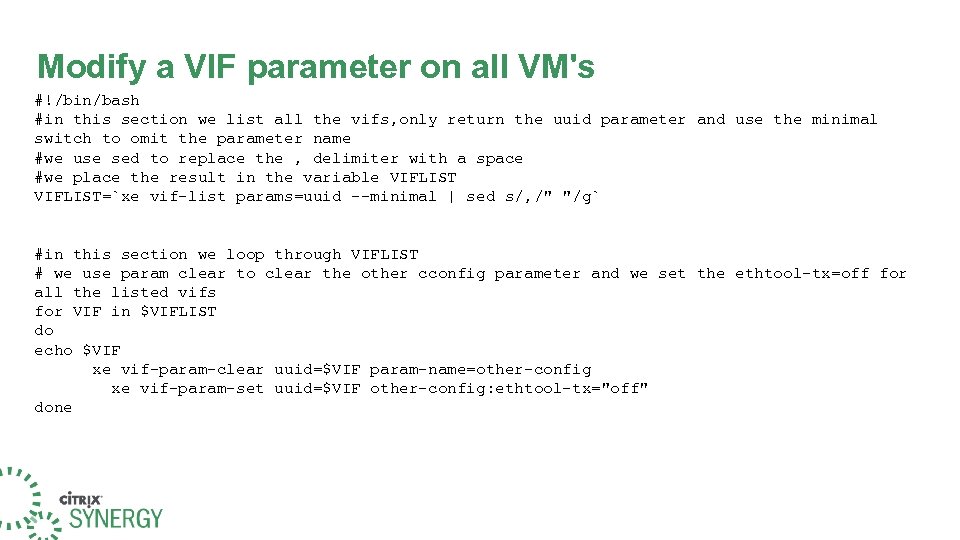 Modify a VIF parameter on all VM's #!/bin/bash #in this section we list all the vifs, only return the uuid parameter and use the minimal switch to omit the parameter name #we use sed to replace the , delimiter with a space #we place the result in the variable VIFLIST=`xe vif-list params=uuid --minimal | sed s/, /" "/g` #in this section we loop through VIFLIST # we use param clear to clear the other cconfig parameter and we set the ethtool-tx=off for all the listed vifs for VIF in $VIFLIST do echo $VIF xe vif-param-clear uuid=$VIF param-name=other-config xe vif-param-set uuid=$VIF other-config: ethtool-tx="off" done
![VLAN creation #!/bin/bash i=0 vlantag=1 devname=eth 0 while [ $i -lt 3 ] do](https://present5.com/presentation/487e742e687aa43556ff0c62beb90794/image-33.jpg "VLAN creation #!/bin/bash i=0 vlantag=1 devname=eth 0 while [ $i -lt 3 ] do") VLAN creation #!/bin/bash i=0 vlantag=1 devname=eth 0 while [ $i -lt 3 ] do netname=vlan$vlantag netuuid=`xe network-create name-label=$netname` echo Network UUID $netuuid pifuuid=`xe pif-list device=$devname VLAN=-1 --minimal` echo PIF UUID $pifuuid vlanuuid=`xe vlan-create network-uuid=$netuuid pif-uuid=$pifuuid vlan=$vlantag` echo Vlan UUID $vlanuuid i=$[$i+1] vlantag=$[$vlantag +1] netuuid=' ' pifuuid=' ' vlanuuid=' ' done
VLAN creation #!/bin/bash i=0 vlantag=1 devname=eth 0 while [ $i -lt 3 ] do netname=vlan$vlantag netuuid=`xe network-create name-label=$netname` echo Network UUID $netuuid pifuuid=`xe pif-list device=$devname VLAN=-1 --minimal` echo PIF UUID $pifuuid vlanuuid=`xe vlan-create network-uuid=$netuuid pif-uuid=$pifuuid vlan=$vlantag` echo Vlan UUID $vlanuuid i=$[$i+1] vlantag=$[$vlantag +1] netuuid=' ' pifuuid=' ' vlanuuid=' ' done
 Continue Your Learning The following course expands on today's topics and is recommended to support your Citrix solution: • CXS-200 Implementing Citrix Xen. Server Enterprise Edition 5. 0 Visit www. citrixeducation. com for more information