 Скачать презентацию Digitization by the Numbers Hardware and Software
94e568585b604a684b58d0d5bd5a1acb.ppt
- Количество слайдов: 8



Digitization by the Numbers
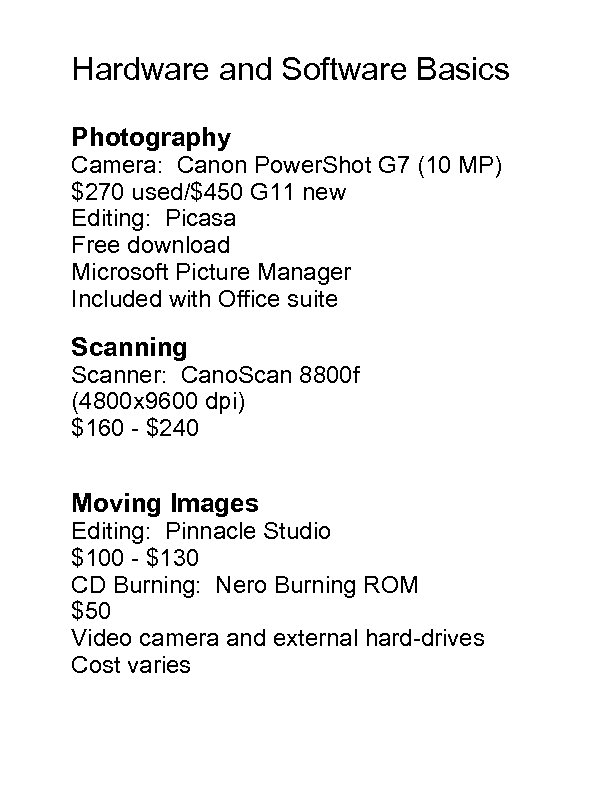
Hardware and Software Basics Photography Camera: Canon Power. Shot G 7 (10 MP) $270 used/$450 G 11 new Editing: Picasa Free download Microsoft Picture Manager Included with Office suite Scanning Scanner: Cano. Scan 8800 f (4800 x 9600 dpi) $160 - $240 Moving Images Editing: Pinnacle Studio $100 - $130 CD Burning: Nero Burning ROM $50 Video camera and external hard-drives Cost varies
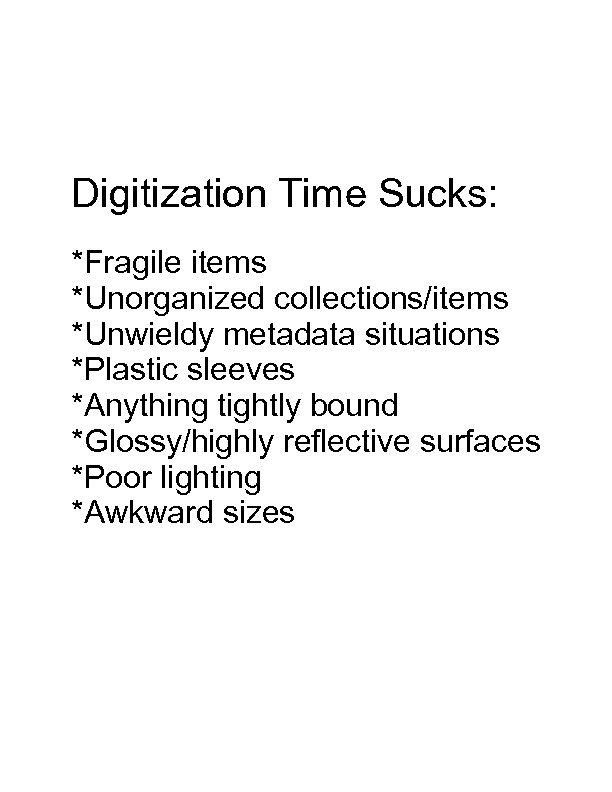
Digitization Time Sucks: *Fragile items *Unorganized collections/items *Unwieldy metadata situations *Plastic sleeves *Anything tightly bound *Glossy/highly reflective surfaces *Poor lighting *Awkward sizes
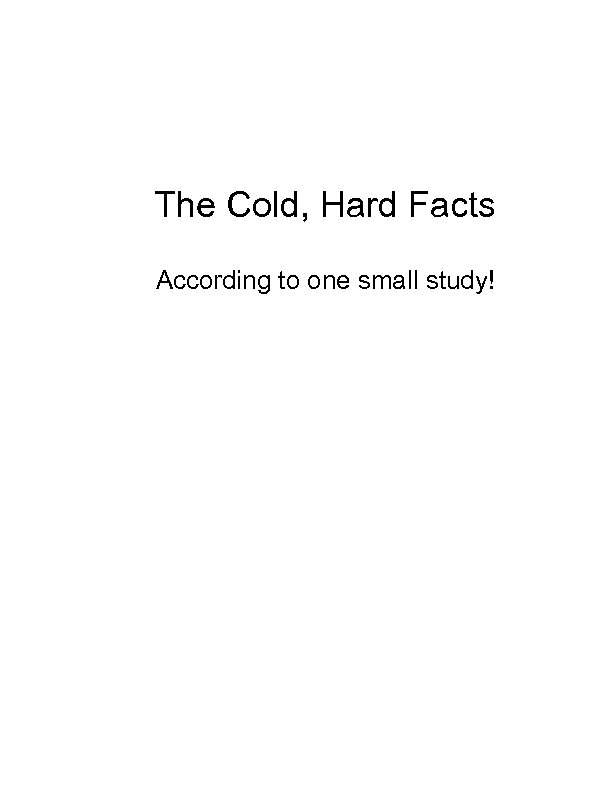
The Cold, Hard Facts According to one small study!
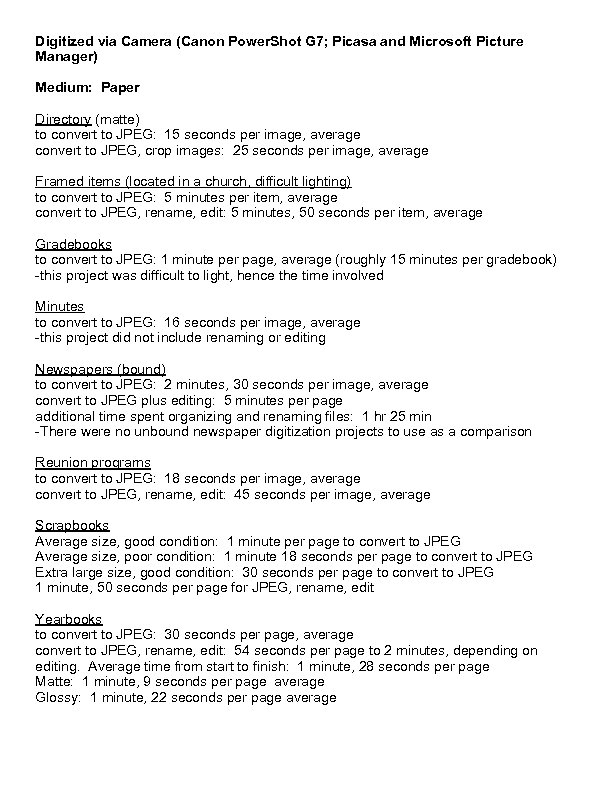
Digitized via Camera (Canon Power. Shot G 7; Picasa and Microsoft Picture Manager) Medium: Paper Directory (matte) to convert to JPEG: 15 seconds per image, average convert to JPEG, crop images: 25 seconds per image, average Framed items (located in a church, difficult lighting) to convert to JPEG: 5 minutes per item, average convert to JPEG, rename, edit: 5 minutes, 50 seconds per item, average Gradebooks to convert to JPEG: 1 minute per page, average (roughly 15 minutes per gradebook) -this project was difficult to light, hence the time involved Minutes to convert to JPEG: 16 seconds per image, average -this project did not include renaming or editing Newspapers (bound) to convert to JPEG: 2 minutes, 30 seconds per image, average convert to JPEG plus editing: 5 minutes per page additional time spent organizing and renaming files: 1 hr 25 min -There were no unbound newspaper digitization projects to use as a comparison Reunion programs to convert to JPEG: 18 seconds per image, average convert to JPEG, rename, edit: 45 seconds per image, average Scrapbooks Average size, good condition: 1 minute per page to convert to JPEG Average size, poor condition: 1 minute 18 seconds per page to convert to JPEG Extra large size, good condition: 30 seconds per page to convert to JPEG 1 minute, 50 seconds per page for JPEG, rename, edit Yearbooks to convert to JPEG: 30 seconds per page, average convert to JPEG, rename, edit: 54 seconds per page to 2 minutes, depending on editing. Average time from start to finish: 1 minute, 28 seconds per page Matte: 1 minute, 9 seconds per page average Glossy: 1 minute, 22 seconds per page average
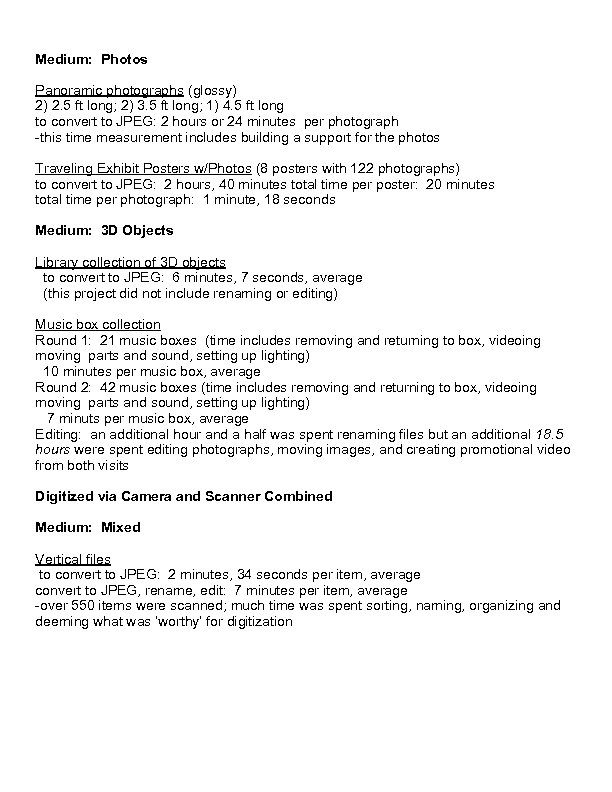
Medium: Photos Panoramic photographs (glossy) 2) 2. 5 ft long; 2) 3. 5 ft long; 1) 4. 5 ft long to convert to JPEG: 2 hours or 24 minutes per photograph -this time measurement includes building a support for the photos Traveling Exhibit Posters w/Photos (8 posters with 122 photographs) to convert to JPEG: 2 hours, 40 minutes total time per poster: 20 minutes total time per photograph: 1 minute, 18 seconds Medium: 3 D Objects Library collection of 3 D objects to convert to JPEG: 6 minutes, 7 seconds, average (this project did not include renaming or editing) Music box collection Round 1: 21 music boxes (time includes removing and returning to box, videoing moving parts and sound, setting up lighting) 10 minutes per music box, average Round 2: 42 music boxes (time includes removing and returning to box, videoing moving parts and sound, setting up lighting) 7 minuts per music box, average Editing: an additional hour and a half was spent renaming files but an additional 18. 5 hours were spent editing photographs, moving images, and creating promotional video from both visits Digitized via Camera and Scanner Combined Medium: Mixed Vertical files to convert to JPEG: 2 minutes, 34 seconds per item, average convert to JPEG, rename, edit: 7 minutes per item, average -over 550 items were scanned; much time was spent sorting, naming, organizing and deeming what was ‘worthy’ for digitization
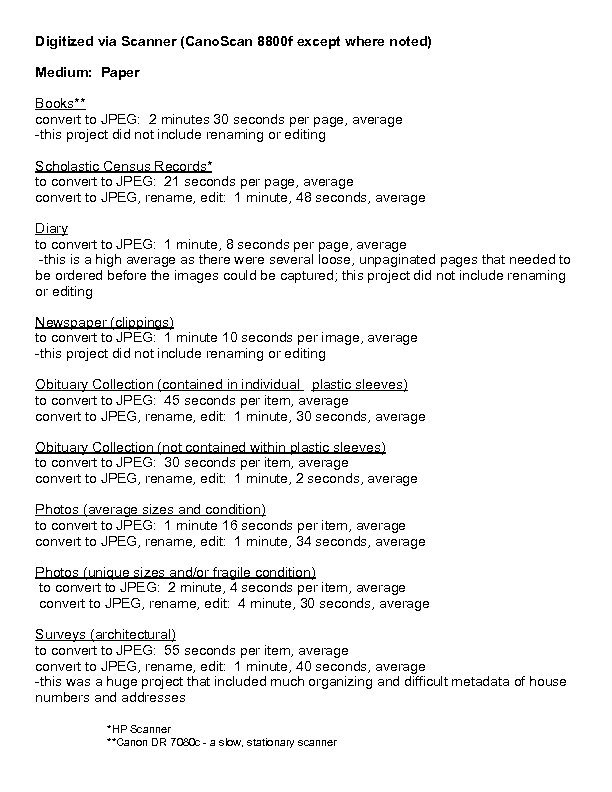
Digitized via Scanner (Cano. Scan 8800 f except where noted) Medium: Paper Books** convert to JPEG: 2 minutes 30 seconds per page, average -this project did not include renaming or editing Scholastic Census Records* to convert to JPEG: 21 seconds per page, average convert to JPEG, rename, edit: 1 minute, 48 seconds, average Diary to convert to JPEG: 1 minute, 8 seconds per page, average -this is a high average as there were several loose, unpaginated pages that needed to be ordered before the images could be captured; this project did not include renaming or editing Newspaper (clippings) to convert to JPEG: 1 minute 10 seconds per image, average -this project did not include renaming or editing Obituary Collection (contained in individual plastic sleeves) to convert to JPEG: 45 seconds per item, average convert to JPEG, rename, edit: 1 minute, 30 seconds, average Obituary Collection (not contained within plastic sleeves) to convert to JPEG: 30 seconds per item, average convert to JPEG, rename, edit: 1 minute, 2 seconds, average Photos (average sizes and condition) to convert to JPEG: 1 minute 16 seconds per item, average convert to JPEG, rename, edit: 1 minute, 34 seconds, average Photos (unique sizes and/or fragile condition) to convert to JPEG: 2 minute, 4 seconds per item, average convert to JPEG, rename, edit: 4 minute, 30 seconds, average Surveys (architectural) to convert to JPEG: 55 seconds per item, average convert to JPEG, rename, edit: 1 minute, 40 seconds, average -this was a huge project that included much organizing and difficult metadata of house numbers and addresses *HP Scanner **Canon DR 7080 c - a slow, stationary scanner
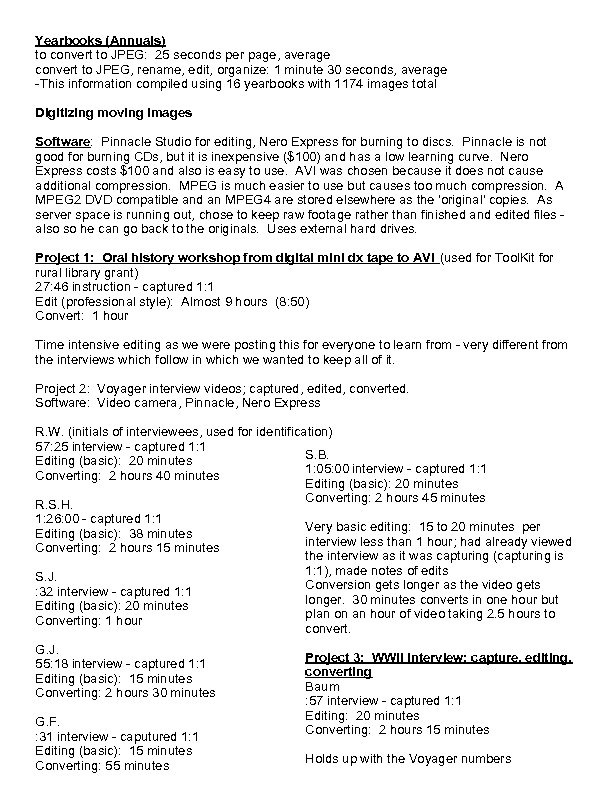
Yearbooks (Annuals) to convert to JPEG: 25 seconds per page, average convert to JPEG, rename, edit, organize: 1 minute 30 seconds, average -This information compiled using 16 yearbooks with 1174 images total Digitizing moving images Software: Pinnacle Studio for editing, Nero Express for burning to discs. Pinnacle is not good for burning CDs, but it is inexpensive ($100) and has a low learning curve. Nero Express costs $100 and also is easy to use. AVI was chosen because it does not cause additional compression. MPEG is much easier to use but causes too much compression. A MPEG 2 DVD compatible and an MPEG 4 are stored elsewhere as the 'original' copies. As server space is running out, chose to keep raw footage rather than finished and edited files also so he can go back to the originals. Uses external hard drives. Project 1: Oral history workshop from digital mini dx tape to AVI (used for Tool. Kit for rural library grant) 27: 46 instruction - captured 1: 1 Edit (professional style): Almost 9 hours (8: 50) Convert: 1 hour Time intensive editing as we were posting this for everyone to learn from - very different from the interviews which follow in which we wanted to keep all of it. Project 2: Voyager interview videos; captured, edited, converted. Software: Video camera, Pinnacle, Nero Express R. W. (initials of interviewees, used for identification) 57: 25 interview - captured 1: 1 S. B. Editing (basic): 20 minutes 1: 05: 00 interview - captured 1: 1 Converting: 2 hours 40 minutes Editing (basic): 20 minutes Converting: 2 hours 45 minutes R. S. H. 1: 26: 00 - captured 1: 1 Very basic editing: 15 to 20 minutes per Editing (basic): 38 minutes interview less than 1 hour; had already viewed Converting: 2 hours 15 minutes the interview as it was capturing (capturing is 1: 1), made notes of edits S. J. Conversion gets longer as the video gets : 32 interview - captured 1: 1 longer. 30 minutes converts in one hour but Editing (basic): 20 minutes plan on an hour of video taking 2. 5 hours to Converting: 1 hour convert. G. J. 55: 18 interview - captured 1: 1 Editing (basic): 15 minutes Converting: 2 hours 30 minutes G. F. : 31 interview - caputured 1: 1 Editing (basic): 15 minutes Converting: 55 minutes Project 3: WWII interview; capture, editing, converting Baum : 57 interview - captured 1: 1 Editing: 20 minutes Converting: 2 hours 15 minutes Holds up with the Voyager numbers
Скачать презентацию Digitization by the Numbers Hardware and Software
94e568585b604a684b58d0d5bd5a1acb.ppt