


 Скачать презентацию Digital Prepress Xi an university of technology Prof Dr
409b8a6488c69b40eb536a9e8aaa9eec.ppt
- Количество слайдов: 63
 Digital Prepress Xi’an university of technology Prof. Dr. Cao Congjun
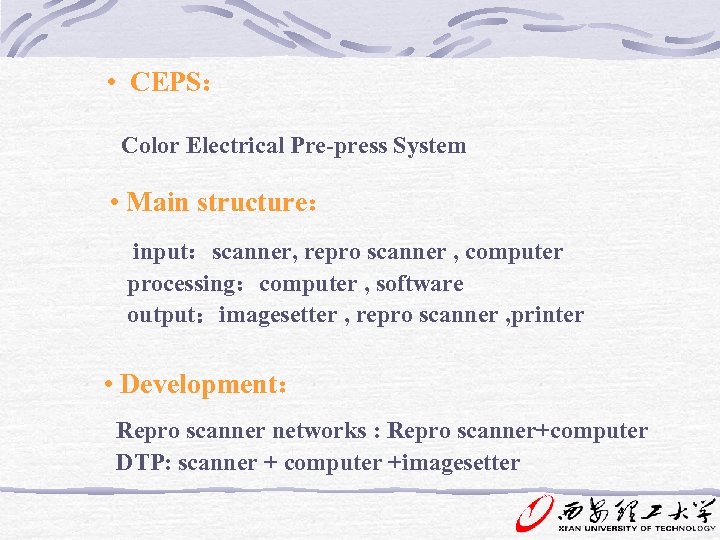 • CEPS: Color Electrical Pre-press System • Main structure: input:scanner, repro scanner , computer processing:computer , software output:imagesetter , repro scanner , printer • Development: Repro scanner networks : Repro scanner+computer DTP: scanner + computer +imagesetter
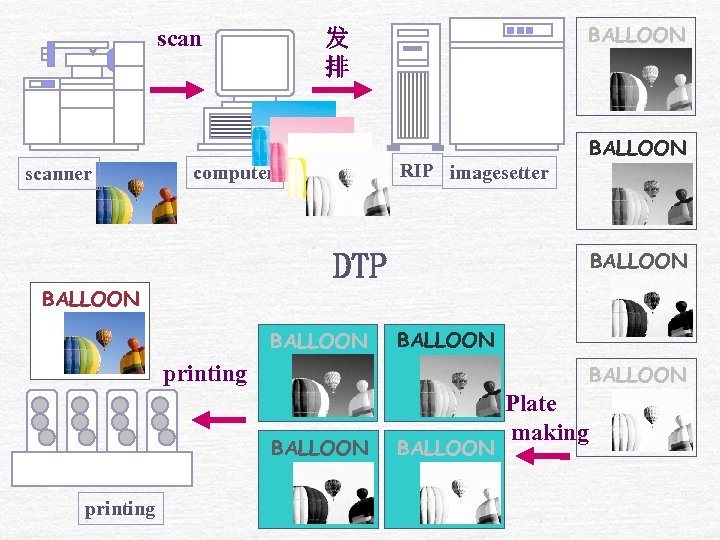
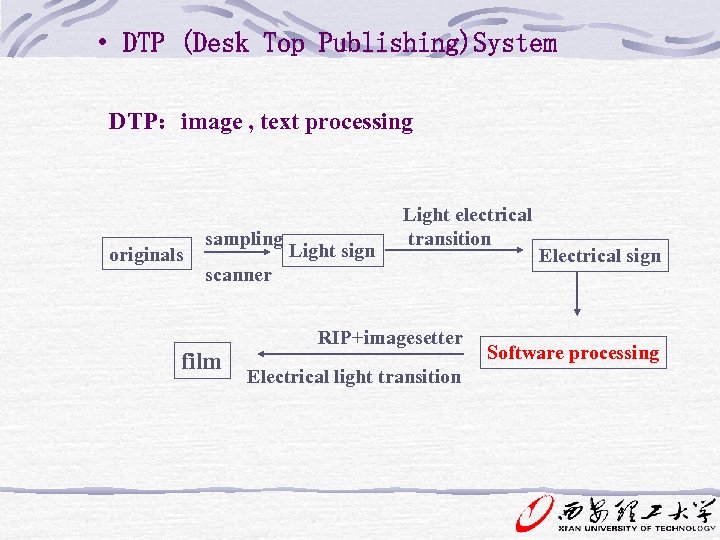 • DTP (Desk Top Publishing)System DTP:image , text processing originals sampling Light sign Light electrical transition scanner film RIP+imagesetter Electrical light transition Electrical sign Software processing
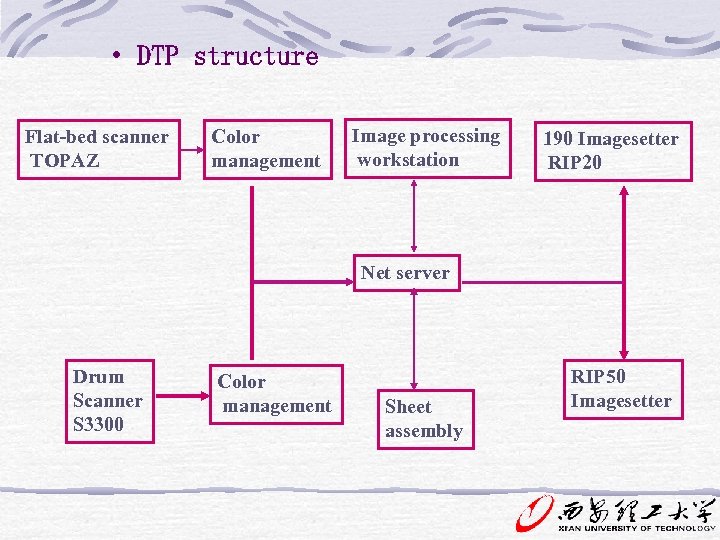 • DTP structure Flat-bed scanner TOPAZ Color management Image processing workstation 190 Imagesetter RIP 20 Net server Drum Scanner S 3300 Color management Sheet assembly RIP 50 Imagesetter
 Cp. 8 Digital Prepress Creation and Input Function: text input , image scan , date processing in computer
 Digital Image Types Raster Images Bitmapped or raster images are created in paint-type application or by scanning. -Resolution dependent Represented by picture element(pixels). Resolution refers to the number of samples that a scanner or capture device makes per inch and is measured in dots per inch(dpi) or pixels per inch(ppi). The number of bits used to record the information for one pixel is called the bit depth of the file. A gray-scale image is made up of black, white, and intermediate tones. (mostly 8 bits)
 Vector Images If line art is created in an illustration or a draw program, it is an objected or a vector image. Vector images are made up of mathematically described paths called vectors. Resolution independent File size estimation: (Tonal resolution/8)*(Spatial resolution) 2 *(dimensions)=file size —For example: P 167
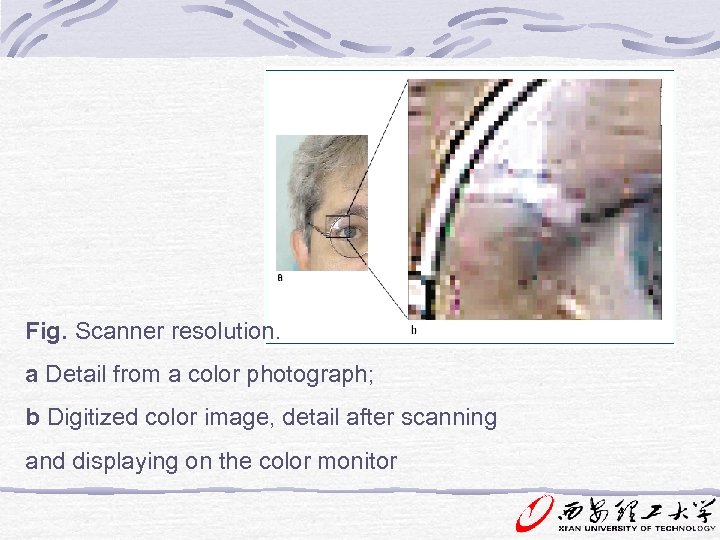 Fig. Scanner resolution. a Detail from a color photograph; b Digitized color image, detail after scanning and displaying on the color monitor
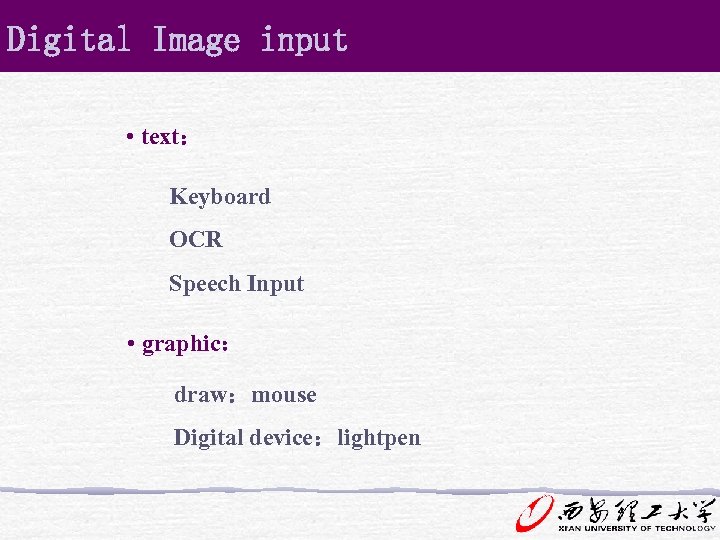 Digital Image input • text: Keyboard OCR Speech Input • graphic: draw:mouse Digital device:lightpen
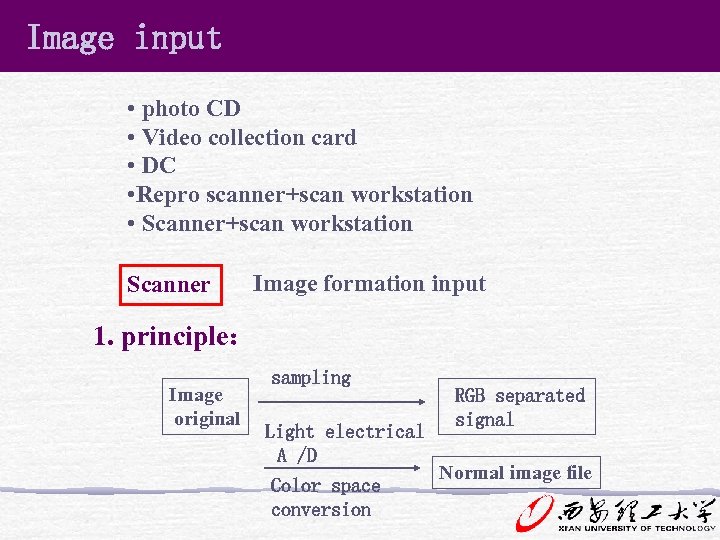 Image input • photo CD • Video collection card • DC • Repro scanner+scan workstation • Scanner+scan workstation Scanner Image formation input 1. principle: Image original sampling RGB separated signal Light electrical A /D Normal image file Color space conversion
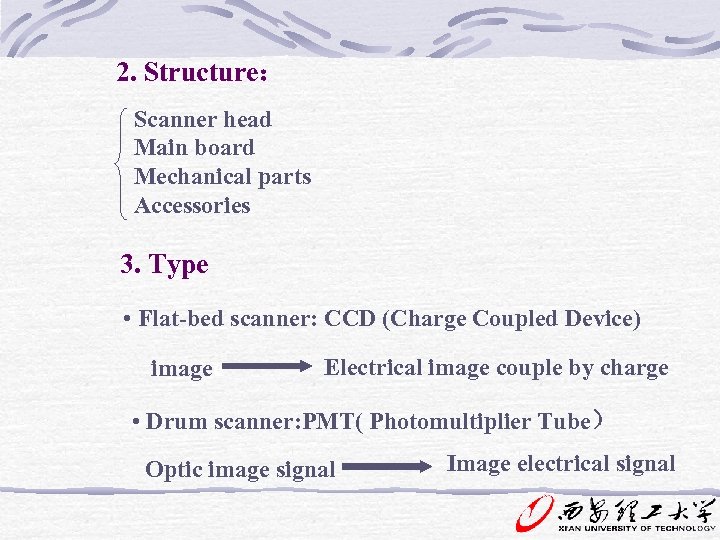 2. Structure: Scanner head Main board Mechanical parts Accessories 3. Type • Flat-bed scanner: CCD (Charge Coupled Device) imagee Electrical image couple by charge • Drum scanner: PMT( Photomultiplier Tube) Optic image signal Image electrical signal
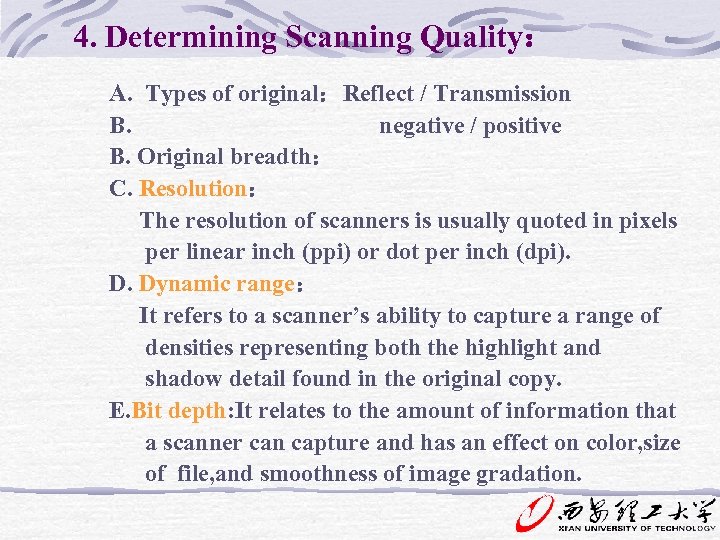 4. Determining Scanning Quality: A. Types of original:Reflect / Transmission B. negative / positive B. Original breadth: C. Resolution: The resolution of scanners is usually quoted in pixels per linear inch (ppi) or dot per inch (dpi). D. Dynamic range: It refers to a scanner’s ability to capture a range of densities representing both the highlight and shadow detail found in the original copy. E. Bit depth: It relates to the amount of information that a scanner can capture and has an effect on color, size of file, and smoothness of image gradation.
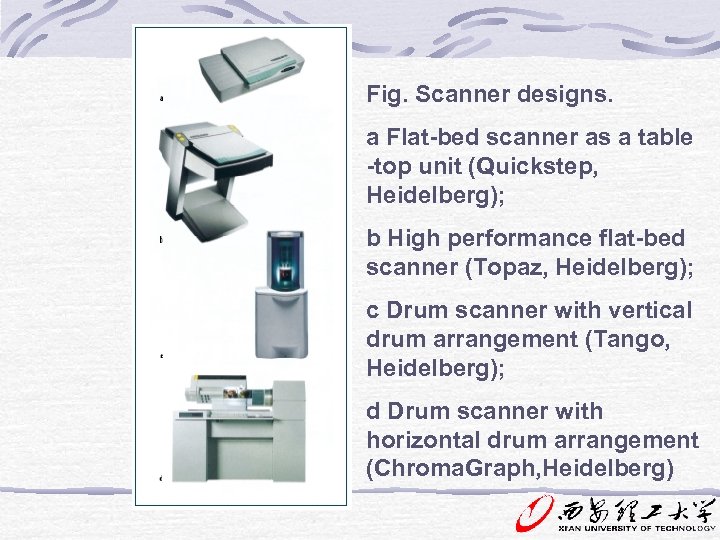 Fig. Scanner designs. a Flat-bed scanner as a table -top unit (Quickstep, Heidelberg); b High performance flat-bed scanner (Topaz, Heidelberg); c Drum scanner with vertical drum arrangement (Tango, Heidelberg); d Drum scanner with horizontal drum arrangement (Chroma. Graph, Heidelberg)
 Flatbed Scanners CCD(charged-coupled device)technology电荷耦 合器件:Which is characterized by the use of an array of light-sensitive elements that translate analog signals into digital information. Light reflected from the original is detected by the CCD array and converted into digital data or pixel. The number of CCD elements determines the actual optical resolution possible, rather than a software-interpolated resolution.
 ※CCD flat-bed scanners are used for both DTP applications and professional prepress. Apart from placing the originals in the scanner, the operation of a flat-bed scanner involves using a standard image-editing program or a special workstation containing the scanner software. ※Film scanner: high-resolution capture ※Xy Scanning: XY technology means that the projection characteristics of the optics are adjusted to the size of the original to make maximum use of the receiver unit in the CCD so that the best possible resolution is achieved.
 Drum Scanner The photomultipliers used to register RGB color values in drum scanners result in high quality reproductions. Drum scanners remain the image recording devices that satisfy the highest demands of resolution and quality. Drum scanners are based on highly sensitive photomultiplier technology, which scans the light reflected or transmitted by the original and separates it into red, green, and blue (RGB) component colors.
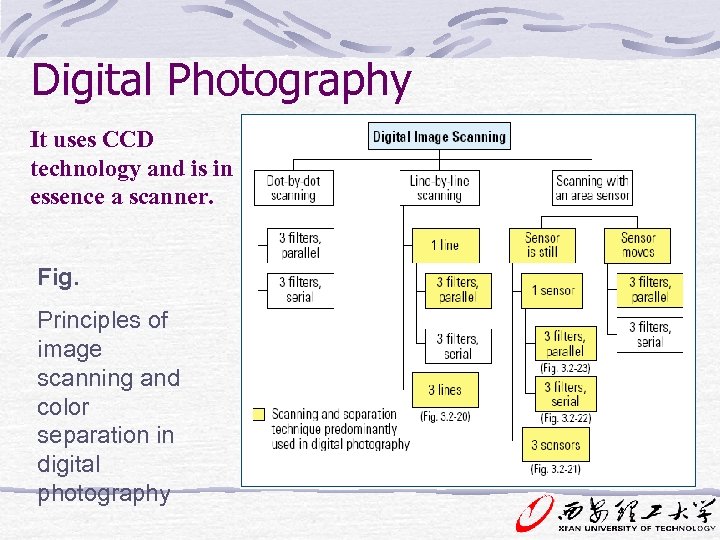 Digital Photography It uses CCD technology and is in essence a scanner. Fig. Principles of image scanning and color separation in digital photography
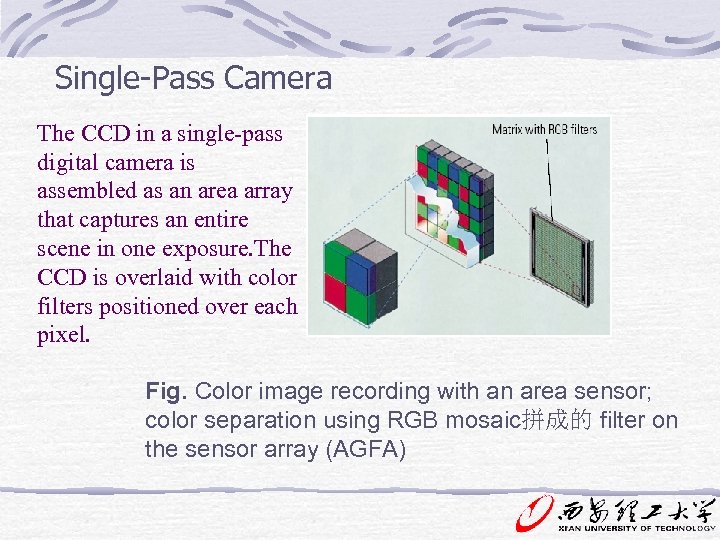 Single-Pass Camera The CCD in a single-pass digital camera is assembled as an area array that captures an entire scene in one exposure. The CCD is overlaid with color filters positioned over each pixel. Fig. Color image recording with an area sensor; color separation using RGB mosaic拼成的 filter on the sensor array (AGFA)
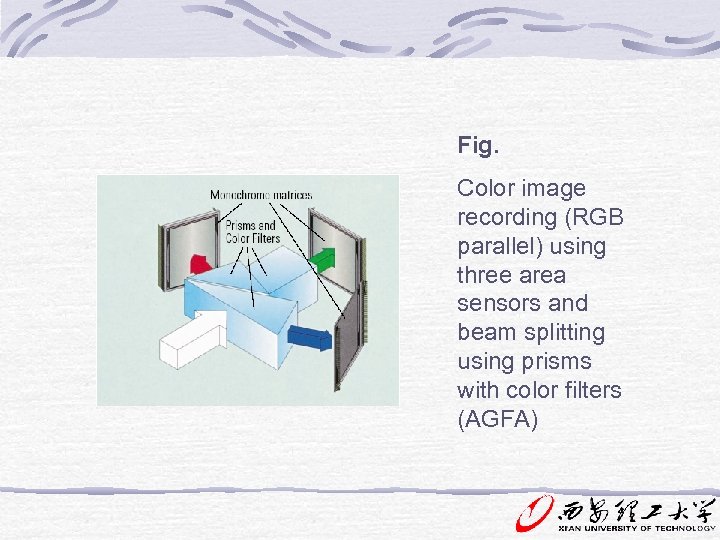 Fig. Color image recording (RGB parallel) using three area sensors and beam splitting using prisms with color filters (AGFA)
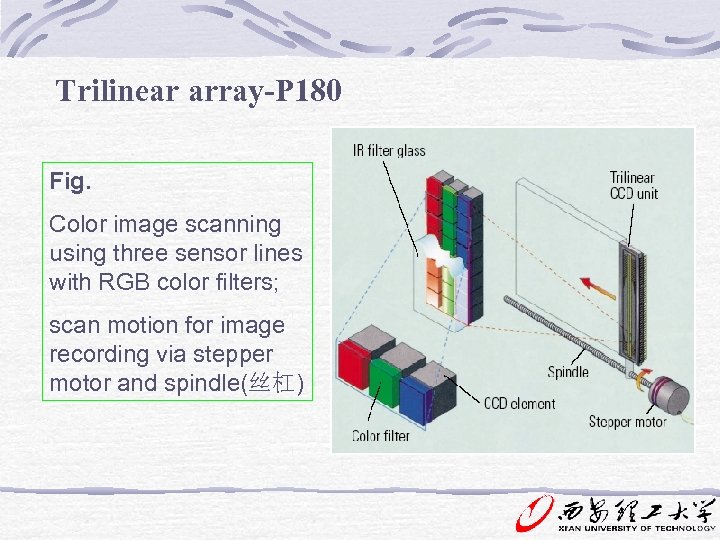 Trilinear array-P 180 Fig. Color image scanning using three sensor lines with RGB color filters; scan motion for image recording via stepper motor and spindle(丝杠)
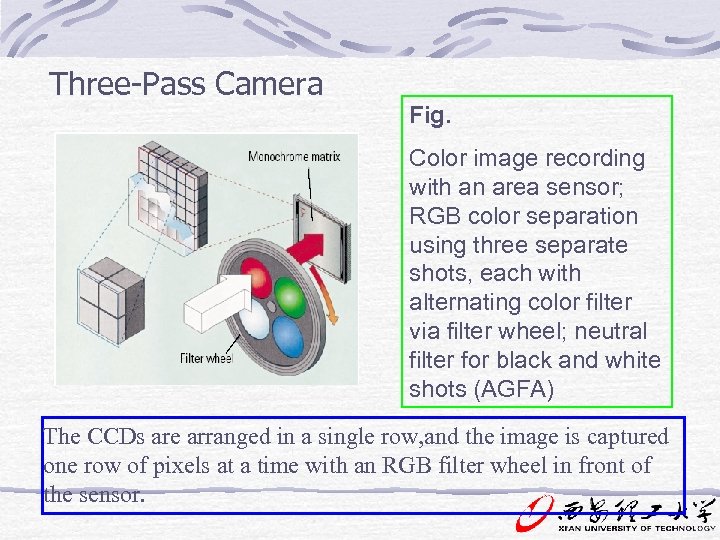 Three-Pass Camera Fig. Color image recording with an area sensor; RGB color separation using three separate shots, each with alternating color filter via filter wheel; neutral filter for black and white shots (AGFA) The CCDs are arranged in a single row, and the image is captured one row of pixels at a time with an RGB filter wheel in front of the sensor.
 Homework P 181 review questions 1, 2, 3, 7, 9.
 Processing of Color Electrical Pre-press System Function: text , image processing, typographic layout sheet assembly and imposition 9. Digital Prepress Assemble
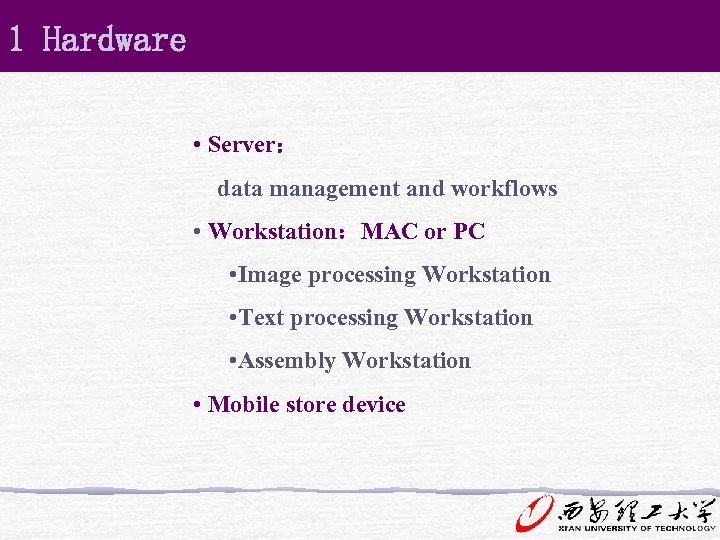 1 Hardware • Server: data management and workflows • Workstation:MAC or PC • Image processing Workstation • Text processing Workstation • Assembly Workstation • Mobile store device
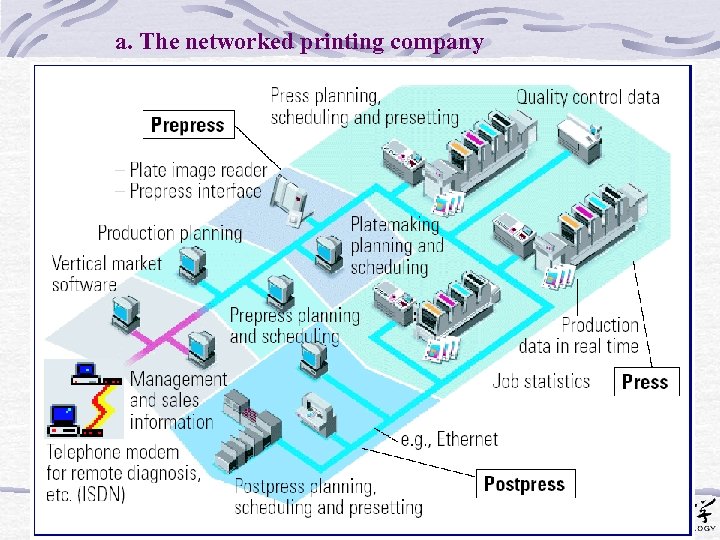 a. The networked printing company
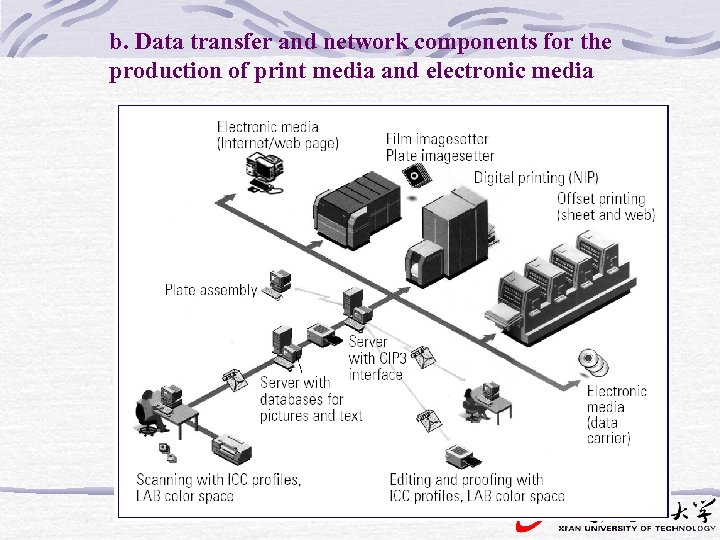 b. Data transfer and network components for the production of print media and electronic media
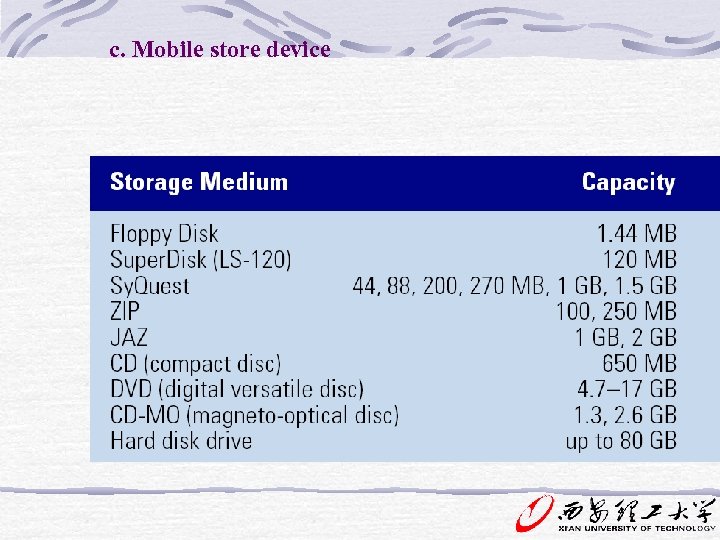 c. Mobile store device
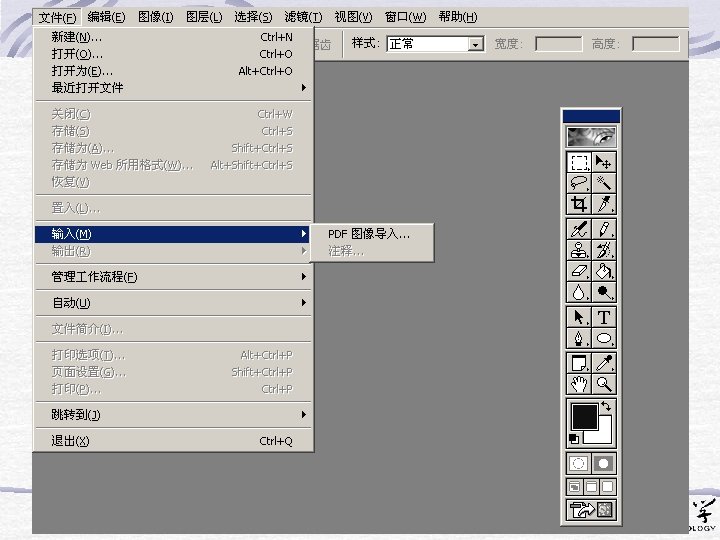
 2 Software 1. Image processing software: • Function: Color correction , tone value control, Image edit , processing • Software: Adobe Photoshop , Photostyler、Painter、 Live Picture Photo. Impact、Photo. Draw
 2. Graphic processing: • Software: Adobe Illustrator 、 Freehand 、Corel. Draw 3. Assembly: Pagemaker , Quark. XPress,in. Design • Function: Page design , sheet assembly
 Preflight---P 190 Preflight is a procedure by which a file is checked for omissions and set-up errors to ensure a smooth passage through to output. Preflighting presents following problems: Corrupt or missing fonts, Missing images, Improper trapping(陷印), Wrong page sizes, Incorrect color designations, Inadequate bleeds(出血), Unusable media.
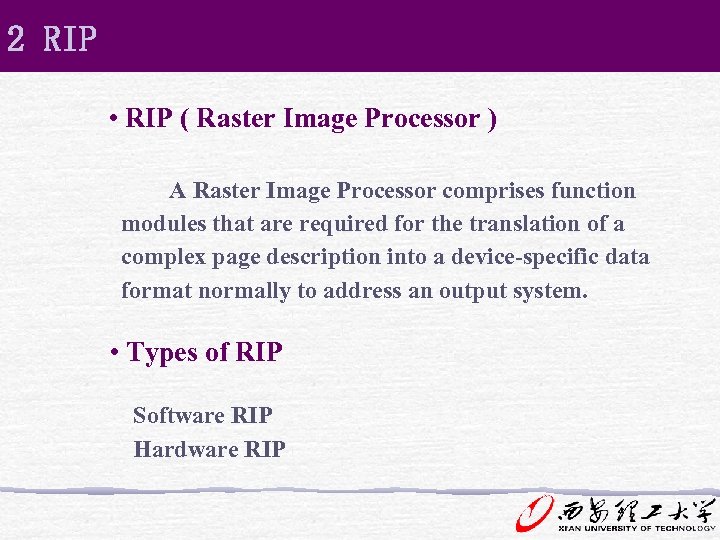
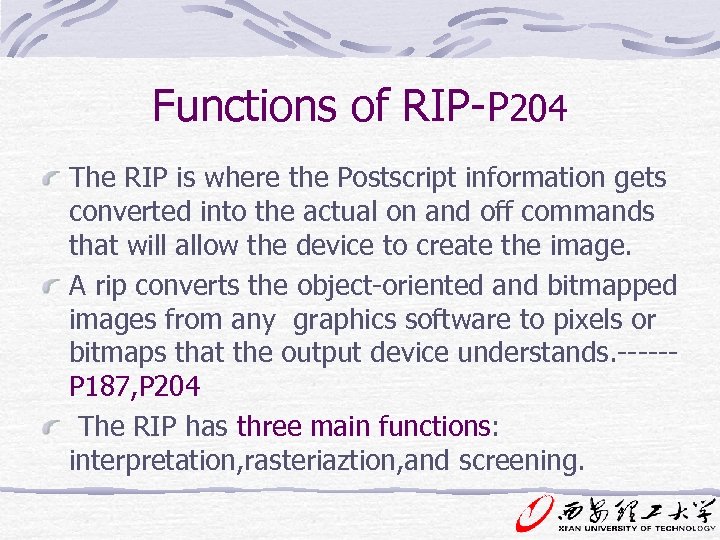
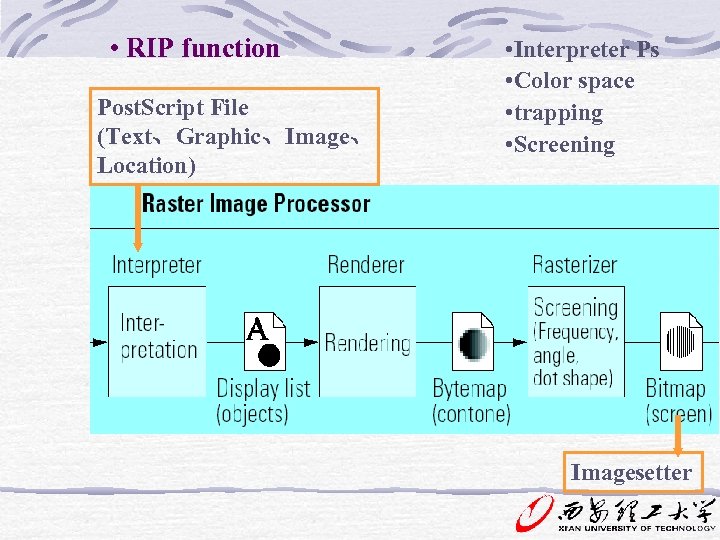
 RIP(raster image processor) Function: A rip converts the objectoriented and bitmapped images from any graphics software to pixels or bitmaps that the output device understands. ------P 187, P 204
 Process and Spot Color for Printing Process color: cyan, magenta, yellow, and black are called process colors. (P 46, 195) Spot color: the inks the printer purchases or mixes for a specific job are called spot colors. Spot colors can be specified from a color-matching system or hand mixed to match a color submitted by designer. (P 46, 195)
 Trapping-P 200,208 Trapping: the allowance for an overlap of two colors so as to compensate for misregister and resultant gaps between color. With a 60 lines/cm screen, trapping should be between 0. 1 and 0. 2 mm, with a 33 lines/cm screen between 0. 2 and 0. 4 mm. Choke(收缩): making the background area smaller. Choking is used when the background is lighter than the foreground. Spread: making the foreground area larger.
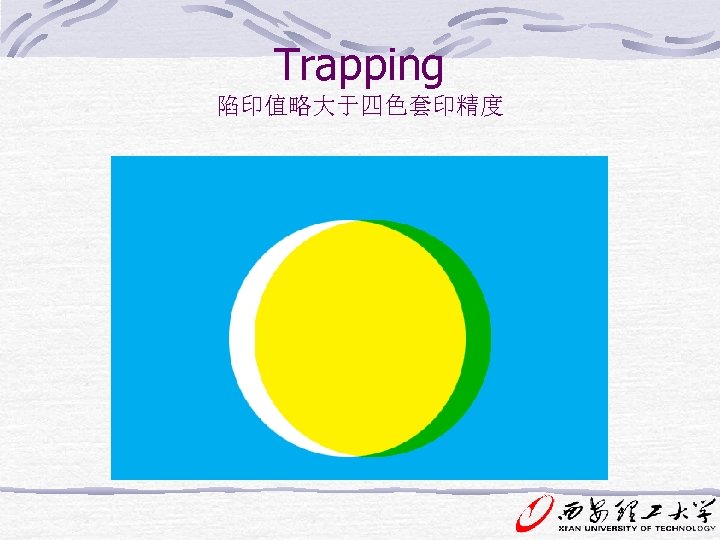 Trapping 陷印值略大于四色套印精度
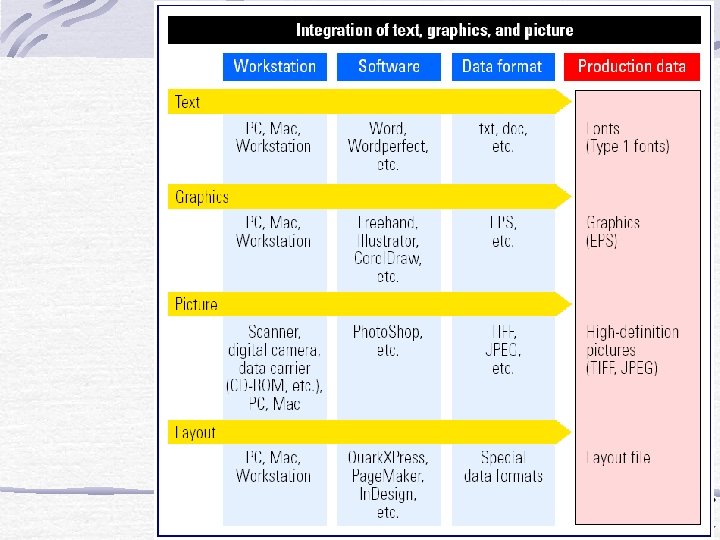
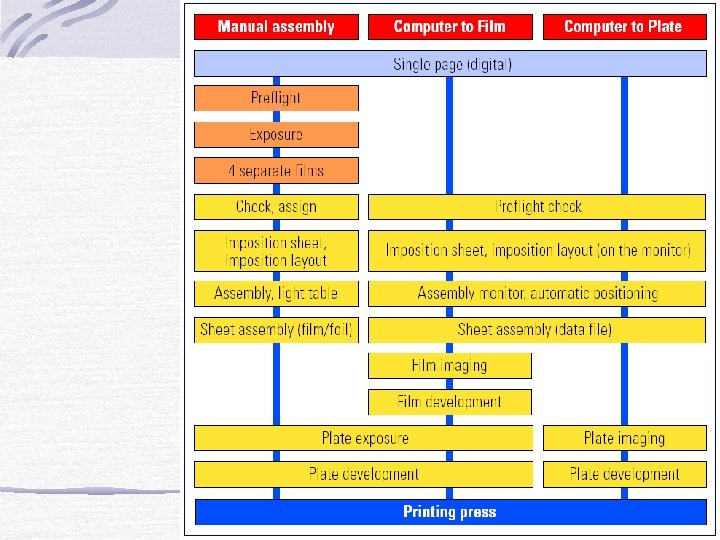
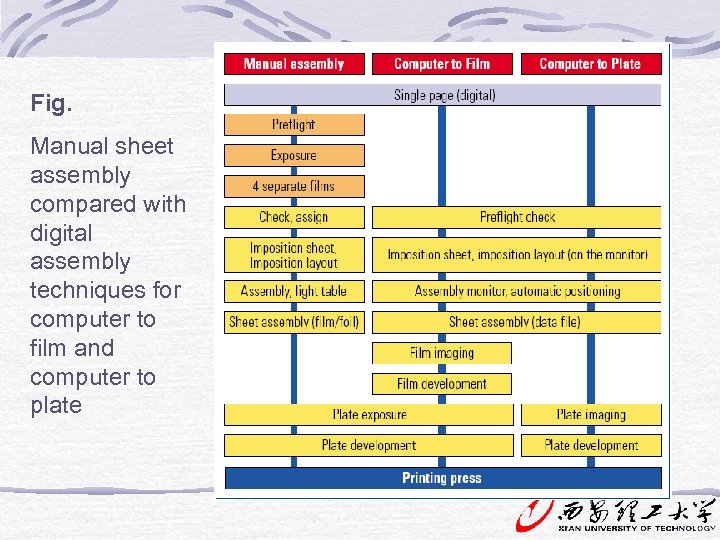 Fig. Manual sheet assembly compared with digital assembly techniques for computer to film and computer to plate
 Color management
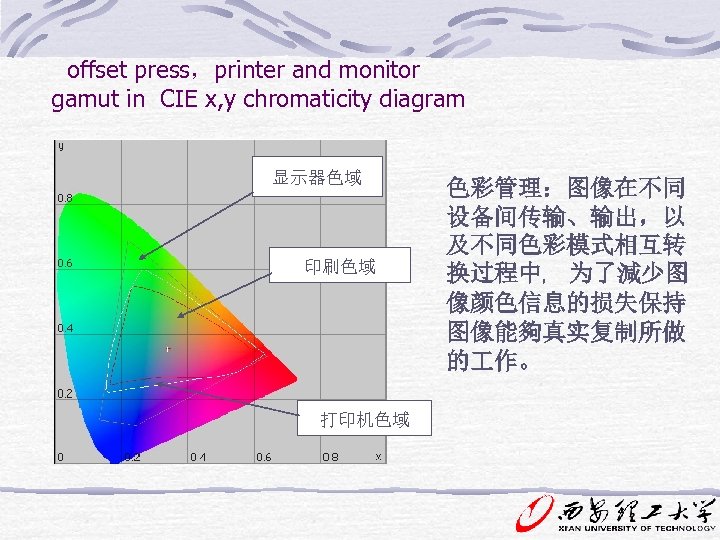 offset press,printer and monitor gamut in CIE x, y chromaticity diagram 显示器色域 印刷色域 打印机色域 色彩管理:图像在不同 设备间传输、输出,以 及不同色彩模式相互转 换过程中﹐ 为了減少图 像颜色信息的损失保持 图像能夠真实复制所做 的 作。
 国际色彩联盟ICC -International Colour Consortium Goal: Create, promote and encourage evolution of an open, vendor-neutral, cross-platform colour management system architecture and components.
 Homework P 201 review questions 1 3, 4, 5, 7, 8, 9, 11, 15.
 Cp. 10 Digital Prepress: Output Function : Proof , Screening , Film output
 1 Post. Script language • Post. Script language: Post. Script is a general , interpreter based computer programming language, which was developed by Adobe founders John Warnock and Charles Geschke. It is typically used to describe the appearance of a document page and to transfer it to an output system. Post. Script can code all element of a document , including text , graphics , and pictures.
 Postscript is a page description language that is device independent. This allows any document created with it to be understood by any Postscript compatible output device. It translates the fonts and most images into mathematical vector equations, allowing the file to be output at the highest quality on the output device being used.
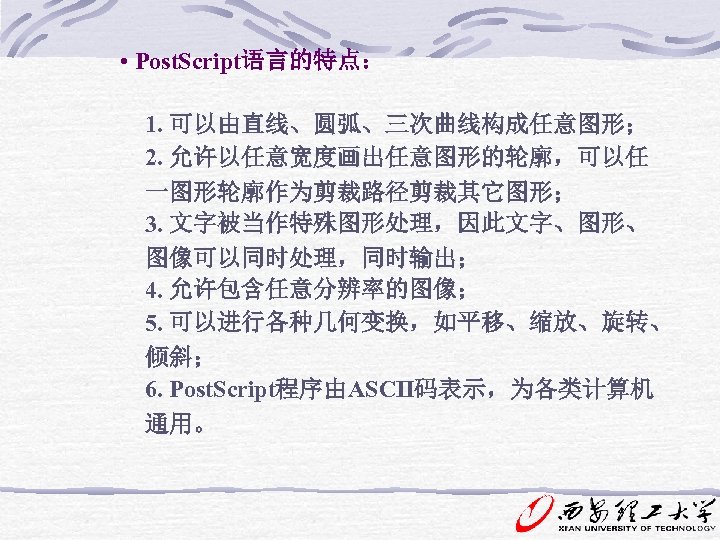 • Post. Script语言的特点: 1. 可以由直线、圆弧、三次曲线构成任意图形; 2. 允许以任意宽度画出任意图形的轮廓,可以任 一图形轮廓作为剪裁路径剪裁其它图形; 3. 文字被当作特殊图形处理,因此文字、图形、 图像可以同时处理,同时输出; 4. 允许包含任意分辨率的图像; 5. 可以进行各种几何变换,如平移、缩放、旋转、 倾斜; 6. Post. Script程序由ASCII码表示,为各类计算机 通用。
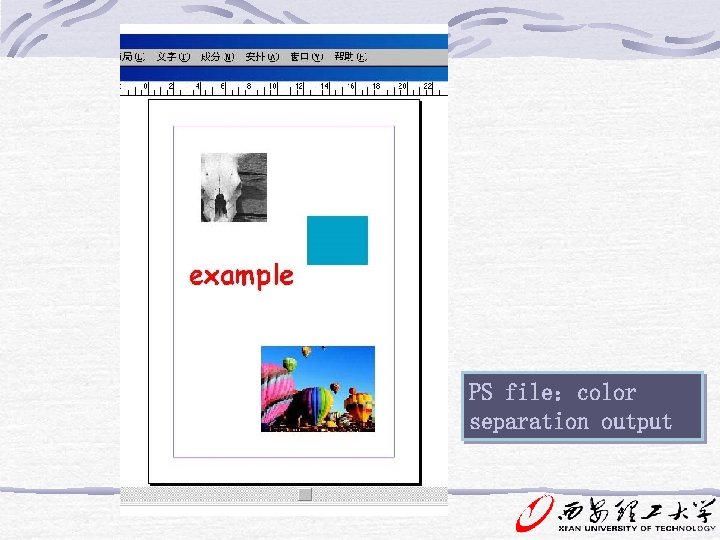
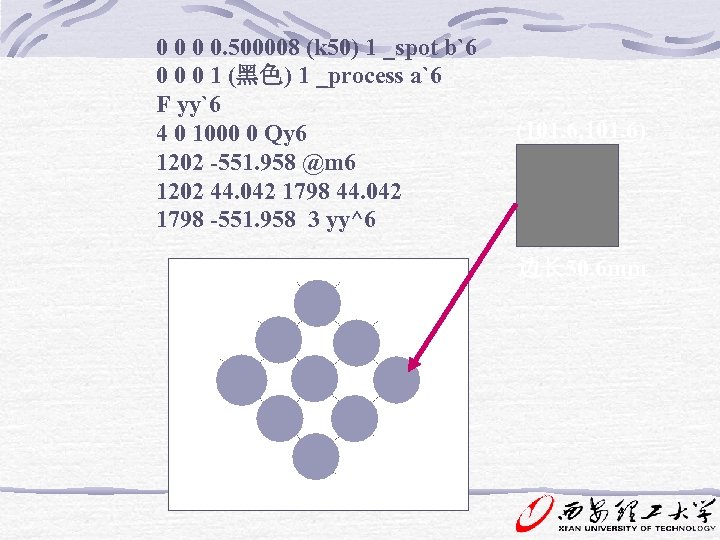
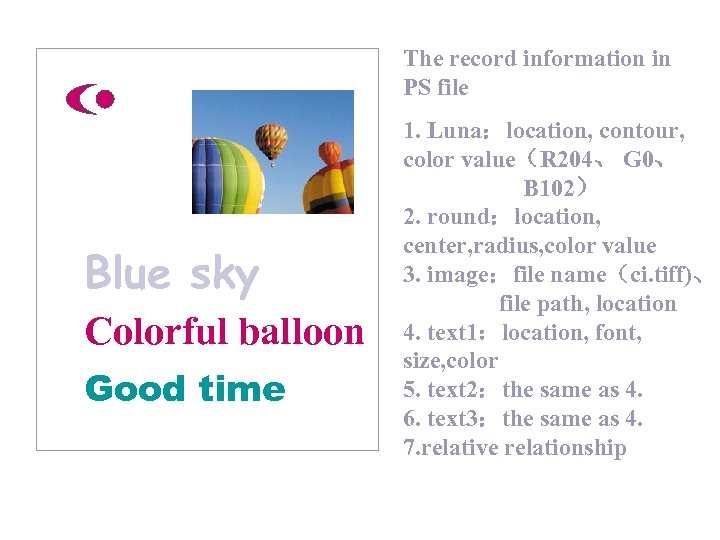 The record information in PS file Blue sky Colorful balloon Good time 1. Luna:location, contour, color value(R 204、 G 0、 B 102) 2. round:location, center, radius, color value 3. image:file name(ci. tiff)、 file path, location 4. text 1:location, font, size, color 5. text 2:the same as 4. 6. text 3:the same as 4. 7. relative relationship
 (101. 6, 101. 6) 边长 50. 6 mm 0 0. 500008 (k 50) 1 _spot b`6 0 0 0 1 (黑色) 1 _process a`6 F yy`6 4 0 1000 0 Qy 6 1202 -551. 958 @m 6 1202 44. 042 1798 -551. 958 3 yy^6
 PS file:color separation output
 2 RIP • RIP ( Raster Image Processor ) A Raster Image Processor comprises function modules that are required for the translation of a complex page description into a device-specific data format normally to address an output system. • Types of RIP Software RIP Hardware RIP
 Functions of RIP-P 204 The RIP is where the Postscript information gets converted into the actual on and off commands that will allow the device to create the image. A rip converts the object-oriented and bitmapped images from any graphics software to pixels or bitmaps that the output device understands. -----P 187, P 204 The RIP has three main functions: interpretation, rasteriaztion, and screening.
 • RIP function Post. Script File (Text、Graphic、Image、 Location) • Interpreter Ps • Color space • trapping • Screening Imagesetter
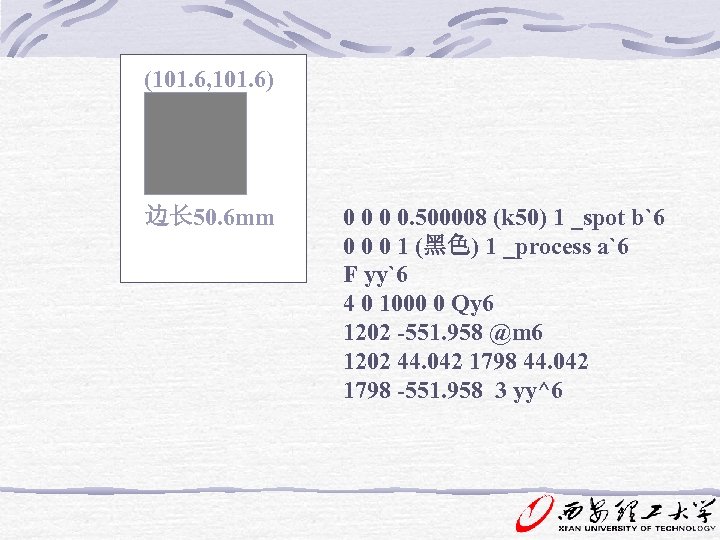
 0 0 0 0. 500008 (k 50) 1 _spot b`6 0 0 0 1 (黑色) 1 _process a`6 F yy`6 4 0 1000 0 Qy 6 1202 -551. 958 @m 6 1202 44. 042 1798 -551. 958 3 yy^6 (101. 6, 101. 6) 边长 50. 6 mm
 3 输出形式 Output 黑白激光打印机 — 输出黑白样,检查文字和规矩线 彩色打印机 — 输出彩色样,查看版面综合色彩效果 RIP、照排机或电分机记录端 — 输出晒版胶片 冲片机 1. 打样:软打样和硬打样 • 黑白激光打印机:墨粉,静电转印 • 彩色喷墨打印机:墨水 • 彩色喷蜡打印机:墨蜡 • 彩色激光打印机:多色墨粉,静电转印 • 热升华打印机:彩色色带,染料受热升华 • 热敏打印机:色带,热熔转移
 2. Separation film output: RIP、Imagestter or repro scanner recording system • Flat-bed imagestter External Drum imagesetter Internal Drum imagesteter
 3. 输出彩色胶片: 胶片记录仪 • 胶片记录仪的组成: 高分辨力阴极射线管 照相机
 Computer to Plate Computer-to-plate technology CTP Plate Substrate: silver halide, thermal conversion. thermal ablation, and photopolymer. Imaging Systems: visibale light lasers, Thermal imaging Platesetter Architecture: Flatebed platesetters Interal drum platesetters External drum platesetters
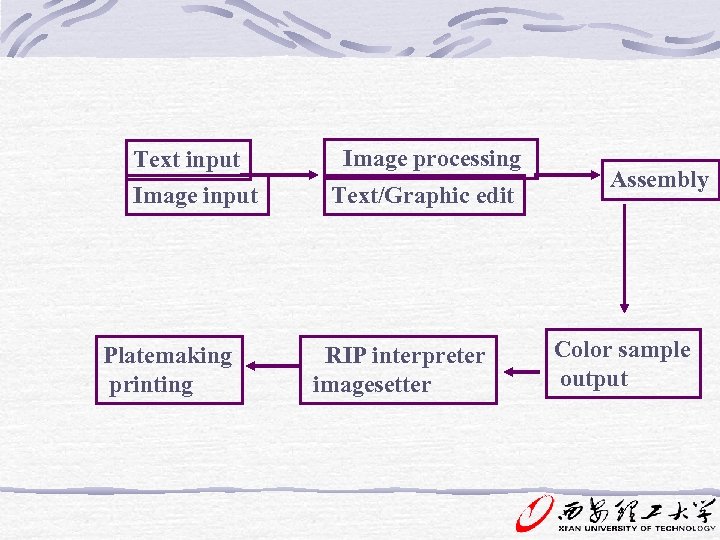
 4 DTP work flow
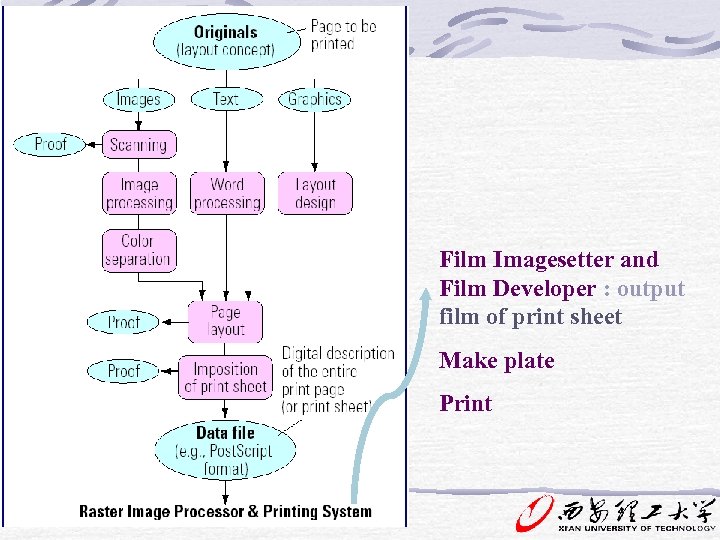 Film Imagesetter and Film Developer : output film of print sheet Make plate Print
 Text input Image input Platemaking printing Image processing Text/Graphic edit RIP interpreter imagesetter Assembly Color sample output
 scanner BALLOON 发 排 RIP imagesetter computer BALLOON DTP BALLOON printing BALLOON Plate making
 • DTP :system characters: 1. The general use of device and software 2. Open system: multi ways of input and output 3. Direct display in monitor What you see is what you get. 4. Powerful function of image / text processing 5. Image / text assembly in the page
 Homework P 221 Review questions 1, 2, 8, 9, 11. Describe the DTP workflow.