Скачать презентацию Digital Multimedia Week 1 CALENDAR Digital Multimedia
778ba7ea34394325a08d18f0522a7314.ppt
- Количество слайдов: 22
 Digital Multimedia Week 1
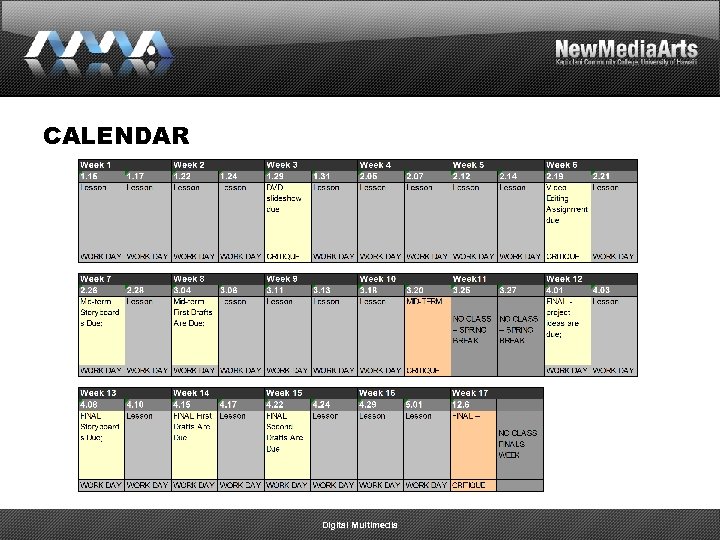 CALENDAR Digital Multimedia
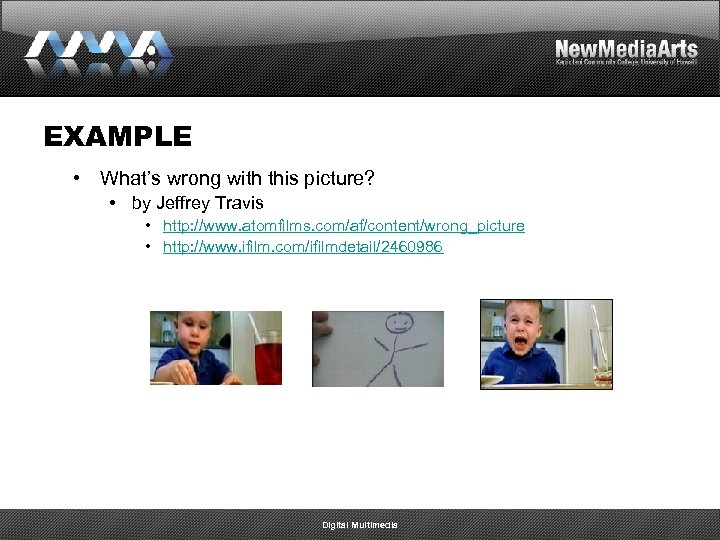 EXAMPLE • What’s wrong with this picture? • by Jeffrey Travis • http: //www. atomfilms. com/af/content/wrong_picture • http: //www. ifilm. com/ifilmdetail/2460986 Digital Multimedia
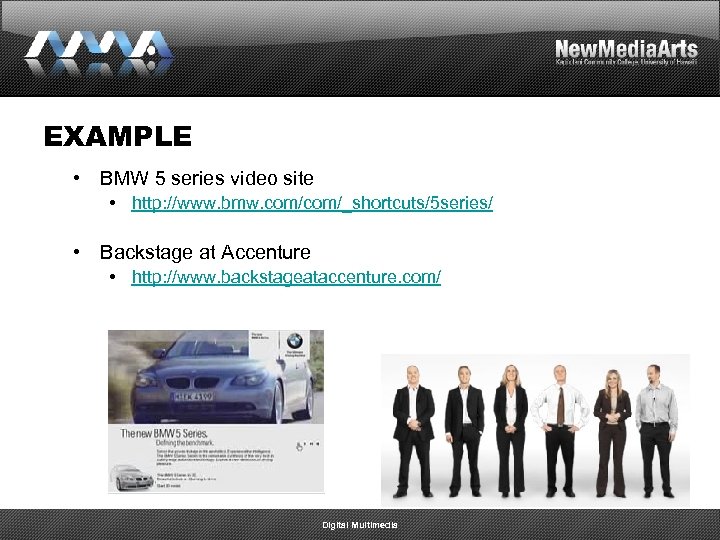 EXAMPLE • BMW 5 series video site • http: //www. bmw. com/_shortcuts/5 series/ • Backstage at Accenture • http: //www. backstageataccenture. com/ Digital Multimedia
 INTRODUCTION • intro to the course, me, & you • game plan for the semester • overview of the syllabus • weekly and bi-weekly assignments • two major projects (mid-term and final) • homework Digital Multimedia
 GAME PLAN • A and B Days • “A” days will usually include a lesson • “B” days will usually be working days • 1 on 1 meetings every week on working days • Critiques • Critiquing both the presenter and the critic • Class participation grade • “Post mortem” sessions Digital Multimedia
 EXTRA COSTS • • Blank DVDs Blank Mini. DV tapes Optional: External Hard Drive Optional: Video Camcorder Digital Multimedia
 IN-CLASS INTRODUCTIONS • Name • Goal for this semester • What do you want to get out of this course? • Ideal job that you eventually want • What role/position do you want in that job? • Have you ever worked with digital video before? • Have you ever recorded audio before? • Have you ever made a DVD before? Digital Multimedia
 LESSON • What is Digital Multimedia? • http: //www. google. com/search? num=100&hl=en&lr=&newwi ndow=1&q=define%3 A+multimedia • Multimedia is a combination of: 1. 2. 3. 4. Image Text Sound Time Digital Multimedia
 SOFTWARE • Adobe Premiere • • • Mac people may be able to get away with using Final Cut, but I do not advise you to do this because we do not have it here in the labs Adobe After Effects Adobe Audition Adobe Encore Adobe Flash & Flash’s Video Encoder Digital Multimedia
 LESSON • Technical video details: • NTSC • • • 720 x 480 with a 0. 9 Aspect Pixel Ratio 640 x 480 with a 1. 0 Square Pixel Ratio Still image file formats – tif, tiff, jpg, jpeg, gif, eps, ai, psd, etc. Video file formats – Windows (avi, wmv, mpg, mpeg), Mac (mov) screen ratio dimensions: 16 x 9 vs. 4 x 3 Digital Multimedia
 DIGITAL MULTIMEDIA PROCESS • Video & Film Projects • Basic 3 step process 1. pre-production 2. production 3. post production • Importance of planning, writing, and being a designer (designing) • • KISS (keep it simple stupid) Make sure that you always have a vision in mind, then try to achieve it – best way to do this is by looking at the work of others and analyzing it Digital Multimedia
 DIGITAL MULTIMEDIA PROCESS • STEP #1 – PRE-PRODUCTION • • • Logline, Synopsis, Outline, Treatment Script Storyboard Shot list STEP #2 - PRODUCTION • The shoot Digital Multimedia
 DIGITAL MULTIMEDIA PROCESS • STEP #3 – POST PRODUCTION • • • Digital Asset Management (folder structure) Digitizing Footage (capture) Logging clips Editing Opticals (fades, wipes, etc. ) Color Correction (and texture effects) Titles Rendering Authoring (to VHS, BETA, DVD, web formats, etc. ) Digital Multimedia
 LESSON • Animating & Adding Effects • Motion • Scale • Position • Effects • Cross dissolve • Dip to black Digital Multimedia
 HOMEWORK • Watch the Adobe video lessons posted on our class web page. • Reading (skim it): • Adobe’s DV Primer (. pdf) • http: //www. adobe. com/designcenter/premiere/articles/dvprimer/ dvprimer. pdf Digital Multimedia
 ASSIGNMENT Due: Week 1 • Create a class web site for yourself to post all assignments • The url should be http: //www 2. hawaii. edu/~yourname/art 222/index. html • Watch the Adobe video lessons posted on our class web page. • Read (skim) Adobe’s DV Primer (. pdf) • http: //www. adobe. com/designcenter/premiere/articles/dvprim er/dvprimer. pdf Digital Multimedia
 ASSIGNMENT Due: Week 3 • DVD Slideshow • assignment: Create an auto-play DVD image slide show using your own images. Music is mandatory. Text is optional. • purpose/objective: • To begin planning and designing while considering the cinematic elements of timing and pacing. • To learn how control the timeline and edit content in Adobe Premiere. • format: • One auto-play DVD – please bring it to class. Do not try to post online. Digital Multimedia
 ASSIGNMENT Due: Week 3 • DVD Slideshow • Restrictions: • No shorter than 30 seconds • No longer than 2 minutes • Still images only • NOTE: Since the nma labs temporarily do not have Encore – if you do not have it at home, please export out an AVI (. avi) video file and bring it to class to be handed in via the network. Do not try to post online. • INSTRUCTIONS: • FILE > EXPORT > Movie • Choose Microsoft DV Avi (720 x 480, NTSC DV codec, . 9 pixel aspect ratio) Digital Multimedia
 HOW TO GET STARTED • DVD Slideshow • Gather images for a DVD slideshow • Try to think conceptually/come up with a narrative • Buy some blank DVDs • DVD+R’s work well in the NMA labs (able to write at 8 x) • 1 -16 x is ok • Bring a blank DVD to our next class so that you can burn a test DVD • Bring in a music CD or mp 3 files of music you would like to add to it. Digital Multimedia
 QUESTIONS • Now is your chance to ask any questions that you may have regarding the course. Digital Multimedia