 Скачать презентацию Digital Media Dr Jim Rowan ITEC 2110 Bitmapped
ce5c9efb46002f4c4da6292cc9004876.ppt
- Количество слайдов: 51



Digital Media Dr. Jim Rowan ITEC 2110 Bitmapped Images
Roll call Barton, Paul H. Bois, Lauren C. Bonds, Allison E. Duncan, Jarred T. Lawson, Joseph I. Mulongo, Julio B. Pennison, Heather L. Reilly, Daniel J. Sanchez-Casas, Jon F. Simson, Davis Sinnock, Grant A. Swaim, Mark S. Tran, Dung Q. Vyas, Anand A. Woldeyohannes, Tesfamichael
Roll call Jones, Crystal L. Marsh, Kerreen A. Thompson, Daniel G. Tran, Christopher V.
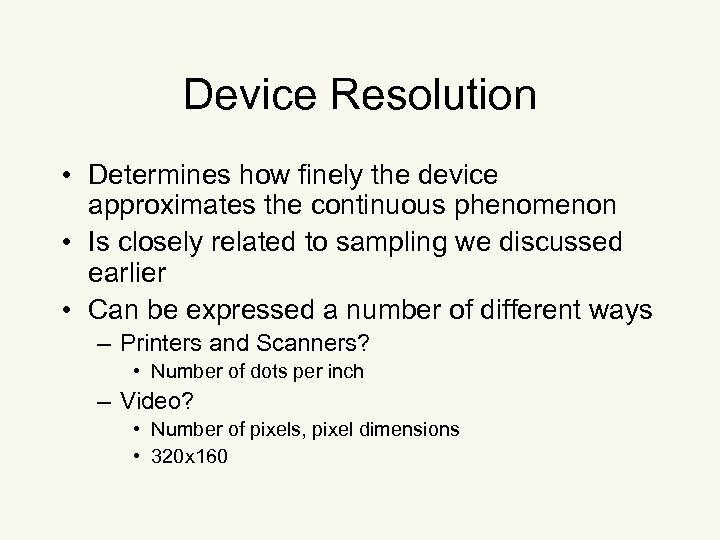
Device Resolution • Determines how finely the device approximates the continuous phenomenon • Is closely related to sampling we discussed earlier • Can be expressed a number of different ways – Printers and Scanners? • Number of dots per inch – Video? • Number of pixels, pixel dimensions • 320 x 160
Device Resolution • When considering scanners and printers pay attention to what you are being told. – The number of dots per inch a printer produces will dictate the print size of the image – Color printing is more complicated. . . each “dot” of color is produced by a grouping of color dots
Device Resolution and Printed Size • If the printer has a 72 dpi rating and the image was scanned at 600 dpi, printing the image (unscaled) will result in a large image 600/72 = 8. 33 times as large • To scale it to get the original size back you would use a scaling factor of 72/600 or 0. 12
Image Formats • The pixel dimension of the image can be seen as a measure of how much detail is contained in the picture • Most encode the resolution of the image in Pixels Per Inch (PPI) • Many encode the original size as pixel width and pixel height
Resolution reduction • Is image resolution lower than the output device? – Must scale it up. . . – Must add pixels. . . – Requires interpolation between pixels • Always results in quality reduction in the image
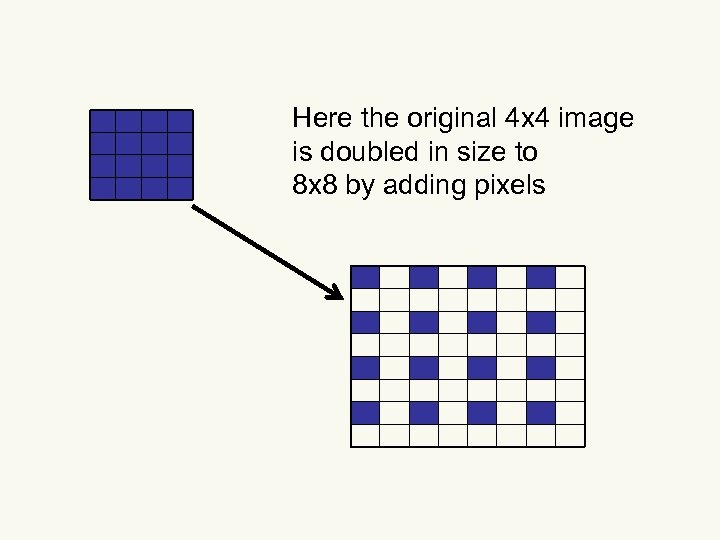
Here the original 4 x 4 image is doubled in size to 8 x 8 by adding pixels
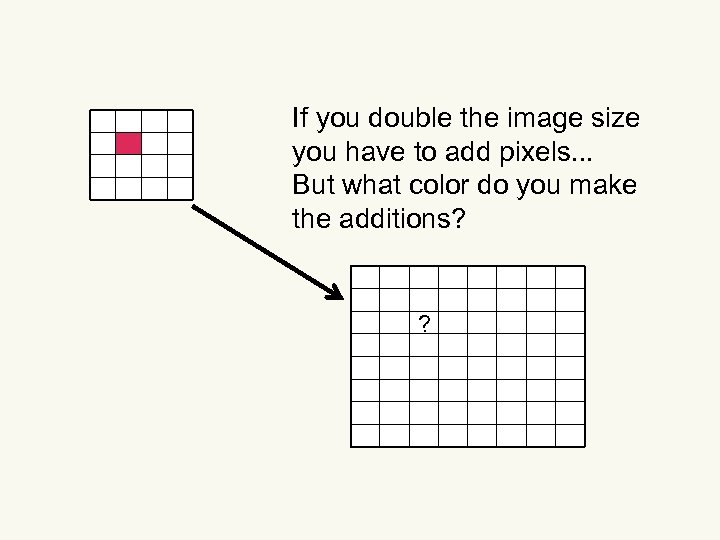
If you double the image size you have to add pixels. . . But what color do you make the additions? ?
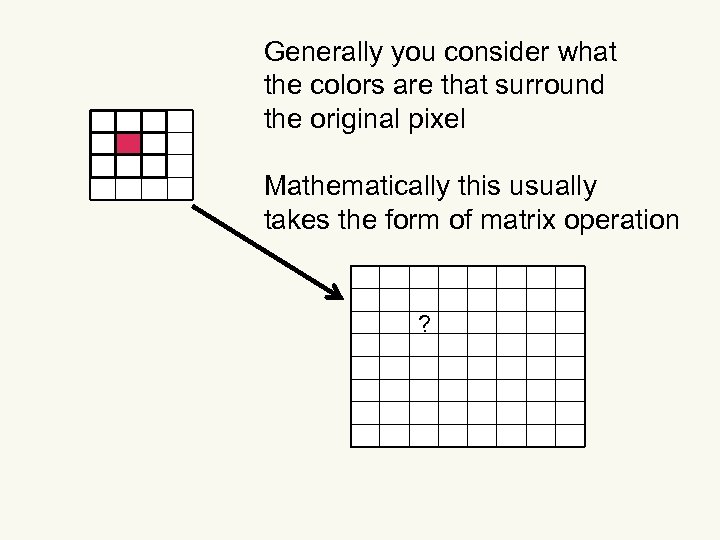
Generally you consider what the colors are that surround the original pixel Mathematically this usually takes the form of matrix operation ?
Resolution reduction • Is image resolution higher than the output device? – Must discard some pixels. . . – AKA downsampling • Downsampling results in a paradox – There are fewer bits since you’re throwing some pixels out – But. . . subjective quality goes up – Downsampling routine can use the tossed-out pixels • Intentionally doing this is called oversampling
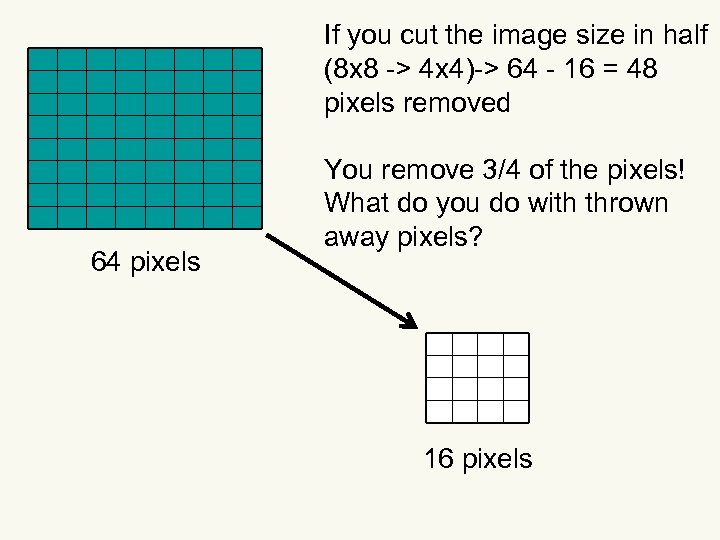
If you cut the image size in half (8 x 8 -> 4 x 4)-> 64 - 16 = 48 pixels removed 64 pixels You remove 3/4 of the pixels! What do you do with thrown away pixels? 16 pixels
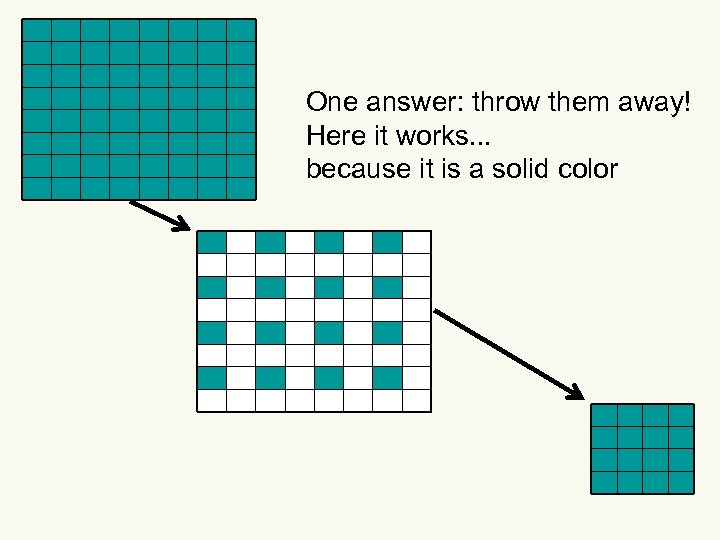
One answer: throw them away! Here it works. . . because it is a solid color
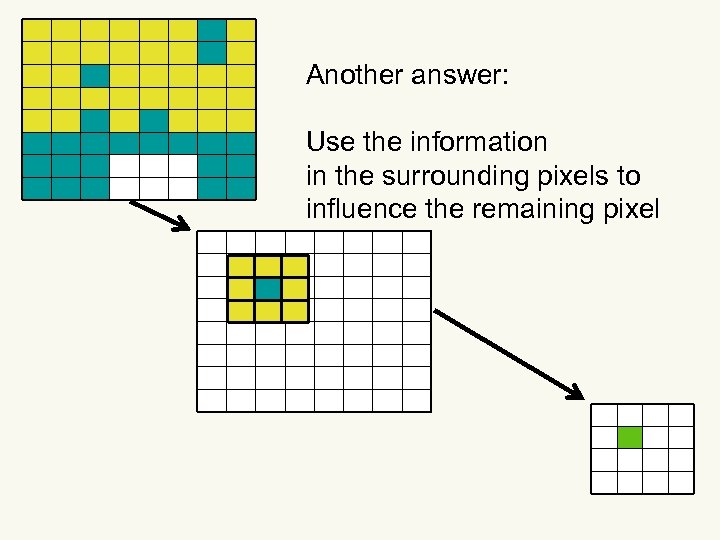
Another answer: Use the information in the surrounding pixels to influence the remaining pixel
Browsers. . . really bad at downsampling • What are the implications? – Image processing programs – (GIMP, Photoshop) are sophisticated enough to take advantage of the extra information so. . . – Images for WWW should be downsampled before they are used on the web.
Data Compression • What we’ve seen so far: – Storing an image as an array of pixels – With color stored as three bytes per pixel – Image file gets BIG fast! • How to reduce that? • Use data compression techniques
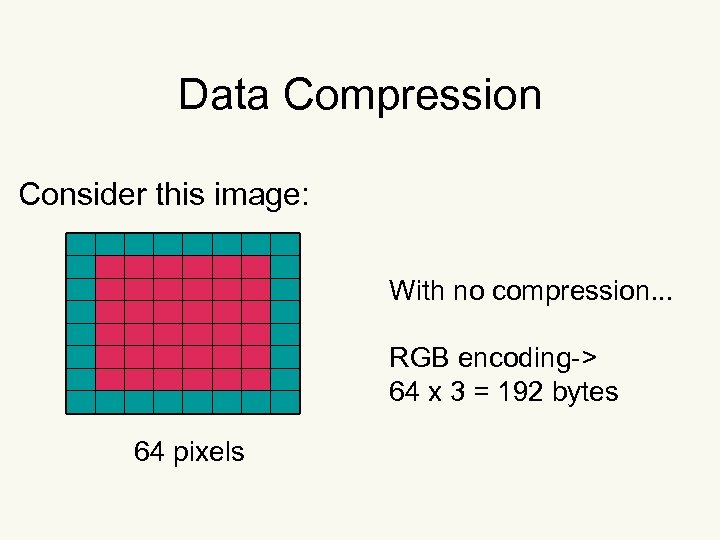
Data Compression Consider this image: With no compression. . . RGB encoding-> 64 x 3 = 192 bytes 64 pixels
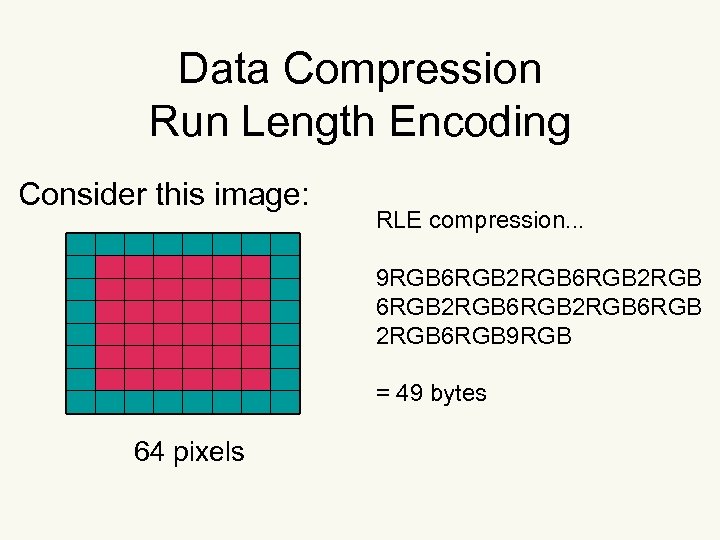
Data Compression Run Length Encoding Consider this image: RLE compression. . . 9 RGB 6 RGB 2 RGB 6 RGB 2 RGB 6 RGB 9 RGB = 49 bytes 64 pixels
Run Length Encoding • This advantage would be dependent on the CONTENT of the image. • Why? • Could it result in a larger image? • How? • Generally, any data compression CAN result in a larger file than using the pixel array storage – Dependent on the image contents
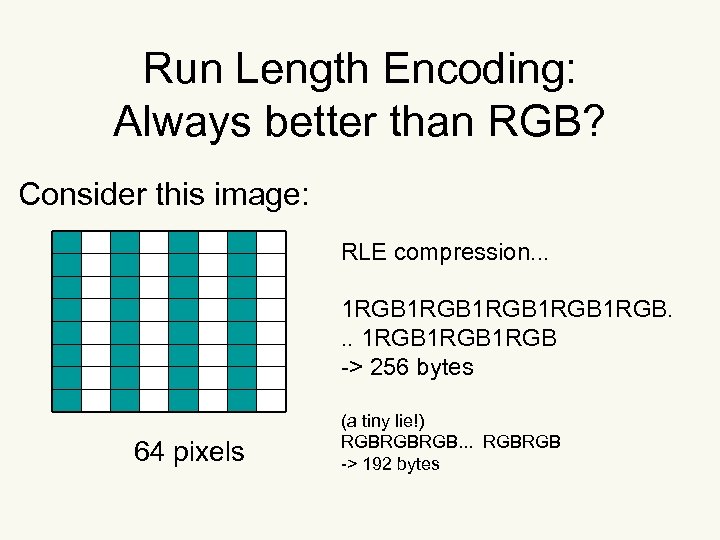
Run Length Encoding: Always better than RGB? Consider this image: RLE compression. . . 1 RGB 1 RGB. . . 1 RGB -> 256 bytes 64 pixels (a tiny lie!) RGBRGBRGB. . . RGBRGB -> 192 bytes
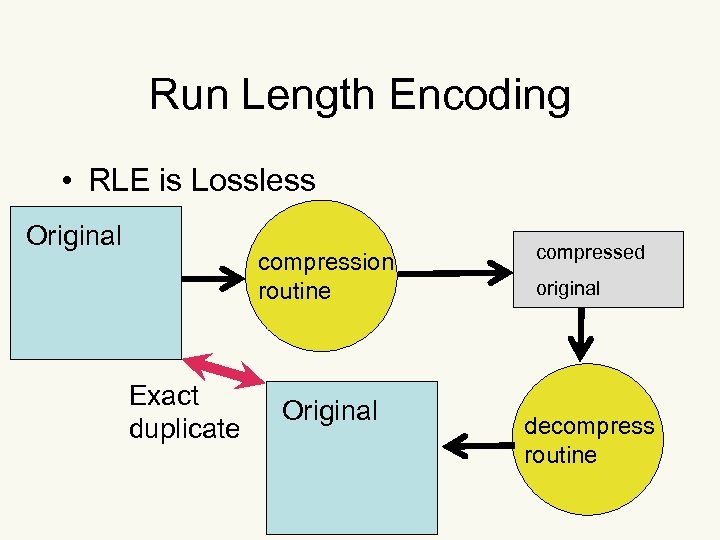
Run Length Encoding • RLE is Lossless Original compression routine Exact duplicate Original compressed original decompress routine
Dictionary-based compression technique • (Note: Data compression works on files other than images) • Construct a table of strings (colors) found in the file to be compressed • Each occurrence in the file of a string(color) found in the table is replaced by a pointer to that occurrence.
![Data Compression Dictionary-based(Table-based) We’ve seen this! Consider this image: 64 pixels RGBRGB==> [0000][1111] [0000].](https://present5.com/presentation/ce5c9efb46002f4c4da6292cc9004876/image-24.jpg "Data Compression Dictionary-based(Table-based) We’ve seen this! Consider this image: 64 pixels RGBRGB==> [0000][1111] [0000].")
Data Compression Dictionary-based(Table-based) We’ve seen this! Consider this image: 64 pixels RGBRGB==> [0000][1111] [0000]. [1111] [00000000] [0000][01111110][01111110][0000] ->14 bytes
Lossless techniques Can be used on image files • Must be used for executable files • Why?
A Question: • Making photorealistic animations look realistic is very difficult. . . • Why? • The human vision system is very complex – – – Upside down Split- left side of eye to right side of brain Right side of eye to left side of brain Cones and rods not uniformly distributed Cones and rods are upside down resulting in blind spots in each eye that we just ignore! • One result of which is optical illusions-->
Optical Illusions • http: //en. wikipedia. org/wiki/Optical_illusi on • Discuss all illusions AND Mach bands
JPEG compression • Best suited for photographs and similar images – Fine details with continuous tones • Think of the array of pixels as a continuous waveform with x&y with z being intensity • High frequency components are associated with abrupt changes in image intensity • JPEG takes advantage that humans don’t perceive the effect of high frequencies accurately
JPEG compression. . . • JPEG finds these high frequency components by – treating the image as a matrix – using the Discrete Cosine Transform (DCT) to convert an array of pixels into an array of coefficients • DCT is expensive computationally so it the image is broken into 8 x 8 pixel squares and applied to each of the squares
JPEG compression. . . • DCT does not actually compress the image • Allows most of the high frequency components to be discarded because they do not contribute much to the perceptible quality of the image • Encodes the frequencies at different quantization levels giving the low frequency components more quantization levels • ==>JPEG uses more storage space for the more visible elements of an image
JPEG compression. . . • Lossy • Effective for the kinds of images it is intended for ==> 95% reduction in size • Allows the control of degree of compression • Suffers from artifacts that causes edges to blur. . . WHY?
Image Manipulation • Why? – Correct deficiencies (i. e. flash red eye) • encapsulated sequence of operations to perform a particular change – Create images that are difficult or impossible to create in nature • special effects • Create a WWW friendly image – present an image in slices or in increasing resolution as it loads on the web
Image Manipulation Tools • Selection tools – for regular shapes • rectangular and elliptical marquee tools • why is it called marquee? – for irregular shapes • lasso (polygon, magnetic, magic wand. . . ) – magnetic snaps to an enclosed object using edge-detection routines
Selection tools. . . • Allow the application of filters to only the selected parts of the image • The unaffected area is called a mask. . . can be thought of as a stencil • A 1 -bit mask is either transparent or opaque • An 8 -bit mask allows 256 levels of transparency. . . AKA alpha channel
Selection tools. . . • Making the mask with a gradient produces a softer transition. . . a feathered edge. • Can use anti-aliasing along the edge more effectively hides the hard edge visually • Layers can have masks associated with them • Allows interesting compositing of image parts
Pixel Point Processing • Allows adjustment of color in an image • Color adjustment, linear – brightness • adjusts every pixel brightness up or down – contrast • adjusts the RANGE of brightness • increasing or reducing the difference between brightest and darkest areas
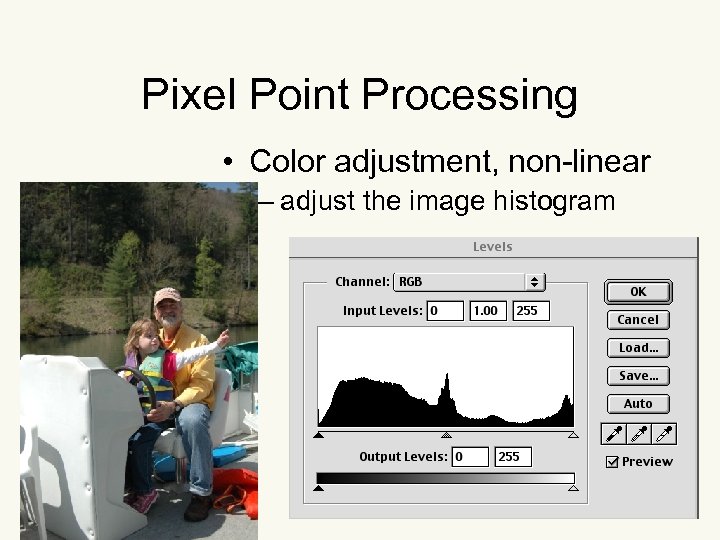
Pixel Point Processing • Color adjustment, non-linear – adjust the image histogram

Open Image in Photoshop. . . Adjust levels
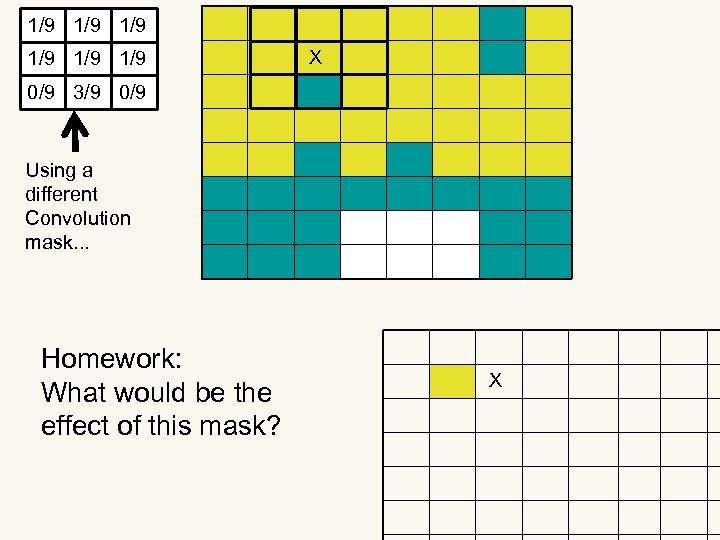
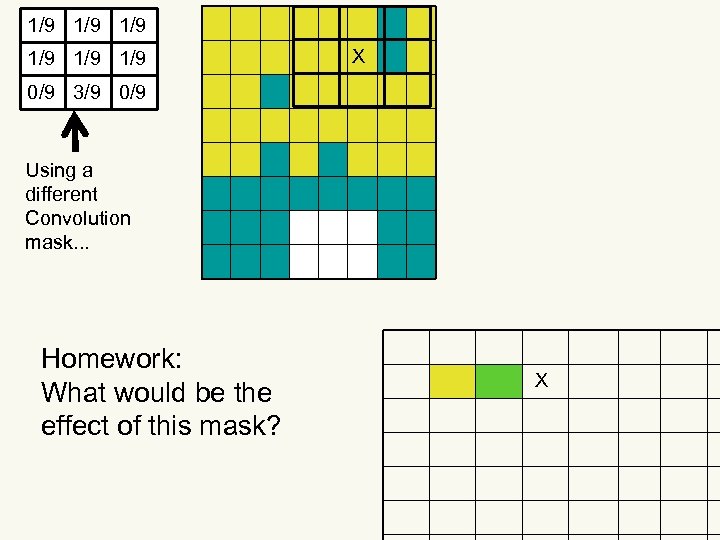
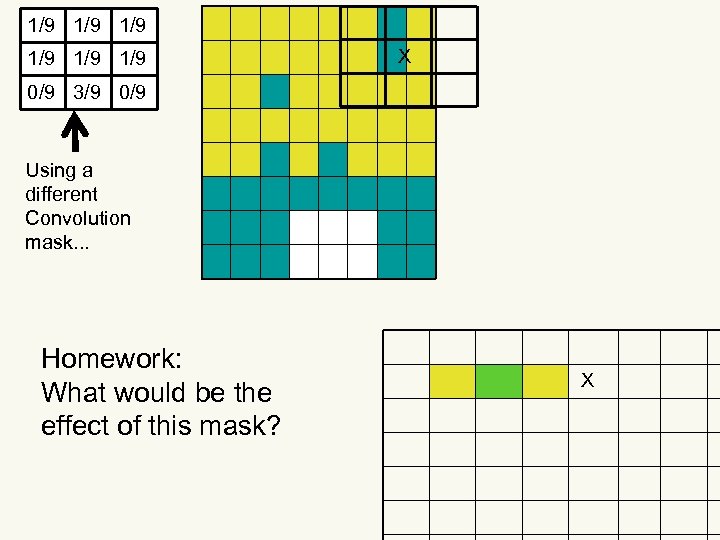
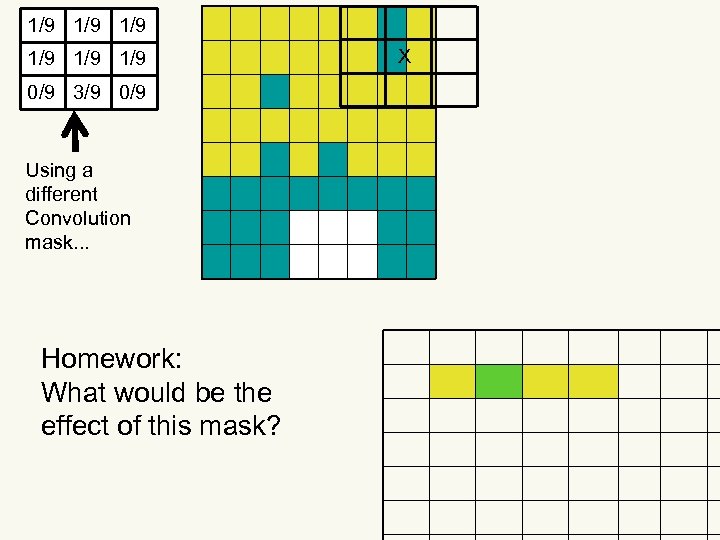
Pixel Group Processing • Final value for a pixel is affected by its neighbors • Because the relationship between a pixel and its neighbors provides information about how color or brightness is changing in that region • How do you do this? • ==> Convolution!
Convolution & Convolution Masks • Very expensive computationally – each pixel undergoes many arithmetic operations • If you want all the surrounding pixels to equally affect the pixel in question. . . use a evenly weighted convolution mask
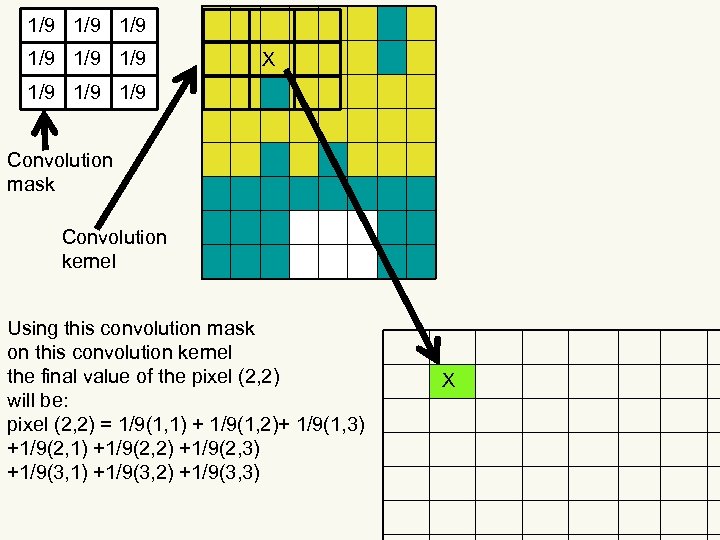
1/9 1/9 1/9 X 1/9 1/9 Convolution mask Convolution kernel Using this convolution mask on this convolution kernel the final value of the pixel (2, 2) will be: pixel (2, 2) = 1/9(1, 1) + 1/9(1, 2)+ 1/9(1, 3) +1/9(2, 1) +1/9(2, 2) +1/9(2, 3) +1/9(3, 1) +1/9(3, 2) +1/9(3, 3) X
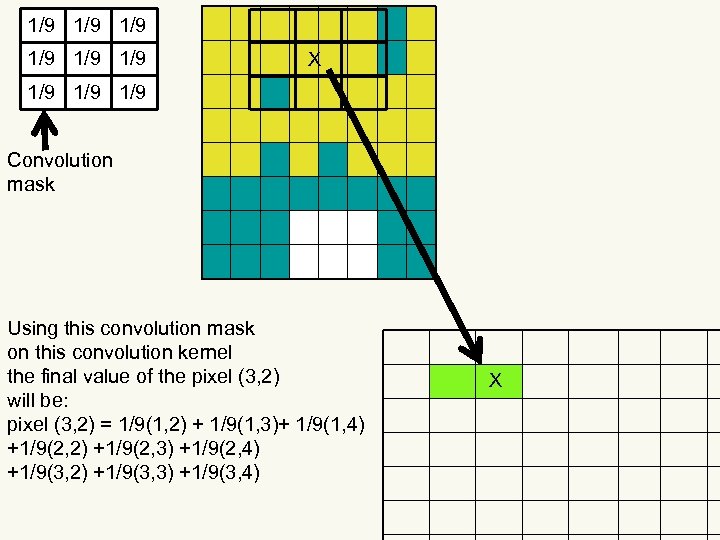
1/9 1/9 1/9 X 1/9 1/9 Convolution mask Using this convolution mask on this convolution kernel the final value of the pixel (3, 2) will be: pixel (3, 2) = 1/9(1, 2) + 1/9(1, 3)+ 1/9(1, 4) +1/9(2, 2) +1/9(2, 3) +1/9(2, 4) +1/9(3, 2) +1/9(3, 3) +1/9(3, 4) X
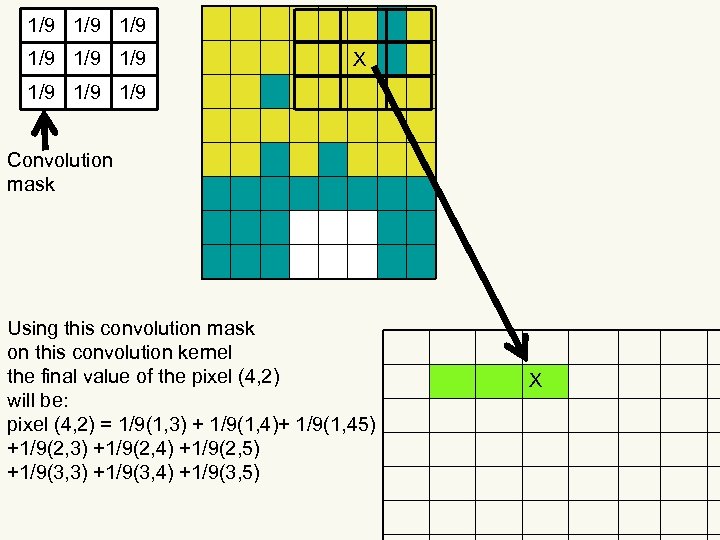
1/9 1/9 1/9 X 1/9 1/9 Convolution mask Using this convolution mask on this convolution kernel the final value of the pixel (4, 2) will be: pixel (4, 2) = 1/9(1, 3) + 1/9(1, 4)+ 1/9(1, 45) +1/9(2, 3) +1/9(2, 4) +1/9(2, 5) +1/9(3, 3) +1/9(3, 4) +1/9(3, 5) X
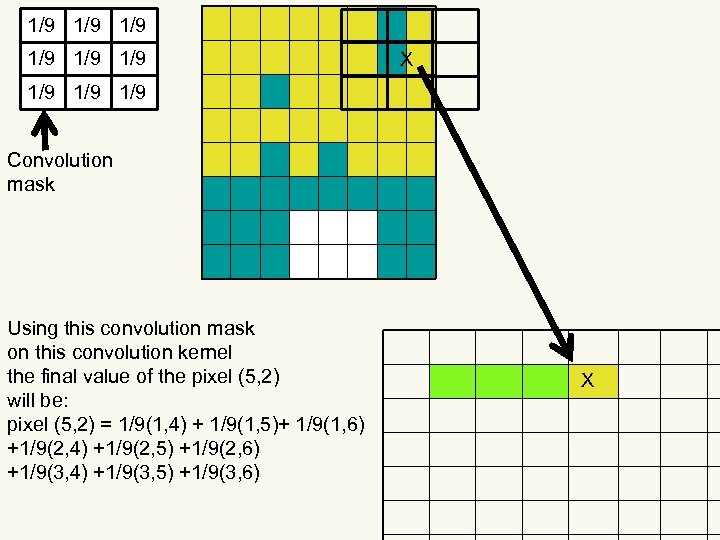
1/9 1/9 1/9 X 1/9 1/9 Convolution mask Using this convolution mask on this convolution kernel the final value of the pixel (5, 2) will be: pixel (5, 2) = 1/9(1, 4) + 1/9(1, 5)+ 1/9(1, 6) +1/9(2, 4) +1/9(2, 5) +1/9(2, 6) +1/9(3, 4) +1/9(3, 5) +1/9(3, 6) X
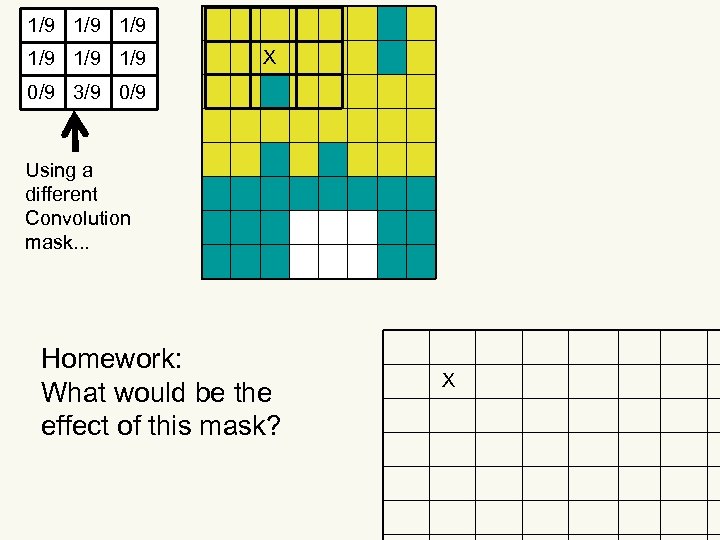
1/9 1/9 1/9 X 0/9 3/9 0/9 Using a different Convolution mask. . . Homework: What would be the effect of this mask? X
The Answer==>
1/9 1/9 1/9 X 0/9 3/9 0/9 Using a different Convolution mask. . . Homework: What would be the effect of this mask? X
1/9 1/9 1/9 X 0/9 3/9 0/9 Using a different Convolution mask. . . Homework: What would be the effect of this mask? X
1/9 1/9 1/9 X 0/9 3/9 0/9 Using a different Convolution mask. . . Homework: What would be the effect of this mask? X
1/9 1/9 1/9 0/9 3/9 0/9 Using a different Convolution mask. . . Homework: What would be the effect of this mask? X

Questions?
Скачать презентацию Digital Media Dr Jim Rowan ITEC 2110 Bitmapped
ce5c9efb46002f4c4da6292cc9004876.ppt