


 Скачать презентацию Devices and Device Drivers CS 111 Operating Systems
ea85edf2ed48cd743fe70947fff31661.ppt
- Количество слайдов: 59
 Devices and Device Drivers CS 111 Operating Systems Peter Reiher CS 111 Fall 2015 Lecture 12 Page 1
 Outline • The role of devices • Device drivers • Classes of device driver CS 111 Fall 2015 Lecture 12 Page 2
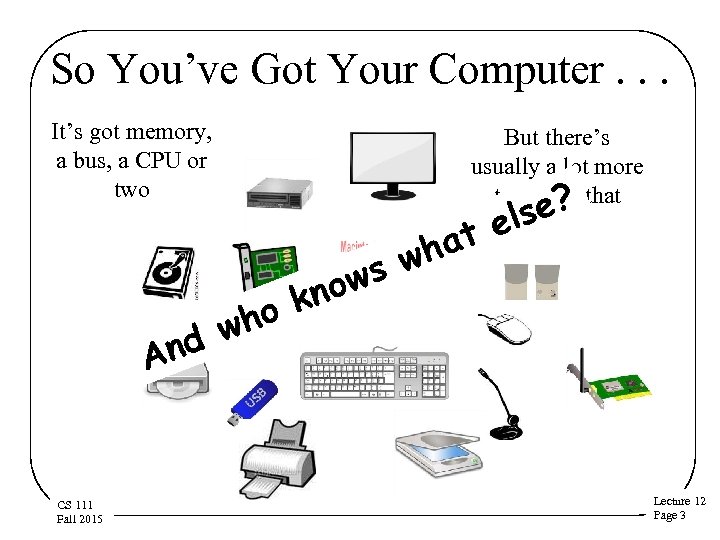 So You’ve Got Your Computer. . . It’s got memory, a bus, a CPU or two nd A CS 111 Fall 2015 But there’s usually a lot more to it than that ? o k wh ws no hat w lse e Lecture 12 Page 3
 Welcome to the Wonderful World of Peripheral Devices! • Our computers typically have lots of devices attached to them • Each device needs to have some code associated with it – To perform whatever operations it does – To integrate it with the rest of the system • In modern commodity OSes, the code that handles these devices dwarfs the rest CS 111 Fall 2015 Lecture 12 Page 4
 Peripheral Device Code and the OS • Why are peripheral devices the OS’ problem, anyway? • Why can’t they be handled in user-level code? • Maybe they sometimes can, but. . . • Some of them are critical for system correctness – E. g. , the disk drive holding swap space • Some of them must be shared among multiple processes – Which is often rather complex • Some of them are security-sensitive • CSPerhaps more appropriate to put the code in the OS 111 Fall 2015 Lecture 12 Page 5
 Where the Device Driver Fits in • At one end you have an application – Like a web browser • At the other end you have a very specific piece of hardware – Like an Intel Gigabit CT PCI-E Network Adapter • In between is the OS • When the application sends a packet, the OS needs to invoke the proper driver • Which feeds detailed instructions to the hardware CS 111 Fall 2015 Lecture 12 Page 6
 Connecting Peripherals • Most peripheral devices don’t connect directly to the processor – Or to the main bus • They connect to a specialized peripheral bus • Which, in turn, connects to the main bus • Various types are common – PCI – USB – Several others CS 111 Fall 2015 Lecture 12 Page 7
 Device Drivers • Generally, the code for these devices is pretty specific to them • It’s basically code that drives the device – Makes the device perform the operations it’s designed for • So typically each system device is represented by its own piece of code • The device driver • A Linux 2. 6 kernel had over 3200 of them. . . CS 111 Fall 2015 Lecture 12 Page 8
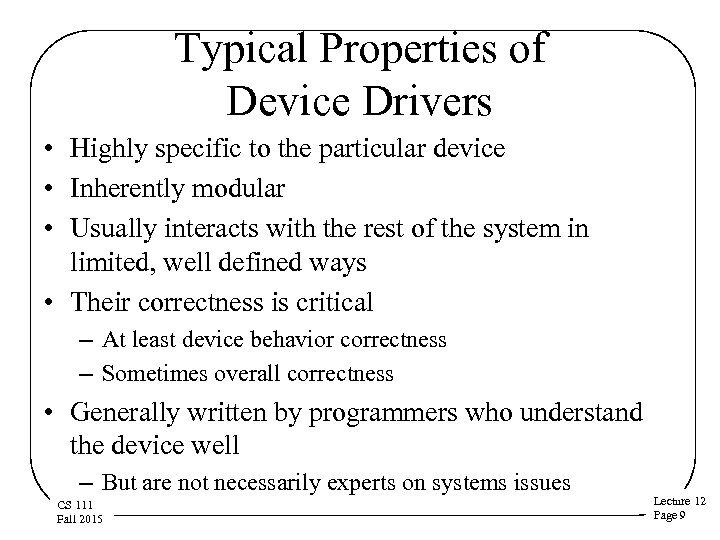 Typical Properties of Device Drivers • Highly specific to the particular device • Inherently modular • Usually interacts with the rest of the system in limited, well defined ways • Their correctness is critical – At least device behavior correctness – Sometimes overall correctness • Generally written by programmers who understand the device well – But are not necessarily experts on systems issues CS 111 Fall 2015 Lecture 12 Page 9
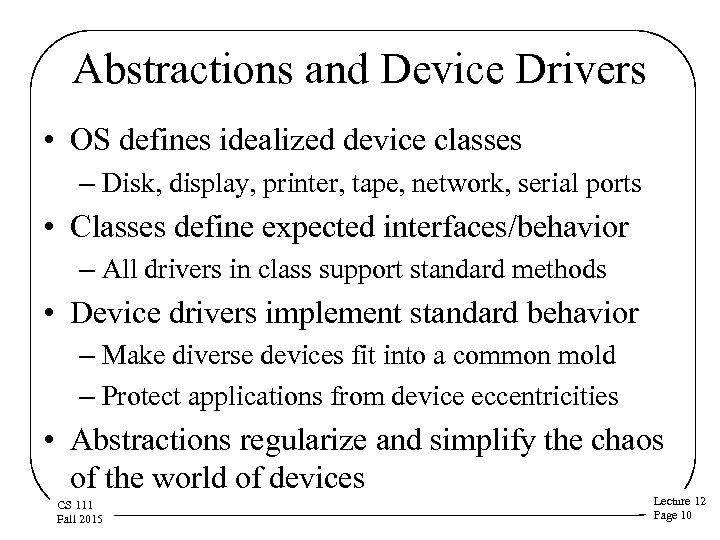 Abstractions and Device Drivers • OS defines idealized device classes – Disk, display, printer, tape, network, serial ports • Classes define expected interfaces/behavior – All drivers in class support standard methods • Device drivers implement standard behavior – Make diverse devices fit into a common mold – Protect applications from device eccentricities • Abstractions regularize and simplify the chaos of the world of devices CS 111 Fall 2015 Lecture 12 Page 10
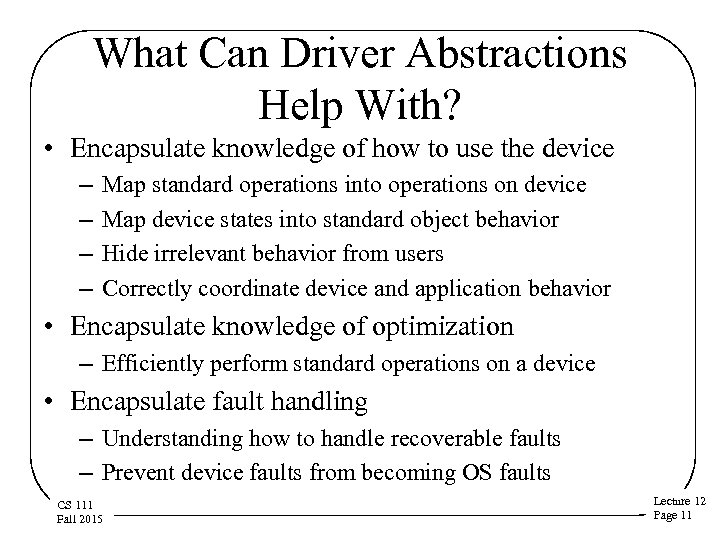 What Can Driver Abstractions Help With? • Encapsulate knowledge of how to use the device – – Map standard operations into operations on device Map device states into standard object behavior Hide irrelevant behavior from users Correctly coordinate device and application behavior • Encapsulate knowledge of optimization – Efficiently perform standard operations on a device • Encapsulate fault handling – Understanding how to handle recoverable faults – Prevent device faults from becoming OS faults CS 111 Fall 2015 Lecture 12 Page 11
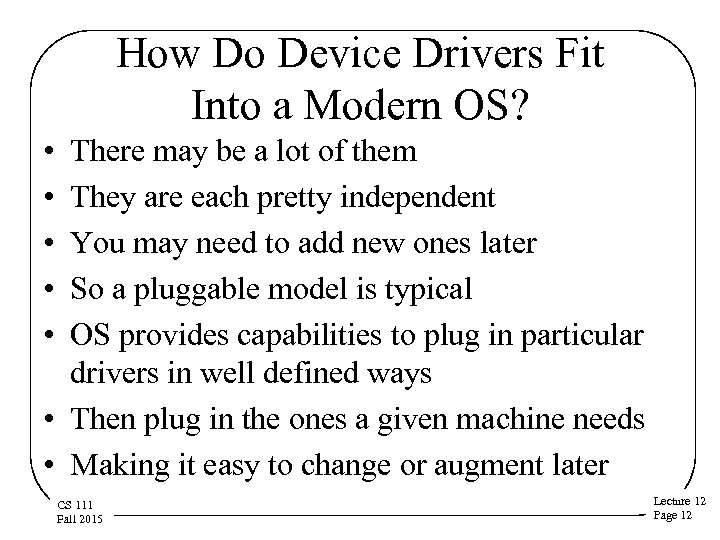 How Do Device Drivers Fit Into a Modern OS? • • • There may be a lot of them They are each pretty independent You may need to add new ones later So a pluggable model is typical OS provides capabilities to plug in particular drivers in well defined ways • Then plug in the ones a given machine needs • Making it easy to change or augment later CS 111 Fall 2015 Lecture 12 Page 12
 Layering Device Drivers • The interactions with the bus, down at the bottom, are pretty standard – How you address devices on the bus, coordination of signaling and data transfers, etc. – Not too dependent on the device itself • The interactions with the applications, up at the top, are also pretty standard – Typically using some file-oriented approach • In between are some very device specific things CS 111 Fall 2015 Lecture 12 Page 13
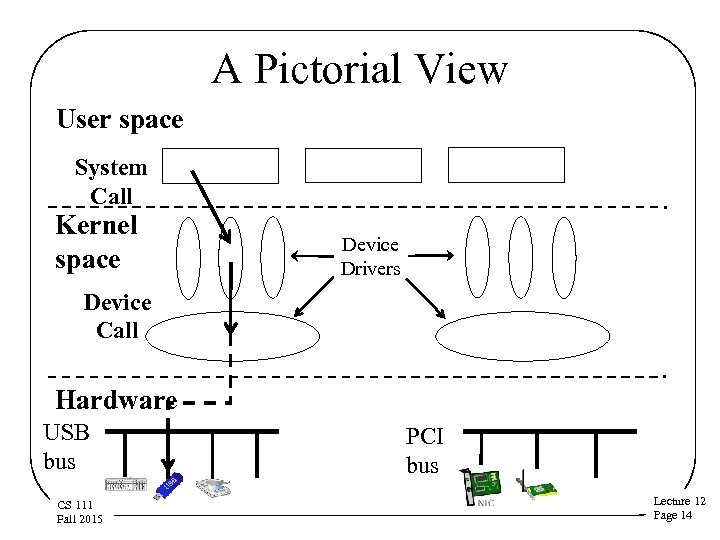 A Pictorial View User space System Call App 1 Kernel space Device Call App 3 App 2 Device Drivers USB bus controller PCI bus controller Hardware USB bus CS 111 Fall 2015 PCI bus Lecture 12 Page 14
 Device Drivers Vs. Core OS Code • Device driver code is in the OS, but. . . • What belongs in core OS vs. a device driver? • Common functionality belongs in the OS – Caching – File systems code not tied to a specific device – Network protocols above physical/link layers • Specialized functionality belongs in the drivers – Things that differ in different pieces of hardware – Things that only pertain to the particular piece of Lecture 12 CS 111 hardware Fall 2015 Page 15
 Linux Device Driver Abstractions • An example of how an OS handles device drivers • Basically inherited from earlier Unix systems • A class-based system • Several super-classes – Block devices – Character devices – Some regard network devices as a third major class • Other divisions within each super-class CS 111 Fall 2015 Lecture 12 Page 16
 Why Classes of Drivers? • Classes provide a good organization for abstraction • They provide a common framework to reduce amount of code required for each new device • The framework ensure all devices in class provide certain minimal functionality • But a lot of driver functionality is very specific to the device – Implying that class abstractions don’t cover everything CS 111 Fall 2015 Lecture 12 Page 17
 Character Device Superclass • Devices that read/write one byte at a time – “Character” means byte, not ASCII • • May be either stream or record structured May be sequential or random access Support direct, synchronous reads and writes Common examples: – Keyboards – Monitors – Most other devices CS 111 Fall 2015 Lecture 12 Page 18
 Block Device Superclass • • Devices that deal with a block of data at a time Usually a fixed size block Most common example is a disk drive Reads or writes a single sized block (e. g. , 4 K bytes) of data at a time • Random access devices, accessible one block at a time • Support queued, asynchronous reads and writes CS 111 Fall 2015 Lecture 12 Page 19
 Why a Separate Superclass for Block Devices? • Block devices span all forms of block-addressable random access storage – Hard disks, CDs, flash, and even some tapes • Such devices require some very elaborate services – Buffer allocation, LRU management of a buffer cache, data copying services for those buffers, scheduled I/O, asynchronous completion, etc. • Key system functionality (file systems and swapping/paging) implemented on top of block I/O • Block I/O services are designed to provide very high performance for critical functions Lecture 12 CS 111 Fall 2015 Page 20
 Network Device Superclass • Devices that send/receive data in packets • Originally treated as character devices • But sufficiently different from other character devices that some regard as distinct • Only used in the context of network protocols – Unlike other devices – Which leads to special characteristics • Typical examples are Ethernet cards, 802. 11 cards, Bluetooth devices CS 111 Fall 2015 Lecture 12 Page 21
 Device Instances • Can be multiple hardware instances of a device – E. g. , multiple copies of same kind of disk drive • One hardware device might be multiplexed into pieces – E. g. , four partitions on one hard drive • Or there might be different modes of accessing the same hardware – Media writeable at different densities • The same device driver usable for such cases, but something must distinguish them • Linux uses minor device numbers for this purpose CS 111 Fall 2015 Lecture 12 Page 22
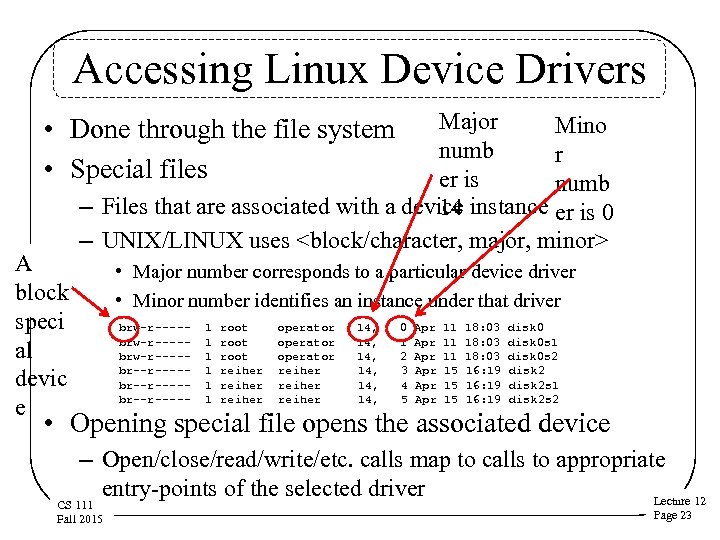 Accessing Linux Device Drivers Major Mino numb r er is numb – Files that are associated with a device instance er is 0 14 – UNIX/LINUX uses
 Linux Device Driver Interface (DDI) • Standard (top-end) device driver entry-points – Basis for device independent applications – Enables system to exploit new devices – Critical interface contract for 3 rd party developers • Some calls correspond directly to system calls – E. g. , open, close, read, write • Some are associated with OS frameworks – Disk drivers are meant to be called by block I/O – Network drivers meant to be called by protocols CS 111 Fall 2015 Lecture 12 Page 24
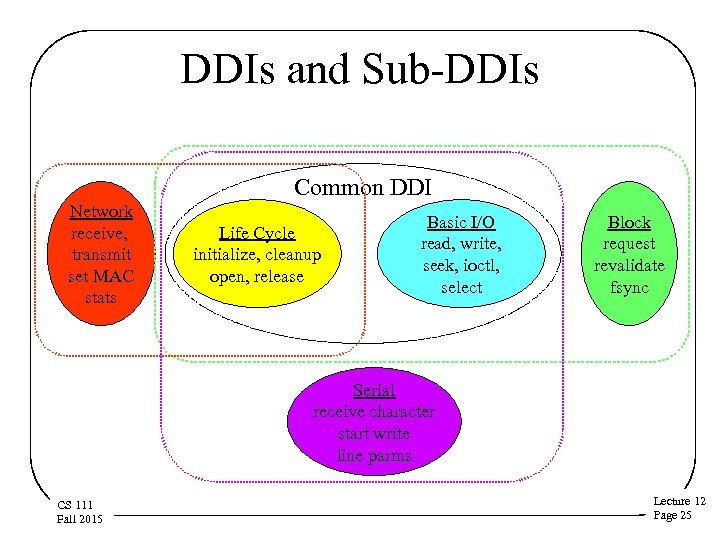 DDIs and Sub-DDIs Common DDI Network receive, transmit set MAC stats Life Cycle initialize, cleanup open, release Basic I/O read, write, seek, ioctl, select Block request revalidate fsync Serial receive character start write line parms CS 111 Fall 2015 Lecture 12 Page 25
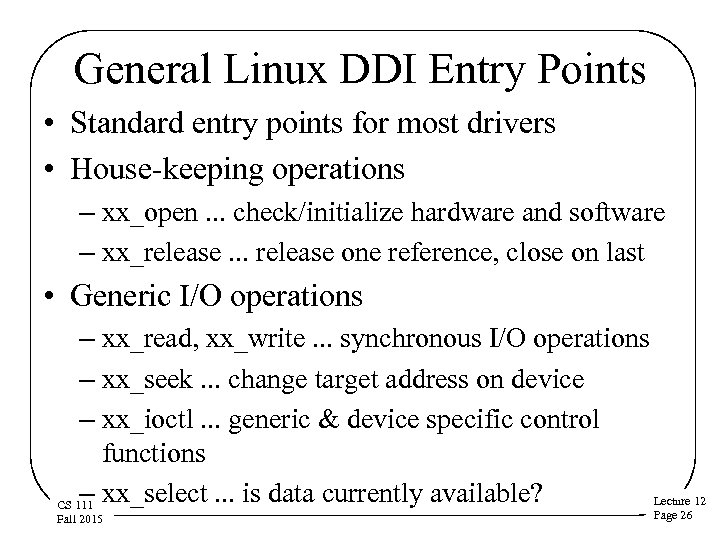 General Linux DDI Entry Points • Standard entry points for most drivers • House-keeping operations – xx_open. . . check/initialize hardware and software – xx_release. . . release one reference, close on last • Generic I/O operations – xx_read, xx_write. . . synchronous I/O operations – xx_seek. . . change target address on device – xx_ioctl. . . generic & device specific control functions – xx_select. . . is data currently available? Lecture 12 CS 111 Fall 2015 Page 26
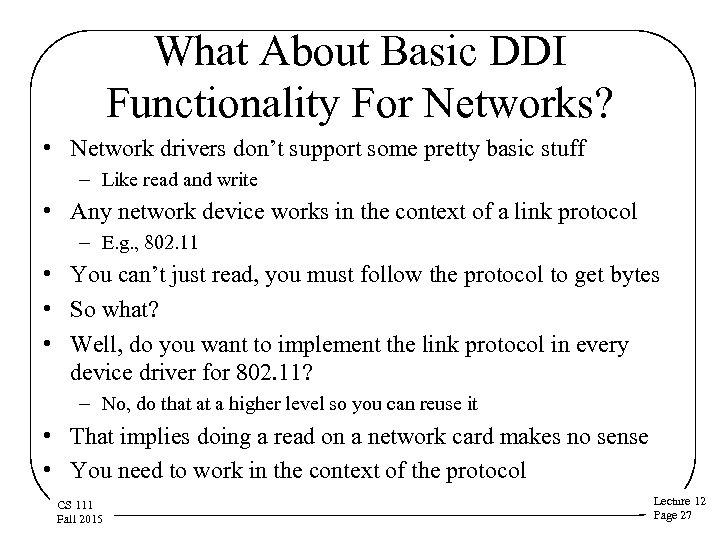 What About Basic DDI Functionality For Networks? • Network drivers don’t support some pretty basic stuff – Like read and write • Any network device works in the context of a link protocol – E. g. , 802. 11 • You can’t just read, you must follow the protocol to get bytes • So what? • Well, do you want to implement the link protocol in every device driver for 802. 11? – No, do that at a higher level so you can reuse it • That implies doing a read on a network card makes no sense • You need to work in the context of the protocol CS 111 Fall 2015 Lecture 12 Page 27
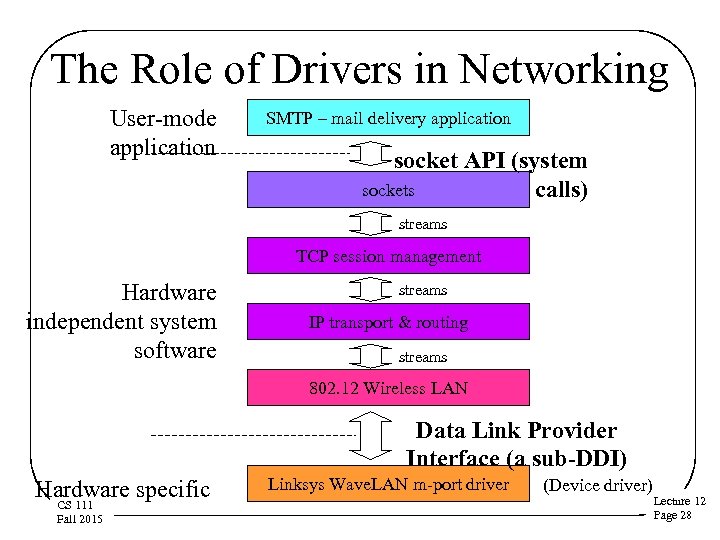 The Role of Drivers in Networking User-mode application SMTP – mail delivery application socket API (system sockets calls) streams TCP session management Hardware independent system software streams IP transport & routing streams 802. 12 Wireless LAN Data Link Provider Interface (a sub-DDI) Hardware specific CS 111 Fall 2015 Linksys Wave. LAN m-port driver (Device driver) Lecture 12 Page 28
 Controlling Devices - ioctl • Not all device interactions are reading/writing • Other operations control device behavior – Operations supported are device class specific • Unix/Linux uses ioctl calls for many of those • There are many general ioctl operations – Get/release exclusive access to device – Blocking and non-blocking opens, reads and writes • There also class-specific operations – Tape: write file mark, space record, rewind – Serial: set line speed, parity, character length – Disk: get device geometry CS 111 Fall 2015 Lecture 12 Page 29
 Device Drivers and the Kernel • Drivers are usually systems code • But they’re not kernel code • Most drivers are optional – Only present if the device they support is there • • They’re modular and isolated from the kernel But they do make use of kernel services Implying they need an interface to the kernel Different from application/kernel interface, because driver needs are different CS 111 Fall 2015 Lecture 12 Page 30
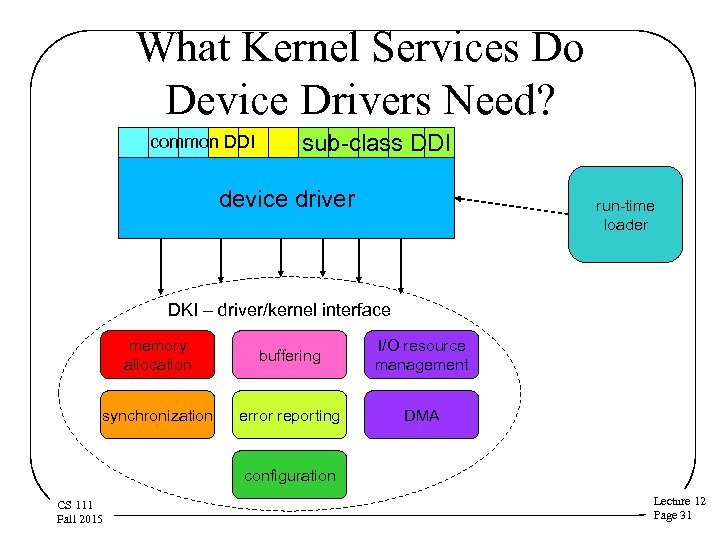 What Kernel Services Do Device Drivers Need? common DDI sub-class DDI device driver run-time loader DKI – driver/kernel interface memory allocation buffering I/O resource management synchronization error reporting DMA configuration CS 111 Fall 2015 Lecture 12 Page 31
 The Device Driver Writer’s Problem • Device drivers are often written by third parties (not the OS developers) • There a lot of drivers and driver authors • Device drivers require OS services to work – All of these services are highly OS specific – Drivers must be able to call OS routines to obtain these services • The horde of driver authors must know how to get the OS services • Drivers can’t be rewritten for each OS release – So the services and their interfaces must be stable CS 111 Fall 2015 Lecture 12 Page 32
 The Driver-Kernel Interface • Bottom-end services OS provides to drivers • Must be very well-defined and stable – To enable third party driver writers to build drivers – So old drivers continue to work on new OS versions • Each OS has its own DKI, but they are all similar – – Memory allocation, data transfer and buffering I/O resource (e. g. , ports and interrupts) management, DMA Synchronization, error reporting Dynamic module support, configuration, plumbing CS 111 Fall 2015 Lecture 12 Page 33
 DKI Memory Management Services • Heap allocation – Allocate and free variable partitions from a kernel heap • Page allocation – Allocate and free physical pages • Cached file system buffers – Allocate and free block-sized buffers in an LRU cache • Specialized buffers – For serial communication, network packets, etc. • Efficient data transfer between kernel/user space CS 111 Fall 2015 Lecture 12 Page 34
 DKI I/O Resource Management Services • I/O ports and device memory – Reserve, allocate, and free ranges of I/O ports or memory – Map device memory in/out of process address space • Interrupts – Allocate and free interrupt request lines – Bind an interrupt to a second level handler – Enable and disable specific interrupts • DMA channels – Allocate/free DMA channels, set-up DMA operations CS 111 Fall 2015 Lecture 12 Page 35
 DKI Synchronization Services • Mutual exclusion – A wide range of different types of locks • Asynchronous completion/notifications – Sleep/wakeup, wait/signal, P/V • Timed delays – Sleep (block and wake up at a time) – Spin (for a brief, calibrated, time) • Scheduled future processing – Delayed Procedure Calls, tasks, software interrupts 12 Lecture CS 111 Fall 2015 Page 36
 DKI Error Management Services • Logging error messages – Print diagnostic information on the console – Record information in persistent system log – Often supports severity codes, configurable levels • Event/trace facilities – Controllable recording of system calls, interrupts, . . . – Very useful as audit-trail when diagnosing failures • High Availability fault management frameworks – Rule-based fault diagnosis systems – Automated intelligent recovery systems CS 111 Fall 2015 Lecture 12 Page 37
 DKI Configuration Services • Devices need to be properly configured at boot time – – – Not all configuration can be done at install time Primary display adaptor, default resolution IP address assignment (manual, DHCP) Mouse button mapping Enabling and disabling of devices • Such information can be kept in a registry – Database of nodes, property names and values – Available to both applications and kernel software • E. g. , properties associated with service/device instances – May be part of a distributed management system CS 111 Fall 2015 • E. g. , LDAP, NIS, Active Directory Lecture 12 Page 38
 The Life Cycle of a Device Driver • Device drivers are part of the OS, but. . . • They’re also pretty different – Every machine has its own set of devices – It needs device drivers for those specific devices – But not for any other devices – So a kernel usually doesn’t come configured with all possible device drivers • How drivers are installed and used in an OS is very different than, say, memory management • More modular and dynamic CS 111 Fall 2015 Lecture 12 Page 39
 Installing and Using Device Drivers • Loading – Load the module, determine device configuration – Allocate resources, configure and initialize driver – Register interfaces • Use – Open device session (initialize device) – Use device (seek/read/write/ioctl/request/. . . ) – Process completion interrupts, error handling – Close session (clean up device) • Unloading – Free all resources, and unload the driver CS 111 Fall 2015 Lecture 12 Page 40
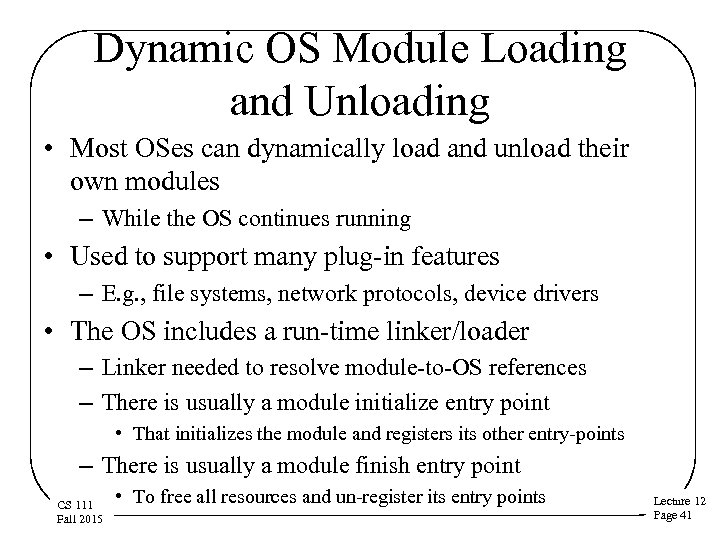 Dynamic OS Module Loading and Unloading • Most OSes can dynamically load and unload their own modules – While the OS continues running • Used to support many plug-in features – E. g. , file systems, network protocols, device drivers • The OS includes a run-time linker/loader – Linker needed to resolve module-to-OS references – There is usually a module initialize entry point • That initializes the module and registers its other entry-points – There is usually a module finish entry point CS 111 Fall 2015 • To free all resources and un-register its entry points Lecture 12 Page 41
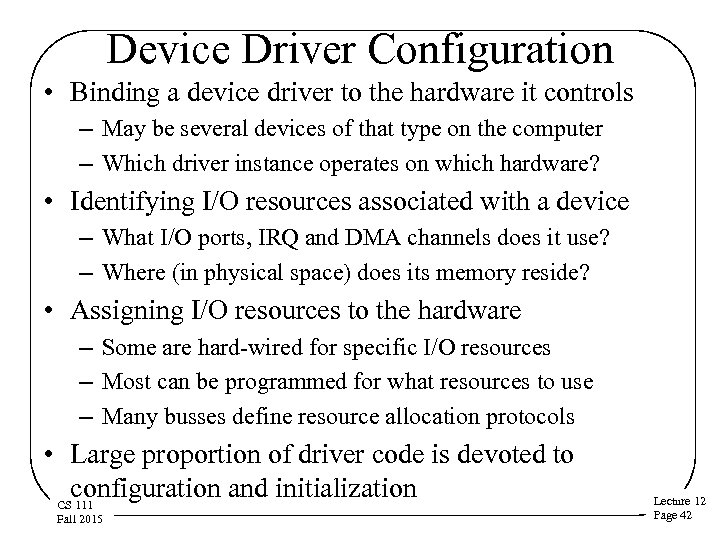 Device Driver Configuration • Binding a device driver to the hardware it controls – May be several devices of that type on the computer – Which driver instance operates on which hardware? • Identifying I/O resources associated with a device – What I/O ports, IRQ and DMA channels does it use? – Where (in physical space) does its memory reside? • Assigning I/O resources to the hardware – Some are hard-wired for specific I/O resources – Most can be programmed for what resources to use – Many busses define resource allocation protocols • Large proportion of driver code is devoted to configuration and initialization CS 111 Fall 2015 Lecture 12 Page 42
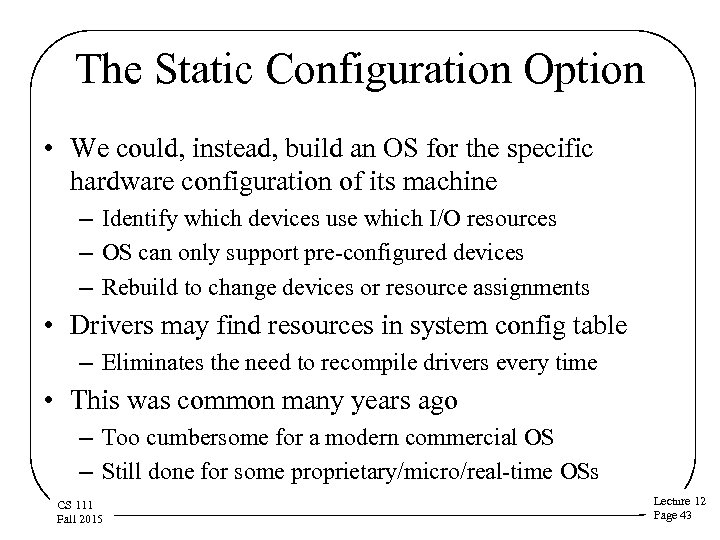 The Static Configuration Option • We could, instead, build an OS for the specific hardware configuration of its machine – Identify which devices use which I/O resources – OS can only support pre-configured devices – Rebuild to change devices or resource assignments • Drivers may find resources in system config table – Eliminates the need to recompile drivers every time • This was common many years ago – Too cumbersome for a modern commercial OS – Still done for some proprietary/micro/real-time OSs CS 111 Fall 2015 Lecture 12 Page 43
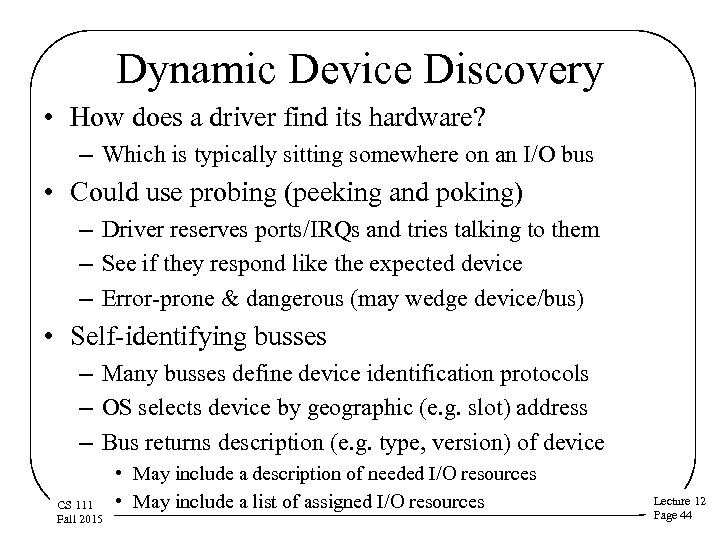 Dynamic Device Discovery • How does a driver find its hardware? – Which is typically sitting somewhere on an I/O bus • Could use probing (peeking and poking) – Driver reserves ports/IRQs and tries talking to them – See if they respond like the expected device – Error-prone & dangerous (may wedge device/bus) • Self-identifying busses – Many busses define device identification protocols – OS selects device by geographic (e. g. slot) address – Bus returns description (e. g. type, version) of device CS 111 Fall 2015 • May include a description of needed I/O resources • May include a list of assigned I/O resources Lecture 12 Page 44
 Configuring I/O Resources • Driver must obtain I/O resources from the OS – OS manages ports, memory, IRQs, DMA channels – Some may be assigned exclusively (e. g. , I/O ports) – Some may be shared (e. g. , IRQs, DMA channels) • Driver may have to program bus and device – To associate I/O resources with the device • Driver must initialize its own code – Which I/O ports correspond to which instances – Bind appropriate interrupt handlers to assigned IRQs – Allocate & initialize device/request status structures CS 111 Fall 2015 Lecture 12 Page 45
 Using Devices and Their Drivers • Practical use issues • Achieving good performance in driver use CS 111 Fall 2015 Lecture 12 Page 46
 Device Sessions • Some devices are serially reusable – Processes use them one at a time, in turn – Each using process opens and closes a session with the device – Opener may have to wait until previous process closes • Each session requires initialization – Initialize & test hardware, make sure it is working – Initialize session data structures for this instance – Increment open reference count on the instance • Releasing references to a device – Shut down instance when last reference closes CS 111 Fall 2015 Lecture 12 Page 47
 Shared Devices and Serialization • Device drivers often contain sharable resources – Device registers, request structures, queues, etc. – Code that updates them will contain critical sections • Use of these resources must be serialized – Serialization may be coarse (one open at a time) – Serialization may be very fine grained – This can be implemented with locks or semaphores • Serialization is usually implemented within driver – Callers needn't understand how locking works CS 111 Fall 2015 Lecture 12 Page 48
 Interrupt Disabling For Device Drivers • Locking isn’t protection against interrupts – Remember the sleep/wakeup race? – What if interrupt processing requires an unavailable lock? • Drivers often share data with interrupt handlers – Device registers, request structures, queues, etc. • Some critical sections require interrupt disabling – – Which is dangerous and can cause serious problems Where possible, do updates with atomic instructions Disable only the interrupts that could conflict Make the disabled period as brief as possible CS 111 Fall 2015 Lecture 12 Page 49
 Performance Issues for Device Drivers • • Device utilization Double buffering and queueing I/O requests Handling unsolicited input I/O and interrupts CS 111 Fall 2015 Lecture 12 Page 50
 Device Utilization • Devices (and their drivers) are mainly responsive • They sit idle until someone asks for something • Then they become active • Also periods of overhead between when process wants device and it becomes active • The result is that most devices are likely to be idle most of the time – And so are their device drivers CS 111 Fall 2015 Lecture 12 Page 51
 So What? • Why should I care if devices are being used or not? • Key system devices limit system performance – File system I/O, swapping, network communication • If device sits idle, its throughput drops – This may result in lower system throughput – Longer service queues, slower response times • Delays can disrupt real-time data flows – Resulting in unacceptable performance – Possible loss of irreplaceable data • It is very important to keep key devices busy – Start request n+1 immediately when n finishes CS 111 Fall 2015 Lecture 12 Page 52
 Keeping Key Devices Busy • Allow multiple pending requests at a time – Queue them, just like processes in the ready queue – Requesters block to await eventual completions • Use DMA to perform the actual data transfers – Data transferred, with no delay, at device speed – Minimal overhead imposed on CPU • When the currently active request completes – Device controller generates a completion interrupt – Interrupt handler posts completion to requester – Interrupt handler selects and initiates next transfer CS 111 Fall 2015 Lecture 12 Page 53
 Double Buffering For Device Output • Have multiple buffers queued up, ready to write – Each write completion interrupt starts the next write • Application and device I/O proceed in parallel – Application queues successive writes • Don’t bother waiting for previous operation to finish – Device picks up next buffer as soon as it is ready • If we're CPU-bound (more CPU than output) – Application speeds up because it doesn't wait for I/O • If we're I/O-bound (more output than CPU) – Device is kept busy, which improves throughput – CS 111 But eventually we may have to block the process Fall 2015 Lecture 12 Page 54
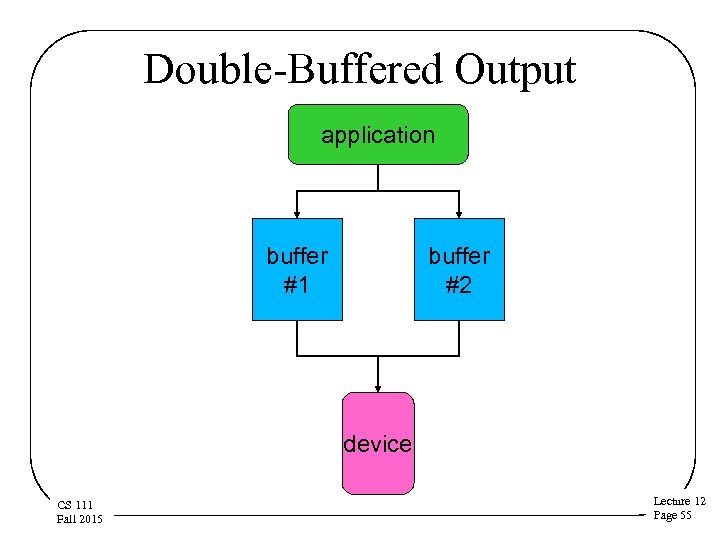 Double-Buffered Output application buffer #1 buffer #2 device CS 111 Fall 2015 Lecture 12 Page 55
 Double Buffering For Input • Have multiple reads queued up, ready to go – Read completion interrupt starts read into next buffer • Filled buffers wait until application asks for them – Application doesn't have to wait for data to be read • Can use more than two buffers, of course • When can we do read queueing? – Each app will probably block until its read completes • So we won’t get multiple reads from one application – We can queue reads from multiple processes – We can do predictive read-ahead CS 111 Fall 2015 Lecture 12 Page 56
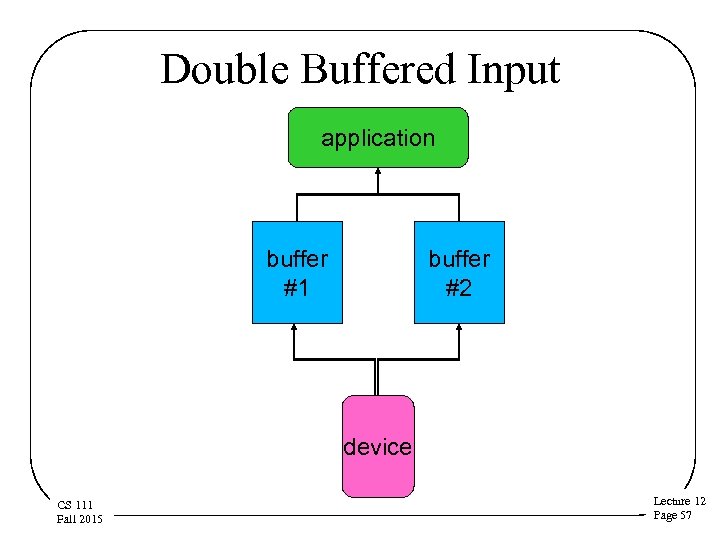 Double Buffered Input application buffer #1 buffer #2 device CS 111 Fall 2015 Lecture 12 Page 57
 Handling I/O Queues • What if we allow a device to have a queue of requests? – Key devices usually have several waiting at all times – In what order should we process queued requests? • Performance based scheduling – Elevator algorithm head motion scheduling for disks • Priority based scheduling – Handle requests from higher priority processes first • Quality-of-service based scheduling – Guaranteed bandwidth share – CS 111 Guaranteed response time Fall 2015 Lecture 12 Page 58
 Solicited Vs. Unsolicited Input • In the write case, a buffer is always available – The writing application provides it • Is the same true in the read case? – Some data comes only in response to a read request • E. g. , disks and tapes – Some data comes at a time of its own choosing • E. g. , networks, keyboards, mice • What to do when unexpected input arrives? – Discard it? … probably a mistake – Buffer it in anticipation of a future read – Can we avoid exceeding the available buffer space? CS 111 Fall 2015 • Slow devices (like keyboards) or flow-controlled networks Lecture 12 Page 59