


 Скачать презентацию Developments in E-Discovery Rosemary Connelly Attorney General s Office
b24f32a5d165a32dea4b5429152f55aa.ppt
- Количество слайдов: 96
 Developments in E-Discovery Rosemary Connelly, Attorney General’s Office, Trial Division Chief Linda Hamel, General Counsel, Information Technology Division Alan Cote, First Deputy Secretary of the Commonwealth and Supervisor of Public Records, Office of the Secretary of the Commonwealth Stephanie Zierten, Deputy General Counsel, Information Technology Division Jenny Hedderman, Deputy General Counsel, Office of the Comptroller Greg Massing, General Counsel, Executive Office of Public Safety Electronic Discovery Training, October 2, 2007
 Today’s Agenda • • Welcome and Introductions: Stephanie Zierten Overview of Rule Changes: Rosemary Connolly Electronically Stored Information: Linda Hamel Records in Common Schedule (RIC): Alan Cote Guidelines for Implementation: Stephanie Zierten Fiscal Impact: Jenny Hedderman Mock Meeting: Greg Massing Wrap up and questions: all Electronic Discovery Training, October 2, 2007
 OVERVIEW OF E DISCOVERY IN THE FEDERAL AND STATE COURTS VS. Electronic Discovery Training, October 2, 2007
 The Lingo • • What is ESI? It is “electronically stored information” What are some examples of ESI? Emails, web pages, word processing files, flash drives or data stored on computer drives. Electronic Discovery Training, October 2, 2007
 DISCOVERY IN 2007 • Parties have always been permitted to request documents stored in an electronic format - that’s not new. • What is new are the 2006 Amendments to the Federal Rules of Civil Procedure, specifically the following rules: – 16 Pretrial and scheduling conference – 26 General Discovery provisions – 33 Interrogatories to parties – 34 Document Production – 37 Sanctions; and – 45 Subpoenas Electronic Discovery Training, October 2, 2007
 DISCOVERY IN 2007 (continued) • Federal Local Rule 26. 5 defines “document” to have a meaning that is: – “synonymous to the usage of that word in Fed. R. Civ. P. 34(a)” and that states: “documents or electronically stored information including … sound recordings images and other data or data compilations stored in any medium from which information can be obtained – translated, if necessary, by respondent into reasonably usable form…” Electronic Discovery Training, October 2, 2007
 DISCOVERY IN 2007(continued) • State Court – parties define the terms including the term “document” but most parties define it broadly enough to include ESI. And • State uniform definitions are likely to be implemented in the near term and those are likely to be modeled after the Federal definitions. Electronic Discovery Training, October 2, 2007
 What is required of parties under the amended Federal Rules? 1. Send a “litigation Tip - Know where to look for ESI and who the hold” letter when holders of relevant ESI litigation is are so you can get the reasonably clear. “hold” broadcast out to Agency counsel must IT and the people who send the litigation need to know. hold letter to ensure Document this step! that documents are preserved. Electronic Discovery Training, October 2, 2007
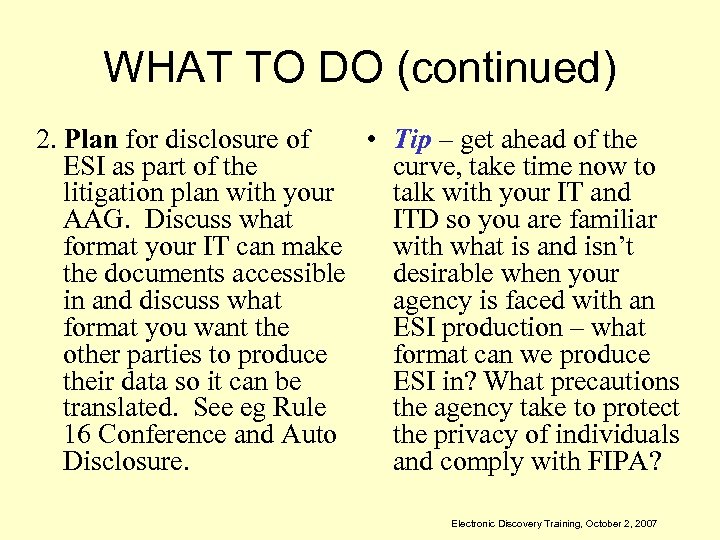 WHAT TO DO (continued) 2. Plan for disclosure of • Tip – get ahead of the ESI as part of the curve, take time now to litigation plan with your talk with your IT and AAG. Discuss what ITD so you are familiar format your IT can make with what is and isn’t the documents accessible desirable when your in and discuss what agency is faced with an format you want the ESI production – what other parties to produce format can we produce their data so it can be ESI in? What precautions translated. See eg Rule the agency take to protect 16 Conference and Auto the privacy of individuals Disclosure. and comply with FIPA? Electronic Discovery Training, October 2, 2007
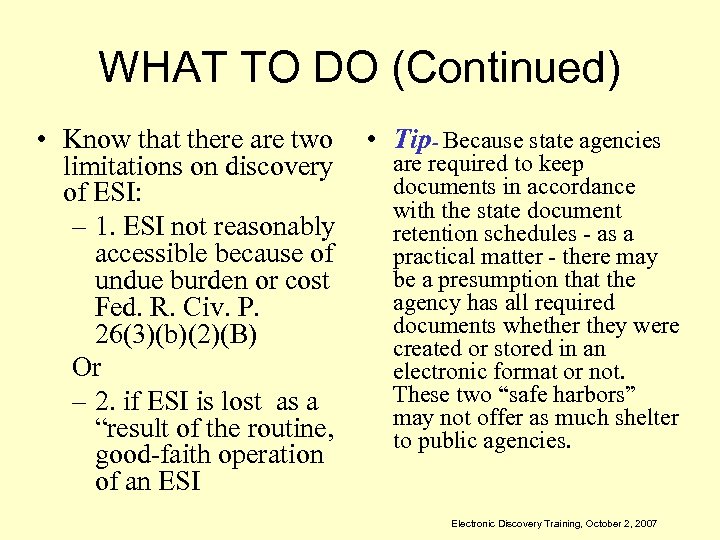 WHAT TO DO (Continued) • Know that there are two limitations on discovery of ESI: – 1. ESI not reasonably accessible because of undue burden or cost Fed. R. Civ. P. 26(3)(b)(2)(B) Or – 2. if ESI is lost as a “result of the routine, good-faith operation of an ESI • Tip- Because state agencies are required to keep documents in accordance with the state document retention schedules - as a practical matter - there may be a presumption that the agency has all required documents whether they were created or stored in an electronic format or not. These two “safe harbors” may not offer as much shelter to public agencies. Electronic Discovery Training, October 2, 2007
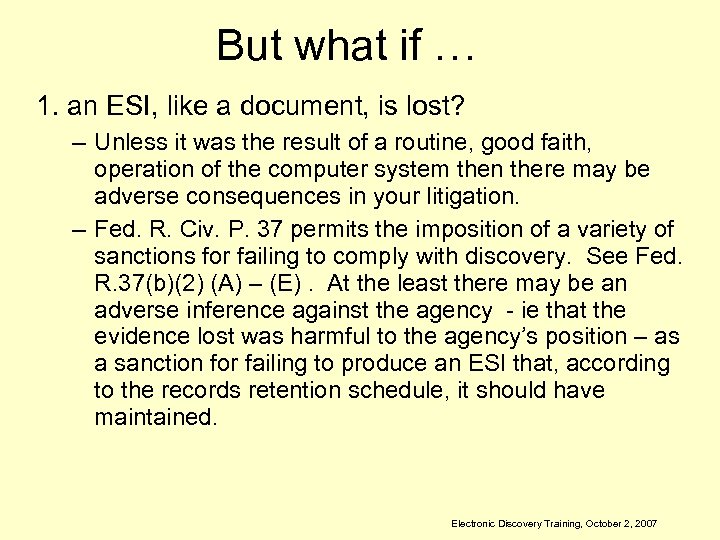 But what if … 1. an ESI, like a document, is lost? – Unless it was the result of a routine, good faith, operation of the computer system then there may be adverse consequences in your litigation. – Fed. R. Civ. P. 37 permits the imposition of a variety of sanctions for failing to comply with discovery. See Fed. R. 37(b)(2) (A) – (E). At the least there may be an adverse inference against the agency - ie that the evidence lost was harmful to the agency’s position – as a sanction for failing to produce an ESI that, according to the records retention schedule, it should have maintained. Electronic Discovery Training, October 2, 2007
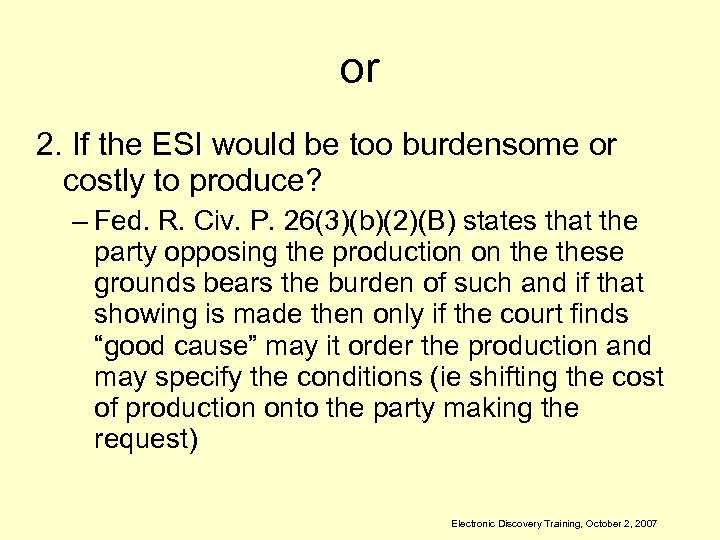 or 2. If the ESI would be too burdensome or costly to produce? – Fed. R. Civ. P. 26(3)(b)(2)(B) states that the party opposing the production on these grounds bears the burden of such and if that showing is made then only if the court finds “good cause” may it order the production and may specify the conditions (ie shifting the cost of production onto the party making the request) Electronic Discovery Training, October 2, 2007
 or 3. If my agency isn’t a party, must it respond to a subpoena duces tecum seeking ESI? Yes, Fed. R. Civ. P. 45 operates the same whether a party is seeking old fashion paper documents or ESI. But, remember you still have 14 days after service of subpoena to serve written objections and then the burden shifts to the moving party to obtain an order to compel the production. Fed. R. Civ. P. 45(c)(1)(B). And, if the subpoena does not specify the form for producing the ESI then you may produce it in the form in which it is ordinarily maintained. Fed. R. Civ. P. 45(d)(A) & (B). Electronic Discovery Training, October 2, 2007
 By now you might be thinking you need this: Electronic Discovery Training, October 2, 2007
 IT’S NOT SO BAD… • Agency counsel in conjunction with the agency’s IT Department and together with counsel at the AG’s Office will serve their respective roles to ensure that the agency meets its discovery obligations in its litigation. • Getting it done right is everyone’s responsibility! Electronic Discovery Training, October 2, 2007
 E-Discovery What Is “Electronically Stored Information” under the Federal Rules of Civil Procedure, and Where Should Agency Lawyers and CIOs Responding to Discovery Requests Look for It? Electronic Discovery Training, October 2, 2007
 Electronically Stored Information (ESI): What is It? FRCP Rule 34 Production of Documents, Electronically Stored Information, and Things…Any party may serve on any other party a request (1) to produce and permit the party making the request, or someone acting on the requestor’s behalf, to inspect, copy, test or sample any designated documents or electronically stored information-including writings, drawings, graphs, charts, photographs, sound recordings, images, and other data or data compilations stored in any medium from which information can be obtained-translated, if necessary, by the respondent into reasonably usable form- or to inspect, copy, test or sample any designated tangible things which constitute or contain matters within the scope of Rule 26(b) and which are in the possession, custody or control of the party upon whom the request is served. . . Electronic Discovery Training, October 2, 2007
 ESI: What is It? (cont. ) • Committee Notes on Rule 34 – ESI may exist in dynamic databases and other forms far different from fixed expression on paper – The wide variety of computer systems currently in use, and the rapidity of technological change, counsel against a limiting or precise definition of electronically stored information – Rule 34(a) (1) is expansive and includes any type of information that is stored electronically. – ESI includes information “stored in any medium” to encompass future developments in computer technology…. []it] is intended to be broad enough to cover all current types of computer based information, and flexible enough to encompass future changes and developments. – References elsewhere in the rules to ESI should be understood to invoke this expansive approach. Electronic Discovery Training, October 2, 2007
 ESI: What Is It (cont. ) • Content, media, storage, special data considerations, location • Reasonably Accessible Electronic Discovery Training, October 2, 2007
 Examples of ESI Content • System output • System data (when users log on, websites visited, passwords used, docs printed or faxed) • Office documents (ex: Word, Powerpoint, Excel) • Photos • Maps • Movies Electronic Discovery Training, October 2, 2007
 ESI Content (cont. ) • Electronic calendars and to do lists generated by MS Outlook and other desktop software • IM records • Backup and archival data • Databases • Text messages • Web page content • Email content; email attachment content • Deleted documents and other deleted data* • Voicemail Electronic Discovery Training, October 2, 2007
 Examples of ESI Media and Storage Devices • • Emails and their attachments Web pages, old and new Videos Floppy disks CDs Audiotape Videotape Electronic Discovery Training, October 2, 2007
 ESI: Examples of Media and Storage Devices • • Microfilm/Fiche Data storage Tapes Hard drives Servers (web, application, FTP) Digital film Thumb drives Memory cards Electronic Discovery Training, October 2, 2007
 ESI Special Data Considerations • Deleted data is not necessarily deleted • Embedded data (draft language, editorial comments, e. g. Track Changes data) • Metadata (data about the history, tracking or management of an electronic file, e. g. email wrapper) • End user search tools that create store of docs accessed (Google Desktop search) Electronic Discovery Training, October 2, 2007
 Examples of ESI Locations • Individual employee, contractor or agent of agency: – Hard drive of PC or laptop in central office, remote location, or home for telecommuters, for all kinds of documents • See especially PC hard drive or shared drive storage for emails offloaded from email system (. pst files) – Centralized email and other central system servers – Network servers containing shared drives – CDs, floppy disks in any location where employee/contractor works – USB drives—hard and thumb or flash drives – PDAs----anywhere Electronic Discovery Training, October 2, 2007
 Examples of ESI Locations (cont. ) – Files stored on individual or network drives – Servers of public email providers used by state employees at work—Google, hotmail – Servers on site or at remote host – Equipment in storage area awaiting disposal – Backup tapes onsite or offsite • Made before upgrades • Made for disaster recovery • Made routinely Electronic Discovery Training, October 2, 2007
 ESI Locations, cont. – Cell phones (text messages, phone numbers) and Personal Digital Assistants (PDAs) carried on the person • • Blackberry (can cache email) Treo (can cache email) Palm Pilot “Q” Electronic Discovery Training, October 2, 2007
 ESI Locations (cont. ): Third Party Data Holders • External mail services: – Gmail (Google) – Hotmail (MSN) – Yahoo! mail • Long term storage – Iron Mountain – State archives • Disaster Recovery Contractor – For some systems, tapes shipped out periodically for storage (e. g. Sun. Guard) Electronic Discovery Training, October 2, 2007
 ESI: “Reasonably Accessible” • Basic rule: A party need not provide discovery of ESI from sources that the party identifies as not reasonably accessible because of undue burden or cost. Party from whom discovery is sought must show that the ESI is not reasonably accessible because of undue burden or cost. FRCP 26(b)(2)(B). Committee Note: UBC in light of cost of searching, retrieving and producing. • However, even after finding that ESI is not reasonably accessible, court may order discovery from such sources upon a showing of good cause. FRCP 26(b)(2)(B). Electronic Discovery Training, October 2, 2007
 ESRI: “Reasonably Accessible” • Committee Notes: Courts must apply following test in determining whether to require production of ESI: – Is it RA? – If not RA, is there good cause for requiring production? Electronic Discovery Training, October 2, 2007
 ESI: Reasonably Accessible • FRCP 26(b)(2)(B) Committee Note: – Reasonably Accessible rule designed to address issues raised by difficulties in locating, retrieving, and providing discovery of some ESI. – Some sources of ESI can be accessed only with substantial burden and cost. In a particular case, these burdens and costs may make the information not reasonably accessible. – Identification of ESI does not relieve party of obligation to preserve evidence. – Requesting party may need discovery (sampling, inspection, taking depositions) to determine whether the ESI they seek is in fact not reasonably accessible. Electronic Discovery Training, October 2, 2007
 ESI: Reasonably Accessible • Reasonably accessible data is “active”, purposely stored, and available for use by end users. Electronic Discovery Training, October 2, 2007
 ESI: Reasonably Accessible • Data that is not reasonably accessible cannot be easily accessed by the end user and may include – data stored on backup tapes or legacy systems that are not indexed, organized, or susceptible to electronic search – material that has been deleted and remains but in fragmented form, requiring computer forensics to restore – Data created, used and stored in electronic media no longer in use (8 track tapes, Wang) – Enormous volume – Legacy data that remains from obsolete systems and is unintelligible on the successor system – Databases designed to present certain information in certain ways and that cannot readily create very different kinds or forms of information Electronic Discovery Training, October 2, 2007
 ESI: Reasonably Accessible • Zubalake v, UBS Warbug, 217 F. R. D. 309, 2003 U. S. Dist. LEXIS 7939, 55 Fed. R. Srv. 3 d 622 – Decision is pre-FRCP amendment, but cornerstone e-discovery case – 5 point continuum for evaluating “accessible” vs. “inaccessible” – Touch point for later pre-rules change cases – Likely to be considered post rules change Electronic Discovery Training, October 2, 2007
 ESI: Reasonably Accessible • Accessible: – Active, online data. Magnetic disk. Active stage of records life, when records created, received, processed. Access frequency is high, access speeds fast (milliseconds) – Near-line data. Robotic storage device (robotic library) housing removable media. Access speeds from millisecond up to 10 to 30 seconds, 20 to 120 seconds for sequentially searched media like mag tape. Electronic Discovery Training, October 2, 2007
 ESI: Reasonably Accessible • Inaccessible: – Offline storage/archives. Removable optical disk or mag tape, labeled and stored in shelf or rack. Used for DR and archival records; likelihood of retrieval is minimal. Manual retrieval. Access: minutes, hours, days. – Backup tapes. Sequential access device; must read any particular block of data by reading all preceding blocks. Data not organized for retrieval of individual docs or files. Data compression makes restoration more time consuming and expensive – Erased, fragmented, or damaged data. Fragmentation: As files are erased, contiguous clusters of data are made available as free space; large, newly created files may be broken up and randomly placed throughout the disk. Also, damaged and erased data. In all 3 cases, can only access after significant processing. Electronic Discovery Training, October 2, 2007
 ESI: Not Reasonably Accessible but Must be Produced Nonetheless • If the court orders ESI that is not reasonably accessible to be produced, agencies may have to rely on: – ITD to provide backup tapes for ITC-hosted applications or Mass. Mail – Other systems administrators for backup tapes – Local LAN team to help sort through local Mass. Mail archive – Computer forensics consultants Electronic Discovery Training, October 2, 2007
 ESI: Computer Forensics • Computer forensics can give agencies access to – data remanence, residual physical representation of data that has been in some way erased • Deletion removes only pointers to the directory system, not the deleted document itself – Data on media that is damaged, has failed, or become corrupted Electronic Discovery Training, October 2, 2007
 ESI: Computer Forensics • Tools available for taking snapshot of data on particular day: – Imaging hard drives of desktop, server, laptop or media storage devices – Data analysis Electronic Discovery Training, October 2, 2007
 ESI: Computer Forensics • Tools available for data recovery – Physical damage: • Hardware repair • Disk imaging (extracting the raw image on a disk and reconstructing usable data after repair of logical damage) – Logical damage (damage to file system that prevents it from being mounted by the host operating system) • Consistency checking • Rebuilding the file system from scratch, after studying organization of original files – Deleted data • Specialized software Electronic Discovery Training, October 2, 2007
 ESI: Computer Forensics • For prospective document freeze, “journaling” incoming and outgoing emails. Electronic Discovery Training, October 2, 2007
 ESI: Computer Forensics $$$$$$$$$$$$$$$ Electronic Discovery Training, October 2, 2007
 ESI: Who Knows Where it is Stored? • The agency employees, contractors or agents whose documents are subject to discovery – Agencies have certain contractual rights under the Commonwealth’s T’s and C’s to the documents created by vendors in fulfilling their contractual obligations • Your CIO or Systems Administrator • Business owners of the data • None of the above alone; e-records and e-devices are not 100% centrally controlled or managed in any organization Electronic Discovery Training, October 2, 2007
 ESI: Who knows where? (cont. ) • Data center host • Webmaster – Current web pages – Archived pages Electronic Discovery Training, October 2, 2007
 ESI: Who knows where? (cont. ) • Administrator of agency system • Administrators of ANF centrically administered systems – HRCMS – New. MMARS – New. MMIS – Mass. Mail Electronic Discovery Training, October 2, 2007
 ESI: Who knows where it is stored? • Do not limit your inquire to CIO; he or she may not necessarily know: – Whether employees are using Hot. Mail or home email addresses to conduct state business – Whether they have copied emails to. pst files before deleting them – Whether they download Commonwealth documents to their home PC, handheld or other personal device – Answers to questions about systems administered at the enterprise level Electronic Discovery Training, October 2, 2007
 ESI: Conclusion • Move from paper to electronic discovery has decentralized discoverable material and the persons who control it. Control over access and knowledge often in hands of user instead of central agency authority • Start by developing an ESI map taking into account people, data, devices, and locations. • Do not under any circumstances rely on your CIO and ITD alone to determine what discoverable ESI your agency’s employees and contractors may control Electronic Discovery Training, October 2, 2007
 Linda Hamel General Counsel ITD (617)-626 -4404 Linda. hamel@state. ma. us Thanks to ITD Legal Intern Sean Kass, HLS ‘ 08 Electronic Discovery Training, October 2, 2007
 Supervisor of Public Records; Records In Common Schedule http: //www. sec. state. ma. us/arcrmu/rmuidx. htm Electronic Discovery Training, October 2, 2007
 Guidelines for Agencies Electronic Discovery Training, October 2, 2007
 Actually doing it • Preparing for E-Discovery • Records retention program implementation • Litigation/Claim response checklist Electronic Discovery Training, October 2, 2007
 Preparing for E-Discovery • Assemble the team – – – Secretary or agency head CIO Key IT people (who will be Agency’s Fed. R. Civ. P. 30(b)(6) witness? ) Records Managers Legal Counsel • Inventory records – Identify hardware/software that contains records (version, how stored) – Perform an application inventory (e. g. HRCMS, office applications) – Storage formats for backup data • Where are they located? • How segregated (by record, individual, dept. )? • Frequency of tape recycle? – Consider off-site records (e. g. vendors, home computers) – Document results Electronic Discovery Training, October 2, 2007
 Preparing for E-Discovery • Categorize which records to keep and for how long – Legal requirements – Financial requirements – Operational baseline: what is the longest record you need to keep? Electronic Discovery Training, October 2, 2007
 Preparing for E-Discovery • Consider other legal obligations (in addition to RIC) – Statutes relevant to the agency’s mission or roles • Health Insurance Portability Accountability Act of 1996 (HIPAA) – 42 U. S. C. § 1320 d: Standards for information transactions and data elements – See e. g. » CFR § 164. 520: document and retention re: fulfillment of notice obligations » CFR § 164. 524: document record sets that may be accessed by individuals » CFR § 164. 530(j)(1): document retention requirements for administration » CFR § 164. 528: accounting of disclosures made » CFR § 164. 508: document and retention re: signed authorization – Federal or state law governing administrative functions • Immigration Reform and Control Act: Maintenance of I-9 forms • Federal Fair Labor Standards Act (FLSA) • Family and Medical leave Act (FMLA) – Pending litigation – Threatened claims Electronic Discovery Training, October 2, 2007
 Preparing for E-Discovery • Beyond compliance, think offensively – What documents may become relevant and useful (e. g. contract correspondence, service/call logs) • How will you modify or suspend deletion when necessary? – How long does it take to stop recycling backup tapes, and who should be notified? – How quickly can you capture the records of key players (what IT resources do you need)? Electronic Discovery Training, October 2, 2007
 Preparing for E-Discovery – How quickly can you take a snapshot of email or other information? • Consider: – 4 th Amendment implications – State and Federal wire tap statutes – Does agency have a recently signed copy of an Acceptable Use Policy for every IT user? – Develop a means to notify appropriate personnel when a claim is raised (agency counsel, IT personnel) Electronic Discovery Training, October 2, 2007
 Implementation of Records Management • Train staff – Alert staff to obligations (RIC and other relevant record retention obligations) – If possible combine document retention training with business writing training • Employees should not say in email anything they would not want produced as public record – Educate employees on general discovery duties in litigation – Identify records custodian for each unit Electronic Discovery Training, October 2, 2007
 Implementation (continued) • Compliance review – Have team in place (IT, legal, senior management) – Test un-recycled backup tapes to ensure they are recoverable – Consider requiring managers to certify that the policy is being followed – Annual review clean up days • Pizza, prizes etc. , casual clothing • Reminders to review home computers, PDAs – Document compliance – Document retention compliance discussion becomes part of exit interview Electronic Discovery Training, October 2, 2007
 Litigation/Claim Response Checklist þ Triggering Events: - Demand form opposing party is receive Law suit served Court issues preservation order Litigation is “reasonably foreseeable” þ Triage – Assemble a response team with at least the following: • one IT person • one attorney; and • one subject matter expert (e. g. HR in employment case) – Review relevant rules (any special requirements depending on jurisdiction? ) – Analyze claims to determine • Subject matter of dispute • Key players and departments involved • Relevant time period (are potential relevant documents still being created or likely to be created? ) Electronic Discovery Training, October 2, 2007
 Litigation/Claim Response Checklist þ Scope of ESI to Preserve – Relevant – Reasonably calculated to lead to discovery of admissible evidence – Reasonably likely to be requested in discovery þ Identify what systems/devices are most likely to contain data – Confirm frequency and retention of backups for those systems – Identify which are accessible to key players and which are not Electronic Discovery Training, October 2, 2007
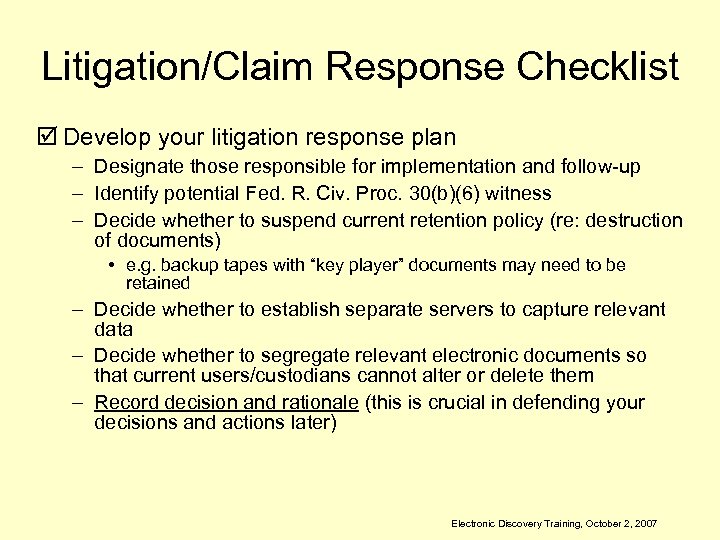 Litigation/Claim Response Checklist þ Develop your litigation response plan – Designate those responsible for implementation and follow-up – Identify potential Fed. R. Civ. Proc. 30(b)(6) witness – Decide whether to suspend current retention policy (re: destruction of documents) • e. g. backup tapes with “key player” documents may need to be retained – Decide whether to establish separate servers to capture relevant data – Decide whether to segregate relevant electronic documents so that current users/custodians cannot alter or delete them – Record decision and rationale (this is crucial in defending your decisions and actions later) Electronic Discovery Training, October 2, 2007
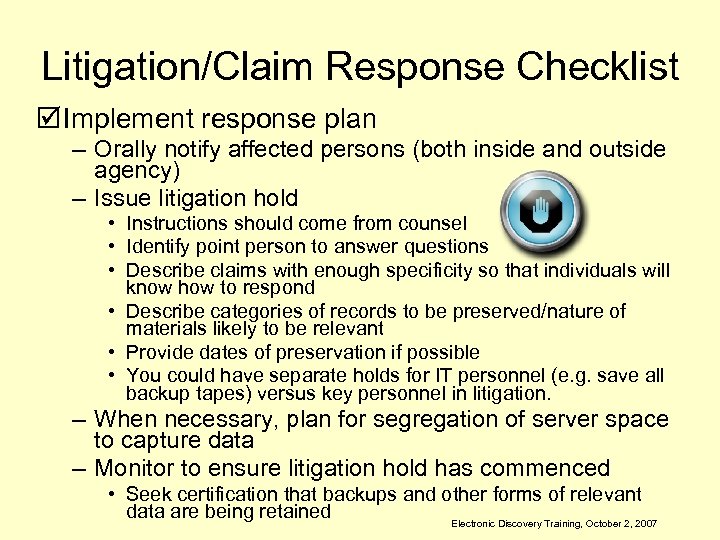 Litigation/Claim Response Checklist þ Implement response plan – Orally notify affected persons (both inside and outside agency) – Issue litigation hold • Instructions should come from counsel • Identify point person to answer questions • Describe claims with enough specificity so that individuals will know how to respond • Describe categories of records to be preserved/nature of materials likely to be relevant • Provide dates of preservation if possible • You could have separate holds for IT personnel (e. g. save all backup tapes) versus key personnel in litigation. – When necessary, plan for segregation of server space to capture data – Monitor to ensure litigation hold has commenced • Seek certification that backups and other forms of relevant data are being retained Electronic Discovery Training, October 2, 2007
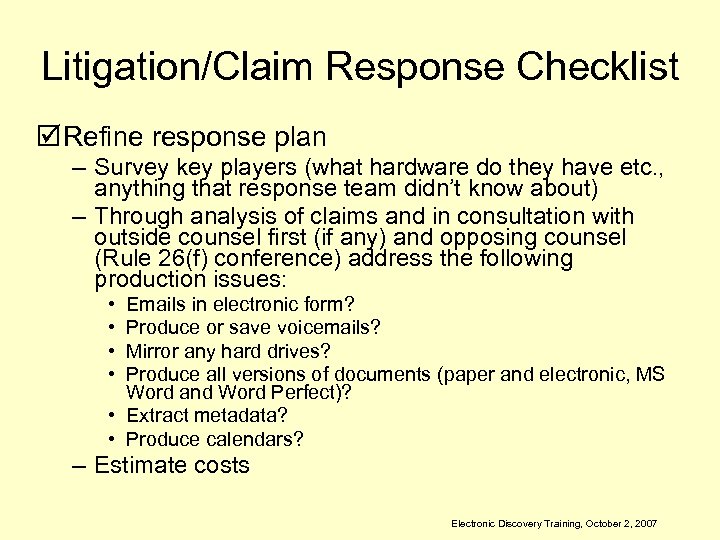 Litigation/Claim Response Checklist þ Refine response plan – Survey key players (what hardware do they have etc. , anything that response team didn’t know about) – Through analysis of claims and in consultation with outside counsel first (if any) and opposing counsel (Rule 26(f) conference) address the following production issues: • • Emails in electronic form? Produce or save voicemails? Mirror any hard drives? Produce all versions of documents (paper and electronic, MS Word and Word Perfect)? • Extract metadata? • Produce calendars? – Estimate costs Electronic Discovery Training, October 2, 2007
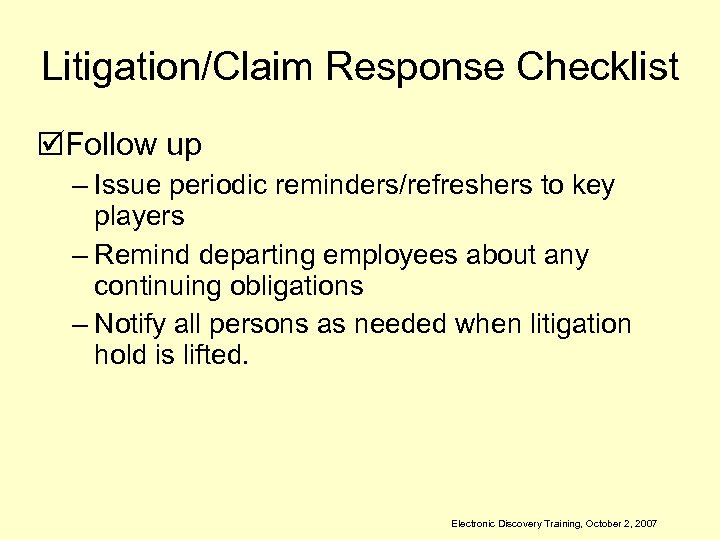 Litigation/Claim Response Checklist þFollow up – Issue periodic reminders/refreshers to key players – Remind departing employees about any continuing obligations – Notify all persons as needed when litigation hold is lifted. Electronic Discovery Training, October 2, 2007
 FISCAL IMPLICATIONS OF E -DISCOVERY Jenny Hedderman Deputy General Counsel OFFICE OF THE COMPTROLLER Electronic Discovery Training, October 2, 2007
 Are we having fun yet? “Many respondents find that dealing with the IRS is the only activity more unpleasant than dealing with e-discovery demand, and more than half would rather have a cavity filled by a dentist than deal with an ediscovery request. ” www. news. com/2102 -1014_3 -6193510. html? tag=st. util. print Electronic Discovery Training, October 2, 2007
 E-RECORDS REPLACING PAPER • Technology improvements have shifted % of paper vs. electronic documents. • The ease, perceived informality and speed of Email has substantially increased the number of “documents” created which are subject to discovery (average person receives more than 98 emails per day) • Employees who previously worked solely by telephone or paper, now work electronically • Business processes have replaced manual processes with vast increases in efficiencies Electronic Discovery Training, October 2, 2007
 Technology has been the Hare Records Management the Tortoise • Businesses have invested in Technology to improve efficiency, cut costs and increase profits or service delivery. • Most businesses do not yet have an Enterprise-wide Records Management Inventory or Policy (no central place that ids all paper and electronic records) Electronic Discovery Training, October 2, 2007
 Technology has been the Hare Records Management the Tortoise • Records management policies have not been updated to accommodate e-records • Records management duties have traditionally been relegated to lower level staff with little to no input from legal or upper management • Businesses that do have policies do not consistently follow the practices Electronic Discovery Training, October 2, 2007
 BIGGEST RISK Lack of Enterprise Wide Records Management Practice • Executives, managers and staff are not properly trained on implication of the records they create • Don’t realize that these records may need to be retained or are discoverable in litigation Electronic Discovery Training, October 2, 2007
 BIGGEST RISK Lack of Enterprise Wide Records Management Practice • Many don’t know that emails can be used as evidence • Staff or systems may routinely delete emails or other records when space becomes limited • IT staff are not trained in records management requirements and may inadvertently delete records to free up space Electronic Discovery Training, October 2, 2007
 Who Cares? Records Management has not been considered a critical business process priority, until now. Electronic Discovery Training, October 2, 2007
 IT’S NOT MY JOB! I’ve got enough to do! • • Executives focus on overall mandates Managers focus on critical outputs Lawyers focus on legal issues IT staff focus on IT HR focus on employment issues Fiscal focuses on fiscal issues Staff focus on achieving metrics Electronic Discovery Training, October 2, 2007
 E-DISCOVERY WHOSE JOB IS IT? ? ? Electronic Discovery Training, October 2, 2007
 Electronic Discovery Training, October 2, 2007
 IGNORANCE BY ATTORNEYS IS NO LONGER ACCEPTABLE • “Ignorance of IT is simply no longer an acceptable cover for mistakes in most federal courts. ” www. ralphlosey. wordpress. com/zubu-duty/ • Courts reject attorney excuses of “computer illiteracy” as “frankly ludicrous”. Martin v. Northwester mutual Life Insurance Company, 2006 WL 148991 (M. D. Fla. Jan 19, 2006). • “Attorneys can no longer blame their knowledge gap on lack of guidance from the courts… Ediscovery conduct has been sanctioned in all 12 federal jurisdictions. ” www. abanet. org/lpm/lpt/articles/tch 02052. html Electronic Discovery Training, October 2, 2007
 What’s the risk? ? • Courts have low tolerance for E-Discovery failures • Courts readily assess sanctions against Litigants AND Counsel for E-Discovery abuses • Courts view attorneys as responsible for knowing their clients business and systems • Courts are mandating that litigants recover or make records accessible, sometimes at costs greater than the value of the litigation Electronic Discovery Training, October 2, 2007
 Most Common E-Discovery Abuses or Errors • Failing to place holds on destruction routines when litigation expected • Failing to notify court of e-discover problems • Failing to provide accurate records • Failing to fully respond to discovery requests with all requested records • “Purposeful sluggishness” in responding • Fabricated evidence www. abanet. org/lpm/lpt/articles/tch 02052. html Electronic Discovery Training, October 2, 2007
 Where’s the money? “While the costs of complying with e -discovery can be expensive, the consequences of noncompliance can be far worse. ” www. itcinstitute. com/display. aspx? id=4057 Electronic Discovery Training, October 2, 2007
 Significant Costs for BOTH Client and Counsel if E-Discovery Failure Clients and counsel who fail to focus sufficient attention on preservation and production of relevant ESI (electronically stored information) face the risk severe sanctions even if destruction or inaccessibility was unintentional. www. itcinstitute. com/display. aspx? id=4057 Electronic Discovery Training, October 2, 2007
 Types of Sanctions • $29 M verdict – court imposed adverse jury instruction that juries could presume deleted emails were detrimental to defendant. • $2. 75 M in monetary sanctions for deletion of relevant emails and failure to follow its own EDiscovery policies. • Court imposed sanctions and attorney fees for failure to instruct defendant of its obligations • Default judgment against defendant when shown that defendant willfully destroyed records Electronic Discovery Training, October 2, 2007
 WHO PAYS? Electronic Discovery Training, October 2, 2007
 SANCTIONS ARE NEW COSTS • Abuse of E-Discovery rules will subject departments and the Commonwealth to new types of significant costs for: – – Monetary sanctions adverse claims awarded attorneys fees legal representation costs (Indemnification) for employees who have failed E-Discovery obligations, including agency counsel – Mandated payment of other side’s costs for obtaining or reviewing records – Mandated costs of new systems, software, forensic experts to locate, access or restore required records – Expert witnesses to testify related to systems, storage and records retention Electronic Discovery Training, October 2, 2007
 OTHER COSTS • Departments who are not prepared for litigation holds and e-discovery: – are forced to scramble to meet time constraints – staff time reduced for programs and services and reallocated to locating and producing records – increased costs for overtime – disruption of department operations – increased staff stress and reduced morale – increased system costs, software and hardware to comply with discovery – Public embarrassment for publicity for failures or sanctions (great press item – lousy for business) Electronic Discovery Training, October 2, 2007
 FUNDING FOR SANCTIONS? • Legislative funding is limited for Commonwealth claims for both torts and non-torts. • Traditionally, non-tort claims have not been charged back to departments, but are allowed by statute • Departments that intentionally or negligently fail to comply may be required to use current operating funds to pay for sanctions or may be subject to chargeback • Departments with significant sanctions may be required to seek separate appropriation to cover costs Electronic Discovery Training, October 2, 2007
 Electronic Discovery Training, October 2, 2007
 What’s in it for me? • Compliance is mandatory. It is not a question of if your Department will have a litigation hold, but when • Pre-planning now will prevent significant costs to your Department later • Improved records management process results in greater efficiency, better business processing and internal communication in most other areas • Significant effort to improve records management process shows good faith attempt to comply, which may lesson potential sanctions. Electronic Discovery Training, October 2, 2007
 ACCESS RESOURCE NEEDS NOW FOR FY’ 08 and FY’ 09 • Legal and IT staff are in best position to push EDiscovery as a priority • Legal and IT staff have opportunity for knowledge transfer – What are the Records Management requirements? – Do current systems and processed meet requirements? – What is needed to align systems and process to meet requirements? • Legal, IT and Fiscal and budget staff should identify potential fiscal resources necessary for compliance Electronic Discovery Training, October 2, 2007
 ACCESS RESOURCE NEEDS NOW FOR FY’ 08 and FY’ 09 • Identify current year funds not yet allocated that can be set aside for personnel, IT or other current fiscal year compliance costs • Develop budget for future resources need to fully comply with E-discovery and solid records management policy and include as part of HOUSE 1 for FY’ 09 or as part of IT Bond fund proposal • Notify ANF, CTR, ITD, AGO if significant EDiscovery compliance issues Electronic Discovery Training, October 2, 2007
 Records Management and E-Discovery Are Enterprise Responsibility • Records Management MUST be Department priority • Rules require coordinated effort from Legal, IT, Fiscal, Executive, Managers and staff • Records Custodian must be high level role who can coordinate all internal efforts Electronic Discovery Training, October 2, 2007
 Records Management and E-Discovery Are Enterprise Responsibility • Systems, processes and day-to-day activity must be aligned to support Records Management policies • Staff must be trained on their Records Management Responsibilities – Email use, retention and disposal are one of Department’s biggest risk areas Electronic Discovery Training, October 2, 2007
 Records Management and E-Discovery Are Enterprise Responsibility • Records Management duties should be added to EPRS and ACES duties and performance reviewed annually • IT purchases, procurements and system designs must support Records Management retention AND accessibility requirements Electronic Discovery Training, October 2, 2007
 Records Management On-Going Compliance • Records Management Policies and Inventories must be updated as new IT systems are procured and implemented • Staff must be retrained on updates as these occur, and periodically to remind of responsibilities • Department MUST CONSISTENTLY FOLLOW Records Management Policies Electronic Discovery Training, October 2, 2007
 What you will look like then if you don’t act now! Electronic Discovery Training, October 2, 2007
 Some Resources • http: //www. thesedonaconference. org/content/misc. Files/pu blications_html • http: //www. law. com/jsp/legaltechnology/e. Discovery. Roadm ap. jsp • http: //setecinvestigations. com/resources/legaltools/legalto ol 6. php • http: //www. impactforensics. com/checklist. html • http: //www. metrocorpcounsel. com/current. php? art. Type=vi ew&art. Month=July&art. Year=2007&Entry. No=6901 Electronic Discovery Training, October 2, 2007
 Contact Information Rosemary Connolly Chief Trial Division Attorney General’s Office (617) 727 -2200 Rosemary. Connolly@state. ma. us Alan Cote First Deputy Secretary of the Commonwealth Supervisor of Records Office of the Secretary of the Commonwealth 617 -727 -2832 Alan. Cote@state. ma. us Linda Hamel General Counsel Information Technology Division (617) 626 -4404 Linda. Hamel@state. ma. us Jenny Hedderman Deputy General Counsel Office of the Comptroller 617 -973 -2656 Jenny. Hedderman@state. ma. us Stephanie Zierten Deputy General Counsel Information Technology Division (617) 626 -4698 Stephanie. Zierten@state. ma. us Greg Massing General Counsel Executive Office of Public Safety and Security (617) 727 -7775 ext. 25517 Greg. Massing@state. ma. us Electronic Discovery Training, October 2, 2007