


 Скачать презентацию Development of large-scale applications with Stata Michael Lokshin
8df0a6a614f2feaacf994919f0597a92.ppt
- Количество слайдов: 21
 Development of large-scale applications with Stata Michael Lokshin, Sergiy Radyakin and Zurab Sajaia World Bank
 Analytical work at the World Bank Each year World Bank produces: 10 -15 poverty assessments 5 -10 Labor market studies 10 Education and Health assessments Gender studies Nutritional Studies Reports on Social protection and Benefit-Incidence analysis, etc. Most analytical work for these reports is done in Stata Research Department (DECRG) of the World Bank develops new methods and tools that are used in these reports and need to be make accessible to a wide audience of practitioners of applied economic analysis
 Stata in the World Bank Stata is the main statistical package used in the Bank Hundreds of users both in the HQ and regional offices Many users are short-term consultants with limited skills in Stata programming Consultants are hired on a project and leave the Bank after the project is completed Difficult to impose rules of a programming style, code documentation, archiving Many Stata programs are lost or undocumented and are difficult to reuse There is a need to automate the analytical work conducted in the Bank
 Stata routines developed in DECRG Poverty analysis toolkit: Growth-inequality decomposition (gedecomposition. ado) Sectoral poverty decomposition (sedecomposition. ado) Growth-incidence curves (gicurves. ado) Stochastic dominance analysis (pov_robust. ado) egen extension for inequality and poverty measures Fast algorithm for calculation of Gini coefficients (fastgini. ado) Applied Economic Research: FIML algorithm of two-equation ordered probit models with endogeneity FIML estimation of the endogenous switching regression model Selection models based on ordered probit Semi-parametric difference-based estimation of partial linear regression models Selecting a subset of variables providing the model’s best fit Efficient estimation of regressions based on pseudo-panel data LOOKFOR_ALL - an extention of a Stata program lookfor xml_tab. ado: Saving the outputs from Stata estimation procedures in Microsoft Excel usespss. ado; use 10. ado – read SPSS files into Stata; read Stata 10 files in Stata 9. Many other Stata routines
 Automated Economic Analysis Speed-up production of basic (required) results Minimize human errors To free resources for more meaningful and interesting tasks. Easily introduce new techniques and methods Allow easy replication of previous results Generate standard, comparable results across the countries/years. A tool for simulations A tool for sensitivity analysis and training. Helpful in situation of limited data access Simple checking of previous reports/results Minimize training time and skills requirements
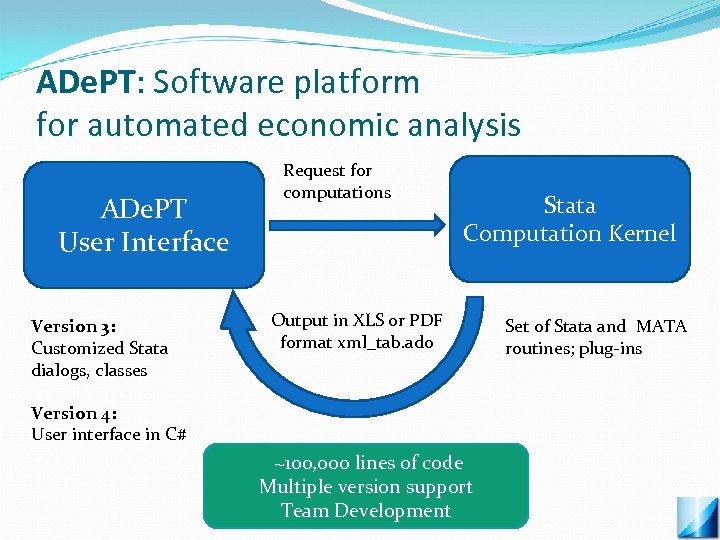 ADe. PT: Software platform for automated economic analysis ADe. PT User Interface Version 3: Customized Stata dialogs, classes Request for computations Stata Computation Kernel Output in XLS or PDF format xml_tab. ado Version 4: User interface in C# ~100, 000 lines of code Multiple version support Team Development Set of Stata and MATA routines; plug-ins
 ADe. PT Solutions: ADe. PT offers users a solution of a particular problem. Modules of ADe. PT: set of analytical results (tables, ADe. PT graphs) sufficient to give an answer to a particular question. Combination of software tools and the substantive contributions from the experts in a field. Garry Fields (Cornell) : Labor Martin Ravallion (WB): Poverty Adam Wagstaff (WB) : Health Two main directions of ADe. PT: Assessments of the current situation Projections and simulations
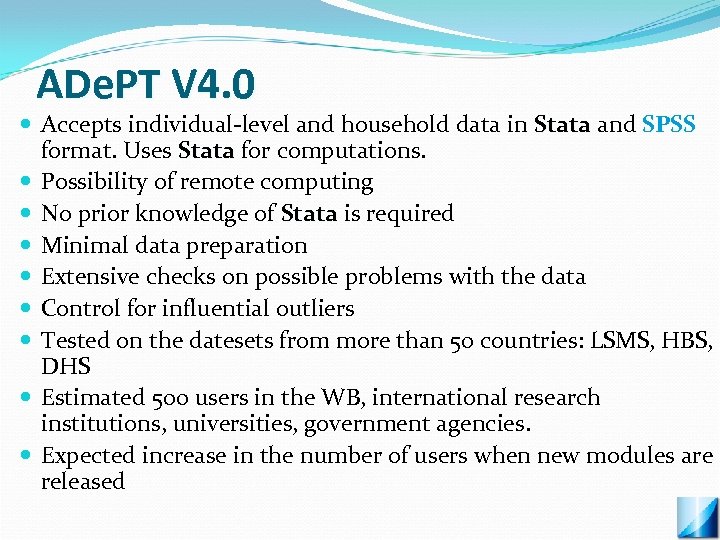 ADe. PT V 4. 0 Accepts individual-level and household data in Stata and SPSS format. Uses Stata for computations. Possibility of remote computing No prior knowledge of Stata is required Minimal data preparation Extensive checks on possible problems with the data Control for influential outliers Tested on the datesets from more than 50 countries: LSMS, HBS, DHS Estimated 500 users in the WB, international research institutions, universities, government agencies. Expected increase in the number of users when new modules are released
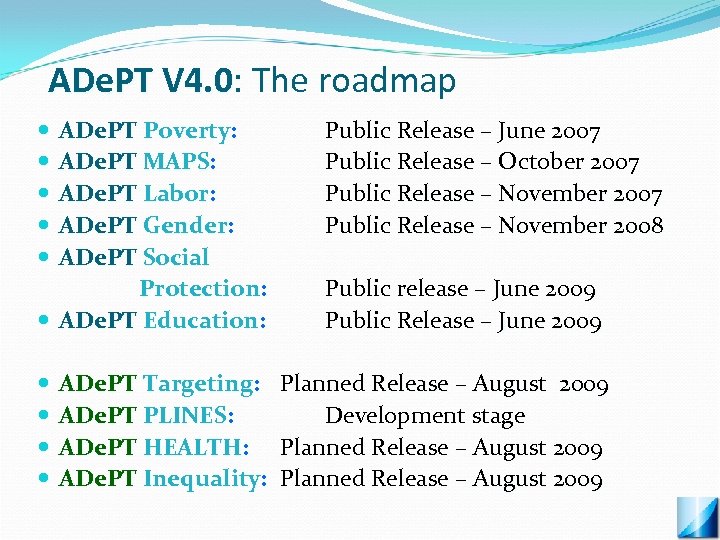 ADe. PT V 4. 0: The roadmap V 4. 0 ADe. PT Poverty: ADe. PT MAPS: ADe. PT Labor: ADe. PT Gender: ADe. PT Social Protection: ADe. PT Education: Public Release – June 2007 Public Release – October 2007 Public Release – November 2008 Public release – June 2009 Public Release – June 2009 ADe. PT Targeting: Planned Release – August 2009 ADe. PT PLINES: Development stage ADe. PT HEALTH: Planned Release – August 2009 ADe. PT Inequality: Planned Release – August 2009
 ADe. PT: Website www. worldbank. org/adept Download: installation and updates, documentation, examples.
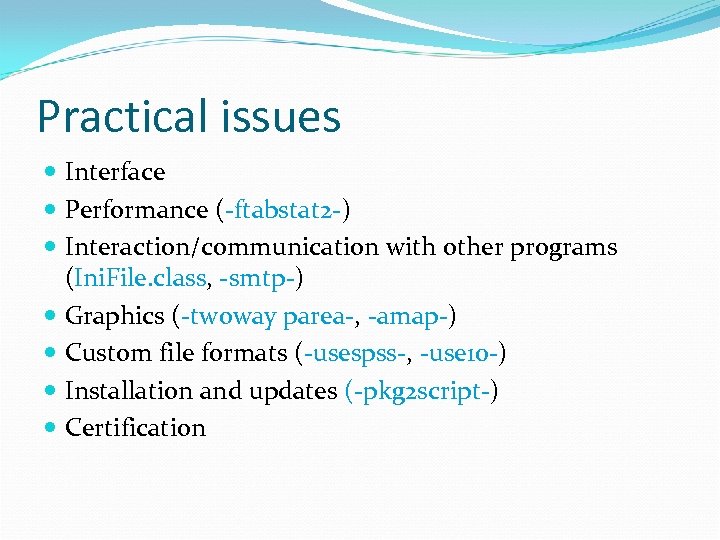 Practical issues Interface Performance (-ftabstat 2 -) Interaction/communication with other programs (Ini. File. class, -smtp-) Graphics (-twoway parea-, -amap-) Custom file formats (-usespss-, -use 10 -) Installation and updates (-pkg 2 script-) Certification
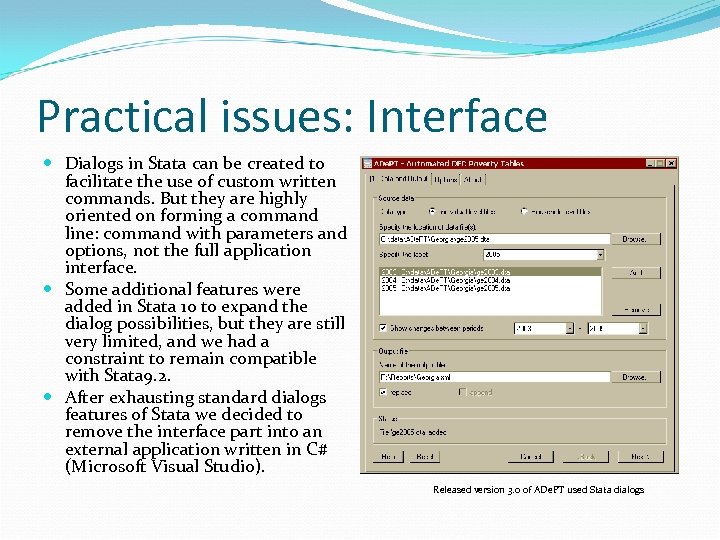 Practical issues: Interface Dialogs in Stata can be created to facilitate the use of custom written commands. But they are highly oriented on forming a command line: command with parameters and options, not the full application interface. Some additional features were added in Stata 10 to expand the dialog possibilities, but they are still very limited, and we had a constraint to remain compatible with Stata 9. 2. After exhausting standard dialogs features of Stata we decided to remove the interface part into an external application written in C# (Microsoft Visual Studio). Released version 3. 0 of ADe. PT used Stata dialogs
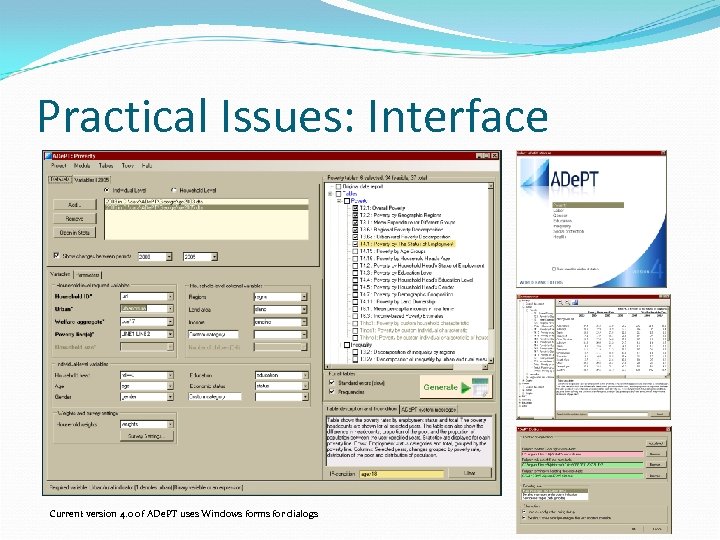 Practical Issues: Interface Current version 4. 0 of ADe. PT uses Windows forms for dialogs
 Practical Issues: Performance Stata’s built in routines seem to be very efficient, but the code implemented in *. ado files is often quite slow. In particular, -tabstat- has shown inadequate performance for our tasks despite of its simple nature. It was rewritten as a plugin -ftabstat 2 - in C++ (Microsoft Visual Studio) and modified to suit our particular needs: it now returns means, totals, counts, and various proportions matrices for each specified variable with support of by()-rows and by()-cols Trade-off: no MP because plugins are (currently? ) single-threaded.
 Practical Issues: Communication Interaction/communication with other programs: we needed to solve two problems: 1. To provide an easy to handle job-file, which would contain the description of all the parameters and options for a large project (not possible to fit everything in command line). Transition from txt to ini-files. Ini. Files. class 2. To provide communication between Stata and another program: while the computations are performed in Stata, the external interface part needs to be updated about the status of calculations. We solved this by writing a C++ plugin –smtp- (Send. Message. To. Pipe), which utilizes Windows pipes for IPC
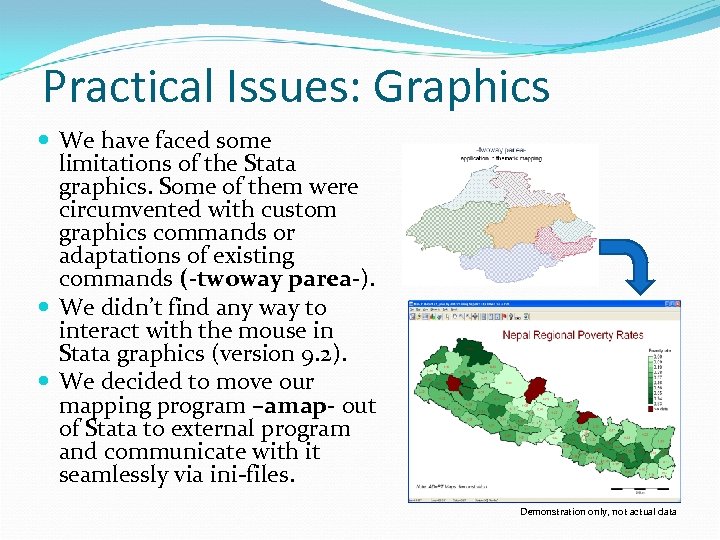 Practical Issues: Graphics We have faced some limitations of the Stata graphics. Some of them were circumvented with custom graphics commands or adaptations of existing commands (-twoway parea-). We didn’t find any way to interact with the mouse in Stata graphics (version 9. 2). We decided to move our mapping program –amap- out of Stata to external program and communicate with it seamlessly via ini-files. Demonstration only, not actual data
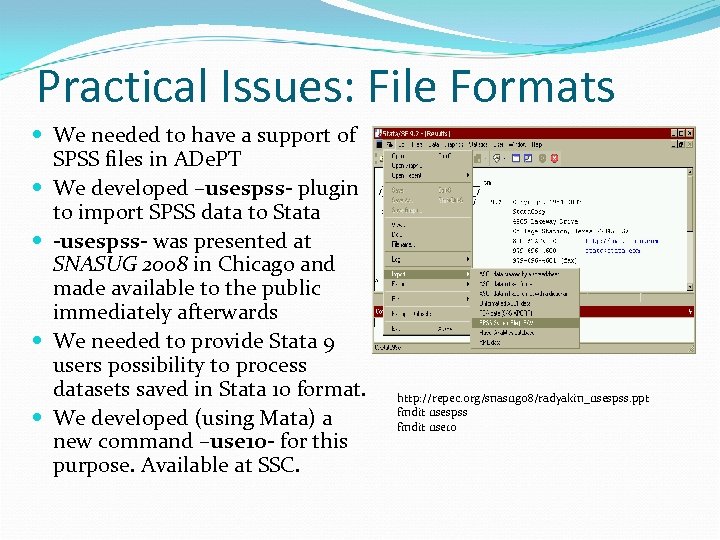 Practical Issues: File Formats We needed to have a support of SPSS files in ADe. PT We developed –usespss- plugin to import SPSS data to Stata -usespss- was presented at SNASUG 2008 in Chicago and made available to the public immediately afterwards We needed to provide Stata 9 users possibility to process datasets saved in Stata 10 format. We developed (using Mata) a new command –use 10 - for this purpose. Available at SSC. http: //repec. org/snasug 08/radyakin_usespss. ppt findit usespss findit use 10
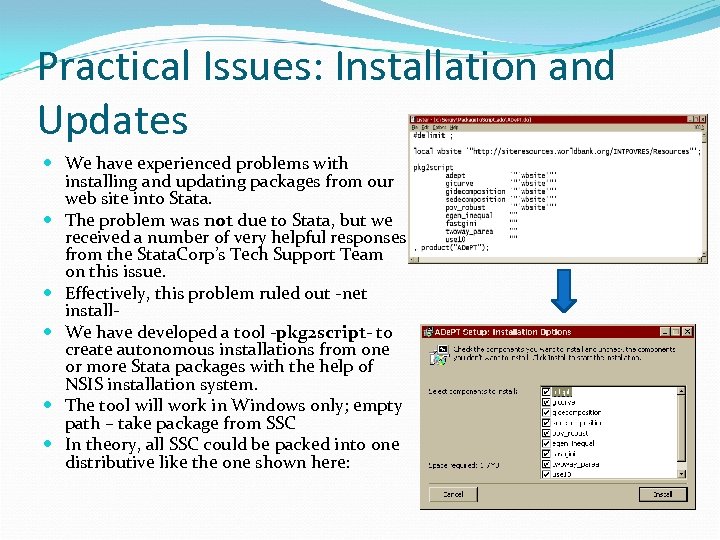 Practical Issues: Installation and Updates We have experienced problems with installing and updating packages from our web site into Stata. The problem was not due to Stata, but we received a number of very helpful responses from the Stata. Corp’s Tech Support Team on this issue. Effectively, this problem ruled out -net install We have developed a tool -pkg 2 script- to create autonomous installations from one or more Stata packages with the help of NSIS installation system. The tool will work in Windows only; empty path – take package from SSC In theory, all SSC could be packed into one distributive like the one shown here:
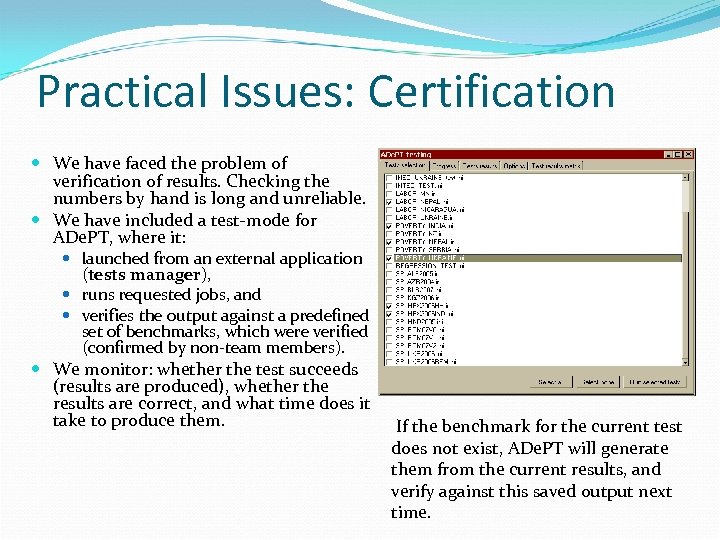 Practical Issues: Certification We have faced the problem of verification of results. Checking the numbers by hand is long and unreliable. We have included a test-mode for ADe. PT, where it: launched from an external application (tests manager), runs requested jobs, and verifies the output against a predefined set of benchmarks, which were verified (confirmed by non-team members). We monitor: whether the test succeeds (results are produced), whether the results are correct, and what time does it take to produce them. If the benchmark for the current test does not exist, ADe. PT will generate them from the current results, and verify against this saved output next time.
 Practical Issues: Wishes for Stata 12 Access to registry (at least read-only) to detect presence of other programs, their versions, and location. (Currently solved with a plugin). IPC – pipes (currently solved with a plugin). Preserve/restore to RAM (currently solved with a RAMDrive). Extend plugins possibilities: allow execute commands like Mata can do it: stata(“command”). Support of Cyrillics/Local fonts Unicode? ?