


 Скачать презентацию Developing Requirements Lecturer Dr Mai Fadel Domain
50fad72cd88a77c69cb5d1dfd1fda170.ppt
- Количество слайдов: 40
 Developing Requirements Lecturer Dr. Mai Fadel
 Domain Analysis • Domain analysis is the process by which a software engineer learns the background information • S/w engineers must learn sufficient information so as to be able to understand the problem and make good decisions • Domain means the general field of business or technology in which the customers expect to be using the software (airline reservations, medical diagnoses, manufacturing of paint, scheduling meetings, etc. ) • To perform domain analysis, you gather information from whatever sources of information are available: domain experts, any books about the domain; any existing software and its documentation; and any other documents you can find • Techniques that can be used: interviewing, brainstorming, use case analysis techniques, and object-oriented modeling. • The benefits: faster development, better system, and anticipation of extension • Domain analysis summary: introduction, glossary, general knowledge about the domain, customers and users, the environment, tasks and procedures currently performed, competing software, similarities across domains and organizations • Example 4. 2 pp. 112 -113
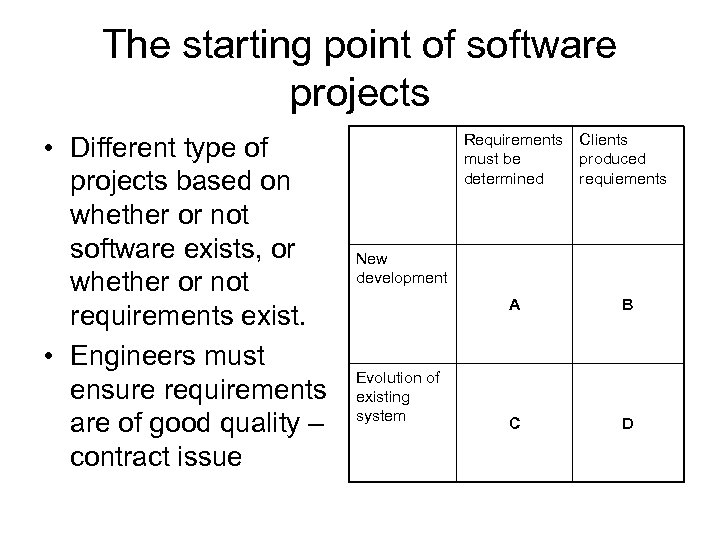 The starting point of software projects • Different type of projects based on whether or not software exists, or whether or not requirements exist. • Engineers must ensure requirements are of good quality – contract issue Requirements must be determined Clients produced requiements A B C D New development Evolution of existing system
 Defining the Problem and the Scope • Start with an initial definition of the problem: difficulty or opportunity • Write a problem statement- short and succinct • E. g. a new student registration system “The system will allow students to register for courses, and changes their registration, as simply and rapidly as possible. It will help students achieve their personal goals of obtaining their degree in the shortest reasonable time while taking courses that they find most interesting and fulfilling” • Narrow the scope by defining a more precise problem. Broad scope => complex system • Wrong e. g. “the system will automate all the functions of the registrar’s office” • To set the scope list all possible sub-problems to exclude some of them, think of the goals of the users and the customers • Determining the scope will prevents working on unnecessary requirements
 What is a requirement? • A requirement is a statement describing either 1) an aspect of what the proposed system must do, or 2) a constraint on the system’s development. In either case, it must contribute in some way towards adequately solving the customer’s problem; the set of requirements as a whole represents a negotiated agreement among all stakeholders • Types of requirements – Functional, quality requirement, platform requirement, process requirement,
 Functional requirements • Describe what the system should do; the services provided for the users and for other systems • Should include – Everything a user of the system need to know regarding what the system does – Everything that would concern any other system that has to interface to this system • Its categories: – – – What inputs the system should accept What outputs the system should produce What data the system should store What computation the system should perform The timing and synchronization of the above • An individual requirement often covers more than one of the above categories
 Quality Requirements • Ensure the system possesses quality attributes such as: usability, maintainability, efficiency, reliability, and reusability • Constrain the design to meet specified levels of quality • Make quality requirements verifiable – by using measures • Categories: response time, throughput, resource usage, reliability, availability, recovery from failure, allowances for maintainability and enhancement, and allowances for reusability
 Platform and Process Requirements • Platform requirement constraints the environment and technology of the system: – Computing platform – Technology to be used • Process requirements constrains the project plan and development methods: – Development process (methodology) to be used – Cost and delivery date • Sometimes the boundaries between the different types of requirements are unclear. e. g. autosave: a functional or quality requirement.
 Example 4. 7 • Classify the following aspects of an airline reservation system into F for functional, Q for quality, PL for platform, PR for process and X for ‘should not be a requirement’. – How information about flights, passengers, and bookings are entered. – What information appears on tickets and reports – How fares are calculated – What information must be stored in the database that travel agents and others access – The system should be designed such that it can be extended to handle a frequent-flier plan – The system must be available at all times – The system must run on any Linux system – A merge-sort algorithm must be used to sort the flights by departure time
 Use cases: Describing How the User Will Use the System • Use case analysis is a systematic approach to working out what users should be able to do with the software you are developing. • One of the key activities in requirements analysis
 Use cases – step 1 • determine the actors, which represent the types of users or other systems that will use the facilities of this system – An actor is a role that a user or some other system plays when interacting with your system – Most of the actors will be users; a given actor may be considered as several different actors if they play different roles from time to time • e. g. : you are developing a system for managing the processes of a small town public library. Actors: Librarian, Checkout Clerk, Borrower
 Use cases – step 2 • Step 2: determine the tasks that each actor will need to do with the system • Each task is called a use case because it represents one particular way the system will be used • A use case is a typical sequence of actions that an actor performs in order to complete a given task – List only use cases that actors will need to do when they are using the system to solve the costumer’s problem – Or list use cases to define the scope
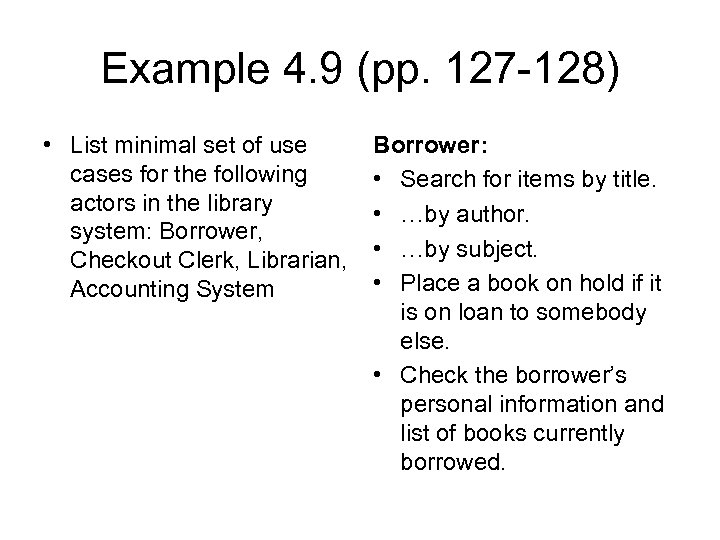 Example 4. 9 (pp. 127 -128) • List minimal set of use cases for the following actors in the library system: Borrower, Checkout Clerk, Librarian, Accounting System Borrower: • Search for items by title. • …by author. • …by subject. • Place a book on hold if it is on loan to somebody else. • Check the borrower’s personal information and list of books currently borrowed.
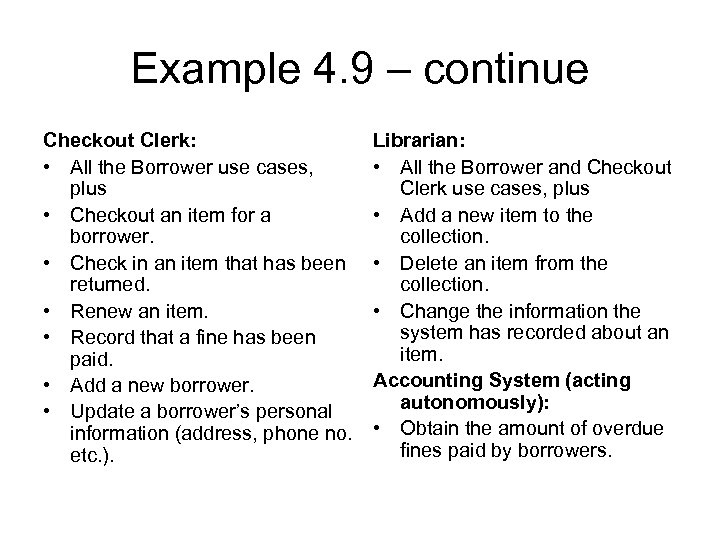 Example 4. 9 – continue Checkout Clerk: • All the Borrower use cases, plus • Checkout an item for a borrower. • Check in an item that has been returned. • Renew an item. • Record that a fine has been paid. • Add a new borrower. • Update a borrower’s personal information (address, phone no. etc. ). Librarian: • All the Borrower and Checkout Clerk use cases, plus • Add a new item to the collection. • Delete an item from the collection. • Change the information the system has recorded about an item. Accounting System (acting autonomously): • Obtain the amount of overdue fines paid by borrowers.
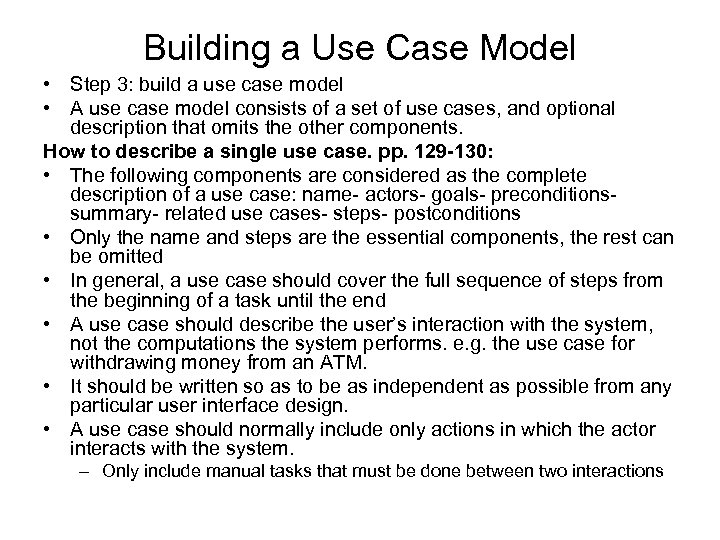 Building a Use Case Model • Step 3: build a use case model • A use case model consists of a set of use cases, and optional description that omits the other components. How to describe a single use case. pp. 129 -130: • The following components are considered as the complete description of a use case: name- actors- goals- preconditionssummary- related use cases- steps- postconditions • Only the name and steps are the essential components, the rest can be omitted • In general, a use case should cover the full sequence of steps from the beginning of a task until the end • A use case should describe the user’s interaction with the system, not the computations the system performs. e. g. the use case for withdrawing money from an ATM. • It should be written so as to be as independent as possible from any particular user interface design. • A use case should normally include only actions in which the actor interacts with the system. – Only include manual tasks that must be done between two interactions
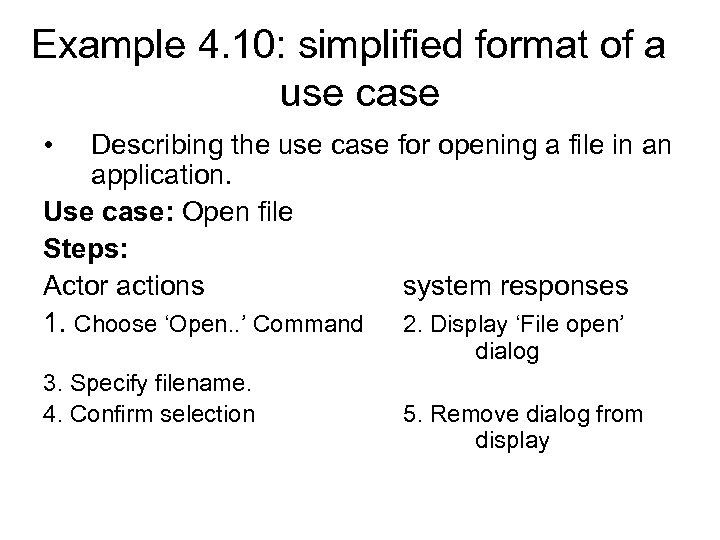 Example 4. 10: simplified format of a use case • Describing the use case for opening a file in an application. Use case: Open file Steps: Actor actions system responses 1. Choose ‘Open. . ’ Command 2. Display ‘File open’ dialog 3. Specify filename. 4. Confirm selection 5. Remove dialog from display
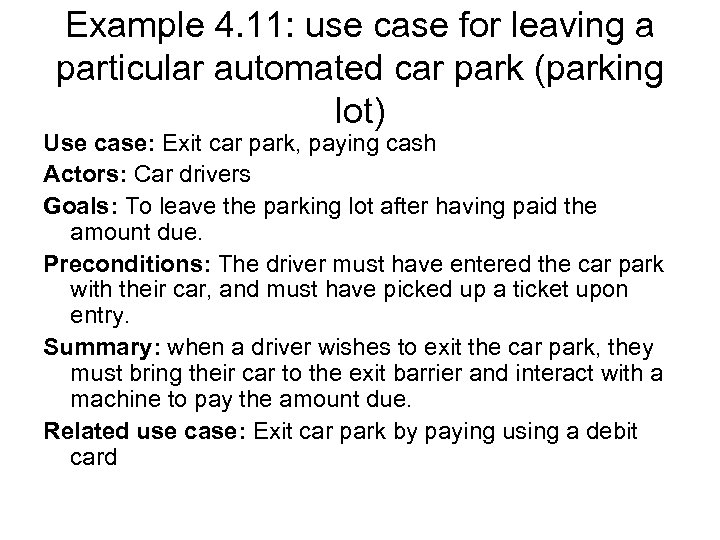 Example 4. 11: use case for leaving a particular automated car park (parking lot) Use case: Exit car park, paying cash Actors: Car drivers Goals: To leave the parking lot after having paid the amount due. Preconditions: The driver must have entered the car park with their car, and must have picked up a ticket upon entry. Summary: when a driver wishes to exit the car park, they must bring their car to the exit barrier and interact with a machine to pay the amount due. Related use case: Exit car park by paying using a debit card
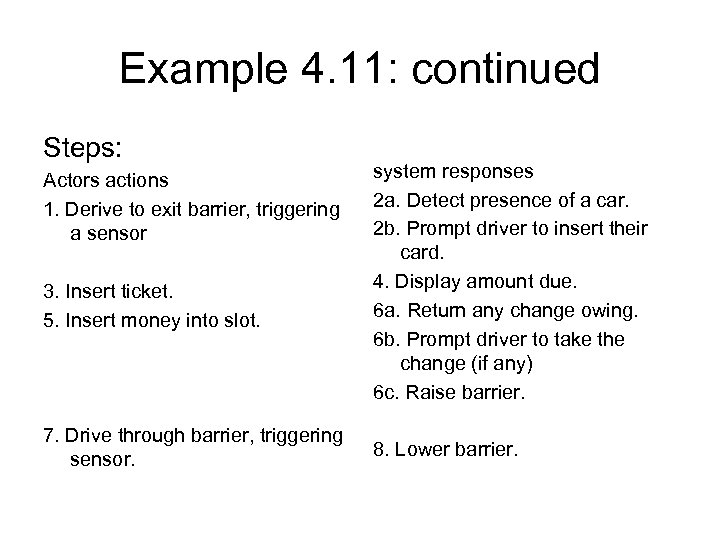 Example 4. 11: continued Steps: Actors actions 1. Derive to exit barrier, triggering a sensor 3. Insert ticket. 5. Insert money into slot. 7. Drive through barrier, triggering sensor. system responses 2 a. Detect presence of a car. 2 b. Prompt driver to insert their card. 4. Display amount due. 6 a. Return any change owing. 6 b. Prompt driver to take the change (if any) 6 c. Raise barrier. 8. Lower barrier.
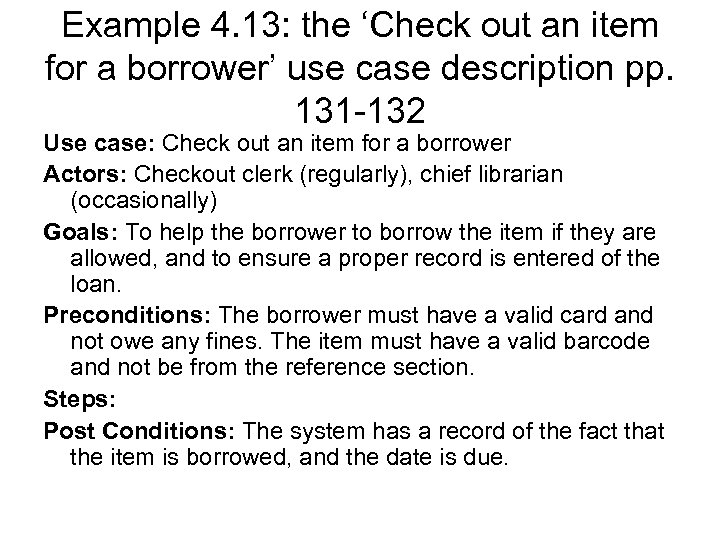 Example 4. 13: the ‘Check out an item for a borrower’ use case description pp. 131 -132 Use case: Check out an item for a borrower Actors: Checkout clerk (regularly), chief librarian (occasionally) Goals: To help the borrower to borrow the item if they are allowed, and to ensure a proper record is entered of the loan. Preconditions: The borrower must have a valid card and not owe any fines. The item must have a valid barcode and not be from the reference section. Steps: Post Conditions: The system has a record of the fact that the item is borrowed, and the date is due.
 Use Case Diagrams • Use case diagrams are UML’s notation for showing the relationships among a set of use cases and actors. • Represents a high-level picture of the functionality of the system. • It is not necessary to create a use case for every system or subsystem. • Symbols – Actor=> a stick person, use case => an ellipse – It is not necessary to write the word ‘Actor’ in the actor’s name (avoid confusion) • e. g. Figure 4. 3
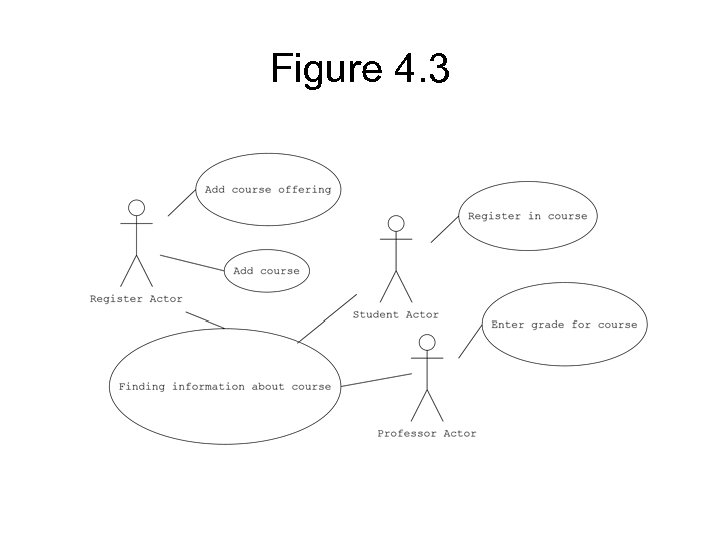 Figure 4. 3
 Use case diagrams – extension, generalization, and inclusion of use cases • Use case modeller may use relationships between use cases to define distinct but related use cases. • e. g. when an actor interacts with a system to achieve a particular goal, they may – Select different option (variant pattern of interaction) – Perform some action repetitively (repetitive pattern) – Answer too slowly causing a time-out error (special system reaction) • Relationships among use cases: extension, generalization, and inclusion
 Extension • Extensions are used to make optional interactions explicit or to handle exceptional cases. • By creating separate extension use cases, the description of the basic use case remains simple. • In the extension, you should indicate which step is the extension point – the point at which the extension changes the basic sequence. • e. g. – Describe what happens if the user provides a wrong file name – Describe the extra interaction that occurs if the actor decides to browse in order to locate the required file instead of simply typing the file name
 Generalization • Generalizations work the same way in a class diagram and use the same triangle symbol: several use cases can be shown along with a common generalized use case. • e. g. the ‘open file’ use case has two sub cases – ‘Open file by typing name’, and – ‘Open file by browsing’.
 Inclusions • Inclusions allow you to express a part of a use case so that you can capture commonality between several different use cases. • Even very different use cases can share a sequence of actions. • Rather than repeating the details of such common interactions in multiple use cases, you can create a special use case that will be included in other use cases. • Such use case represents the performing of a lower-level task with a lower-level goal. • e. g. many different use cases might require an actor – To specify a password, to browse through a list, or to open a file. • In practice, it might be difficult to decide whether to use specialization or extension. It is not a problem.
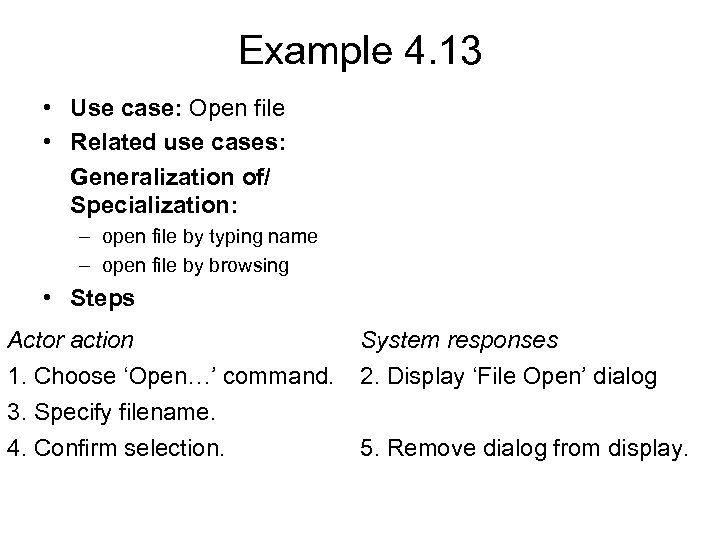 Example 4. 13 • Use case: Open file • Related use cases: Generalization of/ Specialization: – open file by typing name – open file by browsing • Steps Actor action 1. Choose ‘Open…’ command. 3. Specify filename. 4. Confirm selection. System responses 2. Display ‘File Open’ dialog 5. Remove dialog from display.
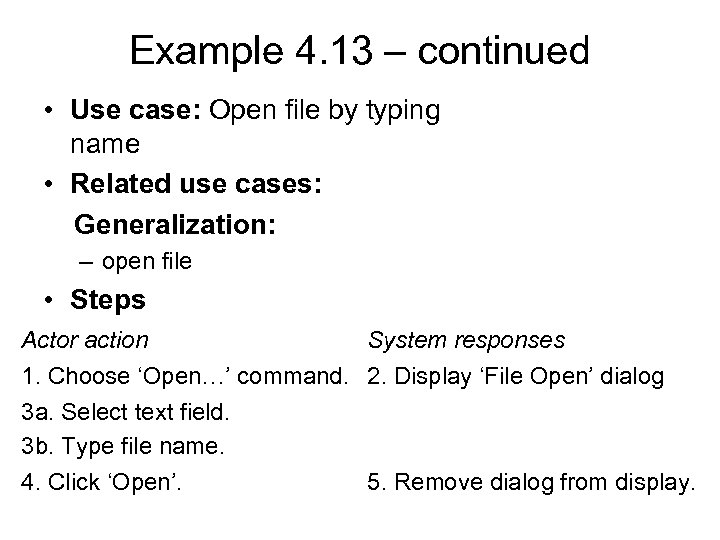 Example 4. 13 – continued • Use case: Open file by typing name • Related use cases: Generalization: – open file • Steps Actor action System responses 1. Choose ‘Open…’ command. 2. Display ‘File Open’ dialog 3 a. Select text field. 3 b. Type file name. 4. Click ‘Open’. 5. Remove dialog from display.
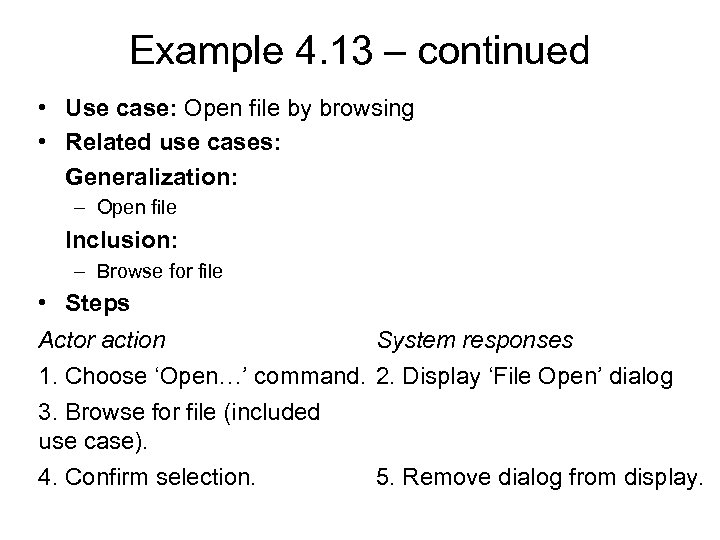 Example 4. 13 – continued • Use case: Open file by browsing • Related use cases: Generalization: – Open file Inclusion: – Browse for file • Steps Actor action System responses 1. Choose ‘Open…’ command. 2. Display ‘File Open’ dialog 3. Browse for file (included use case). 4. Confirm selection. 5. Remove dialog from display.
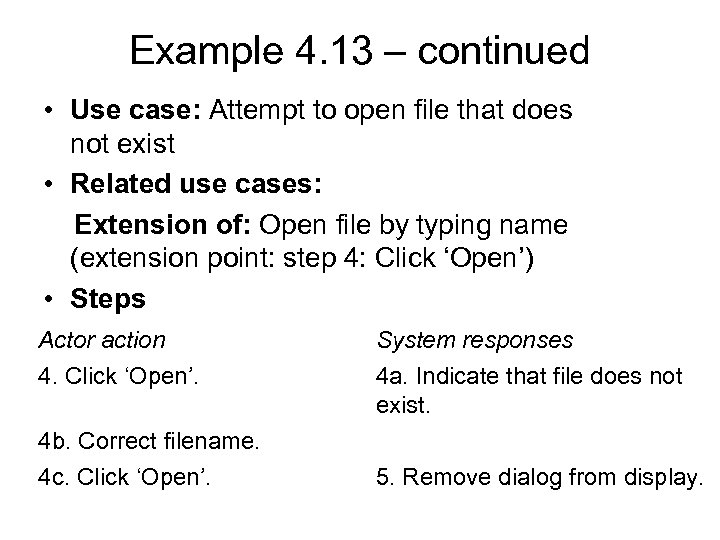 Example 4. 13 – continued • Use case: Attempt to open file that does not exist • Related use cases: Extension of: Open file by typing name (extension point: step 4: Click ‘Open’) • Steps Actor action 4. Click ‘Open’. 4 b. Correct filename. 4 c. Click ‘Open’. System responses 4 a. Indicate that file does not exist. 5. Remove dialog from display.
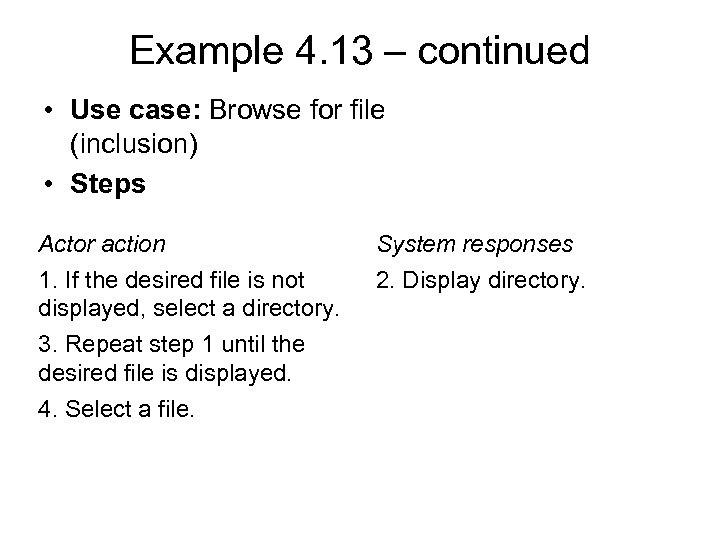 Example 4. 13 – continued • Use case: Browse for file (inclusion) • Steps Actor action 1. If the desired file is not displayed, select a directory. 3. Repeat step 1 until the desired file is displayed. 4. Select a file. System responses 2. Display directory.
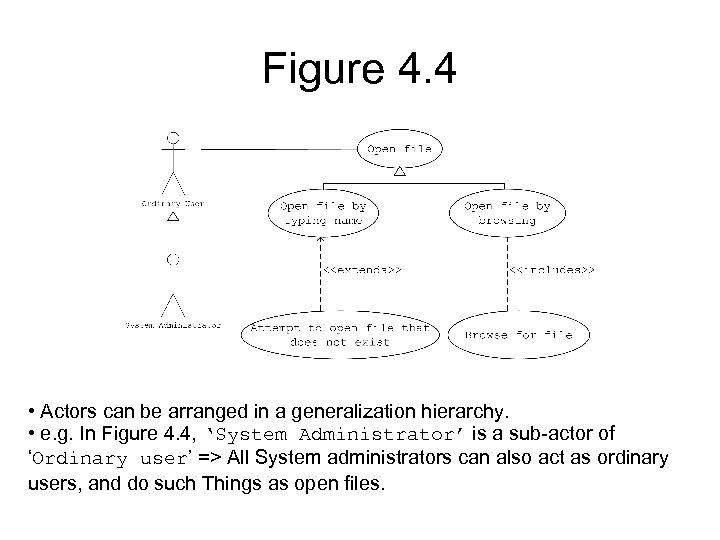 Figure 4. 4 • Actors can be arranged in a generalization hierarchy. • e. g. In Figure 4. 4, ‘System Administrator’ is a sub-actor of ‘Ordinary user’ => All System administrators can also act as ordinary users, and do such Things as open files.
 The modelling processes: choosing use cases on which to focus • You should identify all use cases associated with the software product, but you have to put varying emphasis on them when actually developing the system. • Often one use case (or a very small number) can be identified as central to the system. • e. g. in an airline reservation system, the central use case will be ‘Reverse a seat on a flight’. • Once identified, the system can be built around this particular use case. • Other reasons for focusing on particular use cases (p. 136): – High risk use cases. (GPS- voice output) – Use cases of high political or commercial value. (stocks)
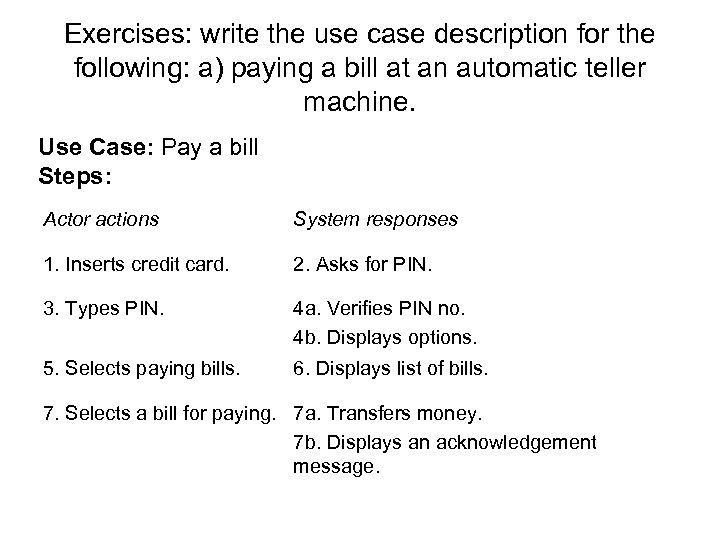 Exercises: write the use case description for the following: a) paying a bill at an automatic teller machine. Use Case: Pay a bill Steps: Actor actions System responses 1. Inserts credit card. 2. Asks for PIN. 3. Types PIN. 4 a. Verifies PIN no. 4 b. Displays options. 5. Selects paying bills. 6. Displays list of bills. 7. Selects a bill for paying. 7 a. Transfers money. 7 b. Displays an acknowledgement message.
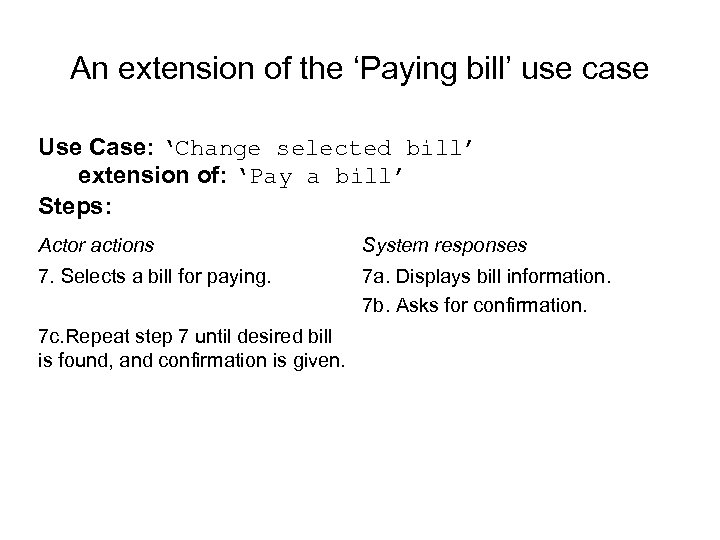 An extension of the ‘Paying bill’ use case Use Case: ‘Change selected bill’ extension of: ‘Pay a bill’ Steps: Actor actions System responses 7. Selects a bill for paying. 7 a. Displays bill information. 7 b. Asks for confirmation. 7 c. Repeat step 7 until desired bill is found, and confirmation is given.
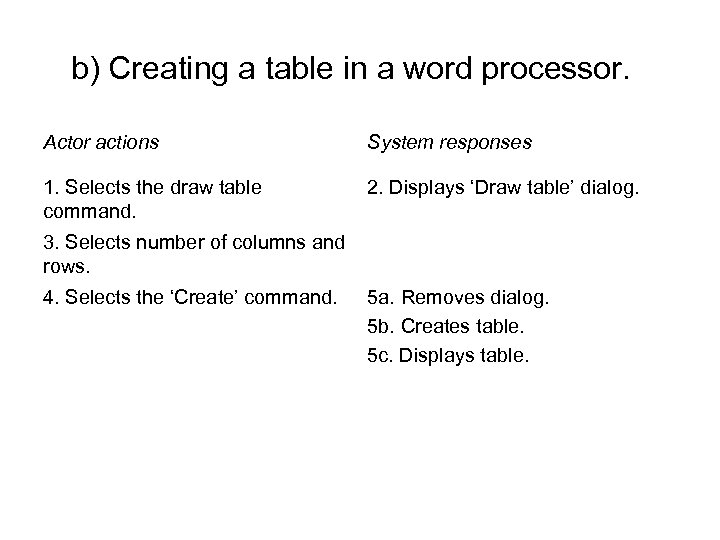 b) Creating a table in a word processor. Actor actions System responses 1. Selects the draw table command. 2. Displays ‘Draw table’ dialog. 3. Selects number of columns and rows. 4. Selects the ‘Create’ command. 5 a. Removes dialog. 5 b. Creates table. 5 c. Displays table.
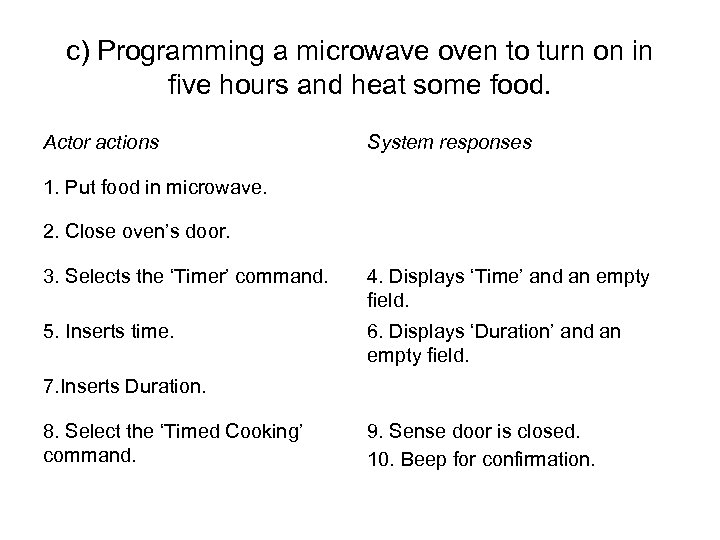 c) Programming a microwave oven to turn on in five hours and heat some food. Actor actions System responses 1. Put food in microwave. 2. Close oven’s door. 3. Selects the ‘Timer’ command. 4. Displays ‘Time’ and an empty field. 5. Inserts time. 6. Displays ‘Duration’ and an empty field. 7. Inserts Duration. 8. Select the ‘Timed Cooking’ command. 9. Sense door is closed. 10. Beep for confirmation.
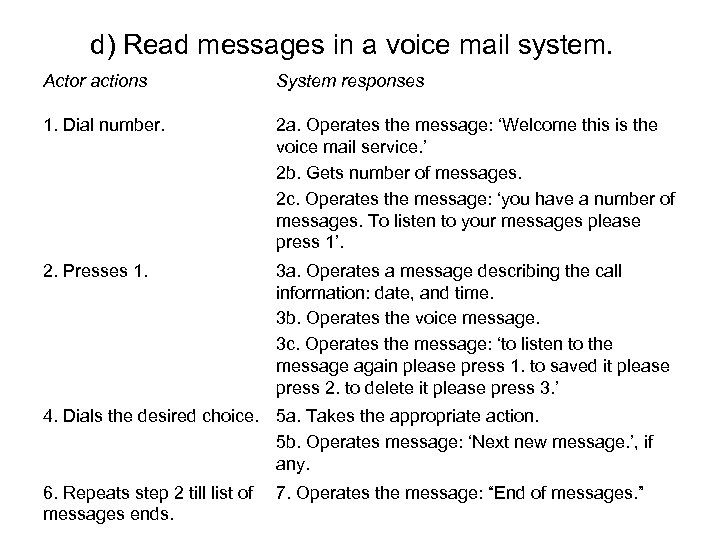 d) Read messages in a voice mail system. Actor actions System responses 1. Dial number. 2 a. Operates the message: ‘Welcome this is the voice mail service. ’ 2 b. Gets number of messages. 2 c. Operates the message: ‘you have a number of messages. To listen to your messages please press 1’. 2. Presses 1. 3 a. Operates a message describing the call information: date, and time. 3 b. Operates the voice message. 3 c. Operates the message: ‘to listen to the message again please press 1. to saved it please press 2. to delete it please press 3. ’ 4. Dials the desired choice. 5 a. Takes the appropriate action. 5 b. Operates message: ‘Next new message. ’, if any. 6. Repeats step 2 till list of messages ends. 7. Operates the message: “End of messages. ”
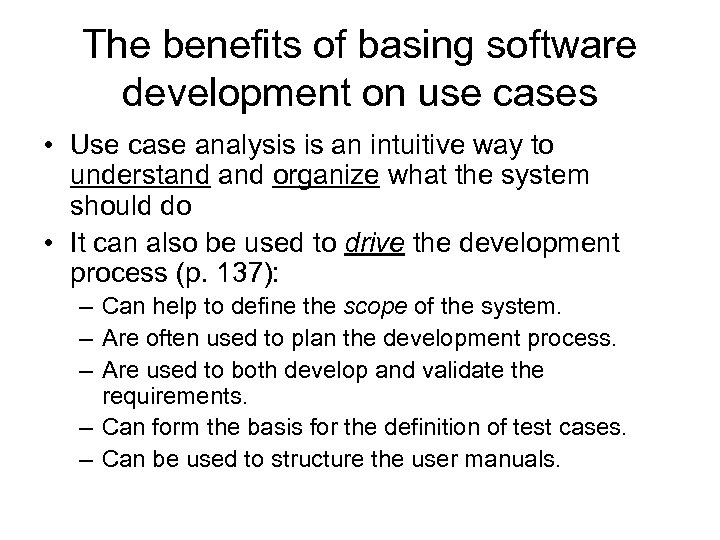 The benefits of basing software development on use cases • Use case analysis is an intuitive way to understand organize what the system should do • It can also be used to drive the development process (p. 137): – Can help to define the scope of the system. – Are often used to plan the development process. – Are used to both develop and validate the requirements. – Can form the basis for the definition of test cases. – Can be used to structure the user manuals.
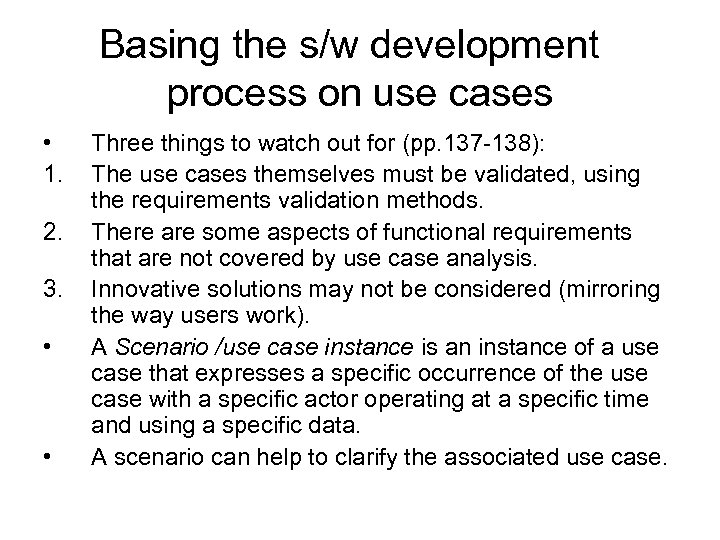 Basing the s/w development process on use cases • 1. 2. 3. • • Three things to watch out for (pp. 137 -138): The use cases themselves must be validated, using the requirements validation methods. There are some aspects of functional requirements that are not covered by use case analysis. Innovative solutions may not be considered (mirroring the way users work). A Scenario /use case instance is an instance of a use case that expresses a specific occurrence of the use case with a specific actor operating at a specific time and using a specific data. A scenario can help to clarify the associated use case.
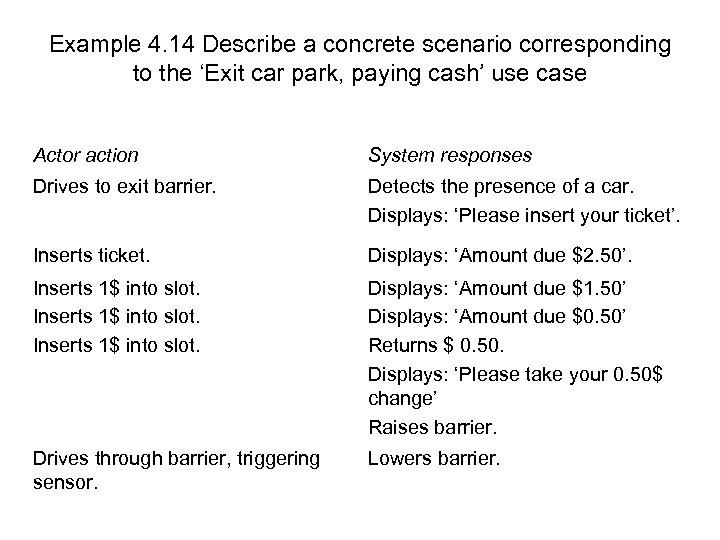 Example 4. 14 Describe a concrete scenario corresponding to the ‘Exit car park, paying cash’ use case Actor action System responses Drives to exit barrier. Detects the presence of a car. Displays: ‘Please insert your ticket’. Inserts ticket. Displays: ‘Amount due $2. 50’. Inserts 1$ into slot. Displays: ‘Amount due $1. 50’ Displays: ‘Amount due $0. 50’ Returns $ 0. 50. Displays: ‘Please take your 0. 50$ change’ Raises barrier. Drives through barrier, triggering sensor. Lowers barrier.