


 Скачать презентацию Developing Grid Portals Using Portlets Marlon Pierce Community
ba2d0c6242196f6b2c07041448675ef6.ppt
- Количество слайдов: 80
 Developing Grid Portals Using Portlets Marlon Pierce Community Grids Lab Indiana University
 Overview of Material n General remarks on portals and portlets. • General remarks to provide context for the remainder of the session. n OGCE Portal capabilities. • Summary of things we do in OGCE. n n JSR 168 Review Developing OGCE portlets • How to develop OGCE compatible portlets. • With launching points for Dennis and Gregor. n n n Useful third party testing tool: Http. Unit. A brief JSR 168 tutorial. At the risk of a low tutorial rating, I will cover higher level issues. Slides on nuts and bolts details are provided for homework.
 Towards A Common Grid Client Hosting Environment Grid portal background and emerging common frameworks
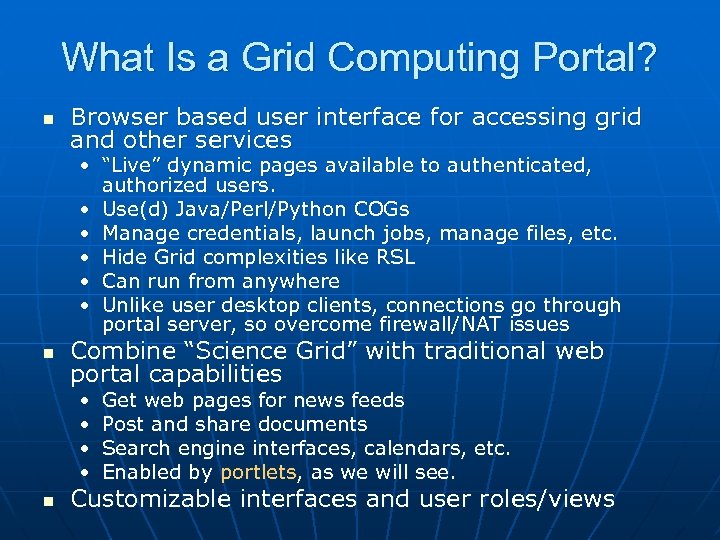 What Is a Grid Computing Portal? n Browser based user interface for accessing grid and other services • “Live” dynamic pages available to authenticated, authorized users. • Use(d) Java/Perl/Python COGs • Manage credentials, launch jobs, manage files, etc. • Hide Grid complexities like RSL • Can run from anywhere • Unlike user desktop clients, connections go through portal server, so overcome firewall/NAT issues n Combine “Science Grid” with traditional web portal capabilities • • n Get web pages for news feeds Post and share documents Search engine interfaces, calendars, etc. Enabled by portlets, as we will see. Customizable interfaces and user roles/views
 What a Grid Portal Is/Is Not n It is • • A A tool for aggregating and managing web content user customizable view of these Web content pieces. n n You see what you want/can see. But you must log in. • Implemented on top of standard services n n Like login, authorization, customization. May include collaboration, etc, that depend on login. • A way to accomplish Grid tasks through browsers: n n n Launch, monitor jobs Move files Run science applications based on these services. • Compatible with emerging standards and best practices (such as portlets, JSR 168 and WSRP). n It is not (just) • A web page • A collection of links • An applet
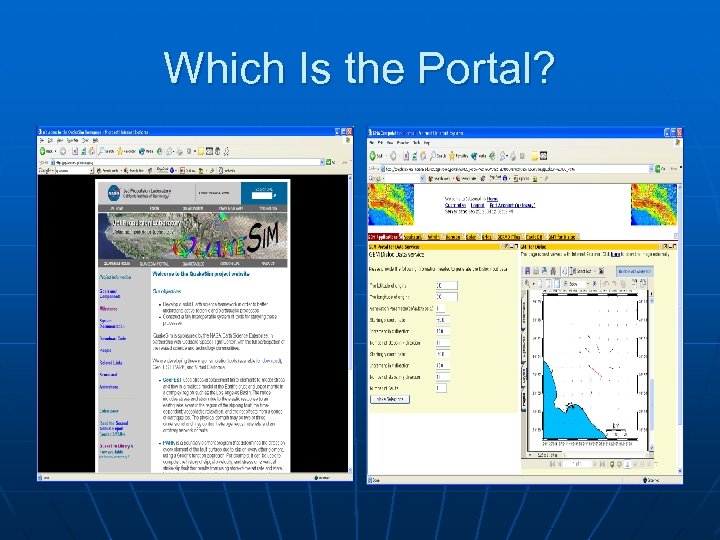 Which Is the Portal?
 Which Is the Computing Portal? n In fairness, the screenshots are not large enough to see, but you have to log in to the on the right. • Point is that they are superficially similar to browser users, but have many differences under the hood. n The screen shot on the left is of the NASA JPL Quake. Sim project page. • http: //quakesim. jpl. nasa. gov/ n The screen shot on the right is the NASA JPL Quake. Sim portal. • http: //www. complexity. ucs. indiana. edu: 8282 • Go here to run Quake. Sim earthquake simulation codes, access earthquake databases, etc.
 Let 10, 000 Flowers Bloom n Many portal projects have been launched since late ’ 90 s. • Hot. Page from SDSC, NCSA efforts, DOD, DOE Portals, NASA IPG • 2002 Special Issue of Concurrency and Computation: Practice and Experience. n Continue to be important component of many large projects • NEESGrid, DOE Sci. DAC projects, NASA, NSF, many international efforts n Global Grid Forum’s Grid Computing Environments (GCE) Research Group • Community forum
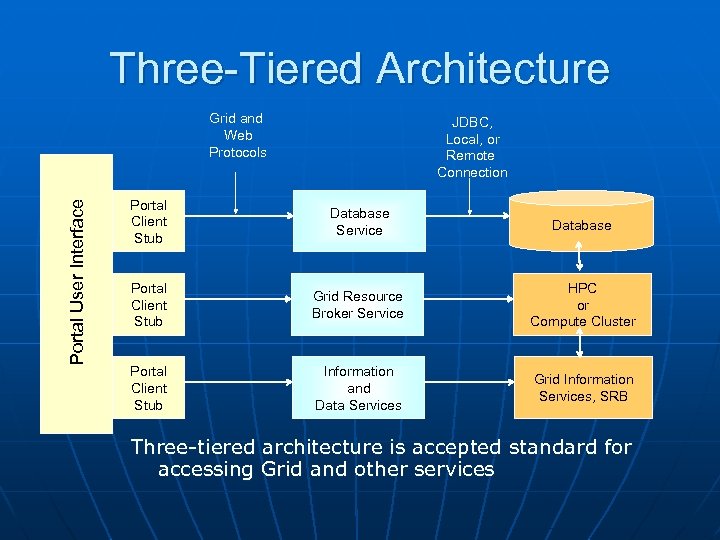 Three-Tiered Architecture Portal User Interface Grid and Web Protocols JDBC, Local, or Remote Connection Portal Client Stub Database Service Database Portal Client Stub Grid Resource Broker Service HPC or Compute Cluster Portal Client Stub Information and Data Services Grid Information Services, SRB Three-tiered architecture is accepted standard for accessing Grid and other services
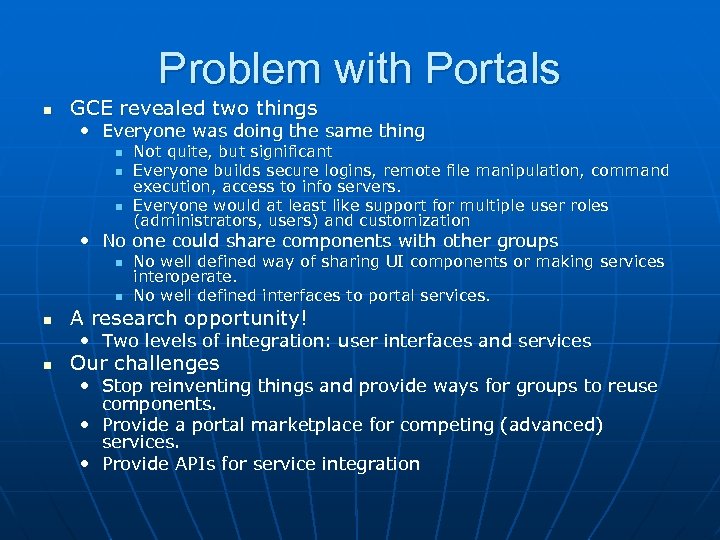 Problem with Portals n GCE revealed two things • Everyone was doing the same thing n n n Not quite, but significant Everyone builds secure logins, remote file manipulation, command execution, access to info servers. Everyone would at least like support for multiple user roles (administrators, users) and customization • No one could share components with other groups n n n No well defined way of sharing UI components or making services interoperate. No well defined interfaces to portal services. A research opportunity! • Two levels of integration: user interfaces and services n Our challenges • Stop reinventing things and provide ways for groups to reuse components. • Provide a portal marketplace for competing (advanced) services. • Provide APIs for service integration
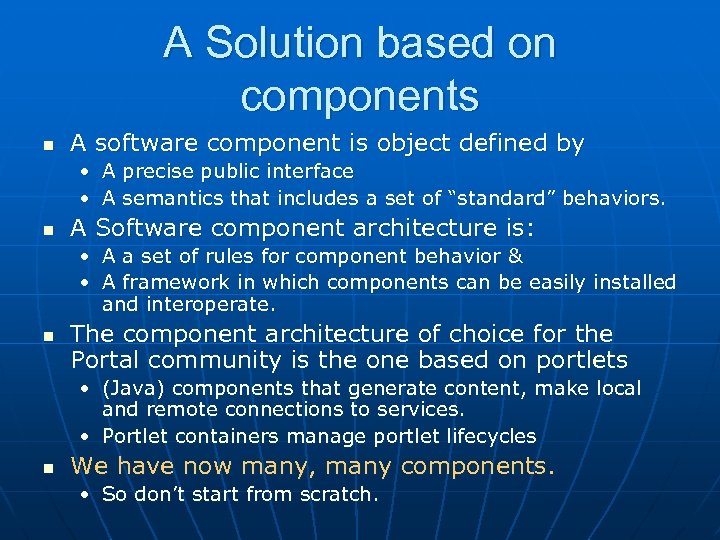 A Solution based on components n A software component is object defined by • A precise public interface • A semantics that includes a set of “standard” behaviors. n A Software component architecture is: • A a set of rules for component behavior & • A framework in which components can be easily installed and interoperate. n The component architecture of choice for the Portal community is the one based on portlets • (Java) components that generate content, make local and remote connections to services. • Portlet containers manage portlet lifecycles n We have now many, many components. • So don’t start from scratch.
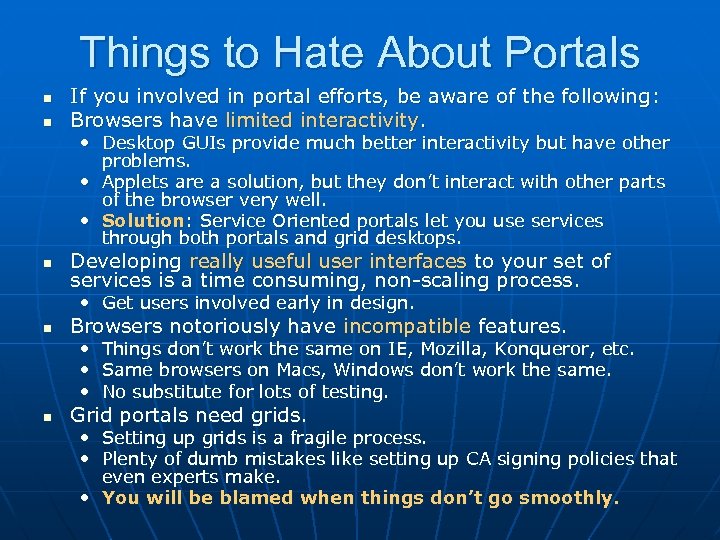 Things to Hate About Portals n n If you involved in portal efforts, be aware of the following: Browsers have limited interactivity. • Desktop GUIs provide much better interactivity but have other problems. • Applets are a solution, but they don’t interact with other parts of the browser very well. • Solution: Service Oriented portals let you use services through both portals and grid desktops. n Developing really useful user interfaces to your set of services is a time consuming, non-scaling process. • Get users involved early in design. n Browsers notoriously have incompatible features. • Things don’t work the same on IE, Mozilla, Konqueror, etc. • Same browsers on Macs, Windows don’t work the same. • No substitute for lots of testing. n Grid portals need grids. • Setting up grids is a fragile process. • Plenty of dumb mistakes like setting up CA signing policies that even experts make. • You will be blamed when things don’t go smoothly.
 OGCE: Open Grid Computing Environments Marlon Pierce Indiana University
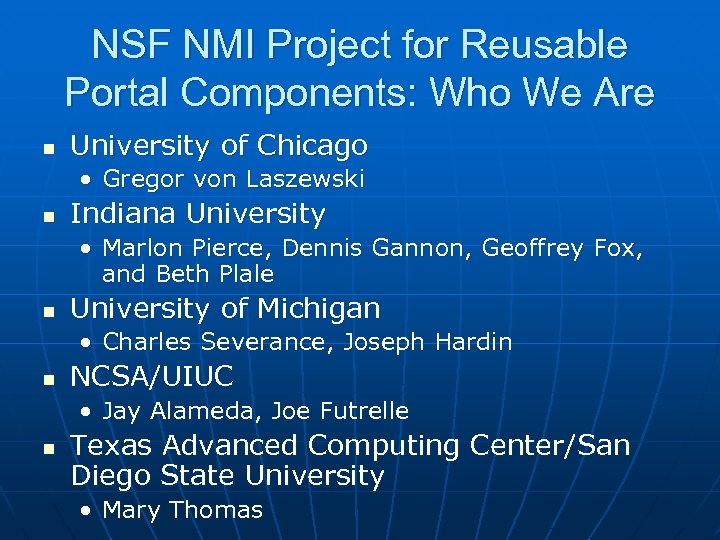 NSF NMI Project for Reusable Portal Components: Who We Are n University of Chicago • Gregor von Laszewski n Indiana University • Marlon Pierce, Dennis Gannon, Geoffrey Fox, and Beth Plale n University of Michigan • Charles Severance, Joseph Hardin n NCSA/UIUC • Jay Alameda, Joe Futrelle n Texas Advanced Computing Center/San Diego State University • Mary Thomas
 What Is OGCE’s Release 1 n n n The OGCE Portal release is based on CHEF/Jetspeed 1. 4 Available for download and installation from http: //www. collab-ogce. org. It comes with many pre-configured capabilities if you want a grid portal “out of the box”. • Except for the mysql jar. • You must still set up Grid services (My. Proxy servers, Globus, etc). • Globus version compatibility through the Java Co. G. n Apache Ant-based installation procedure: • Edit one properties file, run ant, and away you go.
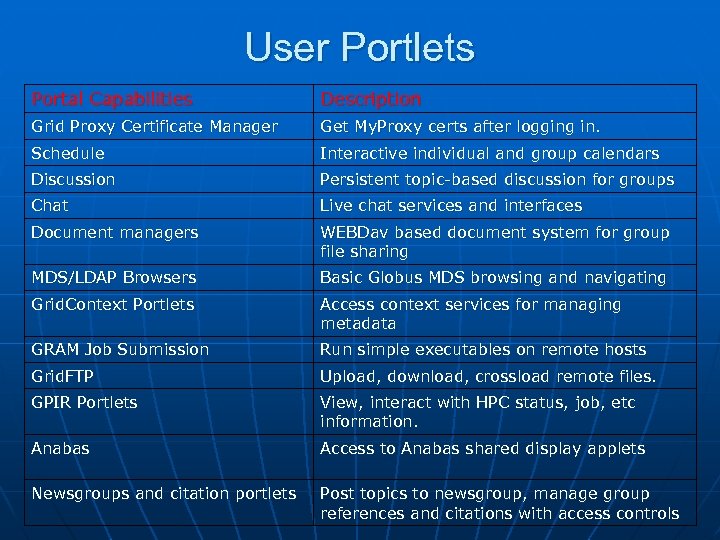 User Portlets Portal Capabilities Description Grid Proxy Certificate Manager Get My. Proxy certs after logging in. Schedule Interactive individual and group calendars Discussion Persistent topic-based discussion for groups Chat Live chat services and interfaces Document managers WEBDav based document system for group file sharing MDS/LDAP Browsers Basic Globus MDS browsing and navigating Grid. Context Portlets Access context services for managing metadata GRAM Job Submission Run simple executables on remote hosts Grid. FTP Upload, download, crossload remote files. GPIR Portlets View, interact with HPC status, job, etc information. Anabas Access to Anabas shared display applets Newsgroups and citation portlets Post topics to newsgroup, manage group references and citations with access controls
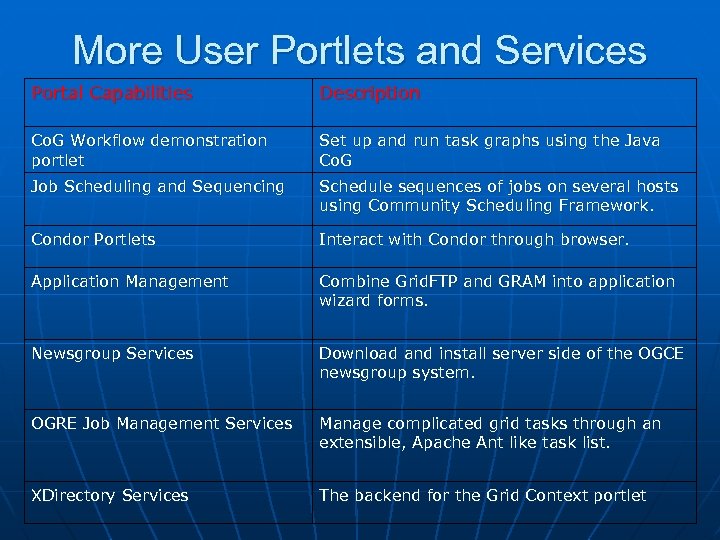 More User Portlets and Services Portal Capabilities Description Co. G Workflow demonstration portlet Set up and run task graphs using the Java Co. G Job Scheduling and Sequencing Schedule sequences of jobs on several hosts using Community Scheduling Framework. Condor Portlets Interact with Condor through browser. Application Management Combine Grid. FTP and GRAM into application wizard forms. Newsgroup Services Download and install server side of the OGCE newsgroup system. OGRE Job Management Services Manage complicated grid tasks through an extensible, Apache Ant like task list. XDirectory Services The backend for the Grid Context portlet
 Grid Portlet Examples n n We’ll next overview several portal capabilities. Jetspeed/CHEF acts as a clearing house for portal capabilities • User interface components can be added in well defined ways. • First level of integration n All Grid access goes through the Java COG.
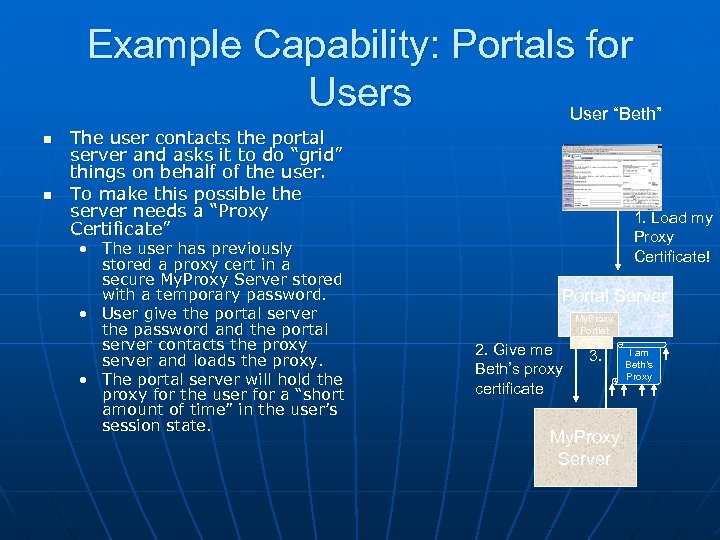 Example Capability: Portals for Users User “Beth” n n The user contacts the portal server and asks it to do “grid” things on behalf of the user. To make this possible the server needs a “Proxy Certificate” • The user has previously stored a proxy cert in a secure My. Proxy Server stored with a temporary password. • User give the portal server the password and the portal server contacts the proxy server and loads the proxy. • The portal server will hold the proxy for the user for a “short amount of time” in the user’s session state. 1. Load my Proxy Certificate! Portal Server 2. Give me Beth’s proxy certificate My. Proxy Portlet COG 3. My. Proxy Server I am Beth’s Proxy
 Example Capability: Grid Context Service n User’s want to be able to use the portal to keep track of lots of things • Application and experiment records n File metadata, execution parameters, workflow scripts • “Favorite” services n Useful directory services, indexes, links to important resources • Notes and annotations n “Scientific Notebooks”
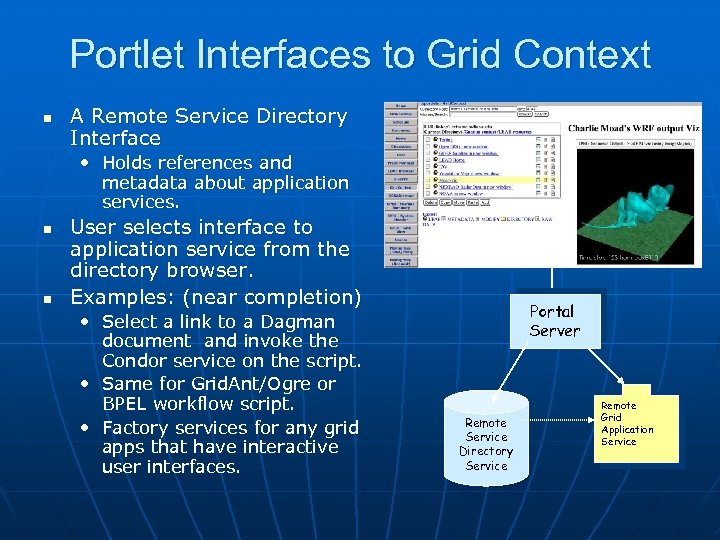 Portlet Interfaces to Grid Context n A Remote Service Directory Interface • Holds references and metadata about application services. n n User selects interface to application service from the directory browser. Examples: (near completion) • Select a link to a Dagman document and invoke the Condor service on the script. • Same for Grid. Ant/Ogre or BPEL workflow script. • Factory services for any grid apps that have interactive user interfaces. Portal Server Remote Service Directory Service Remote Grid Application Service
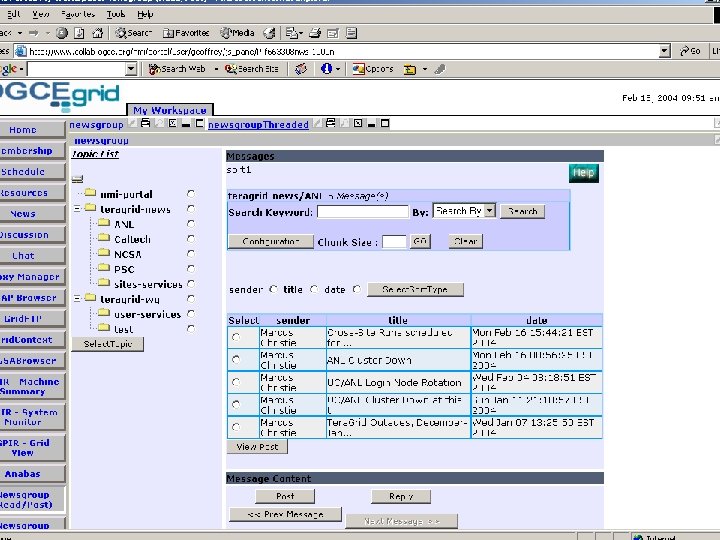
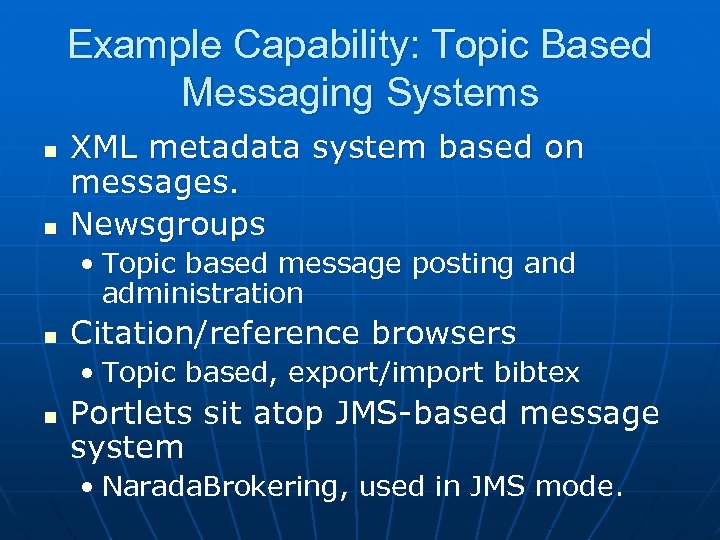 Example Capability: Topic Based Messaging Systems n n XML metadata system based on messages. Newsgroups • Topic based message posting and administration n Citation/reference browsers • Topic based, export/import bibtex n Portlets sit atop JMS-based message system • Narada. Brokering, used in JMS mode.
 User Privileges for Group Channels n Users request access to specific topics/channels. • Granted by administrator for that topic n Can request • Read/write by browser • Read/write by email (newsgroups) • Receive/don’t receive attachments. n n Topic admin can edit these requests. Super admins can manage administrators to topics
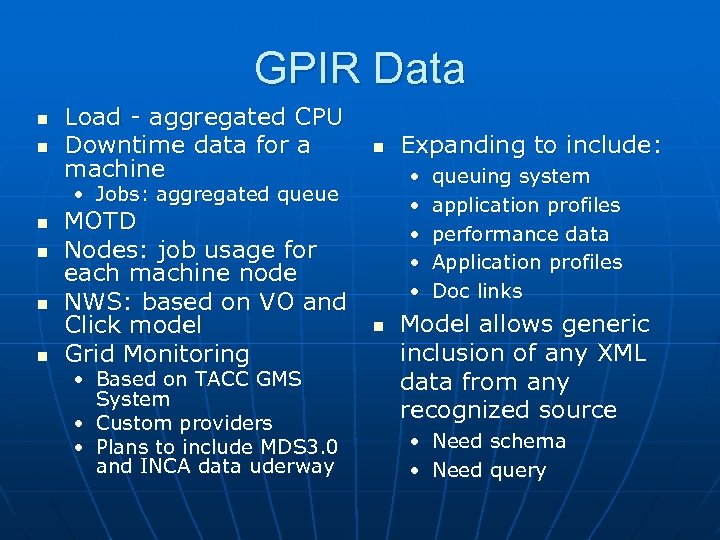 GPIR Data n n Load - aggregated CPU Downtime data for a machine n • • • Jobs: aggregated queue n n MOTD Nodes: job usage for each machine node NWS: based on VO and Click model Grid Monitoring • Based on TACC GMS System • Custom providers • Plans to include MDS 3. 0 and INCA data uderway Expanding to include: n queuing system application profiles performance data Application profiles Doc links Model allows generic inclusion of any XML data from any recognized source • Need schema • Need query
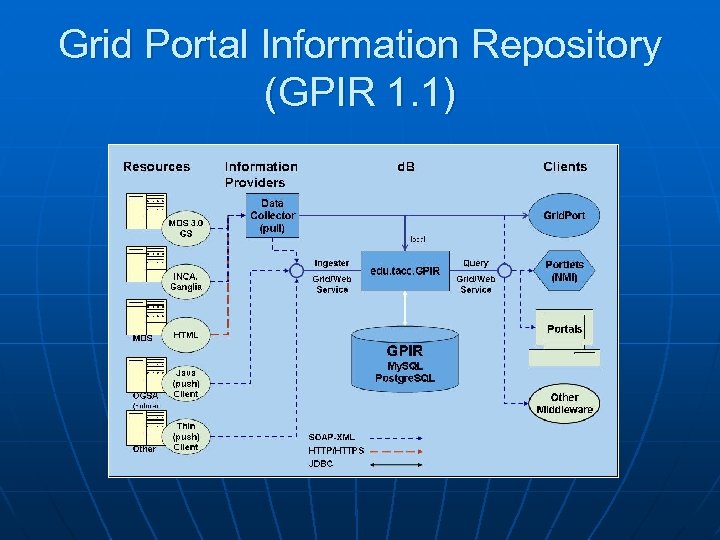 Grid Portal Information Repository (GPIR 1. 1)
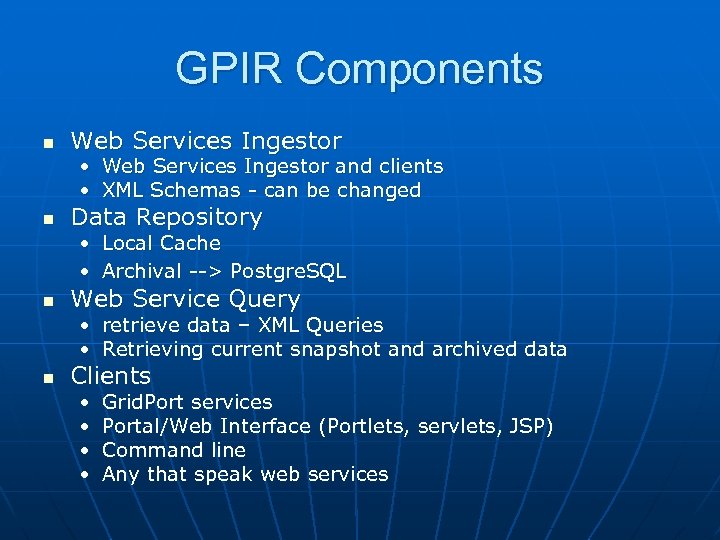 GPIR Components n Web Services Ingestor • Web Services Ingestor and clients • XML Schemas - can be changed n Data Repository • Local Cache • Archival --> Postgre. SQL n Web Service Query • • n retrieve data – XML Queries Retrieving current snapshot and archived data • • Grid. Port services Portal/Web Interface (Portlets, servlets, JSP) Command line Any that speak web services Clients
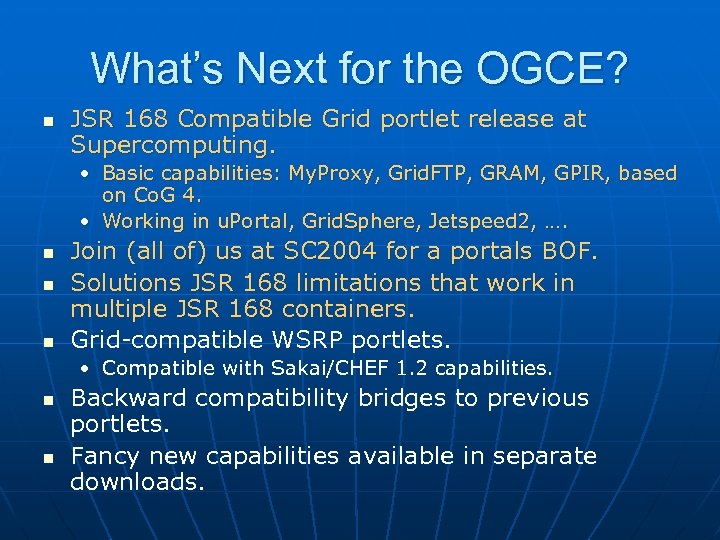 What’s Next for the OGCE? n JSR 168 Compatible Grid portlet release at Supercomputing. • Basic capabilities: My. Proxy, Grid. FTP, GRAM, GPIR, based on Co. G 4. • Working in u. Portal, Grid. Sphere, Jetspeed 2, …. n n n Join (all of) us at SC 2004 for a portals BOF. Solutions JSR 168 limitations that work in multiple JSR 168 containers. Grid-compatible WSRP portlets. • Compatible with Sakai/CHEF 1. 2 capabilities. n n Backward compatibility bridges to previous portlets. Fancy new capabilities available in separate downloads.
 A JSR 168 Overview A review of the latest portlet developments.
 What is JSR 168? n n Defines a standard for vendor containerindependent portlet components. Many implementations: • Gridsphere, u. Portal, Web. Sphere, Jetspeed 2, …. n From the portlet development point of view, it is really very simple: • You write a java class that extends Generic. Portlet. • You override/implement several methods inherited from Generic. Portlet. • You use some supporting classes/interfaces n n Many are analogous to their servlet equivalents Some (portletsession) actually seem to be trivial wrappers around servlet equivalents in Pluto.
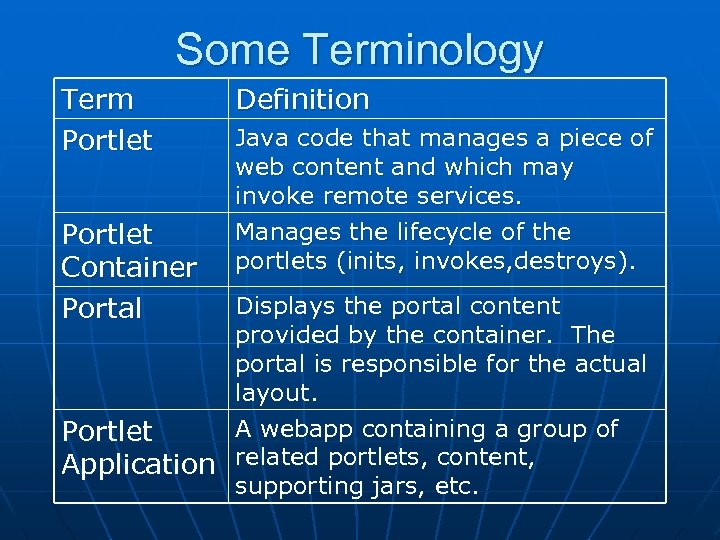 Some Terminology Term Portlet Container Portal Definition Java code that manages a piece of web content and which may invoke remote services. Manages the lifecycle of the portlets (inits, invokes, destroys). Displays the portal content provided by the container. The portal is responsible for the actual layout. A webapp containing a group of Portlet Application related portlets, content, supporting jars, etc.
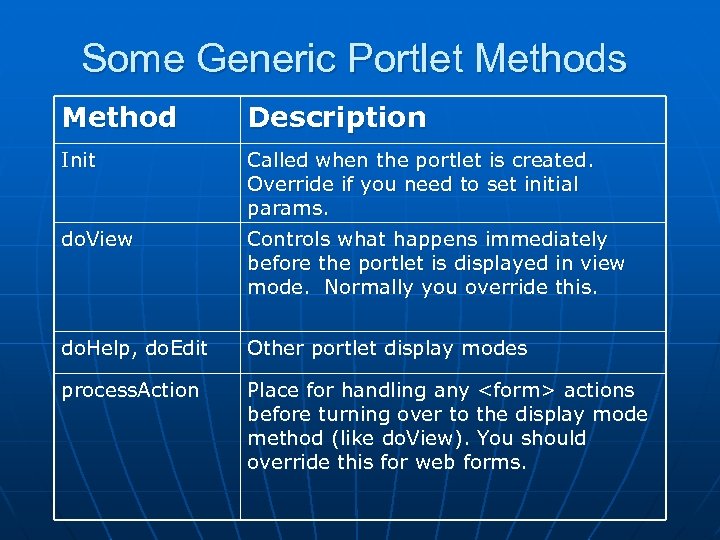 Some Generic Portlet Methods Method Description Init Called when the portlet is created. Override if you need to set initial params. do. View Controls what happens immediately before the portlet is displayed in view mode. Normally you override this. do. Help, do. Edit Other portlet display modes process. Action Place for handling any
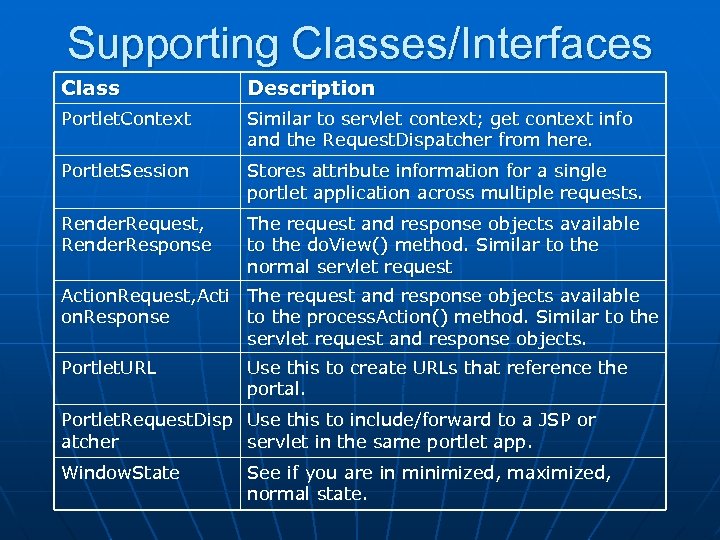 Supporting Classes/Interfaces Class Description Portlet. Context Similar to servlet context; get context info and the Request. Dispatcher from here. Portlet. Session Stores attribute information for a single portlet application across multiple requests. Render. Request, Render. Response The request and response objects available to the do. View() method. Similar to the normal servlet request Action. Request, Acti The request and response objects available on. Response to the process. Action() method. Similar to the servlet request and response objects. Portlet. URL Use this to create URLs that reference the portal. Portlet. Request. Disp Use this to include/forward to a JSP or atcher servlet in the same portlet app. Window. State See if you are in minimized, maximized, normal state.
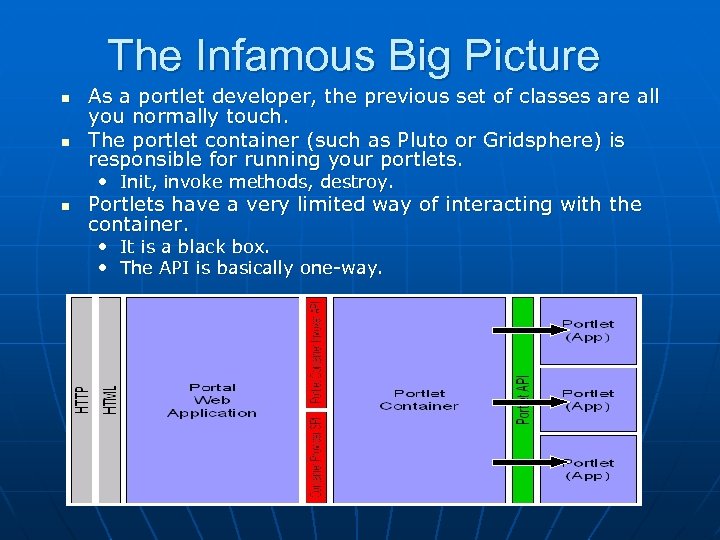 The Infamous Big Picture n n As a portlet developer, the previous set of classes are all you normally touch. The portlet container (such as Pluto or Gridsphere) is responsible for running your portlets. • Init, invoke methods, destroy. n Portlets have a very limited way of interacting with the container. • It is a black box. • The API is basically one-way.
 Deploying Portlet Applications n The portlet container (i. e. u. Portal) runs as a distinct web application. • That is, it has its own directory in tomcat. • Moreover, it runs as a separate context, with its own classloader, session management, etc. n Portlet applications are deployed as distinct war files/web applications. • You go through the container webapp to get to the portlet webapp. • Portlets in the same application share jars, classes, and runtime stuff like request and session variables. • Portlets in different portlet apps do not share anything.
 A Critique of JSR 168 n There is no way to share data/objects between portlet applications. • So all grid portlets would have to be in the same portlet app. n n There is no way to extend the portlet API to add such services. There is a lack of general purpose portlets. • Right now, you make specific extensions to Generic. Portlet for each portlet you develop. n JSR 168’s MVC approach is incompatible with Turbine, Struts, …. • • • n n n The issue is managing
 Writing Basic OGCE Portlet Templates Developing Portlets for OGCE Release 1
 Writing a Velocity Portlet n Imagine the following simplistic scenario: • I have a web form that helps a user submit a job to a supercomputer. • I only need one input form to generate the input file, pick a host computer, etc. n n The output file is written back to the user’s home directory, so he or she can gridftp it later. Before we can do this, we first need a bit of background on programming portlets.
 Velocity Portlet Example n n Before handling the Grid execution, we will first construct a dummy form. We will use Velocity templates. • Jetspeed has better support and documentation for Velocity. • Most of the portlets in the release use this. n We will examine a JSP example later.
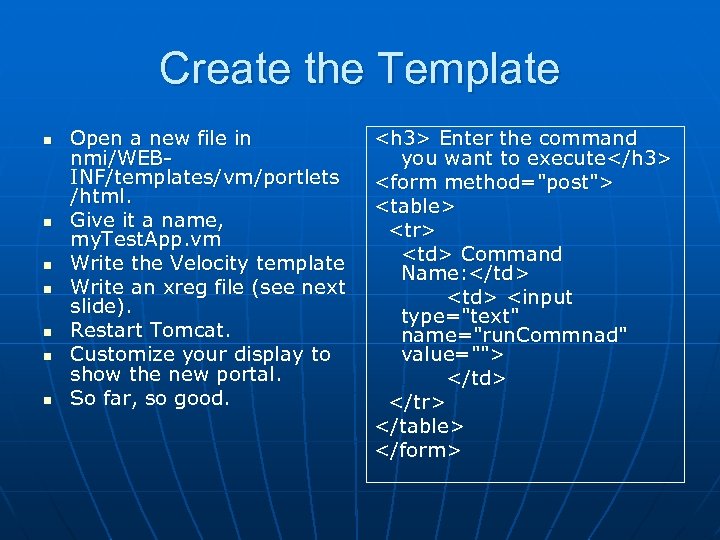 Create the Template n n n n Open a new file in nmi/WEBINF/templates/vm/portlets /html. Give it a name, my. Test. App. vm Write the Velocity template Write an xreg file (see next slide). Restart Tomcat. Customize your display to show the new portal. So far, so good.
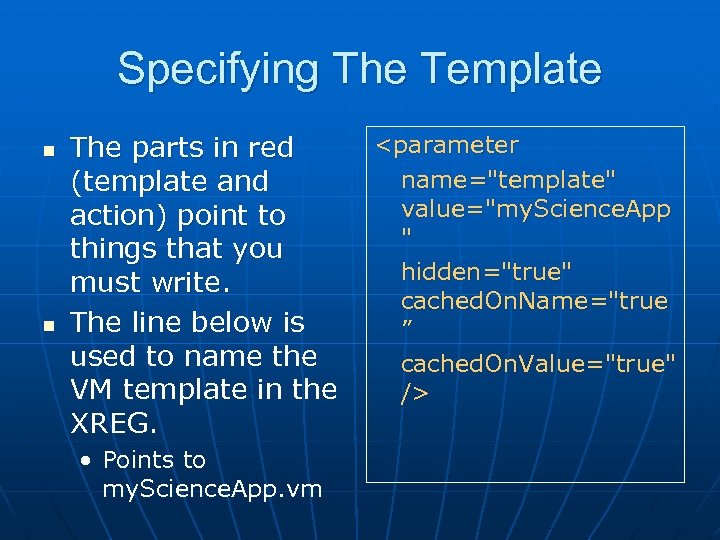 Specifying The Template n n The parts in red (template and action) point to things that you must write. The line below is used to name the VM template in the XREG. • Points to my. Science. App. vm
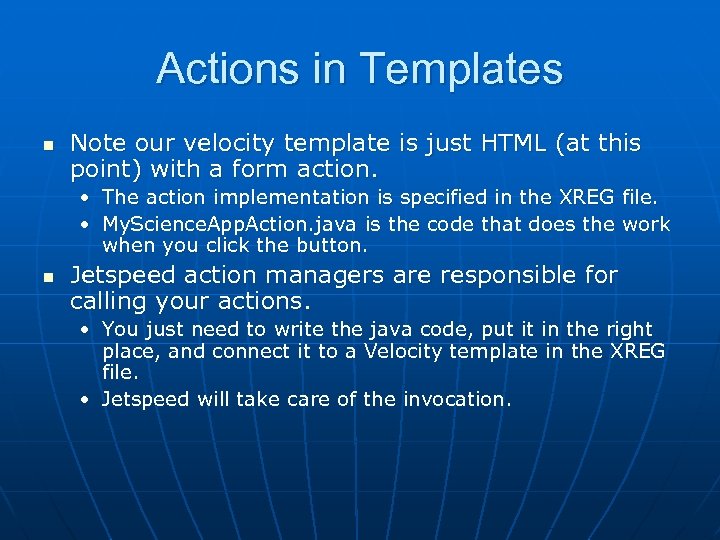 Actions in Templates n Note our velocity template is just HTML (at this point) with a form action. • The action implementation is specified in the XREG file. • My. Science. App. Action. java is the code that does the work when you click the button. n Jetspeed action managers are responsible for calling your actions. • You just need to write the java code, put it in the right place, and connect it to a Velocity template in the XREG file. • Jetspeed will take care of the invocation.
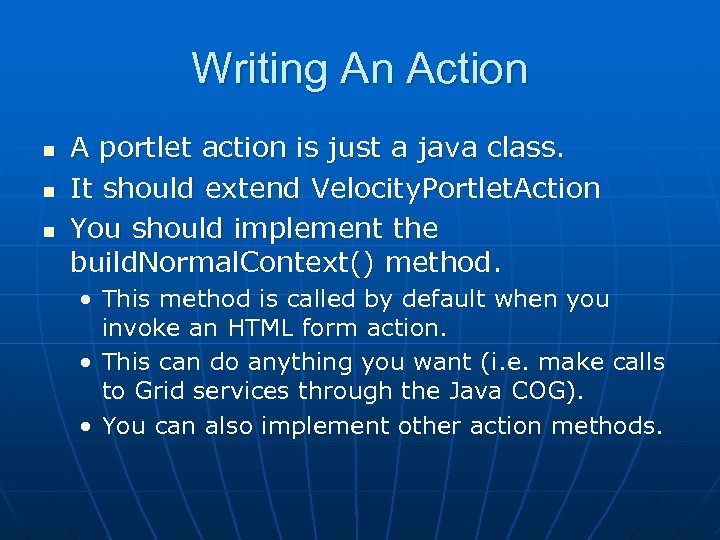 Writing An Action n A portlet action is just a java class. It should extend Velocity. Portlet. Action You should implement the build. Normal. Context() method. • This method is called by default when you invoke an HTML form action. • This can do anything you want (i. e. make calls to Grid services through the Java COG). • You can also implement other action methods.
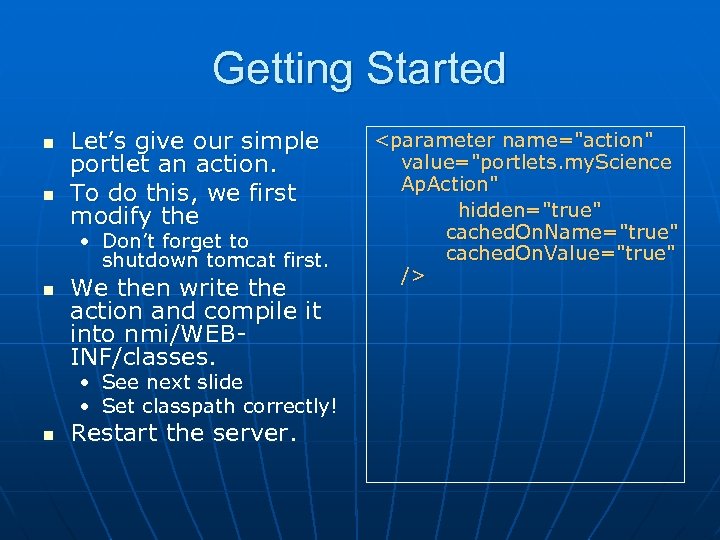 Getting Started n n Let’s give our simple portlet an action. To do this, we first modify the • Don’t forget to shutdown tomcat first. n We then write the action and compile it into nmi/WEBINF/classes. • See next slide • Set classpath correctly! n Restart the server.
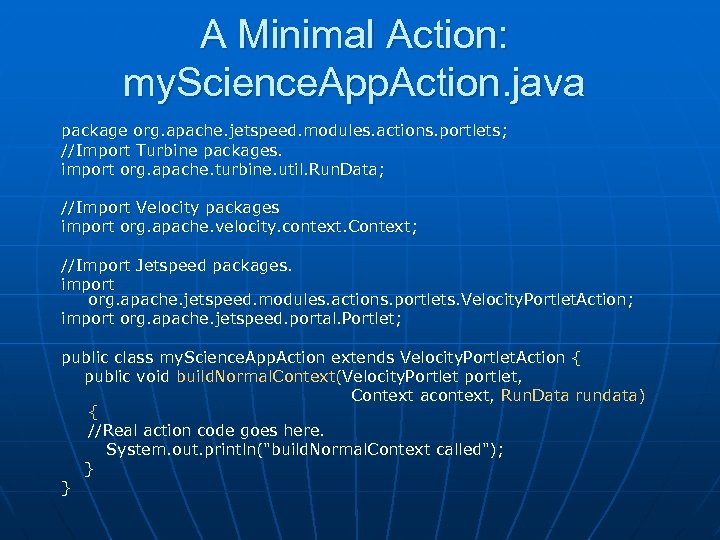 A Minimal Action: my. Science. App. Action. java package org. apache. jetspeed. modules. actions. portlets; //Import Turbine packages. import org. apache. turbine. util. Run. Data; //Import Velocity packages import org. apache. velocity. context. Context; //Import Jetspeed packages. import org. apache. jetspeed. modules. actions. portlets. Velocity. Portlet. Action ; import org. apache. jetspeed. portal. Portlet; public class my. Science. App. Action extends Velocity. Portlet. Action { public void build. Normal. Context(Velocity. Portlet portlet, Context acontext, Run. Data rundata) { //Real action code goes here. System. out. println("build. Normal. Context called"); } }
 Some Miscellaneous Notes n n This action is automatically called whenever the JSP template’s form action is invoked. In the portal release, the chef 1. 0. 7/modules/nmi-lib directory contains all the jars needed to compile this code. • You can use our ant build scripts as templates for writing your own. n n The portlet actions’s system. out. println() is written to catalina. out. If you prefer, you can use Jetspeed’s logger, which writes to nmi/WEB-INF/log.
 Run. Data, Requests, and Sessions n n The method build. Normal. Context includes an object called Run. Data in its arg list. Run. Data is your access point to all HTTP request, response, and session data. • Http. Session session=rundata. get. Session(); • Http. Servlet. Request req=rundata. get. Request(); n From here, you can do standard java. net. * development. • I am not planning to cover this, but we can discuss.
 Connecting Multiple Templates n In reality, a single web form is not enough to set up a complicated input file, select a host and execute a job. • These may be spread over multiple linked forms. n n Form actions in templates must be handled a bit differently.
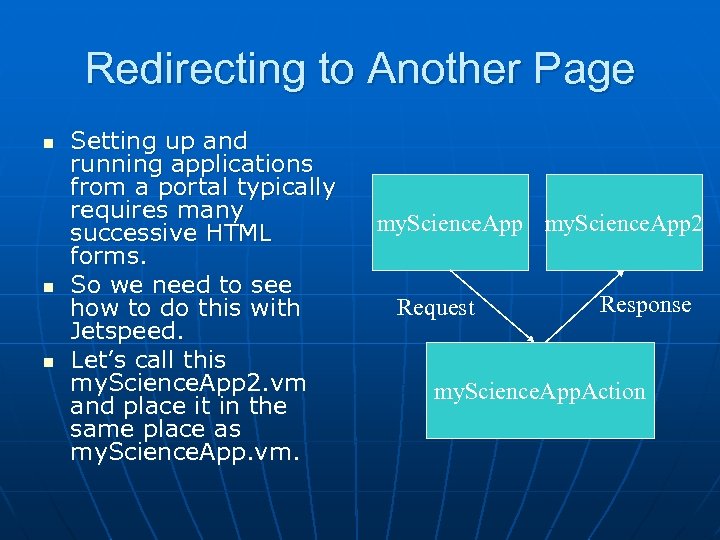 Redirecting to Another Page n n n Setting up and running applications from a portal typically requires many successive HTML forms. So we need to see how to do this with Jetspeed. Let’s call this my. Science. App 2. vm and place it in the same place as my. Science. App. vm. my. Science. App 2 Request Response my. Science. App. Action
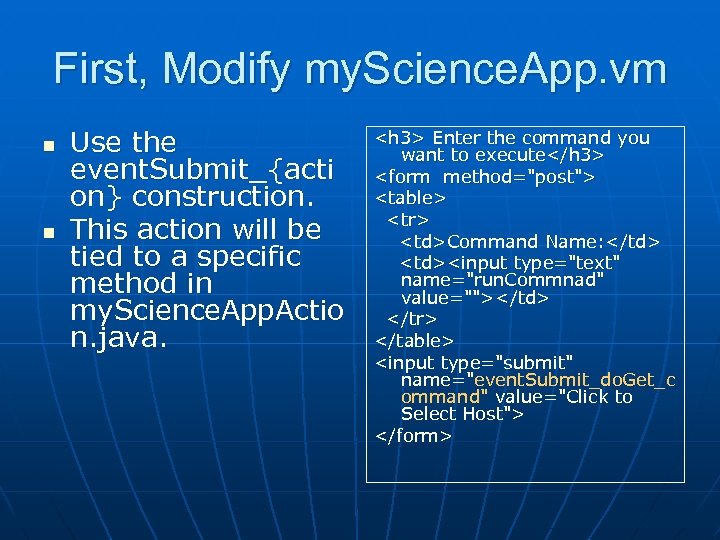 First, Modify my. Science. App. vm n n Use the event. Submit_{acti on} construction. This action will be tied to a specific method in my. Science. App. Actio n. java.
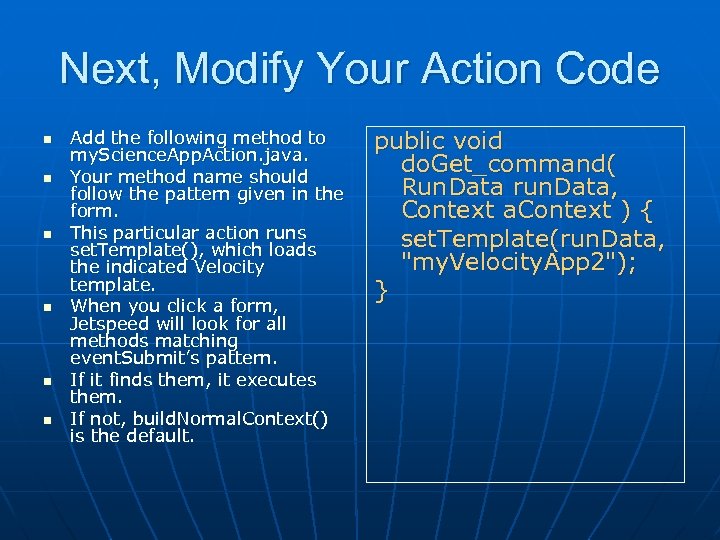 Next, Modify Your Action Code n n n Add the following method to my. Science. App. Action. java. Your method name should follow the pattern given in the form. This particular action runs set. Template(), which loads the indicated Velocity template. When you click a form, Jetspeed will look for all methods matching event. Submit’s pattern. If it finds them, it executes them. If not, build. Normal. Context() is the default. public void do. Get_command( Run. Data run. Data, Context a. Context ) { set. Template(run. Data, "my. Velocity. App 2"); }
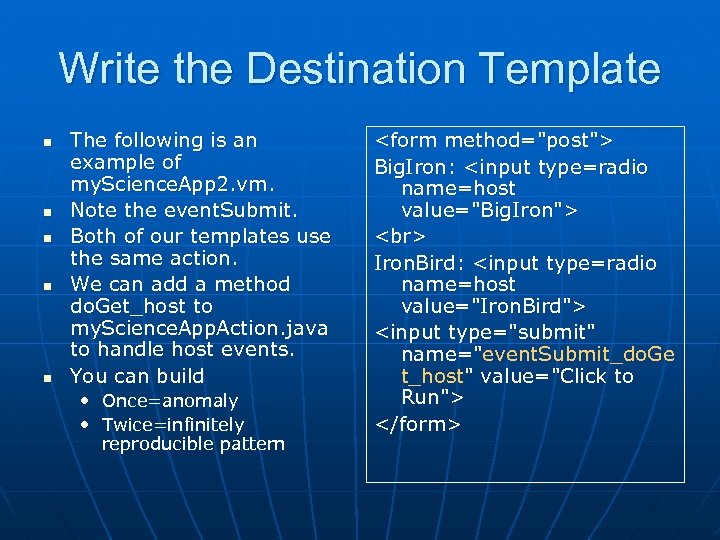 Write the Destination Template n n n The following is an example of my. Science. App 2. vm. Note the event. Submit. Both of our templates use the same action. We can add a method do. Get_host to my. Science. App. Action. java to handle host events. You can build • Once=anomaly • Twice=infinitely reproducible pattern
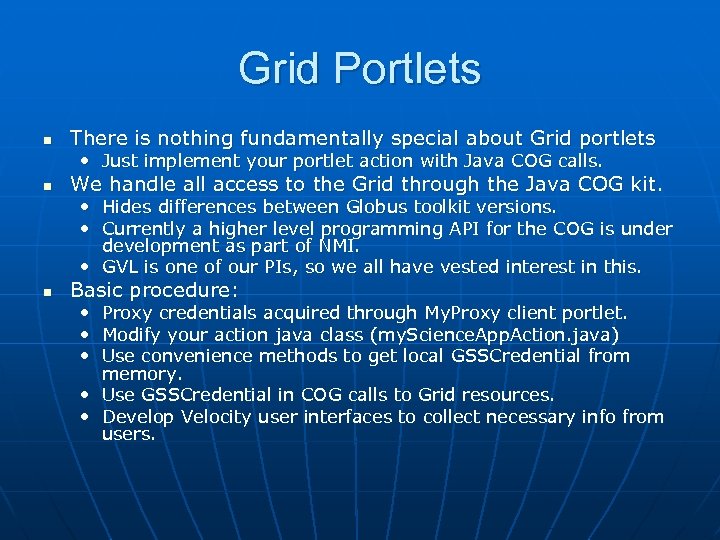 Grid Portlets n There is nothing fundamentally special about Grid portlets • Just implement your portlet action with Java COG calls. n We handle all access to the Grid through the Java COG kit. • Hides differences between Globus toolkit versions. • Currently a higher level programming API for the COG is under development as part of NMI. • GVL is one of our PIs, so we all have vested interest in this. n Basic procedure: • Proxy credentials acquired through My. Proxy client portlet. • Modify your action java class (my. Science. App. Action. java) • Use convenience methods to get local GSSCredential from memory. • Use GSSCredential in COG calls to Grid resources. • Develop Velocity user interfaces to collect necessary info from users.
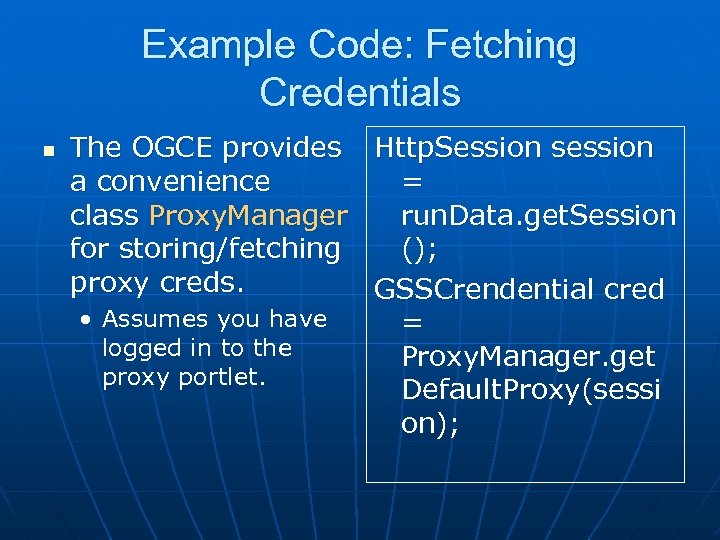 Example Code: Fetching Credentials n The OGCE provides Http. Session session a convenience = class Proxy. Manager run. Data. get. Session for storing/fetching (); proxy creds. GSSCrendential cred • Assumes you have = logged in to the Proxy. Manager. get proxy portlet. Default. Proxy(sessi on);
 Using the Co. G Portlet Interfaces n n From here, you can develop portlet actions using the Java Co. G kit. Gregor will discuss new interfaces in the next session.
 Portal Testing with HTTPUnit Marcus Christie and Marlon Pierce
 Types of Unit Testing n n JUnit is a great way for testing code functionality. But how do you test portals and portlets? • Portal interfaces need to be tested by simulated users. n n Button clicks, link clicks, form interactions, etc. For the NMI OGCE project, we have adopted Http. Unit for this. • http: //httpunit. sourceforge. net/
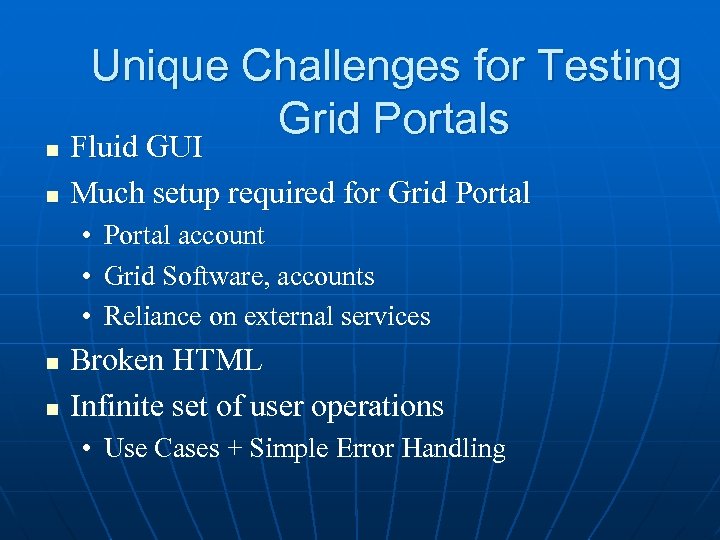 n n Unique Challenges for Testing Grid Portals Fluid GUI Much setup required for Grid Portal • Portal account • Grid Software, accounts • Reliance on external services n n Broken HTML Infinite set of user operations • Use Cases + Simple Error Handling
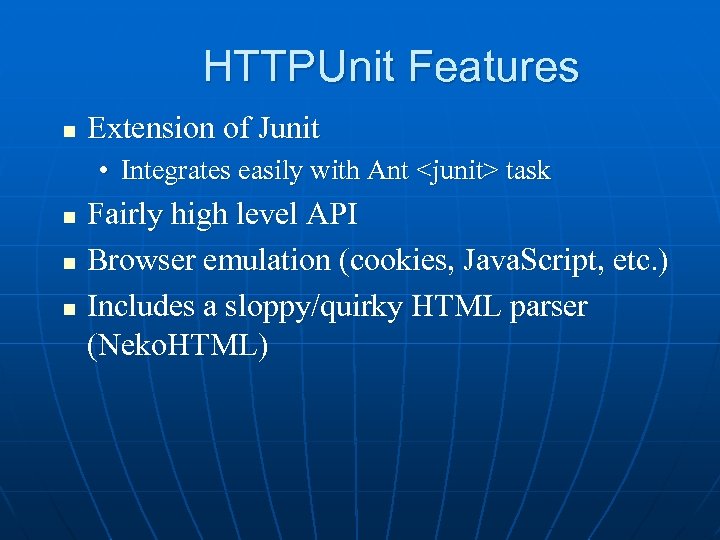 HTTPUnit Features n Extension of Junit • Integrates easily with Ant
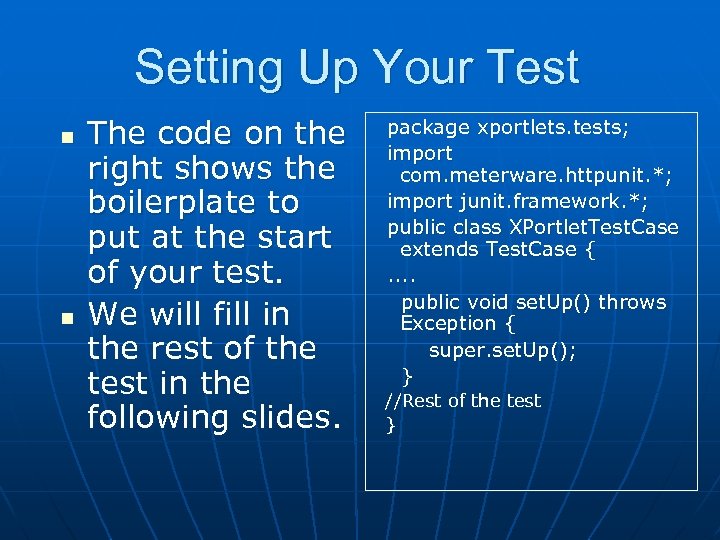 Setting Up Your Test n n The code on the right shows the boilerplate to put at the start of your test. We will fill in the rest of the test in the following slides. package xportlets. tests; import com. meterware. httpunit. *; import junit. framework. *; public class XPortlet. Test. Case extends Test. Case {. . public void set. Up() throws Exception { super. set. Up(); } //Rest of the test }
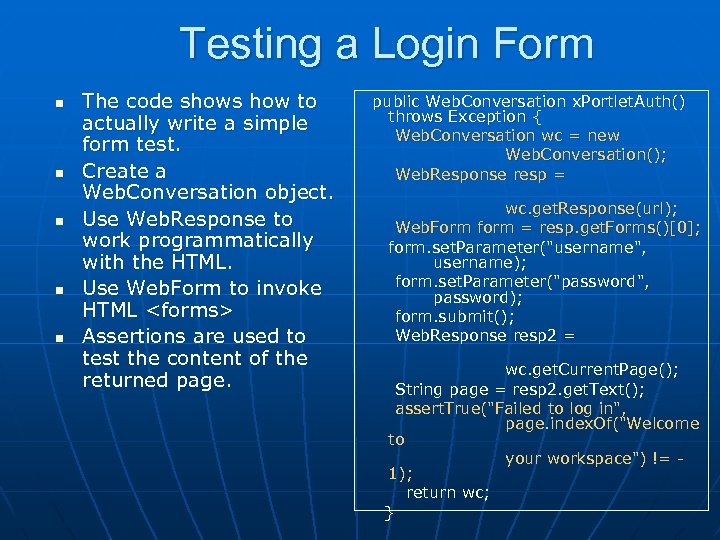 Testing a Login Form n n n The code shows how to actually write a simple form test. Create a Web. Conversation object. Use Web. Response to work programmatically with the HTML. Use Web. Form to invoke HTML
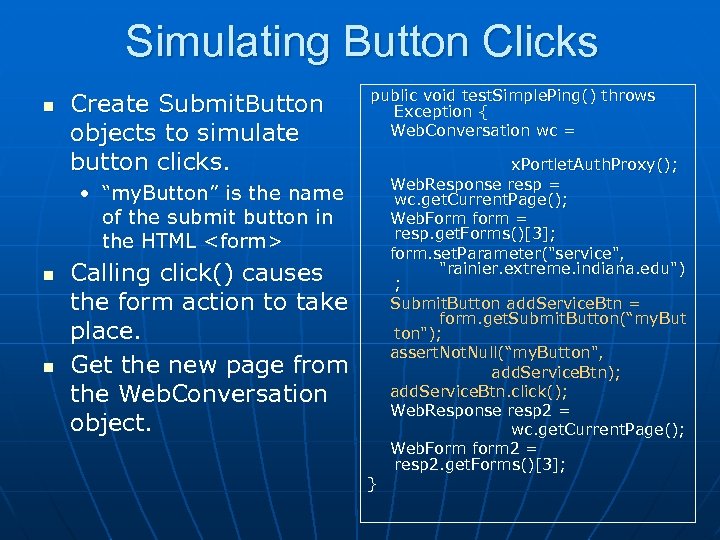 Simulating Button Clicks n Create Submit. Button objects to simulate button clicks. public void test. Simple. Ping() throws Exception { Web. Conversation wc = • “my. Button” is the name of the submit button in the HTML
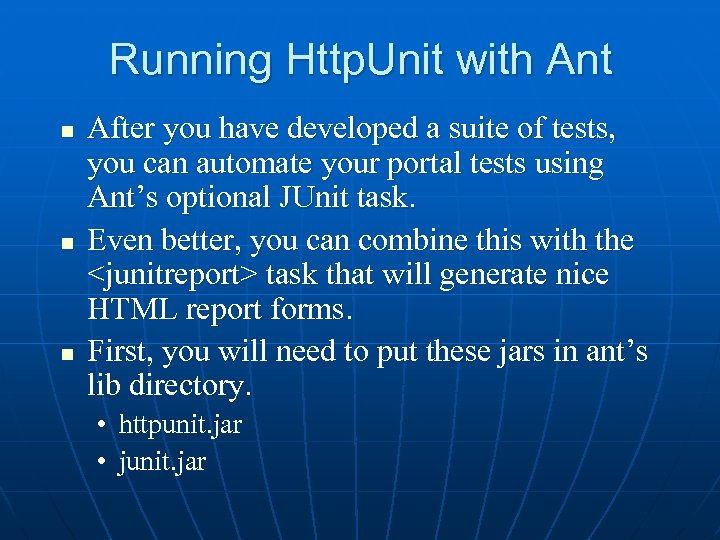 Running Http. Unit with Ant n n n After you have developed a suite of tests, you can automate your portal tests using Ant’s optional JUnit task. Even better, you can combine this with the
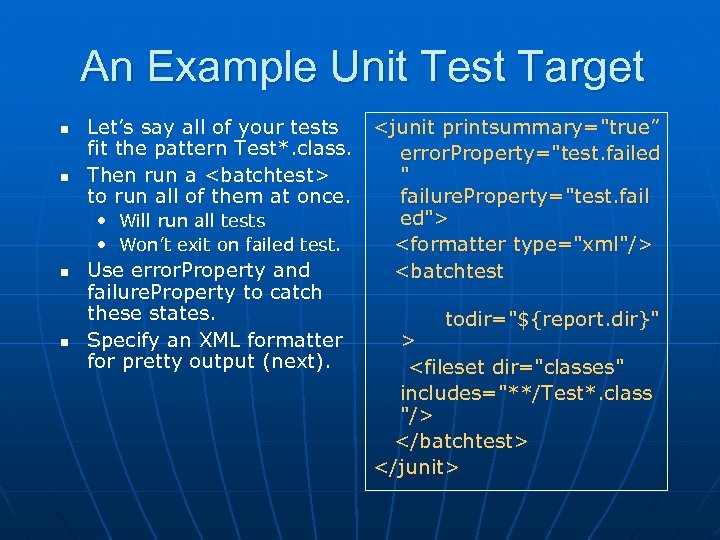 An Example Unit Test Target n n Let’s say all of your tests
target can be" src="https://present5.com/presentation/ba2d0c6242196f6b2c07041448675ef6/image-66.jpg" alt="Generating HTML dashboards n n n
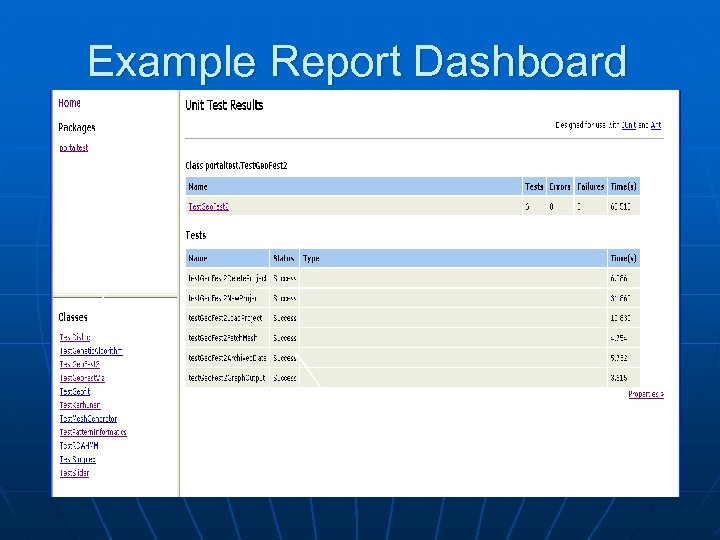 Example Report Dashboard List of Test Classes Test Results for One Of the Test Cases
 Some Drawbacks to HTTPUnit n Tests are tied to page structures. • If you change your page (say, reordering links or forms), you will break your tests. n n Tests also depend on Test assertions typically depend on the content of the page. • If content changes, tests may break. • Checking content is not completely sufficient for testing Grid portals.
 Additional Capabilities
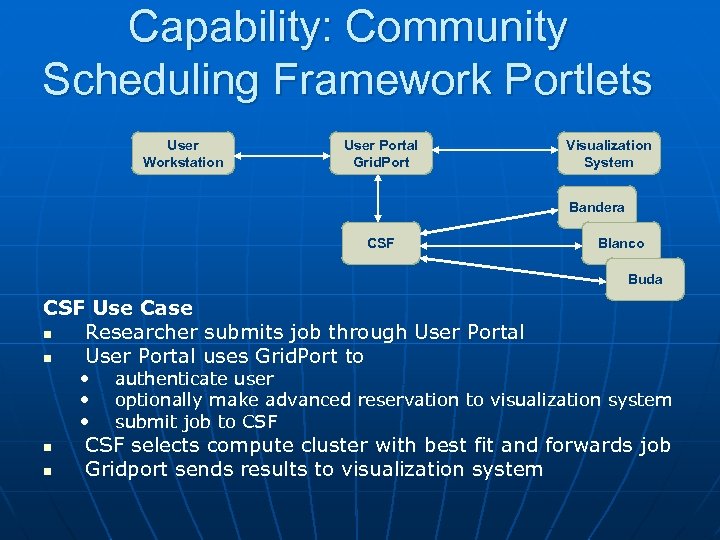 Capability: Community Scheduling Framework Portlets User Workstation User Portal Grid. Port Visualization System Bandera CSF Blanco Buda CSF Use Case n Researcher submits job through User Portal n User Portal uses Grid. Port to • • • n n authenticate user optionally make advanced reservation to visualization system submit job to CSF selects compute cluster with best fit and forwards job Gridport sends results to visualization system
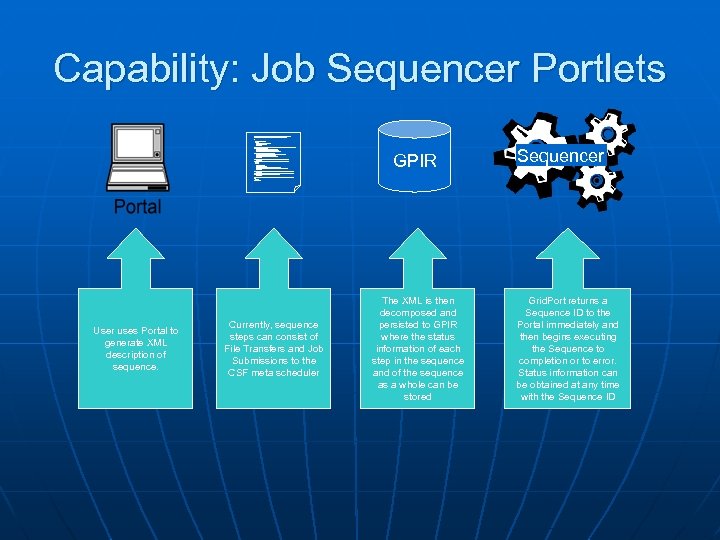 Capability: Job Sequencer Portlets " xsi: schema. Location ="http: //grids. tacc. utexas. edu/schemas/sequencer/job. Sequence C: DOCUME~1MaytalDesktopMaytalWorkGP-IRX~1motd. xsd"> <
 O. G. R. E. —A Job Management Engine • O. G. R. E. = Open Grid Computing Environments Runtime Engine • What Ant lacked, but we needed: • Broader conditional execution, • Ant: based on write-once String properties. • A general “loop” structure for Task execution. • Data-communication between Tasks (and with their containers). • Specialized tasks • File reading and writing • Local and remote file management (gridftp) • Web service related tasks • Event- and process-monitoring-tasks
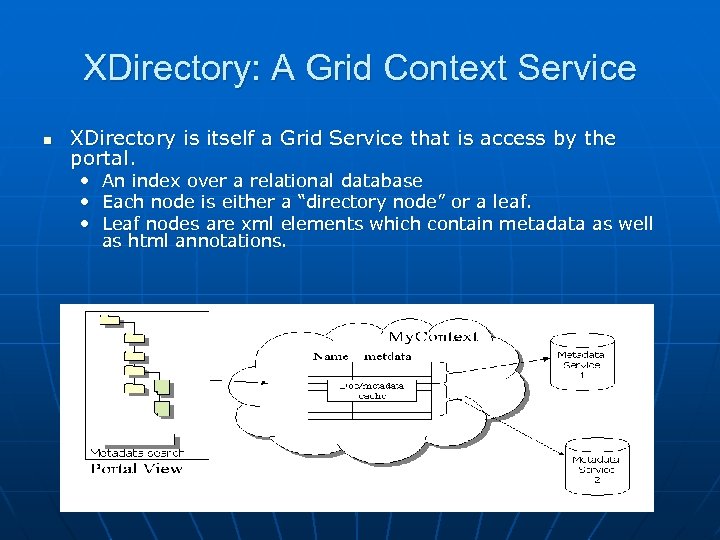 XDirectory: A Grid Context Service n XDirectory is itself a Grid Service that is access by the portal. • An index over a relational database • Each node is either a “directory node” or a leaf. • Leaf nodes are xml elements which contain metadata as well as html annotations.
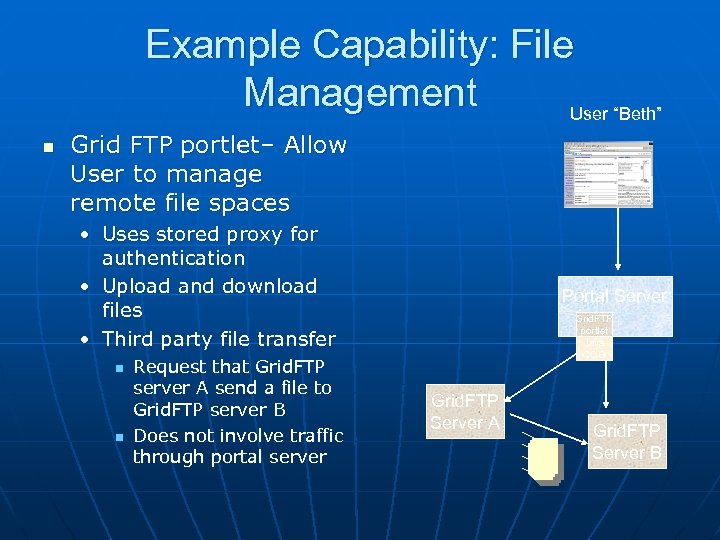 Example Capability: File Management User “Beth” n Grid FTP portlet– Allow User to manage remote file spaces • Uses stored proxy for authentication • Upload and download files • Third party file transfer n n Request that Grid. FTP server A send a file to Grid. FTP server B Does not involve traffic through portal server Portal Server Grid. FTP portlet Java COG Grid. FTP Server A Grid. FTP Server B
 JSR 168 Tutorial Details on Writing portlets
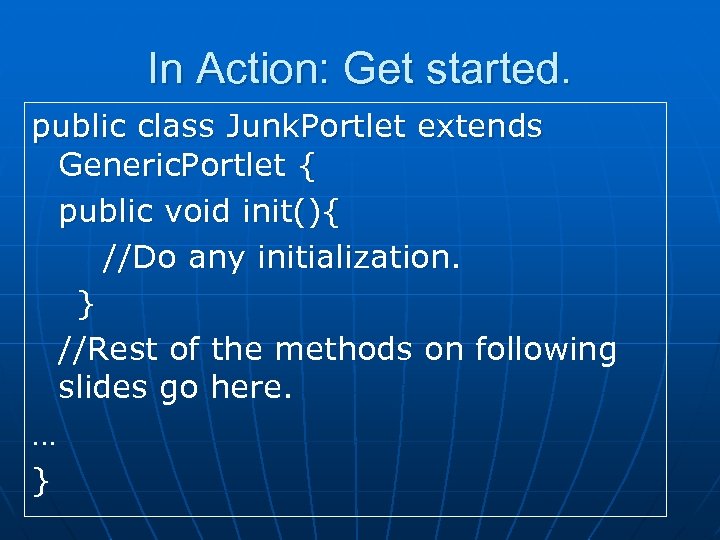 In Action: Get started. public class Junk. Portlet extends Generic. Portlet { public void init(){ //Do any initialization. } //Rest of the methods on following slides go here. … }
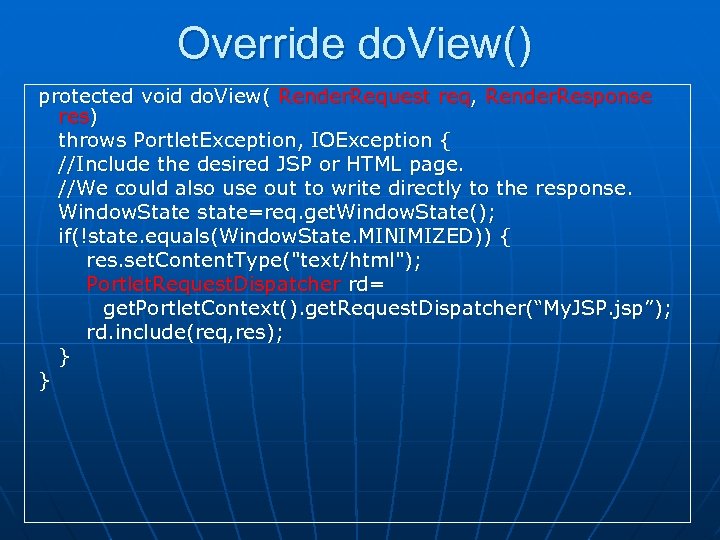 Override do. View() protected void do. View( Render. Request req, Render. Response res) throws Portlet. Exception, IOException { //Include the desired JSP or HTML page. //We could also use out to write directly to the response. Window. State state=req. get. Window. State(); if(!state. equals(Window. State. MINIMIZED)) { res. set. Content. Type("text/html"); Portlet. Request. Dispatcher rd= get. Portlet. Context(). get. Request. Dispatcher(“My. JSP. jsp”); rd. include(req, res); } }
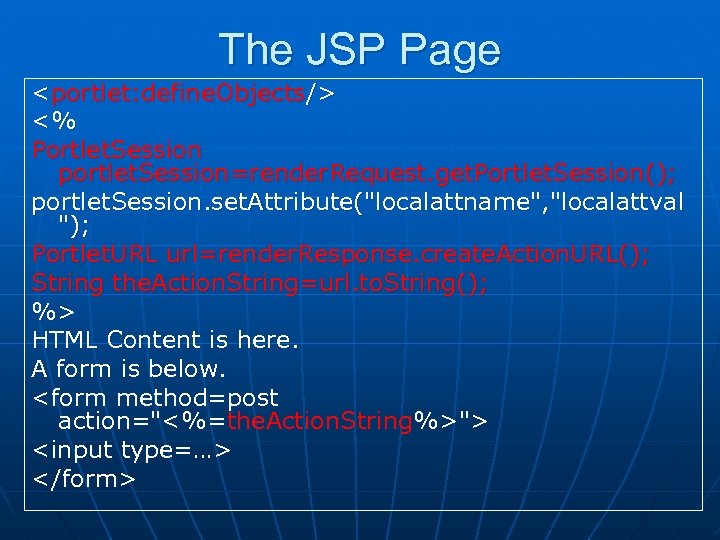 The JSP Page
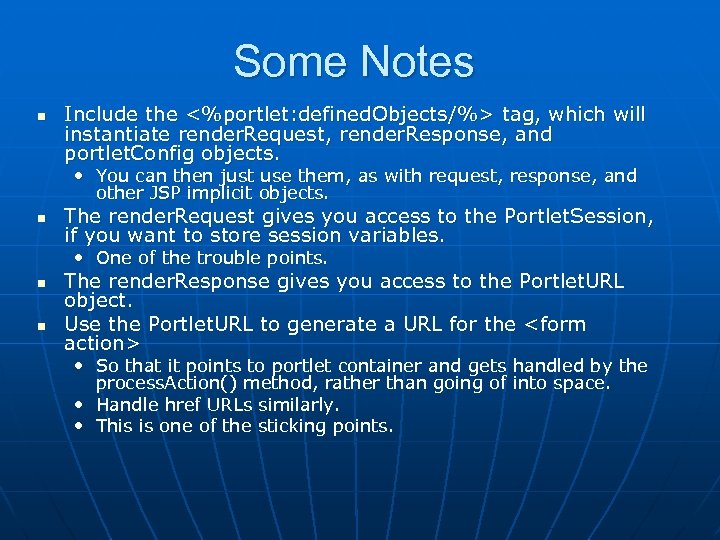 Some Notes n Include the <%portlet: defined. Objects/%> tag, which will instantiate render. Request, render. Response, and portlet. Config objects. • You can then just use them, as with request, response, and other JSP implicit objects. n The render. Request gives you access to the Portlet. Session, if you want to store session variables. • One of the trouble points. n n The render. Response gives you access to the Portlet. URL object. Use the Portlet. URL to generate a URL for the
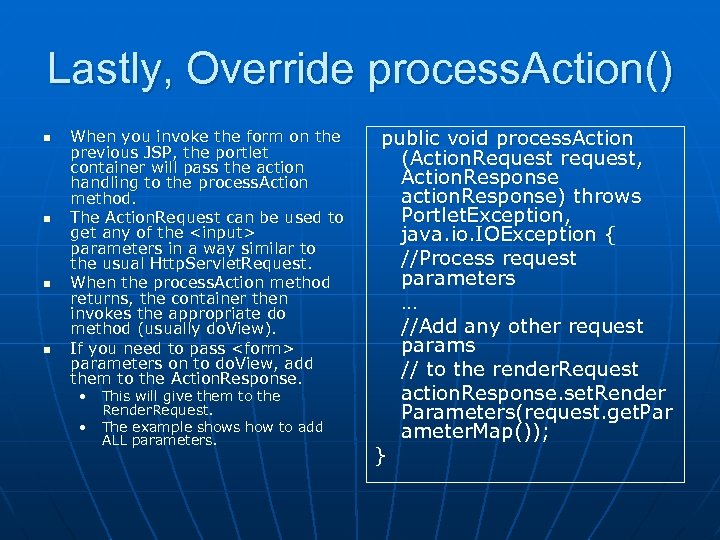 Lastly, Override process. Action() n n When you invoke the form on the previous JSP, the portlet container will pass the action handling to the process. Action method. The Action. Request can be used to get any of the parameters in a way similar to the usual Http. Servlet. Request. When the process. Action method returns, the container then invokes the appropriate do method (usually do. View). If you need to pass