 Скачать презентацию Developing and Evaluating Internet-delivered behaviour change interventions using
3541900096ec3f375716363e333db083.ppt
- Количество слайдов: 111



Developing and Evaluating Internet-delivered behaviour change interventions using the Life. Guide. Dr Laura Dennison and Dr Leanne Morrison 01 November 2012, BPS London Office
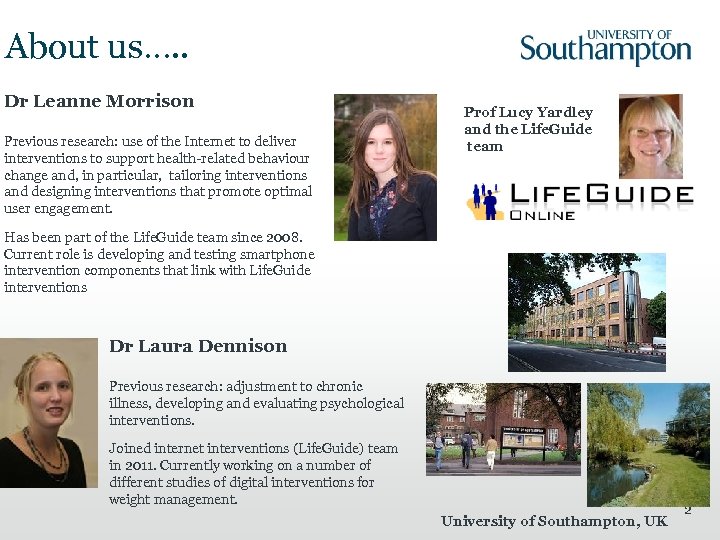
About us…. . Dr Leanne Morrison Previous research: use of the Internet to deliver interventions to support health-related behaviour change and, in particular, tailoring interventions and designing interventions that promote optimal user engagement. Prof Lucy Yardley and the Life. Guide team Has been part of the Life. Guide team since 2008. Current role is developing and testing smartphone intervention components that link with Life. Guide interventions Dr Laura Dennison Previous research: adjustment to chronic illness, developing and evaluating psychological interventions. Joined internet interventions (Life. Guide) team in 2011. Currently working on a number of different studies of digital interventions for weight management. University of Southampton, UK 2
About you…. . • What is your name? • Where you are you from? (University/Organisation) • What sort of work do you do? • What made you interested in attending this workshop? 3
![A plan for today: This Morning [10 -12. 30 pm] • What are Internet-based](https://present5.com/presentation/3541900096ec3f375716363e333db083/image-4.jpg "A plan for today: This Morning [10 -12. 30 pm] • What are Internet-based")
A plan for today: This Morning [10 -12. 30 pm] • What are Internet-based behaviour change interventions and why do we need them? • Creating Internet-based interventions using the Life. Guide – What is the Life. Guide- a basic overview – Examples of what YOU can create using the Life. Guide – Evaluating Interventions using the Life. Guide Lunch [12. 30 -1 pm] This Afternoon [1 -4 pm] • Life. Guide case study: Antibiotic prescribing web-based intervention modelling experiment as an example of Life. Guide use • Using Life. Guide: A practical demo • A new tool for writing interventions: Logic. Blocks • Beyond the Internet: UBhave • Questions/Discussion 4
What are internet-based interventions? Why do we need them? .
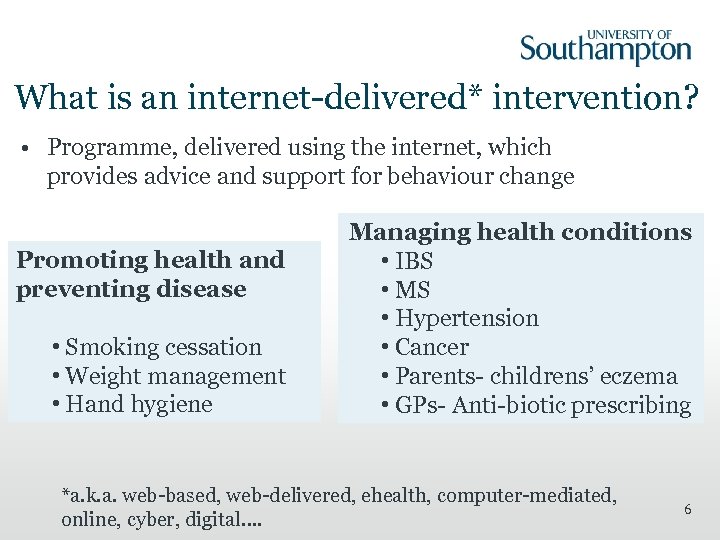
What is an internet-delivered* intervention? • Programme, delivered using the internet, which provides advice and support for behaviour change Promoting health and preventing disease • Smoking cessation • Weight management • Hand hygiene Managing health conditions • IBS • MS • Hypertension • Cancer • Parents- childrens’ eczema • GPs- Anti-biotic prescribing *a. k. a. web-based, web-delivered, ehealth, computer-mediated, online, cyber, digital…. 6
Why use digital interventions? 7
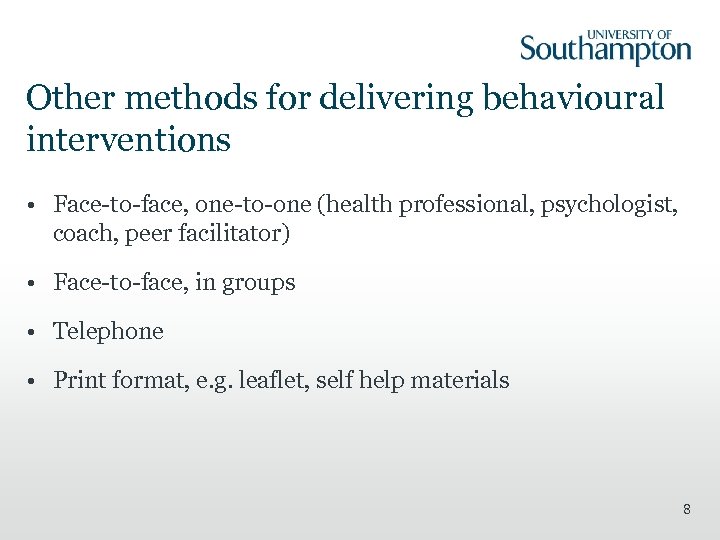
Other methods for delivering behavioural interventions • Face-to-face, one-to-one (health professional, psychologist, coach, peer facilitator) • Face-to-face, in groups • Telephone • Print format, e. g. leaflet, self help materials 8
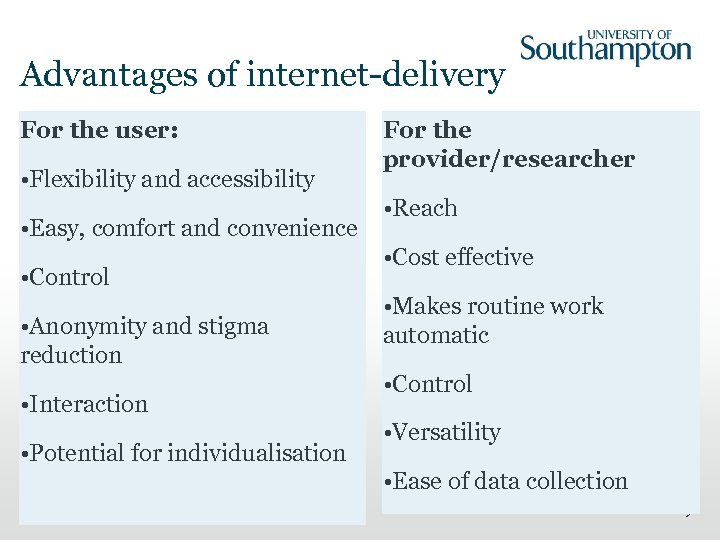
Advantages of internet-delivery For the user: • Flexibility and accessibility • Easy, comfort and convenience • Control • Anonymity and stigma reduction • Interaction • Potential for individualisation For the provider/researcher • Reach • Cost effective • Makes routine work automatic • Control • Versatility • Ease of data collection 9
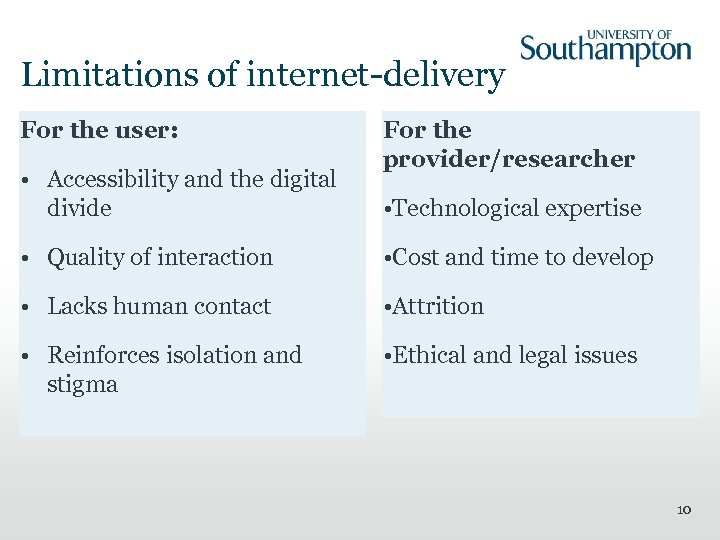
Limitations of internet-delivery For the user: • Accessibility and the digital divide For the provider/researcher • Technological expertise • Quality of interaction • Cost and time to develop • Lacks human contact • Attrition • Reinforces isolation and stigma • Ethical and legal issues 10
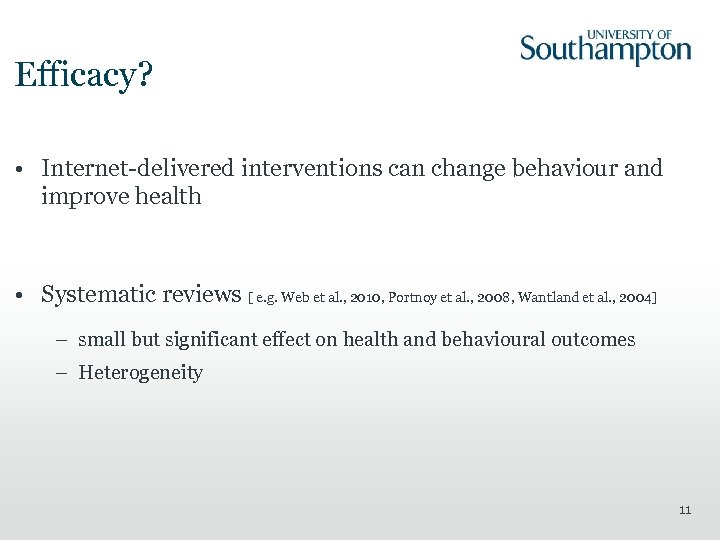
Efficacy? • Internet-delivered interventions can change behaviour and improve health • Systematic reviews [ e. g. Web et al. , 2010, Portnoy et al. , 2008, Wantland et al. , 2004] – small but significant effect on health and behavioural outcomes – Heterogeneity 11

Questions?
Creating Internetdelivered interventions using the Life. Guide.

What is the Life. Guide?
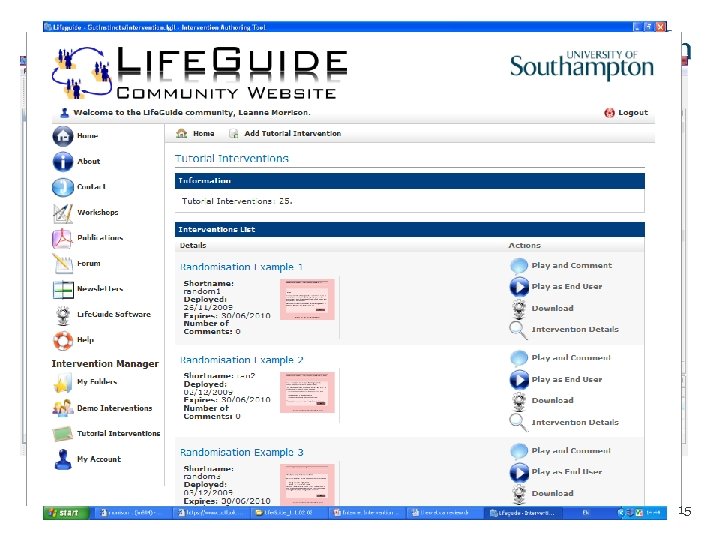
Life. Guide – What is it? • Software that allows researchers to create, modify and test Internet-delivered interventions 1. The Authoring Tool: creates the web pages 2. Logic: tells the intervention what to do 3. The Intervention Manager: runs the intervention and collects data 4. The Life. Guide Community Website: provides information, help and support 15

Life. Guide – The Technical Details • Eclipse RCP • Embedded Mozilla Firefox • Jetty • Javascript • QTI XML • XSLT • Compatible with Windows and Mac 16
Why use the Life. Guide? • No programming experience required • You can have greater control and flexibility during the development, piloting, and testing of your intervention • Allows you to easily share intervention components with other colleagues • Provides you with peer support while you are developing your intervention 17
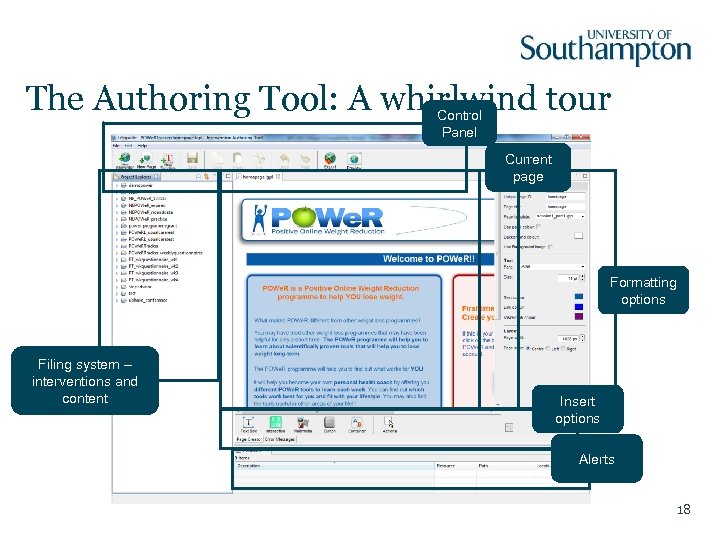
The Authoring Tool: A whirlwind tour Control Panel Current page Formatting options Filing system – interventions and content Insert options Alerts 18
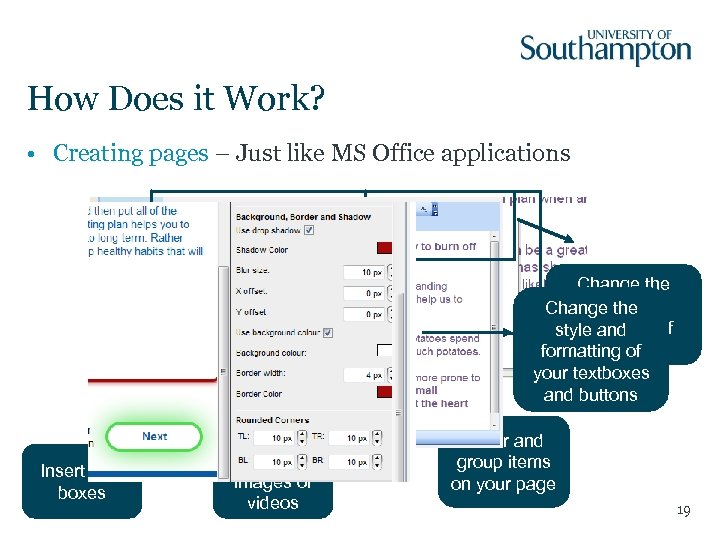
How Does it Work? • Creating pages – Just like MS Office applications Change the style and Change the formatting of style and your text formatting of your textboxes and buttons Insert text boxes Insert images or videos Order and group items on your page 19
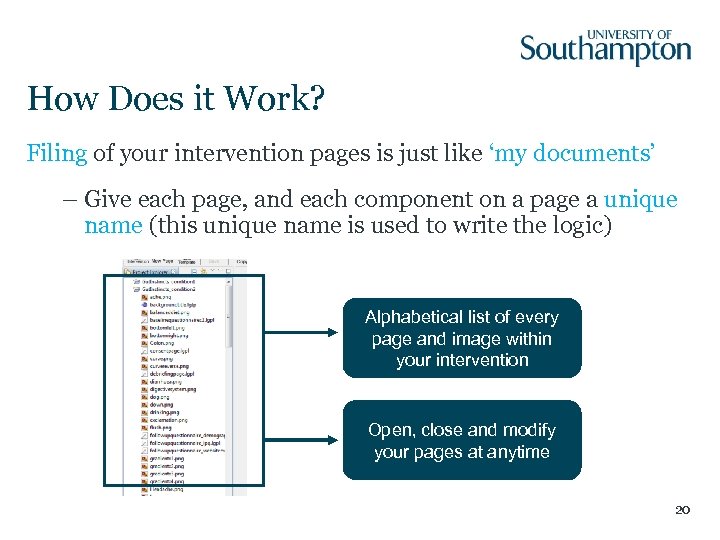
How Does it Work? Filing of your intervention pages is just like ‘my documents’ – Give each page, and each component on a page a unique name (this unique name is used to write the logic) Alphabetical list of every page and image within your intervention Open, close and modify your pages at anytime 20
What Can you Do? • Ask users questions and tell users if they have made a mistake filling them in (e. g. “error messages”) • Provide tailored advice • Randomise users to different groups • Send automated emails or text messages • Change look and feel: insert images, videos, graphs etc. , format visual appearance (e. g. Colour, backgrounds, borders) and create templates • Insert links to other sections of intervention, or external web pages and buttons (e. g. Print, next, back etc. ) for navigation • Save data to present back to users or export for analyses 21
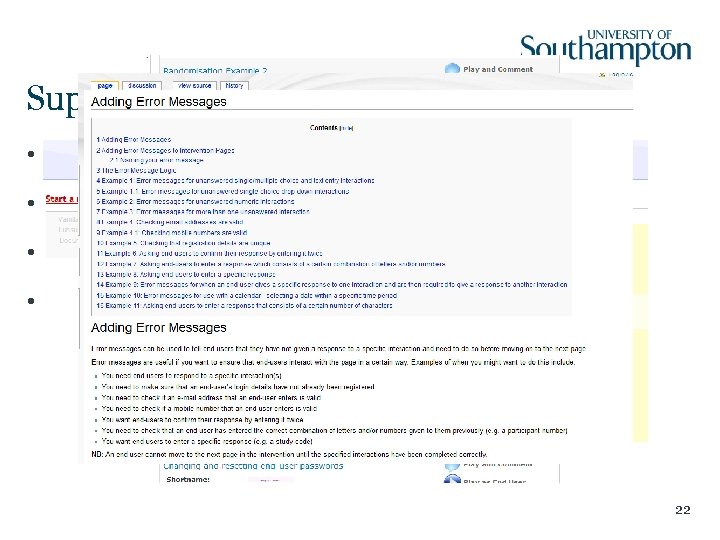
Support for using Life. Guide • www. lifeguideonline. org • Demo and Tutorial Interventions • Help files / wikis • Life. Guide Forum 22

Questions?
Examples of what YOU can create using the Life. Guide.
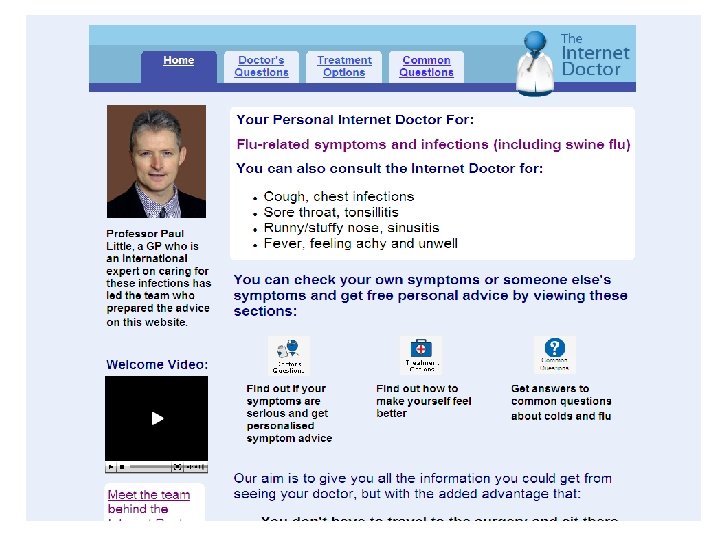
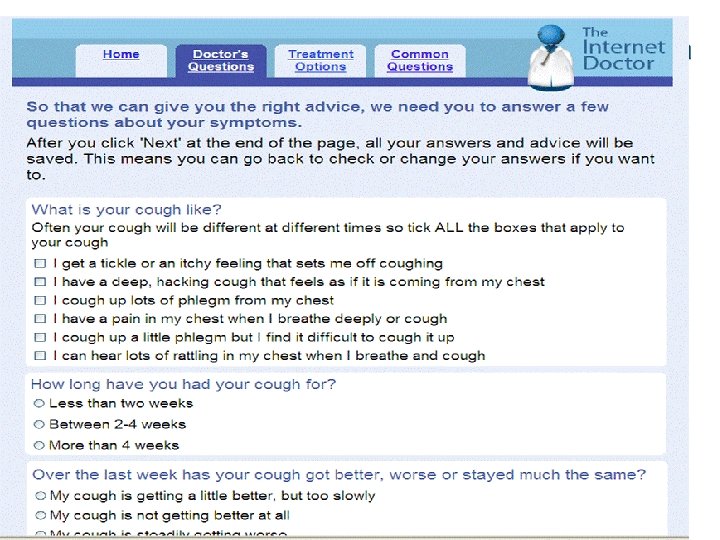
Examples of Life. Guide Interventions • Internet Doctor : self-care of cold and ‘flu symptoms • Virus Defence: promotion of hand hygiene behaviour • Stop Advisor: Smoking cessation • Regul-8: CBT for self-management of Irritable Bowel Syndrome • POWe. R: Positive Online Weight Reduction • SMILE: Self-measurement and management of blood pressure 25
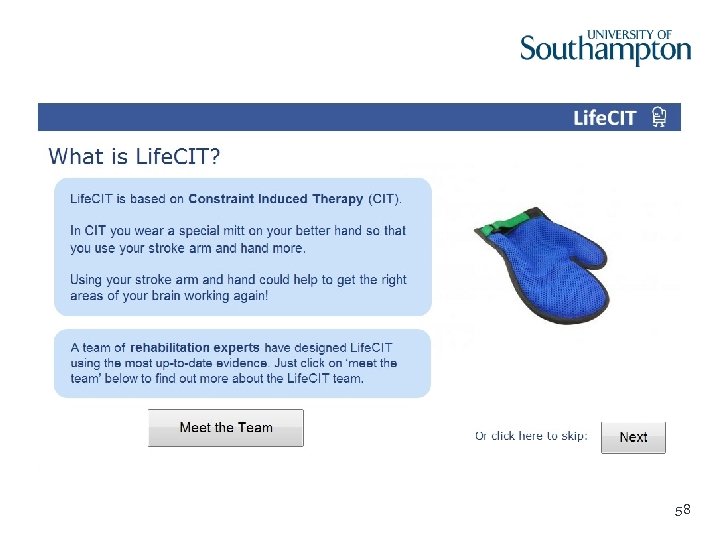
Examples of Life. Guide Interventions • INTRO: Internet training for antibiotic use • Restore: Self-management of cancer-related fatigue • Gut Instincts: Self-management of mild stomach or bowel problems • Life. CIT: Constraint induced therapy following stroke • SPa. CE: Supporting parents/carers’ management of childhood eczema 26
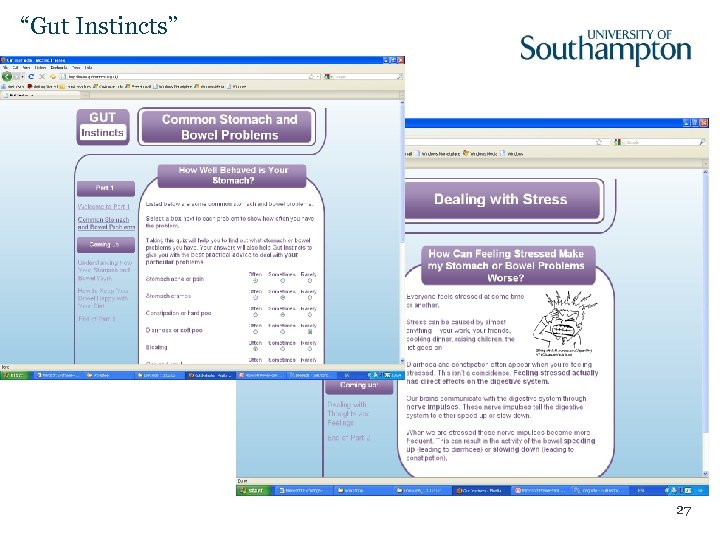
“Gut Instincts” 27

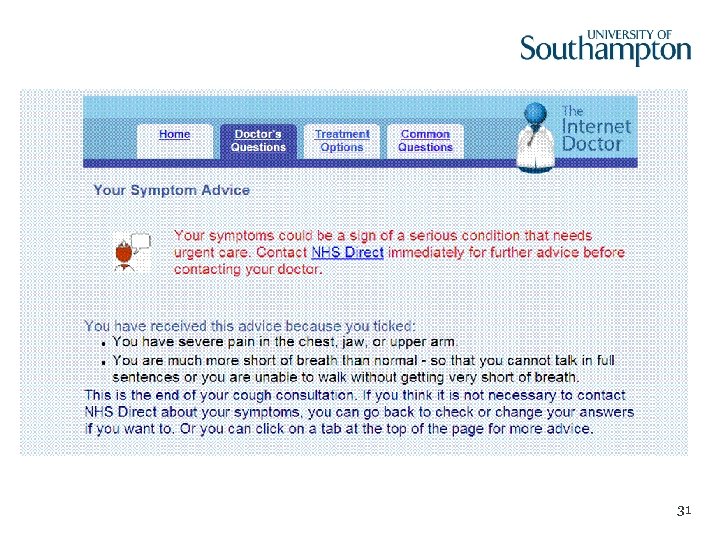
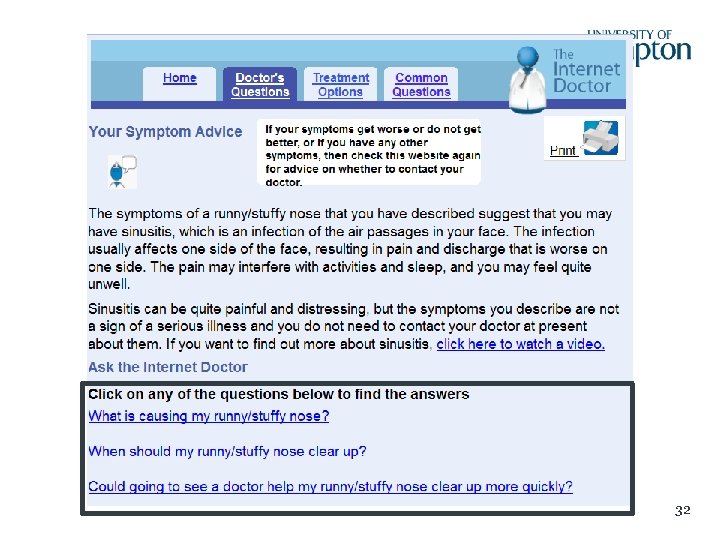
The Internet Dr: an intervention to support self-management of respiratory infection Primary medical expert: Paul Little Lucy Yardley, Panayiota Andreou, Judith Joseph, Leanne Morrison
29
31
32
More information. . . • Yardley, L. , Joseph, J. , Michie, S. , Weal, M. , Wills, G. , & Little, P. (2010). Evaluation of a web-based intervention providing tailored advice for self -management of minor respiratory symptoms: exploratory randomized trial. Journal of Medical Internet Research, 12(4), e 66. URL: http: //www. jmir. org/2010/4/e 66 • Yardley, L. , Morrison, L. , Andreou, P. , Joseph, J. , & Little, P. (2010). Understanding reactions to an Internet-delivered self-care intervention: Accommodating user preferences for information provision. BMC Medical Informatics and Decision Making, 10(52) 33
MIBS: 8 sessions of CBT for irritable bowel syndrome Primary medical expert: Hazel Everitt CBT manual: Rona Moss-Morris Laura Tapp, Alice Sibelli
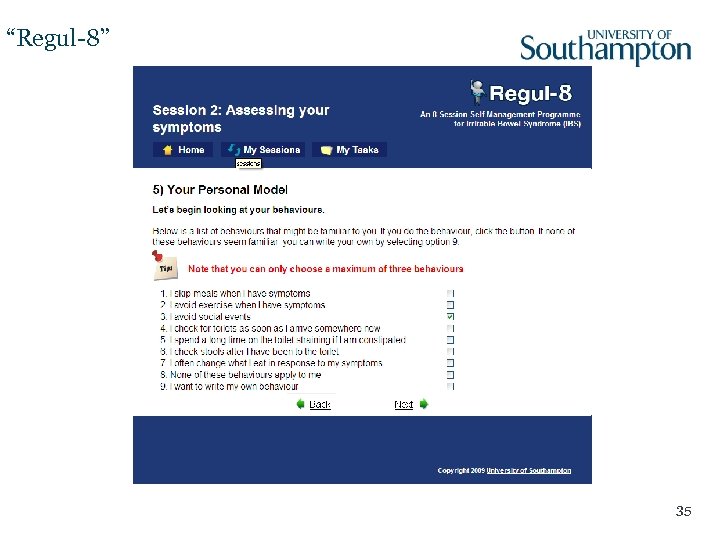
“Regul-8” 35
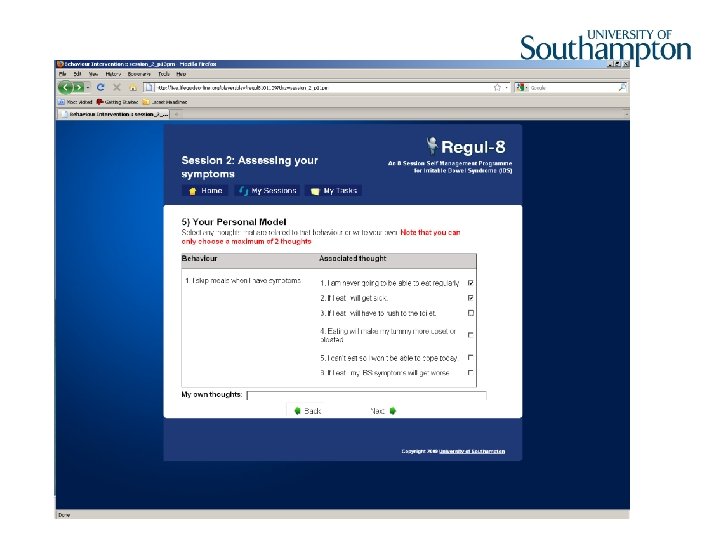
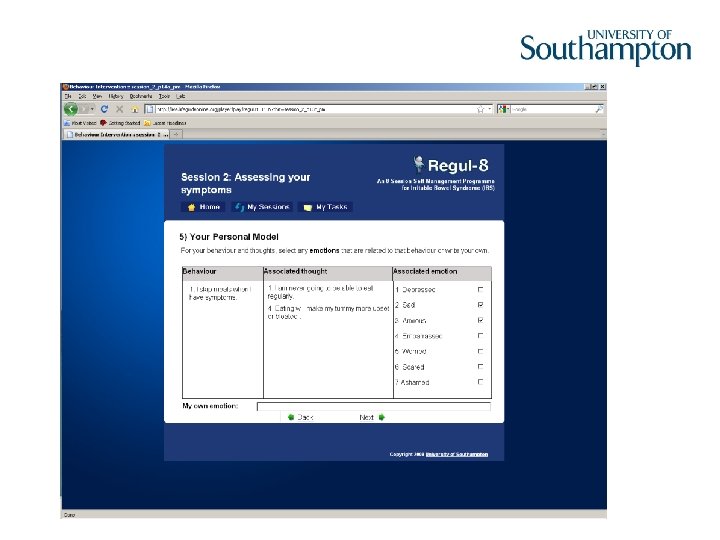
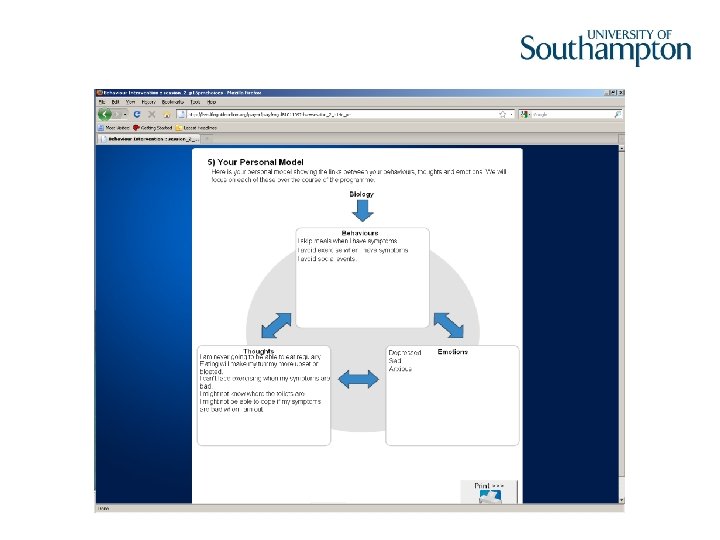
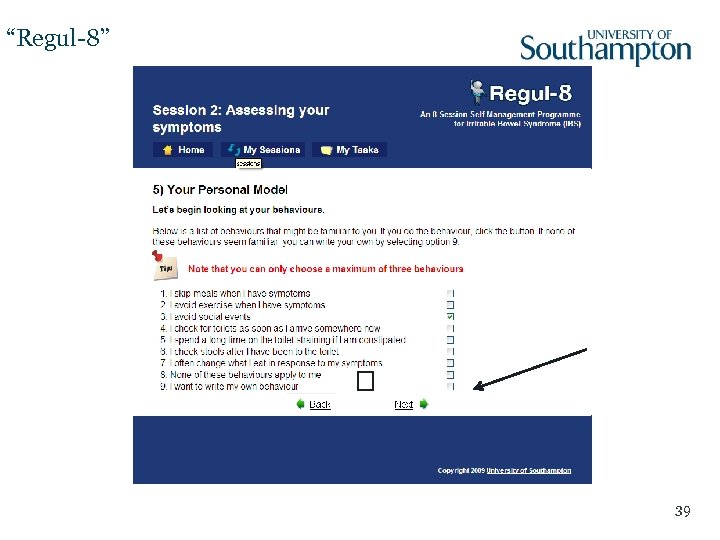
“Regul-8” 39
More information. . . • Everitt, H. A. , Moss-Morris, R. E. , Sibelli, A. , Tapp, L. , Coleman, N. S. , Yardley, L. , Smith, P. W. , & Little, P. (2010). Management of irritable bowel syndrome in primary care: Feasibility randomised controlled trial of mebeverine, methylcellulose, placebo and a patient self-management cognitivie behaviouraltherapy website. (MIBS trial). BMC Gastroenterology, 10(136). Doi: 10. 1186/1471 -230 X-10 -136 40
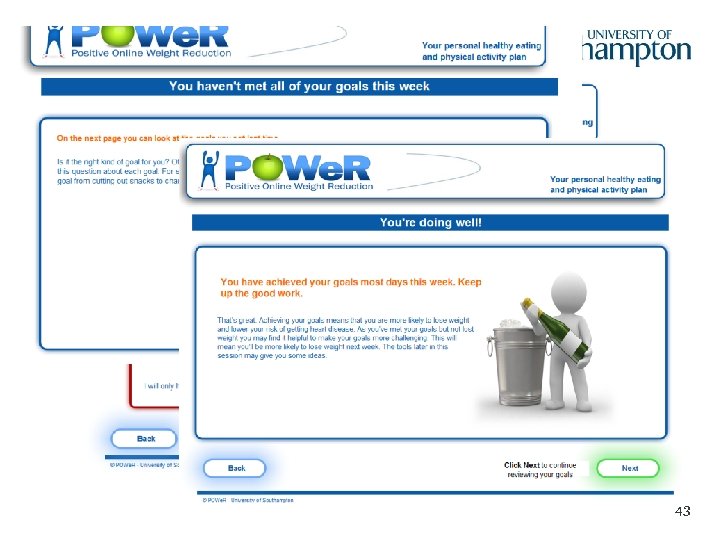
POWe. R: an intervention to support weight management Primary medical expert: Paul Little Lucy Yardley, Katherine Bradbury, Sarah Williams, Lisa Ware
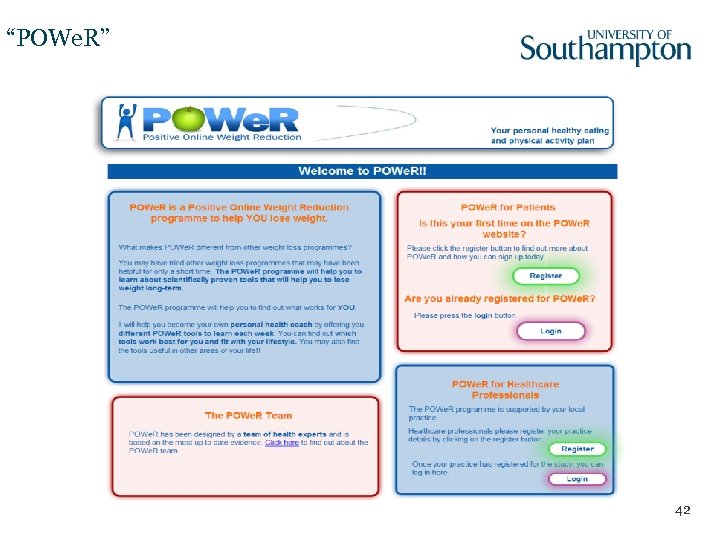
“POWe. R” 42
43
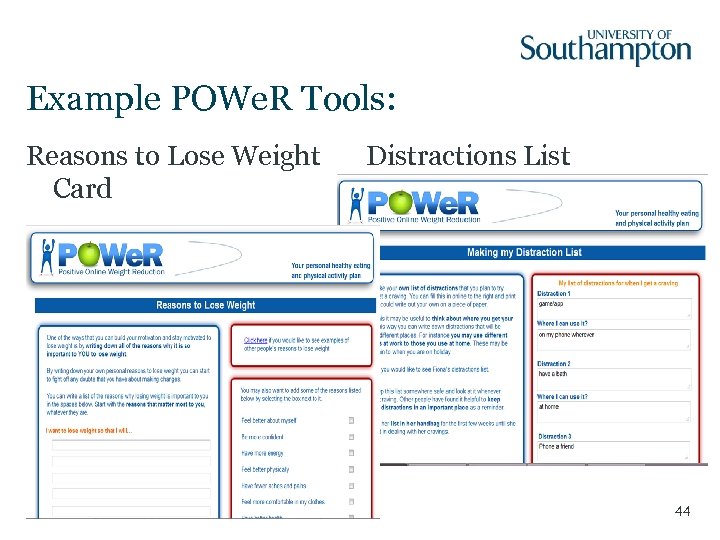
Example POWe. R Tools: Reasons to Lose Weight Card Distractions List 44
Variations of POWe. R … • Fully automated POWe. R programme (dissemination in NE England) • POWe. R for the Royal Navy • POWe. R 2 • POWe. R Mobile 45

More information. . . • Papers in preparation … watch this space! 46

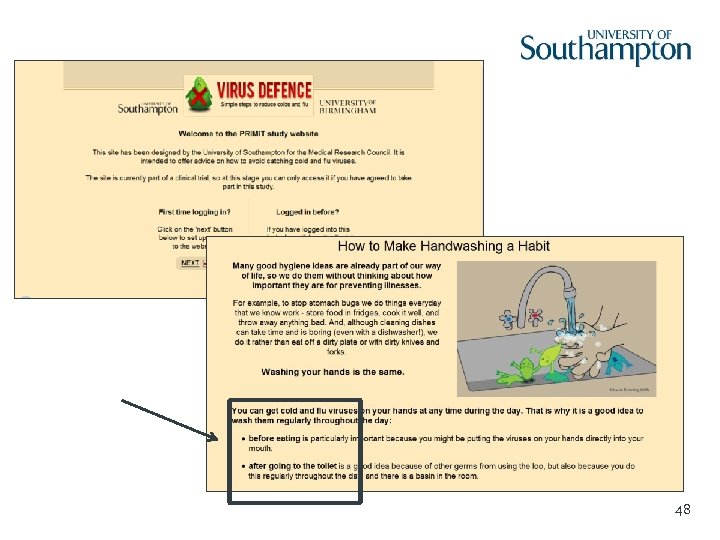
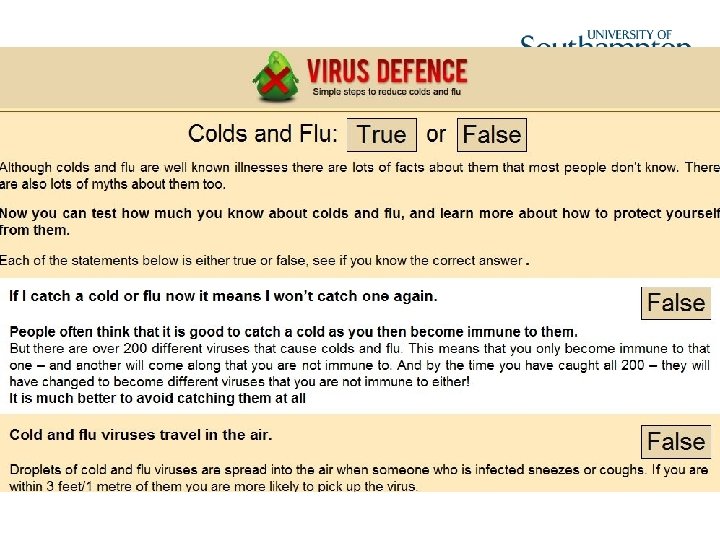
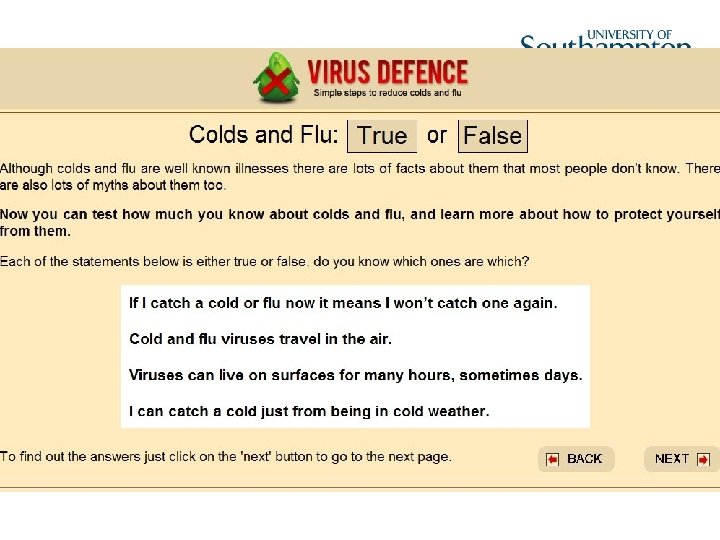
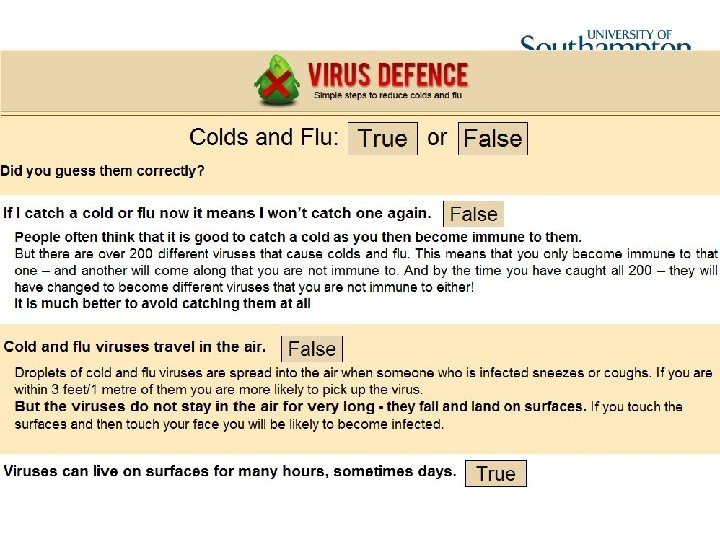
PRIMIT: an intervention to reduce respiratory infection transmission Primary medical expert: Paul Little Lucy Yardley, Sascha Miller, Emma Teasdale, Leanne Morrison
48
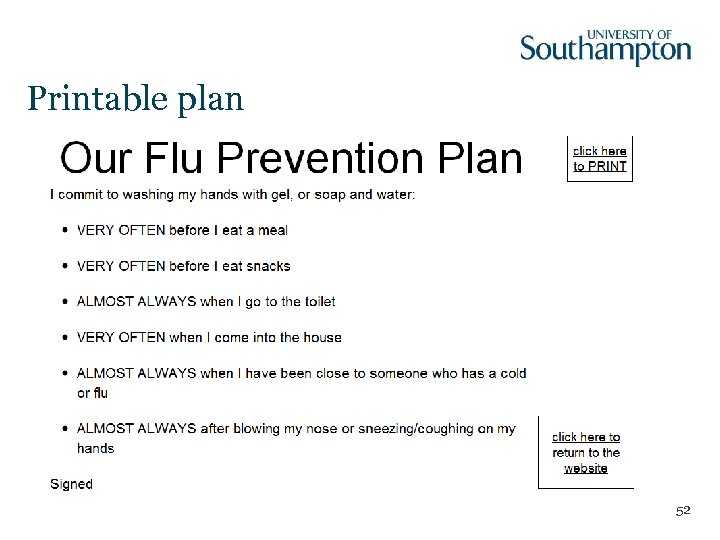
Printable plan 52

More information. . . • Miller, S. , Yardley, L. , & Little, P. (2012). Development of an intervention to reduce transmission of respiratory infections and pandemic flu: Measuring and predicting handwashing intentions. Psychology, Health, & Medicine, 17(1), 59 -81. doi: 10. 1080/13548506. 2011. 564188 • Yardley, L. , Miller, S. , Schlotz, W. , & Little, P. (2011). Evaluation of a web-based intervention to promote hand hygiene: Exploratory randomized controlled trial. Journal of Medical Internet Research, 13(4), e 107. URL: http: //www. jmir. org/2011/4/e 107. • Yardley, L. , Miller, S. , Teasdale, E. , & Little, P. (2011). Using mixed methods to design a web-based behavioural intervention to reduce transmission of colds and flu. Journal of Health Psychology, 16(2), 353 -364. doi: 10. 1177/1359105310377538 53

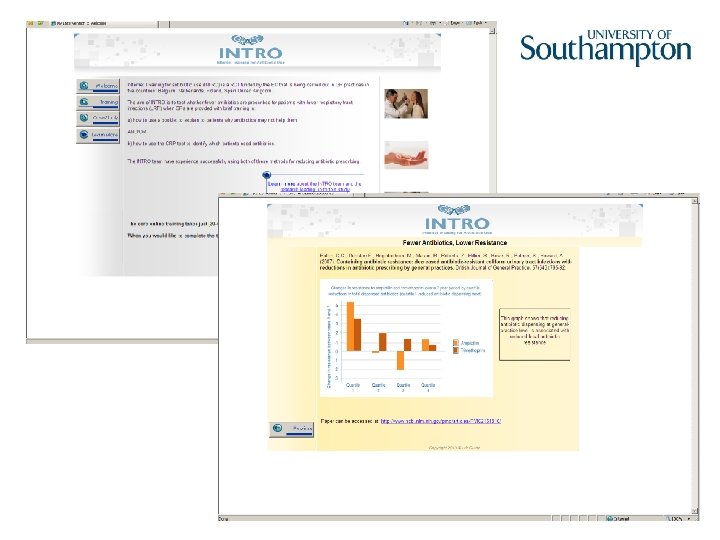
INTRO: intervention for GPs in four EC countries Primary medical experts: Paul Little, Theo Verheij Chris Butler et al. , Elaine Douglas, Sarah Tonkin-Crine
55

More information. . . • Papers in preparation … watch this space! 56

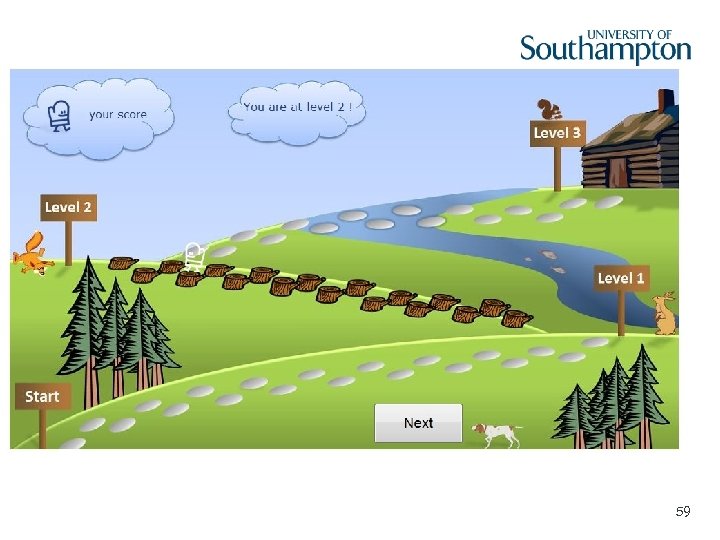
Life. CIT: Constraint Induced Therapy following stroke Jane Burridge, Lucy Yardley, Sebastian Pollet, Claire Meagher
58
59
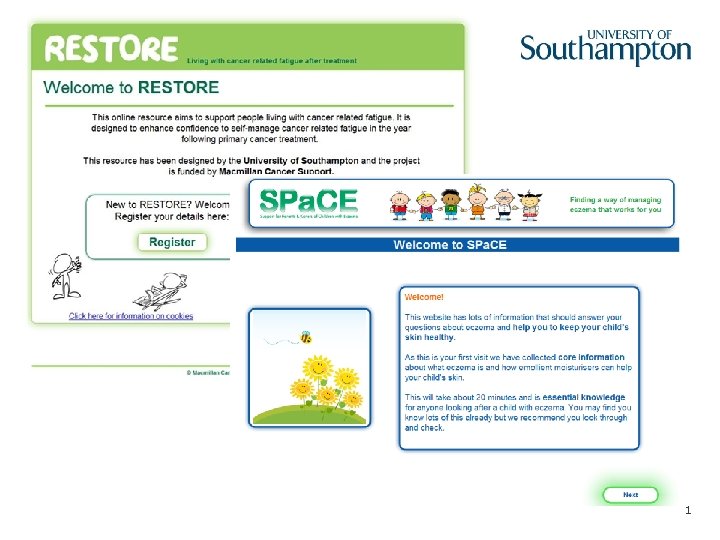
RESTORE: Living with cancerrelated fatigue after treatment Lucy Yardley, Claire Foster, Chloe Grimmett, Matt Breckons, Judy Joseph, Steph Hughes, Rosie Jones SPa. CE: Support for parents and carers of children with Eczema Lucy Yardley, Miriam Santer, Ingrid Muller
61

Questions
Evaluating interventions using the Life. Guide.
Conducting research with Life. Guide Intervention development phase • Developing user-friendly, acceptable, engaging intervention Trial phase • Testing/Evaluating the intervention – Do people use it? How? – Does it change behaviour? Health? – Who does it work for? – How/why does it work? – Do people like it? What components? 64
Intervention development phase: Qualitative Piloting • Collect data about real users’ experiences, preferences, etc 1. Fix mistakes and create an intervention that people will engage with before going live with a large trial. 2. Make discoveries of broader interest/importance • Methods – face-to-face or telephone interviews, focus groups – Think aloud interviews or verbal protocols (Ericsson & Simon, 1993) – “What are you thinking now? ” 65
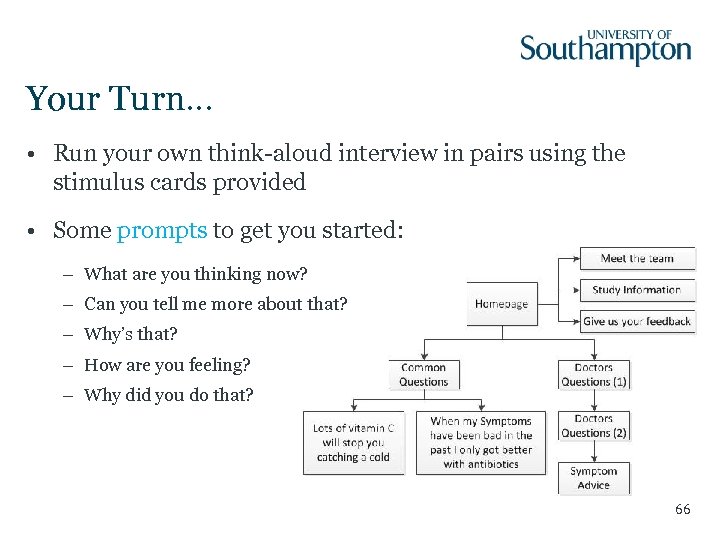
Your Turn… • Run your own think-aloud interview in pairs using the stimulus cards provided • Some prompts to get you started: – What are you thinking now? – Can you tell me more about that? – Why’s that? – How are you feeling? – Why did you do that? 66
Reflections on the think-aloud method • Was it easy being the interviewer? • Was it easy being the participant? • Do you think you will get useful data using this method? 67
68
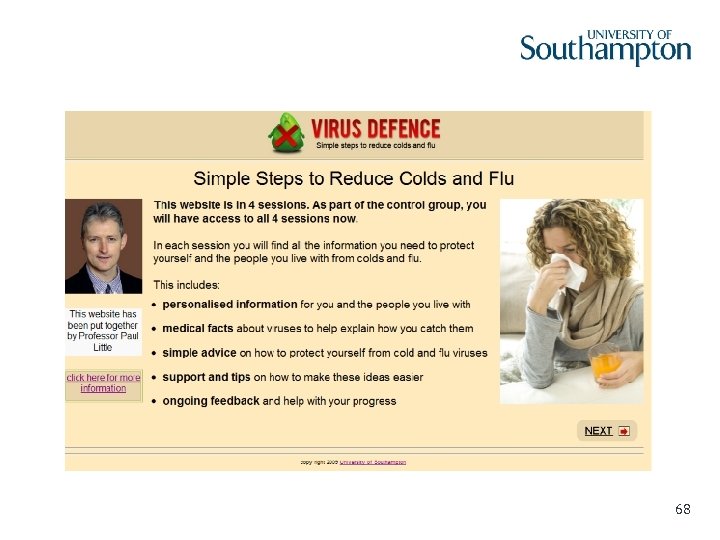
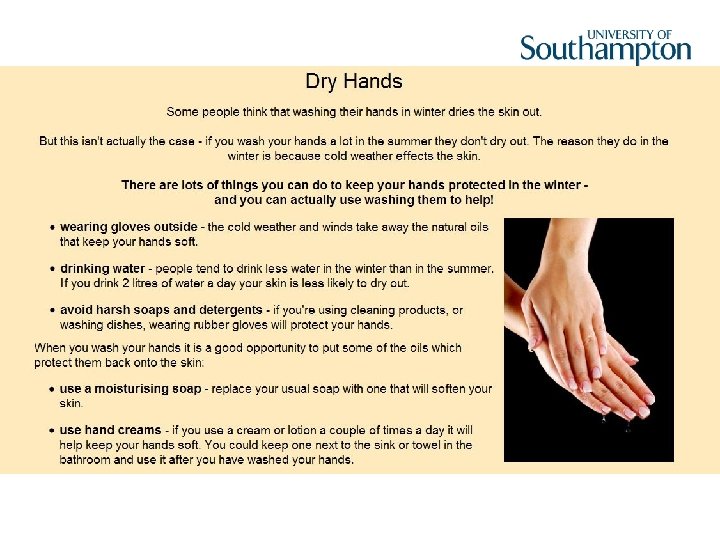
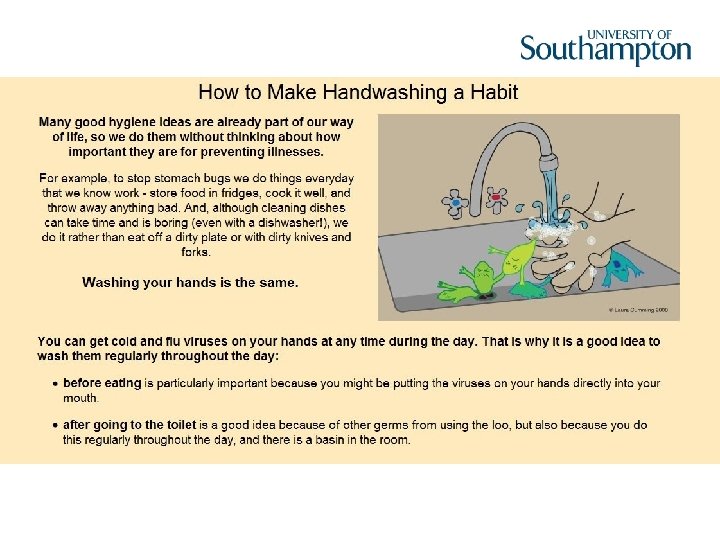
Qualitative piloting of draft web-pages Content: beliefs, barriers and facilitators False transmission beliefs – viruses as airborn, don’t need to wash hands after using a tissue Social barriers/facilitators – didn’t want to be seen as obsessive, or as having dirty hands! Control barriers/facilitators – forgetting, not having time, dry skin, using hand gels 69

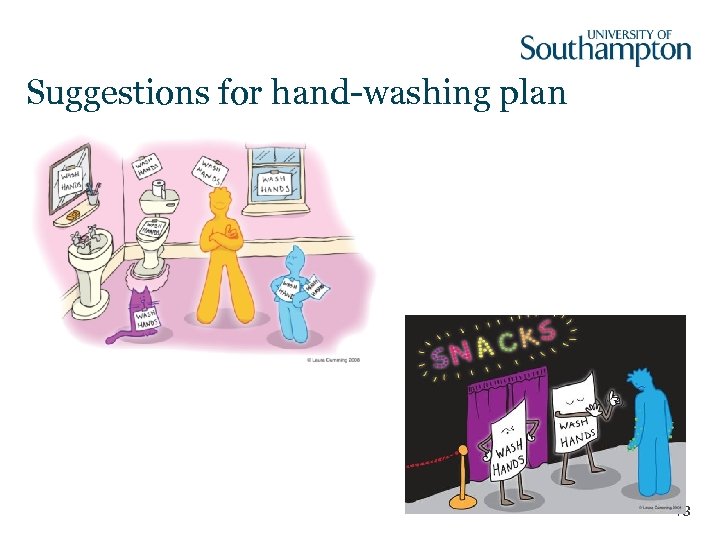
Suggestions for hand-washing plan 73
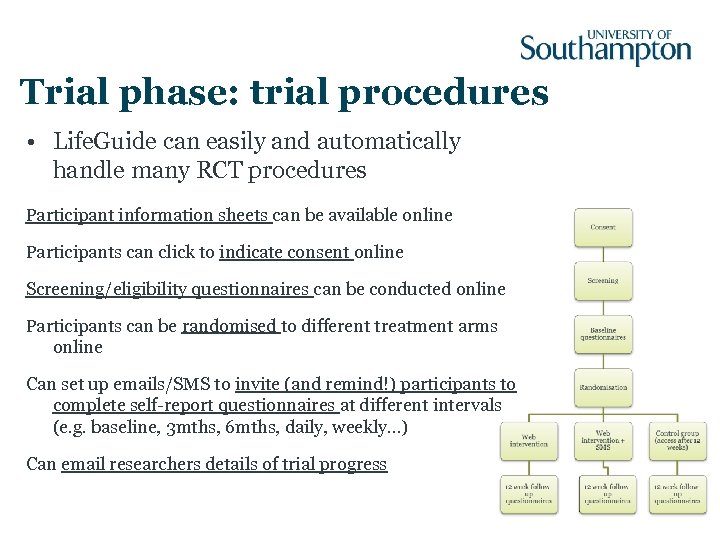
Trial phase: trial procedures • Life. Guide can easily and automatically handle many RCT procedures Participant information sheets can be available online Participants can click to indicate consent online Screening/eligibility questionnaires can be conducted online Participants can be randomised to different treatment arms online Can set up emails/SMS to invite (and remind!) participants to complete self-report questionnaires at different intervals (e. g. baseline, 3 mths, 6 mths, daily, weekly…) Can email researchers details of trial progress
Trial phase: quantitative data Life. Guide automatically collects data on usage –Log-ons –Sections completed –Duration –Time and date Life. Guide can easily be set up to collect a range of data from the user Can set up emails to invite (and remind!) participants to complete self-report questionnaires at different intervals (e. g. baseline, 3 mths, 6 mths, daily, weekly…) –Questionnaire responses (single choice, multiple choice, categorical, scale…) –Free text –Other data entered by user: Diaries, logs, comments Data is easily exported to an excel file. NB- time and effort needed to tidy up and interpret the huge amount of data that is collected. 75

Questions?
Using Life. Guide: A practical demo
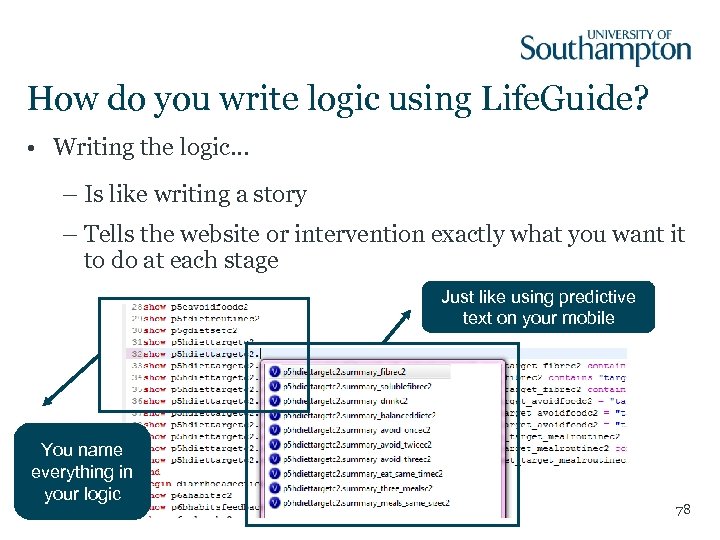
How do you write logic using Life. Guide? • Writing the logic… – Is like writing a story – Tells the website or intervention exactly what you want it to do at each stage Just like using predictive text on your mobile You name everything in your logic 78
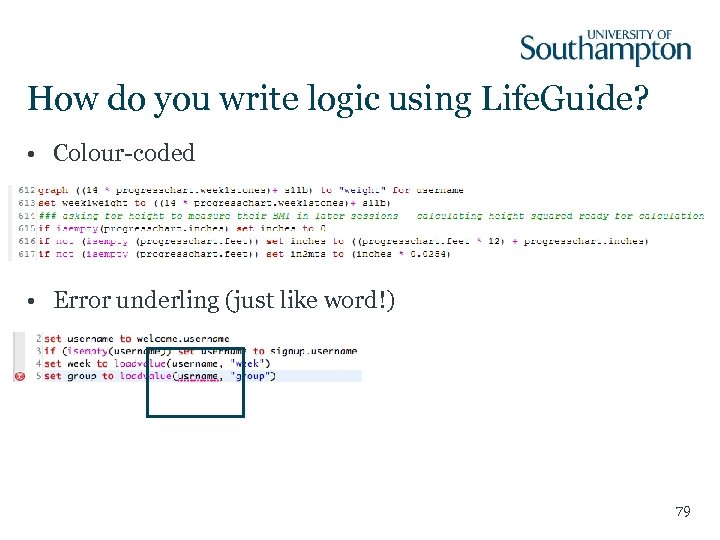
How do you write logic using Life. Guide? • Colour-coded • Error underling (just like word!) 79
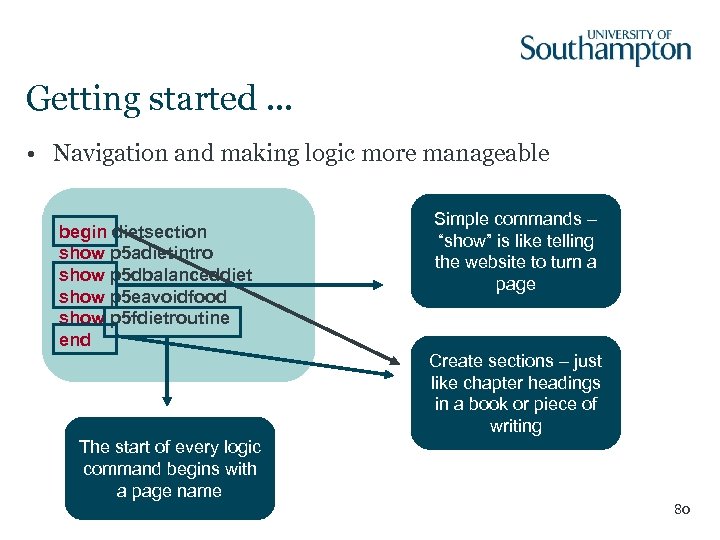
Getting started. . . • Navigation and making logic more manageable begin dietsection show p 5 adietintro show p 5 dbalanceddiet show p 5 eavoidfood show p 5 fdietroutine end Simple commands – “show” is like telling the website to turn a page Create sections – just like chapter headings in a book or piece of writing The start of every logic command begins with a page name 80
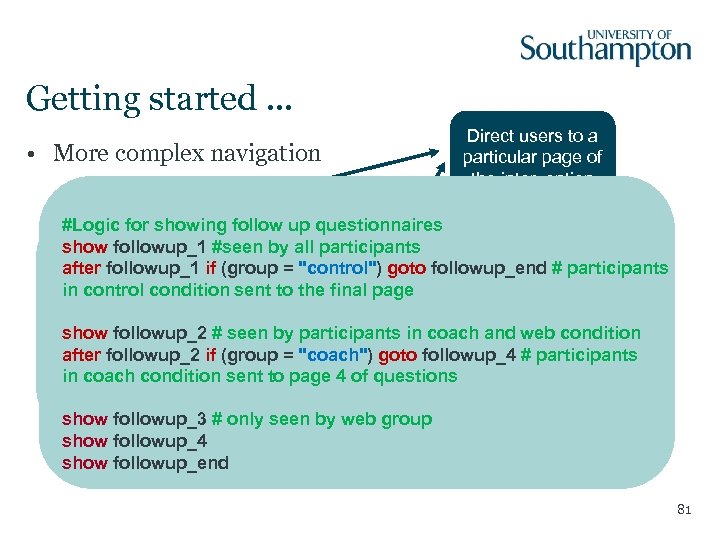
Getting started. . . • More complex navigation Direct users to a particular page of the intervention #Logic for showing follow up questionnaires show followup_1 #seen by all participants after followup_1 if (group = "control") goto followup_end # participants in control condition sent to the final page show followup_2 after followup_2 if (group = "coach") goto followup_4 show followup_2 # seen by participants in coach and web condition after followup_2 if (group = "coach") goto followup_4 # participants show followup_3 in coach condition sent to page 4 of questions show followup_4 show followup_end A condition that show followup_3 # only seen by web group needs to be show followup_4 satisfied show followup_end 81
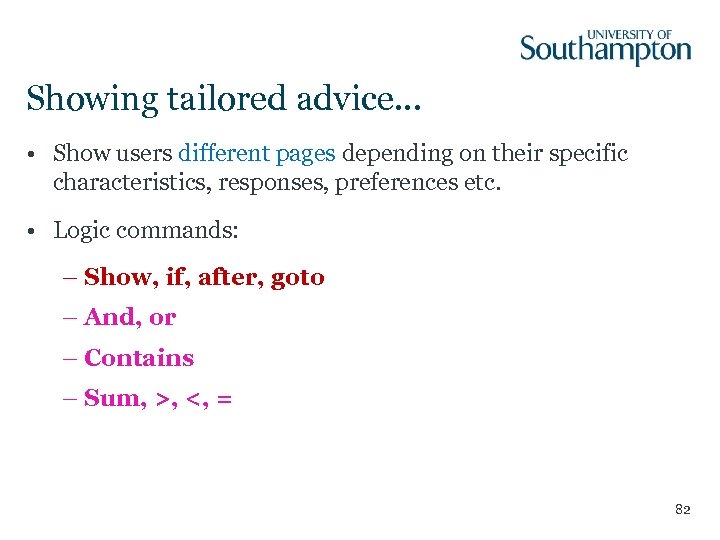
Showing tailored advice. . . • Show users different pages depending on their specific characteristics, responses, preferences etc. • Logic commands: – Show, if, after, goto – And, or – Contains – Sum, >, <, = 82
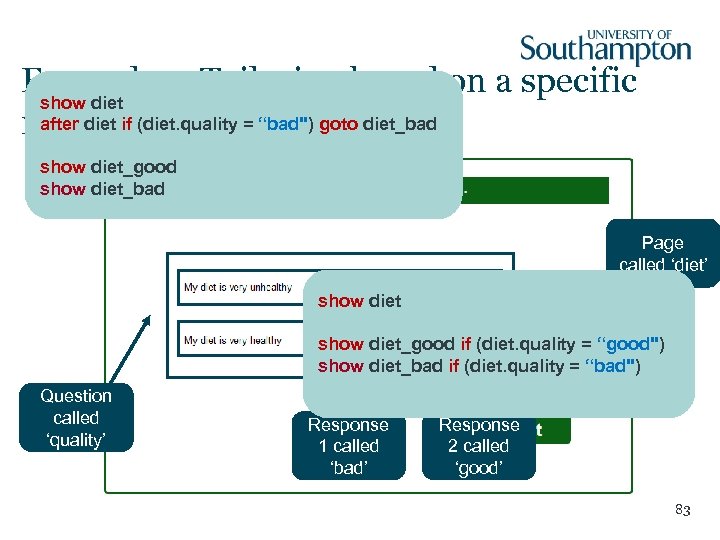
Example 1: Tailoring based on a specific show diet after diet if (diet. quality = “bad") goto diet_bad response show diet_good show diet_bad Page called ‘diet’ show diet_good if (diet. quality = “good") show diet_bad if (diet. quality = “bad") Question called ‘quality’ Response 1 called ‘bad’ Response 2 called ‘good’ 83
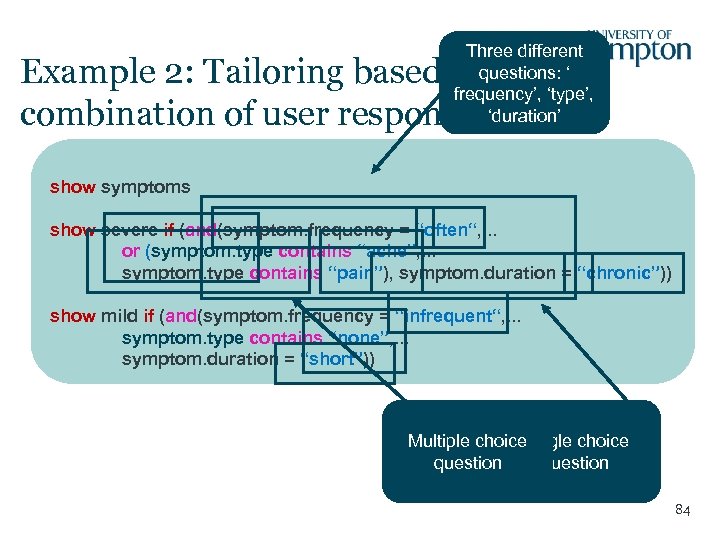
Three different questions: ‘ frequency’, ‘type’, ‘duration’ Example 2: Tailoring based on a combination of user responses show symptoms show severe if (and(symptom. frequency = “often“, . . . or (symptom. type contains “ache”, . . . symptom. type contains “pain”), symptom. duration = “chronic”)) show mild if (and(symptom. frequency = “infrequent“, . . . symptom. type contains “none”, . . . symptom. duration = “short”)) Multiple choice Single choice question 84
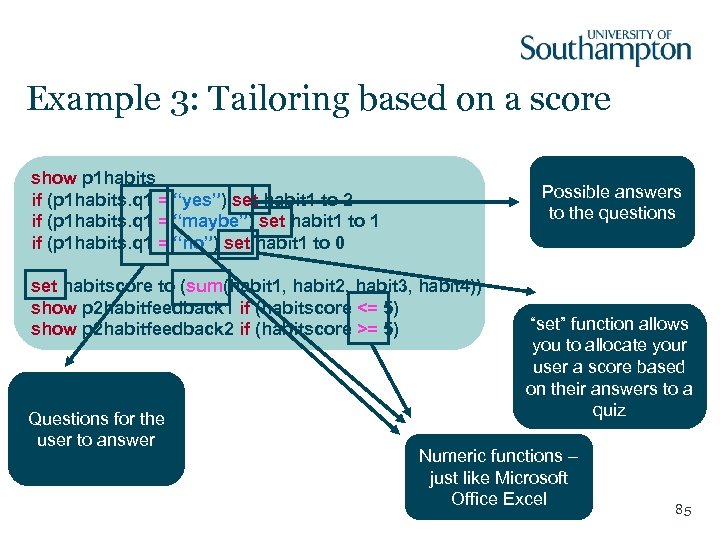
Example 3: Tailoring based on a score show p 1 habits if (p 1 habits. q 1 = “yes”) set habit 1 to 2 if (p 1 habits. q 1 = “maybe”) set habit 1 to 1 if (p 1 habits. q 1 = “no”) set habit 1 to 0 … set habitscore to (sum(habit 1, habit 2, habit 3, habit 4)) show p 2 habitfeedback 1 if (habitscore <= 5) show p 2 habitfeedback 2 if (habitscore >= 5) Questions for the user to answer Possible answers to the questions “set” function allows you to allocate your user a score based on their answers to a quiz Numeric functions – just like Microsoft Office Excel 85
Your Turn. . . Write your own tailored mini intervention.
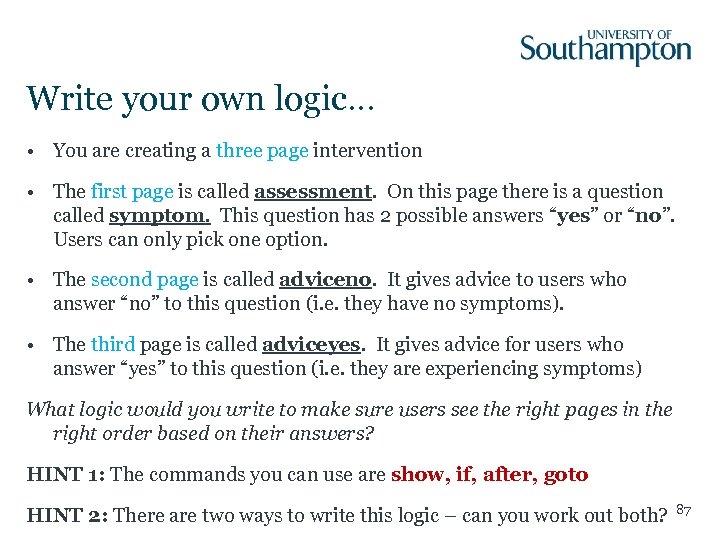
Write your own logic… • You are creating a three page intervention • The first page is called assessment. On this page there is a question called symptom. This question has 2 possible answers “yes” or “no”. Users can only pick one option. • The second page is called adviceno. It gives advice to users who answer “no” to this question (i. e. they have no symptoms). • The third page is called adviceyes. It gives advice for users who answer “yes” to this question (i. e. they are experiencing symptoms) What logic would you write to make sure users see the right pages in the right order based on their answers? HINT 1: The commands you can use are show, if, after, goto HINT 2: There are two ways to write this logic – can you work out both? 87
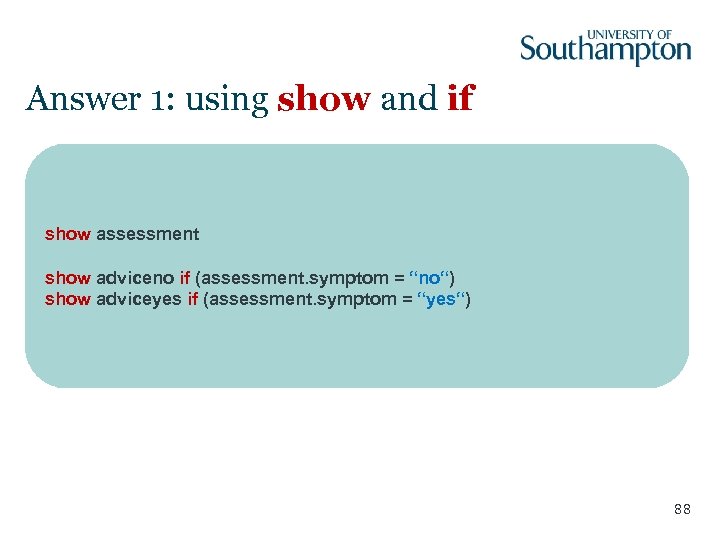
Answer 1: using show and if show assessment show adviceno if (assessment. symptom = “no“) show adviceyes if (assessment. symptom = “yes“) 88
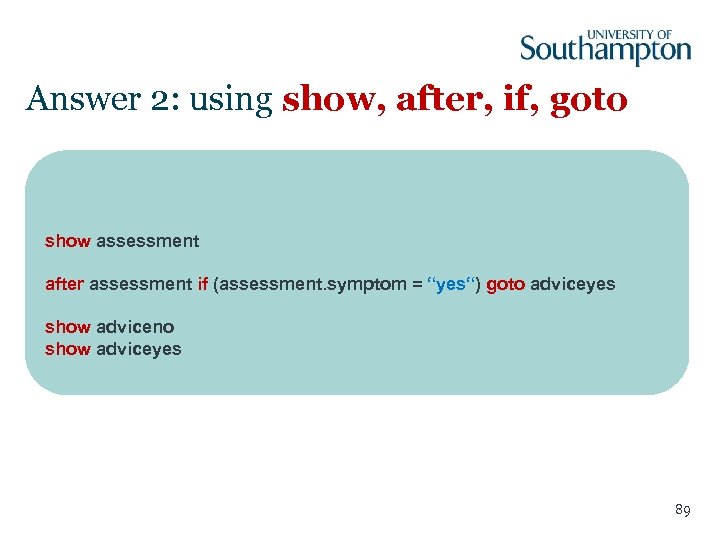
Answer 2: using show, after, if, goto show assessment after assessment if (assessment. symptom = “yes“) goto adviceyes show adviceno show adviceyes 89
90
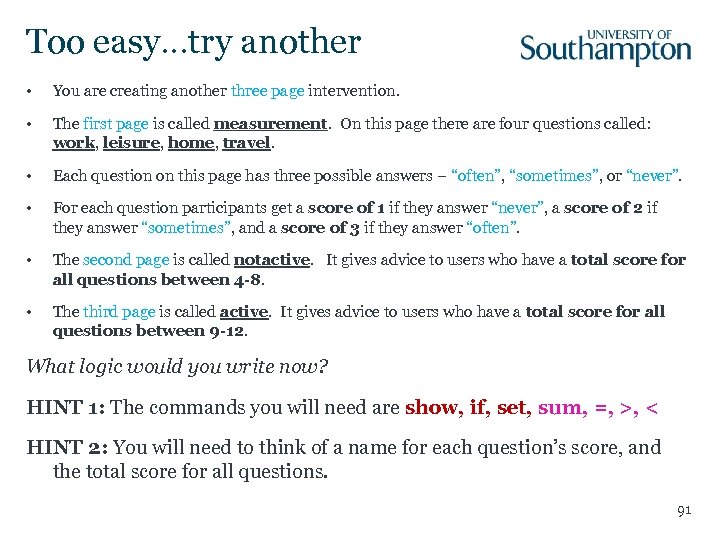
Too easy…try another • You are creating another three page intervention. • The first page is called measurement. On this page there are four questions called: work, leisure, home, travel. • Each question on this page has three possible answers – “often”, “sometimes”, or “never”. • For each question participants get a score of 1 if they answer “never”, a score of 2 if they answer “sometimes”, and a score of 3 if they answer “often”. • The second page is called notactive. It gives advice to users who have a total score for all questions between 4 -8. • The third page is called active. It gives advice to users who have a total score for all questions between 9 -12. What logic would you write now? HINT 1: The commands you will need are show, if, set, sum, =, >, < HINT 2: You will need to think of a name for each question’s score, and the total score for all questions. 91
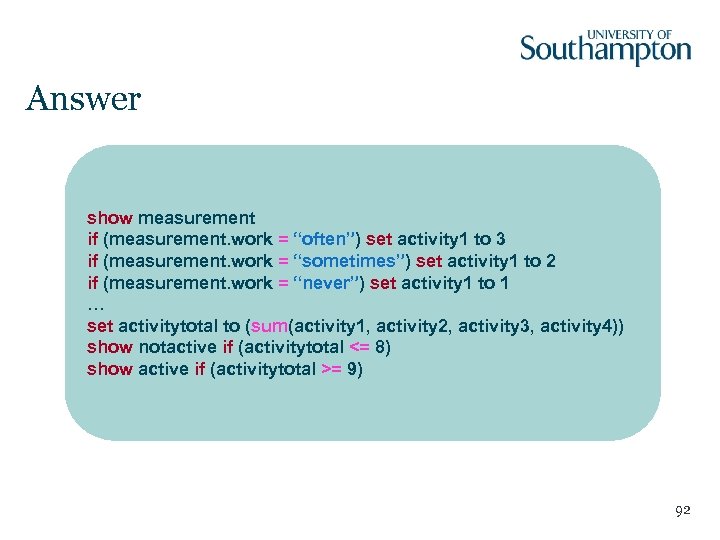
Answer show measurement if (measurement. work = “often”) set activity 1 to 3 if (measurement. work = “sometimes”) set activity 1 to 2 if (measurement. work = “never”) set activity 1 to 1 … set activitytotal to (sum(activity 1, activity 2, activity 3, activity 4)) show notactive if (activitytotal <= 8) show active if (activitytotal >= 9) 92
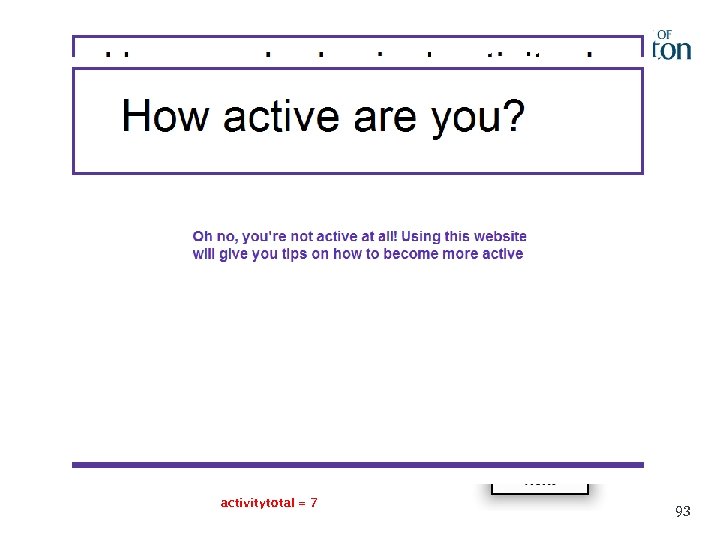
activity 1 = 3 activity 2 = 1 activitytotal = 7 activity 3 = 2 activity 4 = 1 93
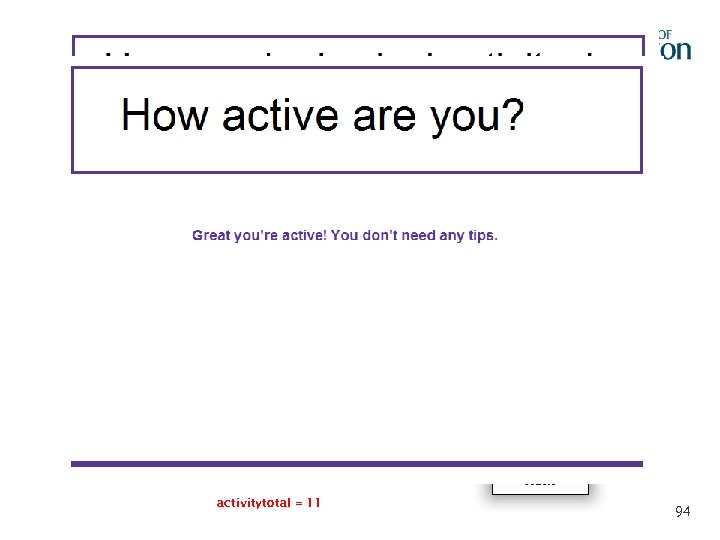
activity 1 = 3 activity 2 = 3 activitytotal = 11 activity 3 = 2 activity 4 = 3 94
Top Tips for using Life. Guide ü Plan ahead (e. g. order of pages, location of images etc…) ü Keep records (e. g. page names, solved errors…) ü Develop consistent labels (makes the logic a little easier) ü Write logic as you go (this will keep it fresh in your mind) ü Break the logic down into small steps ü Use lower case (reduces typos) ü User testing 95

Questions?

Comfort Break.

Beyond the Internet: UBhave.
UBhave (EPSRC funded) Investigate the power and challenges of using mobile phones and social networking for Behaviour Change Interventions Multidisciplinary: behavioural scientists and computer scientists (& ethicists, statisticians etc. ). Behavioural Science Aspects • Potential of smartphone interventions for behaviour change (feasibility, acceptability, effectiveness) • Weight management as an example. 99
Mobile phone interventions so far…. SMS interventions; a few examples – Haapala (2009)- ‘Weight Balance’ SMS intervention – advice/info/tips on weight loss – Holtz (2009) – SMS prompts patients with asthma to report peak flow. Automated recommendations-(red, amber, green). – Franklin (2008)- “Sweet talk”- SMS to teenagers containing goals/tips for managing diabetes. Smartphone apps; a few examples – Morris (2011)- Emotions/stress. Experience sampling of mood; regular prompts from phone to report. Display of patterns across time/place. CBT-inspired apps (thought challenge, relaxation) – Ahtinen (2009) -Wellness diary, mobile coach, selfrelax – Burns (2011)- Depression intervention. Trying to train phone to recognise/predict emotional state from sensed data and trigger CBT-inspired smartphone apps
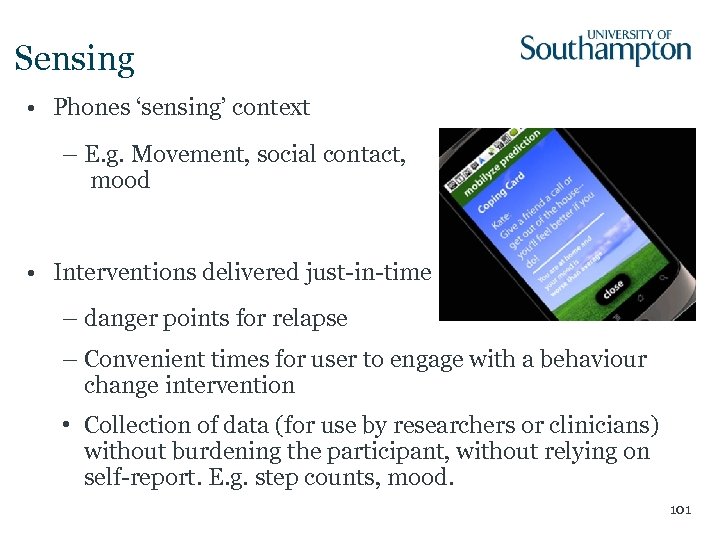
Sensing • Phones ‘sensing’ context – E. g. Movement, social contact, mood • Interventions delivered just-in-time – danger points for relapse – Convenient times for user to engage with a behaviour change intervention • Collection of data (for use by researchers or clinicians) without burdening the participant, without relying on self-report. E. g. step counts, mood. 101
Views of potential users of smartphone interventions • Focus groups with students and staff (n=19 participants, 4 groups) – Experiences of using smartphone apps for health – Opinions/reactions to smartphone apps and their capabilities (trigger material) Findings: interest and enthusiasm BUT ALSO: scepticism about sensing, privacy/security/creepiness concerns, potential for phone interventions to upset and annoy, phones out of control, need for ease, pleasure and efficiency of use, legitimacy, disposability, aversion to linking to social networks, 102 embarrassment.
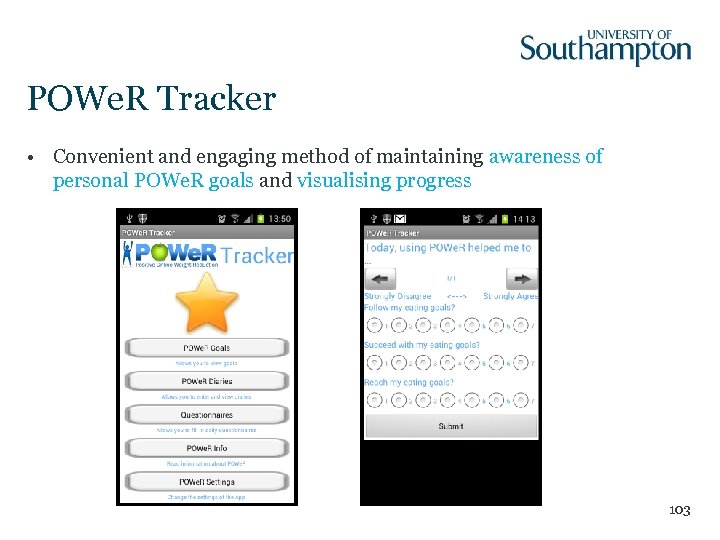
POWe. R Tracker • Convenient and engaging method of maintaining awareness of personal POWe. R goals and visualising progress 103
POWe. R Tracker - Components 1. POWe. R Goals (view goals and plans) 2. POWe. R Settings (set up reminders and notifications) 3. POWe. R Diaries (monitor food intake and physical activity) 4. POWe. R Info (food lists, rationale for diary keeping) 5. Daily Goal Update (rate goal progress, tailored feedback) 6. Sensor modules (daily activities, phone use) 104
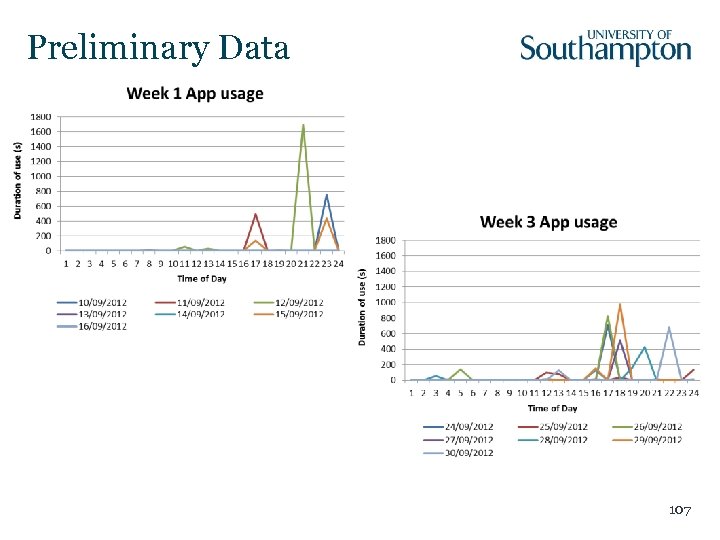
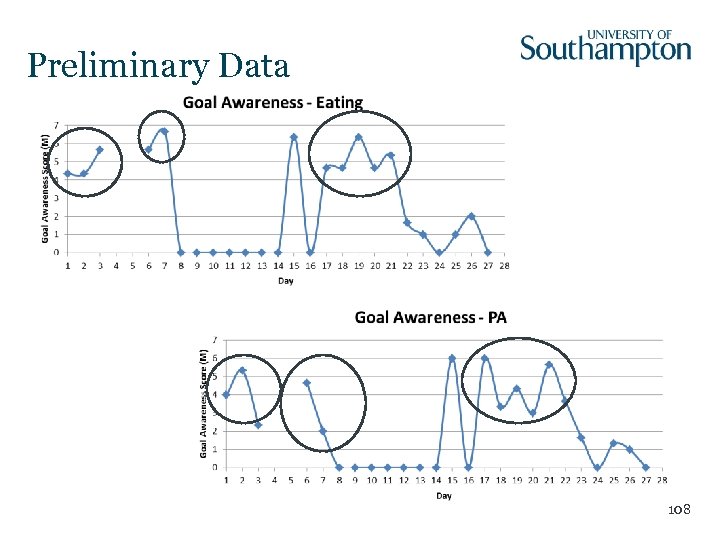
N of 1 studies Aim: Evaluate the feasibility and acceptability of incorporating Smartphone apps into an Internet-based weight management intervention (POWe. R) • Use POWe. R for 4 weeks (ABAB vs. BABA design) • Informed by Health Action Process Approach (HAPA, Schwarzer, 2008). • Data: – Self-report: daily/weekly questionnaires – Objective: Pedometer, use patterns, sensor modules – Qualitative: Weekly telephone interview 105
Measures and Analyses • Acceptability and feasibility? – Qualitative data/thematic analysis; positive intervention perceptions (PIPS); ease of use (TAM) • Engagement? – Usage patterns (durations, log ins, completion of ‘tools’, response to reminders); sensed parameters (location, connectivity) • Predictors of successful weight management? – Coping self-efficacy; action control; goal effort; goal awareness, motivation, achievement, self-efficacy; intrinsic motivation (IMI); action planning (completion of POWe. R ‘tools’) • Behaviour change? – Physical activity (IPAQ, pedometer); Food consumption (FFQ) 106
Preliminary Data 107
Preliminary Data 108

Discussion.
Acknowledgements Funded by the ESRC as a node of the national programme for Digital Social Research Health psychologists: Computer scientists: Lucy Yardley Dave de Roure Susan Michie Gary Wills Judith Joseph Mark Weal Sarah Williams Adrian Osmond Leanne Morrison David Fowler Pei Zhang 110
Contact • To receive Life. Guide Community Newsletters email Victoria Hayter, V. J. Hayter@soton. ac. uk • For more information on how you can use Life. Guide go to www. lifeguideonline. org Dr Leanne Morrison L. Morrison@soton. ac. uk Dr Laura Dennison L. K. Dennison@soton. ac. uk 111
Скачать презентацию Developing and Evaluating Internet-delivered behaviour change interventions using
3541900096ec3f375716363e333db083.ppt