


 Скачать презентацию Desktop Grids Ashok Adiga Texas Advanced Computing Center
26caee6105535244fb2c1a9d6267e060.ppt
- Количество слайдов: 35
 Desktop Grids Ashok Adiga Texas Advanced Computing Center {adiga@tacc. utexas. edu} SURA Cyberinfrastructure Workshop Series: Grid Technology: The Rough Guide December 8 & 9, 2005, Austin, TX
 Topics • What makes Desktop Grids different? • What applications are suitable? • Three Solutions: – Condor – United Devices Grid MP – BOINC SURA Cyberinfrastructure Workshop Series: Grid Technology: The Rough Guide December 8 & 9, 2005, Austin, TX
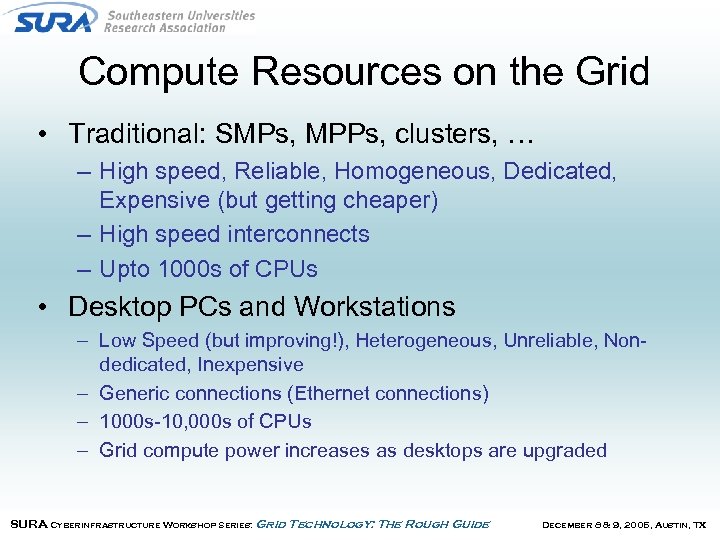 Compute Resources on the Grid • Traditional: SMPs, MPPs, clusters, … – High speed, Reliable, Homogeneous, Dedicated, Expensive (but getting cheaper) – High speed interconnects – Upto 1000 s of CPUs • Desktop PCs and Workstations – Low Speed (but improving!), Heterogeneous, Unreliable, Nondedicated, Inexpensive – Generic connections (Ethernet connections) – 1000 s-10, 000 s of CPUs – Grid compute power increases as desktops are upgraded SURA Cyberinfrastructure Workshop Series: Grid Technology: The Rough Guide December 8 & 9, 2005, Austin, TX
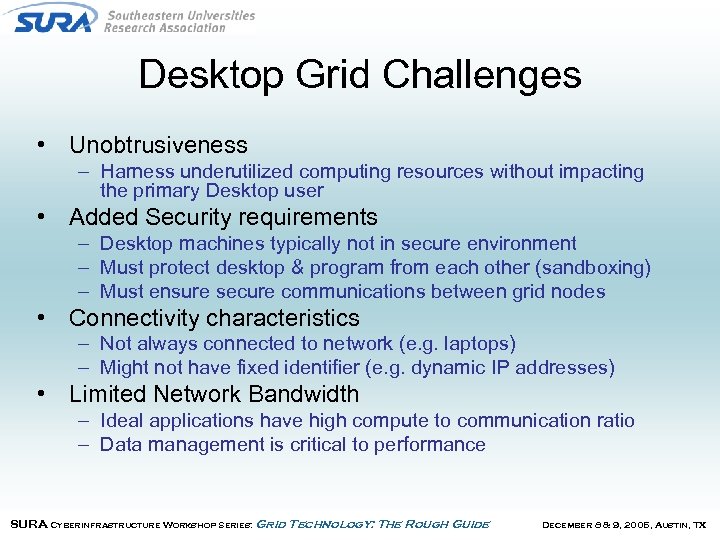 Desktop Grid Challenges • Unobtrusiveness – Harness underutilized computing resources without impacting the primary Desktop user • Added Security requirements – Desktop machines typically not in secure environment – Must protect desktop & program from each other (sandboxing) – Must ensure secure communications between grid nodes • Connectivity characteristics – Not always connected to network (e. g. laptops) – Might not have fixed identifier (e. g. dynamic IP addresses) • Limited Network Bandwidth – Ideal applications have high compute to communication ratio – Data management is critical to performance SURA Cyberinfrastructure Workshop Series: Grid Technology: The Rough Guide December 8 & 9, 2005, Austin, TX
 Desktop Grid Challenges (cont’d) • Job Scheduling heterogeneous, non-dedicated resources is complex – Must match application requirements to resource characteristics – Meeting Qo. S is difficult since program might have to share the CPU with other desktop activity • Desktops are typically unreliable – System must detect & recover from node failure • Scalability issues – Software has to manage thousands of resources – Conventional application licensing is not set up for desktop grids SURA Cyberinfrastructure Workshop Series: Grid Technology: The Rough Guide December 8 & 9, 2005, Austin, TX
 Application Feasibility • Only some applications map well to Desktop grids – – Coarse-grain data parallelism Parallel chunks relatively independent High computation-data communication ratios Non-Intrusive behavior on client device • Small memory footprint on the client • I/O activity is limited – Executable and data sizes are dependent on available bandwidth SURA Cyberinfrastructure Workshop Series: Grid Technology: The Rough Guide December 8 & 9, 2005, Austin, TX
 Typical Applications • Desktop Grids naturally support data parallel applications – Monte Carlo methods – Large Database searches – Genetic Algorithms – Exhaustive search techniques – Parametric Design – Asynchronous Iterative algorithms SURA Cyberinfrastructure Workshop Series: Grid Technology: The Rough Guide December 8 & 9, 2005, Austin, TX
 Condor • Condor manages pools of workstations and dedicated clusters to create a distributed high-throughput computing (HTC) facility. – Created at University of Wisconsin – Project established in 1985 • Initially targeted at scheduling clusters providing functions such as: – – Queuing Scheduling Priority Scheme Resource Classifications • And then extended to manage non-dedicated resources – Sandboxing – Job preemption SURA Cyberinfrastructure Workshop Series: Grid Technology: The Rough Guide December 8 & 9, 2005, Austin, TX
 Why use Condor? • Condor has several unique mechanisms such as : – – – Class. Ad Matchmaking Process checkpoint/ restart / migration Remote System Calls Grid Awareness Glideins • Support for multiple “Universes” – Vanilla, Java, MPI, PVM, Globus, … • Very simple to install, manage, and use – Natural environment for application developers • Free! SURA Cyberinfrastructure Workshop Series: Grid Technology: The Rough Guide December 8 & 9, 2005, Austin, TX
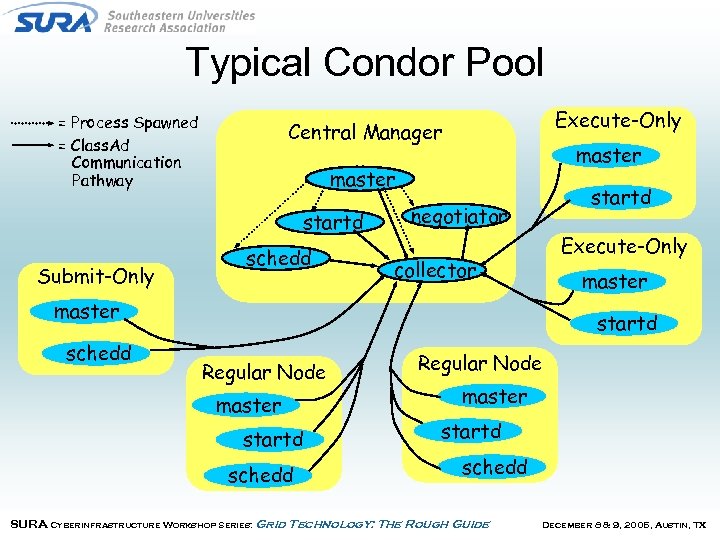 Typical Condor Pool = Process Spawned = Class. Ad Communication Pathway master startd Submit-Only Execute-Only Central Manager schedd startd negotiator Execute-Only collector master schedd startd Regular Node master startd schedd SURA Cyberinfrastructure Workshop Series: Grid Technology: The Rough Guide December 8 & 9, 2005, Austin, TX
 Condor Class. Ads • Class. Ads are at the heart of Condor • Class. Ads – are a set of uniquely named expressions; each expression is called an attribute – combine query and data – semi-structured : no fixed schema – extensible SURA Cyberinfrastructure Workshop Series: Grid Technology: The Rough Guide December 8 & 9, 2005, Austin, TX
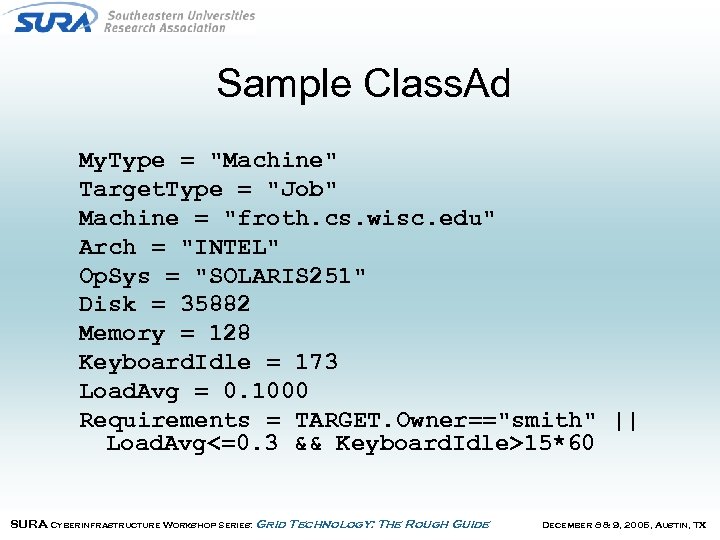 Sample Class. Ad My. Type = "Machine" Target. Type = "Job" Machine = "froth. cs. wisc. edu" Arch = "INTEL" Op. Sys = "SOLARIS 251" Disk = 35882 Memory = 128 Keyboard. Idle = 173 Load. Avg = 0. 1000 Requirements = TARGET. Owner=="smith" || Load. Avg<=0. 3 && Keyboard. Idle>15*60 SURA Cyberinfrastructure Workshop Series: Grid Technology: The Rough Guide December 8 & 9, 2005, Austin, TX
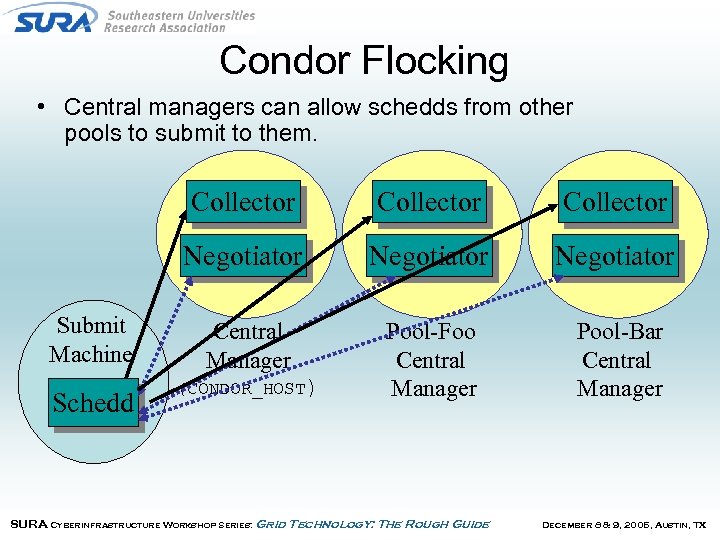 Condor Flocking • Central managers can allow schedds from other pools to submit to them. Collector Schedd Collector Negotiator Submit Machine Collector Negotiator Central Manager Pool-Foo Central Manager Pool-Bar Central Manager (CONDOR_HOST) SURA Cyberinfrastructure Workshop Series: Grid Technology: The Rough Guide December 8 & 9, 2005, Austin, TX
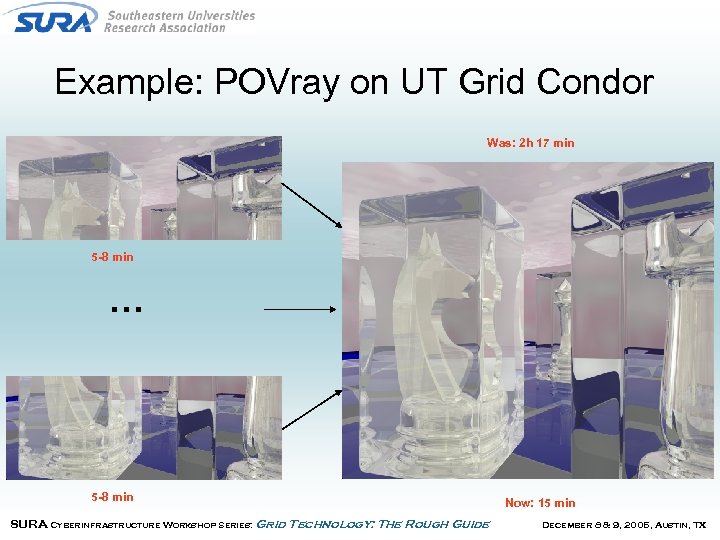 Example: POVray on UT Grid Condor Was: 2 h 17 min 5 -8 min … 5 -8 min SURA Cyberinfrastructure Workshop Series: Grid Technology: The Rough Guide Now: 15 min December 8 & 9, 2005, Austin, TX
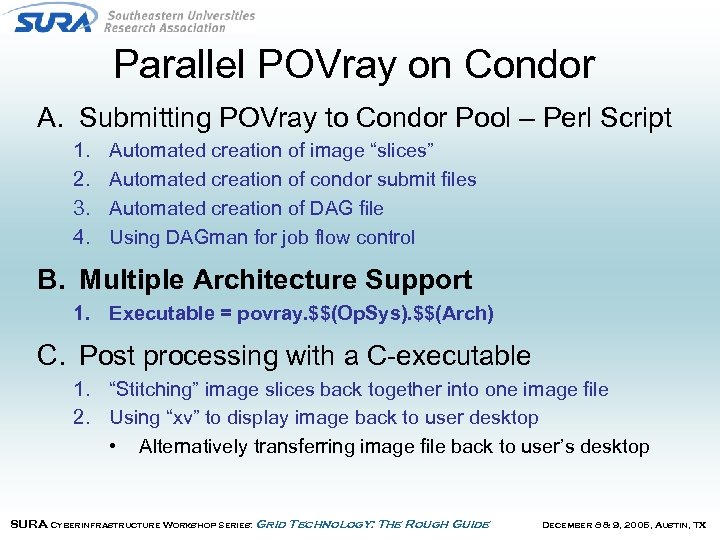 Parallel POVray on Condor A. Submitting POVray to Condor Pool – Perl Script 1. 2. 3. 4. Automated creation of image “slices” Automated creation of condor submit files Automated creation of DAG file Using DAGman for job flow control B. Multiple Architecture Support 1. Executable = povray. $$(Op. Sys). $$(Arch) C. Post processing with a C-executable 1. “Stitching” image slices back together into one image file 2. Using “xv” to display image back to user desktop • Alternatively transferring image file back to user’s desktop SURA Cyberinfrastructure Workshop Series: Grid Technology: The Rough Guide December 8 & 9, 2005, Austin, TX
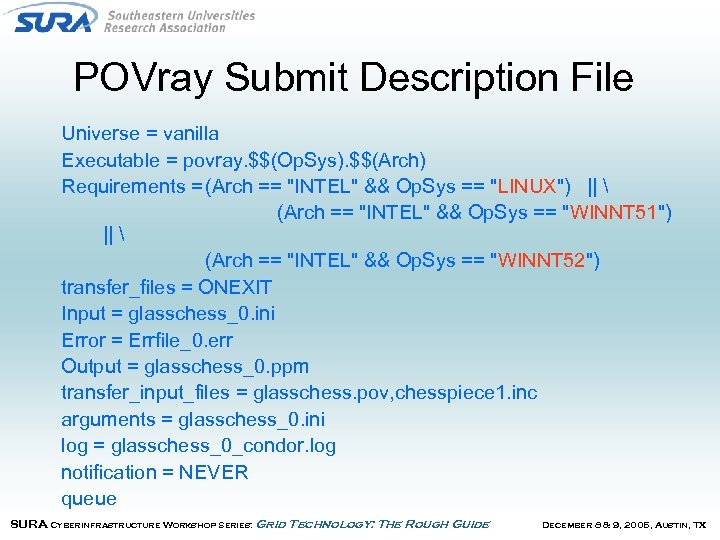 POVray Submit Description File Universe = vanilla Executable = povray. $$(Op. Sys). $$(Arch) Requirements = (Arch == "INTEL" && Op. Sys == "LINUX") || (Arch == "INTEL" && Op. Sys == "WINNT 51") || (Arch == "INTEL" && Op. Sys == "WINNT 52") transfer_files = ONEXIT Input = glasschess_0. ini Error = Errfile_0. err Output = glasschess_0. ppm transfer_input_files = glasschess. pov, chesspiece 1. inc arguments = glasschess_0. ini log = glasschess_0_condor. log notification = NEVER queue SURA Cyberinfrastructure Workshop Series: Grid Technology: The Rough Guide December 8 & 9, 2005, Austin, TX
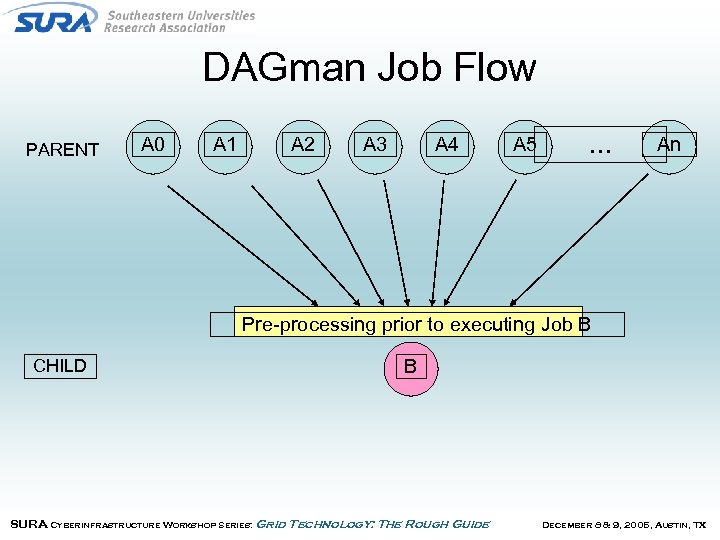 DAGman Job Flow PARENT A 0 A 1 A 2 A 3 A 4 A 5 … An Pre-processing prior to executing Job B CHILD B SURA Cyberinfrastructure Workshop Series: Grid Technology: The Rough Guide December 8 & 9, 2005, Austin, TX
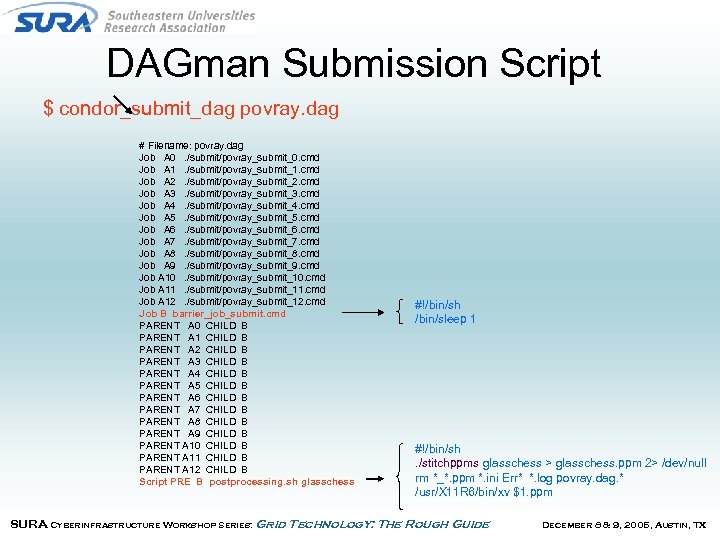 DAGman Submission Script $ condor_submit_dag povray. dag # Filename: povray. dag Job A 0. /submit/povray_submit_0. cmd Job A 1. /submit/povray_submit_1. cmd Job A 2. /submit/povray_submit_2. cmd Job A 3. /submit/povray_submit_3. cmd Job A 4. /submit/povray_submit_4. cmd Job A 5. /submit/povray_submit_5. cmd Job A 6. /submit/povray_submit_6. cmd Job A 7. /submit/povray_submit_7. cmd Job A 8. /submit/povray_submit_8. cmd Job A 9. /submit/povray_submit_9. cmd Job A 10. /submit/povray_submit_10. cmd Job A 11. /submit/povray_submit_11. cmd Job A 12. /submit/povray_submit_12. cmd Job B barrier_job_submit. cmd PARENT A 0 CHILD B PARENT A 1 CHILD B PARENT A 2 CHILD B PARENT A 3 CHILD B PARENT A 4 CHILD B PARENT A 5 CHILD B PARENT A 6 CHILD B PARENT A 7 CHILD B PARENT A 8 CHILD B PARENT A 9 CHILD B PARENT A 10 CHILD B PARENT A 11 CHILD B PARENT A 12 CHILD B Script PRE B postprocessing. sh glasschess #!/bin/sh /bin/sleep 1 #!/bin/sh. /stitchppms glasschess > glasschess. ppm 2> /dev/null rm *_*. ppm *. ini Err* *. log povray. dag. * /usr/X 11 R 6/bin/xv $1. ppm SURA Cyberinfrastructure Workshop Series: Grid Technology: The Rough Guide December 8 & 9, 2005, Austin, TX
 United Devices Grid MP • Commercial product that aggregates unused cycles on desktop machines to provide a computing resource. • Originally designed for non-dedicated resources – Security, non-intrusiveness, scheduling, … – Screensaver/graphical GUI on client desktop • Support for multiple clients – Windows, Linux, Mac, AIX, & Solaris clients SURA Cyberinfrastructure Workshop Series: Grid Technology: The Rough Guide December 8 & 9, 2005, Austin, TX
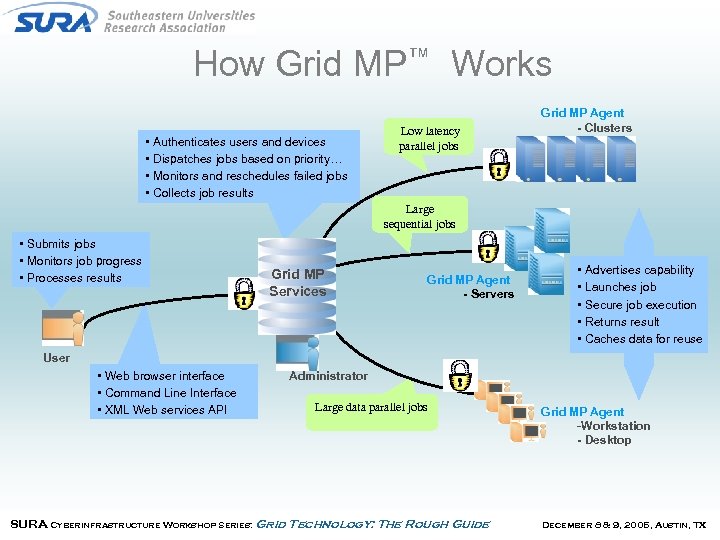 How Grid MP™ Works • Authenticates users and devices • Dispatches jobs based on priority… • Monitors and reschedules failed jobs • Collects job results Low latency parallel jobs Grid MP Agent - Clusters Large sequential jobs • Submits jobs • Monitors job progress • Processes results Grid MP Services Grid MP Agent - Servers • Advertises capability • Launches job • Secure job execution • Returns result • Caches data for reuse User • Web browser interface • Command Line Interface • XML Web services API Administrator Large data parallel jobs SURA Cyberinfrastructure Workshop Series: Grid Technology: The Rough Guide Grid MP Agent -Workstation - Desktop December 8 & 9, 2005, Austin, TX
 UD Management Features • Enterprise features make it easier to convince traditional IT organizations & and individual desktop users to install software – Browser-based administration tools allow local management/policy specification to manage • Devices • Users • Workloads – Single click install of client on PCs • Easily customizable to work with software management packages SURA Cyberinfrastructure Workshop Series: Grid Technology: The Rough Guide December 8 & 9, 2005, Austin, TX
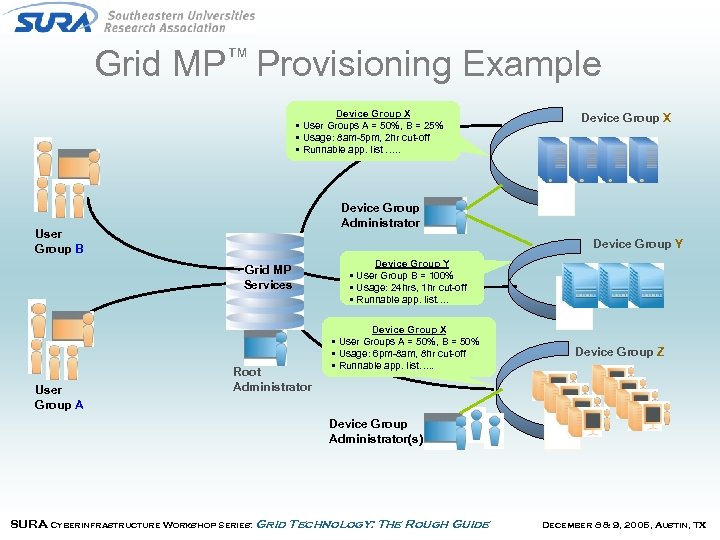 Grid MP™ Provisioning Example Device Group X • User Groups A = 50%, B = 25% • Usage: 8 am-5 pm, 2 hr cut-off • Runnable app. list …. . Device Group Administrator User Group B Device Group Y Grid MP Services User Group A Device Group X Root Administrator Device Group Y • User Group B = 100% • Usage: 24 hrs, 1 hr cut-off • Runnable app. list…. Device Group X • User Groups A = 50%, B = 50% • Usage: 6 pm-8 am, 8 hr cut-off • Runnable app. list…. . Device Group Z Device Group Administrator(s) SURA Cyberinfrastructure Workshop Series: Grid Technology: The Rough Guide December 8 & 9, 2005, Austin, TX
 Application Types Supported • Batch jobs – Use mpsub command to run single executable on single remote desktop • MPI jobs – Use ud_mpirun command to run MPI job across a set of desktop machines • Data Parallel jobs – Single job consists of several independent workunits that can be executed in parallel – Application developer must create program modules and write application scripts to create workunits SURA Cyberinfrastructure Workshop Series: Grid Technology: The Rough Guide December 8 & 9, 2005, Austin, TX
 Hosted Applications • Hosted Applications are easier to manage – Provides users with managed application – Great for applications that are run frequently but rarely updated – Data Parallel applications fit best in hosted scenario – Users do not have to deal with the application maintenance only developer does. • Grid MP is optimized for running hosted applications – Applications and data are cached at client nodes – Affinity scheduling to minimize data movement by re-using cached executables and data. – Hosted application can be run across multiple platforms by registering executables for each platform SURA Cyberinfrastructure Workshop Series: Grid Technology: The Rough Guide December 8 & 9, 2005, Austin, TX
 Example: Reservoir Simulation • Landmark’s VIP product benchmarked on Grid MP • Workload consisted of 240 simulations for 5 wells – Sensitivities investigated include: • • • 2 PVT cases, 2 fault connectivity, 2 aquifer cases, 2 relative permeability cases, 5 combinations of 5 wells 3 combinations of vertical permeability multipliers – Each simulation packaged as a separate piece of work. • Similar Reservoir simulation application has been developed at TACC (with Dr. W. Bangerth, Institute of Geophysics) SURA Cyberinfrastructure Workshop Series: Grid Technology: The Rough Guide December 8 & 9, 2005, Austin, TX
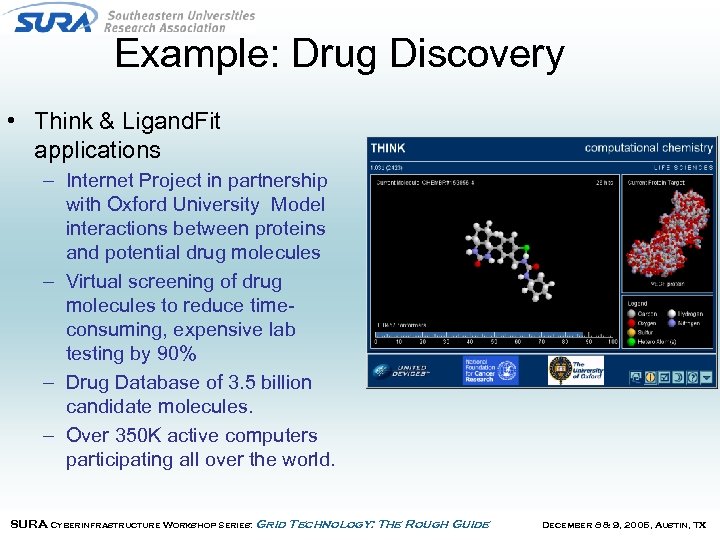 Example: Drug Discovery • Think & Ligand. Fit applications – Internet Project in partnership with Oxford University Model interactions between proteins and potential drug molecules – Virtual screening of drug molecules to reduce timeconsuming, expensive lab testing by 90% – Drug Database of 3. 5 billion candidate molecules. – Over 350 K active computers participating all over the world. SURA Cyberinfrastructure Workshop Series: Grid Technology: The Rough Guide December 8 & 9, 2005, Austin, TX
 Think • Code developed at Oxford University • Application Characteristics – Typical Input Data File: < 1 KB – Typical Output File: < 20 KB – Typical Execution Time: 1000 -5000 minutes – Floating-point intensive – Small memory footprint – Fully resolved executable is ~3 Mb in size. SURA Cyberinfrastructure Workshop Series: Grid Technology: The Rough Guide December 8 & 9, 2005, Austin, TX
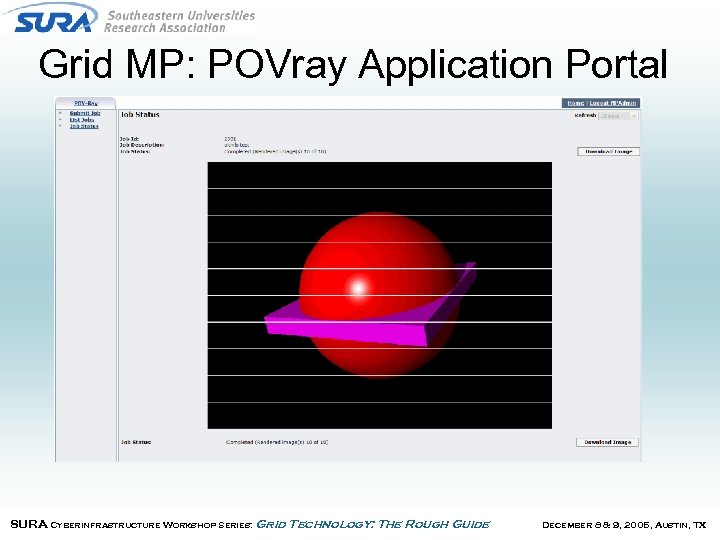 Grid MP: POVray Application Portal SURA Cyberinfrastructure Workshop Series: Grid Technology: The Rough Guide December 8 & 9, 2005, Austin, TX
 BOINC • Berkeley Open Infrastructure for Network Computing (BOINC) – Open source follow-on to SETI@home – General architecture supports multiple applications – Solution targets volunteer resources, and not enterprise desktops/workstations – More information at http: //boinc. berkeley. edu • Currently being used by several internet projects SURA Cyberinfrastructure Workshop Series: Grid Technology: The Rough Guide December 8 & 9, 2005, Austin, TX
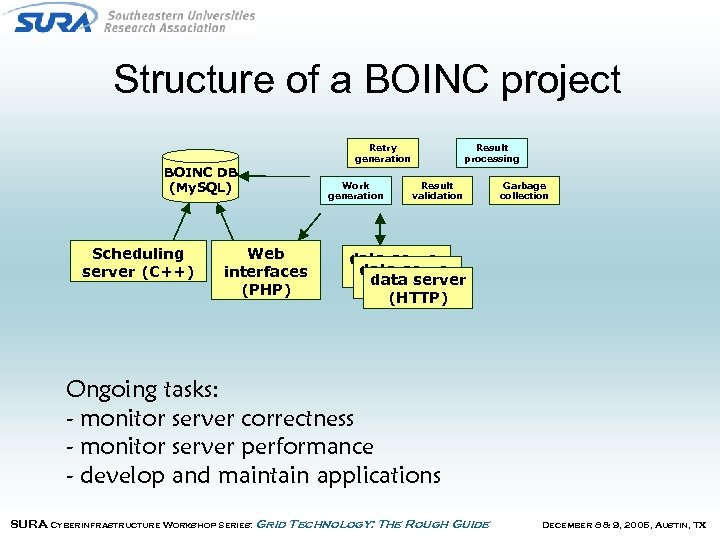 Structure of a BOINC project Retry generation BOINC DB (My. SQL) Scheduling server (C++) Web interfaces (PHP) Work generation Result processing Result validation Garbage collection data server (HTTP) Ongoing tasks: - monitor server correctness - monitor server performance - develop and maintain applications SURA Cyberinfrastructure Workshop Series: Grid Technology: The Rough Guide December 8 & 9, 2005, Austin, TX
 BOINC • No enterprise management tools – Focus on “volunteer grid” • Provide incentives (points, teams, website) • Basic browser interface to set usage preferences on PCs • Support for user community (forums) • Simple interface for job management – Application developer creates scripts to submit jobs and retrieve results • Provides sandbox on client • No encryption: uses redundant computing to prevent spoofing SURA Cyberinfrastructure Workshop Series: Grid Technology: The Rough Guide December 8 & 9, 2005, Austin, TX
 Projects using BOINC • Climateprediction. net: study climate change • Einstein@home: search for gravitational signals emitted by pulsars • LHC@home: improve the design of the CERN LHC particle accelerator • Predictor@home: investigate protein-related diseases • Rosetta@home: help researchers develop cures for human diseases • SETI@home: Look for radio evidence of extraterrestrial life • Cell Computing biomedical research (Japanese; requires nonstandard client software) • World Community Grid: advance our knowledge of human disease. (Requires 5. 2. 1 or greater) SURA Cyberinfrastructure Workshop Series: Grid Technology: The Rough Guide December 8 & 9, 2005, Austin, TX
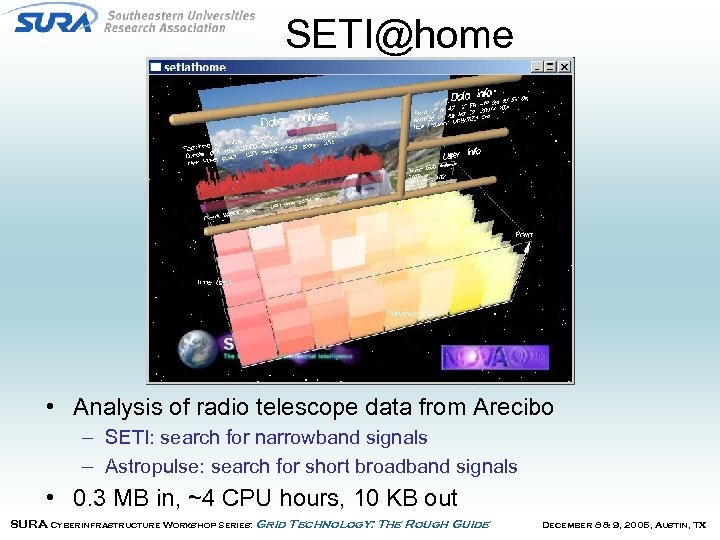 SETI@home • Analysis of radio telescope data from Arecibo – SETI: search for narrowband signals – Astropulse: search for short broadband signals • 0. 3 MB in, ~4 CPU hours, 10 KB out SURA Cyberinfrastructure Workshop Series: Grid Technology: The Rough Guide December 8 & 9, 2005, Austin, TX
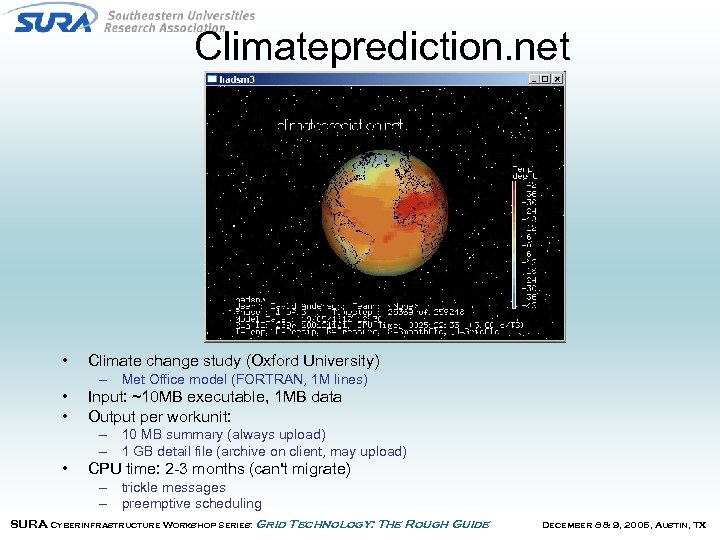 Climateprediction. net • Climate change study (Oxford University) – Met Office model (FORTRAN, 1 M lines) • • Input: ~10 MB executable, 1 MB data Output per workunit: – 10 MB summary (always upload) – 1 GB detail file (archive on client, may upload) • CPU time: 2 -3 months (can't migrate) – trickle messages – preemptive scheduling SURA Cyberinfrastructure Workshop Series: Grid Technology: The Rough Guide December 8 & 9, 2005, Austin, TX
 Why use Desktop Grids? • Desktop Grid solutions are typically complete & standalone – Easy to setup and manage – Good entry vehicle to try out grids. • Use existing (but underutilized) resources – Number of desktops/workstations on campus (or in an enterprise) is typically an order of magnitude greater than traditional compute resources. – Power of grid grows over time as new, faster desktops are added • Typical (large) numbers of resources on desktop grids enable new approaches to solving problems SURA Cyberinfrastructure Workshop Series: Grid Technology: The Rough Guide December 8 & 9, 2005, Austin, TX