Designing the Complete User Experience Day 2 Adaptive
No Doubt Makes Strong Return To" src="https://present5.com/presentation/696b70e75affe8dd507bc38a83fbd965/image-85.jpg" alt="Self-Describing Content <? xml version="1. 0"? > <item> <title>No Doubt Makes Strong Return To" /></div>
<div class="item"><img class="lazyOwl imgdescription" title="Usability Testing " src="https://present5.com/presentation/696b70e75affe8dd507bc38a83fbd965/image-86.jpg" alt="Usability Testing " /></div>
<div class="item"><img class="lazyOwl imgdescription" title="Usability Testing = Easy Validation of Your Designs Mental Model Define the Audience Align" src="https://present5.com/presentation/696b70e75affe8dd507bc38a83fbd965/image-87.jpg" alt="Usability Testing = Easy Validation of Your Designs Mental Model Define the Audience Align" /></div>
<div class="item"><img class="lazyOwl imgdescription" title="Usability Testing: An Overview • Protocol development • Recruiting • Facilitating • Analysis Copyright" src="https://present5.com/presentation/696b70e75affe8dd507bc38a83fbd965/image-88.jpg" alt="Usability Testing: An Overview • Protocol development • Recruiting • Facilitating • Analysis Copyright" /></div>
<div class="item"><img class="lazyOwl imgdescription" title="When To Test? NOW! • Anyone can do user research • A fast, easy" src="https://present5.com/presentation/696b70e75affe8dd507bc38a83fbd965/image-89.jpg" alt="When To Test? NOW! • Anyone can do user research • A fast, easy" /></div>
<div class="item"><img class="lazyOwl imgdescription" title="Recruiting Users • For a simple test, find 3 -4 people similar to your" src="https://present5.com/presentation/696b70e75affe8dd507bc38a83fbd965/image-90.jpg" alt="Recruiting Users • For a simple test, find 3 -4 people similar to your" /></div>
<div class="item"><img class="lazyOwl imgdescription" title="Recruiting Users • Determine target audience – demographic/webographic/psychographic • Seek them out – Existing" src="https://present5.com/presentation/696b70e75affe8dd507bc38a83fbd965/image-91.jpg" alt="Recruiting Users • Determine target audience – demographic/webographic/psychographic • Seek them out – Existing" /></div>
<div class="item"><img class="lazyOwl imgdescription" title="Developing the Screener • A simple script to weed out subjects • Write 20" src="https://present5.com/presentation/696b70e75affe8dd507bc38a83fbd965/image-92.jpg" alt="Developing the Screener • A simple script to weed out subjects • Write 20" /></div>
<div class="item"><img class="lazyOwl imgdescription" title="Developing a Protocol • What is your site about? • What five features are" src="https://present5.com/presentation/696b70e75affe8dd507bc38a83fbd965/image-93.jpg" alt="Developing a Protocol • What is your site about? • What five features are" /></div>
<div class="item"><img class="lazyOwl imgdescription" title="More on Tasks. . . • Testable tasks should be: – – – –" src="https://present5.com/presentation/696b70e75affe8dd507bc38a83fbd965/image-94.jpg" alt="More on Tasks. . . • Testable tasks should be: – – – –" /></div>
<div class="item"><img class="lazyOwl imgdescription" title="Running the Test (Mechanics) • Have the room ready – Computer set up in" src="https://present5.com/presentation/696b70e75affe8dd507bc38a83fbd965/image-95.jpg" alt="Running the Test (Mechanics) • Have the room ready – Computer set up in" /></div>
<div class="item"><img class="lazyOwl imgdescription" title="Running the Test (Interview Style) • Ask the right questions – “Describe this. ”" src="https://present5.com/presentation/696b70e75affe8dd507bc38a83fbd965/image-96.jpg" alt="Running the Test (Interview Style) • Ask the right questions – “Describe this. ”" /></div>
<div class="item"><img class="lazyOwl imgdescription" title="Logistics • Record the session with a camcorder arranged to capture both the screen" src="https://present5.com/presentation/696b70e75affe8dd507bc38a83fbd965/image-97.jpg" alt="Logistics • Record the session with a camcorder arranged to capture both the screen" /></div>
<div class="item"><img class="lazyOwl imgdescription" title="What Did You Learn? • Did the evaluators consistently misunderstand anything? • Were they" src="https://present5.com/presentation/696b70e75affe8dd507bc38a83fbd965/image-98.jpg" alt="What Did You Learn? • Did the evaluators consistently misunderstand anything? • Were they" /></div>
<div class="item"><img class="lazyOwl imgdescription" title="What Did You Learn? • Did they do the things that you had expected" src="https://present5.com/presentation/696b70e75affe8dd507bc38a83fbd965/image-99.jpg" alt="What Did You Learn? • Did they do the things that you had expected" /></div>
<div class="item"><img class="lazyOwl imgdescription" title="Usability Test Timeline Timing Activity t – 2 weeks Determine test audience, start recruiting" src="https://present5.com/presentation/696b70e75affe8dd507bc38a83fbd965/image-100.jpg" alt="Usability Test Timeline Timing Activity t – 2 weeks Determine test audience, start recruiting" /></div>
<div class="item"><img class="lazyOwl imgdescription" title="How It All Fits Together " src="https://present5.com/presentation/696b70e75affe8dd507bc38a83fbd965/image-101.jpg" alt="How It All Fits Together " /></div>
<div class="item"><img class="lazyOwl imgdescription" title="Design Isn’t Performed in a Vacuum • Like project management, a hub in the" src="https://present5.com/presentation/696b70e75affe8dd507bc38a83fbd965/image-102.jpg" alt="Design Isn’t Performed in a Vacuum • Like project management, a hub in the" /></div>
<div class="item"><img class="lazyOwl imgdescription" title="Design in the Organization • In agencies, typically grouped with “Creative” disciplines • In-house," src="https://present5.com/presentation/696b70e75affe8dd507bc38a83fbd965/image-103.jpg" alt="Design in the Organization • In agencies, typically grouped with “Creative” disciplines • In-house," /></div>
<div class="item"><img class="lazyOwl imgdescription" title="Visual Design • Big Picture thinking • Strong visualization skills • Task: To develop" src="https://present5.com/presentation/696b70e75affe8dd507bc38a83fbd965/image-104.jpg" alt="Visual Design • Big Picture thinking • Strong visualization skills • Task: To develop" /></div>
<div class="item"><img class="lazyOwl imgdescription" title="Content Strategy and Writing • It’s The Content, Stupid • Visitors interact with your" src="https://present5.com/presentation/696b70e75affe8dd507bc38a83fbd965/image-105.jpg" alt="Content Strategy and Writing • It’s The Content, Stupid • Visitors interact with your" /></div>
<div class="item"><img class="lazyOwl imgdescription" title="Brand Strategy and Marketing • The user experience is a key component of an" src="https://present5.com/presentation/696b70e75affe8dd507bc38a83fbd965/image-106.jpg" alt="Brand Strategy and Marketing • The user experience is a key component of an" /></div>
<div class="item"><img class="lazyOwl imgdescription" title="Data Analysis and Reporting • Components of a user’s experience can be measured through" src="https://present5.com/presentation/696b70e75affe8dd507bc38a83fbd965/image-107.jpg" alt="Data Analysis and Reporting • Components of a user’s experience can be measured through" /></div>
<div class="item"><img class="lazyOwl imgdescription" title="Web Development and Engineering • Technologists clue user experience designers in to feasibility •" src="https://present5.com/presentation/696b70e75affe8dd507bc38a83fbd965/image-108.jpg" alt="Web Development and Engineering • Technologists clue user experience designers in to feasibility •" /></div>
<div class="item"><img class="lazyOwl imgdescription" title="Project Management • User Experience types tend to work closely with Project Managers •" src="https://present5.com/presentation/696b70e75affe8dd507bc38a83fbd965/image-109.jpg" alt="Project Management • User Experience types tend to work closely with Project Managers •" /></div>
<div class="item"><img class="lazyOwl imgdescription" title="So Who Does All of This? " src="https://present5.com/presentation/696b70e75affe8dd507bc38a83fbd965/image-110.jpg" alt="So Who Does All of This? " /></div>
<div class="item"><img class="lazyOwl imgdescription" title="There Are a Million Titles in This Business… • Art Director • Developer •" src="https://present5.com/presentation/696b70e75affe8dd507bc38a83fbd965/image-111.jpg" alt="There Are a Million Titles in This Business… • Art Director • Developer •" /></div>
<div class="item"><img class="lazyOwl imgdescription" title="One Title Can Mean Many Things… PRODUCER as Leader PRODUCER as Builder PRODUCER as" src="https://present5.com/presentation/696b70e75affe8dd507bc38a83fbd965/image-112.jpg" alt="One Title Can Mean Many Things… PRODUCER as Leader PRODUCER as Builder PRODUCER as" /></div>
<div class="item"><img class="lazyOwl imgdescription" title="And Many Titles Can Mean the Same Thing… Wanted: Experienced professional to provide leadership" src="https://present5.com/presentation/696b70e75affe8dd507bc38a83fbd965/image-113.jpg" alt="And Many Titles Can Mean the Same Thing… Wanted: Experienced professional to provide leadership" /></div>
<div class="item"><img class="lazyOwl imgdescription" title="The Title Could Be… – – – Producer Program Manager Product Manager Site Manager" src="https://present5.com/presentation/696b70e75affe8dd507bc38a83fbd965/image-114.jpg" alt="The Title Could Be… – – – Producer Program Manager Product Manager Site Manager" /></div>
<div class="item"><img class="lazyOwl imgdescription" title="A Typical Project Team Lead Producer or Product Manager Creative Information Architect Visual Designer" src="https://present5.com/presentation/696b70e75affe8dd507bc38a83fbd965/image-115.jpg" alt="A Typical Project Team Lead Producer or Product Manager Creative Information Architect Visual Designer" /></div>
<div class="item"><img class="lazyOwl imgdescription" title="This Project Internal Discovery Producer Task Analysis Researcher, IA Personas & Scenarios Prod. ," src="https://present5.com/presentation/696b70e75affe8dd507bc38a83fbd965/image-116.jpg" alt="This Project Internal Discovery Producer Task Analysis Researcher, IA Personas & Scenarios Prod. ," /></div>
<div class="item"><img class="lazyOwl imgdescription" title="www. adaptivepath. com/presentations/complete/ info@adaptivepath. com Copyright 2001 Adaptive Path, LLC · info@adaptivepath. com ·" src="https://present5.com/presentation/696b70e75affe8dd507bc38a83fbd965/image-117.jpg" alt="www. adaptivepath. com/presentations/complete/ info@adaptivepath. com Copyright 2001 Adaptive Path, LLC · info@adaptivepath. com ·" /></div>
<div class="item"><img class="lazyOwl imgdescription" title="" src="" alt="" /></div>
</div>
<div class="columns two">
<br>
<!-- single_slide_right.php -->
<!-- Present5_post-header_responsive3 -->
<!-- Yandex.RTB R-A-271147-5 -->
<!-- Yandex.RTB R-A-271147-8 -->
<div id="yandex_rtb_R-A-271147-5"></div>
<script>window.yaContextCb.push(()=>{
Ya.Context.AdvManager.render({
renderTo: 'yandex_rtb_R-A-271147-5',
blockId: 'R-A-271147-5'
})
})</script></div>
</div>
<!-- single_slide_bottom.php -->
<!-- Yandex.RTB R-A-271147-1 -->
<div id="yandex_rtb_R-A-271147-1"></div>
<script>window.yaContextCb.push(()=>{
Ya.Context.AdvManager.render({
renderTo: 'yandex_rtb_R-A-271147-1',
blockId: 'R-A-271147-1'
})
})</script>
<section id="content" class="columns thirteen" role="main">
<script type="application/ld+json">
{
"@context": "https://schema.org",
"@type": "CreativeWork",
"image": "https://present5.com/wp-content/uploads/1863299_696b70e75affe8dd507bc38a83fbd965.jpg",
"name": "Designing the Complete User Experience Day 2 Adaptive",
"inLanguage": "Russian",
"datePublished": "2018-03-22",
"learningResourceType":"StudentSummary",
"author":"",
"genre":"Без рубрики",
"description":"Презентация объемом слайдов на тему Designing the Complete User Experience Day 2 Adaptive"
}
</script>
<article class="post post-1863299 type-post status-publish format-standard has-post-thumbnail hentry category-1" id="post-1863299">
<div class="featured-img-post">
</div>
<!-- .featured-img -->
<div class="entry clearfix">
<div id="myIdContainer"></div>
<!--<div id="moevideo"></div>
<script type="text/javascript">
(
() => {
const script = document.createElement("script");
script.src = "https://cdn1.moe.video/player/mvplayer.min.js";
script.onload = () => {
addContentRoll({
width: '100%',
placement: 10179,
promo: true,
advertCount: 0,
slot: 'page',
sound: 'onclick',
fly:{
mode: 'stick',
animation: 'fly',
width: 450,
closeSecOffset: 10,
},
});
}
document.body.append(script);
}
)()
</script>-->
<div class="kcc_block">
<!-- single_download_inside.php -->
<div style="z-index:999; overflow: visible; float: left; padding: 5px 20px 5px 5px;">
<script>
width = document.documentElement.clientWidth;
if (width > 749) {
/* document.write(atob("PHNjcmlwdCBhc3luYyBzcmM9Ii8vcGFnZWFkMi5nb29nbGVzeW5kaWNhdGlvbi5jb20vcGFnZWFkL2pzL2Fkc2J5Z29vZ2xlLmpzIj48L3NjcmlwdD4KPCEtLSBQcmVzZW50NV9TaW5nbGVfTmVhckRvd25sb2FkIC0tPgo8aW5zIGNsYXNzPSJhZHNieWdvb2dsZSIKICAgICBzdHlsZT0iZGlzcGxheTppbmxpbmUtYmxvY2s7d2lkdGg6MzM2cHg7aGVpZ2h0OjI4MHB4IgogICAgIGRhdGEtYWQtY2xpZW50PSJjYS1wdWItNDE2MjcwMjU5MDk5MjI2MyIKICAgICBkYXRhLWFkLXNsb3Q9IjY4NTg5ODI0MDkiPjwvaW5zPgo8c2NyaXB0PgooYWRzYnlnb29nbGUgPSB3aW5kb3cuYWRzYnlnb29nbGUgfHwgW10pLnB1c2goe30pOwo8L3NjcmlwdD4="));
*/
}
</script>
</div>
<img title="Скачать презентацию Designing the Complete User Experience Day 2 Adaptive" class="alignleft" src="https://present5.com/wp-content/plugins/kama-clic-counter/icons/ppt.jpg" alt="Скачать презентацию Designing the Complete User Experience Day 2 Adaptive" >
<a title="Скачать презентацию Designing the Complete User Experience Day 2 Adaptive" href="https://present5.com/download/presentacia.php?id=1863299" target="_blank">Скачать презентацию Designing the Complete User Experience Day 2 Adaptive</a>
<p style="color: #CCCCCC; font-size: 13px; padding: 0;">696b70e75affe8dd507bc38a83fbd965.ppt</p>
<!-- clear -->
<ul>
<li>Количество слайдов: 117</li>
</ul>
</div>
<div class="slidedescription">
<div style="width: auto;" class="description columns twelve"><p><img class="imgdescription" title="Designing the Complete User Experience Day 2 Adaptive Path www. adaptivepath. com/presentations/complete/ info@adaptivepath. com" src="https://present5.com/presentation/696b70e75affe8dd507bc38a83fbd965/image-1.jpg" alt="Designing the Complete User Experience Day 2 Adaptive Path www. adaptivepath. com/presentations/complete/ info@adaptivepath. com" />
Designing the Complete User Experience Day 2 Adaptive Path www. adaptivepath. com/presentations/complete/ info@adaptivepath. com </p>
</div>
<div style="width: auto;" class="description columns twelve"><p><img class="imgdescription" title="Yesterday • Discovery • Personas and scenarios • User research • Task analysis and" src="https://present5.com/presentation/696b70e75affe8dd507bc38a83fbd965/image-2.jpg" alt="Yesterday • Discovery • Personas and scenarios • User research • Task analysis and" />
Yesterday • Discovery • Personas and scenarios • User research • Task analysis and mental models • High-level information architecture Copyright 2001 Adaptive Path, LLC · info@adaptivepath. com · Designing the Complete User Experience · http: //adaptivepath. com/presentations/complete/ 2 </p>
</div>
<div style="width: auto;" class="description columns twelve"><p><img class="imgdescription" title="Today • Designing the deep structures – Competitive analysis, content inventory, low-level IA •" src="https://present5.com/presentation/696b70e75affe8dd507bc38a83fbd965/image-3.jpg" alt="Today • Designing the deep structures – Competitive analysis, content inventory, low-level IA •" />
Today • Designing the deep structures – Competitive analysis, content inventory, low-level IA • Prioritizing features • Interaction design – With notes on visual design • Prototyping, process, patterns in design • Usability testing • Design in the organization Copyright 2001 Adaptive Path, LLC · info@adaptivepath. com · Designing the Complete User Experience · http: //adaptivepath. com/presentations/complete/ 3 </p>
</div>
<div style="width: auto;" class="description columns twelve"><p><img class="imgdescription" title="Defining Web Design • Mastering applications • Understanding technologies • Techniques and methodologies for" src="https://present5.com/presentation/696b70e75affe8dd507bc38a83fbd965/image-4.jpg" alt="Defining Web Design • Mastering applications • Understanding technologies • Techniques and methodologies for" />
Defining Web Design • Mastering applications • Understanding technologies • Techniques and methodologies for creating more effective design solutions Copyright 2001 Adaptive Path, LLC · info@adaptivepath. com · Designing the Complete User Experience · http: //adaptivepath. com/presentations/complete/ 4 </p>
</div>
<div style="width: auto;" class="description columns twelve"><p><img class="imgdescription" title="Defining Web Design • Functional Design The design of systems that support end-users' tasks" src="https://present5.com/presentation/696b70e75affe8dd507bc38a83fbd965/image-5.jpg" alt="Defining Web Design • Functional Design The design of systems that support end-users' tasks" />
Defining Web Design • Functional Design The design of systems that support end-users' tasks and goals – User research – Information Architecture – Interaction Design • Communication Design The design of how these systems are expressed to the user – Interface design – Visual design – Content strategy Copyright 2001 Adaptive Path, LLC · info@adaptivepath. com · Designing the Complete User Experience · http: //adaptivepath. com/presentations/complete/ 5 </p>
</div>
<div style="width: auto;" class="description columns twelve"><p><img class="imgdescription" title="Overview Mostly “Big Projects, ” scaled down for small projects - yearly, quarterly Mental" src="https://present5.com/presentation/696b70e75affe8dd507bc38a83fbd965/image-6.jpg" alt="Overview Mostly “Big Projects, ” scaled down for small projects - yearly, quarterly Mental" />
Overview Mostly “Big Projects, ” scaled down for small projects - yearly, quarterly Mental Model This is “Business as Usual” - daily/weekly (small & fast) Define the Audience Align MM & Content Model IA & Interaction Diagrams and Prototypes Prioritize Copyright 2001 Adaptive Path, LLC · info@adaptivepath. com · Designing the Complete User Experience · http: //adaptivepath. com/presentations/complete/ 6 </p>
</div>
<div style="width: auto;" class="description columns twelve"><p><img class="imgdescription" title="Designing the IA: A Bottom-Up Approach " src="https://present5.com/presentation/696b70e75affe8dd507bc38a83fbd965/image-7.jpg" alt="Designing the IA: A Bottom-Up Approach " />
Designing the IA: A Bottom-Up Approach </p>
</div>
<div style="width: auto;" class="description columns twelve"><p><img class="imgdescription" title="What Is Information Architecture? A structure based on the patterns inherent in data that" src="https://present5.com/presentation/696b70e75affe8dd507bc38a83fbd965/image-8.jpg" alt="What Is Information Architecture? A structure based on the patterns inherent in data that" />
What Is Information Architecture? A structure based on the patterns inherent in data that allows users to accomplish their goals. Copyright 2001 Adaptive Path, LLC · info@adaptivepath. com · Designing the Complete User Experience · http: //adaptivepath. com/presentations/complete/ 8 </p>
</div>
<div style="width: auto;" class="description columns twelve"><p><img class="imgdescription" title="Yesterday We Talked About High-Level Structures and Mental Models: 1. Figure out what users" src="https://present5.com/presentation/696b70e75affe8dd507bc38a83fbd965/image-9.jpg" alt="Yesterday We Talked About High-Level Structures and Mental Models: 1. Figure out what users" />
Yesterday We Talked About High-Level Structures and Mental Models: 1. Figure out what users need: develop a mental model 2. Figure out what you have: develop a content model 3. Match them up. 4. Use it to create your IA • • Make a high-level structure based on mental model Make the detailed structure based on the content model Copyright 2001 Adaptive Path, LLC · info@adaptivepath. com · Designing the Complete User Experience · http: //adaptivepath. com/presentations/complete/ 9 </p>
</div>
<div style="width: auto;" class="description columns twelve"><p><img class="imgdescription" title="Today We’ll Talk About Deep Structures and Content 1. Figure out what users need:" src="https://present5.com/presentation/696b70e75affe8dd507bc38a83fbd965/image-10.jpg" alt="Today We’ll Talk About Deep Structures and Content 1. Figure out what users need:" />
Today We’ll Talk About Deep Structures and Content 1. Figure out what users need: develop a mental model 2. Figure out what you have: develop a content model 3. Match them up 4. Use it to create your IA • • Make a high-level structure based on mental model Make the detailed structure based on the content model Copyright 2001 Adaptive Path, LLC · info@adaptivepath. com · Designing the Complete User Experience · http: //adaptivepath. com/presentations/complete/ 10 </p>
</div>
<div style="width: auto;" class="description columns twelve"><p><img class="imgdescription" title="The Process: Two Tracks Mental Model User Task Interviews Task Data Analysis Mental Model" src="https://present5.com/presentation/696b70e75affe8dd507bc38a83fbd965/image-11.jpg" alt="The Process: Two Tracks Mental Model User Task Interviews Task Data Analysis Mental Model" />
The Process: Two Tracks Mental Model User Task Interviews Task Data Analysis Mental Model Diagram IA & Interaction Diagrams and Prototypes Align MM & Content Define the Audience Content Model Current State Research Competitive Content Model Review Content Model Diagram Prioritize Features Copyright 2001 Adaptive Path, LLC · info@adaptivepath. com · Designing the Complete User Experience · http: //adaptivepath. com/presentations/complete/ 11 </p>
</div>
<div style="width: auto;" class="description columns twelve"><p><img class="imgdescription" title="The Two Tracks, Diagrammed Surface architecture comes from Mental Model Deep architecture comes from" src="https://present5.com/presentation/696b70e75affe8dd507bc38a83fbd965/image-12.jpg" alt="The Two Tracks, Diagrammed Surface architecture comes from Mental Model Deep architecture comes from" />
The Two Tracks, Diagrammed Surface architecture comes from Mental Model Deep architecture comes from the Content Model Copyright 2001 Adaptive Path, LLC · info@adaptivepath. com · Designing the Complete User Experience · http: //adaptivepath. com/presentations/complete/ 12 </p>
</div>
<div style="width: auto;" class="description columns twelve"><p><img class="imgdescription" title="The Two Tracks, Described 1. Task-based information architecture • • • Based on ethnography" src="https://present5.com/presentation/696b70e75affe8dd507bc38a83fbd965/image-13.jpg" alt="The Two Tracks, Described 1. Task-based information architecture • • • Based on ethnography" />
The Two Tracks, Described 1. Task-based information architecture • • • Based on ethnography and usability principles Take user tasks apart (analysis) Then put them back together into a Mental Model (synthesis) Tasks become major content ‘buckets’ High-level model yields high-level architecture 2. Content-based information architecture • • Based on library science and information retrieval principles Take all the content and features apart (analysis) Then put it all back together again (synthesis) Content groups form deep structures of the architecture Copyright 2001 Adaptive Path, LLC · info@adaptivepath. com · Designing the Complete User Experience · http: //adaptivepath. com/presentations/complete/ 13 </p>
</div>
<div style="width: auto;" class="description columns twelve"><p><img class="imgdescription" title="Current State Research: Figure Out What You Have Mental Model User Task Interviews Task" src="https://present5.com/presentation/696b70e75affe8dd507bc38a83fbd965/image-14.jpg" alt="Current State Research: Figure Out What You Have Mental Model User Task Interviews Task" />
Current State Research: Figure Out What You Have Mental Model User Task Interviews Task Data Analysis Mental Model Diagram IA & Interaction Diagrams and Prototypes Align MM & Content Define the Audience Content Model Current State Research Competitive Content Model Review Content Model Diagram Prioritize Features Copyright 2001 Adaptive Path, LLC · info@adaptivepath. com · Designing the Complete User Experience · http: //adaptivepath. com/presentations/complete/ 14 </p>
</div>
<div style="width: auto;" class="description columns twelve"><p><img class="imgdescription" title="Four Things To Look At • Content • Architecture • Interaction • Technology Copyright" src="https://present5.com/presentation/696b70e75affe8dd507bc38a83fbd965/image-15.jpg" alt="Four Things To Look At • Content • Architecture • Interaction • Technology Copyright" />
Four Things To Look At • Content • Architecture • Interaction • Technology Copyright 2001 Adaptive Path, LLC · info@adaptivepath. com · Designing the Complete User Experience · http: //adaptivepath. com/presentations/complete/ 15 </p>
</div>
<div style="width: auto;" class="description columns twelve"><p><img class="imgdescription" title="What To Do • Walk through the existing site • Pay attention to details" src="https://present5.com/presentation/696b70e75affe8dd507bc38a83fbd965/image-16.jpg" alt="What To Do • Walk through the existing site • Pay attention to details" />
What To Do • Walk through the existing site • Pay attention to details of implementation • Don’t think like a user – but don’t forget the user either Copyright 2001 Adaptive Path, LLC · info@adaptivepath. com · Designing the Complete User Experience · http: //adaptivepath. com/presentations/complete/ 16 </p>
</div>
<div style="width: auto;" class="description columns twelve"><p><img class="imgdescription" title="General Rules • Use existing documentation • Use the knowledge in people’s heads •" src="https://present5.com/presentation/696b70e75affe8dd507bc38a83fbd965/image-17.jpg" alt="General Rules • Use existing documentation • Use the knowledge in people’s heads •" />
General Rules • Use existing documentation • Use the knowledge in people’s heads • Do all four activities concurrently Final Goal: “Blueprints” of the existing site Copyright 2001 Adaptive Path, LLC · info@adaptivepath. com · Designing the Complete User Experience · http: //adaptivepath. com/presentations/complete/ 17 </p>
</div>
<div style="width: auto;" class="description columns twelve"><p><img class="imgdescription" title="Content Audit • Content audit looks at broad categories – Sampling of pages –" src="https://present5.com/presentation/696b70e75affe8dd507bc38a83fbd965/image-18.jpg" alt="Content Audit • Content audit looks at broad categories – Sampling of pages –" />
Content Audit • Content audit looks at broad categories – Sampling of pages – Sufficient for most projects • A more detailed content inventory looks is more thorough – Make a big list of every piece and its URL – Give each piece a unique ID – Use this for CMS and other migration projects Copyright 2001 Adaptive Path, LLC · info@adaptivepath. com · Designing the Complete User Experience · http: //adaptivepath. com/presentations/complete/ 18 </p>
</div>
<div style="width: auto;" class="description columns twelve"><p><img class="imgdescription" title="Identify Broad Types of Content • Typical Examples: – – – – Executive biographies" src="https://present5.com/presentation/696b70e75affe8dd507bc38a83fbd965/image-19.jpg" alt="Identify Broad Types of Content • Typical Examples: – – – – Executive biographies" />
Identify Broad Types of Content • Typical Examples: – – – – Executive biographies Press releases Product descriptions Product documentation Contact information Tutorials Case studies Copyright 2001 Adaptive Path, LLC · info@adaptivepath. com · Designing the Complete User Experience · http: //adaptivepath. com/presentations/complete/ 19 </p>
</div>
<div style="width: auto;" class="description columns twelve"><p><img class="imgdescription" title="Content Audit - Basic Questions For each piece of content on the site, ask:" src="https://present5.com/presentation/696b70e75affe8dd507bc38a83fbd965/image-20.jpg" alt="Content Audit - Basic Questions For each piece of content on the site, ask:" />
Content Audit - Basic Questions For each piece of content on the site, ask: • What is it about? • Who is it for? • What type is it? • Where does it come from? Copyright 2001 Adaptive Path, LLC · info@adaptivepath. com · Designing the Complete User Experience · http: //adaptivepath. com/presentations/complete/ 20 </p>
</div>
<div style="width: auto;" class="description columns twelve"><p><img class="imgdescription" title="Content Audit - Strategic Questions • Is it redundant? • Is it in line" src="https://present5.com/presentation/696b70e75affe8dd507bc38a83fbd965/image-21.jpg" alt="Content Audit - Strategic Questions • Is it redundant? • Is it in line" />
Content Audit - Strategic Questions • Is it redundant? • Is it in line with current thinking? • Is it outdated? • Is it trivial? • Does it have historical value? -->In other words. . . can we get rid of it? Traffic analysis can help answer these questions. Copyright 2001 Adaptive Path, LLC · info@adaptivepath. com · Designing the Complete User Experience · http: //adaptivepath. com/presentations/complete/ 21 </p>
</div>
<div style="width: auto;" class="description columns twelve"><p><img class="imgdescription" title="Content Audit - Final Result • Spreadsheet with hundreds or thousands of lines, one" src="https://present5.com/presentation/696b70e75affe8dd507bc38a83fbd965/image-22.jpg" alt="Content Audit - Final Result • Spreadsheet with hundreds or thousands of lines, one" />
Content Audit - Final Result • Spreadsheet with hundreds or thousands of lines, one line per page Copyright 2001 Adaptive Path, LLC · info@adaptivepath. com · Designing the Complete User Experience · http: //adaptivepath. com/presentations/complete/ 22 </p>
</div>
<div style="width: auto;" class="description columns twelve"><p><img class="imgdescription" title="Architecture Review • An overview of how content is structured • Identify organizational schemes" src="https://present5.com/presentation/696b70e75affe8dd507bc38a83fbd965/image-23.jpg" alt="Architecture Review • An overview of how content is structured • Identify organizational schemes" />
Architecture Review • An overview of how content is structured • Identify organizational schemes • Map the site – Outline – Diagram • Refine content types (content types will be very important in a little while…) Copyright 2001 Adaptive Path, LLC · info@adaptivepath. com · Designing the Complete User Experience · http: //adaptivepath. com/presentations/complete/ 23 </p>
</div>
<div style="width: auto;" class="description columns twelve"><p><img class="imgdescription" title="Q: Can you automate the architecture review? A: Not really. Copyright 2001 Adaptive Path," src="https://present5.com/presentation/696b70e75affe8dd507bc38a83fbd965/image-24.jpg" alt="Q: Can you automate the architecture review? A: Not really. Copyright 2001 Adaptive Path," />
Q: Can you automate the architecture review? A: Not really. Copyright 2001 Adaptive Path, LLC · info@adaptivepath. com · Designing the Complete User Experience · http: //adaptivepath. com/presentations/complete/ 24 </p>
</div>
<div style="width: auto;" class="description columns twelve"><p><img class="imgdescription" title="Typical Site-Mapping Tool Output Copyright 2001 Adaptive Path, LLC · info@adaptivepath. com · Designing" src="https://present5.com/presentation/696b70e75affe8dd507bc38a83fbd965/image-25.jpg" alt="Typical Site-Mapping Tool Output Copyright 2001 Adaptive Path, LLC · info@adaptivepath. com · Designing" />
Typical Site-Mapping Tool Output Copyright 2001 Adaptive Path, LLC · info@adaptivepath. com · Designing the Complete User Experience · http: //adaptivepath. com/presentations/complete/ 25 </p>
</div>
<div style="width: auto;" class="description columns twelve"><p><img class="imgdescription" title="What You Actually Need To Know Copyright 2001 Adaptive Path, LLC · info@adaptivepath. com" src="https://present5.com/presentation/696b70e75affe8dd507bc38a83fbd965/image-26.jpg" alt="What You Actually Need To Know Copyright 2001 Adaptive Path, LLC · info@adaptivepath. com" />
What You Actually Need To Know Copyright 2001 Adaptive Path, LLC · info@adaptivepath. com · Designing the Complete User Experience · http: //adaptivepath. com/presentations/complete/ 26 </p>
</div>
<div style="width: auto;" class="description columns twelve"><p><img class="imgdescription" title="The Desired Result Copyright 2001 Adaptive Path, LLC · info@adaptivepath. com · Designing the" src="https://present5.com/presentation/696b70e75affe8dd507bc38a83fbd965/image-27.jpg" alt="The Desired Result Copyright 2001 Adaptive Path, LLC · info@adaptivepath. com · Designing the" />
The Desired Result Copyright 2001 Adaptive Path, LLC · info@adaptivepath. com · Designing the Complete User Experience · http: //adaptivepath. com/presentations/complete/ 27 </p>
</div>
<div style="width: auto;" class="description columns twelve"><p><img class="imgdescription" title="Interaction Review • Walk through existing interactive functionality – – Registration process Shopping cart" src="https://present5.com/presentation/696b70e75affe8dd507bc38a83fbd965/image-28.jpg" alt="Interaction Review • Walk through existing interactive functionality – – Registration process Shopping cart" />
Interaction Review • Walk through existing interactive functionality – – Registration process Shopping cart Newsletter signup Etc. • Play out scenarios with a test account • Document interaction • Think like a QA tester – try to generate errors Copyright 2001 Adaptive Path, LLC · info@adaptivepath. com · Designing the Complete User Experience · http: //adaptivepath. com/presentations/complete/ 28 </p>
</div>
<div style="width: auto;" class="description columns twelve"><p><img class="imgdescription" title="Documenting Interactions: The Visual Vocabulary http: //jjg. net/visvocab/ Copyright 2001 Adaptive Path, LLC ·" src="https://present5.com/presentation/696b70e75affe8dd507bc38a83fbd965/image-29.jpg" alt="Documenting Interactions: The Visual Vocabulary http: //jjg. net/visvocab/ Copyright 2001 Adaptive Path, LLC ·" />
Documenting Interactions: The Visual Vocabulary http: //jjg. net/visvocab/ Copyright 2001 Adaptive Path, LLC · info@adaptivepath. com · Designing the Complete User Experience · http: //adaptivepath. com/presentations/complete/ 29 </p>
</div>
<div style="width: auto;" class="description columns twelve"><p><img class="imgdescription" title="Technology Review • Identify technologies during walk-through: – Server-side technologies such as Cold Fusion," src="https://present5.com/presentation/696b70e75affe8dd507bc38a83fbd965/image-30.jpg" alt="Technology Review • Identify technologies during walk-through: – Server-side technologies such as Cold Fusion," />
Technology Review • Identify technologies during walk-through: – Server-side technologies such as Cold Fusion, JSP, PHP, etc. – Client-side technologies such as DHTML, Java. Script, etc. • Talk to the technical people • Don’t be afraid to ask dumb questions • Ask “What’s that connected to? ” Copyright 2001 Adaptive Path, LLC · info@adaptivepath. com · Designing the Complete User Experience · http: //adaptivepath. com/presentations/complete/ 30 </p>
</div>
<div style="width: auto;" class="description columns twelve"><p><img class="imgdescription" title="Current State Analysis Deliverables Content Audit Spreadsheet or database showing content by type and" src="https://present5.com/presentation/696b70e75affe8dd507bc38a83fbd965/image-31.jpg" alt="Current State Analysis Deliverables Content Audit Spreadsheet or database showing content by type and" />
Current State Analysis Deliverables Content Audit Spreadsheet or database showing content by type and topic Architecture Review Outlines or diagrams of site structure Interaction Review Diagrams, notes, lists Technology Review Technical brief Copyright 2001 Adaptive Path, LLC · info@adaptivepath. com · Designing the Complete User Experience · http: //adaptivepath. com/presentations/complete/ 31 </p>
</div>
<div style="width: auto;" class="description columns twelve"><p><img class="imgdescription" title="Next, Figure Out What They Have Mental Model User Task Interviews Task Data Analysis" src="https://present5.com/presentation/696b70e75affe8dd507bc38a83fbd965/image-32.jpg" alt="Next, Figure Out What They Have Mental Model User Task Interviews Task Data Analysis" />
Next, Figure Out What They Have Mental Model User Task Interviews Task Data Analysis Mental Model Diagram IA & Interaction Diagrams and Prototypes Align MM & Content Define the Audience Content Model Current State Research Competitive Content Model Review Content Model Diagram Prioritize Features Copyright 2001 Adaptive Path, LLC · info@adaptivepath. com · Designing the Complete User Experience · http: //adaptivepath. com/presentations/complete/ 32 </p>
</div>
<div style="width: auto;" class="description columns twelve"><p><img class="imgdescription" title="Competitive Analysis • A thorough deconstruction of your competitors’ Web sites • Similar to" src="https://present5.com/presentation/696b70e75affe8dd507bc38a83fbd965/image-33.jpg" alt="Competitive Analysis • A thorough deconstruction of your competitors’ Web sites • Similar to" />
Competitive Analysis • A thorough deconstruction of your competitors’ Web sites • Similar to market and customer research, but with an emphasis on functional implementations • Not simply limited to direct competitors Copyright 2001 Adaptive Path, LLC · info@adaptivepath. com · Designing the Complete User Experience · http: //adaptivepath. com/presentations/complete/ 33 </p>
</div>
<div style="width: auto;" class="description columns twelve"><p><img class="imgdescription" title="Identifying Competitors • Start with known rivals – See: marketing plan, business plan, etc." src="https://present5.com/presentation/696b70e75affe8dd507bc38a83fbd965/image-34.jpg" alt="Identifying Competitors • Start with known rivals – See: marketing plan, business plan, etc." />
Identifying Competitors • Start with known rivals – See: marketing plan, business plan, etc. • Use online tools to broaden scope – “What’s related, ” Alexa, browse online directories • Look for other sites with similar features, even if they’re in a completely different industry – Search work, navigation, interface widgets, etc. • Use analyst reports to identify industry trends – Forrester, Jupiter, et al. Copyright 2001 Adaptive Path, LLC · info@adaptivepath. com · Designing the Complete User Experience · http: //adaptivepath. com/presentations/complete/ 34 </p>
</div>
<div style="width: auto;" class="description columns twelve"><p><img class="imgdescription" title="The Competitive Matrix • List features against competitors in a spreadsheet (build off of" src="https://present5.com/presentation/696b70e75affe8dd507bc38a83fbd965/image-35.jpg" alt="The Competitive Matrix • List features against competitors in a spreadsheet (build off of" />
The Competitive Matrix • List features against competitors in a spreadsheet (build off of your findings from the current state analysis) • Use online tools to help fill in the technical details – www. websitegarage. com – www. siteowner. com Copyright 2001 Adaptive Path, LLC · info@adaptivepath. com · Designing the Complete User Experience · http: //adaptivepath. com/presentations/complete/ 35 </p>
</div>
<div style="width: auto;" class="description columns twelve"><p><img class="imgdescription" title="The Competitive Matrix • Build spreadsheet with feature-set against competitors’ sites • Fill in" src="https://present5.com/presentation/696b70e75affe8dd507bc38a83fbd965/image-36.jpg" alt="The Competitive Matrix • Build spreadsheet with feature-set against competitors’ sites • Fill in" />
The Competitive Matrix • Build spreadsheet with feature-set against competitors’ sites • Fill in short descriptions of similarities and differences • Point out radically different solutions • Use principles of Heuristic Evaluation Copyright 2001 Adaptive Path, LLC · info@adaptivepath. com · Designing the Complete User Experience · http: //adaptivepath. com/presentations/complete/ 36 </p>
</div>
<div style="width: auto;" class="description columns twelve"><p><img class="imgdescription" title="The Competitive Matrix • Feature set and content types • Interface characteristics – Navigation" src="https://present5.com/presentation/696b70e75affe8dd507bc38a83fbd965/image-37.jpg" alt="The Competitive Matrix • Feature set and content types • Interface characteristics – Navigation" />
The Competitive Matrix • Feature set and content types • Interface characteristics – Navigation vocabulary – Renderings (Tabs, Pull-down menus, etc. ) • Technology choices – Browser targeting – Advanced CSS or Javascript usage • Performance Statistics – Bandwidth usage and rendering speed for page types • Meta Tag Contents Copyright 2001 Adaptive Path, LLC · info@adaptivepath. com · Designing the Complete User Experience · http: //adaptivepath. com/presentations/complete/ 37 </p>
</div>
<div style="width: auto;" class="description columns twelve"><p><img class="imgdescription" title="Make Your Research Usable Mental Model User Task Interviews Task Data Analysis Mental Model" src="https://present5.com/presentation/696b70e75affe8dd507bc38a83fbd965/image-38.jpg" alt="Make Your Research Usable Mental Model User Task Interviews Task Data Analysis Mental Model" />
Make Your Research Usable Mental Model User Task Interviews Task Data Analysis Mental Model Diagram IA & Interaction Diagrams and Prototypes Align MM & Content Define the Audience Content Model Current State Research Competitive Content Model Review Content Model Diagram Prioritize Features Copyright 2001 Adaptive Path, LLC · info@adaptivepath. com · Designing the Complete User Experience · http: //adaptivepath. com/presentations/complete/ 38 </p>
</div>
<div style="width: auto;" class="description columns twelve"><p><img class="imgdescription" title="“Chunk” Up the Existing and Desired Content • Review content audit and competitive matrix" src="https://present5.com/presentation/696b70e75affe8dd507bc38a83fbd965/image-39.jpg" alt="“Chunk” Up the Existing and Desired Content • Review content audit and competitive matrix" />
“Chunk” Up the Existing and Desired Content • Review content audit and competitive matrix • Identify patterns within the content (subject, doc type, etc. ) • Group similar content together • Organize groups into hierarchies --> For a whole site, you want maybe 50 -100 “chunks” Copyright 2001 Adaptive Path, LLC · info@adaptivepath. com · Designing the Complete User Experience · http: //adaptivepath. com/presentations/complete/ 39 </p>
</div>
<div style="width: auto;" class="description columns twelve"><p><img class="imgdescription" title="Primary and Secondary Taxonomies - Wine. com Bestcellars. com Copyright 2001 Adaptive Path, LLC" src="https://present5.com/presentation/696b70e75affe8dd507bc38a83fbd965/image-40.jpg" alt="Primary and Secondary Taxonomies - Wine. com Bestcellars. com Copyright 2001 Adaptive Path, LLC" />
Primary and Secondary Taxonomies - Wine. com Bestcellars. com Copyright 2001 Adaptive Path, LLC · info@adaptivepath. com · Designing the Complete User Experience · http: //adaptivepath. com/presentations/complete/ 40 </p>
</div>
<div style="width: auto;" class="description columns twelve"><p><img class="imgdescription" title="Content Map • Same type of tool as the Wine Cheese Gift Basket Product" src="https://present5.com/presentation/696b70e75affe8dd507bc38a83fbd965/image-41.jpg" alt="Content Map • Same type of tool as the Wine Cheese Gift Basket Product" />
Content Map • Same type of tool as the Wine Cheese Gift Basket Product Detail Wine Product Detail Cheese Product Detail Basket Product Detail Category Info Varietal Profile Organic Cheesemaking Specialty Baskest mental model diagram • Lets you understand what you have and want in a single glance Region Profile • Arrange the chunks in a Review Wine Spectator Reprints Tools Varietal Comparison Chart meaningful way (e. g. , subject + type) Cheese Selector • We use Visio Copyright 2001 Adaptive Path, LLC · info@adaptivepath. com · Designing the Complete User Experience · http: //adaptivepath. com/presentations/complete/ 41 </p>
</div>
<div style="width: auto;" class="description columns twelve"><p><img class="imgdescription" title="Bringing Content Together with the Mental Model User Task Interviews Task Data Analysis Mental" src="https://present5.com/presentation/696b70e75affe8dd507bc38a83fbd965/image-42.jpg" alt="Bringing Content Together with the Mental Model User Task Interviews Task Data Analysis Mental" />
Bringing Content Together with the Mental Model User Task Interviews Task Data Analysis Mental Model Diagram Align MM & Align the MM & Content Model Define the Audience IA & Interaction Diagrams and Prototypes Content Model Current State Research Competitive Content Model Review Content Model Diagram Prioritize Features Copyright 2001 Adaptive Path, LLC · info@adaptivepath. com · Designing the Complete User Experience · http: //adaptivepath. com/presentations/complete/ 42 </p>
</div>
<div style="width: auto;" class="description columns twelve"><p><img class="imgdescription" title="Slot Content Analysis Results Where it Fits the Mental Model • Content goes below" src="https://present5.com/presentation/696b70e75affe8dd507bc38a83fbd965/image-43.jpg" alt="Slot Content Analysis Results Where it Fits the Mental Model • Content goes below" />
Slot Content Analysis Results Where it Fits the Mental Model • Content goes below the line • Review gaps (from yesterday) Copyright 2001 Adaptive Path, LLC · info@adaptivepath. com · Designing the Complete User Experience · http: //adaptivepath. com/presentations/complete/ 43 </p>
</div>
<div style="width: auto;" class="description columns twelve"><p><img class="imgdescription" title="Deep-Structure Architecture Revealed Surface structures come from the mental model. Deep structures come from" src="https://present5.com/presentation/696b70e75affe8dd507bc38a83fbd965/image-44.jpg" alt="Deep-Structure Architecture Revealed Surface structures come from the mental model. Deep structures come from" />
Deep-Structure Architecture Revealed Surface structures come from the mental model. Deep structures come from the taxonomy-based Content Map Copyright 2001 Adaptive Path, LLC · info@adaptivepath. com · Designing the Complete User Experience · http: //adaptivepath. com/presentations/complete/ 44 </p>
</div>
<div style="width: auto;" class="description columns twelve"><p><img class="imgdescription" title="Prioritizing: What do we do first…second…never? " src="https://present5.com/presentation/696b70e75affe8dd507bc38a83fbd965/image-45.jpg" alt="Prioritizing: What do we do first…second…never? " />
Prioritizing: What do we do first…second…never? </p>
</div>
<div style="width: auto;" class="description columns twelve"><p><img class="imgdescription" title="Prioritize the Features Mental Model User Task Interviews Task Data Analysis Mental Model Diagram" src="https://present5.com/presentation/696b70e75affe8dd507bc38a83fbd965/image-46.jpg" alt="Prioritize the Features Mental Model User Task Interviews Task Data Analysis Mental Model Diagram" />
Prioritize the Features Mental Model User Task Interviews Task Data Analysis Mental Model Diagram Align MM & Align the MM & Content Model Define the Audience IA & Interaction Diagrams and Prototypes Content Model Current State Research Competitive Content Model Review Content Model Diagram Prioritize Features Copyright 2001 Adaptive Path, LLC · info@adaptivepath. com · Designing the Complete User Experience · http: //adaptivepath. com/presentations/complete/ 46 </p>
</div>
<div style="width: auto;" class="description columns twelve"><p><img class="imgdescription" title="Step 1: The “Big List” 1. Content Analysis and Content Map 2. Ten people" src="https://present5.com/presentation/696b70e75affe8dd507bc38a83fbd965/image-47.jpg" alt="Step 1: The “Big List” 1. Content Analysis and Content Map 2. Ten people" />
Step 1: The “Big List” 1. Content Analysis and Content Map 2. Ten people in a room for an hour or two • • Blue sky • • Talk through scenarios Focus on what it should be (brainstorming rules) General Rule: People don’t have any problem telling you what they want, as long as they don’t have to make it or pay for it. • Real Challenge: Choosing which features to build Copyright 2001 Adaptive Path, LLC · info@adaptivepath. com · Designing the Complete User Experience · http: //adaptivepath. com/presentations/complete/ 47 </p>
</div>
<div style="width: auto;" class="description columns twelve"><p><img class="imgdescription" title="Step 2: Identify Dependencies and Baseline • What things must happen first? What are" src="https://present5.com/presentation/696b70e75affe8dd507bc38a83fbd965/image-48.jpg" alt="Step 2: Identify Dependencies and Baseline • What things must happen first? What are" />
Step 2: Identify Dependencies and Baseline • What things must happen first? What are the mandatory groupings? • What is baseline? What are the “Must-Haves” that you can’t launch without? Copyright 2001 Adaptive Path, LLC · info@adaptivepath. com · Designing the Complete User Experience · http: //adaptivepath. com/presentations/complete/ 48 </p>
</div>
<div style="width: auto;" class="description columns twelve"><p><img class="imgdescription" title="Step 3: Have Stakeholders Figure Out • Feasibility: easy or hard, expensive or not," src="https://present5.com/presentation/696b70e75affe8dd507bc38a83fbd965/image-49.jpg" alt="Step 3: Have Stakeholders Figure Out • Feasibility: easy or hard, expensive or not," />
Step 3: Have Stakeholders Figure Out • Feasibility: easy or hard, expensive or not, short or long to implement Rate each item in the list § 1 = low feasibility § 5 = high feasibility • Importance: to business, to user Rate each item in the list § 1 = low importance § 5 = high importance Copyright 2001 Adaptive Path, LLC · info@adaptivepath. com · Designing the Complete User Experience · http: //adaptivepath. com/presentations/complete/ 49 </p>
</div>
<div style="width: auto;" class="description columns twelve"><p><img class="imgdescription" title="Step 4: Graph the Findings High importance+ Low feasibility = HI High importance+ High" src="https://present5.com/presentation/696b70e75affe8dd507bc38a83fbd965/image-50.jpg" alt="Step 4: Graph the Findings High importance+ Low feasibility = HI High importance+ High" />
Step 4: Graph the Findings High importance+ Low feasibility = HI High importance+ High feasibility = Watch for new technology Do Now Importance LOW Low importance+ Low feasibility = Low importance+ High feasibility = Don’t Bother LOW Consider Feasibility HI Copyright 2001 Adaptive Path, LLC · info@adaptivepath. com · Designing the Complete User Experience · http: //adaptivepath. com/presentations/complete/ 50 </p>
</div>
<div style="width: auto;" class="description columns twelve"><p><img class="imgdescription" title="Now Let’s BUILD Stuff!! Mental Model Iterative Process Define the Audience Align MM &" src="https://present5.com/presentation/696b70e75affe8dd507bc38a83fbd965/image-51.jpg" alt="Now Let’s BUILD Stuff!! Mental Model Iterative Process Define the Audience Align MM &" />
Now Let’s BUILD Stuff!! Mental Model Iterative Process Define the Audience Align MM & Content Model IA & Interaction Diagrams and Prototypes Prioritize Copyright 2001 Adaptive Path, LLC · info@adaptivepath. com · Designing the Complete User Experience · http: //adaptivepath. com/presentations/complete/ 51 </p>
</div>
<div style="width: auto;" class="description columns twelve"><p><img class="imgdescription" title="Quick Iteration vs. Long Process • Operating a site – day to day •" src="https://present5.com/presentation/696b70e75affe8dd507bc38a83fbd965/image-52.jpg" alt="Quick Iteration vs. Long Process • Operating a site – day to day •" />
Quick Iteration vs. Long Process • Operating a site – day to day • Adding features – weekly/monthly launches • “Big” projects – significant redesigns, yearly/quarterly Copyright 2001 Adaptive Path, LLC · info@adaptivepath. com · Designing the Complete User Experience · http: //adaptivepath. com/presentations/complete/ 52 </p>
</div>
<div style="width: auto;" class="description columns twelve"><p><img class="imgdescription" title="Now Let’s BUILD Stuff!! Mostly “Big Projects, ” scaled down for small projects -" src="https://present5.com/presentation/696b70e75affe8dd507bc38a83fbd965/image-53.jpg" alt="Now Let’s BUILD Stuff!! Mostly “Big Projects, ” scaled down for small projects -" />
Now Let’s BUILD Stuff!! Mostly “Big Projects, ” scaled down for small projects - yearly, quarterly Mental Model This is “Business as Usual” - daily/weekly (small & fast) Define the Audience Align MM & Content Model IA & Interaction Diagrams and Prototypes Prioritize Copyright 2001 Adaptive Path, LLC · info@adaptivepath. com · Designing the Complete User Experience · http: //adaptivepath. com/presentations/complete/ 53 </p>
</div>
<div style="width: auto;" class="description columns twelve"><p><img class="imgdescription" title="Interaction Design " src="https://present5.com/presentation/696b70e75affe8dd507bc38a83fbd965/image-54.jpg" alt="Interaction Design " />
Interaction Design </p>
</div>
<div style="width: auto;" class="description columns twelve"><p><img class="imgdescription" title="Information Architecture and Interaction Design • IA is about content and the structure in" src="https://present5.com/presentation/696b70e75affe8dd507bc38a83fbd965/image-55.jpg" alt="Information Architecture and Interaction Design • IA is about content and the structure in" />
Information Architecture and Interaction Design • IA is about content and the structure in which it is located – How is it organized? – Where is it located? – Navigation and way finding systems • Interaction Design is about functions, and the flows that enable the user to accomplish them – What actions can the user do? – Entering and retrieving data – Exposing system capabilities Copyright 2001 Adaptive Path, LLC · info@adaptivepath. com · Designing the Complete User Experience · http: //adaptivepath. com/presentations/complete/ 55 </p>
</div>
<div style="width: auto;" class="description columns twelve"><p><img class="imgdescription" title="How Are They Different? Information Architecture Interaction Design Architecture Diagram Flow Diagram Organizing Content" src="https://present5.com/presentation/696b70e75affe8dd507bc38a83fbd965/image-56.jpg" alt="How Are They Different? Information Architecture Interaction Design Architecture Diagram Flow Diagram Organizing Content" />
How Are They Different? Information Architecture Interaction Design Architecture Diagram Flow Diagram Organizing Content Interacting with Systems Hierarchies and Words Processes and Activities Seek help from librarians Seek help from engineers Copyright 2001 Adaptive Path, LLC · info@adaptivepath. com · Designing the Complete User Experience · http: //adaptivepath. com/presentations/complete/ 56 </p>
</div>
<div style="width: auto;" class="description columns twelve"><p><img class="imgdescription" title="Common Web-Based Interactions • Registration • Web-based Email • Shopping cart • Checkout •" src="https://present5.com/presentation/696b70e75affe8dd507bc38a83fbd965/image-57.jpg" alt="Common Web-Based Interactions • Registration • Web-based Email • Shopping cart • Checkout •" />
Common Web-Based Interactions • Registration • Web-based Email • Shopping cart • Checkout • Setting up personal web pages, like “My Yahoo” and “My Netscape” • Online banking Copyright 2001 Adaptive Path, LLC · info@adaptivepath. com · Designing the Complete User Experience · http: //adaptivepath. com/presentations/complete/ 57 </p>
</div>
<div style="width: auto;" class="description columns twelve"><p><img class="imgdescription" title="The Interaction Designer’s Job • Understand how the user thinks about the tasks at" src="https://present5.com/presentation/696b70e75affe8dd507bc38a83fbd965/image-58.jpg" alt="The Interaction Designer’s Job • Understand how the user thinks about the tasks at" />
The Interaction Designer’s Job • Understand how the user thinks about the tasks at hand • Show the parts of the system that enable the user to accomplish those tasks • Craft the visible parts to convey the right messages and clues Copyright 2001 Adaptive Path, LLC · info@adaptivepath. com · Designing the Complete User Experience · http: //adaptivepath. com/presentations/complete/ 58 </p>
</div>
<div style="width: auto;" class="description columns twelve"><p><img class="imgdescription" title="Good Thinking “Our conscious mind is constantly reducing visual input into patterns…. The philosophy" src="https://present5.com/presentation/696b70e75affe8dd507bc38a83fbd965/image-59.jpg" alt="Good Thinking “Our conscious mind is constantly reducing visual input into patterns…. The philosophy" />
Good Thinking “Our conscious mind is constantly reducing visual input into patterns…. The philosophy is to present the components on the screen as recognizable visual patterns [so that] the user can choose, on a purely pattern-matching, unconscious level, which objects to consider consciously. ” - Alan Cooper, About Face Copyright 2001 Adaptive Path, LLC · info@adaptivepath. com · Designing the Complete User Experience · http: //adaptivepath. com/presentations/complete/ 59 </p>
</div>
<div style="width: auto;" class="description columns twelve"><p><img class="imgdescription" title="Principles of Interaction Design • Controls disappear when they use natural signals that can" src="https://present5.com/presentation/696b70e75affe8dd507bc38a83fbd965/image-60.jpg" alt="Principles of Interaction Design • Controls disappear when they use natural signals that can" />
Principles of Interaction Design • Controls disappear when they use natural signals that can be unconsciously interpreted Interaction Visual Design* Discoverable Proximity Feedback Alignment Recoverable Repetition Context Contrast *From Robin Williams, Non-Designer’s Design Book Copyright 2001 Adaptive Path, LLC · info@adaptivepath. com · Designing the Complete User Experience · http: //adaptivepath. com/presentations/complete/ 60 </p>
</div>
<div style="width: auto;" class="description columns twelve"><p><img class="imgdescription" title="Copyright 2001 Adaptive Path, LLC · info@adaptivepath. com · Designing the Complete User Experience" src="https://present5.com/presentation/696b70e75affe8dd507bc38a83fbd965/image-61.jpg" alt="Copyright 2001 Adaptive Path, LLC · info@adaptivepath. com · Designing the Complete User Experience" />
Copyright 2001 Adaptive Path, LLC · info@adaptivepath. com · Designing the Complete User Experience · http: //adaptivepath. com/presentations/complete/ 61 </p>
</div>
<div style="width: auto;" class="description columns twelve"><p><img class="imgdescription" title="Methods: Flow Diagrams • Use standard symbols • Include a Legend explaining the symbols" src="https://present5.com/presentation/696b70e75affe8dd507bc38a83fbd965/image-62.jpg" alt="Methods: Flow Diagrams • Use standard symbols • Include a Legend explaining the symbols" />
Methods: Flow Diagrams • Use standard symbols • Include a Legend explaining the symbols • Avoid crossing lines • Include meaningful labels for all lines that need them • Follow all pathways to their natural end, OR • Clearly mark where your flow connects with another flow • Use good visual design principles • Include error cases Visual Vocabulary: http: //www. jjg. net/ia/visvocab Copyright 2001 Adaptive Path, LLC · info@adaptivepath. com · Designing the Complete User Experience · http: //adaptivepath. com/presentations/complete/ 62 </p>
</div>
<div style="width: auto;" class="description columns twelve"><p><img class="imgdescription" title="Methods: Schematics • • Make schematics that correlate to the flow diagram Use standard" src="https://present5.com/presentation/696b70e75affe8dd507bc38a83fbd965/image-63.jpg" alt="Methods: Schematics • • Make schematics that correlate to the flow diagram Use standard" />
Methods: Schematics • • Make schematics that correlate to the flow diagram Use standard symbols to represent interaction devices • Show all functions • Use consistent names and labels across all flows and schematics • DO NOT include any visual design direction! • Use call-outs to describe any functionality that isn’t self-explanatory • Use good visual design principles • One schematic can serve multiple pages Copyright 2001 Adaptive Path, LLC · info@adaptivepath. com · Designing the Complete User Experience · http: //adaptivepath. com/presentations/complete/ 63 </p>
</div>
<div style="width: auto;" class="description columns twelve"><p><img class="imgdescription" title="Prototyping, Process and Patterns " src="https://present5.com/presentation/696b70e75affe8dd507bc38a83fbd965/image-64.jpg" alt="Prototyping, Process and Patterns " />
Prototyping, Process and Patterns </p>
</div>
<div style="width: auto;" class="description columns twelve"><p><img class="imgdescription" title="Some Problems With Design Process • Research is effective and valuable, but never gets" src="https://present5.com/presentation/696b70e75affe8dd507bc38a83fbd965/image-65.jpg" alt="Some Problems With Design Process • Research is effective and valuable, but never gets" />
Some Problems With Design Process • Research is effective and valuable, but never gets applied to end product • Communication gaps between research, design and development • Architects (or consultants) spending days creating deliverables nobody ever bothers to read • “Show me the numbers” Copyright 2001 Adaptive Path, LLC · info@adaptivepath. com · Designing the Complete User Experience · http: //adaptivepath. com/presentations/complete/ 65 </p>
</div>
<div style="width: auto;" class="description columns twelve"><p><img class="imgdescription" title="Historically, Page Design Didn’t Scale • In the olden days, designers would design HTML" src="https://present5.com/presentation/696b70e75affe8dd507bc38a83fbd965/image-66.jpg" alt="Historically, Page Design Didn’t Scale • In the olden days, designers would design HTML" />
Historically, Page Design Didn’t Scale • In the olden days, designers would design HTML pages and put them on a server • But sites grew. . . – And grew. . . • Suddenly, redesigning or adding site-wide features was nearly impossible • Everyone clamored for template-based design – Put content in databases, squirt it out through consistent designs • Today’s dilemma: We need the flexibility of dynamic design, but the rigidity of templates is often too much Copyright 2001 Adaptive Path, LLC · info@adaptivepath. com · Designing the Complete User Experience · http: //adaptivepath. com/presentations/complete/ 66 </p>
</div>
<div style="width: auto;" class="description columns twelve"><p><img class="imgdescription" title="Prototyping Tips • Try to work in the Web’s native language if possible •" src="https://present5.com/presentation/696b70e75affe8dd507bc38a83fbd965/image-67.jpg" alt="Prototyping Tips • Try to work in the Web’s native language if possible •" />
Prototyping Tips • Try to work in the Web’s native language if possible • Extremely tight iterations (daily!) serves as high-bandwidth team communication • Documentation captures “What we’ve learned, ” not “What I want you to do” • Avoid the “handoff” – the team refines a prototype through higher resolution versions, testing frequently Copyright 2001 Adaptive Path, LLC · info@adaptivepath. com · Designing the Complete User Experience · http: //adaptivepath. com/presentations/complete/ 67 </p>
</div>
<div style="width: auto;" class="description columns twelve"><p><img class="imgdescription" title="Going Dynamic • Prototype is built according mental model and architecture diagrams • Templates" src="https://present5.com/presentation/696b70e75affe8dd507bc38a83fbd965/image-68.jpg" alt="Going Dynamic • Prototype is built according mental model and architecture diagrams • Templates" />
Going Dynamic • Prototype is built according mental model and architecture diagrams • Templates and content components can go through iterative design • Changes can be viewed globally and instantly tested Copyright 2001 Adaptive Path, LLC · info@adaptivepath. com · Designing the Complete User Experience · http: //adaptivepath. com/presentations/complete/ 68 </p>
</div>
<div style="width: auto;" class="description columns twelve"><p><img class="imgdescription" title="Benefits of Dynamic Sites • Higher initial development cost, but much lower maintenance •" src="https://present5.com/presentation/696b70e75affe8dd507bc38a83fbd965/image-69.jpg" alt="Benefits of Dynamic Sites • Higher initial development cost, but much lower maintenance •" />
Benefits of Dynamic Sites • Higher initial development cost, but much lower maintenance • Separates operations of site from development • Do more with fewer resources • Inherent interface consistency benefits user experience Copyright 2001 Adaptive Path, LLC · info@adaptivepath. com · Designing the Complete User Experience · http: //adaptivepath. com/presentations/complete/ 69 </p>
</div>
<div style="width: auto;" class="description columns twelve"><p><img class="imgdescription" title="The Process: Before Dynamic Sites Author Editor Copy Edit Production Design QA Post Copyright" src="https://present5.com/presentation/696b70e75affe8dd507bc38a83fbd965/image-70.jpg" alt="The Process: Before Dynamic Sites Author Editor Copy Edit Production Design QA Post Copyright" />
The Process: Before Dynamic Sites Author Editor Copy Edit Production Design QA Post Copyright 2001 Adaptive Path, LLC · info@adaptivepath. com · Designing the Complete User Experience · http: //adaptivepath. com/presentations/complete/ 70 </p>
</div>
<div style="width: auto;" class="description columns twelve"><p><img class="imgdescription" title="The Process: After Dynamic Sites Operations Development Author Production Design Editor Copy Edit Post" src="https://present5.com/presentation/696b70e75affe8dd507bc38a83fbd965/image-71.jpg" alt="The Process: After Dynamic Sites Operations Development Author Production Design Editor Copy Edit Post" />
The Process: After Dynamic Sites Operations Development Author Production Design Editor Copy Edit Post Template System Copyright 2001 Adaptive Path, LLC · info@adaptivepath. com · Designing the Complete User Experience · http: //adaptivepath. com/presentations/complete/ 71 </p>
</div>
<div style="width: auto;" class="description columns twelve"><p><img class="imgdescription" title="Copyright 2001 Adaptive Path, LLC · info@adaptivepath. com · Designing the Complete User Experience" src="https://present5.com/presentation/696b70e75affe8dd507bc38a83fbd965/image-72.jpg" alt="Copyright 2001 Adaptive Path, LLC · info@adaptivepath. com · Designing the Complete User Experience" />
Copyright 2001 Adaptive Path, LLC · info@adaptivepath. com · Designing the Complete User Experience · http: //adaptivepath. com/presentations/complete/ 72 </p>
</div>
<div style="width: auto;" class="description columns twelve"><p><img class="imgdescription" title="Copyright 2001 Adaptive Path, LLC · info@adaptivepath. com · Designing the Complete User Experience" src="https://present5.com/presentation/696b70e75affe8dd507bc38a83fbd965/image-73.jpg" alt="Copyright 2001 Adaptive Path, LLC · info@adaptivepath. com · Designing the Complete User Experience" />
Copyright 2001 Adaptive Path, LLC · info@adaptivepath. com · Designing the Complete User Experience · http: //adaptivepath. com/presentations/complete/ 73 </p>
</div>
<div style="width: auto;" class="description columns twelve"><p><img class="imgdescription" title="Patterns in Design • Patterns are abstracted solutions to common problems in context •" src="https://present5.com/presentation/696b70e75affe8dd507bc38a83fbd965/image-74.jpg" alt="Patterns in Design • Patterns are abstracted solutions to common problems in context •" />
Patterns in Design • Patterns are abstracted solutions to common problems in context • Think of a tailor’s pattern for a garment. • Applicable not only to architecture, but computer science, corporate organization, and (of course) Web design Copyright 2001 Adaptive Path, LLC · info@adaptivepath. com · Designing the Complete User Experience · http: //adaptivepath. com/presentations/complete/ 74 </p>
</div>
<div style="width: auto;" class="description columns twelve"><p><img class="imgdescription" title="Copyright 2001 Adaptive Path, LLC · info@adaptivepath. com · Designing the Complete User Experience" src="https://present5.com/presentation/696b70e75affe8dd507bc38a83fbd965/image-75.jpg" alt="Copyright 2001 Adaptive Path, LLC · info@adaptivepath. com · Designing the Complete User Experience" />
Copyright 2001 Adaptive Path, LLC · info@adaptivepath. com · Designing the Complete User Experience · http: //adaptivepath. com/presentations/complete/ 75 </p>
</div>
<div style="width: auto;" class="description columns twelve"><p><img class="imgdescription" title="Copyright 2001 Adaptive Path, LLC · info@adaptivepath. com · Designing the Complete User Experience" src="https://present5.com/presentation/696b70e75affe8dd507bc38a83fbd965/image-76.jpg" alt="Copyright 2001 Adaptive Path, LLC · info@adaptivepath. com · Designing the Complete User Experience" />
Copyright 2001 Adaptive Path, LLC · info@adaptivepath. com · Designing the Complete User Experience · http: //adaptivepath. com/presentations/complete/ 76 </p>
</div>
<div style="width: auto;" class="description columns twelve"><p><img class="imgdescription" title=" • “Text Input boxes should be sized based on expected query length” •" src="https://present5.com/presentation/696b70e75affe8dd507bc38a83fbd965/image-77.jpg" alt=" • “Text Input boxes should be sized based on expected query length” •" />
• “Text Input boxes should be sized based on expected query length” • “For selecting between distinct search options, radio buttons are most appropriate” • “HTML submit buttons are more appropriate than image buttons” Remember: In Context Copyright 2001 Adaptive Path, LLC · info@adaptivepath. com · Designing the Complete User Experience · http: //adaptivepath. com/presentations/complete/ 77 </p>
</div>
<div style="width: auto;" class="description columns twelve"><p><img class="imgdescription" title="A hierarchy of patterns An almost infinite number of decisions at this level Knobs" src="https://present5.com/presentation/696b70e75affe8dd507bc38a83fbd965/image-78.jpg" alt="A hierarchy of patterns An almost infinite number of decisions at this level Knobs" />
A hierarchy of patterns An almost infinite number of decisions at this level Knobs Doors Walls Rooms Buildings Communities Regions Copyright 2001 Adaptive Path, LLC · info@adaptivepath. com · Designing the Complete User Experience · http: //adaptivepath. com/presentations/complete/ 78 </p>
</div>
<div style="width: auto;" class="description columns twelve"><p><img class="imgdescription" title="A hierarchy of patterns Radio Button Forms Search Interface Page Layout Navigation System Site" src="https://present5.com/presentation/696b70e75affe8dd507bc38a83fbd965/image-79.jpg" alt="A hierarchy of patterns Radio Button Forms Search Interface Page Layout Navigation System Site" />
A hierarchy of patterns Radio Button Forms Search Interface Page Layout Navigation System Site Architecture Integration Copyright 2001 Adaptive Path, LLC · info@adaptivepath. com · Designing the Complete User Experience · http: //adaptivepath. com/presentations/complete/ 79 </p>
</div>
<div style="width: auto;" class="description columns twelve"><p><img class="imgdescription" title="Patterns and Components • Group smallest patterns together into either content-inspired or user task-based" src="https://present5.com/presentation/696b70e75affe8dd507bc38a83fbd965/image-80.jpg" alt="Patterns and Components • Group smallest patterns together into either content-inspired or user task-based" />
Patterns and Components • Group smallest patterns together into either content-inspired or user task-based components • Creates a heuristically-derived system of interface Legos • Can be mixed and matched to create site designs Copyright 2001 Adaptive Path, LLC · info@adaptivepath. com · Designing the Complete User Experience · http: //adaptivepath. com/presentations/complete/ 80 </p>
</div>
<div style="width: auto;" class="description columns twelve"><p><img class="imgdescription" title="Components Content List Item Detail Input Tabular Data Copyright 2001 Adaptive Path, LLC ·" src="https://present5.com/presentation/696b70e75affe8dd507bc38a83fbd965/image-81.jpg" alt="Components Content List Item Detail Input Tabular Data Copyright 2001 Adaptive Path, LLC ·" />
Components Content List Item Detail Input Tabular Data Copyright 2001 Adaptive Path, LLC · info@adaptivepath. com · Designing the Complete User Experience · http: //adaptivepath. com/presentations/complete/ 81 </p>
</div>
<div style="width: auto;" class="description columns twelve"><p><img class="imgdescription" title="Standard Page Elements • Network Nav Bar • Personalization • Brand header – –" src="https://present5.com/presentation/696b70e75affe8dd507bc38a83fbd965/image-82.jpg" alt="Standard Page Elements • Network Nav Bar • Personalization • Brand header – –" />
Standard Page Elements • Network Nav Bar • Personalization • Brand header – – Logo Search Cobrand Structured Navigation • Topic Path • Page Footer Copyright 2001 Adaptive Path, LLC · info@adaptivepath. com · Designing the Complete User Experience · http: //adaptivepath. com/presentations/complete/ 82 </p>
</div>
<div style="width: auto;" class="description columns twelve"><p><img class="imgdescription" title="Page Types • Components can be grouped together in any number of ways to" src="https://present5.com/presentation/696b70e75affe8dd507bc38a83fbd965/image-83.jpg" alt="Page Types • Components can be grouped together in any number of ways to" />
Page Types • Components can be grouped together in any number of ways to create pages. Pages have distinct types, based on the tasks that can be accomplished on them. Copyright 2001 Adaptive Path, LLC · info@adaptivepath. com · Designing the Complete User Experience · http: //adaptivepath. com/presentations/complete/ 83 </p>
</div>
<div style="width: auto;" class="description columns twelve"><p><img class="imgdescription" title="Copyright 2001 Adaptive Path, LLC · info@adaptivepath. com · Designing the Complete User Experience" src="https://present5.com/presentation/696b70e75affe8dd507bc38a83fbd965/image-84.jpg" alt="Copyright 2001 Adaptive Path, LLC · info@adaptivepath. com · Designing the Complete User Experience" />
Copyright 2001 Adaptive Path, LLC · info@adaptivepath. com · Designing the Complete User Experience · http: //adaptivepath. com/presentations/complete/ 84 </p>
</div>
<div style="width: auto;" class="description columns twelve"><p><img class="imgdescription" title="Self-Describing Content <? xml version="1. 0"? > <item> <title>No Doubt Makes Strong Return To" src="https://present5.com/presentation/696b70e75affe8dd507bc38a83fbd965/image-85.jpg" alt="Self-Describing Content <? xml version="1. 0"? > <item> <title>No Doubt Makes Strong Return To" />
Self-Describing Content <? xml version="1. 0"? > <item> <title>No Doubt Makes Strong Return To Charts XML. com features a rich mix of information and services for the XML community. http: //music. com/nodoubt. htm Copyright 2001 Adaptive Path, LLC · info@adaptivepath. com · Designing the Complete User Experience · http: //adaptivepath. com/presentations/complete/ 85
Usability Testing
Usability Testing = Easy Validation of Your Designs Mental Model Define the Audience Align MM & Content Model IA & Interaction Diagrams and Prototypes Validate Prioritize Copyright 2001 Adaptive Path, LLC · info@adaptivepath. com · Designing the Complete User Experience · http: //adaptivepath. com/presentations/complete/ 87
Usability Testing: An Overview • Protocol development • Recruiting • Facilitating • Analysis Copyright 2001 Adaptive Path, LLC · info@adaptivepath. com · Designing the Complete User Experience · http: //adaptivepath. com/presentations/complete/ 88
When To Test? NOW! • Anyone can do user research • A fast, easy and effective way to evaluate if your audience can use your product or site • Start simple: Friends and Family Test • Only one prerequisite: a semi-working prototype Copyright 2001 Adaptive Path, LLC · info@adaptivepath. com · Designing the Complete User Experience · http: //adaptivepath. com/presentations/complete/ 89
Recruiting Users • For a simple test, find 3 -4 people similar to your site’s audience – Friends, family, coworkers from other departments • Personas should determine your test group • Start immediately: the better the subjects, the better the outcome Copyright 2001 Adaptive Path, LLC · info@adaptivepath. com · Designing the Complete User Experience · http: //adaptivepath. com/presentations/complete/ 90
Recruiting Users • Determine target audience – demographic/webographic/psychographic • Seek them out – Existing user base, customer support inquiries, advertise on existing site – User groups, email discussion lists – Traditional means: classified ads, etc. – Use a recruiter: Charge per user based on how specialized your population needs to be Copyright 2001 Adaptive Path, LLC · info@adaptivepath. com · Designing the Complete User Experience · http: //adaptivepath. com/presentations/complete/ 91
Developing the Screener • A simple script to weed out subjects • Write 20 questions that narrow in on who you’re after • Order questions from generic to specific • Be very clear and specific • Avoid jargon Copyright 2001 Adaptive Path, LLC · info@adaptivepath. com · Designing the Complete User Experience · http: //adaptivepath. com/presentations/complete/ 92
Developing a Protocol • What is your site about? • What five features are most important? • Create a list of “tasks” – Two sentence mini-scenario for each feature • For more focused tests, do a feature prioritization exercise – Map feature importance with implementation difficulty Copyright 2001 Adaptive Path, LLC · info@adaptivepath. com · Designing the Complete User Experience · http: //adaptivepath. com/presentations/complete/ 93
More on Tasks. . . • Testable tasks should be: – – – – Reasonable Specific Doable Described as end goals Appropriately sequenced Domain neutral Not too long, not too short Copyright 2001 Adaptive Path, LLC · info@adaptivepath. com · Designing the Complete User Experience · http: //adaptivepath. com/presentations/complete/ 94
Running the Test (Mechanics) • Have the room ready – Computer set up in a generic state – Have appropriate start pages bookmarked • Make users comfortable – Describe how the test works and what they’ll have to do – Be clear that they are testing a product, they’re not being tested themselves Copyright 2001 Adaptive Path, LLC · info@adaptivepath. com · Designing the Complete User Experience · http: //adaptivepath. com/presentations/complete/ 95
Running the Test (Interview Style) • Ask the right questions – “Describe this. ” – “What do you expect? ” – “Did that surprise you? Why? ” • Don’t offer help – If a task is too difficult for the user, tell them to stop and ask them to describe what happened Copyright 2001 Adaptive Path, LLC · info@adaptivepath. com · Designing the Complete User Experience · http: //adaptivepath. com/presentations/complete/ 96
Logistics • Record the session with a camcorder arranged to capture both the screen and user • Have a partner take notes throughout session • Convince decision makers of the value of watching the tests – from coders to marketing to the CEO Copyright 2001 Adaptive Path, LLC · info@adaptivepath. com · Designing the Complete User Experience · http: //adaptivepath. com/presentations/complete/ 97
What Did You Learn? • Did the evaluators consistently misunderstand anything? • Were they ever confused? What were they doing? • What mistakes were consistently made? • Which tasks did they have the most trouble with? • When did they look frustrated? What were they doing? • How many of the tasks were they able to do? Copyright 2001 Adaptive Path, LLC · info@adaptivepath. com · Designing the Complete User Experience · http: //adaptivepath. com/presentations/complete/ 98
What Did You Learn? • Did they do the things that you had expected them to do? • Did they do things in the order in which you had expected? If not, what order did they do them in? • What did they find interesting? What did you expect them to find interesting, which they did not? • Did the site meet their expectations? If not, where did it fail them? • Do you know what their expectations were? • Did they know what the site is for? Copyright 2001 Adaptive Path, LLC · info@adaptivepath. com · Designing the Complete User Experience · http: //adaptivepath. com/presentations/complete/ 99
Usability Test Timeline Timing Activity t – 2 weeks Determine test audience, start recruiting immediately t – 2 weeks Determine feature set to be tested t – 1 week Write first version of guide, discuss with team, check on recruiting t – 3 days Write second version of guide, recruiting should be completed t – 2 days Complete guide, schedule practice test, set up and check equipment t – 1 day Do practice test in the morning, adjust guide/tasks as appropriate t Test (usually 1 -2 days, depending on scheduling) t +1 day Discuss with observers, collect copies of all notes t +3 days Watch all tapes, take notes t +1 week Combine notes, write analysis t +1 week Present to team, discuss and note directions for further research Copyright 2001 Adaptive Path, LLC · info@adaptivepath. com · Designing the Complete User Experience · http: //adaptivepath. com/presentations/complete/ 100
How It All Fits Together
Design Isn’t Performed in a Vacuum • Like project management, a hub in the multi-disciplinary process • Many disciplines contribute to what the user experiences Web Development Brand / Marketing Content Strategy PM Design Database Architecture Server Engineering Visual Design Data Analysis Copyright 2001 Adaptive Path, LLC · info@adaptivepath. com · Designing the Complete User Experience · http: //adaptivepath. com/presentations/complete/ 102
Design in the Organization • In agencies, typically grouped with “Creative” disciplines • In-house, often a part of marketing • In Web-centered companies, a separate department Copyright 2001 Adaptive Path, LLC · info@adaptivepath. com · Designing the Complete User Experience · http: //adaptivepath. com/presentations/complete/ 103
Visual Design • Big Picture thinking • Strong visualization skills • Task: To develop a visual language – Colors – Typography – Graphic style Copyright 2001 Adaptive Path, LLC · info@adaptivepath. com · Designing the Complete User Experience · http: //adaptivepath. com/presentations/complete/ 104
Content Strategy and Writing • It’s The Content, Stupid • Visitors interact with your site for the content, not the design • Task: To define a voice – Copy guidelines – Style manual – Nomenclature Copyright 2001 Adaptive Path, LLC · info@adaptivepath. com · Designing the Complete User Experience · http: //adaptivepath. com/presentations/complete/ 105
Brand Strategy and Marketing • The user experience is a key component of an organization’s brand • A user experience can be informed by brand attributes • Tasks: – To identify brand attributes – To provide market segmentation Copyright 2001 Adaptive Path, LLC · info@adaptivepath. com · Designing the Complete User Experience · http: //adaptivepath. com/presentations/complete/ 106
Data Analysis and Reporting • Components of a user’s experience can be measured through interaction data • Usability and data analysis often go hand-in-hand • Task – analyze usage statistics (typically server logs) for important trends Copyright 2001 Adaptive Path, LLC · info@adaptivepath. com · Designing the Complete User Experience · http: //adaptivepath. com/presentations/complete/ 107
Web Development and Engineering • Technologists clue user experience designers in to feasibility • Web developers know what’s possible on the front end – Help you create flows/schematics • Server engineers tackle deeper “Can we do that? ” questions – How long will a process take? How many hits to the database? • Database architects will develop schemas that impact the information architecture Copyright 2001 Adaptive Path, LLC · info@adaptivepath. com · Designing the Complete User Experience · http: //adaptivepath. com/presentations/complete/ 108
Project Management • User Experience types tend to work closely with Project Managers • Both have “process” focus • Task – to make sure the project moves forward smoothly Copyright 2001 Adaptive Path, LLC · info@adaptivepath. com · Designing the Complete User Experience · http: //adaptivepath. com/presentations/complete/ 109
So Who Does All of This?
There Are a Million Titles in This Business… • Art Director • Developer • Creative Director • Web Developer • Design Director • XYZ “Specialist” • UI Designer • Creative Integrator • Human Factors • DBA Engineer • System Specialist • Producer • Program Manager • Product Manager • Project Manager • Site Manager • Information Architect • Interaction Designer • Usability Engineer • Designer • Content Specialist • QA Manager • Visual Designer • Content Strategist • QA Specialist • Editor Copyright 2001 Adaptive Path, LLC · info@adaptivepath. com · Designing the Complete User Experience · http: //adaptivepath. com/presentations/complete/ 111
One Title Can Mean Many Things… PRODUCER as Leader PRODUCER as Builder PRODUCER as Facilitator • Plans the project • • • Manages team • Creates requirements Java. Script, XML • documentation • from internal client • Hires and manages • external design or code the project meeting objectives Manages delivery of Receives request front-end display Takes responsibility for business and user Writes HTML, development vendor Implements pages • as specified by design team Reviews interim deliverables • Coordinates approval cycle Copyright 2001 Adaptive Path, LLC · info@adaptivepath. com · Designing the Complete User Experience · http: //adaptivepath. com/presentations/complete/ 112
And Many Titles Can Mean the Same Thing… Wanted: Experienced professional to provide leadership for multiple sections of the web site. This person will establish a mission for each section, define business and user requirements, manage internal and external designers, developers, and copy writers to launch content and applications supporting the Company’s business goals. Some hands-on design and development work required. What’s the title? Copyright 2001 Adaptive Path, LLC · info@adaptivepath. com · Designing the Complete User Experience · http: //adaptivepath. com/presentations/complete/ 113
The Title Could Be… – – – Producer Program Manager Product Manager Site Manager Creative Director Copyright 2001 Adaptive Path, LLC · info@adaptivepath. com · Designing the Complete User Experience · http: //adaptivepath. com/presentations/complete/ 114
A Typical Project Team Lead Producer or Product Manager Creative Information Architect Visual Designer or Art Director Research Producer, IA, or Researcher Implement Developers HTML/Java. Script/XML coders Production Artists Copyright 2001 Adaptive Path, LLC · info@adaptivepath. com · Designing the Complete User Experience · http: //adaptivepath. com/presentations/complete/ 115
This Project Internal Discovery Producer Task Analysis Researcher, IA Personas & Scenarios Prod. , Team, Stakeholders Competitive Analysis Producer Current State Analysis IA Model Comparison Researcher, IA, Prod. (Stakeholders) Info Architecture IA Interaction Design IA, Producer Prototype Team Usability Testing Researcher, Vendor (Team) Copyright 2001 Adaptive Path, LLC · info@adaptivepath. com · Designing the Complete User Experience · http: //adaptivepath. com/presentations/complete/ 116
www. adaptivepath. com/presentations/complete/ info@adaptivepath. com Copyright 2001 Adaptive Path, LLC · info@adaptivepath. com · Designing the Complete User Experience · http: //adaptivepath. com/presentations/complete/ 117



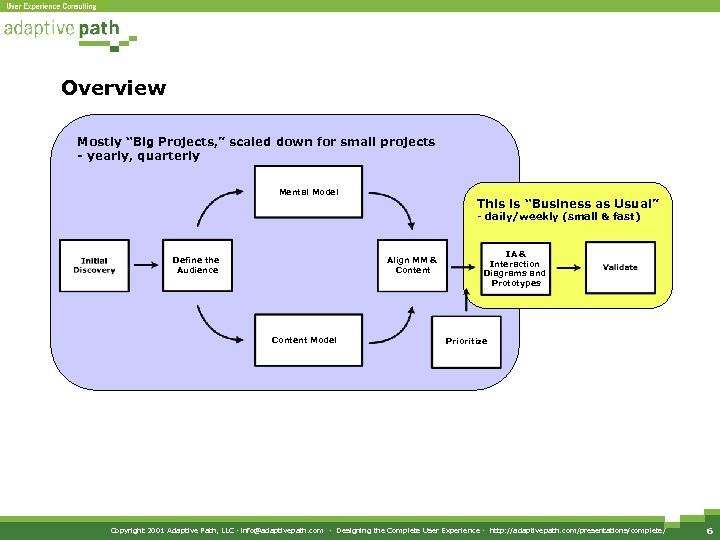
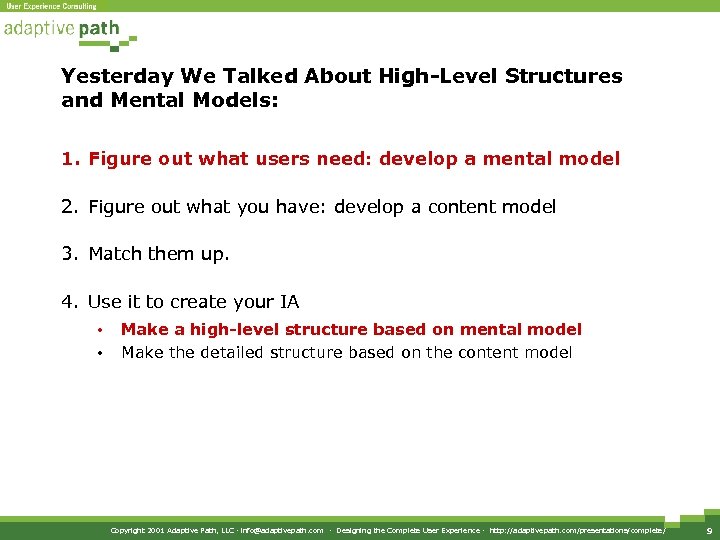
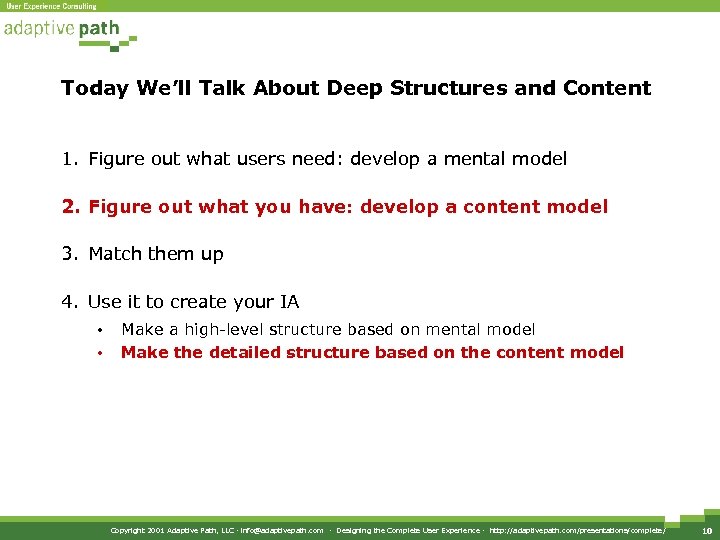
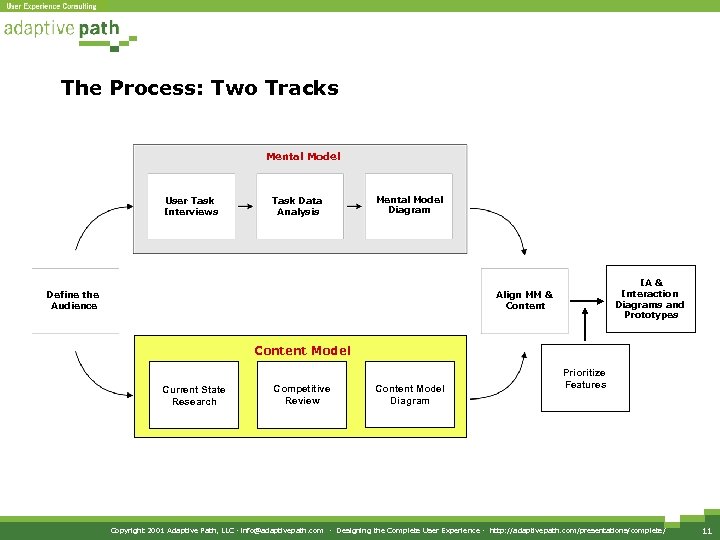
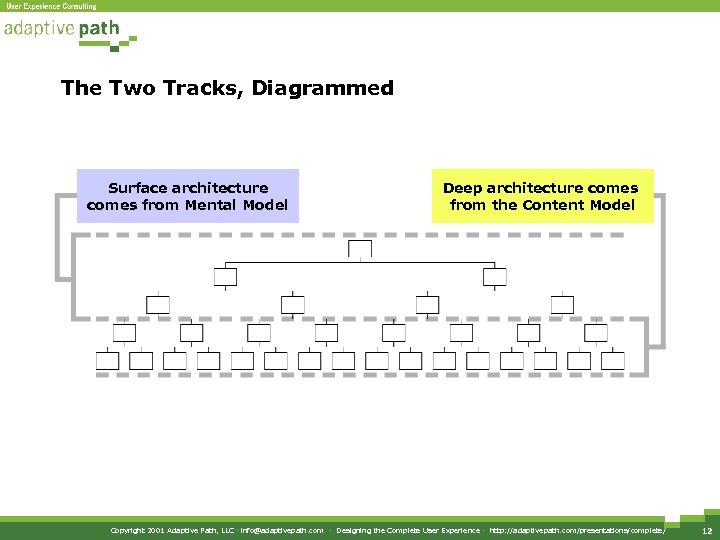
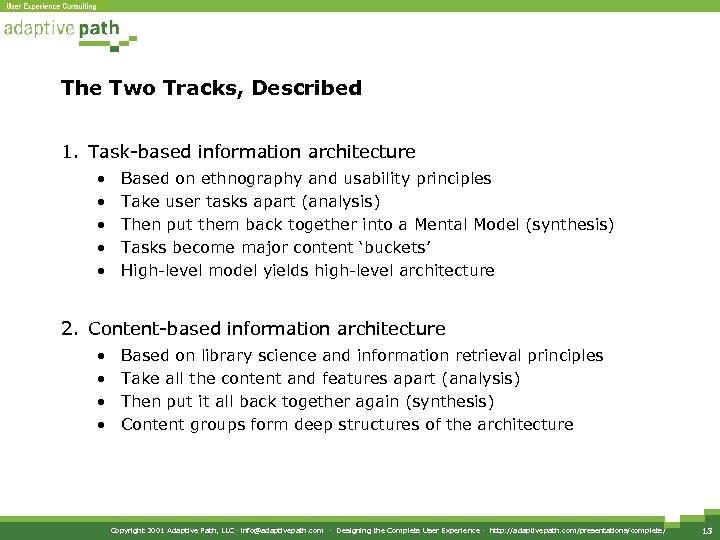
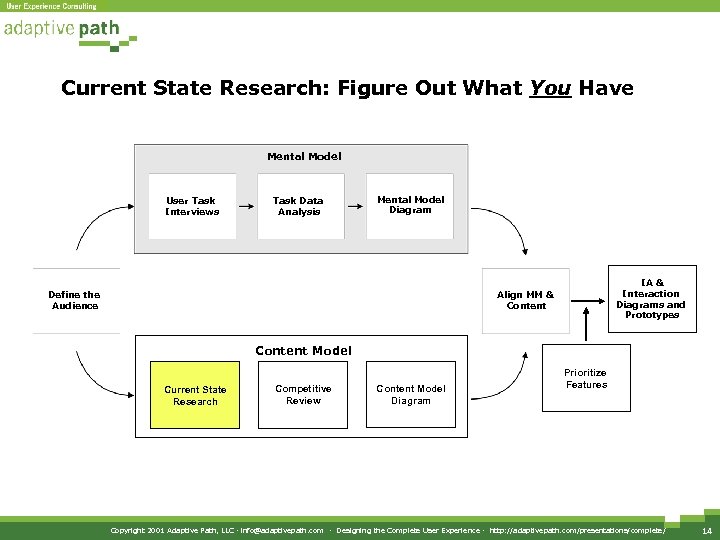
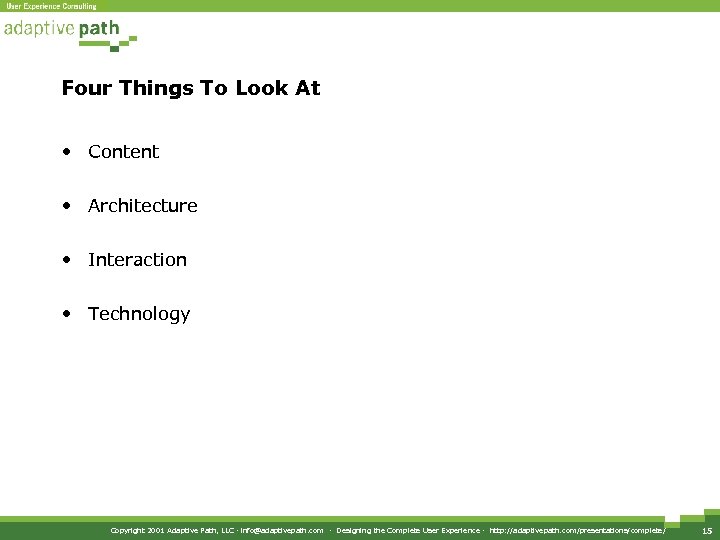
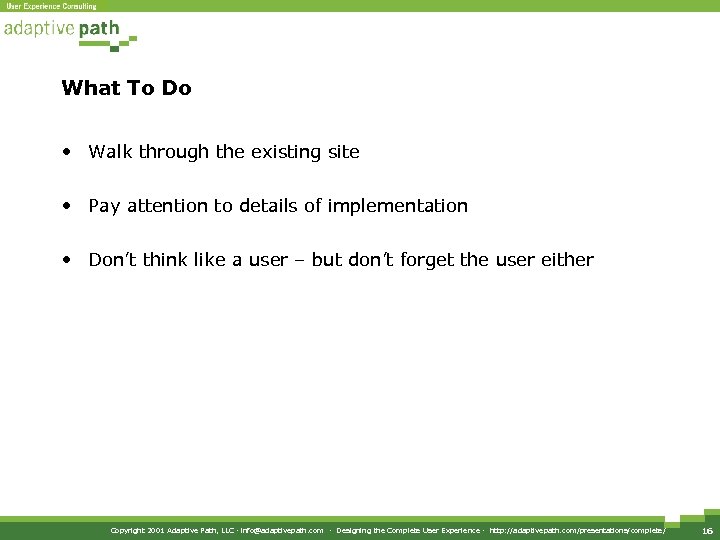
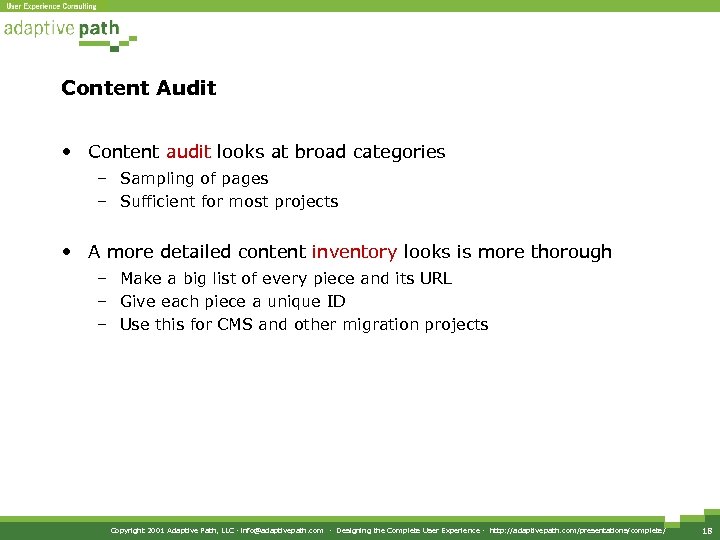
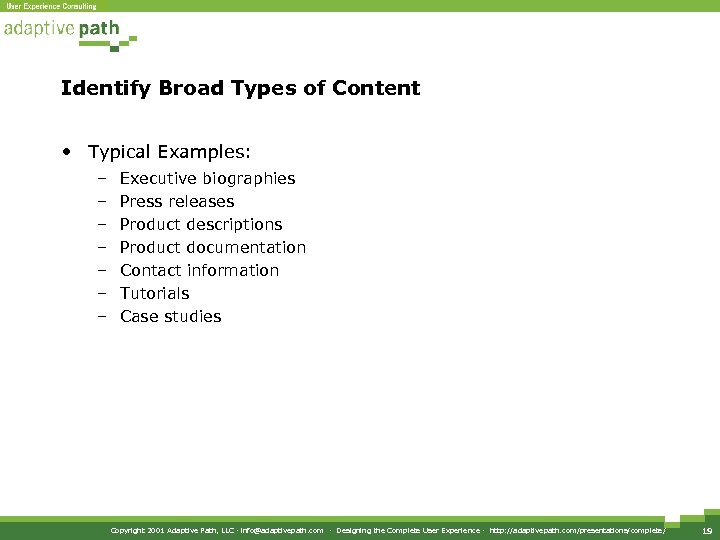
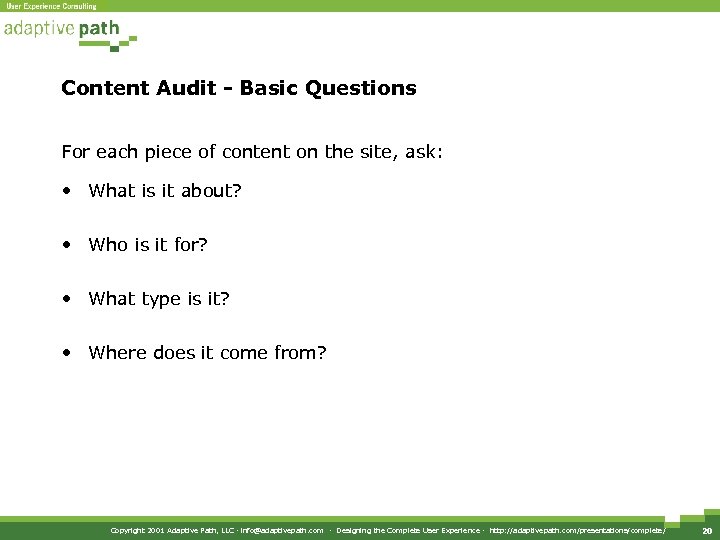
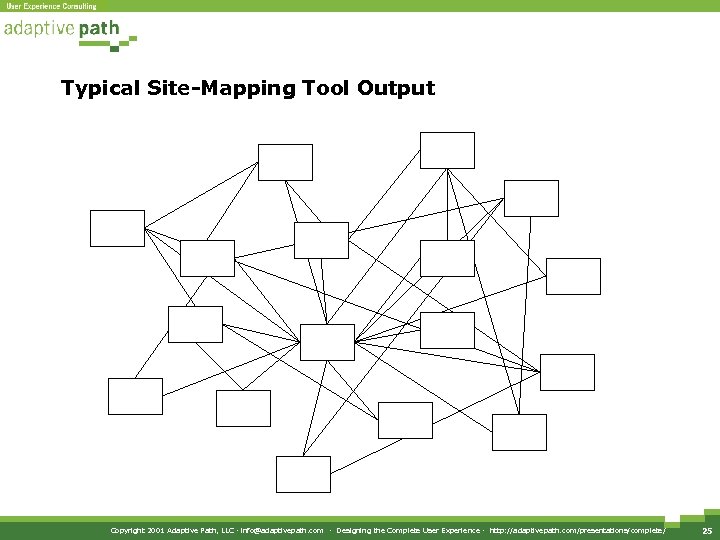
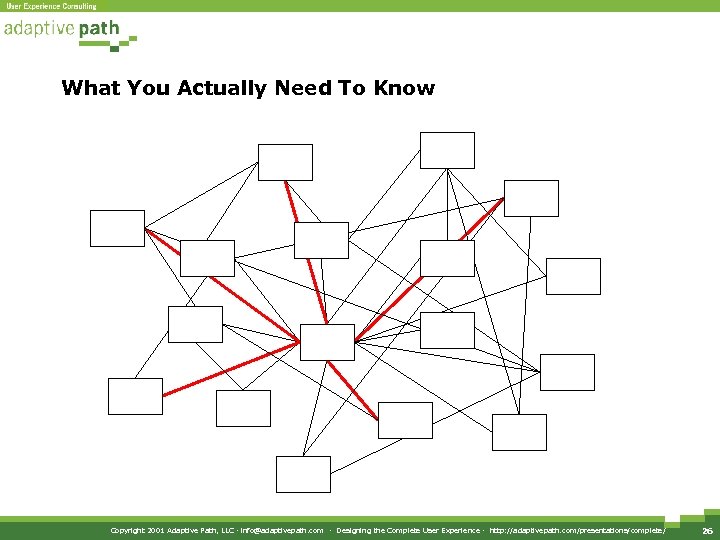
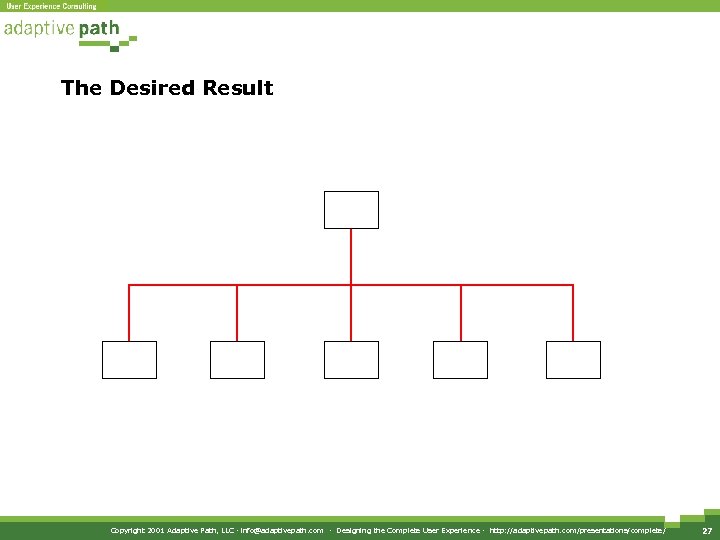
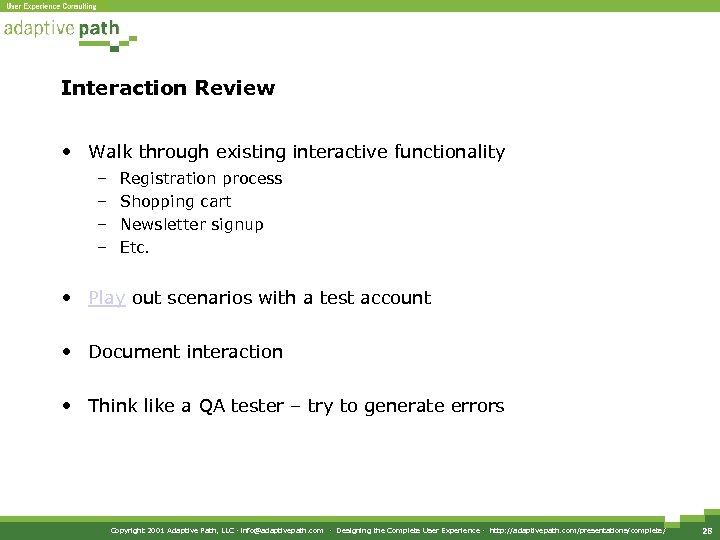
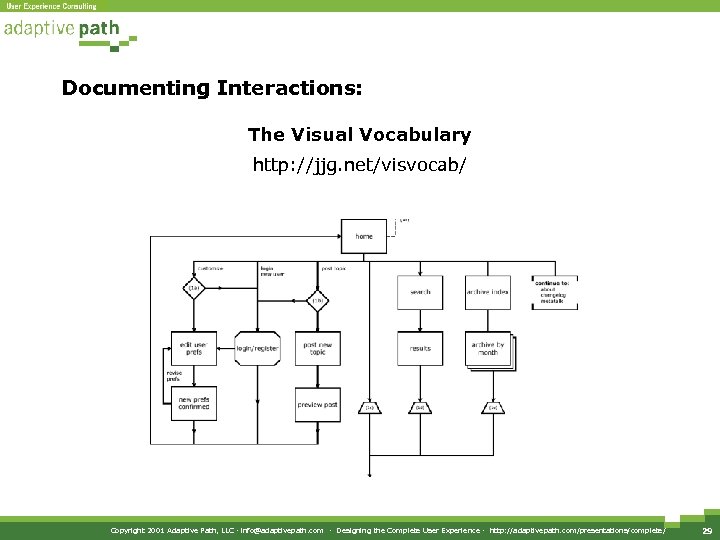
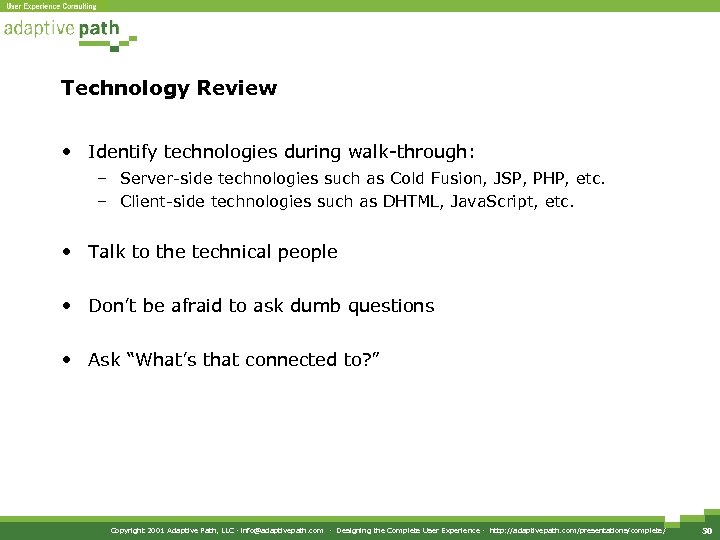
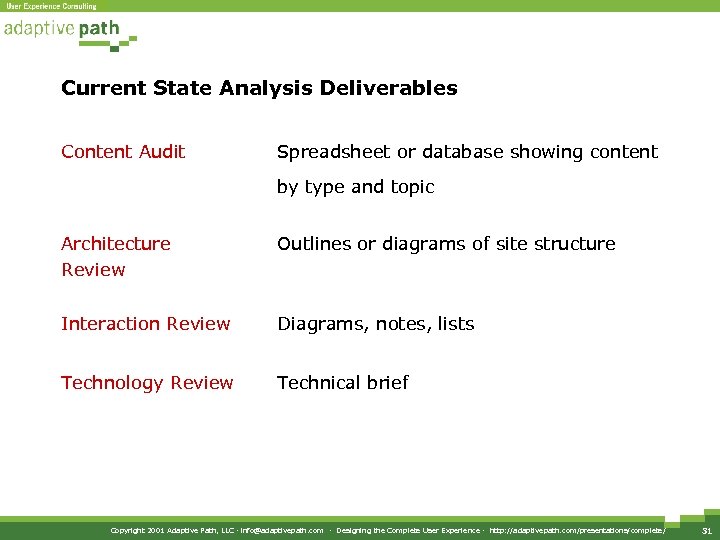
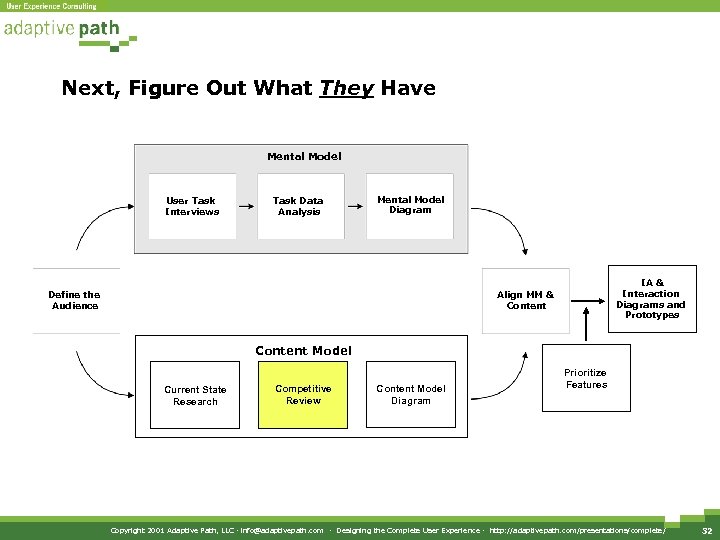
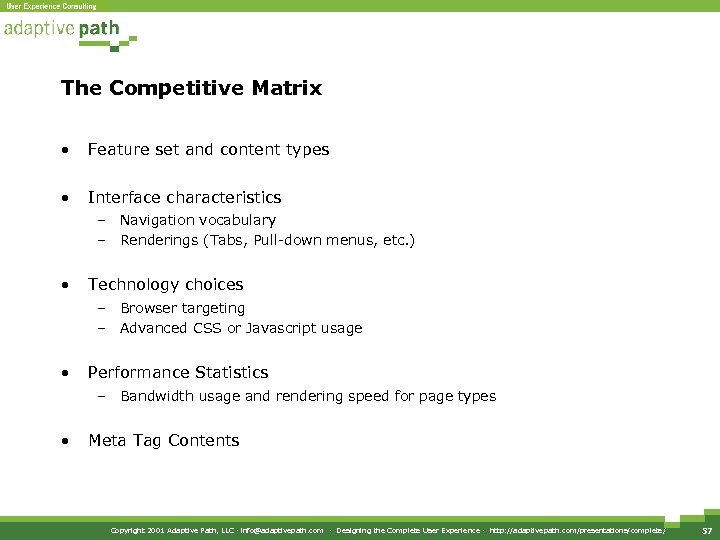
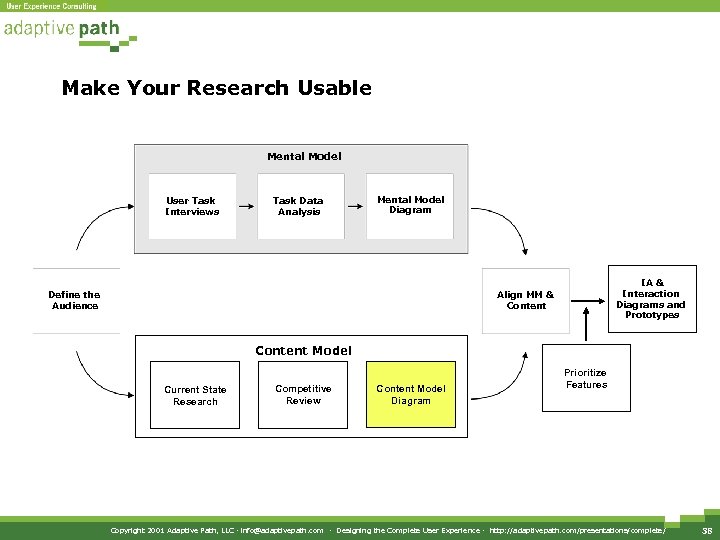
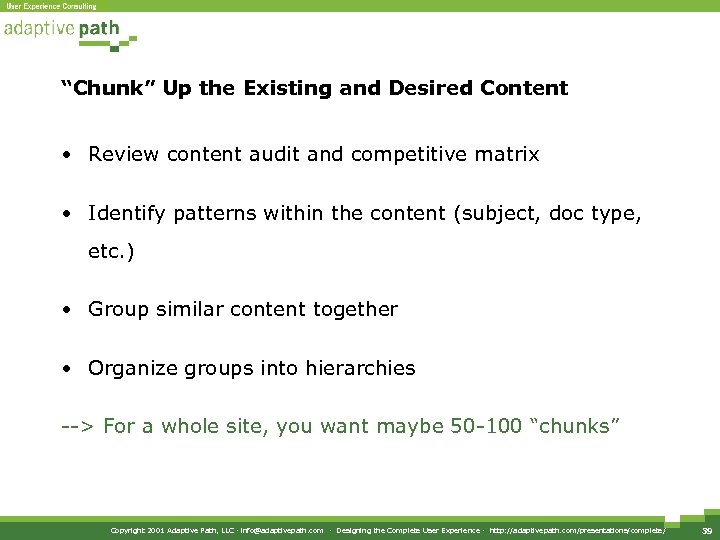
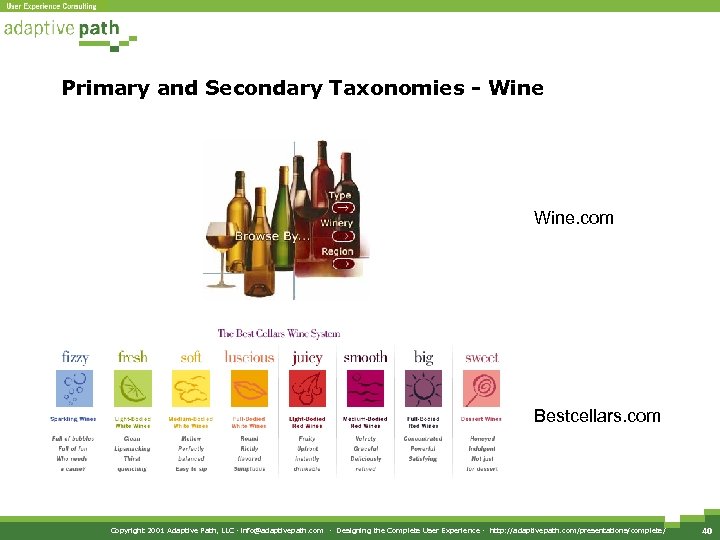
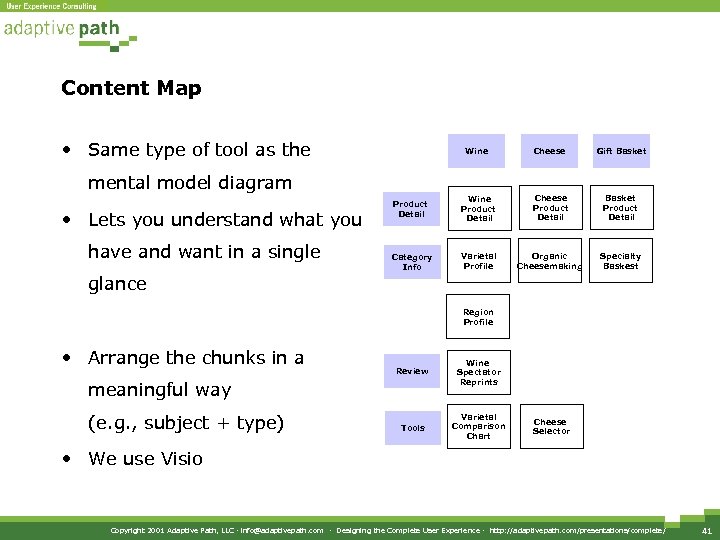
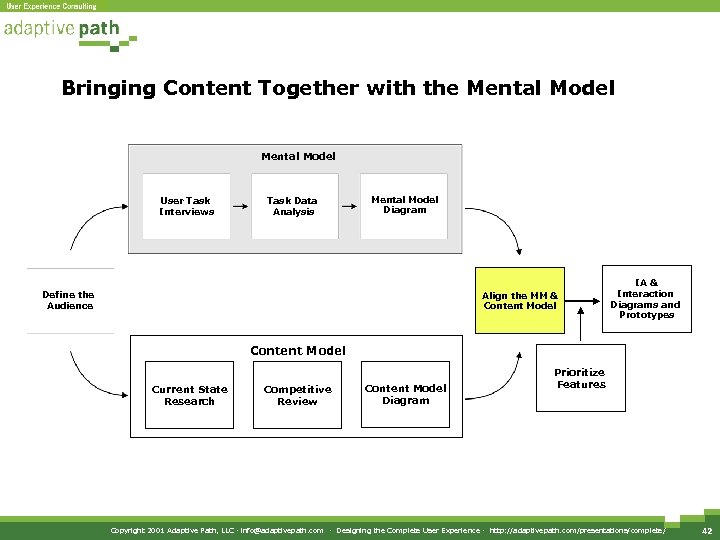
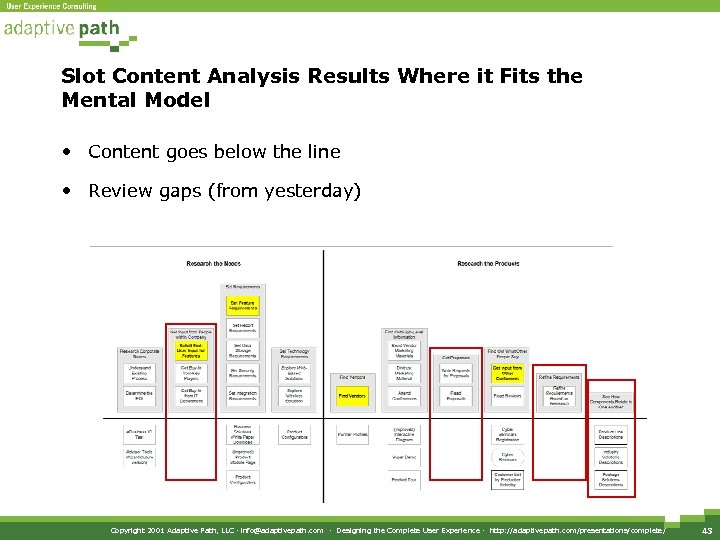
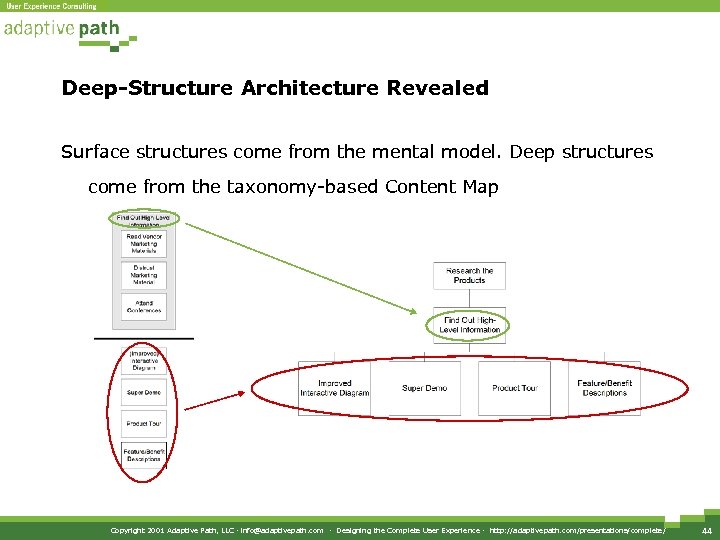
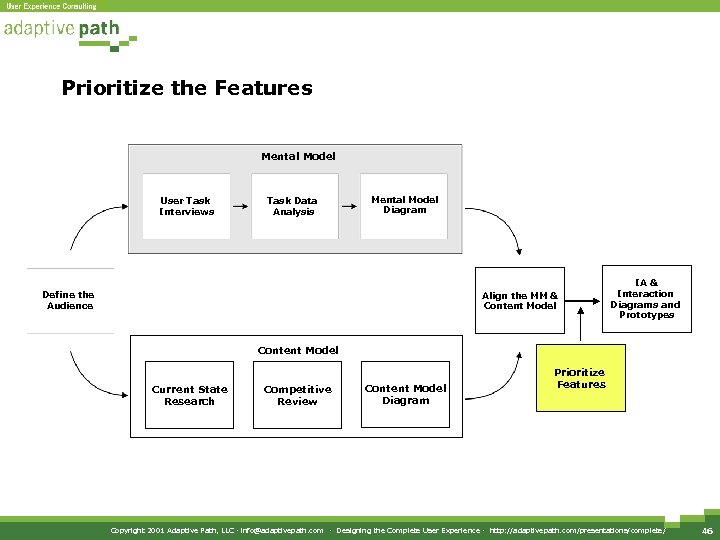
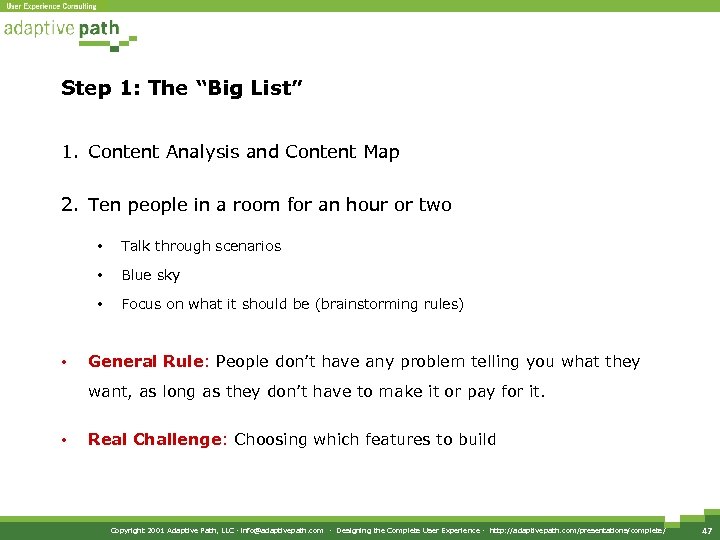
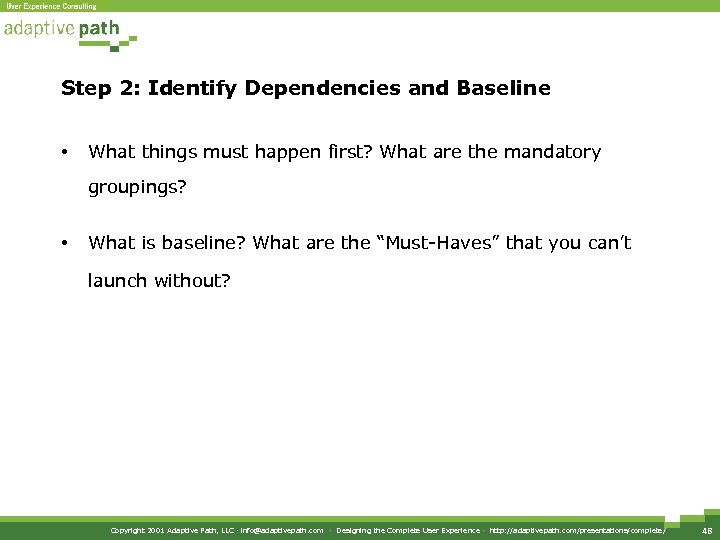
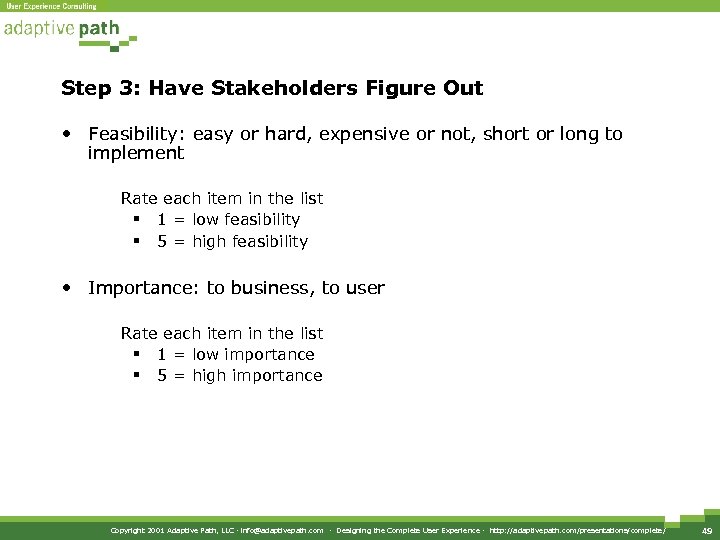
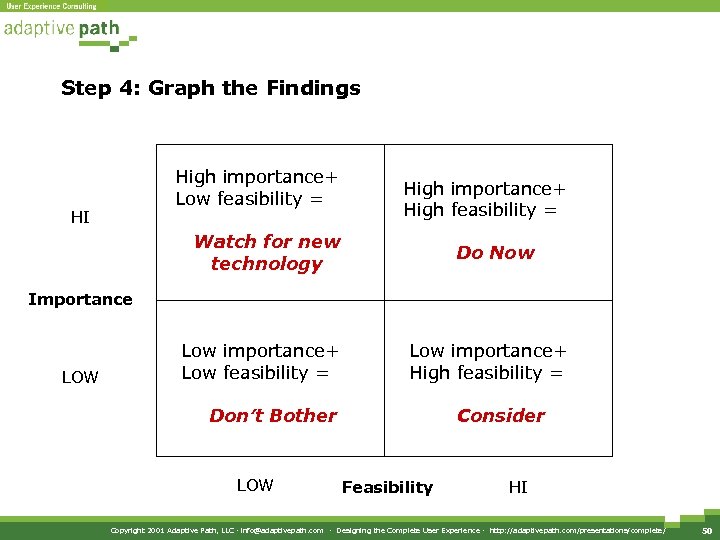
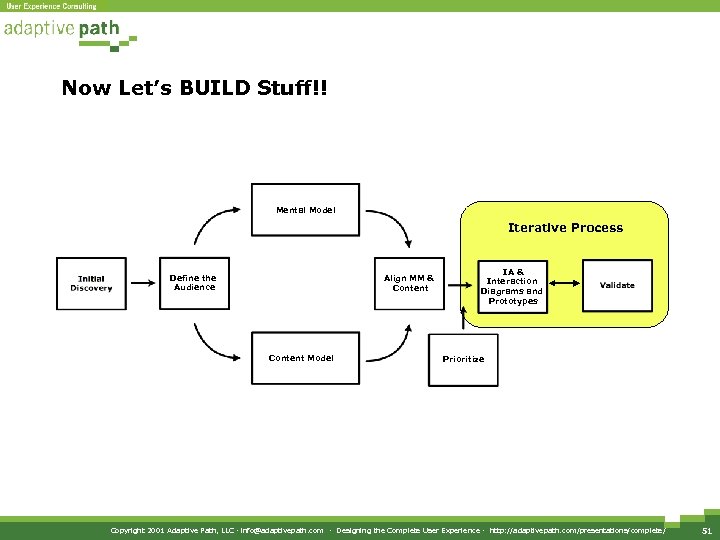
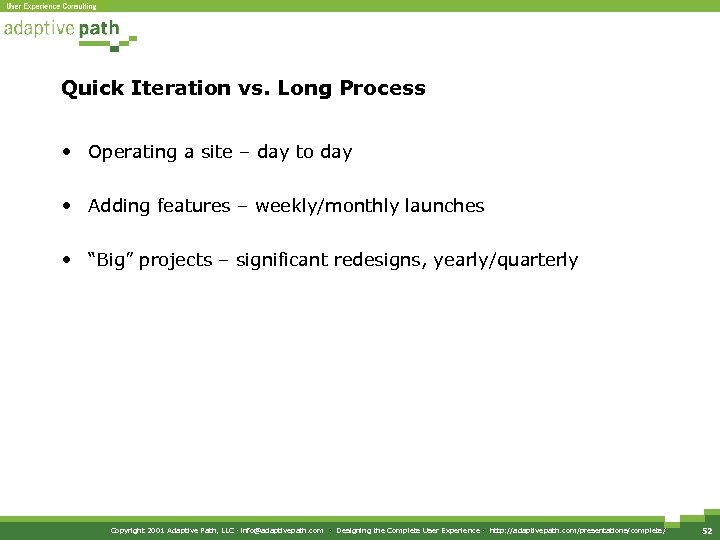
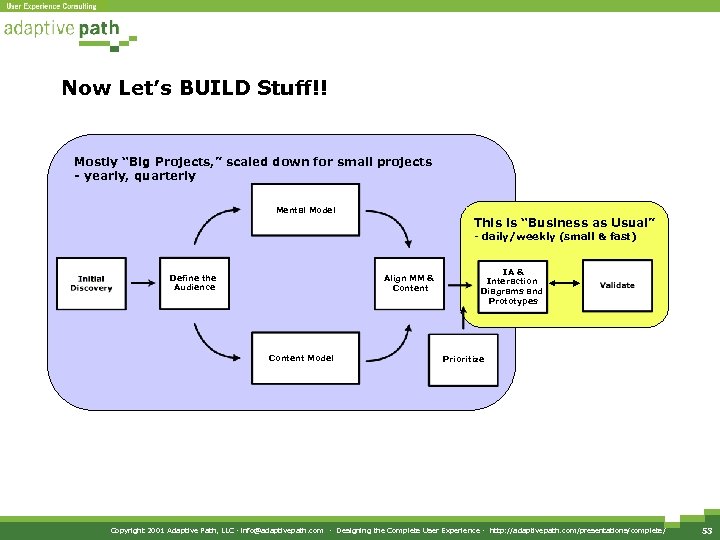
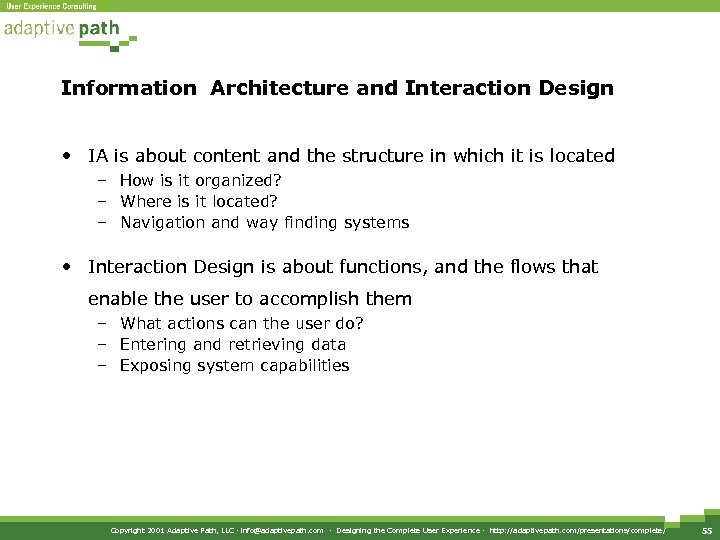
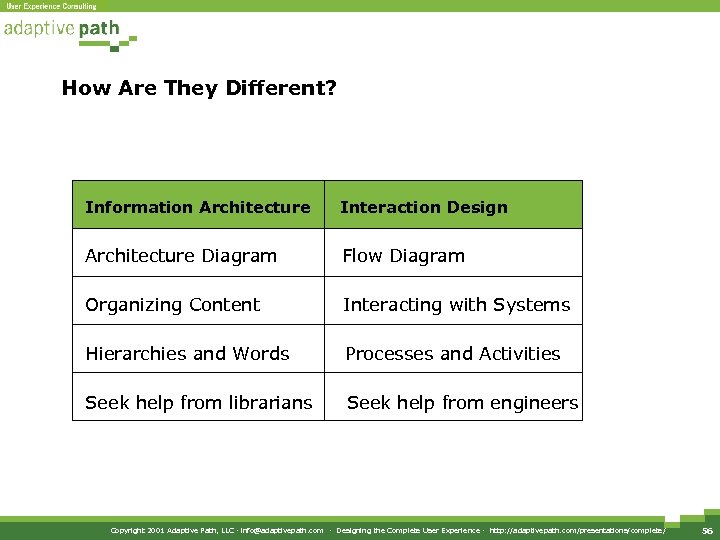
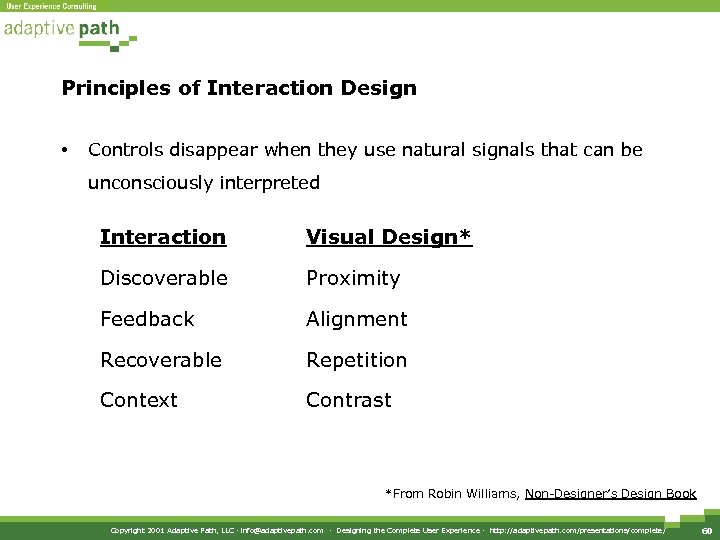
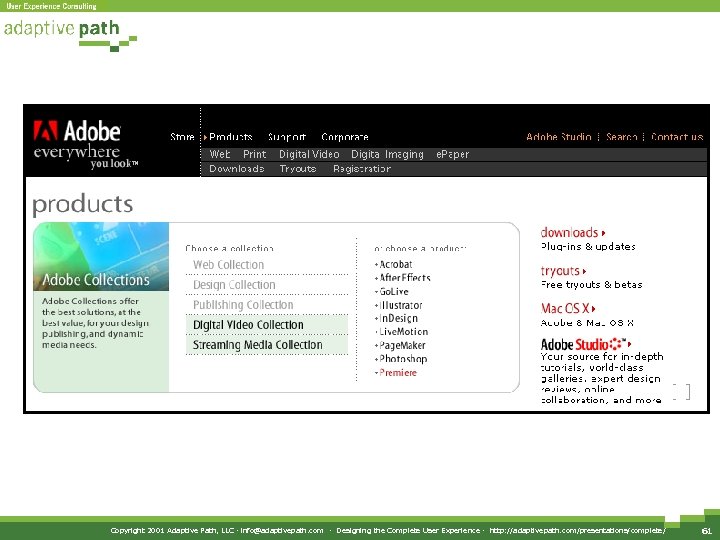
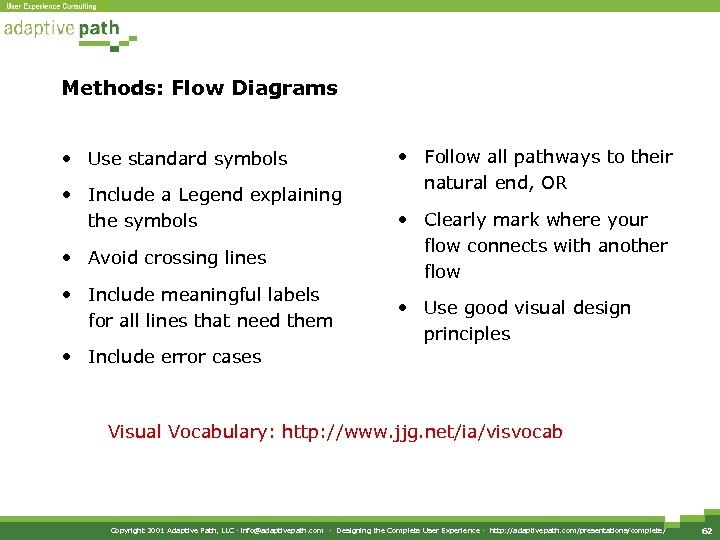
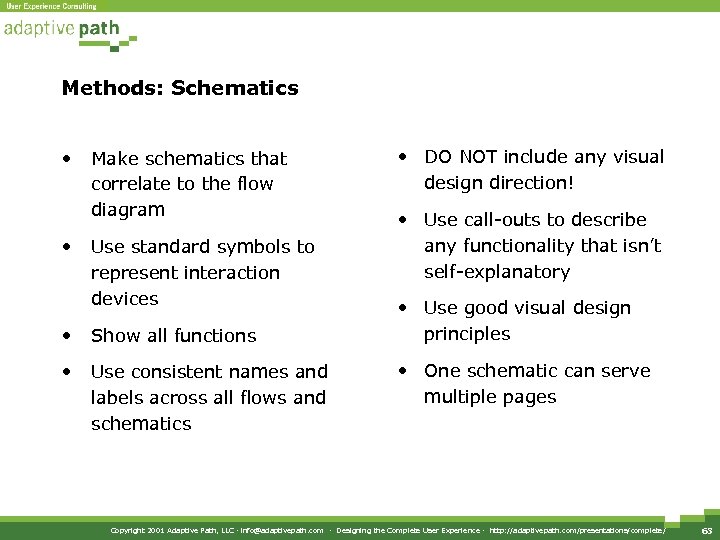
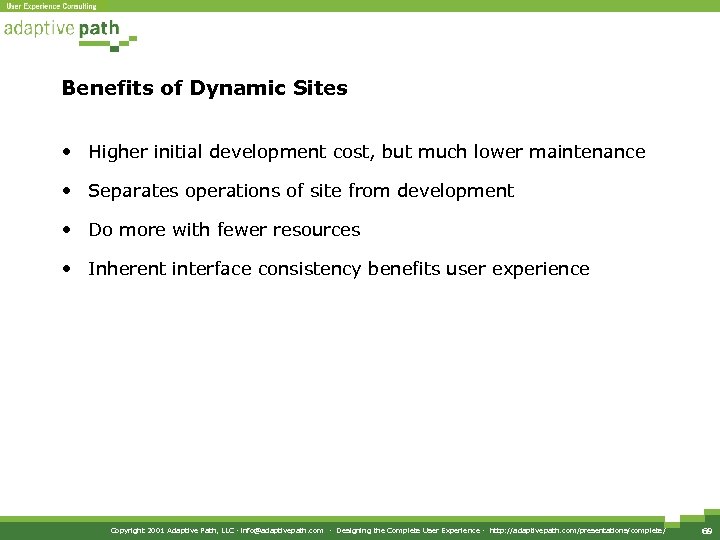
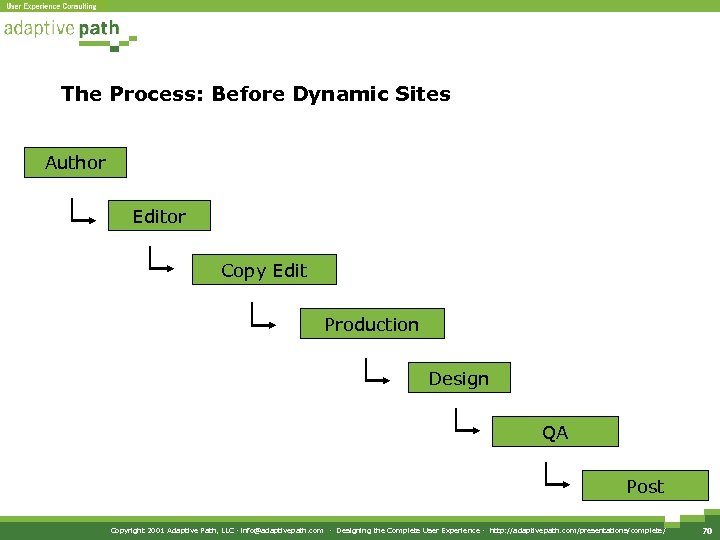
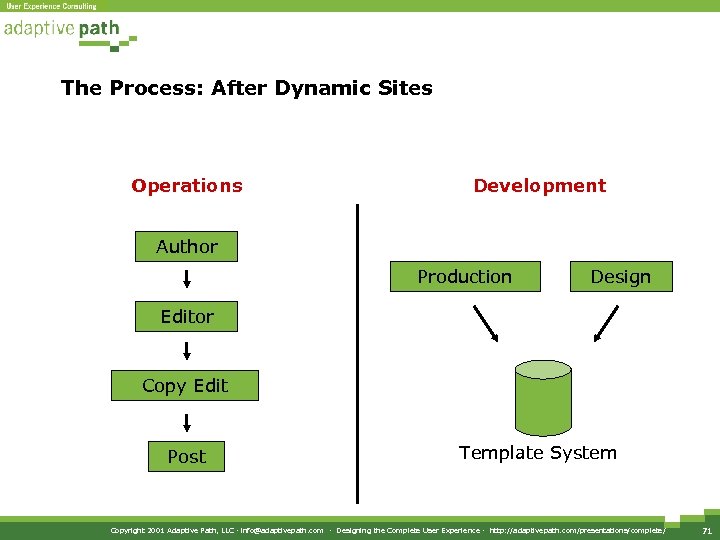
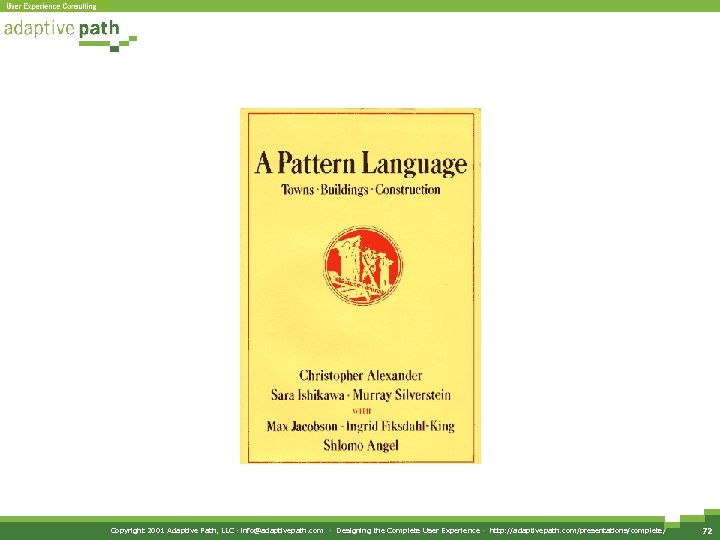
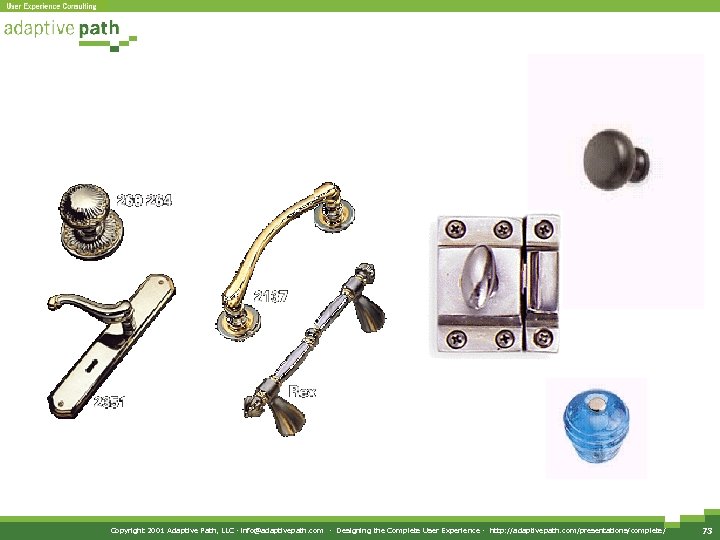
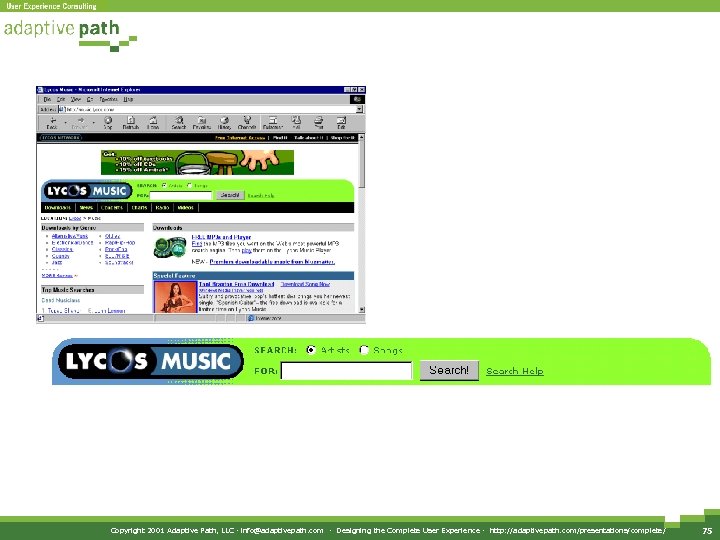
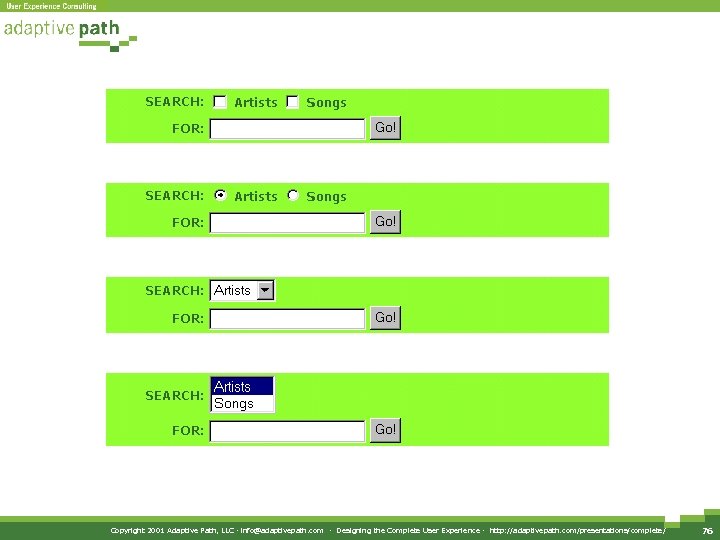
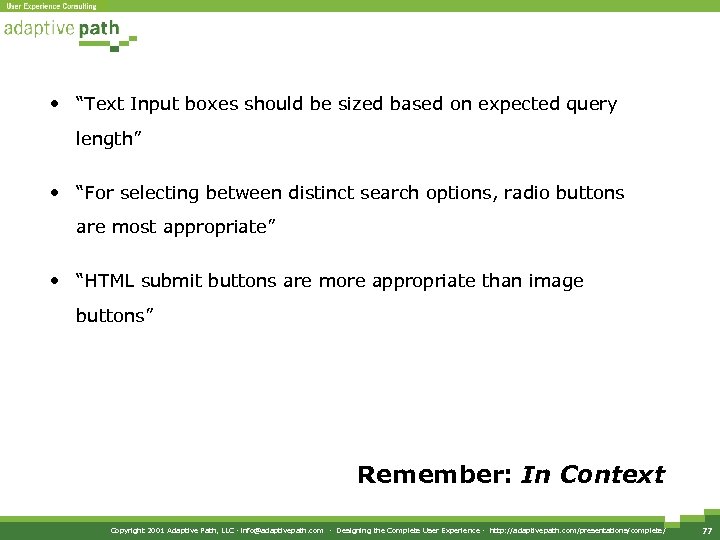
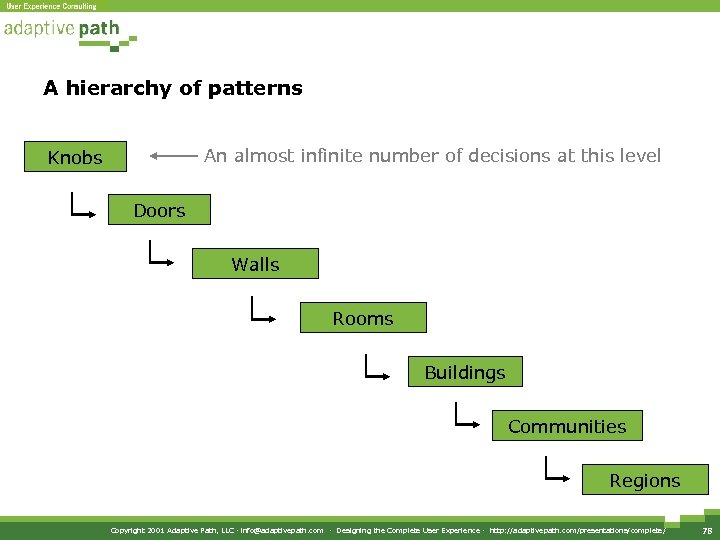
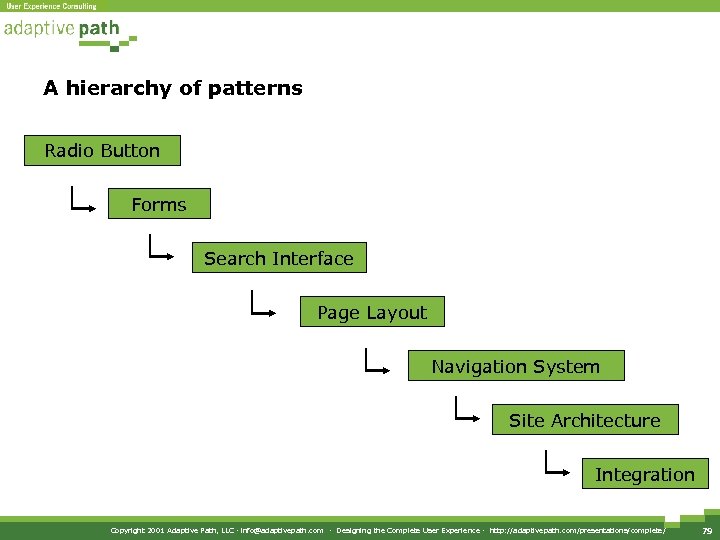
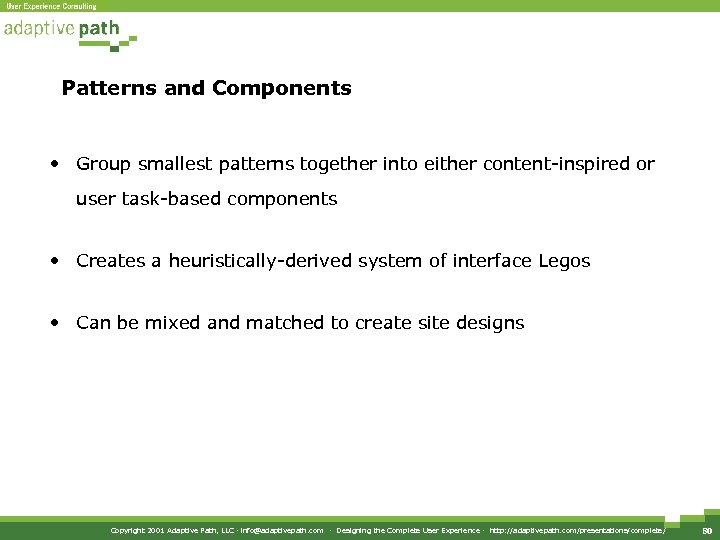
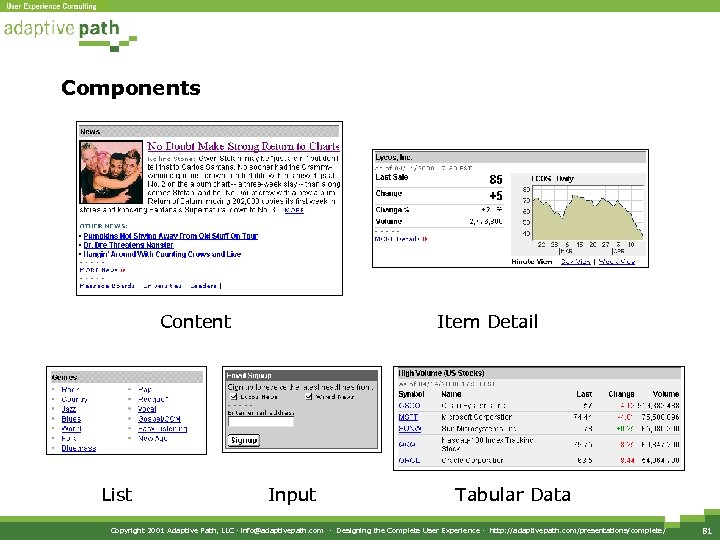
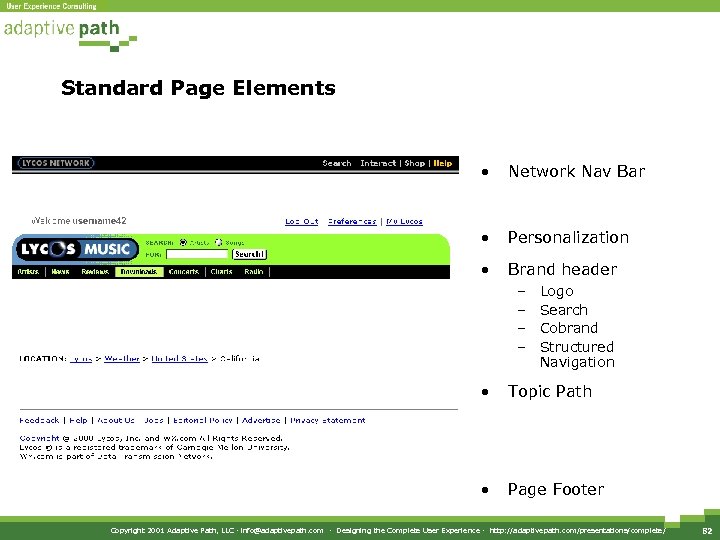
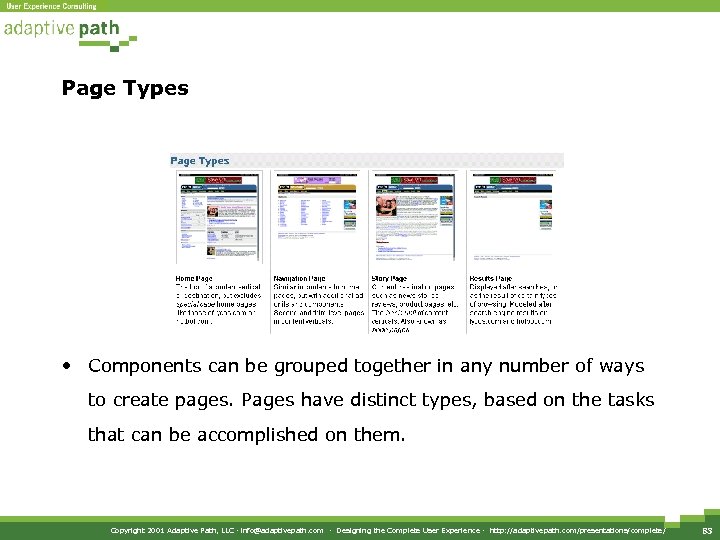
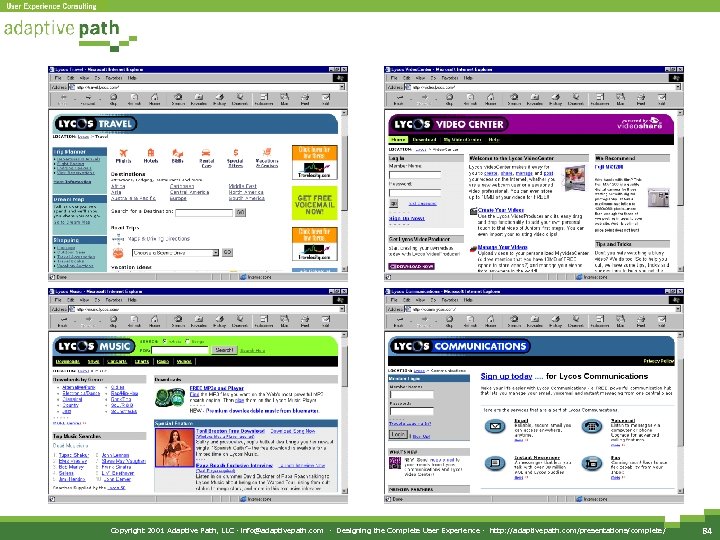
 Usability Testing
 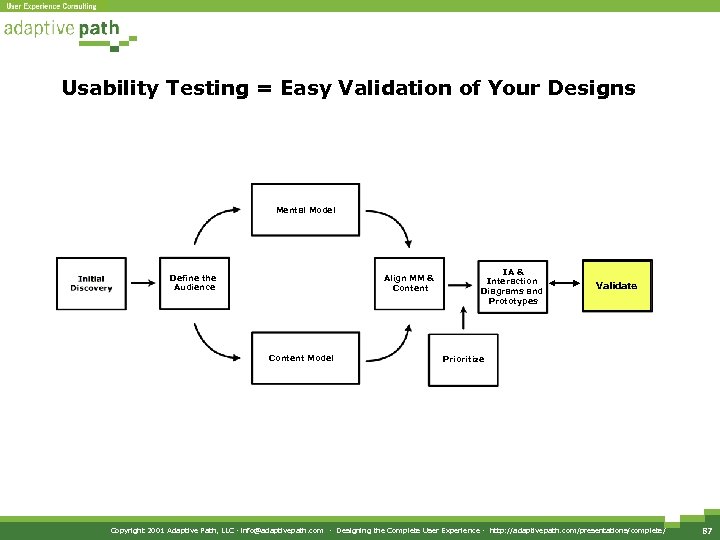 Usability Testing = Easy Validation of Your Designs Mental Model Define the Audience Align MM & Content Model IA & Interaction Diagrams and Prototypes Validate Prioritize Copyright 2001 Adaptive Path, LLC · info@adaptivepath. com · Designing the Complete User Experience · http: //adaptivepath. com/presentations/complete/ 87
  Usability Testing: An Overview • Protocol development • Recruiting • Facilitating • Analysis Copyright 2001 Adaptive Path, LLC · info@adaptivepath. com · Designing the Complete User Experience · http: //adaptivepath. com/presentations/complete/ 88
  When To Test? NOW! • Anyone can do user research • A fast, easy and effective way to evaluate if your audience can use your product or site • Start simple: Friends and Family Test • Only one prerequisite: a semi-working prototype Copyright 2001 Adaptive Path, LLC · info@adaptivepath. com · Designing the Complete User Experience · http: //adaptivepath. com/presentations/complete/ 89
  Recruiting Users • For a simple test, find 3 -4 people similar to your site’s audience – Friends, family, coworkers from other departments • Personas should determine your test group • Start immediately: the better the subjects, the better the outcome Copyright 2001 Adaptive Path, LLC · info@adaptivepath. com · Designing the Complete User Experience · http: //adaptivepath. com/presentations/complete/ 90
  Recruiting Users • Determine target audience – demographic/webographic/psychographic • Seek them out – Existing user base, customer support inquiries, advertise on existing site – User groups, email discussion lists – Traditional means: classified ads, etc. – Use a recruiter: Charge per user based on how specialized your population needs to be Copyright 2001 Adaptive Path, LLC · info@adaptivepath. com · Designing the Complete User Experience · http: //adaptivepath. com/presentations/complete/ 91
  Developing the Screener • A simple script to weed out subjects • Write 20 questions that narrow in on who you’re after • Order questions from generic to specific • Be very clear and specific • Avoid jargon Copyright 2001 Adaptive Path, LLC · info@adaptivepath. com · Designing the Complete User Experience · http: //adaptivepath. com/presentations/complete/ 92
  Developing a Protocol • What is your site about? • What five features are most important? • Create a list of “tasks” – Two sentence mini-scenario for each feature • For more focused tests, do a feature prioritization exercise – Map feature importance with implementation difficulty Copyright 2001 Adaptive Path, LLC · info@adaptivepath. com · Designing the Complete User Experience · http: //adaptivepath. com/presentations/complete/ 93
  More on Tasks. . . • Testable tasks should be: – – – – Reasonable Specific Doable Described as end goals Appropriately sequenced Domain neutral Not too long, not too short Copyright 2001 Adaptive Path, LLC · info@adaptivepath. com · Designing the Complete User Experience · http: //adaptivepath. com/presentations/complete/ 94
  Running the Test (Mechanics) • Have the room ready – Computer set up in a generic state – Have appropriate start pages bookmarked • Make users comfortable – Describe how the test works and what they’ll have to do – Be clear that they are testing a product, they’re not being tested themselves Copyright 2001 Adaptive Path, LLC · info@adaptivepath. com · Designing the Complete User Experience · http: //adaptivepath. com/presentations/complete/ 95
  Running the Test (Interview Style) • Ask the right questions – “Describe this. ” – “What do you expect? ” – “Did that surprise you? Why? ” • Don’t offer help – If a task is too difficult for the user, tell them to stop and ask them to describe what happened Copyright 2001 Adaptive Path, LLC · info@adaptivepath. com · Designing the Complete User Experience · http: //adaptivepath. com/presentations/complete/ 96
  Logistics • Record the session with a camcorder arranged to capture both the screen and user • Have a partner take notes throughout session • Convince decision makers of the value of watching the tests – from coders to marketing to the CEO Copyright 2001 Adaptive Path, LLC · info@adaptivepath. com · Designing the Complete User Experience · http: //adaptivepath. com/presentations/complete/ 97
  What Did You Learn? • Did the evaluators consistently misunderstand anything? • Were they ever confused? What were they doing? • What mistakes were consistently made? • Which tasks did they have the most trouble with? • When did they look frustrated? What were they doing? • How many of the tasks were they able to do? Copyright 2001 Adaptive Path, LLC · info@adaptivepath. com · Designing the Complete User Experience · http: //adaptivepath. com/presentations/complete/ 98
  What Did You Learn? • Did they do the things that you had expected them to do? • Did they do things in the order in which you had expected? If not, what order did they do them in? • What did they find interesting? What did you expect them to find interesting, which they did not? • Did the site meet their expectations? If not, where did it fail them? • Do you know what their expectations were? • Did they know what the site is for? Copyright 2001 Adaptive Path, LLC · info@adaptivepath. com · Designing the Complete User Experience · http: //adaptivepath. com/presentations/complete/ 99
 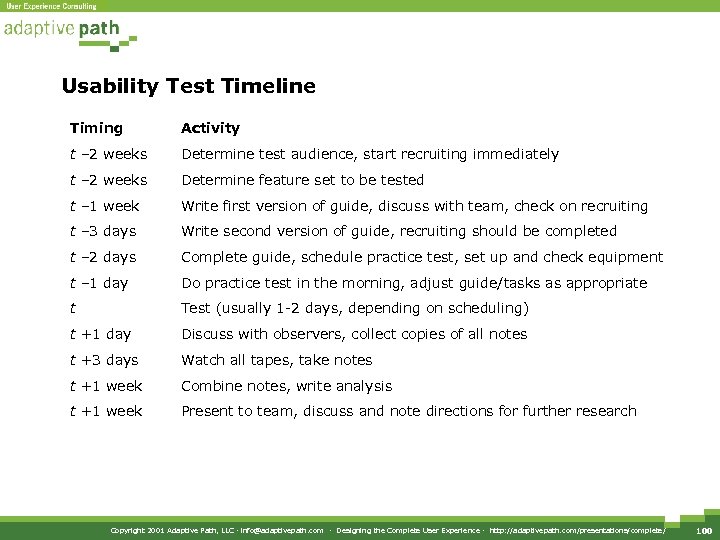 Usability Test Timeline Timing Activity t – 2 weeks Determine test audience, start recruiting immediately t – 2 weeks Determine feature set to be tested t – 1 week Write first version of guide, discuss with team, check on recruiting t – 3 days Write second version of guide, recruiting should be completed t – 2 days Complete guide, schedule practice test, set up and check equipment t – 1 day Do practice test in the morning, adjust guide/tasks as appropriate t Test (usually 1 -2 days, depending on scheduling) t +1 day Discuss with observers, collect copies of all notes t +3 days Watch all tapes, take notes t +1 week Combine notes, write analysis t +1 week Present to team, discuss and note directions for further research Copyright 2001 Adaptive Path, LLC · info@adaptivepath. com · Designing the Complete User Experience · http: //adaptivepath. com/presentations/complete/ 100
  How It All Fits Together
 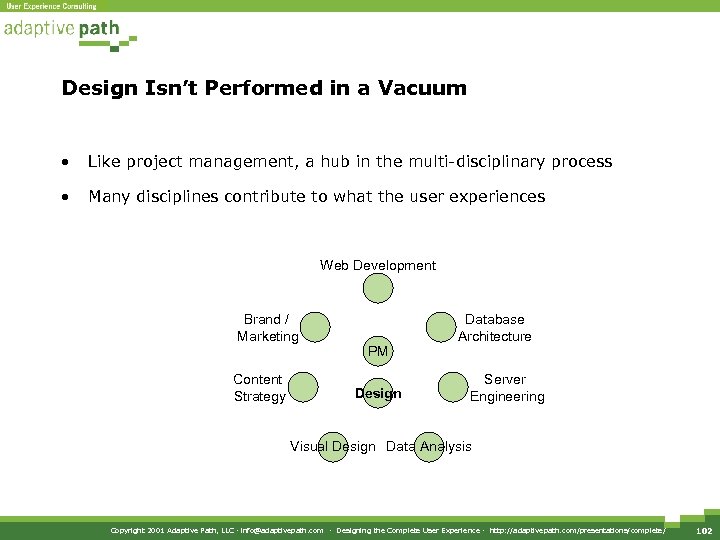 Design Isn’t Performed in a Vacuum • Like project management, a hub in the multi-disciplinary process • Many disciplines contribute to what the user experiences Web Development Brand / Marketing Content Strategy PM Design Database Architecture Server Engineering Visual Design Data Analysis Copyright 2001 Adaptive Path, LLC · info@adaptivepath. com · Designing the Complete User Experience · http: //adaptivepath. com/presentations/complete/ 102
  Design in the Organization • In agencies, typically grouped with “Creative” disciplines • In-house, often a part of marketing • In Web-centered companies, a separate department Copyright 2001 Adaptive Path, LLC · info@adaptivepath. com · Designing the Complete User Experience · http: //adaptivepath. com/presentations/complete/ 103
  Visual Design • Big Picture thinking • Strong visualization skills • Task: To develop a visual language – Colors – Typography – Graphic style Copyright 2001 Adaptive Path, LLC · info@adaptivepath. com · Designing the Complete User Experience · http: //adaptivepath. com/presentations/complete/ 104
  Content Strategy and Writing • It’s The Content, Stupid • Visitors interact with your site for the content, not the design • Task: To define a voice – Copy guidelines – Style manual – Nomenclature Copyright 2001 Adaptive Path, LLC · info@adaptivepath. com · Designing the Complete User Experience · http: //adaptivepath. com/presentations/complete/ 105
  Brand Strategy and Marketing • The user experience is a key component of an organization’s brand • A user experience can be informed by brand attributes • Tasks: – To identify brand attributes – To provide market segmentation Copyright 2001 Adaptive Path, LLC · info@adaptivepath. com · Designing the Complete User Experience · http: //adaptivepath. com/presentations/complete/ 106
  Data Analysis and Reporting • Components of a user’s experience can be measured through interaction data • Usability and data analysis often go hand-in-hand • Task – analyze usage statistics (typically server logs) for important trends Copyright 2001 Adaptive Path, LLC · info@adaptivepath. com · Designing the Complete User Experience · http: //adaptivepath. com/presentations/complete/ 107
  Web Development and Engineering • Technologists clue user experience designers in to feasibility • Web developers know what’s possible on the front end – Help you create flows/schematics • Server engineers tackle deeper “Can we do that? ” questions – How long will a process take? How many hits to the database? • Database architects will develop schemas that impact the information architecture Copyright 2001 Adaptive Path, LLC · info@adaptivepath. com · Designing the Complete User Experience · http: //adaptivepath. com/presentations/complete/ 108
  Project Management • User Experience types tend to work closely with Project Managers • Both have “process” focus • Task – to make sure the project moves forward smoothly Copyright 2001 Adaptive Path, LLC · info@adaptivepath. com · Designing the Complete User Experience · http: //adaptivepath. com/presentations/complete/ 109
  So Who Does All of This?
 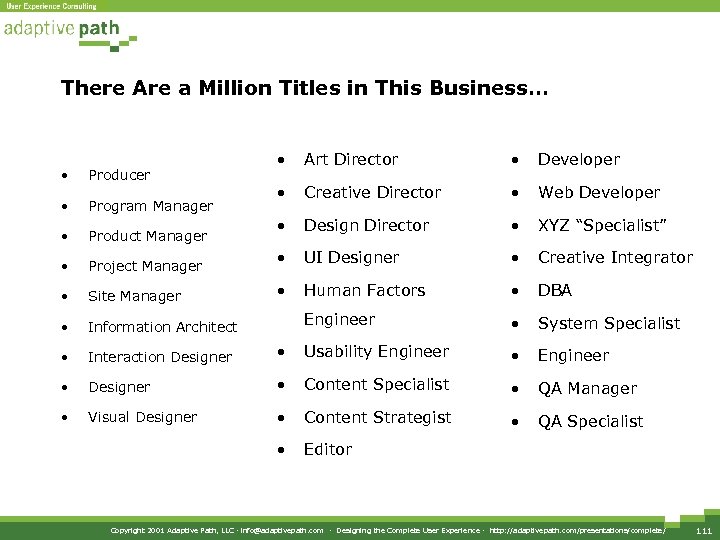 There Are a Million Titles in This Business… • Art Director • Developer • Creative Director • Web Developer • Design Director • XYZ “Specialist” • UI Designer • Creative Integrator • Human Factors • DBA Engineer • System Specialist • Producer • Program Manager • Product Manager • Project Manager • Site Manager • Information Architect • Interaction Designer • Usability Engineer • Designer • Content Specialist • QA Manager • Visual Designer • Content Strategist • QA Specialist • Editor Copyright 2001 Adaptive Path, LLC · info@adaptivepath. com · Designing the Complete User Experience · http: //adaptivepath. com/presentations/complete/ 111
 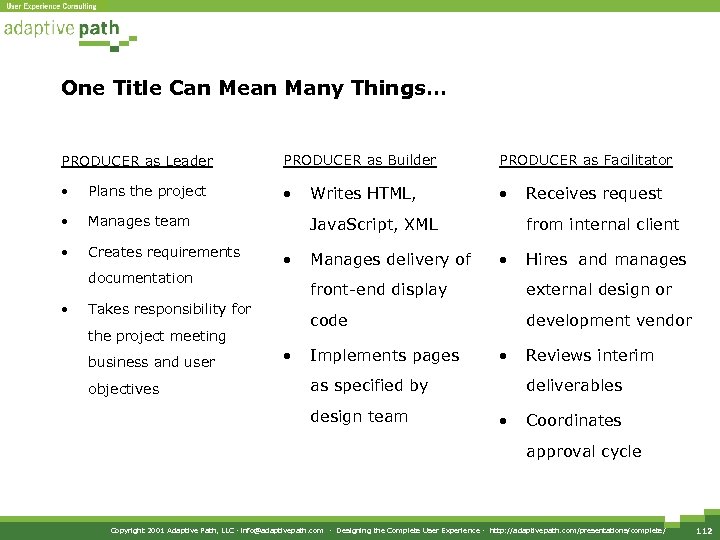 One Title Can Mean Many Things… PRODUCER as Leader PRODUCER as Builder PRODUCER as Facilitator • Plans the project • • • Manages team • Creates requirements Java. Script, XML • documentation • from internal client • Hires and manages • external design or code the project meeting objectives Manages delivery of Receives request front-end display Takes responsibility for business and user Writes HTML, development vendor Implements pages • as specified by design team Reviews interim deliverables • Coordinates approval cycle Copyright 2001 Adaptive Path, LLC · info@adaptivepath. com · Designing the Complete User Experience · http: //adaptivepath. com/presentations/complete/ 112
  And Many Titles Can Mean the Same Thing… Wanted: Experienced professional to provide leadership for multiple sections of the web site. This person will establish a mission for each section, define business and user requirements, manage internal and external designers, developers, and copy writers to launch content and applications supporting the Company’s business goals. Some hands-on design and development work required. What’s the title? Copyright 2001 Adaptive Path, LLC · info@adaptivepath. com · Designing the Complete User Experience · http: //adaptivepath. com/presentations/complete/ 113
 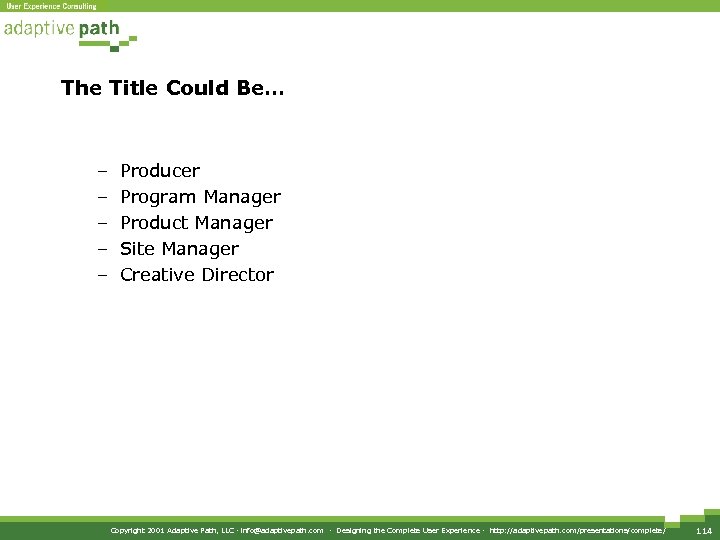 The Title Could Be… – – – Producer Program Manager Product Manager Site Manager Creative Director Copyright 2001 Adaptive Path, LLC · info@adaptivepath. com · Designing the Complete User Experience · http: //adaptivepath. com/presentations/complete/ 114
 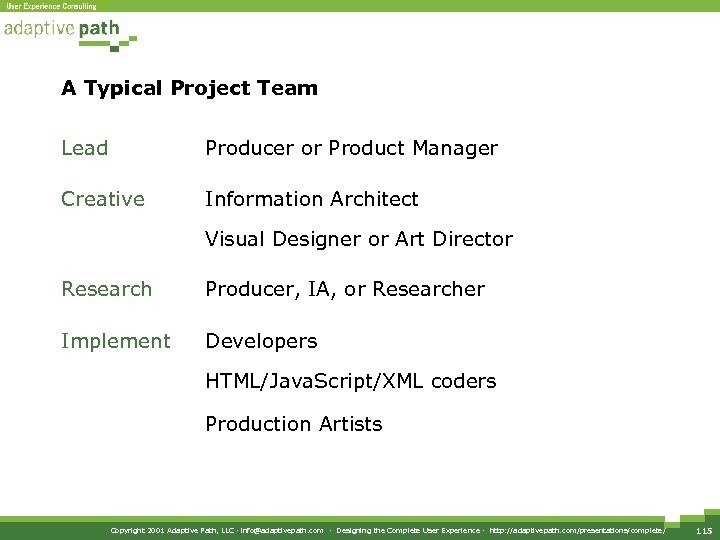 A Typical Project Team Lead Producer or Product Manager Creative Information Architect Visual Designer or Art Director Research Producer, IA, or Researcher Implement Developers HTML/Java. Script/XML coders Production Artists Copyright 2001 Adaptive Path, LLC · info@adaptivepath. com · Designing the Complete User Experience · http: //adaptivepath. com/presentations/complete/ 115
 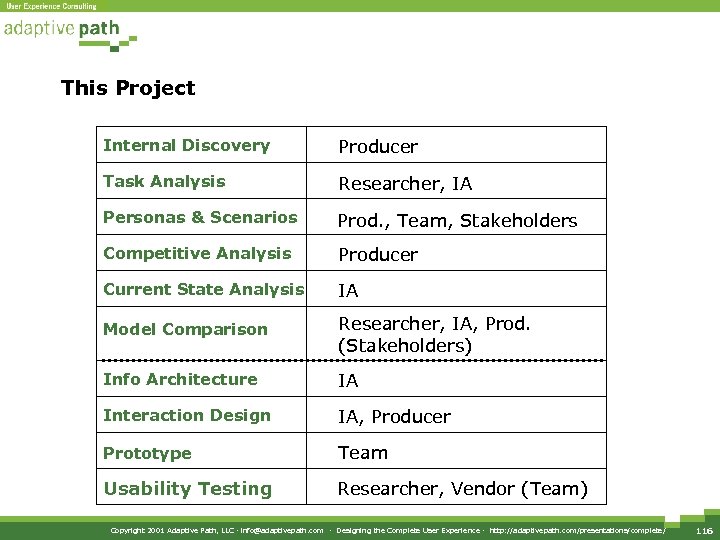 This Project Internal Discovery Producer Task Analysis Researcher, IA Personas & Scenarios Prod. , Team, Stakeholders Competitive Analysis Producer Current State Analysis IA Model Comparison Researcher, IA, Prod. (Stakeholders) Info Architecture IA Interaction Design IA, Producer Prototype Team Usability Testing Researcher, Vendor (Team) Copyright 2001 Adaptive Path, LLC · info@adaptivepath. com · Designing the Complete User Experience · http: //adaptivepath. com/presentations/complete/ 116
  www. adaptivepath. com/presentations/complete/ info@adaptivepath. com Copyright 2001 Adaptive Path, LLC · info@adaptivepath. com · Designing the Complete User Experience · http: //adaptivepath. com/presentations/complete/ 117