


 Скачать презентацию Deployment Adavatages Physical Configure hardware Deploy from Template
3c938923f14ec1841ba00da6abf946e3.ppt
- Количество слайдов: 28
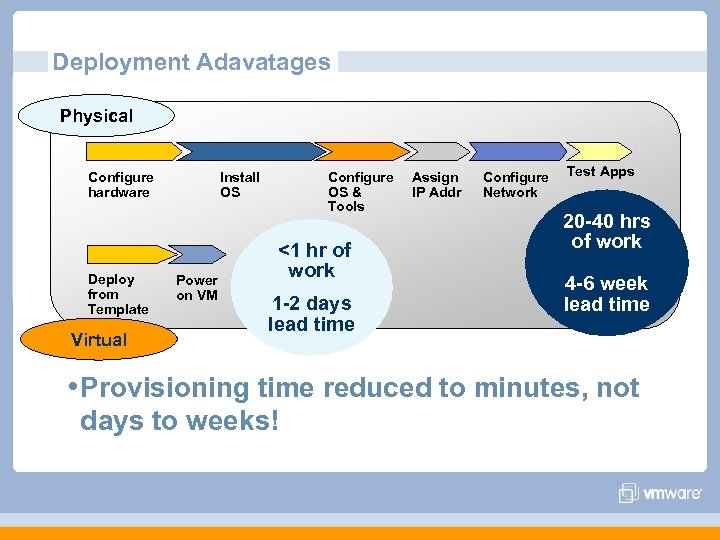 Deployment Adavatages Physical Configure hardware Deploy from Template Virtual Install OS Power on VM Configure OS & Tools <1 hr of work 1 -2 days lead time Assign IP Addr Configure Network Test Apps 20 -40 hrs of work 4 -6 week lead time • Provisioning time reduced to minutes, not days to weeks!
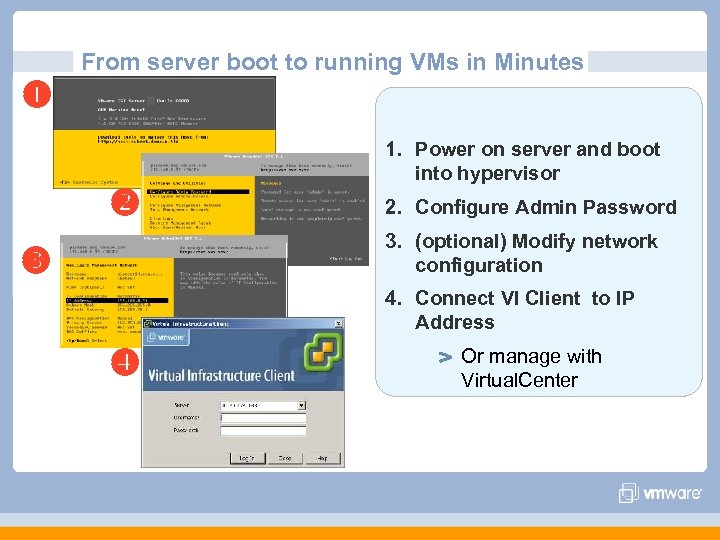 From server boot to running VMs in Minutes 3 i 1. Power on server and boot into hypervisor 2. Configure Admin Password 3. (optional) Modify network configuration 4. Connect VI Client to IP Address Or manage with Virtual. Center
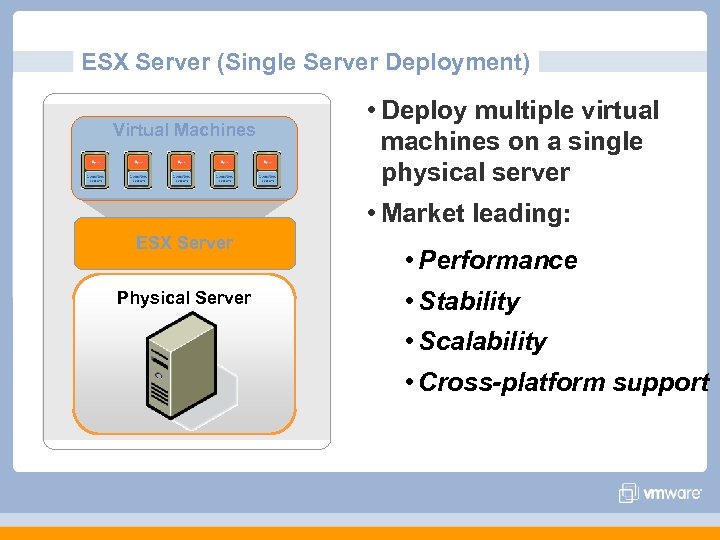 ESX Server (Single Server Deployment) Virtual Machines • Deploy multiple virtual machines on a single physical server • Market leading: ESX Server Physical Server • Performance • Stability • Scalability • Cross-platform support
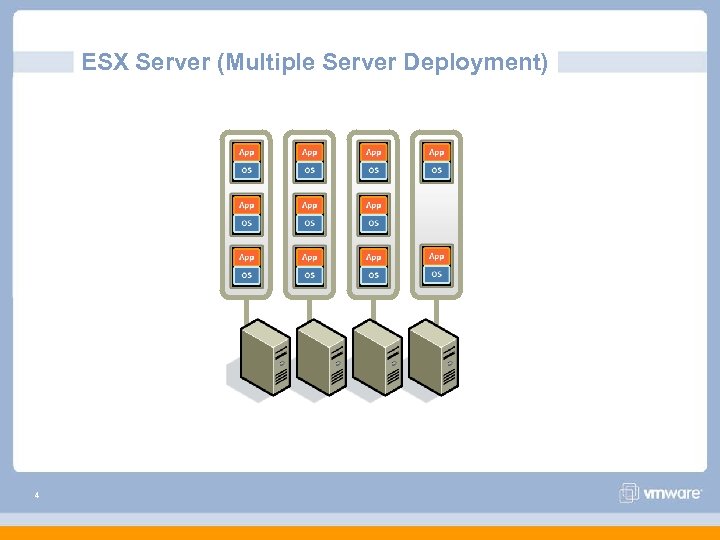 ESX Server (Multiple Server Deployment) 4
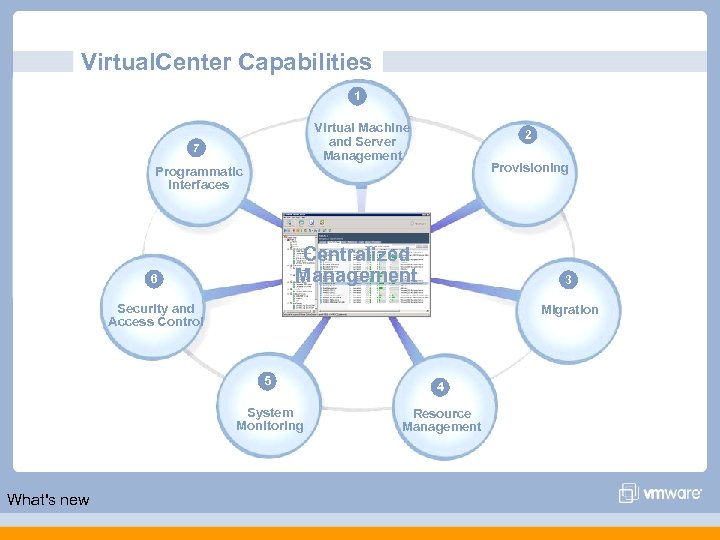 Virtual. Center Capabilities 1 Virtual Machine and Server Management 7 2 Provisioning Programmatic Interfaces Centralized Management 6 3 Security and Access Control Migration 5 System Monitoring What's new 4 Resource Management
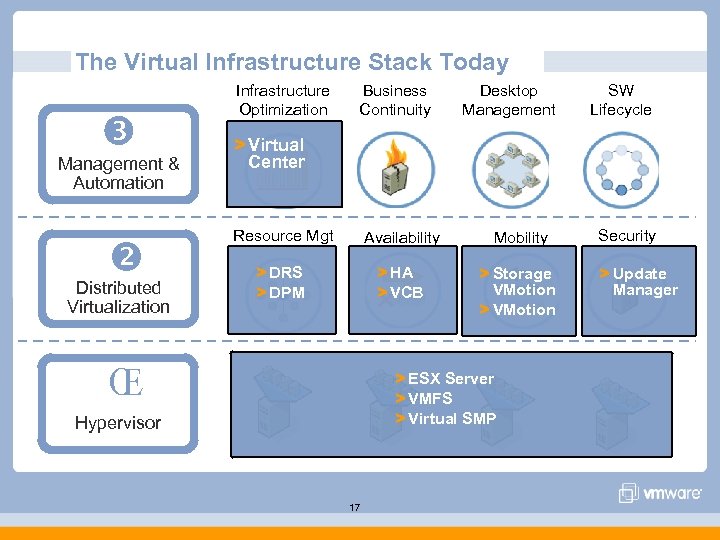 The Virtual Infrastructure Stack Today Management & Automation Distributed Virtualization Infrastructure Optimization Business Continuity Desktop Management SW Lifecycle > Virtual Center Resource Mgt Availability Mobility > DRS > DPM > HA > VCB > Storage VMotion > VMotion Π> ESX Server > VMFS > Virtual SMP Hypervisor 17 Security > Update Manager
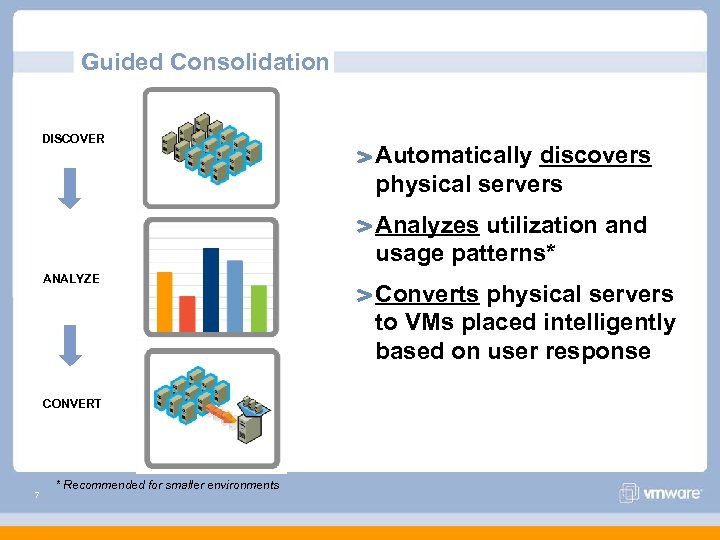 Guided Consolidation DISCOVER Automatically discovers physical servers Analyzes utilization and usage patterns* ANALYZE CONVERT 7 * Recommended for smaller environments Converts physical servers to VMs placed intelligently based on user response
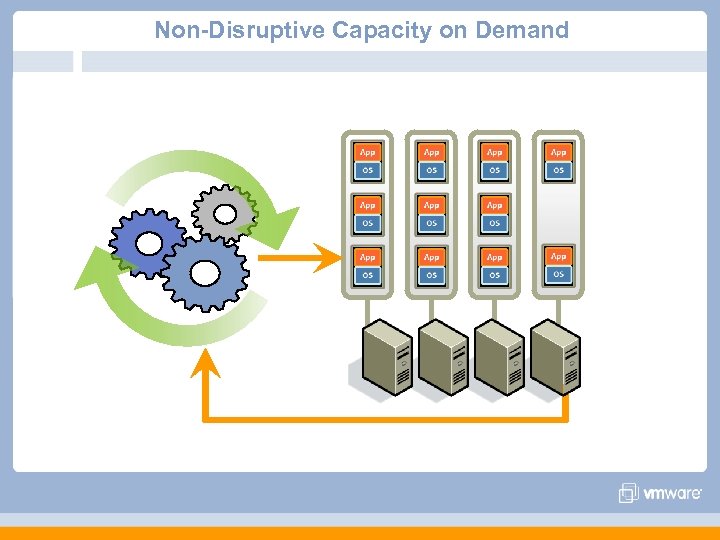 Non-Disruptive Capacity on Demand
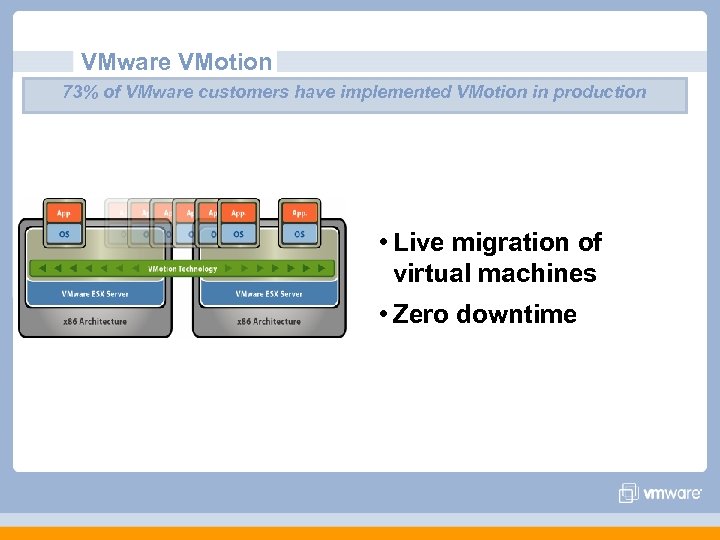 VMware VMotion 73% of VMware customers have implemented VMotion in production • Live migration of virtual machines • Zero downtime
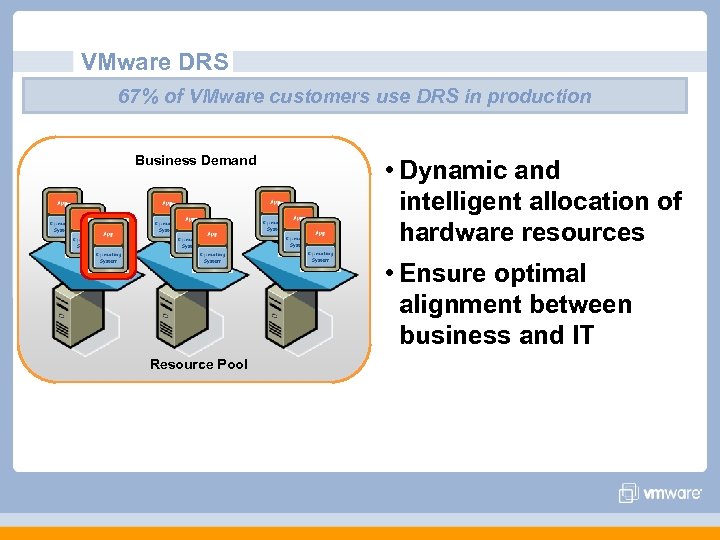 VMware DRS 67% of VMware customers use DRS in production Business Demand • Dynamic and intelligent allocation of hardware resources • Ensure optimal alignment between business and IT Resource Pool
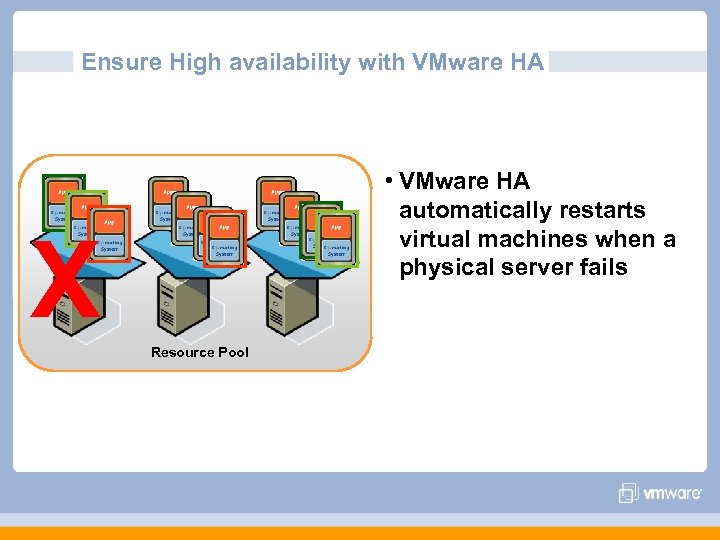 Ensure High availability with VMware HA • VMware HA automatically restarts virtual machines when a physical server fails X Resource Pool
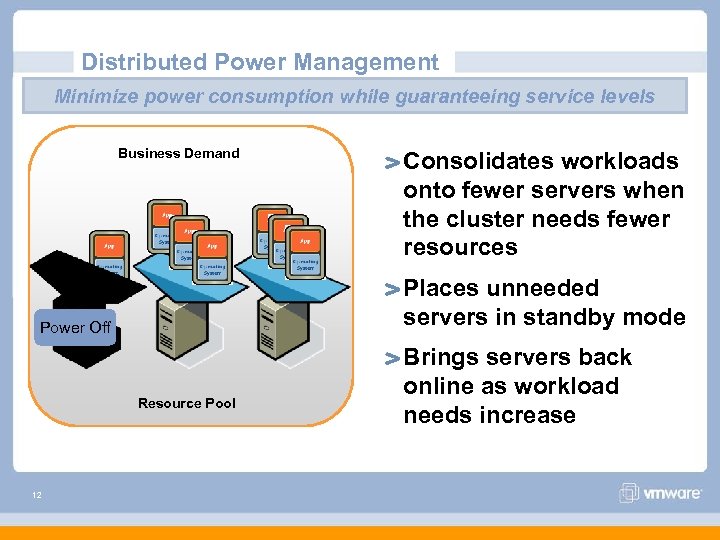 Distributed Power Management Minimize power consumption while guaranteeing service levels Business Demand Places unneeded servers in standby mode Power Off Resource Pool 12 Consolidates workloads onto fewer servers when the cluster needs fewer resources Brings servers back online as workload needs increase
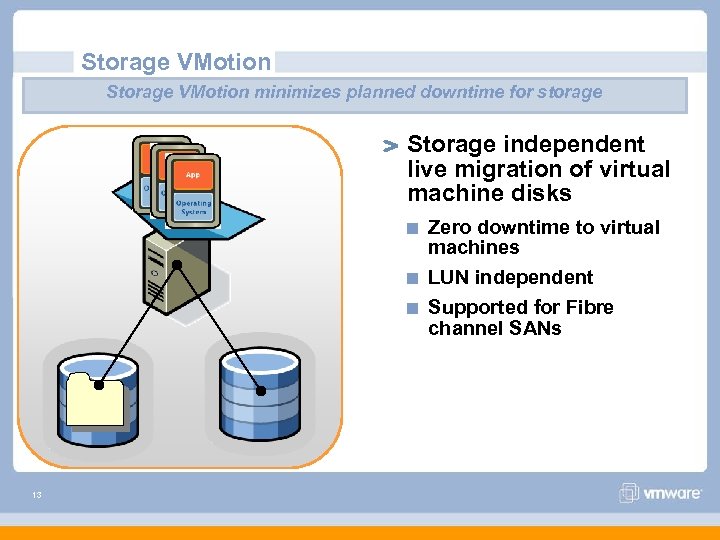 Storage VMotion minimizes planned downtime for storage Storage independent live migration of virtual machine disks Zero downtime to virtual machines LUN independent Supported for Fibre channel SANs 13
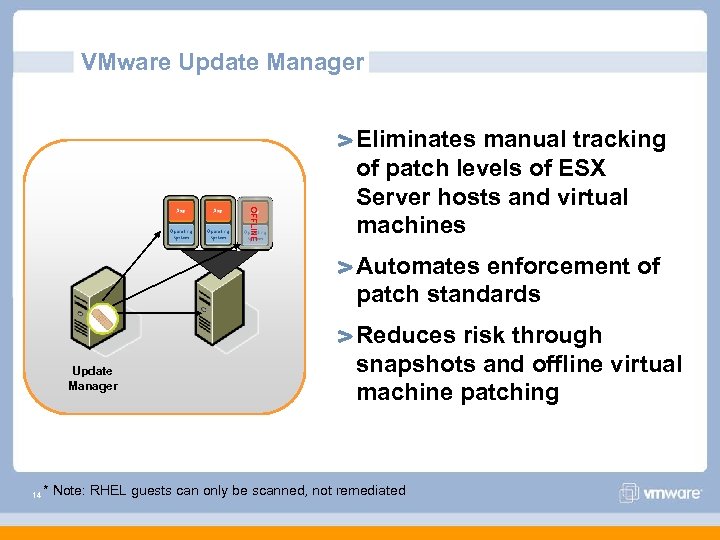 VMware Update Manager OFFLINE Eliminates manual tracking of patch levels of ESX Server hosts and virtual machines Automates enforcement of patch standards Update Manager 14 Reduces risk through snapshots and offline virtual machine patching * Note: RHEL guests can only be scanned, not remediated
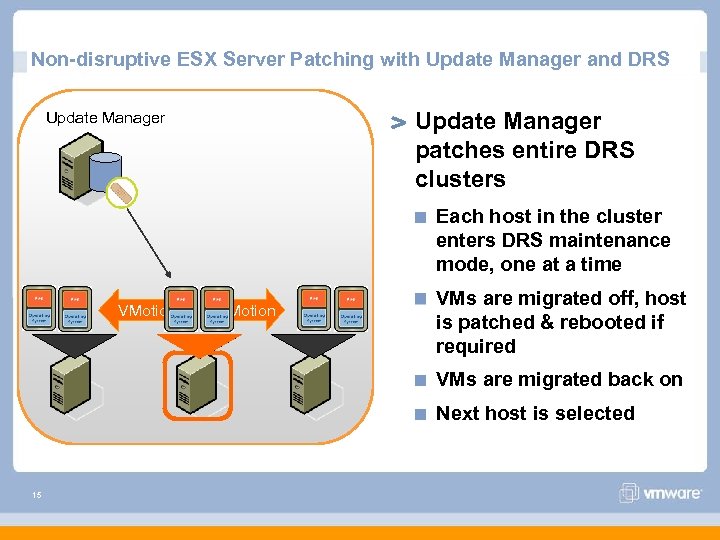 Non-disruptive ESX Server Patching with Update Manager and DRS Update Manager patches entire DRS clusters Update Manager Each host in the cluster enters DRS maintenance mode, one at a time VMotion VMs are migrated off, host is patched & rebooted if required VMs are migrated back on Next host is selected 15
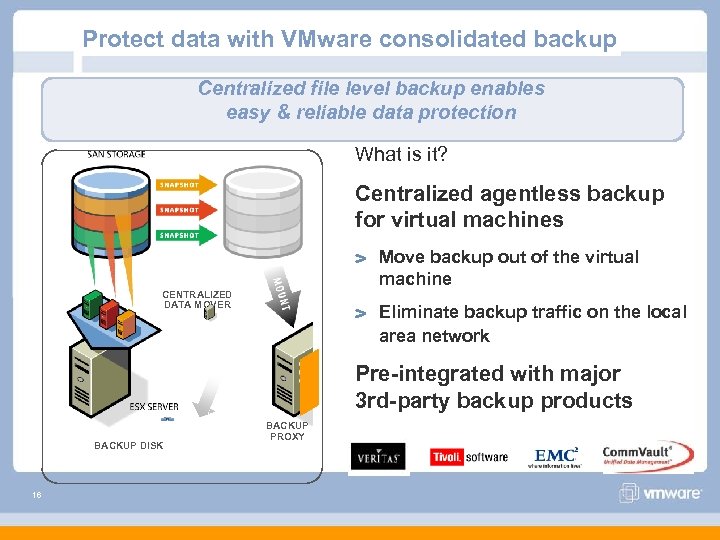 Protect data with VMware consolidated backup Centralized file level backup enables easy & reliable data protection What is it? Centralized agentless backup for virtual machines Move backup out of the virtual machine CENTRALIZED DATA MOVER Eliminate backup traffic on the local area network Pre-integrated with major 3 rd-party backup products BACKUP DISK 16 BACKUP PROXY
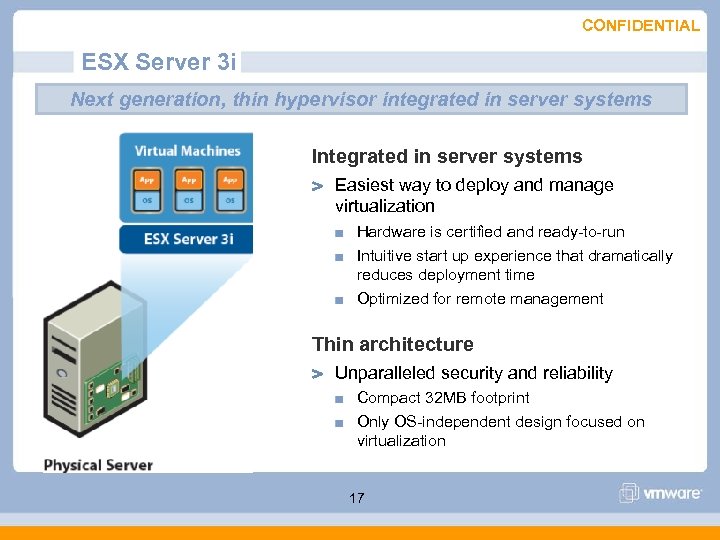 CONFIDENTIAL ESX Server 3 i Next generation, thin hypervisor integrated in server systems Integrated in server systems Easiest way to deploy and manage virtualization Hardware is certified and ready-to-run Intuitive start up experience that dramatically reduces deployment time Optimized for remote management Thin architecture Unparalleled security and reliability Compact 32 MB footprint Only OS-independent design focused on virtualization 17
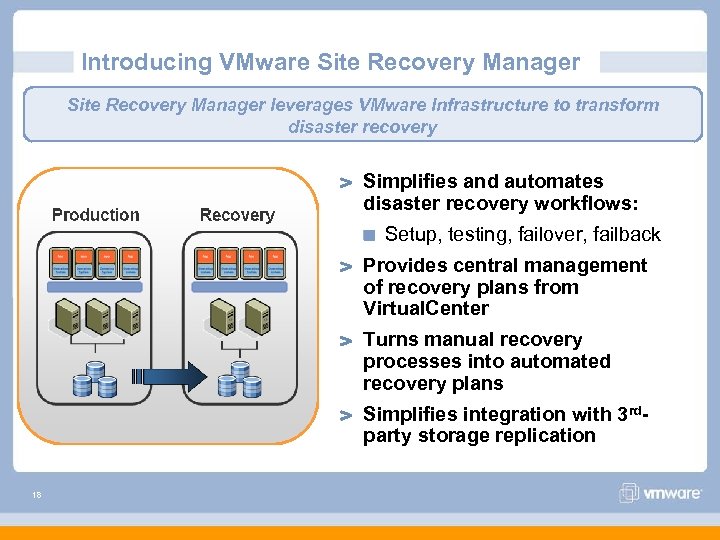 Introducing VMware Site Recovery Manager leverages VMware Infrastructure to transform disaster recovery Simplifies and automates disaster recovery workflows: Setup, testing, failover, failback Provides central management of recovery plans from Virtual. Center Turns manual recovery processes into automated recovery plans Simplifies integration with 3 rdparty storage replication 18
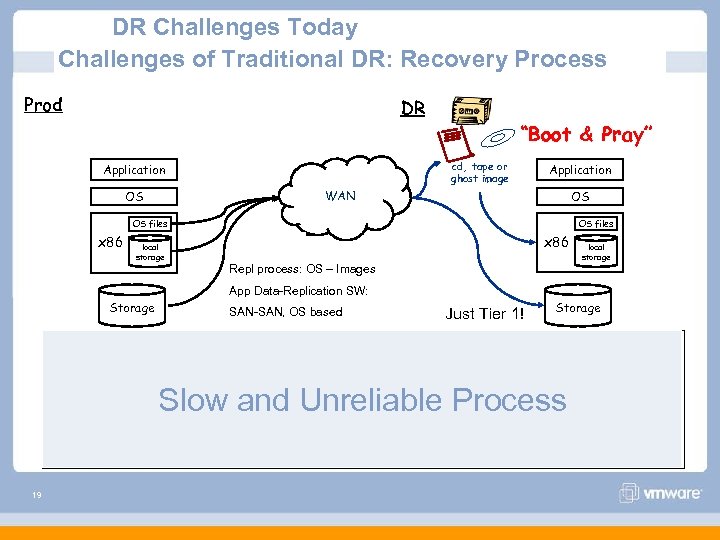 DR Challenges Today Challenges of Traditional DR: Recovery Process Prod DR “Boot & Pray” cd, tape or ghost image Application WAN OS OS OS files x 86 local storage Repl process: OS – Images App Data-Replication SW: Storage SAN-SAN, OS based Just Tier 1! Storage Complex to physically recover OS, applications & data Separate processes for system and application data Slow and Unreliable Process OS & applications have dependencies on hardware configuration Tier 2 & 3 applications left unprotected, adding to Tier 1 RTO risk 19
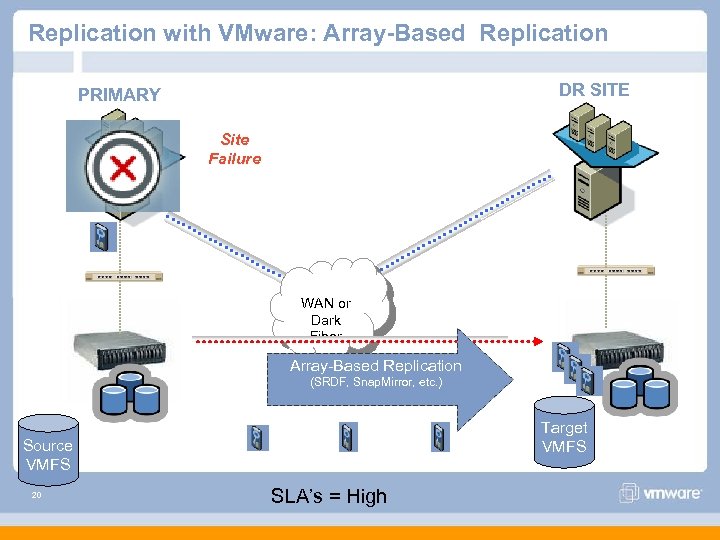 Replication with VMware: Array-Based Replication DR SITE PRIMARY Site Failure WAN or Dark Fiber Array-Based Replication (SRDF, Snap. Mirror, etc. ) Target VMFS Source VMFS 20 SLA’s = High
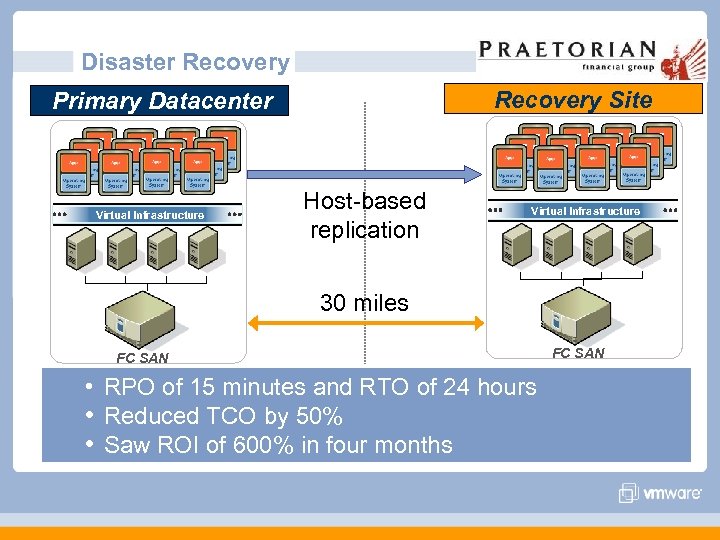 Disaster Recovery Site Primary Datacenter Virtual Infrastructure Host-based replication Virtual Infrastructure 30 miles FC SAN • RPO of 15 minutes and RTO of 24 hours • Reduced TCO by 50% • Saw ROI of 600% in four months FC SAN
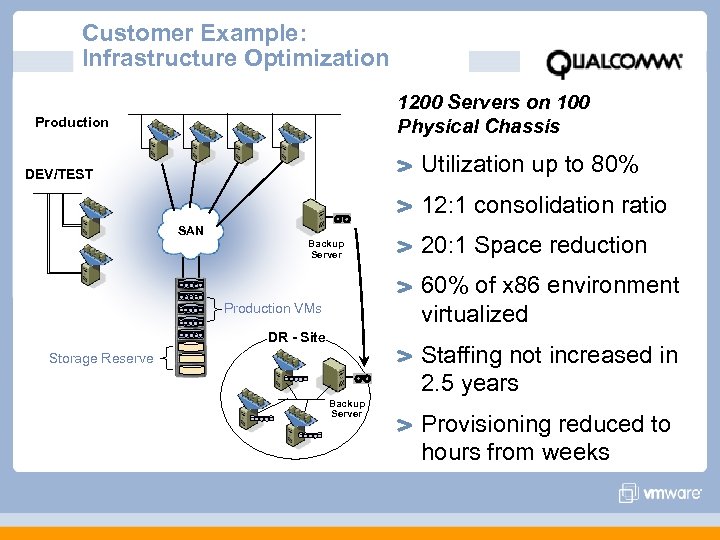 Customer Example: Infrastructure Optimization 1200 Servers on 100 Physical Chassis Production Utilization up to 80% DEV/TEST 12: 1 consolidation ratio SAN Backup Server 20: 1 Space reduction 60% of x 86 environment virtualized Production VMs DR - Site Staffing not increased in 2. 5 years Storage Reserve Backup Server Provisioning reduced to hours from weeks
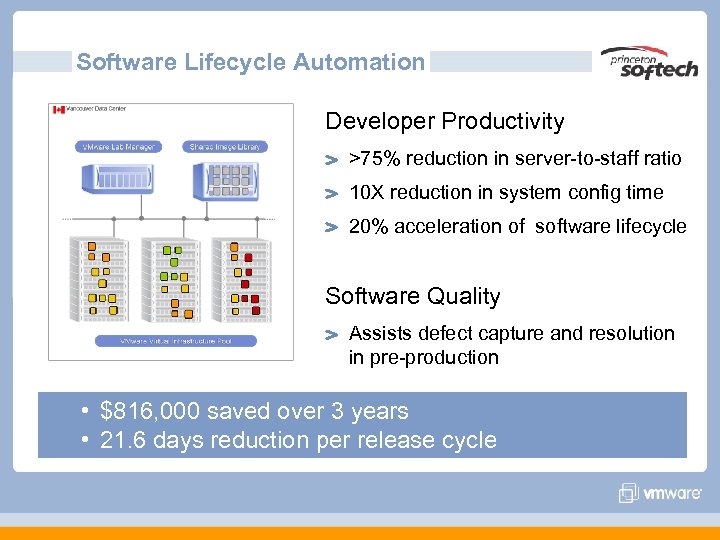 Software Lifecycle Automation Developer Productivity >75% reduction in server-to-staff ratio 10 X reduction in system config time 20% acceleration of software lifecycle Software Quality Assists defect capture and resolution in pre-production • $816, 000 saved over 3 years • 21. 6 days reduction per release cycle
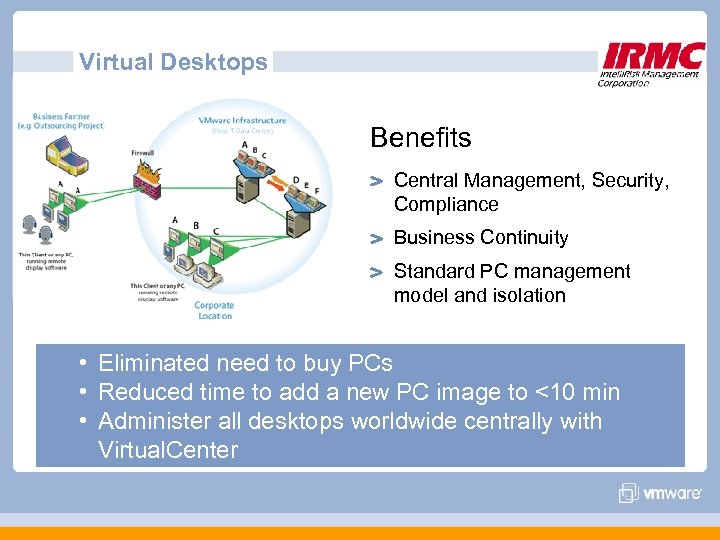 Virtual Desktops Benefits Central Management, Security, Compliance Business Continuity Standard PC management model and isolation • Eliminated need to buy PCs • Reduced time to add a new PC image to <10 min • Administer all desktops worldwide centrally with Virtual. Center
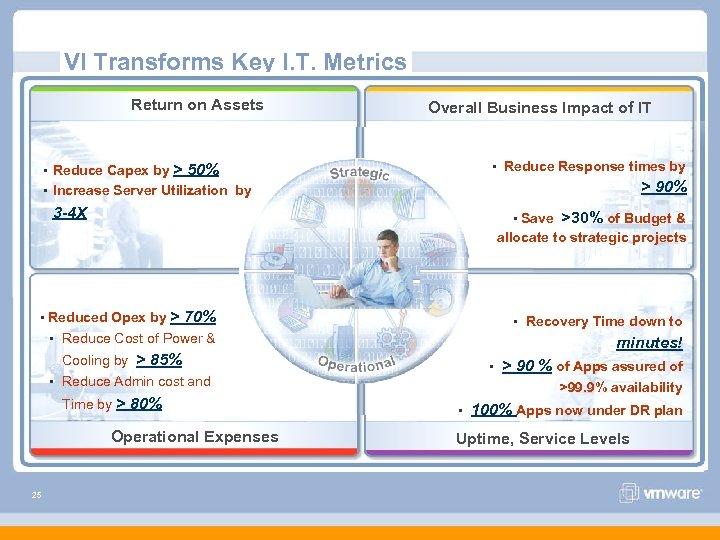 VI Transforms Key I. T. Metrics Return on Assets • Reduce Capex by Overall Business Impact of IT • Reduce Response times by > 50% > 90% • Increase Server Utilization by 3 -4 X • Save >30% of Budget & allocate to strategic projects > 70% • Recovery Time down to • Reduce Cost of Power & minutes! • Reduced Opex by Cooling by > 85% • Reduce Admin cost and Time by > 80% Operational Expenses 25 • > 90 % of Apps assured of >99. 9% availability • 100% Apps now under DR plan Uptime, Service Levels
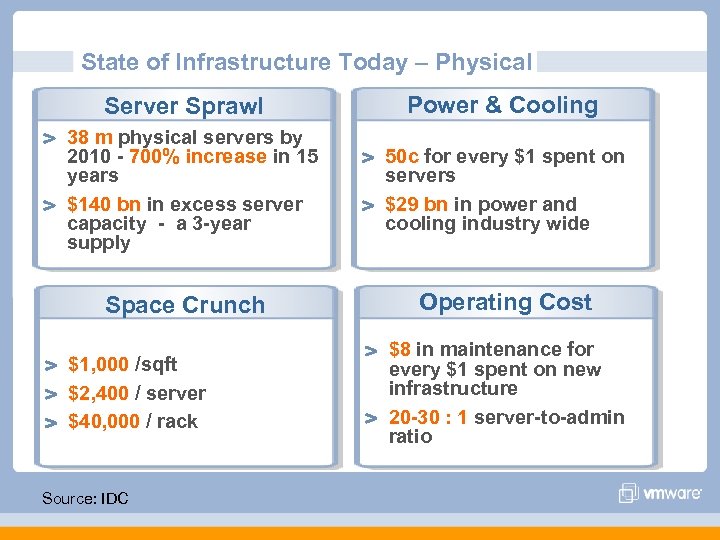 State of Infrastructure Today – Physical Server Sprawl 38 m physical servers by 2010 - 700% increase in 15 years $140 bn in excess server capacity - a 3 -year supply Space Crunch $1, 000 /sqft $2, 400 / server $40, 000 / rack Source: IDC Power & Cooling 50 c for every $1 spent on servers $29 bn in power and cooling industry wide Operating Cost $8 in maintenance for every $1 spent on new infrastructure 20 -30 : 1 server-to-admin ratio
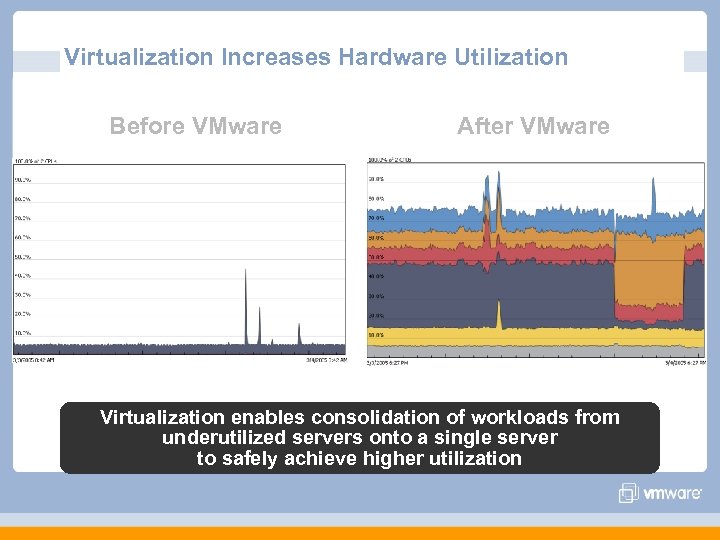 Virtualization Increases Hardware Utilization Before VMware After VMware Virtualization enables consolidation of workloads from underutilized servers onto a single server to safely achieve higher utilization
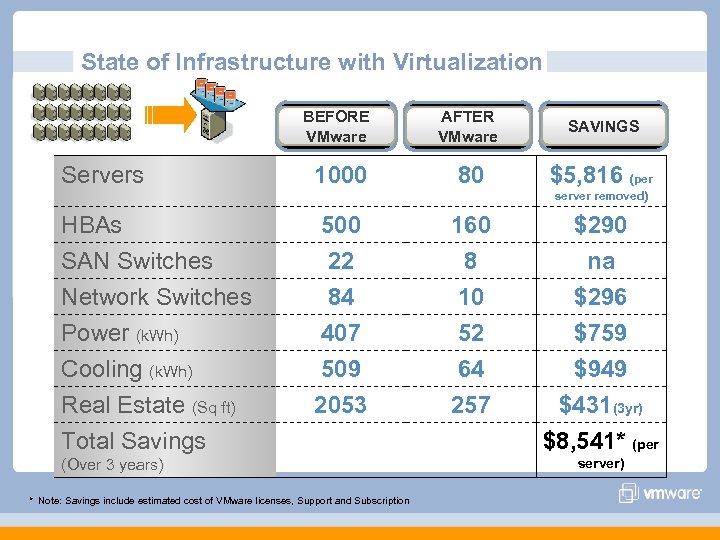 State of Infrastructure with Virtualization BEFORE VMware Servers AFTER VMware SAVINGS 1000 80 $5, 816 (per server removed) HBAs SAN Switches Network Switches Power (k. Wh) Cooling (k. Wh) Real Estate (Sq ft) Total Savings 500 22 84 407 509 2053 (Over 3 years) * Note: Savings include estimated cost of VMware licenses, Support and Subscription 160 8 10 52 64 257 $290 na $296 $759 $949 $431(3 yr) $8, 541* (per server)