 Скачать презентацию Dependable Software Systems Topics in Software Testing Material
826ce07aa6503689b9e7e7a920732728.ppt
- Количество слайдов: 88



Dependable Software Systems Topics in Software Testing Material drawn from [Beizer, Sommerville, Neumann, Mancoridis, Vokolos] © SERG
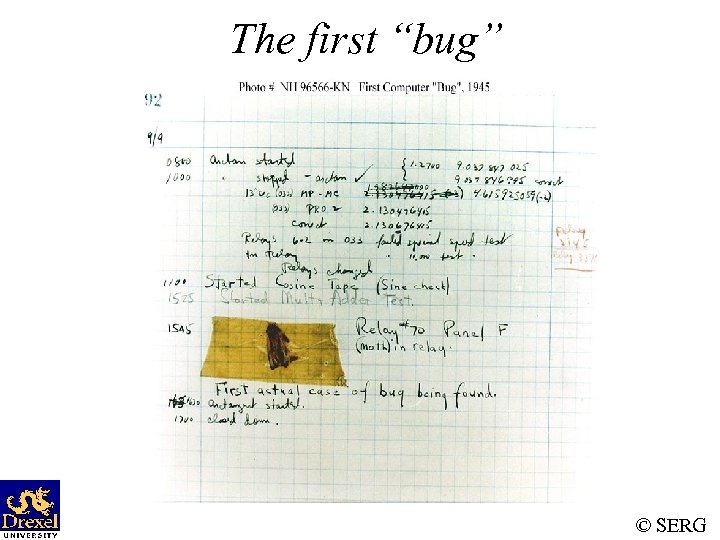
The first “bug” © SERG
The first “bug” • Moth found trapped between points at Relay #70, Panel F, of the Mark II Aiken Relay Calculator, while it was being tested at Harvard University, September 9, 1945. www. history. navy. mil/photos/images/h 960 00/h 96566 k. jpg © SERG
Myths About Bugs • Benign Bug Hypothesis: Bugs are nice, tame, and logical. • Bug Locality Hypothesis: A bug discovered within a component affects only that component’s behavior. • Control Bug Dominance: Most bugs are in the control structure of programs. • Corrections Abide: A corrected bug remains correct. © SERG
Myths About Bugs (Cont’d) • Silver Bullets: A language, design method, environment grants immunity from bugs. • Sadism Suffices: All bugs can be caught using low cunning and intuition. (Only easy bugs can be caught this way. ) © SERG
Defective Software • We develop programs that contain defects – How many? What kind? • Hard to predict the future, however… it is highly likely, that the software we (including you!) will develop in the future will not be significantly better. © SERG
Sources of Problems • Requirements Definition: Erroneous, incomplete, inconsistent requirements. • Design: Fundamental design flaws in the software. • Implementation: Mistakes in chip fabrication, wiring, programming faults, malicious code. • Support Systems: Poor programming languages, faulty compilers and debuggers, misleading development tools. © SERG
Sources of Problems (Cont’d) • Inadequate Testing of Software: Incomplete testing, poor verification, mistakes in debugging. • Evolution: Sloppy redevelopment or maintenance, introduction of new flaws in attempts to fix old flaws, incremental escalation to inordinate complexity. © SERG
Adverse Effects of Faulty Software • Communications: Loss or corruption of communication media, non delivery of data. • Space Applications: Lost lives, launch delays. • Defense and Warfare: Misidentification of friend or foe. © SERG
Adverse Effects of Faulty Software (Cont’d) • Transportation: Deaths, delays, sudden acceleration, inability to brake. • Safety-critical Applications: Death, injuries. • Electric Power: Death, injuries, power outages, long-term health hazards (radiation). © SERG
Adverse Effects of Faulty Software (Cont’d) • Money Management: Fraud, violation of privacy, shutdown of stock exchanges and banks, negative interest rates. • Control of Elections: Wrong results (intentional or non-intentional). • Control of Jails: Technology-aided escape attempts and successes, accidental release of inmates, failures in software controlled locks. • Law Enforcement: False arrests and imprisonments. © SERG
Bug in Space Code • Project Mercury’s FORTRAN code had the following fault: – DO I=1. 10 instead of. . . DO I=1, 10 • The fault was discovered in an analysis of why the software did not seem to generate results that were sufficiently accurate. • The erroneous 1. 10 would cause the loop to be executed exactly once! © SERG
Military Aviation Problems • An F-18 crashed because of a missing exception condition: if. . . then. . . without the else clause that was thought could not possibly arise. • In simulation, an F-16 program bug caused the virtual plane to flip over whenever it crossed the equator, as a result of a missing minus sign to indicate south latitude. © SERG
Year Ambiguities • In 1992, Mary Bandar received an invitation to attend a kindergarten in Winona, Minnesota, along with others born in '88. • Mary was 104 years old at the time. © SERG
Year Ambiguities (Cont’d) • Mr. Blodgett’s auto insurance rate tripled when he turned 101. • He was the computer program’s first driver over 100, and his age was interpreted as 1. • This is a double blunder because the program’s definition of a teenager is someone under 20! © SERG
Dates, Times, and Integers • The number 32, 768 = has caused all sorts of grief from the overflowing of 16 -bit words. • A Washington D. C. hospital computer system collapsed on September 19, 1989, days after January 1, 1900, forcing a lengthy period of manual operation. © SERG
Dates, Times, and Integers (Cont’d) • COBOL uses a two-character date field … • The Linux term program, which allows simultaneous multiple sessions over a single modem dialup connection, died word wide on October 26, 1993. • The cause was the overflow of an int variable that should have been defined as an unsigned int. © SERG
Shaky Math • In the US, five nuclear power plants were shut down in 1979 because of a program fault in a simulation program used to design nuclear reactor to withstand earthquakes. • This program fault was, unfortunately, discovered after the power plants were built! © SERG
Shaky Math (Cont’d) • Apparently, the arithmetic sum of a set of numbers was taken, instead of the sum of the absolute values. • The five reactors would probably not have survived an earthquake that was as strong as the strongest earthquake ever recorded in the area. © SERG
Therac-25 Radiation “Therapy” • In Texas, 1986, a man received between 16, 50025, 000 rads in less than 1 sec, over an area of about 1 cm. • He lost his left arm, and died of complications 5 months later. • In Texas, 1986, a man received at least 4, 000 rads in the right temporal lobe of his brain. • The patient eventually died as a result of the overdose. © SERG
Therac-25 Radiation “Therapy” (Cont’d) • In Washington, 1987, a patient received 8, 000 -10, 000 rads instead of the prescribed 86 rads. • The patient died of complications of the radiation overdose. © SERG
AT&T Bug: Hello? . . . Hello? • In mid-December 1989, AT&T installed new software in 114 electronic switching systems. • On January 15, 1990, 5 million calls were blocked during a 9 hour period nationwide. © SERG
AT&T Bug (Cont’d) • The bug was traced to a C program that contained a break statement within an switch clause nested within a loop. • The switch clause was part of a loop. Initially, the loop contained only if clauses with break statements to exit the loop. • When the control logic became complicated, a switch clause was added to improve the readability of the code. . . © SERG
Bank Generosity • A Norwegian bank ATM consistently dispersed 10 times the amount required. • Many people joyously joined the queues as the word spread. © SERG
Bank Generosity (Cont’d) • A software flaw caused a UK bank to duplicate every transfer payment request for half an hour. The bank lost 2 billion British pounds! • The bank eventually recovered the funds but lost half a million pounds in potential interest. © SERG
Making Rupee! • An Australian man purchased $104, 500 worth of Sri Lankan Rupees. • The next day he sold the Rupees to another bank for $440, 258. • The first bank’s software had displayed a bogus exchange rate in the Rupee position! • A judge ruled that the man had acted without intended fraud and could keep the extra $335, 758! © SERG
Bug in Bo. NY Software • The Bank of New York (Bo. NY) had a $32 billion overdraft as the result of a 16 -bit integer counter that went unchecked. • Bo. NY was unable to process the incoming credits from security transfers, while the NY Federal Reserve automatically debited Bo. NY’s cash account. © SERG
Bug in Bo. NY Software (Cont’d) • Bo. NY had to borrow $24 billion to cover itself for 1 day until the software was fixed. • The bug cost Bo. NY $5 million in interest payments. © SERG
Programs and their Environment • A program’s environment is the hardware and systems software required to make it run. • Programmers should learn early in their careers that it is not smart to blame the environment for bugs. • Bugs in the environment are rare because most bugs have been found over a long period of usage by a large number of users. © SERG
SE Community Response • Improved environments for software development. • Better processes to ensure that we are building the right thing. • Technology to help us ensure that we built the thing right. © SERG
Arsenal for Dependable Software • Automated development aids • Static source code and design analysis • Formal methods – Requirements specification, Program Verification • Inspections • Peer reviews • Testing © SERG
Software Testing • Software testing is a critical element of software quality assurance and represents the ultimate review of: – specification – design – coding • Software life-cycle models (e. g. , waterfall) frequently include software testing as a separate phase that follows implementation! © SERG
Software Testing (Cont’d) • Contrary to life-cycle models, testing is an activity that must be carried out throughout the life-cycle. • It is not enough to test the end product of each phase. Ideally, testing occurs during each phase. © SERG
Terminology • Error: A measure of the difference between the actual and the ideal. • Fault: A condition that causes a system to fail in performing its required function. • Failure: The inability of a system or component to perform a required function according to its specifications. • Debugging: The activity by which faults are identified and rectified. © SERG
Terminology • Test case: Inputs to test the program and the predicted outcomes (according to the specification). Test cases are formal procedures: – – – inputs are prepared outcomes are predicted tests are documented commands are executed results are observed and evaluated Note: all of these steps are subject to mistakes. • When does a test “succeed”? “fail”? © SERG
Terminology • Test suite: A collection of test cases • Testing oracle: A mechanism (a program, process, or body of data) which helps us determine whether the program produced the correct outcome. – Oracles are often defined as a set of input/expected outcome pairs. © SERG
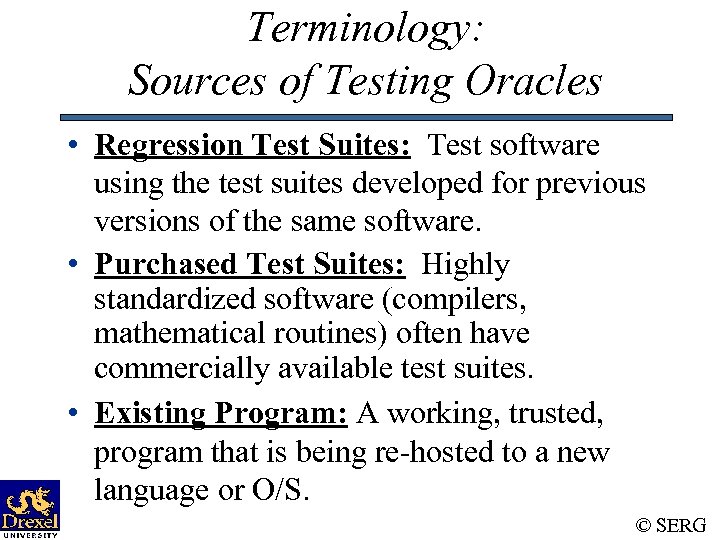
Terminology: Sources of Testing Oracles • Regression Test Suites: Test software using the test suites developed for previous versions of the same software. • Purchased Test Suites: Highly standardized software (compilers, mathematical routines) often have commercially available test suites. • Existing Program: A working, trusted, program that is being re-hosted to a new language or O/S. © SERG
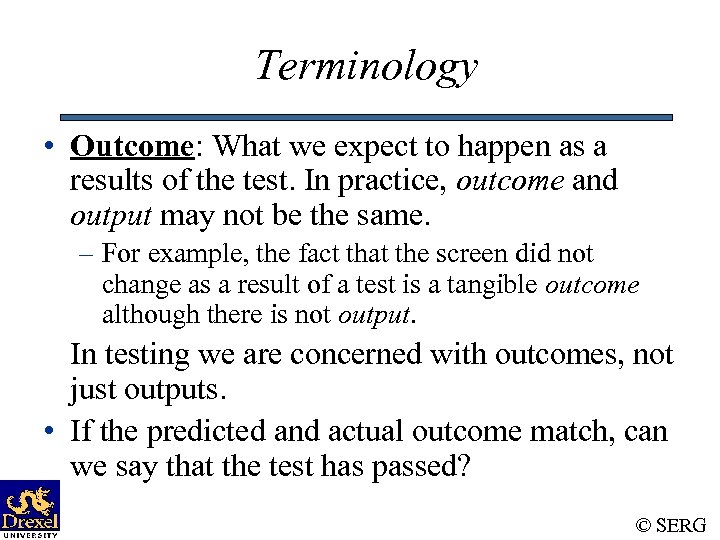
Terminology • Outcome: What we expect to happen as a results of the test. In practice, outcome and output may not be the same. – For example, the fact that the screen did not change as a result of a test is a tangible outcome although there is not output. In testing we are concerned with outcomes, not just outputs. • If the predicted and actual outcome match, can we say that the test has passed? © SERG
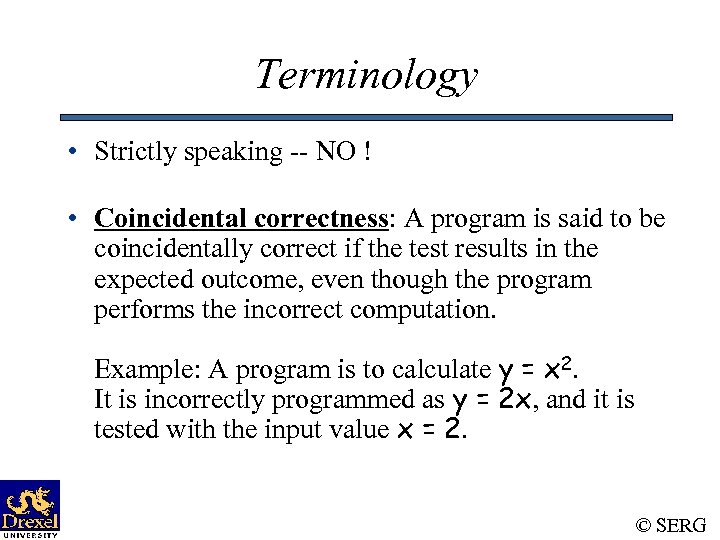
Terminology • Strictly speaking -- NO ! • Coincidental correctness: A program is said to be coincidentally correct if the test results in the expected outcome, even though the program performs the incorrect computation. Example: A program is to calculate y = x 2. It is incorrectly programmed as y = 2 x, and it is tested with the input value x = 2. © SERG
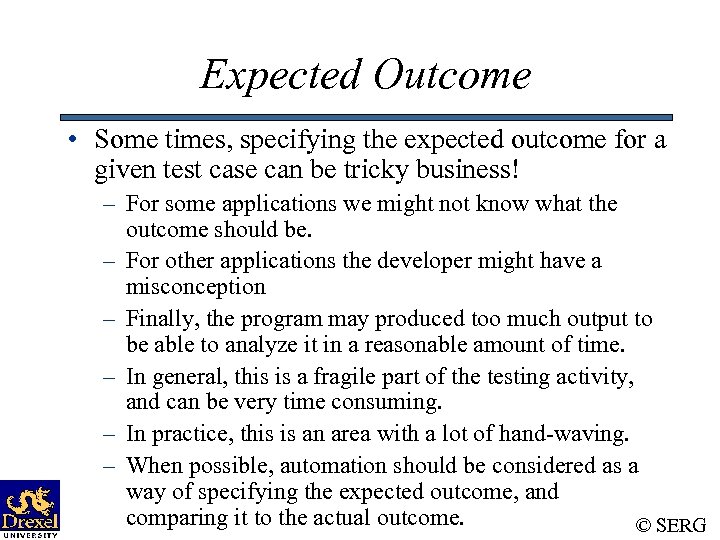
Expected Outcome • Some times, specifying the expected outcome for a given test case can be tricky business! – For some applications we might not know what the outcome should be. – For other applications the developer might have a misconception – Finally, the program may produced too much output to be able to analyze it in a reasonable amount of time. – In general, this is a fragile part of the testing activity, and can be very time consuming. – In practice, this is an area with a lot of hand-waving. – When possible, automation should be considered as a way of specifying the expected outcome, and comparing it to the actual outcome. © SERG
Software Testing Myths • If we were really good at programming, there would be no bugs to catch. • There are bugs because we are bad at what we do. • Testing implies an admission of failure. • Tedium of testing is a punishment for our mistakes. © SERG
Software Testing Myths (Cont’d) • All we need to do is: – concentrate – use structured programming – use OO methods – use a good programming language –. . . © SERG
Software Testing Reality • Human beings make mistakes, especially when asked to create complex artifacts such as software systems. • Studies show that even good programs have 1 -3 bugs per 100 lines of code. • People who claim that they write bug-free software probably haven’t programmed much. © SERG
Goals of Testing • Discover and prevent bugs. • The act of designing tests is one of the best bug preventers known. – Test, then code philosophy • The thinking that must be done to create a useful test can discover and eliminate bugs in all stages of software development. • However, bugs will always slip by, as even our test designs will sometimes be buggy. © SERG
The Significance of Testing • Most widely-used activity for ensuring that software systems satisfy the specified requirements. • Consumes substantial project resources. Some estimates: ~50% of development costs • NIST Study: The annual national cost of inadequate testing can be as much as $59 B. [ IEEE Software Nov/Dec 2002 ] © SERG
Limitations of Testing • Testing cannot occur until after the code is written. • The problem is big! • Perhaps the least understood major SE activity. • Exhaustive testing is not practical even for the simplest programs. WHY? • Even if we “exhaustively” test all execution paths of a program, we cannot guarantee its correctness. – The best we can do is increase our confidence! • “Testing can show the presence of bug, not their absence. ” EWD © SERG
Limitations of Testing • Testers do not have immunity to bugs. • Even the slightest modifications – after a program has been tested – invalidate (some or even all of) our previous testing efforts. • Automation is critically important. • Unfortunately, there are only a few good tools, and in general, effective use of these good tools is very limited. © SERG
Phases in a Testers Mental Life • Testing is debugging. • The purpose of testing is to show that the software works. • The purpose of testing is to show that the software doesn’t work. • The purpose of testing is to reduce the risk of failure to an acceptable level. © SERG
Testing Isn’t Everything • Other methods for improving software reliability are: – Inspection methods: Walkthroughs, formal inspections, code reading. – Design style: Criteria used by programmers to define what they mean by a “good program”. – Static analysis: Compilers take over mundane tasks such as type checking. – Good Programming Languages and Tools: Can help reduce certain kinds of bugs (e. g. , Lint). © SERG
Testing Versus Debugging • The purpose of testing is to show that a program has bugs. • The purpose of debugging is to find the faults that led to the program’s failure and to design and implement the program changes that correct the faults. • Testing is a demonstration of failure or apparent correctness. • Debugging is a deductive process. © SERG
Testing Versus Debugging (Cont’d) • • • Testing proves a programmer’s failure. Debugging is a programmer’s vindication. Testing can be automated to a large extent. Automatic debugging is still a dream. Much of testing can be done without design knowledge (by an outsider). • Debugging is impossible without detailed design knowledge (by an insider). © SERG
Designer Versus Tester (Cont’d) • The more the tester knows about the design, the more likely he will eliminate useless tests (functional differences handled by the same code). • Testers that have design knowledge may have the same misconceptions as the designer. © SERG
Designer Versus Tester (Cont’d) • Lack of design knowledge may help the tester to develop test cases that a designer would never have thought of. • Lack of design knowledge may result in inefficient testing and blindness to missing functions and strange cases. © SERG
Program Testing • A successful test is a test which discovers one or more faults. • Only validation technique for nonfunctional requirements. • Should be used in conjunction with static verification. © SERG
Defect Testing • The objective of defect testing is to discover defects in programs. • A successful defect test is a test which causes a program to behave in an anomalous way. • Tests show the presence not the absence of defects. © SERG
Testing Priorities • Only exhaustive testing can show a program is free from defects. However, exhaustive testing is impossible. • Tests should exercise a system’s capabilities rather than its components. • Testing old capabilities is more important than testing new capabilities. • Testing typical situations is more important than boundary value cases. © SERG
Test Data and Test Cases • Test data: Inputs which have been devised to test the system. • Test cases: Inputs to test the system and the predicted outputs from these inputs if the system operates according to its specification © SERG
Testing Effectiveness • In an experiment, black-box testing was found to be more effective than structural testing in discovering defects. © SERG
White- and Black-box Testing • White-box (Glass-box or Structural) testing: Testing techniques that use the source code as the point of reference for test selection and adequacy. – a. k. a. program-based testing, structural testing • Black-box (or functional) testing: Testing techniques that use the specification as the point of reference for test selection and adequacy. – a. k. a specification-based testing, functional testing Which approach is superior? © SERG
Black-box Testing • Characteristics of Black-box testing: – Program is treated as a black box. – Implementation details do not matter. – Requires an end-user perspective. – Criteria are not precise. – Test planning can begin early. © SERG
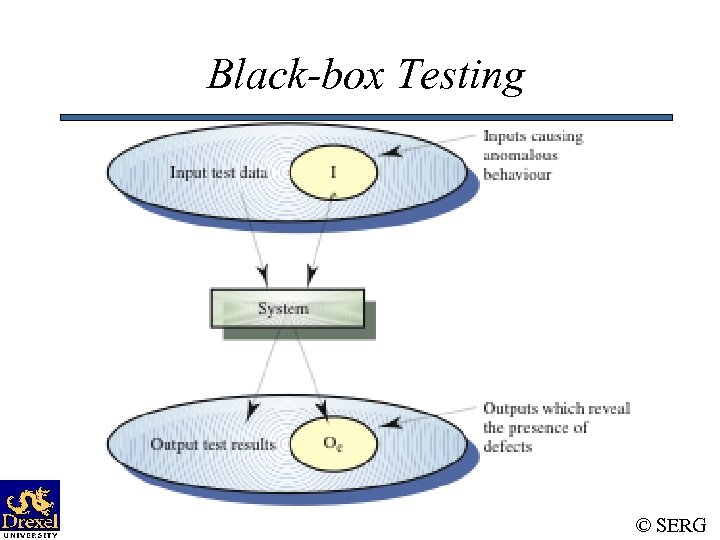
Black-box Testing © SERG
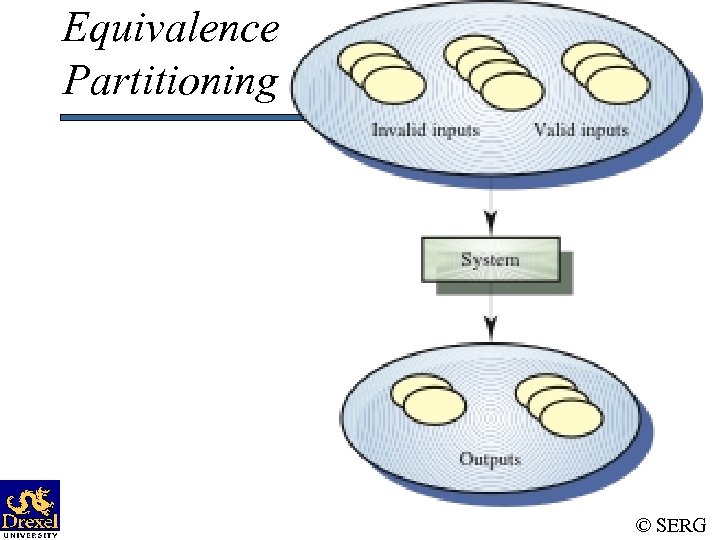
Equivalence Partitioning © SERG
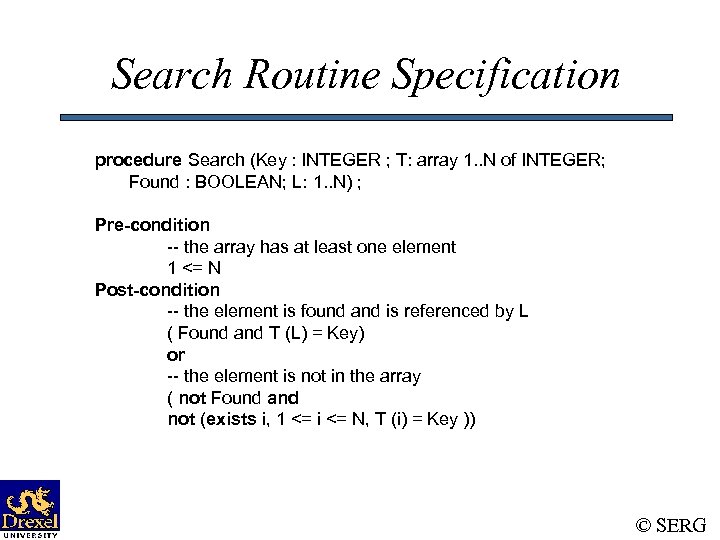
Search Routine Specification procedure Search (Key : INTEGER ; T: array 1. . N of INTEGER; Found : BOOLEAN; L: 1. . N) ; Pre-condition -- the array has at least one element 1 <= N Post-condition -- the element is found and is referenced by L ( Found and T (L) = Key) or -- the element is not in the array ( not Found and not (exists i, 1 <= i <= N, T (i) = Key )) © SERG
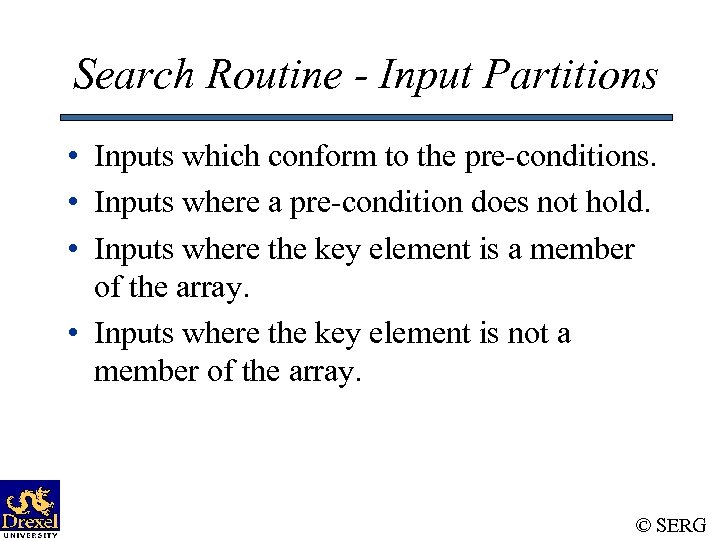
Search Routine - Input Partitions • Inputs which conform to the pre-conditions. • Inputs where a pre-condition does not hold. • Inputs where the key element is a member of the array. • Inputs where the key element is not a member of the array. © SERG
Search Routine - Input Partitions © SERG
Search Routine - Test Cases © SERG
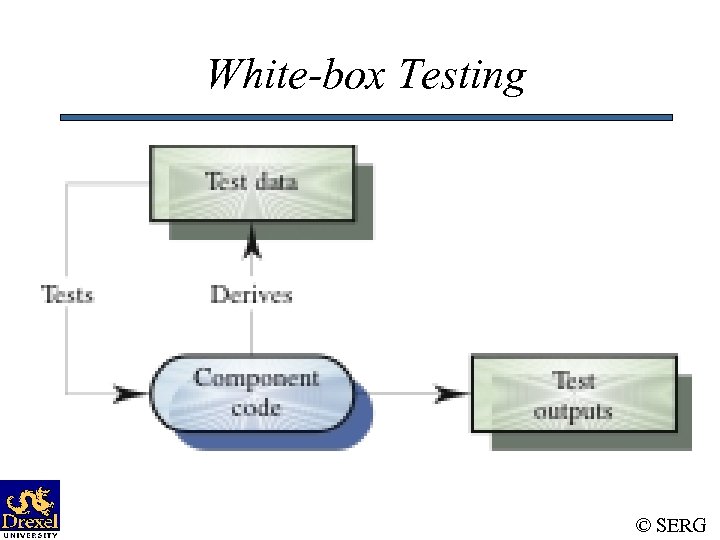
White-box Testing • Characteristics of white-box testing: – Looks at implementation details. – Aims at exercising the different control and data structures used in the program. – Requires the programmer’s knowledge of the source code. – Criteria are quite precise as they are based on program structures. – Assumes that the source code fully implements the specification. © SERG
White-box Testing © SERG
Binary search (Java)
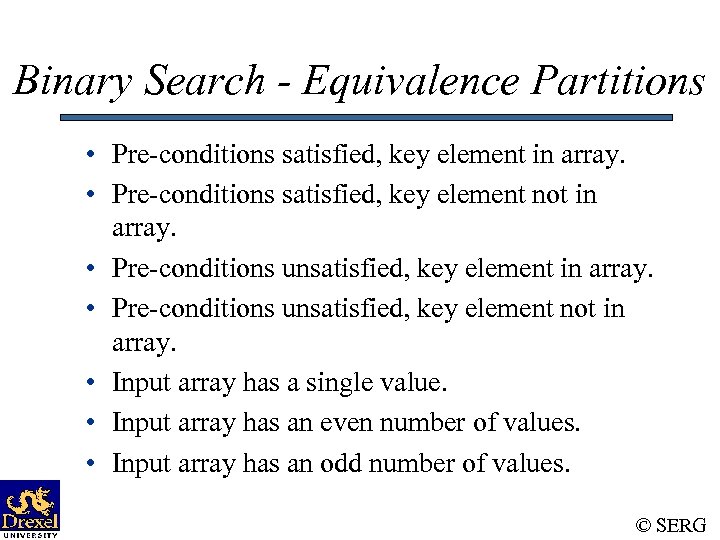
Binary Search - Equivalence Partitions • Pre-conditions satisfied, key element in array. • Pre-conditions satisfied, key element not in array. • Pre-conditions unsatisfied, key element not in array. • Input array has a single value. • Input array has an even number of values. • Input array has an odd number of values. © SERG
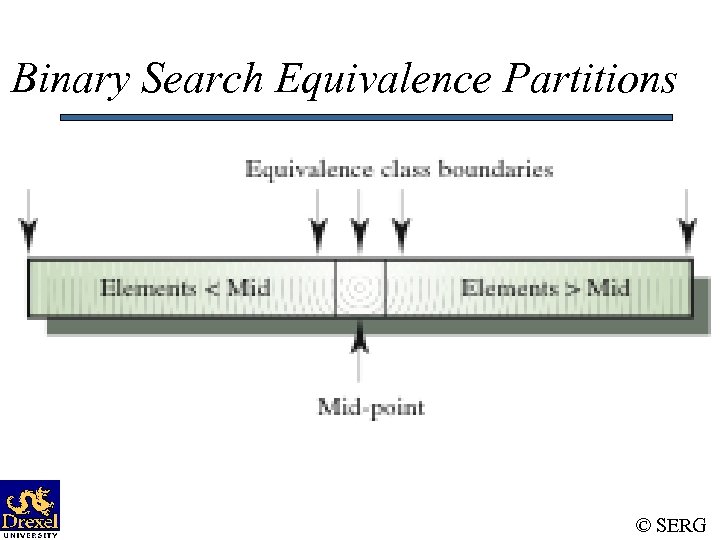
Binary Search Equivalence Partitions © SERG
Binary Search - Test Cases © SERG
White-box vs. Black-box Testing • The real difference between white-box and blackbox testing is how test cases are generated and how adequacy is determined. • In both cases, usually, the correctness of the program being tested is done via specifications. • Neither can be exhaustive. • Each techniques has its strengths and weaknesses. • Should use both. In what order? © SERG
Is Complete Testing Possible? • NO. Complete testing is both practically and theoretically impossible for non-trivial software. © SERG
Complete Functional Testing • A complete functional test would consist of subjecting a program to all possible input streams. • Even if the program has an input stream of 10 characters, it would require tests. • At 1 microsecond/test, exhaustive functional testing would require more time than twice the current estimated age of the universe! © SERG
Complete Structural Testing • One should design enough tests to ensure that every path is executed at least once. • What if the loops never terminate? • Even if loops terminate, the number of paths may be too large. © SERG
Small Versus Large Systems • For small systems with one user, quality assurance may not be a major concern. • As systems scale up in size and number of users, quality assurance becomes more of a concern. • As systems dramatically scale up in size (e. g. , millions of lines of code), our quality criteria may have to change as exhaustive testing may not be economically possible. – E. g. , a 75% code coverage may be acceptable. SERG ©
How About Correctness Proofs? • Requirements are specified in a formal language. • Each program statement is used in a step of an inductive proof. • In practice, such proofs are time consuming and expensive. • Proving the consistency and completeness of a specification is a provably unsolvable problem, in general. • Proofs may have bugs. © SERG
Testing Strategy • Divide-and-conquer ! • We begin by ‘testing-in-the-small’ and move toward ‘testing-in-the-large’ • For conventional software – The module (component) is our initial focus – Integration of modules follows • For OO software – our focus when ‘testing in the small’ changes from an individual module (the conventional view) to an OO class that encompasses attributes and operations and implies communication and collaboration © SERG
Testing Strategy • Understand / formulate quality objectives • Identify the appropriate testing phases for the given release, and the types of testing the need to be performed. • Prioritize the testing activities. • Plan how to deal with “cycles”. © SERG
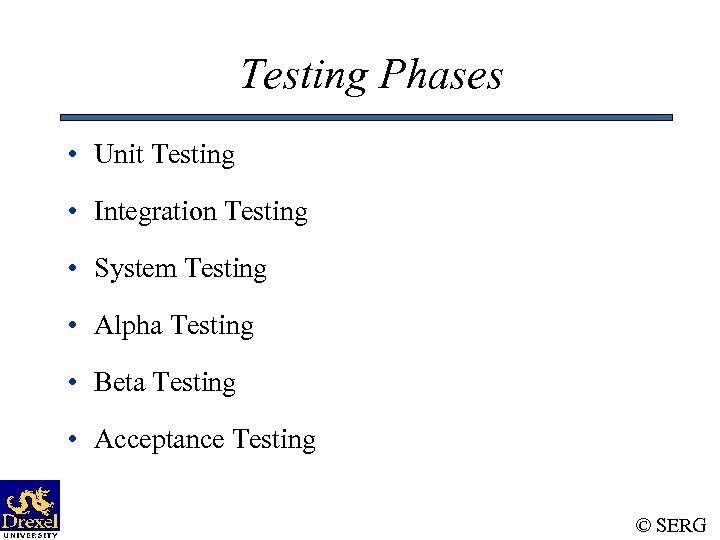
Testing Phases • Unit Testing • Integration Testing • System Testing • Alpha Testing • Beta Testing • Acceptance Testing © SERG
System Testing • Performed by a separate group within the organization. • Scope: Pretend we are the end-users of the product. • Focus is on functionality, but must also perform many other types of tests (e. g. , recovery, performance). • Black-box form of testing. • Test case specification driven by use-cases. © SERG
System Testing • The whole effort has to be planned (System Test Plan). • Test cases have to be designed, documented, and reviewed. • Adequacy based on requirements coverage. – but must think beyond stated requirements • Support tools have to be [developed]/used for preparing data, executing the test cases, analyzing the results. © SERG
System Testing • Group members must develop expertise on specific system features / capabilities. • Often, need to collect and analyze project quality data. • The burden of proof is always on the ST group. • Often, the ST group gets the initial blame for “not seeing the problem before the customer did”. © SERG
Other Testing Phases • Depending on the system being developed, and the organization developing the system, other testing phases may be appropriate: – Alpha / Beta Testing – Acceptance Testing © SERG
Types of Testing • Functionality • Recovery – Force the software to fail in a variety of ways and verify that recovery is properly performed. • Performance – Test the run-time performance of the software. • Stress – Execute a system in a manner that demands resources in abnormal quantity, frequency, or volume. © SERG
Types of Testing • Security – Verify that protection mechanisms built into a system will, in fact, protect it from improper penetration • Reliability – Operate the system for long periods of time and estimate the likelihood that the requirements for failure rates, mean-time-between-failures, and so on, will be satisfied. • Usability – Attempt to identify discrepancies between the user interfaces of a product and the human engineering requirements of its potential users. • … © SERG
Regression Testing • The activity of re-testing modified software. • It is common to introduce problems when modifying existing code to either correct an existing problem or otherwise enhance the program. • Options: – Retest-none (of the test cases) – Retest-all – Selective retesting • For some systems, regression testing can be fairly expensive. © SERG
Скачать презентацию Dependable Software Systems Topics in Software Testing Material
826ce07aa6503689b9e7e7a920732728.ppt