 Скачать презентацию Department of Public Health HIPAA Training Welcome
2486e03fb1de880f403db94369f86e9c.ppt
- Количество слайдов: 53



Department of Public Health HIPAA Training
Welcome! This training will guide you through the key components of HIPAA and how the components are important to your responsibilities while working at the Durham County Department of Public Health. Upon completing this training, you will be required to take a test covering the material presented. You should bring your test and the HIPAA Training Acknowledgment form to your direct program manager or supervisor.
What to expect? • This training will provide an overview of HIPAA Privacy and Security Rules • Your responsibility as a member of the Durham County Department of Public Health (DCo. DPH) workforce is to protect and secure client information in any form • Polices and procedures enforced at DCo. DPH to assure you are able to protect and secure client information
HIPAA Health Insurance Portability and Accountability Act of 1996 A Federal law designed to: • Protect Individually Identifiable Health Information (IIHI) also known as protected health information (PHI or e. PHI). • Help keep personal health care information from being used or disclosed to unauthorized persons • Help prevent waste, fraud and abuse in health insurance and health care delivery. • Sets national standards for the protection of health information through the Privacy Rule and Security Rule.
HIPAA Expansion In 2010, HIPAA was expanded and strengthened when the American Recovery and Reinvestment Act was passed. This law is referred to as the HITECH Act (Health Information Technology for Economic and Clinical Health).
HIPAA Privacy • The right of an individual to keep his/her individually identifiable health information (IIHI) from being used or disclosed to unauthorized persons • IIHI should be easy to use for health care purposes and very difficult to use for other purposes.
Covered Entity A “Covered Entity” is any person or organization that furnishes, bills, or is paid for health care service in the normal course of business. HIPAA states that individually identifiable health information (IIHI) collected or created in a covered entity is considered “Protected Health Information” (PHI or e. PHI). Please Note: Durham County Department of Public Health is a Covered Entity and the departments that use or disclose PHI are governed by HIPAA requirements. 7
What is IIHI? Individual Identifiable Health Information (IIHI) is defined by HIPAA as: “…information that is a subset of health information, including demographic information collected from an individual, and that: (1) Is created by or received from a health care provider, health plan, employer, or health care clearinghouse; and (2) Relates to the past, present, or future physical or mental health or condition of an individual, the provision of health care to an individual, or the past, present, or future payment for the provision of health care to an individual, and (3) Which identifies the individual, or (4) With respect to which there is a reasonable basis to believe that the information can be used to identify the individual. ” 8
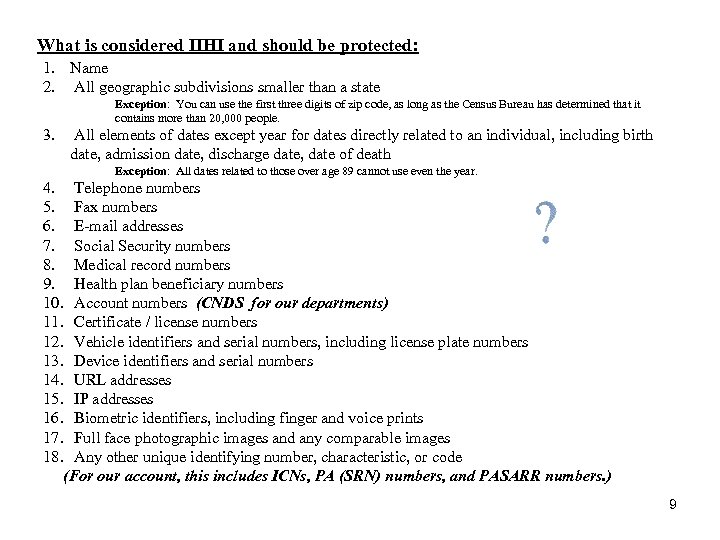
What is considered IIHI and should be protected: 1. Name 2. All geographic subdivisions smaller than a state Exception: You can use the first three digits of zip code, as long as the Census Bureau has determined that it contains more than 20, 000 people. 3. All elements of dates except year for dates directly related to an individual, including birth date, admission date, discharge date, date of death Exception: All dates related to those over age 89 cannot use even the year. 4. Telephone numbers 5. Fax numbers 6. E-mail addresses 7. Social Security numbers 8. Medical record numbers 9. Health plan beneficiary numbers 10. Account numbers (CNDS for our departments) 11. Certificate / license numbers 12. Vehicle identifiers and serial numbers, including license plate numbers 13. Device identifiers and serial numbers 14. URL addresses 15. IP addresses 16. Biometric identifiers, including finger and voice prints 17. Full face photographic images and any comparable images 18. Any other unique identifying number, characteristic, or code (For our account, this includes ICNs, PA (SRN) numbers, and PASARR numbers. ) 9
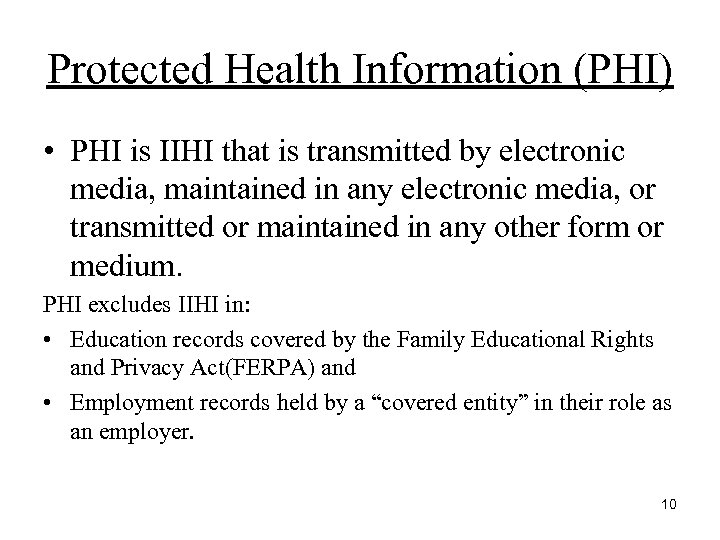
Protected Health Information (PHI) • PHI is IIHI that is transmitted by electronic media, maintained in any electronic media, or transmitted or maintained in any other form or medium. PHI excludes IIHI in: • Education records covered by the Family Educational Rights and Privacy Act(FERPA) and • Employment records held by a “covered entity” in their role as an employer. 10
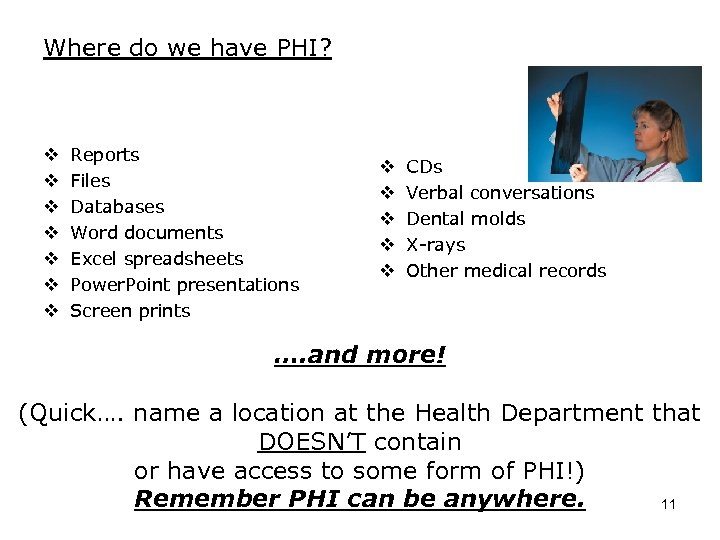
Where do we have PHI? v v v v Reports Files Databases Word documents Excel spreadsheets Power. Point presentations Screen prints v v v CDs Verbal conversations Dental molds X-rays Other medical records …. and more! (Quick…. name a location at the Health Department that DOESN’T contain or have access to some form of PHI!) Remember PHI can be anywhere. 11
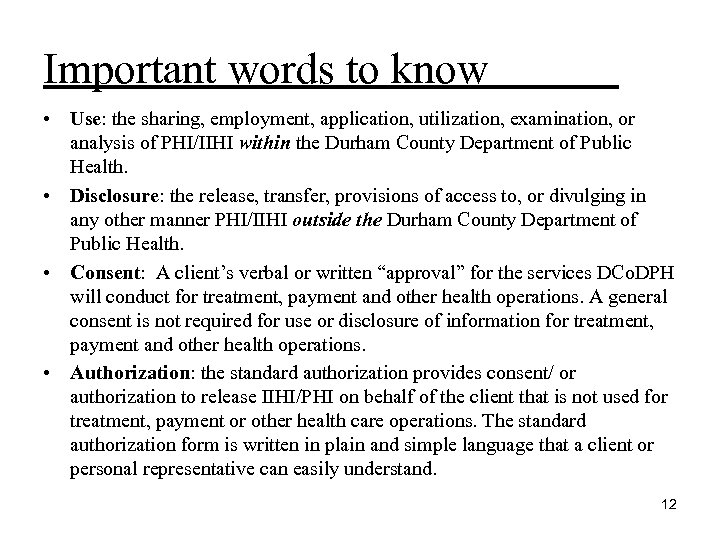
Important words to know • Use: the sharing, employment, application, utilization, examination, or analysis of PHI/IIHI within the Durham County Department of Public Health. • Disclosure: the release, transfer, provisions of access to, or divulging in any other manner PHI/IIHI outside the Durham County Department of Public Health. • Consent: A client’s verbal or written “approval” for the services DCo. DPH will conduct for treatment, payment and other health operations. A general consent is not required for use or disclosure of information for treatment, payment and other health operations. • Authorization: the standard authorization provides consent/ or authorization to release IIHI/PHI on behalf of the client that is not used for treatment, payment or other health care operations. The standard authorization form is written in plain and simple language that a client or personal representative can easily understand. 12
IIHI and PHI Disclosures Allowed by Law • If the disclosure could prevent harm to an individual. • If the individual is a victim of abuse, neglect, criminal or domestic violence. • If it is requested by a subpoena • For IIHI/ PHI that may be permitted by law, please ask your supervisor or program manager. 13
When do I need to think about HIPAA? Whenever and wherever you access PHI or e. PHI. For most of us, that means all the time. Definitely here at work, and for some, also at off-site locations. 14
Minimum Necessary “Minimum necessary” rule – This is part of the HIPAA regulation; we “must make reasonable efforts to limit protected health information to the minimum necessary to accomplish the intended purpose of the use, disclosure, or request. ” Essentially, only share information with individuals/entities that is directly necessary for that interaction. For example, if you’re talking with a provider about a date of service for a particular recipient, you don’t need to discuss that information with another provider or staff member who is not working on that same recipient (unless it is necessary to explain the situation). This applies to both verbal and written communications…. do not forward a recipient’s entire patient history to a colleague if they only need to look at a single date of service. 15
Minimum Necessary Ø When discussing and sharing information with others, be sure that they are entitled to it. For example, it would not be appropriate to share details about a recipient's medical history with a neighbor or friend. Ø When discussing information with a patient, make sure to use a conference room located within the clinic. Make sure that the information can not be overheard by other patients when discussing their medical information. Ø Do not discuss patient information in public areas, such as elevators, waiting areas, or in hallways. Ø Make wise decisions when discussing patient information with co-workers. If it is not necessary for the services we give to the patient, do not discuss that patient’s information. 16
What do I need to do? PRP Protect, Report, Prevent! Protect the data from being lost, sent or discussed inappropriately, or mis-handled. Report any known or suspected breaches. Prevent the breach or incident from occurring again. 17
Notice of Privacy Practice (NOPP) • Every client should receive a copy at their first visit to DCo. DPH. • This document describes how information about the patient/client may be used and disclosed and how the client can have access to the information. • Every client must acknowledge that they have received a copy of the NOPP. 18
NOPP Patient Rights • • • Obtain a paper copy of the DCo. DPH NOPP upon request Inspect and copy their health record Amend their health record Obtain an accounting of disclosures of their health information Request communications of their health information by alternative means or at alternative locations • Request a restriction on certain uses and disclosures of their information and provide authorization for certain releases, i. e. marketing and sale of PHI/e. PHI. • Revoke your authorization to use or disclose health information except to the extent that action has already been taken. 19
Health Department Responsibilities • Maintain the privacy of client’s health information • Provide clients with a copy of the NOPP as to our legal duties and privacy practices with respect to health information we collect and maintain about them, • Agree to client’s request to restrict disclosure to health plan for services paid for out-of-pocket • Notify client of a breach of unsecured PHI • Notify client if we are unable to agree to a requested restriction, and • Accommodate reasonable requests clients may have to communicate health information by alternative means or at alternative locations. • Abide by the terms of the NOPP 20
Transporting PHI Ø When transporting PHI (or preparing it to go) outside the building, be sure it is carried in a locked container and is double secured. Remember the locked container counts as one secure method for transporting. For example, you could place the PHI in an inter-office envelope, then place it in a locked rolling suitcase or laptop bag. – Options for lockable containers include suitcases, laptop bags, plastic totes, etc. A lock can be a key lock, a combination lock, or the plastic zip ties that are not re-usable. Ø When delivering it to someone who is not in an office-type facility, be sure you’ve given them advance notice so that they can bring appropriate secured containers with them to receive the information. It is not our responsibility to ensure that they do so (if they’re not part of the DCo. DPH workforce), but we are obligated to give them the opportunity. If they are a DCo. DPH staff member and they did not bring an appropriate container, either let them borrow yours or arrange another time to deliver the material. 21
Faxing Ø When faxing PHI, be sure to confirm the fax number to which you're sending. If it's the first time you're faxing to that number, follow up with your contact on the receiving end to be sure they received the fax successfully. Ø Also, regardless of whether it’s the first or the 500 th time you’re faxing information to a provider, always give them a call to let them know you’re sending a fax to them. Ø Be sure to include a cover sheet, as it may help to “cloak” the start of the data on the receiving end (depending on the style of the fax machine). 22
Printing Ø Pick up the information you print in a timely fashion; do not let it sit at the printer for days. Ø Only print what you need…. . if you only need 1 page from a 10 -page report, only print the one page. Ø Be sure you know which printer you sent the information to…. if you travel offsite, it is VERY easy to mistakenly print to the wrong location and then forget to ever pick up that print-out. Ø Make sure to only send PHI through the Print Release Printers. Please speak with your Program Manager or Supervisor about obtaining a Print Release Key. 23
Telephone Usage • Use a conference room when communicating with clients • Keep you voice down • Verifying clients over the phone – Ask for the person by first name. Then ask the client to verify their last name, birth date and last 4 digits of their social security number. Do not provide this information or ask if it is correct. Let the client reveal as much information as possible. 24
Shredding • Always shred documents containing PHI. Several large recycle bins are available. Never put a note, sticky, minutes, etc containing PHI in your trash bin. • Ask your program manager of supervisor if you are unsure of what to shred. 25
HIPAA Security Ø Protects certain health information held or transmitted in electronic form by a HIPAA-covered entity, electronic Protected Health Information (e. PHI). Ø Supports the HIPAA Privacy Rule requirement to reasonably safeguard PHI in all formats. 26
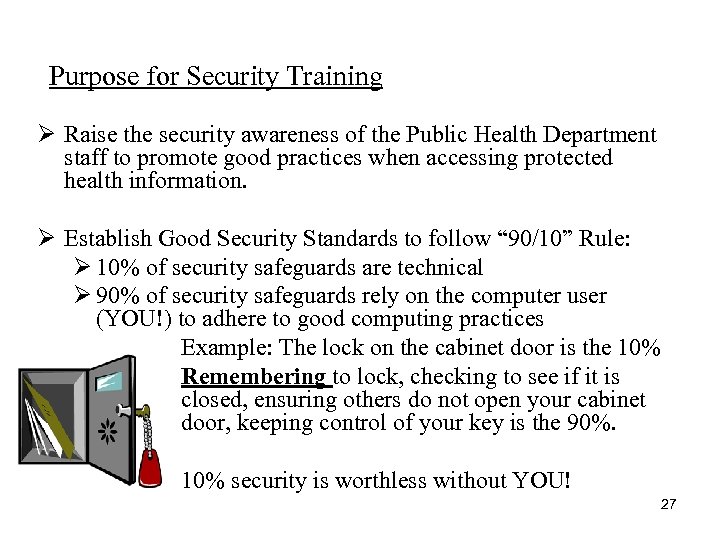
Purpose for Security Training Ø Raise the security awareness of the Public Health Department staff to promote good practices when accessing protected health information. Ø Establish Good Security Standards to follow “ 90/10” Rule: Ø 10% of security safeguards are technical Ø 90% of security safeguards rely on the computer user (YOU!) to adhere to good computing practices Example: The lock on the cabinet door is the 10% Remembering to lock, checking to see if it is closed, ensuring others do not open your cabinet door, keeping control of your key is the 90%. 10% security is worthless without YOU! 27
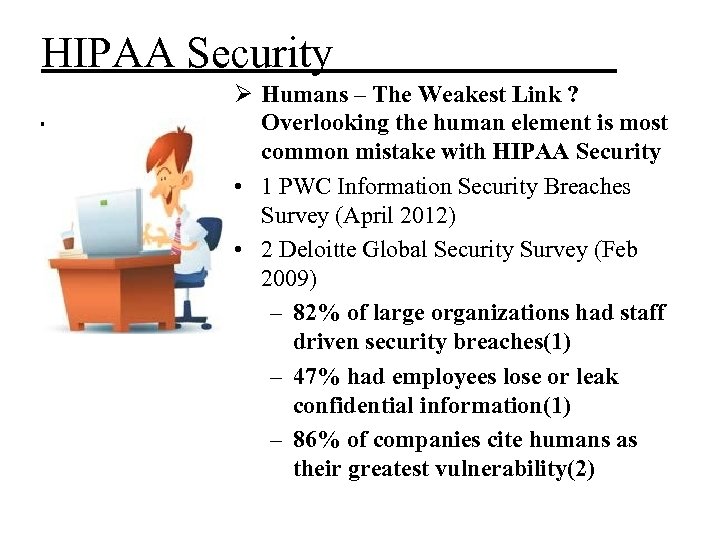
HIPAA Security Ø Humans – The Weakest Link ? Overlooking the human element is most common mistake with HIPAA Security • 1 PWC Information Security Breaches Survey (April 2012) • 2 Deloitte Global Security Survey (Feb 2009) – 82% of large organizations had staff driven security breaches(1) – 47% had employees lose or leak confidential information(1) – 86% of companies cite humans as their greatest vulnerability(2)
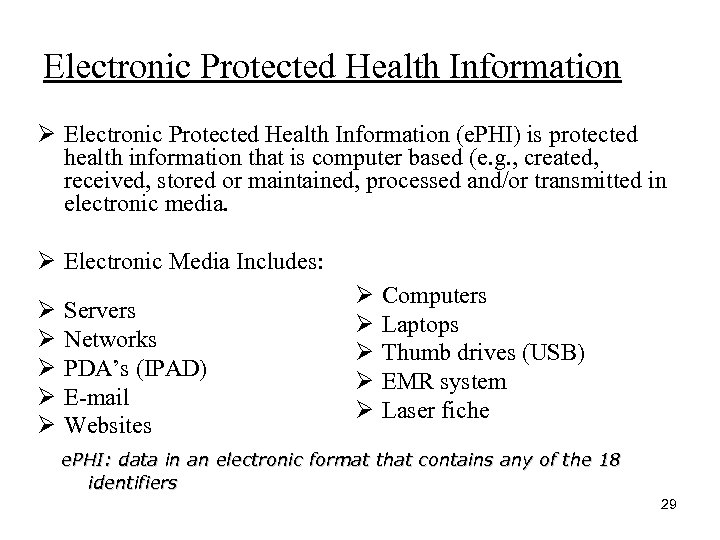
Electronic Protected Health Information Ø Electronic Protected Health Information (e. PHI) is protected health information that is computer based (e. g. , created, received, stored or maintained, processed and/or transmitted in electronic media. Ø Electronic Media Includes: Ø Ø Ø Servers Networks PDA’s (IPAD) E-mail Websites Ø Ø Ø Computers Laptops Thumb drives (USB) EMR system Laser fiche e. PHI: data in an electronic format that contains any of the 18 identifiers 29
What do we need to do, PRP Protect, Report, Prevent! Protect the data from being lost, viewed, sent inappropriately, or mis-handled. Report any known or suspected breaches. Prevent the breach or incident from occurring again. 30
Instant Messaging Instant messaging is the popular method of typing online conversations in real time. Risks of Externally Hosted Instant Messaging: – – – – No virus protection A separate "exit" action is needed to stop it Hijacking and impersonation Malicious code Unauthorized access Poor password security Broadcasts the computer's presence online even if the interface is closed The data is sent to an external host before going to the intended recipient Due to these characteristics of Instant Messaging, it poses serious security risks. Please Note: Google Messaging is the only approved Instant Messaging we use.
E-mail Ø When e-mailing PHI, to external recipients it is critical to use Zix. Mail since this tool encrypts the contents and prevents unauthorized individuals from being able to access it. Zix. Mail should be used when e-mailing information, to Duke, providers, or any others authorized to receive PHI. Ø Do not include PHI or sensitive information (such as recipient name ) in the subject line of an e-mail…. . even when the contents are encrypted, the subject line still comes through crystal-clear. Ø Never send or receive PHI using your personal e-mail address. Ø Include the standard HIPAA language in your e-mail signature. Ø Just like verbal conversations, make sure you’re only e-mailing the minimum data necessary. If the e-mail trail began regarding a particular recipient, but now the real question is about a procedure that was performed, remove the recipient information since it is no longer necessary or applicable. Ø Please ask for instructions from your Manager on how to use Zixmail. 32
Malicious Emails Ø Be suspicious of unsolicited email messages from individuals asking about patients or other internal information. Ø If an unknown individual claims to be from a legitimate organization, try to verify his or her identity directly with the company. Ø Do not provide personal information or information about your organization unless you are certain of a person's authority to have the information. • Do not reveal personal or financial information in email, and do not respond to email solicitations for this information. This includes following links sent in email. • If you are unsure whether an email request is legitimate, Forward the information to IT Help. Desk email with title “Suspious Email”. Do not use contact information provided on a web site connected to the request.
Saving PHI electronically Ø Do NOT save any PHI or other sensitive data to your local machine (C: or D: drives). Sensitive data, including PHI, should be saved to either your H (personal): drive or the L: drive, as appropriate. Ø When saving sensitive data to the L: drive, be sure to save it in the appropriate location. For example, do not save a scan of a recipient’s medical records in a folder to which all employees have access. Ø If it is necessary to save sensitive data to a CD, make sure to password protect the data. We discourage against saving PHI to a thumb drive, or other removable data device. 34
Connecting to DCo. NC from home/off-site Protect yourself from Spyware − Don't click on links within pop-up windows. Click on the “X” icon in the title bar instead of a "close" link within the window. − Choose “no“ or “cancel” when asked unexpected questions. − Be wary of free downloadable software. Don't download programs from sites you don't trust, and realize that you may be exposing your computer to spyware by downloading some of these programs. − Don't follow email links claiming to offer anti-spyware software. Like email viruses, the links may serve the opposite purpose and actually install the spyware it claims to be 35 eliminating.
PDA’s (ex. Phones, IPADs etc. ) Ø Always use a password protection on your mobile devices. This will prevent others from accessing your emails that you view on your device. Ø Never share your username and passwords or store them in an unsecure place. 36
Securing your computer Ø If you have a laptop, be sure to either lock it up at the end of the day or bring it home with you. When traveling, place your laptop in the trunk or take proper measures to conceal it. Ø When leaving your desk, lock your workstation to prevent others from using it. This is accomplished by either hitting CTRL-ALT-DEL, or by hitting the Windows key and L simultaneously. Remember, YOU are responsible for what happens on your machine while you're logged on, so do not provide an opportunity for someone to perform activities using your good name! 37
Security of your work area Ø Never store passwords at your desk, and do not embed passwords, pins or responses to challenge questions that would facilitate automatic login into the system within scripts, files, or applications. Doing so within the system could allow unauthorized persons to gain access to the system. Ø Always display your badge while at work so that there is no question that you are entitled to be here. Be cautious about opening doors for individuals you do not know. 38
HIPAA Breaches Intentional or accidental disclosures Ø “Breach” means unauthorized acquisition, access, use or disclosure of PHI that compromises the privacy or security of such information unless recipient cannot reasonably retain the information. Ø “Breach” does not mean – Unintentional acquisition or use in good faith in the course and scope of employment – Inadvertent disclosure within the same Covered Entity (CE) or Business Associate (BA) – AND their information is not further acquired, accessed, used, disclosed 39
Examples of incidents which should be reported • An e-mail with PHI is sent without using Zixmail or any other means of protection to an unauthorized individual. • A CD with recipient data on it is missing. • Pictures of client information are on a personal cell phone • A staff member routinely stores passwords under the keyboard or phone. • A laptop is missing. • A user continues to access (or attempt to access) systems following termination. • A hacker steals sensitive information. • Not verifying a patient before releasing PHI. • Prescription labels are placed in the trash. • A trading partner or business associate contacts us to report that health information has been breached. 40
Suspicion/Detection of a HIPAA breach Ø Immediately (within 24 hours) notify your leader and/or the HIPAA Security Official (currently Rochelle Talley– desk: 919 -560 -7903) or the HIPAA Privacy Official –Annette Carrington. The sooner we know about it, the sooner we can begin to mitigate and address the concern. Ø Depending on the nature of the incident, follow-up actions may include: request for more information and details of the incident, notification to the State, additional training of staff members, etc. Each situation is unique and must be evaluated individually. 41
HIPAA Breaches Ø Since 2009, there have been over 571 breaches involving PHI reported to Health Human Services (HHS) ØOver 21. 4 million recipients information was breached. ØThe Healthcare Industry loses about 7 billion dollars a year due to HIPAA data breaches. 42
In the News!! • SC DHHS employee emailed 228, 000 Medicaid recipient information to his personal yahoo email address. • Employee received jail time • Employer must report to HHS for corrective action plan 43
In the News!! • Large multi-specialty Healthcare Provider had an employee take work home with them left the PHI on public transportation; the files were never recovered. • $ 1 million fine • Corrective Action Plan 44
Cost of Incidents Ø Industry costs for a security incident range from $100 to 50, 000 per violation. Ø Think about the volume of PHI we handle every day…… the math is not pretty! …. not to mention the loss of customer confidence, industry reputation, public image, potential harm to those affected, etc. 45
Disciplinary Actions for Failure to Comply Ø Because it’s the right thing to do. Ø The HIPAA laws include provisions for penalties of up to $1. 5 million dollars in a calendar year and up to ten years in prison. Ø Disciplinary actions can include verbal warnings, written warnings, and other steps, up to and including termination of the contractor or student. 46
HIPAA Documents • During your days at DCo. DPH, please take moment to review our HIPAA documents by accessing the following link: http: //dcinfo/dci/Public. Health/HIPAAfor. Staff/index. shtml 47
Questions? Contact your DCo. DPH HIPAA Privacy Official: Annette Carrington Johnson at (919) 560 -7762 Or Contact you the DCo. DPH HIPAA Security Official: Rochelle Talley at (919) 560 -7709 HIPAA Team Members Michelle Williams Kim Surles Monica Curry Marcia Robinson Marcia Johnson Eric Ireland 48
Test your Knowledge • You will now complete a test. Answer the questions to the best of your ability. If you pass the test, you will receive a certificate of completion by email. A copy of your certificate should be provided to your supervisor or program manager. 49
HIPAA Quiz 1) How is PHI material to be packaged when transporting outside the office? 2) When discussing with a patient their medical records, where should the conversation be conducted? 3) What does PHI stand for? 4) Is the patient telephone number considered PHI? 5) List five places where DCo. DPH has PHI 6) What should you do if you become aware of a security or privacy incident? 7) What does “minimum necessary” mean? 8) What tool is/are available to protect PHI in e-mail? 9) Where should you save electronic PHI? 50
HIPAA Quiz, continued 10) Are you responsible for protecting PHI? 11) The HIPAA Privacy Rule protects an individual’s right to privacy and confidentiality of Health information. (True or False) 12) DCo. DPH is a covered entity. (True or False) 13) You should check with your supervisor or program manager when confronted with a HIPAA release of information that you are unsure how to handle properly. (True or False) 14) IIHI stands for Individual Insertable Health Income. (True or False) 15) Under HIPAA Rules a client can restrict who receives a copy of their medical record. (True or False) 51
HIPAA Training Acknowledgement On _______, I completed the Durham County Department of Public Health Privacy and Security training. I understand the importance of maintaining a private and secure work environment and the consequences of any breaches thereof. I understand by signing this form that I agree to comply with the provisions of 45 CFR Parts 160 through 164; and 42 CFR 431, Subpart F, the Privacy Act of 1974, P. L. 93 -597, as amended, Health Insurance Portability and Accountability Act (HIPAA) of 1996 including compliance with the HIPAA Security Rule, 45 C. F. R. Part 164, Subpart C; and all other applicable State and Federal laws. In addition, I will keep confidential information concerning recipients and providers, including protected health information (PHI) as defined under HIPAA, the business of the Durham County Department of Public Health, its financial affairs, its relations with its citizens and its employees, as well as any other information which may be specifically classified as confidential by the Durham County Department of Public Health. I agree not to use the information that I have access to, including PHI, for any purpose other than to perform the services I have been authorized to perform. I will report any violation that I am aware of concerning the unauthorized use or breach of the above immediately to a Durham County Department of Public Health Director and/or Privacy Official. I understand that violation of any of this agreement can result in legal and disciplinary action up to and including dismissal. _________________ Printed Name _________________ Signature _________________ Program Manager/ Supervisor ______________ email __________/________/_________ Date 52
Thank you for completing this training. Please turn in signed forms to your supervisor or program manager at the Durham County Department of Public Health
Скачать презентацию Department of Public Health HIPAA Training Welcome
2486e03fb1de880f403db94369f86e9c.ppt