


 Скачать презентацию Department of Computer Science Faculty of Civil Engineering
cc5d62702a2c1e95bcff35dbef4fd8ba.ppt
- Количество слайдов: 36
 Department of Computer Science Faculty of Civil Engineering, Brno University of Technology Information Technology 1 Periferal Devices 1
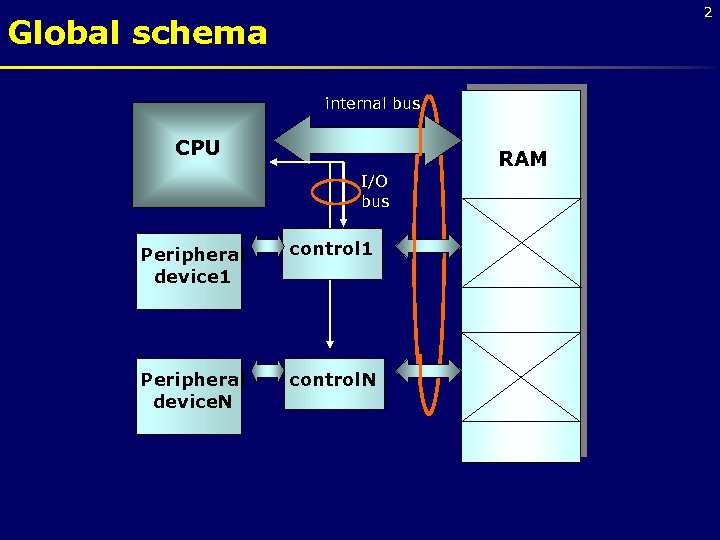 2 Global schema internal bus CPU RAM I/O bus Peripheral device 1 control 1 Peripheral device. N control. N
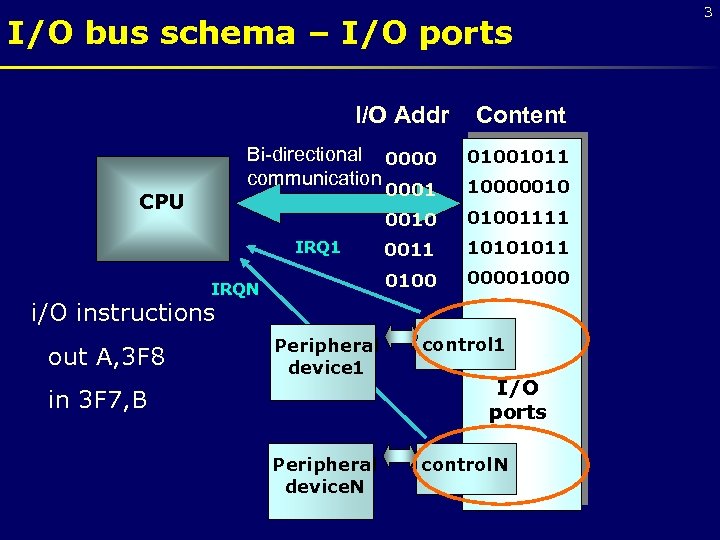 I/O bus schema – I/O ports I/O Addr Content Bi-directional 0000 communication 01001011 0001 10000010 01001111 0011 10101011 0100 00001000 CPU IRQ 1 IRQN i/O instructions out A, 3 F 8 Peripheral device 1 control 1 Peripheral device. N control. N in 3 F 7, B I/O ports 3
 Input/Output Processing 1. Programmed I/O • The CPU executes a sequence of instructions, being in direct control of the I/O operations (sensing device status, read/write commands, etc. ). • When the CPU issues a command to the I/O module, it must wait until the I/O operation is complete. • A lot of wasted time, because the CPU is much faster than devices. 4
 Input/Output Processing 2. Interrupt-driven I/O • IRQ – Interrupt Request • After issuing an I/O command, the CPU has not to wait until the operation has finished; instead of waiting, the CPU continues with other useful work. • When the I/O operation has been completed, the I/O module issues an interrupt signal on the bus. • After receiving the interrupt, the CPU moves the data to/from memory (or I/O ports), and issues a new command if more data has to be read/written. 5
 Input/Output Processing 2. Interrupt-driven I/O – cont'd Advantage over programmed I/O: • Instead of waiting the operation to be finished, the CPU can do some useful work. Still a problem: • If a large amount of data have to be moved, this technique is still not efficient, because the CPU has to take care of each data unit separately, to move it to/from memory. • Handling the interrupt also takes some time. 6
 Input/Output Processing 3. Direct Memory Access (DMA) • An additional module on the system bus, the DMA module (controller), takes care of the I/O transfer for the whole sequence of data. • The CPU issues a command to the DMA module and transfers to it all the needed information. • The DMA module performs all the operations – it transfers all the data between I/O module and memory without going through the CPU. • When the DMA module has finished, it issues an interrupt to the CPU. 7
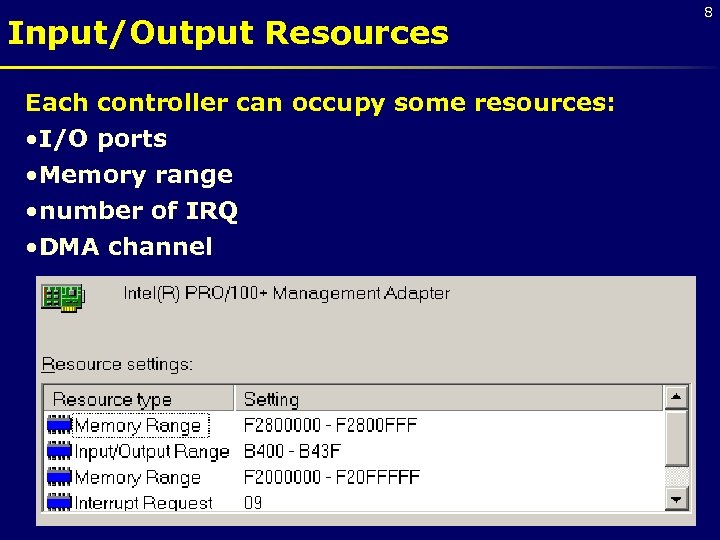 Input/Output Resources Each controller can occupy some resources: • I/O ports • Memory range • number of IRQ • DMA channel 8
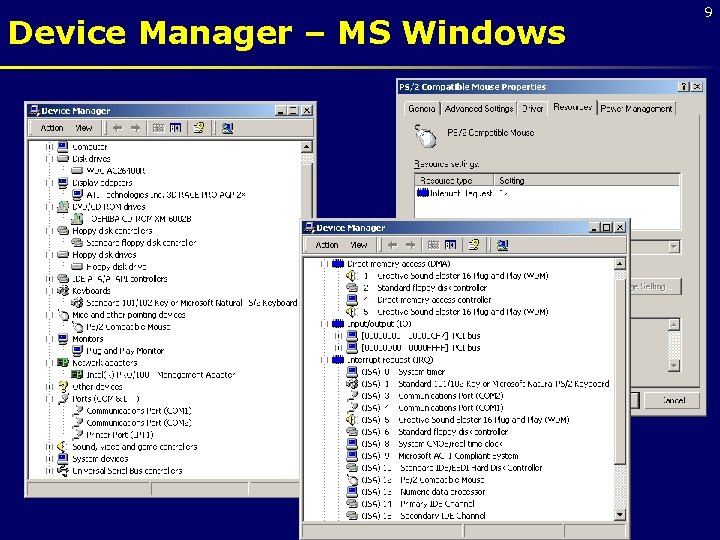 Device Manager – MS Windows 9
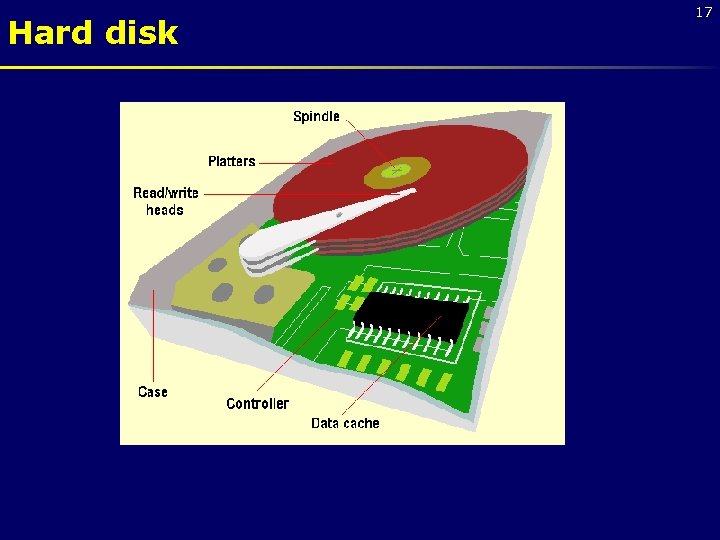
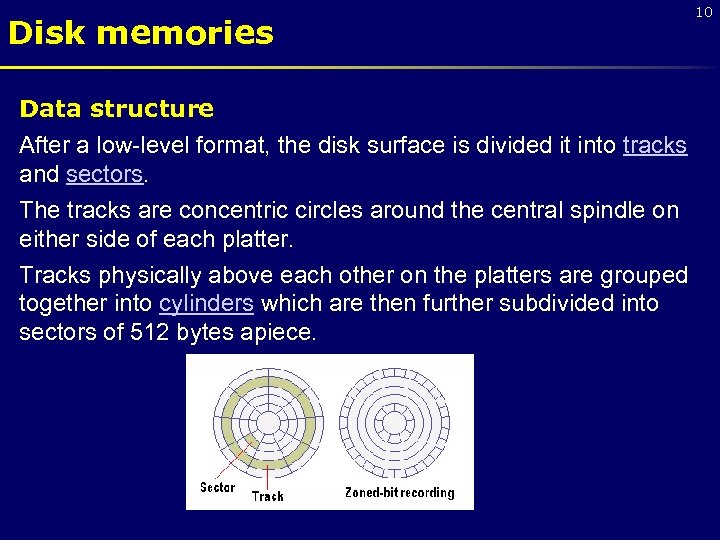 Disk memories Data structure After a low-level format, the disk surface is divided it into tracks and sectors. The tracks are concentric circles around the central spindle on either side of each platter. Tracks physically above each other on the platters are grouped together into cylinders which are then further subdivided into sectors of 512 bytes apiece. 10
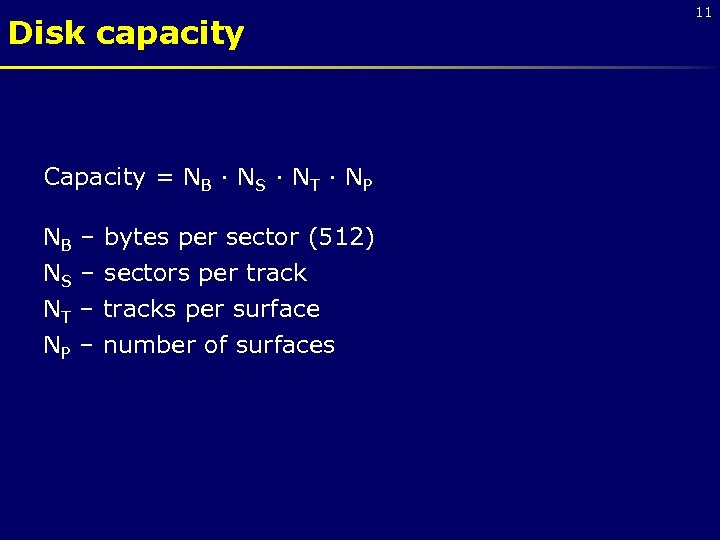 Disk capacity Capacity = NB · NS · NT · NP NB – bytes per sector (512) NS – sectors per track NT – tracks per surface NP – number of surfaces 11
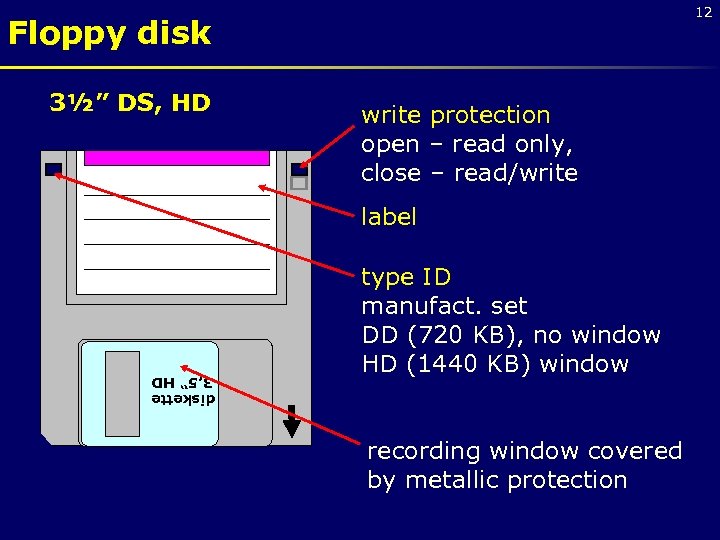 12 Floppy disk 3½” DS, HD write protection open – read only, close – read/write label type ID manufact. set DD (720 KB), no window HD (1440 KB) window recording window covered by metallic protection diskette 3, 5“ HD
 Floppy disk 13 • plastic disk coated with thin magnetic layer for storing information • floppy disks need to be protected against the magnetic field • before use the formatting process to create the tracks and sectors • speed of rotation: 300 to 360 rpm • Floppy Disk Drive – the unit for floppy disk • FDD controller is integrated direct in mainboard
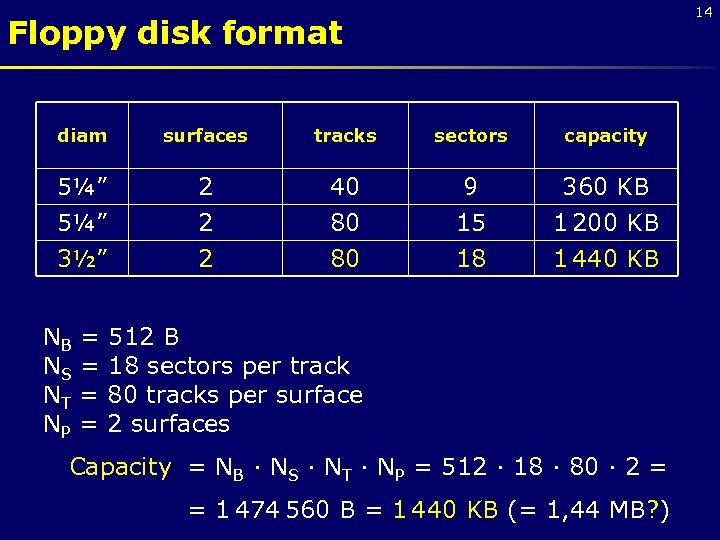 14 Floppy disk format diam surfaces tracks sectors capacity 5¼” 2 2 40 80 9 15 360 KB 1 200 KB 3½” 2 80 18 1 440 KB NB = 512 B NS = 18 sectors per track NT = 80 tracks per surface NP = 2 surfaces Capacity = NB · NS · NT · NP = 512 · 18 · 80 · 2 = = 1 474 560 B = 1 440 KB (= 1, 44 MB? )
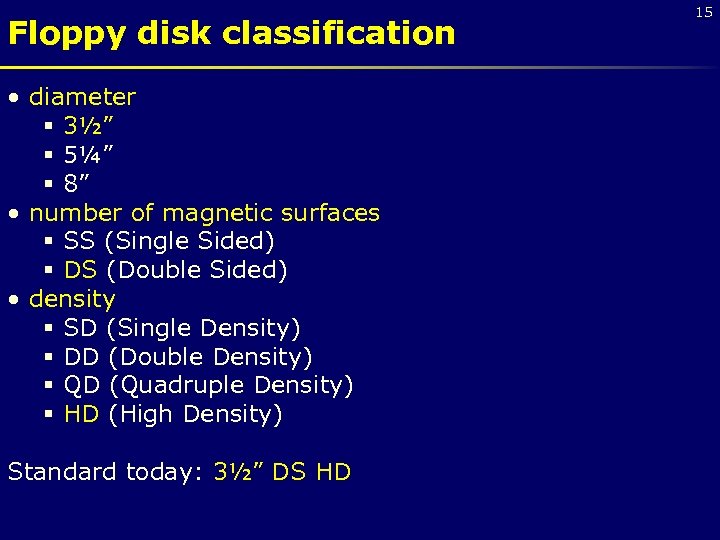 Floppy disk classification • diameter § 3½” § 5¼” § 8” • number of magnetic surfaces § SS (Single Sided) § DS (Double Sided) • density § SD (Single Density) § DD (Double Density) § QD (Quadruple Density) § HD (High Density) Standard today: 3½” DS HD 15
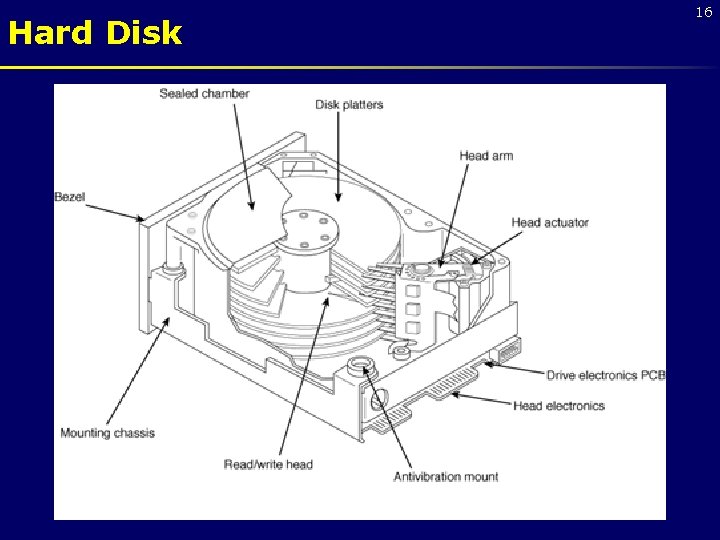 Hard Disk 16
 Hard disk 17
 Magnetic head 18
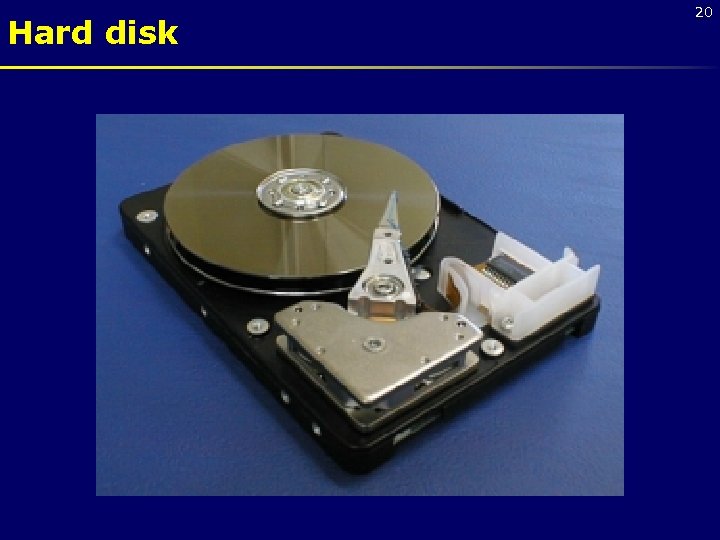
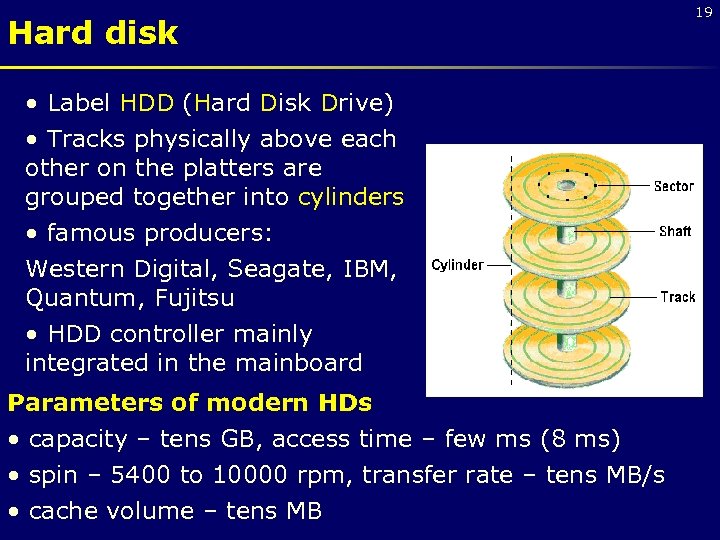 Hard disk • Label HDD (Hard Disk Drive) • Tracks physically above each other on the platters are grouped together into cylinders • famous producers: Western Digital, Seagate, IBM, Quantum, Fujitsu • HDD controller mainly integrated in the mainboard Parameters of modern HDs • capacity – tens GB, access time – few ms (8 ms) • spin – 5400 to 10000 rpm, transfer rate – tens MB/s • cache volume – tens MB 19
 Hard disk 20
 Hard disk interface 21 • IDE (Integrated Drive Electronics) – most useful § EIDE (Enhanced IDE) – transfer rate 16 MB/s § Ultra DMA/33 – transfer rate 33 MB/s § Ultra DMA/66 – transfer rate 66 MB/s § Ultra DMA/100 – transfer rate 100 MB/s (Seagate uses instead of Ultra DMA label UATA) • SCSI (Small Computer System Interface) – more expensive, applicable for servers types: SCSI, Ultra SCSI, Wide SCSI, Ultra Wide SCSI LVD SCSI (transfer rate 80 MB/s)
 CD-ROM 22 • Compact Disc - Read Only Memory • removable optical storage medium • standard capacity 650 MB • Read only • instead of concentric tracks there is one spiral track of pits from the center of the disc outwards • the track is divided into the sectors The pits are typically 0. 5 microns wide, 0. 83 to 3 microns long and 0. 15 microns deep. The space between the tracks - the pitch - is just 1. 6 microns. Track density is over 16, 000 tpi, compared to 96 tpi of a floppy disk and the average 400 of a hard disk. Unraveled and laid in a straight line the spiral of data would stretch for four miles.
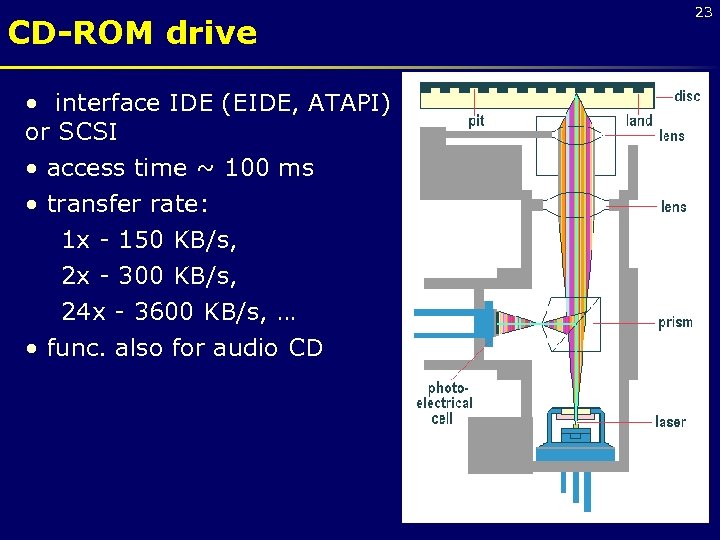 CD-ROM drive • interface IDE (EIDE, ATAPI) or SCSI • access time ~ 100 ms • transfer rate: 1 x - 150 KB/s, 2 x - 300 KB/s, 24 x - 3600 KB/s, … • func. also for audio CD 23
 24 Printers Classification according to a physical principle • dot (matrix) beat technology • ink (bubble) (carbon copy allowed) • laser • thermal • others beat less technology Parameters of printers • • cost density – DPI (Dots Per Inch) speed – chars per sec. , pages per minute costs per page
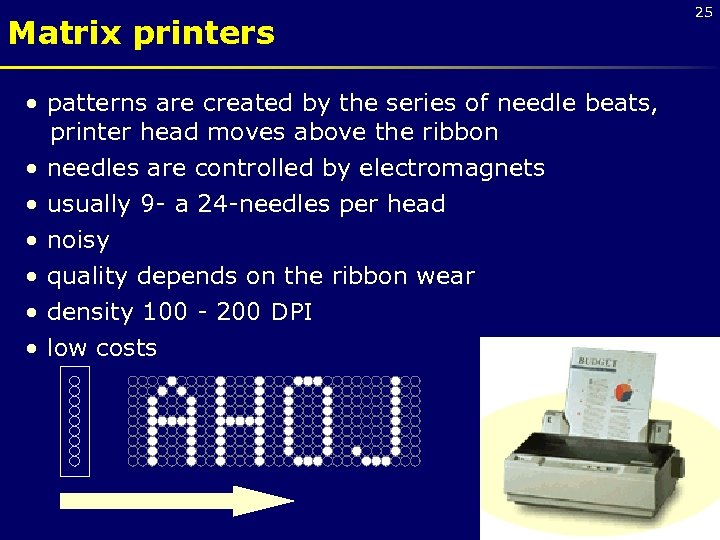 Matrix printers • patterns are created by the series of needle beats, printer head moves above the ribbon • needles are controlled by electromagnets • usually 9 - a 24 -needles per head • noisy • quality depends on the ribbon wear • density 100 - 200 DPI • low costs 25
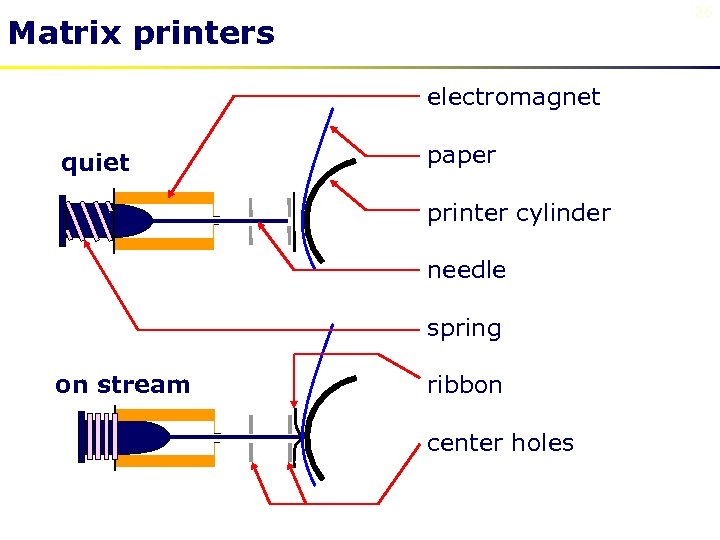 26 Matrix printers electromagnet quiet paper printer cylinder needle spring on stream ribbon center holes
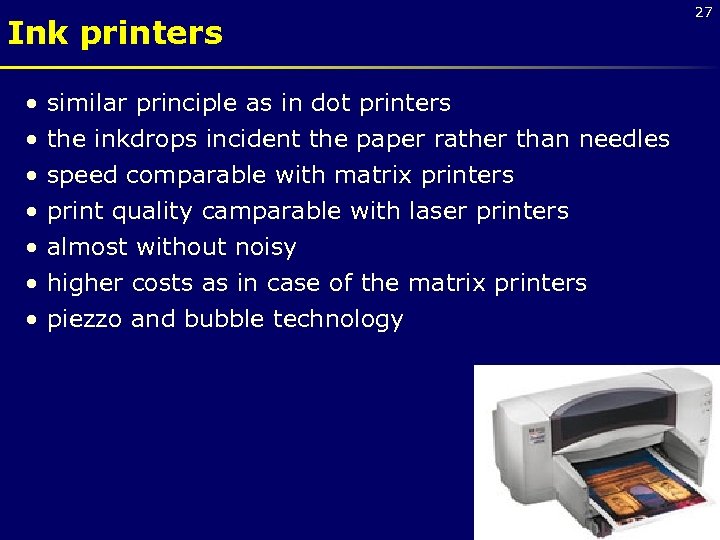 Ink printers • • similar principle as in dot printers the inkdrops incident the paper rather than needles speed comparable with matrix printers print quality camparable with laser printers almost without noisy higher costs as in case of the matrix printers piezzo and bubble technology 27
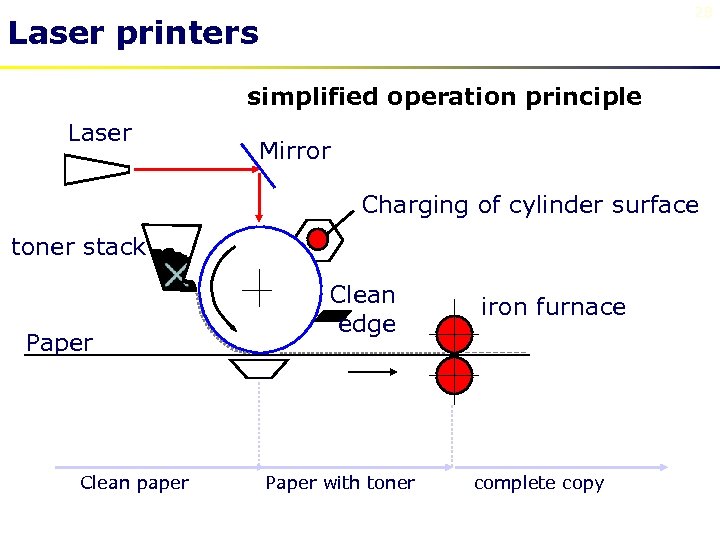 28 Laser printers simplified operation principle Laser Mirror Charging of cylinder surface toner stack Paper Clean paper Clean edge Paper with toner iron furnace complete copy
 Laser printers • • • high quality of printing – resolution 600 -1200 DPI, high speed – 6 - 40 pages per minute without noisy high cost xerographic paper needed during the operation the dangerous ozone is created 29
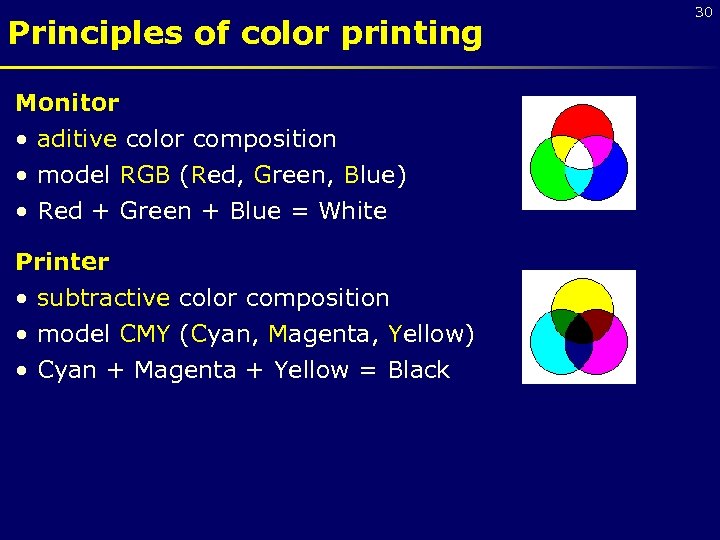 Principles of color printing Monitor • aditive color composition • model RGB (Red, Green, Blue) • Red + Green + Blue = White Printer • subtractive color composition • model CMY (Cyan, Magenta, Yellow) • Cyan + Magenta + Yellow = Black 30
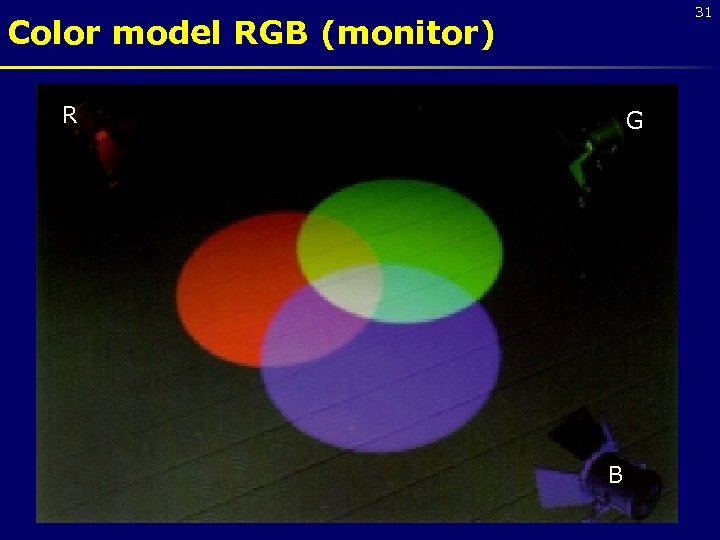 31 Color model RGB (monitor) R G B
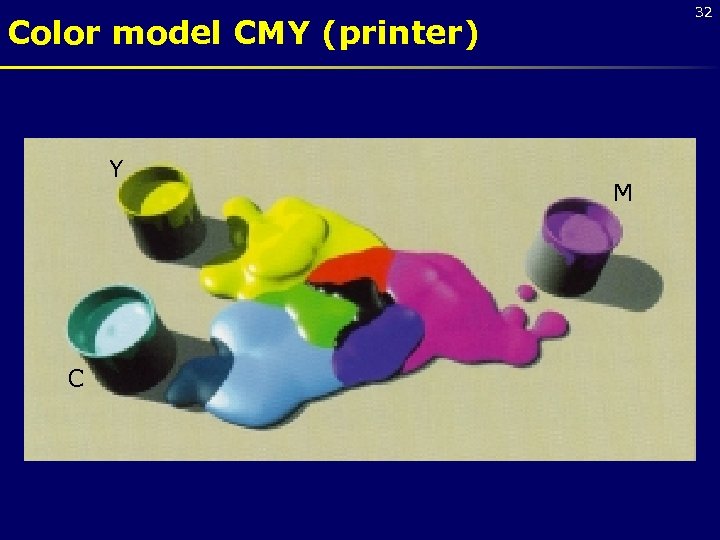 32 Color model CMY (printer) Y C M
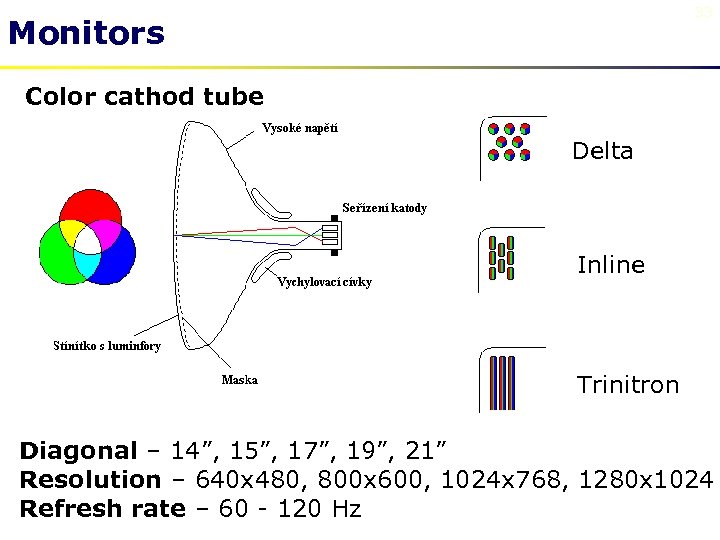 33 Monitors Color cathod tube Delta Inline Trinitron Diagonal – 14”, 15”, 17”, 19”, 21” Resolution – 640 x 480, 800 x 600, 1024 x 768, 1280 x 1024 Refresh rate – 60 - 120 Hz
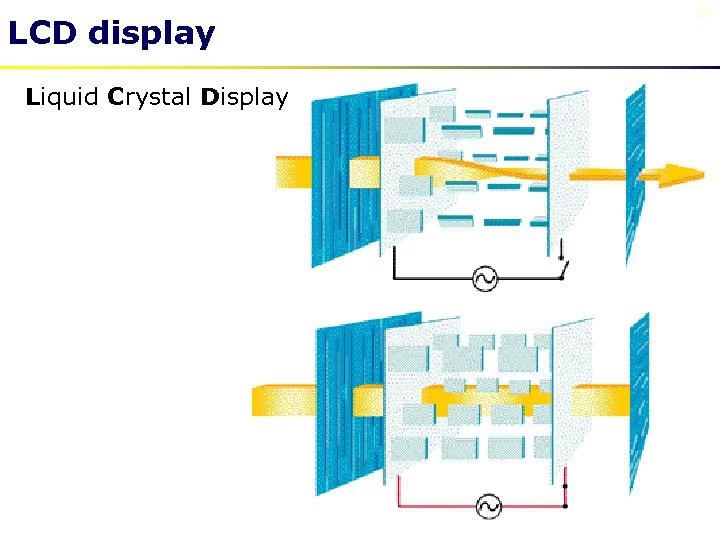 LCD display Liquid Crystal Display 34
 Other peripheral devices Keyboard Mouse (classic, optical, wireless) Joystick Audiocard Network adapter Plotter Scanner Streamer Modem Virtual reality components 35
 References • • • http: //www. pctechguide. com http: //www. howstuffworks. com http: //www. zive. cz White, R. : How computers work. Que, Indianapolis 1999. Vrátil, Z. : Postavte si PC. BEN, Praha 1999. Horák, J. : Učebnice hardware. Computer Press, Praha 1998. • Precht, M. – Meier, N. – Klein, J. : EDV-Grundwissen: Eine Einführung in Theorie und Praxis der modernen EDV. Addison-Wesley, 1996. • Колесниченко, О. – Шишигин, И. : Аппаратные средства РС. «БХВ» , Санкт-Петербург 1999. • Вильховченко, С. : Современный компьютер: устройство, выбор, модернизация. «Питер» , Санкт-Петербург 2000. 36