 Скачать презентацию Demystifying Penetration Testing Prepared by Debasis Mohanty www
f5e760a3fc5913262dd892a82066abfa.ppt
- Количество слайдов: 35




Demystifying Penetration Testing Prepared by Debasis Mohanty www. hackingspirits. com E-Mail: debasis_mty@yahoo. com
Goals Of This Presentation q An overview of how Vulnerability Assessment (VA) & Penetration Testing (PT) is done q Defining scope of the assessment q Types of Penetration Testing q A brief understanding on how Buffer Overflow works q How vulnerabilities are scanned and exploited q What are the end results q What a Penetration Testing Report should contain Acronyms: q VA – Vulnerability Assessment q PT – Penetration Testing q DOS – Denial of Service q DDOS – Distributed Denial of Service
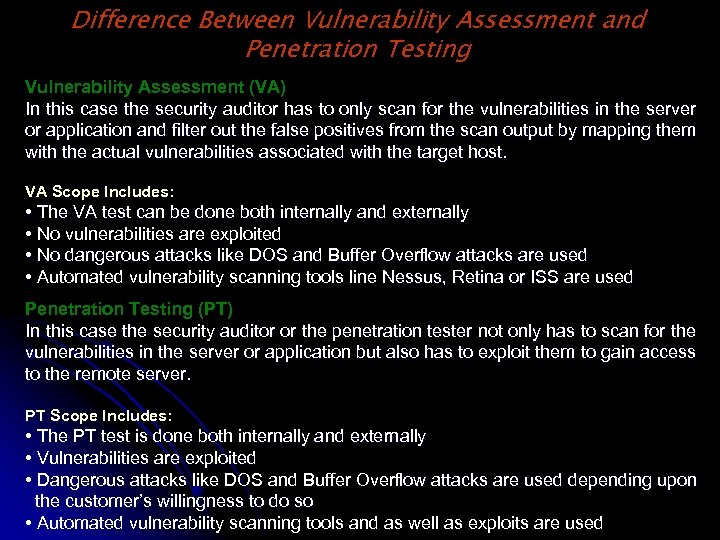
Difference Between Vulnerability Assessment and Penetration Testing Vulnerability Assessment (VA) In this case the security auditor has to only scan for the vulnerabilities in the server or application and filter out the false positives from the scan output by mapping them with the actual vulnerabilities associated with the target host. VA Scope Includes: • The VA test can be done both internally and externally • No vulnerabilities are exploited • No dangerous attacks like DOS and Buffer Overflow attacks are used • Automated vulnerability scanning tools line Nessus, Retina or ISS are used Penetration Testing (PT) In this case the security auditor or the penetration tester not only has to scan for the vulnerabilities in the server or application but also has to exploit them to gain access to the remote server. PT Scope Includes: • The PT test is done both internally and externally • Vulnerabilities are exploited • Dangerous attacks like DOS and Buffer Overflow attacks are used depending upon the customer’s willingness to do so • Automated vulnerability scanning tools and as well as exploits are used
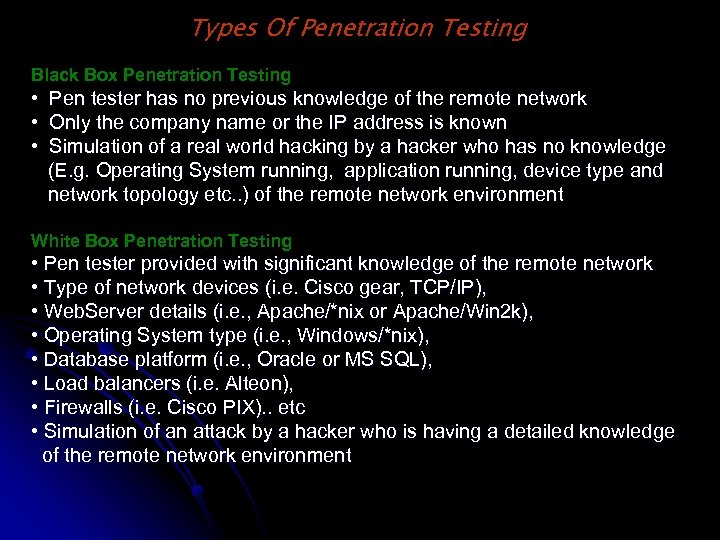
Types Of Penetration Testing Black Box Penetration Testing • Pen tester has no previous knowledge of the remote network • Only the company name or the IP address is known • Simulation of a real world hacking by a hacker who has no knowledge (E. g. Operating System running, application running, device type and network topology etc. . ) of the remote network environment White Box Penetration Testing • Pen tester provided with significant knowledge of the remote network • Type of network devices (i. e. Cisco gear, TCP/IP), • Web. Server details (i. e. , Apache/*nix or Apache/Win 2 k), • Operating System type (i. e. , Windows/*nix), • Database platform (i. e. , Oracle or MS SQL), • Load balancers (i. e. Alteon), • Firewalls (i. e. Cisco PIX). . etc • Simulation of an attack by a hacker who is having a detailed knowledge of the remote network environment
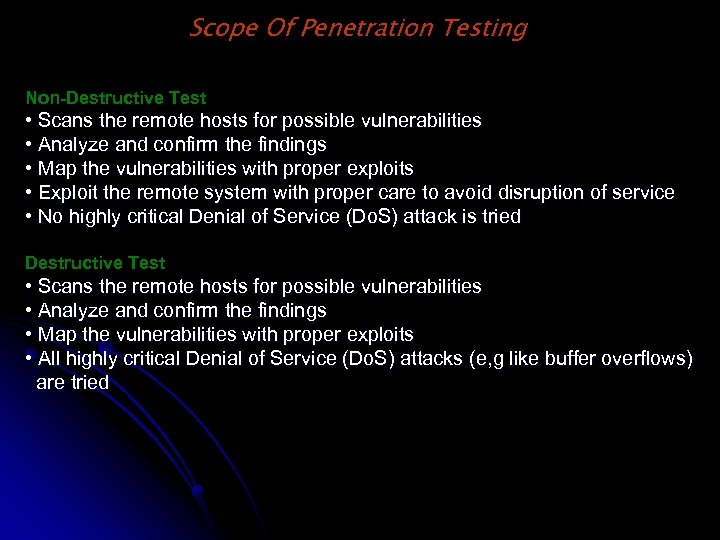
Scope Of Penetration Testing Non-Destructive Test • Scans the remote hosts for possible vulnerabilities • Analyze and confirm the findings • Map the vulnerabilities with proper exploits • Exploit the remote system with proper care to avoid disruption of service • No highly critical Denial of Service (Do. S) attack is tried Destructive Test • Scans the remote hosts for possible vulnerabilities • Analyze and confirm the findings • Map the vulnerabilities with proper exploits • All highly critical Denial of Service (Do. S) attacks (e, g like buffer overflows) are tried
Scope Of Penetration Testing (Contd…) Types of Environment • Wireless Networks • DMZ environments • Internet Data Centers (IDC) • Portal Environment • Extranet • VPN Termination points • Remote Access points • Dial-In
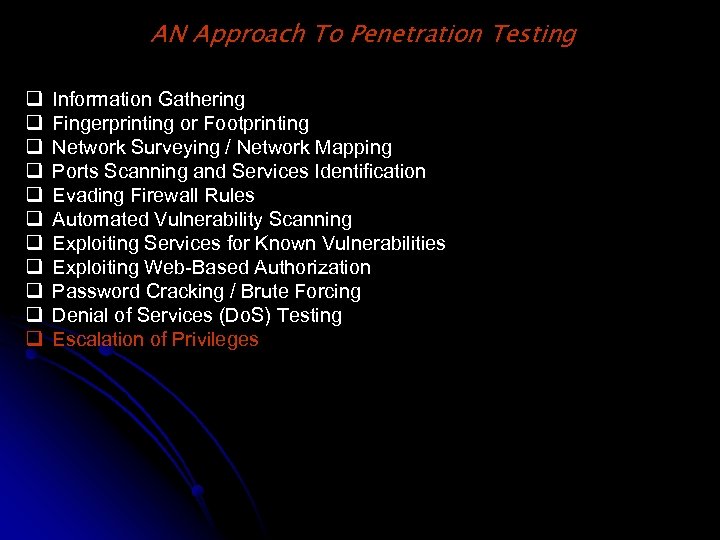
AN Approach To Penetration Testing q q q Information Gathering Fingerprinting or Footprinting Network Surveying / Network Mapping Ports Scanning and Services Identification Evading Firewall Rules Automated Vulnerability Scanning Exploiting Services for Known Vulnerabilities Exploiting Web-Based Authorization Password Cracking / Brute Forcing Denial of Services (Do. S) Testing Escalation of Privileges
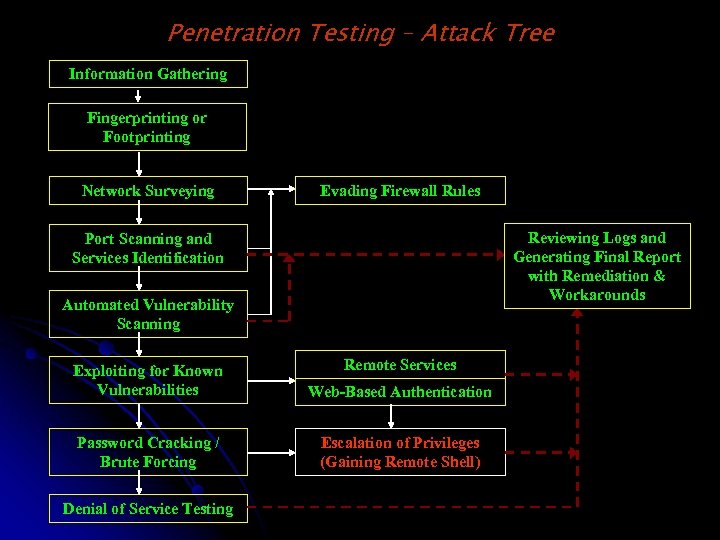
Penetration Testing – Attack Tree Information Gathering Fingerprinting or Footprinting Network Surveying Evading Firewall Rules Reviewing Logs and Generating Final Report with Remediation & Workarounds Port Scanning and Services Identification Automated Vulnerability Scanning Remote Services Exploiting for Known Vulnerabilities Web-Based Authentication Password Cracking / Brute Forcing Escalation of Privileges (Gaining Remote Shell) Denial of Service Testing
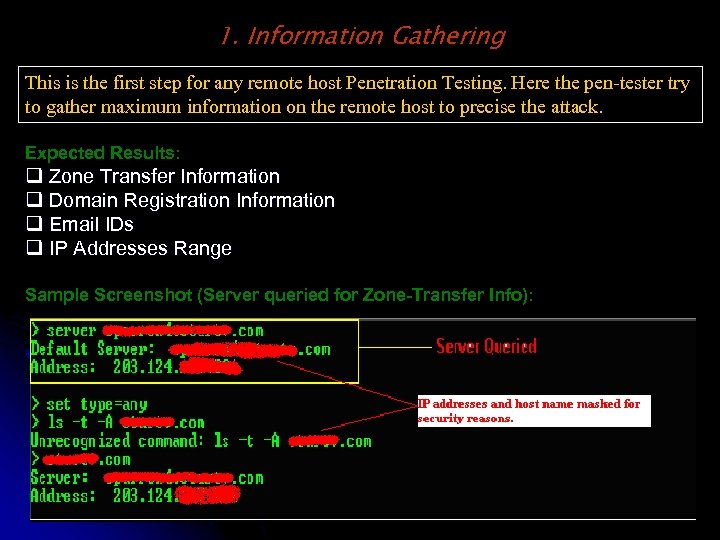
1. Information Gathering This is the first step for any remote host Penetration Testing. Here the pen-tester try to gather maximum information on the remote host to precise the attack. Expected Results: q Zone Transfer Information q Domain Registration Information q Email IDs q IP Addresses Range Sample Screenshot (Server queried for Zone-Transfer Info):
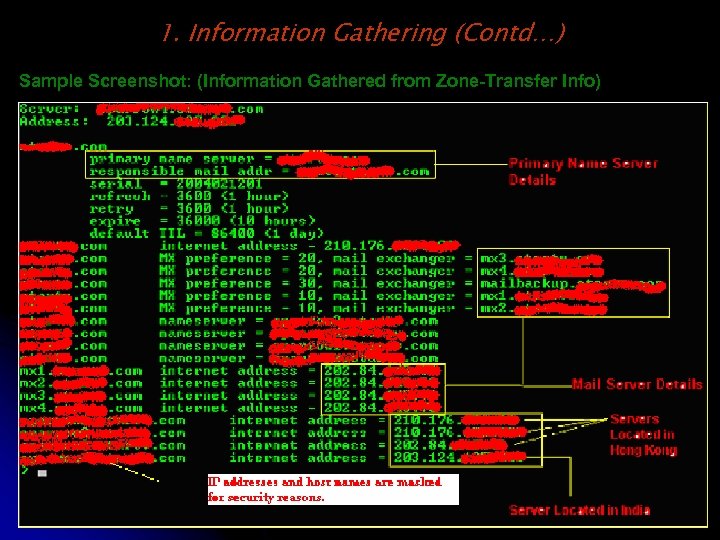
1. Information Gathering (Contd…) Sample Screenshot: (Information Gathered from Zone-Transfer Info)
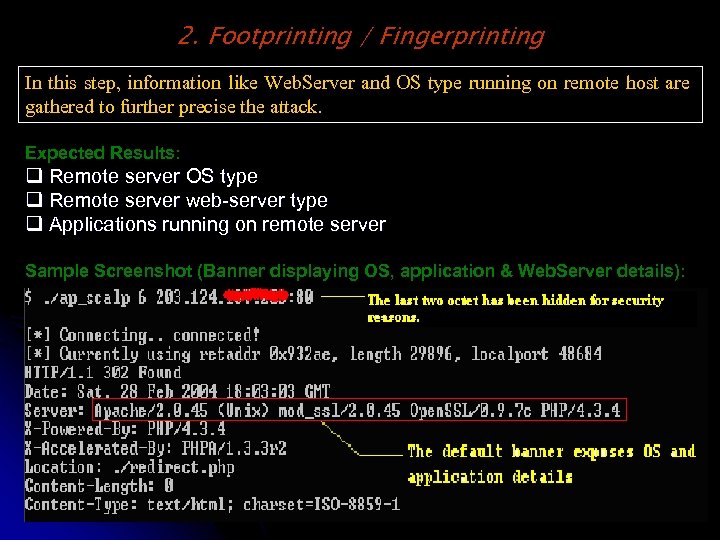
2. Footprinting / Fingerprinting In this step, information like Web. Server and OS type running on remote host are gathered to further precise the attack. Expected Results: q Remote server OS type q Remote server web-server type q Applications running on remote server Sample Screenshot (Banner displaying OS, application & Web. Server details):
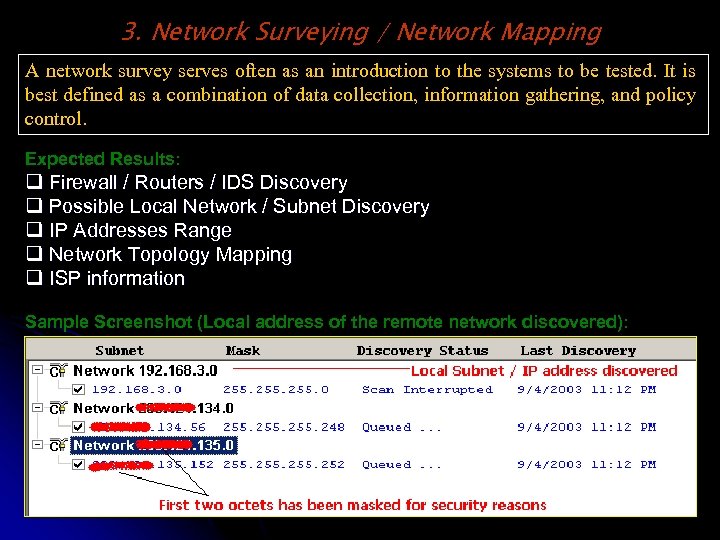
3. Network Surveying / Network Mapping A network survey serves often as an introduction to the systems to be tested. It is best defined as a combination of data collection, information gathering, and policy control. Expected Results: q Firewall / Routers / IDS Discovery q Possible Local Network / Subnet Discovery q IP Addresses Range q Network Topology Mapping q ISP information Sample Screenshot (Local address of the remote network discovered):
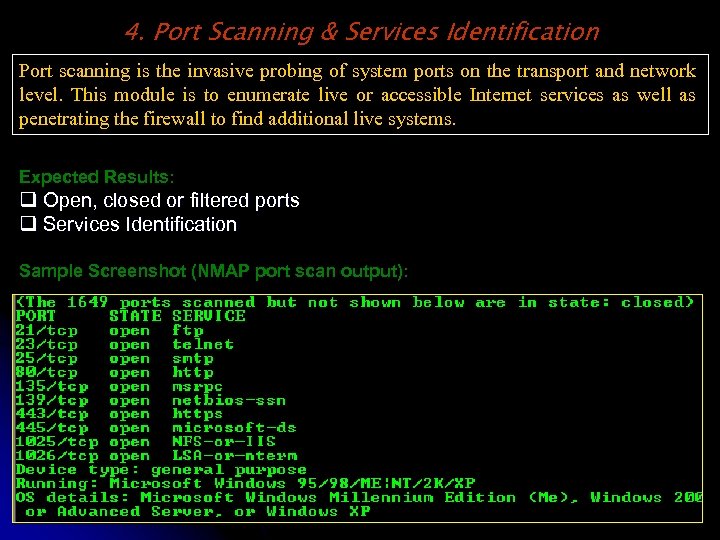
4. Port Scanning & Services Identification Port scanning is the invasive probing of system ports on the transport and network level. This module is to enumerate live or accessible Internet services as well as penetrating the firewall to find additional live systems. Expected Results: q Open, closed or filtered ports q Services Identification Sample Screenshot (NMAP port scan output):
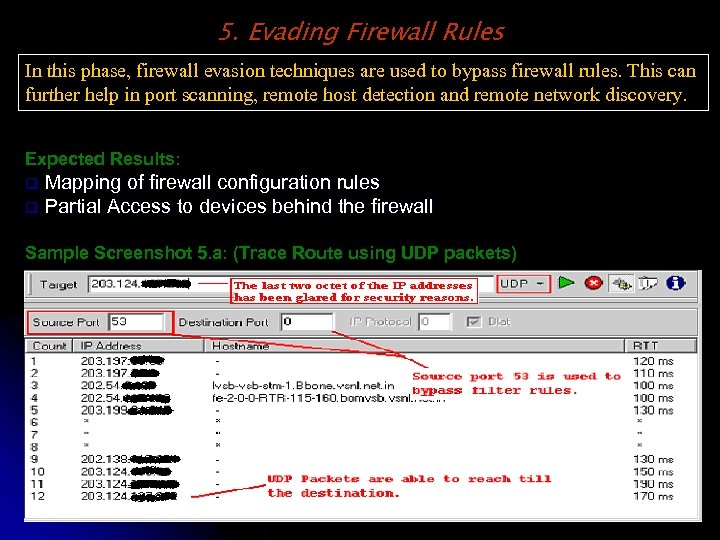
5. Evading Firewall Rules In this phase, firewall evasion techniques are used to bypass firewall rules. This can further help in port scanning, remote host detection and remote network discovery. Expected Results: Mapping of firewall configuration rules q Partial Access to devices behind the firewall q Sample Screenshot 5. a: (Trace Route using UDP packets)
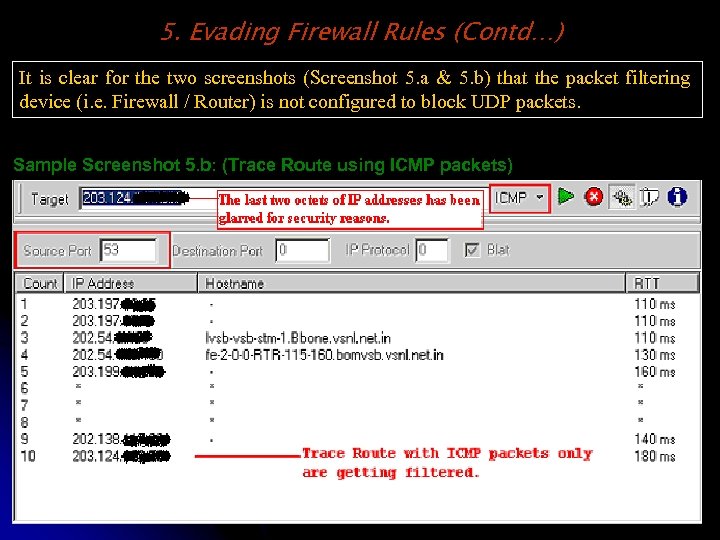
5. Evading Firewall Rules (Contd…) It is clear for the two screenshots (Screenshot 5. a & 5. b) that the packet filtering device (i. e. Firewall / Router) is not configured to block UDP packets. Sample Screenshot 5. b: (Trace Route using ICMP packets)
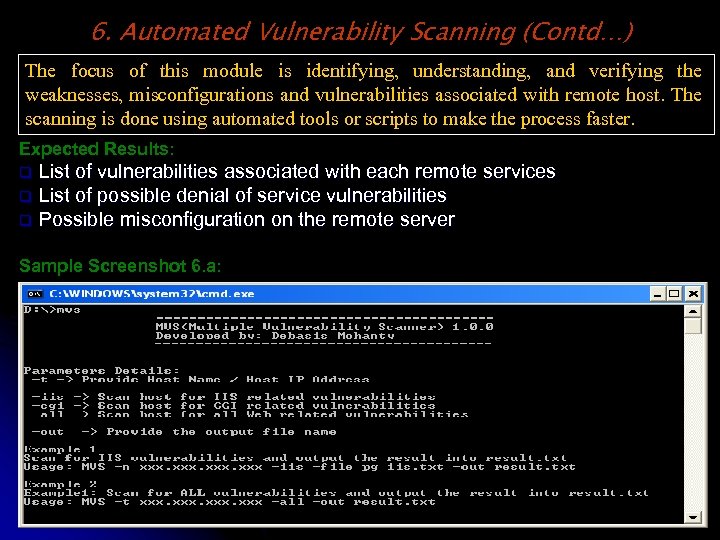
6. Automated Vulnerability Scanning (Contd…) The focus of this module is identifying, understanding, and verifying the weaknesses, misconfigurations and vulnerabilities associated with remote host. The scanning is done using automated tools or scripts to make the process faster. Expected Results: List of vulnerabilities associated with each remote services q List of possible denial of service vulnerabilities q Possible misconfiguration on the remote server q Sample Screenshot 6. a:
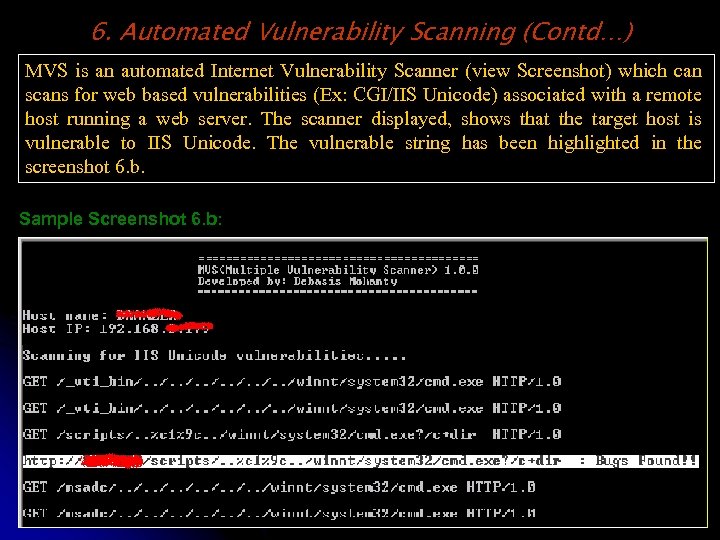
6. Automated Vulnerability Scanning (Contd…) MVS is an automated Internet Vulnerability Scanner (view Screenshot) which can scans for web based vulnerabilities (Ex: CGI/IIS Unicode) associated with a remote host running a web server. The scanner displayed, shows that the target host is vulnerable to IIS Unicode. The vulnerable string has been highlighted in the screenshot 6. b. Sample Screenshot 6. b:
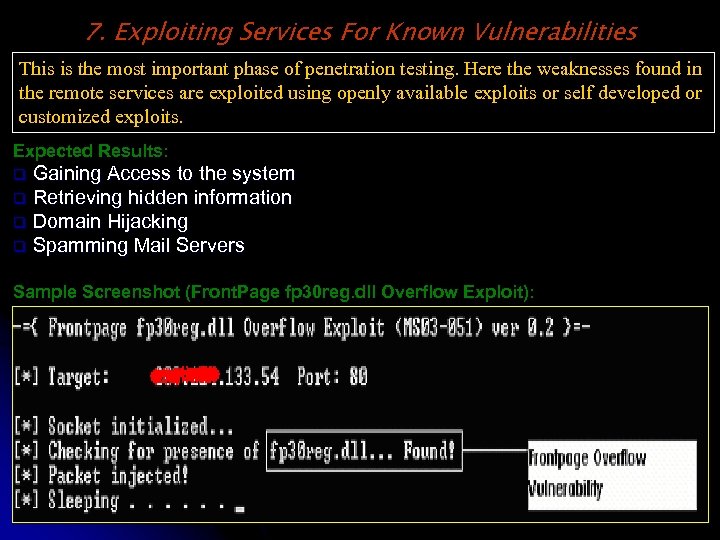
7. Exploiting Services For Known Vulnerabilities This is the most important phase of penetration testing. Here the weaknesses found in the remote services are exploited using openly available exploits or self developed or customized exploits. Expected Results: Gaining Access to the system q Retrieving hidden information q Domain Hijacking q Spamming Mail Servers q Sample Screenshot (Front. Page fp 30 reg. dll Overflow Exploit):
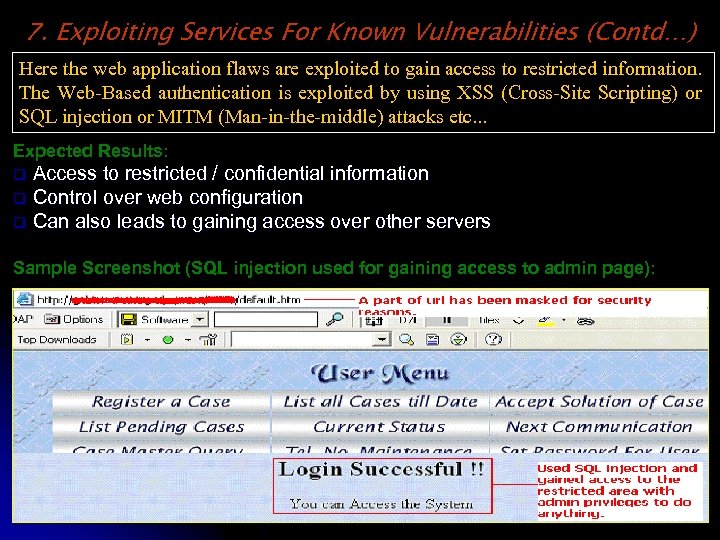
7. Exploiting Services For Known Vulnerabilities (Contd…) Here the web application flaws are exploited to gain access to restricted information. The Web-Based authentication is exploited by using XSS (Cross-Site Scripting) or SQL injection or MITM (Man-in-the-middle) attacks etc. . . Expected Results: Access to restricted / confidential information q Control over web configuration q Can also leads to gaining access over other servers q Sample Screenshot (SQL injection used for gaining access to admin page):
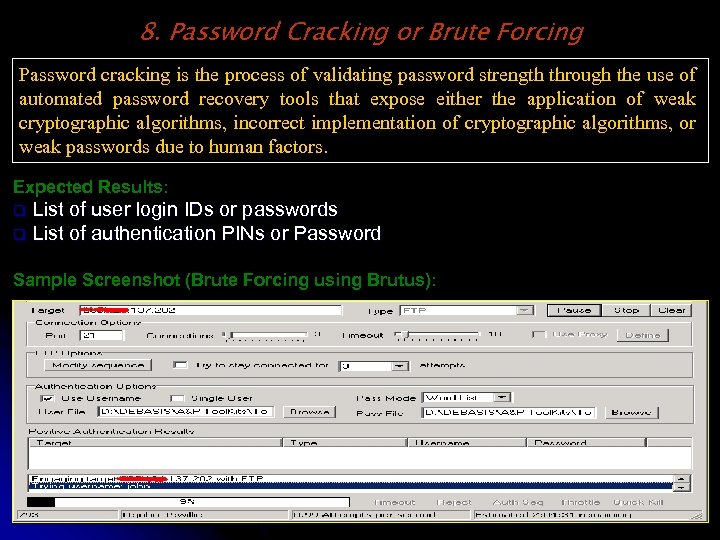
8. Password Cracking or Brute Forcing Password cracking is the process of validating password strength through the use of automated password recovery tools that expose either the application of weak cryptographic algorithms, incorrect implementation of cryptographic algorithms, or weak passwords due to human factors. Expected Results: List of user login IDs or passwords q List of authentication PINs or Password q Sample Screenshot (Brute Forcing using Brutus):
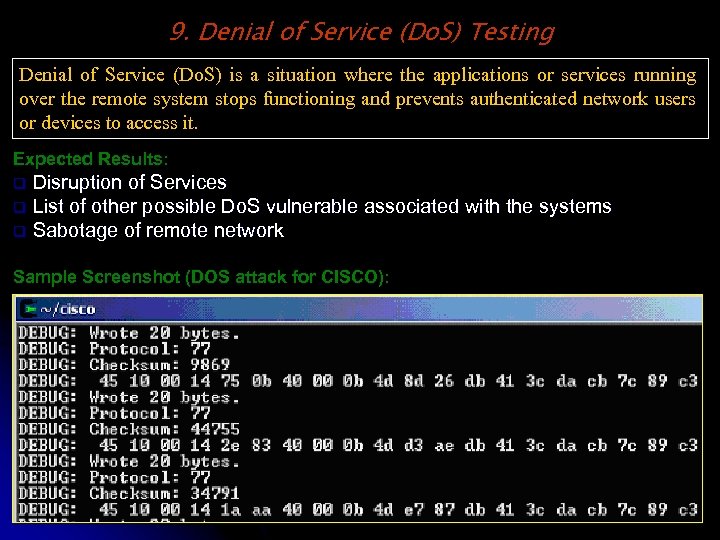
9. Denial of Service (Do. S) Testing Denial of Service (Do. S) is a situation where the applications or services running over the remote system stops functioning and prevents authenticated network users or devices to access it. Expected Results: Disruption of Services q List of other possible Do. S vulnerable associated with the systems q Sabotage of remote network q Sample Screenshot (DOS attack for CISCO):
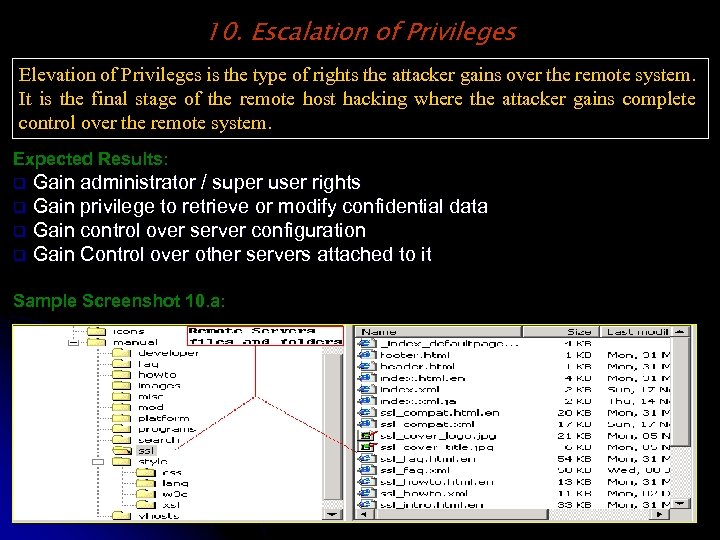
10. Escalation of Privileges Elevation of Privileges is the type of rights the attacker gains over the remote system. It is the final stage of the remote host hacking where the attacker gains complete control over the remote system. Expected Results: Gain administrator / super user rights q Gain privilege to retrieve or modify confidential data q Gain control over server configuration q Gain Control over other servers attached to it q Sample Screenshot 10. a:
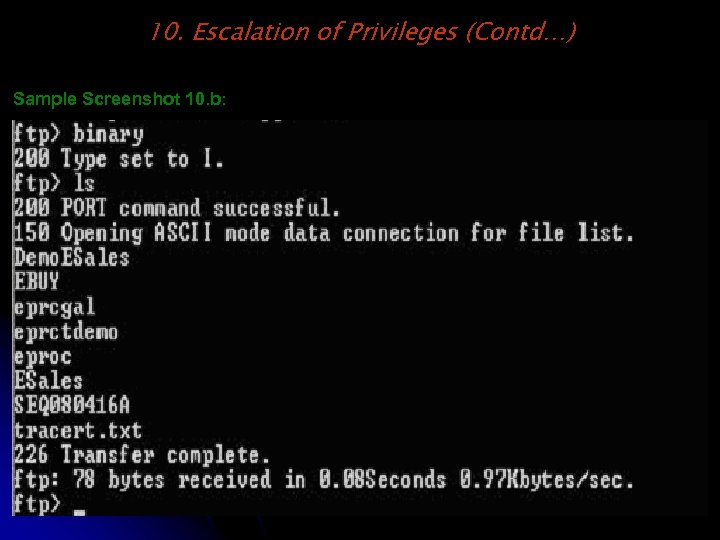
10. Escalation of Privileges (Contd…) Sample Screenshot 10. b:
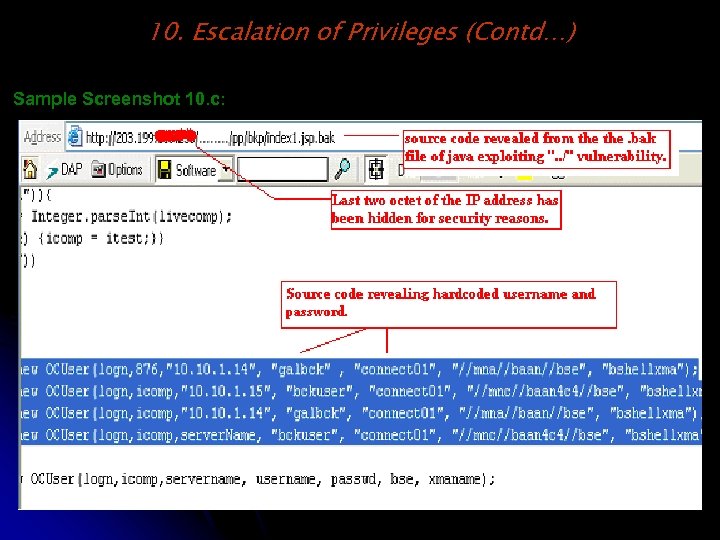
10. Escalation of Privileges (Contd…) Sample Screenshot 10. c:
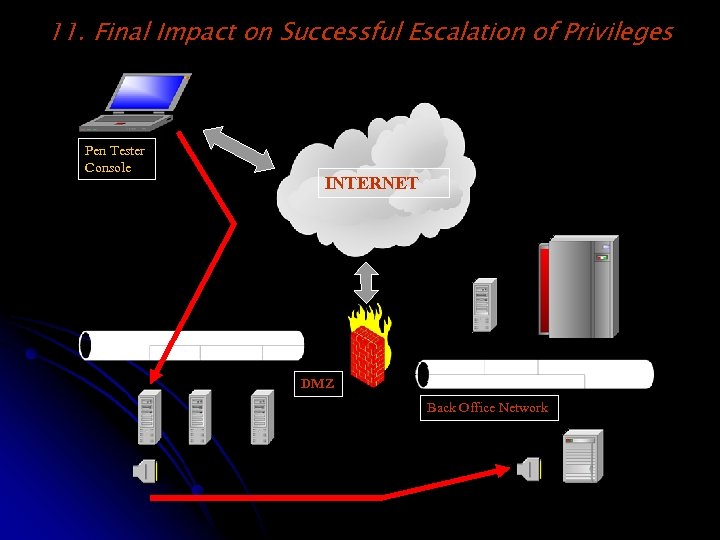
11. Final Impact on Successful Escalation of Privileges Pen Tester Console INTERNET DMZ Back Office Network
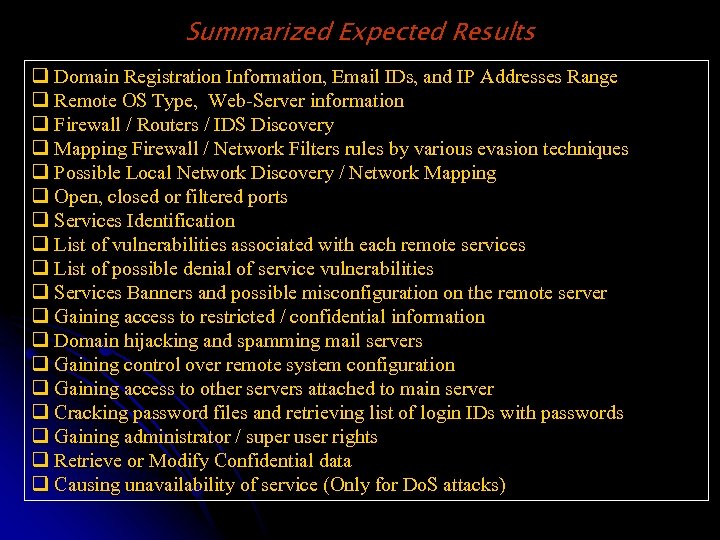
Summarized Expected Results q Domain Registration Information, Email IDs, and IP Addresses Range q Remote OS Type, Web-Server information q Firewall / Routers / IDS Discovery q Mapping Firewall / Network Filters rules by various evasion techniques q Possible Local Network Discovery / Network Mapping q Open, closed or filtered ports q Services Identification q List of vulnerabilities associated with each remote services q List of possible denial of service vulnerabilities q Services Banners and possible misconfiguration on the remote server q Gaining access to restricted / confidential information q Domain hijacking and spamming mail servers q Gaining control over remote system configuration q Gaining access to other servers attached to main server q Cracking password files and retrieving list of login IDs with passwords q Gaining administrator / super user rights q Retrieve or Modify Confidential data q Causing unavailability of service (Only for Do. S attacks)
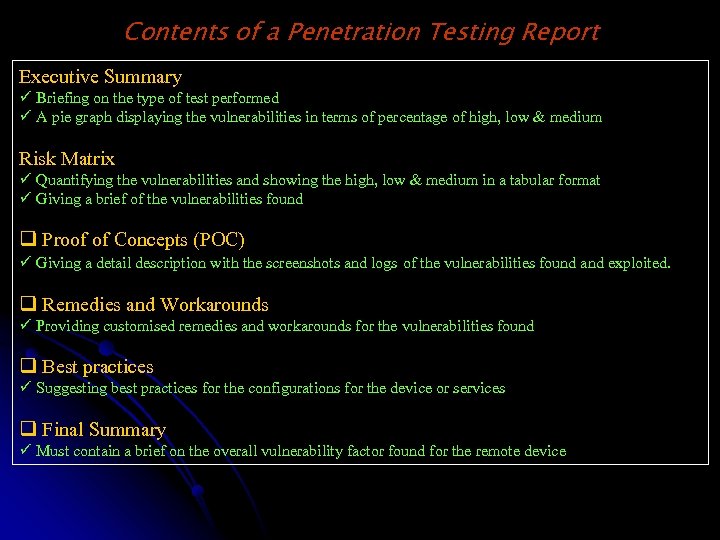
Contents of a Penetration Testing Report Executive Summary ü Briefing on the type of test performed ü A pie graph displaying the vulnerabilities in terms of percentage of high, low & medium Risk Matrix ü Quantifying the vulnerabilities and showing the high, low & medium in a tabular format ü Giving a brief of the vulnerabilities found q Proof of Concepts (POC) ü Giving a detail description with the screenshots and logs of the vulnerabilities found and exploited. q Remedies and Workarounds ü Providing customised remedies and workarounds for the vulnerabilities found q Best practices ü Suggesting best practices for the configurations for the device or services q Final Summary ü Must contain a brief on the overall vulnerability factor found for the remote device
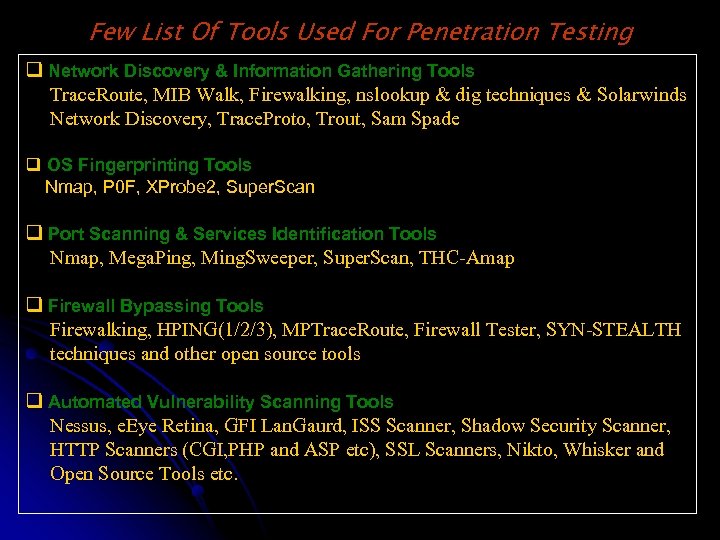
Few List Of Tools Used For Penetration Testing q Network Discovery & Information Gathering Tools Trace. Route, MIB Walk, Firewalking, nslookup & dig techniques & Solarwinds Network Discovery, Trace. Proto, Trout, Sam Spade q OS Fingerprinting Tools Nmap, P 0 F, XProbe 2, Super. Scan q Port Scanning & Services Identification Tools Nmap, Mega. Ping, Ming. Sweeper, Super. Scan, THC-Amap q Firewall Bypassing Tools Firewalking, HPING(1/2/3), MPTrace. Route, Firewall Tester, SYN-STEALTH techniques and other open source tools q Automated Vulnerability Scanning Tools Nessus, e. Eye Retina, GFI Lan. Gaurd, ISS Scanner, Shadow Security Scanner, HTTP Scanners (CGI, PHP and ASP etc), SSL Scanners, Nikto, Whisker and Open Source Tools etc.
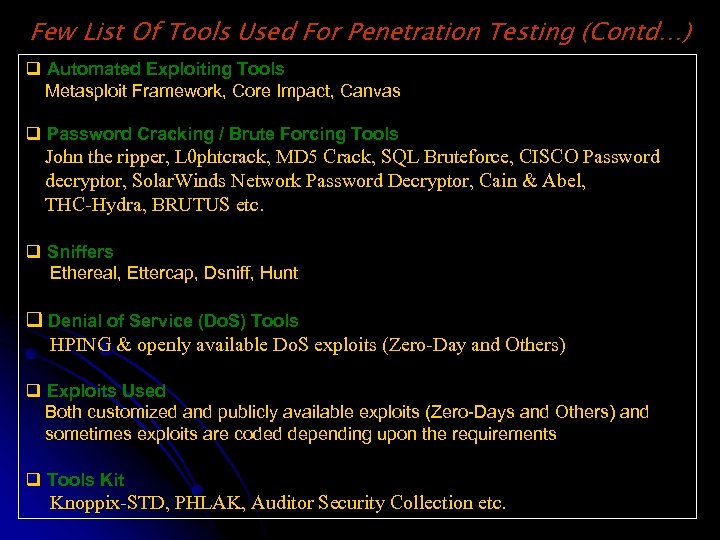
Few List Of Tools Used For Penetration Testing (Contd…) q Automated Exploiting Tools Metasploit Framework, Core Impact, Canvas q Password Cracking / Brute Forcing Tools John the ripper, L 0 phtcrack, MD 5 Crack, SQL Bruteforce, CISCO Password decryptor, Solar. Winds Network Password Decryptor, Cain & Abel, THC-Hydra, BRUTUS etc. q Sniffers Ethereal, Ettercap, Dsniff, Hunt q Denial of Service (Do. S) Tools HPING & openly available Do. S exploits (Zero-Day and Others) q Exploits Used Both customized and publicly available exploits (Zero-Days and Others) and sometimes exploits are coded depending upon the requirements q Tools Kit Knoppix-STD, PHLAK, Auditor Security Collection etc.
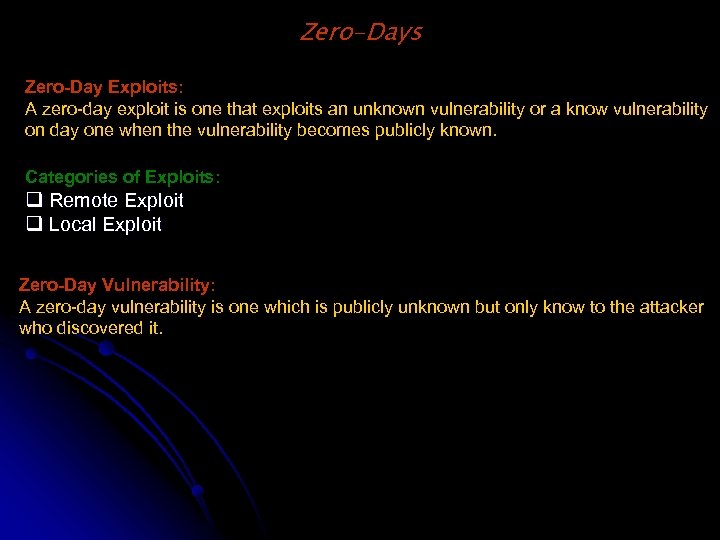
Zero-Days Zero-Day Exploits: A zero-day exploit is one that exploits an unknown vulnerability or a know vulnerability on day one when the vulnerability becomes publicly known. Categories of Exploits: q Remote Exploit q Local Exploit Zero-Day Vulnerability: A zero-day vulnerability is one which is publicly unknown but only know to the attacker who discovered it.
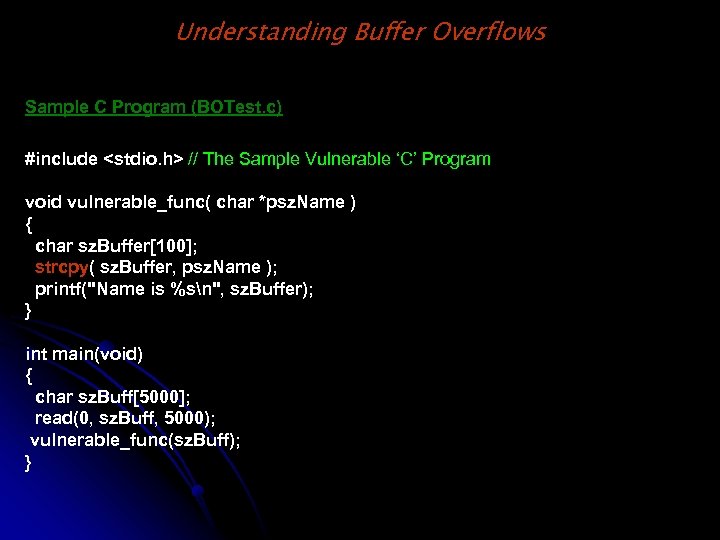
Understanding Buffer Overflows Sample C Program (BOTest. c) #include <stdio. h> // The Sample Vulnerable ‘C’ Program void vulnerable_func( char *psz. Name ) { char sz. Buffer[100]; strcpy( sz. Buffer, psz. Name ); printf("Name is %sn", sz. Buffer); } int main(void) { char sz. Buff[5000]; read(0, sz. Buff, 5000); vulnerable_func(sz. Buff); }
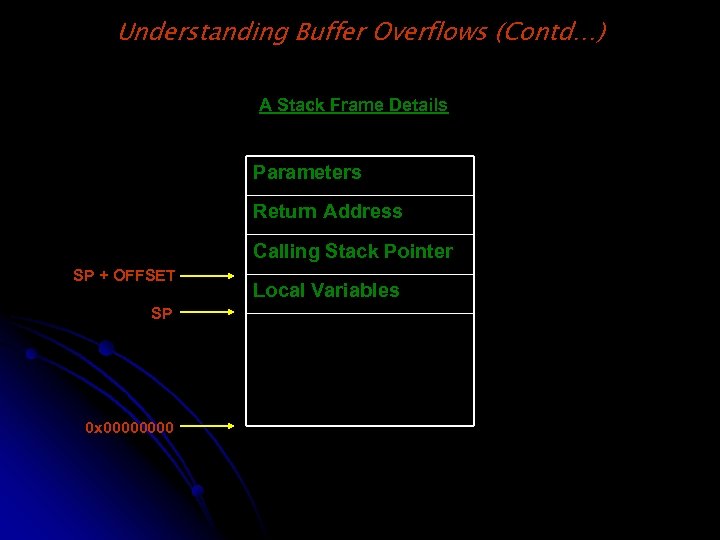
Understanding Buffer Overflows (Contd…) A Stack Frame Details Parameters Return Address Calling Stack Pointer SP + OFFSET SP 0 x 0000 Local Variables
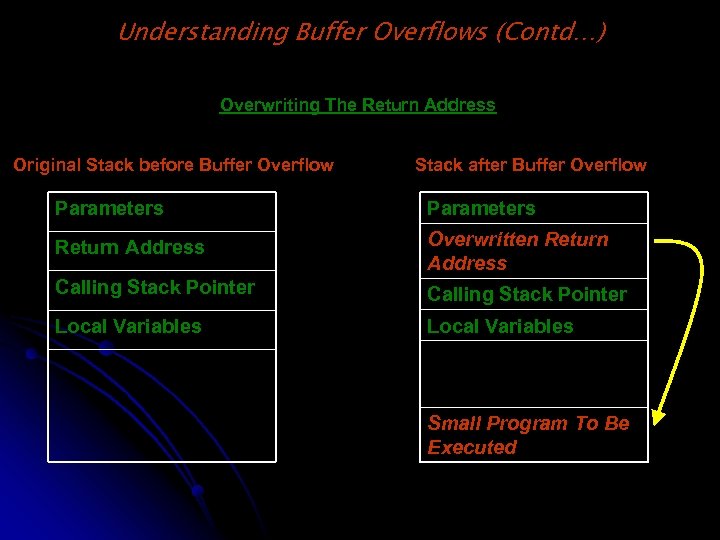
Understanding Buffer Overflows (Contd…) Overwriting The Return Address Original Stack before Buffer Overflow Stack after Buffer Overflow Parameters Return Address Overwritten Return Address Calling Stack Pointer Local Variables Small Program To Be Executed
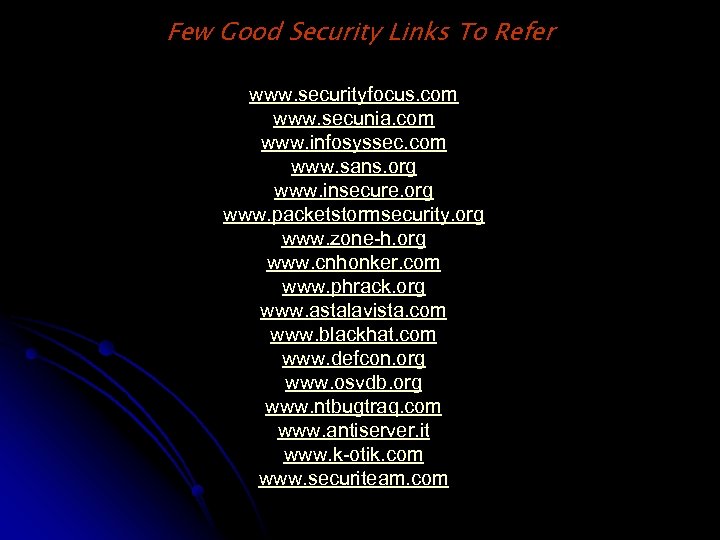
Few Good Security Links To Refer www. securityfocus. com www. secunia. com www. infosyssec. com www. sans. org www. insecure. org www. packetstormsecurity. org www. zone-h. org www. cnhonker. com www. phrack. org www. astalavista. com www. blackhat. com www. defcon. org www. osvdb. org www. ntbugtraq. com www. antiserver. it www. k-otik. com www. securiteam. com

HAPPY HACKING THANK YOU Debasis Mohanty www. hackingspirits. com Email Your Comments @ debasis_mty@yahoo. com or debasis_mohanty@msn. com
Скачать презентацию Demystifying Penetration Testing Prepared by Debasis Mohanty www
f5e760a3fc5913262dd892a82066abfa.ppt