


 Скачать презентацию Dell Oracle Rapid Deployment Techniques on Linux
e7f03586efae1fd55181e14b5fdd6cfe.ppt
- Количество слайдов: 39
 Dell | Oracle Rapid Deployment Techniques on Linux Ravi Kumar Dell Inc.
 Agenda • Oracle Rapid Deployment Techniques – – – Pre OS tasks OS installation – Red Hat Linux Pre Oracle tasks Oracle installation Post Oracle tasks • Dell Deployment Kit – – – Deliverables Testing Drill down |
 Oracle Rapid Deployment Techniques SKIP
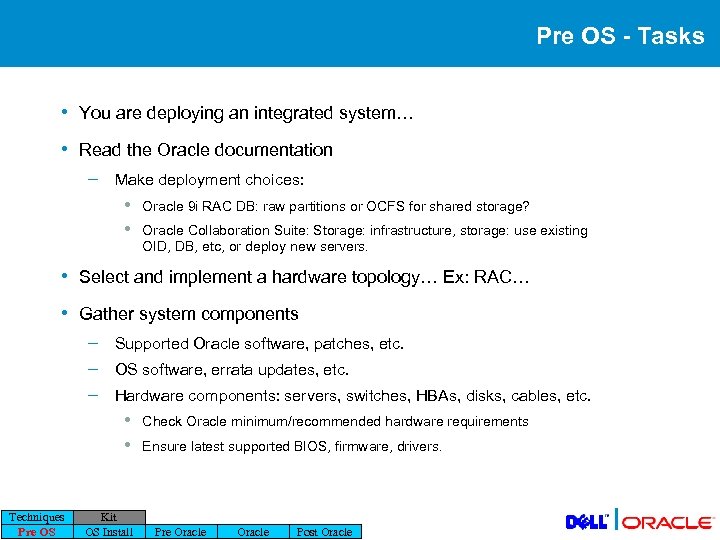 Pre OS - Tasks • You are deploying an integrated system… • Read the Oracle documentation – Make deployment choices: • • Oracle 9 i RAC DB: raw partitions or OCFS for shared storage? Oracle Collaboration Suite: Storage: infrastructure, storage: use existing OID, DB, etc, or deploy new servers. • Select and implement a hardware topology… Ex: RAC… • Gather system components – – – Supported Oracle software, patches, etc. OS software, errata updates, etc. Hardware components: servers, switches, HBAs, disks, cables, etc. • • Techniques Pre OS Kit OS Install Check Oracle minimum/recommended hardware requirements Ensure latest supported BIOS, firmware, drivers. Pre Oracle Post Oracle |
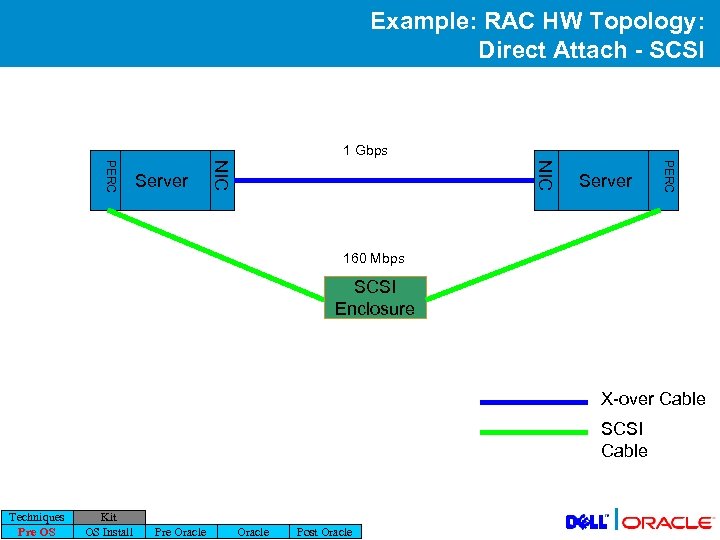 Example: RAC HW Topology: Direct Attach - SCSI 1 Gbps Server PERC NIC PERC Server 160 Mbps SCSI Enclosure X-over Cable SCSI Cable Techniques Pre OS Kit OS Install Pre Oracle Post Oracle |
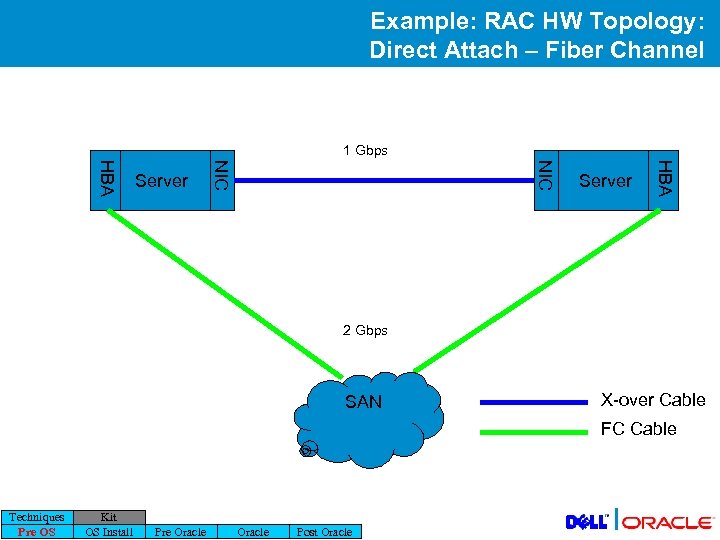 Example: RAC HW Topology: Direct Attach – Fiber Channel 1 Gbps Server HBA NIC HBA Server 2 Gbps SAN X-over Cable FC Cable Techniques Pre OS Kit OS Install Pre Oracle Post Oracle |
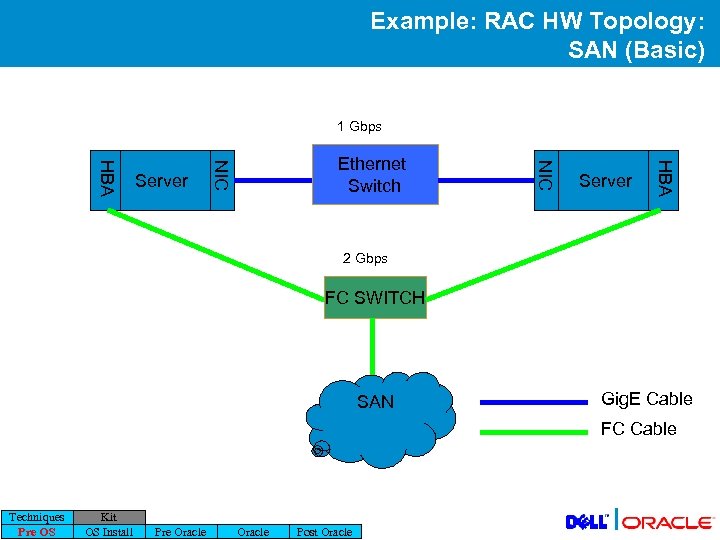 Example: RAC HW Topology: SAN (Basic) 1 Gbps Server HBA NIC HBA Server Ethernet Switch 2 Gbps FC SWITCH SAN Gig. E Cable FC Cable Techniques Pre OS Kit OS Install Pre Oracle Post Oracle |
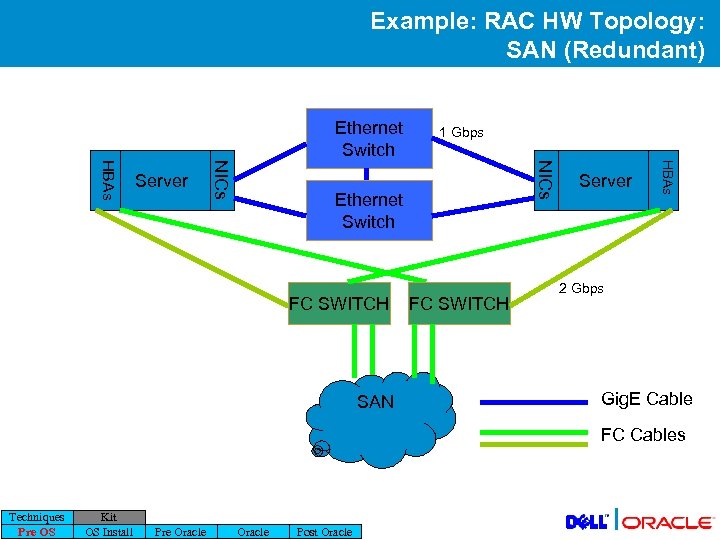 Example: RAC HW Topology: SAN (Redundant) Ethernet Switch FC SWITCH SAN FC SWITCH Server HBAs NICs HBAs Server 1 Gbps 2 Gbps Gig. E Cable FC Cables Techniques Pre OS Kit OS Install Pre Oracle Post Oracle |
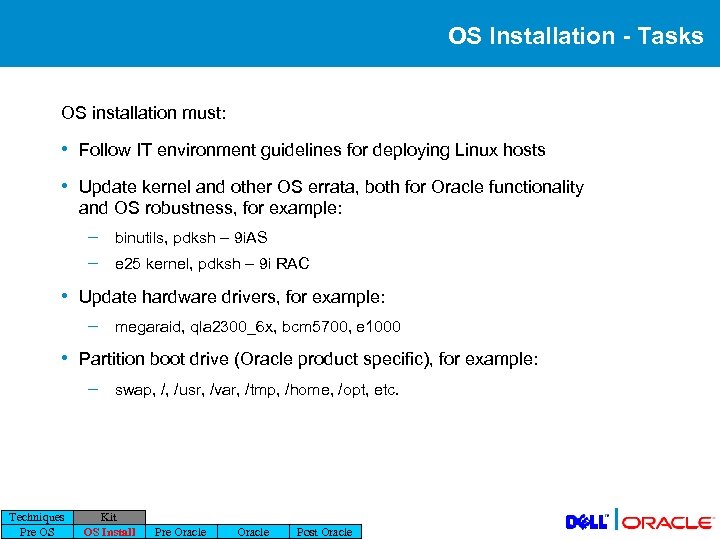 OS Installation - Tasks OS installation must: • Follow IT environment guidelines for deploying Linux hosts • Update kernel and other OS errata, both for Oracle functionality and OS robustness, for example: – – binutils, pdksh – 9 i. AS e 25 kernel, pdksh – 9 i RAC • Update hardware drivers, for example: – megaraid, qla 2300_6 x, bcm 5700, e 1000 • Partition boot drive (Oracle product specific), for example: – Techniques Pre OS swap, /, /usr, /var, /tmp, /home, /opt, etc. Kit OS Install Pre Oracle Post Oracle |
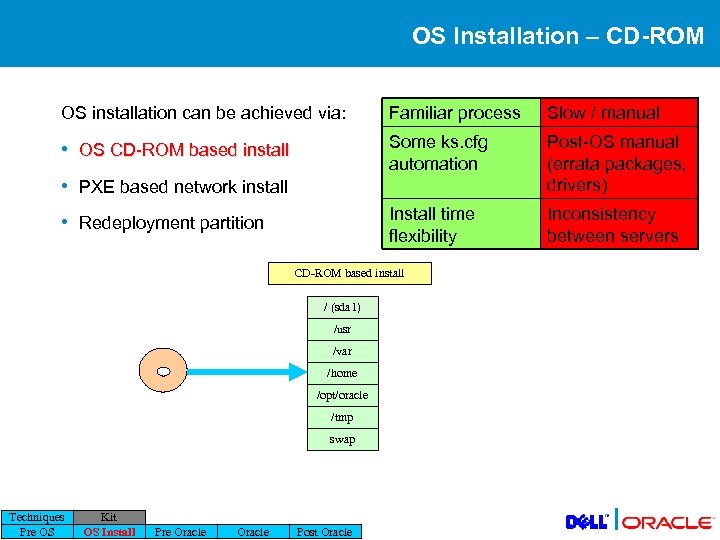 OS Installation – CD-ROM OS installation can be achieved via: Familiar process Slow / manual • OS CD-ROM based install Some ks. cfg automation Post-OS manual (errata packages, drivers) Install time flexibility Inconsistency between servers • PXE based network install • Redeployment partition CD-ROM based install / (sda 1) /usr /var /home /opt/oracle /tmp swap Techniques Pre OS Kit OS Install Pre Oracle Post Oracle |
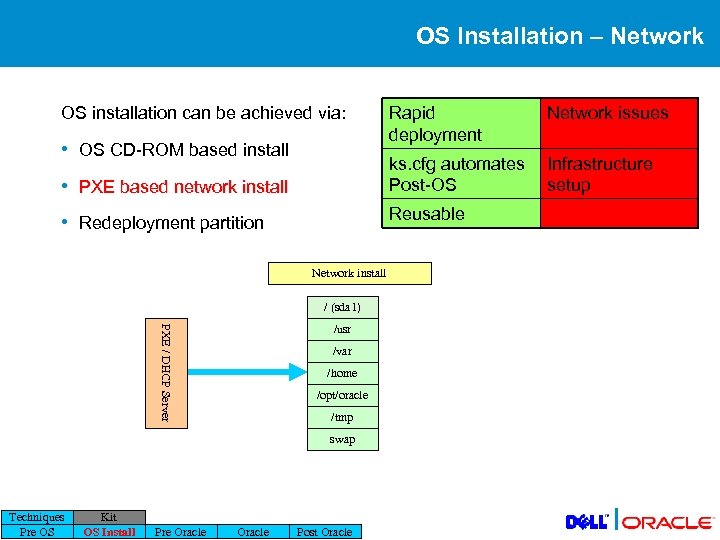 OS Installation – Network OS installation can be achieved via: • PXE based network install Network issues ks. cfg automates Post-OS • OS CD-ROM based install Rapid deployment Infrastructure setup Reusable • Redeployment partition Network install / (sda 1) PXE / DHCP Server /usr /var /home /opt/oracle /tmp swap Techniques Pre OS Kit OS Install Pre Oracle Post Oracle |
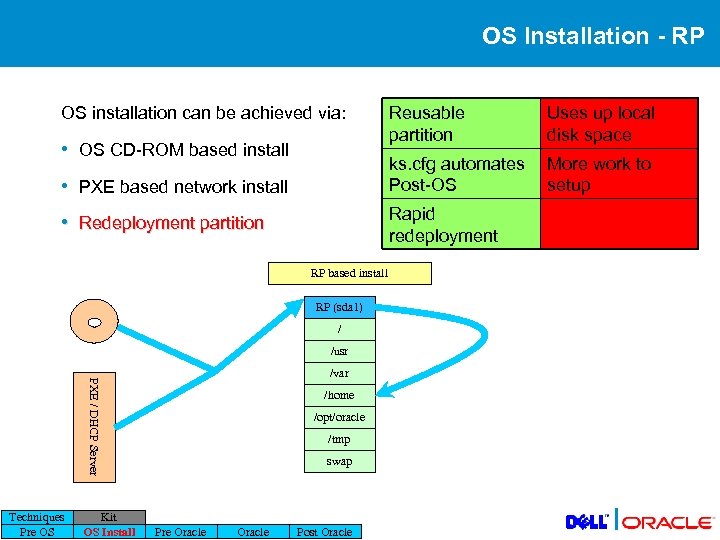 OS Installation - RP OS installation can be achieved via: • PXE based network install Uses up local disk space ks. cfg automates Post-OS • OS CD-ROM based install Reusable partition More work to setup Rapid redeployment • Redeployment partition RP based install RP (sda 1) / /usr PXE / DHCP Server /var Techniques Pre OS Kit OS Install /home /opt/oracle /tmp swap Pre Oracle Post Oracle |
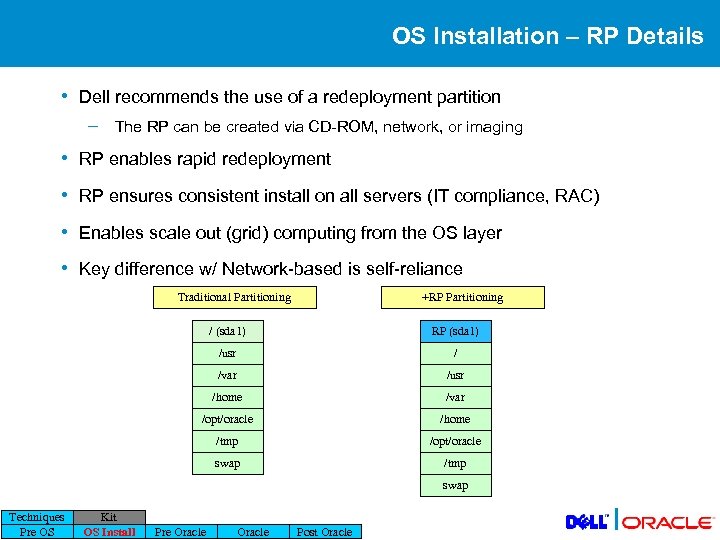 OS Installation – RP Details • Dell recommends the use of a redeployment partition – The RP can be created via CD-ROM, network, or imaging • RP enables rapid redeployment • RP ensures consistent install on all servers (IT compliance, RAC) • Enables scale out (grid) computing from the OS layer • Key difference w/ Network-based is self-reliance Traditional Partitioning +RP Partitioning / (sda 1) RP (sda 1) /usr / /var /usr /home /var /opt/oracle /home /tmp /opt/oracle swap /tmp swap Techniques Pre OS Kit OS Install Pre Oracle Post Oracle |
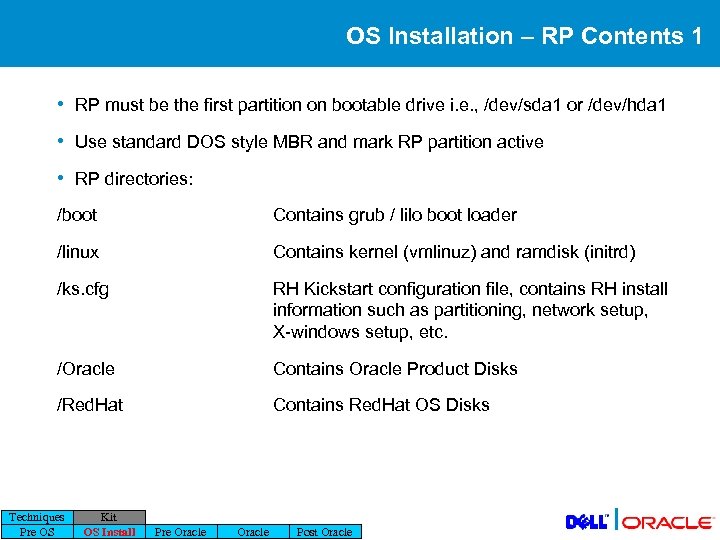 OS Installation – RP Contents 1 • RP must be the first partition on bootable drive i. e. , /dev/sda 1 or /dev/hda 1 • Use standard DOS style MBR and mark RP partition active • RP directories: /boot Contains grub / lilo boot loader /linux Contains kernel (vmlinuz) and ramdisk (initrd) /ks. cfg RH Kickstart configuration file, contains RH install information such as partitioning, network setup, X-windows setup, etc. /Oracle Contains Oracle Product Disks /Red. Hat Contains Red. Hat OS Disks Techniques Pre OS Kit OS Install Pre Oracle Post Oracle |
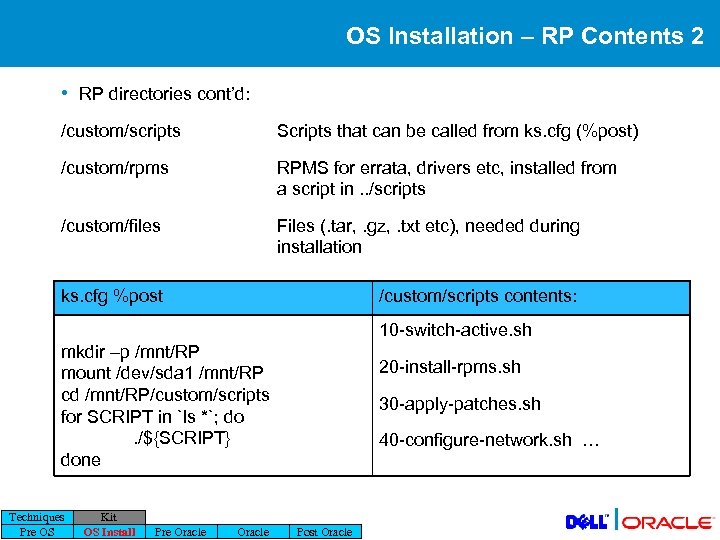 OS Installation – RP Contents 2 • RP directories cont’d: /custom/scripts Scripts that can be called from ks. cfg (%post) /custom/rpms RPMS for errata, drivers etc, installed from a script in. . /scripts /custom/files Files (. tar, . gz, . txt etc), needed during installation ks. cfg %post /custom/scripts contents: 10 -switch-active. sh mkdir –p /mnt/RP mount /dev/sda 1 /mnt/RP cd /mnt/RP/custom/scripts for SCRIPT in `ls *`; do. /${SCRIPT} done Techniques Pre OS Kit OS Install Pre Oracle 20 -install-rpms. sh 30 -apply-patches. sh 40 -configure-network. sh … Post Oracle |
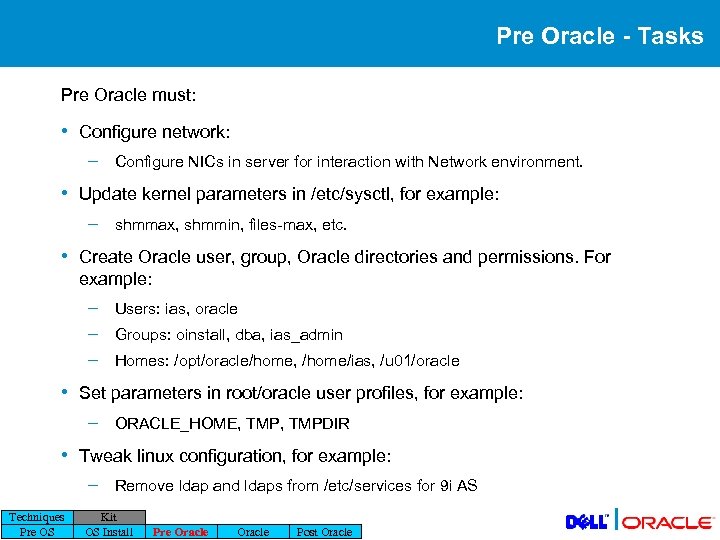 Pre Oracle - Tasks Pre Oracle must: • Configure network: – Configure NICs in server for interaction with Network environment. • Update kernel parameters in /etc/sysctl, for example: – shmmax, shmmin, files-max, etc. • Create Oracle user, group, Oracle directories and permissions. For example: – – – Users: ias, oracle Groups: oinstall, dba, ias_admin Homes: /opt/oracle/home, /home/ias, /u 01/oracle • Set parameters in root/oracle user profiles, for example: – ORACLE_HOME, TMPDIR • Tweak linux configuration, for example: – Techniques Pre OS Remove ldap and ldaps from /etc/services for 9 i AS Kit OS Install Pre Oracle Post Oracle |
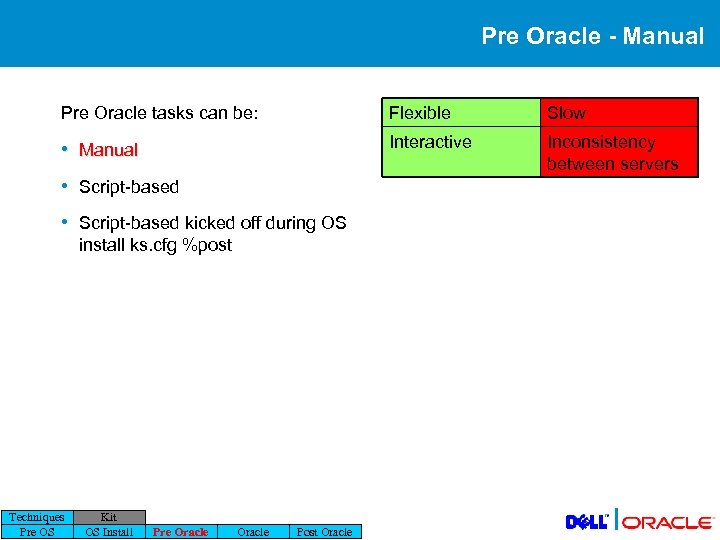 Pre Oracle - Manual Pre Oracle tasks can be: Flexible Slow • Manual Interactive Inconsistency between servers • Script-based kicked off during OS install ks. cfg %post Techniques Pre OS Kit OS Install Pre Oracle Post Oracle |
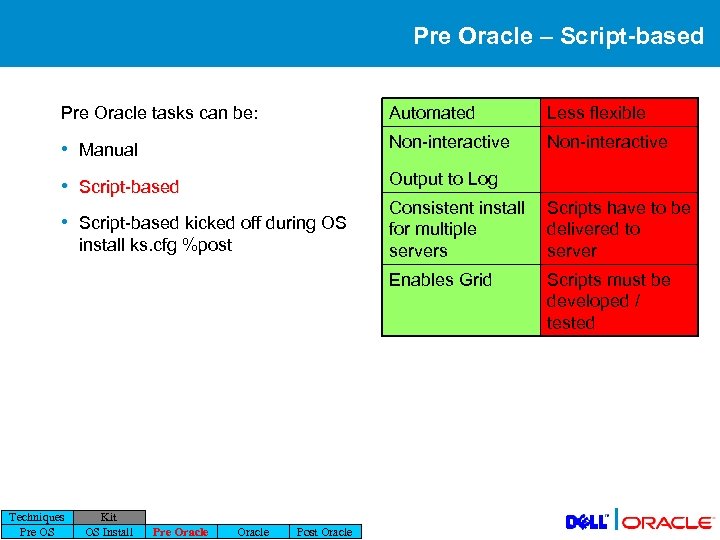 Pre Oracle – Script-based Pre Oracle tasks can be: Automated Less flexible • Manual Non-interactive • Script-based Output to Log install ks. cfg %post Techniques Pre OS Kit OS Install Pre Oracle Post Oracle Scripts have to be delivered to server Enables Grid • Script-based kicked off during OS Consistent install for multiple servers Scripts must be developed / tested |
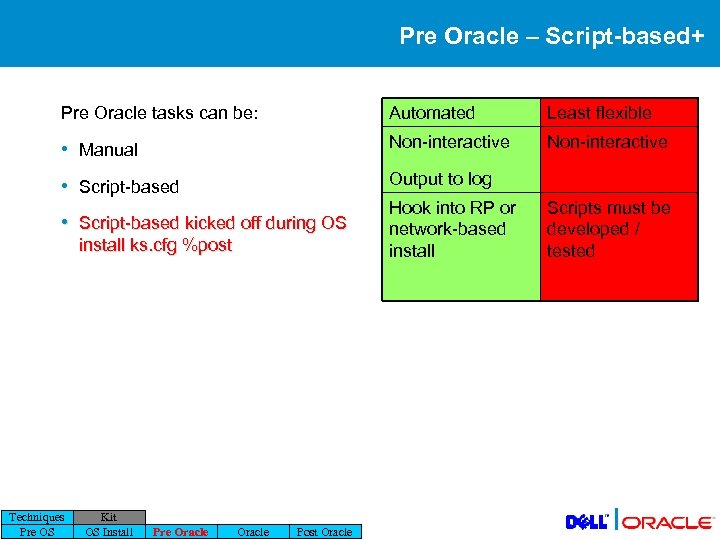 Pre Oracle – Script-based+ Pre Oracle tasks can be: Automated Least flexible • Manual Non-interactive • Script-based Output to log • Script-based kicked off during OS install ks. cfg %post Techniques Pre OS Kit OS Install Pre Oracle Post Oracle Hook into RP or network-based install Scripts must be developed / tested |
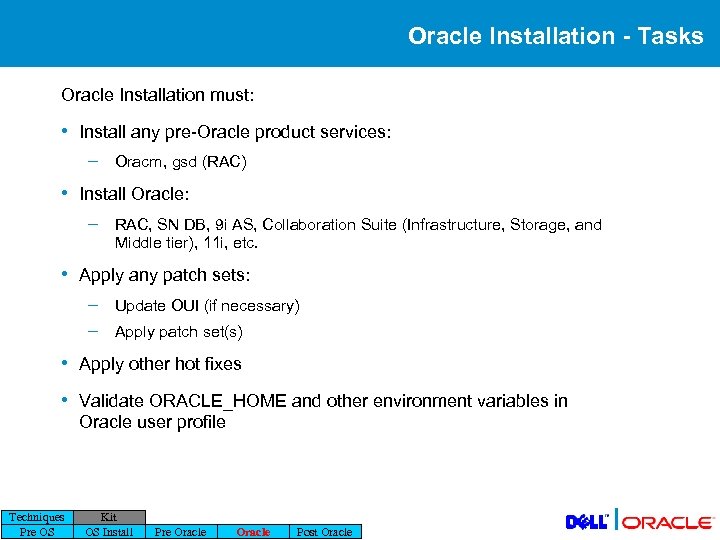 Oracle Installation - Tasks Oracle Installation must: • Install any pre-Oracle product services: – Oracm, gsd (RAC) • Install Oracle: – RAC, SN DB, 9 i AS, Collaboration Suite (Infrastructure, Storage, and Middle tier), 11 i, etc. • Apply any patch sets: – – Update OUI (if necessary) Apply patch set(s) • Apply other hot fixes • Validate ORACLE_HOME and other environment variables in Oracle user profile Techniques Pre OS Kit OS Install Pre Oracle Post Oracle |
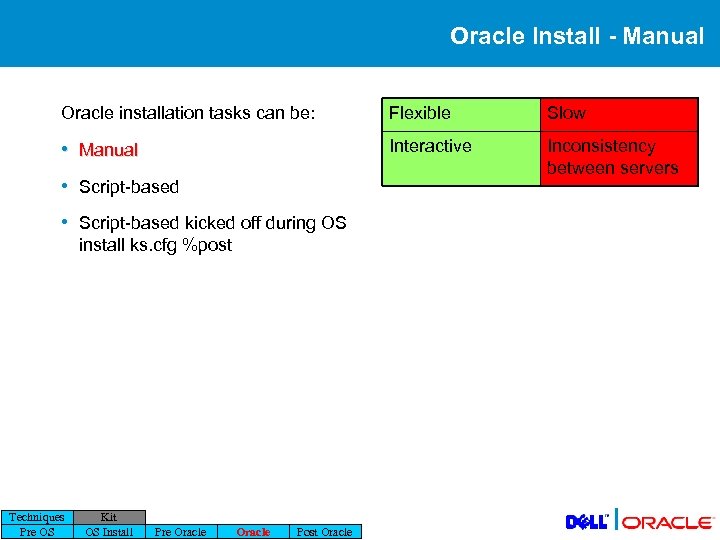 Oracle Install - Manual Oracle installation tasks can be: Flexible Slow • Manual Interactive Inconsistency between servers • Script-based kicked off during OS install ks. cfg %post Techniques Pre OS Kit OS Install Pre Oracle Post Oracle |
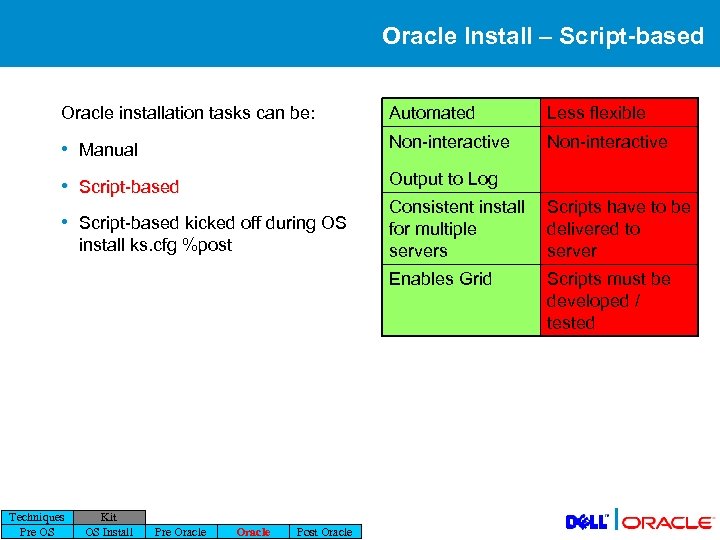 Oracle Install – Script-based Oracle installation tasks can be: Automated Less flexible • Manual Non-interactive • Script-based Output to Log install ks. cfg %post Techniques Pre OS Kit OS Install Pre Oracle Post Oracle Scripts have to be delivered to server Enables Grid • Script-based kicked off during OS Consistent install for multiple servers Scripts must be developed / tested |
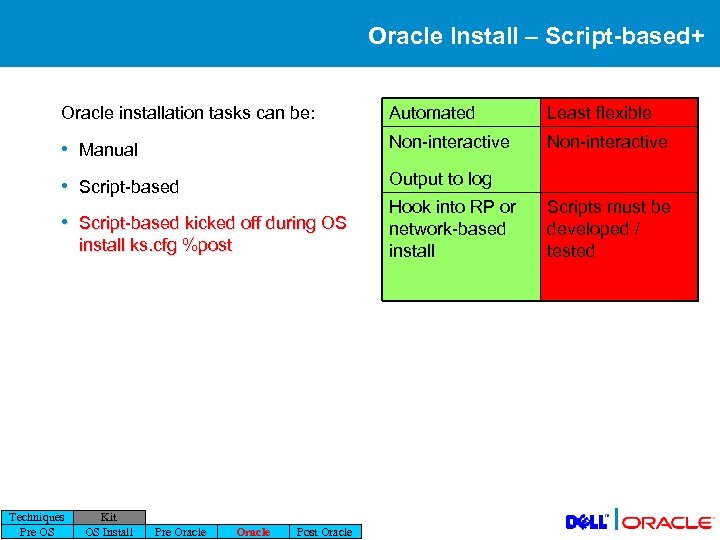 Oracle Install – Script-based+ Oracle installation tasks can be: Automated Least flexible • Manual Non-interactive • Script-based Output to log • Script-based kicked off during OS install ks. cfg %post Techniques Pre OS Kit OS Install Pre Oracle Post Oracle Hook into RP or network-based install Scripts must be developed / tested |
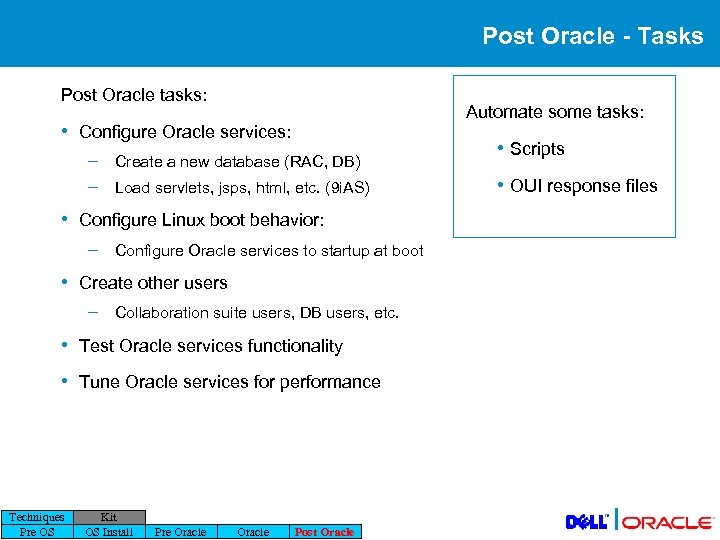 Post Oracle - Tasks Post Oracle tasks: Automate some tasks: • Configure Oracle services: – – Create a new database (RAC, DB) Load servlets, jsps, html, etc. (9 i. AS) • Scripts • OUI response files • Configure Linux boot behavior: – Configure Oracle services to startup at boot • Create other users – Collaboration suite users, DB users, etc. • Test Oracle services functionality • Tune Oracle services for performance Techniques Pre OS Kit OS Install Pre Oracle Post Oracle |
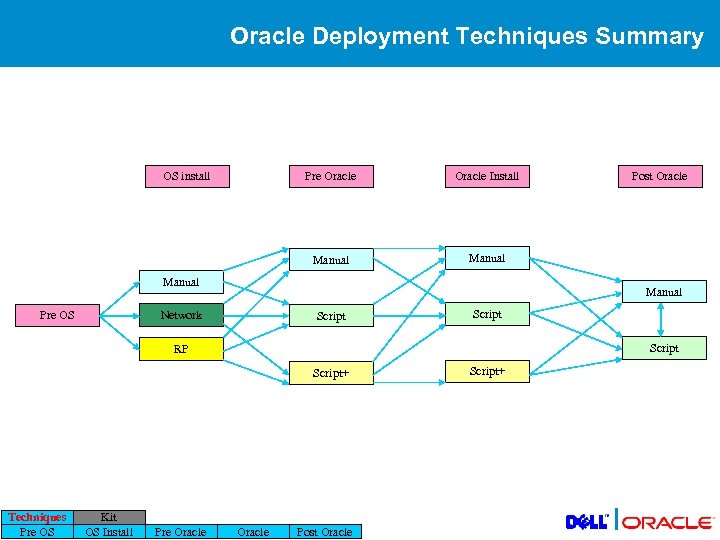 Oracle Deployment Techniques Summary OS install Pre Oracle Install Manual Post Oracle Manual Network Pre OS Script RP Script+ Techniques Pre OS Kit OS Install Pre Oracle Post Oracle Script+ |
 Dell Deployment Kit SKIP
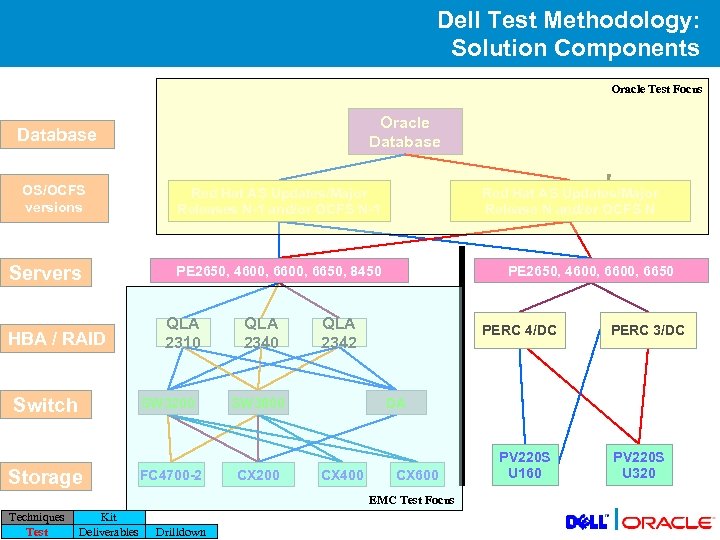 Dell Test Methodology: Solution Components Oracle Test Focus Oracle Database OS/OCFS versions Red Hat AS Updates/Major Releases N-1 and/or OCFS N-1 Servers PE 2650, 4600, 6650, 8450 HBA / RAID Switch QLA 2310 SW 3200 Storage FC 4700 -2 QLA 2340 PE 2650, 4600, 6650 QLA 2342 SW 3800 CX 200 Red Hat AS Updates/Major Release N and/or OCFS N PERC 4/DC DA CX 400 CX 600 EMC Test Focus Techniques Test Kit Deliverables Drilldown PERC 3/DC PV 220 S U 160 PV 220 S U 320 |
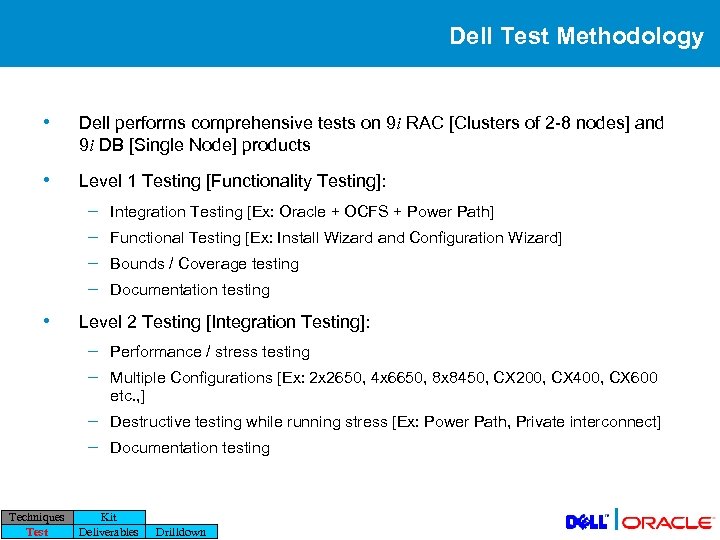 Dell Test Methodology • Dell performs comprehensive tests on 9 i RAC [Clusters of 2 -8 nodes] and 9 i DB [Single Node] products • Level 1 Testing [Functionality Testing]: – – • Integration Testing [Ex: Oracle + OCFS + Power Path] Functional Testing [Ex: Install Wizard and Configuration Wizard] Bounds / Coverage testing Documentation testing Level 2 Testing [Integration Testing]: – – Techniques Test Performance / stress testing Destructive testing while running stress [Ex: Power Path, Private interconnect] Multiple Configurations [Ex: 2 x 2650, 4 x 6650, 8 x 8450, CX 200, CX 400, CX 600 etc. , ] Documentation testing Kit Deliverables Drilldown |
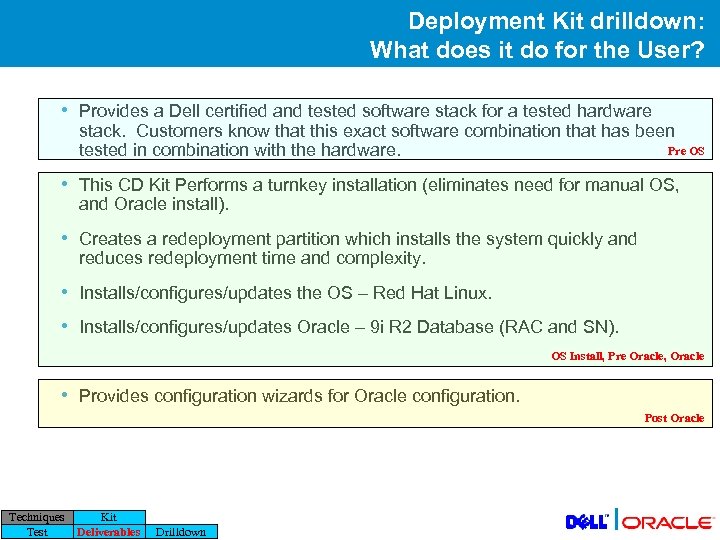 Deployment Kit drilldown: What does it do for the User? • Provides a Dell certified and tested software stack for a tested hardware stack. Customers know that this exact software combination that has been Pre OS tested in combination with the hardware. • This CD Kit Performs a turnkey installation (eliminates need for manual OS, and Oracle install). • Creates a redeployment partition which installs the system quickly and reduces redeployment time and complexity. • Installs/configures/updates the OS – Red Hat Linux. • Installs/configures/updates Oracle – 9 i R 2 Database (RAC and SN). OS Install, Pre Oracle, Oracle • Provides configuration wizards for Oracle configuration. Post Oracle Techniques Test Kit Deliverables Drilldown |
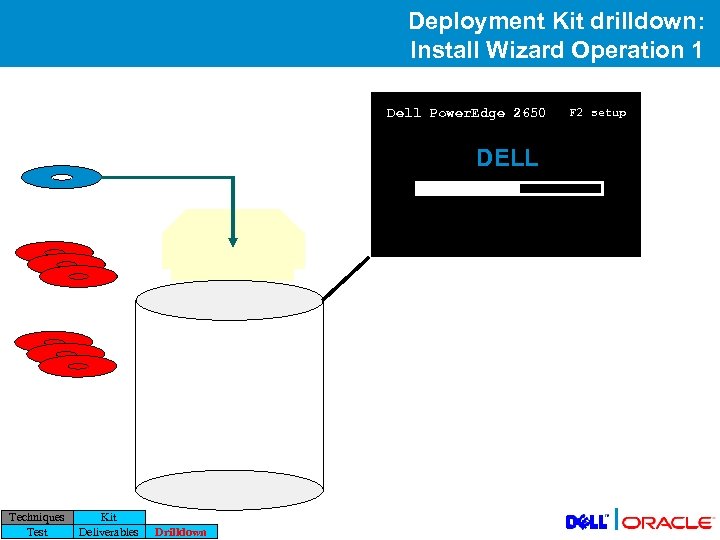 Deployment Kit drilldown: Install Wizard Operation 1 Dell Power. Edge 2650 F 2 setup DELL Techniques Test Kit Deliverables Drilldown |
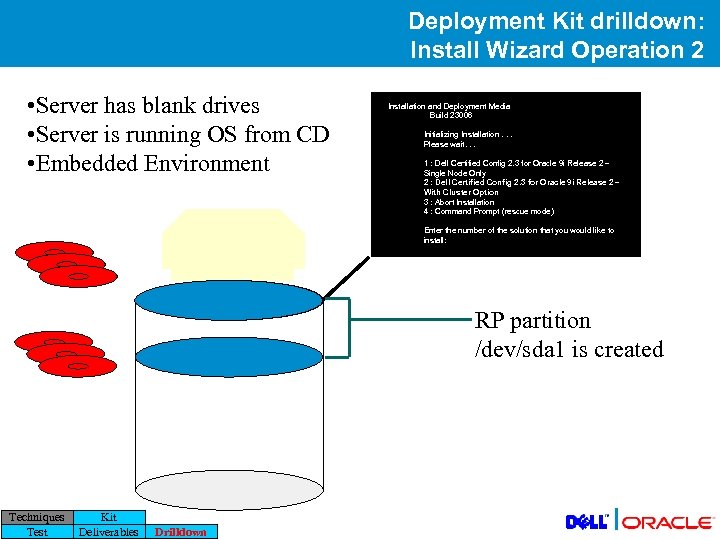 Deployment Kit drilldown: Install Wizard Operation 2 • Server has blank drives • Server is running OS from CD • Embedded Environment Installation and Deployment Media Build 23006 Initializing Installation. . . Please wait. . . 1 : Dell Certified Config 2. 3 for Oracle 9 i Release 2 – Single Node Only 2 : Dell Certified Config 2. 3 for Oracle 9 i Release 2 – With Cluster Option 3 : Abort Installation 4 : Command Prompt (rescue mode) Enter the number of the solution that you would like to install: RP partition /dev/sda 1 is created Techniques Test Kit Deliverables Drilldown |
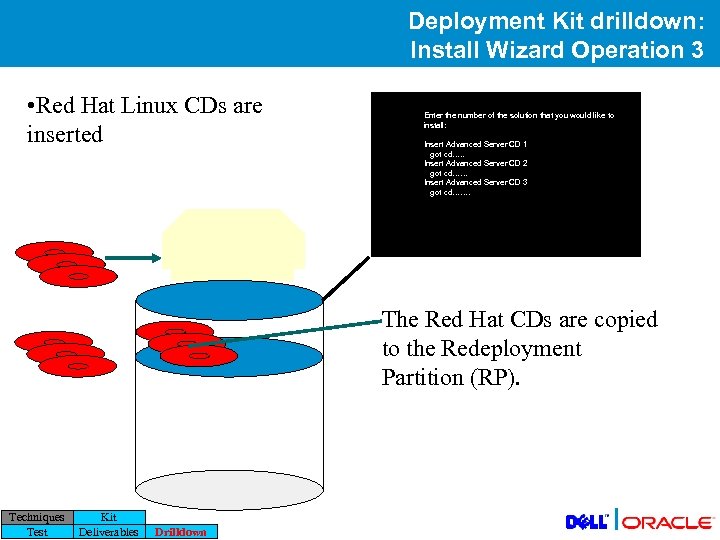 Deployment Kit drilldown: Install Wizard Operation 3 • Red Hat Linux CDs are inserted Enter the number of the solution that you would like to install: Insert Advanced Server CD 1 got cd…. . Insert Advanced Server CD 2 got cd…… Insert Advanced Server CD 3 got cd……. The Red Hat CDs are copied to the Redeployment Partition (RP). Techniques Test Kit Deliverables Drilldown |
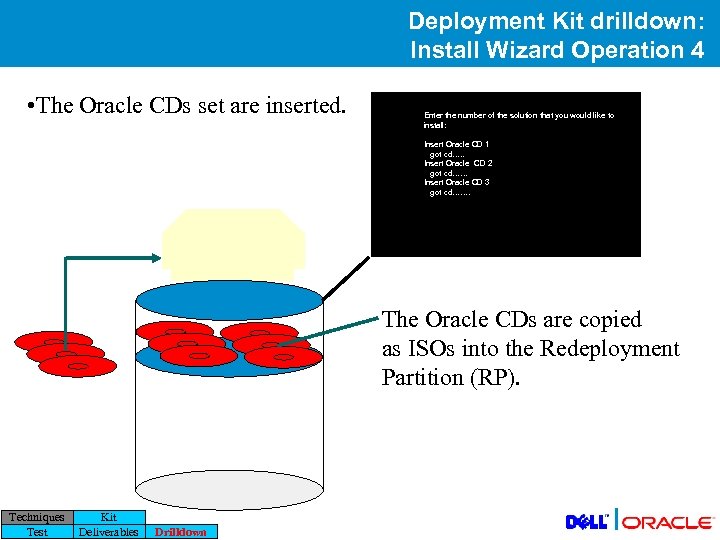 Deployment Kit drilldown: Install Wizard Operation 4 • The Oracle CDs set are inserted. Enter the number of the solution that you would like to install: Insert Oracle CD 1 got cd…. . Insert Oracle CD 2 got cd…… Insert Oracle CD 3 got cd……. The Oracle CDs are copied as ISOs into the Redeployment Partition (RP). Techniques Test Kit Deliverables Drilldown |
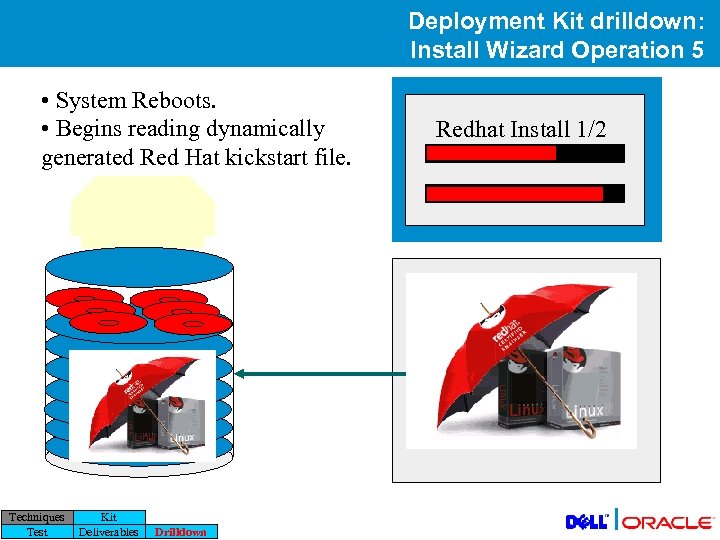 Deployment Kit drilldown: Install Wizard Operation 5 • System Reboots. • Begins reading dynamically generated Red Hat kickstart file. Dell Power. Edge 2650 Redhat Install 1/2 DELL Language = fr_FR, de_DE Hard Drive Partitions / = growable /tmp /var /home PACKAGES %post /updates/kickstart 2. sh Techniques Test Kit Deliverables Drilldown |
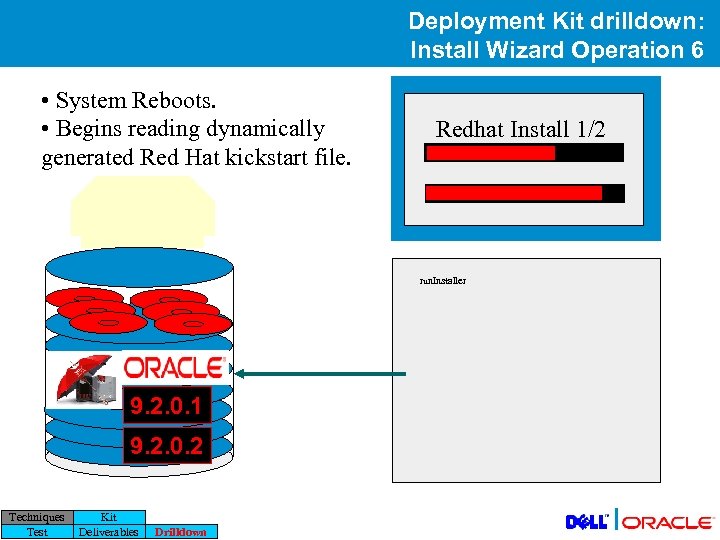 Deployment Kit drilldown: Install Wizard Operation 6 • System Reboots. • Begins reading dynamically generated Red Hat kickstart file. Redhat Install 1/2 DELL run. Installer 9. 2. 0. 1 9. 2. 0. 2 Techniques Test Kit Deliverables Drilldown |
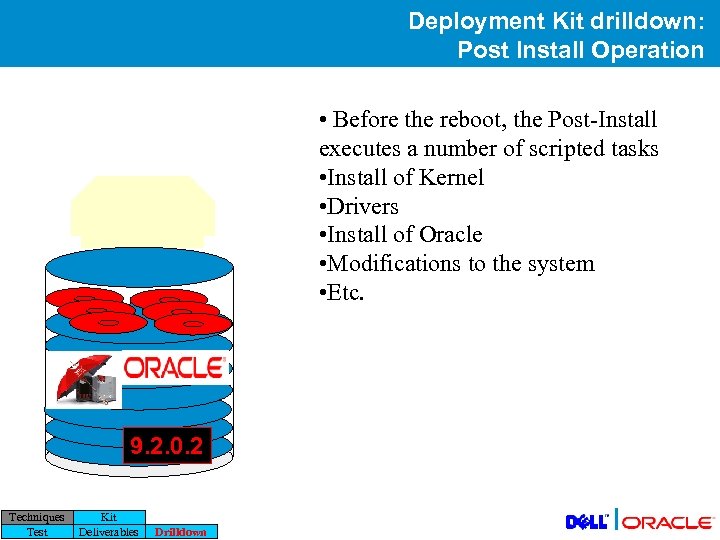 Deployment Kit drilldown: Post Install Operation • Before the reboot, the Post-Install executes a number of scripted tasks • Install of Kernel • Drivers • Install of Oracle • Modifications to the system • Etc. 9. 2. 0. 2 Techniques Test Kit Deliverables Drilldown |
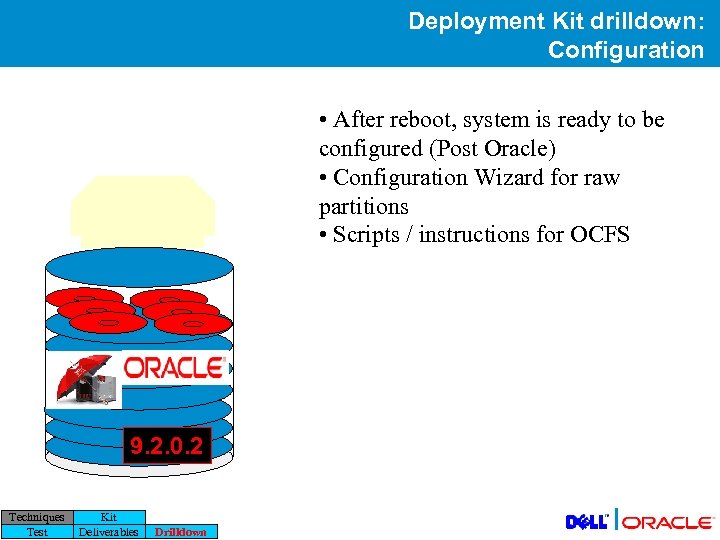 Deployment Kit drilldown: Configuration • After reboot, system is ready to be configured (Post Oracle) • Configuration Wizard for raw partitions • Scripts / instructions for OCFS 9. 2. 0. 2 Techniques Test Kit Deliverables Drilldown |
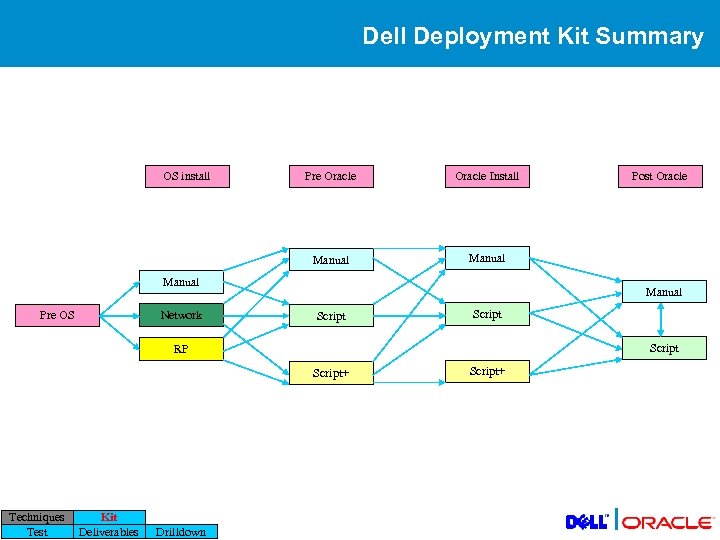 Dell Deployment Kit Summary OS install Pre Oracle Install Manual Post Oracle Manual Network Pre OS Manual Script RP Script+ Techniques Test Kit Deliverables Drilldown Script+ |
 Q&A Thank You