 Скачать презентацию Deliverables that Clarify Focus and Improve Design Rich
de5177216426255a64c7c063f102db3f.ppt
- Количество слайдов: 73



Deliverables that Clarify, Focus, and Improve Design Rich Fulcher, Bryce Glass, Matt Leacock, AOL Design Skills and Methods Beginner/Intermediate We will discuss the benefits of using concept maps, wireframes, storyboards, and flow maps, and tips on how to produce each. July 11, 2002 Fulcher, Glass, Leacock
Deliverables that Clarify, Focus, and Improve Design Overview: • Introduction • Concept Maps • Wireframes and Storyboards • Flow Maps • Conclusion Please don’t hold questions for the end—ask anytime during the presentation. July 11, 2002 Fulcher, Glass, Leacock
What Do We Mean by “Deliverables? ” • (Good) design is a participatory process, relying on cooperation and communication between: – – – Designers (UI, visual, information architects) Engineers (managers, front-end, back-end) Product managers Business owners Project managers • Deliverables are the documents that communicate the state of the design to fellow team members July 11, 2002 Fulcher, Glass, Leacock
And do we really believe “Clarify, Focus, and Improve Design? ” • Yes! • Deliverables aid in communicating a product vision – Are valuable for soliciting stakeholder feedback – Makes whole team more accountable for design direction • Deliverables help give design a greater voice in product development – Being accountable for producing and sticking to deliverables make UI a full peer in development process – Presents an opportunity to introduce user-centered design methodologies, and more opportunities to make sure findings of user research are not “lost in the shuffle” July 11, 2002 Fulcher, Glass, Leacock
The Deliverables We’ll Talk About Today • Concept Maps – Early, high-level explorations of the ‘space’ the product will live in • Wireframes – Rough functional descriptions of specific user views • Storyboards – Compelling narratives that walk idealized “users” through sample tasks • Flow Maps – Complete blueprints of the views, logic, and pathways through an application July 11, 2002 Fulcher, Glass, Leacock
Things We Won’t (directly) Be Talking About Today • A specific user-centered design process • Some other well-known deliverables: – User Personae – Use Cases – Prototypes (etc) • Software tools for producing these deliverables July 11, 2002 Fulcher, Glass, Leacock
Humanized Design for Human Teammates • The conference theme: – “If technology is to improve the human experience, it needs to respect human expectations, tendencies, and dignity” • How we approach the design of deliverables: – Documents are only truly successful if they provide value to at least some subset of team – We need to understand the needs and expectations of our teammates, and design accordingly • Much of this talk will focus on the benefits of deliverables for our audience July 11, 2002 Fulcher, Glass, Leacock
Concept Maps Matt Leacock July 11, 2002 Fulcher, Glass, Leacock
Concept Maps • High-level maps • Represent a set of meaningful relationships between a collection of concepts • Covered in detail in Novak and Gowin’s Learning How to Learn (1985) July 11, 2002 Fulcher, Glass, Leacock
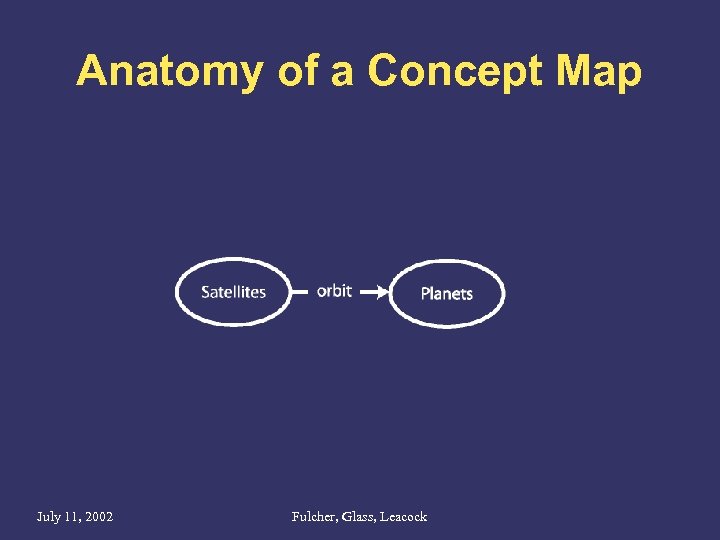
Anatomy of a Concept Map July 11, 2002 Fulcher, Glass, Leacock
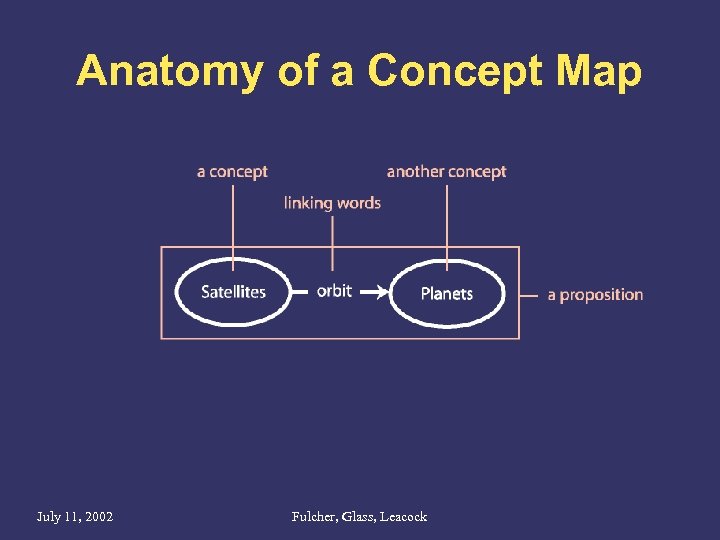
Anatomy of a Concept Map July 11, 2002 Fulcher, Glass, Leacock
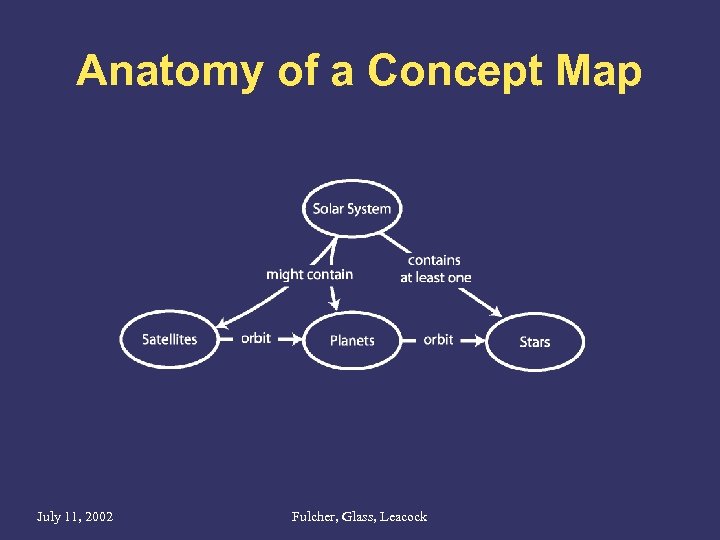
Anatomy of a Concept Map July 11, 2002 Fulcher, Glass, Leacock
Benefits for the Designer • The process of drawing the map: – Helps designer understand the domain – Is a creative process – new discoveries are made as the map is drawn – Helps establish credibility with the team • The map itself: – Offers the first chance to interject the user as a guiding concept for the product July 11, 2002 Fulcher, Glass, Leacock
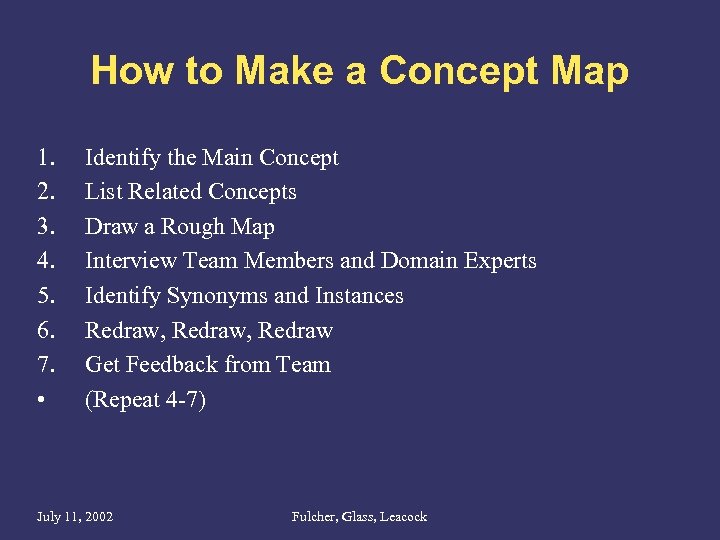
How to Make a Concept Map 1. 2. 3. 4. 5. 6. 7. • Identify the Main Concept List Related Concepts Draw a Rough Map Interview Team Members and Domain Experts Identify Synonyms and Instances Redraw, Redraw Get Feedback from Team (Repeat 4 -7) July 11, 2002 Fulcher, Glass, Leacock
Identify the Main Concept How To Make a Concept Map, Step 1 of 7 • Identify the main concept – Keeps the map focused • Define the main concept – Leads to many related concepts July 11, 2002 Fulcher, Glass, Leacock
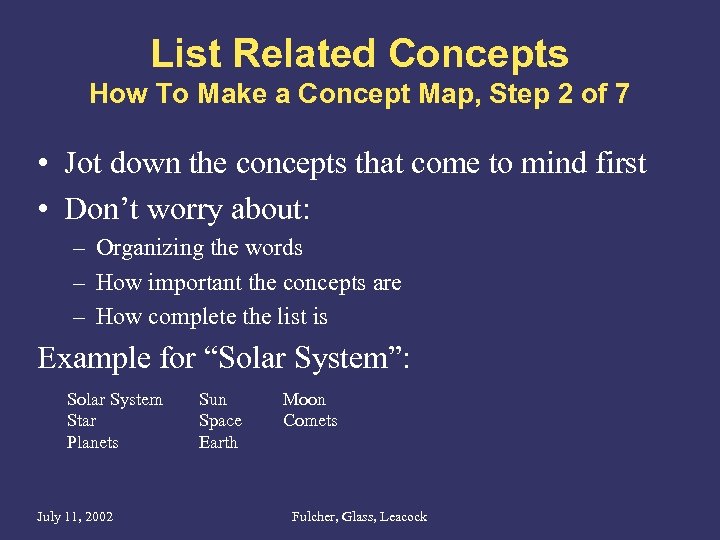
List Related Concepts How To Make a Concept Map, Step 2 of 7 • Jot down the concepts that come to mind first • Don’t worry about: – Organizing the words – How important the concepts are – How complete the list is Example for “Solar System”: Solar System Star Planets July 11, 2002 Sun Space Earth Moon Comets Fulcher, Glass, Leacock
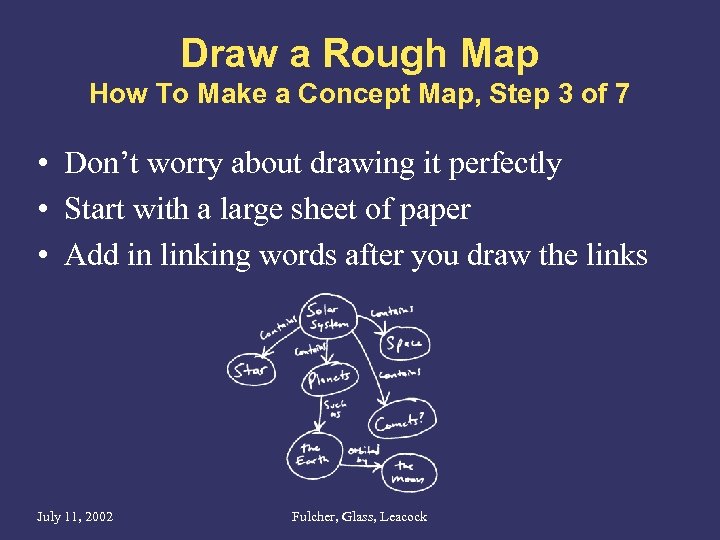
Draw a Rough Map How To Make a Concept Map, Step 3 of 7 • Don’t worry about drawing it perfectly • Start with a large sheet of paper • Add in linking words after you draw the links July 11, 2002 Fulcher, Glass, Leacock
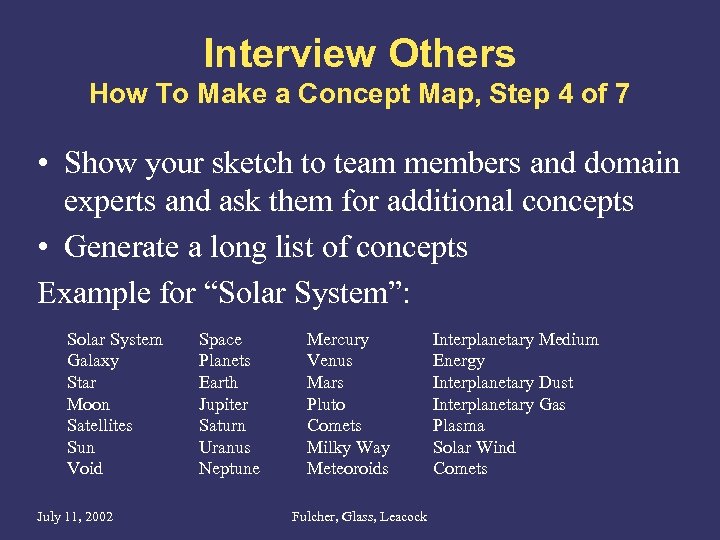
Interview Others How To Make a Concept Map, Step 4 of 7 • Show your sketch to team members and domain experts and ask them for additional concepts • Generate a long list of concepts Example for “Solar System”: Solar System Galaxy Star Moon Satellites Sun Void July 11, 2002 Space Planets Earth Jupiter Saturn Uranus Neptune Mercury Venus Mars Pluto Comets Milky Way Meteoroids Fulcher, Glass, Leacock Interplanetary Medium Energy Interplanetary Dust Interplanetary Gas Plasma Solar Wind Comets
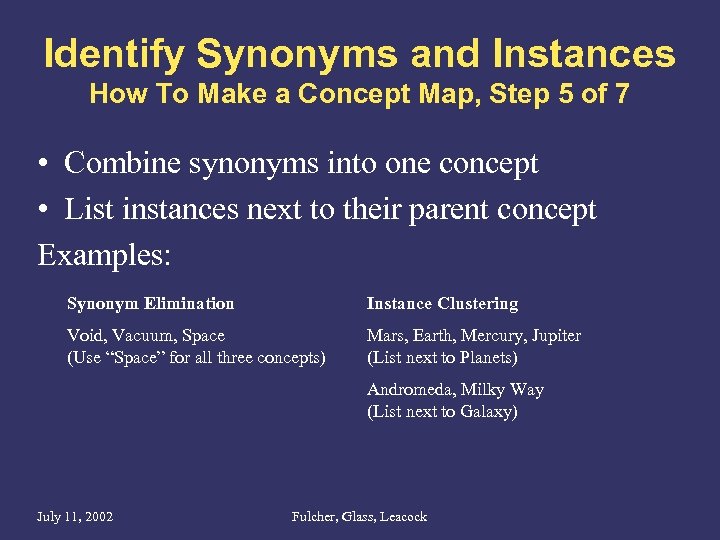
Identify Synonyms and Instances How To Make a Concept Map, Step 5 of 7 • Combine synonyms into one concept • List instances next to their parent concept Examples: Synonym Elimination Instance Clustering Void, Vacuum, Space (Use “Space” for all three concepts) Mars, Earth, Mercury, Jupiter (List next to Planets) Andromeda, Milky Way (List next to Galaxy) July 11, 2002 Fulcher, Glass, Leacock
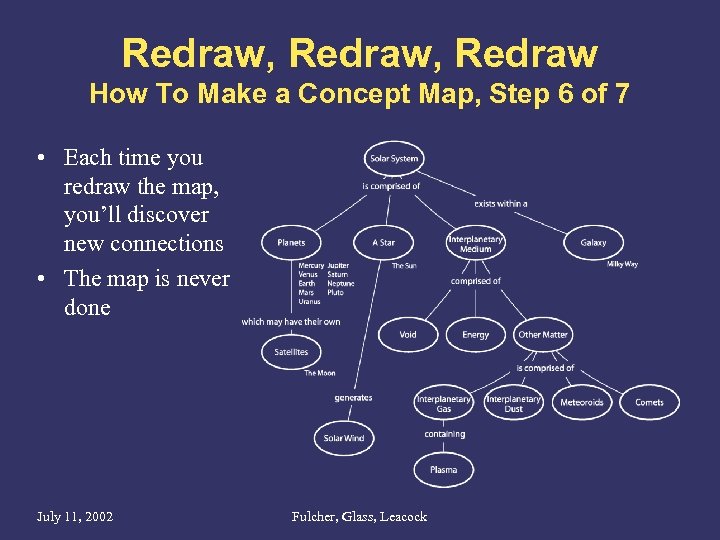
Redraw, Redraw How To Make a Concept Map, Step 6 of 7 • Each time you redraw the map, you’ll discover new connections • The map is never done July 11, 2002 Fulcher, Glass, Leacock
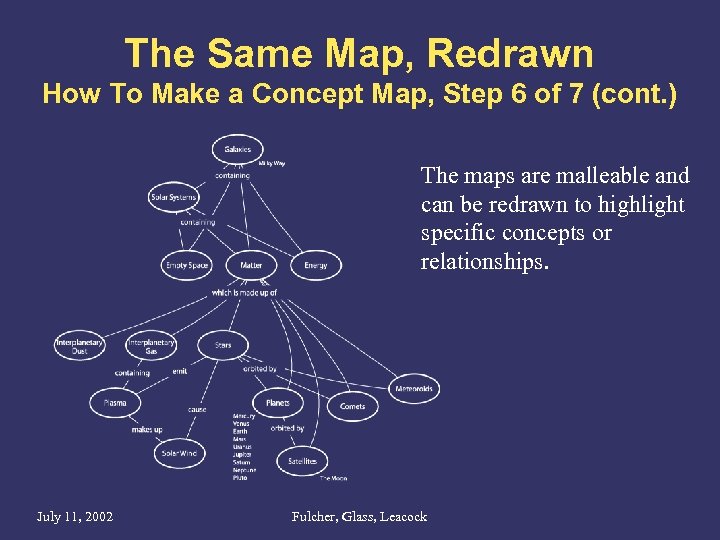
The Same Map, Redrawn How To Make a Concept Map, Step 6 of 7 (cont. ) The maps are malleable and can be redrawn to highlight specific concepts or relationships. July 11, 2002 Fulcher, Glass, Leacock
Get Feedback from Team How To Make a Concept Map, Step 7 of 7 • • Check for understanding Validate relationships between concepts Check for completeness In the process, you’re building an agreement over what the concepts are and how they relate to each other. July 11, 2002 Fulcher, Glass, Leacock
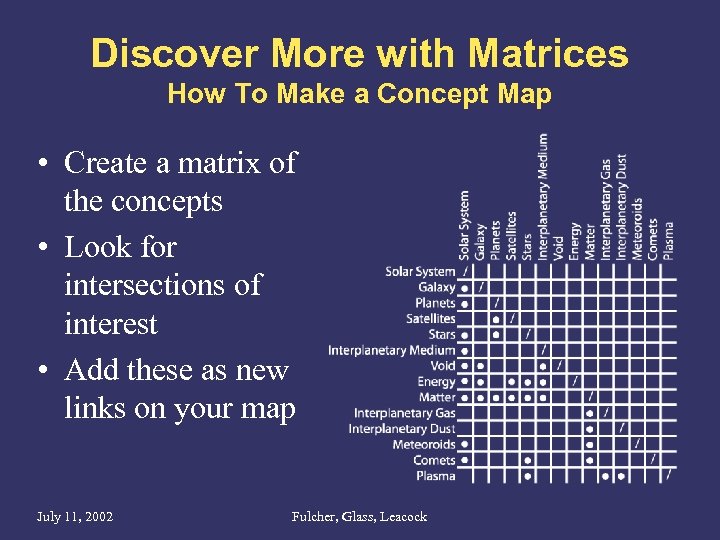
Discover More with Matrices How To Make a Concept Map • Create a matrix of the concepts • Look for intersections of interest • Add these as new links on your map July 11, 2002 Fulcher, Glass, Leacock
Look for an Organizing Principle How To Make a Concept Map • Examples: – Choose a dominant proposition – Use a hierarchy – Use overlapping propositions • Use scale to aid reading order – Larger concepts more important – Use progressive builds or separate maps to gradually show additional complexity July 11, 2002 Fulcher, Glass, Leacock
Benefits for the Audience Concept Maps • Defines a common vocabulary – Quickly aggregates strands of team knowledge – Becomes the lingua franca for cross-discipline meetings and communication • Takes group knowledge out of minds and puts it on paper – Brings new members up to speed quickly – Reduces impact of departing team members • Can encapsulate business or technology models as well as user-centered models July 11, 2002 Fulcher, Glass, Leacock
Sample Map: Internet Search • Done for Netscape in 1999 • Search was a new business for Netscape • Had little domain knowledge and new to team July 11, 2002 Fulcher, Glass, Leacock
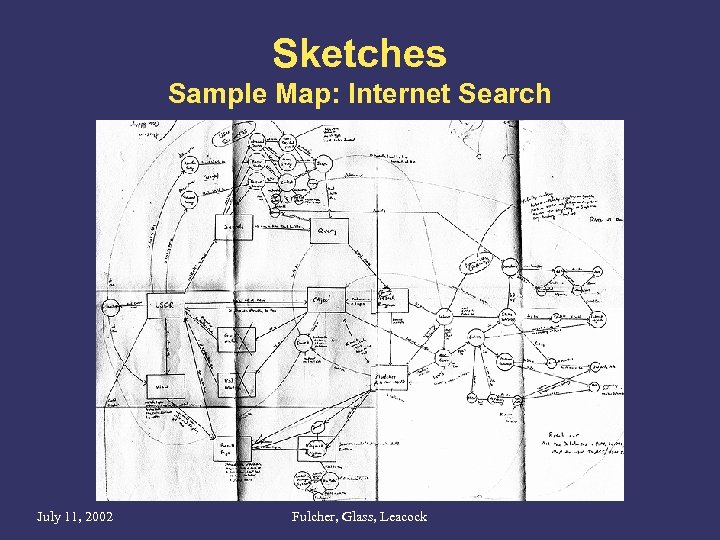
Sketches Sample Map: Internet Search July 11, 2002 Fulcher, Glass, Leacock
Complete Map Sample Map: Internet Search July 11, 2002 Fulcher, Glass, Leacock
Complete Map Sample Map: Internet Search Source: http: //www. oilzine. com July 11, 2002 Fulcher, Glass, Leacock
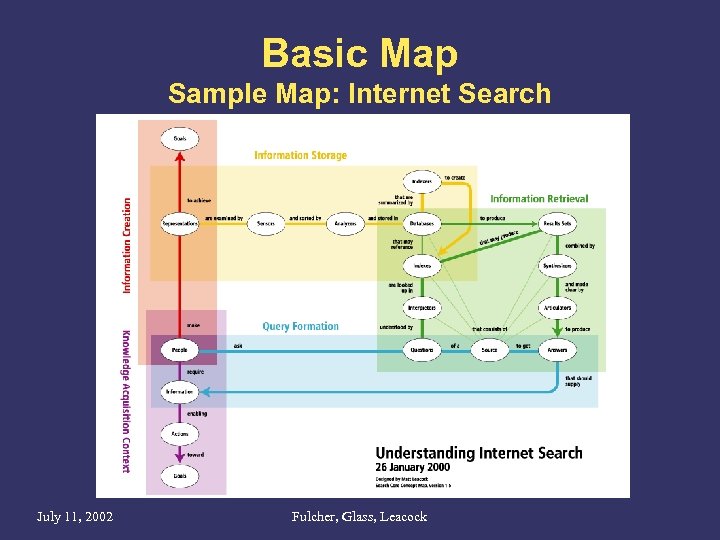
Basic Map Sample Map: Internet Search July 11, 2002 Fulcher, Glass, Leacock
Complete Map Sample Map: Internet Search July 11, 2002 Fulcher, Glass, Leacock
Wireframes and Storyboards Rich Fulcher July 11, 2002 Fulcher, Glass, Leacock
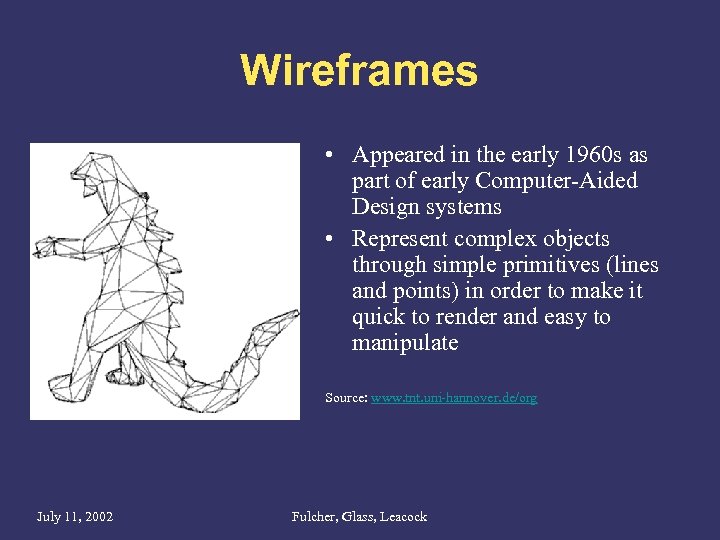
Wireframes • Appeared in the early 1960 s as part of early Computer-Aided Design systems • Represent complex objects through simple primitives (lines and points) in order to make it quick to render and easy to manipulate Source: www. tnt. uni-hannover. de/org July 11, 2002 Fulcher, Glass, Leacock
Wireframes in UI Design • A wireframe is a rough layout of a specific user view – Skeletal view • Shows contents as outlines or simple primitives • Not concerned with branding or visual design – Shows organization of information and controls • • July 11, 2002 Positioning Clustering Ordering Hierarchy Fulcher, Glass, Leacock
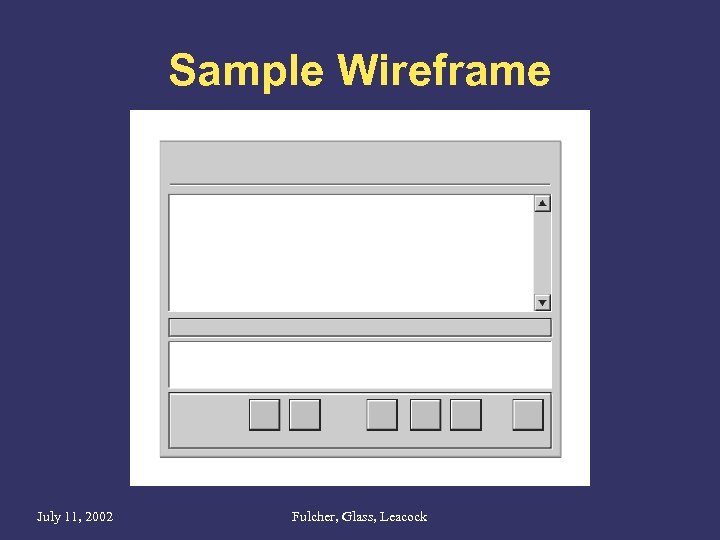
Sample Wireframe July 11, 2002 Fulcher, Glass, Leacock
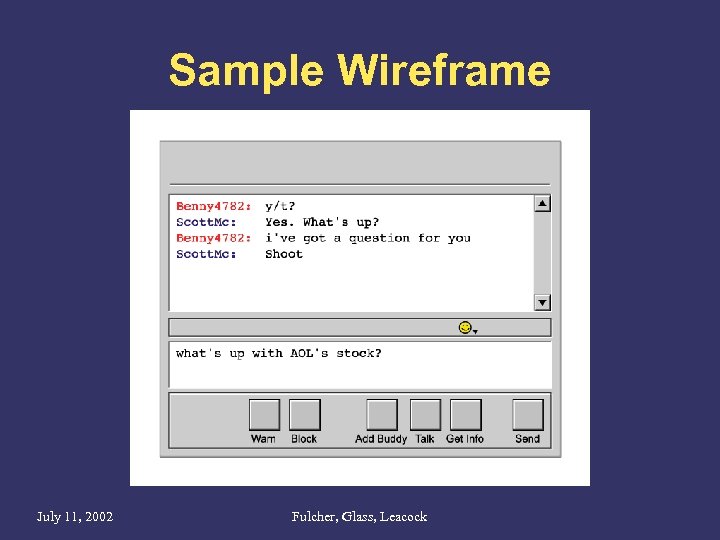
Sample Wireframe July 11, 2002 Fulcher, Glass, Leacock
Benefits for the Audience Wireframes • Business owners and product managers: – Show “vision” for product – Facilitate organizational buy-in process • Visual Designers: – Skeleton for visual exploration • Engineers and technical writers: – Guide work estimates July 11, 2002 Fulcher, Glass, Leacock
Benefits for the Designer Wireframes • As first output of design which “feels like” a UI, wireframes generate stakeholder conversation – Correct invalid assumptions – Check if key tasks and business objectives are supported • Compared to mockups, wireframes are faster to produce and can be iterated more rapidly • Wireframes can be used to compare multiple design solutions cheaply and quickly • Wireframes can be used in lo-fi usability testing early in development cycle – Test as paper or lightweight prototype (clickable image maps) July 11, 2002 Fulcher, Glass, Leacock
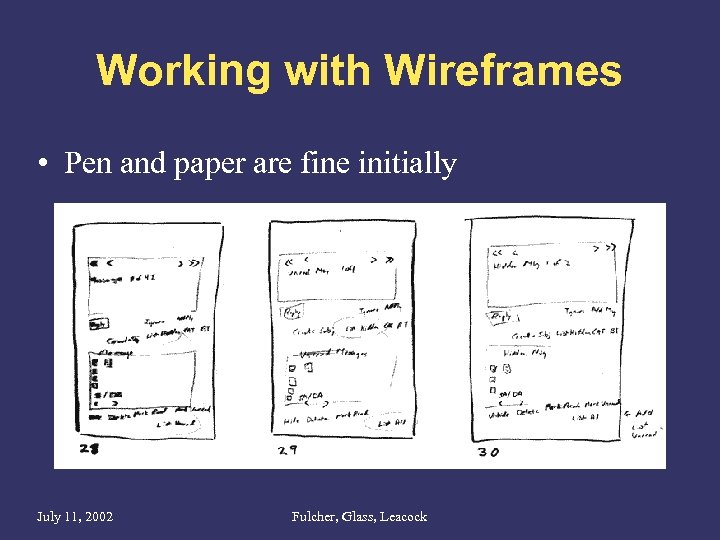
Working with Wireframes • Pen and paper are fine initially July 11, 2002 Fulcher, Glass, Leacock
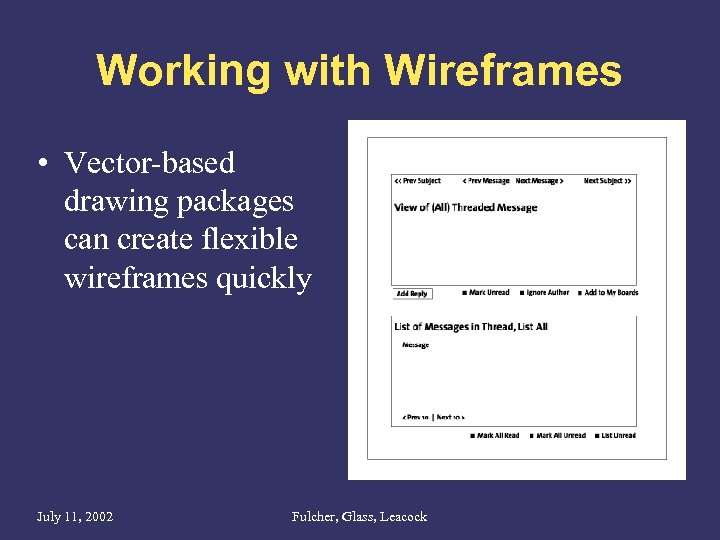
Working with Wireframes • Vector-based drawing packages can create flexible wireframes quickly July 11, 2002 Fulcher, Glass, Leacock
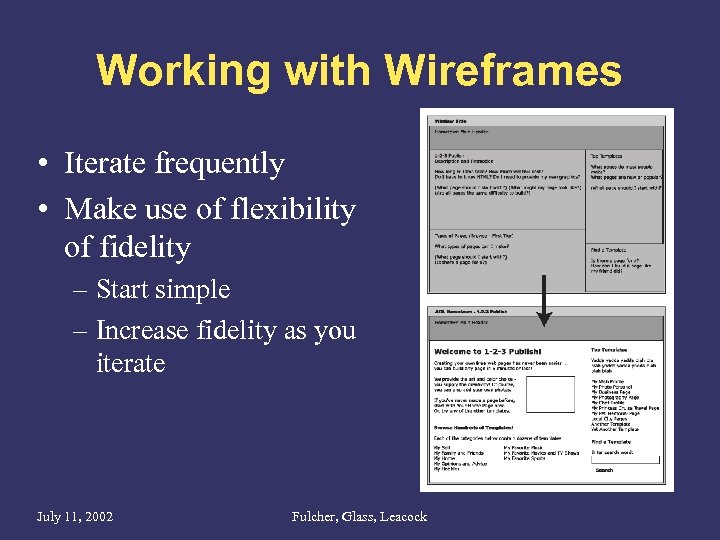
Working with Wireframes • Iterate frequently • Make use of flexibility of fidelity – Start simple – Increase fidelity as you iterate July 11, 2002 Fulcher, Glass, Leacock
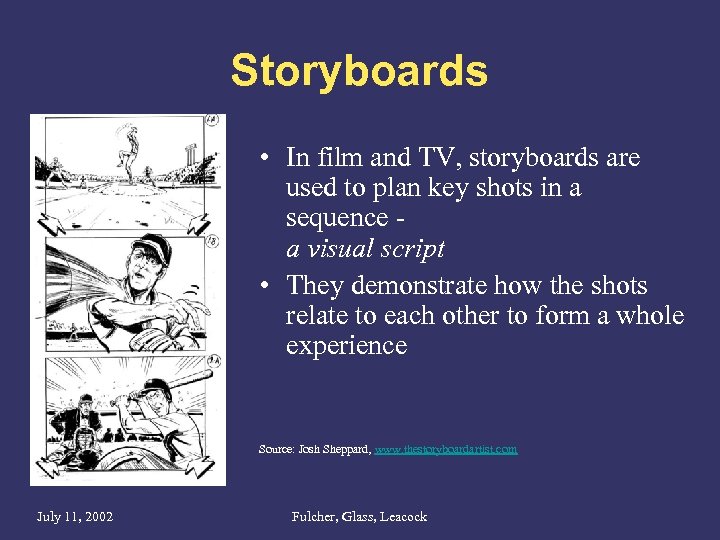
Storyboards • In film and TV, storyboards are used to plan key shots in a sequence a visual script • They demonstrate how the shots relate to each other to form a whole experience Source: Josh Sheppard, www. thestoryboardartist. com July 11, 2002 Fulcher, Glass, Leacock
Storyboards in UI Design • A storyboard uses a sequence of wireframes following a particular scenario to illustrate a sample series of interactions. • Highlights the key interactions that correspond to a user’s experience of a particular task. • Focused on a target user, not an “everyuser” July 11, 2002 Fulcher, Glass, Leacock
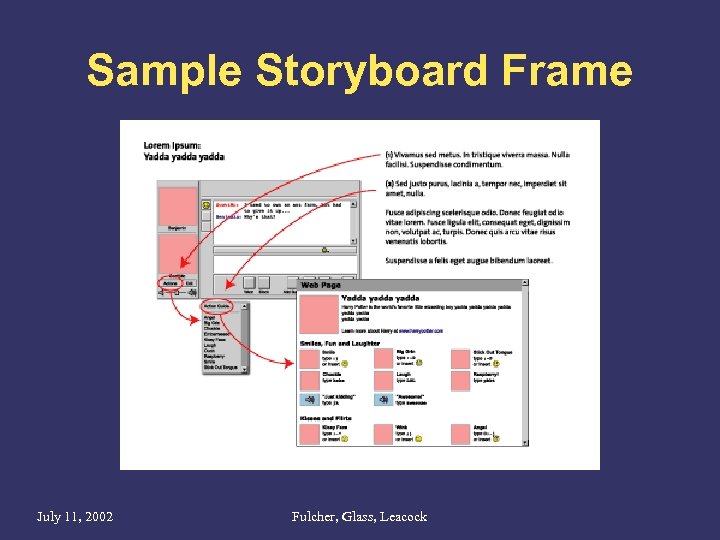
Sample Storyboard Frame July 11, 2002 Fulcher, Glass, Leacock
Benefits for the Audience Storyboards • Business owners and product managers: – Storyboards speak to the “feel” of the product – Convey a larger sense of user experience • Executives: – Storyboards tell story of a legitimate user task • External stakeholders, new team members: – Storyboards can be an introduction to the product July 11, 2002 Fulcher, Glass, Leacock
Benefits for the Designer Storyboards • Do a better job than wireframes of focusing stakeholder feedback on tasks and behaviors • Facilitate “walking through” design when stakeholders are remote (ie conference calls) July 11, 2002 Fulcher, Glass, Leacock
Working with Storyboards • Choose representative and compelling scenarios – Do focus on new views / interactions – Don’t focus on familiar behaviors (logging in, etc) • Don’t create a single comprehensive storyboard – Create multiple story segments – Each segment depicts a distinct user task – Show clear entry and completion steps July 11, 2002 Fulcher, Glass, Leacock
Working with Storyboards • Don’t rely on a storyboard to speak for itself – Annotate storyboards with context • Film storyboards are often shown in context with script, which includes dialog and stage directions – Develop a lightweight user persona (the actor) – Include user motivations • Use an appropriate level of detail – You don’t have to show every mouse click or string of text entered July 11, 2002 Fulcher, Glass, Leacock

Flow Maps Bryce Glass July 11, 2002 Fulcher, Glass, Leacock
Flow Maps • A flow map is the comprehensive, canonical representation of a product’s scope, features and functionality. – Shows all screens • In multiple states • With edge cases – Shows relationships between screens • Gives insight into application logic • But it’s not specifically an engineering diagram July 11, 2002 Fulcher, Glass, Leacock
Sample Flow Map July 11, 2002 Fulcher, Glass, Leacock
Benefits for the Audience • Business owners and product managers: – flow map shows the product in its entirety, aids in understanding of technical & design issues • Engineers and technical writers: – flow map shows scope and complexity of product – Provide ‘checksheet’ for tracking job completion, and an index for tracking assets. • Quality Assurance: – QA/QE uses map to build test plans July 11, 2002 Fulcher, Glass, Leacock
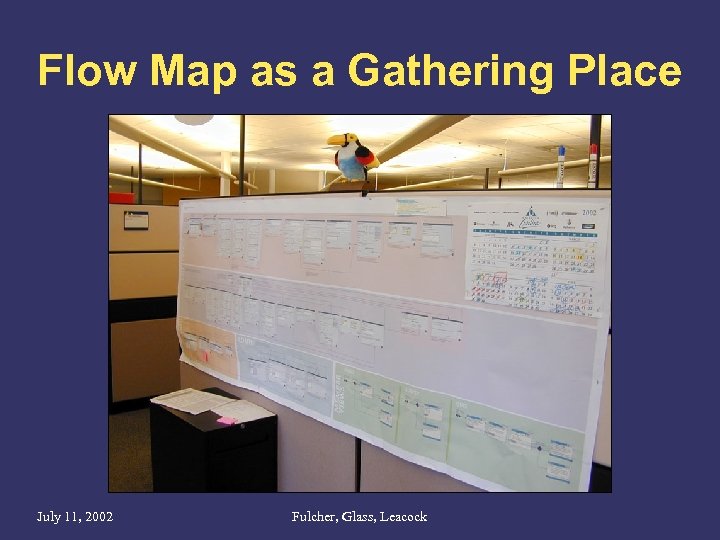
Flow Map as a Gathering Place July 11, 2002 Fulcher, Glass, Leacock
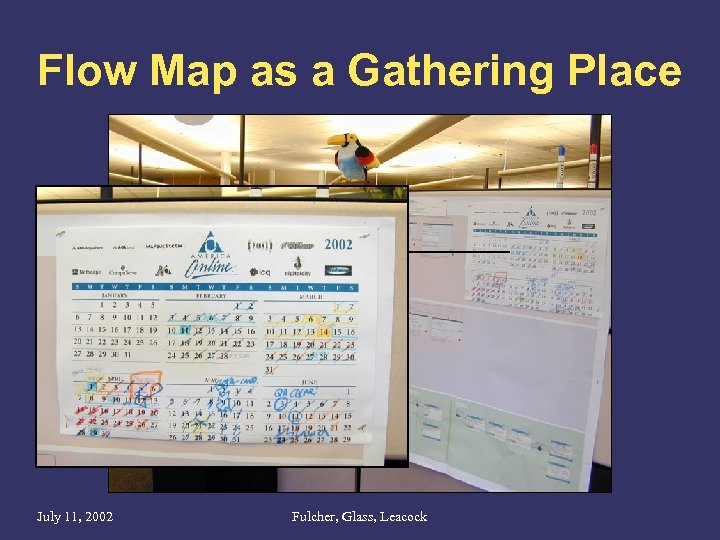
Flow Map as a Gathering Place July 11, 2002 Fulcher, Glass, Leacock
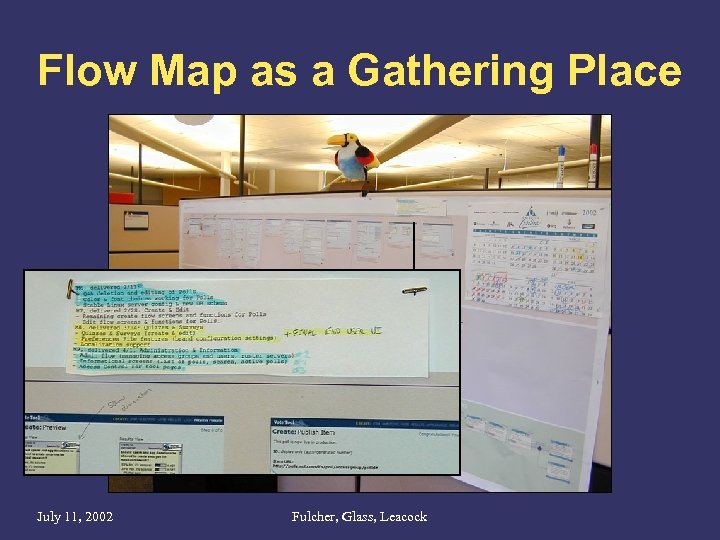
Flow Map as a Gathering Place July 11, 2002 Fulcher, Glass, Leacock
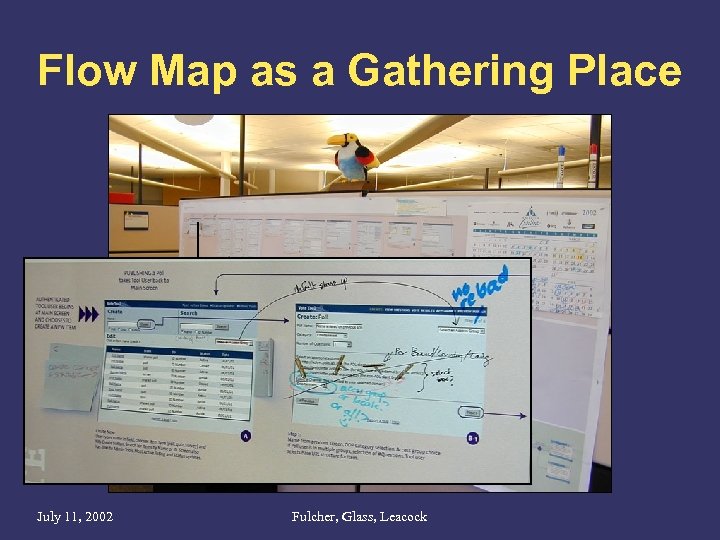
Flow Map as a Gathering Place July 11, 2002 Fulcher, Glass, Leacock
Benefits for the Designer – Grand Overview • Provides a holistic, at-a-glance overview of the scope and ‘texture’ of a product – Read it like a topographical map - use the ‘peaks’ and ‘valleys’ to gauge your level of effort. • Helps establish ownership of the user experience for a product. – Map becomes the de facto tool for settling issues, answering questions – Complements PRD, but adds some dimensions that are missing from that document. July 11, 2002 Fulcher, Glass, Leacock
Benefits for the Designer (Cont. ) – Shows Interrelationships between application functions and screens • On a scale larger than that of Storyboards • To a degree greater than that of Block Diagrams – Helps designer to visualize the complete solution that they’re providing • Suggests alternative design solutions • Identifies higher-order design patterns July 11, 2002 Fulcher, Glass, Leacock
Benefits for the Designer (Cont. ) – Use the map to combat feature creep • Ask ‘feature contributors’ to ‘place’ their suggestions in the larger context of the overall product. • Points out larger repercussions • Gives a sense of level of effort July 11, 2002 Fulcher, Glass, Leacock
Working with flow maps • Pencil and paper are a valuable first step – Think about large functional areas and allot enough space for all major features (plan on creep) – You will quickly leave pencil & paper behind • Move to a vector illustration program. – For ease of maintenance: Visio, Omni. Graffle – For control and scalability: Illustrator, Freehand, or a page layout program July 11, 2002 Fulcher, Glass, Leacock
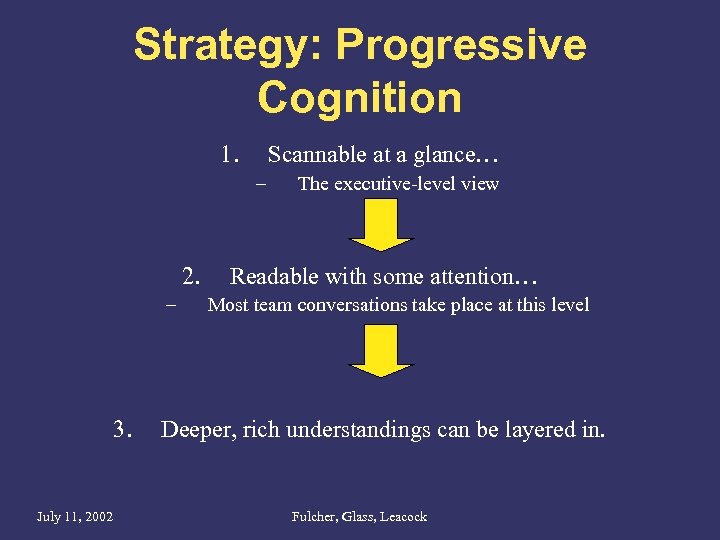
Strategy: Progressive Cognition 1. Scannable at a glance… – 2. – 3. July 11, 2002 The executive-level view Readable with some attention… Most team conversations take place at this level Deeper, rich understandings can be layered in. Fulcher, Glass, Leacock
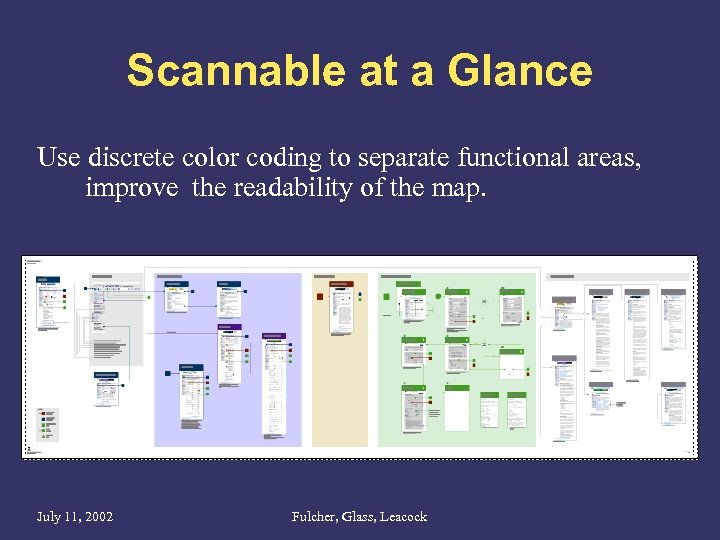
Scannable at a Glance Use discrete color coding to separate functional areas, improve the readability of the map. July 11, 2002 Fulcher, Glass, Leacock
Readable, with some attention • Practice good basic information design to ensure that the readers’ attention is not lost. – Tasteful color-coding – Be diligent about aligning elements & leaving whitespace • Easier to read • Leaves room for scribbled notes, team comments, etc. – Keep screens at a size that is human-readable at full-scale. July 11, 2002 Fulcher, Glass, Leacock
Readable, with some attention (Cont. ) • Identify higher-order patterns and refer to them in object-oriented visual hierarchies • Give intelligible and unique names to all screens • Give unique numbers to all screens • Try a grid system! July 11, 2002 Fulcher, Glass, Leacock
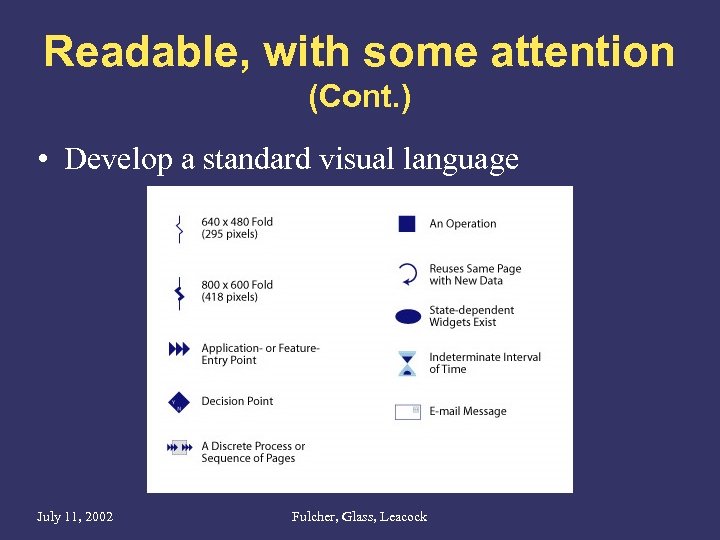
Readable, with some attention (Cont. ) • Develop a standard visual language July 11, 2002 Fulcher, Glass, Leacock
Readable, with some attention (Cont. ) • Maintain a sense of narrative. Tell a consistent story with your screens. – Example: Create a Group, the Johnson Clan. – Leverage the work done at the storyboarding stage – Arbitrary name/data changes are confusing and will harm the maps effectiveness. July 11, 2002 Fulcher, Glass, Leacock
Layer in deeper understanding • Add value to the map by making it more useful for team members. • Don’t do this at the expense of clarity, readability or your own valuable time. July 11, 2002 Fulcher, Glass, Leacock
Layer in deeper understanding • Include engineering details – State information, or data passed from screen to screen – Page URLs, if these can be known in advance (or suggestions, if they can’t be. ) • Include infrastructure details – Integration points with other products. – Pass-off points to Partner sites, etc. • Sidebars focused on specific elements or topics – Eg. Behavior of Navigation widget July 11, 2002 Fulcher, Glass, Leacock
If you’re succesful… • Everyone will want one. (This is good and bad. ) • Maintenance will become an issue. • Be cognizant of the proper place for flow maps in the design and development process. (Don’t jump in too early. ) • Buy more paper and ink! July 11, 2002 Fulcher, Glass, Leacock
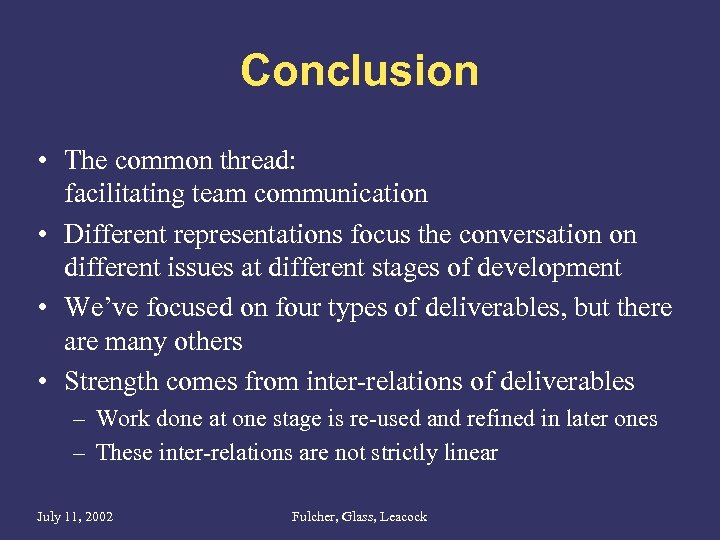
Conclusion • The common thread: facilitating team communication • Different representations focus the conversation on different issues at different stages of development • We’ve focused on four types of deliverables, but there are many others • Strength comes from inter-relations of deliverables – Work done at one stage is re-used and refined in later ones – These inter-relations are not strictly linear July 11, 2002 Fulcher, Glass, Leacock
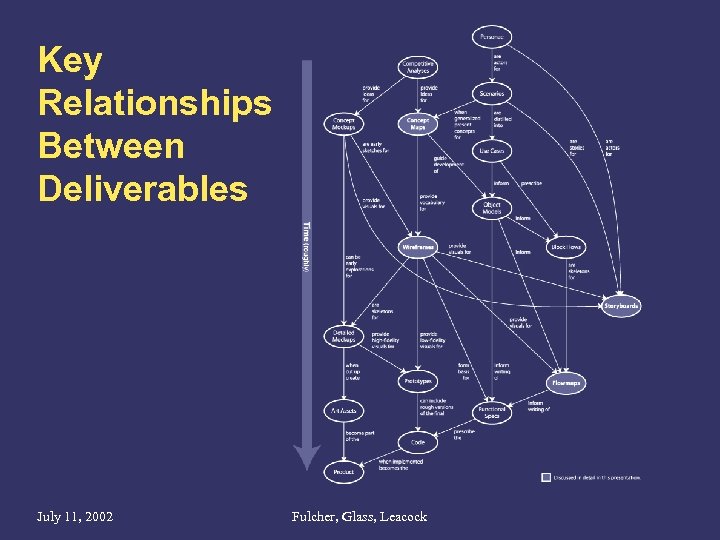
Key Relationships Between Deliverables July 11, 2002 Fulcher, Glass, Leacock
More Information • Packet • www. leacock. com/deliverables – This presentation – PDF kits for: • • • July 11, 2002 Concept Maps Wireframes Storyboards Block Diagrams Flow Maps Fulcher, Glass, Leacock
Deliverables that Clarify, Focus, and Improve Design Rich Fulcher, Bryce Glass, Matt Leacock, AOL Design Skills and Methods Beginner/Intermediate We will discuss the benefits of using concept maps, wireframes, storyboards, and flow maps, and tips on how to produce each. July 11, 2002 Fulcher, Glass, Leacock
Скачать презентацию Deliverables that Clarify Focus and Improve Design Rich
de5177216426255a64c7c063f102db3f.ppt