


 Скачать презентацию Deep Security 7 TOI Overview Features
1a9ecbb6230d4520d0019e98ce8c8cc3.ppt
- Количество слайдов: 124
 Deep Security 7 TOI – Overview + Features Bob Durie, Justin Foster Confidential November 2009 Copyright 2009 Trend Micro Inc. 1
 Agenda } Overview } Deep Security Features / Product Tour } New Features for 7. 0 Confidential November 2009 Copyright 2009 Trend Micro Inc. 2
 Overview } Architecture } Components } Platforms Confidential November 2009 Copyright 2009 Trend Micro Inc. 3
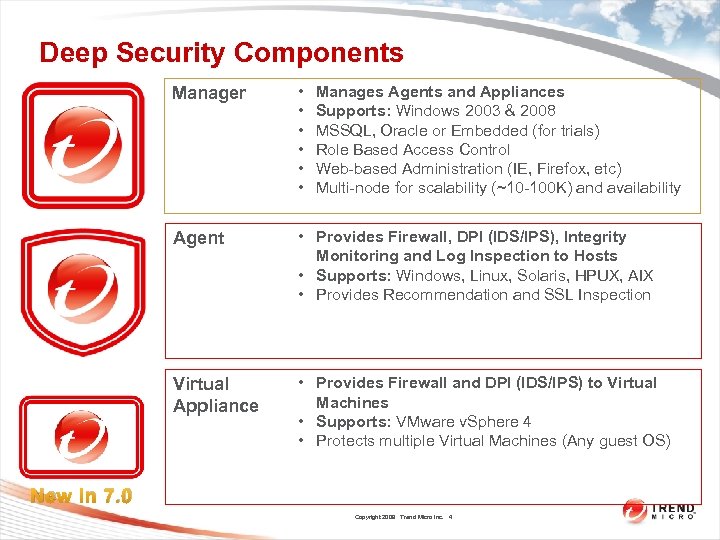 Deep Security Components Manager • • • Agent • Provides Firewall, DPI (IDS/IPS), Integrity Monitoring and Log Inspection to Hosts • Supports: Windows, Linux, Solaris, HPUX, AIX • Provides Recommendation and SSL Inspection Virtual Appliance • Provides Firewall and DPI (IDS/IPS) to Virtual Machines • Supports: VMware v. Sphere 4 • Protects multiple Virtual Machines (Any guest OS) Manages Agents and Appliances Supports: Windows 2003 & 2008 MSSQL, Oracle or Embedded (for trials) Role Based Access Control Web-based Administration (IE, Firefox, etc) Multi-node for scalability (~10 -100 K) and availability New in 7. 0 Copyright 2009 Trend Micro Inc. 4
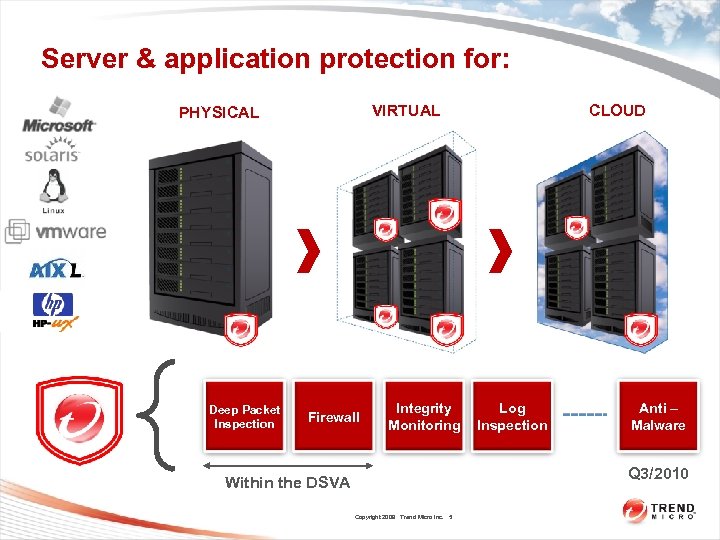 Server & application protection for: VIRTUAL PHYSICAL Deep Packet Inspection Firewall Integrity Monitoring CLOUD Log Inspection Anti – Malware Q 3/2010 Within the DSVA Copyright 2009 Trend Micro Inc. 5
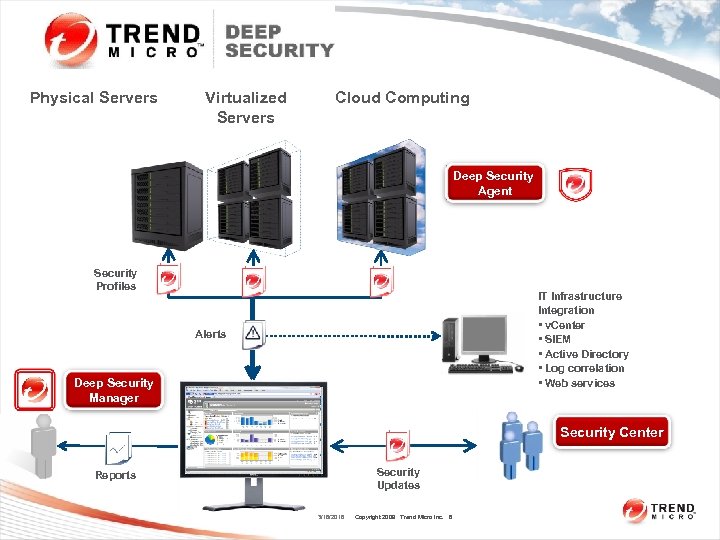 Physical Servers Virtualized Servers Cloud Computing Deep Security Agent Security Profiles IT Infrastructure Integration • v. Center • SIEM • Active Directory • Log correlation • Web services Alerts Deep Security Manager Security Center Security Updates Reports 3/16/2018 Copyright 2009 Trend Micro Inc. 6
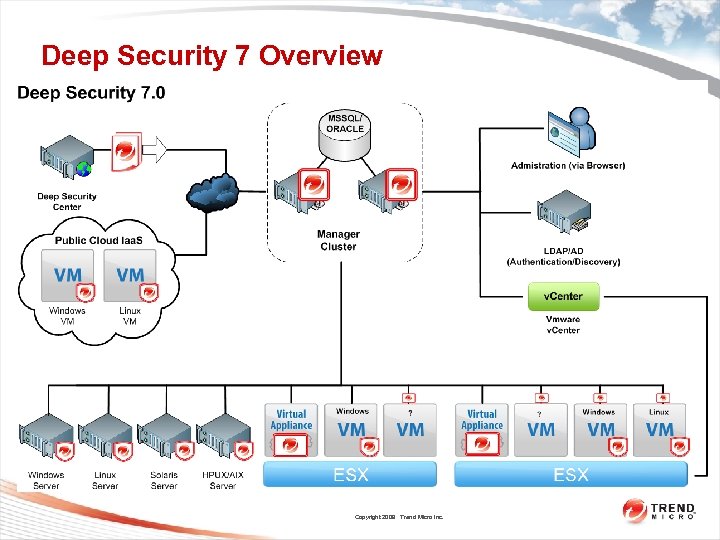 Deep Security 7 Overview Copyright 2009 Trend Micro Inc.
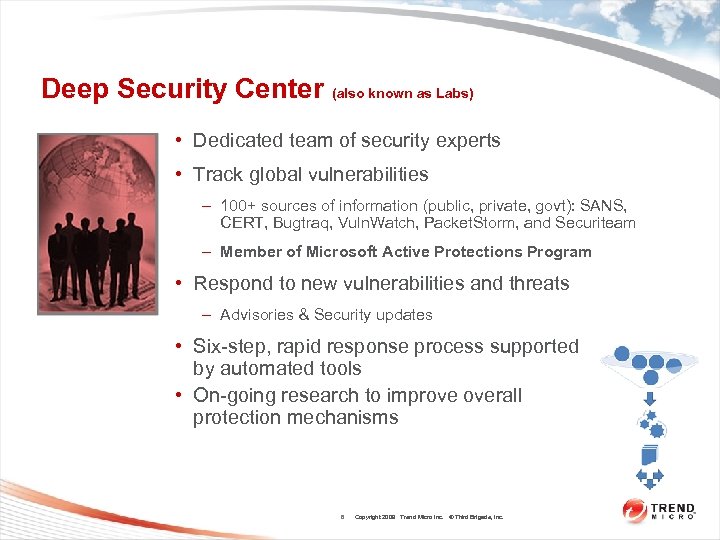 Deep Security Center (also known as Labs) • Dedicated team of security experts • Track global vulnerabilities – 100+ sources of information (public, private, govt): SANS, CERT, Bugtraq, Vuln. Watch, Packet. Storm, and Securiteam – Member of Microsoft Active Protections Program • Respond to new vulnerabilities and threats – Advisories & Security updates • Six-step, rapid response process supported by automated tools • On-going research to improve overall protection mechanisms 8 Copyright 2009 Trend Micro Inc. © Third Brigade, Inc.
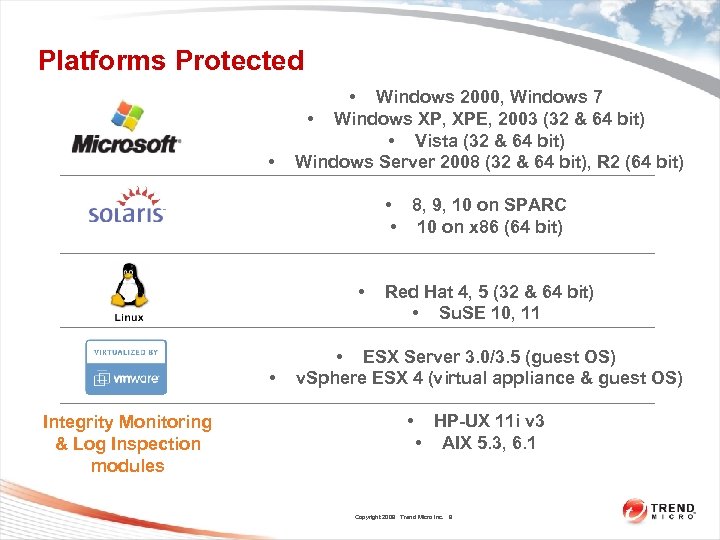 Platforms Protected • • Windows 2000, Windows 7 • Windows XP, XPE, 2003 (32 & 64 bit) • Vista (32 & 64 bit) Windows Server 2008 (32 & 64 bit), R 2 (64 bit) • 8, 9, 10 on SPARC • 10 on x 86 (64 bit) • • Integrity Monitoring & Log Inspection modules Red Hat 4, 5 (32 & 64 bit) • Su. SE 10, 11 • ESX Server 3. 0/3. 5 (guest OS) v. Sphere ESX 4 (virtual appliance & guest OS) • HP-UX 11 i v 3 • AIX 5. 3, 6. 1 Copyright 2009 Trend Micro Inc. 9 9
 Overview • Questions? Copyright 2009 Trend Micro Inc. 10
 Deep Security Features / Product Tour • Concepts • Monitoring • Module Overview – – Firewall DPI Integrity Monitoring Log Inspection • Components • System Confidential November 2009 Copyright 2009 Trend Micro Inc. 11
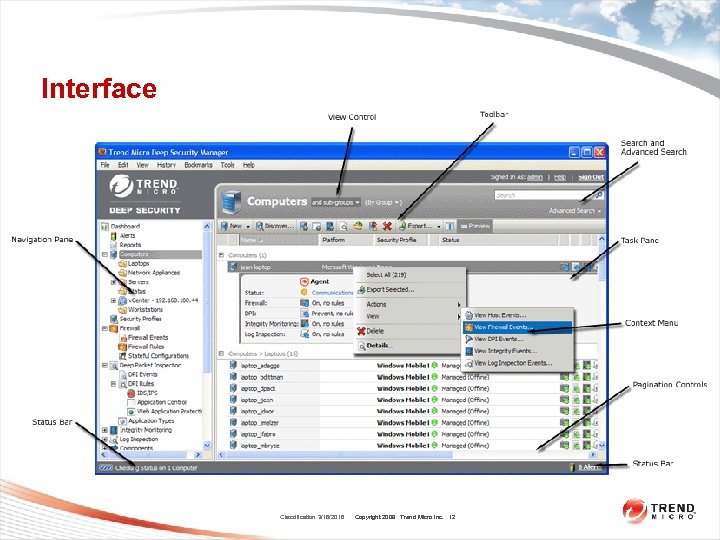 Interface Classification 3/16/2018 Copyright 2009 Trend Micro Inc. 12
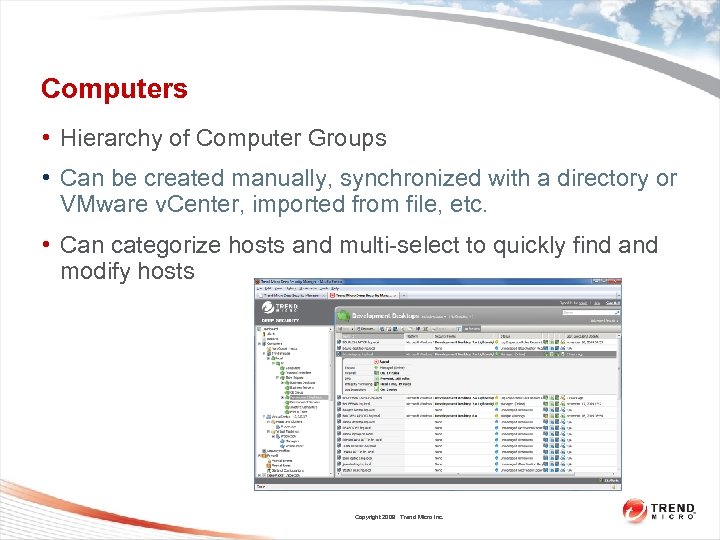 Computers • Hierarchy of Computer Groups • Can be created manually, synchronized with a directory or VMware v. Center, imported from file, etc. • Can categorize hosts and multi-select to quickly find and modify hosts Copyright 2009 Trend Micro Inc.
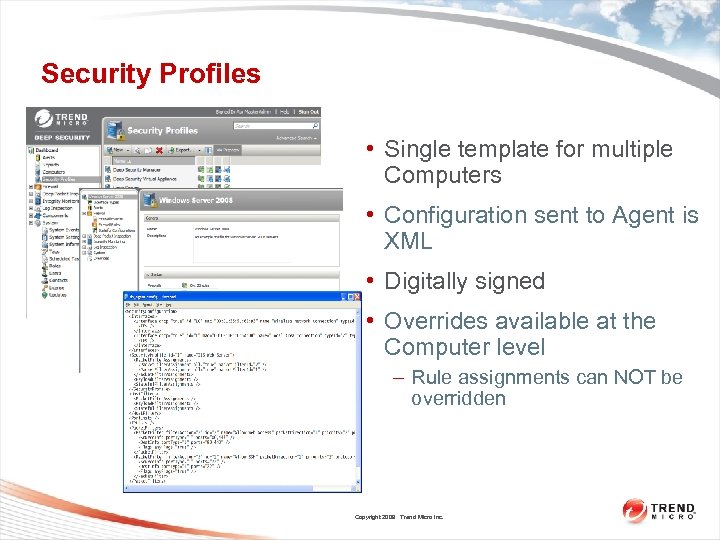 Security Profiles • Single template for multiple Computers • Configuration sent to Agent is XML • Digitally signed • Overrides available at the Computer level – Rule assignments can NOT be overridden Copyright 2009 Trend Micro Inc.
 Computer Actions • Activation / Deactivation – – • Update – – • Sends all relevant security configuration (i. e. Patterns) to Agent/Appliance Useful when changes are made by the Administrator to the security configuration, and/or rules changes downloaded via an Update Check Status – • Creates a certificate based trust relationship between DSM and Agent/Appliance An Activated Computer = A Managed Computer Verifies connectivity and status with Agent/Appliance Clear Warnings/Errors Copyright 2009 Trend Micro Inc.
 Computer Actions (cont. ) • Lock – • Disables DSM from communicating with the Agent/Appliance Upgrade Agent Software – • Upgrades Agent Software ONLY, not the Security Configuration Scan for Open Ports – Scans from DSM over the network via an nmap style port scan Copyright 2009 Trend Micro Inc.
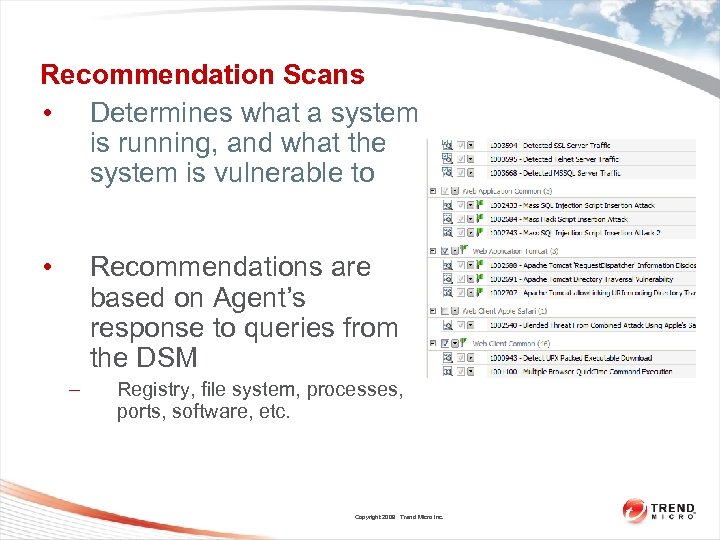 Recommendation Scans • Determines what a system is running, and what the system is vulnerable to • Recommendations are based on Agent’s response to queries from the DSM – Registry, file system, processes, ports, software, etc. Copyright 2009 Trend Micro Inc.
 Recommendation Scans (cont. ) • Scans can be: – – – On Demand (right click Computer, Actions->Scan for Recommendations) Scheduled Ongoing (configured in System Settings->Scan) • All modules BUT Firewall • Clear Recommendations clears the recommendations but does NOT unassign recommended Rules Copyright 2009 Trend Micro Inc.
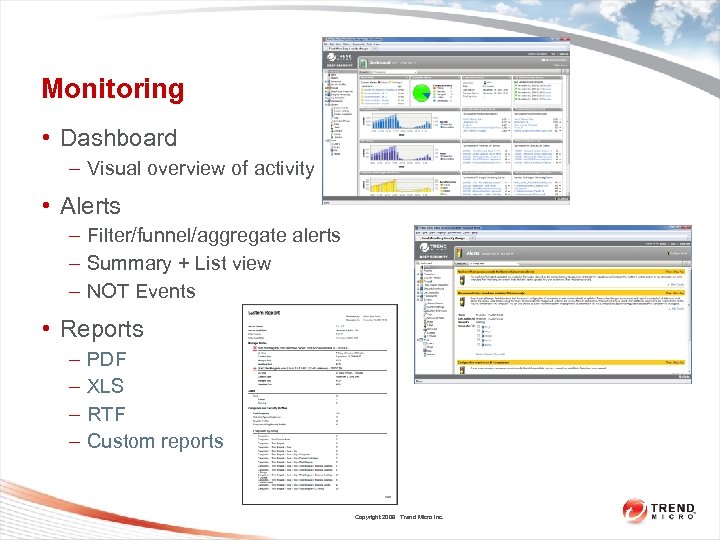 Monitoring • Dashboard – Visual overview of activity • Alerts – Filter/funnel/aggregate alerts – Summary + List view – NOT Events • Reports – – PDF XLS RTF Custom reports Copyright 2009 Trend Micro Inc.
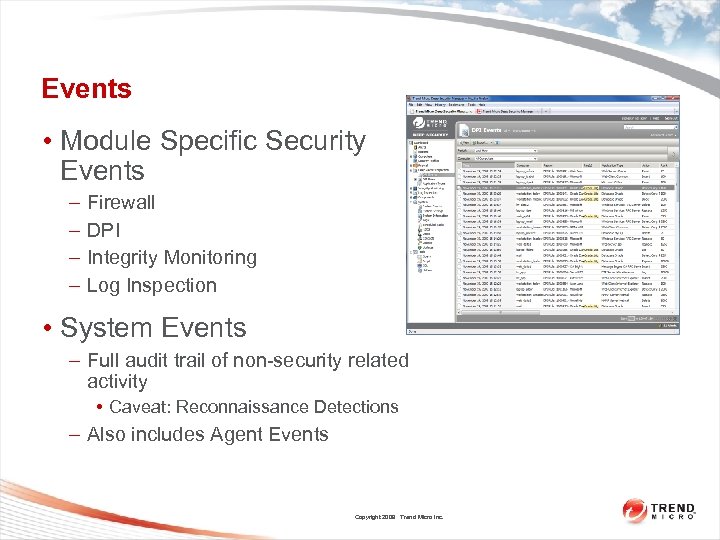 Events • Module Specific Security Events – – Firewall DPI Integrity Monitoring Log Inspection • System Events – Full audit trail of non-security related activity • Caveat: Reconnaissance Detections – Also includes Agent Events Copyright 2009 Trend Micro Inc.
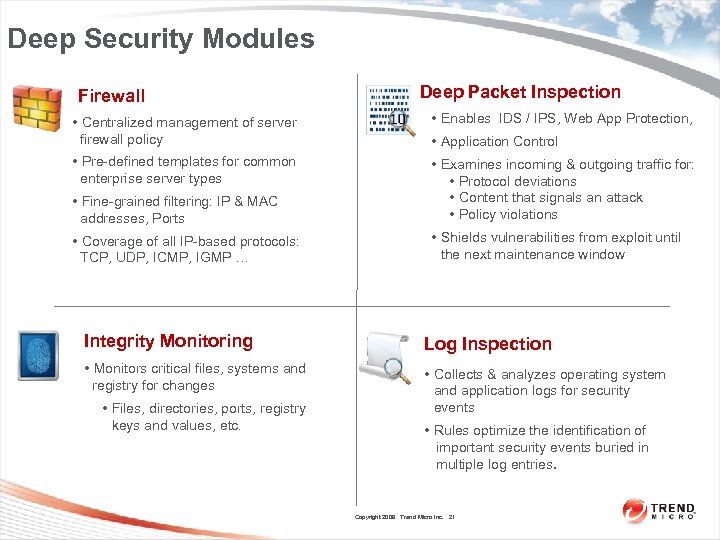 Deep Security Modules Firewall Deep Packet Inspection • Centralized management of server firewall policy • Enables IDS / IPS, Web App Protection, • Pre-defined templates for common enterprise server types • Fine-grained filtering: IP & MAC addresses, Ports • Examines incoming & outgoing traffic for: • Protocol deviations • Content that signals an attack • Policy violations • Coverage of all IP-based protocols: TCP, UDP, ICMP, IGMP … • Shields vulnerabilities from exploit until the next maintenance window • Application Control Integrity Monitoring Log Inspection • Monitors critical files, systems and registry for changes • Collects & analyzes operating system and application logs for security events • Files, directories, ports, registry keys and values, etc. • Rules optimize the identification of important security events buried in multiple log entries. Copyright 2009 Trend Micro Inc. 21
 Deep Security Protection “Provides targeted, server and application protection for the widest range of platforms used to run mission critical systems” Classification 3/16/2018 Copyright 2009 Trend Micro Inc. 22
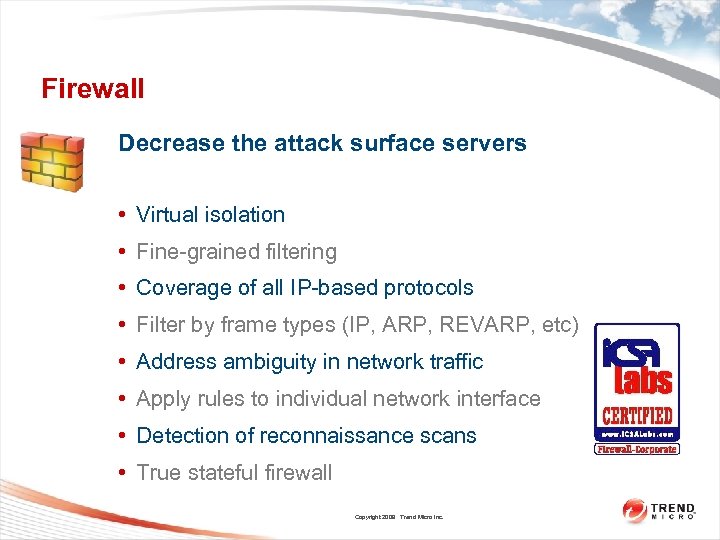 Firewall Decrease the attack surface servers • Virtual isolation • Fine-grained filtering • Coverage of all IP-based protocols • Filter by frame types (IP, ARP, REVARP, etc) • Address ambiguity in network traffic • Apply rules to individual network interface • Detection of reconnaissance scans • True stateful firewall Copyright 2009 Trend Micro Inc. 23
 Firewall Rules • Global pool of rules – Standard, duplicated, custom • Assigned to Computers directly or through Security Profile • Firewall Rules, Firewall Events, Stateful Configuration Copyright 2009 Trend Micro Inc.
 Firewall Actions • Priority matters (0 -4) • Allow – Induces implicit deny in a given direction – Can be only priority 0 • Deny – Any priority Copyright 2009 Trend Micro Inc.
 Firewall Actions • Force Allow – Exception to a Deny rule – Can be any priority • Log Only – Can be priority 4 only – Packet continues through firewall rules • Bypass – Skip all further inspection, including DPI Copyright 2009 Trend Micro Inc.
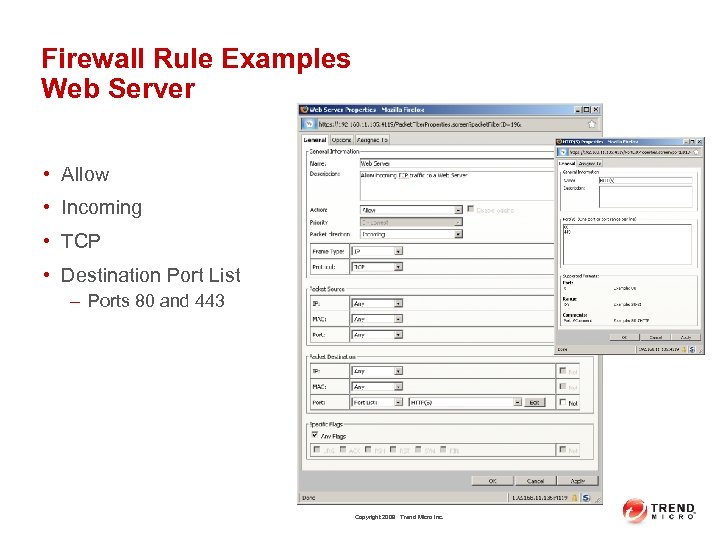 Firewall Rule Examples Web Server • Allow • Incoming • TCP • Destination Port List – Ports 80 and 443 Copyright 2009 Trend Micro Inc.
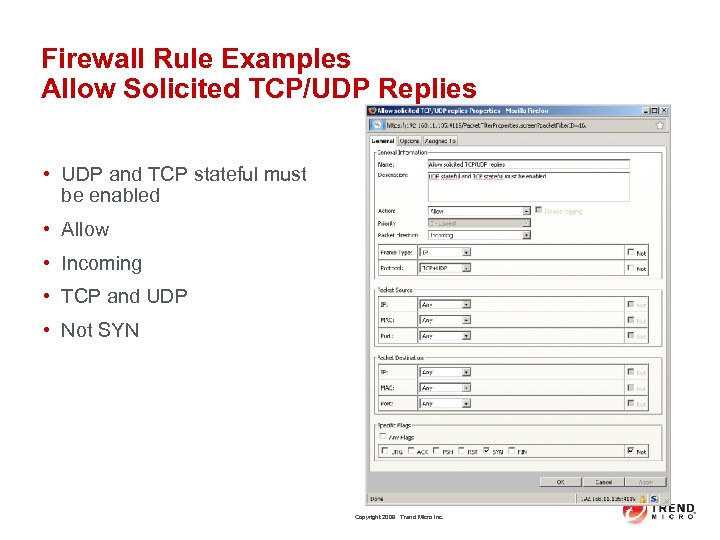 Firewall Rule Examples Allow Solicited TCP/UDP Replies • UDP and TCP stateful must be enabled • Allow • Incoming • TCP and UDP • Not SYN Copyright 2009 Trend Micro Inc.
 Firewall Events • Out of Allowed Policy – Packet is not explicitly allowed • Out of Connection – There is not a connection entry in the state table for this packet • Out of Sequence, Invalid Flags, etc – Packet is not expected; redundant retransmission, etc Copyright 2009 Trend Micro Inc.
 Network Engine Mode • Inline Mode – Default – Firewall is prevent – DPI can be either Prevent or Detect • Tap Mode – Packet stream is duplicated for inspection purposes – Firewall and DPI is detect-only Copyright 2009 Trend Micro Inc.
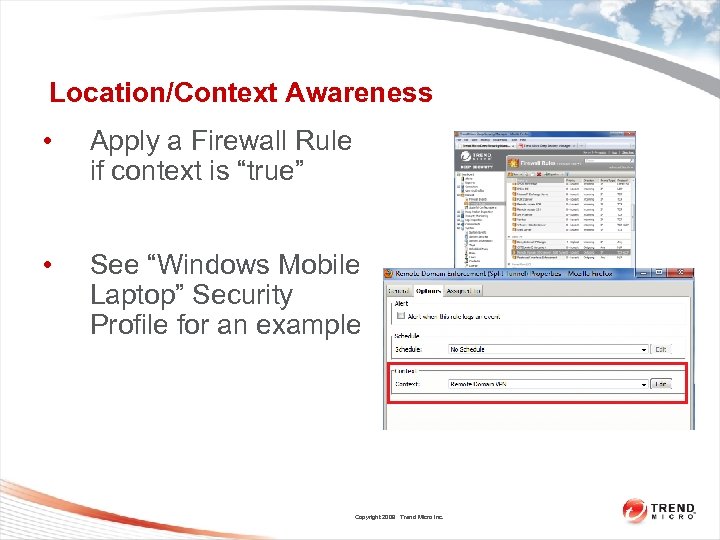 Location/Context Awareness • Apply a Firewall Rule if context is “true” • See “Windows Mobile Laptop” Security Profile for an example Copyright 2009 Trend Micro Inc.
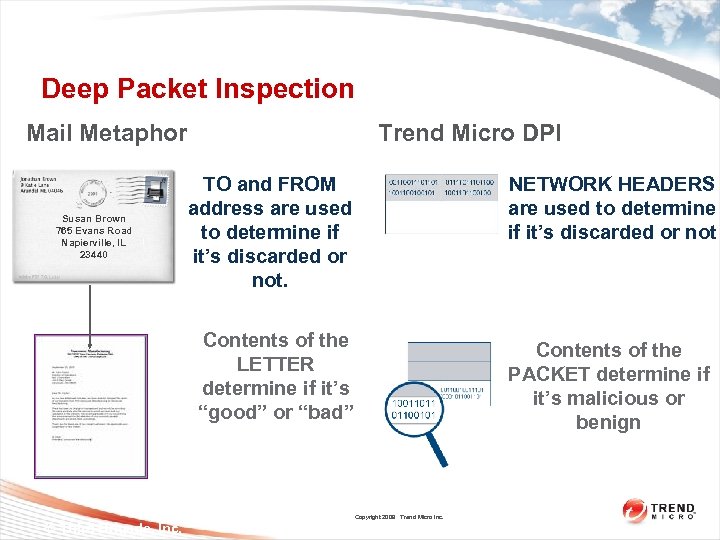 Deep Packet Inspection Trend Micro DPI Mail Metaphor NETWORK HEADERS are used to determine if it’s discarded or not Contents of the LETTER determine if it’s “good” or “bad” Susan Brown 765 Evans Road Napierville, IL 23440 TO and FROM address are used to determine if it’s discarded or not. Contents of the PACKET determine if it’s malicious or benign Copyright 2009 Trend Micro Inc. © Third Brigade, Inc.
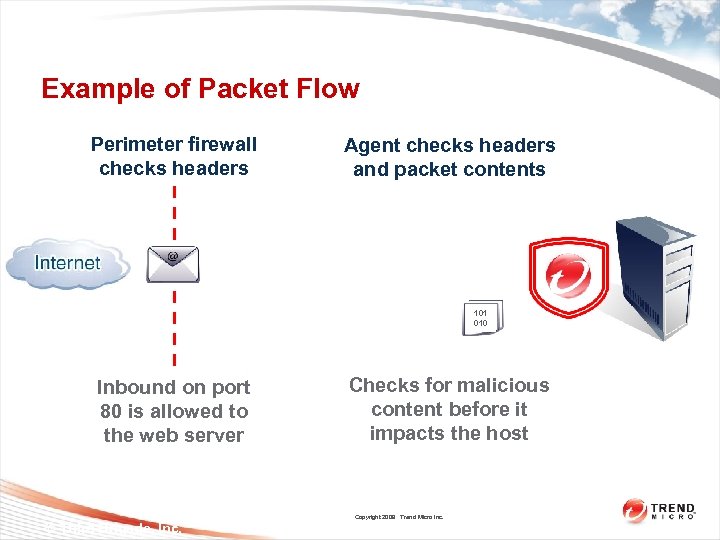 Example of Packet Flow Perimeter firewall checks headers Agent checks headers and packet contents 101 010 Inbound on port 80 is allowed to the web server Checks for malicious content before it impacts the host Copyright 2009 Trend Micro Inc. © Third Brigade, Inc.
 Deep Packet Inspection • Enables: – Intrusion Detection & Prevention (IDS/IPS) – Web Application Protection – Application Control • Examines all incoming and outgoing traffic for: – Protocol deviations – Content that signals an attack – Policy violations. • Operates in detection and prevention modes at the filter, server/virtual machine and profile level Copyright 2009 Trend Micro Inc. © Third Brigade, Inc. 34
 Deep Packet Inspection IDS / IPS • Vulnerability rules: shield known vulnerabilities from unknown attacks • Exploit rules: stop known attacks • Smart rules: Zero-day protection from unknown exploits against an unknown vulnerability • Microsoft Tuesday protection is delivered in synch with public vulnerability announcements. Copyright 2009 Trend Micro Inc. © Third Brigade, Inc. 35
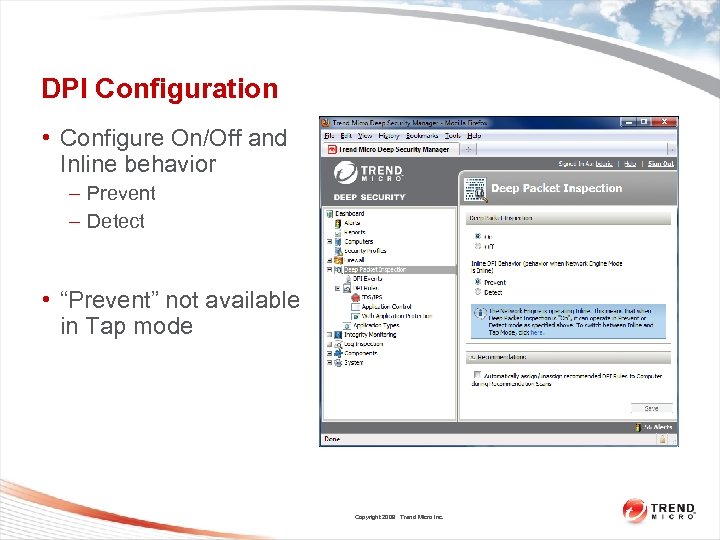 DPI Configuration • Configure On/Off and Inline behavior – Prevent – Detect • “Prevent” not available in Tap mode Copyright 2009 Trend Micro Inc.
 DPI Rules • Assigned to Computers or Security Profiles • Actions include log, reset connection • Set Alerts on a per-rule basis Copyright 2009 Trend Micro Inc.
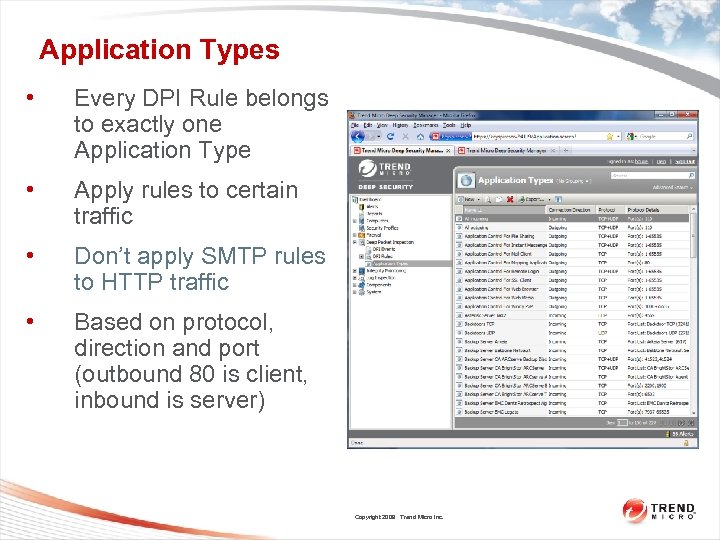 Application Types • Every DPI Rule belongs to exactly one Application Type • Apply rules to certain traffic • Don’t apply SMTP rules to HTTP traffic • Based on protocol, direction and port (outbound 80 is client, inbound is server) Copyright 2009 Trend Micro Inc.
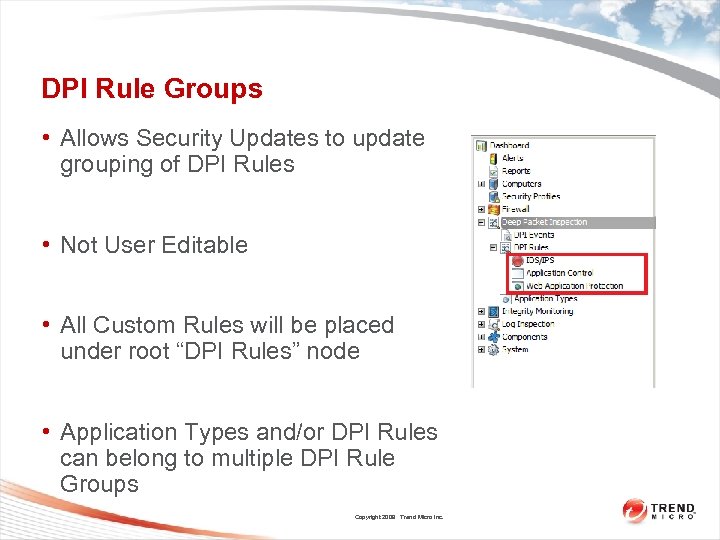 DPI Rule Groups • Allows Security Updates to update grouping of DPI Rules • Not User Editable • All Custom Rules will be placed under root “DPI Rules” node • Application Types and/or DPI Rules can belong to multiple DPI Rule Groups Copyright 2009 Trend Micro Inc.
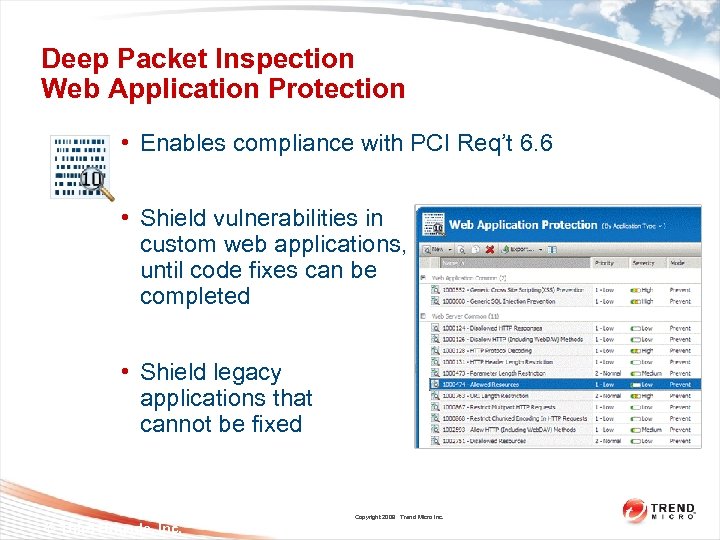 Deep Packet Inspection Web Application Protection • Enables compliance with PCI Req’t 6. 6 • Shield vulnerabilities in custom web applications, until code fixes can be completed • Shield legacy applications that cannot be fixed Copyright 2009 Trend Micro Inc. © Third Brigade, Inc. 40
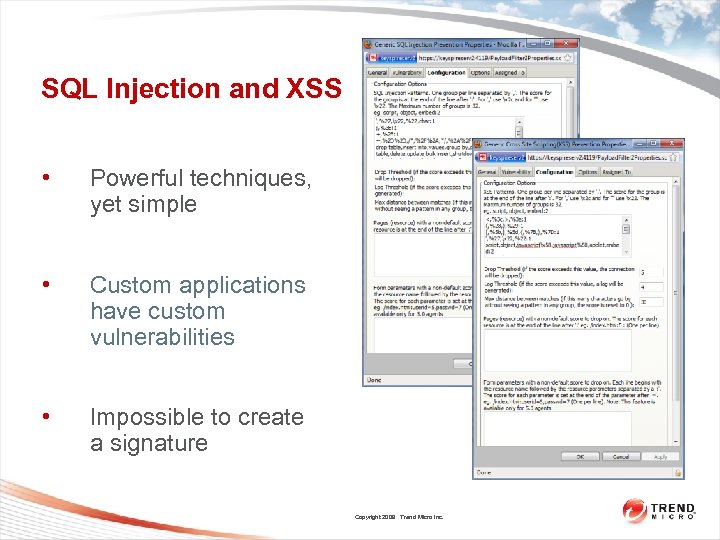 SQL Injection and XSS • Powerful techniques, yet simple • Custom applications have custom vulnerabilities • Impossible to create a signature Copyright 2009 Trend Micro Inc.
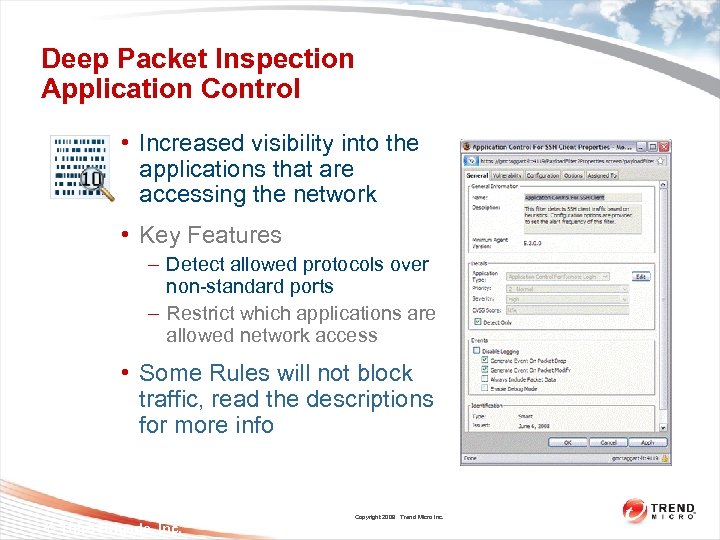 Deep Packet Inspection Application Control • Increased visibility into the applications that are accessing the network • Key Features – Detect allowed protocols over non-standard ports – Restrict which applications are allowed network access • Some Rules will not block traffic, read the descriptions for more info Copyright 2009 Trend Micro Inc. © Third Brigade, Inc. 42
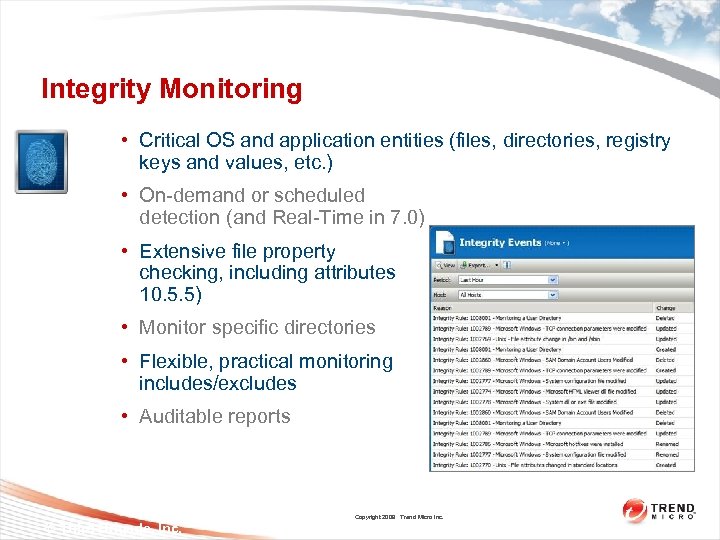 Integrity Monitoring • Critical OS and application entities (files, directories, registry keys and values, etc. ) • On-demand or scheduled detection (and Real-Time in 7. 0) • Extensive file property checking, including attributes (PCI 10. 5. 5) • Monitor specific directories • Flexible, practical monitoring through includes/excludes • Auditable reports Copyright 2009 Trend Micro Inc. © Third Brigade, Inc. 43
 Integrity Monitoring • Monitor content and characteristics of Entities for changes: – – – – Files, Directories Registry Values, Registry Keys Services Processes Installed Software Listen Ports WQL Users, Groups • Examples: – Host file modified – File attribute change in /bin and /sbin Copyright 2009 Trend Micro Inc.
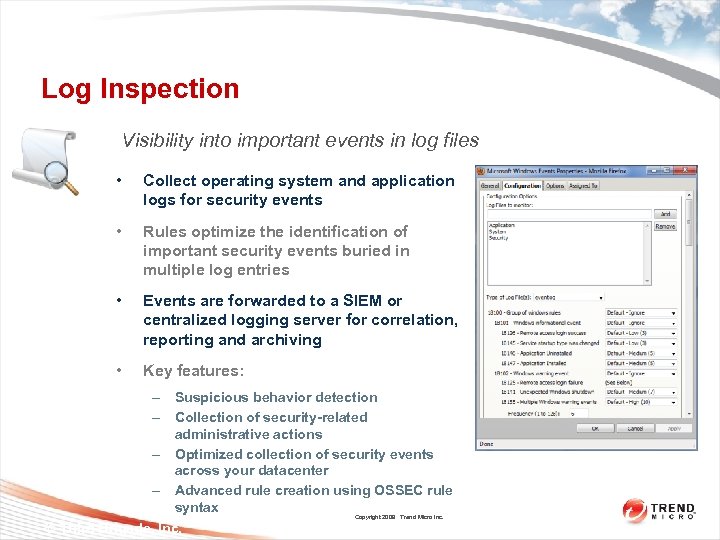 Log Inspection Visibility into important events in log files • Collect operating system and application logs for security events • Rules optimize the identification of important security events buried in multiple log entries • Events are forwarded to a SIEM or centralized logging server for correlation, reporting and archiving • Key features: – Suspicious behavior detection – Collection of security-related administrative actions – Optimized collection of security events across your datacenter – Advanced rule creation using OSSEC rule syntax Copyright 2009 Trend Micro Inc. © Third Brigade, Inc. 45
 Log Inspection • Distil important information from logs • Clip what is sent via syslog based on severity – Clipping settings in System Settings->Log Inspection – If low-severity settings are not being recorded, look here • Examples: – Microsoft Windows Events – Solaris BSM Auditing Copyright 2009 Trend Micro Inc.
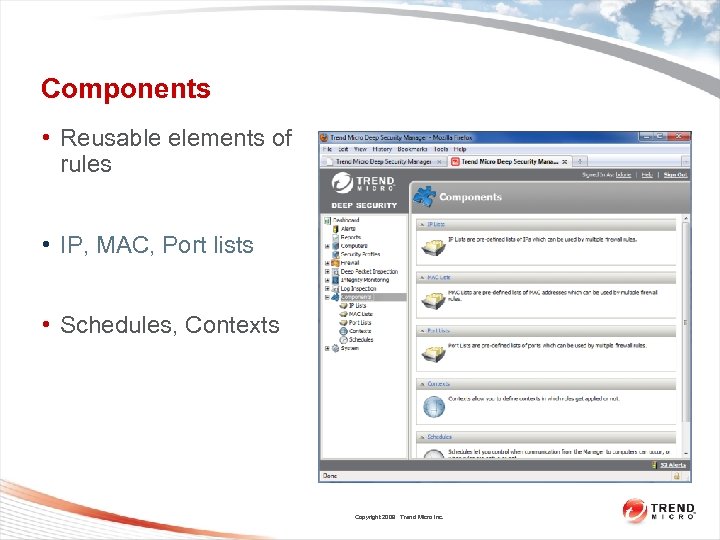 Components • Reusable elements of rules • IP, MAC, Port lists • Schedules, Contexts Copyright 2009 Trend Micro Inc.
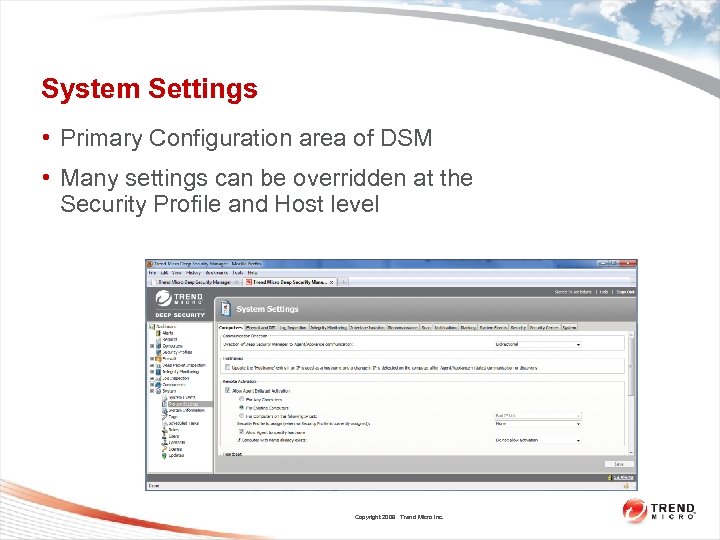 System Settings • Primary Configuration area of DSM • Many settings can be overridden at the Security Profile and Host level Copyright 2009 Trend Micro Inc.
 System Settings Computers • Communication Direction – Bidirectional (default) – Manager Initiated – Agent Initiated • Update hostname entry if IP used to identify host (systems using DHCP) • Agent-initiated activation • Heartbeat – Interval, Offline alert, clock change – Raise Offline Errors for Inactive Virtual Machines (new in 7. 0) • Automatically Update Computers Copyright 2009 Trend Micro Inc.
 System Settings FW/DPI, Log Inspection, Integrity Monitoring • Firewall and DPI – – Event collection and storage on Agent Generate “Out of Allowed Policy” Allow DPI Rules to capture data for first hit of each rule Advanced – only change when necessary • Log Inspection – Clipping settings <– look here if when testing if you’re not seeing events • Integrity Monitoring – Hash Algorithms Copyright 2009 Trend Micro Inc.
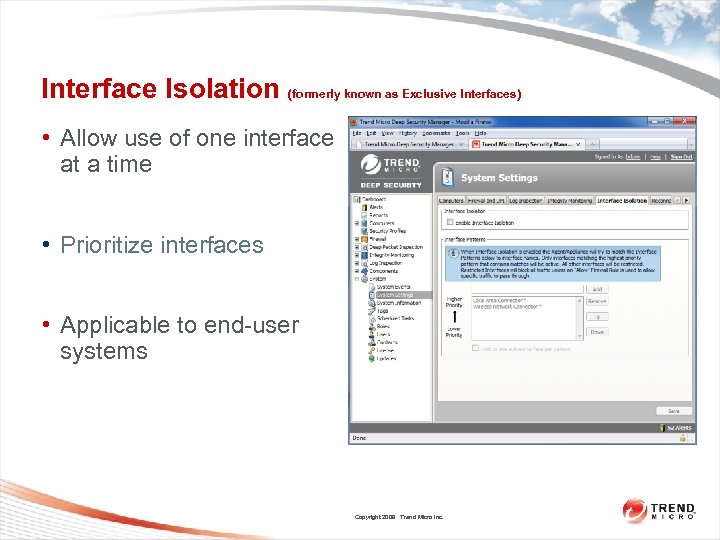 Interface Isolation (formerly known as Exclusive Interfaces) • Allow use of one interface at a time • Prioritize interfaces • Applicable to end-user systems Copyright 2009 Trend Micro Inc.
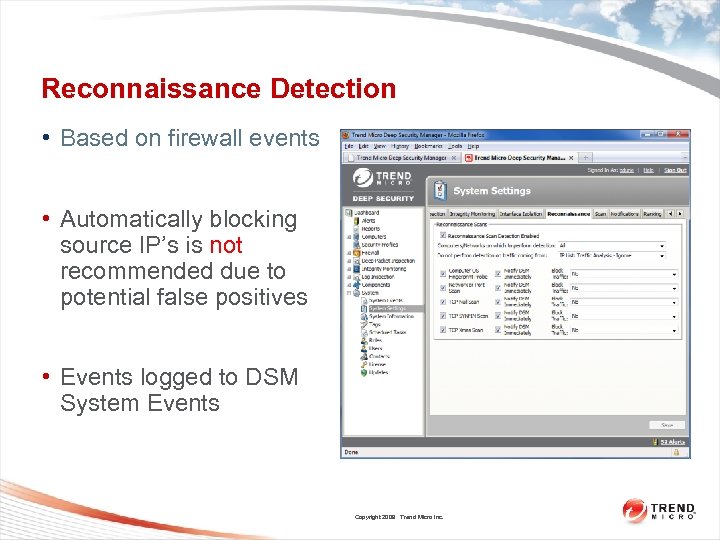 Reconnaissance Detection • Based on firewall events • Automatically blocking source IP’s is not recommended due to potential false positives • Events logged to DSM System Events Copyright 2009 Trend Micro Inc.
 System Settings Scan • Ports to scan when scanning computers for Open Ports • Perform ongoing Scans for Recommendations • Ongoing Scan Interval – Values less than 24 hours are not recommended due to performance implications Copyright 2009 Trend Micro Inc.
 System Settings Notifications • Global Alert email address • Period between sending events – This is used by the Agent only (not DSM) to determine how often it will send events to syslog (not DSM) • SIEM / Syslog Server configuration – For Agents to send security events – For DSM to send System Events Copyright 2009 Trend Micro Inc.
 System Settings Ranking • Used as a sorting tool • Rank = Asset Value x Severity • Asset Importance set at host • View and Set Asset values here Copyright 2009 Trend Micro Inc.
 System Settings System Events • List of all system-level events • Recommend that all events are recorded – Some capabilities may not work correctly if events are not recorded • Turn-off notification for events that require no action (organization’s preference) – Notification means send to Syslog/SNMP Copyright 2009 Trend Micro Inc.
 System Settings Security • Session limitations • Password settings – Password settings not valid if authentication is linked to Active Directory • Sign In Page Message • Trusted Certificates – Stores certificates used to communicate with directories (i. e. AD), v. Center and ESX Copyright 2009 Trend Micro Inc.
 System Settings Security Center • Credentials for Security Updates, etc • Proxy settings – SOCKS only (uses raw sockets) • Allow Security Updates to assign DPI Rules – Any “Application Types” that are assigned that have new DPI Rules as part of an Update will automatically be assigned – Important from Change Control perspective • Allow Security Updates to set an alert on new DPI Rules Copyright 2009 Trend Micro Inc.
 System Settings System • SMTP settings (email notifications) • Webservice API toggle • Database pruning – Centrally collected events are not maintained forever – Very important if database space is limited • Exported file Character encoding • Whois URL Copyright 2009 Trend Micro Inc.
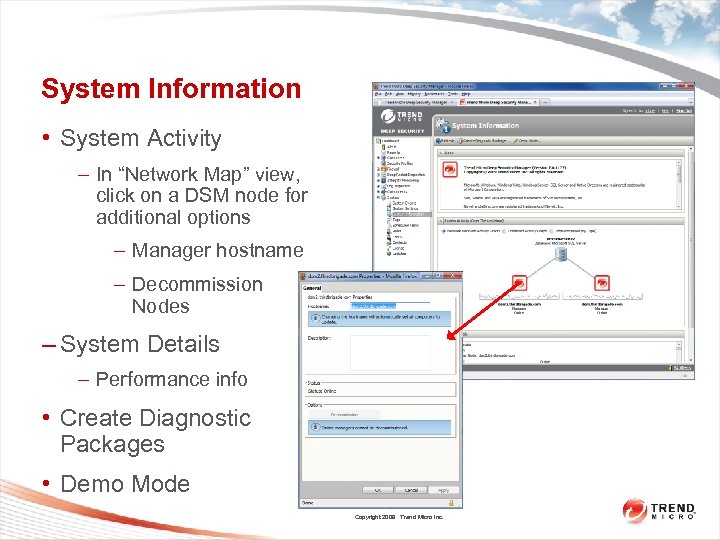 System Information • System Activity – In “Network Map” view, click on a DSM node for additional options – Manager hostname – Decommission Nodes – System Details – Performance info • Create Diagnostic Packages • Demo Mode Copyright 2009 Trend Micro Inc.
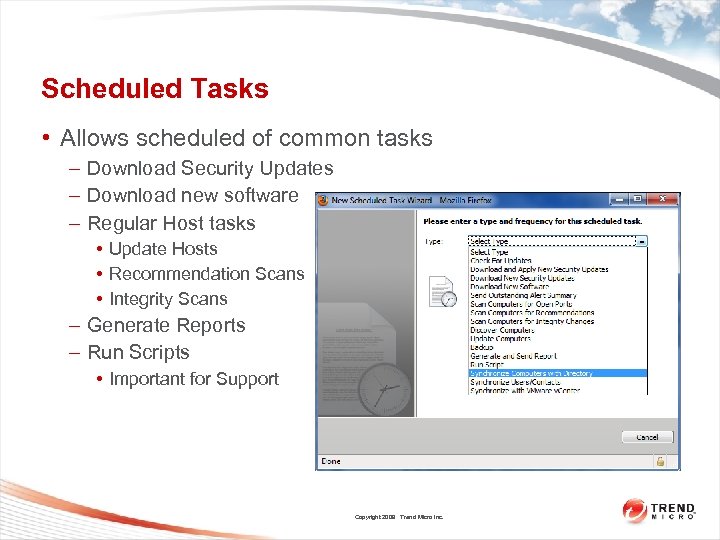 Scheduled Tasks • Allows scheduled of common tasks – Download Security Updates – Download new software – Regular Host tasks • Update Hosts • Recommendation Scans • Integrity Scans – Generate Reports – Run Scripts • Important for Support Copyright 2009 Trend Micro Inc.
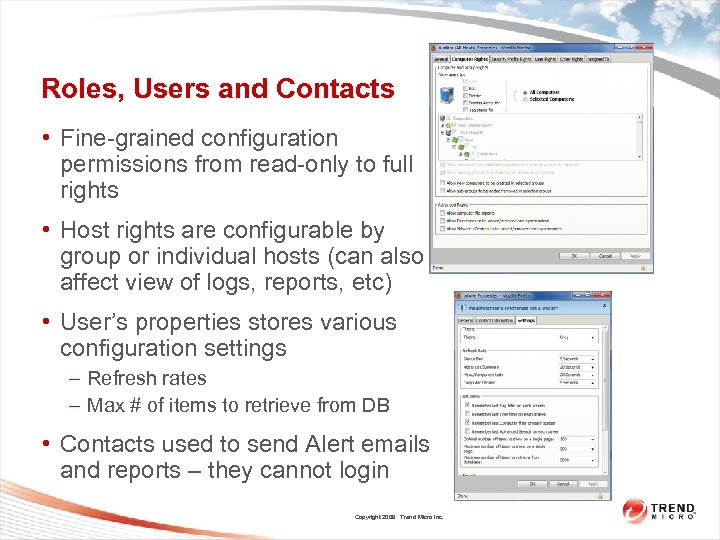 Roles, Users and Contacts • Fine-grained configuration permissions from read-only to full rights • Host rights are configurable by group or individual hosts (can also affect view of logs, reports, etc) • User’s properties stores various configuration settings – Refresh rates – Max # of items to retrieve from DB • Contacts used to send Alert emails and reports – they cannot login Copyright 2009 Trend Micro Inc.
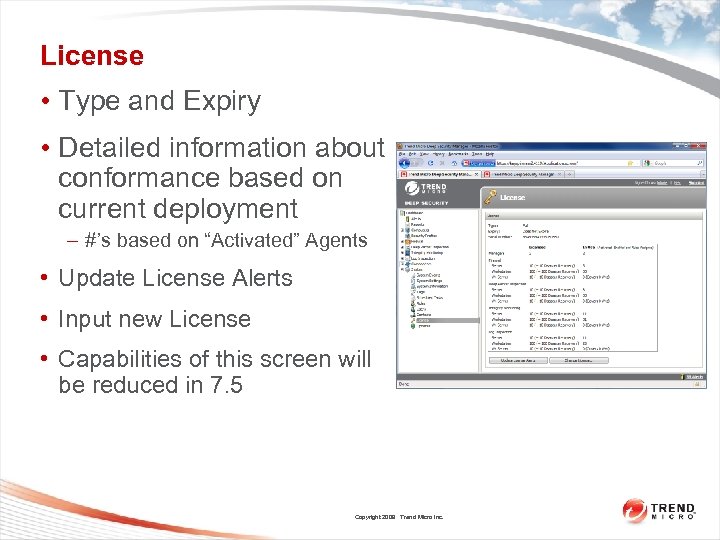 License • Type and Expiry • Detailed information about conformance based on current deployment – #’s based on “Activated” Agents • Update License Alerts • Input new License • Capabilities of this screen will be reduced in 7. 5 Copyright 2009 Trend Micro Inc.
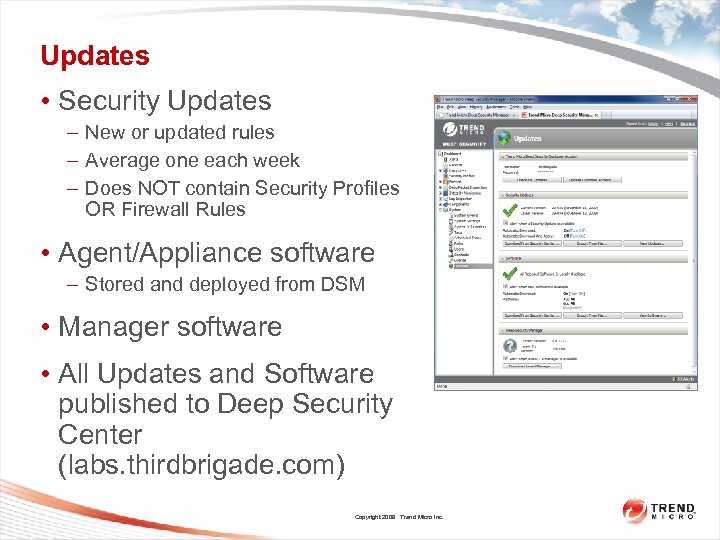 Updates • Security Updates – New or updated rules – Average one each week – Does NOT contain Security Profiles OR Firewall Rules • Agent/Appliance software – Stored and deployed from DSM • Manager software • All Updates and Software published to Deep Security Center (labs. thirdbrigade. com) Copyright 2009 Trend Micro Inc.
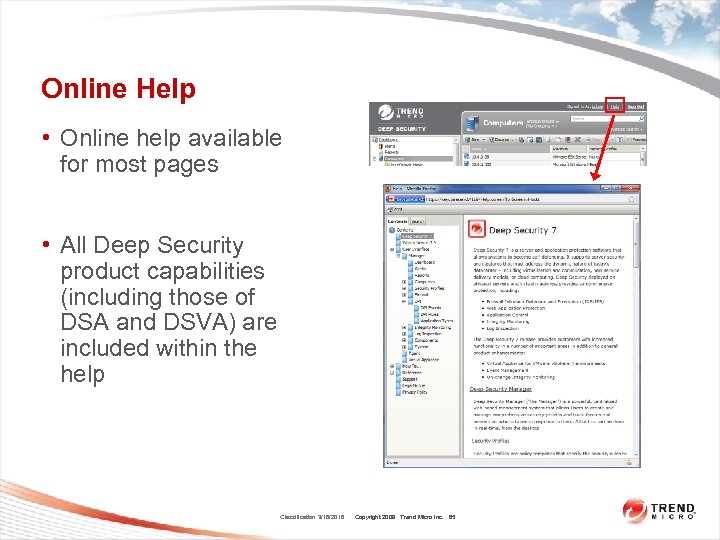 Online Help • Online help available for most pages • All Deep Security product capabilities (including those of DSA and DSVA) are included within the help Classification 3/16/2018 Copyright 2009 Trend Micro Inc. 65
 Deep Security Features / Product Tour • Questions? Copyright 2009 Trend Micro Inc. 66
 Whats new in 7. 0 • Virtual Appliance • Event Tagging • Deep Security Rebranding • Integrity Monitoring Changes • Location Awareness Changes • Firewall Event Data Logging • SIEM Integration Changes • Miscellaneous Changes • Collecting Diagnostics Copyright 2009 Trend Micro Inc. 67
 Deep Security Virtual Appliance Introduction • Deep Security Virtual Appliance provides Firewall and Intrusion Detection/Prevention, Application Control, and Web Application Protection services to Virtual Machines with no in-guest Agent required • Uses VMware’s VMsafe-NET API to intercept network traffic at the hypervisor • Supported on VMware v. Sphere 4 (Requires v. Center 4+ and ESX 4+ or ESXi 4+) • VM’s are managed AS IF they had an agent installed (per-VM policy) Copyright 2009 Trend Micro Inc.
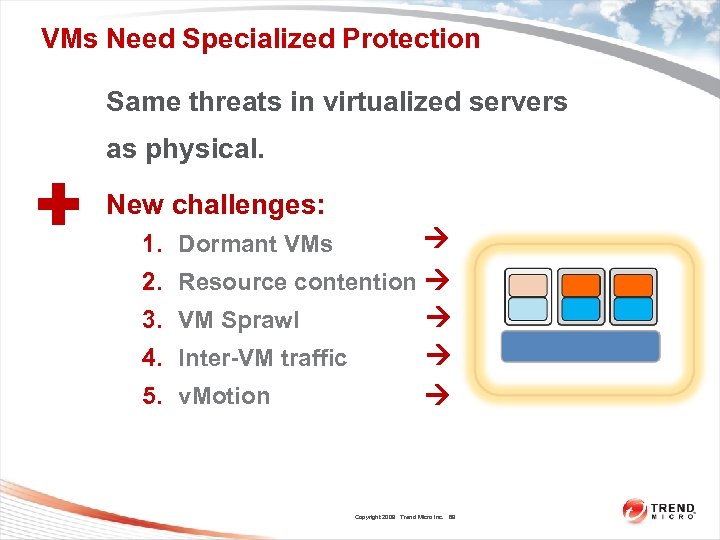 VMs Need Specialized Protection Same threats in virtualized servers + as physical. New challenges: Resource contention VM Sprawl Inter-VM traffic v. Motion 1. Dormant VMs 2. 3. 4. 5. Copyright 2009 Trend Micro Inc. 69
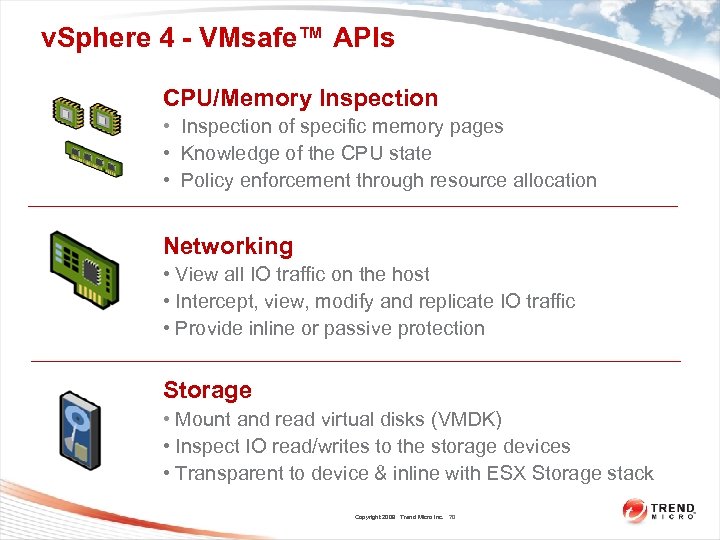 v. Sphere 4 - VMsafe™ APIs CPU/Memory Inspection • Inspection of specific memory pages • Knowledge of the CPU state • Policy enforcement through resource allocation Networking • View all IO traffic on the host • Intercept, view, modify and replicate IO traffic • Provide inline or passive protection Storage • Mount and read virtual disks (VMDK) • Inspect IO read/writes to the storage devices • Transparent to device & inline with ESX Storage stack Copyright 2009 Trend Micro Inc. 70
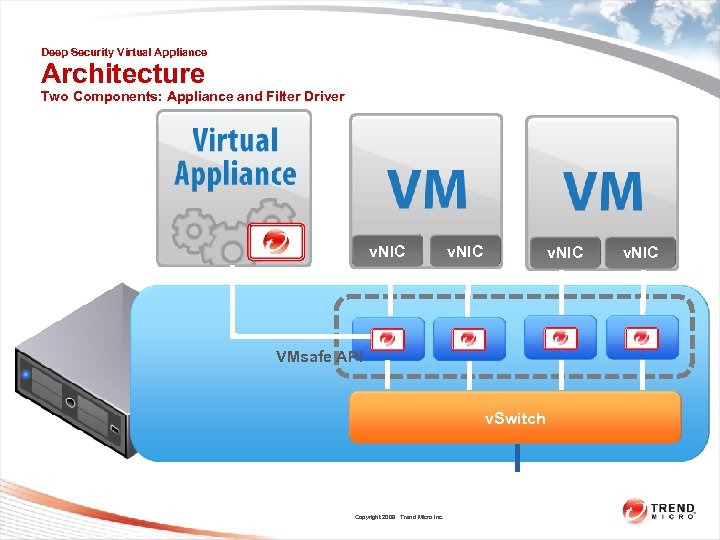 Deep Security Virtual Appliance Architecture Two Components: Appliance and Filter Driver v. NIC VMsafe API v. Switch Copyright 2009 Trend Micro Inc. v. NIC
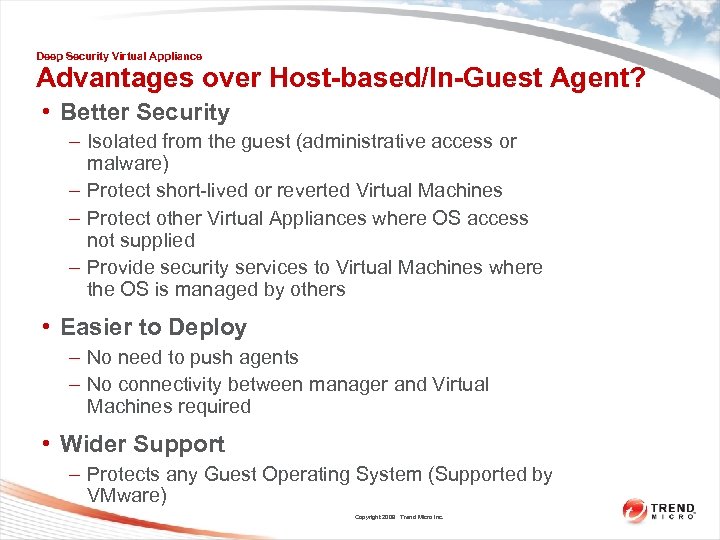 Deep Security Virtual Appliance Advantages over Host-based/In-Guest Agent? • Better Security – Isolated from the guest (administrative access or malware) – Protect short-lived or reverted Virtual Machines – Protect other Virtual Appliances where OS access not supplied – Provide security services to Virtual Machines where the OS is managed by others • Easier to Deploy – No need to push agents – No connectivity between manager and Virtual Machines required • Wider Support – Protects any Guest Operating System (Supported by VMware) Copyright 2009 Trend Micro Inc.
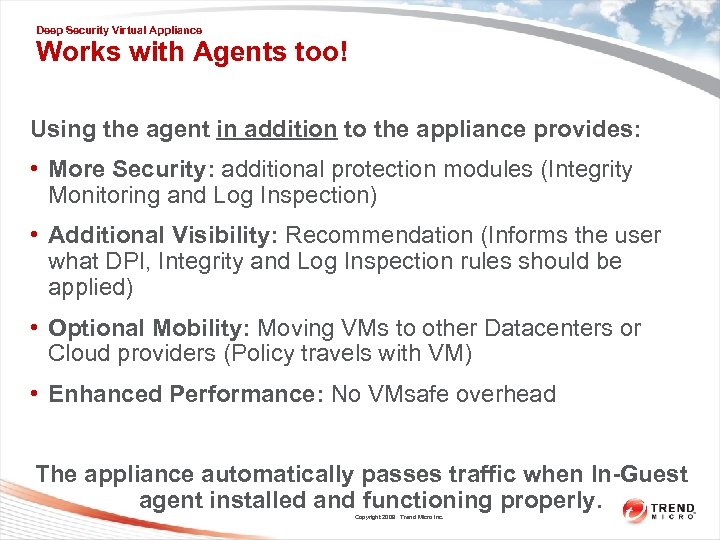 Deep Security Virtual Appliance Works with Agents too! Using the agent in addition to the appliance provides: • More Security: additional protection modules (Integrity Monitoring and Log Inspection) • Additional Visibility: Recommendation (Informs the user what DPI, Integrity and Log Inspection rules should be applied) • Optional Mobility: Moving VMs to other Datacenters or Cloud providers (Policy travels with VM) • Enhanced Performance: No VMsafe overhead The appliance automatically passes traffic when In-Guest agent installed and functioning properly. Copyright 2009 Trend Micro Inc.
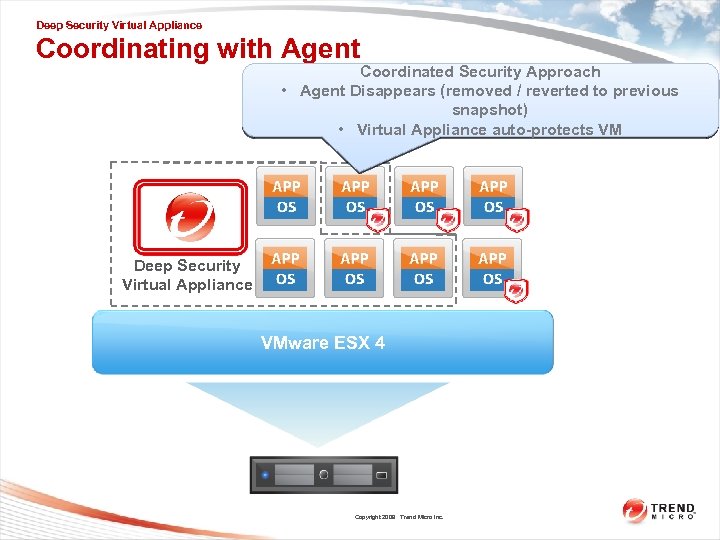 Deep Security Virtual Appliance Coordinating with Agent Coordinated Security Approach • • Agent Disappears (removed / /reverted to previous Agent Disappears (removed reverted to previous snapshot) • Virtual Appliance auto-protects VM Deep Security Virtual Appliance VMware ESX 4 Copyright 2009 Trend Micro Inc.
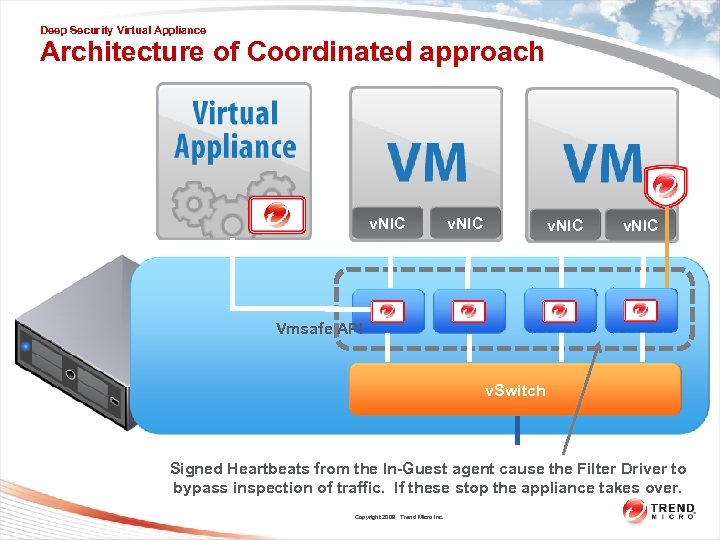 Deep Security Virtual Appliance Architecture of Coordinated approach v. NIC Vmsafe API v. Switch Signed Heartbeats from the In-Guest agent cause the Filter Driver to bypass inspection of traffic. If these stop the appliance takes over. Copyright 2009 Trend Micro Inc.
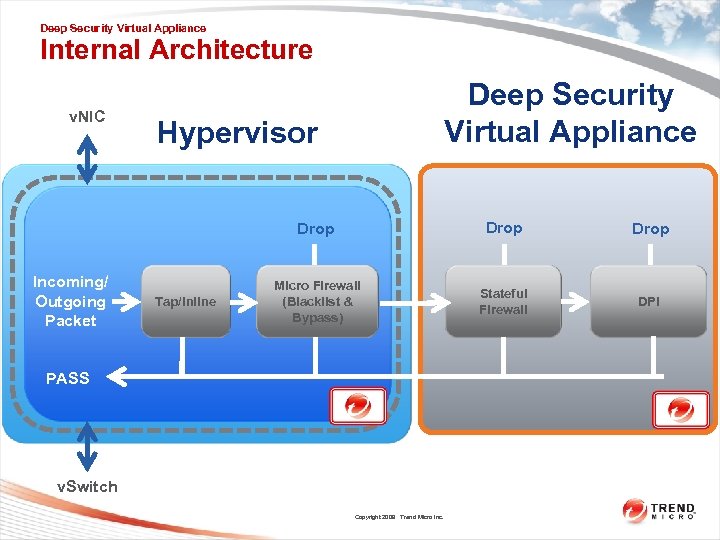 Deep Security Virtual Appliance Internal Architecture v. NIC Deep Security Virtual Appliance Hypervisor Drop Incoming/ Outgoing Packet Tap/Inline Drop Micro Firewall (Blacklist & Bypass) Stateful 76 Firewall DPI PASS v. Switch Copyright 2009 Trend Micro Inc.
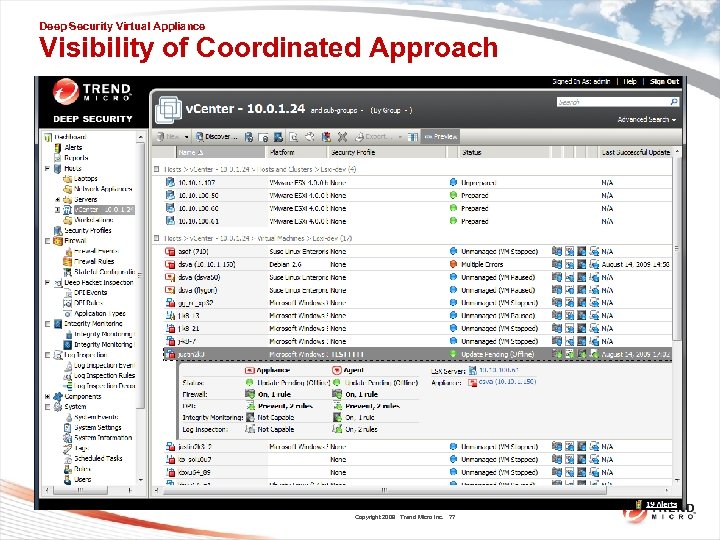 Deep Security Virtual Appliance Visibility of Coordinated Approach Copyright 2009 Trend Micro Inc. 77
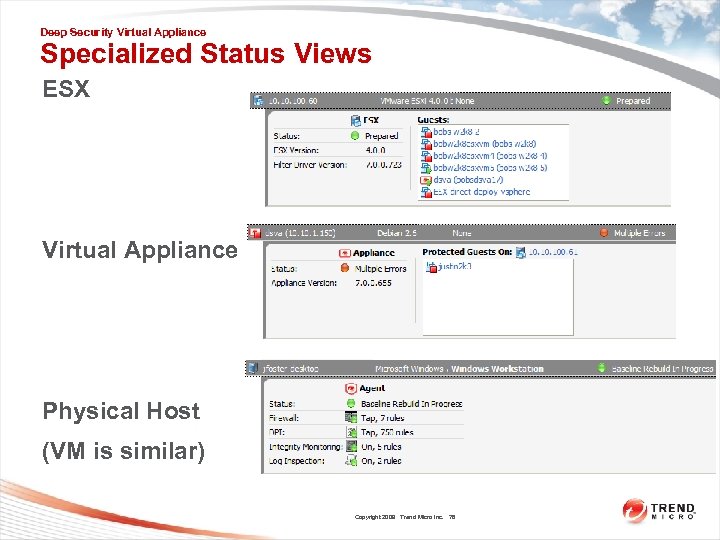 Deep Security Virtual Appliance Specialized Status Views ESX Virtual Appliance Physical Host (VM is similar) Copyright 2009 Trend Micro Inc. 78
 Deep Security Virtual Appliance • Questions? Copyright 2009 Trend Micro Inc. 79
 Event Tagging Introduction • Provides a multi-purpose management framework for events • Does not alter or remove the original events • Use Cases: – Noise Reduction (Less events to analyze, e. g. auto-tag patches, or vulnerability scanner events) – Event Workflow (pass events through stages of evaluation) – Filtered Reports (reports for certain tag combinations, like ‘may 1 breach’) – 3 rd Party System Integration (Ticket systems, change control) Copyright 2009 Trend Micro Inc. 80
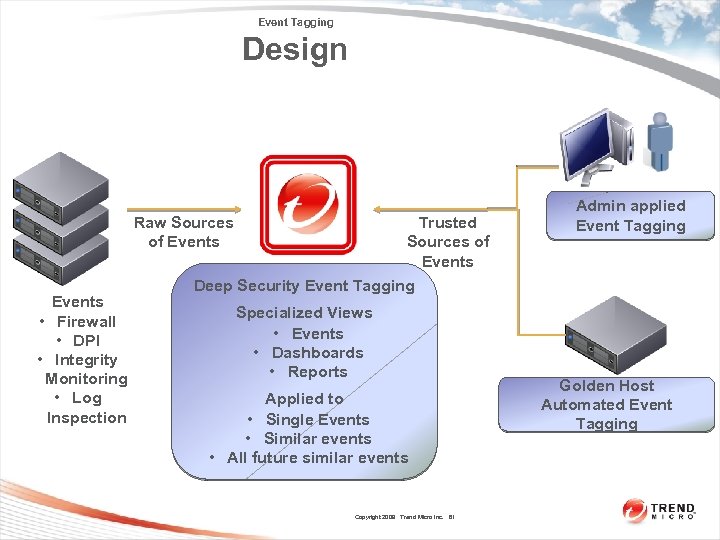 Event Tagging Design Raw Sources of Events • Firewall • DPI • Integrity Monitoring • Log Inspection Trusted Sources of Events Deep Security Event Tagging Specialized Views • Events • Dashboards • Reports Applied to • Single Events • Similar events • All future similar events Copyright 2009 Trend Micro Inc. 81 Admin applied Event Tagging Golden Host Automated Event Tagging
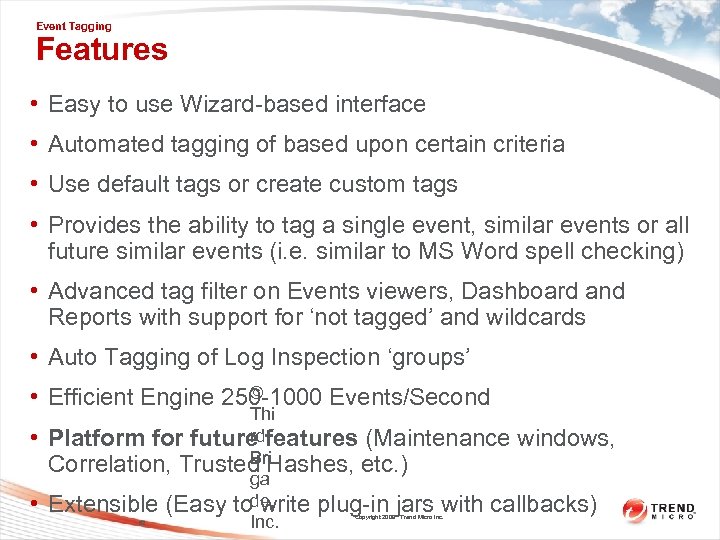 Event Tagging Features • Easy to use Wizard-based interface • Automated tagging of based upon certain criteria • Use default tags or create custom tags • Provides the ability to tag a single event, similar events or all future similar events (i. e. similar to MS Word spell checking) • Advanced tag filter on Events viewers, Dashboard and Reports with support for ‘not tagged’ and wildcards • Auto Tagging of Log Inspection ‘groups’ © • Efficient Engine 250 -1000 Events/Second • • Thi rd Platform for future features (Maintenance windows, Bri Correlation, Trusted Hashes, etc. ) ga de, Extensible (Easy to write plug-in jars with callbacks) Inc. 82 Copyright 2009 Trend Micro Inc.
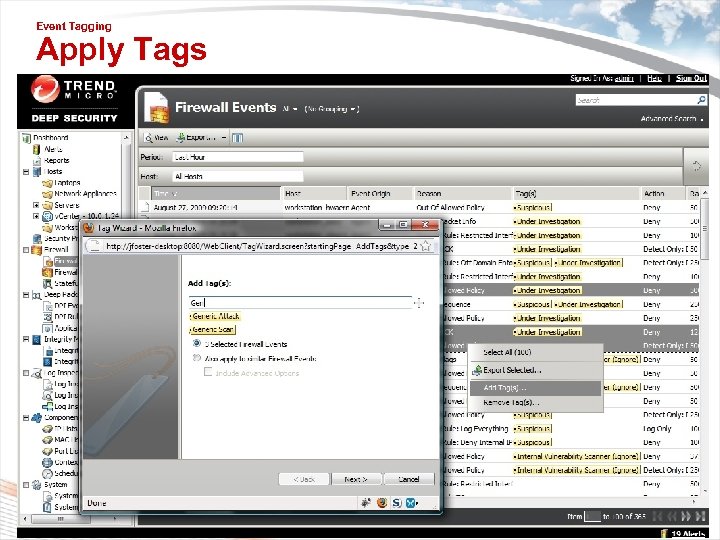 Event Tagging Apply Tags • Apply tags to Firewall, DPI, Integrity Monitoring, Log Inspection & System Events 83 © Thi rd Bri ga de, Inc. Copyright 2009 Trend Micro Inc.
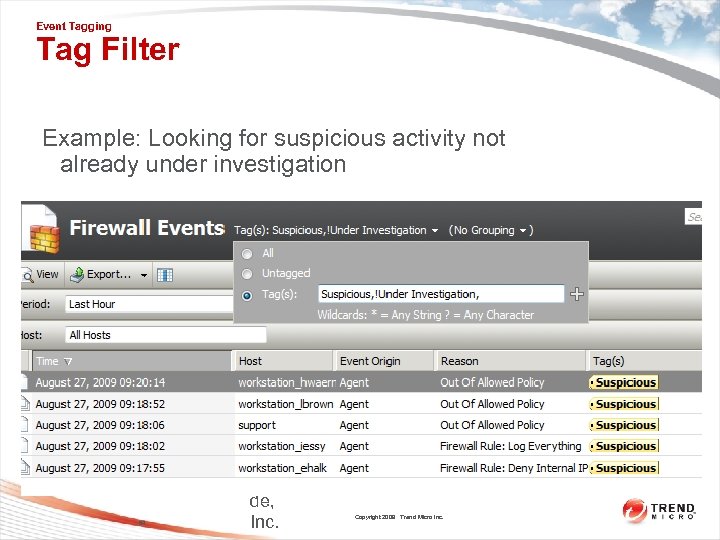 Event Tagging Tag Filter Example: Looking for suspicious activity not already under investigation 84 © Thi rd Bri ga de, Inc. Copyright 2009 Trend Micro Inc.
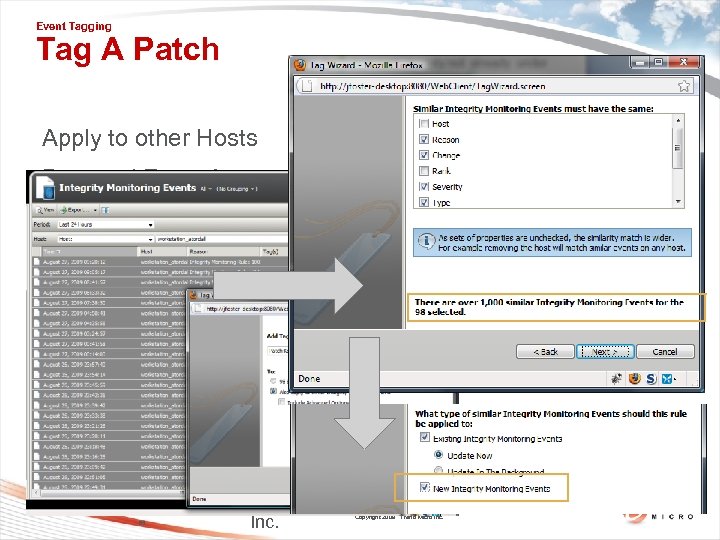 Event Tagging Tag A Patch Apply to other Hosts Past and Future! 85 © Thi rd Bri ga de, Inc. Copyright 2009 Trend Micro Inc.
 Event Tagging • Questions? Copyright 2009 Trend Micro Inc. 86
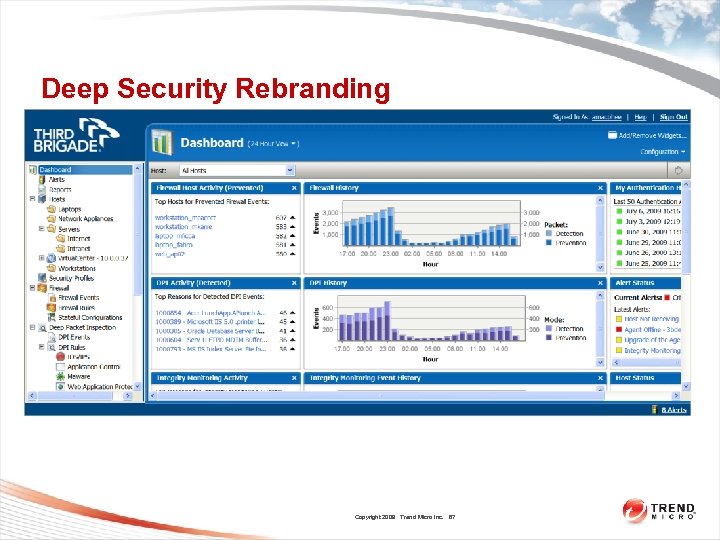 Deep Security Rebranding Copyright 2009 Trend Micro Inc. 87
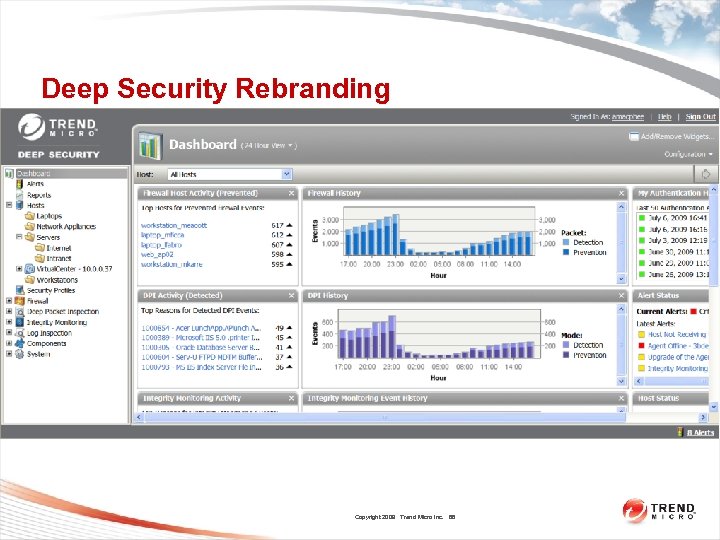 Deep Security Rebranding Copyright 2009 Trend Micro Inc. 88
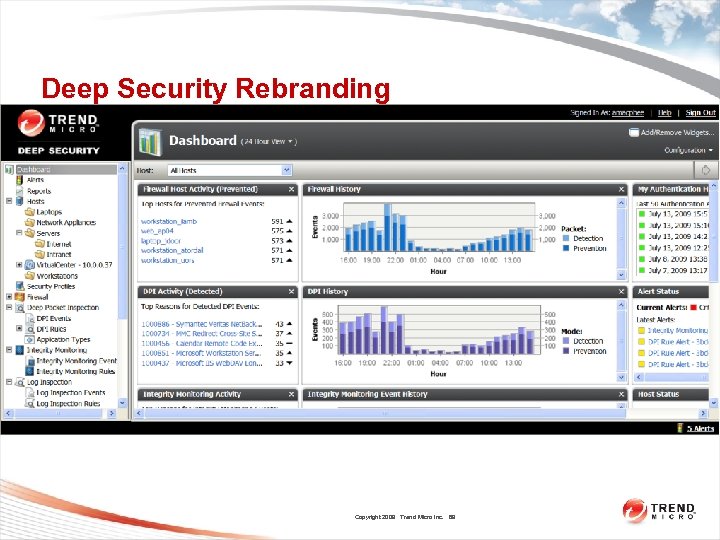 Deep Security Rebranding Copyright 2009 Trend Micro Inc. 89
 Integrity Monitoring Changes On Change • Available in DSA 7. 0 for most object types. • Provides ongoing integrity monitoring without having to schedule or manually request a scan. • Iceberg-like: very little of the feature is user-visible, but there’s a lot going on under the surface. • In the 7. 0 Windows DSA, file/directory notification is achieved through the Windows Read. Directory. Changes. W() API. This API notifies programs about file/dir changes – NOTE: Information about user or process that made the change is still not available 90 Copyright 2009 Trend Micro Inc.
 Integrity Monitoring Changes On Change (Continued) • No On. Change support for registry keys and values in 7. 0 – that will come with the file-system driver in a later release. • “Pseudo Realtime” On. Change support on all platforms via regular scanning. – The frequency of the scan is between 10 seconds and 10 minutes based on how long all of the On. Change-enabled rules take to process. – If the On. Change-enabled rules can all be processed very quickly (less than 1 second), then the DSA will run them every 10 seconds. The longer they take, the longer the DSA waits in between scans in order to avoid overloading the system. • Pseudo-realtime scanning can still miss changes if an object is changed, then put back to its original state before the DSA has a chance to scan it. Copyright 2009 Trend Micro Inc. 91
 Integrity Monitoring Changes On Change (Continued) • For On. Change enabled items, the DSA will generate integrity events as changes are noticed. – For files/directories on Windows this will be almost immediate, for other object types it will depend on the frequency of the pseudo-realtime scanning. • Integrity events generated due to On. Change scanning will be collected by DSM at the next heartbeat. • Integrity events generated due to On. Change look no different than other integrity events. • Changes to the DSA’s own integrity database (si. db) and log inspection database (lca. db) are automatically ignored, regardless of the rule settings. Copyright 2009 Trend Micro Inc. 92
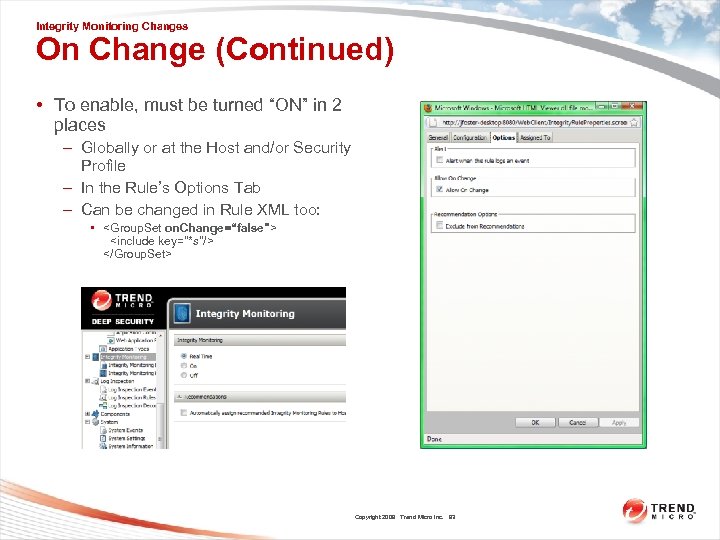 Integrity Monitoring Changes On Change (Continued) • To enable, must be turned “ON” in 2 places – Globally or at the Host and/or Security Profile – In the Rule’s Options Tab – Can be changed in Rule XML too: •
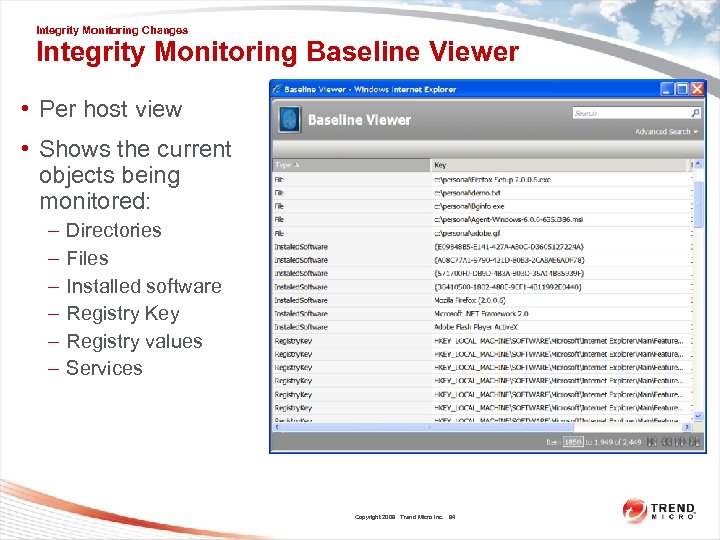 Integrity Monitoring Changes Integrity Monitoring Baseline Viewer • Per host view • Shows the current objects being monitored: – – – Directories Files Installed software Registry Key Registry values Services Copyright 2009 Trend Micro Inc. 94
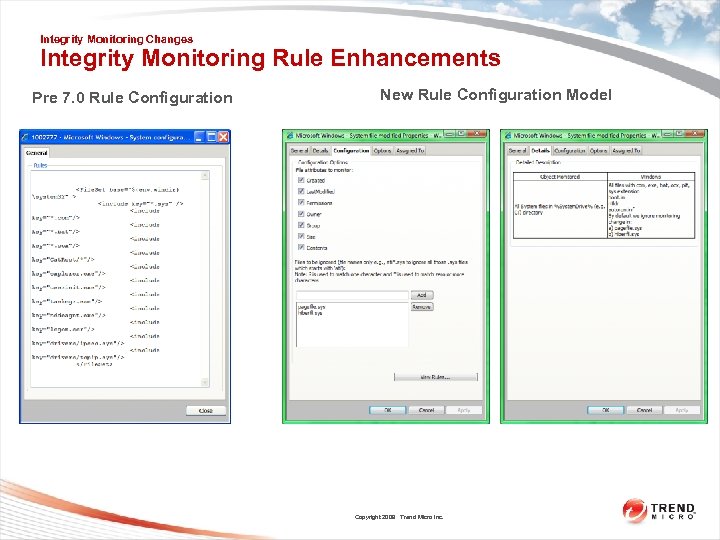 Integrity Monitoring Changes Integrity Monitoring Rule Enhancements Pre 7. 0 Rule Configuration New Rule Configuration Model Copyright 2009 Trend Micro Inc.
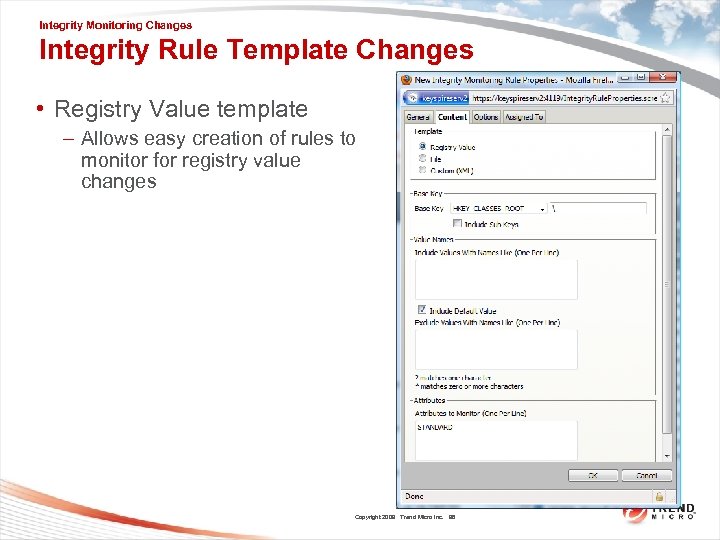 Integrity Monitoring Changes Integrity Rule Template Changes • Registry Value template – Allows easy creation of rules to monitor for registry value changes Copyright 2009 Trend Micro Inc. 96
 Integrity Monitoring Changes Integrity Monitoring Troubleshooting - Ensure the host has been updated since the last change - Ensure events have been fetched recently - Ensure DSM and DSA clocks set correctly - Ensure the DSA is of a sufficient version - Baseline Viewer and On-Change only available with 7. 0 DSA Copyright 2009 Trend Micro Inc. 97
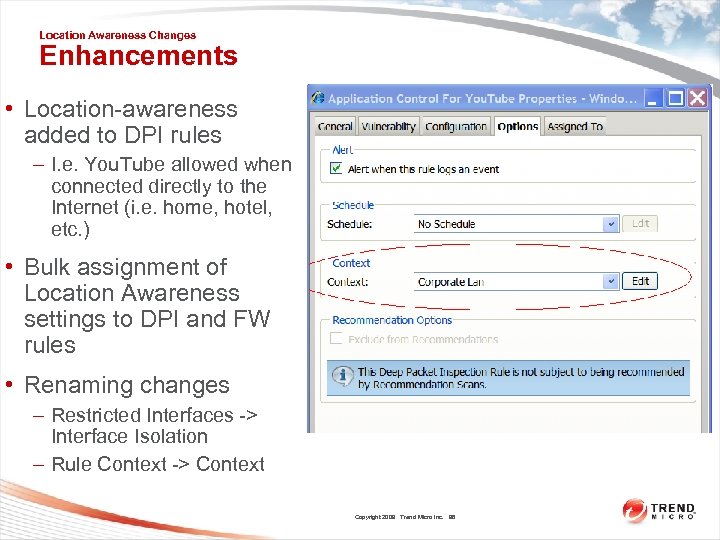 Location Awareness Changes Enhancements • Location-awareness added to DPI rules – I. e. You. Tube allowed when connected directly to the Internet (i. e. home, hotel, etc. ) • Bulk assignment of Location Awareness settings to DPI and FW rules • Renaming changes – Restricted Interfaces -> Interface Isolation – Rule Context -> Context Copyright 2009 Trend Micro Inc. 98
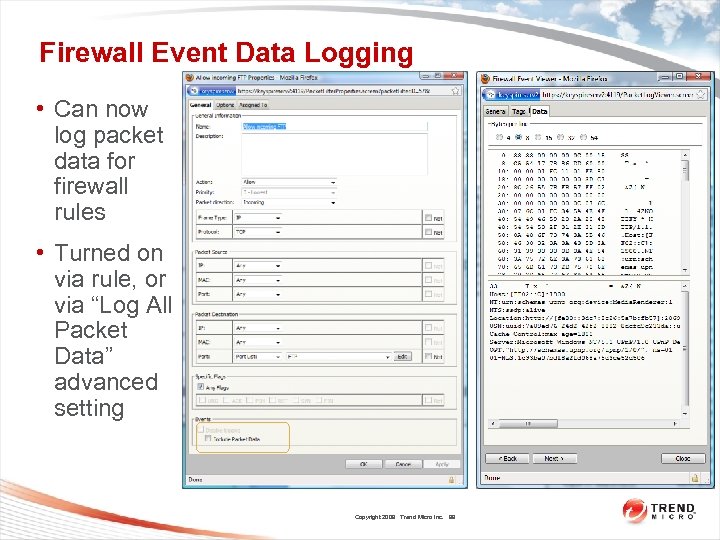 Firewall Event Data Logging • Can now log packet data for firewall rules • Turned on via rule, or via “Log All Packet Data” advanced setting Copyright 2009 Trend Micro Inc. 99
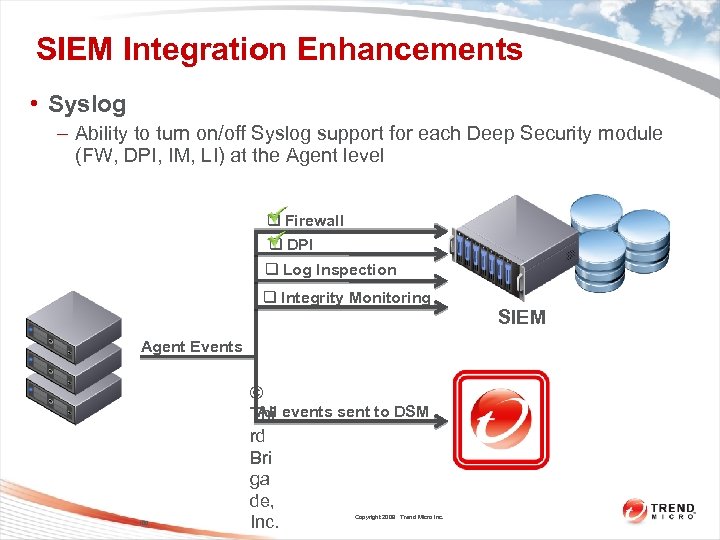 SIEM Integration Enhancements • Syslog – Ability to turn on/off Syslog support for each Deep Security module (FW, DPI, IM, LI) at the Agent level q Firewall q DPI q Log Inspection q Integrity Monitoring Agent Events 100 © All Thi events sent to DSM rd Bri ga de, Inc. Copyright 2009 Trend Micro Inc. SIEM
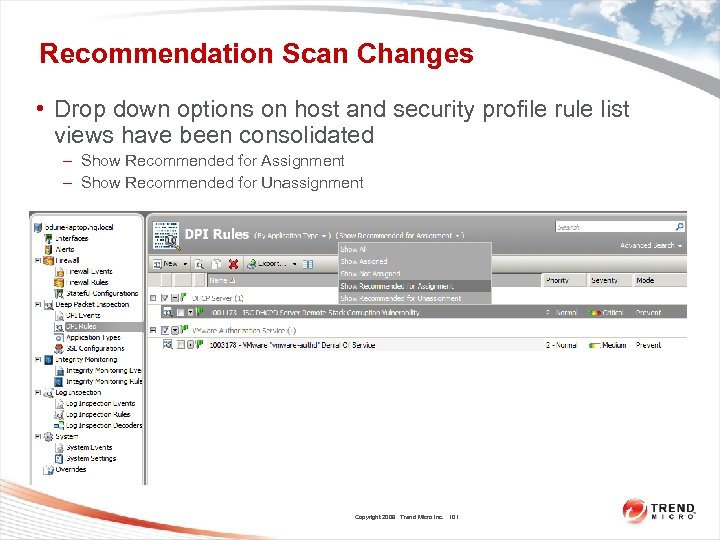 Recommendation Scan Changes • Drop down options on host and security profile rule list views have been consolidated – Show Recommended for Assignment – Show Recommended for Unassignment Copyright 2009 Trend Micro Inc. 101
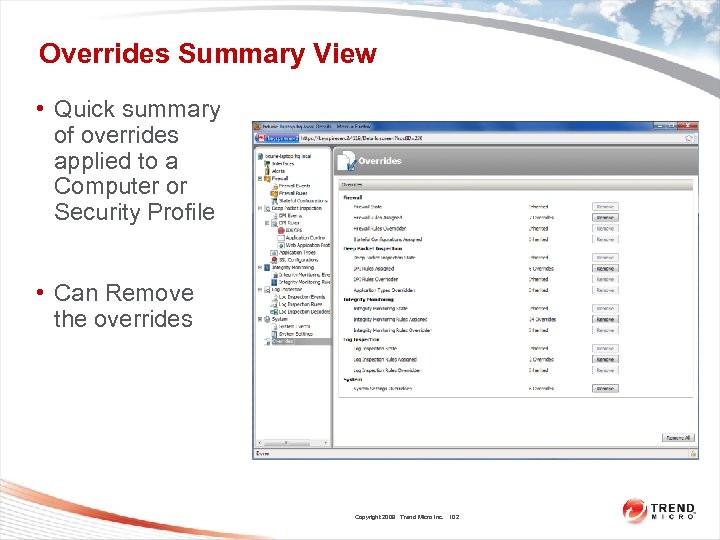 Overrides Summary View • Quick summary of overrides applied to a Computer or Security Profile • Can Remove the overrides Copyright 2009 Trend Micro Inc. 102
 Miscellaneous Changes • Agent Hardening – Use the dsa_control. exe tool to reset the agent – Use the services control panel to start/stop • 64 bit DSM – More memory available • Naming changes – “Host” -> “Computer” – Making consistent our use of the term “Agent” Copyright 2009 Trend Micro Inc. 103
 Deep Security 7 • Questions? Copyright 2009 Trend Micro Inc. 104
 Deep Security 7 TOI – LICENSING Marion Chase Confidential November 2009 Copyright 2009 Trend Micro Inc. 105
 LICENSING • Requirements for DS License and DS Customer Account • Expiry/Per-Section Licensing/etc. • Generation Procedure • Customer Experience / Deep Security Center • Migration to 7. 5 Confidential November 2009 Copyright 2009 Trend Micro Inc. 106
 LICENSING - Requirements • Account Details – Customer company name – Name and email address of customer account holder – (Support team have a Deep Security Center Account – contact Marion Mora for details) Confidential November 2009 Copyright 2009 Trend Micro Inc. 107
 LICENSING - Requirements • Licence (AC) Details – Type: Trial/Full – Expiry date • optional – for both Trial and Full – Per-Section Licensing controls the following: • Number of Servers, Workstations or VM servers (Hypervisors) to be protected and • For each of the above, which major features will be licensed – FIREWALL – DPI – INTEGRITY MONITORING – LOG INSPECTION Confidential November 2009 Copyright 2009 Trend Micro Inc. 108
 LICENSING - Requirements • Licence (AC) Details – License keys are not cumulative. • If a customer needs to increase from 100 Agents to 200 they will require a new key to be issued for 200 Agents – One license key per DSM • A pool of licenses can not be shared among multiple separate instances of the Manager Confidential November 2009 Copyright 2009 Trend Micro Inc. 109
 LICENSING – Generation/Use • Per-Section Licensing (examples) – MINIMUMVERSION=7. 0 • DSM minimum version for this License key – DPI_WORKSTATION=100, 100 • Number followed by an optional number allowed for disaster recovery – FIREWALL_VMSERVER=5 • The virtualization licensing model can be used for 5 ESX servers running an unlimited number of VMs. – MANAGERS=3 • Controls how many DSM nodes can run connected to a single database, with the multi-node/clustered manager option. It’s preferable if most customers run at least 2 DSM nodes for fail-over and scalability, default = 1. Confidential November 2009 Copyright 2009 Trend Micro Inc. 110
 LICENSING – Generation/Use • Licensing - Enforcement – If a module has 0 seats, it will not be usable – If a module has >0 seats, it will be usable by as many Agents that are assigned it – When the license is in violation with regards to seats, an alert will appear (nag), but we don’t enforce the seat count Confidential November 2009 Copyright 2009 Trend Micro Inc. 111
 LICENSING – Generation/Use • License – Common Features – Generated Date – Unique Serial Number – Omitted keys have default values • Per-section licensing default = 0 – WARN=30 • Days to warn before expiry, default = 30 Confidential November 2009 Copyright 2009 Trend Micro Inc. 112
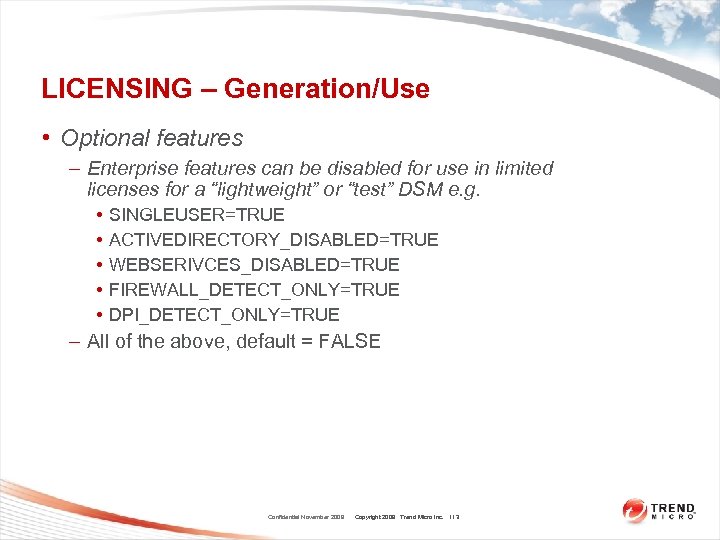 LICENSING – Generation/Use • Optional features – Enterprise features can be disabled for use in limited licenses for a “lightweight” or “test” DSM e. g. • • • SINGLEUSER=TRUE ACTIVEDIRECTORY_DISABLED=TRUE WEBSERIVCES_DISABLED=TRUE FIREWALL_DETECT_ONLY=TRUE DPI_DETECT_ONLY=TRUE – All of the above, default = FALSE Confidential November 2009 Copyright 2009 Trend Micro Inc. 113
 LICENSING – Generation/Use • License Details Usage – Will be displayed on the DSM’s License screen after installation • Generation Procedure – Licenses are generated by Ottawa Sales Operations (Jim Over) – The Licensing System sends the generated license to the customer’s registered email address Confidential November 2009 Copyright 2009 Trend Micro Inc. 114
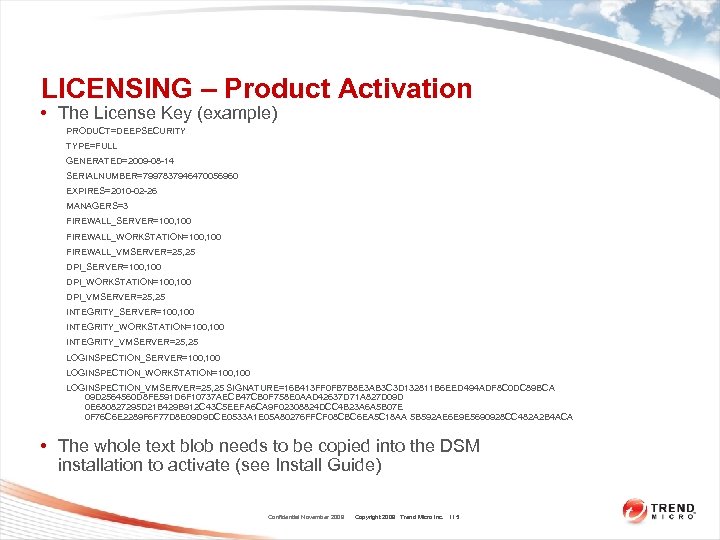 LICENSING – Product Activation • The License Key (example) PRODUCT=DEEPSECURITY TYPE=FULL GENERATED=2009 -08 -14 SERIALNUMBER=7997837946470056960 EXPIRES=2010 -02 -26 MANAGERS=3 FIREWALL_SERVER=100, 100 FIREWALL_WORKSTATION=100, 100 FIREWALL_VMSERVER=25, 25 DPI_SERVER=100, 100 DPI_WORKSTATION=100, 100 DPI_VMSERVER=25, 25 INTEGRITY_SERVER=100, 100 INTEGRITY_WORKSTATION=100, 100 INTEGRITY_VMSERVER=25, 25 LOGINSPECTION_SERVER=100, 100 LOGINSPECTION_WORKSTATION=100, 100 LOGINSPECTION_VMSERVER=25, 25 SIGNATURE=16 B 413 FF 0 FB 7 B 8 E 3 AB 3 C 3 D 132811 B 6 EED 494 ADF 8 C 0 DC 89 BCA 09 D 2564560 D 8 FE 591 D 6 F 10737 AECB 47 CB 0 F 758 E 0 AAD 42637 D 71 A 827 D 09 D 0 E 680827295 D 21 B 429 B 912 C 43 C 5 EEFA 6 CA 9 F 02308824 DCC 4 B 23 A 6 A 5 B 07 E 0 F 76 C 6 E 2289 F 6 F 77 D 8 E 09 D 9 DCE 0533 A 1 E 05 A 80276 FFCF 08 CBC 6 EA 5 C 18 AA 5 B 592 AE 6 E 9 E 5690928 CC 482 A 2 B 4 ACA • The whole text blob needs to be copied into the DSM installation to activate (see Install Guide) Confidential November 2009 Copyright 2009 Trend Micro Inc. 115
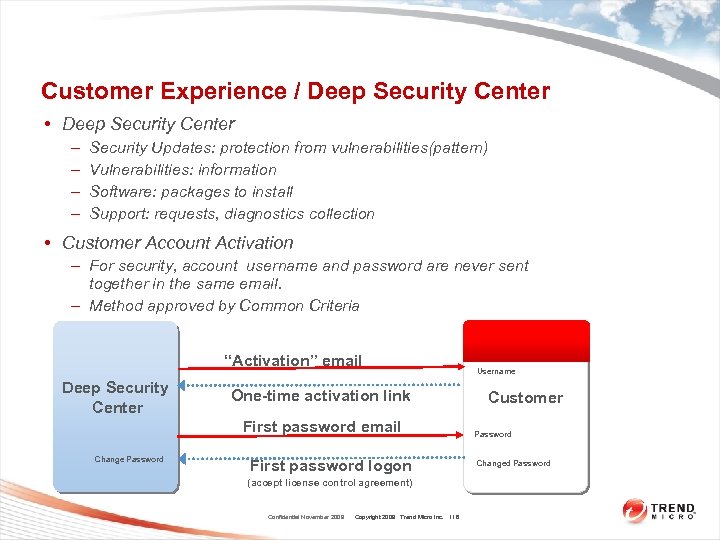 Customer Experience / Deep Security Center • Deep Security Center – – Security Updates: protection from vulnerabilities(pattern) Vulnerabilities: information Software: packages to install Support: requests, diagnostics collection • Customer Account Activation – For security, account username and password are never sent together in the same email. – Method approved by Common Criteria “Activation” email Deep Security Center One-time activation link First password email Change Password First password logon (accept license control agreement) Confidential November 2009 Copyright 2009 Trend Micro Inc. 116 Username Customer Password Changed Password
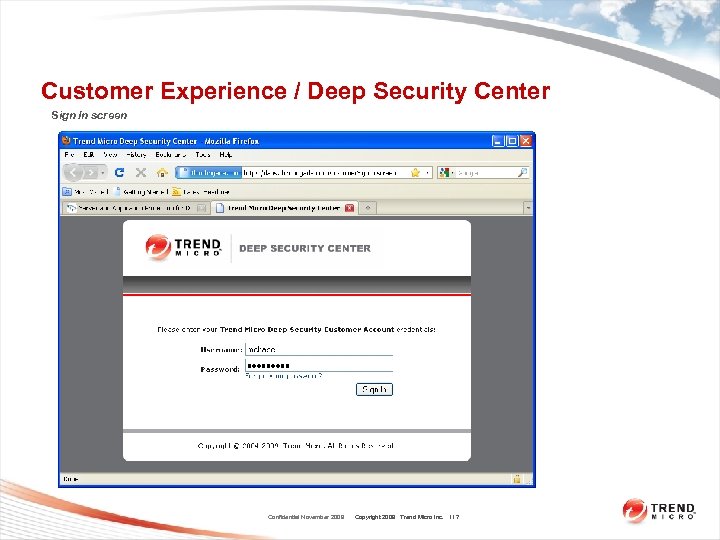 Customer Experience / Deep Security Center Sign In screen Confidential November 2009 Copyright 2009 Trend Micro Inc. 117
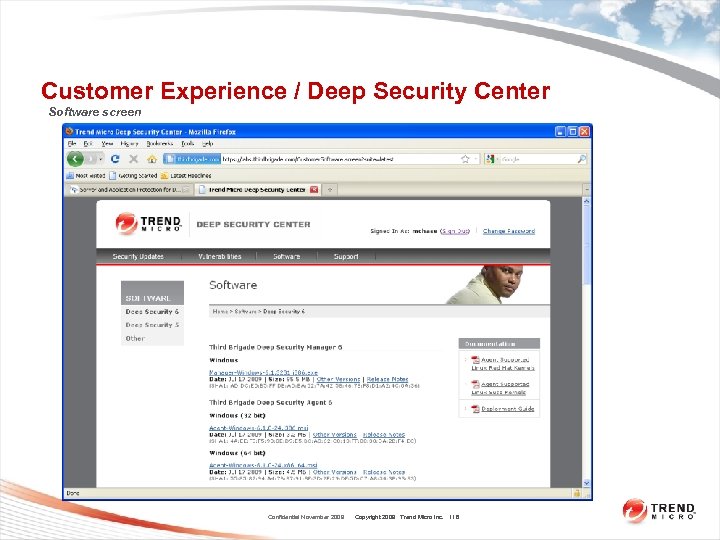 Customer Experience / Deep Security Center Software screen Confidential November 2009 Copyright 2009 Trend Micro Inc. 118
 LICENSING – Future Migration • In Deep Security 7. 5, the licensing will be migrated to the Trend PR system – License functionality will change significantly – Deep Security 7. 5 is currently in development (as of Nov 2009) Confidential November 2009 Copyright 2009 Trend Micro Inc. 119
 Deep Security 7 TOI – MISC Marion Chase Confidential November 2009 Copyright 2009 Trend Micro Inc. 120
 3 rd Party Software • Deep Security Uses 3 rd Party Code – 3 rd Party Software e. g. Java JRE – 3 rd Party. jar files e. g. Apache Commons, VMWare SDK – Other 3 rd party open source / public domain code – Some license agreements require open access to source code – Requests for Customers to view this code should be passed on to the PDG Team Confidential November 2009 Copyright 2009 Trend Micro Inc. 121
 3 rd Party Software • List of 3 rd Party software is redistributed by the installer packages and placed in local folders – DSM [INSTALL DIRECTORY]webclientwebappsROOTWEB-INFliblicenses – DSA [INSTALL DIRECTORY]Licenses – DSVA /opt/ds_agent/Licenses/Deep_Security_7_0_3 P_licenses_20091104. txt • 3 rd Party Software listed in release notes Confidential November 2009 Copyright 2009 Trend Micro Inc. 122
 Deep Security Knowledge Resources • On-Line Help – Equivalent to User’s Guide – Searchable • Development Wiki – http: //keyspireserv. hq. local/mediawiki/index. php/Product_ Development – Active knowledge base, continually updated by DS Dev team – This resource will not be available within Trend until after Ottawa IT transition – Some specific data from the wiki will be migrated to i. Share. Confidential November 2009 Copyright 2009 Trend Micro Inc. 123
 Thank You Copyright 2009 Trend Micro Inc.