 Скачать презентацию DB-3 Open Edge Replication How-To David Eddy Senior
416c831948f176598b04fbc907bb47c2.ppt
- Количество слайдов: 67



DB-3: Open. Edge® Replication How-To David Eddy Senior Consultant
Agenda § What is Open. Edge Replication? § Planning for your installation § First-time setup § Common procedures § Things you need to know § Things you should think about § Summary DB-3: Open. Edge Replication How-To 2 © 2006 Progress Software Corporation
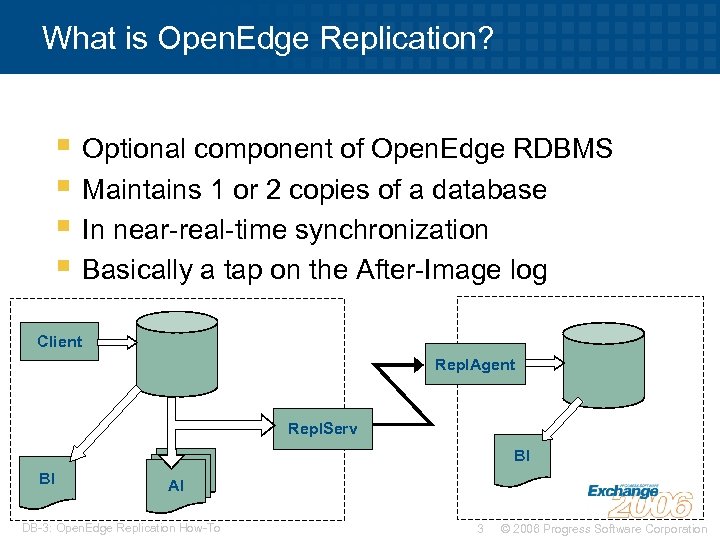
What is Open. Edge Replication? § Optional component of Open. Edge RDBMS § Maintains 1 or 2 copies of a database § In near-real-time synchronization § Basically a tap on the After-Image log Client Repl. Agent Repl. Serv BI BI AI DB-3: Open. Edge Replication How-To 3 © 2006 Progress Software Corporation
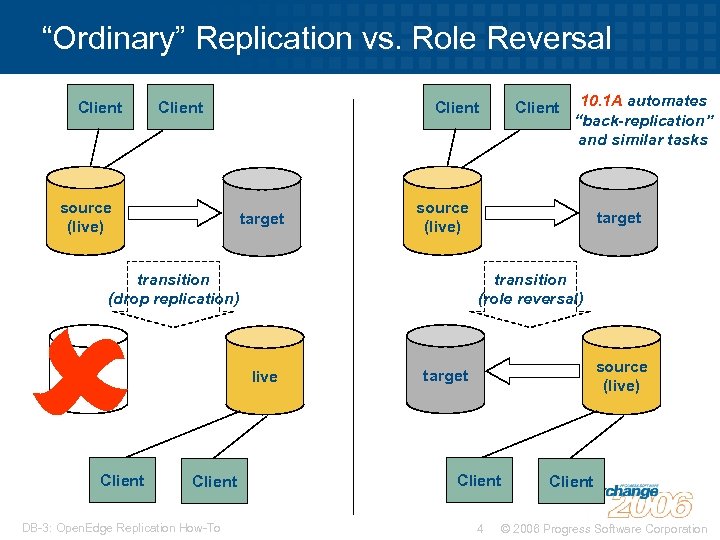
“Ordinary” Replication vs. Role Reversal Client source (live) target Client DB-3: Open. Edge Replication How-To target transition (role reversal) live Client 10. 1 A automates “back-replication” and similar tasks source (live) transition (drop replication) Client source (live) target Client 4 Client © 2006 Progress Software Corporation
Agenda § What is Open. Edge Replication? § Planning for your installation § First-time setup § Common procedures § Things you need to know § Things you should think about § Summary DB-3: Open. Edge Replication How-To 5 © 2006 Progress Software Corporation
Planning for your Installation: OS Versions and Management § Must have same operating system on source and target machines • Ideally, patch levels synchronized as well § Other combinations may work but are not § supported Develop a plan to maintain both systems • Synchronised • Staged with planned fail-over/fail-back for continuous availability DB-3: Open. Edge Replication How-To 6 © 2006 Progress Software Corporation
Planning for your Installation: The Network Link § Must have enough bandwidth to handle AI data • Otherwise source DB might be throttled back § How much is “sufficient”? diagram here concept: “bottleneck” DB-3: Open. Edge Replication How-To 7 © 2006 Progress Software Corporation
Computing Required Network Bandwidth § Examine BI block writes • promon R&D/2/5 or _Act. BI VST § Net replication traffic will be 1. 5 x BI data rate § E. g. 10 8 k BI block writes second • 15 x 8 k = 120 k. B/sec replication traffic • 1. 2 Mbits/sec network bandwidth required • If Ethernet hardware, allow 1. 5 -2 x utilisation fudge factor due to CSMA/CD inefficiency DB-3: Open. Edge Replication How-To 8 © 2006 Progress Software Corporation
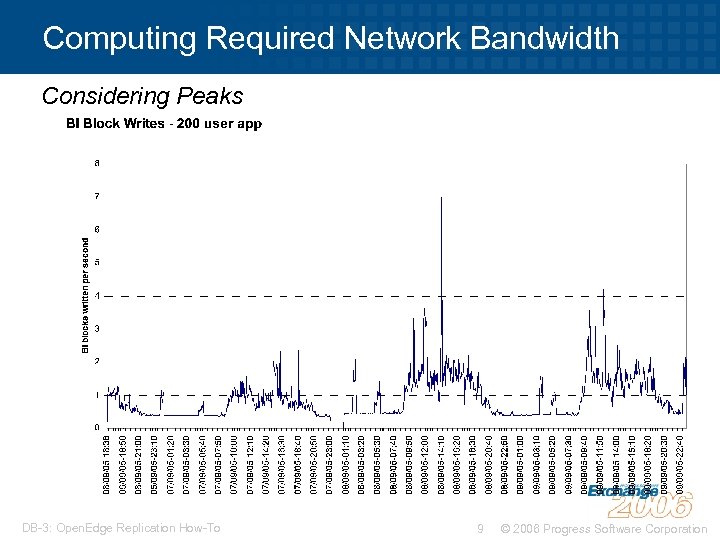
Computing Required Network Bandwidth Considering Peaks DB-3: Open. Edge Replication How-To 9 © 2006 Progress Software Corporation
Computing Required Network Bandwidth Considering Peaks § Consider peaks when measuring BI block writes • Are you willing to sacrifice performance for cost? • When do peaks occur? • Can they be handled by buffering? – -pica broker parameter specifies replication buffers • Is buffering a desirable policy option? – buffering = falling behind DB-3: Open. Edge Replication How-To 10 © 2006 Progress Software Corporation
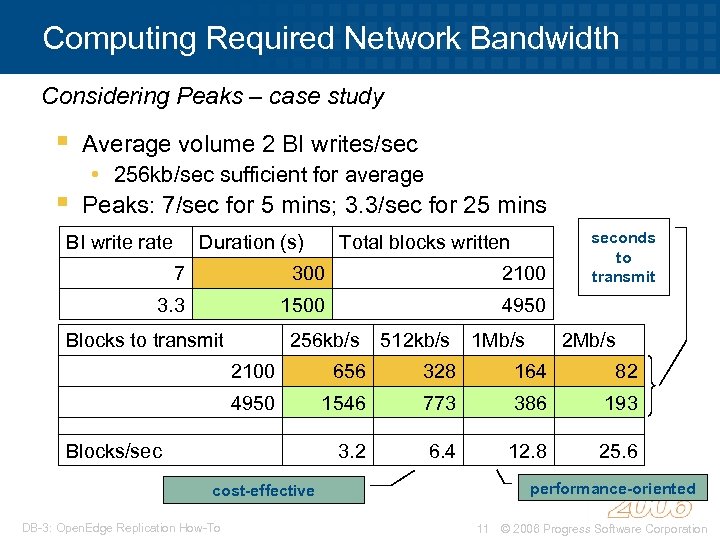
Computing Required Network Bandwidth Considering Peaks – case study § § Average volume 2 BI writes/sec • 256 kb/sec sufficient for average Peaks: 7/sec for 5 mins; 3. 3/sec for 25 mins BI write rate Duration (s) Total blocks written 7 300 2100 3. 3 1500 seconds to transmit 4950 Blocks to transmit 256 kb/s 512 kb/s 1 Mb/s 2100 656 328 164 82 4950 1546 773 386 193 3. 2 6. 4 12. 8 25. 6 Blocks/sec cost-effective DB-3: Open. Edge Replication How-To performance-oriented 11 © 2006 Progress Software Corporation
Planning for your Installation: DB Backup and After Image Log Management § On-line backup is preferable • Implications for target DB if source is shut down § Must plan how to handle AI data • • Back up DB AI extents Typically just throw away AI data after backup Some people choose to archive AI logs Use AI File Archiver if Open. Edge 10. 1 A DB-3: Open. Edge Replication How-To 12 © 2006 Progress Software Corporation
Replica DB Setup § Need to plan replica DB(s) • Layout, extent size, memory usage • Recommend same as production § “Ordinary” replication: § Source DB needs to know host and port of target DB(s) Role reversal replication (Open. Edge 10. 1 A only): Source and Target DBs need to know each other’s host/port DB-3: Open. Edge Replication How-To 13 © 2006 Progress Software Corporation
Agenda § What is Open. Edge Replication? § Planning for your installation § First-time setup § Common procedures § Things you need to know § Things you should think about § Summary DB-3: Open. Edge Replication How-To 14 © 2006 Progress Software Corporation
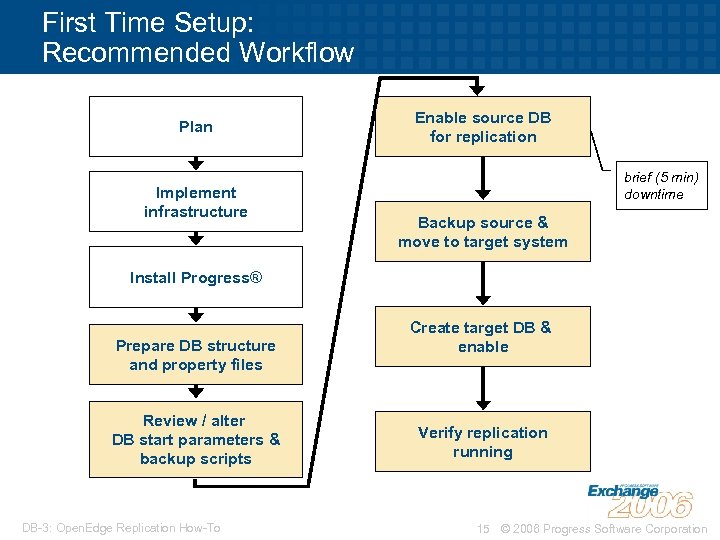
First Time Setup: Recommended Workflow Plan Implement infrastructure Enable source DB for replication brief (5 min) downtime Backup source & move to target system Install Progress® Prepare DB structure and property files Review / alter DB start parameters & backup scripts DB-3: Open. Edge Replication How-To Create target DB & enable Verify replication running 15 © 2006 Progress Software Corporation
First Time Setup: Prepare Structure Files § Source database needs After Image extents • Recommend 5 -7 extents • Must be “enough” to cope with issues § Target database needs structure description • Recommend it’s the same as source DB • At least make extents same size if you can DB-3: Open. Edge Replication How-To 16 © 2006 Progress Software Corporation
First Time Setup: Prepare Property Files § Replication requires property file dbname. repl. properties in. db directory • Both source and target databases § Template files located in $DLC/properties • source. repl. properties • target. repl. properties § Can be combined if you wish • Not recommended for “ordinary” replication DB-3: Open. Edge Replication How-To 17 © 2006 Progress Software Corporation
![First Time Setup: Prepare Property Files – Source [server] control-agents=agent 1 database=dbname transition=manual transition-timeout=1200](https://present5.com/presentation/416c831948f176598b04fbc907bb47c2/image-18.jpg "First Time Setup: Prepare Property Files – Source [server] control-agents=agent 1 database=dbname transition=manual transition-timeout=1200")
First Time Setup: Prepare Property Files – Source [server] control-agents=agent 1 database=dbname transition=manual transition-timeout=1200 defer-agent-startup=1400 schema-lock-action=wait [control-agent 1] name=agent 1 database=dbname host=targetdb_host port=targetdb_port connect-timeout=120 replication-method=async critical=0 DB-3: Open. Edge Replication How-To Changes from source template are shown in red Unlikely these will need changing, but possible 18 © 2006 Progress Software Corporation
![First Time Setup: Prepare Property Files – Target [agent] name=agent 1 database=db-name listener-minport=1500 listener-maxport=4500](https://present5.com/presentation/416c831948f176598b04fbc907bb47c2/image-19.jpg "First Time Setup: Prepare Property Files – Target [agent] name=agent 1 database=db-name listener-minport=1500 listener-maxport=4500")
First Time Setup: Prepare Property Files – Target [agent] name=agent 1 database=db-name listener-minport=1500 listener-maxport=4500 # adjust if needed § This file usually does not need to be changed from template $DLC/properties/target. repl. properties DB-3: Open. Edge Replication How-To 19 © 2006 Progress Software Corporation
First Time Setup: Review / Change Backup Scripts § Need to empty any full AI extents • Might even want to archive first § probkup and rfutil mark backedup force AI extent switch • May as well deal with AI in backup script § Simple addition to current script DB-3: Open. Edge Replication How-To 20 © 2006 Progress Software Corporation
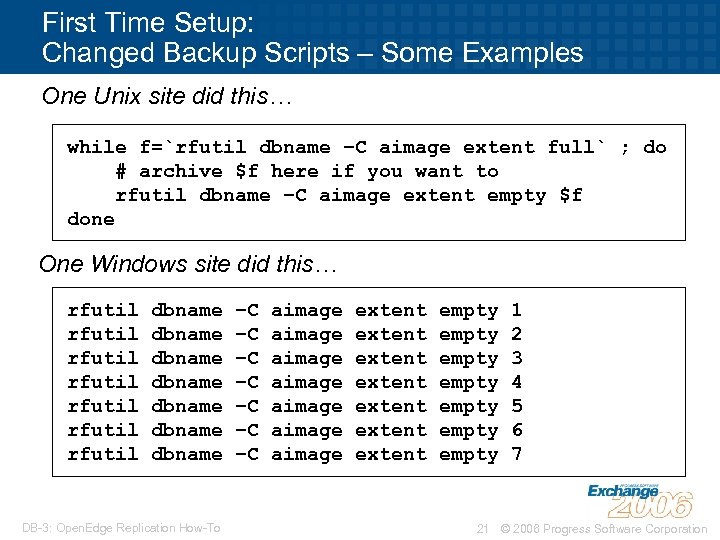
First Time Setup: Changed Backup Scripts – Some Examples One Unix site did this… while f=`rfutil dbname –C aimage extent full` ; do # archive $f here if you want to rfutil dbname –C aimage extent empty $f done One Windows site did this… rfutil rfutil dbname dbname DB-3: Open. Edge Replication How-To –C –C aimage aimage extent extent empty empty 1 2 3 4 5 6 7 21 © 2006 Progress Software Corporation
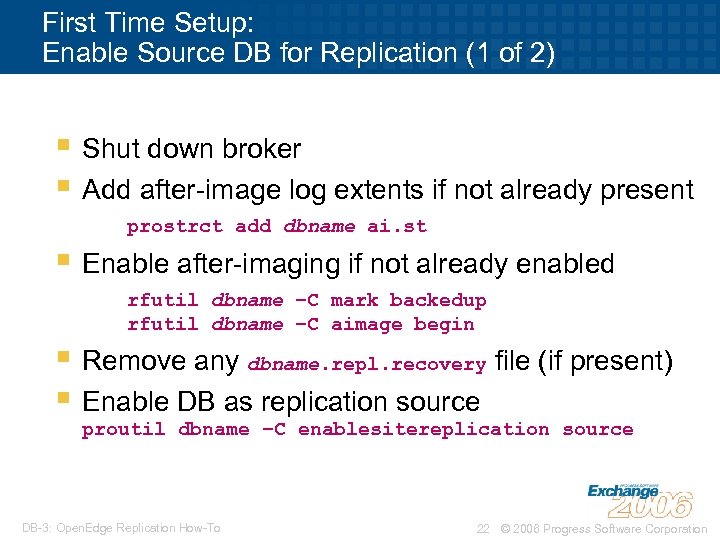
First Time Setup: Enable Source DB for Replication (1 of 2) § Shut down broker § Add after-image log extents if not already present prostrct add dbname ai. st § Enable after-imaging if not already enabled rfutil dbname –C mark backedup rfutil dbname –C aimage begin § Remove any dbname. repl. recovery file (if present) § Enable DB as replication source proutil dbname –C enablesitereplication source DB-3: Open. Edge Replication How-To 22 © 2006 Progress Software Corporation
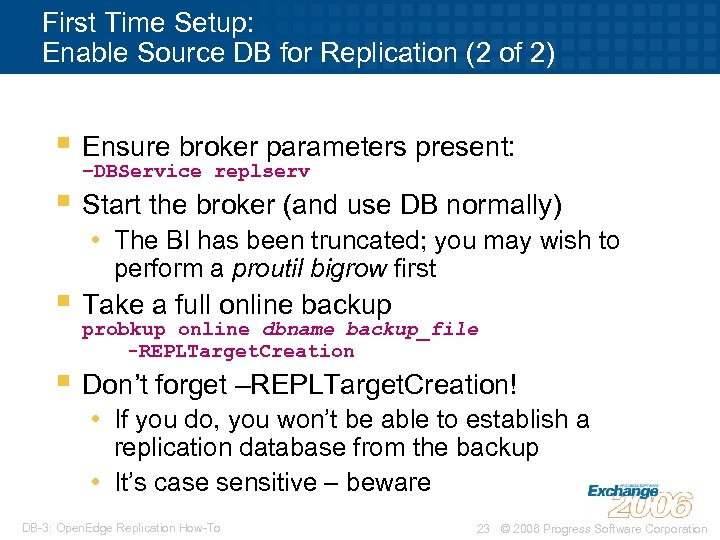
First Time Setup: Enable Source DB for Replication (2 of 2) § Ensure broker parameters present: –DBService replserv § Start the broker (and use DB normally) • The BI has been truncated; you may wish to perform a proutil bigrow first § Take a full online backup probkup online dbname backup_file -REPLTarget. Creation § Don’t forget –REPLTarget. Creation! • If you do, you won’t be able to establish a replication database from the backup • It’s case sensitive – beware DB-3: Open. Edge Replication How-To 23 © 2006 Progress Software Corporation
First Time Setup: Transport Backup to Target System § Use a method that suits your needs and resources • • Send via network Walk tape across room Drive tape to remote site Set up replica system at source site then transport to remote site § There’s no particular hurry § Reliability is critical DB-3: Open. Edge Replication How-To 24 © 2006 Progress Software Corporation
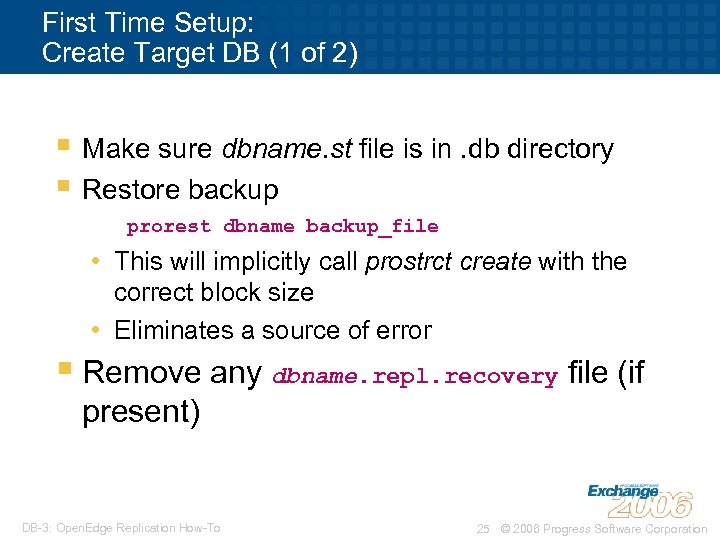
First Time Setup: Create Target DB (1 of 2) § Make sure dbname. st file is in. db directory § Restore backup prorest dbname backup_file • This will implicitly call prostrct create with the correct block size • Eliminates a source of error § Remove any dbname. repl. recovery file (if present) DB-3: Open. Edge Replication How-To 25 © 2006 Progress Software Corporation
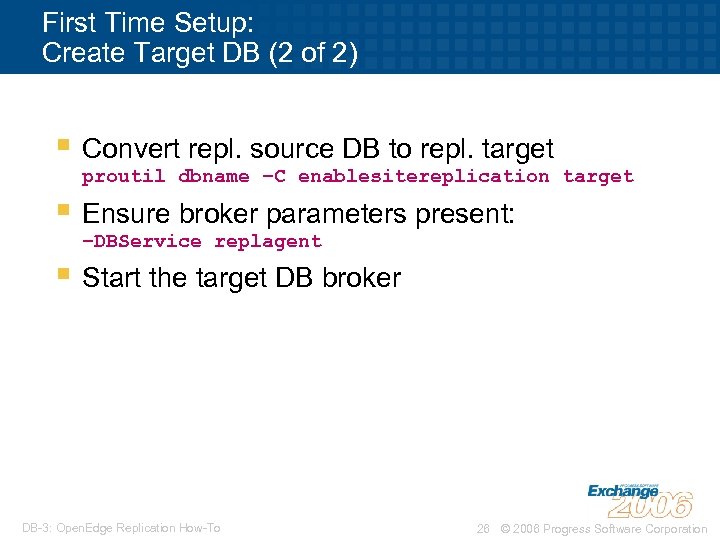
First Time Setup: Create Target DB (2 of 2) § Convert repl. source DB to repl. target proutil dbname –C enablesitereplication target § Ensure broker parameters present: –DBService replagent § Start the target DB broker DB-3: Open. Edge Replication How-To 26 © 2006 Progress Software Corporation
First Time Setup: Verify Replication is Running § Check source db. lg file, or § Use dsrutil dbname –C monitor § Might have to wait up to 5 minutes • defer_agent_startup checks every 5 minutes, tries for 1 minute each time DB-3: Open. Edge Replication How-To 27 © 2006 Progress Software Corporation
First Time Setup: Common Mistakes (1 of 2) § Source/target port mismatch • e. g. source. repl. properties says to expect target DB to be listening on 7001, but target actually listening on 7701 § Firewall in the way • Connection between Repl. Serv and Repl. Agent is independent of initial connection to DB • Manipulate port range using agent listenerminport and listener-maxport parameters DB-3: Open. Edge Replication How-To 28 © 2006 Progress Software Corporation
First Time Setup: Common Mistakes (2 of 2) § db. repl. recovery file left behind • This file is used for recovery processing • Must be deleted if initialising replication anew • Seldom an issue in first-time install but common when re-establishing replication § –DBService parameter issue • Required parameter in replication • Mode must agree with database mode • Must not be present if not replicating DB-3: Open. Edge Replication How-To 29 © 2006 Progress Software Corporation
First Time Setup: Optimising Performance § Configure / tune target DB as though it were live • Likely needs less –B but otherwise the same • Don’t forget BI block and cluster size § Ensure you start APW & BIW § If you get slowdowns on source system, try adding replication buffers • Max is –pica 256 § Should not be necessary to tweak Replication polling properties DB-3: Open. Edge Replication How-To 30 © 2006 Progress Software Corporation
Agenda Subtitle Goes Here - Arial Italic 24 pt. § What is Open. Edge Replication? § Planning for your installation § First-time setup § Common procedures § Things you need to know § Things you should think about § Summary DB-3: Open. Edge Replication How-To 31 © 2006 Progress Software Corporation
Common procedures § Using a DB copy or restored backup § Handling throughput spikes § Failing over § Failing back DB-3: Open. Edge Replication How-To 32 © 2006 Progress Software Corporation
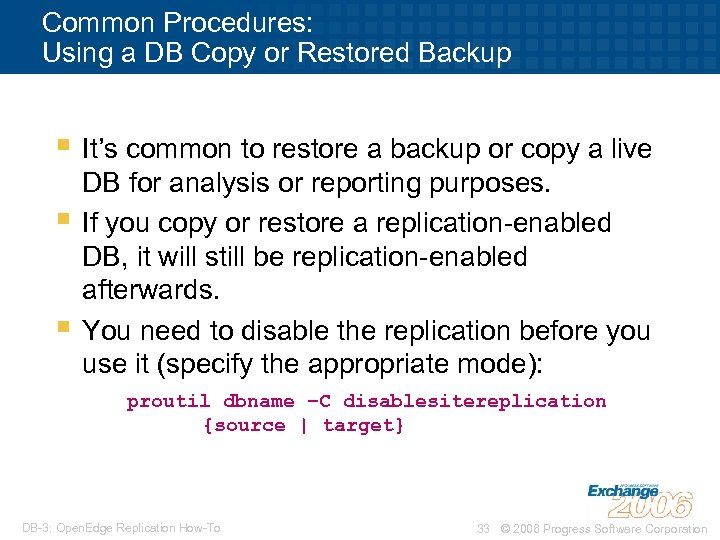
Common Procedures: Using a DB Copy or Restored Backup § It’s common to restore a backup or copy a live § § DB for analysis or reporting purposes. If you copy or restore a replication-enabled DB, it will still be replication-enabled afterwards. You need to disable the replication before you use it (specify the appropriate mode): proutil dbname –C disablesitereplication {source | target} DB-3: Open. Edge Replication How-To 33 © 2006 Progress Software Corporation
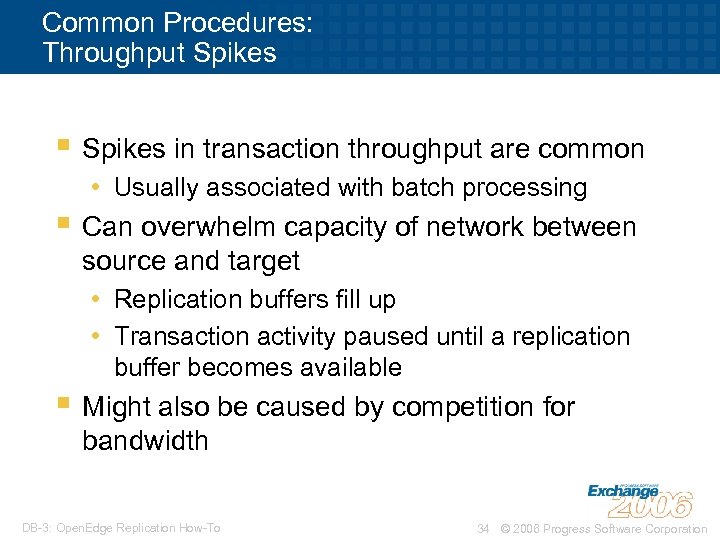
Common Procedures: Throughput Spikes § Spikes in transaction throughput are common • Usually associated with batch processing § Can overwhelm capacity of network between source and target • Replication buffers fill up • Transaction activity paused until a replication buffer becomes available § Might also be caused by competition for bandwidth DB-3: Open. Edge Replication How-To 34 © 2006 Progress Software Corporation
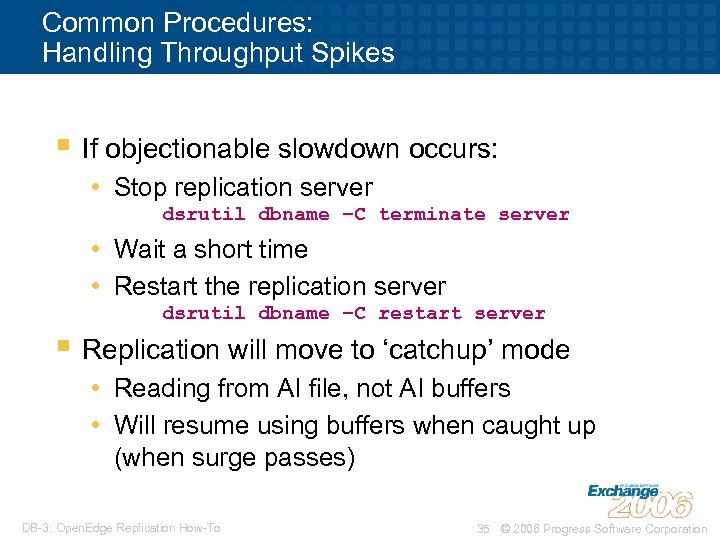
Common Procedures: Handling Throughput Spikes § If objectionable slowdown occurs: • Stop replication server dsrutil dbname –C terminate server • Wait a short time • Restart the replication server dsrutil dbname –C restart server § Replication will move to ‘catchup’ mode • Reading from AI file, not AI buffers • Will resume using buffers when caught up (when surge passes) DB-3: Open. Edge Replication How-To 35 © 2006 Progress Software Corporation
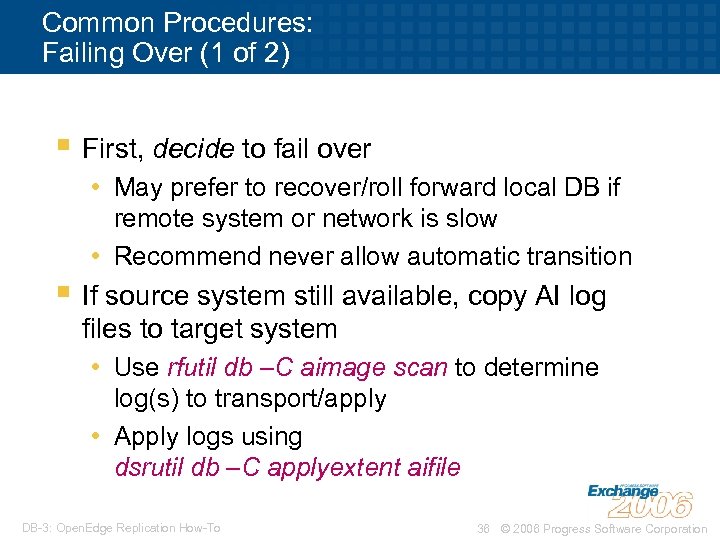
Common Procedures: Failing Over (1 of 2) § First, decide to fail over • May prefer to recover/roll forward local DB if remote system or network is slow • Recommend never allow automatic transition § If source system still available, copy AI log files to target system • Use rfutil db –C aimage scan to determine log(s) to transport/apply • Apply logs using dsrutil db –C applyextent aifile DB-3: Open. Edge Replication How-To 36 © 2006 Progress Software Corporation
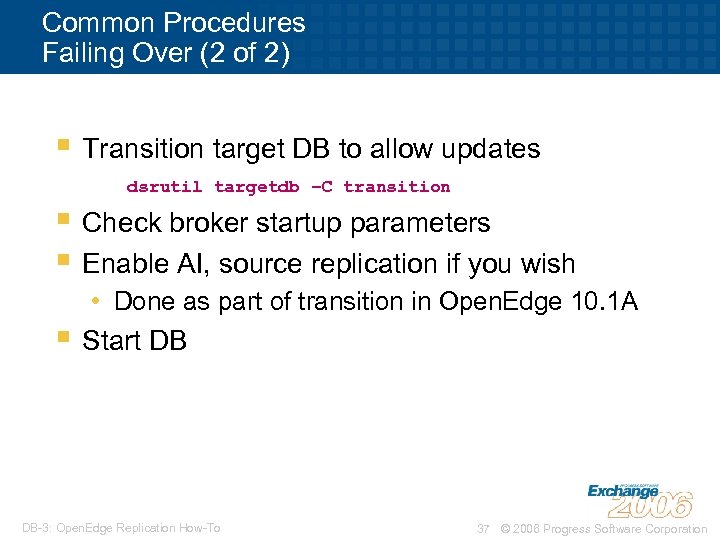
Common Procedures Failing Over (2 of 2) § Transition target DB to allow updates dsrutil targetdb –C transition § Check broker startup parameters § Enable AI, source replication if you wish • Done as part of transition in Open. Edge 10. 1 A § Start DB DB-3: Open. Edge Replication How-To 37 © 2006 Progress Software Corporation
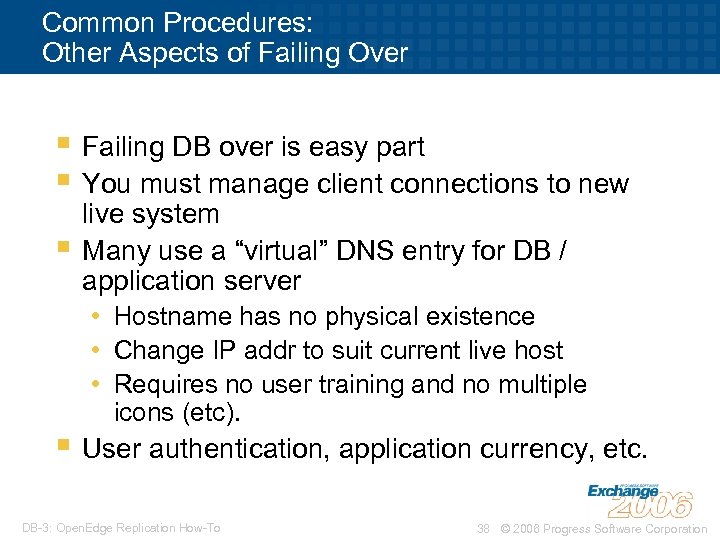
Common Procedures: Other Aspects of Failing Over § Failing DB over is easy part § You must manage client connections to new § live system Many use a “virtual” DNS entry for DB / application server • Hostname has no physical existence • Change IP addr to suit current live host • Requires no user training and no multiple icons (etc). § User authentication, application currency, etc. DB-3: Open. Edge Replication How-To 38 © 2006 Progress Software Corporation
Common Procedures: Failing Back § “Fail back” is resuming normal operation after § § the reason for a fail-over has gone away Is a planned fail-over Are a number of techniques • Backup-restore-reinitialise • Back-replication § Recommend back-replication technique • More complex but less downtime DB-3: Open. Edge Replication How-To 39 © 2006 Progress Software Corporation
Common Procedures: Failing Back § Set up replication to repaired primary system • Manual form of Open. Edge 10. 1 A role reversal § Once synchronised, “fail over” to primary • At a convenient time e. g. weekend § Re-establish replication once failed over • Open. Edge 10. 1 A role reversal removes need to transport backup to secondary all over again DB-3: Open. Edge Replication How-To 40 © 2006 Progress Software Corporation
Agenda § What is Open. Edge Replication? § Planning for your installation § First-time setup § Common procedures § Things you need to know § Things you should think about § Summary DB-3: Open. Edge Replication How-To 41 © 2006 Progress Software Corporation
Things You Need to Know § Replication and Admin. Server-managed DBs § Schema updates § Effect of DB stops and starts § Effect of network failures § Moving tables and indexes § Truncating a storage area DB-3: Open. Edge Replication How-To 42 © 2006 Progress Software Corporation
Things You Need to Know: Replication and Admin. Server-Managed DBs § Admin. Server detects replication status of a database • Shows properties in Progress Explorer • Allows you to update properties § Detection of mode is based on. repl. properties file, not DB master block • [server] section means it’s a source DB • [agent] section means it’s a target DB DB-3: Open. Edge Replication How-To 43 © 2006 Progress Software Corporation
Things You Need to Know: Replication and Admin. Server-Managed DBs § Admin. Server will automatically supply a –DBService parameter(s) based on detected mode(s) • Convenient! • Will supply both –DBService replserv and -DBService replagent if both ‘modes’ detected § Will supply –DBService even if a transitioned database • Result: DB won’t start • Workaround: Rename. repl. properties file DB-3: Open. Edge Replication How-To 44 © 2006 Progress Software Corporation
Things You Need to Know: Schema Updates § You have to have an active replication connection established to perform a schema update • Progress requires schema locks in both source and target databases simultaneously. § Implications for DBA practise • Keeping users out of a multiuser-enabled database. DB-3: Open. Edge Replication How-To 45 © 2006 Progress Software Corporation
Things You Need to Know: Effect of DB Stops and Starts § Source DB is shut down • Target DB sees this as normal exit • Replication agent exits • Source DB restart does not cause agent to restart • Must bounce target DB as it’s not possible to restart the replication agent. • If Open. Edge 10. 1 A, can configure away replic agent shutdown [server] agent-shutdown-action=recovery DB-3: Open. Edge Replication How-To 46 © 2006 Progress Software Corporation
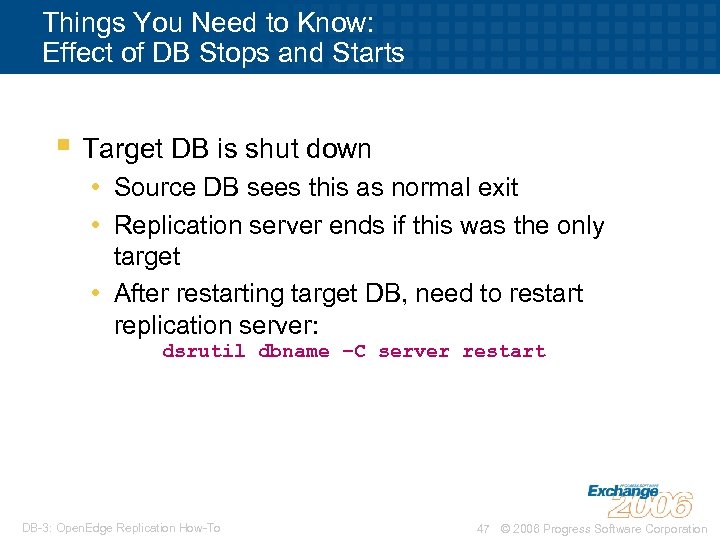
Things You Need to Know: Effect of DB Stops and Starts § Target DB is shut down • Source DB sees this as normal exit • Replication server ends if this was the only target • After restarting target DB, need to restart replication server: dsrutil dbname –C server restart DB-3: Open. Edge Replication How-To 47 © 2006 Progress Software Corporation
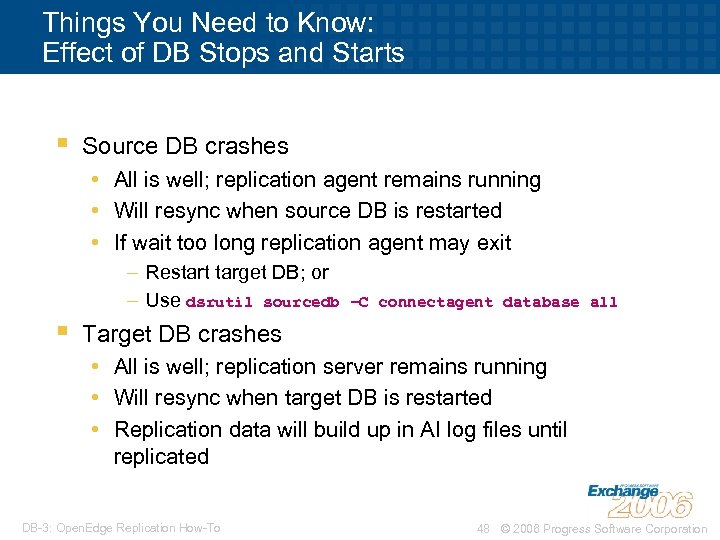
Things You Need to Know: Effect of DB Stops and Starts § Source DB crashes • All is well; replication agent remains running • Will resync when source DB is restarted • If wait too long replication agent may exit – Restart target DB; or – Use dsrutil sourcedb § –C connectagent database all Target DB crashes • All is well; replication server remains running • Will resync when target DB is restarted • Replication data will build up in AI log files until replicated DB-3: Open. Edge Replication How-To 48 © 2006 Progress Software Corporation
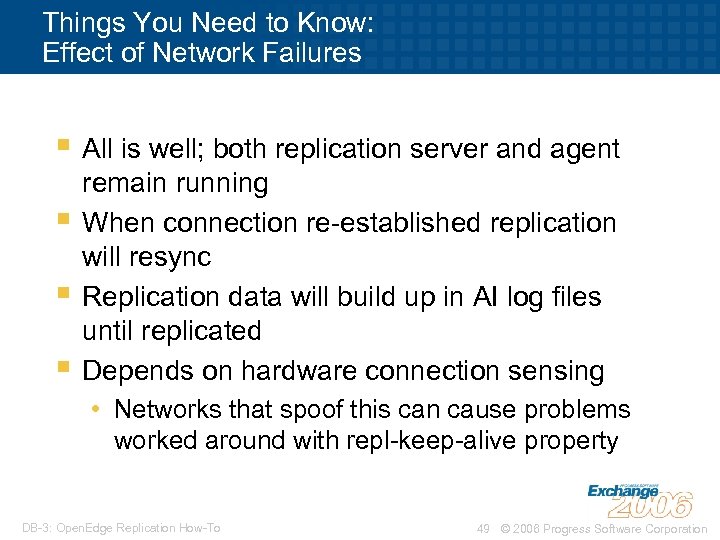
Things You Need to Know: Effect of Network Failures § All is well; both replication server and agent § § § remain running When connection re-established replication will resync Replication data will build up in AI log files until replicated Depends on hardware connection sensing • Networks that spoof this can cause problems worked around with repl-keep-alive property DB-3: Open. Edge Replication How-To 49 © 2006 Progress Software Corporation
Agenda § What is Open. Edge Replication? § Planning for your installation § First-time setup § Common procedures § Things you need to know § Things you should think about § Summary DB-3: Open. Edge Replication How-To 50 © 2006 Progress Software Corporation
Things You Should Think About § Handling extended replication outage § Managing database extents § Managing database parameters § Automation DB-3: Open. Edge Replication How-To 51 © 2006 Progress Software Corporation
Things You Should Think About: Extended Replication Outage § Problem: Unreplicated data in AI logs cause logs to be “Locked” not “Full” • Cannot be cleared while replication still enabled and no connection established § Extended outage will cause AI logs to fill § You need to plan what do to if this happens: • • Disable replication? Add AI extents? Relocate replication target until outage fixed? etc DB-3: Open. Edge Replication How-To 52 © 2006 Progress Software Corporation
Things You Should Think About: Managing Database Extents § Replica database is an ordinary database with usage constraints • Grows just like the source DB § Plan how you’re going to monitor free space in the replica DB • Periodic login? • Automated scripts with e-mail? • Open. Edge Management? § Avoid the problem: Same structure as source • Perform all prostrct operations on both DBs DB-3: Open. Edge Replication How-To 53 © 2006 Progress Software Corporation
Things You Should Think About: Managing Database Parameters § Target DB needs to support same transaction activity as source • Most broker parameters should be the same § Target system may be smaller (memory) • Requires smaller –B parameter § Care must be taken in replicating application files if they include. pf’s or scripts DB-3: Open. Edge Replication How-To 54 © 2006 Progress Software Corporation
Things You Should Think About: Automation § Automation is the DBA’s friend § Especially in this case • Use scripts to coordinate local/remote DB stops and starts via remote execution • Use scripts to hide details of –DBService provision § Hide messy details of Replication • Don’t forget to document, though! DB-3: Open. Edge Replication How-To 55 © 2006 Progress Software Corporation
In Summary § Replication is simple to § install and use Gives near real-time replica for reporting or D. R. DB-3: Open. Edge Replication How-To 56 © 2006 Progress Software Corporation
Questions? DB-3: Open. Edge Replication How-To 57 © 2006 Progress Software Corporation
Thank you for your time DB-3: Open. Edge Replication How-To 58 © 2006 Progress Software Corporation
DB-3: Open. Edge Replication How-To 59 © 2006 Progress Software Corporation
Appendix: Setting up Role-Reversal Replication § Differs mainly in setup of property files • Both primary and secondary files have both source and target components § Some terminology differences • Primary: Normal source (acts as target in failover situation) • Secondary: Normal target (acts as source in fail-over) § Secondary DB should have AI extents • Not needed in “ordinary” replication DB-3: Open. Edge Replication How-To 60 © 2006 Progress Software Corporation
![Prepare Property Files – Open. Edge 10. 1 A (1 of 2) [server] control-agents=agent](https://present5.com/presentation/416c831948f176598b04fbc907bb47c2/image-61.jpg "Prepare Property Files – Open. Edge 10. 1 A (1 of 2) [server] control-agents=agent")
Prepare Property Files – Open. Edge 10. 1 A (1 of 2) [server] control-agents=agent 1 database=dbname transition=manual transition-timeout=600 defer-agent-startup=1440 schema-lock-action=wait [control-agent 1] name=agent 1 database=dbname host=partner_db_host port=partner_db_port connect-timeout=120 replication-method=async critical=0. . . DB-3: Open. Edge Replication How-To 61 © 2006 Progress Software Corporation
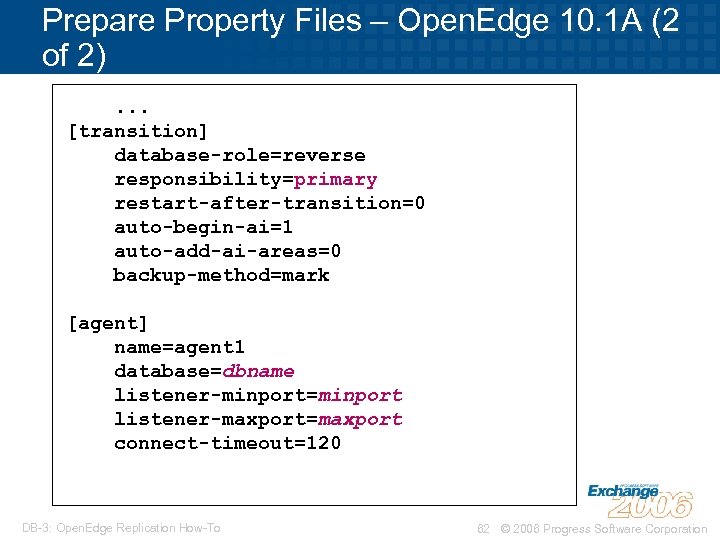
Prepare Property Files – Open. Edge 10. 1 A (2 of 2). . . [transition] database-role=reverse responsibility=primary restart-after-transition=0 auto-begin-ai=1 auto-add-ai-areas=0 backup-method=mark [agent] name=agent 1 database=dbname listener-minport=minport listener-maxport=maxport connect-timeout=120 DB-3: Open. Edge Replication How-To 62 © 2006 Progress Software Corporation
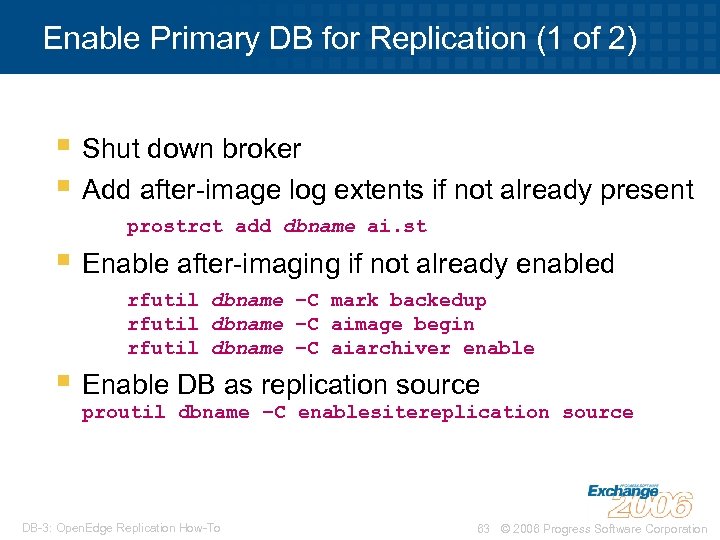
Enable Primary DB for Replication (1 of 2) § Shut down broker § Add after-image log extents if not already present prostrct add dbname ai. st § Enable after-imaging if not already enabled rfutil dbname –C mark backedup rfutil dbname –C aimage begin rfutil dbname –C aiarchiver enable § Enable DB as replication source proutil dbname –C enablesitereplication source DB-3: Open. Edge Replication How-To 63 © 2006 Progress Software Corporation
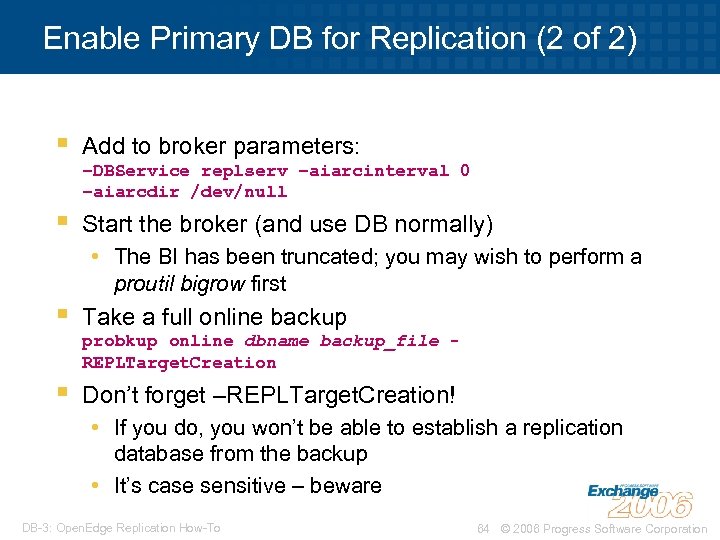
Enable Primary DB for Replication (2 of 2) § Add to broker parameters: § Start the broker (and use DB normally) –DBService replserv –aiarcinterval 0 –aiarcdir /dev/null • The BI has been truncated; you may wish to perform a proutil bigrow first § Take a full online backup § Don’t forget –REPLTarget. Creation! probkup online dbname backup_file REPLTarget. Creation • If you do, you won’t be able to establish a replication database from the backup • It’s case sensitive – beware DB-3: Open. Edge Replication How-To 64 © 2006 Progress Software Corporation
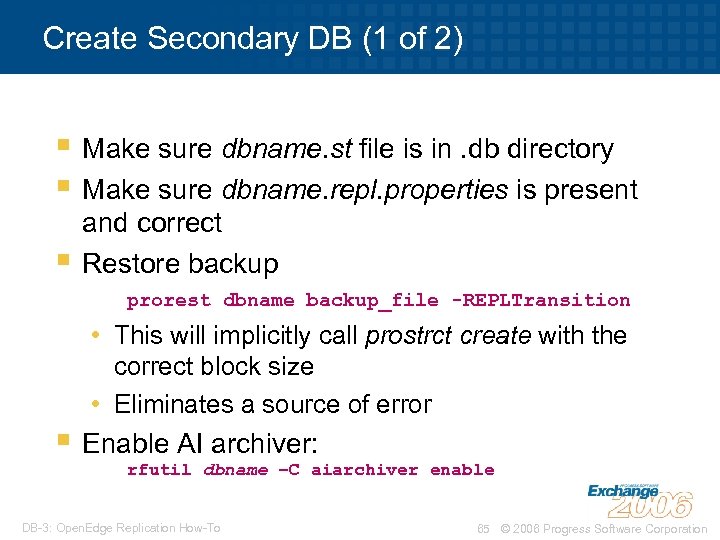
Create Secondary DB (1 of 2) § Make sure dbname. st file is in. db directory § Make sure dbname. repl. properties is present § and correct Restore backup prorest dbname backup_file -REPLTransition • This will implicitly call prostrct create with the correct block size • Eliminates a source of error § Enable AI archiver: rfutil dbname –C aiarchiver enable DB-3: Open. Edge Replication How-To 65 © 2006 Progress Software Corporation
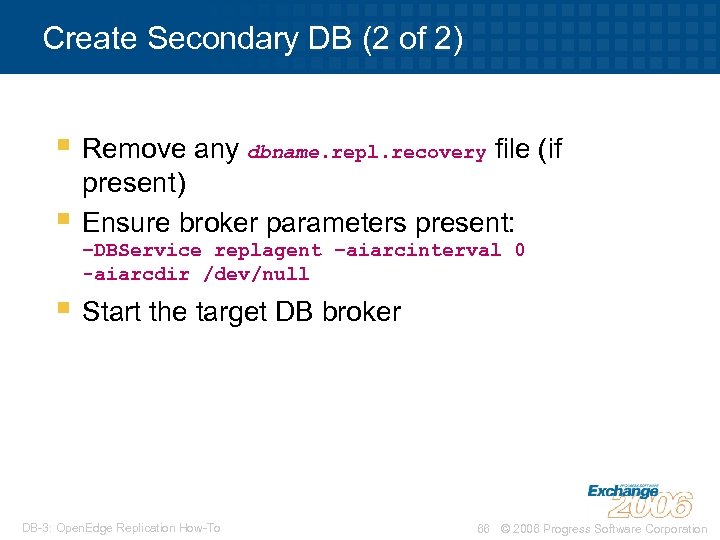
Create Secondary DB (2 of 2) § Remove any dbname. repl. recovery file (if § present) Ensure broker parameters present: –DBService replagent –aiarcinterval 0 -aiarcdir /dev/null § Start the target DB broker DB-3: Open. Edge Replication How-To 66 © 2006 Progress Software Corporation
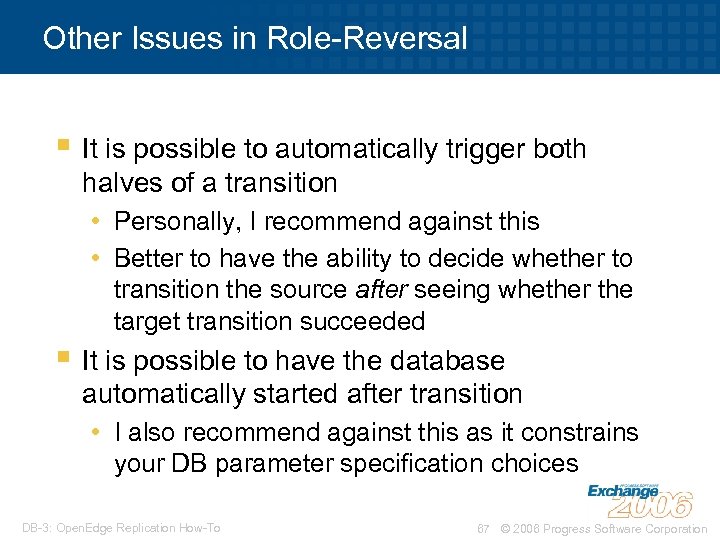
Other Issues in Role-Reversal § It is possible to automatically trigger both halves of a transition • Personally, I recommend against this • Better to have the ability to decide whether to transition the source after seeing whether the target transition succeeded § It is possible to have the database automatically started after transition • I also recommend against this as it constrains your DB parameter specification choices DB-3: Open. Edge Replication How-To 67 © 2006 Progress Software Corporation
Скачать презентацию DB-3 Open Edge Replication How-To David Eddy Senior
416c831948f176598b04fbc907bb47c2.ppt