 Скачать презентацию DB 2 9 Platform Linux Unix Windows
46742e4ad5275be83771278ab55f3ac1.ppt
- Количество слайдов: 33



DB 2 9 Platform: Linux, Unix, Windows © 2006 IBM Corporation
Agenda § The IBM Database portfolio roadmap and directions § DB 2 9 Great new stuff …. • • • Compression Large RID Table Partitioning Autonomics XML (covered in detail next session) § Summary 2
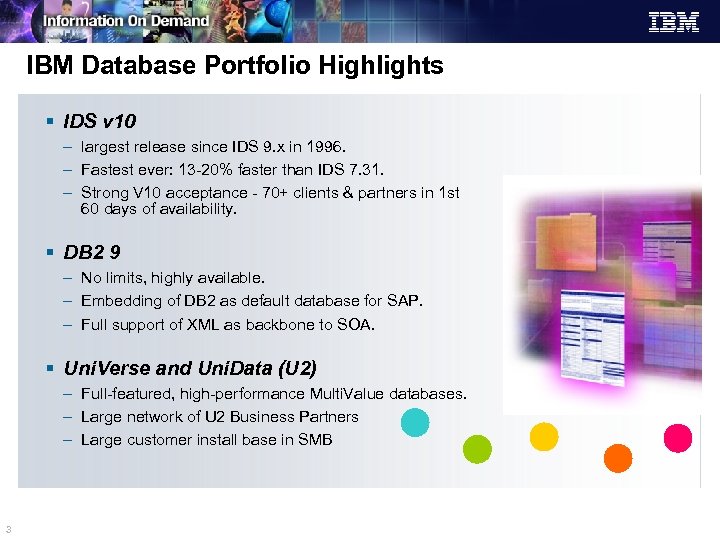
IBM Database Portfolio Highlights § IDS v 10 – largest release since IDS 9. x in 1996. – Fastest ever: 13 -20% faster than IDS 7. 31. – Strong V 10 acceptance - 70+ clients & partners in 1 st 60 days of availability. § DB 2 9 – No limits, highly available. – Embedding of DB 2 as default database for SAP. – Full support of XML as backbone to SOA. § Uni. Verse and Uni. Data (U 2) – Full-featured, high-performance Multi. Value databases. – Large network of U 2 Business Partners – Large customer install base in SMB 3
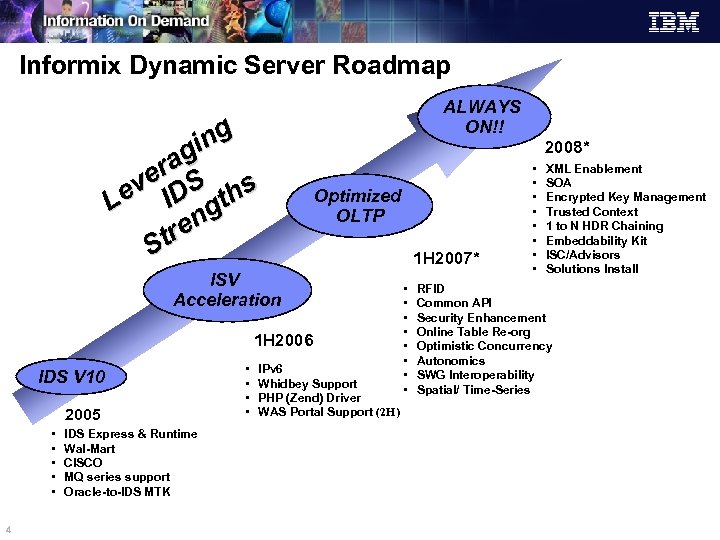
Informix Dynamic Server Roadmap ng gi ra ve DS hs Le I gt en tr S ALWAYS ON!! 2008* Optimized OLTP ISV Acceleration 1 H 2006 IDS V 10 2005 • • • 4 IDS Express & Runtime Wal-Mart CISCO MQ series support Oracle-to-IDS MTK • • IPv 6 Whidbey Support PHP (Zend) Driver WAS Portal Support (2 H) 1 H 2007* • • • • XML Enablement SOA Encrypted Key Management Trusted Context 1 to N HDR Chaining Embeddability Kit ISC/Advisors Solutions Install RFID Common API Security Enhancement Online Table Re-org Optimistic Concurrency Autonomics SWG Interoperability Spatial/ Time-Series
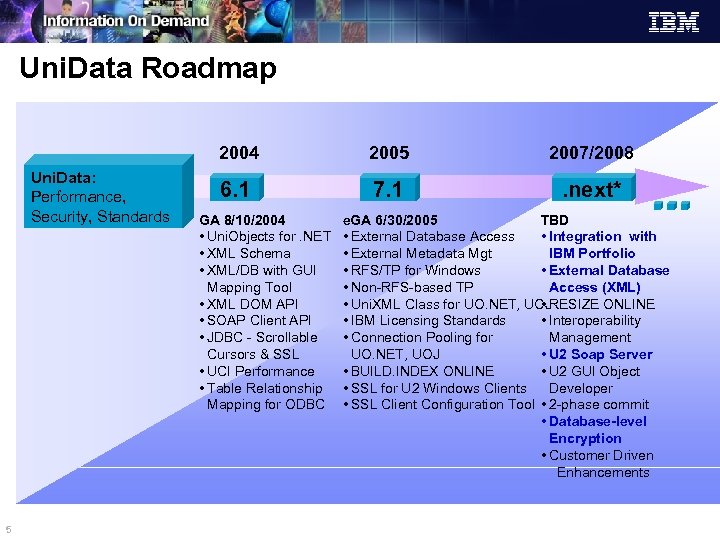
Uni. Data Roadmap 2004 Uni. Data: Performance, Security, Standards 5 2007/2008 6. 1 7. 1 . next* GA 8/10/2004 • Uni. Objects for. NET • XML Schema • XML/DB with GUI Mapping Tool • XML DOM API • SOAP Client API • JDBC - Scrollable Cursors & SSL • UCI Performance • Table Relationship Mapping for ODBC e. GA 6/30/2005 TBD • External Database Access • Integration with • External Metadata Mgt IBM Portfolio • RFS/TP for Windows • External Database • Non-RFS-based TP Access (XML) • Uni. XML Class for UO. NET, UOJ • RESIZE ONLINE • IBM Licensing Standards • Interoperability • Connection Pooling for Management UO. NET, UOJ • U 2 Soap Server • BUILD. INDEX ONLINE • U 2 GUI Object • SSL for U 2 Windows Clients Developer • SSL Client Configuration Tool • 2 -phase commit • Database-level Encryption • Customer Driven Enhancements
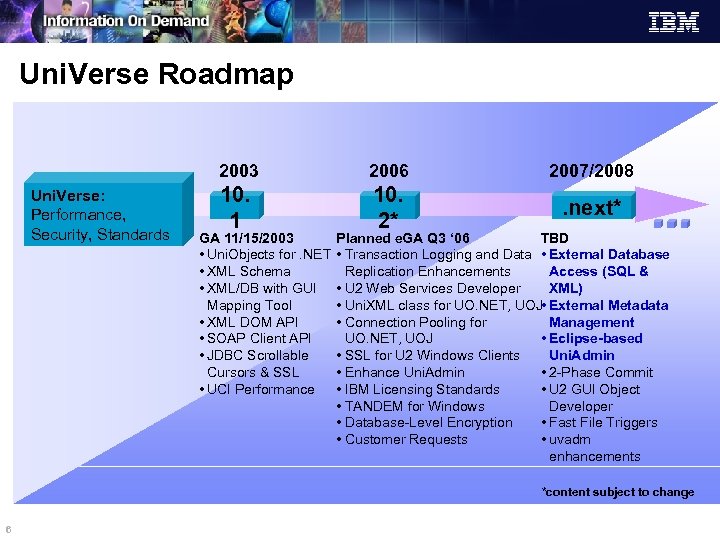
Uni. Verse Roadmap 2003 Uni. Verse: Performance, Security, Standards 2006 2007/2008 10. 1 10. 2* . next* GA 11/15/2003 • Uni. Objects for. NET • XML Schema • XML/DB with GUI Mapping Tool • XML DOM API • SOAP Client API • JDBC Scrollable Cursors & SSL • UCI Performance Planned e. GA Q 3 ‘ 06 TBD • Transaction Logging and Data • External Database Replication Enhancements Access (SQL & • U 2 Web Services Developer XML) • Uni. XML class for UO. NET, UOJ • External Metadata • Connection Pooling for Management UO. NET, UOJ • Eclipse-based • SSL for U 2 Windows Clients Uni. Admin • Enhance Uni. Admin • 2 -Phase Commit • IBM Licensing Standards • U 2 GUI Object • TANDEM for Windows Developer • Database-Level Encryption • Fast File Triggers • Customer Requests • uvadm enhancements *content subject to change 6
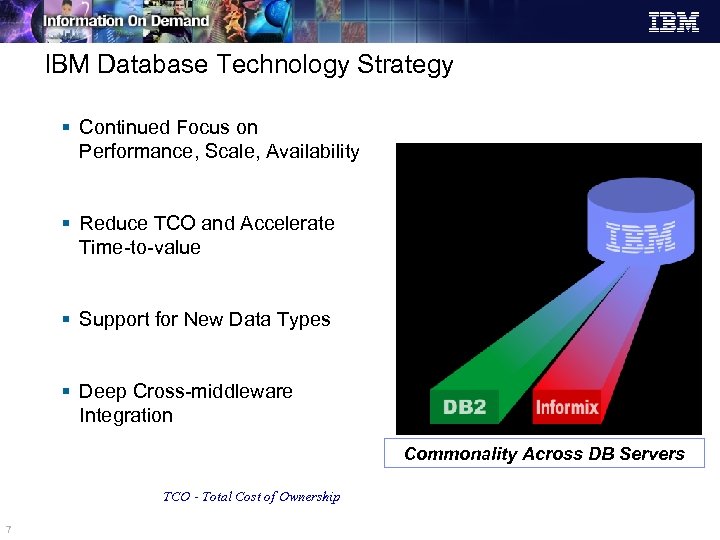
IBM Database Technology Strategy § Continued Focus on Performance, Scale, Availability § Reduce TCO and Accelerate Time-to-value § Support for New Data Types § Deep Cross-middleware Integration Commonality Across DB Servers TCO - Total Cost of Ownership 7
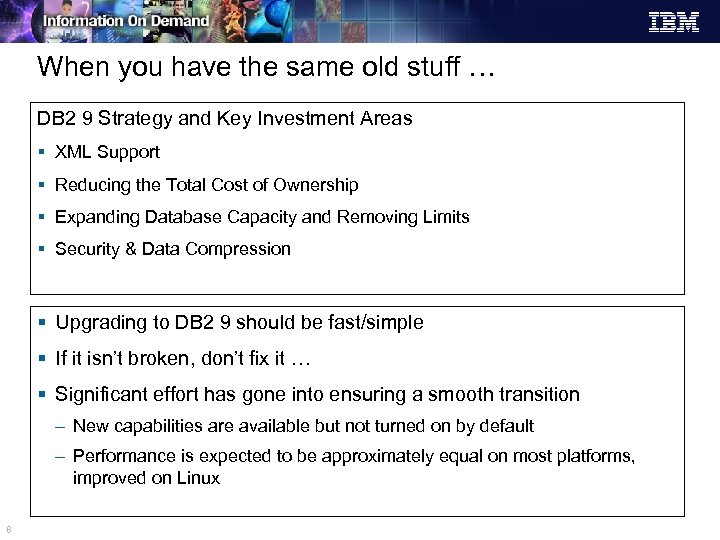
When you have the same old stuff … DB 2 9 Strategy and Key Investment Areas § XML Support § Reducing the Total Cost of Ownership § Expanding Database Capacity and Removing Limits § Security & Data Compression § Upgrading to DB 2 9 should be fast/simple § If it isn’t broken, don’t fix it … § Significant effort has gone into ensuring a smooth transition – New capabilities are available but not turned on by default – Performance is expected to be approximately equal on most platforms, improved on Linux 8
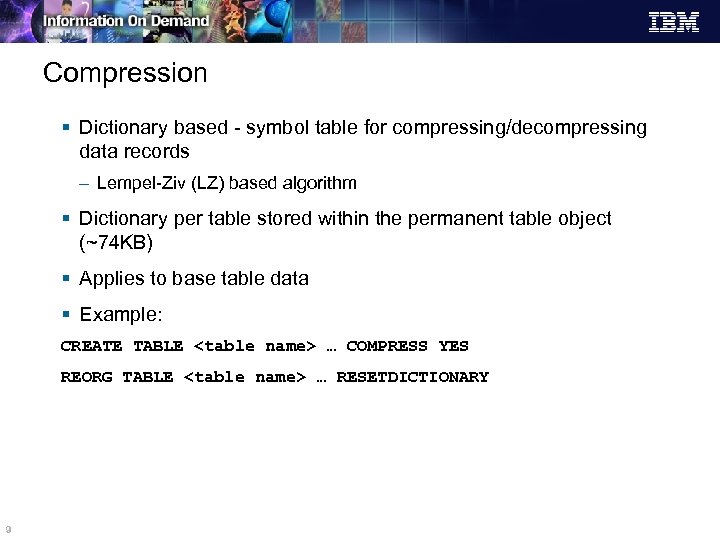
Compression § Dictionary based - symbol table for compressing/decompressing data records – Lempel-Ziv (LZ) based algorithm § Dictionary per table stored within the permanent table object (~74 KB) § Applies to base table data § Example: CREATE TABLE <table name> … COMPRESS YES REORG TABLE <table name> … RESETDICTIONARY 9
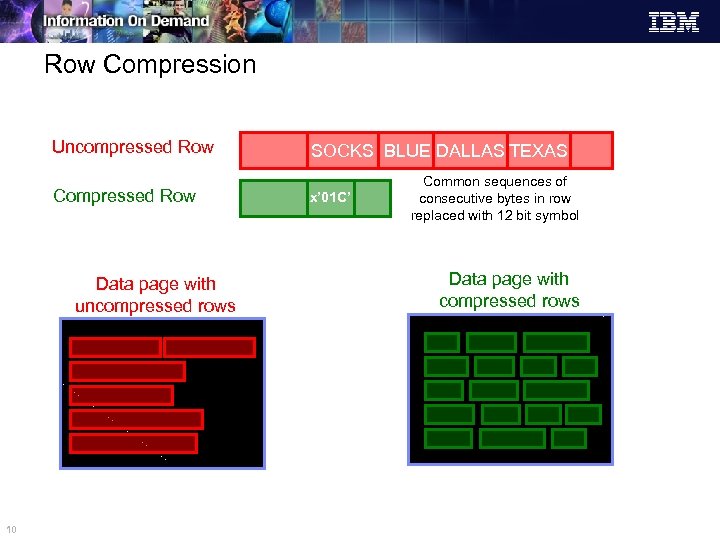
Row Compression Uncompressed Row Compressed Row Data page with uncompressed rows 10 SOCKS BLUE DALLAS TEXAS x’ 01 C’ Common sequences of consecutive bytes in row replaced with 12 bit symbol Data page with compressed rows
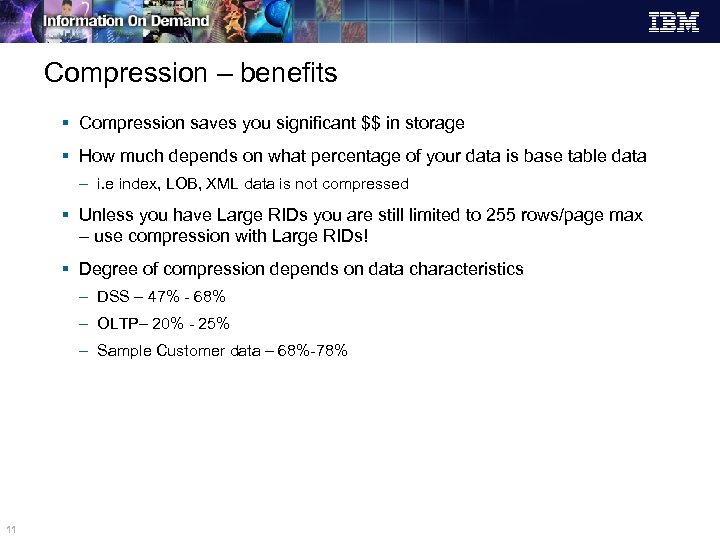
Compression – benefits § Compression saves you significant $$ in storage § How much depends on what percentage of your data is base table data – i. e index, LOB, XML data is not compressed § Unless you have Large RIDs you are still limited to 255 rows/page max – use compression with Large RIDs! § Degree of compression depends on data characteristics – DSS – 47% - 68% – OLTP– 20% - 25% – Sample Customer data – 68%-78% 11
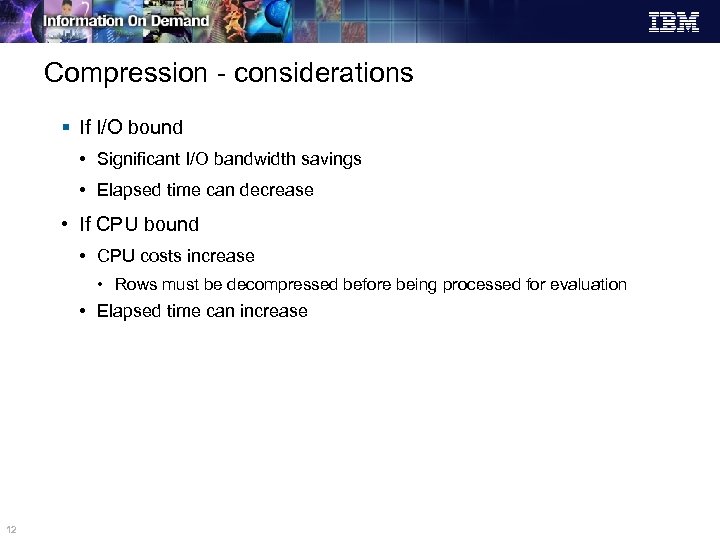
Compression - considerations § If I/O bound • Significant I/O bandwidth savings • Elapsed time can decrease • If CPU bound • CPU costs increase • Rows must be decompressed before being processed for evaluation • Elapsed time can increase 12
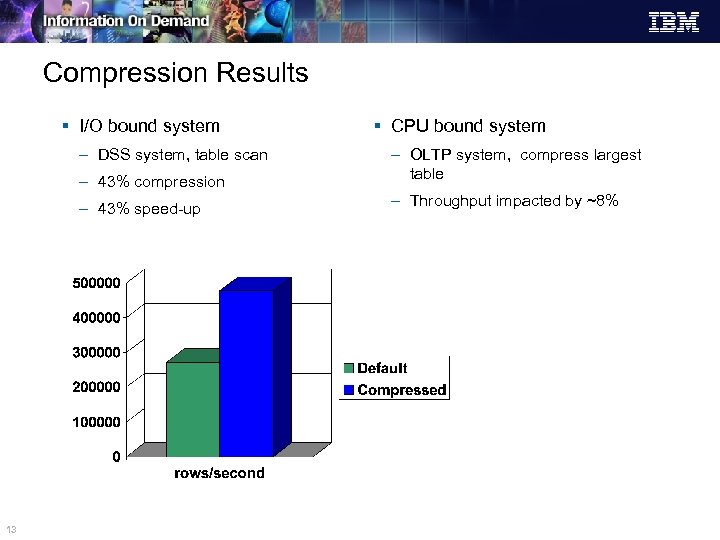
Compression Results § I/O bound system – DSS system, table scan § CPU bound system – 43% compression – 43% speed-up 13 – OLTP system, compress largest table – Throughput impacted by ~8%
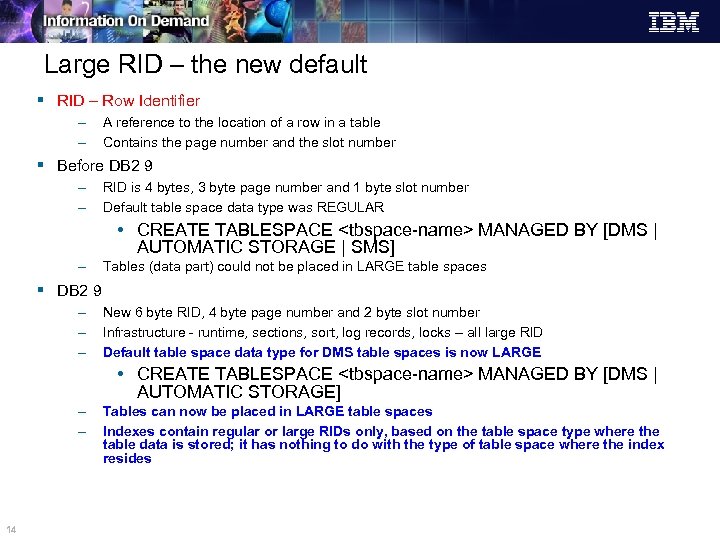
Large RID – the new default § RID – Row Identifier – – A reference to the location of a row in a table Contains the page number and the slot number § Before DB 2 9 – – RID is 4 bytes, 3 byte page number and 1 byte slot number Default table space data type was REGULAR • CREATE TABLESPACE <tbspace-name> MANAGED BY [DMS | AUTOMATIC STORAGE | SMS] – Tables (data part) could not be placed in LARGE table spaces § DB 2 9 – – – New 6 byte RID, 4 byte page number and 2 byte slot number Infrastructure - runtime, sections, sort, log records, locks – all large RID Default table space data type for DMS table spaces is now LARGE • CREATE TABLESPACE <tbspace-name> MANAGED BY [DMS | AUTOMATIC STORAGE] – – 14 Tables can now be placed in LARGE table spaces Indexes contain regular or large RIDs only, based on the table space type where the table data is stored; it has nothing to do with the type of table space where the index resides
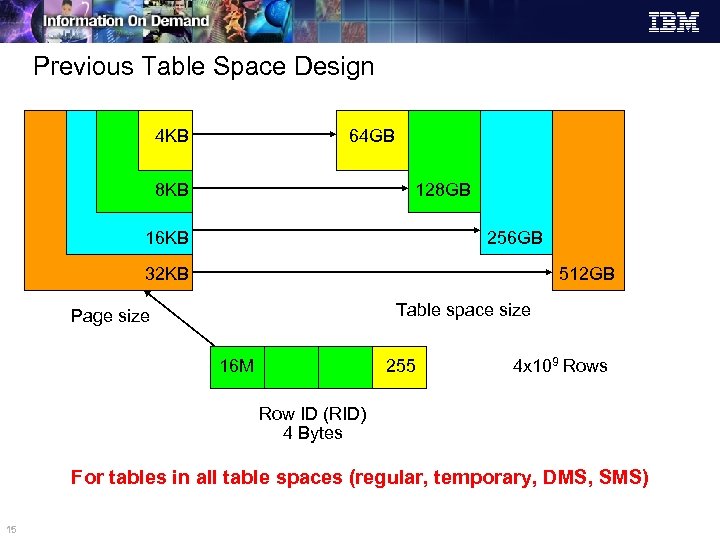
Previous Table Space Design 4 KB 64 GB 8 KB 128 GB 16 KB 256 GB 32 KB 512 GB Table space size Page size 16 M 255 4 x 10⁹ Rows Row ID (RID) 4 Bytes For tables in all table spaces (regular, temporary, DMS, SMS) 15
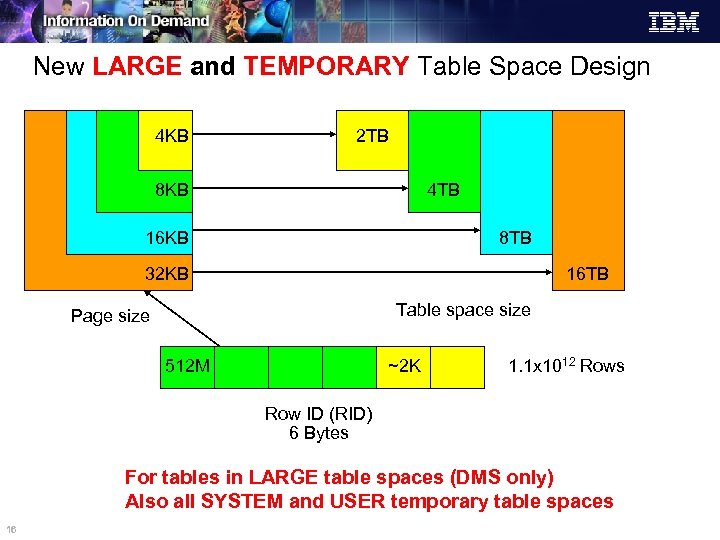
New LARGE and TEMPORARY Table Space Design 4 KB 2 TB 8 KB 4 TB 16 KB 8 TB 32 KB 16 TB Table space size Page size 512 M ~2 K 1. 1 x 10¹² Rows Row ID (RID) 6 Bytes For tables in LARGE table spaces (DMS only) Also all SYSTEM and USER temporary table spaces 16
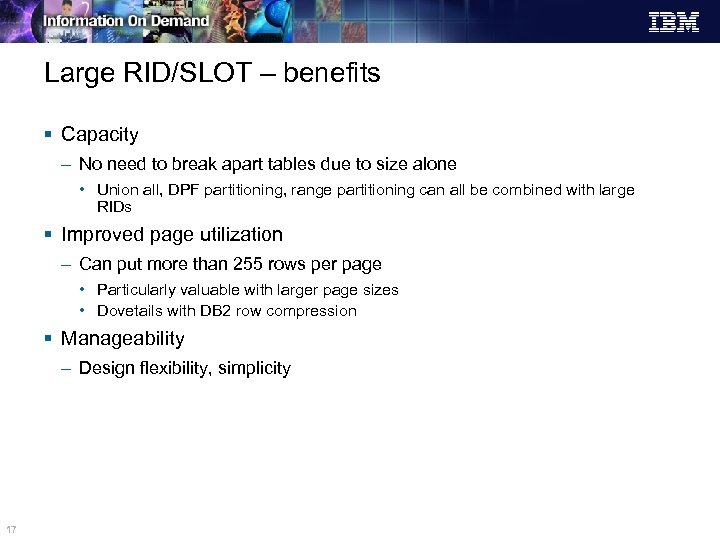
Large RID/SLOT – benefits § Capacity – No need to break apart tables due to size alone • Union all, DPF partitioning, range partitioning can all be combined with large RIDs § Improved page utilization – Can put more than 255 rows per page • Particularly valuable with larger page sizes • Dovetails with DB 2 row compression § Manageability – Design flexibility, simplicity 17
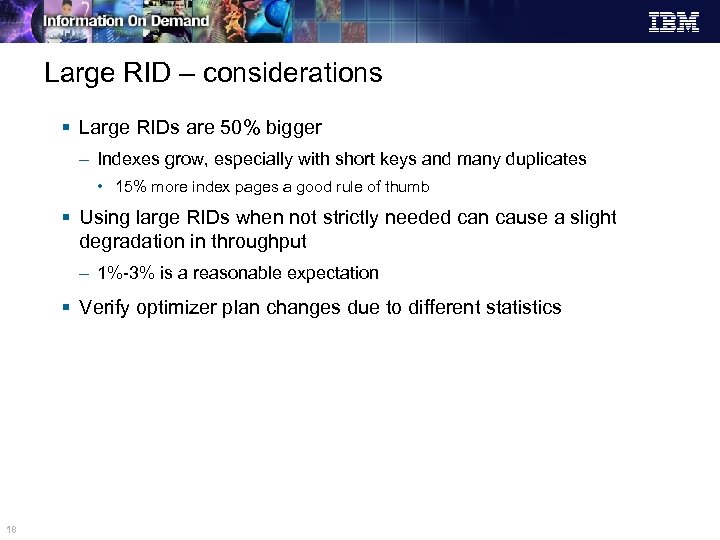
Large RID – considerations § Large RIDs are 50% bigger – Indexes grow, especially with short keys and many duplicates • 15% more index pages a good rule of thumb § Using large RIDs when not strictly needed can cause a slight degradation in throughput – 1%-3% is a reasonable expectation § Verify optimizer plan changes due to different statistics 18
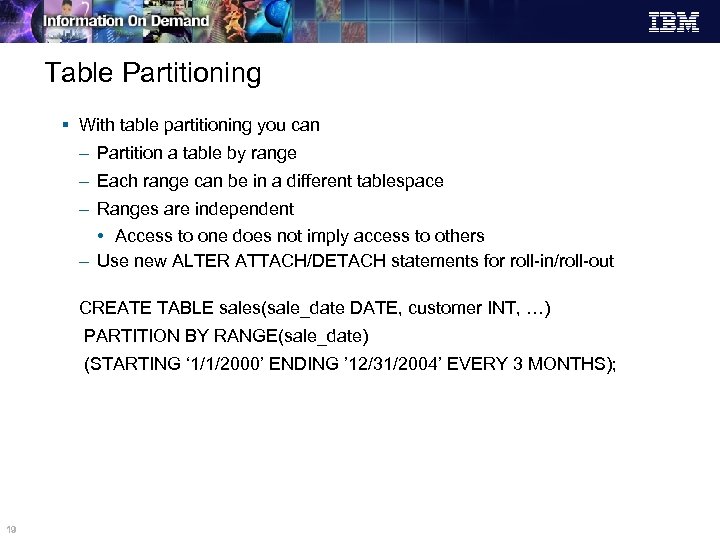
Table Partitioning § With table partitioning you can – Partition a table by range – Each range can be in a different tablespace – Ranges are independent • Access to one does not imply access to others – Use new ALTER ATTACH/DETACH statements for roll-in/roll-out CREATE TABLE sales(sale_date DATE, customer INT, …) PARTITION BY RANGE(sale_date) (STARTING ‘ 1/1/2000’ ENDING ’ 12/31/2004’ EVERY 3 MONTHS); 19
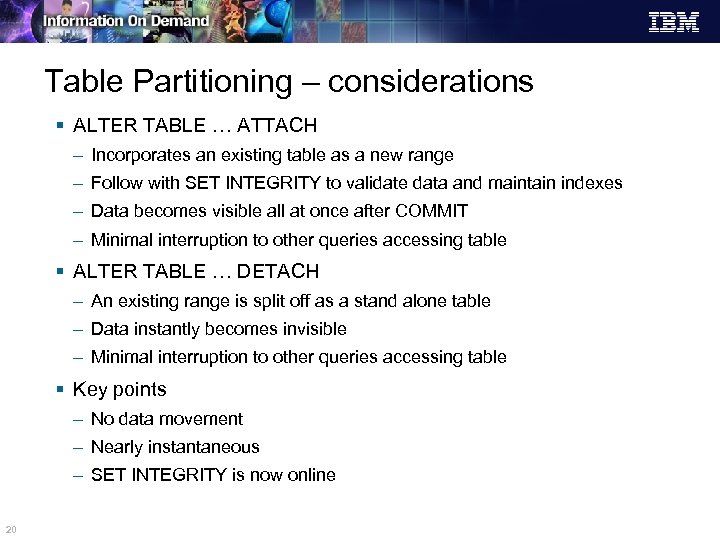
Table Partitioning – considerations § ALTER TABLE … ATTACH – Incorporates an existing table as a new range – Follow with SET INTEGRITY to validate data and maintain indexes – Data becomes visible all at once after COMMIT – Minimal interruption to other queries accessing table § ALTER TABLE … DETACH – An existing range is split off as a stand alone table – Data instantly becomes invisible – Minimal interruption to other queries accessing table § Key points – No data movement – Nearly instantaneous – SET INTEGRITY is now online 20
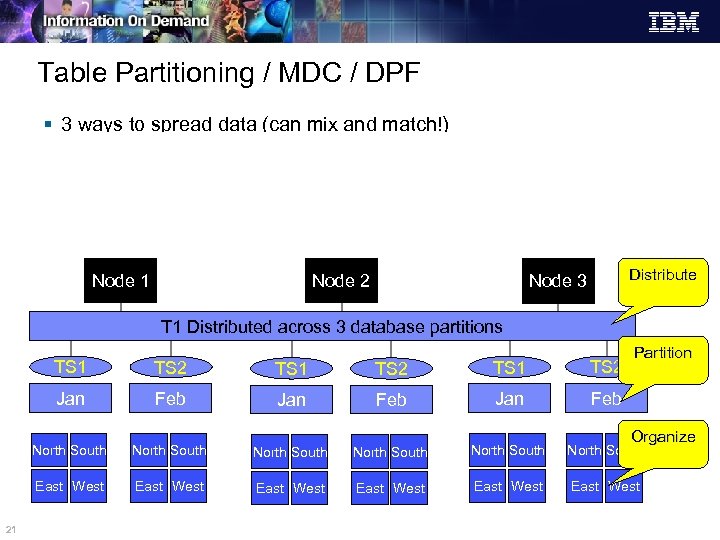
Table Partitioning / MDC / DPF § 3 ways to spread data (can mix and match!) – DISTRIBUTE BY HASH - aka hash partitioning in DPF – PARTITION BY RANGE – aka table partitioning – ORGANIZE BY DIMENSIONS – aka MDC Node 1 Node 2 Distribute Node 3 T 1 Distributed across 3 database partitions Partition TS 1 TS 2 Jan Feb North South North South East West 21 TS 2 East West East West Organize
Table Partitioning – considerations § Negligible overhead in determining the run-time partitions to touch § Essentially linear overhead in managing data partitions – Select a “reasonable” number of partitions § Similar performance to UNION ALL § Combine with Large RID to support very large global indexes 22
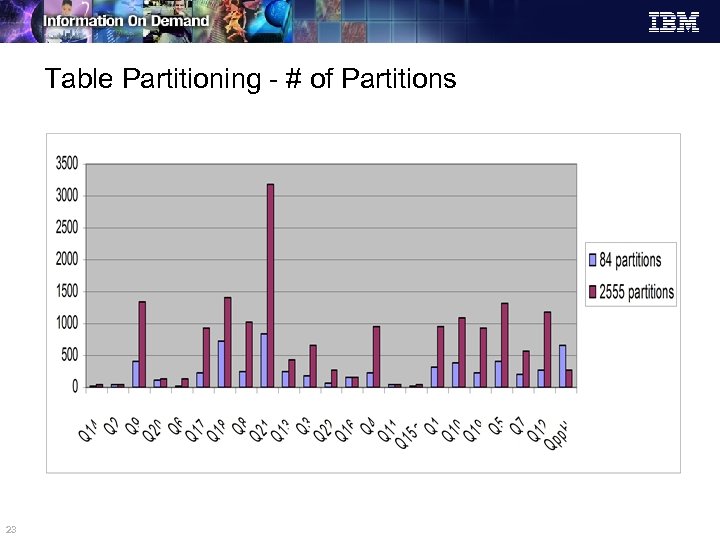
Table Partitioning - # of Partitions 23
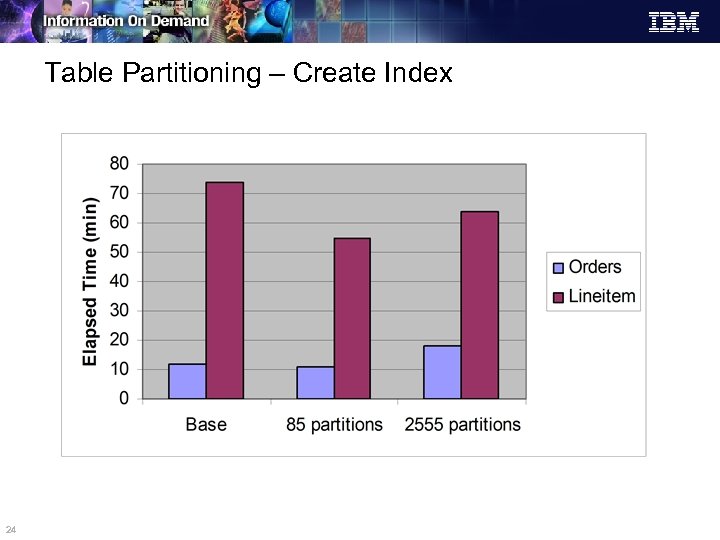
Table Partitioning – Create Index 24
Autonomics § Autonomics uses built-in intelligence to automate repetitive onerous DBA tasks § DB 2 9 enables significant autonomic capability by default – Automatic Storage • takes the fuss out of container handling – Autoconfigure for db/dbm config parms • performs initial basic tuning on three dozen performance parameters – Auto RUNSTATs • updates table and index stats every day and only if needed. – Self-tuning memory manager • constantly adapt memory allocation to DB 2 § DB 2 Design Advisor continues to offer superb recommendations 25
Autonomics – benefits § Autonomics simplifies database management which improves TCO and leads to productivity gains – Improved TCO by reducing/eliminating routine tuning maintenance – Improved performance in untuned or semi-tuned environments – Greater adaptability to varying workloads / operating environments TCO - Total Cost of Ownership 26
Autonomics – considerations STSM: Self Tuning Memory Manager § For a fully tuned environment – STMM overhead is ~2% – Aggregate autonomic overhead is ~3% § For a semi-tuned environment – Benefits of STMM alone typically outweigh any overhead § For an un-tuned environment – Leverage unused or under-utilized resources – 25% or greater improvement easily achieved 27
STMM and DATABASE_MEMORY § STMM tunes DATABASE_MEMORY if it is set to AUTOMATIC or a numeric value – If set to AUTOMATIC, memory is taken from, and returned to, the OS if required by the database • DBA need not know how much memory to allocate to DB 2 • This is the default for newly created Viper databases – If set to a numeric value, memory is given to AUTOMATIC heaps up to the numeric value • Allows DBA to set total memory consumption for the database • DB 2 will then distribute the memory to optimize performance § If set to COMPUTED, no DATABASE_MEMORY tuning will occur – When database starts, memory requirements are computed based on the heap configuration – Once the database starts, the database shared memory set is allocated based on the computation – Version 8 AUTOMATIC behavior 28
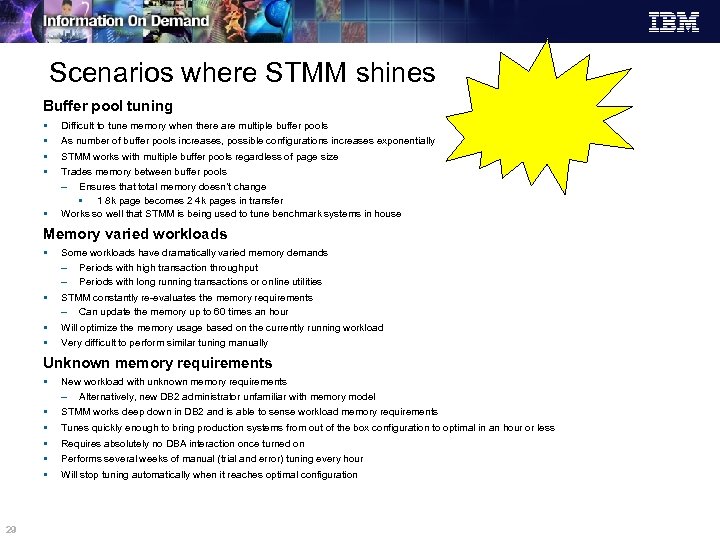
Scenarios where STMM shines Buffer pool tuning § § § Difficult to tune memory when there are multiple buffer pools As number of buffer pools increases, possible configurations increases exponentially STMM works with multiple buffer pools regardless of page size Trades memory between buffer pools – Ensures that total memory doesn’t change • 1 8 k page becomes 2 4 k pages in transfer Works so well that STMM is being used to tune benchmark systems in house Memory varied workloads § Some workloads have dramatically varied memory demands – Periods with high transaction throughput – Periods with long running transactions or online utilities § STMM constantly re-evaluates the memory requirements – Can update the memory up to 60 times an hour § § Will optimize the memory usage based on the currently running workload Very difficult to perform similar tuning manually Unknown memory requirements § § § 29 New workload with unknown memory requirements – Alternatively, new DB 2 administrator unfamiliar with memory model STMM works deep down in DB 2 and is able to sense workload memory requirements Tunes quickly enough to bring production systems from out of the box configuration to optimal in an hour or less Requires absolutely no DBA interaction once turned on Performs several weeks of manual (trial and error) tuning every hour Will stop tuning automatically when it reaches optimal configuration
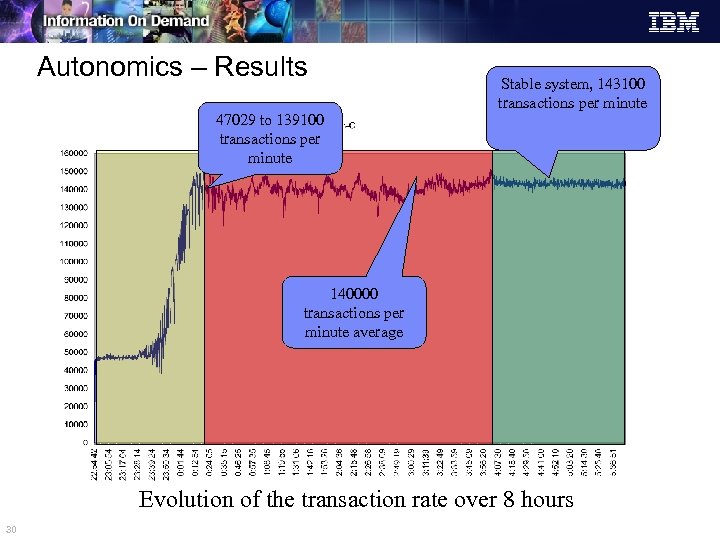
Autonomics – Results 47029 to 139100 transactions per minute Stable system, 143100 transactions per minute 140000 transactions per minute average Evolution of the transaction rate over 8 hours 30
Summary § DB 2 performance leadership continues § Core DB 2 9 function is as fast or faster § Significant new features available with DB 2 9 – Function and Performance – As you exploit new capabilities you will realize additional benefits § Initial best practices are available – Evolution of best practices continue 31
XML and DB 2…. . Don’t go anywhere!!! …. The IBM “experts” will explain XML in the following session! 32

33
Скачать презентацию DB 2 9 Platform Linux Unix Windows
46742e4ad5275be83771278ab55f3ac1.ppt