 Скачать презентацию Database Transactions and Transaction Management Svetlin Nakov National
1f307687f96a49bf03be8fe512a366d8.ppt
- Количество слайдов: 59



Database Transactions and Transaction Management Svetlin Nakov National Academy for Software Development academy. devbg. org
Agenda • What is a Transaction? • ACID Transactions • Concurrency Problems • Concurrency Control Techniques • Locking Strategies • Optimistic vs. Pessimistic Locking • Deadlocks • Transactions and Recovery
Agenda (2) • Transactions and SQL Language • Transaction Isolation Levels • When and How to Use Transactions?
What is a Transaction?
Transactions • Transactions are a sequence of actions (database operations) which are executed as a whole: • Either all of them execute successfully • Or none of them • Example: • A bank transfer from one account into another (withdrawal + deposit) • If either the withdrawal or the deposit fails the whole operation is cancelled
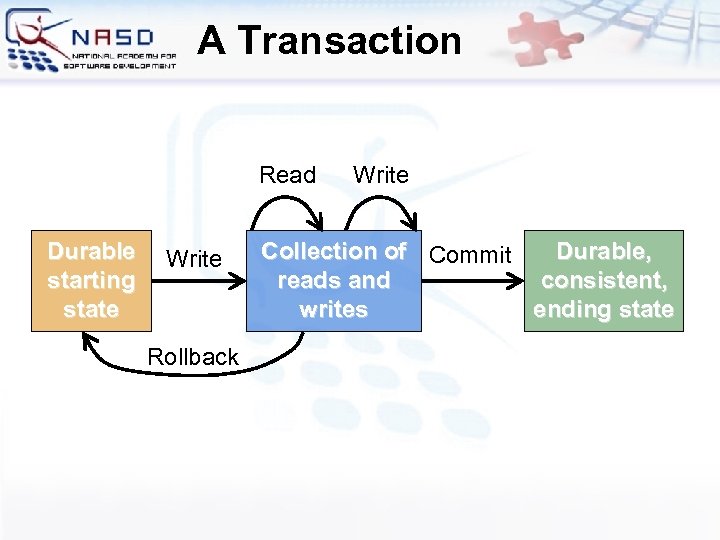
A Transaction Read Durable starting state Write Rollback Write Collection of Commit Durable, reads and consistent, writes ending state
Transactions Behavior • Transactions guarantee the consistency and the integrity of the database • All changes in a transaction are temporary • Changes become final when COMMIT is executed • At any time all changes can be canceled by ROLLBACK • All of the operations are executed as a whole, either all of them or none of them
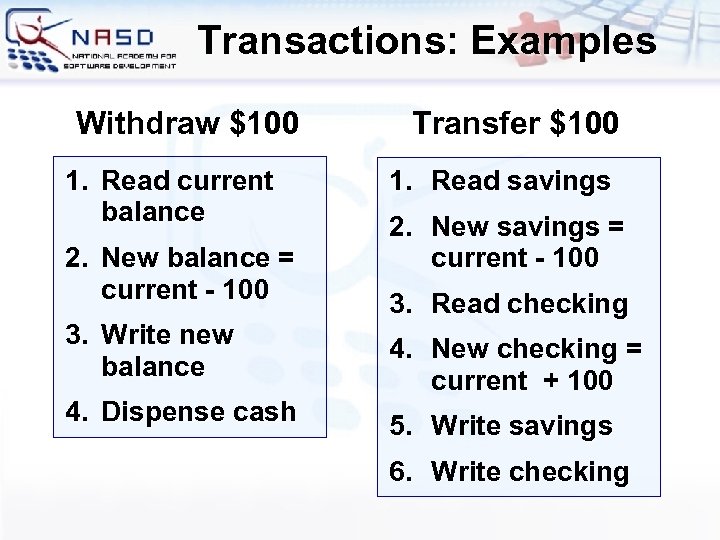
Transactions: Examples Withdraw $100 1. Read current balance 2. New balance = current - 100 3. Write new balance 4. Dispense cash Transfer $100 1. Read savings 2. New savings = current - 100 3. Read checking 4. New checking = current + 100 5. Write savings 6. Write checking
What Can Go Wrong? • Some actions fail to complete • For example, the application software or database server crashes • Interference from another transaction • What will happen if several transfers run for the same account in the same time? • Some data lost after actions complete • Database crashes after withdraw is complete and all other actions are lost
ACID Transactions
Transactions Properties • DBMS servers have built-in transaction support • Contemporary databases implement “ACID” transactions • ACID means: • Atomicity • Consistency • Isolation • Durability
Atomicity • Atomicity means that • Transactions execute as a whole • DBMS to guarantee that either all of the tasks of a transaction are performed or none of them are • Atomicity example: • Transfer funds between bank accounts • Either withdraw and deposit both execute successfully or none of them • In case of failure DB stays unchanged
Consistency • Consistency means that • The database is in a legal state when the transaction begins and when it ends • Only valid data will be written to the database • Transaction cannot break the rules of the database, e. g. integrity constraints • Primary, foreign, alternate keys • Consistency example • Transaction cannot end with a duplicate primary key in a table
Isolation • Isolation means that • Multiple transactions running at the same time not impact each other’s execution • Transactions don’t see other transaction’s uncommitted changes • Isolation level defines how deep transactions isolate from one another • Read committed, read uncommitted, repeatable read, serializable, etc. • Isolation example: • Manager can see the transferred funds on one account or the other, but never on both
Durability • Durability means that • If a transaction is confirmed it become persistent • Cannot be lost or undone • Ensured through the use of database backups and transaction logs • Durability example: • After transfer funds and commit the power supply is lost • Transaction stays persistent
ACID Transactions and RDBMS Servers • Popular RDBMS servers are transactional: • Oracle Database • Microsoft SQL Server • IBM DB 2 • Postgre. SQL • Borland Inter. Base / Firebird • All of the above servers support ACID transactions • My. SQL can also run in ACID mode
Concurrency Problems
Scheduling Transactions • Serial schedule – the ideal case • An ordering of operations of the transactions so with no interleaving • Problem: Doesn’t allow for as much concurrency as we’d like • Conflicting operations • Two operations conflict if they 1) are from different transactions 2) access the same item, and 3) at least one of the transactions does a write operation to that item
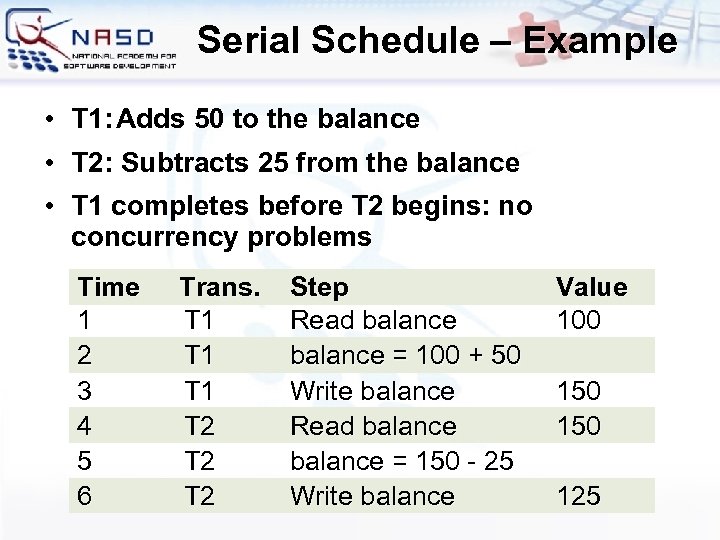
Serial Schedule – Example • • T 1: Adds 50 to the balance T 2: Subtracts 25 from the balance • T 1 completes before T 2 begins: no concurrency problems Time 1 2 3 4 5 6 Trans. T 1 T 1 T 2 T 2 Step Read balance = 100 + 50 Write balance Read balance = 150 - 25 Write balance Value 100 150 125
Serializable Transactions • Serializability • Want to get the effect of serial schedules, but allow for more concurrency • Serializable schedules • Equivalent to serial schedules • Produce same final result as serial schedule • Locking mechanisms can ensure serializability • Serializability is too expensive • Optimistic locking allows better concurrency
Concurrency Problems • Problems from conflicting operations: • Dirty Read (Temporary Update) • A transaction updates an item, then fails • The item is accessed by another transaction before rollback • Non-Repeatable Read • A transactions reads an item twice and gets different values because of concurrent change • Phantom Read • A transaction executes a query twice, and obtains a different numbers of rows because another transaction inserted new rows meantime
Concurrency Problems (2) • Problems from conflicting operations: • Lost Update • Two transactions update the same item • Second update overwrites the first (last wins) • Incorrect Summary • One transaction is calculating an aggregate function on some records while another transaction is updating them • The aggregate function calculate some values before updating and some after
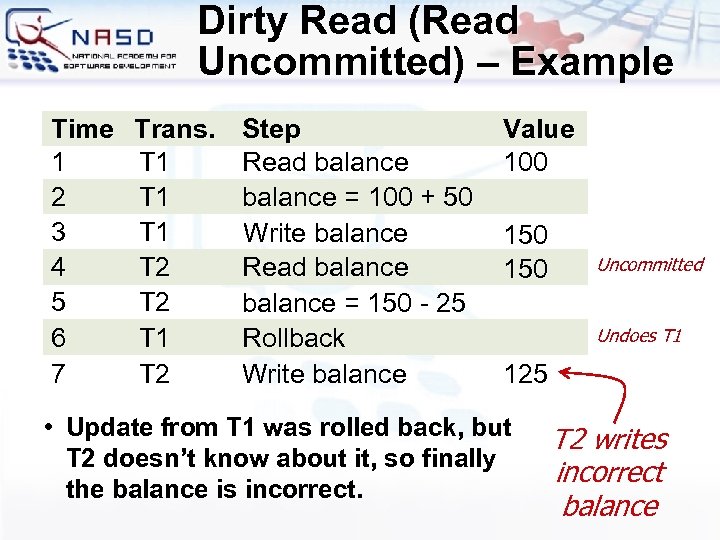
Dirty Read (Read Uncommitted) – Example Time 1 2 3 4 5 6 7 Trans. T 1 T 1 T 2 Step Read balance = 100 + 50 Write balance Read balance = 150 - 25 Rollback Write balance Value 100 150 Uncommitted Undoes T 1 125 • Update from T 1 was rolled back, but T 2 doesn’t know about it, so finally the balance is incorrect. T 2 writes incorrect balance
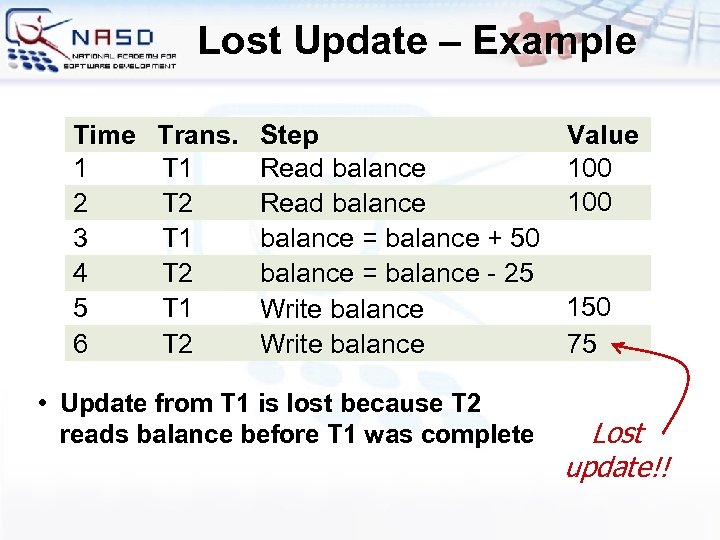
Lost Update – Example Time 1 2 3 4 5 6 Trans. T 1 T 2 Step Read balance = balance + 50 balance = balance - 25 Write balance • Update from T 1 is lost because T 2 reads balance before T 1 was complete Value 100 150 75 Lost update!!
Concurrency Control Techniques
Concurrency Control • The problem • Conflicting operations in simultaneous transactions may produce an incorrect results • What is concurrency control? • Managing simultaneous operations on the database without having them interfere with one another • Prevents conflicts when two or more users access database simultaneously
Concurrency Control Techniques • Two basic concurrency control techniques: • Locking • Used in most RDBMS servers, e. g. Oracle, SQL Server, etc. • Timestamping • Both are conservative (pessimistic) approaches: delay transactions in case they conflict with other transactions • Optimistic methods assume conflict is rare and only check for conflicts at commit
Locking • Transaction uses locks to deny access to shared data by the other transactions • Most widely used approach to ensure serializability • Generally, a transaction must claim a read (shared) or write (exclusive) lock on a data item before read or write • Lock prevents another transaction from modifying item or even reading it, in the case of a write lock • Deadlock is possible
Timestamping • A unique identifier • • Created by the DBMS Indicates relative starting time of a transaction • Transactions ordered globally • Older transactions (earlier timestamps) get priority in the event of conflict • Conflict is resolved by rolling back and restarting transaction • No locks so no deadlock
Locking Strategies
Locking Strategies • Optimistic locking • Locks are not used • Conflicts are possible but are resolved before commit • High concurrency – scale well • Pessimistic locking • Use exclusive and shared locks • Transactions wait for each other • Low concurrency – does not scale
Optimistic Locking • Optimistic locking means no locking • Based on assumption that conflicts are rare • It is more efficient to let transactions proceed without delays to ensure serializability • At commit, check is made to determine whether conflict has occurred • If there is a conflict, transaction must be rolled back and restarted • Allows greater concurrency than pessimistic locking
Optimistic Locking Phases • Three phases • Read • Transaction reads the DB, does computations, then makes updates to a private copy of the DB (e. g. in the memory) • Validation • Make sure that transaction doesn’t cause any integrity/consistency problems • If no problems, transaction goes to write phase • If problems, changes are discarded and transaction is restarted • Write • Changes are made persistent to DB
Pessimistic Locking • Assume conflicts are likely • Lock shared data to avoid conflicts • Transactions wait each other – does not scale well • Use shared and exclusive locks • Transactions must claim a read (shared) or write (exclusive) lock on a data item before read or write • Locks prevents another transaction from modifying item or even reading it, in the case of a write lock
Locking – Basic Rules • If transaction has read lock on an item, the item can be read but not modified • If transaction has write lock on an item, the item can be both read and modified • Reads cannot conflict, so multiple transactions can hold read locks simultaneously on the same item • Write lock gives one transaction exclusive access to an item • Transaction can upgrade a read lock to a write lock, or downgrade a write lock to a read lock • Commits or rollbacks release the locks
Deadlock • What is deadlock? • When two (or more) transactions are each waiting for locks held by the other to be released • Breaking a deadlock • Only one way to break deadlock: abort one or more of the transactions
Dealing with Deadlock • Deadlock prevention • Transaction can’t obtain a new lock if the possibility of a deadlock exists • Deadlock avoidance • Transaction must obtain all the locks it needs before it starts • Deadlock detection and recovery • DB checks for possible deadlocks • If deadlock is detected, one of the transactions is killed, then restarted
Lock Management • Lock and unlock requests are handled by the lock manager, stored in the “lock table” • Lock table entries store: • Number of transactions currently holding a lock • Type of lock held (shared or exclusive) • Pointer to queue of lock requests • Locking and unlocking have to be atomic operations • Lock upgrade: transaction that holds a shared lock can be upgraded to exclusive lock
Locking Granularity • Size of data items chosen as unit of protection by concurrency control • Ranging from coarse to fine: • Entire database • File • Page (block) • Record • Field value of a record
Coarse vs. Fine Granularity • Granularity is a measure of the amount of data the lock is protecting • Coarse granularity • Small number of locks protecting large segments of data, e. g. DB, file, page locks • Small overhead, small concurrency • Fine granularity • Large number of locks over small areas of data, e. g. table row of field in a row • More overhead, more concurrency • DBMS servers are “smart” and use both
Transactions and Recovery
Transactions and Recovery • Transactions represent basic unit of recovery • Recovery manager responsible for atomicity and durability • What happens at failure? • If transaction had not committed at failure time, recovery manager has to undo (rollback) any effects of that transaction for atomicity • If failure occurs between commit and database buffers being flushed to secondary storage, recovery manager has to redo (rollforward) transaction's updates
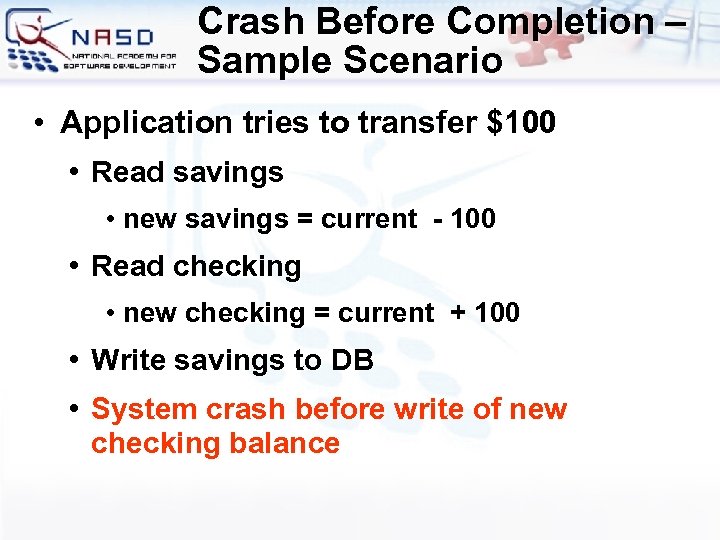
Crash Before Completion – Sample Scenario • Application tries to transfer $100 • Read savings • new savings = current - 100 • Read checking • new checking = current + 100 • Write savings to DB • System crash before write of new checking balance
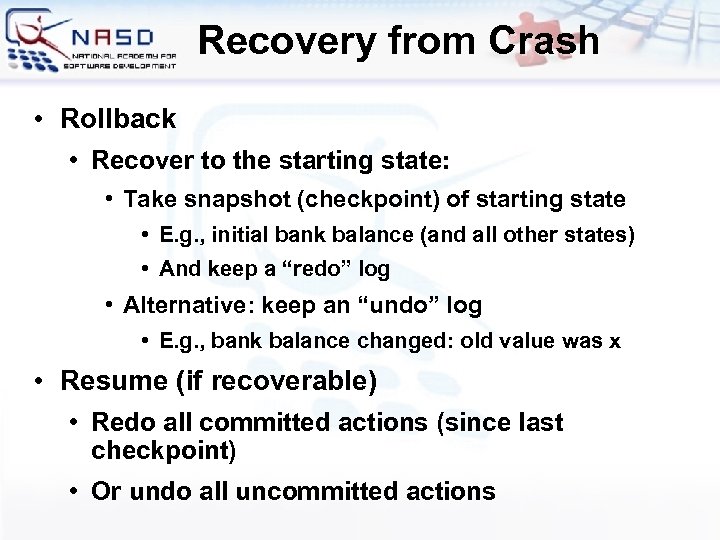
Recovery from Crash • Rollback • Recover to the starting state: • Take snapshot (checkpoint) of starting state • E. g. , initial bank balance (and all other states) • And keep a “redo” log • Alternative: keep an “undo” log • E. g. , bank balance changed: old value was x • Resume (if recoverable) • Redo all committed actions (since last checkpoint) • Or undo all uncommitted actions
Creating REDO Log • Keep a log of all database writes ON DISK (so that it is still available after crash) • <transaction ID>; <data item>; <new value> • (Tj; x=125) (Ti; y=56) • Actions must be idempotent (redoable) • NOT x = x + 100 • But don't write to the database yet • At the end of transaction execution • Add "commit <transaction ID>" to the log • Do all the writes to the database • Add "complete <transaction ID>" to the log
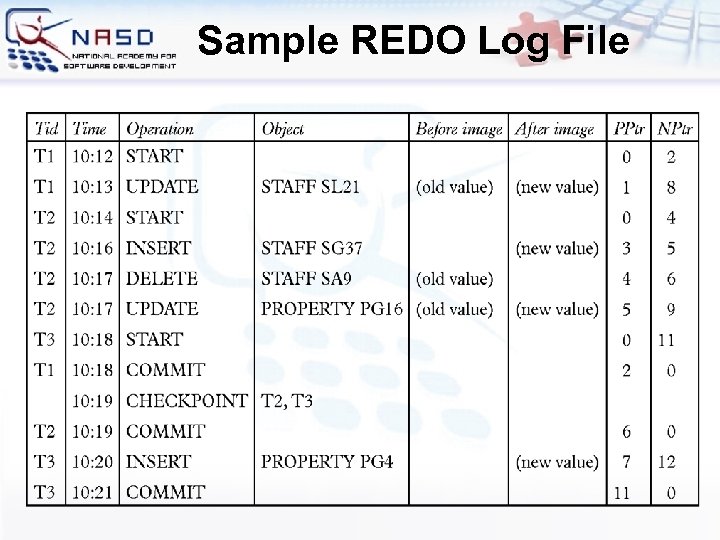
Sample REDO Log File
Recovering From a Crash • There are 3 phases in the recovery algorithm: • Analysis – scan the log forward to identify all transactions that were active, and all dirty pages in the buffer pool at the time of the crash • Redo – redoes all updates to dirty pages in the buffer pool, as needed, to ensure that all logged updates are in fact carried out and written to disk • Undo – all transactions that were active at the crash are undone, working backwards in the log • Some care must be taken to handle the case of a crash occurring during the recovery process!
Transactions and SQL Language
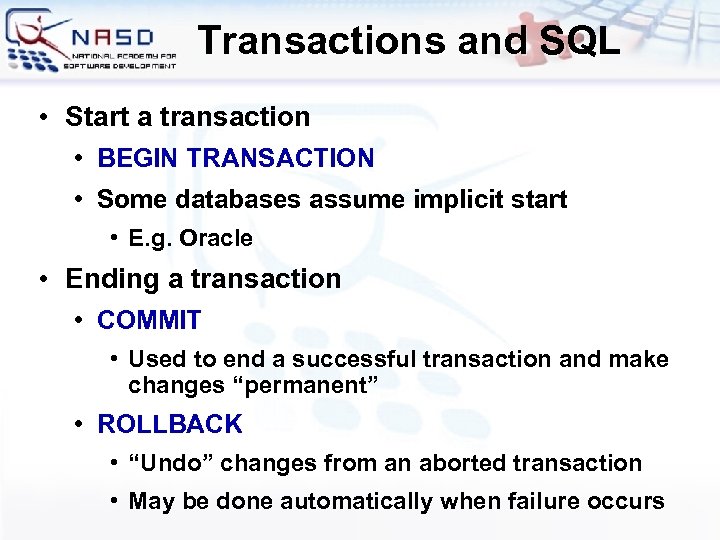
Transactions and SQL • Start a transaction • • BEGIN TRANSACTION Some databases assume implicit start • E. g. Oracle • Ending a transaction • COMMIT • Used to end a successful transaction and make changes “permanent” • ROLLBACK • “Undo” changes from an aborted transaction • May be done automatically when failure occurs
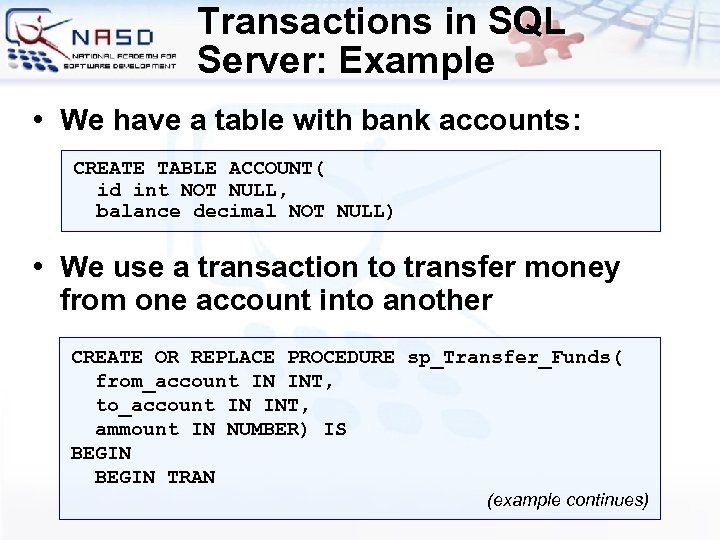
Transactions in SQL Server: Example • We have a table with bank accounts: CREATE TABLE ACCOUNT( id int NOT NULL, balance decimal NOT NULL) • We use a transaction to transfer money from one account into another CREATE OR REPLACE PROCEDURE sp_Transfer_Funds( from_account IN INT, to_account IN INT, ammount IN NUMBER) IS BEGIN TRAN (example continues)
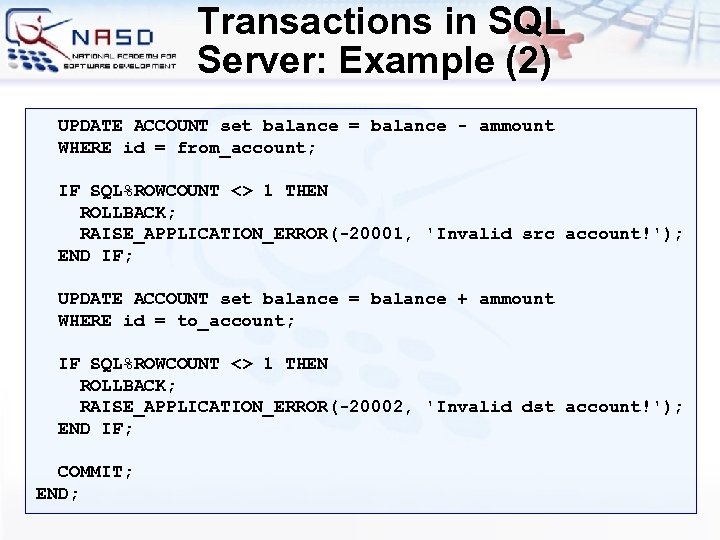
Transactions in SQL Server: Example (2) UPDATE ACCOUNT set balance = balance - ammount WHERE id = from_account; IF SQL%ROWCOUNT <> 1 THEN ROLLBACK; RAISE_APPLICATION_ERROR(-20001, 'Invalid src account!'); END IF; UPDATE ACCOUNT set balance = balance + ammount WHERE id = to_account; IF SQL%ROWCOUNT <> 1 THEN ROLLBACK; RAISE_APPLICATION_ERROR(-20002, 'Invalid dst account!'); END IF; COMMIT; END;
Transaction Isolation Levels
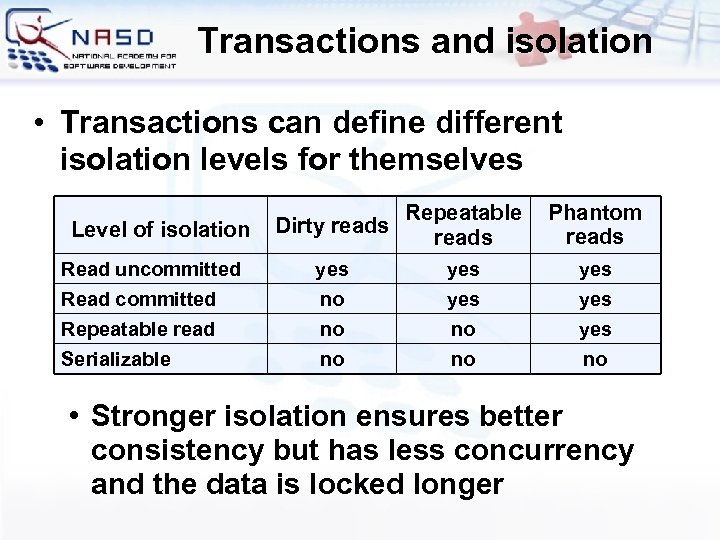
Transactions and isolation • Transactions can define different isolation levels for themselves Level of isolation Read uncommitted Read committed Repeatable read Serializable Dirty reads Repeatable reads Phantom reads yes no no no yes yes yes no • Stronger isolation ensures better consistency but has less concurrency and the data is locked longer
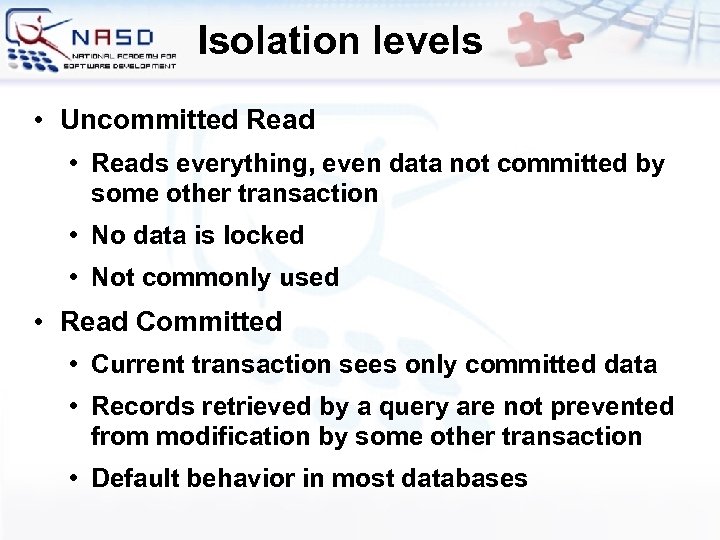
Isolation levels • Uncommitted Read • Reads everything, even data not committed by some other transaction • No data is locked • Not commonly used • Read Committed • Current transaction sees only committed data • Records retrieved by a query are not prevented from modification by some other transaction • Default behavior in most databases
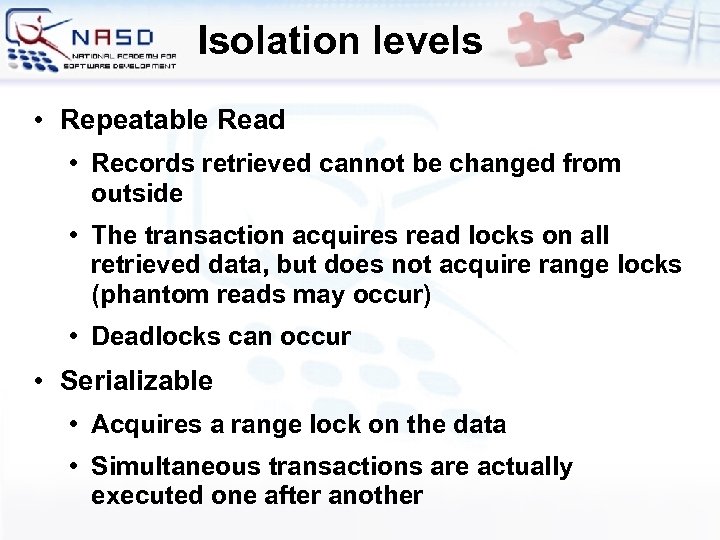
Isolation levels • Repeatable Read • Records retrieved cannot be changed from outside • The transaction acquires read locks on all retrieved data, but does not acquire range locks (phantom reads may occur) • Deadlocks can occur • Serializable • Acquires a range lock on the data • Simultaneous transactions are actually executed one after another
When and How to Use Transactions?
Transactions Usage • When force using transactions? • Always when a business operation modifies more than one table (atomicity) • When you don’t want conflicting updates (isolation) • How to choose isolation level? • Use read committed, unless you need more strong isolation • Keep transactions small in time • Never keep transactions opened for long
Transactions Usage – Examples • Transfer money from one account to another • Either both withdraw and deposit succeed or neither of them • At the pay desk of a store: we buy a cart of products as a whole • We either buy all of them and pay or we buy nothing and give no money • If any of the operations fails we cancel the transaction (the entire purchase)
Database Transactions and Transaction Management Questions?
Скачать презентацию Database Transactions and Transaction Management Svetlin Nakov National
1f307687f96a49bf03be8fe512a366d8.ppt