 Скачать презентацию Database Integrity 1 State of being complete and
39c70f53465017f389f86e9ad817abef.ppt
- Количество слайдов: 54




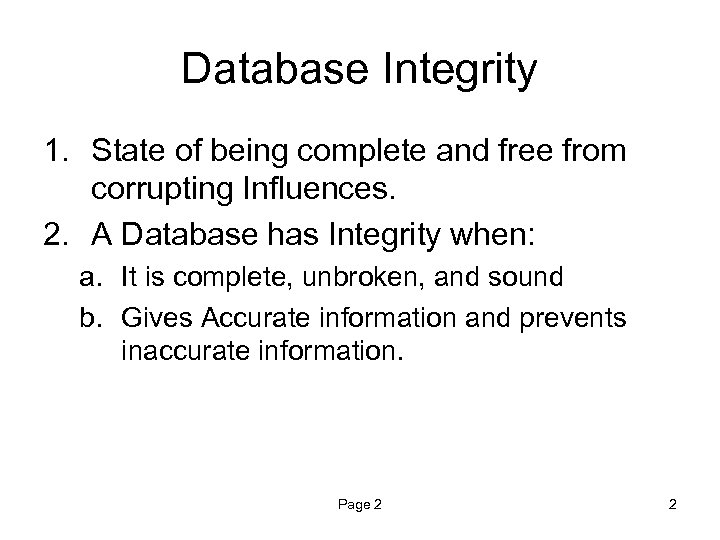
Database Integrity 1. State of being complete and free from corrupting Influences. 2. A Database has Integrity when: a. It is complete, unbroken, and sound b. Gives Accurate information and prevents inaccurate information. Page 2 2
Database Design Anomalies Computer Training Resources Bay Area Execu. Train
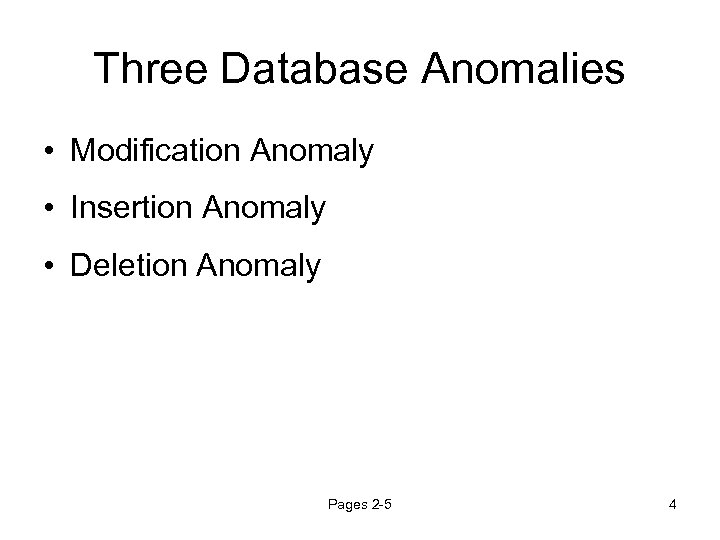
Three Database Anomalies • Modification Anomaly • Insertion Anomaly • Deletion Anomaly Pages 2 -5 4
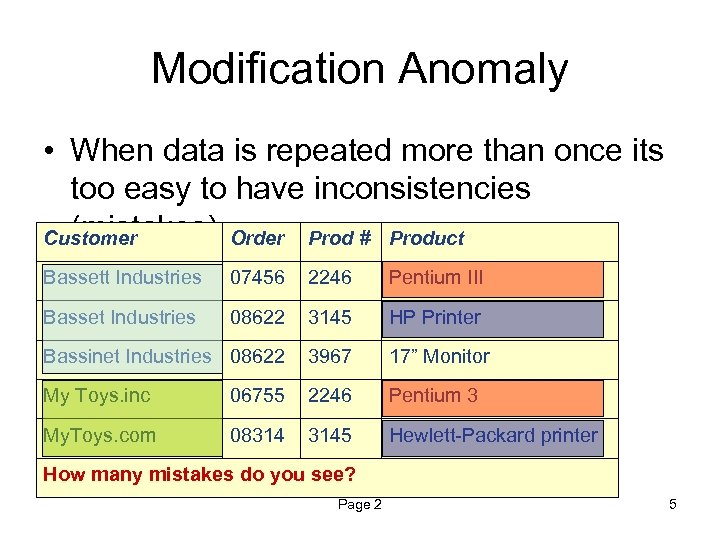
Modification Anomaly • When data is repeated more than once its too easy to have inconsistencies (mistakes). Order Prod # Product Customer Bassett Industries 07456 2246 Pentium III Basset Industries 08622 3145 HP Printer Bassinet Industries 08622 3967 17” Monitor My Toys. inc 06755 2246 Pentium 3 My. Toys. com 08314 3145 Hewlett-Packard printer How many mistakes do you see? Page 2 5
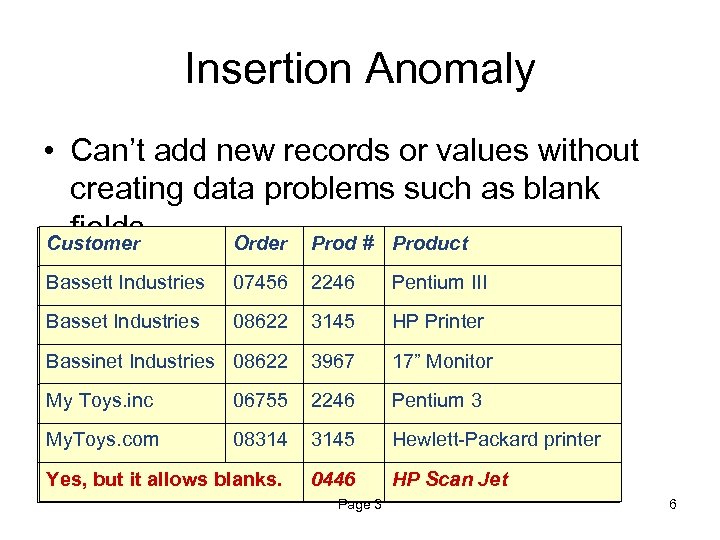
Insertion Anomaly • Can’t add new records or values without creating data problems such as blank fields. Customer Order Prod # Product Bassett Tool General Industries 07456 2246 III Pentium Computer Basset Toll General. Industries 08622 3145 HP Printer Bassinet Industries 08622 General Tool Co. 3967 17” Monitor My Toys. inc Totally Toys 06755 2246 3 Pentium computer My. Toys. com TOTALLY TOYS 08314 3145 Hewlett-Packard printer Yes, but it allows blanks. 0446 HP Scan Jet Can you add a new item before someone buys it? Page 3 6
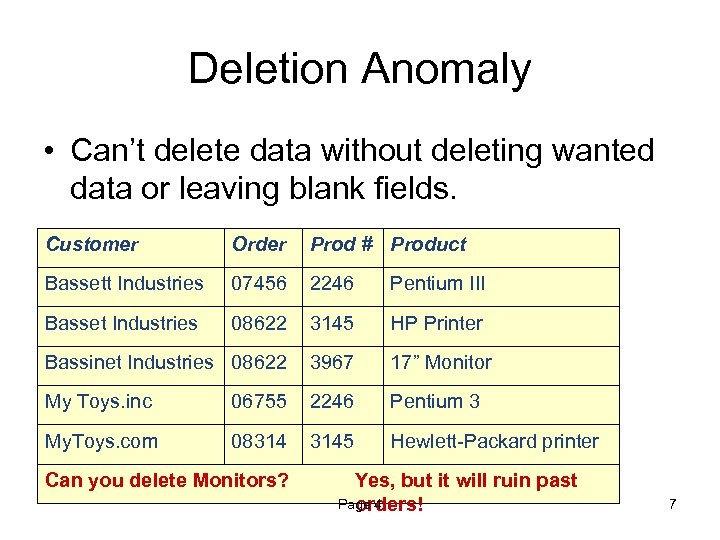
Deletion Anomaly • Can’t delete data without deleting wanted data or leaving blank fields. Customer Order Prod # Product Bassett Industries 07456 2246 Pentium III Basset Industries 08622 3145 HP Printer Bassinet Industries 08622 3967 17” Monitor My Toys. inc 06755 2246 Pentium 3 My. Toys. com 08314 3145 Hewlett-Packard printer Can you delete Monitors? Yes, but it will ruin past Page 4 orders! 7

How to Prevent Anomalies? Follow the rules you learn in this
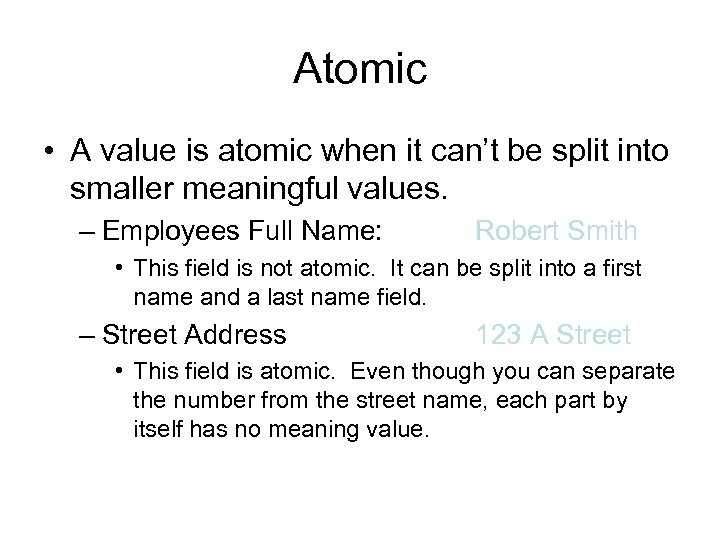
Atomic • A value is atomic when it can’t be split into smaller meaningful values. – Employees Full Name: Robert Smith • This field is not atomic. It can be split into a first name and a last name field. – Street Address 123 A Street • This field is atomic. Even though you can separate the number from the street name, each part by itself has no meaning value.
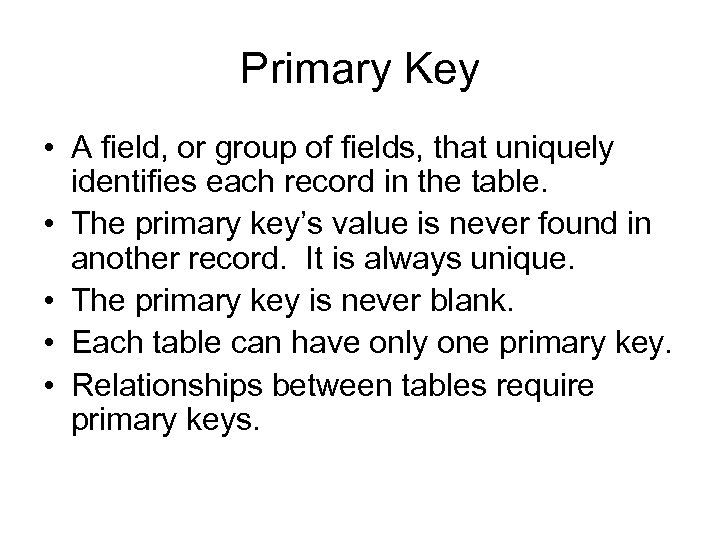
Primary Key • A field, or group of fields, that uniquely identifies each record in the table. • The primary key’s value is never found in another record. It is always unique. • The primary key is never blank. • Each table can have only one primary key. • Relationships between tables require primary keys.
Candidate Key • Similar to a primary key. • A field, or group of fields, that uniquely identifies each record in the table. • The candidate key’s value is never found in another record. It is always unique. • The candidate key is never blank. • Each table can have many candidate keys. • Relationships between tables do NOT require primary keys.
Multi-field Primary Key • A primary key that is composed of more than one field. • A combination of two or more fields that uniquely identify a record. • Its not multiple primary keys, its one key composed of multiple fields. • Sometimes called composite primary key.
Foreign Key • A non-key field that is the primary key in a different table. • The primary key in one table relates to the foreign key in the related table.
Database Types • Flat-file database – – A database with only one table Excel lets you create flat-file databases Flat-file databases are not relational Every value in a flat-file database must be entered each time it is used
Database Types • Relational database – A database with a group of tables that are related to each other by key fields – Access lets you create relational databases – Excel does not let you create relational databases – Relational databases do not require entry every time they are used
Data Normalization • A process of making a database conform to a list of standards called “normal forms” that help prevent anomalies and ensure the integrity of the database. • You will learn the first four “normal forms” in this course.
Database Integrity • The state or quality of a database when it follows the rules of data normalization to ensure that the database gives accurate information and prevents database anomalies.
Database Relationships Computer Training Resources Bay Area Execu. Train
Database Relationships • Three types of relationships exist. – One to one. – One to many. – Many to many. • Database relationships are similar to family relationships.
One to One Relationships • He has one girl friend. • She has one boy friend.
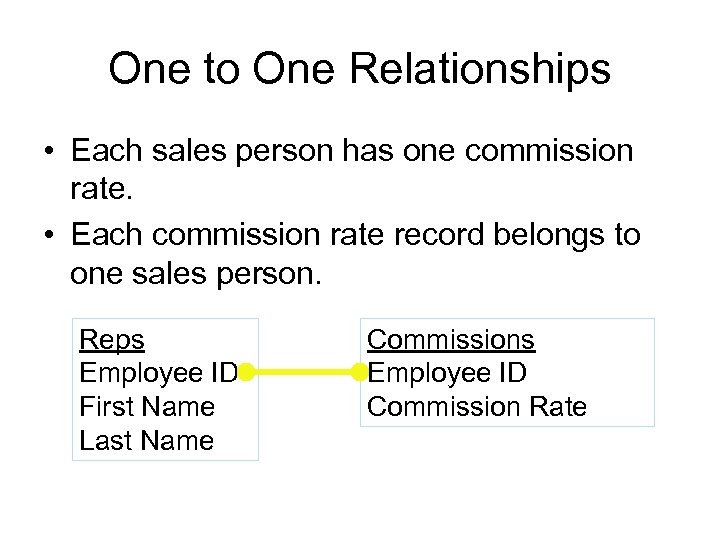
One to One Relationships • Each sales person has one commission rate. • Each commission rate record belongs to one sales person. Reps Employee ID First Name Last Name Commissions Employee ID Commission Rate
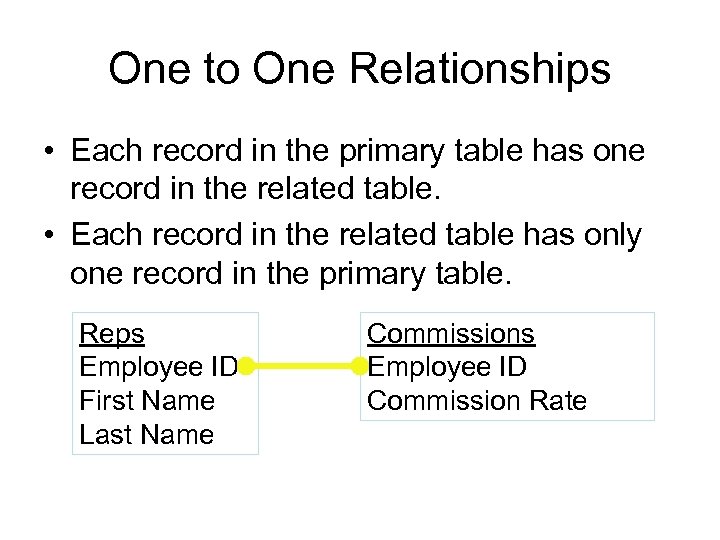
One to One Relationships • Each record in the primary table has one record in the related table. • Each record in the related table has only one record in the primary table. Reps Employee ID First Name Last Name Commissions Employee ID Commission Rate
Field Data Types • OLE object – An object like a picture that is embedded in the database • Hyperlink – Text that is a hyperlink to either a web address or a file on your hard-disk or network
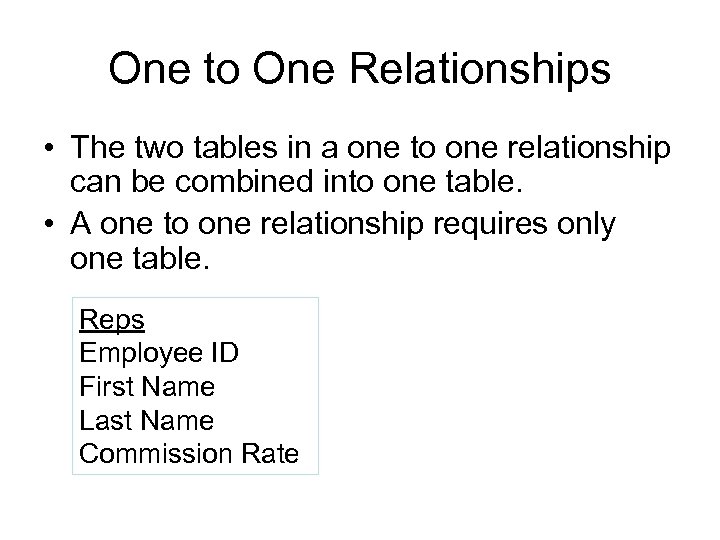
One to One Relationships • The two tables in a one to one relationship can be combined into one table. • A one to one relationship requires only one table. Reps Employee ID First Name Last Name Commission Rate
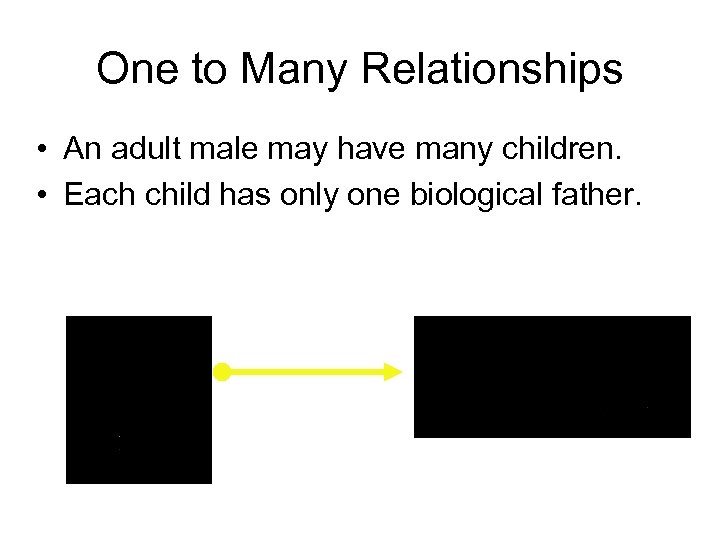
One to Many Relationships • An adult male may have many children. • Each child has only one biological father.
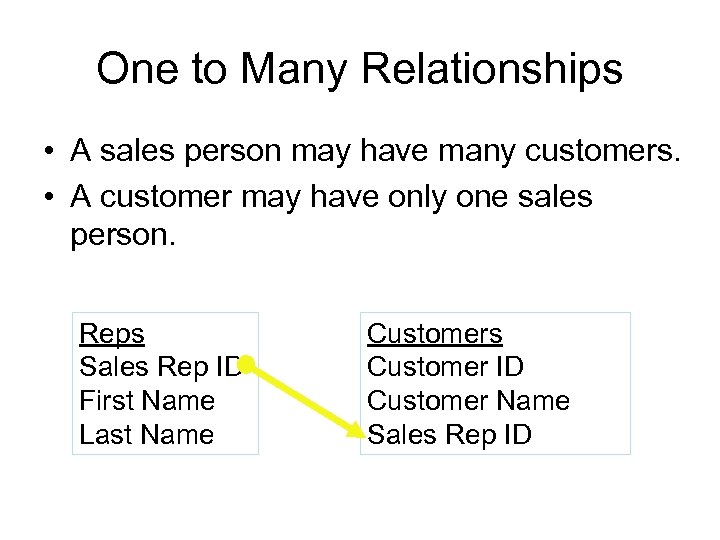
One to Many Relationships • A sales person may have many customers. • A customer may have only one sales person. Reps Sales Rep ID First Name Last Name Customers Customer ID Customer Name Sales Rep ID
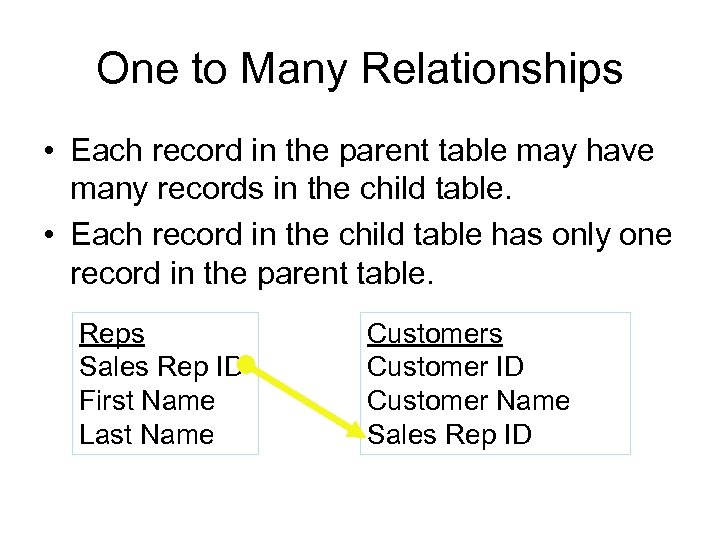
One to Many Relationships • Each record in the parent table may have many records in the child table. • Each record in the child table has only one record in the parent table. Reps Sales Rep ID First Name Last Name Customers Customer ID Customer Name Sales Rep ID
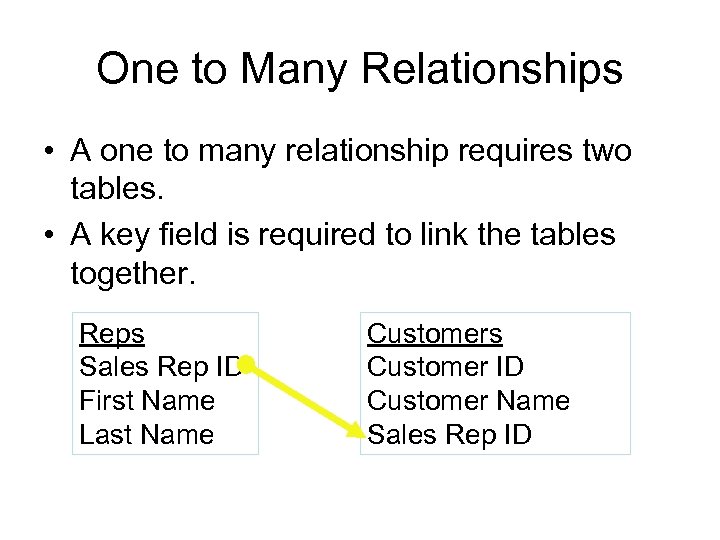
One to Many Relationships • A one to many relationship requires two tables. • A key field is required to link the tables together. Reps Sales Rep ID First Name Last Name Customers Customer ID Customer Name Sales Rep ID
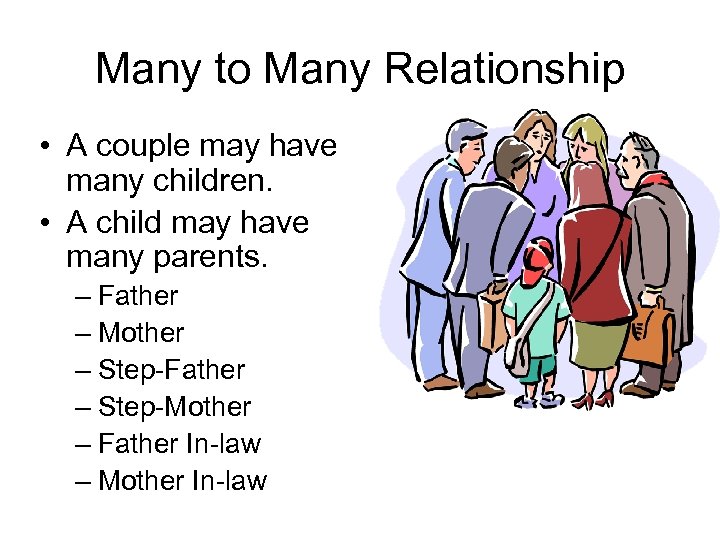
Many to Many Relationship • A couple may have many children. • A child may have many parents. – Father – Mother – Step-Father – Step-Mother – Father In-law – Mother In-law
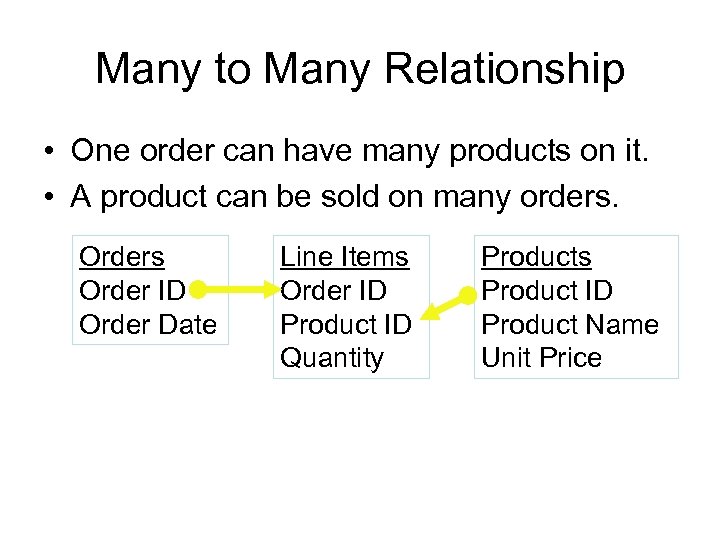
Many to Many Relationship • One order can have many products on it. • A product can be sold on many orders. Orders Order ID Order Date Line Items Order ID Product ID Quantity Products Product ID Product Name Unit Price
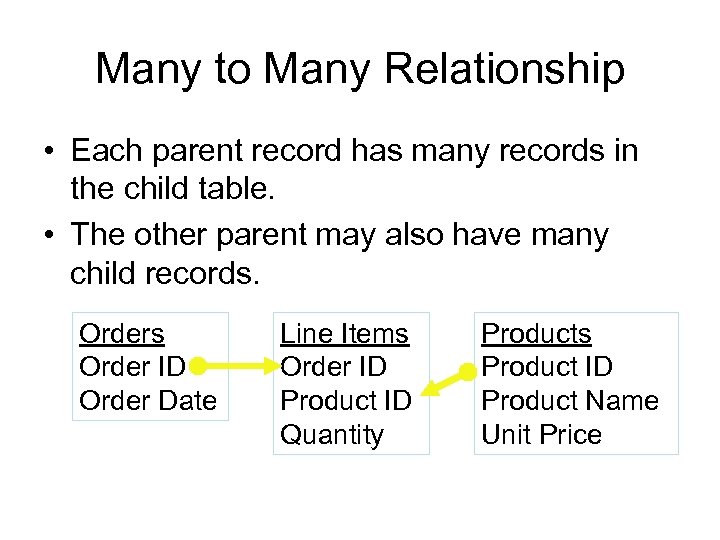
Many to Many Relationship • Each parent record has many records in the child table. • The other parent may also have many child records. Orders Order ID Order Date Line Items Order ID Product ID Quantity Products Product ID Product Name Unit Price
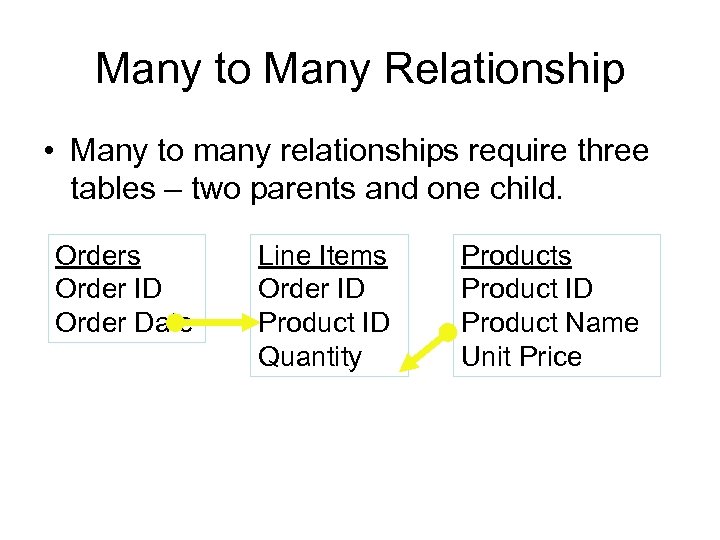
Many to Many Relationship • Many to many relationships require three tables – two parents and one child. Orders Order ID Order Date Line Items Order ID Product ID Quantity Products Product ID Product Name Unit Price
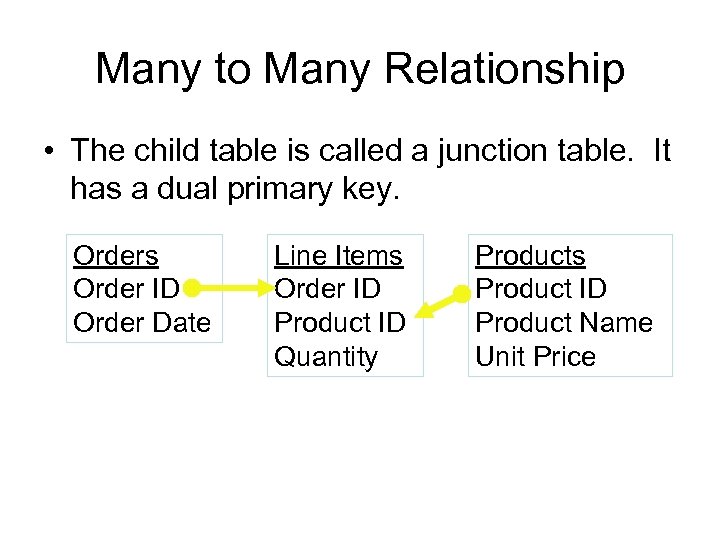
Many to Many Relationship • The child table is called a junction table. It has a dual primary key. Orders Order ID Order Date Line Items Order ID Product ID Quantity Products Product ID Product Name Unit Price
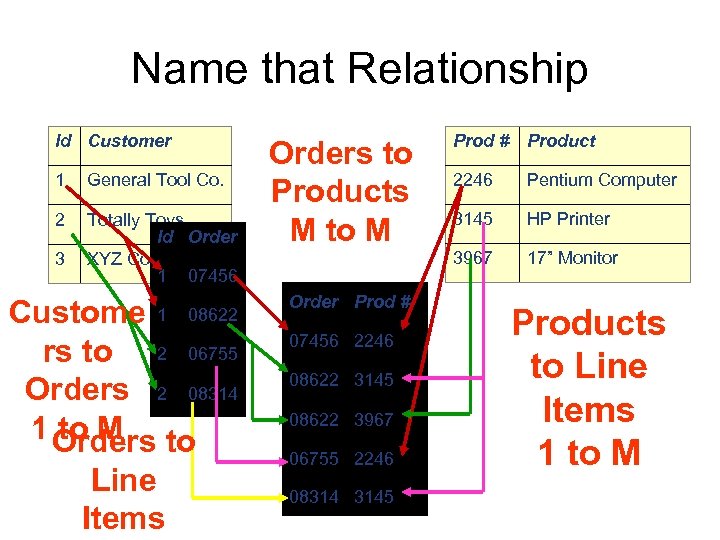
Name that Relationship Id Customer 1 General Tool Co. 2 Totally Toys Id Order XYZ Corp. 1 07456 3 Custome 1 08622 rs to 2 06755 Orders 2 08314 1 Orders to to M Line Items Order Prod # 07456 2246 08622 3145 08622 3967 06755 2246 08314 3145 Product 2246 Pentium Computer 3145 HP Printer 3967 Orders to Products M to M Prod # 17” Monitor Products to Line Items 1 to M
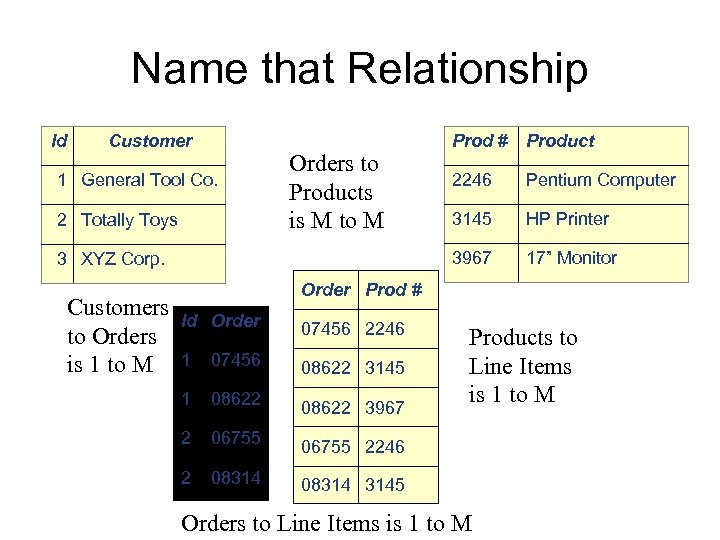
Name that Relationship Id Customer 2 Totally Toys 3 XYZ Corp. Customers to Orders is 1 to M Product 2246 Pentium Computer 3145 HP Printer 3967 1 General Tool Co. Orders to Products is M to M Prod # 17” Monitor Order Prod # Id Order 07456 2246 1 07456 08622 3145 1 08622 3967 2 06755 2246 2 08314 3145 Products to Line Items is 1 to M Orders to Line Items is 1 to M
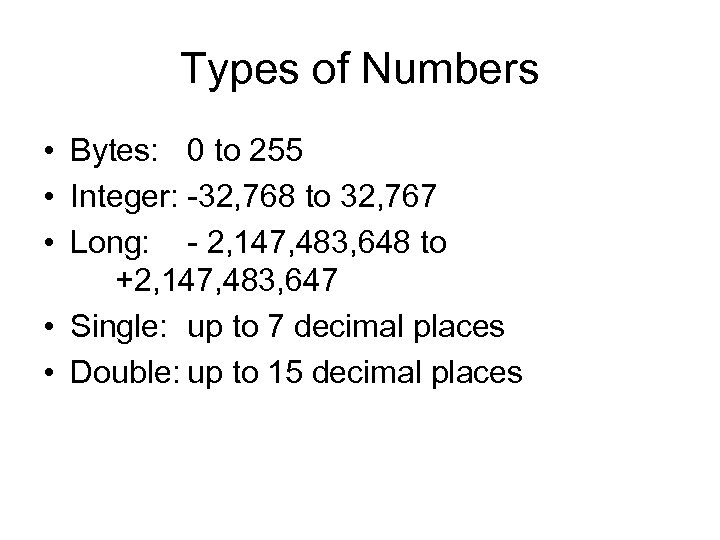
Types of Numbers • Bytes: 0 to 255 • Integer: -32, 768 to 32, 767 • Long: - 2, 147, 483, 648 to +2, 147, 483, 647 • Single: up to 7 decimal places • Double: up to 15 decimal places
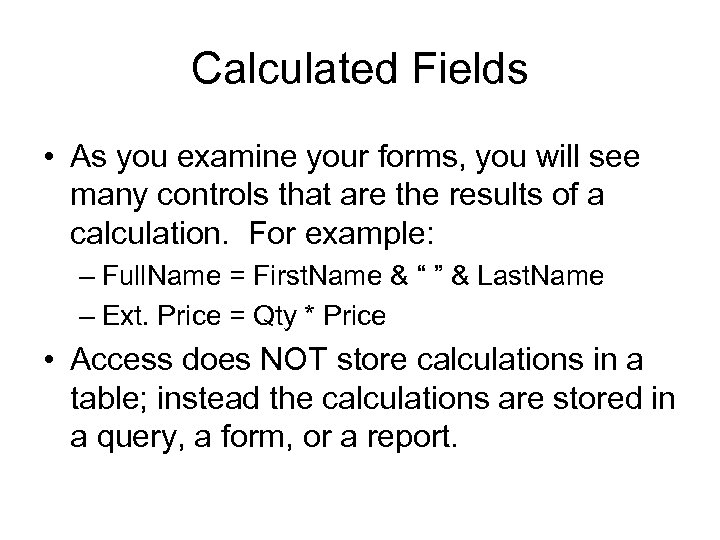
Calculated Fields • As you examine your forms, you will see many controls that are the results of a calculation. For example: – Full. Name = First. Name & “ ” & Last. Name – Ext. Price = Qty * Price • Access does NOT store calculations in a table; instead the calculations are stored in a query, a form, or a report.
Access Tables Types Computer Training Resources Bay Area Execu. Train
Group Fields Into Tables • After creating the list of fields, you are ready to group them into tables. • Each table should have one purpose. • Your database will have many tables. • Assume one table per form. • Three types of tables exist.
3 Types of Tables • Regular data tables • Validation or “drop-down” tables • Junction tables
tbl - Regular Data Tables • Purpose: –Hold most of your data –Source for most forms and reports –Usually one regular data table per form • Use “tbl”as the prefix • Have a single field primary key
tdd - Validation Tables • Purpose: – Provide values for drop-downs • Use “tdd” as the prefix – tdd = Table Drop Down • Have only 1 or 2 fields. – An ID or code field – A description or name field
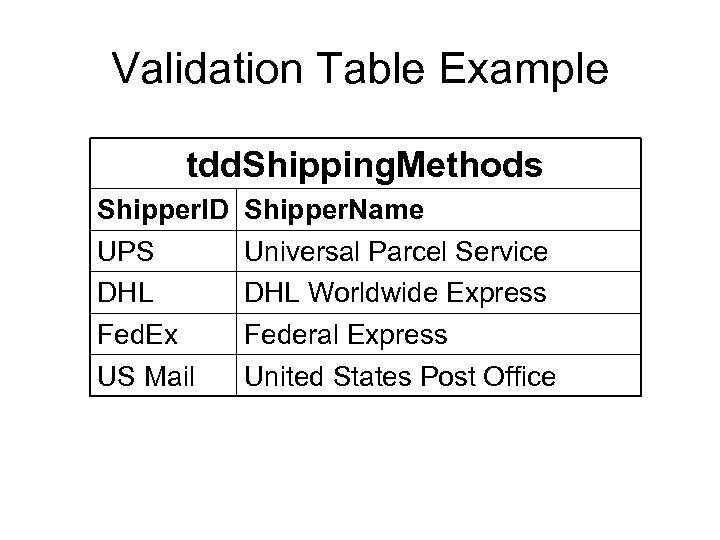
Validation Table Example tdd. Shipping. Methods Shipper. ID UPS DHL Fed. Ex US Mail Shipper. Name Universal Parcel Service DHL Worldwide Express Federal Express United States Post Office
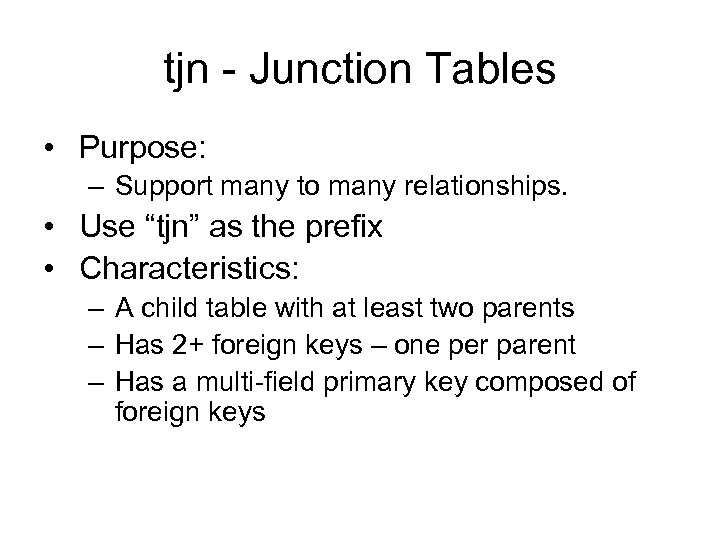
tjn - Junction Tables • Purpose: – Support many to many relationships. • Use “tjn” as the prefix • Characteristics: – A child table with at least two parents – Has 2+ foreign keys – one per parent – Has a multi-field primary key composed of foreign keys
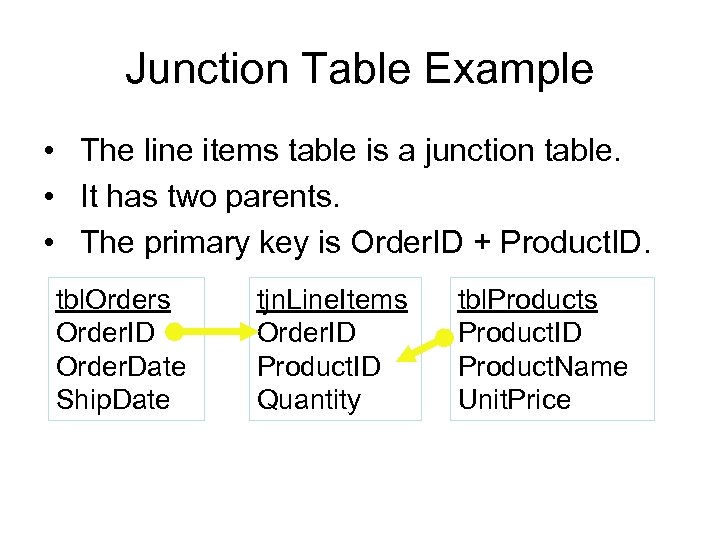
Junction Table Example • The line items table is a junction table. • It has two parents. • The primary key is Order. ID + Product. ID. tbl. Orders Order. ID Order. Date Ship. Date tjn. Line. Items Order. ID Product. ID Quantity tbl. Products Product. ID Product. Name Unit. Price
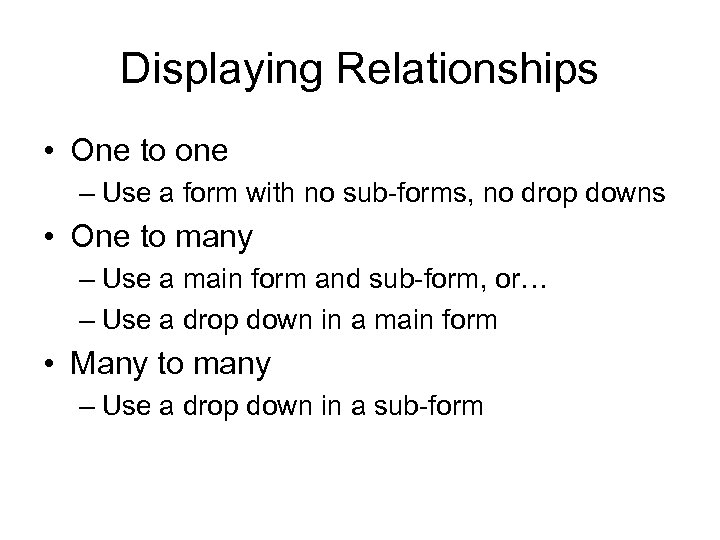
Displaying Relationships • One to one – Use a form with no sub-forms, no drop downs • One to many – Use a main form and sub-form, or… – Use a drop down in a main form • Many to many – Use a drop down in a sub-form
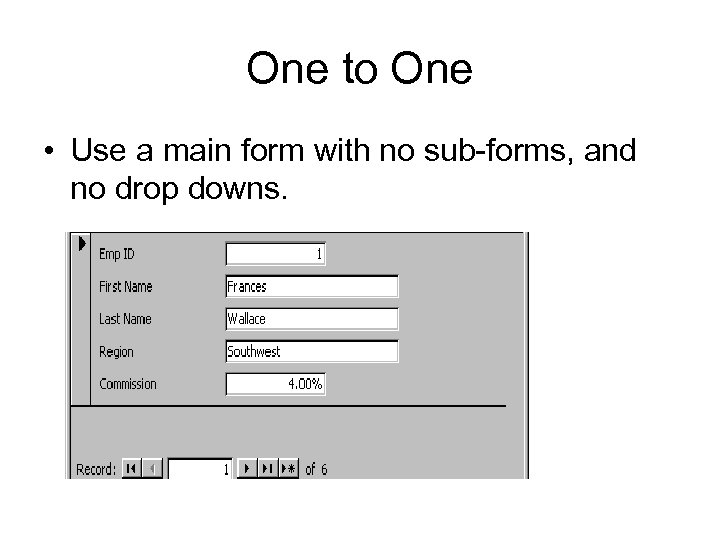
One to One • Use a main form with no sub-forms, and no drop downs.
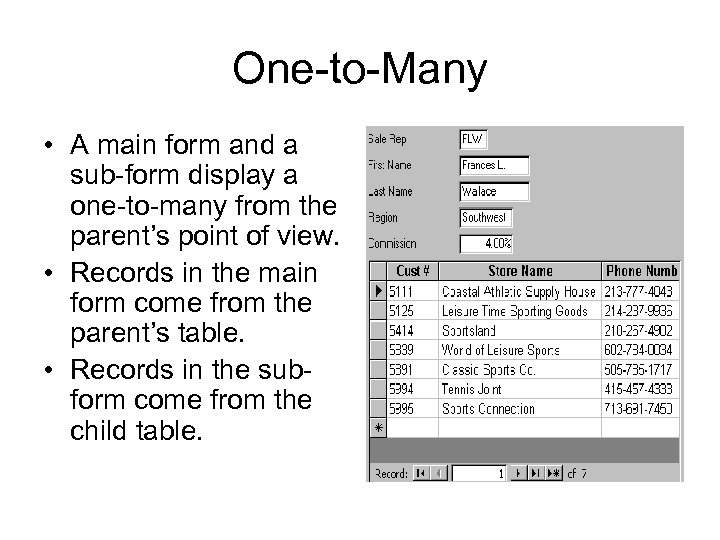
One-to-Many • A main form and a sub-form display a one-to-many from the parent’s point of view. • Records in the main form come from the parent’s table. • Records in the subform come from the child table.
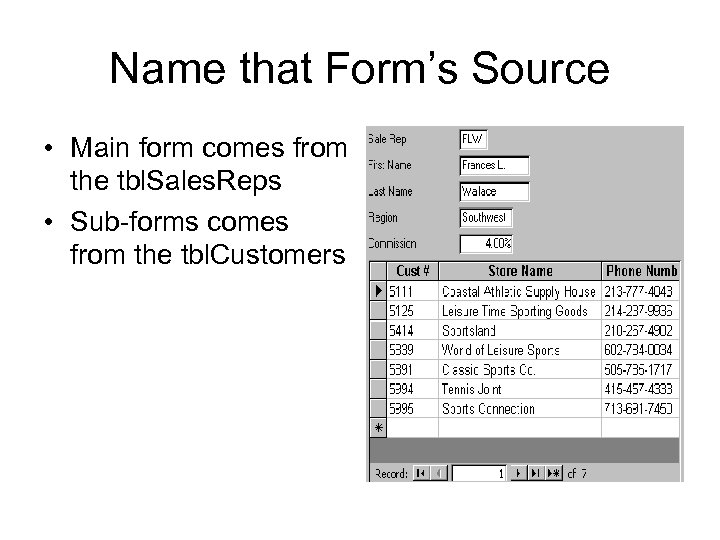
Name that Form’s Source • Main form comes from the tbl. Sales. Reps • Sub-forms comes from the tbl. Customers
One-to-many • A drop down displays a one to many relationship from the child’s point of view. • Records in the drop-down come from a parent table (either regular or validation table). • The value chosen from the drop-down is saved in a foreign key.
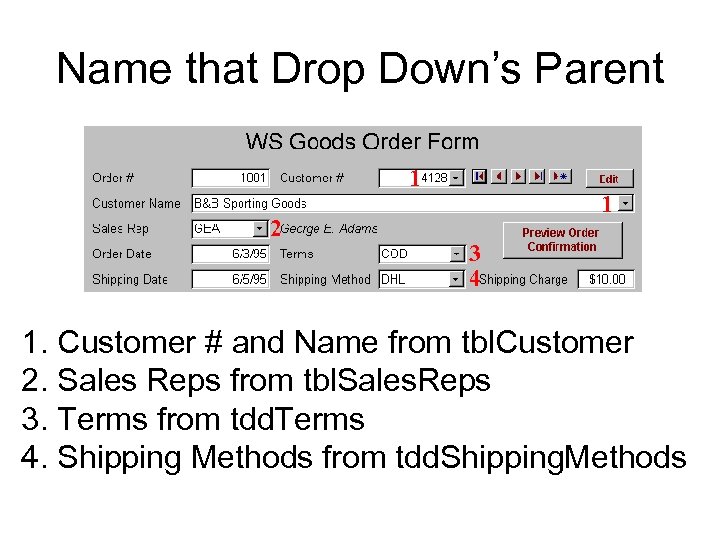
Name that Drop Down’s Parent 1 2 1 3 4 1. Customer # and Name from tbl. Customer 2. Sales Reps from tbl. Sales. Reps 3. Terms from tdd. Terms 4. Shipping Methods from tdd. Shipping. Methods
Many-to-many • A sub-forms with a drop downs displays a many-to-many relationship. – The sub-form shows the children of the main form (one-to-many from parent’s view). – The drop down shows the parents of the foreign key (one to many from child’s view). – The sub-form comes from a junction table.
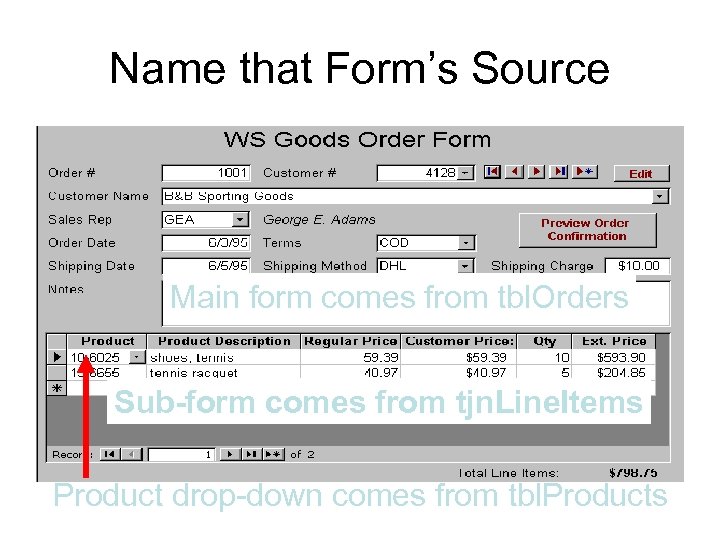
Name that Form’s Source Main form comes from tbl. Orders Sub-form comes from tjn. Line. Items Product drop-down comes from tbl. Products
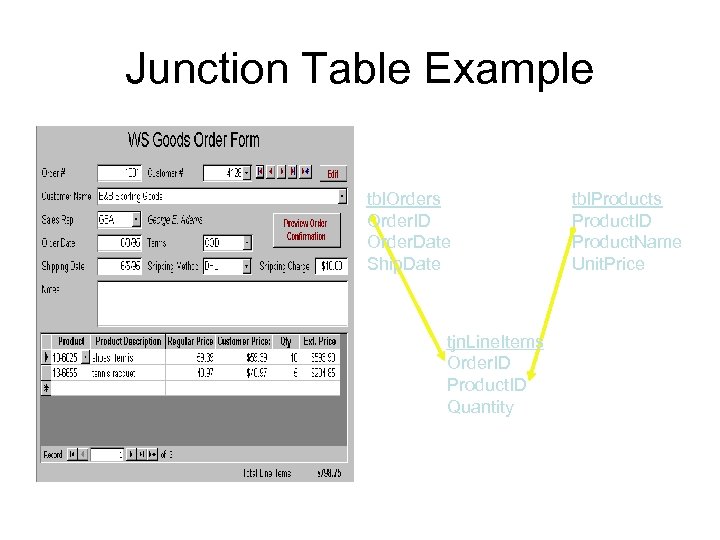
Junction Table Example tbl. Orders Order. ID Order. Date Ship. Date tjn. Line. Items Order. ID Product. ID Quantity tbl. Products Product. ID Product. Name Unit. Price
Скачать презентацию Database Integrity 1 State of being complete and
39c70f53465017f389f86e9ad817abef.ppt