 Скачать презентацию Database Edition for Oracle Storage Management High
8cabb00eb85e0176239dc520810a100f.ppt
- Количество слайдов: 63



Database Edition for Oracle Storage Management & High Performance for Oracle Database Servers erling. kvalheim@veritas. com
Market Drivers Faster access to data • Are you using file systems or raw disk partitions to Oracle data? Continuous availability (24 x 7) of missioncritical Oracle databases • How much does downtime cost your business in regard to lost user productivity, reduced company revenue, poor customer service? Easier management of increasing data • Do your DBAs have to learn how to manage raw disk partitions to gain database performance?
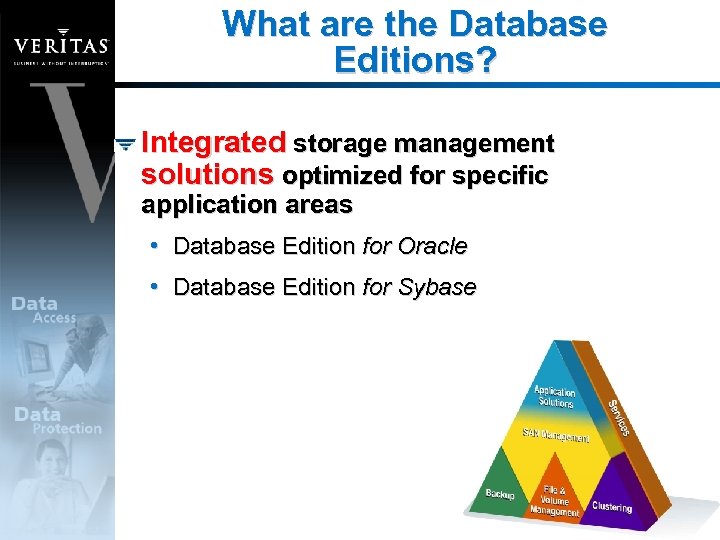
What are the Database Editions? Integrated storage management solutions optimized for specific application areas • Database Edition for Oracle • Database Edition for Sybase
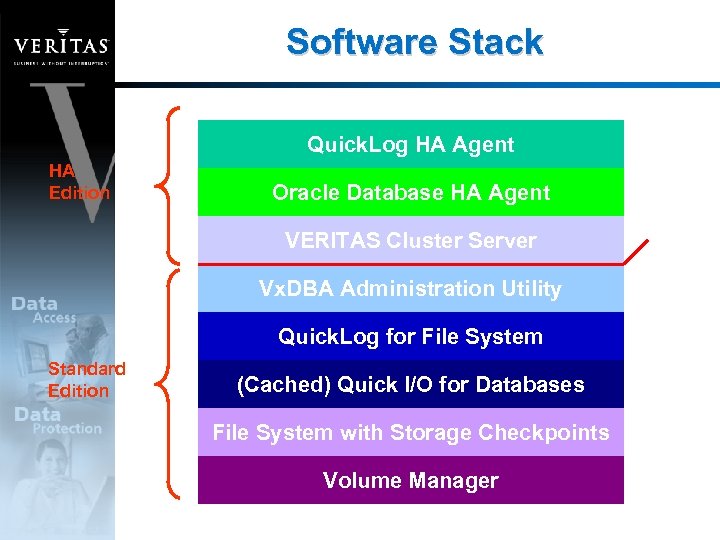
Software Stack Quick. Log HA Agent HA Edition Oracle Database HA Agent VERITAS Cluster Server Vx. DBA Administration Utility Quick. Log for File System Standard Edition (Cached) Quick I/O for Databases File System with Storage Checkpoints Volume Manager
Feature Overview Quick I/O & Cached quick I/O • Raw device performance with file system manageability • Cached Quick I/O for up to 150% performance improvement over raw devices VERITAS Volume Manager & VERITAS File System • Online disk & file management • Stripped / Mirrored arrays • Java-based Storage Administrator GUI
Feature Overview (cont’d) Storage Checkpoints ¨ Block-Level Incremental Backup (w/ Net. Backup) ¨ Storage Rollback for immediate “point-in-time” recovery from “logical errors” Quick. Log for File System Automatic monitoring and recovery of Oracle (HA Edition) Vendor Certification – Oracle OSCP
Database Edition for Oracle Enhanced Performance Quick I/O & Cached Quick I/O
Database Edition for Oracle Performance Increased performance productivity increased • Equal to raw device performance using Quick I/O • Greater than raw performance using Cached Quick I/O for read intensive workloads Large I/O optimization • Accelerated I/O performance for large files (e. g. , video, images)
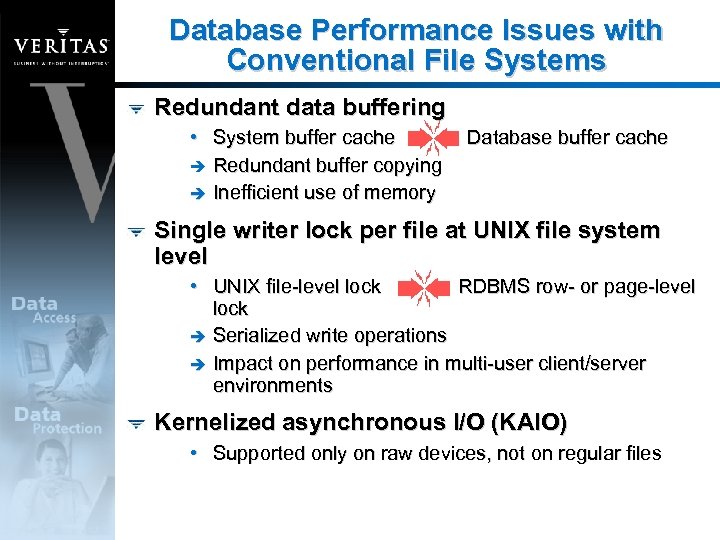
Database Performance Issues with Conventional File Systems Redundant data buffering • System buffer cache è Redundant buffer copying è Inefficient use of memory Database buffer cache Single writer lock per file at UNIX file system level • UNIX file-level lock RDBMS row- or page-level lock è Serialized write operations è Impact on performance in multi-user client/server environments Kernelized asynchronous I/O (KAIO) • Supported only on raw devices, not on regular files
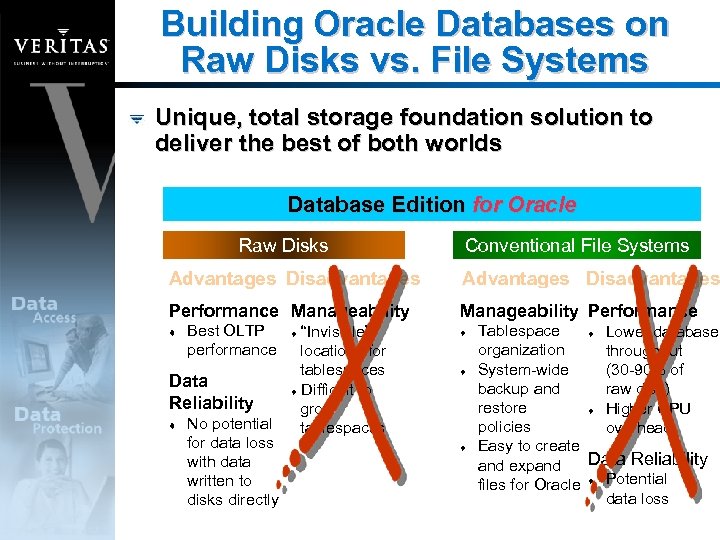
Building Oracle Databases on Raw Disks vs. File Systems Unique, total storage foundation solution to deliver the best of both worlds Database Edition for Oracle Raw Disks Conventional File Systems Advantages Disadvantages Performance Manageability Performance t Best OLTP performance Data Reliability t No potential for data loss with data written to disks directly “Invisible” locations for tablespaces t Difficult to grow tablespaces t t Tablespace t Lower database organization throughput System-wide (30 -90% of backup and raw disk) restore t Higher CPU policies overhead Easy to create Data Reliability and expand files for Oracle t Potential data loss
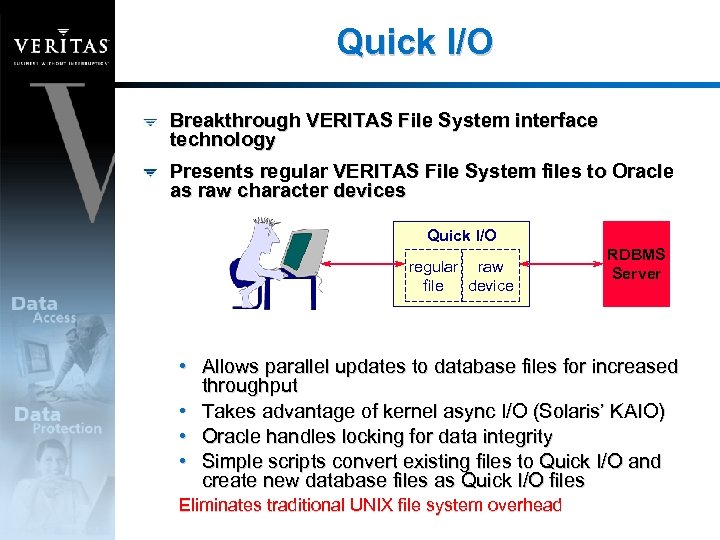
Quick I/O Breakthrough VERITAS File System interface technology Presents regular VERITAS File System files to Oracle as raw character devices Quick I/O regular raw file device RDBMS Server • Allows parallel updates to database files for increased throughput • Takes advantage of kernel async I/O (Solaris’ KAIO) • Oracle handles locking for data integrity • Simple scripts convert existing files to Quick I/O and create new database files as Quick I/O files Eliminates traditional UNIX file system overhead
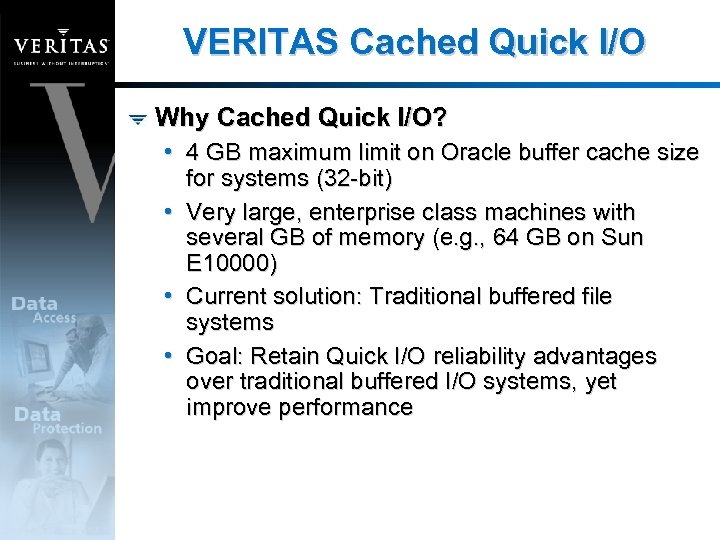
VERITAS Cached Quick I/O Why Cached Quick I/O? • 4 GB maximum limit on Oracle buffer cache size for systems (32 -bit) • Very large, enterprise class machines with several GB of memory (e. g. , 64 GB on Sun E 10000) • Current solution: Traditional buffered file systems • Goal: Retain Quick I/O reliability advantages over traditional buffered I/O systems, yet improve performance
Cached Quick I/O Overview Implemented as a buffered read, direct write solution • Retains data reliability advantage of direct write • Gains read-ahead at the File System and memory-tomemory copy performance advantage Easy online management to turn Cache on/off for Quick I/O files • Like Quick I/O, enabled on a per-file basis Multiple database instances can co-exist with selective caching for specific datafiles Little change to existing configuration Does not require changes to OS or database version levels (to 64 -bit architecture)
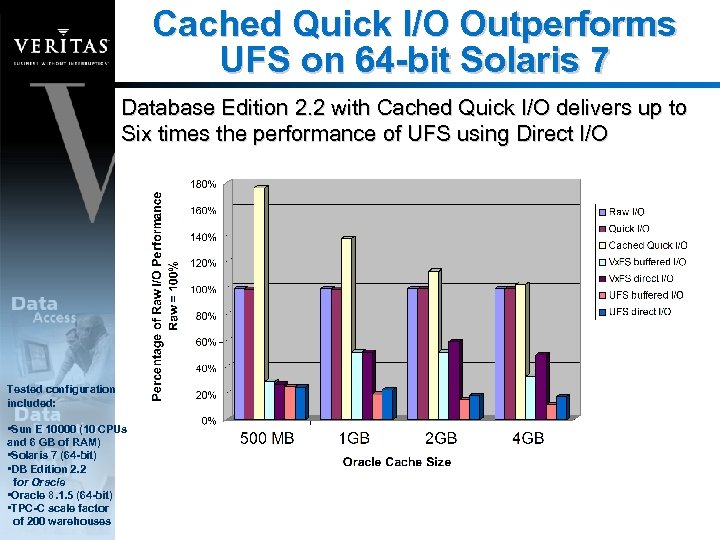
Cached Quick I/O Outperforms UFS on 64 -bit Solaris 7 Database Edition 2. 2 with Cached Quick I/O delivers up to Six times the performance of UFS using Direct I/O Tested configuration included: • Sun E 10000 (10 CPUs and 6 GB of RAM) • Solaris 7 (64 -bit) • DB Edition 2. 2 for Oracle • Oracle 8. 1. 5 (64 -bit) • TPC-C scale factor of 200 warehouses
Large I/O Optimization VERITAS File System allocates disk space in groups of contiguous blocks or “extents” Extent-based allocation can accelerate I/O by increasing the I/O transfer size in the file system Optimal for large files • Large Oracle tablespaces • Binary Large Objects (BLOBs) (e. g. , images, sounds)
VERITAS Quick. Log • Improves VERITAS File System Write performance by exporting intent log • Updates intent log in parallel with accessing file data • Eliminates the seek time between intent log area and file system data area • Transparent to end users • Minimal system administration setup • Database Edition/HA provides automated Quick. Log failover
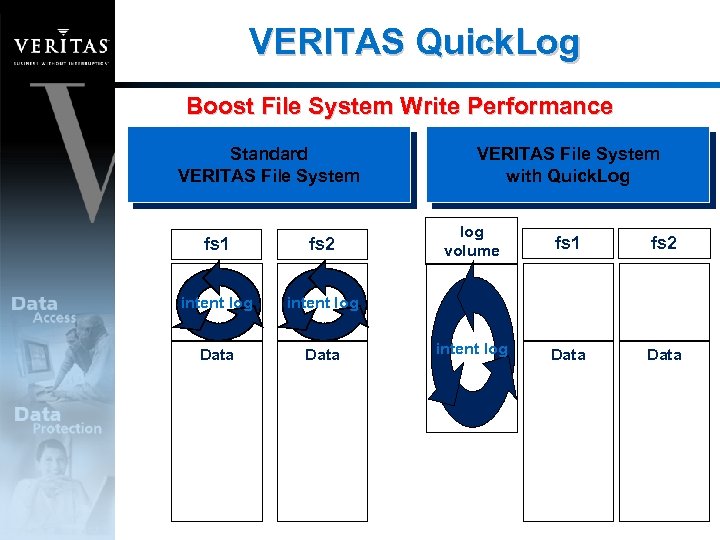
VERITAS Quick. Log Boost File System Write Performance Standard VERITAS File System fs 1 fs 2 intent log Data log volume fs 1 fs 2 intent log Data VERITAS File System with Quick. Log
Database Edition for Oracle Faster Recoverability Storage Checkpoint
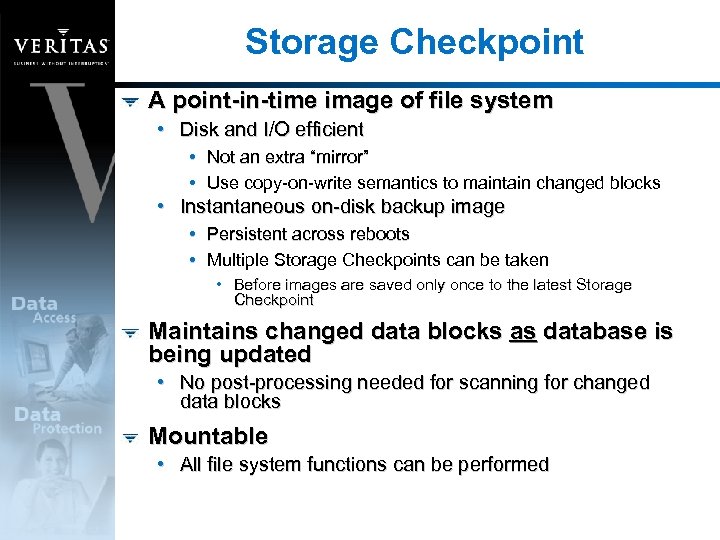
Storage Checkpoint A point-in-time image of file system • Disk and I/O efficient • Not an extra “mirror” • Use copy-on-write semantics to maintain changed blocks • Instantaneous on-disk backup image • Persistent across reboots • Multiple Storage Checkpoints can be taken • Before images are saved only once to the latest Storage Checkpoint Maintains changed data blocks as database is being updated • No post-processing needed for scanning for changed data blocks Mountable • All file system functions can be performed
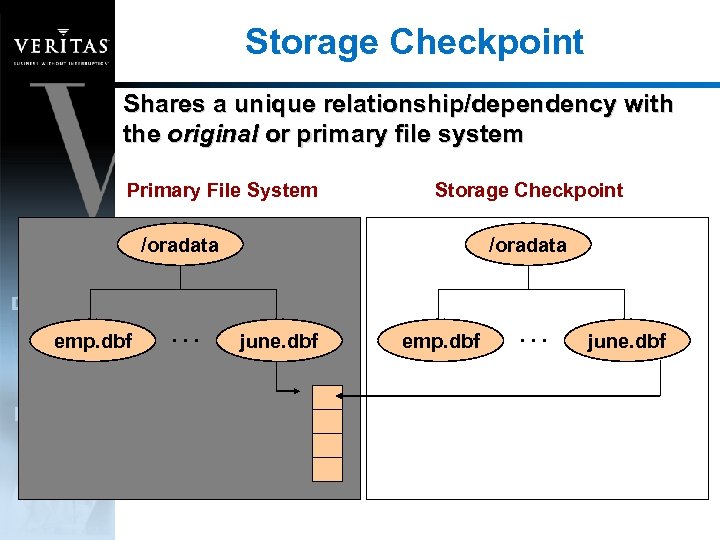
Storage Checkpoint Shares a unique relationship/dependency with the original or primary file system Primary File System Storage Checkpoint /oradata emp. dbf . . . /oradata june. dbf emp. dbf . . . june. dbf
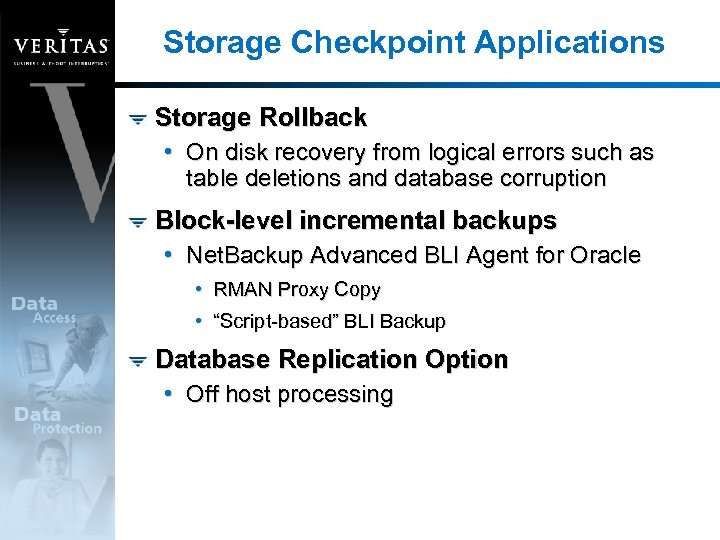
Storage Checkpoint Applications Storage Rollback • On disk recovery from logical errors such as table deletions and database corruption Block-level incremental backups • Net. Backup Advanced BLI Agent for Oracle • RMAN Proxy Copy • “Script-based” BLI Backup Database Replication Option • Off host processing
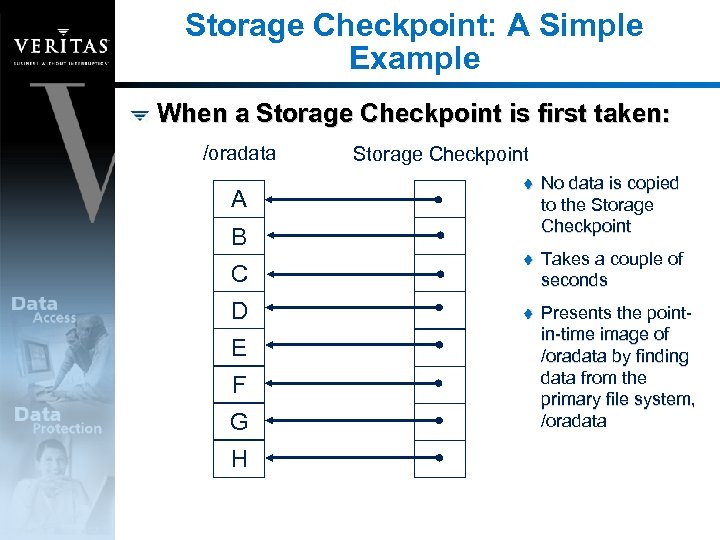
Storage Checkpoint: A Simple Example When a Storage Checkpoint is first taken: /oradata A Storage Checkpoint t No data is copied to the Storage Checkpoint t Takes a couple of seconds t Presents the pointin-time image of /oradata by finding data from the primary file system, /oradata B C D E F G H
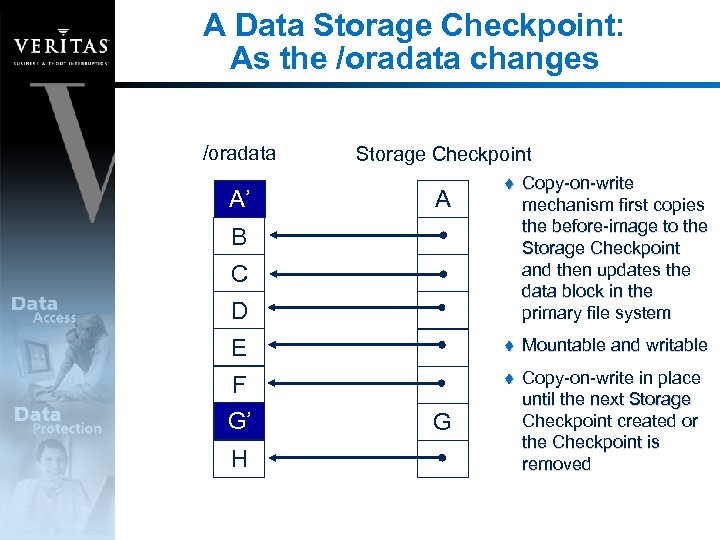
A Data Storage Checkpoint: As the /oradata changes /oradata Storage Checkpoint t Copy-on-write mechanism first copies the before-image to the Storage Checkpoint and then updates the data block in the primary file system E t Mountable and writable F t Copy-on-write in place until the next Storage Checkpoint created or the Checkpoint is removed A A’ A B C D G’ G H G
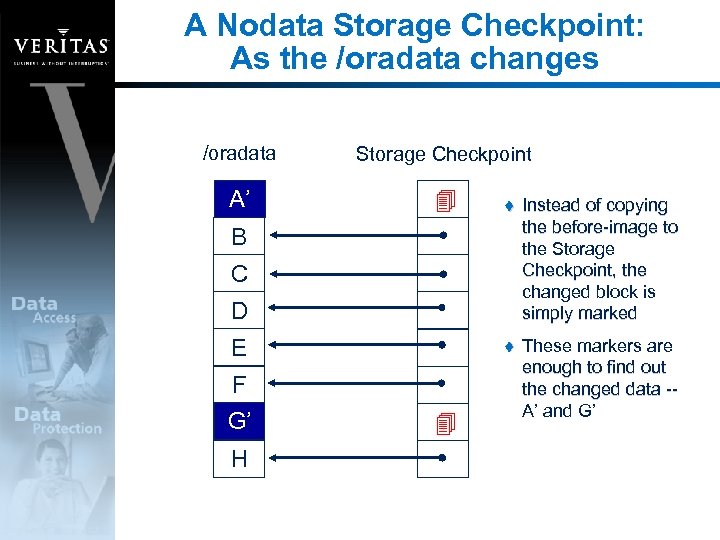
A Nodata Storage Checkpoint: As the /oradata changes /oradata Storage Checkpoint A A’ t Instead of copying the before-image to the Storage Checkpoint, the changed block is simply marked t These markers are enough to find out the changed data -A’ and G’ B C D E F G’ G H
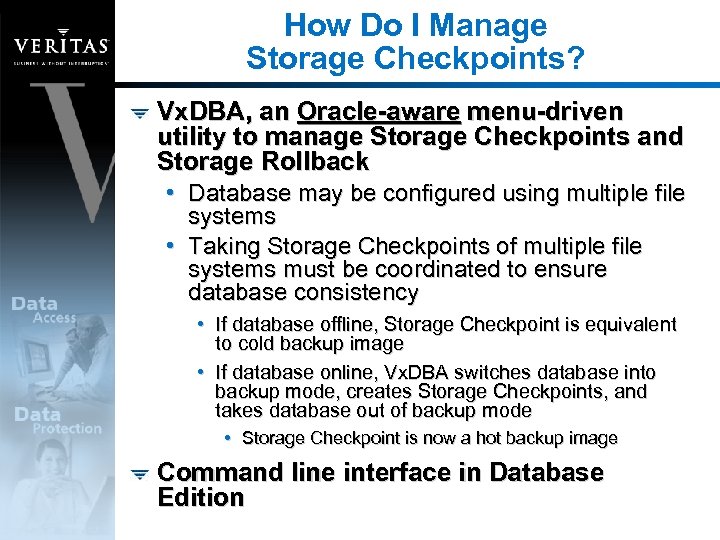
How Do I Manage Storage Checkpoints? Vx. DBA, an Oracle-aware menu-driven utility to manage Storage Checkpoints and Storage Rollback • Database may be configured using multiple file systems • Taking Storage Checkpoints of multiple file systems must be coordinated to ensure database consistency • If database offline, Storage Checkpoint is equivalent to cold backup image • If database online, Vx. DBA switches database into backup mode, creates Storage Checkpoints, and takes database out of backup mode • Storage Checkpoint is now a hot backup image Command line interface in Database Edition
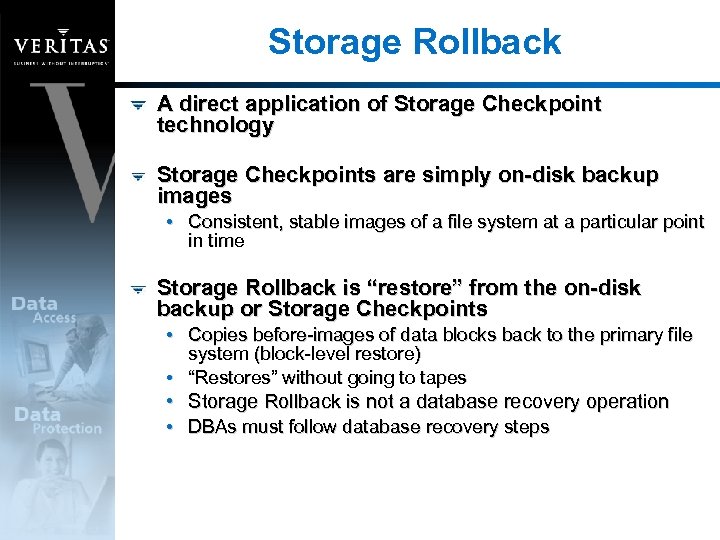
Storage Rollback A direct application of Storage Checkpoint technology Storage Checkpoints are simply on-disk backup images • Consistent, stable images of a file system at a particular point in time Storage Rollback is “restore” from the on-disk backup or Storage Checkpoints • Copies before-images of data blocks back to the primary file system (block-level restore) • “Restores” without going to tapes • Storage Rollback is not a database recovery operation • DBAs must follow database recovery steps
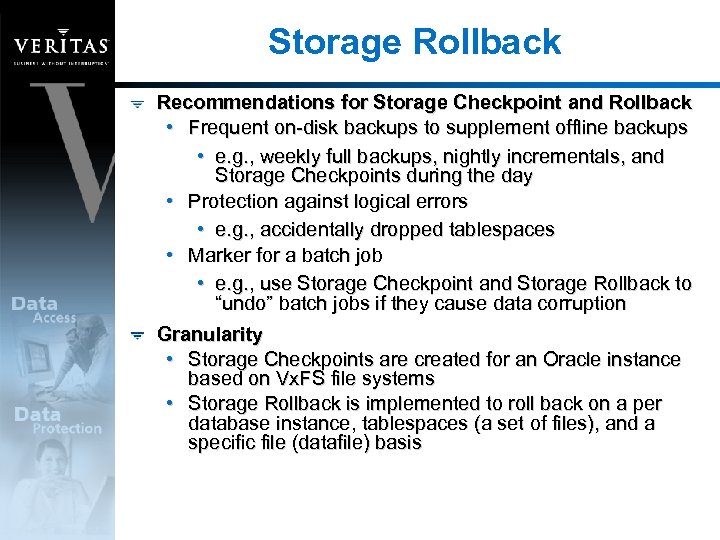
Storage Rollback Recommendations for Storage Checkpoint and Rollback • Frequent on-disk backups to supplement offline backups • e. g. , weekly full backups, nightly incrementals, and Storage Checkpoints during the day • Protection against logical errors • e. g. , accidentally dropped tablespaces • Marker for a batch job • e. g. , use Storage Checkpoint and Storage Rollback to “undo” batch jobs if they cause data corruption Granularity • Storage Checkpoints are created for an Oracle instance based on Vx. FS file systems • Storage Rollback is implemented to roll back on a per database instance, tablespaces (a set of files), and a specific file (datafile) basis
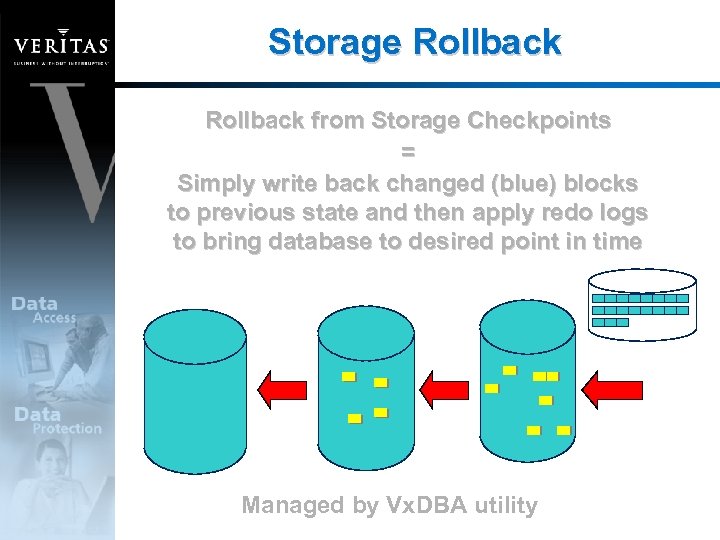
Storage Rollback from Storage Checkpoints = Simply write back changed (blue) blocks to previous state and then apply redo logs to bring database to desired point in time Managed by Vx. DBA utility
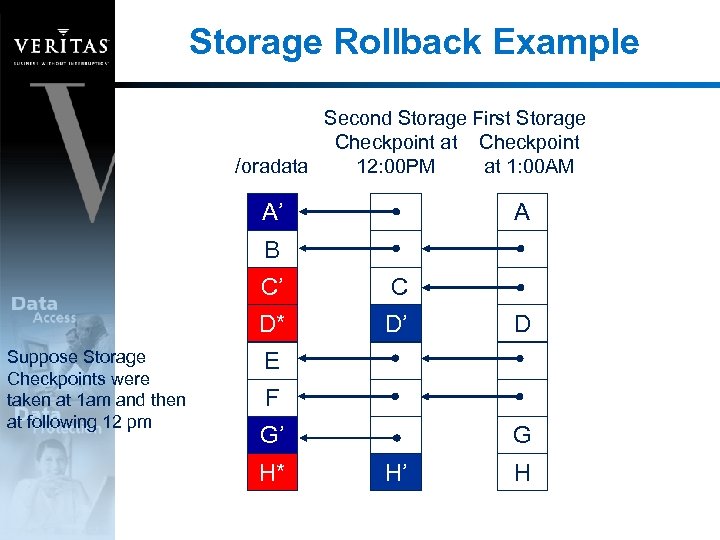
Storage Rollback Example Second Storage First Storage Checkpoint at Checkpoint /oradata 12: 00 PM at 1: 00 AM A’ A B C’ D* Suppose Storage Checkpoints were taken at 1 am and then at following 12 pm C D’ D E F G’ H* G H’ H
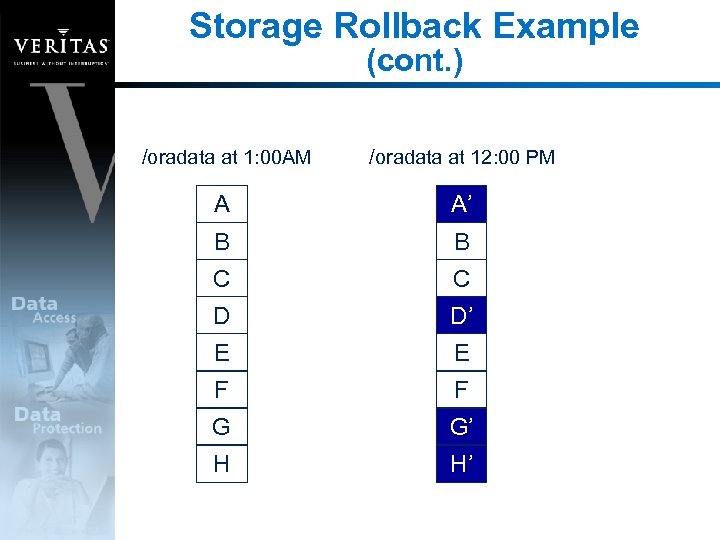
Storage Rollback Example (cont. ) /oradata at 1: 00 AM /oradata at 12: 00 PM A A’ B B C C D D’ E E F F G G’ H H’
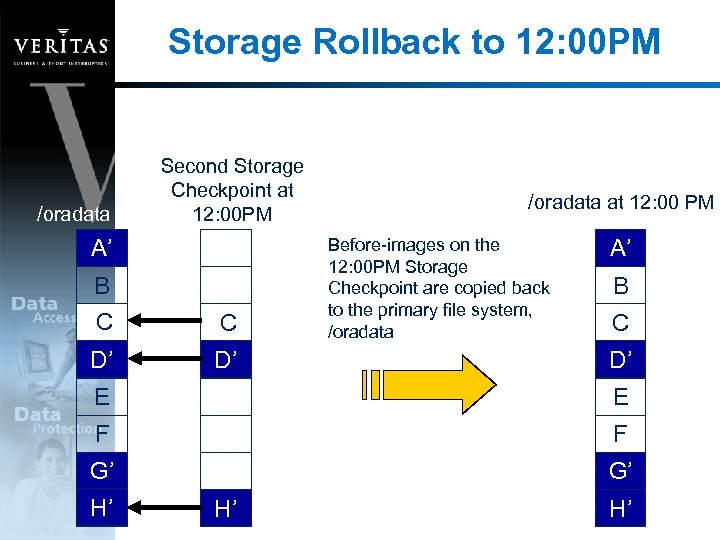
Storage Rollback to 12: 00 PM /oradata Second Storage Checkpoint at 12: 00 PM A’ B C C’ C D’ D* D’ /oradata at 12: 00 PM Before-images on the 12: 00 PM Storage Checkpoint are copied back to the primary file system, /oradata A’ B C D’ E E F F G’ G’ H’ H* H’ H’
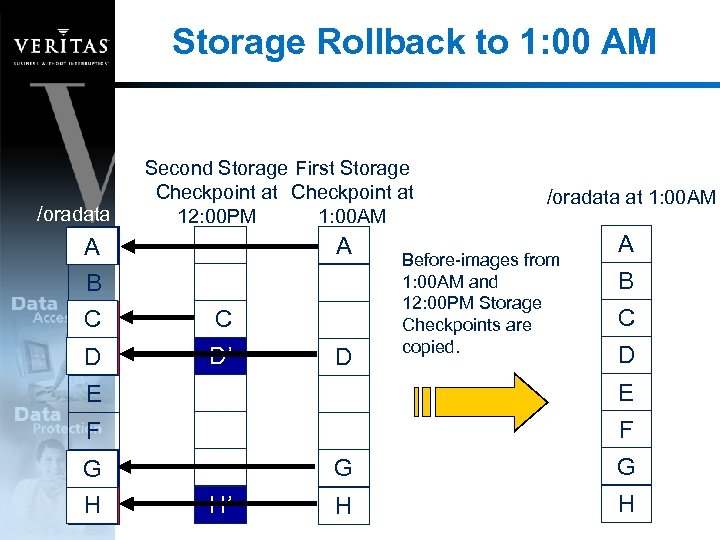
Storage Rollback to 1: 00 AM /oradata Second Storage First Storage Checkpoint at 12: 00 PM 1: 00 AM A’ A A B C C’ C D D* D’ D /oradata at 1: 00 AM Before-images from 1: 00 AM and 12: 00 PM Storage Checkpoints are copied. A B C D E E F F G G’ G H H* H’ G H H
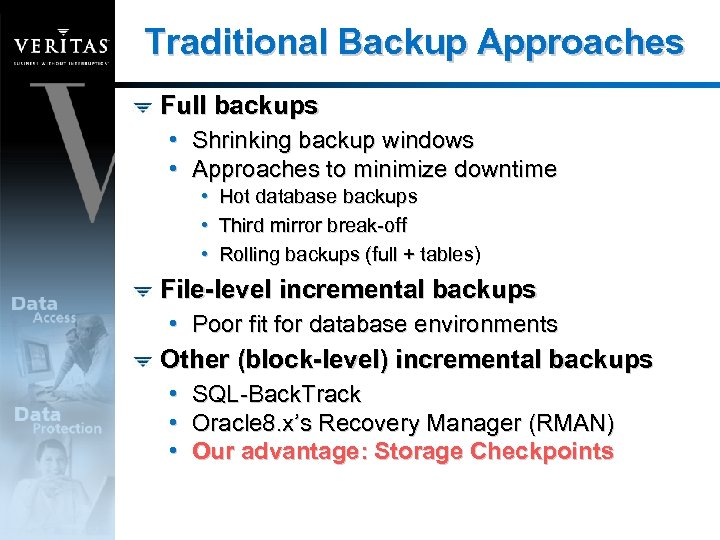
Traditional Backup Approaches Full backups • Shrinking backup windows • Approaches to minimize downtime • • • Hot database backups Third mirror break-off Rolling backups (full + tables) File-level incremental backups • Poor fit for database environments Other (block-level) incremental backups • • • SQL-Back. Track Oracle 8. x’s Recovery Manager (RMAN) Our advantage: Storage Checkpoints
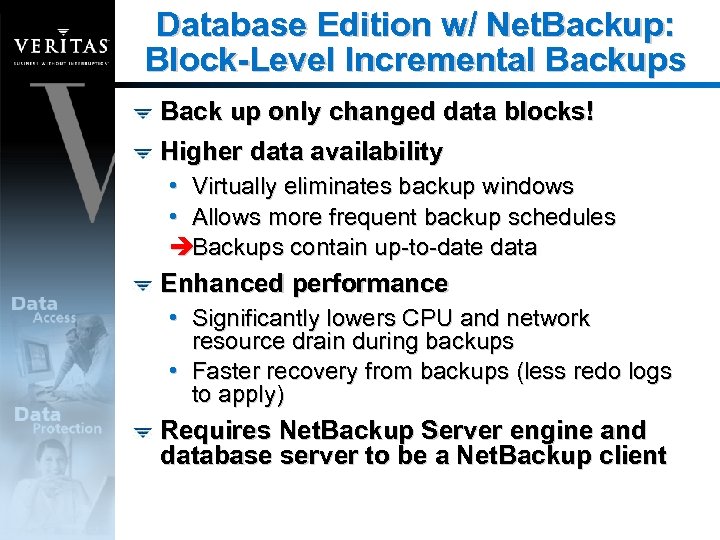
Database Edition w/ Net. Backup: Block-Level Incremental Backups Back up only changed data blocks! Higher data availability • Virtually eliminates backup windows • Allows more frequent backup schedules èBackups contain up-to-date data Enhanced performance • Significantly lowers CPU and network resource drain during backups • Faster recovery from backups (less redo logs to apply) Requires Net. Backup Server engine and database server to be a Net. Backup client
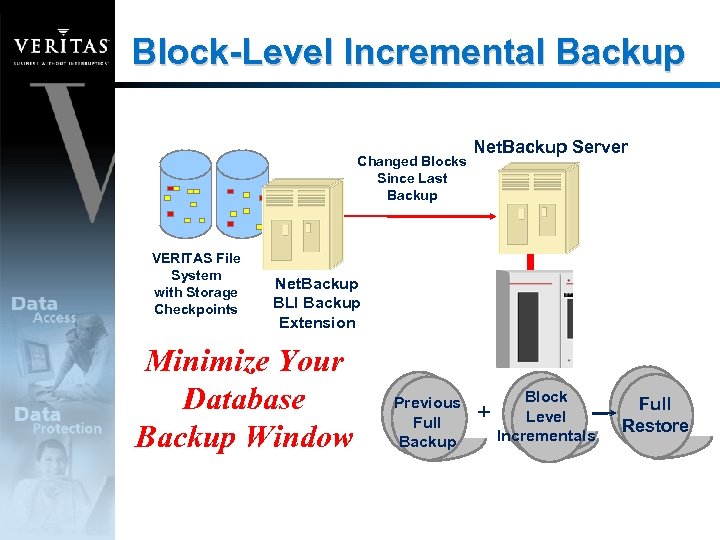
Block-Level Incremental Backup Changed Blocks Since Last Backup VERITAS File System with Storage Checkpoints Net. Backup Server Net. Backup BLI Backup Extension Minimize Your Database Backup Window Previous Full Backup + Block Level Incrementals Full Restore
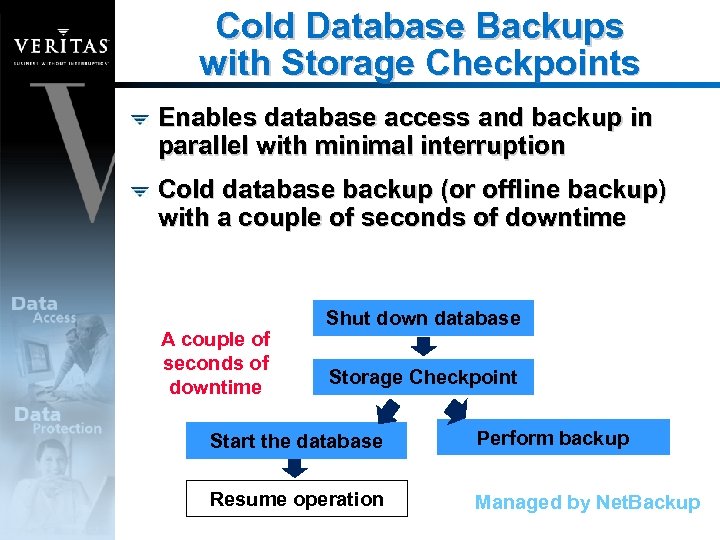
Cold Database Backups with Storage Checkpoints Enables database access and backup in parallel with minimal interruption Cold database backup (or offline backup) with a couple of seconds of downtime A couple of seconds of downtime Shut down database Storage Checkpoint Start the database Perform backup Resume operation Managed by Net. Backup
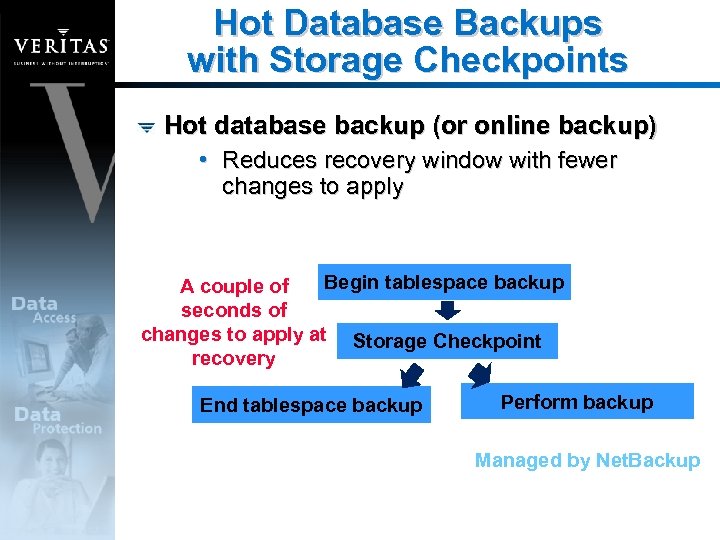
Hot Database Backups with Storage Checkpoints Hot database backup (or online backup) • Reduces recovery window with fewer changes to apply Begin tablespace backup A couple of seconds of changes to apply at Storage Checkpoint recovery End tablespace backup Perform backup Managed by Net. Backup
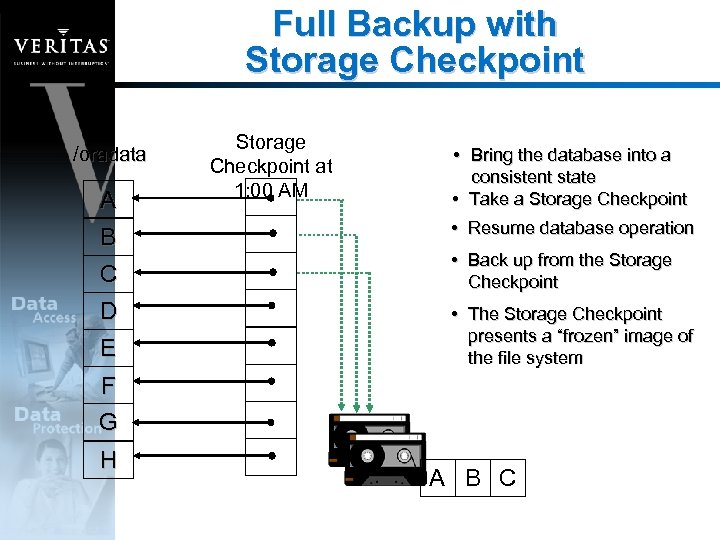
Full Backup with Storage Checkpoint /oradata A B C D E Storage Checkpoint at 1: 00 AM • Bring the database into a consistent state • Take a Storage Checkpoint • Resume database operation • Back up from the Storage Checkpoint • The Storage Checkpoint presents a “frozen” image of the file system F G H A B C
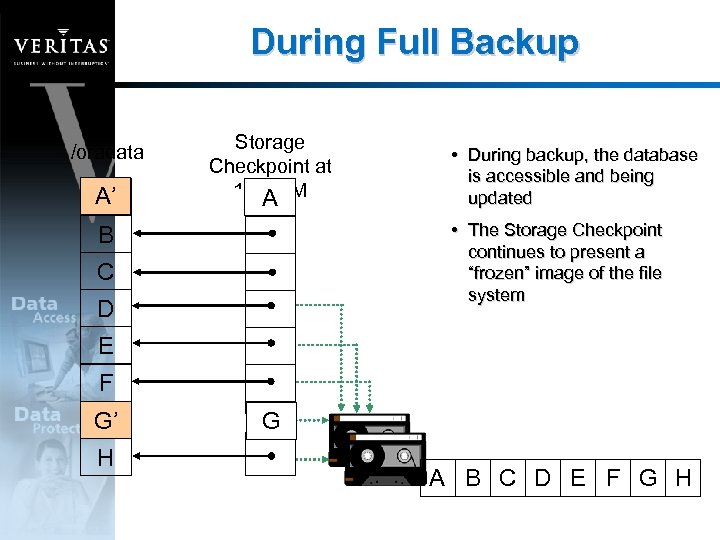
During Full Backup /oradata A’ A Storage Checkpoint at 1: 00 AM A • During backup, the database is accessible and being updated • The Storage Checkpoint continues to present a “frozen” image of the file system B C D E F G G’ H G A B C D E F G H
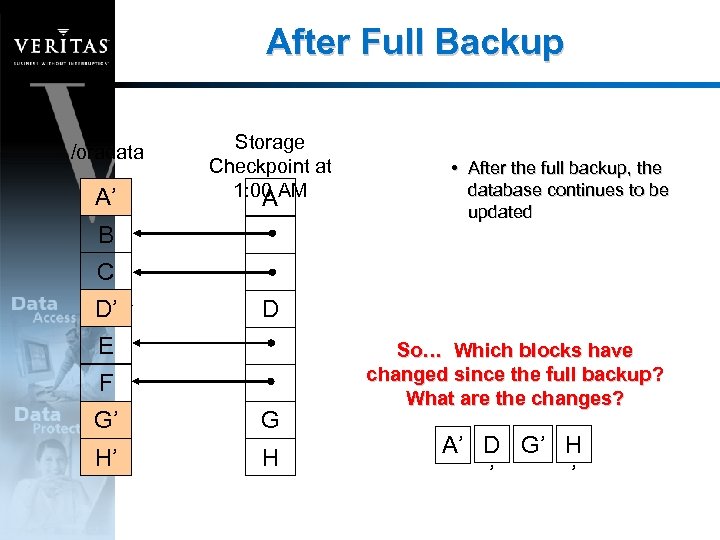
After Full Backup /oradata A’ A Storage Checkpoint at 1: 00 AM A B • After the full backup, the database continues to be updated C D’ D D E F G’ G G H’ H H So… Which blocks have changed since the full backup? What are the changes? A’ D G’ H ’ ’
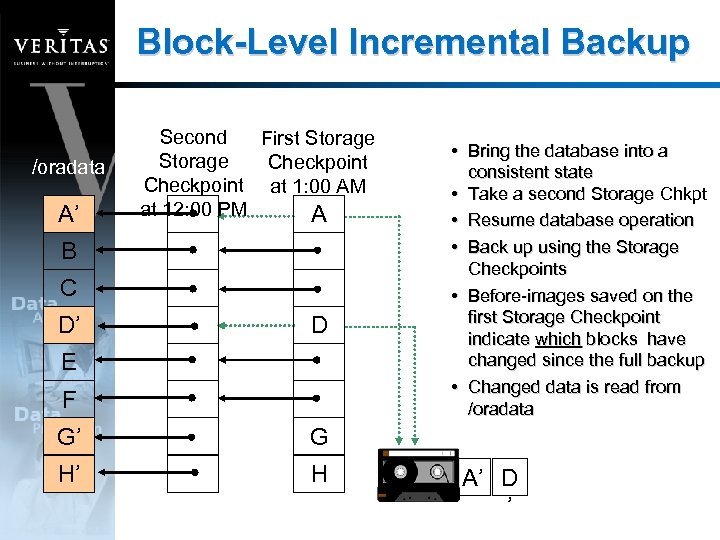
Block-Level Incremental Backup /oradata A’ Second First Storage Checkpoint at 1: 00 AM at 12: 00 PM A B C D’ D E F G’ G H’ H • Bring the database into a consistent state • Take a second Storage Chkpt • Resume database operation • Back up using the Storage Checkpoints • Before-images saved on the first Storage Checkpoint indicate which blocks have changed since the full backup • Changed data is read from /oradata A’ D ’
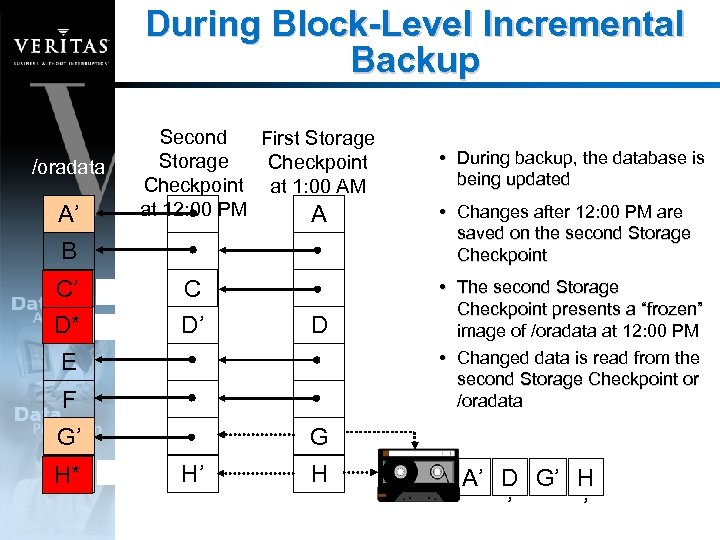
During Block-Level Incremental Backup /oradata A’ Second First Storage Checkpoint at 1: 00 AM at 12: 00 PM A B C C’ D* D’ C D’ D E F G’ H’ H* • During backup, the database is being updated • Changes after 12: 00 PM are saved on the second Storage Checkpoint • The second Storage Checkpoint presents a “frozen” image of /oradata at 12: 00 PM • Changed data is read from the second Storage Checkpoint or /oradata G H’ H A’ D G’ H ’ ’
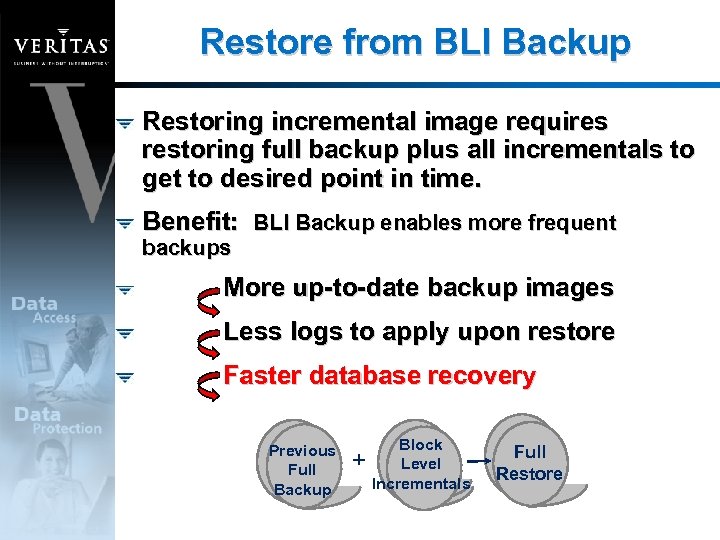
Restore from BLI Backup Restoring incremental image requires restoring full backup plus all incrementals to get to desired point in time. Benefit: BLI Backup enables more frequent backups More up-to-date backup images Less logs to apply upon restore Faster database recovery Previous Full Backup + Block Level Incrementals Full Restore
Database Edition for Oracle Improved Manageability
Manageability Vx. DBA utility to manage Storage Checkpoints and Storage Rollback as well as plan for capacity usage Familiar file system administration for Oracle database files • Combines raw I/O performance and ease of file system management Large database configuration support Guide to simplify administration of database storage Java-based interface to manage storage configuration from central console
Vx. DBA Overview Vx. DBA allows DBAs to • Manage their databases • Display information on performance and configuration • Plan for additional storage needed by Storage Checkpoints • Manage Storage Checkpoint and Storage Rollback operations • Configure light weight monitoring agent to manage file system space for Storage Checkpoints
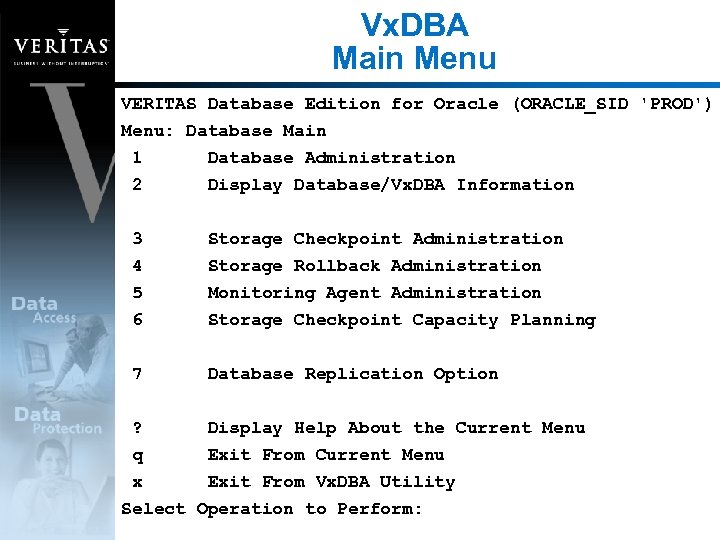
Vx. DBA Main Menu VERITAS Database Edition for Oracle (ORACLE_SID 'PROD') Menu: Database Main 1 Database Administration 2 Display Database/Vx. DBA Information 3 4 5 6 Storage Checkpoint Administration Storage Rollback Administration Monitoring Agent Administration Storage Checkpoint Capacity Planning 7 Database Replication Option ? Display Help About the Current Menu q Exit From Current Menu x Exit From Vx. DBA Utility Select Operation to Perform:
Ease of File System Management Administrative comforts • Familiar namespace and utilities to manage Oracle database files • Datafiles can be grouped together for storage hierarchy • Common backup strategies for database and non-database files
Large Database Configuration Support Database Edition can support file systems up to 1 TB in size File system sizes are not limited to underlying device sizes • No longer need to manage multiple file systems per database • Online resizing further simplifies file system management
Database Administrator’s Guide Cookbook for setting up and tuning database environments Tailored for DBAs to optimize database storage layouts • Presents various storage configuration options • Recommends optimal configurations specific to database application workloads
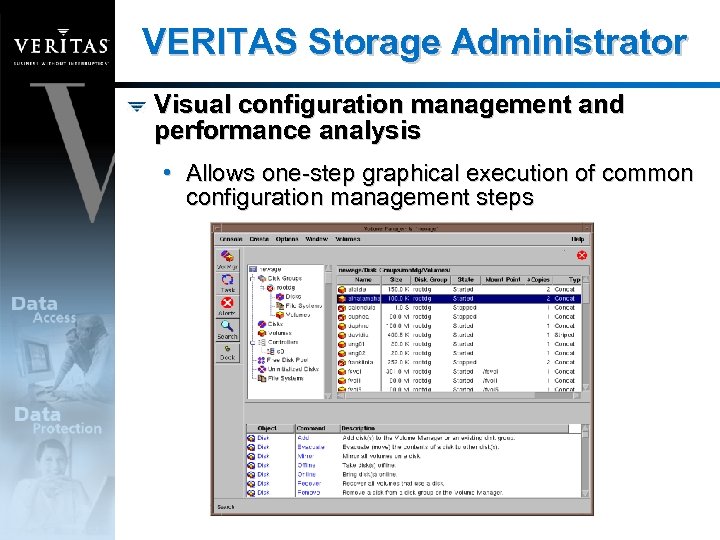
VERITAS Storage Administrator Visual configuration management and performance analysis • Allows one-step graphical execution of common configuration management steps
Product Description Hosts Supported • Solaris 2. 6, 7, and 8 System Requirements • Oracle 7. 3 to 8 i Software Components • VERITAS Volume Manager 3. 1 • VERITAS File System 3. 4 with Quick I/O • Database Edition/HA (VCS) for Oracle • VERITAS Cluster Server 1. 2. 1 and VCS Agent for Oracle • Intelligent installation script requires only single key
Database Edition for Oracle High Availability
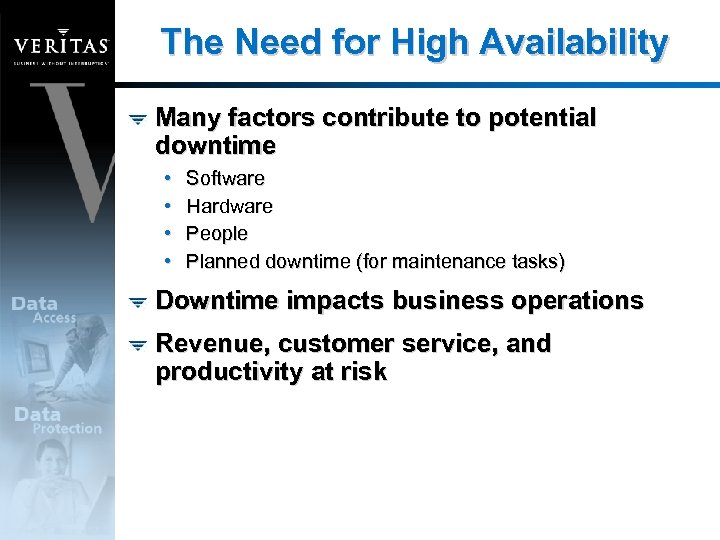
The Need for High Availability Many factors contribute to potential downtime • • Software Hardware People Planned downtime (for maintenance tasks) Downtime impacts business operations Revenue, customer service, and productivity at risk
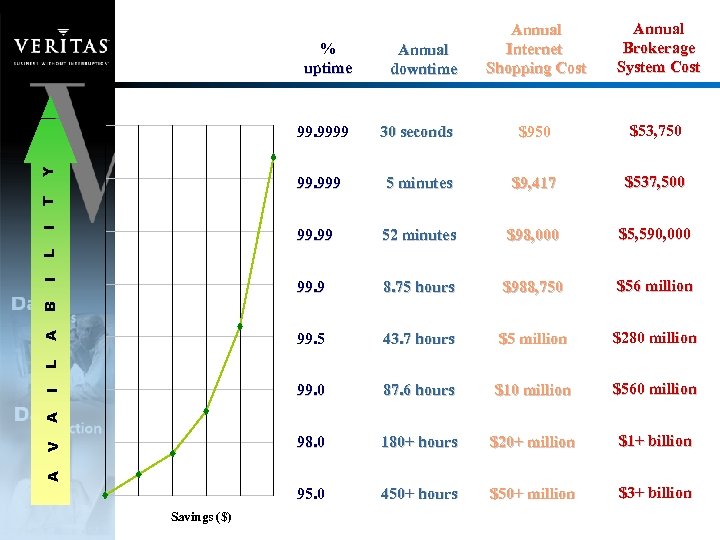
% uptime Annual downtime Annual Internet Shopping Cost Annual Brokerage System Cost $950 $53, 750 5 minutes $9, 417 $537, 500 99. 99 52 minutes $98, 000 $5, 590, 000 99. 9 8. 75 hours $988, 750 $56 million 99. 5 43. 7 hours $5 million $280 million 99. 0 87. 6 hours $10 million $560 million 98. 0 180+ hours $20+ million $1+ billion 95. 0 450+ hours $50+ million $3+ billion A V A I L A B I L I T 30 seconds 99. 999 Y 99. 9999 Savings ($)
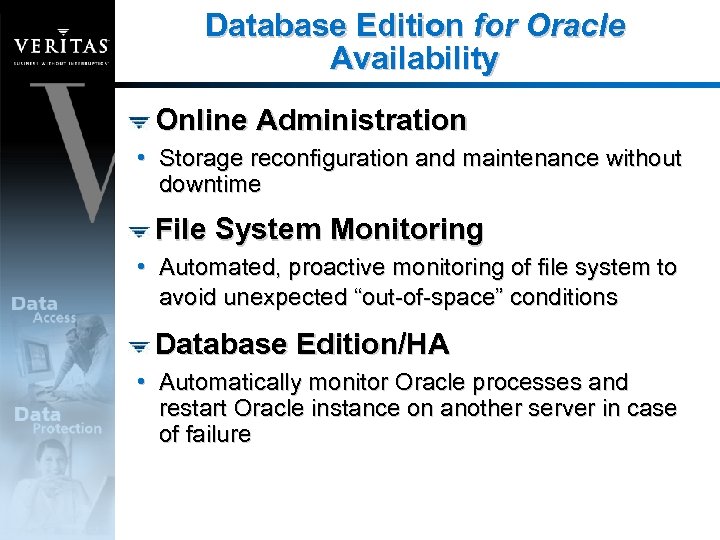
Database Edition for Oracle Availability Online Administration • Storage reconfiguration and maintenance without downtime File System Monitoring • Automated, proactive monitoring of file system to avoid unexpected “out-of-space” conditions Database Edition/HA • Automatically monitor Oracle processes and restart Oracle instance on another server in case of failure
Online Administration Enables DBAs and system administrators to meet changing database storage requirements without database downtime • Supports online tablespace growth • Online resizing of file systems • Allows database storage reconfiguration • Defragmenting mounted file systems
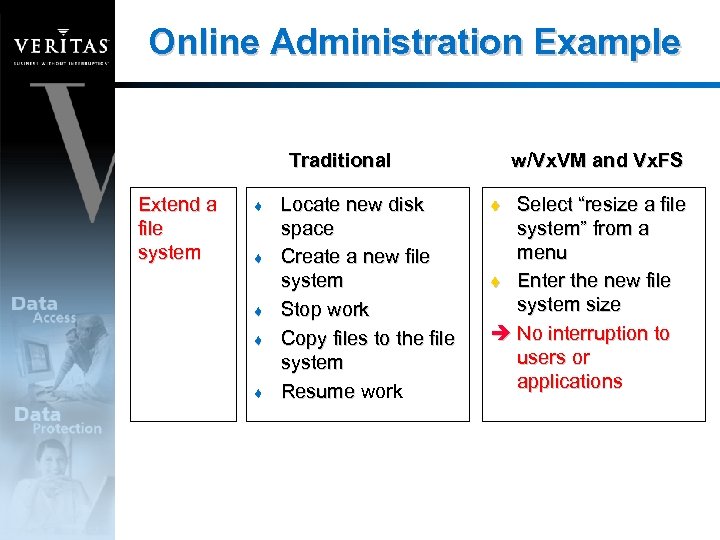
Online Administration Example Traditional Extend a file system t t t Locate new disk space Create a new file system Stop work Copy files to the file system Resume work w/Vx. VM and Vx. FS Select “resize a file system” from a menu t Enter the new file system size è No interruption to users or applications t
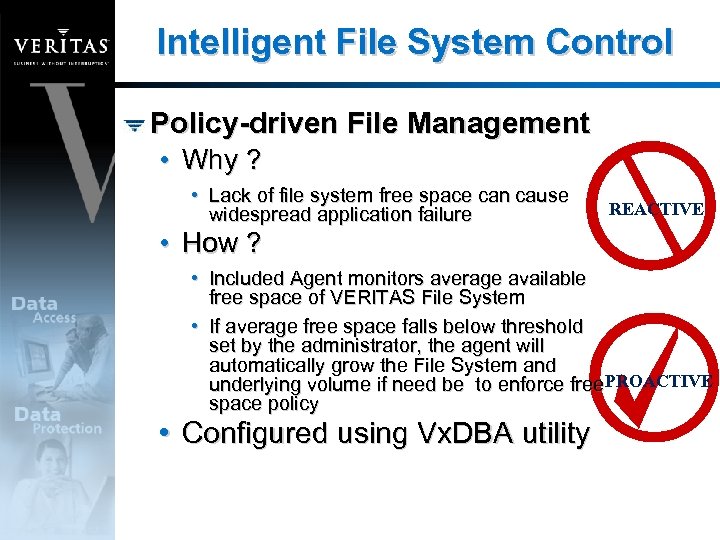
Intelligent File System Control Policy-driven File Management • Why ? • Lack of file system free space can cause widespread application failure REACTIVE • How ? • Included Agent monitors average available free space of VERITAS File System • If average free space falls below threshold set by the administrator, the agent will automatically grow the File System and underlying volume if need be to enforce free. PROACTIVE space policy • Configured using Vx. DBA utility
Vx. DBA File System Space Alarm Display the space usage of file systems and Storage Checkpoints, to display current space alarm settings, and enable and configure space alarm settings • Display File System Space Usage • Display File System Space Alarm Settings • Enable/Disable/Modify Space Alarm Settings Vx. DBA includes a light weight monitoring agent to: • monitor file system space usage • send alarm notifications and automatically grow file systems and volumes • growth based on user-defined policies • policies can be defined on a per file system basis
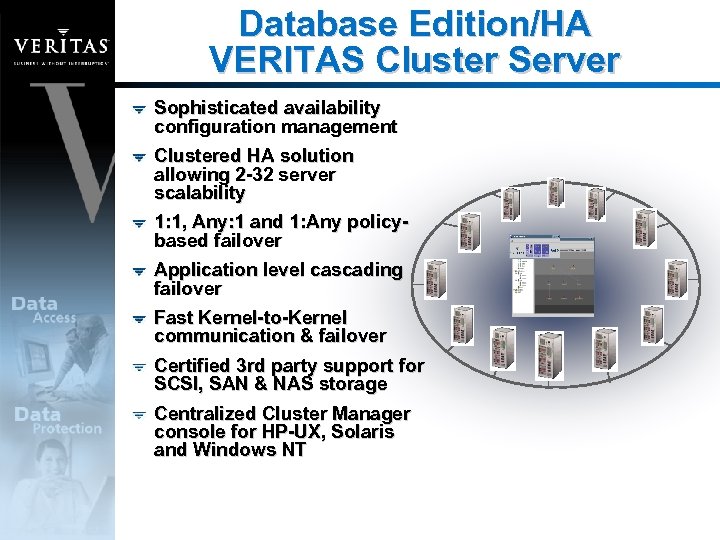
Database Edition/HA VERITAS Cluster Server Sophisticated availability configuration management Clustered HA solution allowing 2 -32 server scalability 1: 1, Any: 1 and 1: Any policybased failover Application level cascading failover Fast Kernel-to-Kernel communication & failover Certified 3 rd party support for SCSI, SAN & NAS storage Centralized Cluster Manager console for HP-UX, Solaris and Windows NT
Benefits Summary Increase performance up to 600% over UFS with file system manageability Quick I/O & Cached Quick I/O Reduce production database downtime Online volume and file system administration with Vx. VM and Vx. FS Minimize database backup window Block-Level Incremental Backup Recover quickly from logical errors Storage Checkpoints and Storage Rollback Quick restore of Oracle databases after application or system failure Automatic failover capability - HA Edition with VCS
Business Without Interruption
Скачать презентацию Database Edition for Oracle Storage Management High
8cabb00eb85e0176239dc520810a100f.ppt