 Скачать презентацию Database Access JDBC DB Access objects
64a8669a2c3a9e1358670dac2efeaa92.ppt
- Количество слайдов: 153



Database Access ▮ JDBC ▮ DB Access objects ▮ Encapsulation ▮ Abstract classes ▮ CRUD chapter 10 © copyright Janson Industries 2011 1
Database Access ▮ Need DBMS-specific software (called a driver) to access the various DBMSs ▮ Why? Java follows a DB access protocol called JDBC (Java DB Connectivity) ▮ None of the DBMSs directly support JDBC ▮ However each DBMS vendor supplies a driver ▮ The driver converts JDBC requests to the DBMS’s protocol chapter 10 © copyright Janson Industries 2011 2
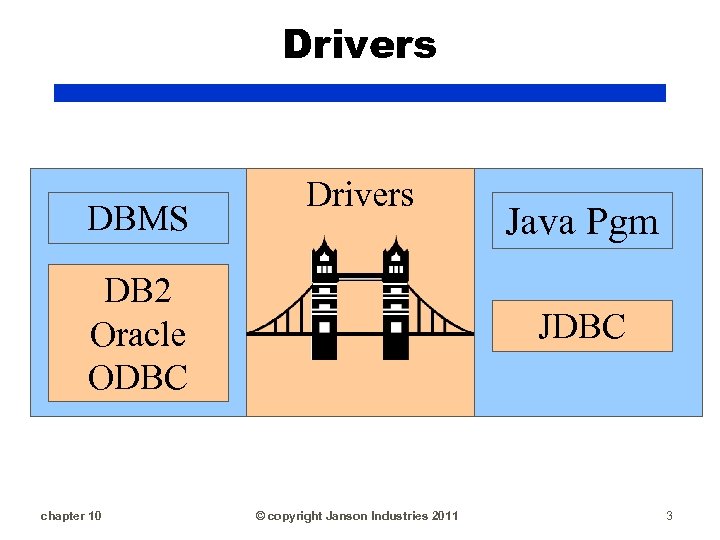
Drivers DBMS Drivers DB 2 Oracle ODBC chapter 10 Java Pgm JDBC © copyright Janson Industries 2011 3
Drivers ▮ ODBC (Open DB Connectivity) is the MS Access DBMS’s protocol ▮ sun. jdbc. odbc. Jdbc. Odbc. Driver, the driver class, is included in the JRE (and RAD) ▮ For DB 2 and Oracle you must download the driver and include in classpath ▮ The headache with Access is you must define the DB as an ODBC data source chapter 10 © copyright Janson Industries 2011 4
Drivers ▮ For Access: DB must reside and be defined as an ODBC data source on the computer where the application will run ▮ To run in RAD or as an application this means on the client ▮ To run on a server, this means on the computer that is acting as the server ▮ An Access DB cannot be accessed remotely chapter 10 © copyright Janson Industries 2011 5
Drivers ▮ For other DBMS’s: ▮ Download the driver ▮ Set the class path to point to the driver ▮ To run in RAD: change the Java Build Path ▮ To run on a client or server: change that computer’s classpath environment variable to point to the driver chapter 10 © copyright Janson Industries 2011 6
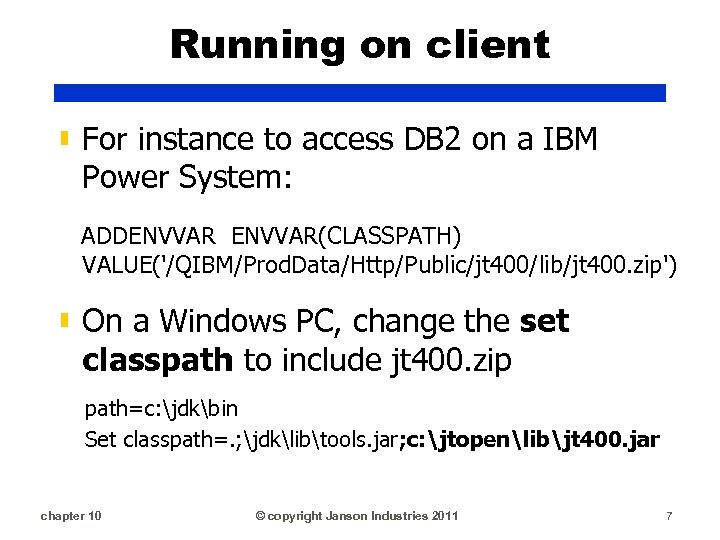
Running on client ▮ For instance to access DB 2 on a IBM Power System: ADDENVVAR(CLASSPATH) VALUE('/QIBM/Prod. Data/Http/Public/jt 400/lib/jt 400. zip') ▮ On a Windows PC, change the set classpath to include jt 400. zip path=c: jdkbin Set classpath=. ; jdklibtools. jar; c: jtopenlibjt 400. jar chapter 10 © copyright Janson Industries 2011 7
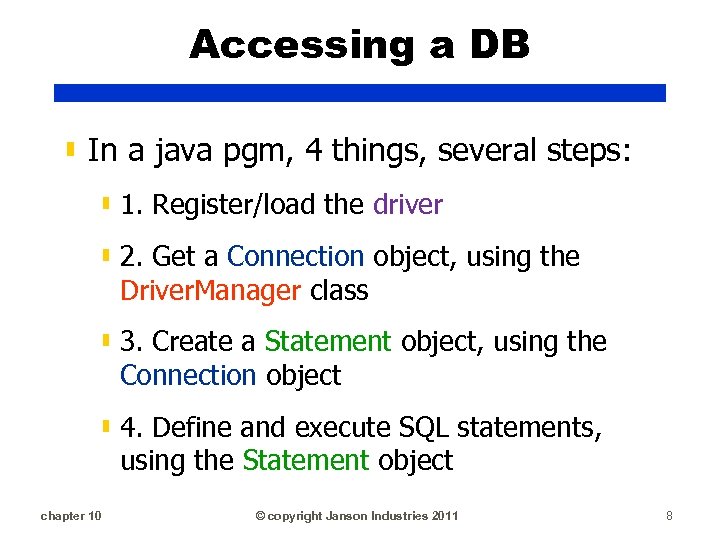
Accessing a DB ▮ In a java pgm, 4 things, several steps: ▮ 1. Register/load the driver ▮ 2. Get a Connection object, using the Driver. Manager class ▮ 3. Create a Statement object, using the Connection object ▮ 4. Define and execute SQL statements, using the Statement object chapter 10 © copyright Janson Industries 2011 8
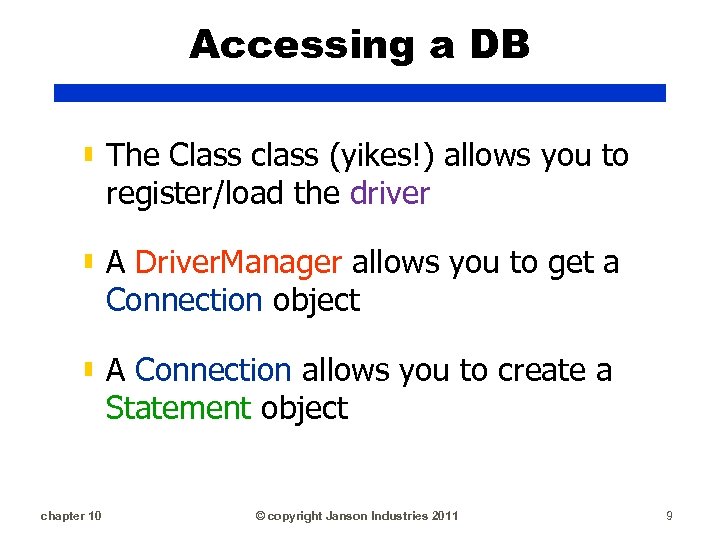
Accessing a DB ▮ The Class class (yikes!) allows you to register/load the driver ▮ A Driver. Manager allows you to get a Connection object ▮ A Connection allows you to create a Statement object chapter 10 © copyright Janson Industries 2011 9
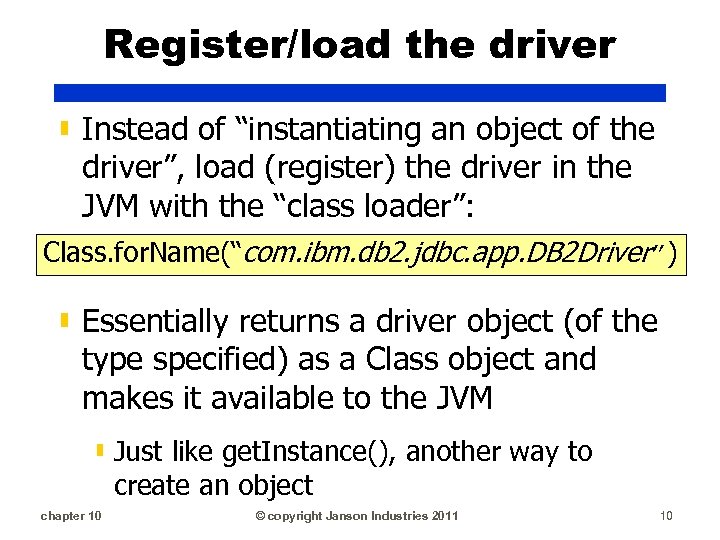
Register/load the driver ▮ Instead of “instantiating an object of the driver”, load (register) the driver in the JVM with the “class loader”: Class. for. Name(“com. ibm. db 2. jdbc. app. DB 2 Driver”) ▮ Essentially returns a driver object (of the type specified) as a Class object and makes it available to the JVM ▮ Just like get. Instance(), another way to create an object chapter 10 © copyright Janson Industries 2011 10
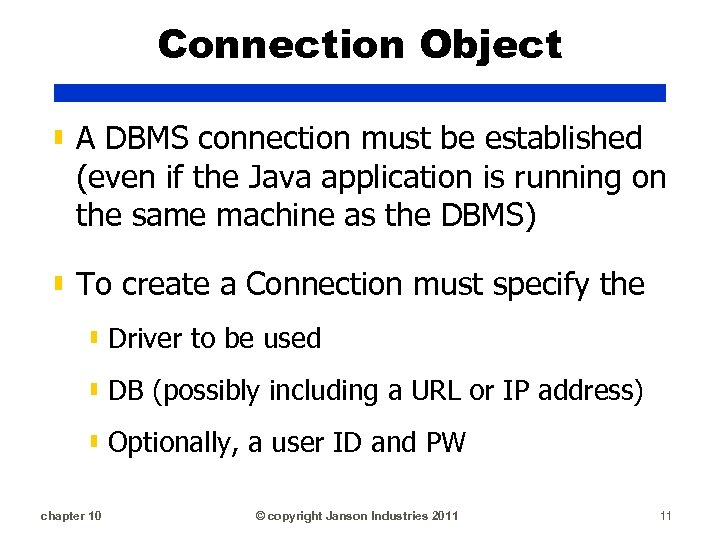
Connection Object ▮ A DBMS connection must be established (even if the Java application is running on the same machine as the DBMS) ▮ To create a Connection must specify the ▮ Driver to be used ▮ DB (possibly including a URL or IP address) ▮ Optionally, a user ID and PW chapter 10 © copyright Janson Industries 2011 11

DB Identifier ▮ Identified as: driver: subprotocol: subname static String url = ("jdbc: db 2: subprotocol: subname); ▮ Optional subprotocol ids a DB connectivity mechanism (supported by the driver) ▮ The subname ids the DB and its syntax depends on the protocol and subprotocol ▮ If specifying a network address as the subname, follow the standard naming convention of: //hostname: port/subsubname ▮ Subsubname has unique internal syntax chapter 10 © copyright Janson Industries 2011 12
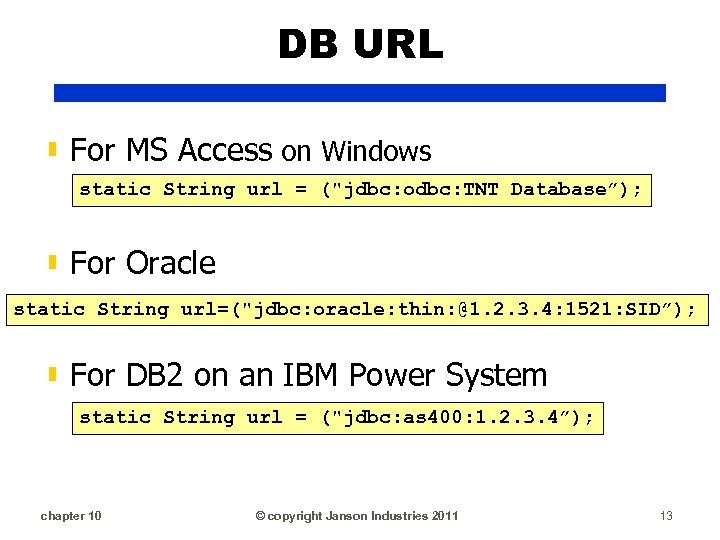
DB URL ▮ For MS Access on Windows static String url = ("jdbc: odbc: TNT Database”); ▮ For Oracle static String url=("jdbc: oracle: thin: @1. 2. 3. 4: 1521: SID”); ▮ For DB 2 on an IBM Power System static String url = ("jdbc: as 400: 1. 2. 3. 4”); chapter 10 © copyright Janson Industries 2011 13
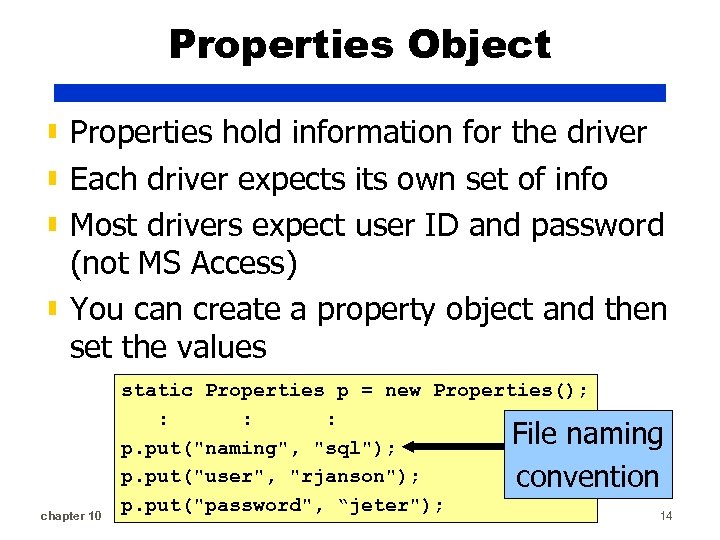
Properties Object ▮ Properties hold information for the driver ▮ Each driver expects its own set of info ▮ Most drivers expect user ID and password (not MS Access) ▮ You can create a property object and then set the values chapter 10 static Properties p = new Properties(); : : : File naming p. put("naming", "sql"); p. put("user", "rjanson"); convention p. put("password", Janson Industries 2011 “jeter"); © copyright 14
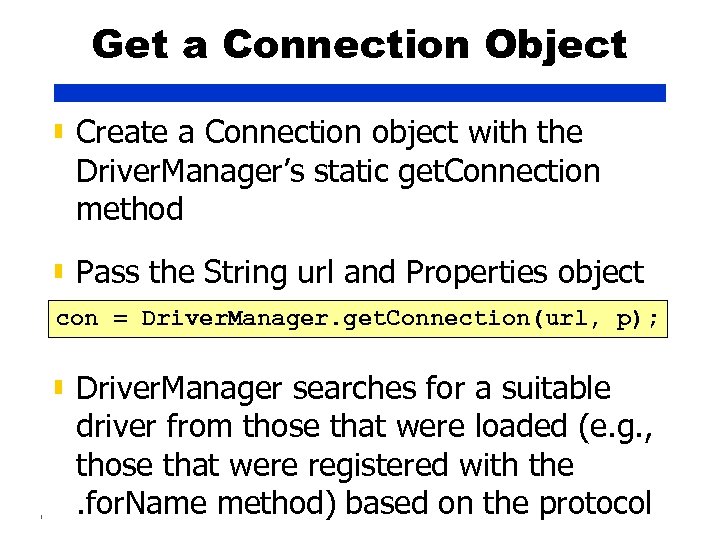
Get a Connection Object ▮ Create a Connection object with the Driver. Manager’s static get. Connection method ▮ Pass the String url and Properties object con = Driver. Manager. get. Connection(url, p); ▮ Driver. Manager searches for a suitable driver from those that were loaded (e. g. , those that were registered with the. for. Name method) based on the protocol chapter 10 © copyright Janson Industries 2011 15
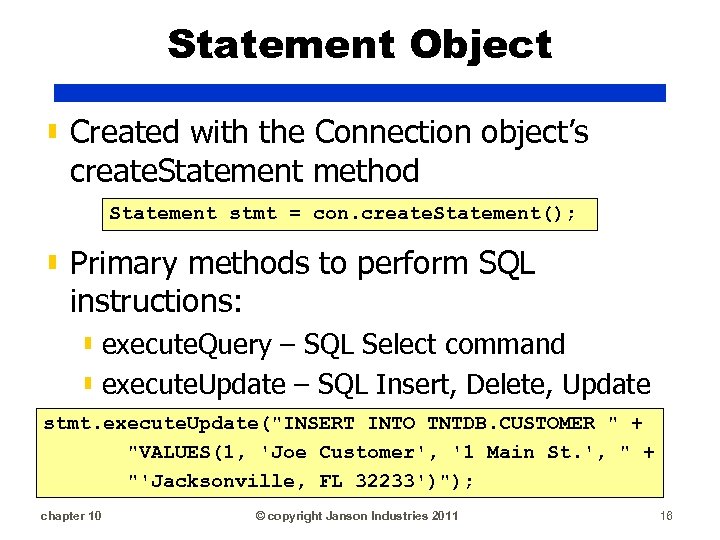
Statement Object ▮ Created with the Connection object’s create. Statement method Statement stmt = con. create. Statement(); ▮ Primary methods to perform SQL instructions: ▮ execute. Query – SQL Select command ▮ execute. Update – SQL Insert, Delete, Update stmt. execute. Update("INSERT INTO TNTDB. CUSTOMER " + "VALUES(1, 'Joe Customer', '1 Main St. ', " + "'Jacksonville, FL 32233')"); chapter 10 © copyright Janson Industries 2011 16
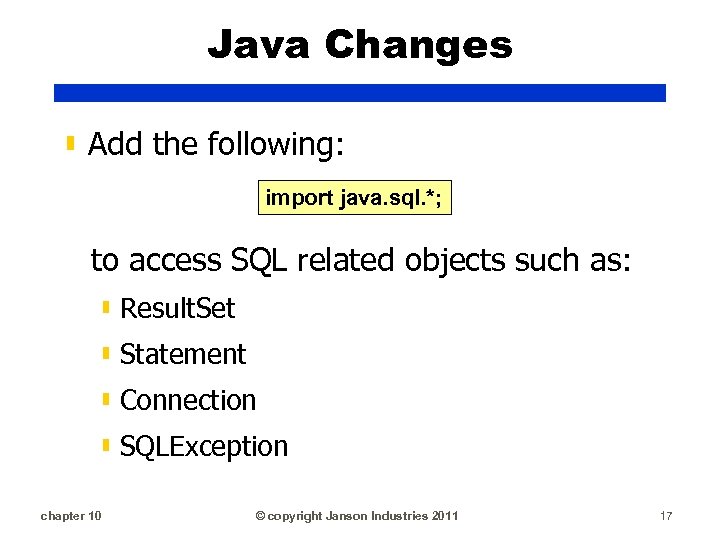
Java Changes ▮ Add the following: import java. sql. *; to access SQL related objects such as: ▮ Result. Set ▮ Statement ▮ Connection ▮ SQLException chapter 10 © copyright Janson Industries 2011 17
Result Sets ▮ All data is returned by a SQL select statement as a Result. Set object ▮ A result set is comprised of a: ▮ Table that is comprised of ▮ Rows/records ▮ Columns/fields ▮ A pointer/cursor that is used to move between the rows chapter 10 © copyright Janson Industries 2011 18
Result Sets ▮ Have a variety of methods to retrieve field data ▮ get. XXX(field identifier) - where XXX is the data type (Int, String, etc. ) ▮ Field can be identified by the field name or the column number ▮ Column number more efficient ▮ Field name better for documentation chapter 10 © copyright Janson Industries 2011 19
Result Sets ▮. next() increments pointer to next row/record ▮ Initially pointer set before the first row, so must. next() to “prime the read” ▮ Returns a Boolean value indicating whethere is a record or not ▮. previous(), . last() ▮. relative(#) moves pointer # number of rows chapter 10 © copyright Janson Industries 2011 20
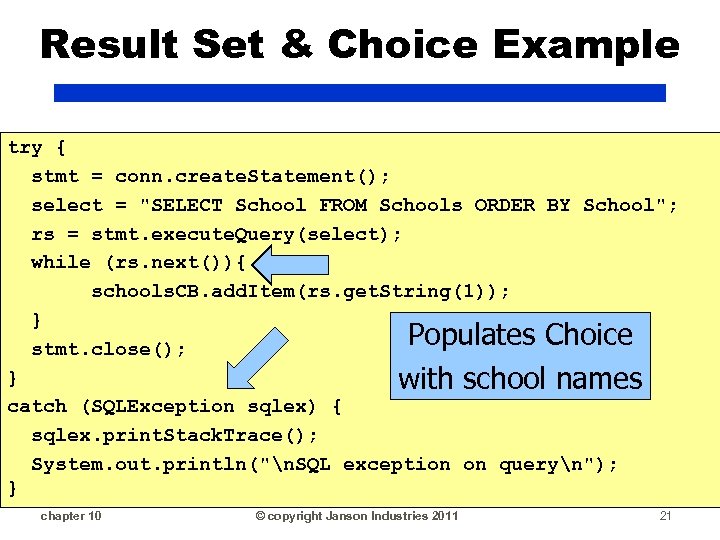
Result Set & Choice Example try { stmt = conn. create. Statement(); select = "SELECT School FROM Schools ORDER BY School"; rs = stmt. execute. Query(select); while (rs. next()){ schools. CB. add. Item(rs. get. String(1)); } Populates Choice stmt. close(); } with school names catch (SQLException sqlex) { sqlex. print. Stack. Trace(); System. out. println("n. SQL exception on queryn"); } chapter 10 © copyright Janson Industries 2011 21
Encapsulation ▮ Many terms used to describe: ▮ Transparency ▮ Information hiding ▮ Implementation ignorance ▮ Programmers have an “interface” to an object with no idea of how it works chapter 10 © copyright Janson Industries 2011 22
Encapsulation ▮ Someone knows how to drive: ▮ Turn the key ▮ Step on gas pedal ▮ Steer ▮ Step on brake pedal ▮ The driver doesn’t have to know how the car works or any of its internal components chapter 10 © copyright Janson Industries 2011 23
Encapsulation ▮ Many methods and data are hidden from the user/application ▮ Changes to the class (variables and methods) do not affect users of the class ▮ Data accessible only through publicly defined methods chapter 10 © copyright Janson Industries 2011 24
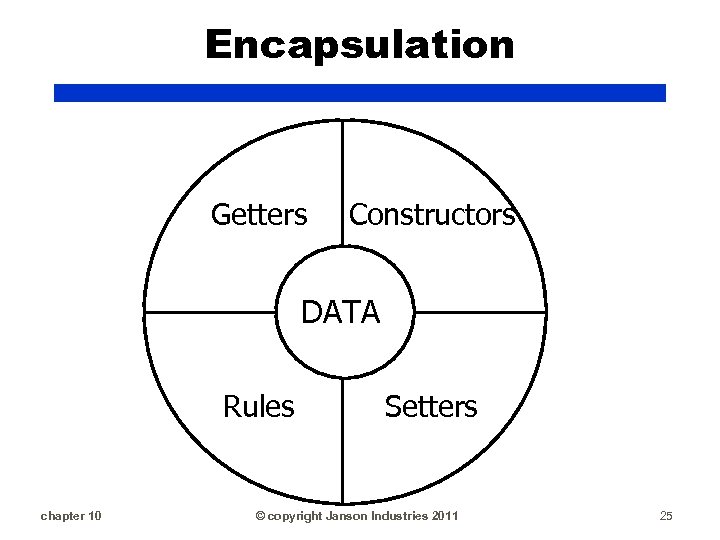
Encapsulation Getters Constructors DATA Rules chapter 10 Setters © copyright Janson Industries 2011 25
Encapsulation ▮ If programmers can’t directly access the data, their applications can’t screw it up!! ▮ PUBLIC methods comprise the interface ▮ PRIVATE methods for internal functions and non-user fields chapter 10 © copyright Janson Industries 2011 26
Encapsulate a File/Table ▮ Define a class for the file (ex. Trans. Table) ▮ In the class, define private variables for each field in the file ▮ For each private variable: ▮ Define a getter method ▮ Define a setter with validation functions ▮ Define CRUD functions ▮ Define functions to return associated objects (customer purchase orders) ▮ Define business functions (get. Total) chapter 10 © copyright Janson Industries 2011 27
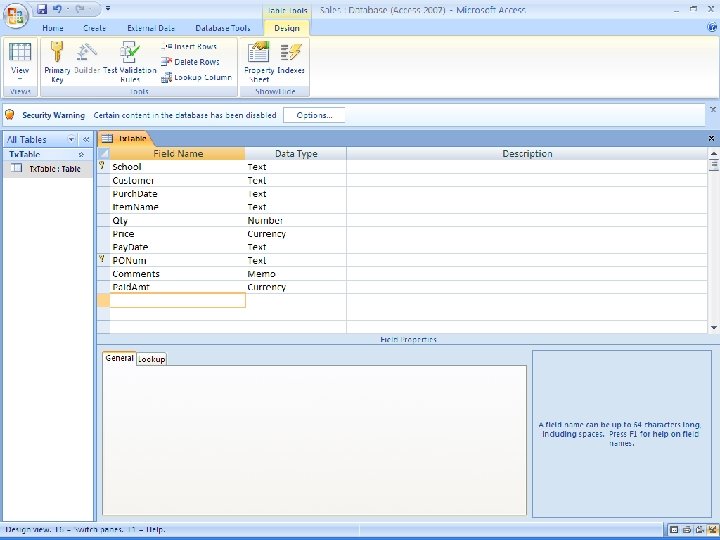
Business Change ▮ Selling to schools via purchase orders ▮ Have a DB called Sales with a table called Tx. Table ▮ Will create a new class to encapsulate Tx. Table called Trans. Table ▮ Need a new frame to add PO sales info chapter 10 © copyright Janson Industries 2011 28
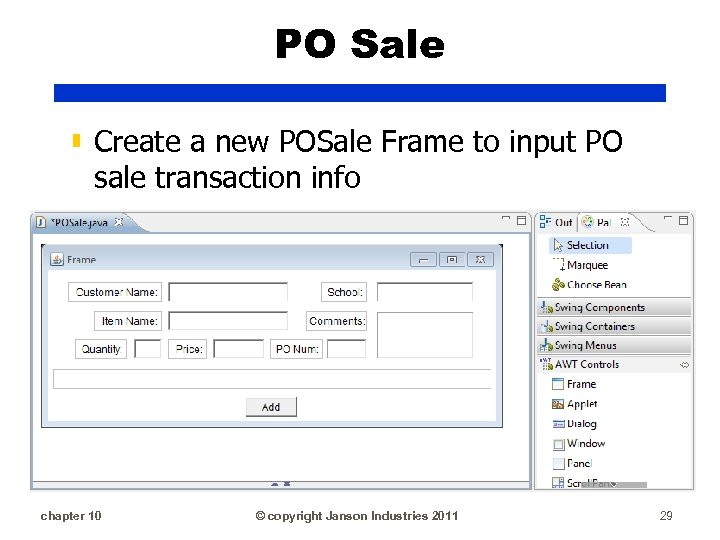
PO Sale ▮ Create a new POSale Frame to input PO sale transaction info chapter 10 © copyright Janson Industries 2011 29
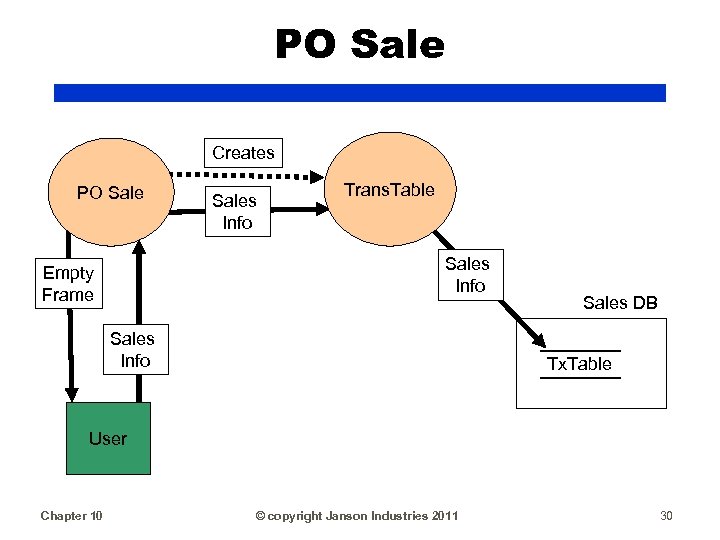
PO Sale Creates PO Sales Info Trans. Table Sales Info Empty Frame Sales Info Sales DB Tx. Table User Chapter 10 © copyright Janson Industries 2011 30
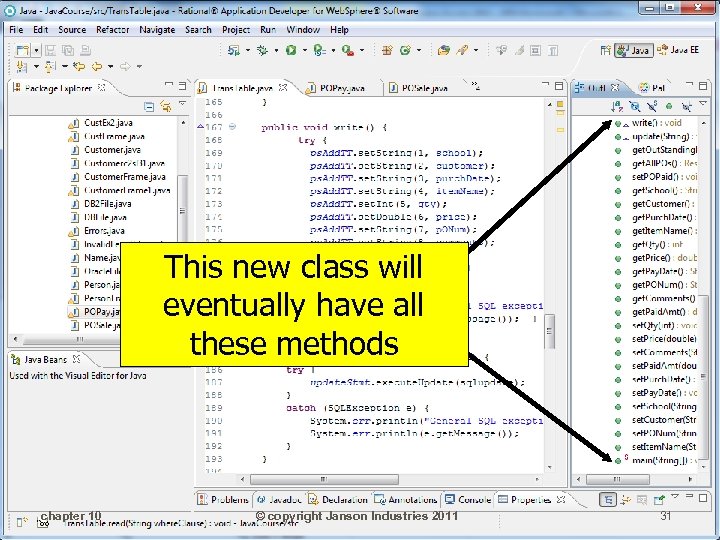
This new class will eventually have all these methods chapter 10 © copyright Janson Industries 2011 31
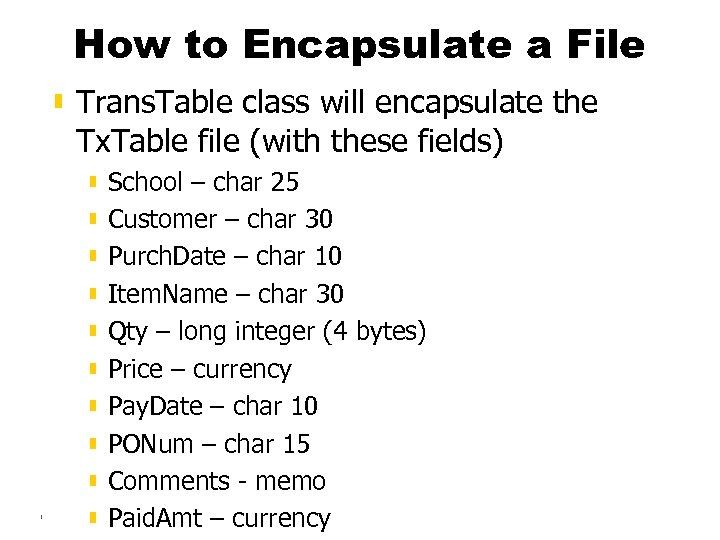
How to Encapsulate a File ▮ Trans. Table class will encapsulate the Tx. Table file (with these fields) ▮ School – char 25 ▮ Customer – char 30 ▮ Purch. Date – char 10 ▮ Item. Name – char 30 ▮ Qty – long integer (4 bytes) ▮ Price – currency ▮ Pay. Date – char 10 ▮ PONum – char 15 ▮ Comments - memo chapter 10 © copyright ▮ Paid. Amt – currency. Janson Industries 2011 32
chapter 10 © copyright Janson Industries 2011 33
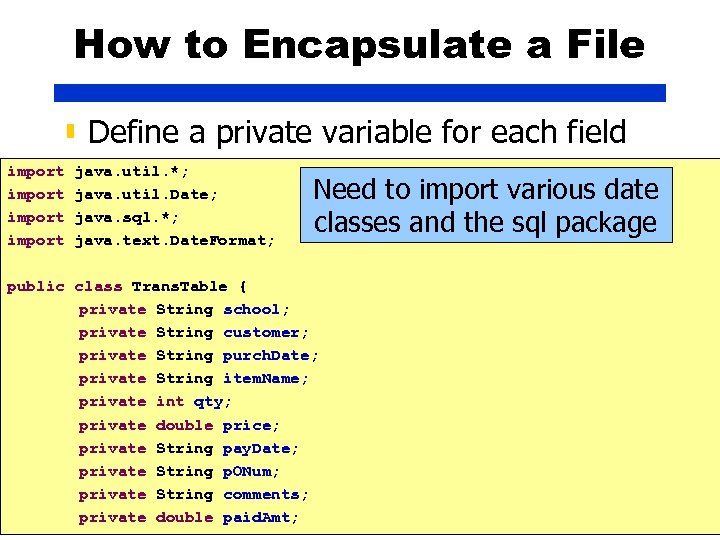
How to Encapsulate a File ▮ Define a private variable for each field import java. util. *; java. util. Date; java. sql. *; java. text. Date. Format; Need to import various date classes and the sql package public class Trans. Table { private String school; private String customer; private String purch. Date; private String item. Name; private int qty; private double price; private String pay. Date; private String p. ONum; private String comments; chapter 10 © copyright Janson Industries 2011 private double paid. Amt; 34
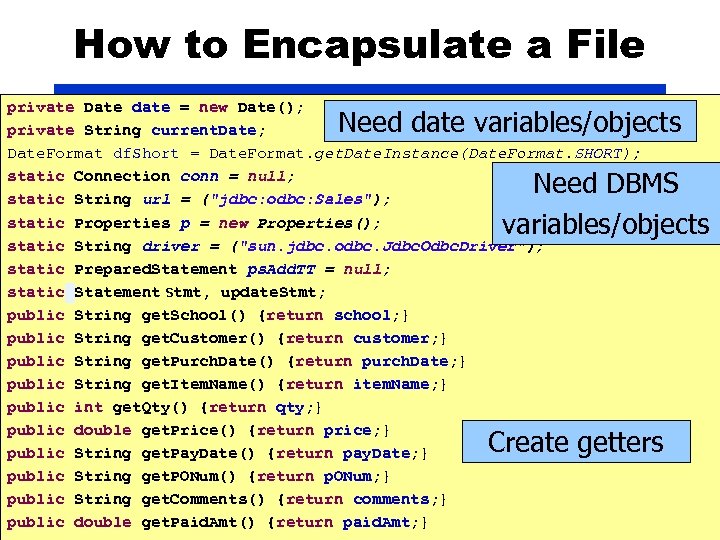
How to Encapsulate a File private Date date = new Date(); private String current. Date; Date. Format df. Short = Date. Format. get. Date. Instance(Date. Format. SHORT); static Connection conn = null; static String url = ("jdbc: odbc: Sales"); static Properties p = new Properties(); static String driver = ("sun. jdbc. odbc. Jdbc. Odbc. Driver"); static Prepared. Statement ps. Add. TT = null; static Statement stmt, update. Stmt; public String get. School() {return school; } public String get. Customer() {return customer; } public String get. Purch. Date() {return purch. Date; } public String get. Item. Name() {return item. Name; } public int get. Qty() {return qty; } public double get. Price() {return price; } public String get. Pay. Date() {return pay. Date; } public String get. PONum() {return p. ONum; } public String get. Comments() {return comments; } chapter 10 copyright Janson Industries public double get. Paid. Amt()© {return paid. Amt; } 2011 Need date variables/objects Need DBMS variables/objects Create getters 35
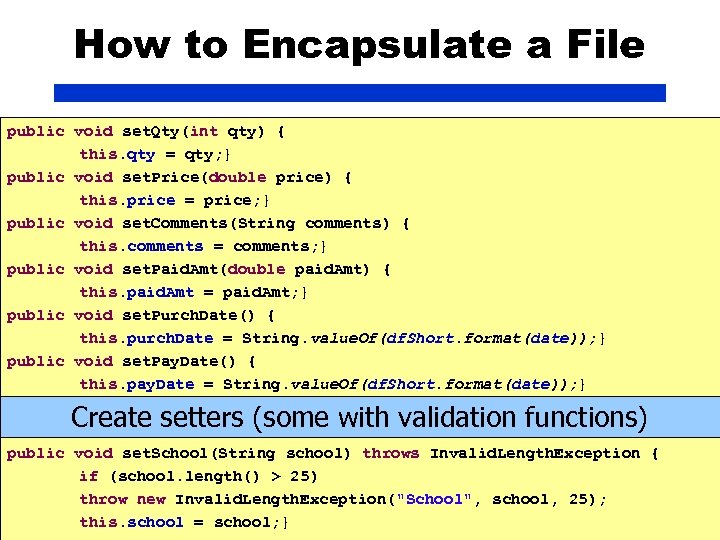
How to Encapsulate a File public void set. Qty(int qty) { this. qty = qty; } public void set. Price(double price) { this. price = price; } public void set. Comments(String comments) { this. comments = comments; } public void set. Paid. Amt(double paid. Amt) { this. paid. Amt = paid. Amt; } public void set. Purch. Date() { this. purch. Date = String. value. Of(df. Short. format(date)); } public void set. Pay. Date() { this. pay. Date = String. value. Of(df. Short. format(date)); } Create setters (some with validation functions) public void set. School(String school) throws Invalid. Length. Exception { if (school. length() > 25) throw new Invalid. Length. Exception("School", school, 25); chapter 10 © copyright Janson Industries 2011 36 this. school = school; }
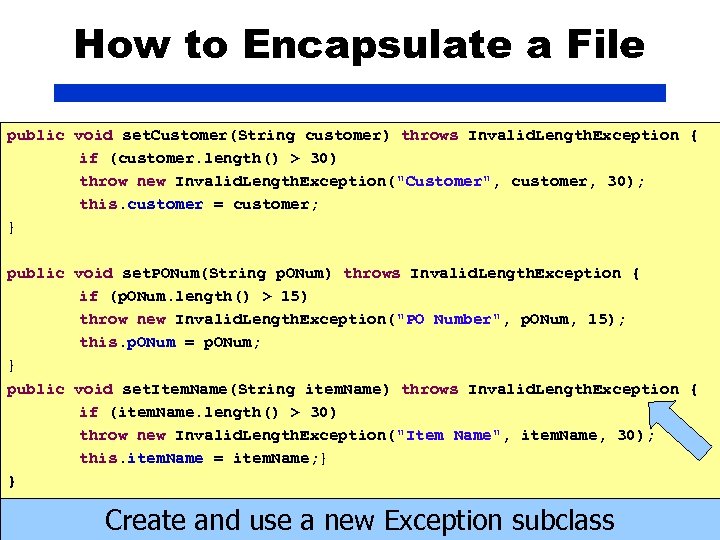
How to Encapsulate a File public void set. Customer(String customer) throws Invalid. Length. Exception { if (customer. length() > 30) throw new Invalid. Length. Exception("Customer", customer, 30); this. customer = customer; } public void set. PONum(String p. ONum) throws Invalid. Length. Exception { if (p. ONum. length() > 15) throw new Invalid. Length. Exception("PO Number", p. ONum, 15); this. p. ONum = p. ONum; } public void set. Item. Name(String item. Name) throws Invalid. Length. Exception { if (item. Name. length() > 30) throw new Invalid. Length. Exception("Item Name", item. Name, 30); this. item. Name = item. Name; } } chapter 10 © copyright Janson Create and use a new. Industries 2011 Exception subclass 37
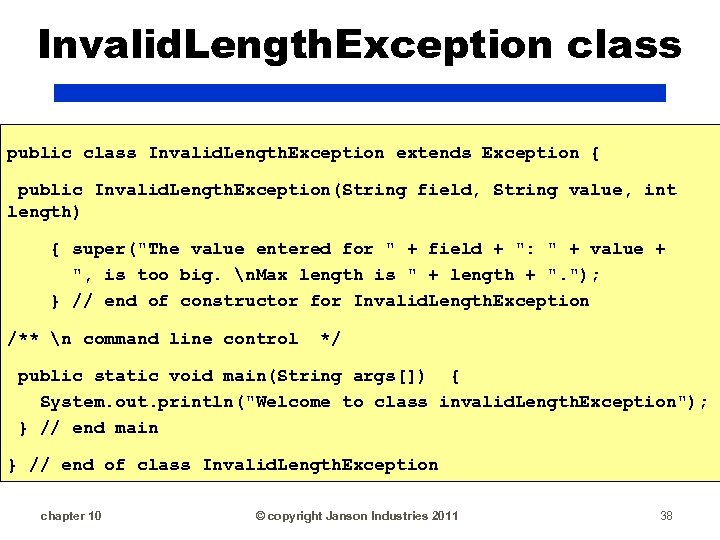
Invalid. Length. Exception class public class Invalid. Length. Exception extends Exception { public Invalid. Length. Exception(String field, String value, int length) { super("The value entered for " + field + ": " + value + ", is too big. n. Max length is " + length + ". "); } // end of constructor for Invalid. Length. Exception /** n command line control */ public static void main(String args[]) { System. out. println("Welcome to class invalid. Length. Exception"); } // end main } // end of class Invalid. Length. Exception chapter 10 © copyright Janson Industries 2011 38
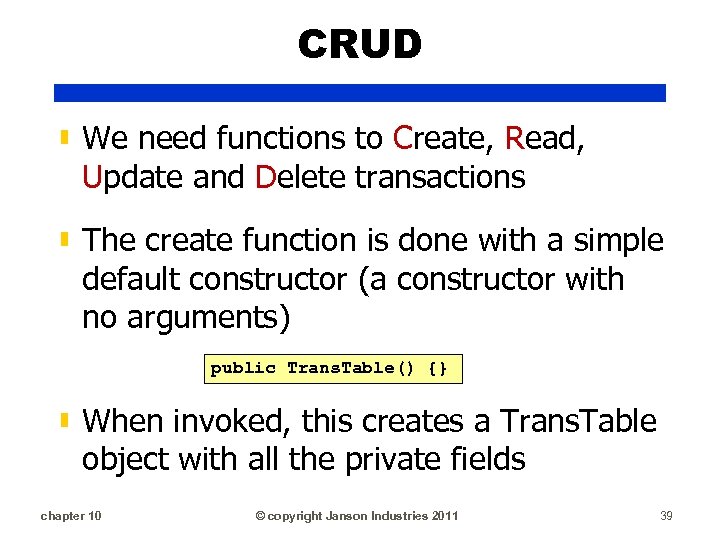
CRUD ▮ We need functions to Create, Read, Update and Delete transactions ▮ The create function is done with a simple default constructor (a constructor with no arguments) public Trans. Table() {} ▮ When invoked, this creates a Trans. Table object with all the private fields chapter 10 © copyright Janson Industries 2011 39
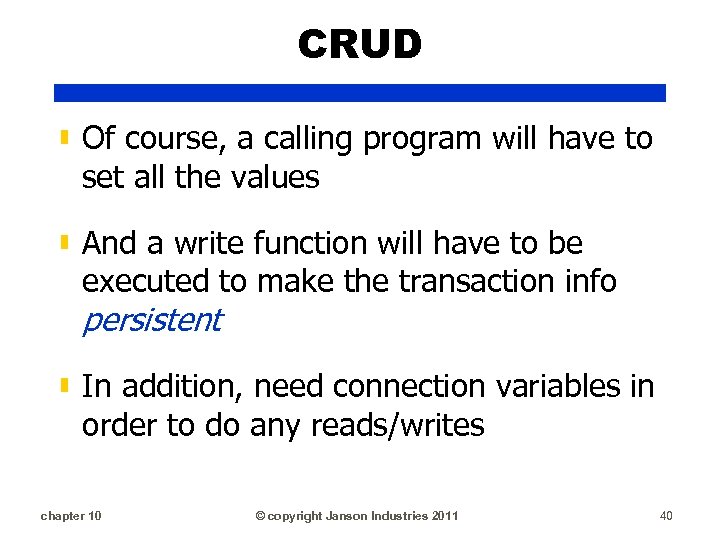
CRUD ▮ Of course, a calling program will have to set all the values ▮ And a write function will have to be executed to make the transaction info persistent ▮ In addition, need connection variables in order to do any reads/writes chapter 10 © copyright Janson Industries 2011 40
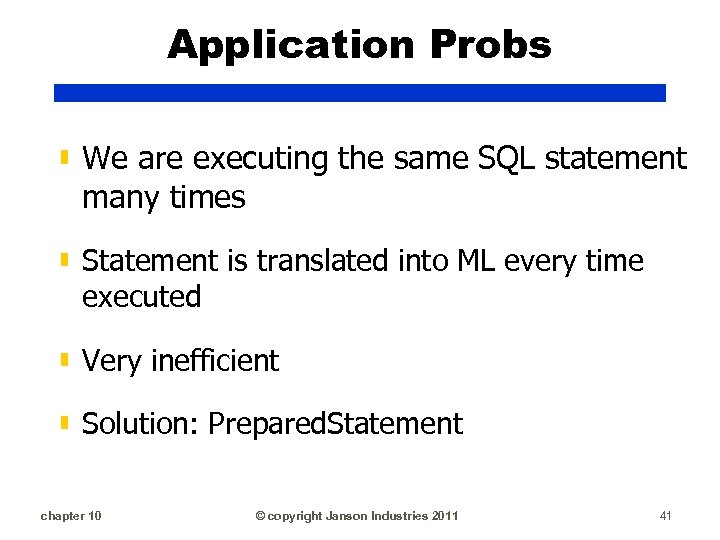
Application Probs ▮ We are executing the same SQL statement many times ▮ Statement is translated into ML every time executed ▮ Very inefficient ▮ Solution: Prepared. Statement chapter 10 © copyright Janson Industries 2011 41
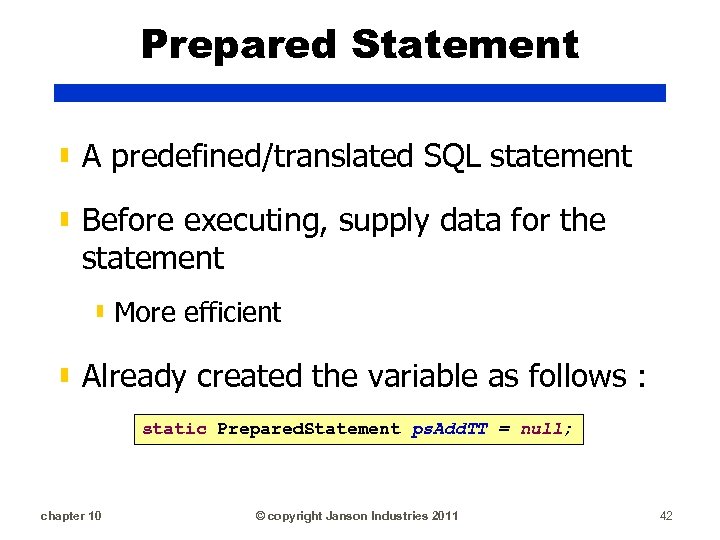
Prepared Statement ▮ A predefined/translated SQL statement ▮ Before executing, supply data for the statement ▮ More efficient ▮ Already created the variable as follows : static Prepared. Statement ps. Add. TT = null; chapter 10 © copyright Janson Industries 2011 42
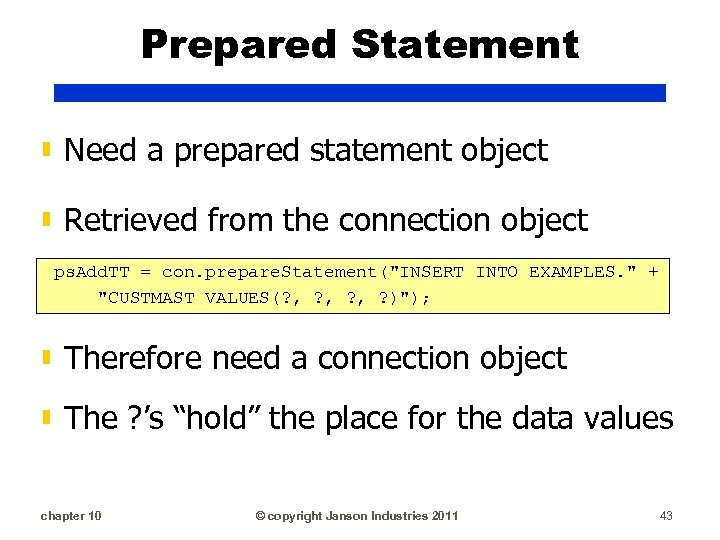
Prepared Statement ▮ Need a prepared statement object ▮ Retrieved from the connection object ps. Add. TT = con. prepare. Statement("INSERT INTO EXAMPLES. " + "CUSTMAST VALUES(? , ? , ? )"); ▮ Therefore need a connection object ▮ The ? ’s “hold” the place for the data values chapter 10 © copyright Janson Industries 2011 43
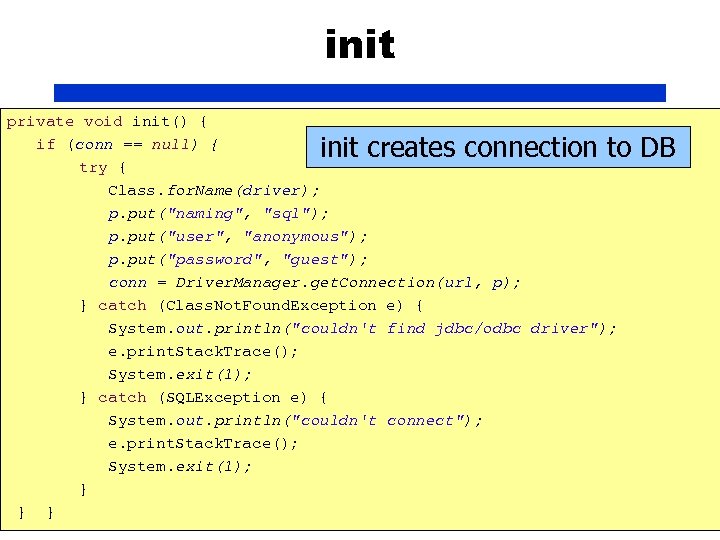
init private void init() { if (conn == null) { try { Class. for. Name(driver); p. put("naming", "sql"); p. put("user", "anonymous"); p. put("password", "guest"); conn = Driver. Manager. get. Connection(url, p); } catch (Class. Not. Found. Exception e) { System. out. println("couldn't find jdbc/odbc driver"); e. print. Stack. Trace(); System. exit(1); } catch (SQLException e) { System. out. println("couldn't connect"); e. print. Stack. Trace(); System. exit(1); } } chapter 10 } © copyright Janson Industries 2011 init creates connection to DB 44
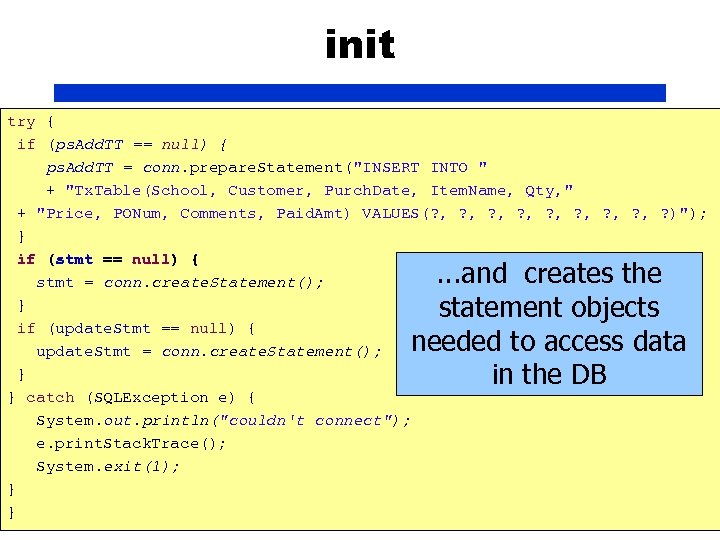
init try { if (ps. Add. TT == null) { ps. Add. TT = conn. prepare. Statement("INSERT INTO " + "Tx. Table(School, Customer, Purch. Date, Item. Name, Qty, " + "Price, PONum, Comments, Paid. Amt) VALUES(? , ? , ? )"); } if (stmt == null) { stmt = conn. create. Statement(); } if (update. Stmt == null) { update. Stmt = conn. create. Statement(); } } catch (SQLException e) { System. out. println("couldn't connect"); e. print. Stack. Trace(); System. exit(1); } } chapter 10 © copyright Janson Industries 2011 45 . . . and creates the statement objects needed to access data in the DB
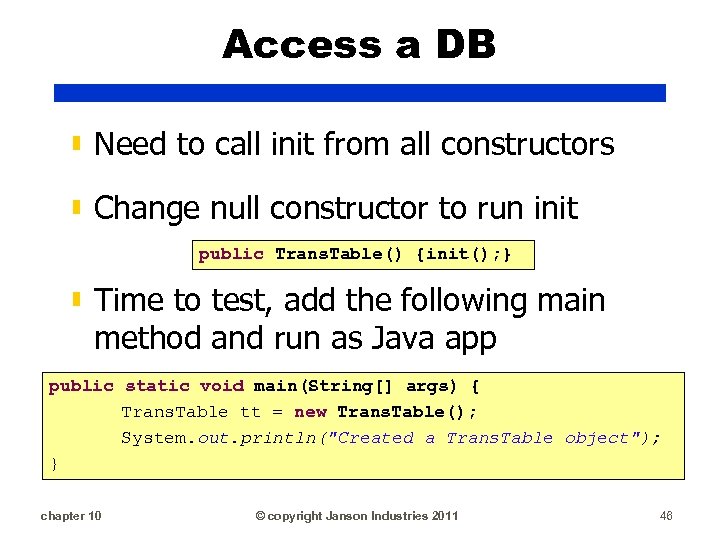
Access a DB ▮ Need to call init from all constructors ▮ Change null constructor to run init public Trans. Table() {init(); } ▮ Time to test, add the following main method and run as Java app public static void main(String[] args) { Trans. Table tt = new Trans. Table(); System. out. println("Created a Trans. Table object"); } chapter 10 © copyright Janson Industries 2011 46
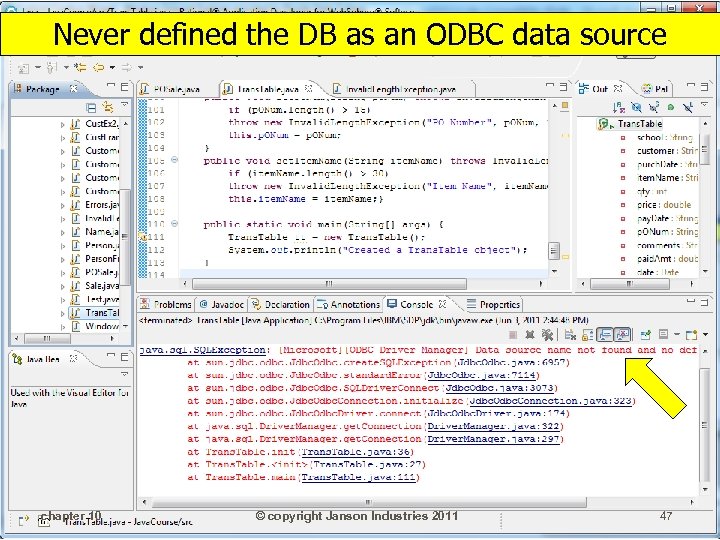
Never defined the DB as an ODBC data source chapter 10 © copyright Janson Industries 2011 47
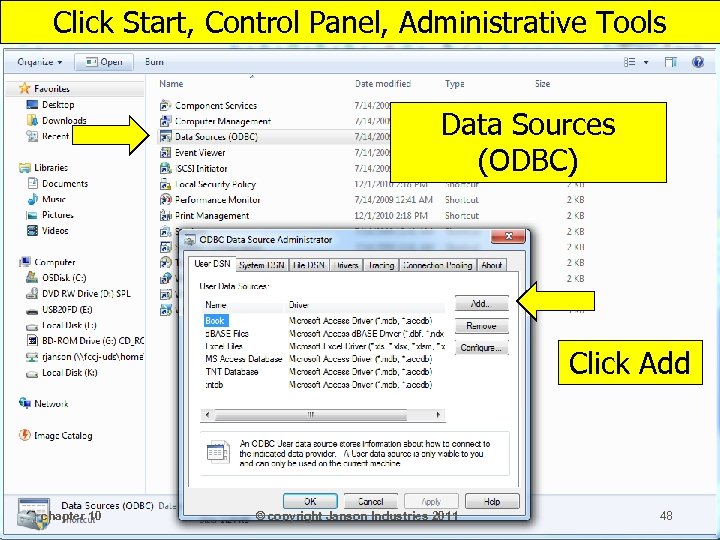
Click Start, Control Panel, Administrative Tools Data Sources (ODBC) Click Add chapter 10 © copyright Janson Industries 2011 48
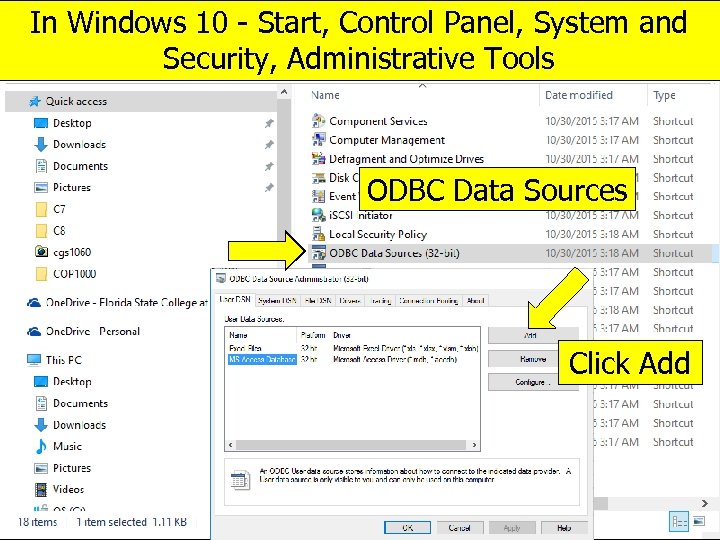
In Windows 10 - Start, Control Panel, System and Security, Administrative Tools ODBC Data Sources Click Add chapter 10 © copyright Janson Industries 2011 49
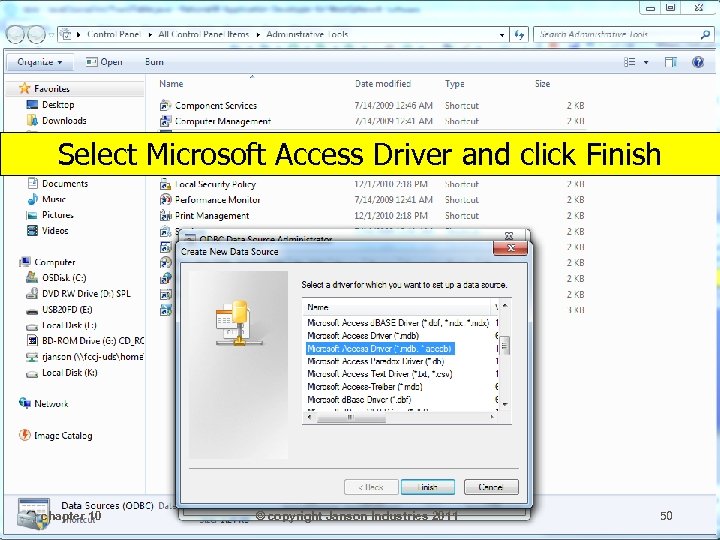
Select Microsoft Access Driver and click Finish chapter 10 © copyright Janson Industries 2011 50
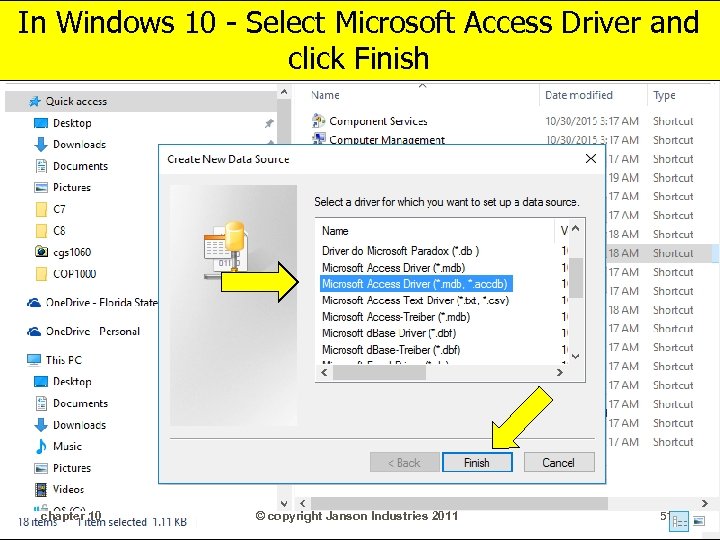
In Windows 10 - Select Microsoft Access Driver and click Finish chapter 10 © copyright Janson Industries 2011 51
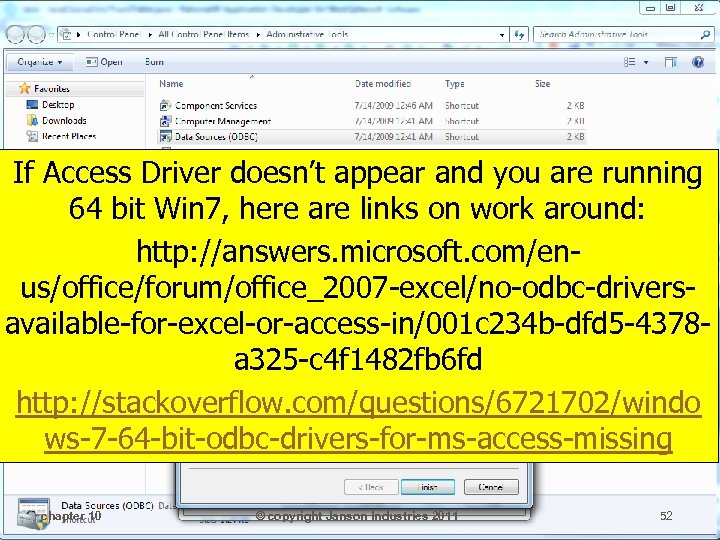
If Access Driver doesn’t appear and you are running 64 bit Win 7, here are links on work around: http: //answers. microsoft. com/enus/office/forum/office_2007 -excel/no-odbc-driversavailable-for-excel-or-access-in/001 c 234 b-dfd 5 -4378 a 325 -c 4 f 1482 fb 6 fd http: //stackoverflow. com/questions/6721702/windo ws-7 -64 -bit-odbc-drivers-for-ms-access-missing chapter 10 © copyright Janson Industries 2011 52
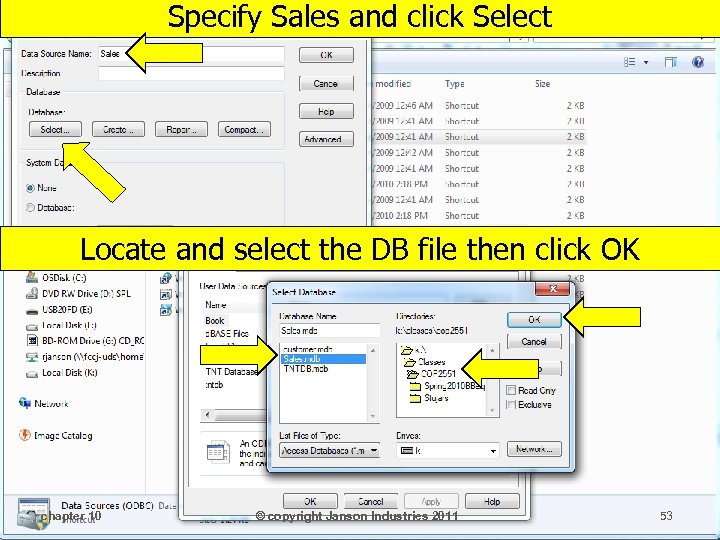
Specify Sales and click Select Locate and select the DB file then click OK chapter 10 © copyright Janson Industries 2011 53
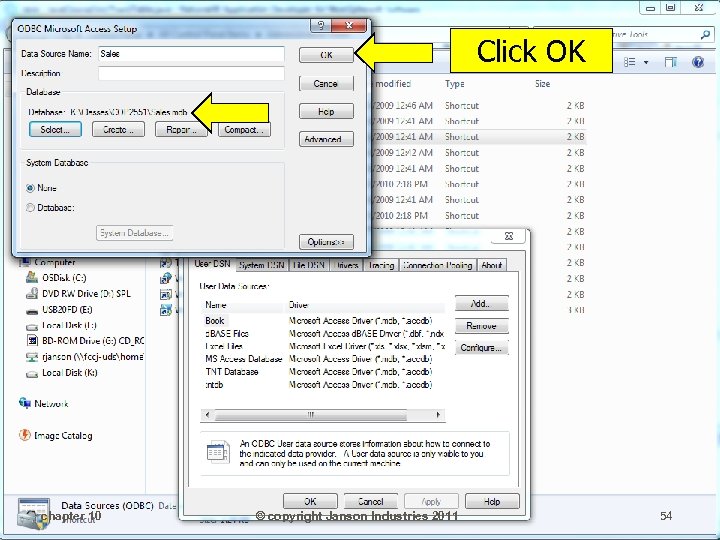
Click OK chapter 10 © copyright Janson Industries 2011 54
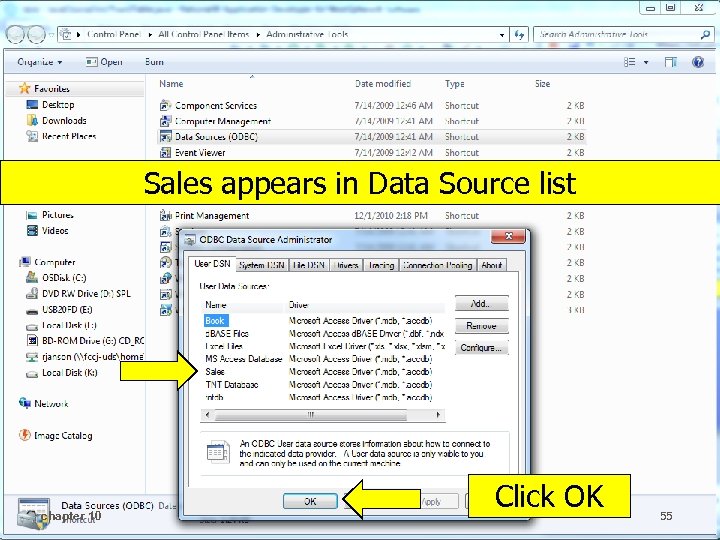
Sales appears in Data Source list chapter 10 © copyright Janson Industries 2011 Click OK 55
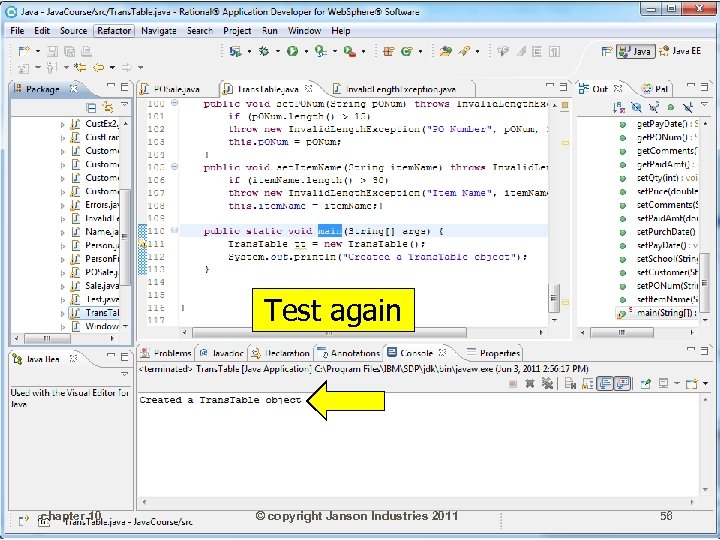
Test again chapter 10 © copyright Janson Industries 2011 56
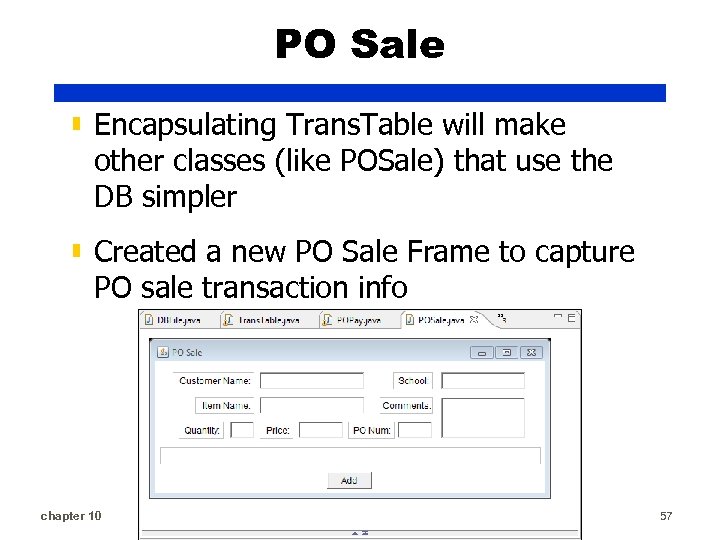
PO Sale ▮ Encapsulating Trans. Table will make other classes (like POSale) that use the DB simpler ▮ Created a new PO Sale Frame to capture PO sale transaction info chapter 10 © copyright Janson Industries 2011 57
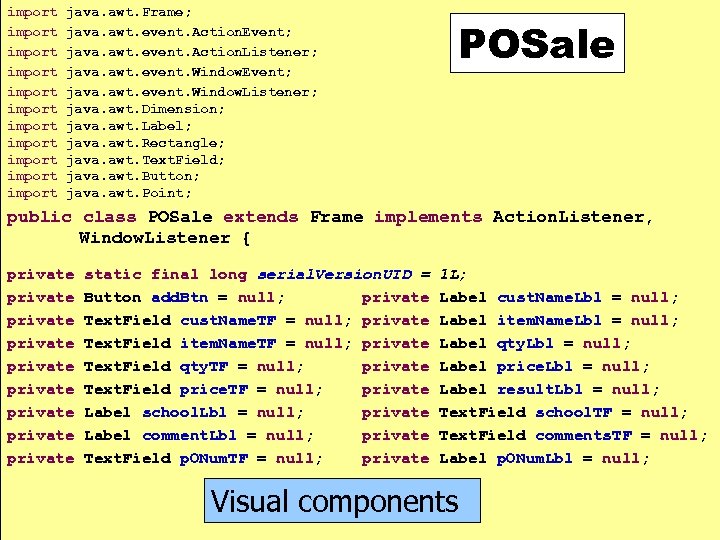
import import import java. awt. Frame; java. awt. event. Action. Event; java. awt. event. Action. Listener; java. awt. event. Window. Event; java. awt. event. Window. Listener; java. awt. Dimension; java. awt. Label; java. awt. Rectangle; java. awt. Text. Field; java. awt. Button; java. awt. Point; POSale public class POSale extends Frame implements Action. Listener, Window. Listener { private private private static final long serial. Version. UID = Button add. Btn = null; private Text. Field cust. Name. TF = null; private Text. Field item. Name. TF = null; private Text. Field qty. TF = null; private Text. Field price. TF = null; private Label school. Lbl = null; private Label comment. Lbl = null; private Text. Field p. ONum. TF = null; private chapter 10 1 L; Label cust. Name. Lbl = null; Label item. Name. Lbl = null; Label qty. Lbl = null; Label price. Lbl = null; Label result. Lbl = null; Text. Field school. TF = null; Text. Field comments. TF = null; Label p. ONum. Lbl = null; Visual components © copyright Janson Industries 2011 58
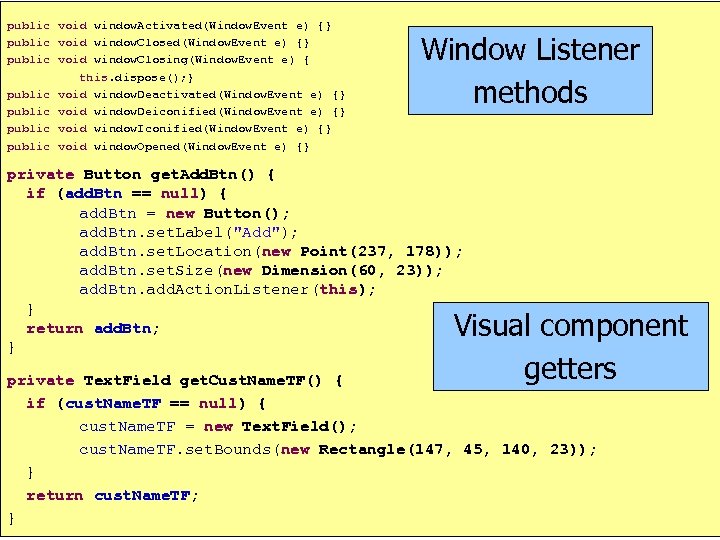
public void window. Activated(Window. Event e) {} public void window. Closing(Window. Event e) { this. dispose(); } public void window. Deactivated(Window. Event e) {} public void window. Deiconified(Window. Event e) {} public void window. Iconified(Window. Event e) {} public void window. Opened(Window. Event e) {} Window Listener methods private Button get. Add. Btn() { if (add. Btn == null) { add. Btn = new Button(); add. Btn. set. Label("Add"); add. Btn. set. Location(new Point(237, 178)); add. Btn. set. Size(new Dimension(60, 23)); add. Btn. add. Action. Listener(this); } return add. Btn; } Visual component getters private Text. Field get. Cust. Name. TF() { if (cust. Name. TF == null) { cust. Name. TF = new Text. Field(); cust. Name. TF. set. Bounds(new Rectangle(147, 45, 140, 23)); } return cust. Name. TF; chapter 10 © copyright Janson Industries 2011 } 59
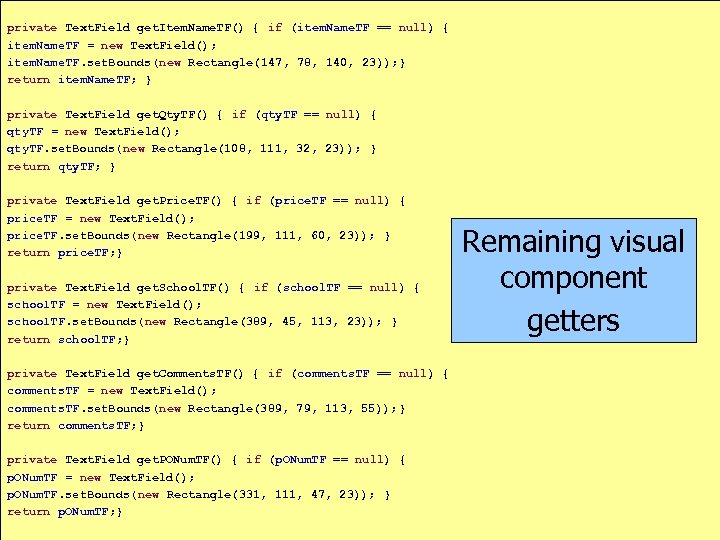
private Text. Field get. Item. Name. TF() { if (item. Name. TF == null) { item. Name. TF = new Text. Field(); item. Name. TF. set. Bounds(new Rectangle(147, 78, 140, 23)); } return item. Name. TF; } private Text. Field get. Qty. TF() { if (qty. TF == null) { qty. TF = new Text. Field(); qty. TF. set. Bounds(new Rectangle(108, 111, 32, 23)); } return qty. TF; } private Text. Field get. Price. TF() { if (price. TF == null) { price. TF = new Text. Field(); price. TF. set. Bounds(new Rectangle(199, 111, 60, 23)); } return price. TF; } private Text. Field get. School. TF() { if (school. TF == null) { school. TF = new Text. Field(); school. TF. set. Bounds(new Rectangle(389, 45, 113, 23)); } return school. TF; } Remaining visual component getters private Text. Field get. Comments. TF() { if (comments. TF == null) { comments. TF = new Text. Field(); comments. TF. set. Bounds(new Rectangle(389, 79, 113, 55)); } return comments. TF; } private Text. Field get. PONum. TF() { if (p. ONum. TF == null) { p. ONum. TF = new Text. Field(); p. ONum. TF. set. Bounds(new Rectangle(331, 111, 47, 23)); } return p. ONum. TF; } chapter 10 © copyright Janson Industries 2011 60
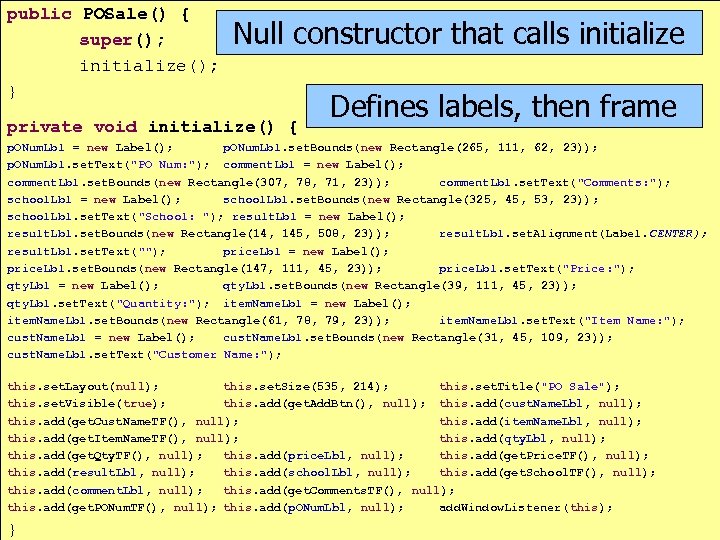
public POSale() { super(); initialize(); } Null constructor that calls initialize Sale private void initialize() { Defines labels, then frame p. ONum. Lbl = new Label(); p. ONum. Lbl. set. Bounds(new Rectangle(265, 111, 62, 23)); p. ONum. Lbl. set. Text("PO Num: "); comment. Lbl = new Label(); comment. Lbl. set. Bounds(new Rectangle(307, 78, 71, 23)); comment. Lbl. set. Text("Comments: "); school. Lbl = new Label(); school. Lbl. set. Bounds(new Rectangle(325, 45, 53, 23)); school. Lbl. set. Text("School: "); result. Lbl = new Label(); result. Lbl. set. Bounds(new Rectangle(14, 145, 508, 23)); result. Lbl. set. Alignment(Label. CENTER); result. Lbl. set. Text(""); price. Lbl = new Label(); price. Lbl. set. Bounds(new Rectangle(147, 111, 45, 23)); price. Lbl. set. Text("Price: "); qty. Lbl = new Label(); qty. Lbl. set. Bounds(new Rectangle(39, 111, 45, 23)); qty. Lbl. set. Text("Quantity: "); item. Name. Lbl = new Label(); item. Name. Lbl. set. Bounds(new Rectangle(61, 78, 79, 23)); item. Name. Lbl. set. Text("Item Name: "); cust. Name. Lbl = new Label(); cust. Name. Lbl. set. Bounds(new Rectangle(31, 45, 109, 23)); cust. Name. Lbl. set. Text("Customer Name: "); this. set. Layout(null); this. set. Size(535, 214); this. set. Title("PO Sale"); this. set. Visible(true); this. add(get. Add. Btn(), null); this. add(cust. Name. Lbl, null); this. add(get. Cust. Name. TF(), null); this. add(item. Name. Lbl, null); this. add(get. Item. Name. TF(), null); this. add(qty. Lbl, null); this. add(get. Qty. TF(), null); this. add(price. Lbl, null); this. add(get. Price. TF(), null); this. add(result. Lbl, null); this. add(school. Lbl, null); this. add(get. School. TF(), null); this. add(comment. Lbl, null); this. add(get. Comments. TF(), null); this. add(get. PONum. TF(), null); this. add(p. ONum. Lbl, null); add. Window. Listener(this); chapter 10 © copyright Janson Industries 2011 61 }
![Sale ▮ And a main to test public static void main(String[] args) { new](https://present5.com/presentation/64a8669a2c3a9e1358670dac2efeaa92/image-62.jpg "Sale ▮ And a main to test public static void main(String[] args) { new")
Sale ▮ And a main to test public static void main(String[] args) { new POSale(); } ▮ Speaking of test, code an action. Performed to: ▮ Create a Trans. Table object ▮ Populate the object with info entered in Frame ▮ Clear the frame text fields ▮ Display info from Trans. Table object chapter 10 © copyright Janson Industries 2011 62
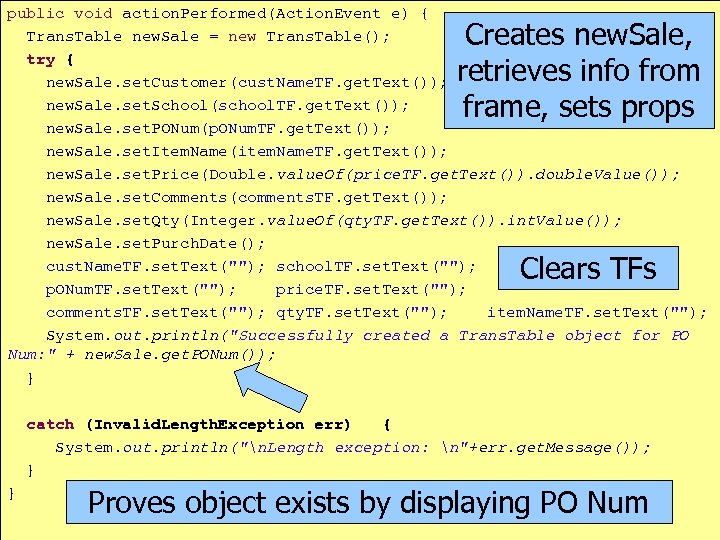
public void action. Performed(Action. Event e) { Trans. Table new. Sale = new Trans. Table(); try { new. Sale. set. Customer(cust. Name. TF. get. Text()); new. Sale. set. School(school. TF. get. Text()); new. Sale. set. PONum(p. ONum. TF. get. Text()); new. Sale. set. Item. Name(item. Name. TF. get. Text()); new. Sale. set. Price(Double. value. Of(price. TF. get. Text()). double. Value()); new. Sale. set. Comments(comments. TF. get. Text()); new. Sale. set. Qty(Integer. value. Of(qty. TF. get. Text()). int. Value()); new. Sale. set. Purch. Date(); cust. Name. TF. set. Text(""); school. TF. set. Text(""); p. ONum. TF. set. Text(""); price. TF. set. Text(""); comments. TF. set. Text(""); qty. TF. set. Text(""); item. Name. TF. set. Text(""); System. out. println("Successfully created a Trans. Table object for PO Num: " + new. Sale. get. PONum()); } Creates new. Sale, retrieves info from frame, sets props Clears TFs catch (Invalid. Length. Exception err) { System. out. println("n. Length exception: n"+err. get. Message()); } } Proves object exists by displaying PO Num chapter 10 © copyright Janson Industries 2011 63
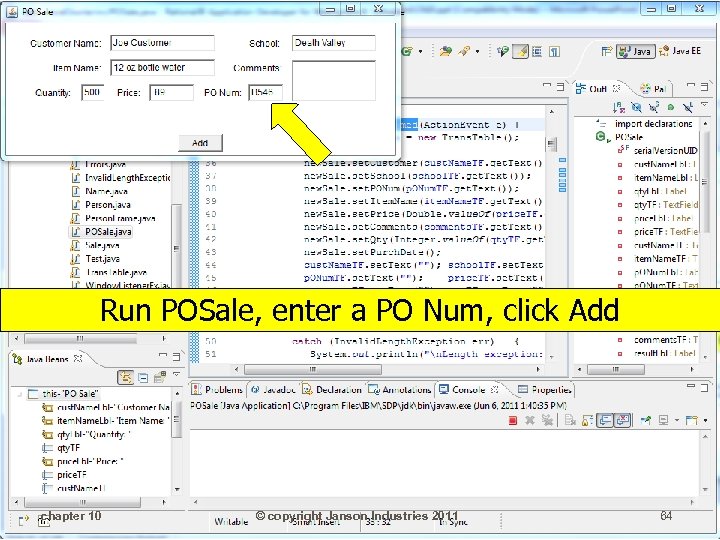
Run POSale, enter a PO Num, click Add chapter 10 © copyright Janson Industries 2011 64
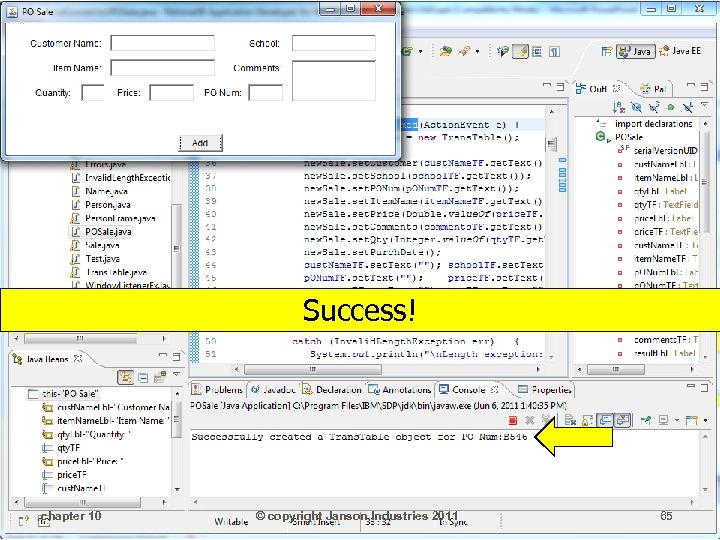
Success! chapter 10 © copyright Janson Industries 2011 65
PO Sale ▮ Might be nice if we put the info in the database table ▮ Need to finish CRUD functions in Trans. Table ▮ PO Sale will invoke the U of CRUD chapter 10 © copyright Janson Industries 2011 66
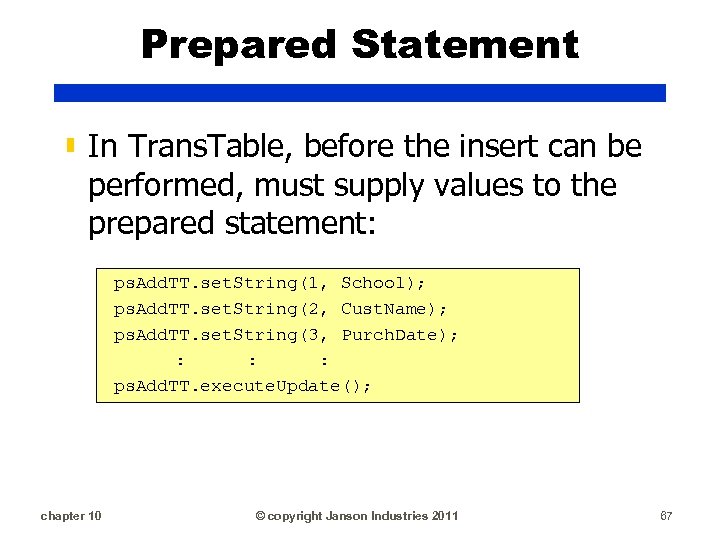
Prepared Statement ▮ In Trans. Table, before the insert can be performed, must supply values to the prepared statement: ps. Add. TT. set. String(1, School); ps. Add. TT. set. String(2, Cust. Name); ps. Add. TT. set. String(3, Purch. Date); : : : ps. Add. TT. execute. Update(); chapter 10 © copyright Janson Industries 2011 67
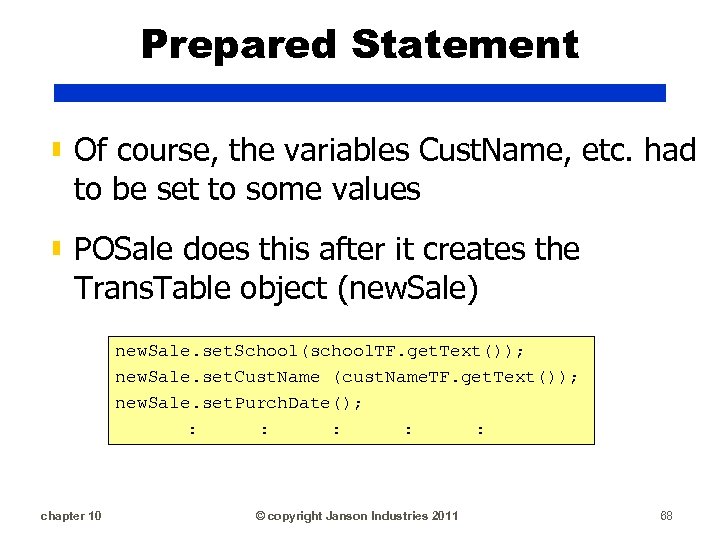
Prepared Statement ▮ Of course, the variables Cust. Name, etc. had to be set to some values ▮ POSale does this after it creates the Trans. Table object (new. Sale) new. Sale. set. School(school. TF. get. Text()); new. Sale. set. Cust. Name (cust. Name. TF. get. Text()); new. Sale. set. Purch. Date(); : : : chapter 10 © copyright Janson Industries 2011 68
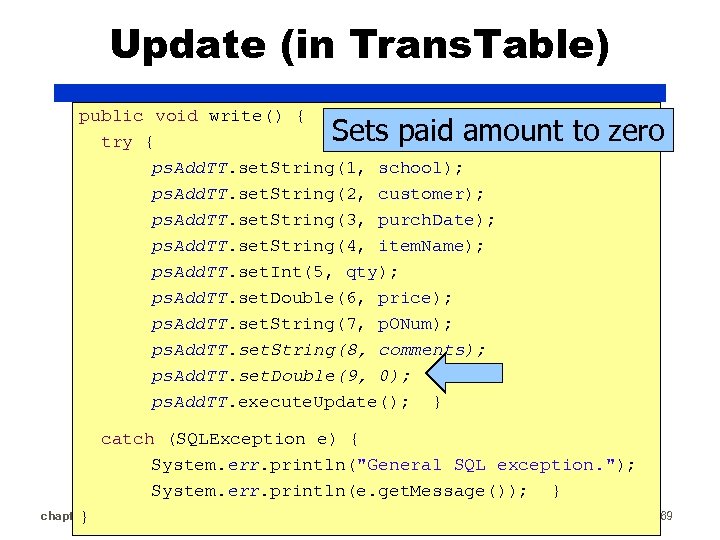
Update (in Trans. Table) public void write() { try { ps. Add. TT. set. String(1, school); ps. Add. TT. set. String(2, customer); ps. Add. TT. set. String(3, purch. Date); ps. Add. TT. set. String(4, item. Name); ps. Add. TT. set. Int(5, qty); ps. Add. TT. set. Double(6, price); ps. Add. TT. set. String(7, p. ONum); ps. Add. TT. set. String(8, comments); ps. Add. TT. set. Double(9, 0); ps. Add. TT. execute. Update(); } Sets paid amount to zero catch (SQLException e) { System. err. println("General SQL exception. "); System. err. println(e. get. Message()); } chapter 10 } © copyright Janson Industries 2011 69
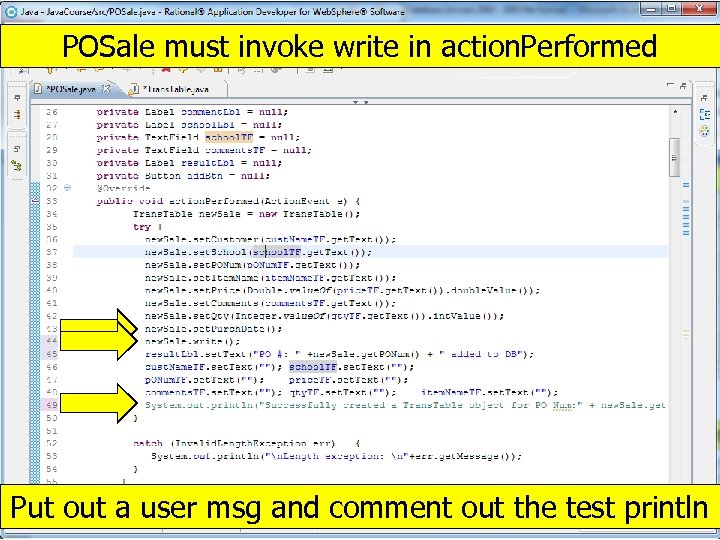
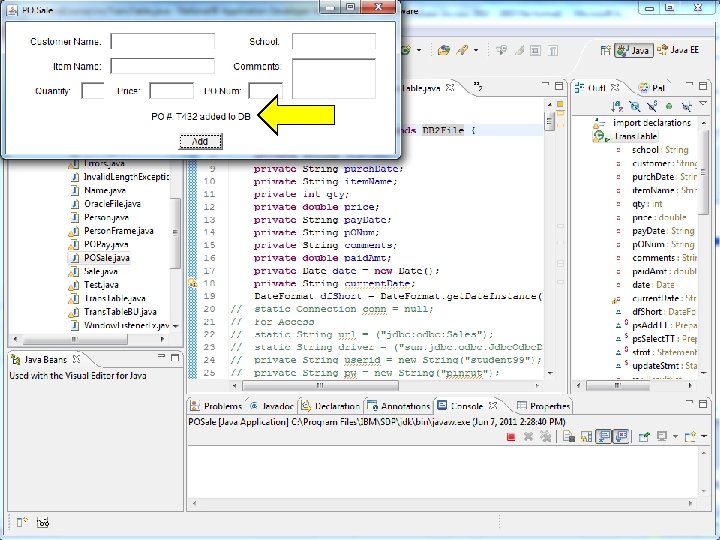
POSale must invoke write in action. Performed Put out a user msg and comment out the test println chapter 10 © copyright Janson Industries 2011 70
PO Sale ▮ Notice that POSale doesn’t worry about connections. ▮ There are no: ▮ Drivers ▮ Driver managers ▮ Connection objects ▮ Prepared statements ▮ Encapsulating the file makes the client class’ logic/coding simpler!! chapter 10 © copyright Janson Industries 2011 71
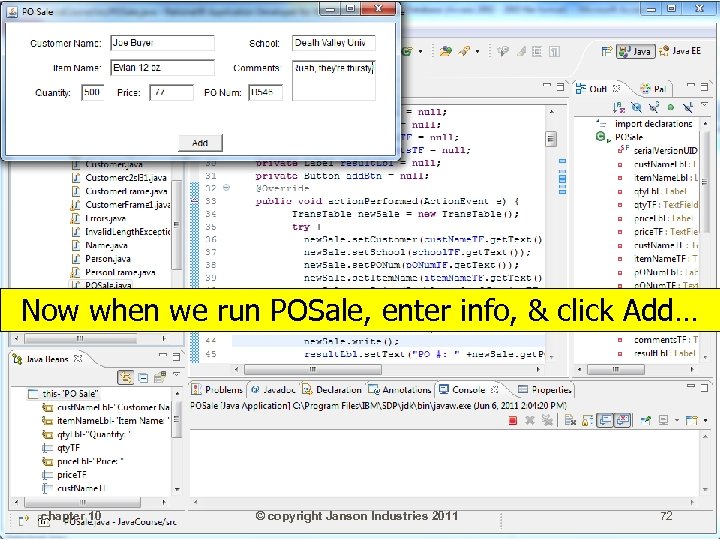
Now when we run POSale, enter info, & click Add… chapter 10 © copyright Janson Industries 2011 72
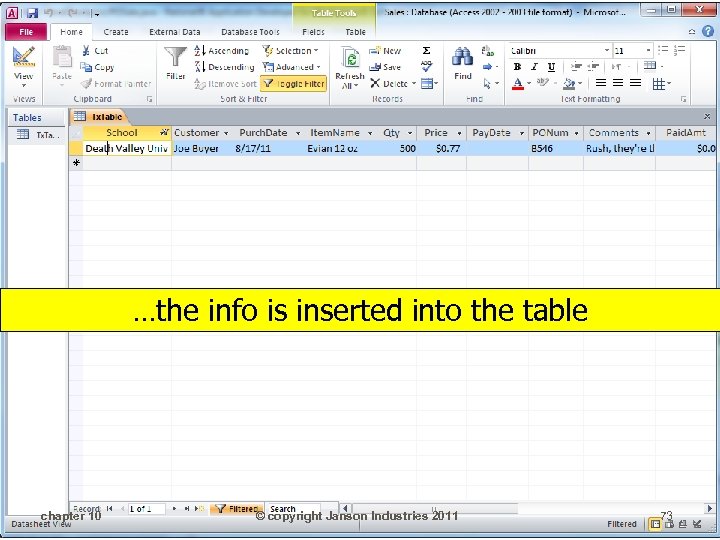
…the info is inserted into the table chapter 10 © copyright Janson Industries 2011 73
Paying a PO ▮ Need the ability to mark a PO as paid ▮ New POPay frame will: ▮ Display a list of outstanding PO's with PO #, school, and date ▮ When user selects a PO, POPay (using the Trans. Table object) updates pay date and paid amt chapter 10 © copyright Janson Industries 2011 74
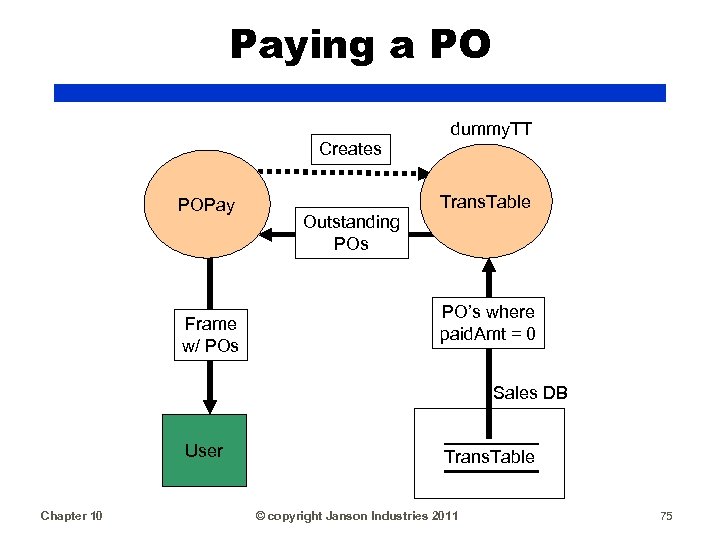
Paying a PO dummy. TT Creates POPay Frame w/ POs Trans. Table Outstanding POs PO’s where paid. Amt = 0 Sales DB User Chapter 10 Trans. Table © copyright Janson Industries 2011 75
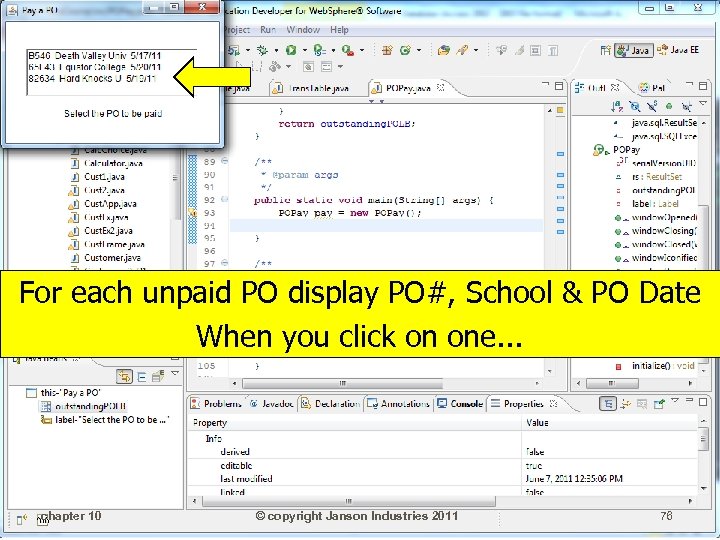
For each unpaid PO display PO#, School & PO Date When you click on one. . . chapter 10 © copyright Janson Industries 2011 76
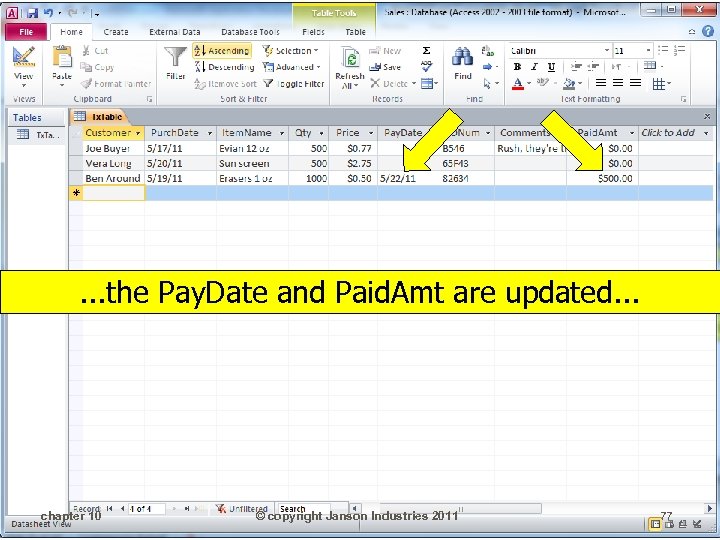
. . . the Pay. Date and Paid. Amt are updated. . . chapter 10 © copyright Janson Industries 2011 77
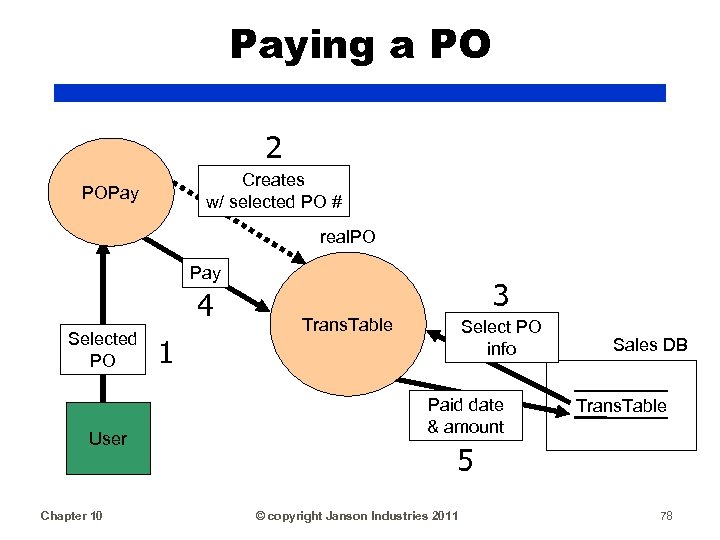
Paying a PO 2 Creates w/ selected PO # POPay real. PO Pay 4 Selected PO User Chapter 10 1 3 Trans. Table Select PO info Paid date & amount Sales DB Trans. Table 5 © copyright Janson Industries 2011 78
read(String where. Clause) ▮ There can be many read functions: ▮ A read for a key value (a single record) ▮ A read for all records in a table ▮ A read for records based on a condition ▮ Therefore the actual read method needs to accept a where clause ▮ Other methods need to create the where clause and pass to read() chapter 10 © copyright Janson Industries 2011 79
read(String where. Clause) ▮ Because the SQL read statement will be dynamically built can't use a prepared statement ▮ Must use a regular statement object ▮ That's why we created a variable private Statement stmt; ▮ And in init, created the statement object stmt = conn. create. Statement(); chapter 10 © copyright Janson Industries 2011 80
Trans. Table(String po. Num) ▮ To retrieve a single record, create a constructor that accepts a key value ▮ Will build read to retrieve records based on a Where condition, so need a method to pass a null Where ▮ POPay only wants outstanding PO's ▮ Need a method to pass a where clause that has the condition paid amount = 0 chapter 10 © copyright Janson Industries 2011 81
read(String where. Clause) ▮ The select statement simply returns a result set ▮ Trans. Table needs to: ▮ Assign the result set to a result set variable ▮ Retrieve data from the result set and set the Trans. Table object properties ▮ read method will assign result set ▮ Will create a get. Data. From. RS method to get data and assign to properties chapter 10 © copyright Janson Industries 2011 82
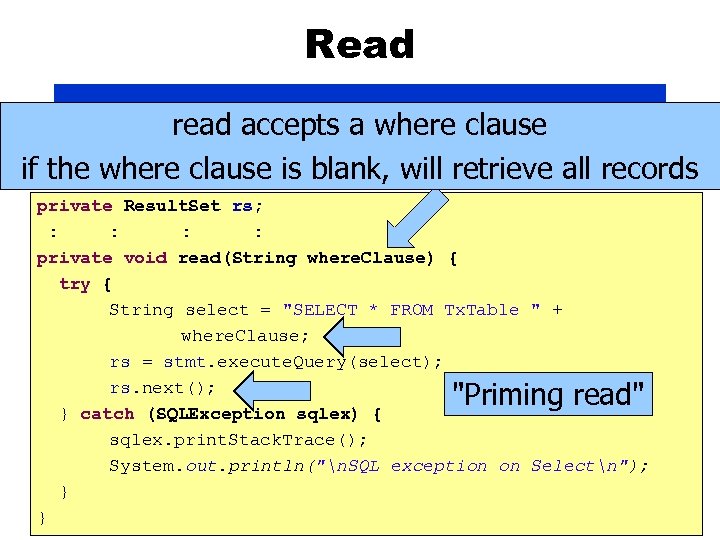
Read read accepts a where clause if the where clause is blank, will retrieve all records private Result. Set rs; : : private void read(String where. Clause) { try { String select = "SELECT * FROM Tx. Table " + where. Clause; rs = stmt. execute. Query(select); rs. next(); } catch (SQLException sqlex) { sqlex. print. Stack. Trace(); System. out. println("n. SQL exception on Selectn"); } chapter 10 © copyright Janson Industries 2011 } "Priming read" 83
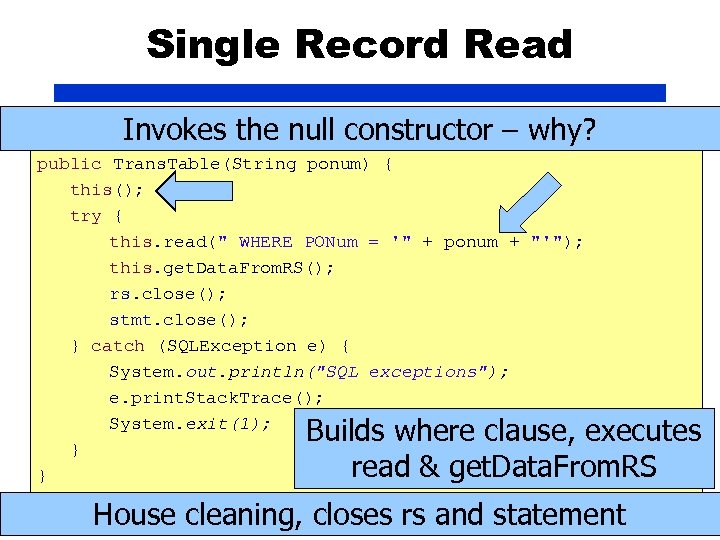
Single Record Read Invokes the null constructor – why? public Trans. Table(String ponum) { this(); try { this. read(" WHERE PONum = '" + ponum + "'"); this. get. Data. From. RS(); rs. close(); stmt. close(); } catch (SQLException e) { System. out. println("SQL exceptions"); e. print. Stack. Trace(); System. exit(1); } } Builds where clause, executes read & get. Data. From. RS House cleaning, closes rs and statement chapter 10 © copyright Janson Industries 2011 84
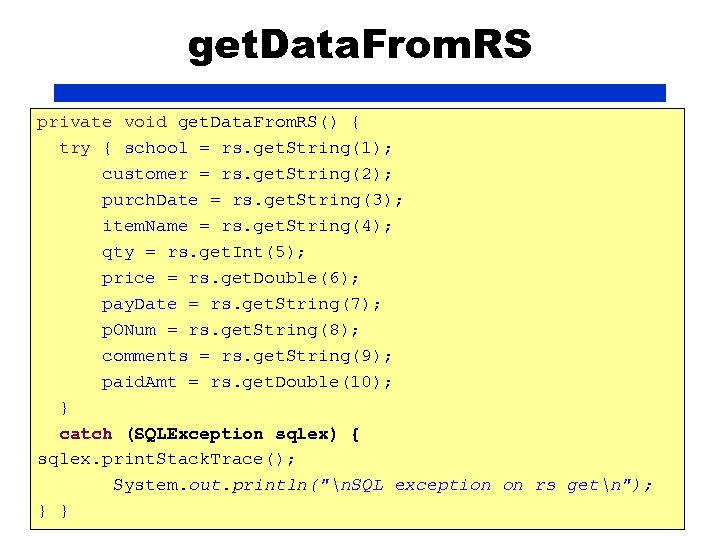
get. Data. From. RS private void get. Data. From. RS() { try { school = rs. get. String(1); customer = rs. get. String(2); purch. Date = rs. get. String(3); item. Name = rs. get. String(4); qty = rs. get. Int(5); price = rs. get. Double(6); pay. Date = rs. get. String(7); p. ONum = rs. get. String(8); comments = rs. get. String(9); paid. Amt = rs. get. Double(10); } catch (SQLException sqlex) { sqlex. print. Stack. Trace(); System. out. println("n. SQL exception on rs getn"); } } 10 chapter © copyright Janson Industries 2011 85
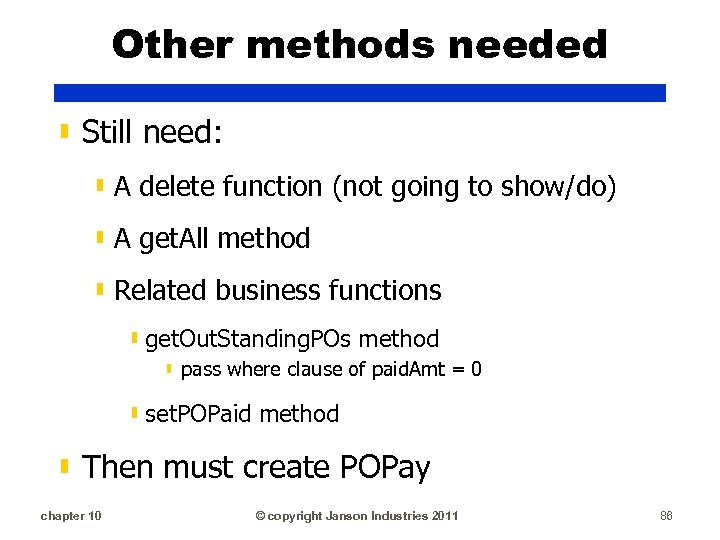
Other methods needed ▮ Still need: ▮ A delete function (not going to show/do) ▮ A get. All method ▮ Related business functions ▮ get. Out. Standing. POs method ▮ pass where clause of paid. Amt = 0 ▮ set. POPaid method ▮ Then must create POPay chapter 10 © copyright Janson Industries 2011 86
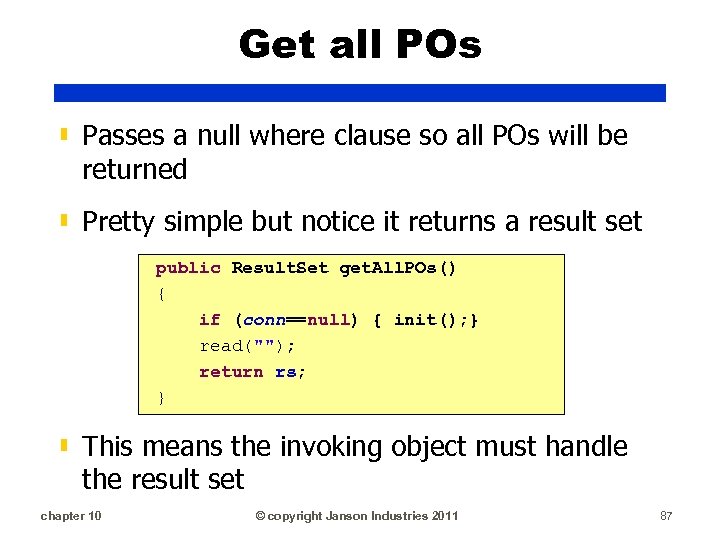
Get all POs ▮ Passes a null where clause so all POs will be returned ▮ Pretty simple but notice it returns a result set public Result. Set get. All. POs() { if (conn==null) { init(); } read(""); return rs; } ▮ This means the invoking object must handle the result set chapter 10 © copyright Janson Industries 2011 87
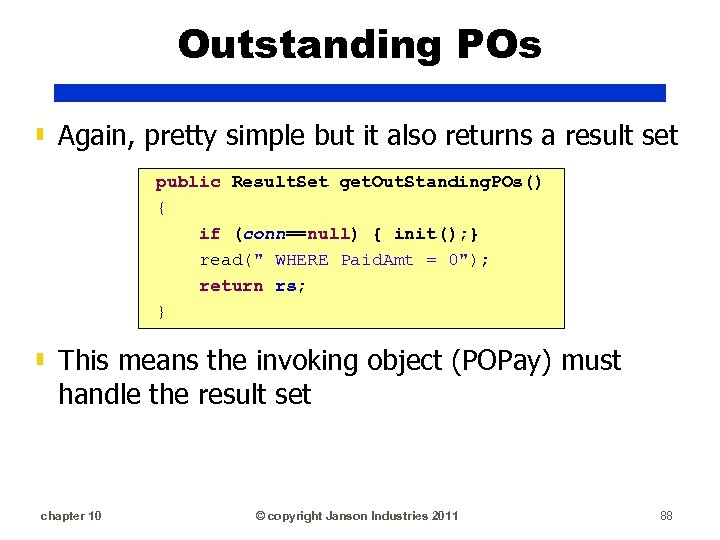
Outstanding POs ▮ Again, pretty simple but it also returns a result set public Result. Set get. Out. Standing. POs() { if (conn==null) { init(); } read(" WHERE Paid. Amt = 0"); return rs; } ▮ This means the invoking object (POPay) must handle the result set chapter 10 © copyright Janson Industries 2011 88
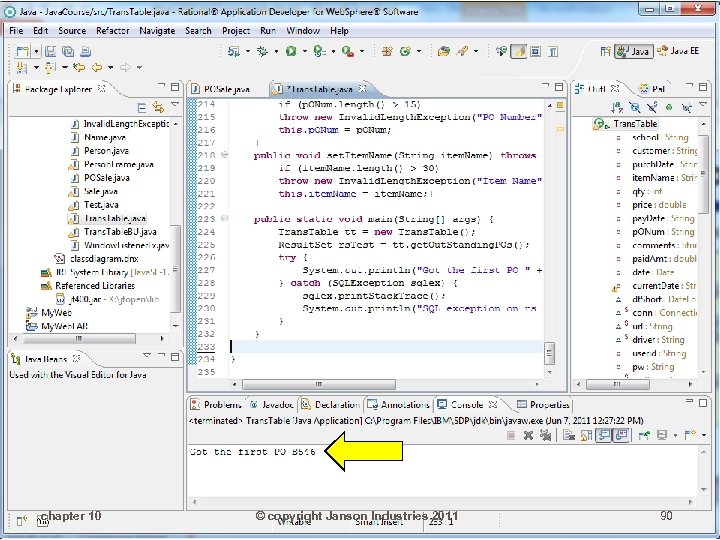
![Outstanding POs ▮ Will test with following main method public static void main(String[] args)](https://present5.com/presentation/64a8669a2c3a9e1358670dac2efeaa92/image-89.jpg "Outstanding POs ▮ Will test with following main method public static void main(String[] args)")
Outstanding POs ▮ Will test with following main method public static void main(String[] args) { Trans. Table tt = new Trans. Table(); Result. Set rs. Test = tt. get. Out. Standing. POs(); try { System. out. println("Got the first PO " + rs. Test. get. String(8)); } catch (SQLException sqlex) { sqlex. print. Stack. Trace(); System. out. println("SQL exception on rs get"); } } chapter 10 © copyright Janson Industries 2011 89
chapter 10 © copyright Janson Industries 2011 90
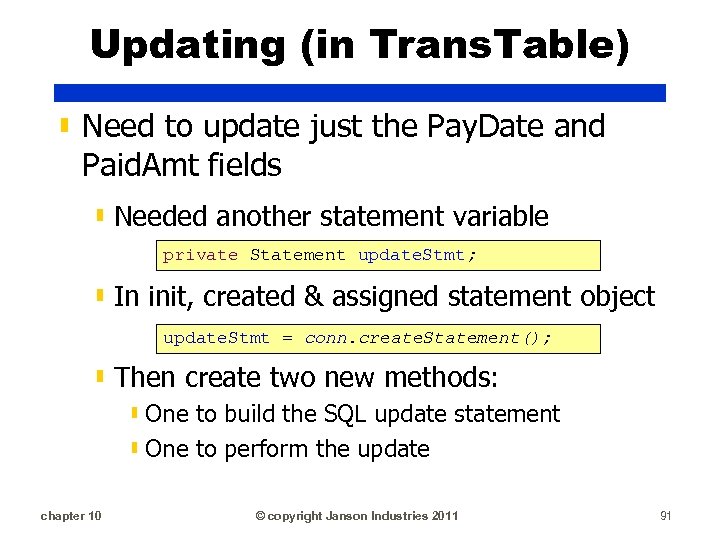
Updating (in Trans. Table) ▮ Need to update just the Pay. Date and Paid. Amt fields ▮ Needed another statement variable private Statement update. Stmt; ▮ In init, created & assigned statement object update. Stmt = conn. create. Statement(); ▮ Then create two new methods: ▮ One to build the SQL update statement ▮ One to perform the update chapter 10 © copyright Janson Industries 2011 91
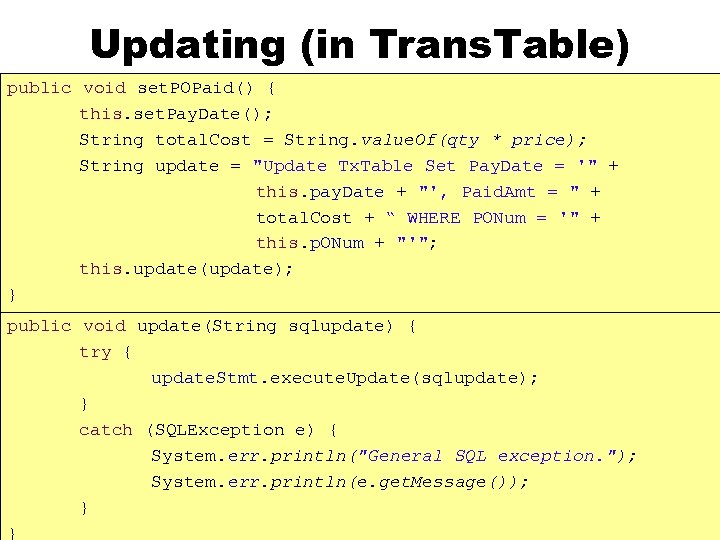
Updating (in Trans. Table) public void set. POPaid() { this. set. Pay. Date(); String total. Cost = String. value. Of(qty * price); String update = "Update Tx. Table Set Pay. Date = '" + this. pay. Date + "', Paid. Amt = " + total. Cost + “ WHERE PONum = '" + this. p. ONum + "'"; this. update(update); } public void update(String sqlupdate) { try { update. Stmt. execute. Update(sqlupdate); } catch (SQLException e) { System. err. println("General SQL exception. "); System. err. println(e. get. Message()); } chapter 10 © copyright Janson Industries 2011 } 92
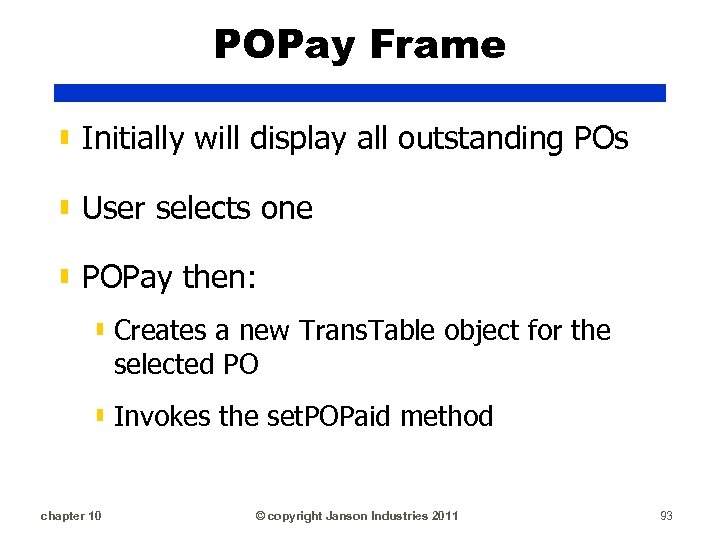
POPay Frame ▮ Initially will display all outstanding POs ▮ User selects one ▮ POPay then: ▮ Creates a new Trans. Table object for the selected PO ▮ Invokes the set. POPaid method chapter 10 © copyright Janson Industries 2011 93
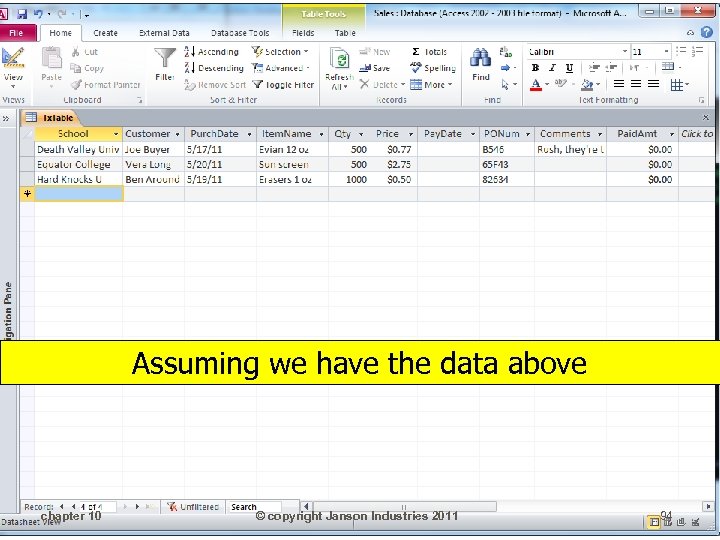
Assuming we have the data above chapter 10 © copyright Janson Industries 2011 94
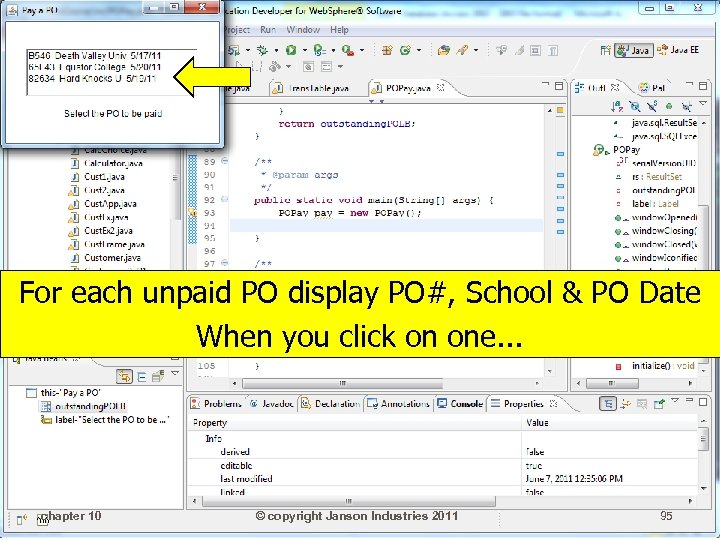
For each unpaid PO display PO#, School & PO Date When you click on one. . . chapter 10 © copyright Janson Industries 2011 95
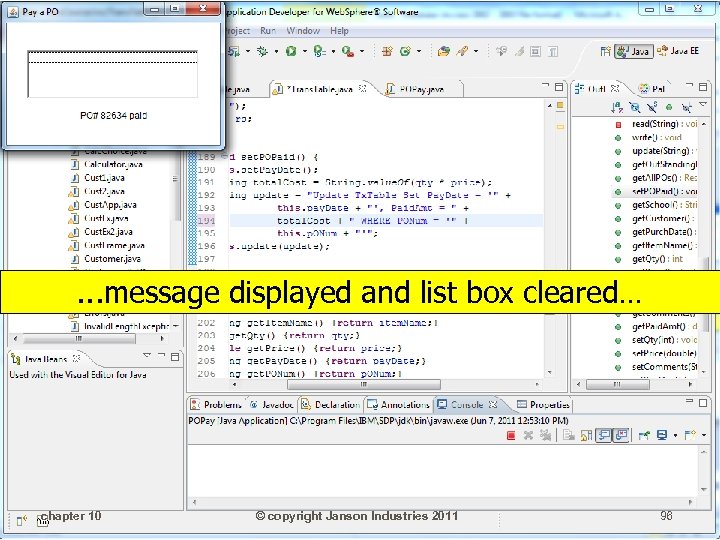
. . . message displayed and list box cleared… chapter 10 © copyright Janson Industries 2011 96
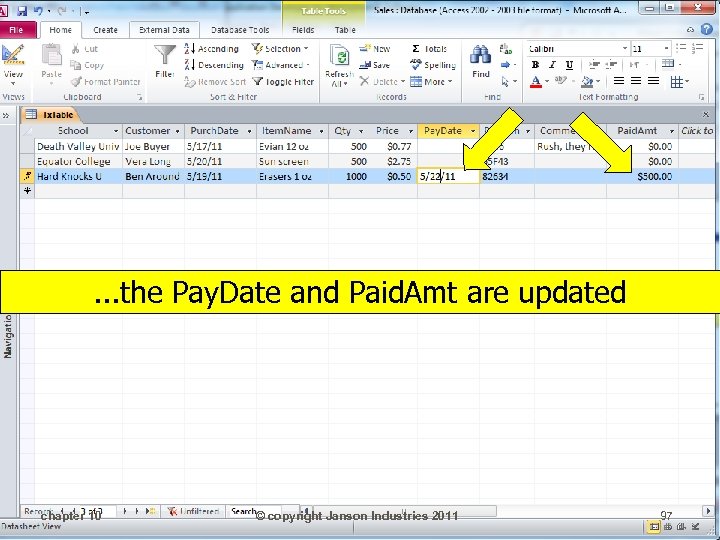
. . . the Pay. Date and Paid. Amt are updated chapter 10 © copyright Janson Industries 2011 97
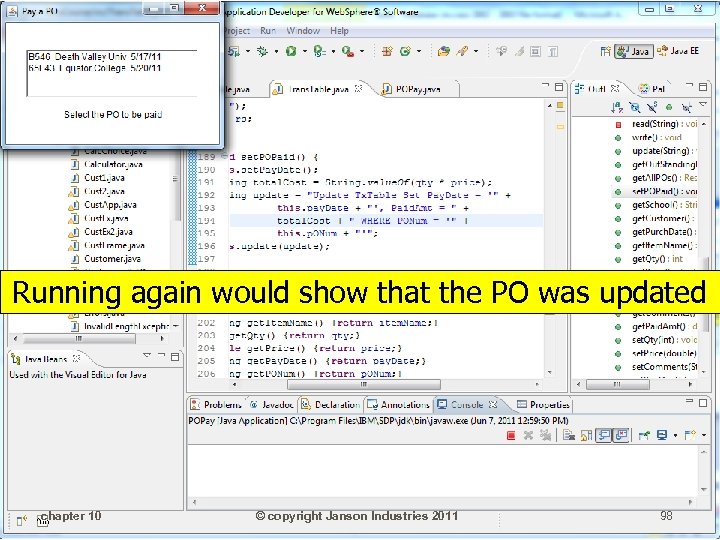
Running again would show that the PO was updated chapter 10 © copyright Janson Industries 2011 98
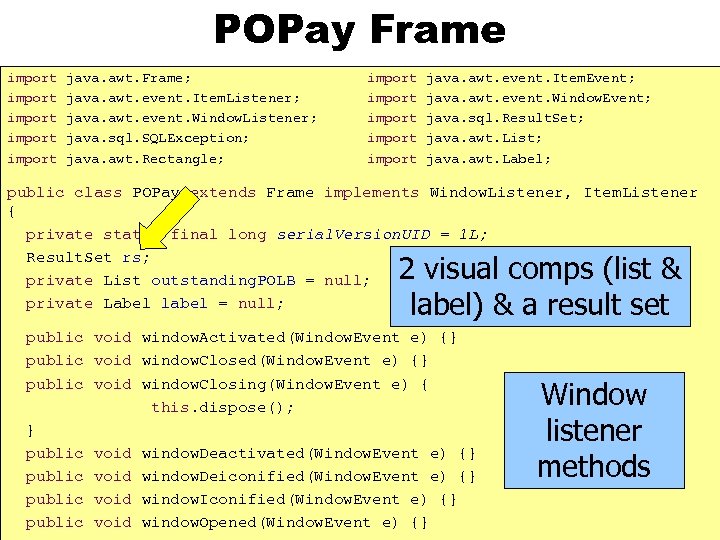
POPay Frame import import java. awt. Frame; java. awt. event. Item. Listener; java. awt. event. Window. Listener; java. sql. SQLException; java. awt. Rectangle; import import java. awt. event. Item. Event; java. awt. event. Window. Event; java. sql. Result. Set; java. awt. List; java. awt. Label; public class POPay extends Frame implements Window. Listener, Item. Listener { private static final long serial. Version. UID = 1 L; Result. Set rs; private List outstanding. POLB = null; private Label label = null; 2 visual comps (list & label) & a result set public void window. Activated(Window. Event e) {} public void window. Closing(Window. Event e) { this. dispose(); } public void window. Deactivated(Window. Event e) {} public void window. Deiconified(Window. Event e) {} public void window. Iconified(Window. Event e) {} chapter © copyright Janson public 10 void window. Opened(Window. Event. Industries 2011 e) {} Window listener methods 99
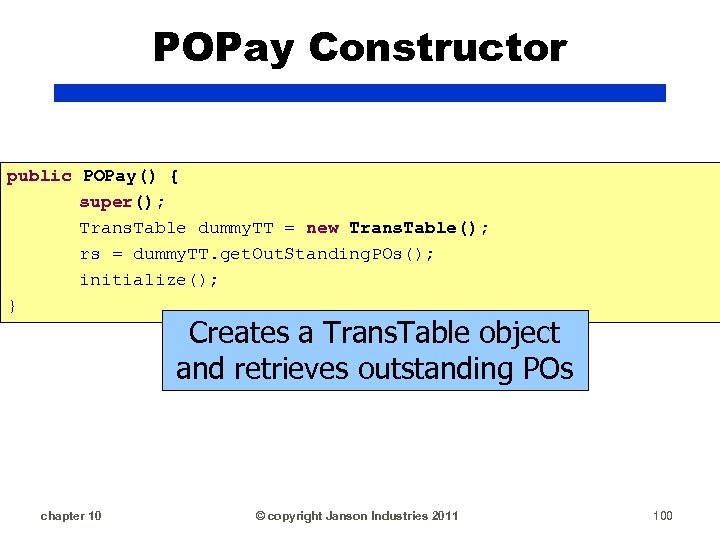
POPay Constructor public POPay() { super(); Trans. Table dummy. TT = new Trans. Table(); rs = dummy. TT. get. Out. Standing. POs(); initialize(); } Creates a Trans. Table object and retrieves outstanding POs chapter 10 © copyright Janson Industries 2011 100
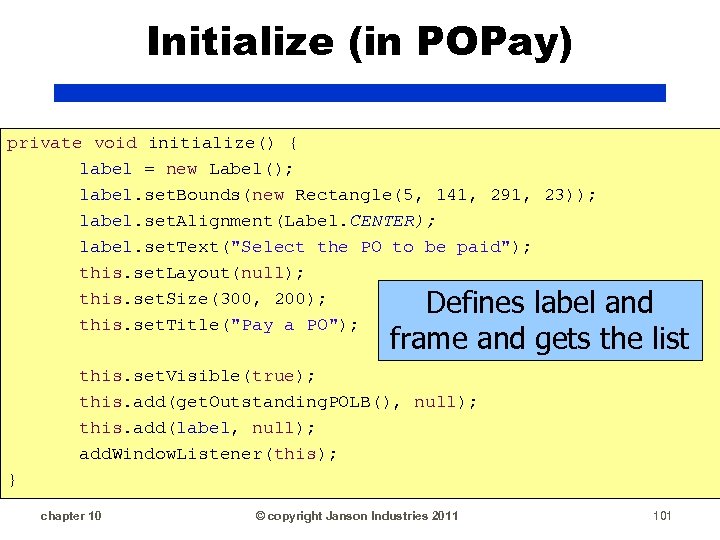
Initialize (in POPay) private void initialize() { label = new Label(); label. set. Bounds(new Rectangle(5, 141, 291, 23)); label. set. Alignment(Label. CENTER); label. set. Text("Select the PO to be paid"); this. set. Layout(null); this. set. Size(300, 200); this. set. Title("Pay a PO"); Defines label and frame and gets the list this. set. Visible(true); this. add(get. Outstanding. POLB(), null); this. add(label, null); add. Window. Listener(this); } chapter 10 © copyright Janson Industries 2011 101
List (in POPay) ▮ Need to add outstanding PO's to the list ▮ Tie an item listener to the list chapter 10 © copyright Janson Industries 2011 102
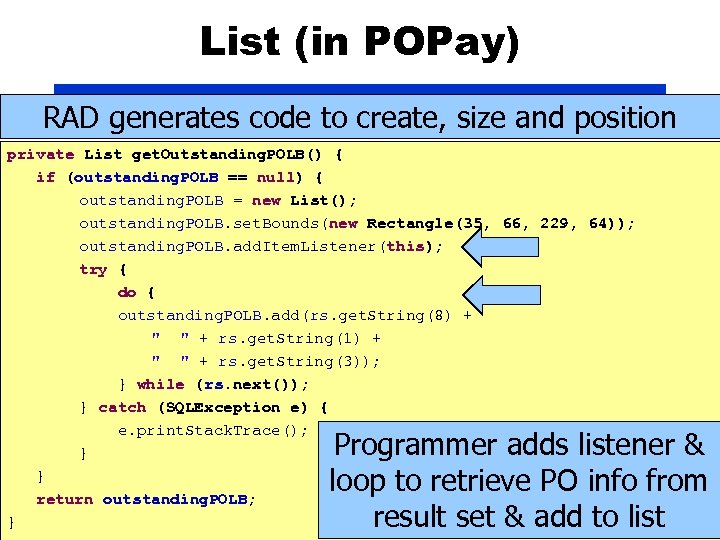
List (in POPay) RAD generates code to create, size and position private List get. Outstanding. POLB() { if (outstanding. POLB == null) { outstanding. POLB = new List(); outstanding. POLB. set. Bounds(new Rectangle(35, 66, 229, 64)); outstanding. POLB. add. Item. Listener(this); try { do { outstanding. POLB. add(rs. get. String(8) + " " + rs. get. String(1) + " " + rs. get. String(3)); } while (rs. next()); } catch (SQLException e) { e. print. Stack. Trace(); } } return outstanding. POLB; chapter 10 © copyright Janson Industries 2011 } Programmer adds listener & loop to retrieve PO info from result set & add to list 103
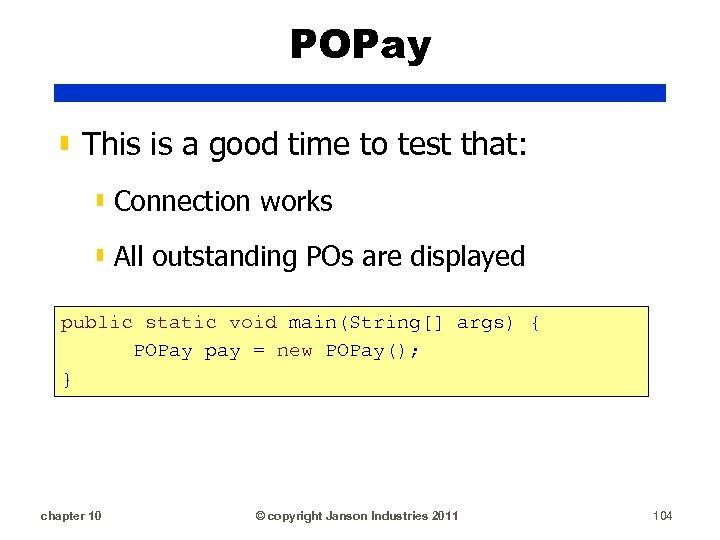
POPay ▮ This is a good time to test that: ▮ Connection works ▮ All outstanding POs are displayed public static void main(String[] args) { POPay pay = new POPay(); } chapter 10 © copyright Janson Industries 2011 104
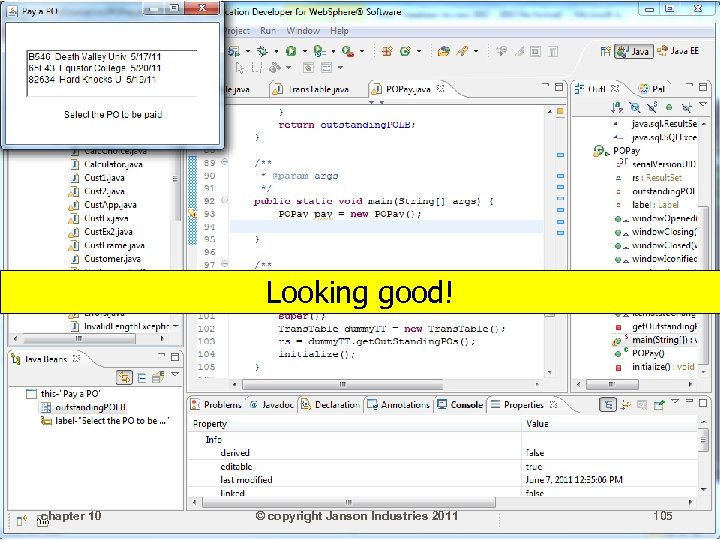
Looking good! chapter 10 © copyright Janson Industries 2011 105
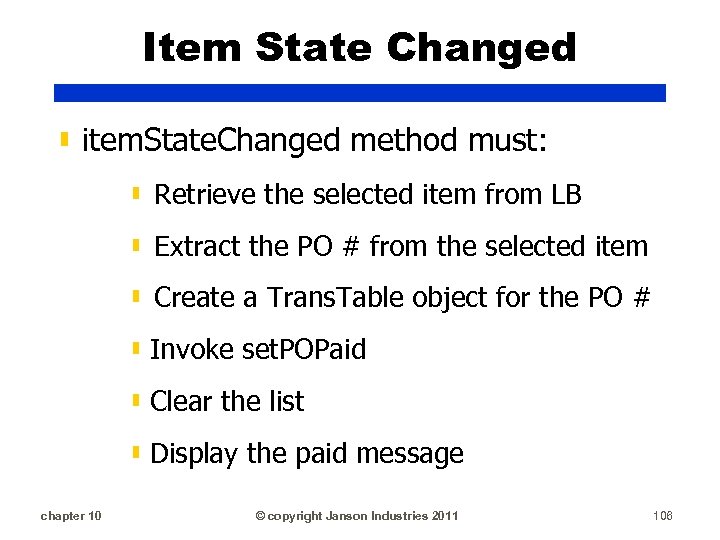
Item State Changed ▮ item. State. Changed method must: ▮ Retrieve the selected item from LB ▮ Extract the PO # from the selected item ▮ Create a Trans. Table object for the PO # ▮ Invoke set. POPaid ▮ Clear the list ▮ Display the paid message chapter 10 © copyright Janson Industries 2011 106
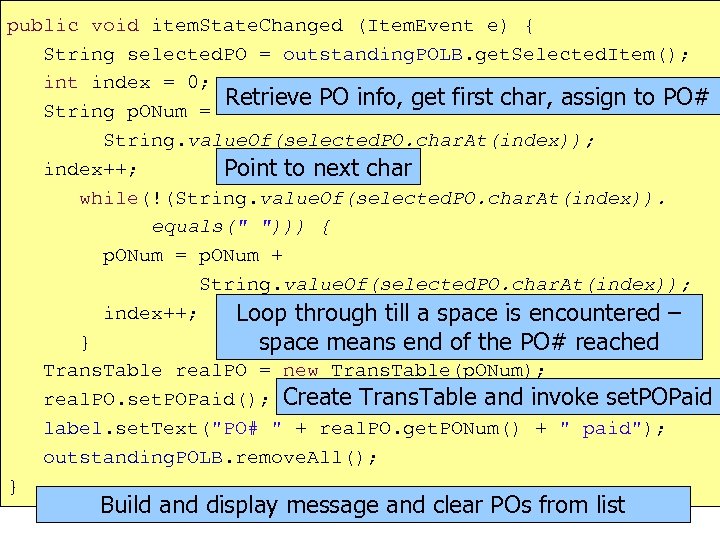
public void item. State. Changed (Item. Event e) { String selected. PO = outstanding. POLB. get. Selected. Item(); int index = 0; Retrieve PO info, get first char, assign to PO# String p. ONum = String. value. Of(selected. PO. char. At(index)); index++; Point to next char while(!(String. value. Of(selected. PO. char. At(index)). equals(" "))) { p. ONum = p. ONum + String. value. Of(selected. PO. char. At(index)); index++; Loop through till a space is encountered – } space means end of the PO# reached Trans. Table real. PO = new Trans. Table(p. ONum); real. PO. set. POPaid(); Create Trans. Table and invoke set. POPaid label. set. Text("PO# " + real. PO. get. PONum() + " paid"); outstanding. POLB. remove. All(); } Build and display message and 2011 POs from list clear © copyright Janson Industries chapter 10 107
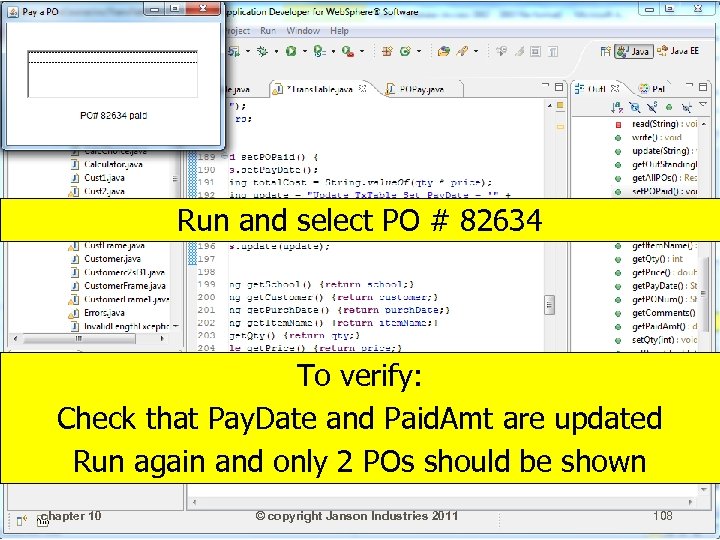
Run and select PO # 82634 To verify: Check that Pay. Date and Paid. Amt are updated Run again and only 2 POs should be shown chapter 10 © copyright Janson Industries 2011 108
Enterprise Data ▮ Rarely use MS Access to store sizable amount of data ▮ Can consist of many DBs with many tables ▮ Thousands of tables not unusual ▮ Tables stored and possibly moved between different types of DBMS: ▮ ▮ DB 2, Oracle, SQL Server, . . . chapter 10 © copyright Janson Industries 2011 109
Enterprise Data ▮ Defining connection info and objects in each "encapsulating" (i. e. table/file) class redundant ▮ Takes up more space ▮ Longer to make changes ▮ Greater chance of error when making changes ▮ Inheritance can help! ▮ chapter 10 © copyright Janson Industries 2011 110
Inheritance ▮ By creating superclasses, we can reduce the amount of duplicate code ▮ For instance, all the connection variables and methods: ▮ variables (url, password, driver, etc. ) ▮ conn ▮ init ▮ Define in one DBMS-type superclass and have table/file classes inherit them chapter 10 © copyright Janson Industries 2011 111
Abstract types ▮ A subclass (or implementing class) must have methods with the same signature as its superclass' abstract methods ▮ E. g. abstract methods are "behind" the Window. Listener methods ▮ All those methods you were forced to code, are defined as abstract methods in the Window. Listener class ▮ A class can also be defined as abstract ▮ abstract classes cannot be instantiated chapter 10 © copyright Janson Industries 2011 112
Inheritance ▮ Remember the steps to encapsulate a file: ▮ Define a class for the file ▮ Define private variables for each field in the file ▮ Define a getter and setter for each private variable ▮ Define CRUD functions ▮ Define functions to return associated objects (get. Out. Standing. POs()) ▮ Define business functions (set. POPaid()) chapter 10 © copyright Janson Industries 2011 113
Inheritance ▮ We can enforce consistency across all the encapsulating classes by creating “abstract” methods that define the encapsulation interface method’s signatures in a superclass ▮ I. e. define abstract CRUD methods in the superclass so that all subclasses must code CRUD methods the same way chapter 10 © copyright Janson Industries 2011 114
Multiple DBMS Example ▮ DBFile class will define: ▮ Common variables and functions ▮ Abstract standard interface methods ▮ Individual DBMS classes define: ▮ Unique values for that DBMS type ▮ Individual Table classes define: ▮ Unique values for the table ▮ Standard interface methods ▮ Unique functions for that table chapter 10 © copyright Janson Industries 2011 115
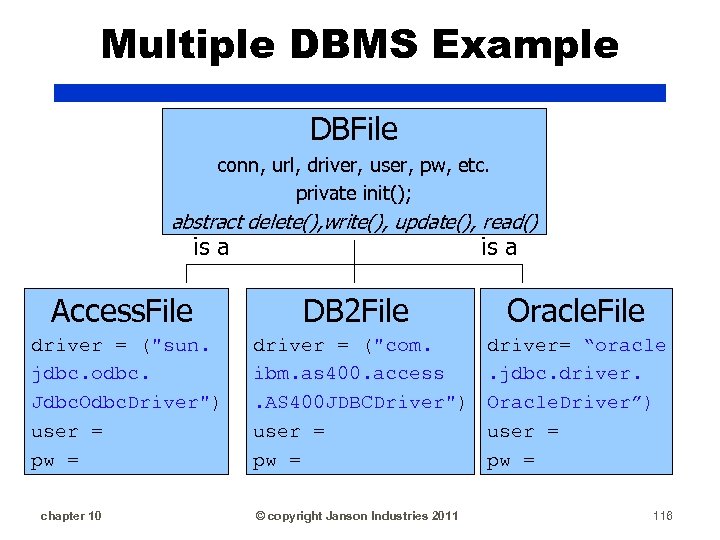
Multiple DBMS Example DBFile conn, url, driver, user, pw, etc. private init(); abstract delete(), write(), update(), read() is a Access. File DB 2 File Oracle. File driver = ("sun. jdbc. odbc. Jdbc. Odbc. Driver") user = pw = driver = ("com. ibm. as 400. access. AS 400 JDBCDriver") user = pw = driver= “oracle. jdbc. driver. Oracle. Driver”) user = pw = chapter 10 © copyright Janson Industries 2011 116
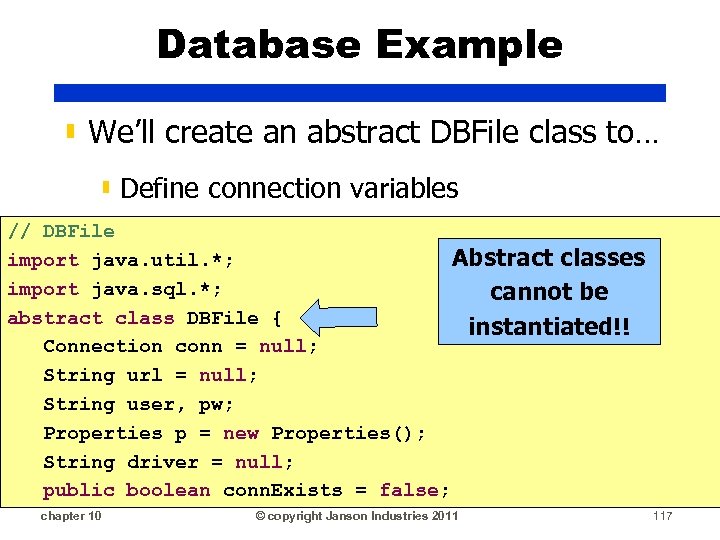
Database Example ▮ We’ll create an abstract DBFile class to… ▮ Define connection variables // DBFile Abstract classes import java. util. *; import java. sql. *; cannot be abstract class DBFile { instantiated!! Connection conn = null; String url = null; String user, pw; Properties p = new Properties(); String driver = null; public boolean conn. Exists = false; chapter 10 © copyright Janson Industries 2011 117
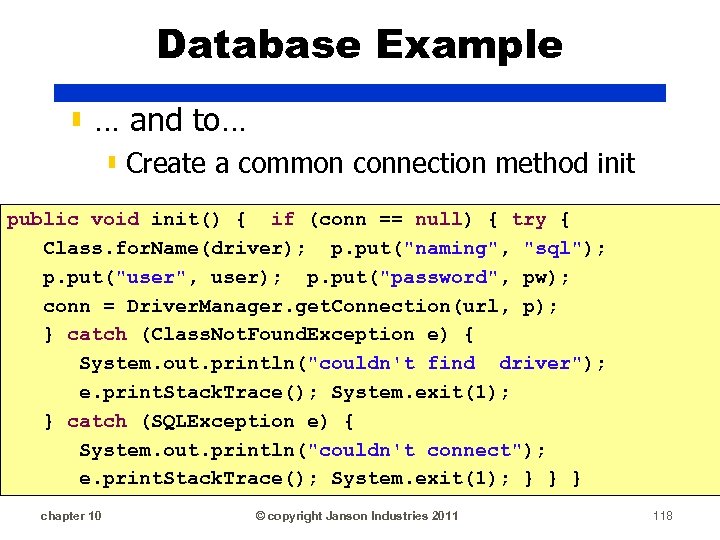
Database Example ▮ … and to… ▮ Create a common connection method init public void init() { if (conn == null) { try { Class. for. Name(driver); p. put("naming", "sql"); p. put("user", user); p. put("password", pw); conn = Driver. Manager. get. Connection(url, p); } catch (Class. Not. Found. Exception e) { System. out. println("couldn't find driver"); e. print. Stack. Trace(); System. exit(1); } catch (SQLException e) { System. out. println("couldn't connect"); e. print. Stack. Trace(); System. exit(1); } } } chapter 10 © copyright Janson Industries 2011 118
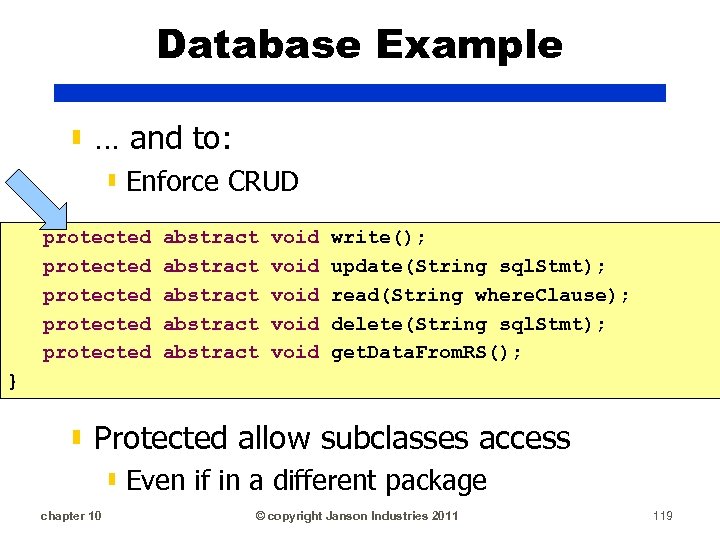
Database Example ▮ … and to: ▮ Enforce CRUD protected protected abstract abstract void void write(); update(String sql. Stmt); read(String where. Clause); delete(String sql. Stmt); get. Data. From. RS(); } ▮ Protected allow subclasses access ▮ Even if in a different package chapter 10 © copyright Janson Industries 2011 119
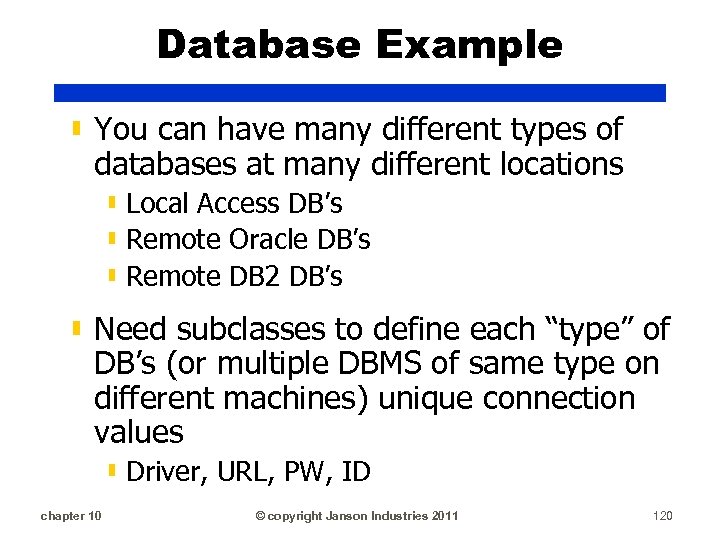
Database Example ▮ You can have many different types of databases at many different locations ▮ Local Access DB’s ▮ Remote Oracle DB’s ▮ Remote DB 2 DB’s ▮ Need subclasses to define each “type” of DB’s (or multiple DBMS of same type on different machines) unique connection values ▮ Driver, URL, PW, ID chapter 10 © copyright Janson Industries 2011 120
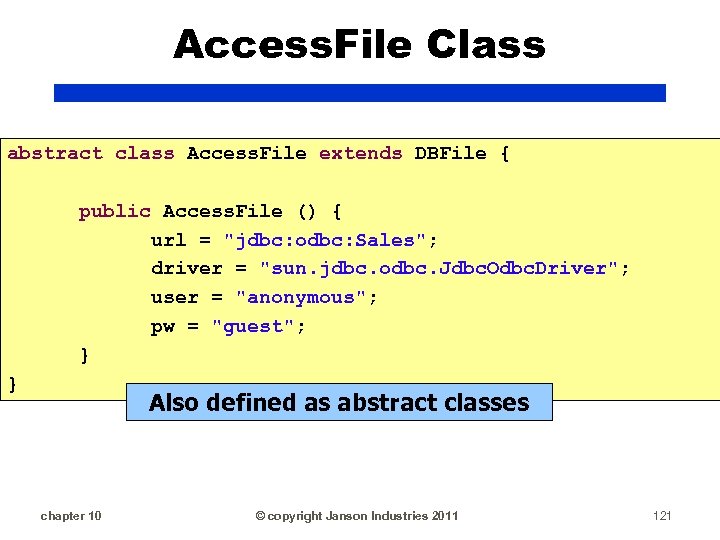
Access. File Class abstract class Access. File extends DBFile { public Access. File () { url = "jdbc: odbc: Sales"; driver = "sun. jdbc. odbc. Jdbc. Odbc. Driver"; user = "anonymous"; pw = "guest"; } } Also defined as abstract classes chapter 10 © copyright Janson Industries 2011 121
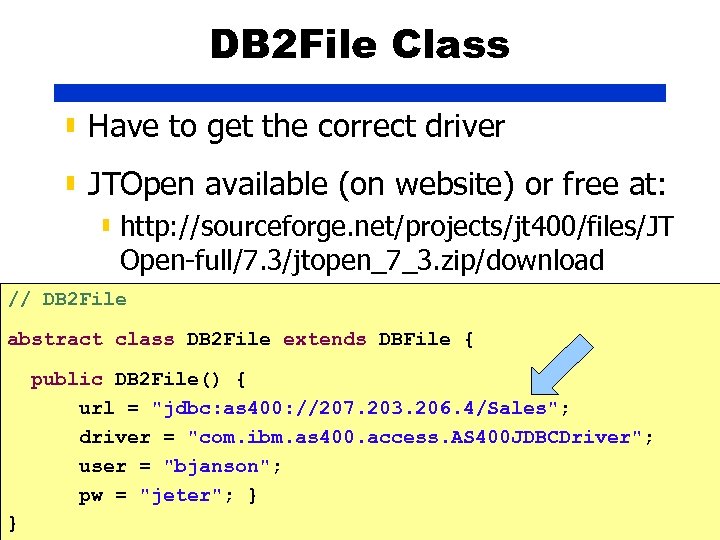
DB 2 File Class ▮ Have to get the correct driver ▮ JTOpen available (on website) or free at: ▮ http: //sourceforge. net/projects/jt 400/files/JT Open-full/7. 3/jtopen_7_3. zip/download // DB 2 File abstract class DB 2 File extends DBFile { public DB 2 File() { url = "jdbc: as 400: //207. 203. 206. 4/Sales"; driver = "com. ibm. as 400. access. AS 400 JDBCDriver"; user = "bjanson"; pw = "jeter"; } } chapter 10 © copyright Janson Industries 2011 122
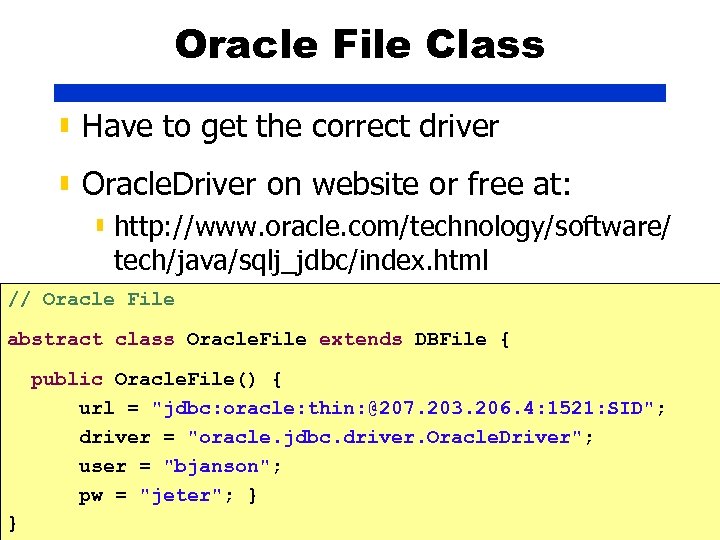
Oracle File Class ▮ Have to get the correct driver ▮ Oracle. Driver on website or free at: ▮ http: //www. oracle. com/technology/software/ tech/java/sqlj_jdbc/index. html // Oracle File abstract class Oracle. File extends DBFile { public Oracle. File() { url = "jdbc: oracle: thin: @207. 203. 206. 4: 1521: SID"; driver = "oracle. jdbc. driver. Oracle. Driver"; user = "bjanson"; pw = "jeter"; } } chapter 10 © copyright Janson Industries 2011 123
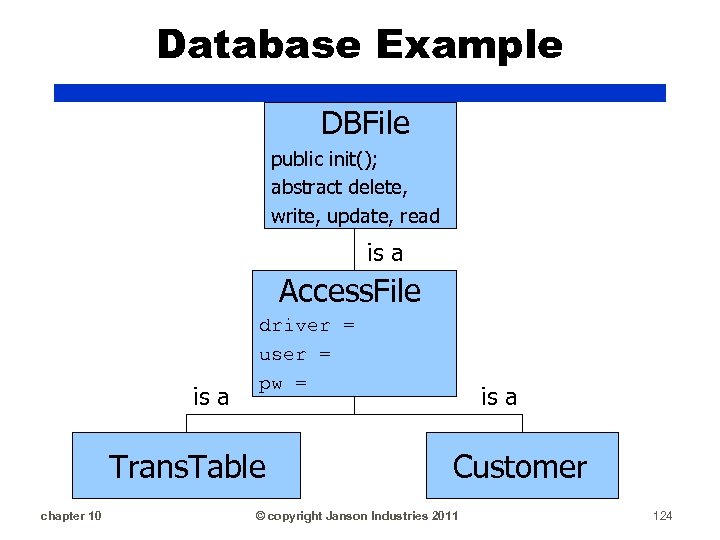
Database Example DBFile public init(); abstract delete, write, update, read is a Access. File is a driver = user = pw = Trans. Table chapter 10 is a Customer © copyright Janson Industries 2011 124
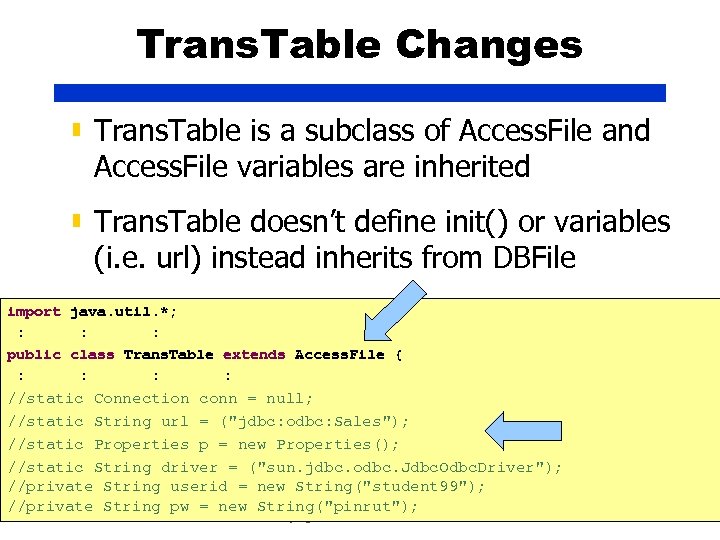
Trans. Table Changes ▮ Trans. Table is a subclass of Access. File and Access. File variables are inherited ▮ Trans. Table doesn’t define init() or variables (i. e. url) instead inherits from DBFile import java. util. *; : : : public class Trans. Table extends Access. File { : : //static Connection conn = null; //static String url = ("jdbc: odbc: Sales"); //static Properties p = new Properties(); //static String driver = ("sun. jdbc. odbc. Jdbc. Odbc. Driver"); //private String userid = new String("student 99"); //private String pw = new String("pinrut"); chapter 10 © copyright Janson Industries 2011 125
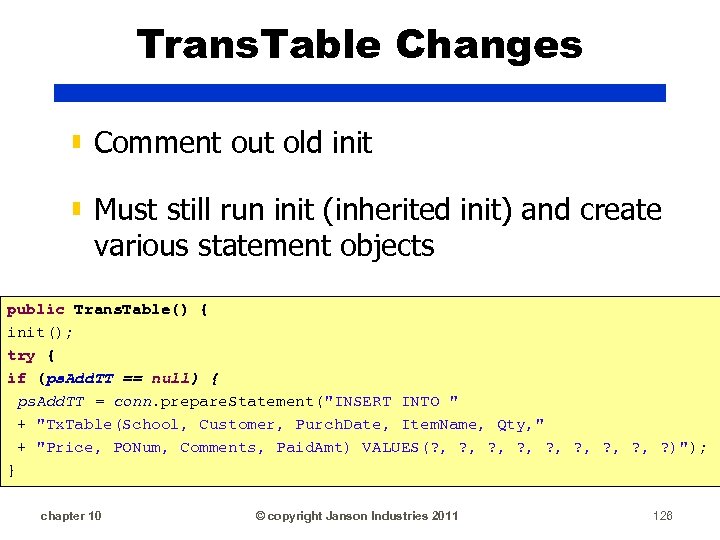
Trans. Table Changes ▮ Comment out old init ▮ Must still run init (inherited init) and create various statement objects public Trans. Table() { init(); try { if (ps. Add. TT == null) { ps. Add. TT = conn. prepare. Statement("INSERT INTO " + "Tx. Table(School, Customer, Purch. Date, Item. Name, Qty, " + "Price, PONum, Comments, Paid. Amt) VALUES(? , ? , ? )"); } chapter 10 © copyright Janson Industries 2011 126
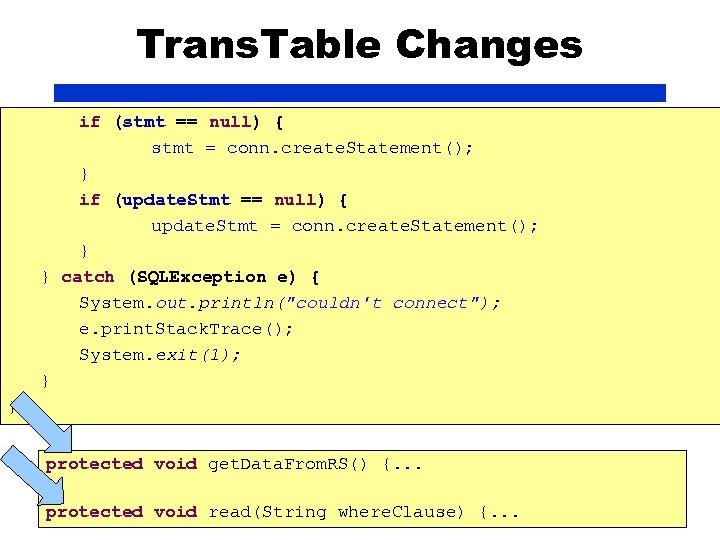
Trans. Table Changes if (stmt == null) { stmt = conn. create. Statement(); } if (update. Stmt == null) { update. Stmt = conn. create. Statement(); } } catch (SQLException e) { System. out. println("couldn't connect"); e. print. Stack. Trace(); System. exit(1); } } protected void get. Data. From. RS() {. . . protected chapter 10 void read(String. Janson Industries 2011 {. . . © copyright where. Clause) 127
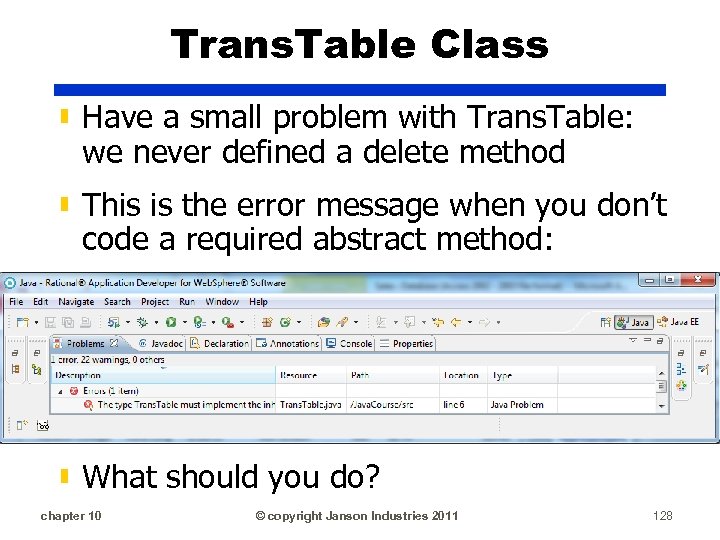
Trans. Table Class ▮ Have a small problem with Trans. Table: we never defined a delete method ▮ This is the error message when you don’t code a required abstract method: ▮ What should you do? chapter 10 © copyright Janson Industries 2011 128
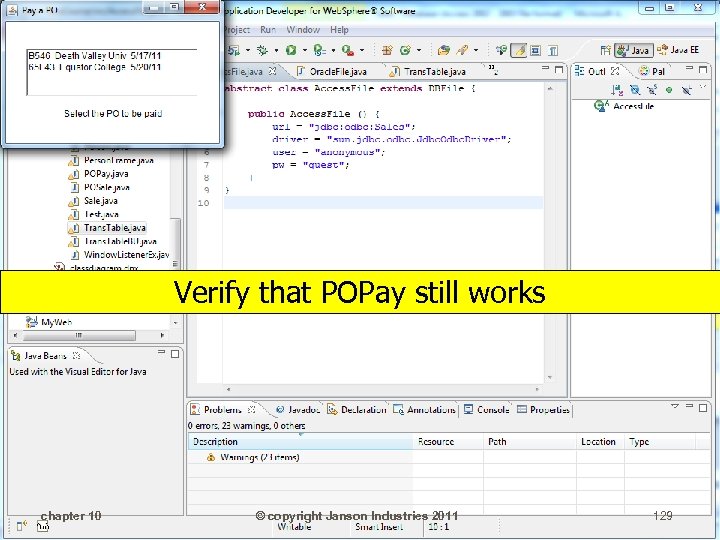
Verify that POPay still works chapter 10 © copyright Janson Industries 2011 129
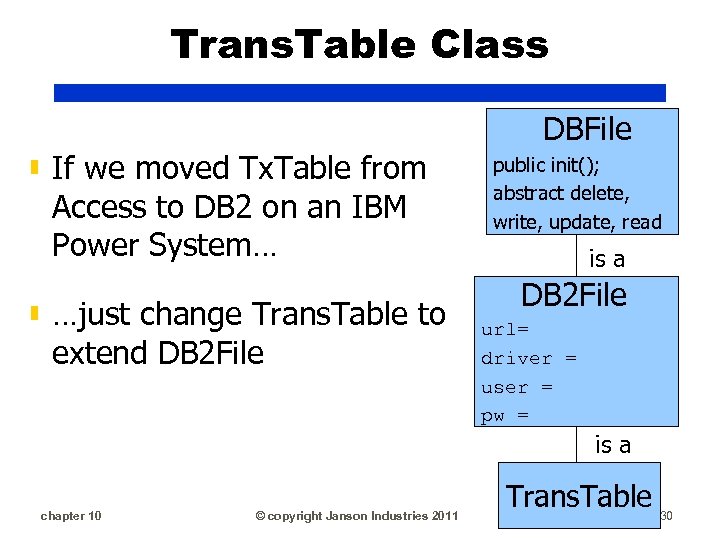
Trans. Table Class ▮ If we moved Tx. Table from Access to DB 2 on an IBM Power System… ▮ …just change Trans. Table to extend DB 2 File DBFile public init(); abstract delete, write, update, read is a DB 2 File url= driver = user = pw = is a chapter 10 © copyright Janson Industries 2011 Trans. Table 130
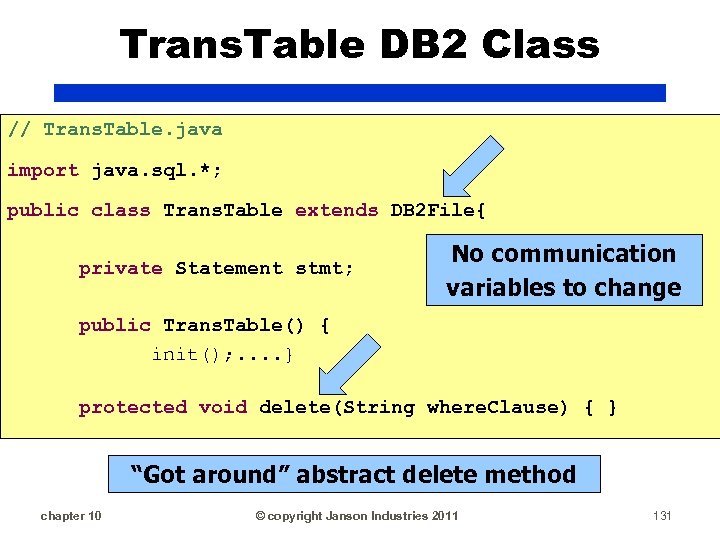
Trans. Table DB 2 Class // Trans. Table. java import java. sql. *; public class Trans. Table extends DB 2 File{ private Statement stmt; No communication variables to change public Trans. Table() { init(); . . } protected void delete(String where. Clause) { } “Got around” abstract delete method chapter 10 © copyright Janson Industries 2011 131
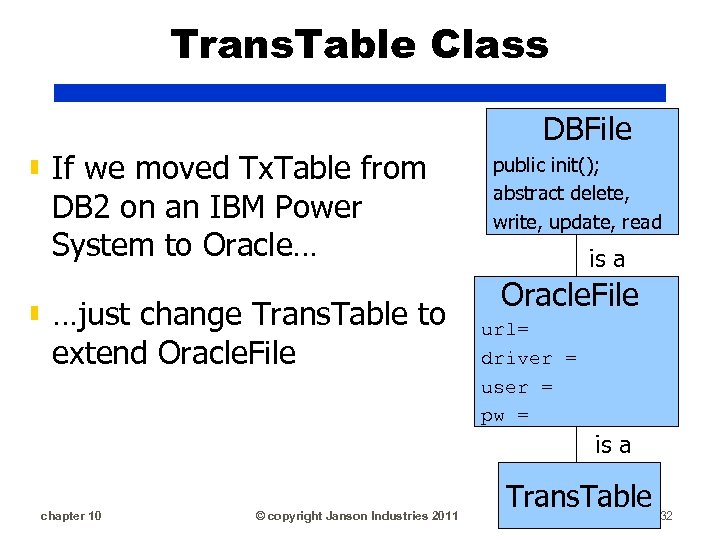
Trans. Table Class ▮ If we moved Tx. Table from DB 2 on an IBM Power System to Oracle… ▮ …just change Trans. Table to extend Oracle. File DBFile public init(); abstract delete, write, update, read is a Oracle. File url= driver = user = pw = is a chapter 10 © copyright Janson Industries 2011 Trans. Table 132
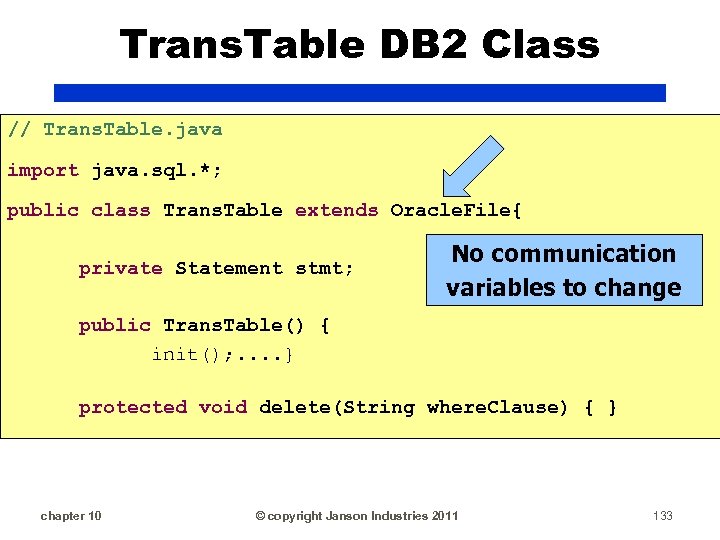
Trans. Table DB 2 Class // Trans. Table. java import java. sql. *; public class Trans. Table extends Oracle. File{ private Statement stmt; No communication variables to change public Trans. Table() { init(); . . } protected void delete(String where. Clause) { } chapter 10 © copyright Janson Industries 2011 133
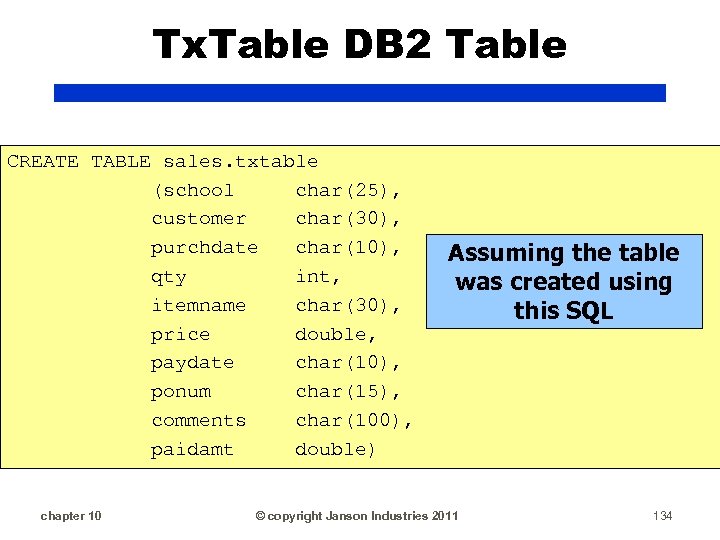
Tx. Table DB 2 Table CREATE TABLE sales. txtable (school char(25), customer char(30), purchdate char(10), qty int, itemname char(30), price double, paydate char(10), ponum char(15), comments char(100), paidamt double) chapter 10 Assuming the table was created using this SQL © copyright Janson Industries 2011 134
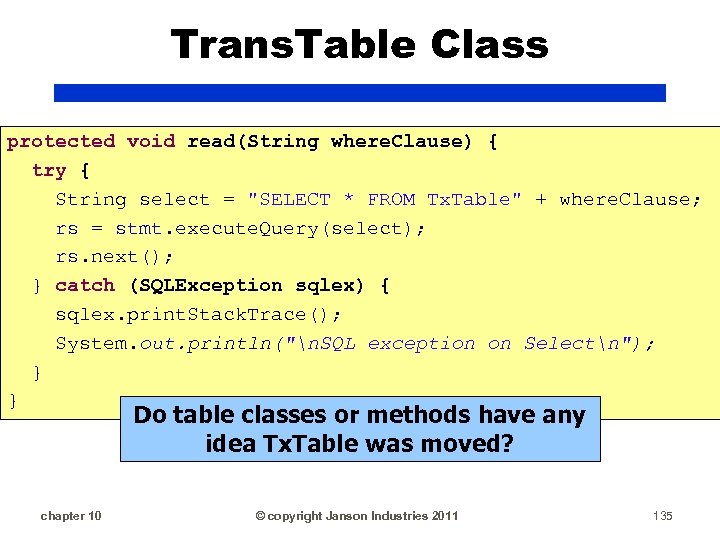
Trans. Table Class protected void read(String where. Clause) { try { String select = "SELECT * FROM Tx. Table" + where. Clause; rs = stmt. execute. Query(select); rs. next(); } catch (SQLException sqlex) { sqlex. print. Stack. Trace(); System. out. println("n. SQL exception on Selectn"); } } Do table classes or methods have any idea Tx. Table was moved? chapter 10 © copyright Janson Industries 2011 135
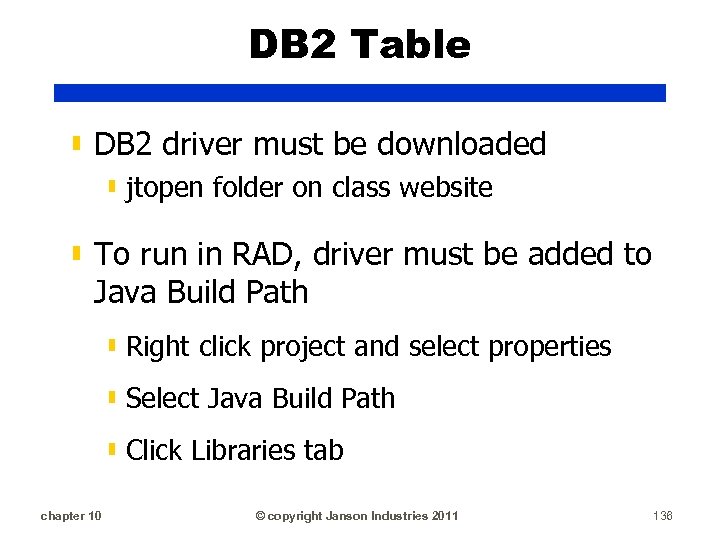
DB 2 Table ▮ DB 2 driver must be downloaded ▮ jtopen folder on class website ▮ To run in RAD, driver must be added to Java Build Path ▮ Right click project and select properties ▮ Select Java Build Path ▮ Click Libraries tab chapter 10 © copyright Janson Industries 2011 136
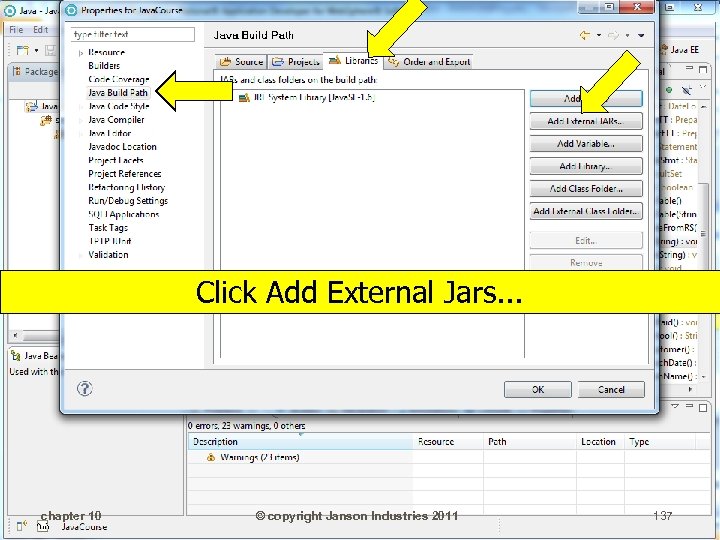
Click Add External Jars. . . chapter 10 © copyright Janson Industries 2011 137
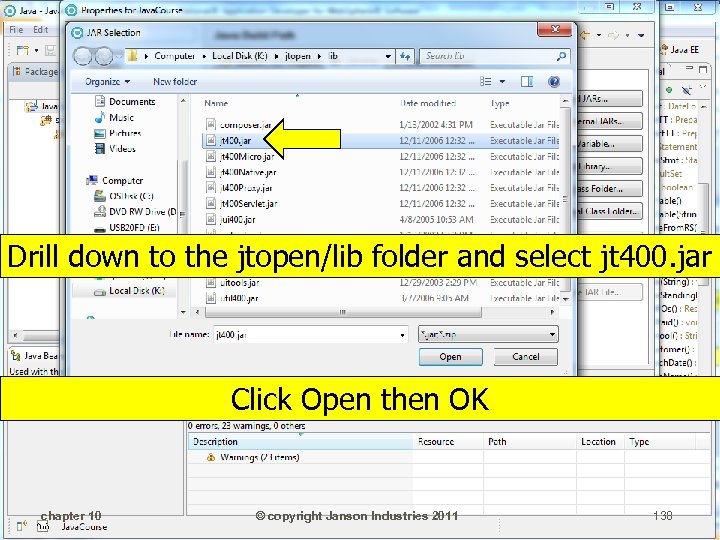
Drill down to the jtopen/lib folder and select jt 400. jar Click Open then OK chapter 10 © copyright Janson Industries 2011 138
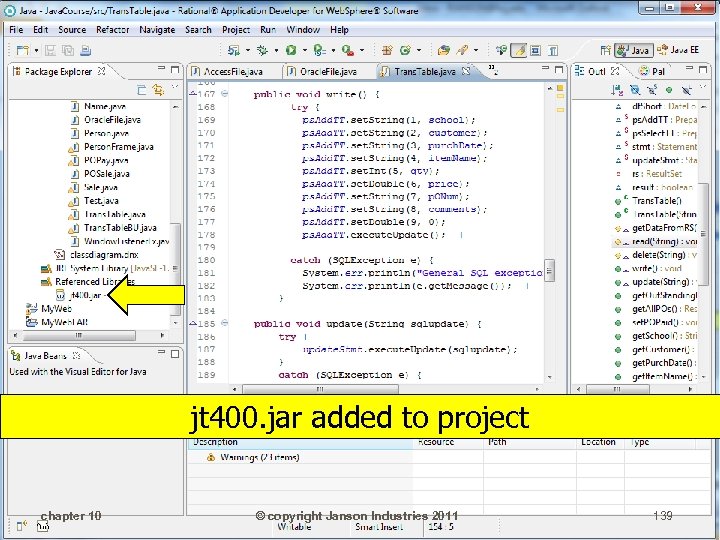
jt 400. jar added to project chapter 10 © copyright Janson Industries 2011 139
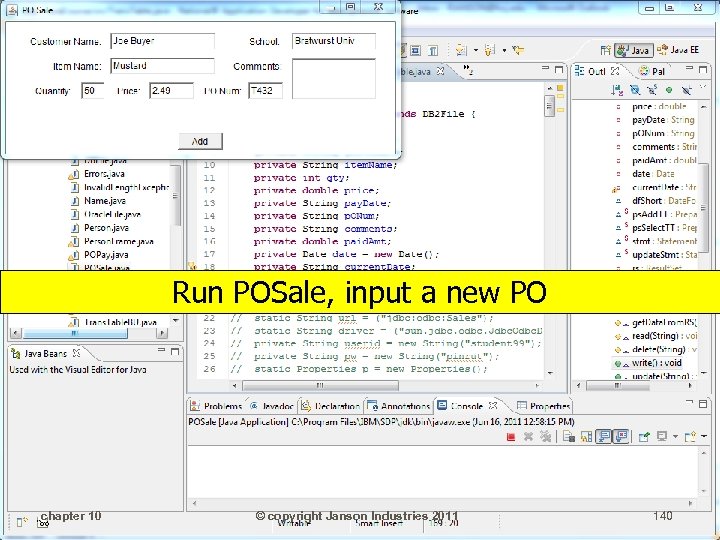
Run POSale, input a new PO chapter 10 © copyright Janson Industries 2011 140
chapter 10 © copyright Janson Industries 2011 141
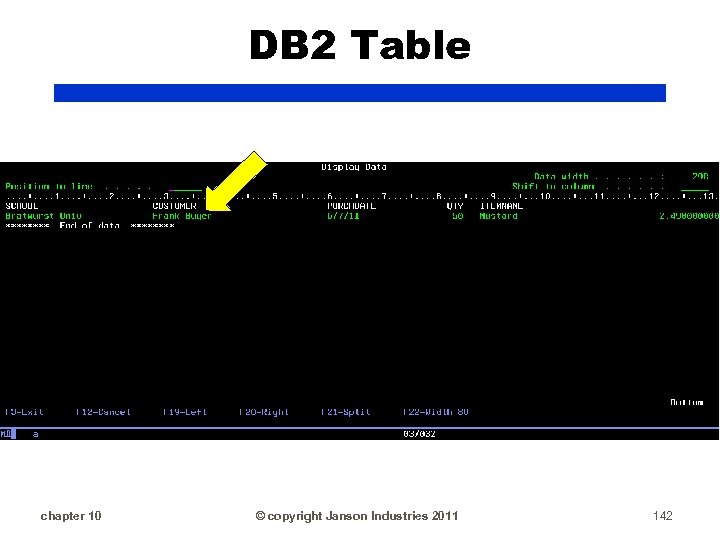
DB 2 Table chapter 10 © copyright Janson Industries 2011 142
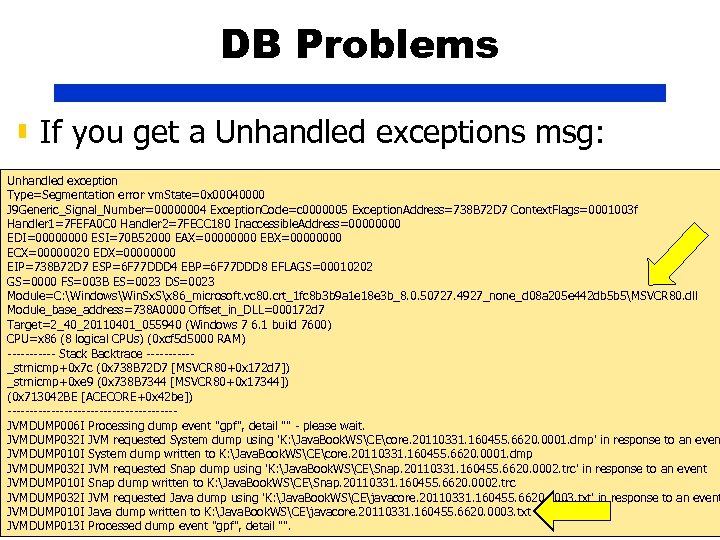
DB Problems ▮ If you get a Unhandled exceptions msg: Unhandled exception Type=Segmentation error vm. State=0 x 00040000 J 9 Generic_Signal_Number=00000004 Exception. Code=c 0000005 Exception. Address=738 B 72 D 7 Context. Flags=0001003 f Handler 1=7 FEFA 0 C 0 Handler 2=7 FECC 180 Inaccessible. Address=0000 EDI=0000 ESI=70 B 52000 EAX=0000 EBX=0000 ECX=00000020 EDX=0000 EIP=738 B 72 D 7 ESP=6 F 77 DDD 4 EBP=6 F 77 DDD 8 EFLAGS=00010202 GS=0000 FS=003 B ES=0023 DS=0023 Module=C: WindowsWin. Sx. Sx 86_microsoft. vc 80. crt_1 fc 8 b 3 b 9 a 1 e 18 e 3 b_8. 0. 50727. 4927_none_d 08 a 205 e 442 db 5 b 5MSVCR 80. dll Module_base_address=738 A 0000 Offset_in_DLL=000172 d 7 Target=2_40_20110401_055940 (Windows 7 6. 1 build 7600) CPU=x 86 (8 logical CPUs) (0 xcf 5 d 5000 RAM) ------ Stack Backtrace -----_strnicmp+0 x 7 c (0 x 738 B 72 D 7 [MSVCR 80+0 x 172 d 7]) _strnicmp+0 xe 9 (0 x 738 B 7344 [MSVCR 80+0 x 17344]) (0 x 713042 BE [ACECORE+0 x 42 be]) -------------------JVMDUMP 006 I Processing dump event "gpf", detail "" - please wait. JVMDUMP 032 I JVM requested System dump using 'K: Java. Book. WSCEcore. 20110331. 160455. 6620. 0001. dmp' in response to an even JVMDUMP 010 I System dump written to K: Java. Book. WSCEcore. 20110331. 160455. 6620. 0001. dmp JVMDUMP 032 I JVM requested Snap dump using 'K: Java. Book. WSCESnap. 20110331. 160455. 6620. 0002. trc' in response to an event JVMDUMP 010 I Snap dump written to K: Java. Book. WSCESnap. 20110331. 160455. 6620. 0002. trc JVMDUMP 032 I JVM requested Java dump using 'K: Java. Book. WSCEjavacore. 20110331. 160455. 6620. 0003. txt' in response to an event JVMDUMP 010 I 10 dump written to K: Java. Book. WSCEjavacore. 20110331. 160455. 6620. 0003. txt chapter Java © copyright Janson Industries 2011 144 JVMDUMP 013 I Processed dump event "gpf", detail "".
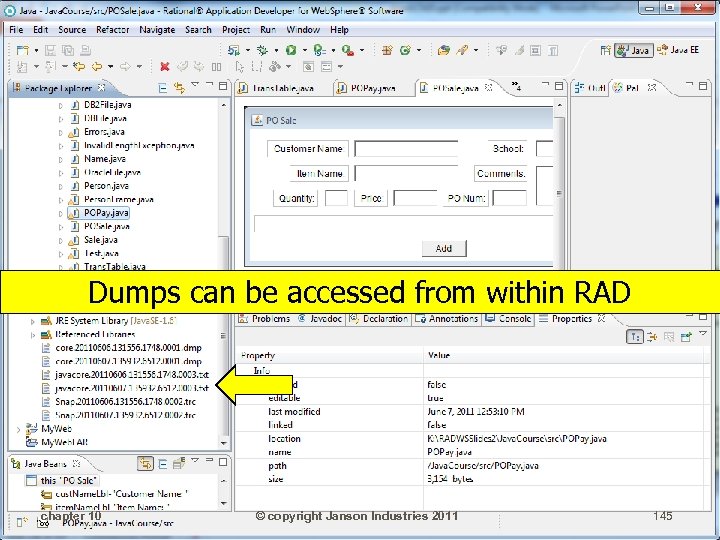
Dumps can be accessed from within RAD chapter 10 © copyright Janson Industries 2011 145
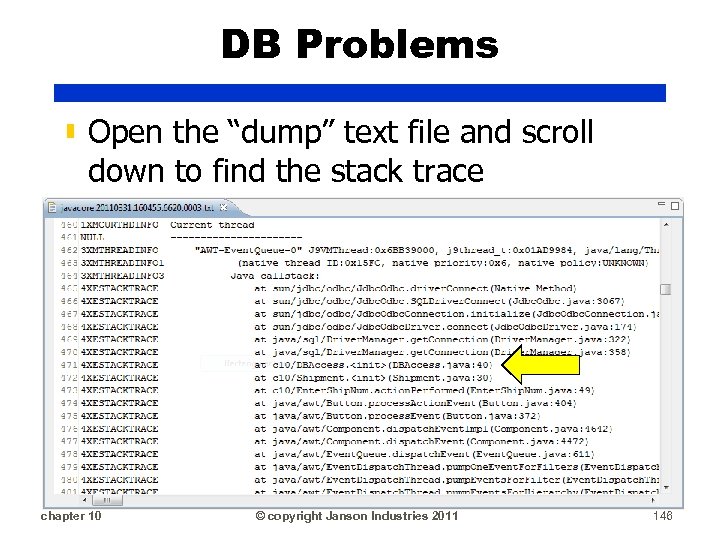
DB Problems ▮ Open the “dump” text file and scroll down to find the stack trace chapter 10 © copyright Janson Industries 2011 146
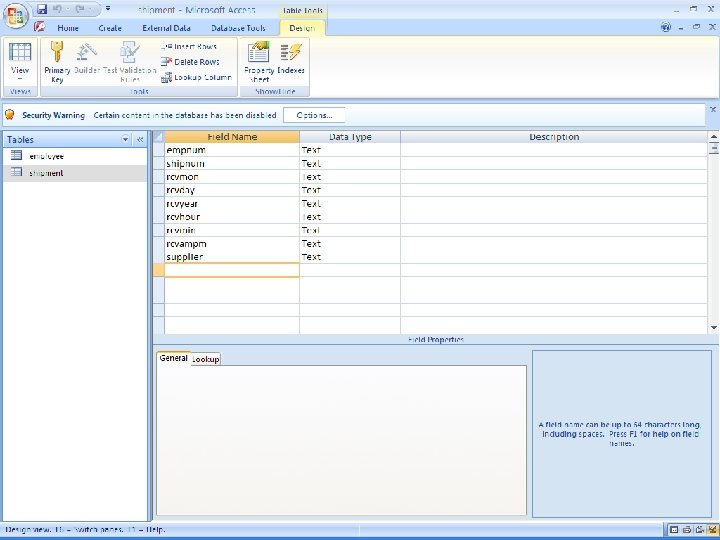
Access Assg ▮ On the class web site is an Access DB called TNTDB that you can download ▮ TNTDB has 2 tables ▮ employee (with employee 111) ▮ shipment chapter 10 © copyright Janson Industries 2011 147
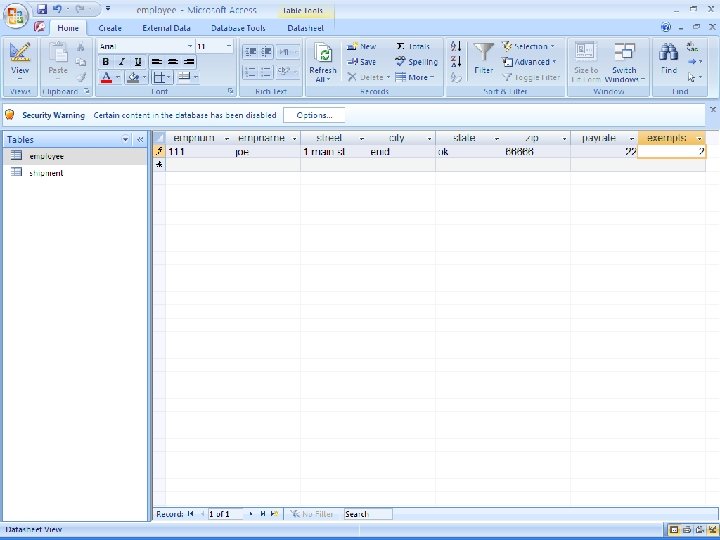
chapter 10 © copyright Janson Industries 2011 148
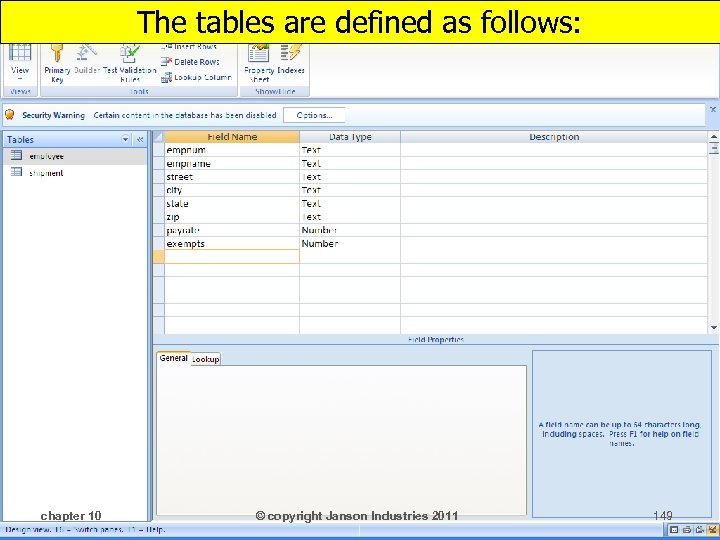
The tables are defined as follows: chapter 10 © copyright Janson Industries 2011 149
chapter 10 © copyright Janson Industries 2011 150
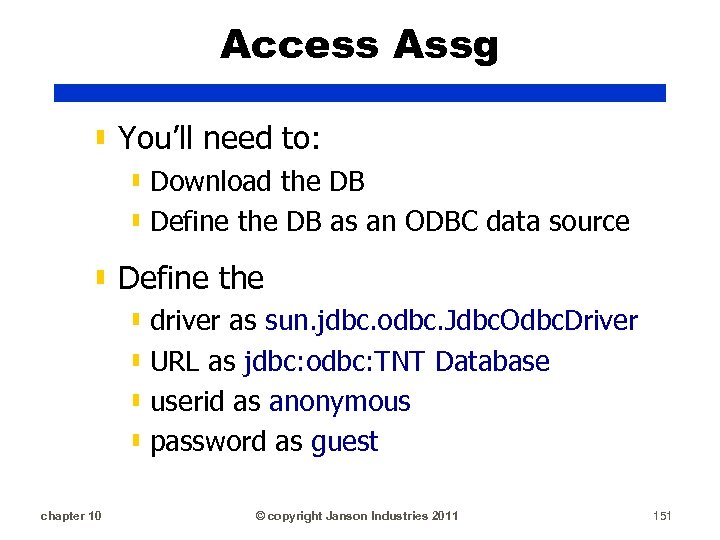
Access Assg ▮ You’ll need to: ▮ Download the DB ▮ Define the DB as an ODBC data source ▮ Define the ▮ driver as sun. jdbc. odbc. Jdbc. Odbc. Driver ▮ URL as jdbc: odbc: TNT Database ▮ userid as anonymous ▮ password as guest chapter 10 © copyright Janson Industries 2011 151
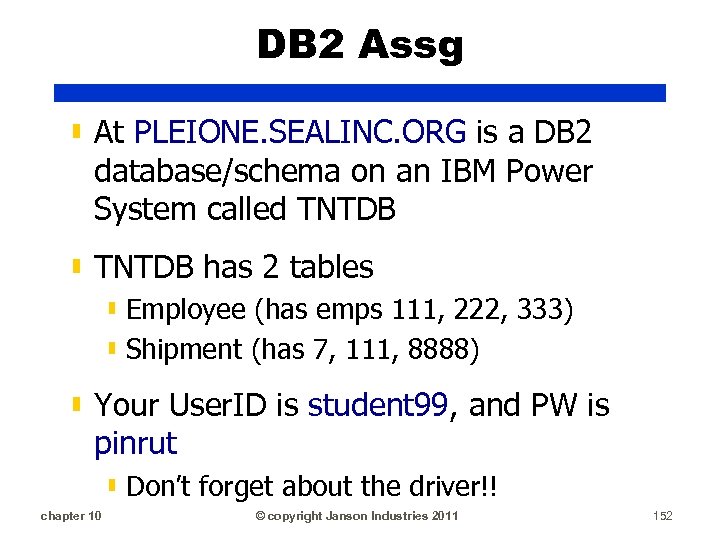
DB 2 Assg ▮ At PLEIONE. SEALINC. ORG is a DB 2 database/schema on an IBM Power System called TNTDB ▮ TNTDB has 2 tables ▮ Employee (has emps 111, 222, 333) ▮ Shipment (has 7, 111, 8888) ▮ Your User. ID is student 99, and PW is pinrut ▮ Don’t forget about the driver!! chapter 10 © copyright Janson Industries 2011 152
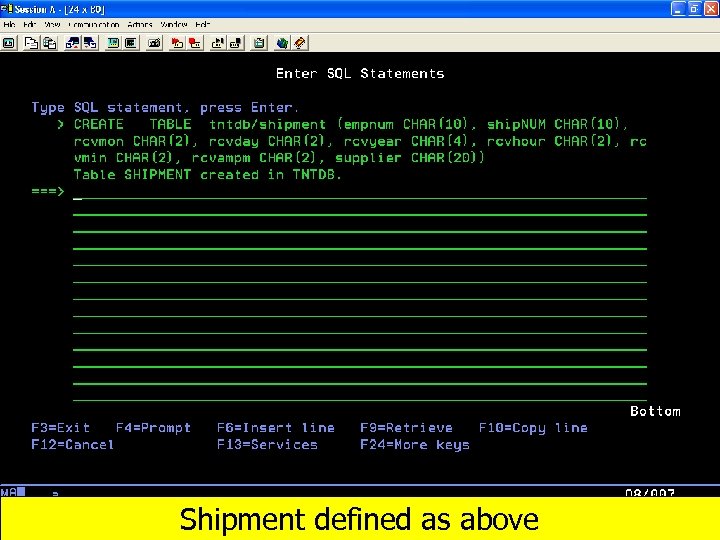
chapter 10 Shipment defined as above © copyright Janson Industries 2011 153
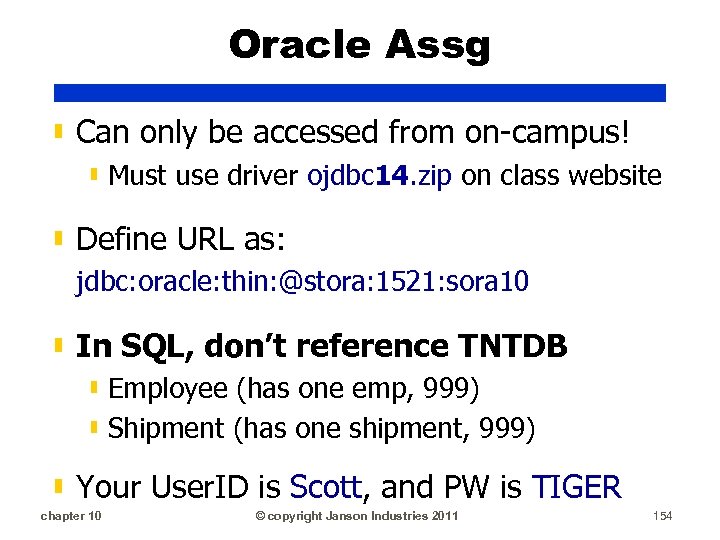
Oracle Assg ▮ Can only be accessed from on-campus! ▮ Must use driver ojdbc 14. zip on class website ▮ Define URL as: jdbc: oracle: thin: @stora: 1521: sora 10 ▮ In SQL, don’t reference TNTDB ▮ Employee (has one emp, 999) ▮ Shipment (has one shipment, 999) ▮ Your User. ID is Scott, and PW is TIGER chapter 10 © copyright Janson Industries 2011 154
Скачать презентацию Database Access JDBC DB Access objects
64a8669a2c3a9e1358670dac2efeaa92.ppt