 Скачать презентацию Data protection and disaster recovery with HP Blade
aa05e5f367884b11f4a3243032d281f0.ppt
- Количество слайдов: 15



Data protection and disaster recovery with HP Blade. System and VMware HP Blade. System Solution Block Speaker name Title © 2007 Hewlett-Packard Development Company, L. P. The information contained herein is subject to change without notice
You've estimated that half of your data protection and disaster recovery budget is wasted The challenge now is figuring out which half We can help
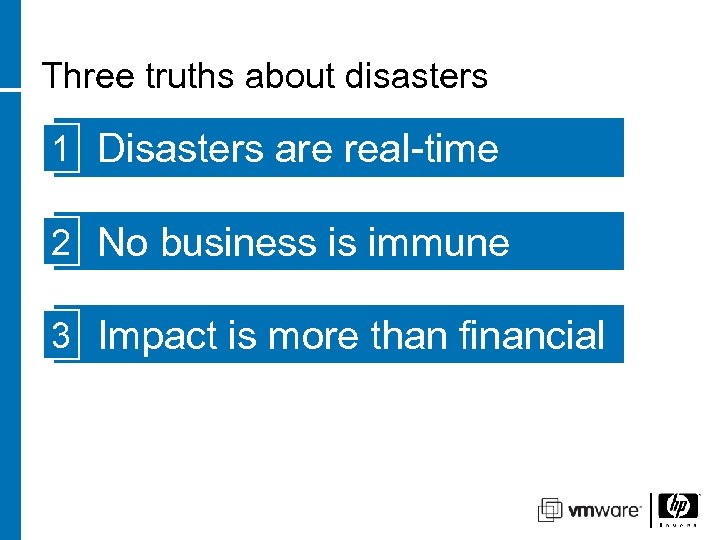
Three truths about disasters 1 Disasters are real-time 2 No business is immune 3 Impact is more than financial
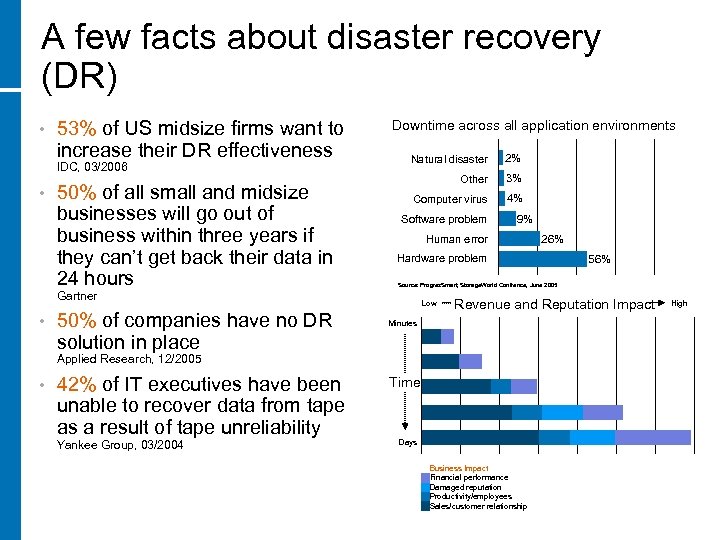
A few facts about disaster recovery (DR) • 53% of US midsize firms want to increase their DR effectiveness IDC, 03/2006 • 50% of all small and midsize businesses will go out of business within three years if they can’t get back their data in 24 hours Downtime across all application environments Natural disaster 2% Other 3% Computer virus 4% Software problem Human error 50% of companies have no DR solution in place 42% of IT executives have been unable to recover data from tape as a result of tape unreliability Yankee Group, 03/2004 56% Source: Progres. Smart, Storage. World Confrence, June 2005 Low Revenue and Reputation Impact Minutes Applied Research, 12/2005 • 26% Hardware problem Gartner • 9% Time Days Business Impact Financial performance Damaged reputation Productivity/employees Sales/customer relationship High
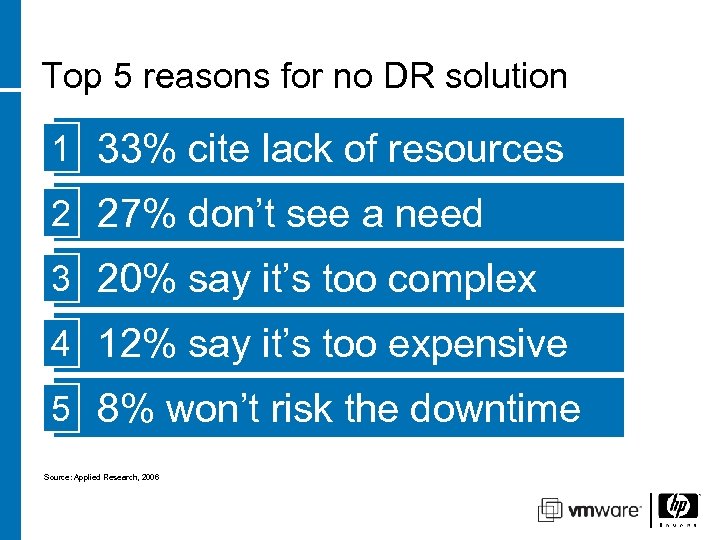
Top 5 reasons for no DR solution 1 33% cite lack of resources 2 27% don’t see a need 3 20% say it’s too complex 4 12% say it’s too expensive 5 8% won’t risk the downtime Source: Applied Research, 2006
Do you feel lucky? • • • Are you willing to gamble on your company’s future? How well protected is your data? How well prepared is your company for a disaster? How would you grade your company’s disaster readiness? 39% of CIOs gave their disaster recovery plans a grade of C or lower
Making the grade • An A+ DR solution varies by company and industry − Priorities for protection and availability vary − Acceptable times for recovery vary − Critical risks vary − One-size-does-NOT-fit-all The choices can be daunting • HP and VMware can help •
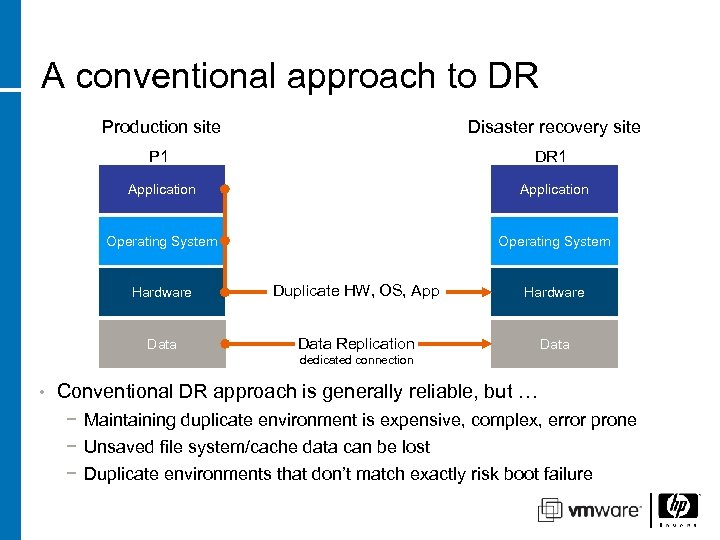
A conventional approach to DR Production site Disaster recovery site P 1 DR 1 Application Operating System Hardware Duplicate HW, OS, App Hardware Data Replication Data dedicated connection • Conventional DR approach is generally reliable, but … − Maintaining duplicate environment is expensive, complex, error prone − Unsaved file system/cache data can be lost − Duplicate environments that don’t match exactly risk boot failure
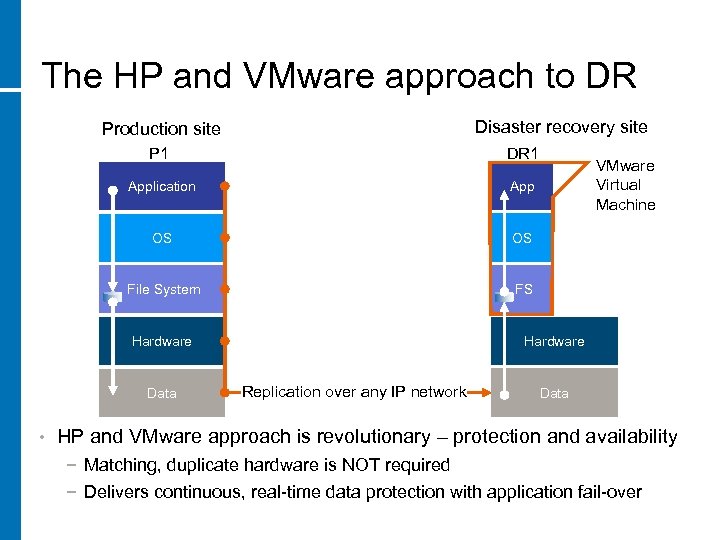
The HP and VMware approach to DR Disaster recovery site Production site P 1 DR 1 Application App OS OS File System FS Hardware Data • VMware Virtual Machine Replication over any IP network Data HP and VMware approach is revolutionary – protection and availability − Matching, duplicate hardware is NOT required − Delivers continuous, real-time data protection with application fail-over
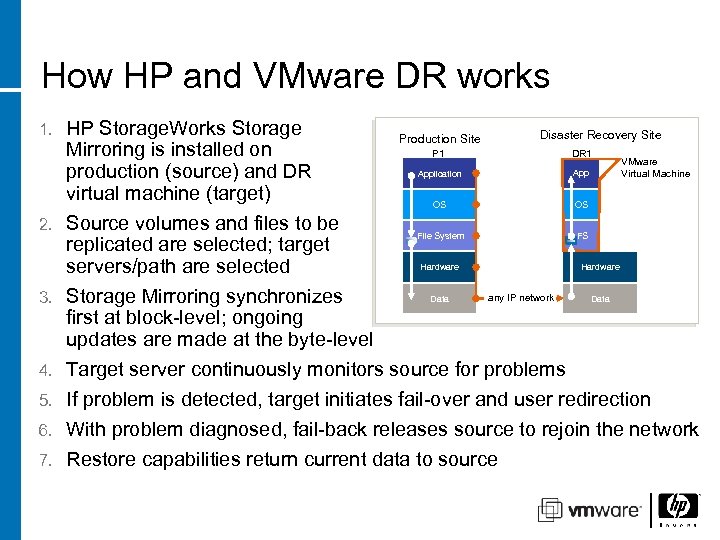
How HP and VMware DR works 1. 2. 3. 4. 5. 6. 7. HP Storage. Works Storage Disaster Recovery Site Production Site Mirroring is installed on P 1 DR 1 VMware Application Virtual Machine production (source) and DR virtual machine (target) OS OS Source volumes and files to be FS File System replicated are selected; target Hardware servers/path are selected any IP network Data Storage Mirroring synchronizes first at block-level; ongoing updates are made at the byte-level Target server continuously monitors source for problems If problem is detected, target initiates fail-over and user redirection With problem diagnosed, fail-back releases source to rejoin the network Restore capabilities return current data to source
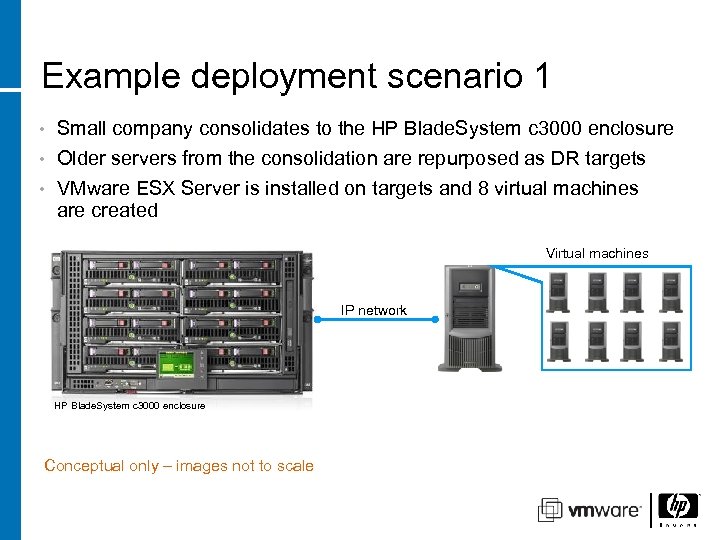
Example deployment scenario 1 Small company consolidates to the HP Blade. System c 3000 enclosure • Older servers from the consolidation are repurposed as DR targets • • VMware ESX Server is installed on targets and 8 virtual machines are created Virtual machines IP network HP Blade. System c 3000 enclosure Conceptual only – images not to scale
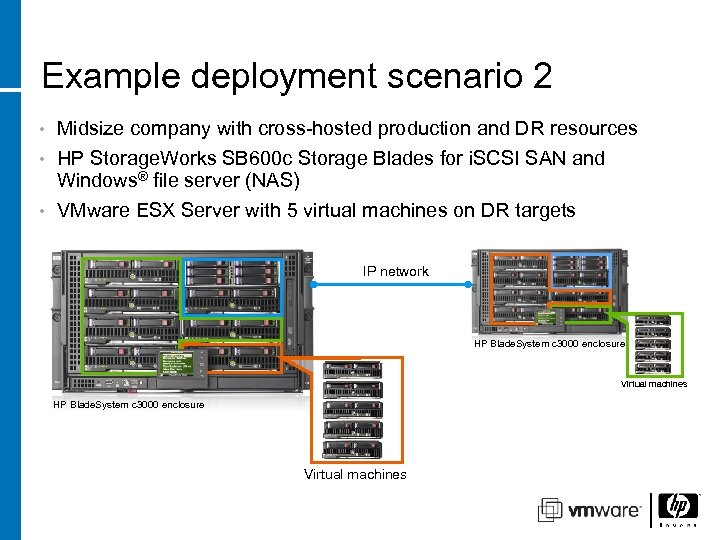
Example deployment scenario 2 Midsize company with cross-hosted production and DR resources • HP Storage. Works SB 600 c Storage Blades for i. SCSI SAN and Windows® file server (NAS) • VMware ESX Server with 5 virtual machines on DR targets • IP network HP Blade. System c 3000 enclosure Virtual machines
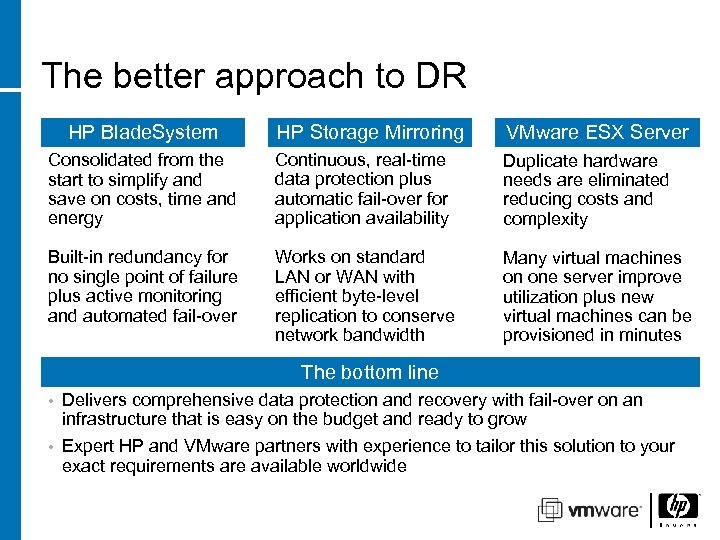
The better approach to DR HP Storage Mirroring VMware ESX Server Consolidated from the start to simplify and save on costs, time and energy Continuous, real-time data protection plus automatic fail-over for application availability Duplicate hardware needs are eliminated reducing costs and complexity Built-in redundancy for no single point of failure plus active monitoring and automated fail-over Works on standard LAN or WAN with efficient byte-level replication to conserve network bandwidth Many virtual machines on one server improve utilization plus new virtual machines can be provisioned in minutes HP Blade. System The bottom line Delivers comprehensive data protection and recovery with fail-over on an infrastructure that is easy on the budget and ready to grow • Expert HP and VMware partners with experience to tailor this solution to your exact requirements are available worldwide •
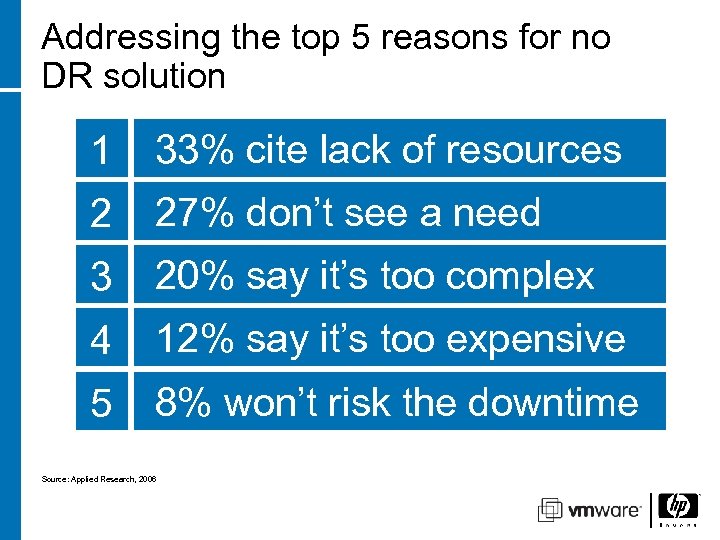
Addressing the top 5 reasons for no DR solution 1 33% cite lack of resources 2 27% don’t see a need 3 20% say it’s too complex 4 12% say it’s too expensive 5 8% won’t risk the downtime Ability to redeploy hardware Add new hardware in less time 50% of midsize companies down for more than 24 hours go out of business HP and Partner Services make implementation easier Ability to redeploy reduces costs Source: Applied Research, 2006 Ability to replicate data in real-time minimizes downtime during transition
Take the next step • Contact your HP representative to arrange for an evaluation of your business environment HP Blade. System and VMware solutions: http: //www. hp. com/go/bladesolutions/vmware
Скачать презентацию Data protection and disaster recovery with HP Blade
aa05e5f367884b11f4a3243032d281f0.ppt