


 Скачать презентацию Current and Future Trends in Technologies for Teaching
572da4311dc12add02c819ea02fbd4b1.ppt
- Количество слайдов: 180
 Current and Future Trends in Technologies for Teaching FSI 2005 Governors State University
 E-Portfolios Source: elearnspace. http: //www. elearnspace. org/Articles/eportfolios. htm
 What are e-Portfolios? Digital resource that n n Includes personal artifacts (papers, projects, multimedia files, etc. ) and instructor comments Demonstrates professional or academic performance and growth Allows for flexible expression (i. e. customized folders and site areas to meet the skill requirements of a particular discipline Permits access to varied interested parties (instructors, peers, potential employers, parents)
 Advantages of e-Portfolios Portability - you can access it from anywhere, unlike an often-sizeable paper copy Media-richness - the ability to easily include graphics, audio, video and so on Ease of repurposing - you can easily create several versions of your e-Portfolio for several different audiences Control of access - you control who sees it, and for how long Organizational ability - e-Portfolios are great for organizing a large amount of information, and keeping it all in one place
 Example Portfolios STUDENT PORTFOLIOS n n http: //durak. org/kathy/portfolio - "Kathleen Fischer's Portfolio" http: //portfolios. music. ufl. edu/dmartinez/index. html - David W. Martinez FACULTY PORTFOLIO n http: //www. coe. ilstu. edu/jabraun/profes sional. html
 RSS Great Possibilities!
 RSS stands for: Really Simple Syndication Think of it as your own personal AP service on topics of your choice.
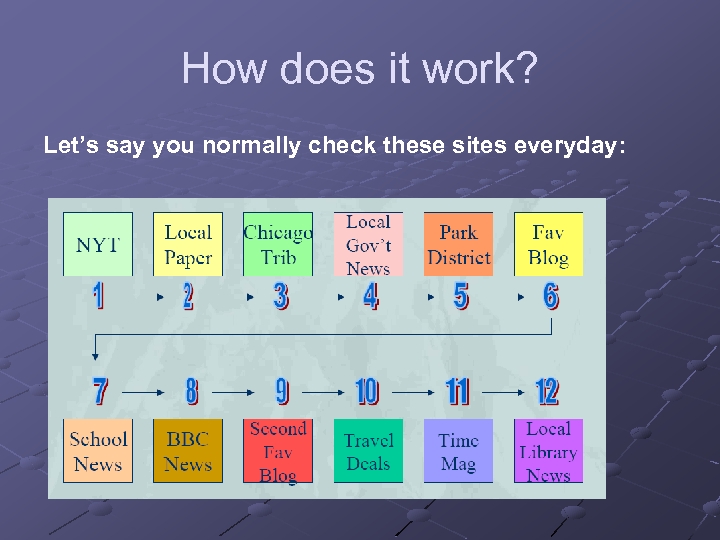
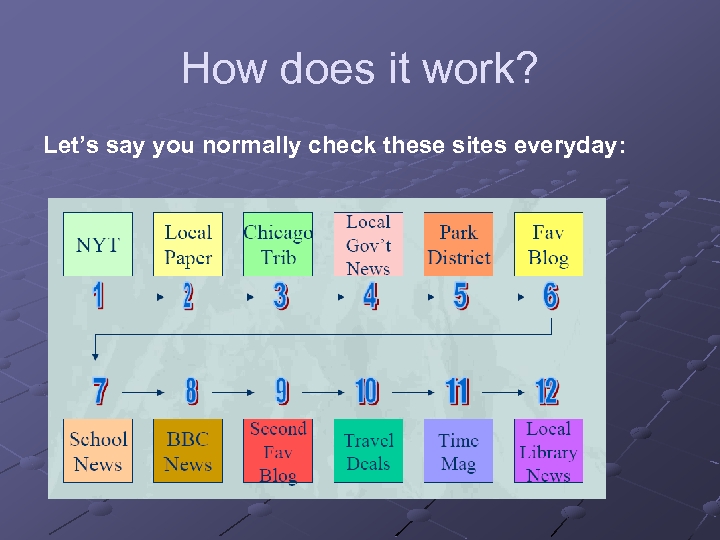 How does it work? Let’s say you normally check these sites everyday:
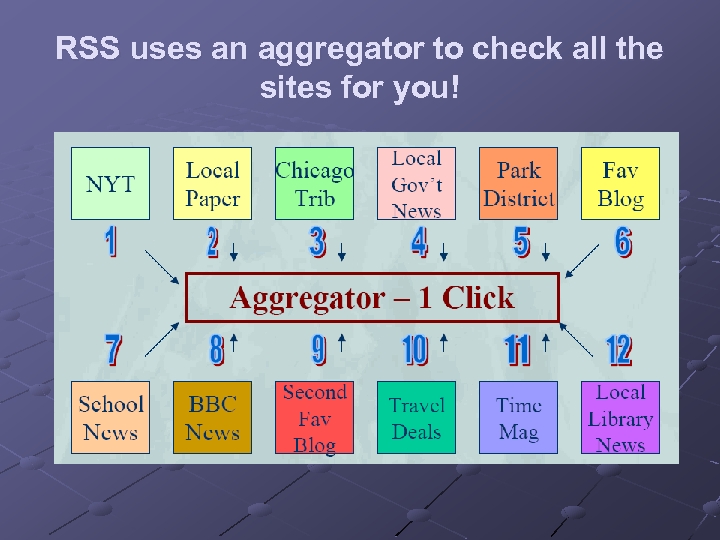 RSS uses an aggregator to check all the sites for you!
 So what’s an aggregator? A piece of software Desktop (on your computer) or Webbased (on a server somewhere) Recommended: http: //www. bloglines. com 3 -pane view is becoming the standard (looks like Outlook)
 What does the aggregator actually do? Aggregator scans every site you’re subscribed to, usually every hour, so you don’t have to No longer have to wonder if there is new content Any time new content is posted to that page, and therefore to the RSS file, it appears in your aggregator
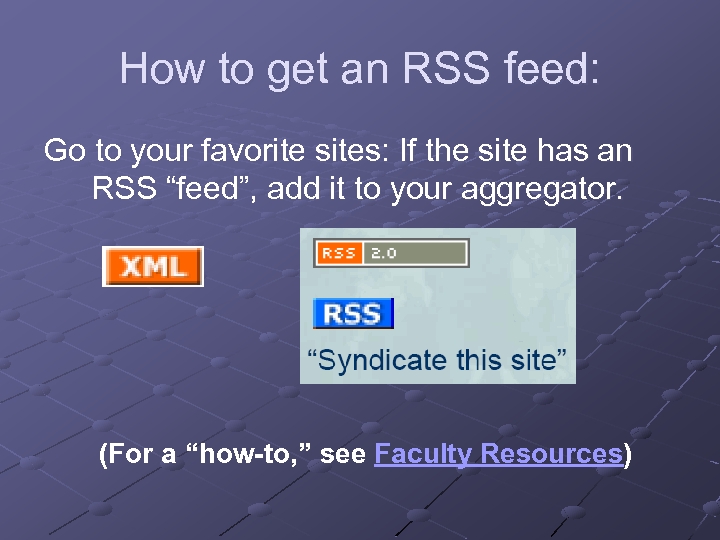 How to get an RSS feed: Go to your favorite sites: If the site has an RSS “feed”, add it to your aggregator. (For a “how-to, ” see Faculty Resources)
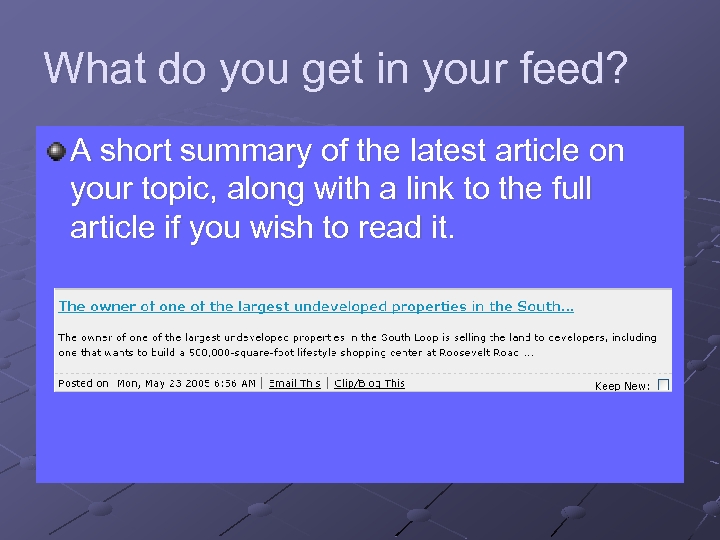 What do you get in your feed? A short summary of the latest article on your topic, along with a link to the full article if you wish to read it.
 So what can I use RSS for? Post it in your Web. CT course: Use it to push out Announcements to your class Nursing: latest developments in specific disease treatments; bioethics Annotated New York Times Government feeds: http: //www. firstgov. gov/Topics/Referen ce_Shelf/Libraries/RSS_Library. shtml
 Student Research Projects Have students search topics + RSS feeds n Examples: Juvenile Diabetes Earthquake predictions Commentary on recent films The notebooks of Leonardo Da. Vinci Political cartoons Trace a bill through Congress Follow stem cell debate
 For More Information & Ideas: To read more about RSS: http: //www. whatisrss. com/ http: //rss. softwaregarden. com/aboutrss. ht ml To set up RSS: Go to our online tutorial
 Podcasting
 Podcasting is a method of publishing sound files to the Internet, allowing users to subscribe to a feed and receive new audio files automatically. Wikipedia definition: http: //en. wikipedia. org/wiki/Podcasting
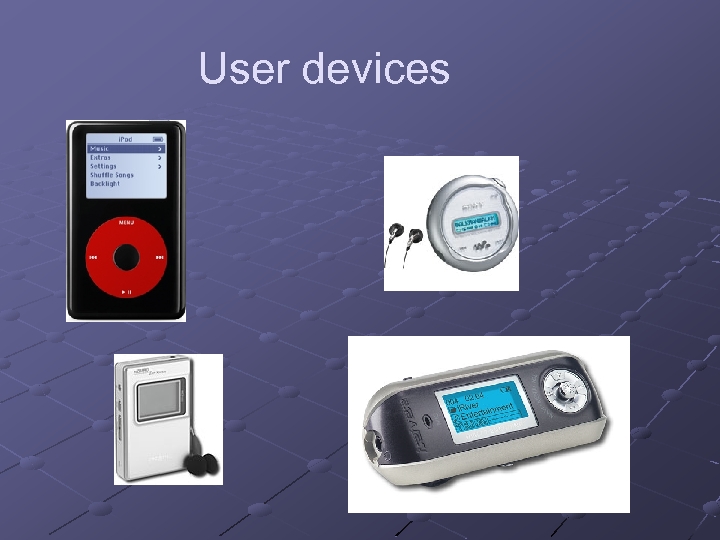 User devices
 So What’s Special? Uses RSS technology Time shift listening schedule Users can subscribe Automatic check for new material Specialized home-grown broadcasters
 How is it being used? Special interest broadcasts Audio blogs Commercial radio stations Tutoring Unofficial museum tours
 What do I need to listen? Digital audio device Software- http: //www. dopplerradio. net/ or: http: //ipodder. sourceforge. net/index. php List of podcast sites Time to sort through the chaff
 What do I need to create? Microphone Software- i. Podcast Creator Pod. Producer (free) Max- full radio studio Tutorial
 Where can I find available podcasts? http: //www. ipodder. org/ Sharak’s site: http: //www. linkagogo. com/go/Members/Sh arakh/Audio+sites/Podcast+Sites
 High Definition Video HDV
 HDV The Democratization of High Definition Video
 What is HD? High Definition video is defined as a 16 x 9 image with more than 1000 lines of horizontal resolution. HD comes in multiple formats that meet or exceed the minimum standard.
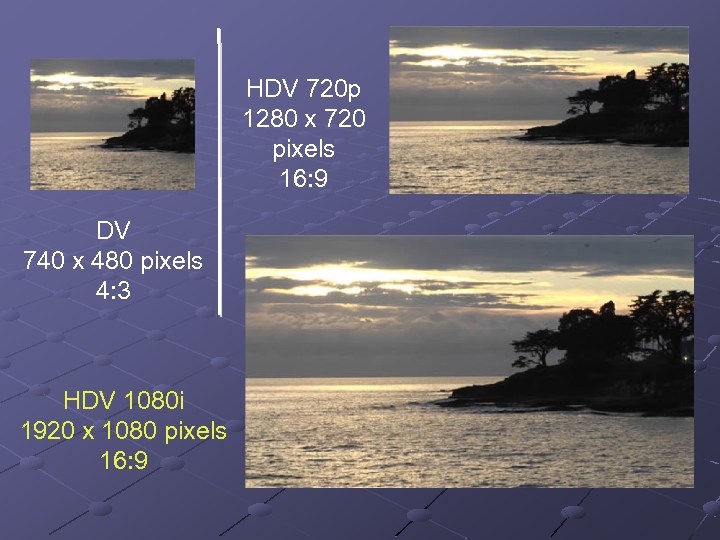
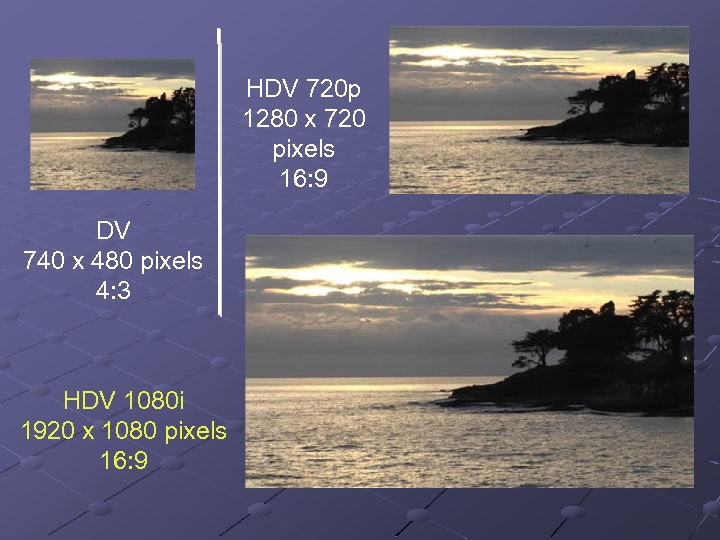 HDV 720 p 1280 x 720 pixels 16: 9 DV 740 x 480 pixels 4: 3 HDV 1080 i 1920 x 1080 pixels 16: 9
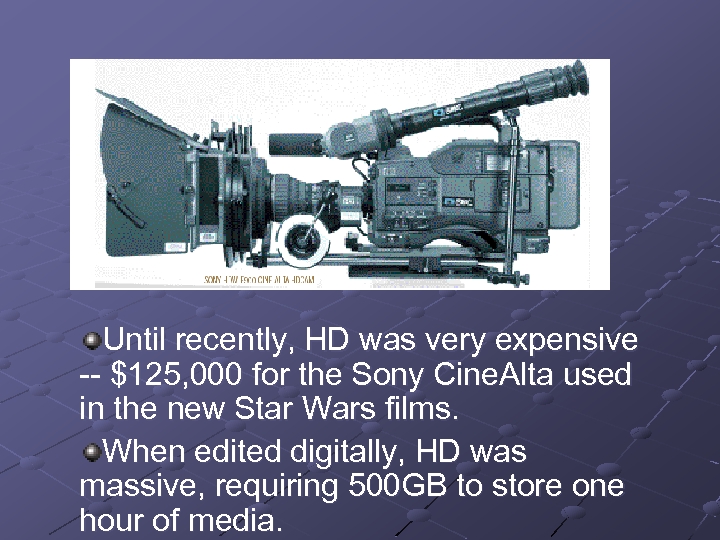
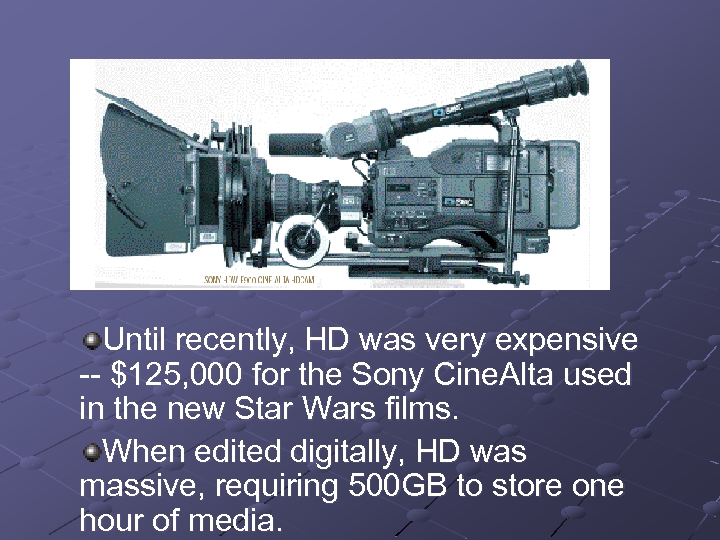 Until recently, HD was very expensive -- $125, 000 for the Sony Cine. Alta used in the new Star Wars films. When edited digitally, HD was massive, requiring 500 GB to store one hour of media.
 HDV The new HDV codec is the product of collaboration between manufacturers including Sony, JVC, Sharp, and Canon. It has been designed to “bring HD to the masses. ” HDV is based on MPEG-2 compression, the same format used for DVDs and digital broadcasts
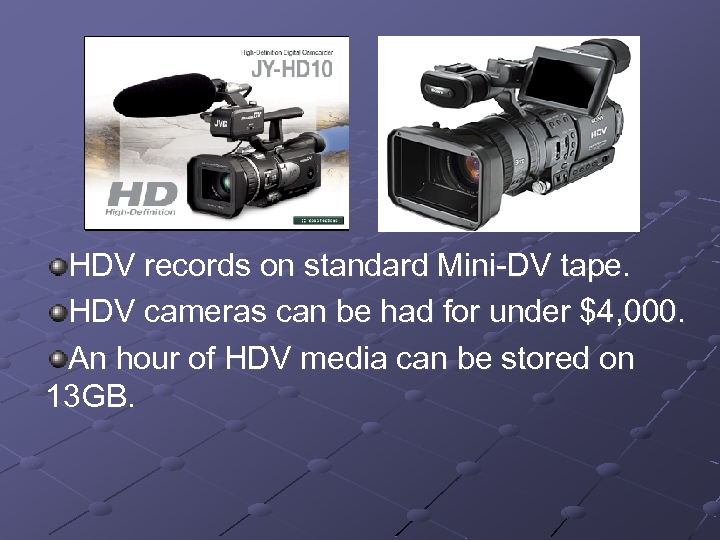 HDV records on standard Mini-DV tape. HDV cameras can be had for under $4, 000. An hour of HDV media can be stored on 13 GB.
 24 fps capability HDV is bringing an independent filmmaking revolution in its wake. HDV facilitates images that look much more cinematic than standard DV. HDV shoots 16: 9, which is the widescreen aspect ratio we expect from cinema. And newer HDV cameras are shooting in modes that provide or approximate 24 frames per second, the same frame rate as celluloid cameras.
 Post-Production on HDV Until this spring, editing both HD and HDV was a complicated and expensive proposition requiring large, extremely fast hard drives and/or special video cards All of the major video editing software platforms have, as of April 2005, either released HDV editing systems or have plans to embrace the format in the near future. HDV can now be cut on high end consumer systems.
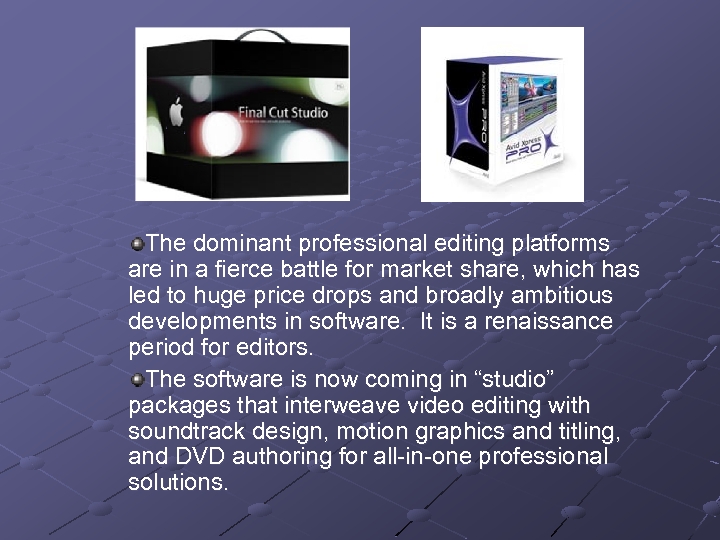 The dominant professional editing platforms are in a fierce battle for market share, which has led to huge price drops and broadly ambitious developments in software. It is a renaissance period for editors. The software is now coming in “studio” packages that interweave video editing with soundtrack design, motion graphics and titling, and DVD authoring for all-in-one professional solutions.
 Expected Impact of HD and HDV The shelf life of 4: 3 televisions and standard definition video is being dramatically shortened. Educators developing video programs and video programming are well advised to migrate to HD as soon as possible. More than ever, the tools of professional production are in the hands of the people. . . but those same people still need advanced training to use those tools in technically proficient and aesthetically compelling ways.
 Learning Objects and the Institutional Repository
 Web. Ct Version 6. 0 Campus Edition 6
 WOW!!! Significantly increased functionality in all areas of Web. CT Trends – n n Increased focus on ‘teaching’ Easier-to-use features for non-technical developers Key new features …
 Course Development Quick Start Page – Menu of Items to Include Interactive Student View n Do anything students can do without having to have a ‘dummy student’ Upload multiple files from your computer directly into a course
 Course Development Web. CT-level “My Files” Folder n Accessible from any Course Distinct Designer and Instructor Roles n Supports co-taught courses more effectively
 Link Annotations New Course Content Area n n “ Organize and present materials Links to specific activities such as unit assignment or specific discussion topics
 Content Presentation Printable View” gives student the ability to print hard copy of learning materials without going through the ‘compile’ steps.
 Communication Tools Announcements Tool (Yippeee!) Discussions… n n Instructions for discussion topic Automatic updating of discussion topics when messages are posted Reordering of topics Editing of discussion posts
 Communication Tools Mail n n Global email (email for all courses accessible on “My Web. CT” page Ability to send email to groups
 Communication Tools Who’s Online n See who’s logged in to the course Instructors can ‘hide’ n Send invitation to chat Facilitate group work
 Assignments and Assessments “Anonymous” grading “Road testing” of assessments Options for group assignments
 Assignments and Assessments True multiple submissions – return drafts with comments, but not grade “Publish” assignments – allows instructors and/or students to publish assignments for class review.
 Course Management Group Management Tools n n Set up groups with automatic creation of group chat rooms and discussion topics Group sign-up sheets
 Course Management Discussion Grading n Direct link from discussion board to grade book. No more navigating back and forth to record participation grades Improved grade book n Easy manual over-ride of grades, with tracking history
 Course Management Expanded Student Activity Tracking - Lets instructor see n n n Number of Mail messages a student has read Calendar entries viewed Number of Assessments and Assignments started an completed
 When Will Release Be Available? Scheduled for Release by Web. CT in the Fall Requires updates to hardware in addition to Web. CT. Most likely implementation date (if Web. CT is ‘on schedule’) Summer-Fall 2006.
 VOIP Voice Over Internet Protocol
 Governors State – New Cisco Solution New Cisco IP Telephony System will be installed throughout Governor State University. New Cisco data network provides 10 x faster speed to the desktop, with better reliability (more redundancy built-in). Can plug a computer or phone into any port. Integrated network security to help protect against worms and viruses. Video conferencing capability.
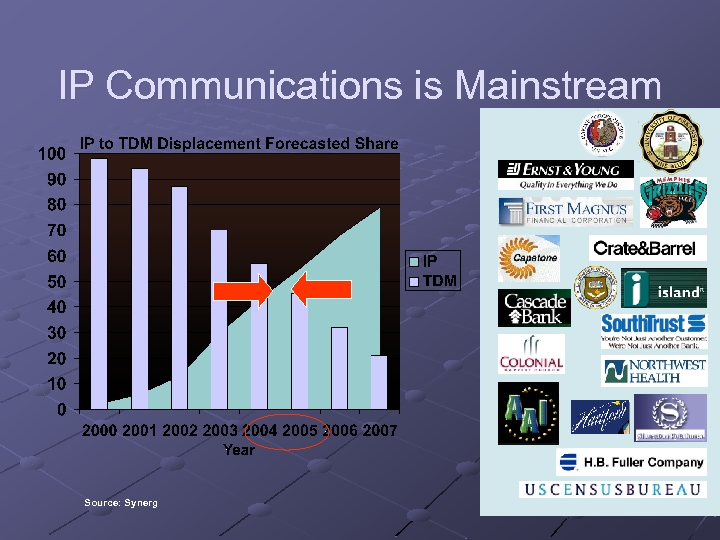 IP Communications is Mainstream Source: Synerg
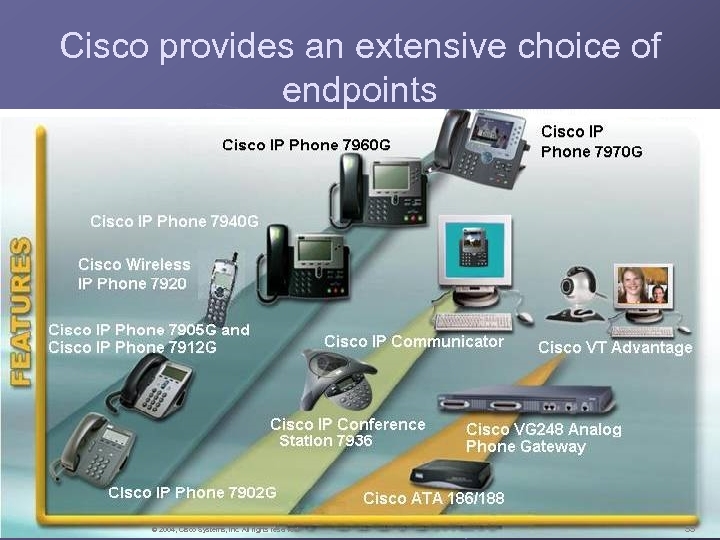 Cisco provides an extensive choice of endpoints © 2004, Cisco Systems, Inc. All rights reserved. 55
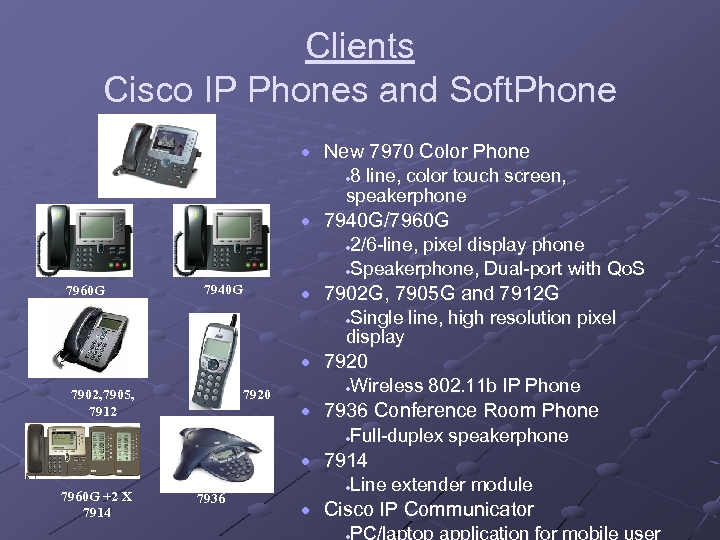 Clients Cisco IP Phones and Soft. Phone · New 7970 Color Phone 8 line, color touch screen, speakerphone · 7970 G · 7940 G/7960 G 2/6 -line, pixel display phone ·Speakerphone, Dual-port with Qo. S · 7960 G · 7902 G, 7905 G and 7912 G 7940 G Single line, high resolution pixel display · · 7920 7902, 7905, 7912 7920 Wireless 802. 11 b IP Phone · · 7936 Conference Room Phone Full-duplex speakerphone · · 7914 7960 G +2 X 7914 7936 Line extender module · · Cisco IP Communicator · PC/laptop application for mobile user
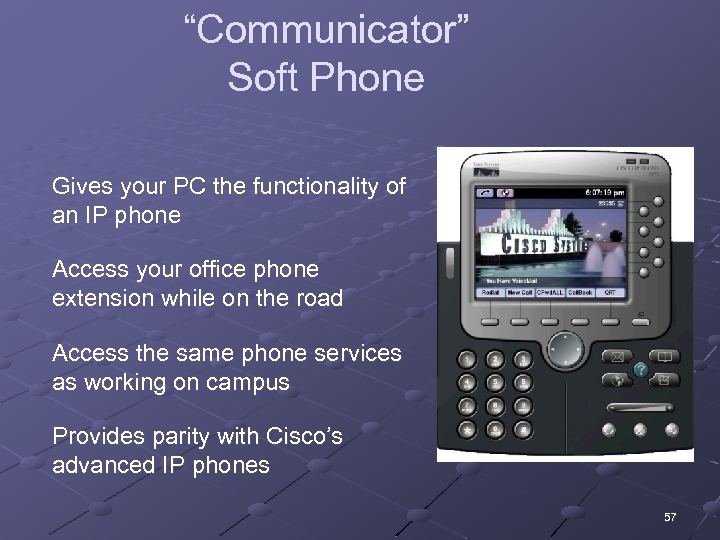 “Communicator” Soft Phone Gives your PC the functionality of an IP phone Access your office phone extension while on the road Access the same phone services as working on campus Provides parity with Cisco’s advanced IP phones 57
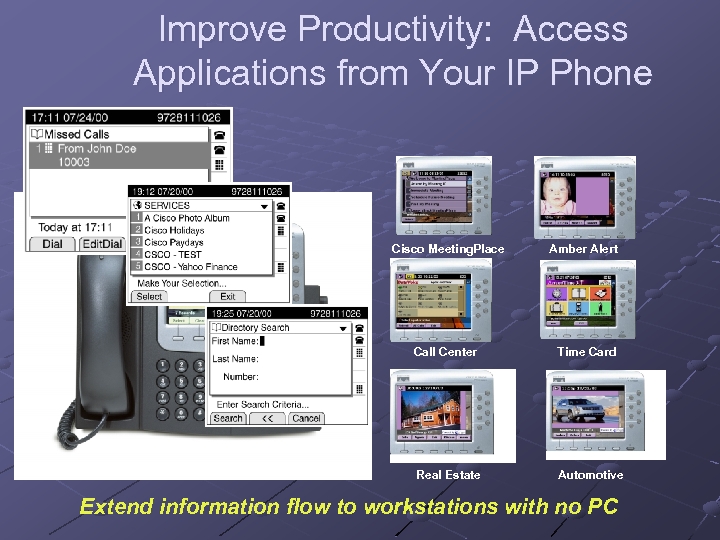 Improve Productivity: Access Applications from Your IP Phone Cisco Meeting. Place Amber Alert Call Center Time Card Real Estate Automotive Extend information flow to workstations with no PC
 Video Solutions User friendly n Unified voice and video dial plans n Single number for voice and video n Video calls have same services as voice calls Basic Call, Mute, Hold Forward, Conference, Park, Transfer XML services n Single point of administration Preserves customer investments n Calls can be made to H. 323 or SCCP video/audio terminals Video Enabled IP Phone Existing H. 323 Video terminals

 Current and Future Trends in Technologies for Teaching FSI 2005 Governor’s State University
 E-Portfolios Source: elearnspace. http: //www. elearnspace. org/Articles/eportfolios. htm
 What are e-Portfolios? Digital resource that n n Includes personal artifacts (papers, projects, multimedia files, etc. ) and instructor comments Demonstrates professional or academic performance and growth Allows for flexible expression (i. e. customized folders and site areas to meet the skill requirements of a particular discipline Permits access to varied interested parties (instructors, peers, potential employers, parents)
 Advantages of e-Portfolios Portability - you can access it from anywhere, unlike an often-sizeable paper copy Media-richness - the ability to easily include graphics, audio, video and so on Ease of repurposing - you can easily create several versions of your e-Portfolio for several different audiences Control of access - you control who sees it, and for how long Organizational ability - e-Portfolios are great for organizing a large amount of information, and keeping it all in one place
 Example Portfolios STUDENT PORTFOLIOS n n http: //durak. org/kathy/portfolio - "Kathleen Fischer's Portfolio" http: //portfolios. music. ufl. edu/dmartinez/index. html - David W. Martinez FACULTY PORTFOLIO n http: //www. coe. ilstu. edu/jabraun/profes sional. html
 RSS Great Possibilities!
 RSS stands for: Really Simple Syndication Think of it as your own personal AP service on topics of your choice.
 How does it work? Let’s say you normally check these sites everyday:
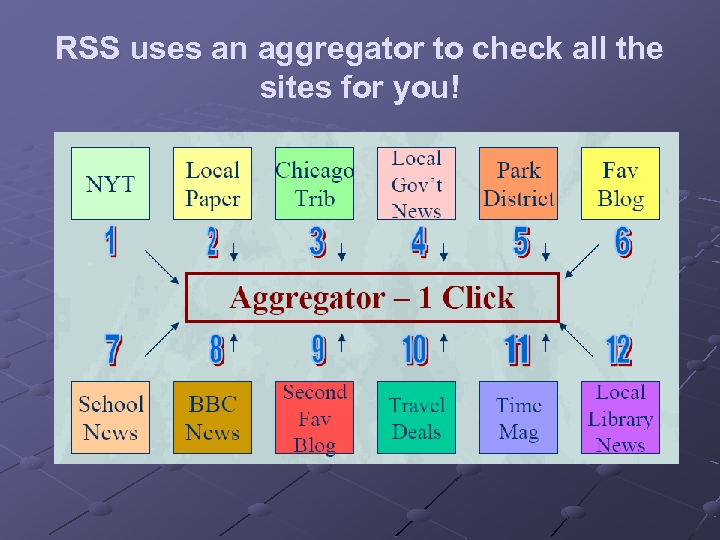 RSS uses an aggregator to check all the sites for you!
 So what’s an aggregator? A piece of software Desktop (on your computer) or Webbased (on a server somewhere) Recommended: http: //www. bloglines. com 3 -pane view is becoming the standard (looks like Outlook)
 What does the aggregator actually do? Aggregator scans every site you’re subscribed to, usually every hour, so you don’t have to No longer have to wonder if there is new content Any time new content is posted to that page, and therefore to the RSS file, it appears in your aggregator
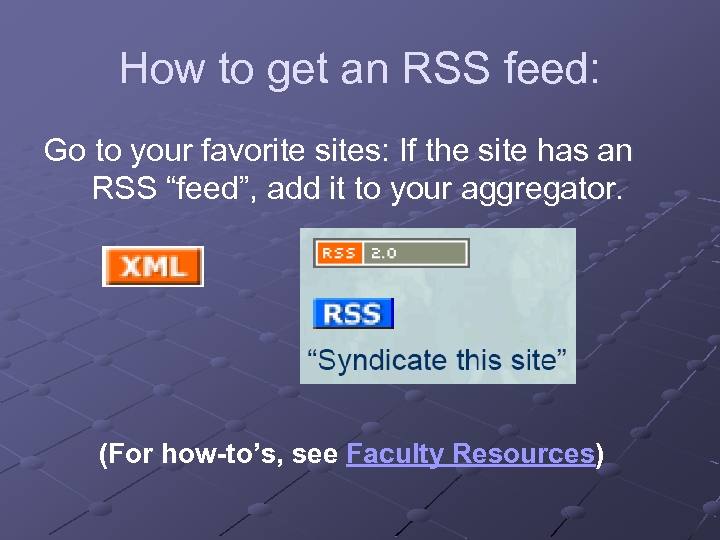 How to get an RSS feed: Go to your favorite sites: If the site has an RSS “feed”, add it to your aggregator. (For how-to’s, see Faculty Resources)
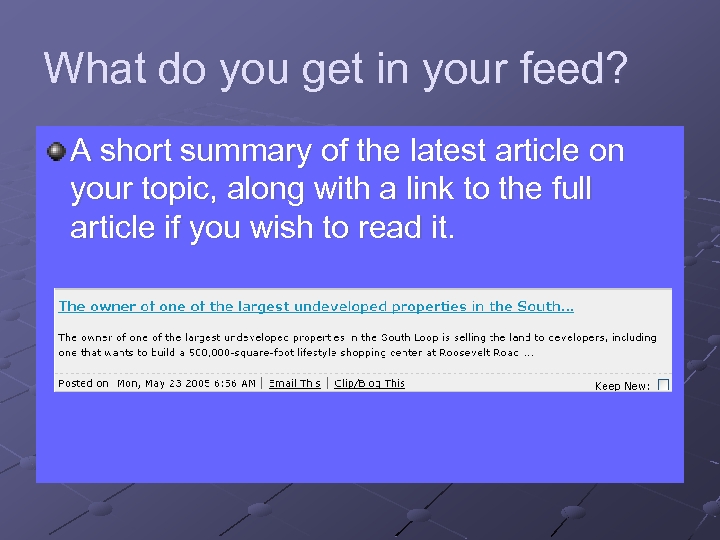 What do you get in your feed? A short summary of the latest article on your topic, along with a link to the full article if you wish to read it.
 So what can I use RSS for? Post it in your Web. CT course: Use it to push out Announcements to your class Nursing: latest developments in specific disease treatments; bioethics Annotated New York Times Government feeds: http: //www. firstgov. gov/Topics/Referen ce_Shelf/Libraries/RSS_Library. shtml
 Student Research Projects Have students search topics + RSS feeds n Examples: Juvenile Diabetes Earthquake predictions Commentary on recent films The notebooks of Leonardo Da. Vinci Political cartoons Trace a bill through Congress Follow stem cell debate
 For More Information & Ideas: To read more about RSS: http: //www. whatisrss. com/ http: //rss. softwaregarden. com/aboutrss. ht ml To set up RSS: Go to our online tutorial
 Podcasting
 Podcasting is a method of publishing sound files to the Internet, allowing users to subscribe to a feed and receive new audio files automatically. Wikipedia definition: http: //en. wikipedia. org/wiki/Podcasting
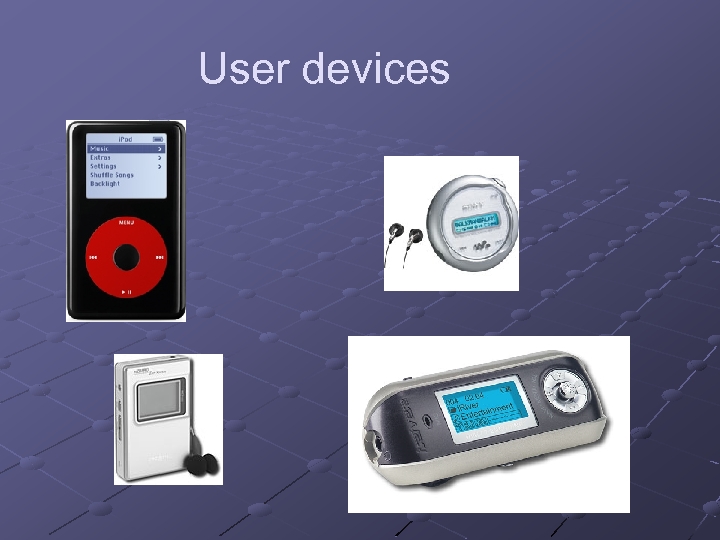 User devices
 So What’s Special? Uses RSS technology Time shift listening schedule Users can subscribe Automatic check for new material Specialized home-grown broadcasters
 How is it being used? Special interest broadcasts Audio blogs Commercial radio stations Tutoring Unofficial museum tours
 What do I need to listen? Digital audio device Software- http: //www. dopplerradio. net/ or: http: //ipodder. sourceforge. net/index. php List of podcast sites Time to sort through the chaff
 What do I need to create? Microphone Software- i. Podcast Creator Pod. Producer (free) Max- full radio studio Tutorial
 Where can I find available podcasts? http: //www. ipodder. org/ Sharak’s site: http: //www. linkagogo. com/go/Members/Sh arakh/Audio+sites/Podcast+Sites
 High Definition Video HDV
 HDV The Democratization of High Definition Video
 What is HD? High Definition video is defined as a 16 x 9 image with more than 1000 lines of horizontal resolution. HD comes in multiple formats that meet or exceed the minimum standard.
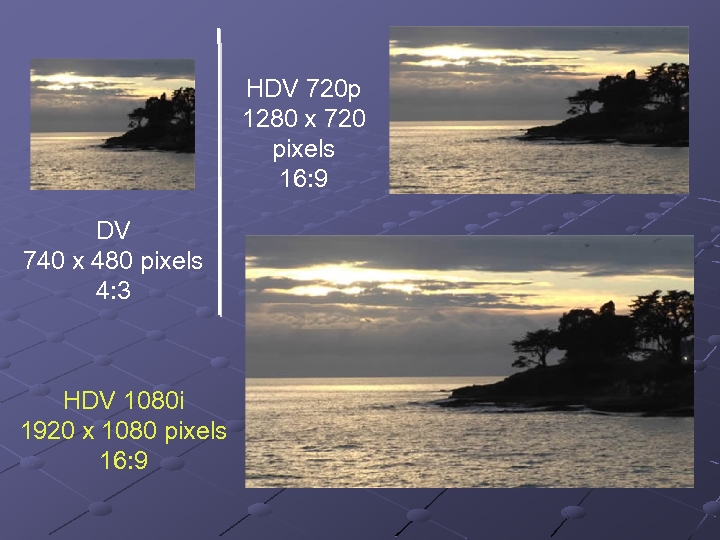 HDV 720 p 1280 x 720 pixels 16: 9 DV 740 x 480 pixels 4: 3 HDV 1080 i 1920 x 1080 pixels 16: 9
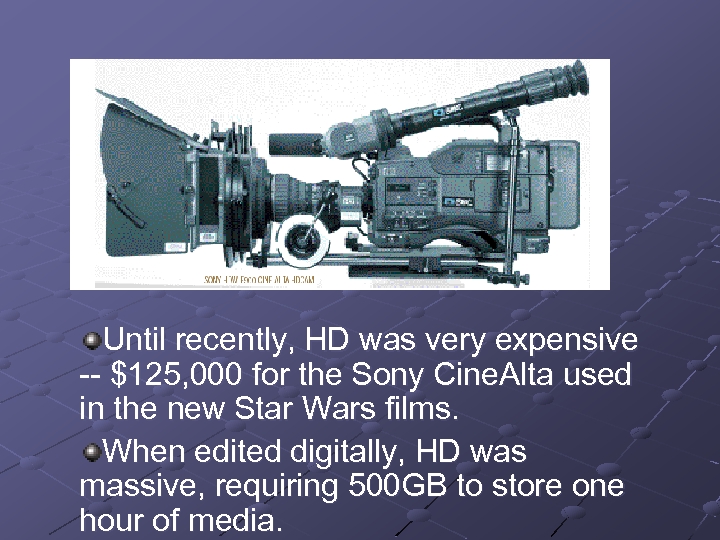 Until recently, HD was very expensive -- $125, 000 for the Sony Cine. Alta used in the new Star Wars films. When edited digitally, HD was massive, requiring 500 GB to store one hour of media.
 HDV The new HDV codec is the product of collaboration between manufacturers including Sony, JVC, Sharp, and Canon. It has been designed to “bring HD to the masses. ” HDV is based on MPEG-2 compression, the same format used for DVDs and digital broadcasts
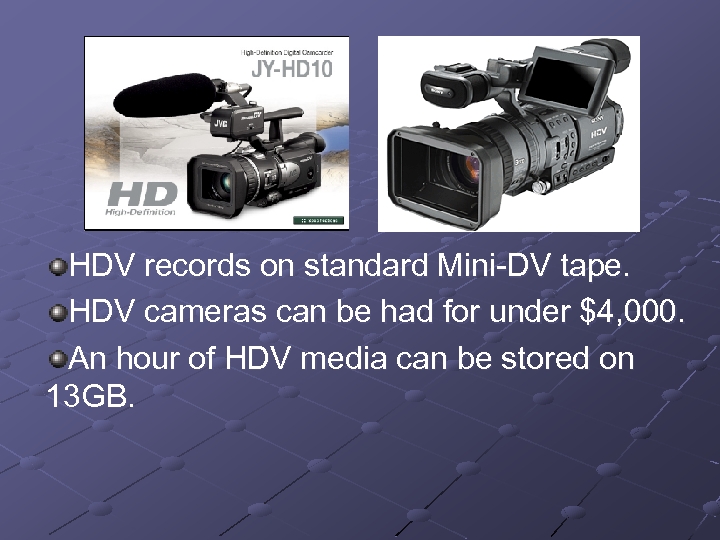 HDV records on standard Mini-DV tape. HDV cameras can be had for under $4, 000. An hour of HDV media can be stored on 13 GB.
 24 fps capability HDV is bringing an independent filmmaking revolution in its wake. HDV facilitates images that look much more cinematic than standard DV. HDV shoots 16: 9, which is the widescreen aspect ratio we expect from cinema. And newer HDV cameras are shooting in modes that provide or approximate 24 frames per second, the same frame rate as celluloid cameras.
 Post-Production on HDV Until this spring, editing both HD and HDV was a complicated and expensive proposition requiring large, extremely fast hard drives and/or special video cards All of the major video editing software platforms have, as of April 2005, either released HDV editing systems or have plans to embrace the format in the near future. HDV can now be cut on high end consumer systems.
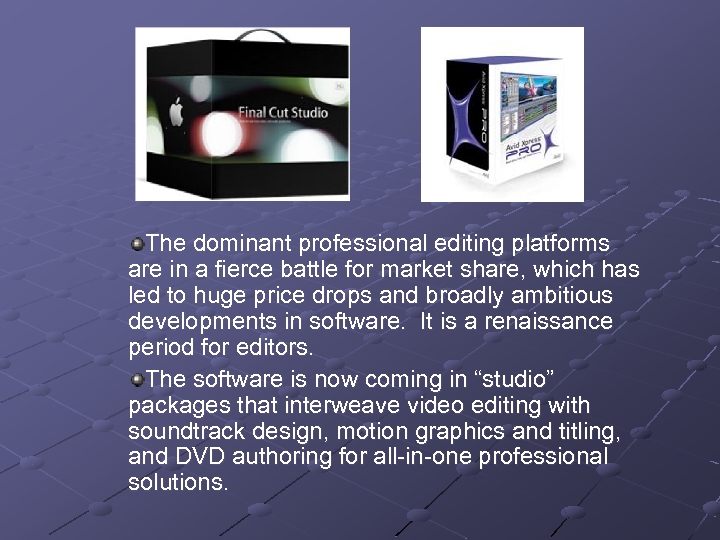 The dominant professional editing platforms are in a fierce battle for market share, which has led to huge price drops and broadly ambitious developments in software. It is a renaissance period for editors. The software is now coming in “studio” packages that interweave video editing with soundtrack design, motion graphics and titling, and DVD authoring for all-in-one professional solutions.
 Expected Impact of HD and HDV The shelf life of 4: 3 televisions and standard definition video is being dramatically shortened. Educators developing video programs and video programming are well advised to migrate to HD as soon as possible. More than ever, the tools of professional production are in the hands of the people. . . but those same people still need advanced training to use those tools in technically proficient and aesthetically compelling ways.
 Learning Objects and the Institutional Repository
 Web. Ct Version 6. 0 Campus Edition 6
 WOW!!! Significantly increased functionality in all areas of Web. CT Trends – n n Increased focus on ‘teaching’ Easier-to-use features for non-technical developers Key new features …
 Course Development Quick Start Page – Menu of Items to Include Interactive Student View n Do anything students can do without having to have a ‘dummy student’ Upload multiple files from your computer directly into a course
 Course Development Web. CT-level “My Files” Folder n Accessible from any Course Distinct Designer and Instructor Roles n Supports co-taught courses more effectively
 Link Annotations New Course Content Area n n “ Organize and present materials Links to specific activities such as unit assignment or specific discussion topics
 Content Presentation Printable View” gives student the ability to print hard copy of learning materials without going through the ‘compile’ steps.
 Communication Tools Announcements Tool (Yippeee!) Discussions… n n Instructions for discussion topic Automatic updating of discussion topics when messages are posted Reordering of topics Editing of discussion posts
 Communication Tools Mail n n Global email (email for all courses accessible on “My Web. CT” page Ability to send email to groups
 Communication Tools Who’s Online n See who’s logged in to the course Instructors can ‘hide’ n Send invitation to chat Facilitate group work
 Assignments and Assessments “Anonymous” grading “Road testing” of assessments Options for group assignments
 Assignments and Assessments True multiple submissions – return drafts with comments, but not grade “Publish” assignments – allows instructors and/or students to publish assignments for class review.
 Course Management Group Management Tools n n Set up groups with automatic creation of group chat rooms and discussion topics Group sign-up sheets
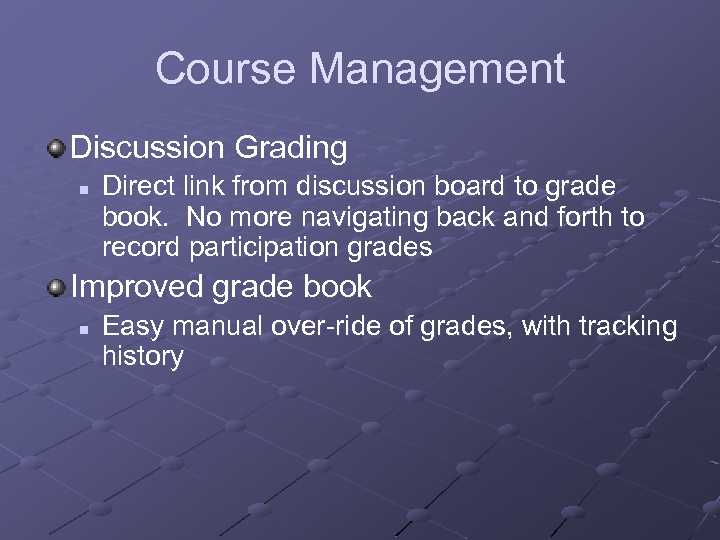 Course Management Discussion Grading n Direct link from discussion board to grade book. No more navigating back and forth to record participation grades Improved grade book n Easy manual over-ride of grades, with tracking history
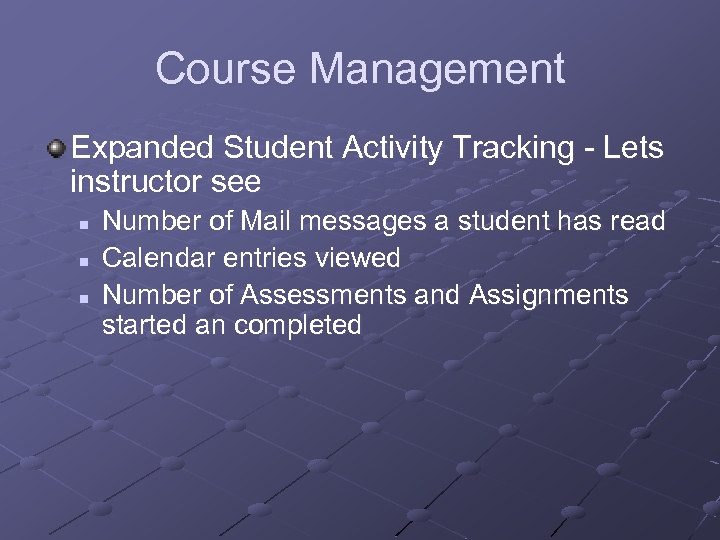 Course Management Expanded Student Activity Tracking - Lets instructor see n n n Number of Mail messages a student has read Calendar entries viewed Number of Assessments and Assignments started an completed
 When Will Release Be Available? Scheduled for Release by Web. CT in the Fall Requires updates to hardware in addition to Web. CT. Most likely implementation date (if Web. CT is ‘on schedule’) Summer-Fall 2006.
 VOIP Voice Over Internet Protocol
 Governors State – New Cisco Solution New Cisco IP Telephony System will be installed throughout Governor State University. New Cisco data network provides 10 x faster speed to the desktop, with better reliability (more redundancy built-in). Can plug a computer or phone into any port. Integrated network security to help protect against worms and viruses. Video conferencing capability.
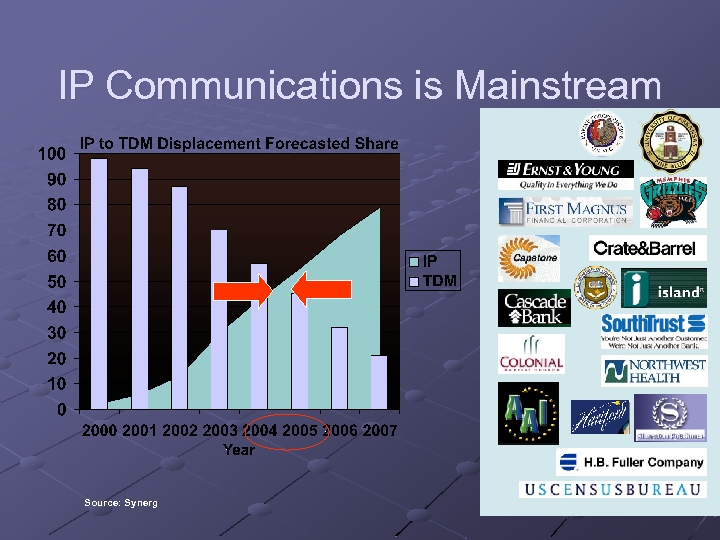 IP Communications is Mainstream Source: Synerg
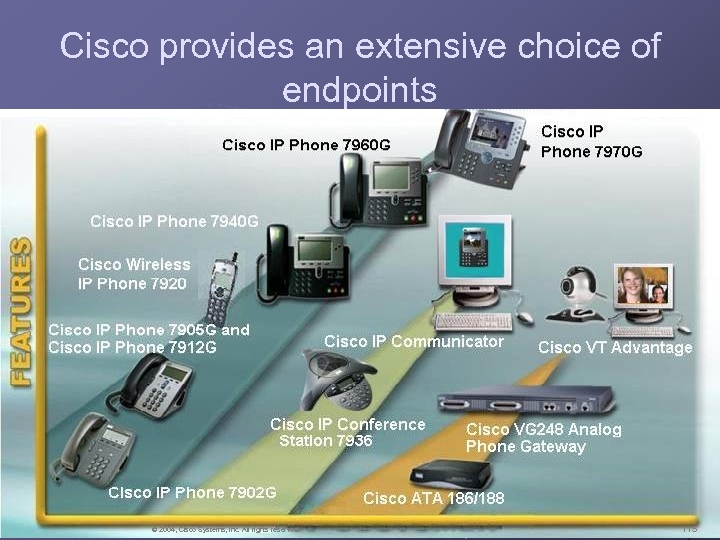 Cisco provides an extensive choice of endpoints © 2004, Cisco Systems, Inc. All rights reserved. 115
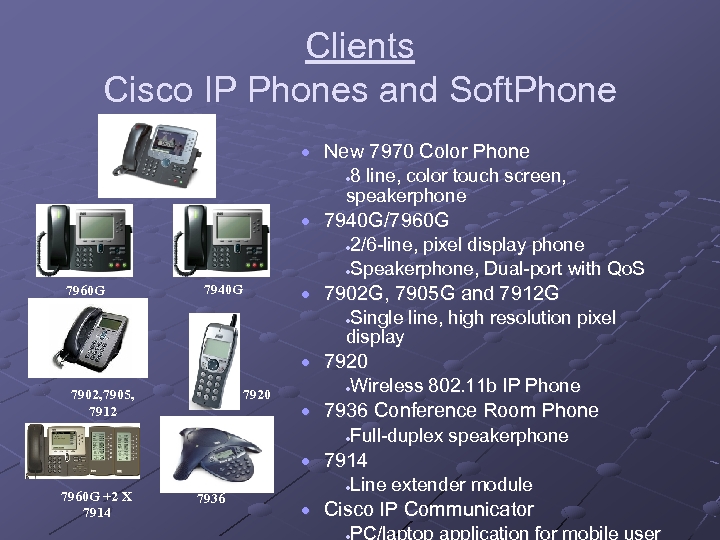 Clients Cisco IP Phones and Soft. Phone · New 7970 Color Phone 8 line, color touch screen, speakerphone · 7970 G · 7940 G/7960 G 2/6 -line, pixel display phone ·Speakerphone, Dual-port with Qo. S · 7960 G · 7902 G, 7905 G and 7912 G 7940 G Single line, high resolution pixel display · · 7920 7902, 7905, 7912 7920 Wireless 802. 11 b IP Phone · · 7936 Conference Room Phone Full-duplex speakerphone · · 7914 7960 G +2 X 7914 7936 Line extender module · · Cisco IP Communicator · PC/laptop application for mobile user
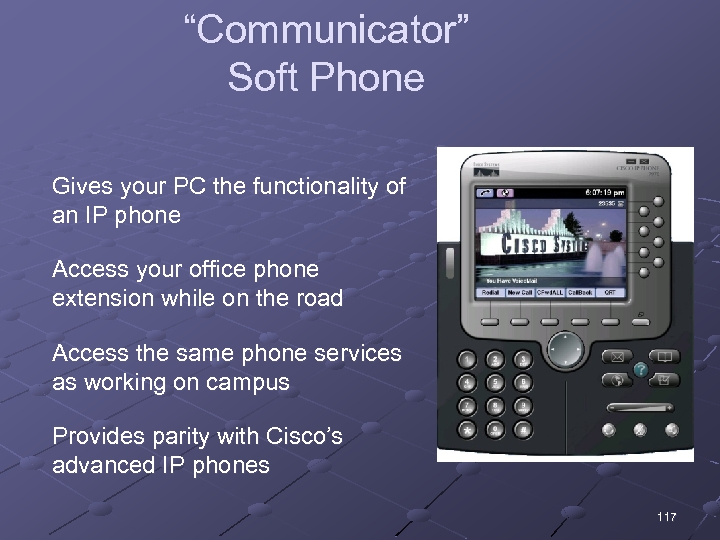 “Communicator” Soft Phone Gives your PC the functionality of an IP phone Access your office phone extension while on the road Access the same phone services as working on campus Provides parity with Cisco’s advanced IP phones 117
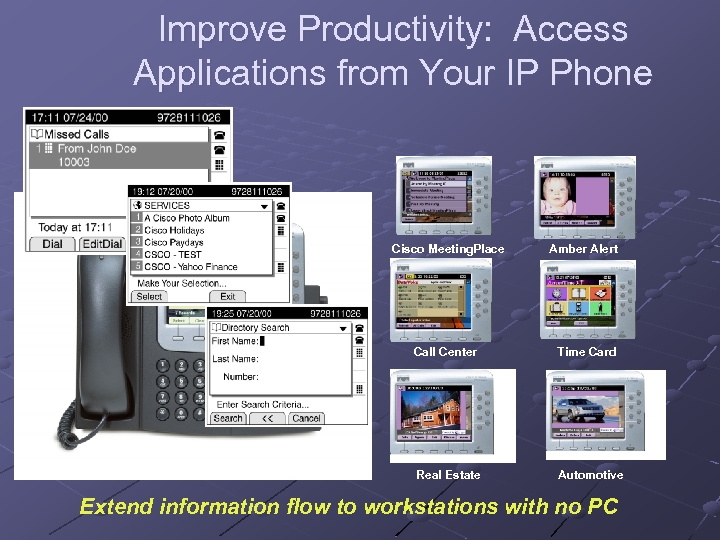 Improve Productivity: Access Applications from Your IP Phone Cisco Meeting. Place Amber Alert Call Center Time Card Real Estate Automotive Extend information flow to workstations with no PC
 Video Solutions User friendly n Unified voice and video dial plans n Single number for voice and video n Video calls have same services as voice calls Basic Call, Mute, Hold Forward, Conference, Park, Transfer XML services n Single point of administration Preserves customer investments n Calls can be made to H. 323 or SCCP video/audio terminals Video Enabled IP Phone Existing H. 323 Video terminals

 Current and Future Trends in Technologies for Teaching FSI 2005 Governor’s State University
 E-Portfolios Source: elearnspace. http: //www. elearnspace. org/Articles/eportfolios. htm
 What are e-Portfolios? Digital resource that n n Includes personal artifacts (papers, projects, multimedia files, etc. ) and instructor comments Demonstrates professional or academic performance and growth Allows for flexible expression (i. e. customized folders and site areas to meet the skill requirements of a particular discipline Permits access to varied interested parties (instructors, peers, potential employers, parents)
 Advantages of e-Portfolios Portability - you can access it from anywhere, unlike an often-sizeable paper copy Media-richness - the ability to easily include graphics, audio, video and so on Ease of repurposing - you can easily create several versions of your e-Portfolio for several different audiences Control of access - you control who sees it, and for how long Organizational ability - e-Portfolios are great for organizing a large amount of information, and keeping it all in one place
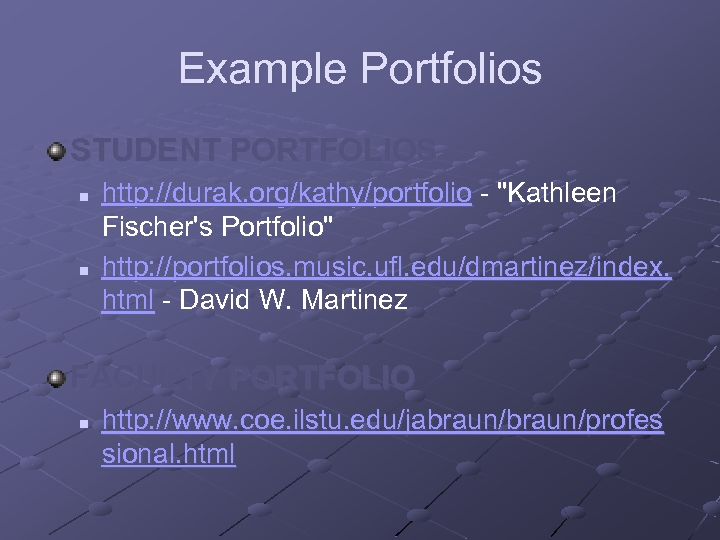 Example Portfolios STUDENT PORTFOLIOS n n http: //durak. org/kathy/portfolio - "Kathleen Fischer's Portfolio" http: //portfolios. music. ufl. edu/dmartinez/index. html - David W. Martinez FACULTY PORTFOLIO n http: //www. coe. ilstu. edu/jabraun/profes sional. html
 RSS Great Possibilities!
 RSS stands for: Really Simple Syndication Think of it as your own personal AP service on topics of your choice.
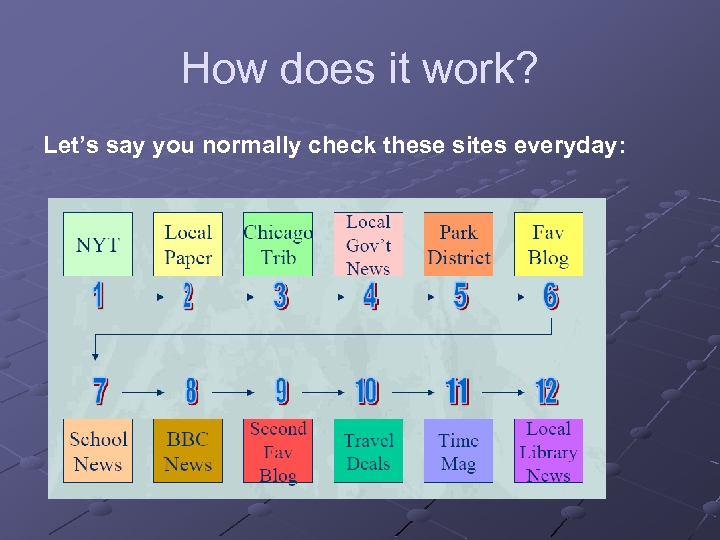 How does it work? Let’s say you normally check these sites everyday:
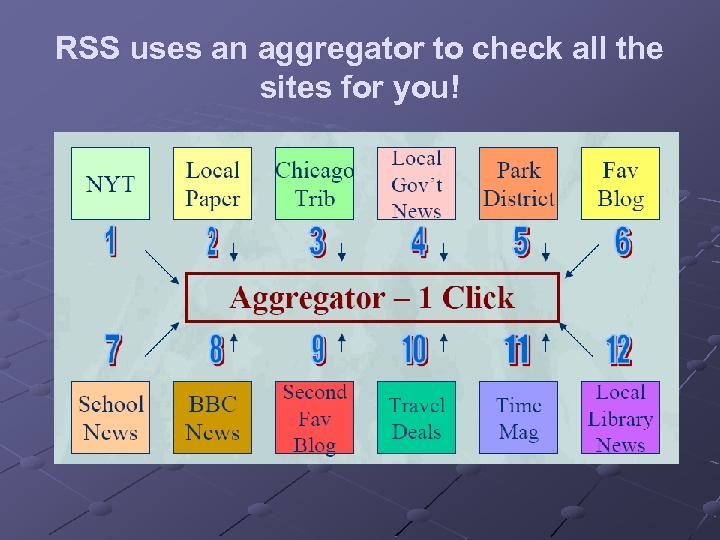 RSS uses an aggregator to check all the sites for you!
 So what’s an aggregator? A piece of software Desktop (on your computer) or Webbased (on a server somewhere) Recommended: http: //www. bloglines. com 3 -pane view is becoming the standard (looks like Outlook)
 What does the aggregator actually do? Aggregator scans every site you’re subscribed to, usually every hour, so you don’t have to No longer have to wonder if there is new content Any time new content is posted to that page, and therefore to the RSS file, it appears in your aggregator
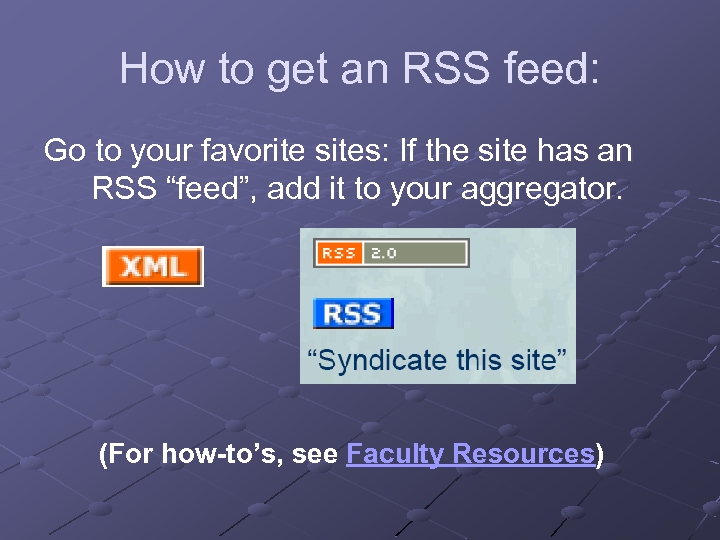 How to get an RSS feed: Go to your favorite sites: If the site has an RSS “feed”, add it to your aggregator. (For how-to’s, see Faculty Resources)
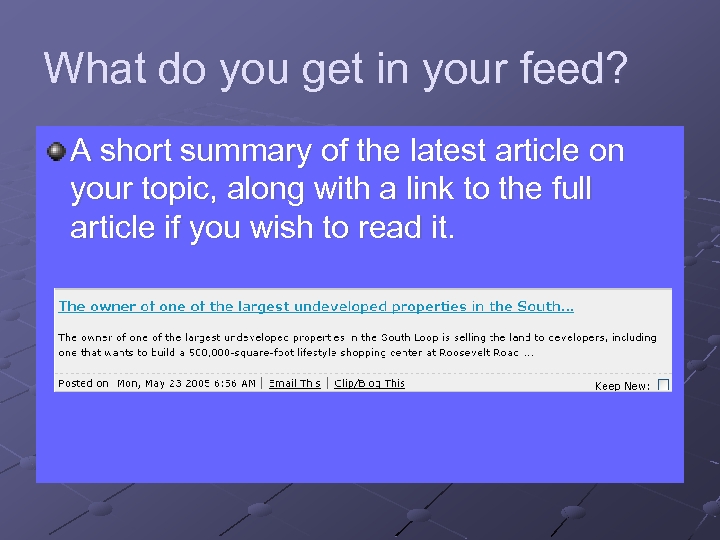 What do you get in your feed? A short summary of the latest article on your topic, along with a link to the full article if you wish to read it.
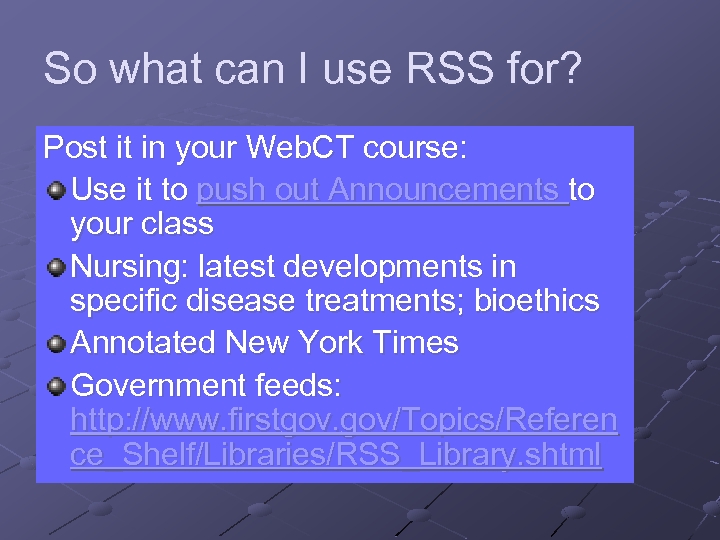 So what can I use RSS for? Post it in your Web. CT course: Use it to push out Announcements to your class Nursing: latest developments in specific disease treatments; bioethics Annotated New York Times Government feeds: http: //www. firstgov. gov/Topics/Referen ce_Shelf/Libraries/RSS_Library. shtml
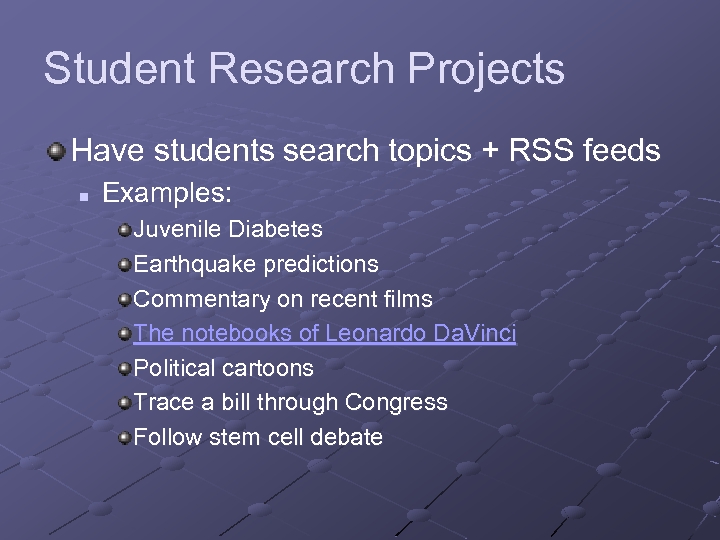 Student Research Projects Have students search topics + RSS feeds n Examples: Juvenile Diabetes Earthquake predictions Commentary on recent films The notebooks of Leonardo Da. Vinci Political cartoons Trace a bill through Congress Follow stem cell debate
 For More Information & Ideas: To read more about RSS: http: //www. whatisrss. com/ http: //rss. softwaregarden. com/aboutrss. ht ml To set up RSS: Go to our online tutorial
 Podcasting
 Podcasting is a method of publishing sound files to the Internet, allowing users to subscribe to a feed and receive new audio files automatically. Wikipedia definition: http: //en. wikipedia. org/wiki/Podcasting
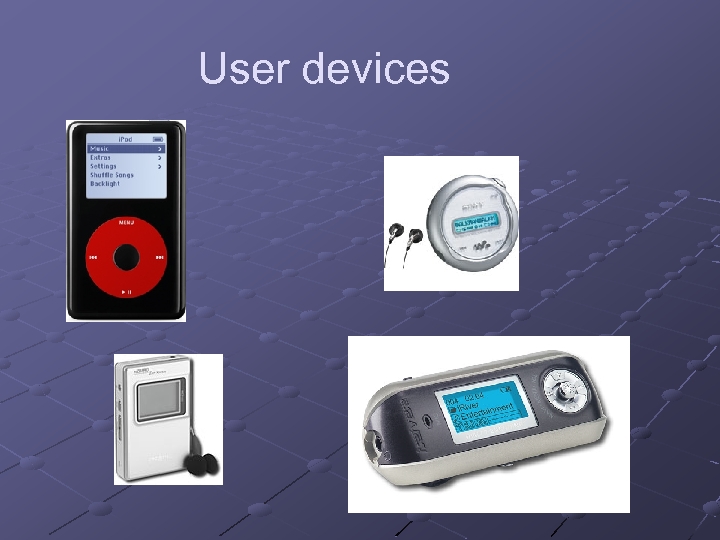 User devices
 So What’s Special? Uses RSS technology Time shift listening schedule Users can subscribe Automatic check for new material Specialized home-grown broadcasters
 How is it being used? Special interest broadcasts Audio blogs Commercial radio stations Tutoring Unofficial museum tours
 What do I need to listen? Digital audio device Software- http: //www. dopplerradio. net/ or: http: //ipodder. sourceforge. net/index. php List of podcast sites Time to sort through the chaff
 What do I need to create? Microphone Software- i. Podcast Creator Pod. Producer (free) Max- full radio studio Tutorial
 Where can I find available podcasts? http: //www. ipodder. org/ Sharak’s site: http: //www. linkagogo. com/go/Members/Sh arakh/Audio+sites/Podcast+Sites
 High Definition Video HDV
 HDV The Democratization of High Definition Video
 What is HD? High Definition video is defined as a 16 x 9 image with more than 1000 lines of horizontal resolution. HD comes in multiple formats that meet or exceed the minimum standard.
 HDV 720 p 1280 x 720 pixels 16: 9 DV 740 x 480 pixels 4: 3 HDV 1080 i 1920 x 1080 pixels 16: 9
 Until recently, HD was very expensive -- $125, 000 for the Sony Cine. Alta used in the new Star Wars films. When edited digitally, HD was massive, requiring 500 GB to store one hour of media.
 HDV The new HDV codec is the product of collaboration between manufacturers including Sony, JVC, Sharp, and Canon. It has been designed to “bring HD to the masses. ” HDV is based on MPEG-2 compression, the same format used for DVDs and digital broadcasts
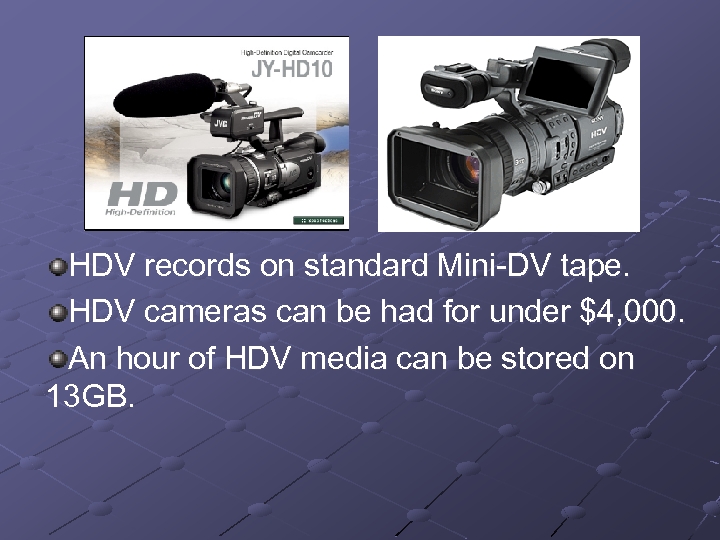 HDV records on standard Mini-DV tape. HDV cameras can be had for under $4, 000. An hour of HDV media can be stored on 13 GB.
 24 fps capability HDV is bringing an independent filmmaking revolution in its wake. HDV facilitates images that look much more cinematic than standard DV. HDV shoots 16: 9, which is the widescreen aspect ratio we expect from cinema. And newer HDV cameras are shooting in modes that provide or approximate 24 frames per second, the same frame rate as celluloid cameras.
 Post-Production on HDV Until this spring, editing both HD and HDV was a complicated and expensive proposition requiring large, extremely fast hard drives and/or special video cards All of the major video editing software platforms have, as of April 2005, either released HDV editing systems or have plans to embrace the format in the near future. HDV can now be cut on high end consumer systems.
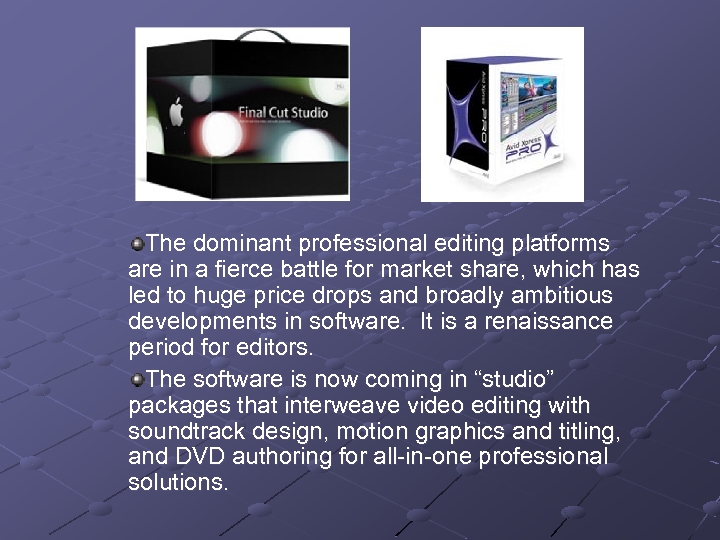 The dominant professional editing platforms are in a fierce battle for market share, which has led to huge price drops and broadly ambitious developments in software. It is a renaissance period for editors. The software is now coming in “studio” packages that interweave video editing with soundtrack design, motion graphics and titling, and DVD authoring for all-in-one professional solutions.
 Expected Impact of HD and HDV The shelf life of 4: 3 televisions and standard definition video is being dramatically shortened. Educators developing video programs and video programming are well advised to migrate to HD as soon as possible. More than ever, the tools of professional production are in the hands of the people. . . but those same people still need advanced training to use those tools in technically proficient and aesthetically compelling ways.
 Learning Objects and the Institutional Repository
 Web. Ct Version 6. 0 Campus Edition 6
 WOW!!! Significantly increased functionality in all areas of Web. CT Trends – n n Increased focus on ‘teaching’ Easier-to-use features for non-technical developers Key new features …
 Course Development Quick Start Page – Menu of Items to Include Interactive Student View n Do anything students can do without having to have a ‘dummy student’ Upload multiple files from your computer directly into a course
 Course Development Web. CT-level “My Files” Folder n Accessible from any Course Distinct Designer and Instructor Roles n Supports co-taught courses more effectively
 Link Annotations New Course Content Area n n “ Organize and present materials Links to specific activities such as unit assignment or specific discussion topics
 Content Presentation Printable View” gives student the ability to print hard copy of learning materials without going through the ‘compile’ steps.
 Communication Tools Announcements Tool (Yippeee!) Discussions… n n Instructions for discussion topic Automatic updating of discussion topics when messages are posted Reordering of topics Editing of discussion posts
 Communication Tools Mail n n Global email (email for all courses accessible on “My Web. CT” page Ability to send email to groups
 Communication Tools Who’s Online n See who’s logged in to the course Instructors can ‘hide’ n Send invitation to chat Facilitate group work
 Assignments and Assessments “Anonymous” grading “Road testing” of assessments Options for group assignments
 Assignments and Assessments True multiple submissions – return drafts with comments, but not grade “Publish” assignments – allows instructors and/or students to publish assignments for class review.
 Course Management Group Management Tools n n Set up groups with automatic creation of group chat rooms and discussion topics Group sign-up sheets
 Course Management Discussion Grading n Direct link from discussion board to grade book. No more navigating back and forth to record participation grades Improved grade book n Easy manual over-ride of grades, with tracking history
 Course Management Expanded Student Activity Tracking - Lets instructor see n n n Number of Mail messages a student has read Calendar entries viewed Number of Assessments and Assignments started an completed
 When Will Release Be Available? Scheduled for Release by Web. CT in the Fall Requires updates to hardware in addition to Web. CT. Most likely implementation date (if Web. CT is ‘on schedule’) Summer-Fall 2006.
 VOIP Voice Over Internet Protocol
 Governors State – New Cisco Solution New Cisco IP Telephony System will be installed throughout Governor State University. New Cisco data network provides 10 x faster speed to the desktop, with better reliability (more redundancy built-in). Can plug a computer or phone into any port. Integrated network security to help protect against worms and viruses. Video conferencing capability.
 IP Communications is Mainstream Source: Synerg
 Cisco provides an extensive choice of endpoints © 2004, Cisco Systems, Inc. All rights reserved. 175
 Clients Cisco IP Phones and Soft. Phone · New 7970 Color Phone 8 line, color touch screen, speakerphone · 7970 G · 7940 G/7960 G 2/6 -line, pixel display phone ·Speakerphone, Dual-port with Qo. S · 7960 G · 7902 G, 7905 G and 7912 G 7940 G Single line, high resolution pixel display · · 7920 7902, 7905, 7912 7920 Wireless 802. 11 b IP Phone · · 7936 Conference Room Phone Full-duplex speakerphone · · 7914 7960 G +2 X 7914 7936 Line extender module · · Cisco IP Communicator · PC/laptop application for mobile user
 “Communicator” Soft Phone Gives your PC the functionality of an IP phone Access your office phone extension while on the road Access the same phone services as working on campus Provides parity with Cisco’s advanced IP phones 177
 Improve Productivity: Access Applications from Your IP Phone Cisco Meeting. Place Amber Alert Call Center Time Card Real Estate Automotive Extend information flow to workstations with no PC
 Video Solutions User friendly n Unified voice and video dial plans n Single number for voice and video n Video calls have same services as voice calls Basic Call, Mute, Hold Forward, Conference, Park, Transfer XML services n Single point of administration Preserves customer investments n Calls can be made to H. 323 or SCCP video/audio terminals Video Enabled IP Phone Existing H. 323 Video terminals
