


 Скачать презентацию CTU 2014 Presents The Essentials of RTTY Contesting
da7c3e1995c41b9de75bf45604d5ae55.ppt
- Количество слайдов: 94
 CTU 2014 Presents The Essentials of RTTY Contesting Ed Muns, W 0 YK
 RTTY Contesting Introduction l Part 1: Setting Up l l l RTTY Decoder/Encoder PC-radio interface Part 2: Operating l 2 nd CTU RTTY session: “Advanced RTTY Contesting” l 2/94
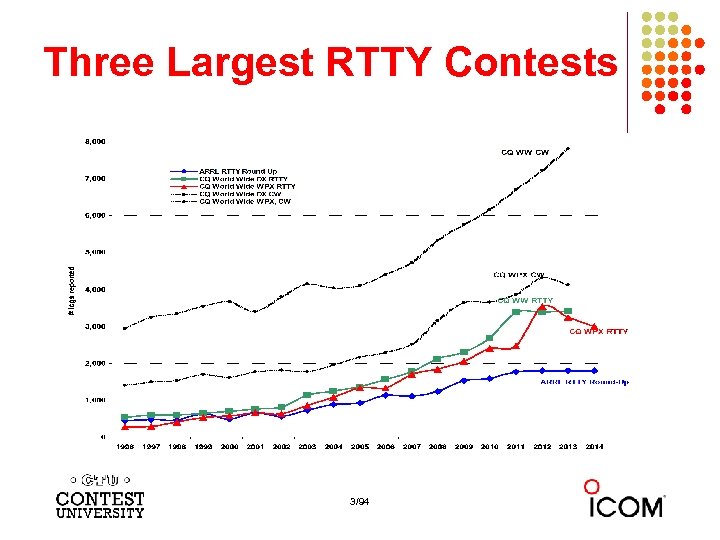 Three Largest RTTY Contests 3/94
 Lots of RTTY Contests > two/month l Biggies (7) l CQ WW RTTY (last weekend in September) l CQ WPX RTTY (2 nd weekend in February) l ARRL RTTY Roundup (1 st weekend in January) l BARTG (3 rd weekend Jan, 3 rd weekend March) l l 75 Baud (April & September) WAE RTTY (2 nd weekend in November) NCJ contests (4) l NAQP RTTY (3 rd Sat. in February, 2 nd Sat. in July) l Sprint RTTY (2 nd Sat. in March & October) Other popular RTTY contests (20) l Ten-Meter RTTY (1 st Sat. in December) l JARTS, Makrothen, SARTG (2) l 15 others 4/94
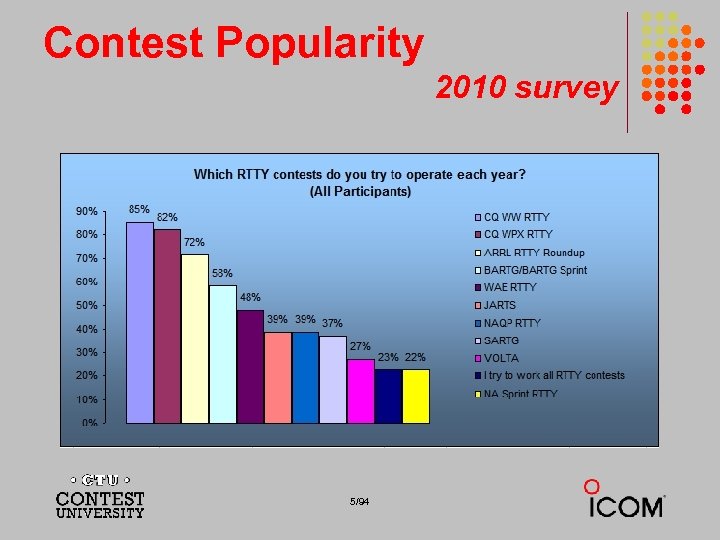 Contest Popularity 2010 survey 5/94
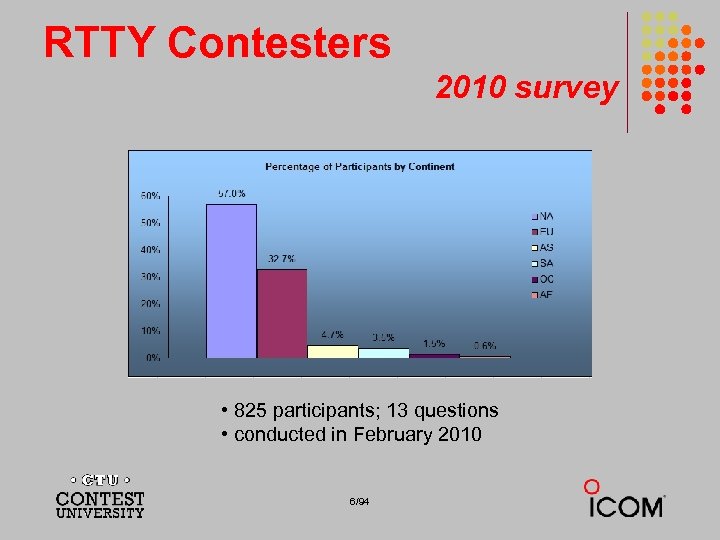 RTTY Contesters 2010 survey • 825 participants; 13 questions • conducted in February 2010 6/94
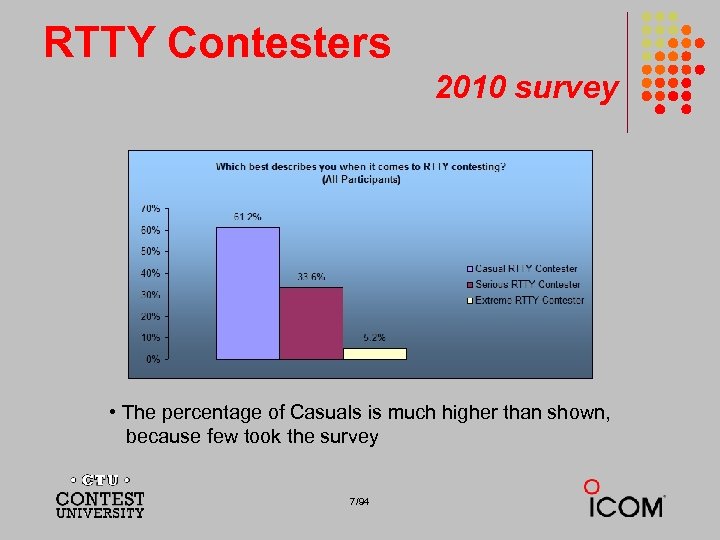 RTTY Contesters 2010 survey • The percentage of Casuals is much higher than shown, because few took the survey 7/94
 RTTY Contesters contester styles l Casual New l Making QSOs l Chasing awards majority of participants … sometimes slower operators l l Serious High rates; snappy QSOs; no chit-chat minority of participants … faster operators (and easily annoyed by slower operators!) l 8/94
 RTTY Contesters contester types l “Gentleman RTTYers” l l RTTY contest junkies l l Years of experience; many different contests New contesters l l RTTY is the gentleman’s mode (similar to 160 being the gentleman’s band) Many with extensive PC skill Multi-Mode contesters l Strong growth 9/94
 What Makes a Great RTTY Contester? l l l Contester who happily logs casual callers Uses CW & SSB techniques where useful Strives to exploit RTTY uniqueness l l l Auto-decode frees operator time … use it to do things difficult with CW & SSB, e. g. , SO 3 R! Speed is ~2 x CW Applies learning back to CW & SSB 10/94
 Giving Back l Open logs l l l Sharing l l l Allows others to learn Raises level of competition Improves operating quality and skill Raises level of competition Growing the sport l “Lighthouse”: AA 5 AU & www. rttycontesting. com 11/94
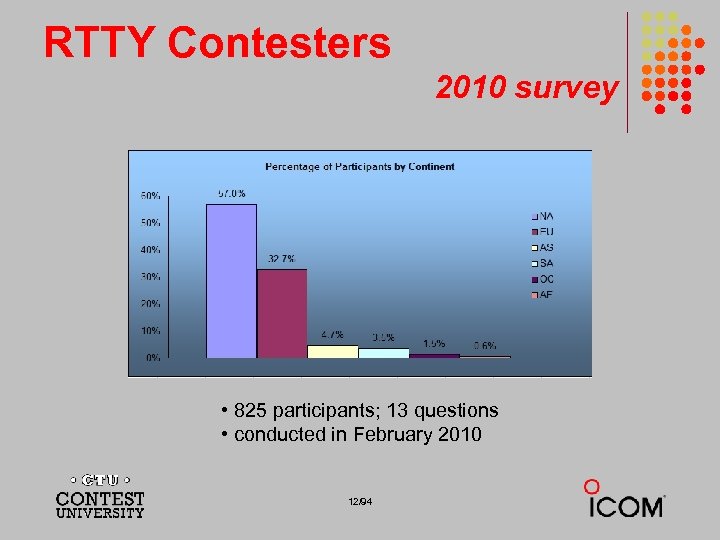 RTTY Contesters 2010 survey • 825 participants; 13 questions • conducted in February 2010 12/94
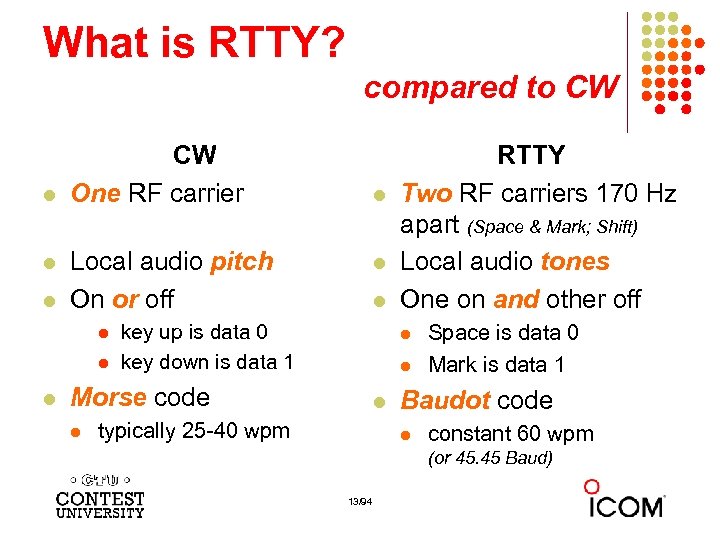 What is RTTY? compared to CW l l l CW One RF carrier Local audio pitch On or off l l l key up is data 0 key down is data 1 l l Morse code l RTTY Two RF carriers 170 Hz apart (Space & Mark; Shift) Local audio tones One on and other off l typically 25 -40 wpm Space is data 0 Mark is data 1 Baudot code l constant 60 wpm (or 45. 45 Baud) 13/94
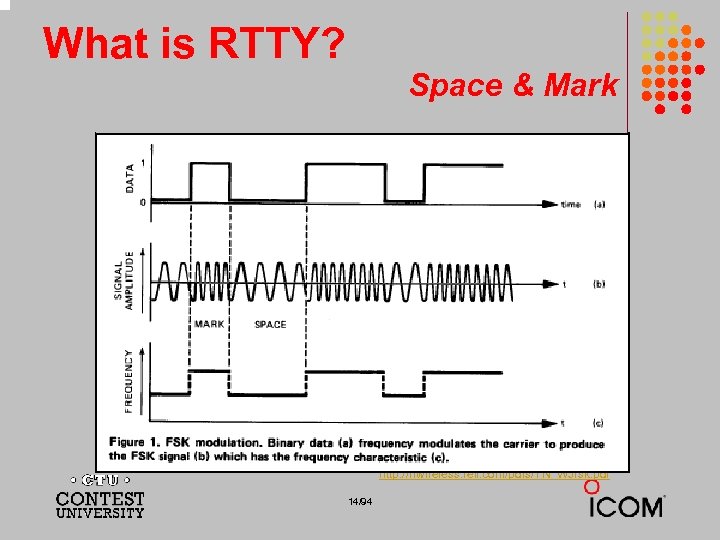 What is RTTY? Space & Mark http: //rfwireless. rell. com/pdfs/TN_WJfsk. pdf 14/94
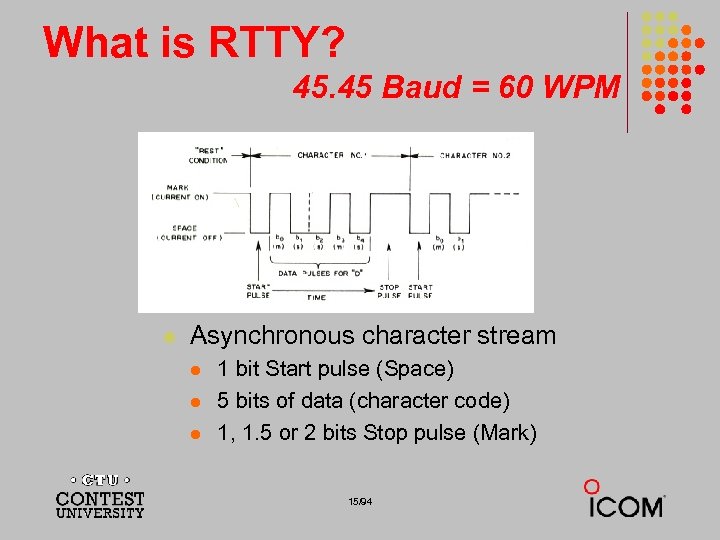 What is RTTY? 45. 45 Baud = 60 WPM l Asynchronous character stream l l l 1 bit Start pulse (Space) 5 bits of data (character code) 1, 1. 5 or 2 bits Stop pulse (Mark) 15/94
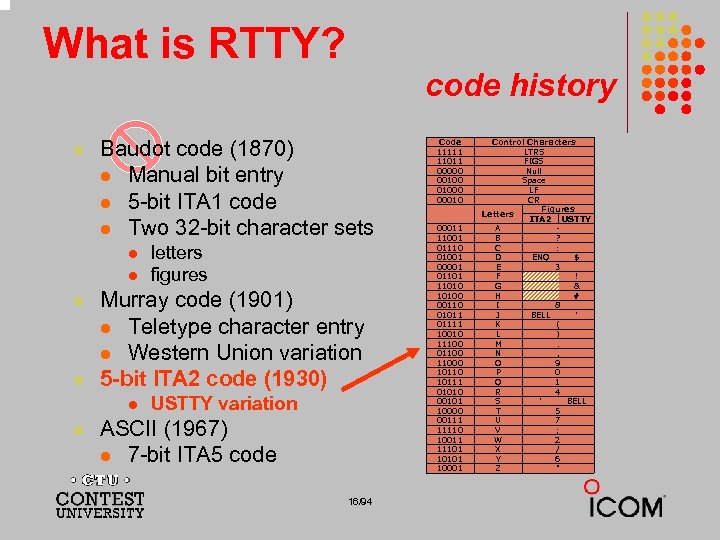 What is RTTY? code history l Baudot code (1870) l Manual bit entry l 5 -bit ITA 1 code l Two 32 -bit character sets l l Murray code (1901) l Teletype character entry l Western Union variation 5 -bit ITA 2 code (1930) l l letters figures USTTY variation ASCII (1967) l 7 -bit ITA 5 code 16/94 Code 11111 11011 00000 001000 00011 11001 01110 01001 00001 011010 10100 00110 01011 01111 10010 11100 011000 10111 01010 00101 10000 00111 11110 10011 11101 10001 Control Characters LTRS FIGS Null Space LF CR Figures Letters ITA 2 USTTY A B ? C : D ENQ $ E 3 F ! G & H # I 8 J BELL ' K ( L ) M. N , O 9 P 0 Q 1 R 4 S ' BELL T 5 U 7 V ; W 2 X / Y 6 Z "
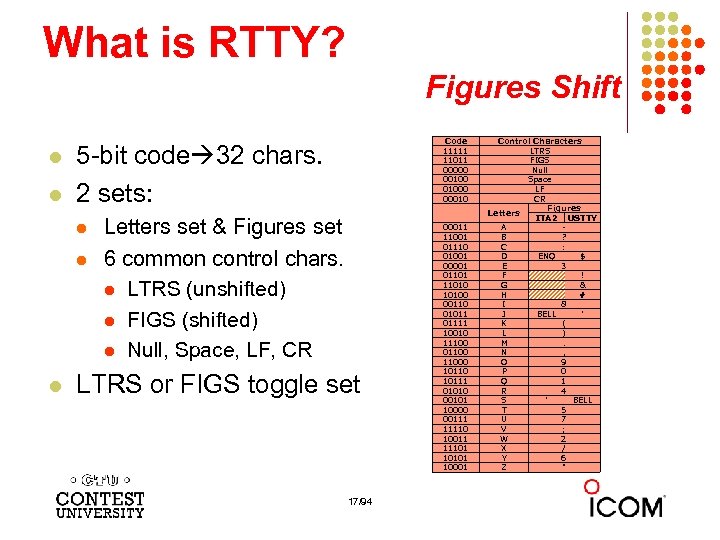 What is RTTY? Figures Shift l l 5 -bit code 32 chars. 2 sets: l l l Letters set & Figures set 6 common control chars. l LTRS (unshifted) l FIGS (shifted) l Null, Space, LF, CR LTRS or FIGS toggle set 17/94 Code 11111 11011 00000 001000 00011 11001 01110 01001 00001 011010 10100 00110 01011 01111 10010 11100 011000 10111 01010 00101 10000 00111 11110 10011 11101 10001 Control Characters LTRS FIGS Null Space LF CR Figures Letters ITA 2 USTTY A B ? C : D ENQ $ E 3 F ! G & H # I 8 J BELL ' K ( L ) M. N , O 9 P 0 Q 1 R 4 S ' BELL T 5 U 7 V ; W 2 X / Y 6 Z "
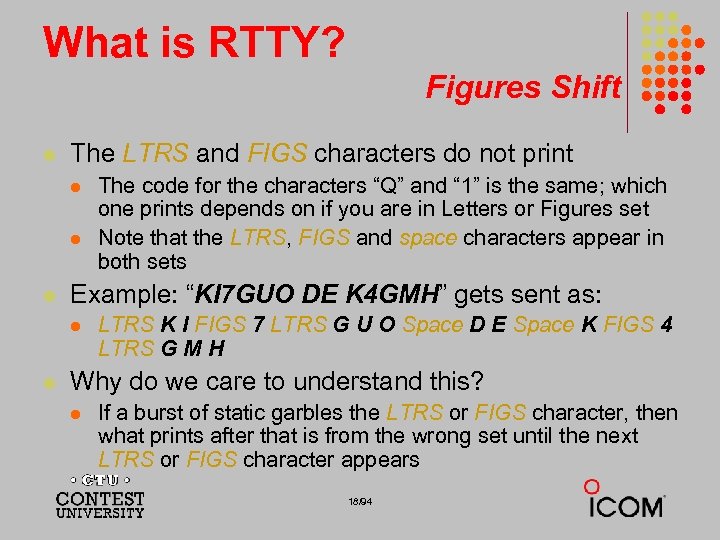 What is RTTY? Figures Shift l The LTRS and FIGS characters do not print l l l Example: “KI 7 GUO DE K 4 GMH” gets sent as: l l The code for the characters “Q” and “ 1” is the same; which one prints depends on if you are in Letters or Figures set Note that the LTRS, FIGS and space characters appear in both sets LTRS K I FIGS 7 LTRS G U O Space D E Space K FIGS 4 LTRS G M H Why do we care to understand this? l If a burst of static garbles the LTRS or FIGS character, then what prints after that is from the wrong set until the next LTRS or FIGS character appears 18/94
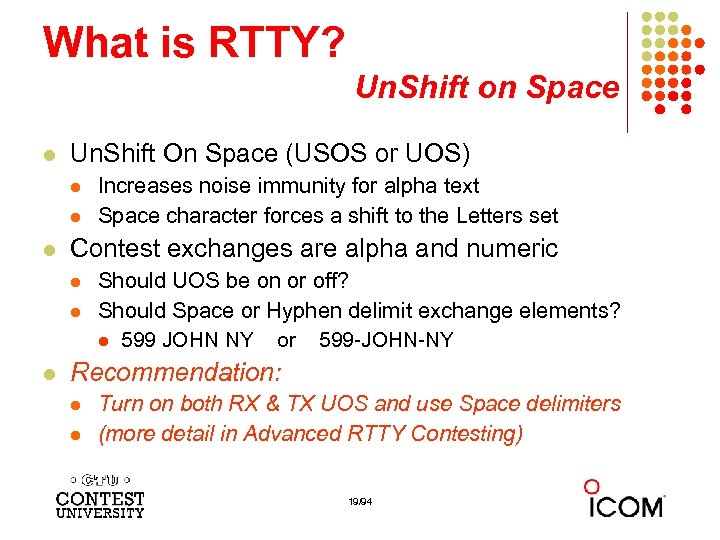 What is RTTY? Un. Shift on Space l Un. Shift On Space (USOS or UOS) l l l Contest exchanges are alpha and numeric l l l Increases noise immunity for alpha text Space character forces a shift to the Letters set Should UOS be on or off? Should Space or Hyphen delimit exchange elements? l 599 JOHN NY or 599 -JOHN-NY Recommendation: l l Turn on both RX & TX UOS and use Space delimiters (more detail in Advanced RTTY Contesting) 19/94
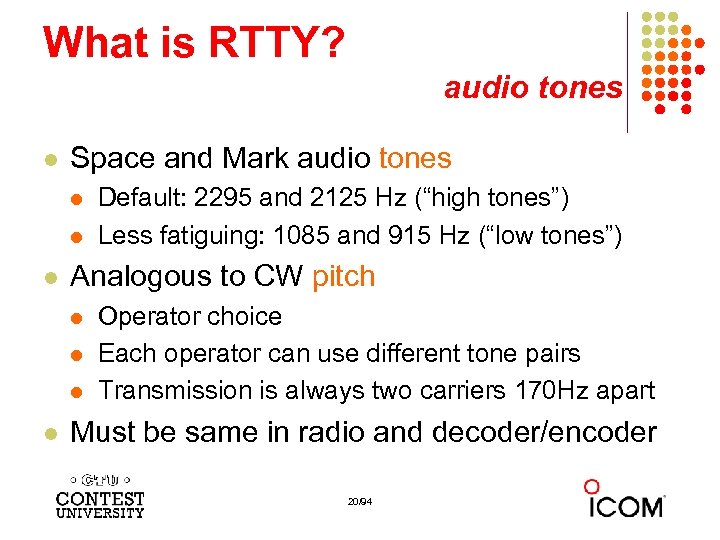 What is RTTY? audio tones l Space and Mark audio tones l l l Analogous to CW pitch l l Default: 2295 and 2125 Hz (“high tones”) Less fatiguing: 1085 and 915 Hz (“low tones”) Operator choice Each operator can use different tone pairs Transmission is always two carriers 170 Hz apart Must be same in radio and decoder/encoder 20/94
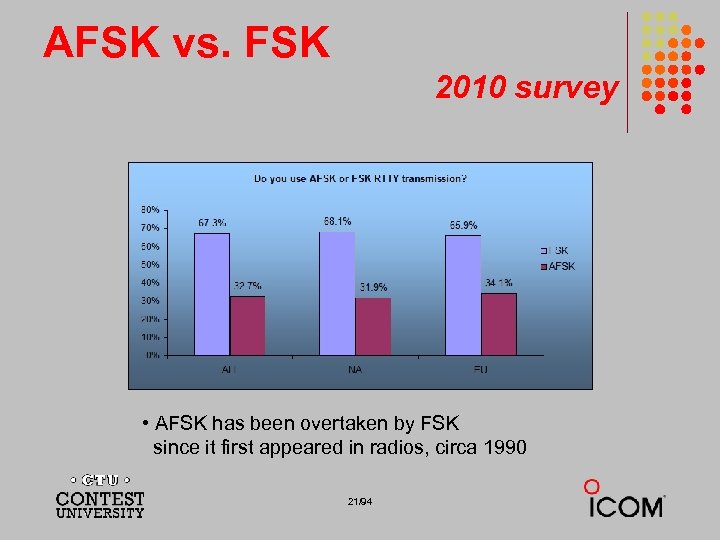 AFSK vs. FSK 2010 survey • AFSK has been overtaken by FSK since it first appeared in radios, circa 1990 21/94
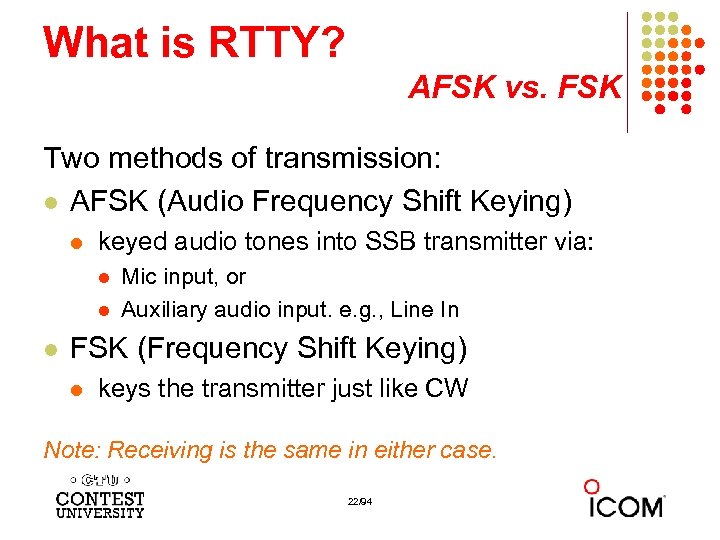 What is RTTY? AFSK vs. FSK Two methods of transmission: l AFSK (Audio Frequency Shift Keying) l keyed audio tones into SSB transmitter via: l l l Mic input, or Auxiliary audio input. e. g. , Line In FSK (Frequency Shift Keying) l keys the transmitter just like CW Note: Receiving is the same in either case. 22/94
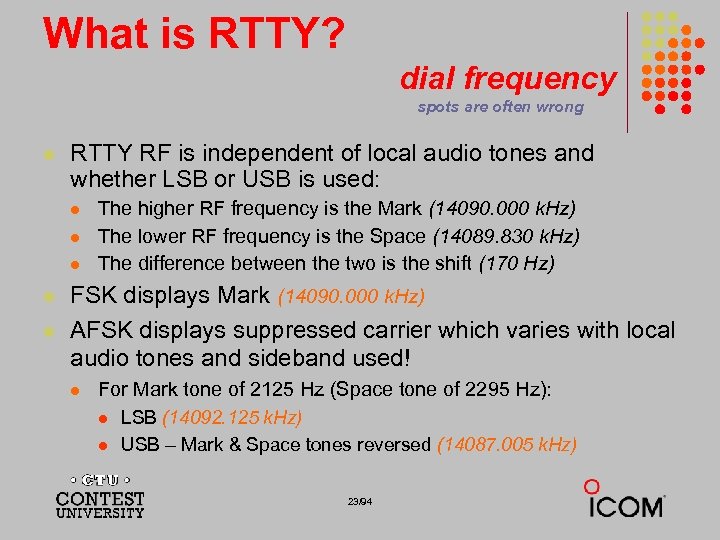 What is RTTY? dial frequency spots are often wrong l RTTY RF is independent of local audio tones and whether LSB or USB is used: l l l The higher RF frequency is the Mark (14090. 000 k. Hz) The lower RF frequency is the Space (14089. 830 k. Hz) The difference between the two is the shift (170 Hz) FSK displays Mark (14090. 000 k. Hz) AFSK displays suppressed carrier which varies with local audio tones and sideband used! l For Mark tone of 2125 Hz (Space tone of 2295 Hz): l l LSB (14092. 125 k. Hz) USB – Mark & Space tones reversed (14087. 005 k. Hz) 23/94
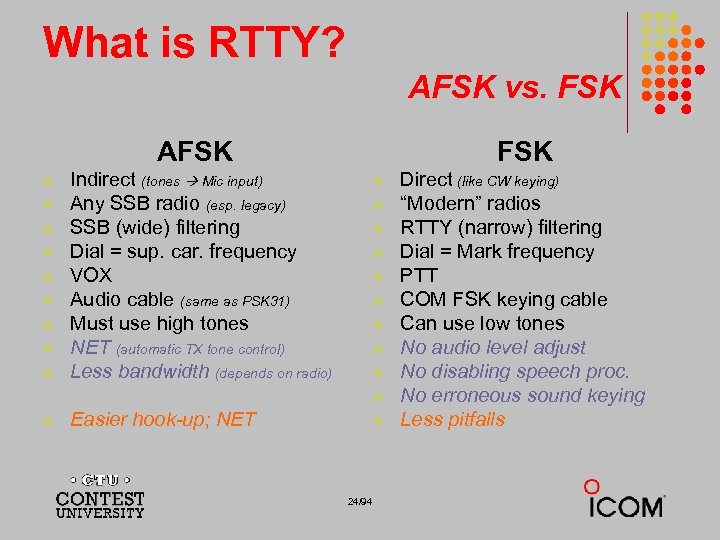 What is RTTY? AFSK vs. FSK AFSK l l l l l FSK Indirect (tones Mic input) Any SSB radio (esp. legacy) SSB (wide) filtering Dial = sup. car. frequency VOX Audio cable (same as PSK 31) Must use high tones NET (automatic TX tone control) Less bandwidth (depends on radio) l l l Easier hook-up; NET l 24/94 Direct (like CW keying) “Modern” radios RTTY (narrow) filtering Dial = Mark frequency PTT COM FSK keying cable Can use low tones No audio level adjust No disabling speech proc. No erroneous sound keying Less pitfalls
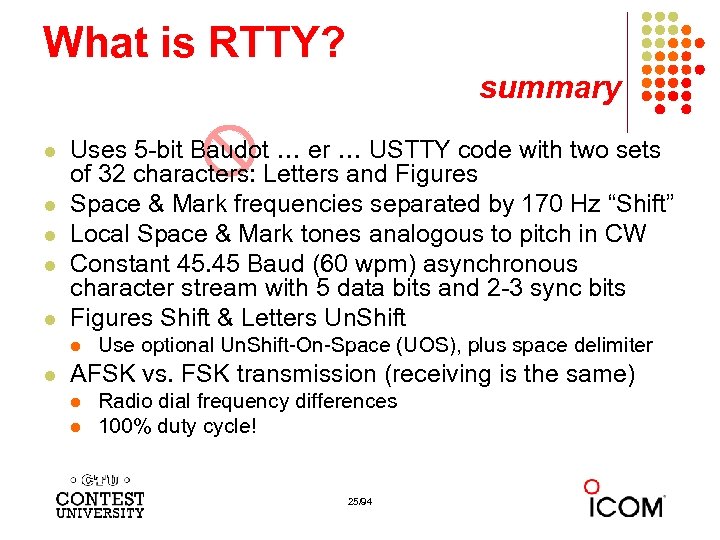 What is RTTY? summary l l l Uses 5 -bit Baudot … er … USTTY code with two sets of 32 characters: Letters and Figures Space & Mark frequencies separated by 170 Hz “Shift” Local Space & Mark tones analogous to pitch in CW Constant 45. 45 Baud (60 wpm) asynchronous character stream with 5 data bits and 2 -3 sync bits Figures Shift & Letters Un. Shift l l Use optional Un. Shift-On-Space (UOS), plus space delimiter AFSK vs. FSK transmission (receiving is the same) l l Radio dial frequency differences 100% duty cycle! 25/94
 The Cynics Say … l “RTTY is a pain to set up and get working. ” … stay tuned, it’s really not that difficult! l “The RTTY decoder/encoder does everything. ” however, this attribute … l frees the operator to improve other skills l enables more contest participants l provides mode diversity for contest junkies 26/94
 How Do I Set it Up? overview l Acquire hardware and/or software to convert between the RTTY signal and text: l l l RTTY receive decoder RTTY transmit encoder PC-radio interface Configure decoder/encoder Integrate decoder/encoder with logger The rest of the station setup is the same as for CW and SSB 27/94
 How Do I Set it Up? RTTY decoder/encoder l RTTY receive decoder converts printed characters from the two RTTY frequencies l l CW and SSB receive audio is converted to typed characters by our ears/brain/hands RTTY transmit encoder converts typed characters (or messages) into the two RTTY frequencies l l (CW decoders are also available, similar to RTTY decoders, but seldom used) Transmitted CW is converted from text by our brain/hand with the aid of a key and/or keyer Transmitted SSB is converted from text by our brain/mouth via a microphone (CW software keyers and SSB DVKs are also used, similar to RTTY encoders) 28/94
 How Do I Set it Up? decoder/encoder terminology l The RTTY transmit encoder and receive decoder is sometimes referred to as a MODEM or a TNC: l l l MODEM = MOdulator DEModulator TNC = Terminal Node Controller MODEMs can be: l l a hardware box, or a software application driving a PC soundcard 29/94
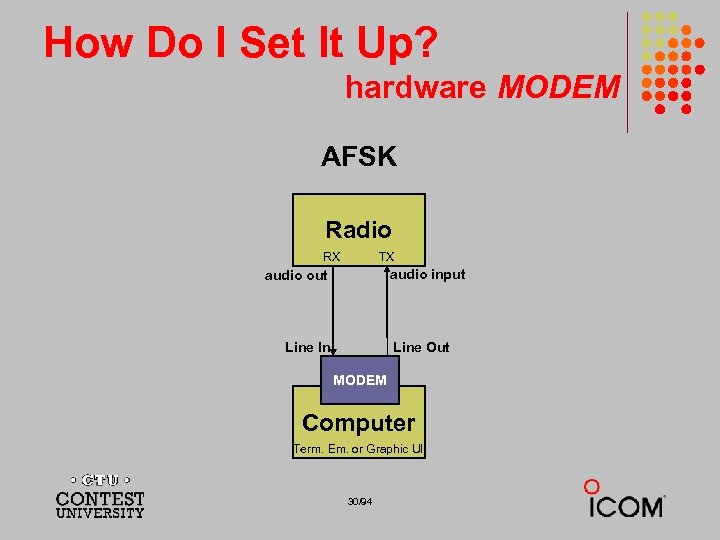 How Do I Set It Up? hardware MODEM AFSK Radio RX TX audio input audio out Line In Line Out MODEM Computer Term. Em. or Graphic UI 30/94
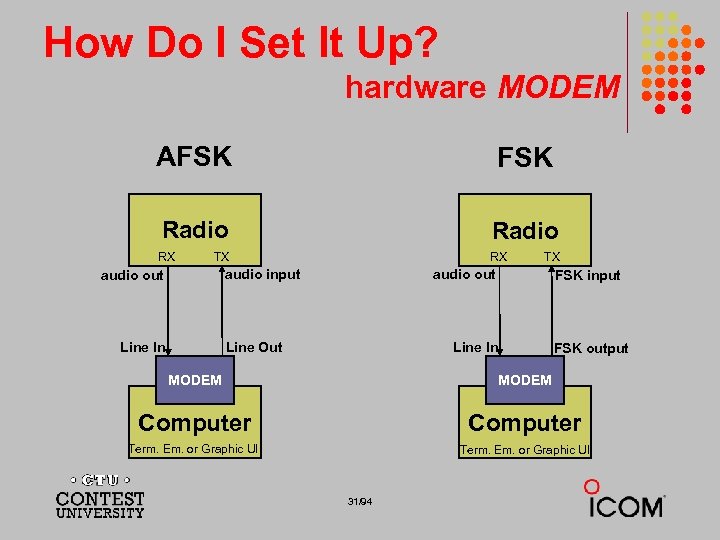 How Do I Set It Up? hardware MODEM AFSK Radio RX RX TX audio input audio out Line In TX audio out Line Out FSK input Line In FSK output MODEM Computer Term. Em. or Graphic UI 31/94
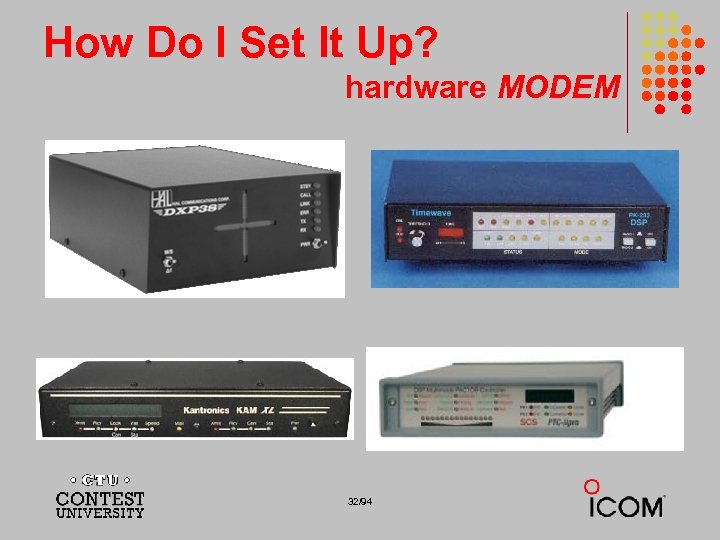 How Do I Set It Up? hardware MODEM 32/94
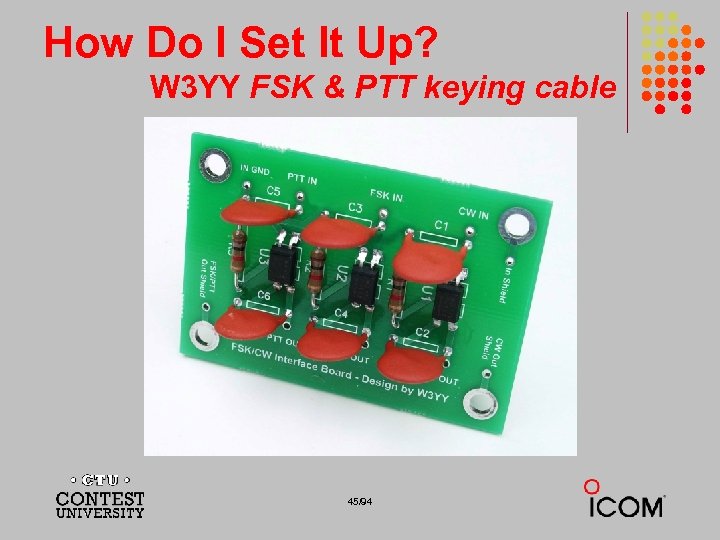
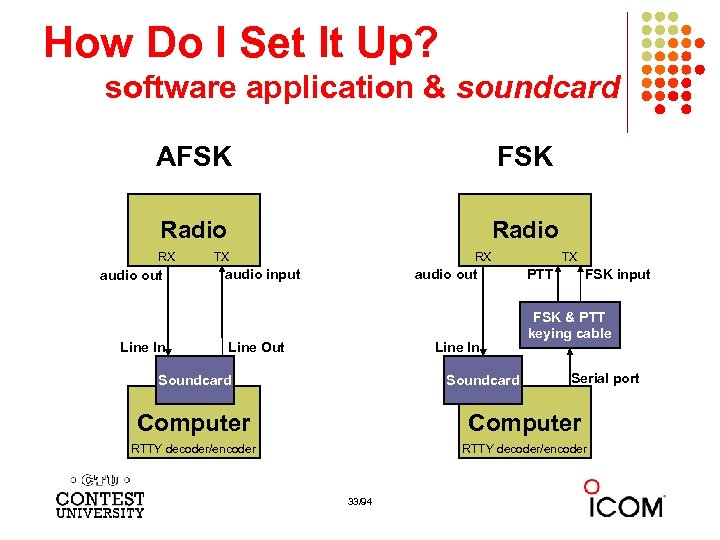 How Do I Set It Up? software application & soundcard AFSK Radio RX audio out Line In TX RX audio input audio out Line In Line Out Soundcard TX PTT FSK input FSK & PTT keying cable Serial port Computer RTTY decoder/encoder 33/94
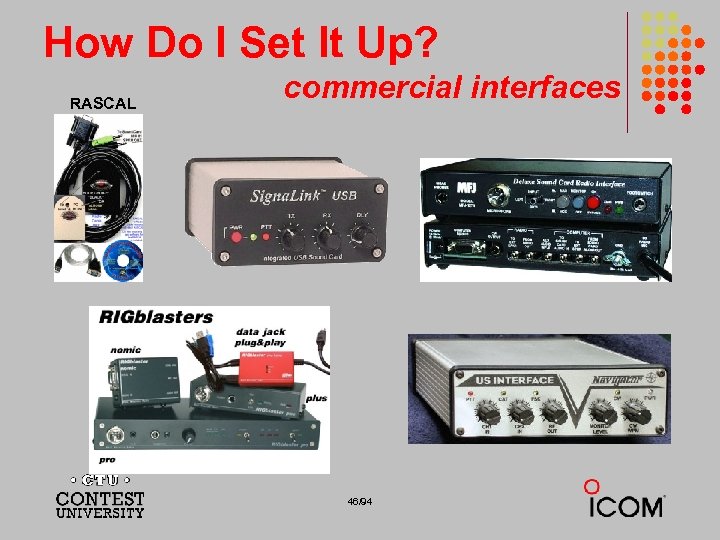
 How Do I Set It Up? ground loops l l Eliminate ground loops between radio and PC Otherwise insert 1: 1 audio isolation transformer on: l l l RX output TX Mic input (AFSK only) Alternatives: l l l Bourns LM-NP-1001 -B 1 L transformer homebrew cable Ground loop isolators W 2 IHY i. Box Commercial RTTY interfaces K 3 (uses Bourns LM-NP-1001 -B 1 L on LINE IN & OUT) 34/94
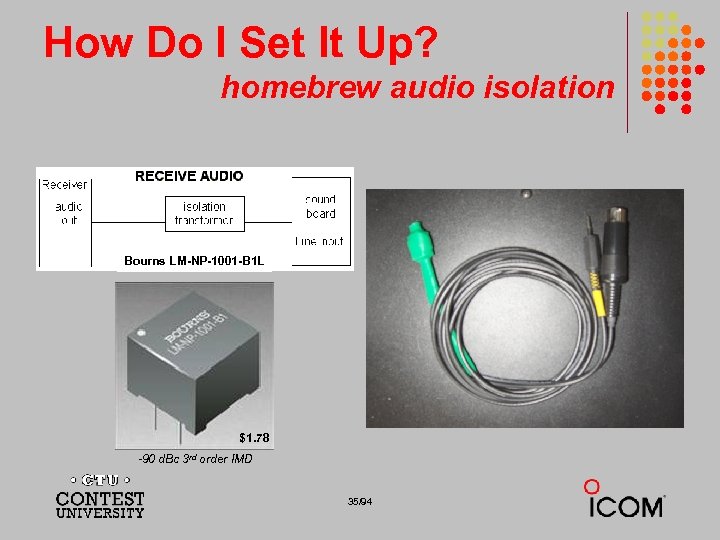 How Do I Set It Up? homebrew audio isolation Bourns LM-NP-1001 -B 1 L $1. 78 -90 d. Bc 3 rd order IMD 35/94
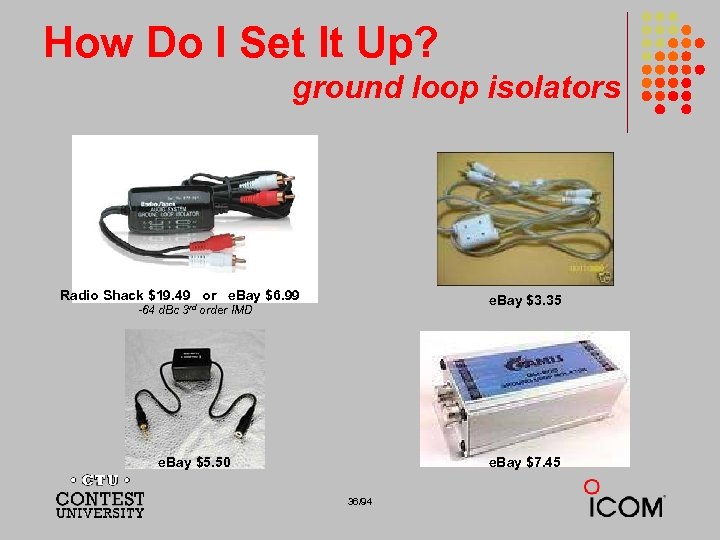 How Do I Set It Up? ground loop isolators Radio Shack $19. 49 or e. Bay $6. 99 e. Bay $3. 35 -64 d. Bc 3 rd order IMD e. Bay $5. 50 e. Bay $7. 45 36/94
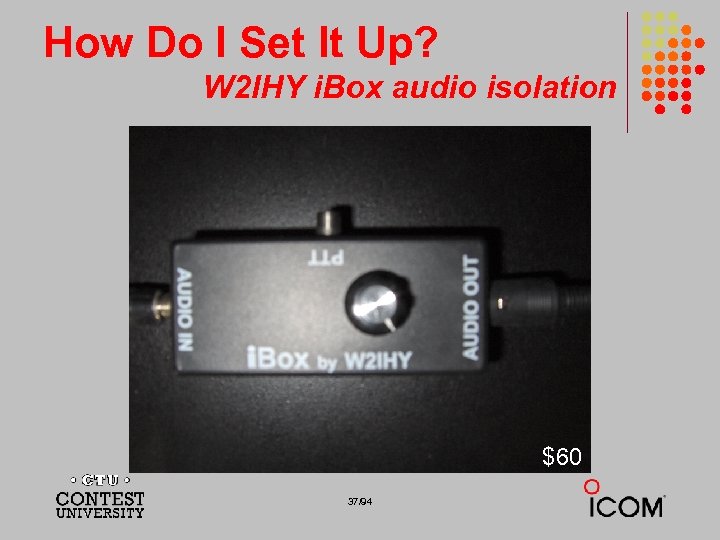 How Do I Set It Up? W 2 IHY i. Box audio isolation $60 37/94
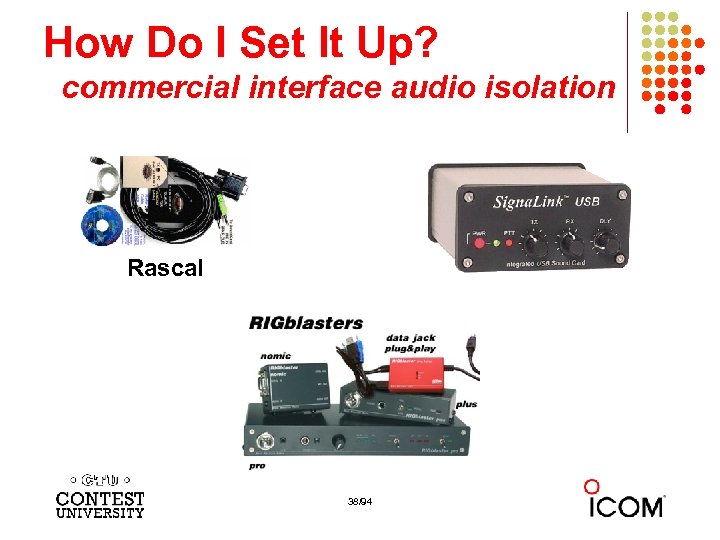 How Do I Set It Up? commercial interface audio isolation Rascal 38/94
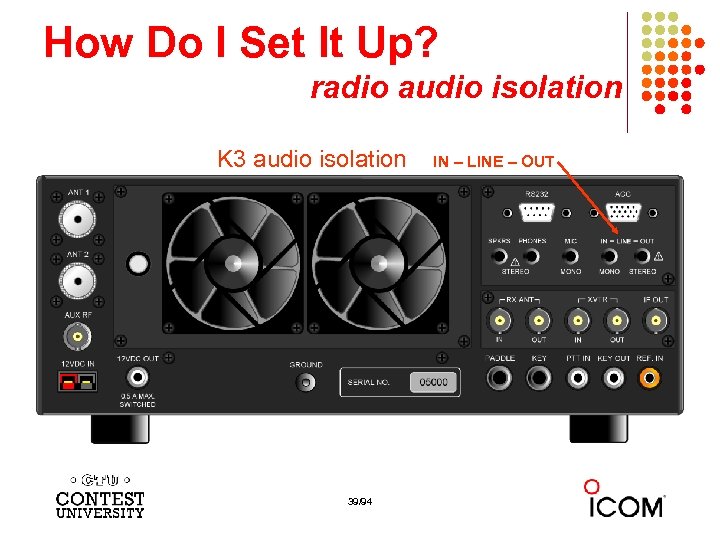 How Do I Set It Up? radio audio isolation K 3 audio isolation 39/94 IN – LINE – OUT
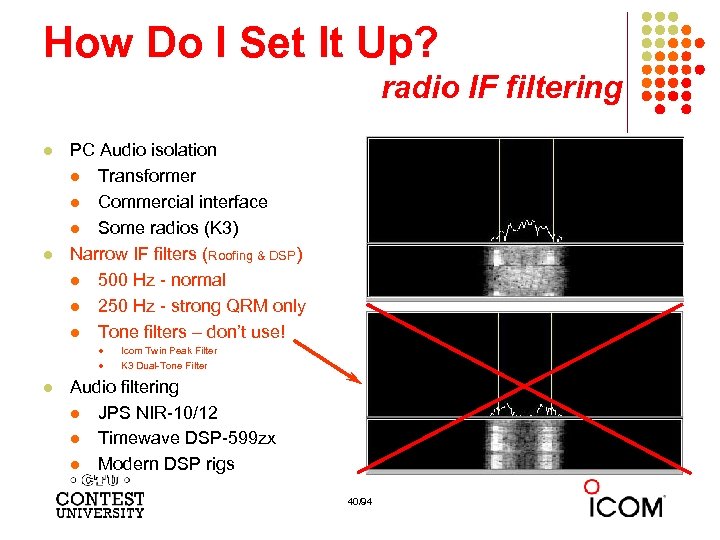 How Do I Set It Up? radio IF filtering l l PC Audio isolation l Transformer l Commercial interface l Some radios (K 3) Narrow IF filters (Roofing & DSP) l 500 Hz - normal l 250 Hz - strong QRM only l Tone filters – don’t use! l l l Icom Twin Peak Filter K 3 Dual-Tone Filter Audio filtering l JPS NIR-10/12 l Timewave DSP-599 zx l Modern DSP rigs 40/94
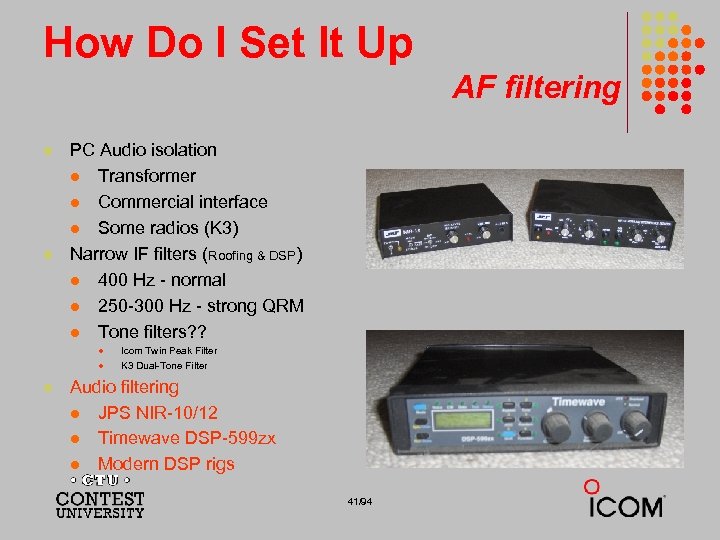 How Do I Set It Up AF filtering l l PC Audio isolation l Transformer l Commercial interface l Some radios (K 3) Narrow IF filters (Roofing & DSP) l 400 Hz - normal l 250 -300 Hz - strong QRM l Tone filters? ? l l l Icom Twin Peak Filter K 3 Dual-Tone Filter Audio filtering l JPS NIR-10/12 l Timewave DSP-599 zx l Modern DSP rigs 41/94
 How Do I Set It Up? soundcard levels l Adjust levels in Windows Volume Control (or, in MMTTY Options/Soundcard …) l l RX audio goes to LINE IN (or, MIC w/pad) l l Use isolation transformer Avoid over-drive Mute other inputs and outputs Options/Soundcard input level TX AFSK audio (mic) comes from LINE OUT l l Options/Soundcard output level Turn off radio compression (speech proc. ) 42/94
 How Do I Set It Up? PTT vs. VOX l l AFSK uses VOX (or PTT); FSK uses PTT by: l l l Computer control via Serial COM port Footswitch (not recommended) FSK to use semi-break-in in the future? 43/94
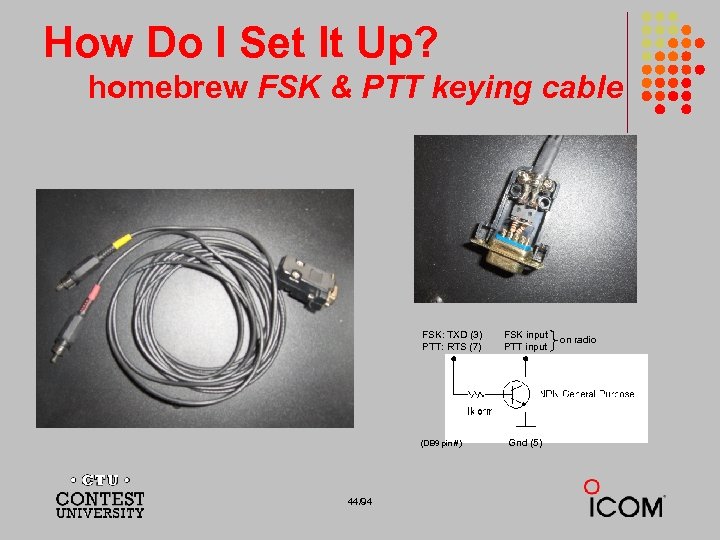 How Do I Set It Up? homebrew FSK & PTT keying cable FSK: TXD (3) PTT: RTS (7) (DB 9 pin #) 44/94 FSK input PTT input Gnd (5) on radio
 How Do I Set It Up? W 3 YY FSK & PTT keying cable 45/94
 How Do I Set It Up? RASCAL commercial interfaces 46/94
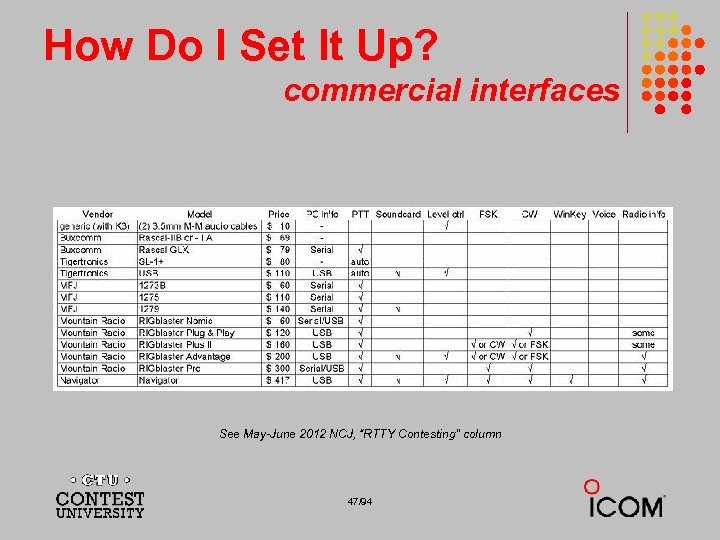 How Do I Set It Up? commercial interfaces See May-June 2012 NCJ, “RTTY Contesting” column 47/94
 How Do I Set It Up? Rig. Expert Interfaces 48/94
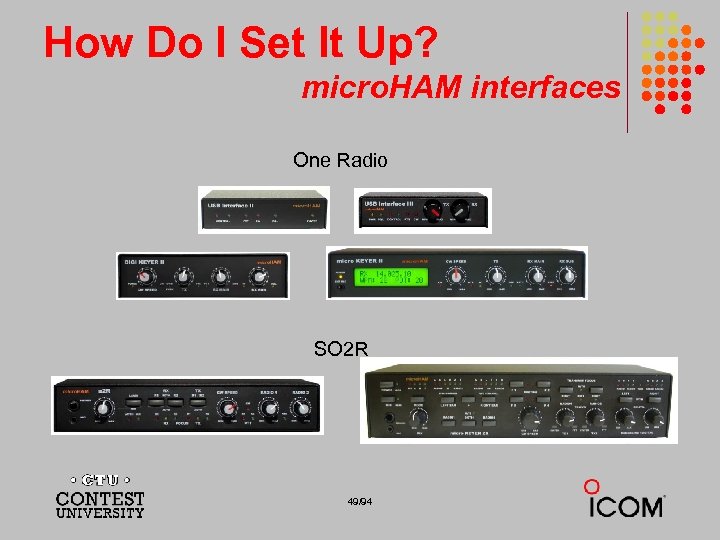 How Do I Set It Up? micro. HAM interfaces One Radio SO 2 R 49/94
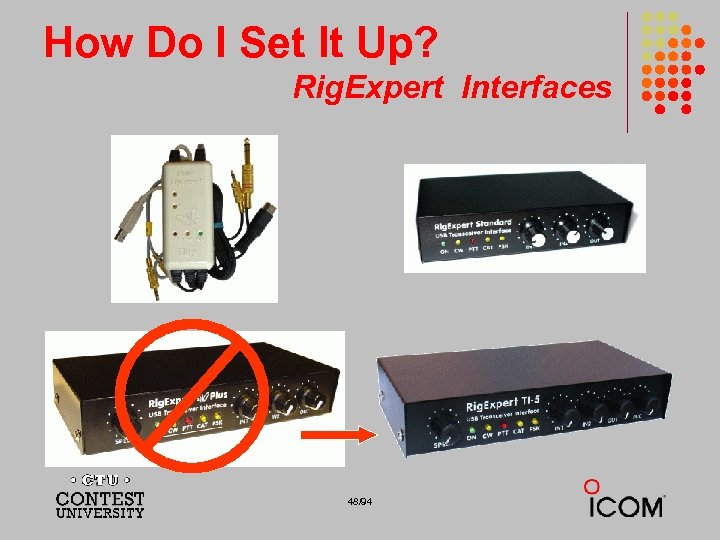
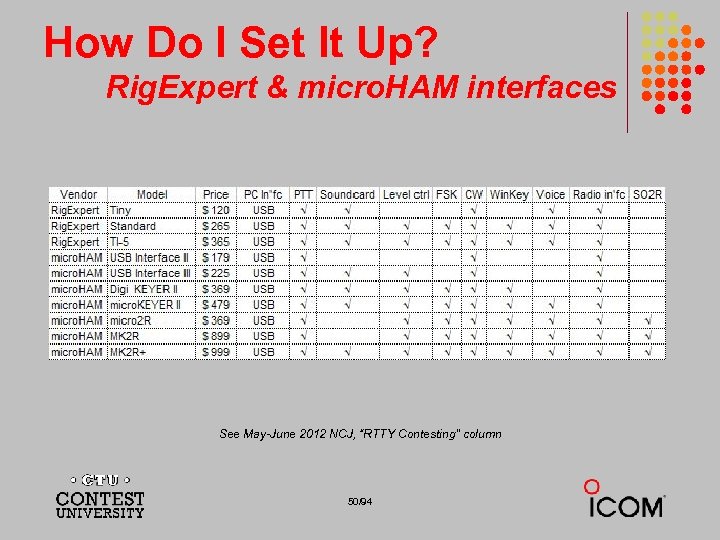 How Do I Set It Up? Rig. Expert & micro. HAM interfaces See May-June 2012 NCJ, “RTTY Contesting” column 50/94
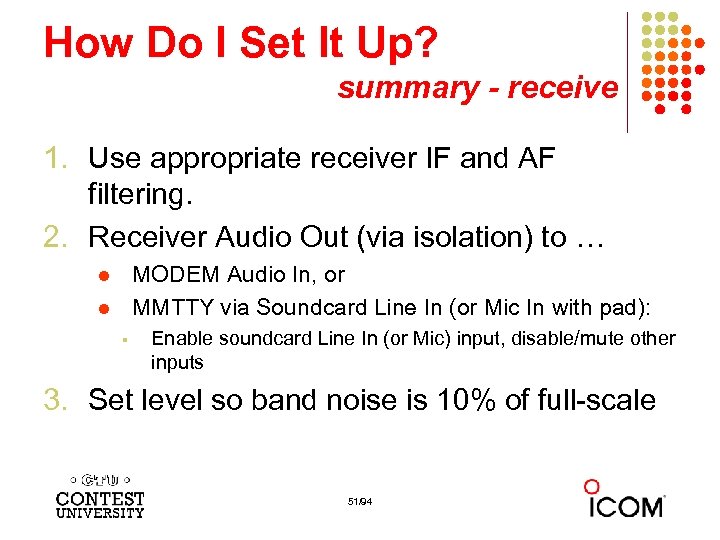 How Do I Set It Up? summary - receive 1. Use appropriate receiver IF and AF filtering. 2. Receiver Audio Out (via isolation) to … MODEM Audio In, or MMTTY via Soundcard Line In (or Mic In with pad): l l § Enable soundcard Line In (or Mic) input, disable/mute other inputs 3. Set level so band noise is 10% of full-scale 51/94
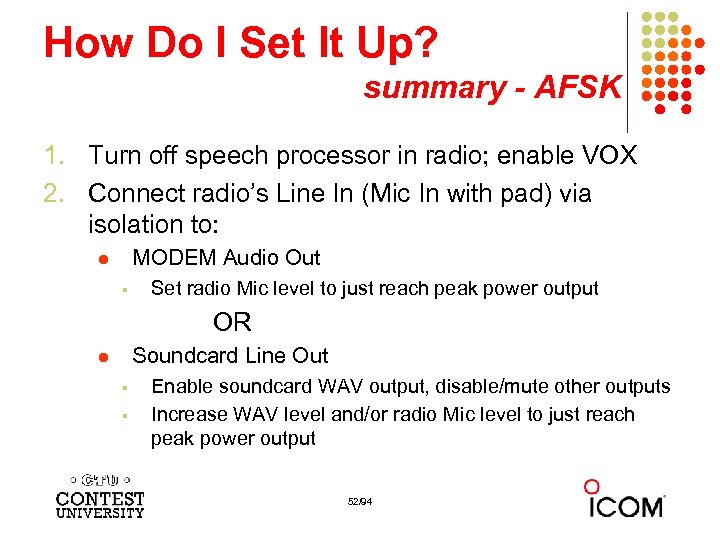 How Do I Set It Up? summary - AFSK 1. Turn off speech processor in radio; enable VOX 2. Connect radio’s Line In (Mic In with pad) via isolation to: MODEM Audio Out l § Set radio Mic level to just reach peak power output OR Soundcard Line Out l § § Enable soundcard WAV output, disable/mute other outputs Increase WAV level and/or radio Mic level to just reach peak power output 52/94
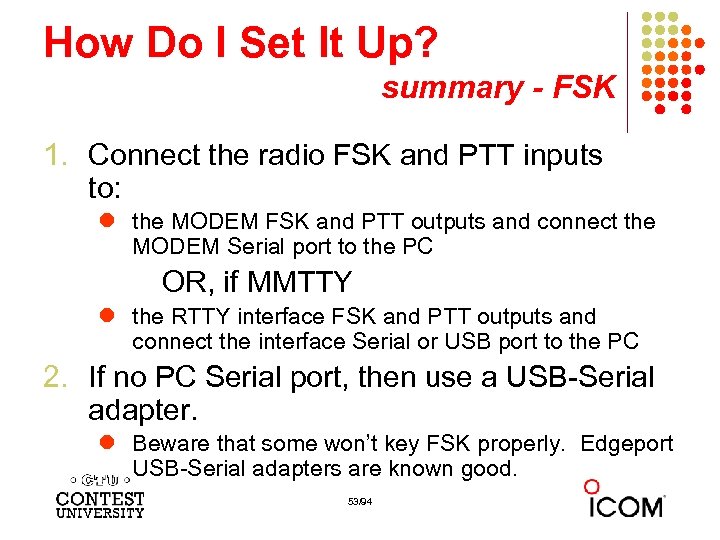 How Do I Set It Up? summary - FSK 1. Connect the radio FSK and PTT inputs to: l the MODEM FSK and PTT outputs and connect the MODEM Serial port to the PC OR, if MMTTY l the RTTY interface FSK and PTT outputs and connect the interface Serial or USB port to the PC 2. If no PC Serial port, then use a USB-Serial adapter. l Beware that some won’t key FSK properly. Edgeport USB-Serial adapters are known good. 53/94
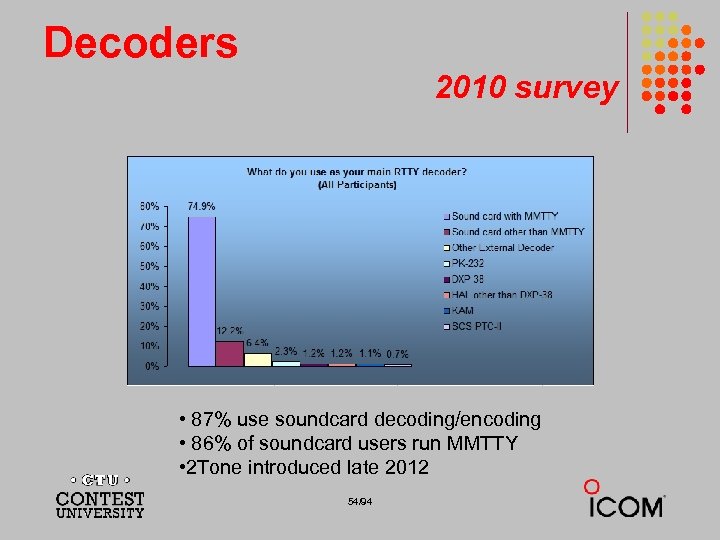 Decoders 2010 survey • 87% use soundcard decoding/encoding • 86% of soundcard users run MMTTY • 2 Tone introduced late 2012 54/94
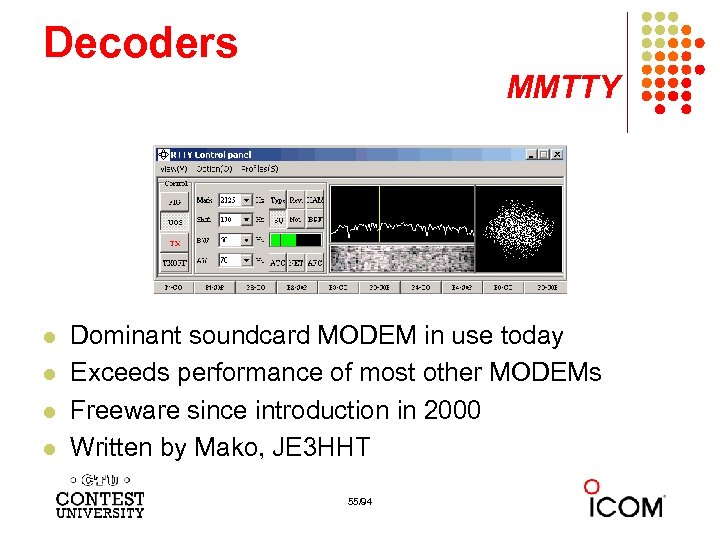 Decoders MMTTY l l Dominant soundcard MODEM in use today Exceeds performance of most other MODEMs Freeware since introduction in 2000 Written by Mako, JE 3 HHT 55/94
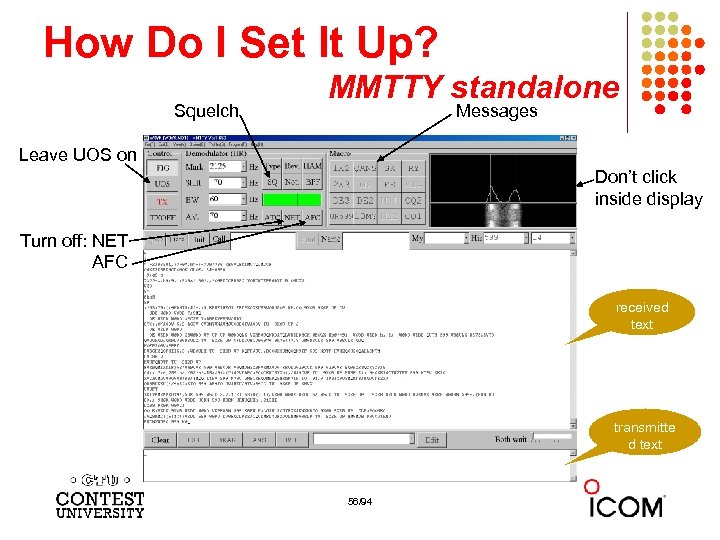 How Do I Set It Up? Squelch MMTTY standalone Messages Leave UOS on Don’t click inside display Turn off: NET AFC received text transmitte d text 56/94
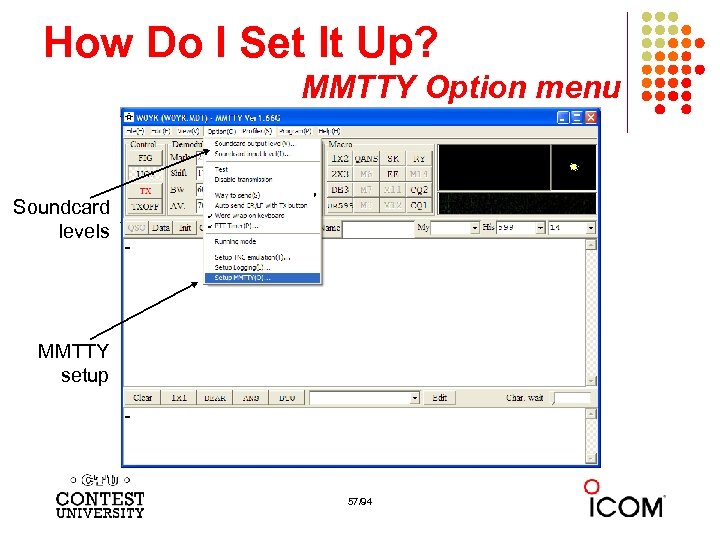 How Do I Set It Up? MMTTY Option menu Soundcard levels MMTTY setup 57/94
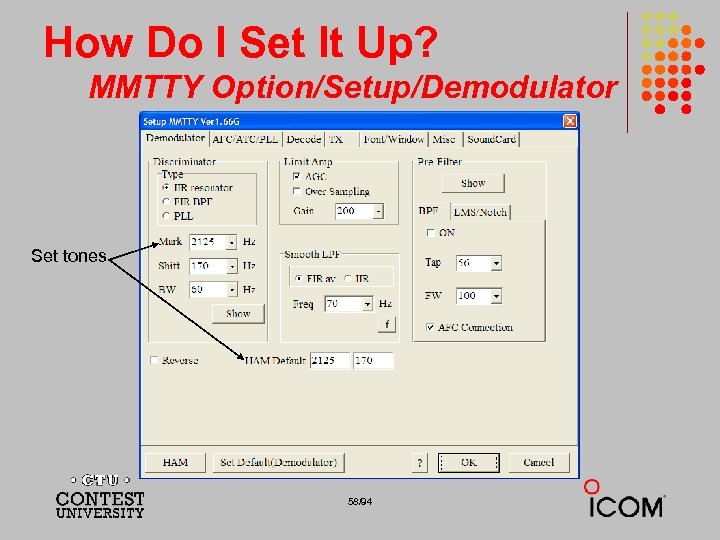 How Do I Set It Up? MMTTY Option/Setup/Demodulator Set tones 58/94
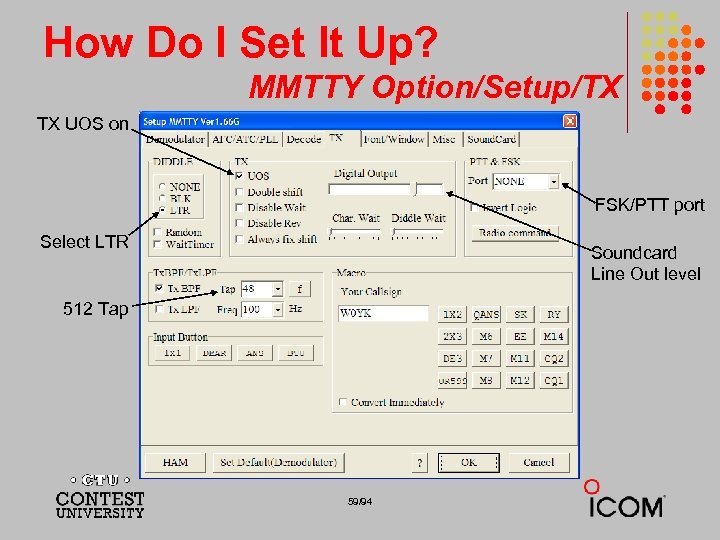 How Do I Set It Up? MMTTY Option/Setup/TX TX UOS on FSK/PTT port Select LTR Soundcard Line Out level 512 Tap 59/94
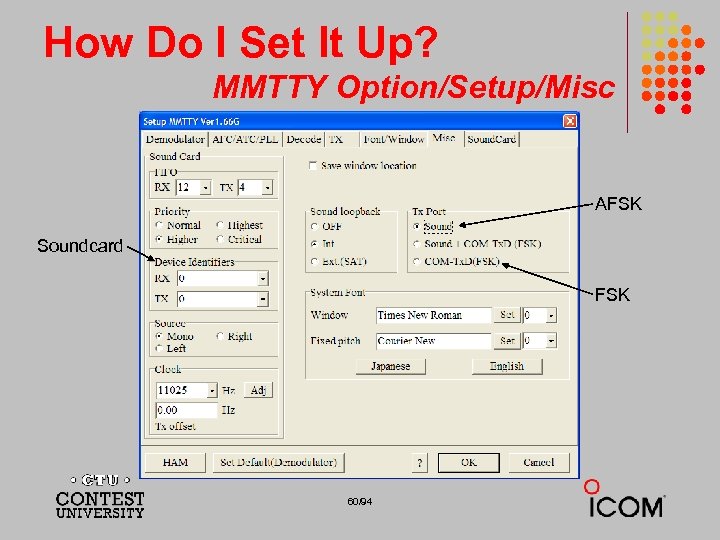 How Do I Set It Up? MMTTY Option/Setup/Misc AFSK Soundcard FSK 60/94
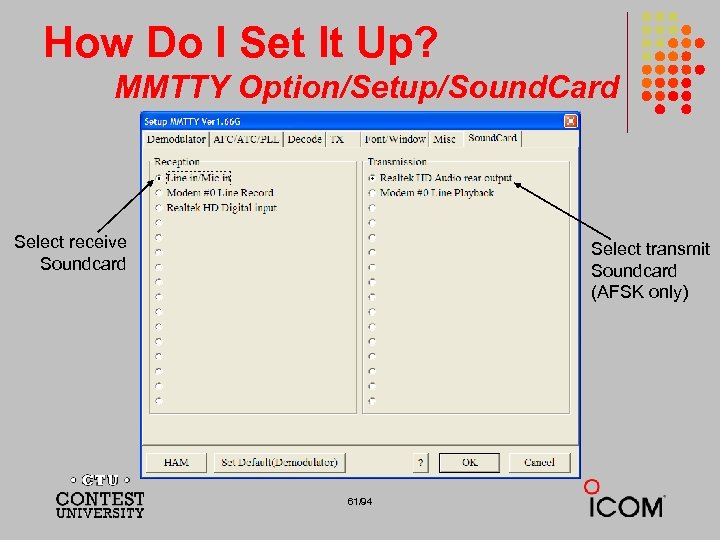 How Do I Set It Up? MMTTY Option/Setup/Sound. Card Select receive Soundcard Select transmit Soundcard (AFSK only) 61/94
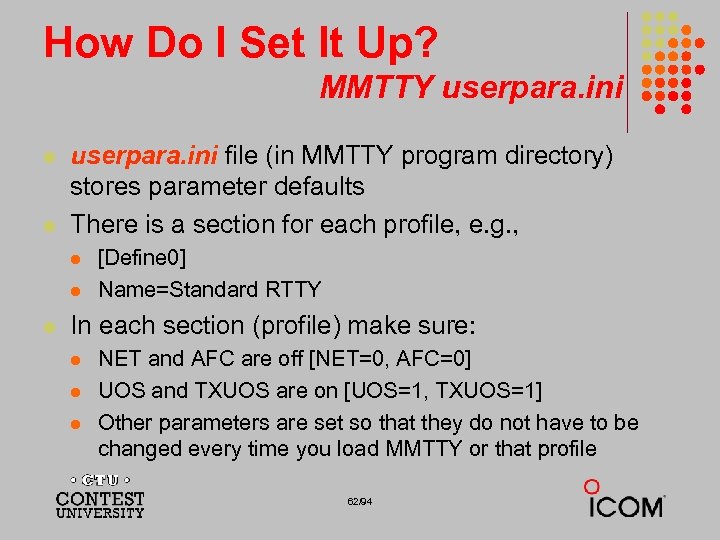 How Do I Set It Up? MMTTY userpara. ini l l userpara. ini file (in MMTTY program directory) stores parameter defaults There is a section for each profile, e. g. , l l l [Define 0] Name=Standard RTTY In each section (profile) make sure: l l l NET and AFC are off [NET=0, AFC=0] UOS and TXUOS are on [UOS=1, TXUOS=1] Other parameters are set so that they do not have to be changed every time you load MMTTY or that profile 62/94
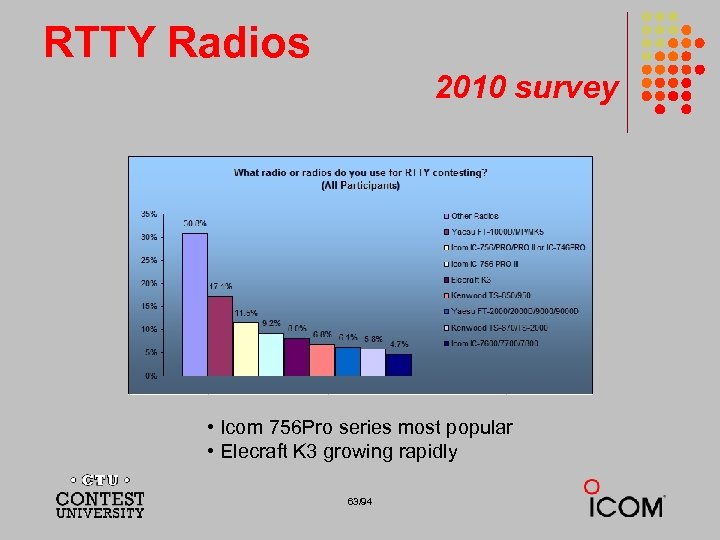 RTTY Radios 2010 survey • Icom 756 Pro series most popular • Elecraft K 3 growing rapidly 63/94
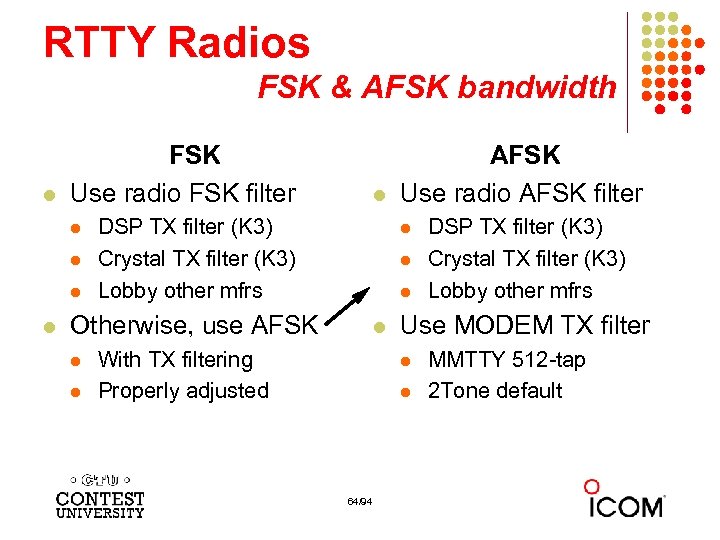 RTTY Radios FSK & AFSK bandwidth l FSK Use radio FSK filter l l l DSP TX filter (K 3) Crystal TX filter (K 3) Lobby other mfrs l l l Otherwise, use AFSK l l AFSK Use radio AFSK filter l With TX filtering Properly adjusted Use MODEM TX filter l l 64/94 DSP TX filter (K 3) Crystal TX filter (K 3) Lobby other mfrs MMTTY 512 -tap 2 Tone default
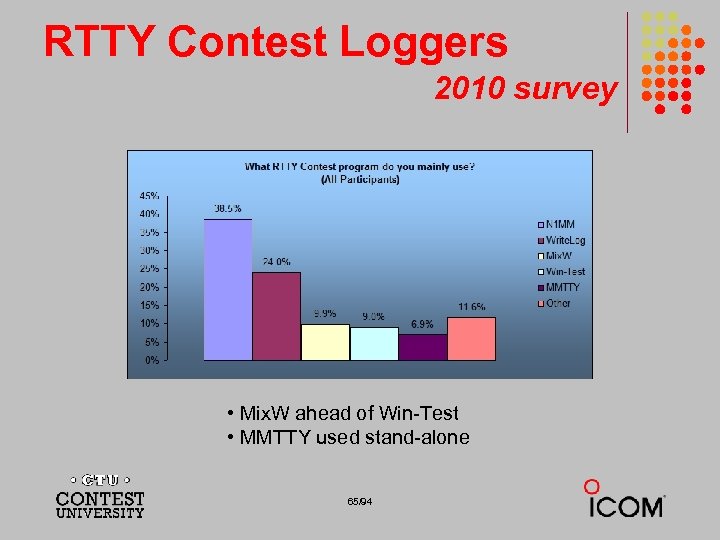 RTTY Contest Loggers 2010 survey • Mix. W ahead of Win-Test • MMTTY used stand-alone 65/94
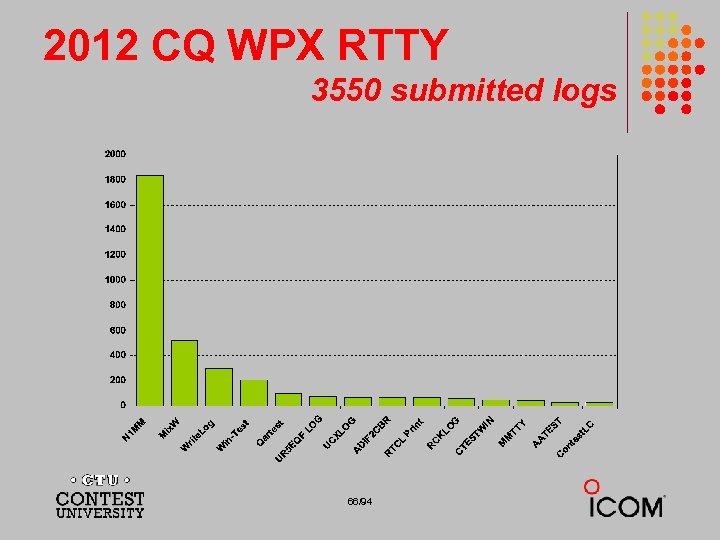 2012 CQ WPX RTTY 3550 submitted logs 66/94
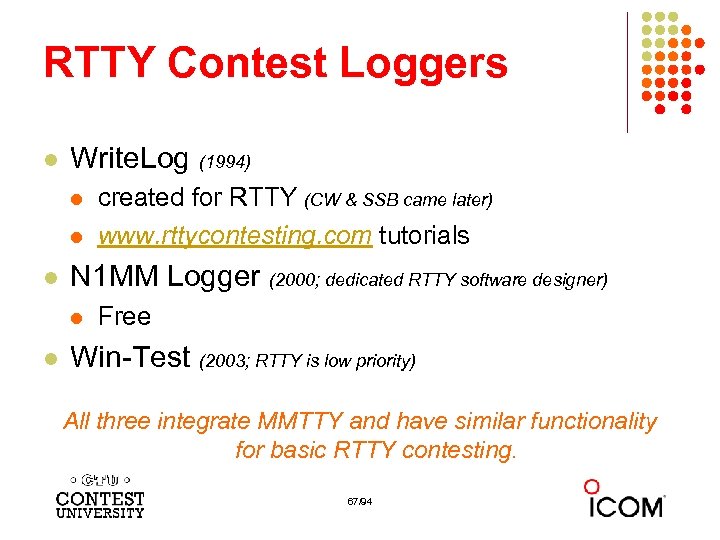 RTTY Contest Loggers l Write. Log (1994) l l l N 1 MM Logger (2000; dedicated RTTY software designer) l l created for RTTY (CW & SSB came later) www. rttycontesting. com tutorials Free Win-Test (2003; RTTY is low priority) All three integrate MMTTY and have similar functionality for basic RTTY contesting. 67/94
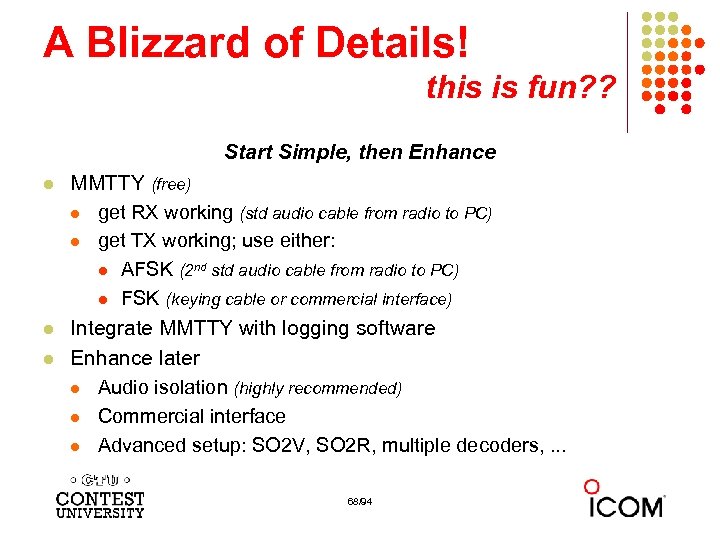 A Blizzard of Details! this is fun? ? Start Simple, then Enhance l l l MMTTY (free) l get RX working (std audio cable from radio to PC) l get TX working; use either: l AFSK (2 nd std audio cable from radio to PC) l FSK (keying cable or commercial interface) Integrate MMTTY with logging software Enhance later l Audio isolation (highly recommended) l Commercial interface l Advanced setup: SO 2 V, SO 2 R, multiple decoders, . . . 68/94
 The Cynics Say … l “RTTY is a pain to set up and get working. ” … stay tuned, it’s really not that difficult! l “The RTTY decoder/encoder does everything. ” however, this attribute … l frees the operator to improve other skills l enables more contest participants l provides mode diversity for contest junkies 69/94
 RTTY Considerations Much like CW and SSB, except: l Non-human decoding implications l l RTTY established practice l l just to detect presence & timing Avoid distraction l l e. g. , ‘CQ’ at end of CQ message Whisper-level headphone volume; low tones l l e. g. , serial number repeat, universal “fist” or “voice” tempting to read, do email, watch TV, etc. Key-down transmission … 100% duty cycle 70/94
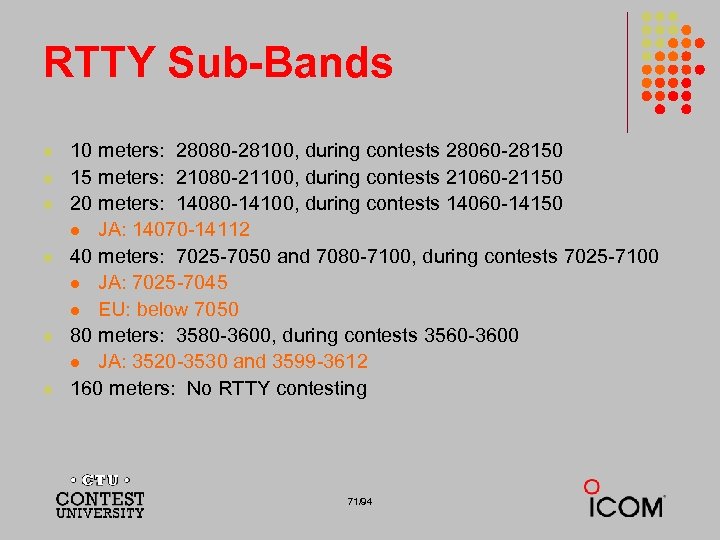 RTTY Sub-Bands l l l 10 meters: 28080 -28100, during contests 28060 -28150 15 meters: 21080 -21100, during contests 21060 -21150 20 meters: 14080 -14100, during contests 14060 -14150 l JA: 14070 -14112 40 meters: 7025 -7050 and 7080 -7100, during contests 7025 -7100 l JA: 7025 -7045 l EU: below 7050 80 meters: 3580 -3600, during contests 3560 -3600 l JA: 3520 -3530 and 3599 -3612 160 meters: No RTTY contesting 71/94
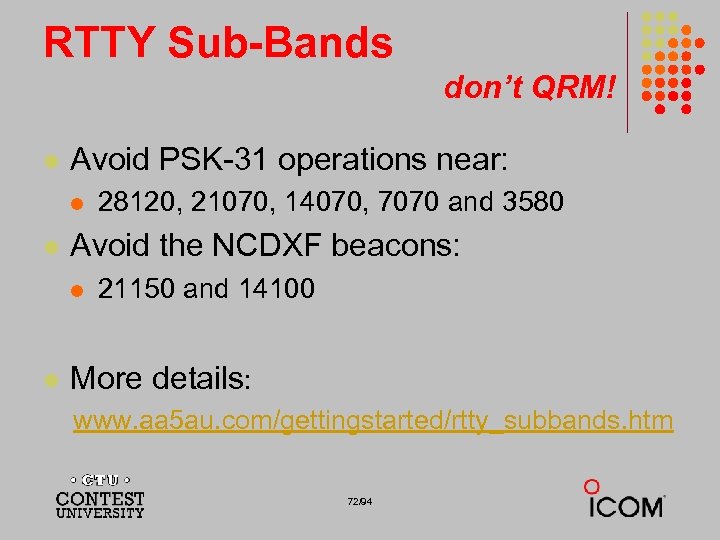 RTTY Sub-Bands don’t QRM! l Avoid PSK-31 operations near: l l Avoid the NCDXF beacons: l l 28120, 21070, 14070, 7070 and 3580 21150 and 14100 More details: www. aa 5 au. com/gettingstarted/rtty_subbands. htm 72/94
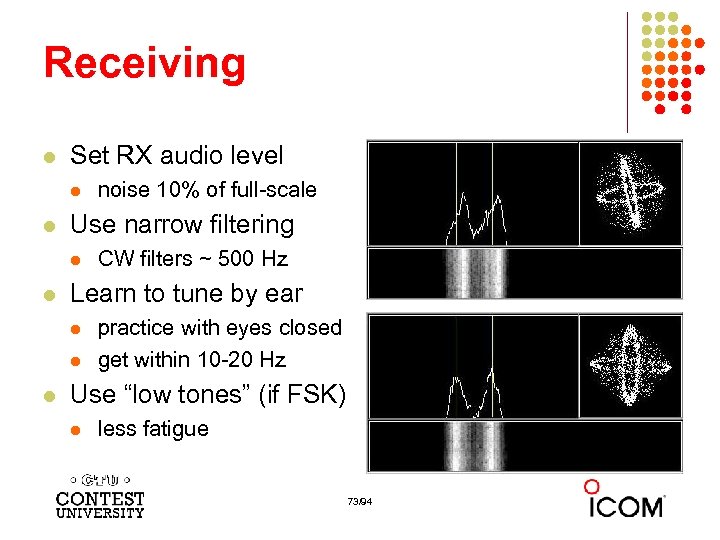 Receiving l Set RX audio level l l Use narrow filtering l l CW filters ~ 500 Hz Learn to tune by ear l l l noise 10% of full-scale practice with eyes closed get within 10 -20 Hz Use “low tones” (if FSK) l less fatigue 73/94
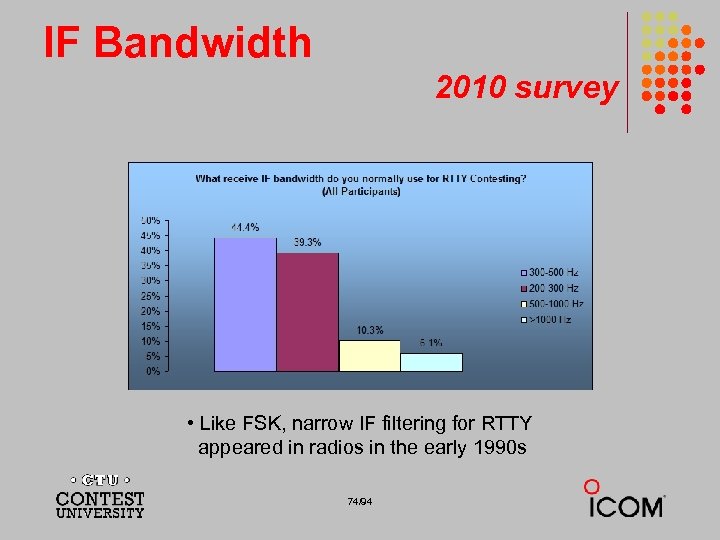 IF Bandwidth 2010 survey • Like FSK, narrow IF filtering for RTTY appeared in radios in the early 1990 s 74/94
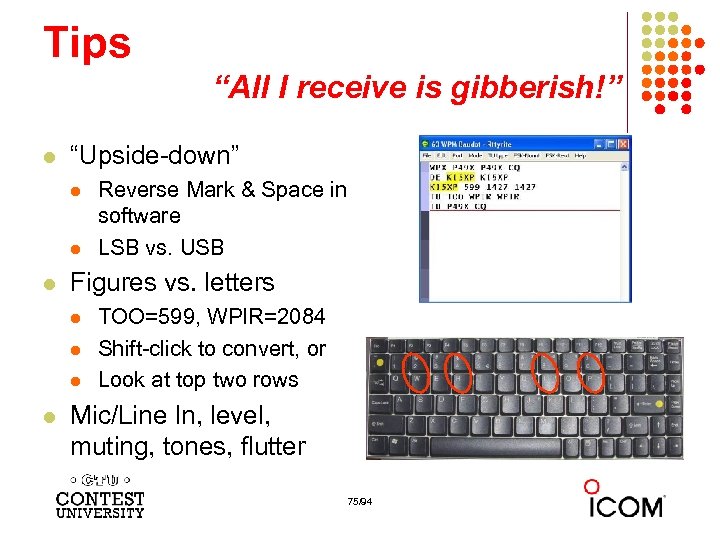 Tips “All I receive is gibberish!” l “Upside-down” l l l Figures vs. letters l l Reverse Mark & Space in software LSB vs. USB TOO=599, WPIR=2084 Shift-click to convert, or Look at top two rows Mic/Line In, level, muting, tones, flutter 75/94
 Tips “They never answer me!” l “Upside-down” l l l FSK polarity switch in radio AFSK mode, LSB vs. USB MMTTY AFC & NET l AFC & NET are on by default! (and every time you choose a profile!) l l Change defaults in USERPARA. INI Radio mode, tones, FSK interface, AFSK: Mic & SC level & speech processor 76/94
 More Tips l l l Transmit when others stand-by Add his call at end of exchange in pile-ups Recommend RIT, but if you use AFC/NET … l l l AFC only for running, not S&P Use AFC/NET for S&P (only avail. with AFSK) Mode-independent skills, e. g. , l l l Bandmap usage QSO B 4 Roving mult: “Squat & Shoot” (Cajun-speak!) 77/94
 and … More Tips l l 100% duty cycle … caution! Practice l l l During RTTY contests (~ two per month) NCCC Thursday night practices (weekly) Multi-Ops SO 2 V & SO 2 R Lo. TW 78/94
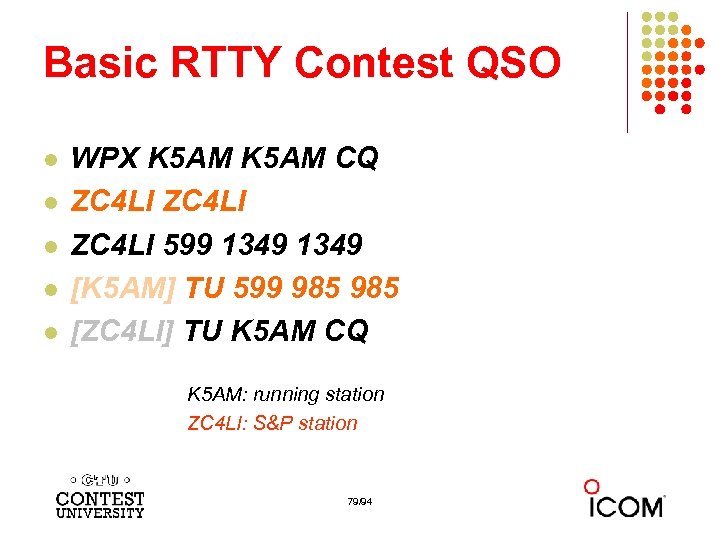 Basic RTTY Contest QSO l l l WPX K 5 AM CQ ZC 4 LI 599 1349 [K 5 AM] TU 599 985 [ZC 4 LI] TU K 5 AM CQ K 5 AM: running station ZC 4 LI: S&P station 79/94
 Disciplined QSO Flow Standard keystroke (or mouse) sequences for: l l l l Normal contact in Run mode Normal contact in S&P mode Repeats/Fills (in either mode) QSO phase skip & tail-enders (in Run mode) Each sequence is executed the same way hundreds (thousands) of times during the contest Avoid deviations and special sequences 80/94
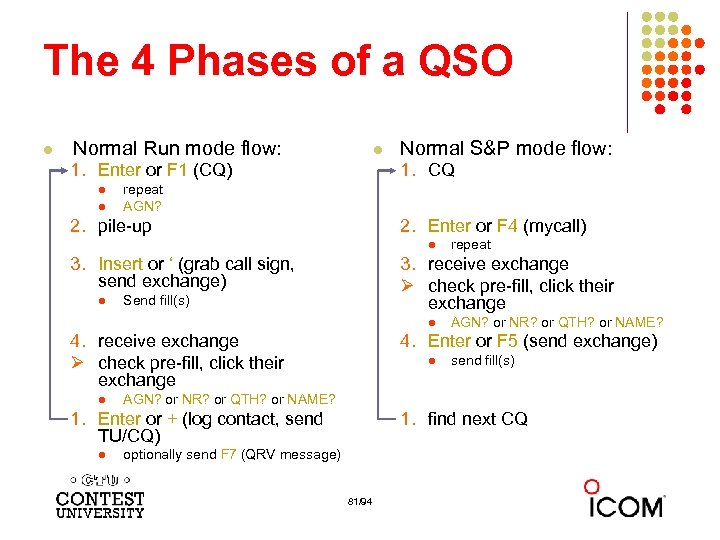 The 4 Phases of a QSO l Normal Run mode flow: l 1. Enter or F 1 (CQ) l l Normal S&P mode flow: 1. CQ repeat AGN? 2. pile-up 2. Enter or F 4 (mycall) l 3. Insert or ‘ (grab call sign, send exchange) l 3. receive exchange Ø check pre-fill, click their exchange Send fill(s) l 4. receive exchange Ø check pre-fill, click their exchange l AGN? or NR? or QTH? or NAME? 4. Enter or F 5 (send exchange) l send fill(s) AGN? or NR? or QTH? or NAME? 1. Enter or + (log contact, send TU/CQ) l repeat 1. find next CQ optionally send F 7 (QRV message) 81/94
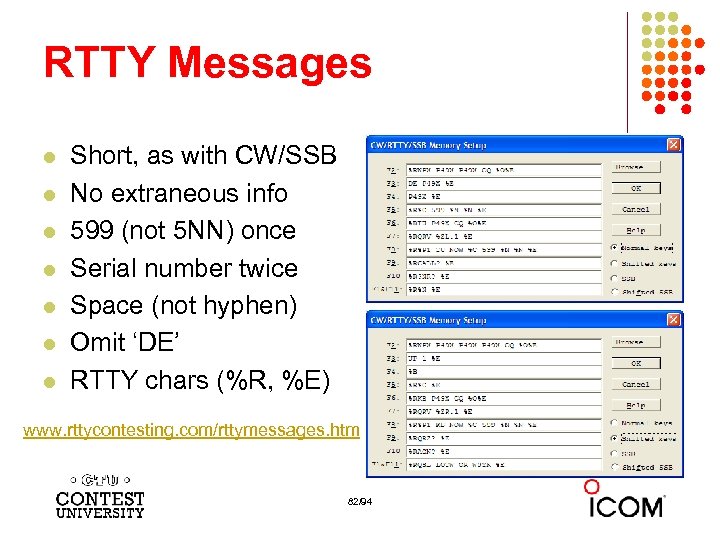 RTTY Messages l l l l Short, as with CW/SSB No extraneous info 599 (not 5 NN) once Serial number twice Space (not hyphen) Omit ‘DE’ RTTY chars (%R, %E) www. rttycontesting. com/rttymessages. htm 82/94
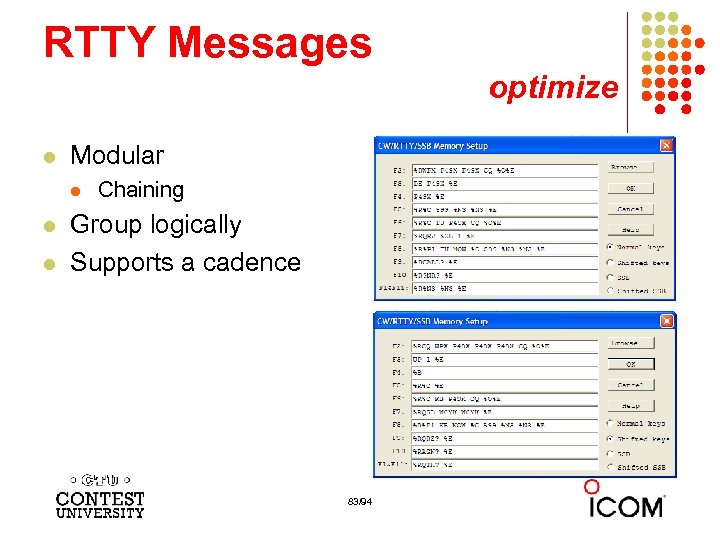 RTTY Messages optimize l Modular l l l Chaining Group logically Supports a cadence 83/94
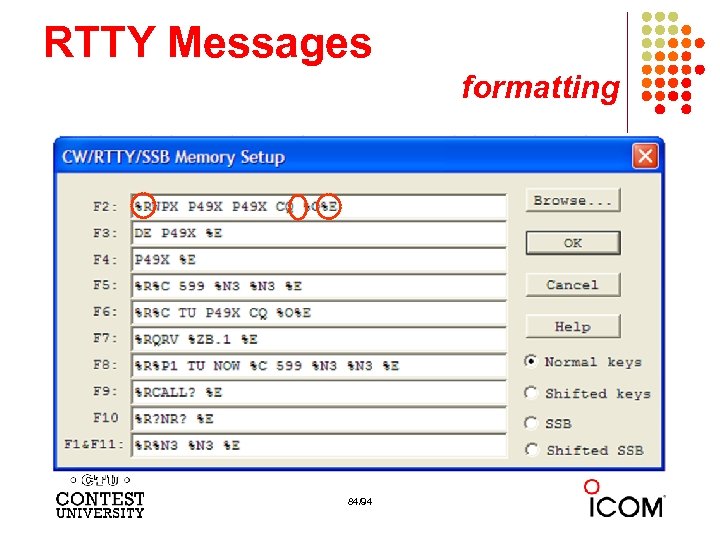 RTTY Messages formatting 84/94
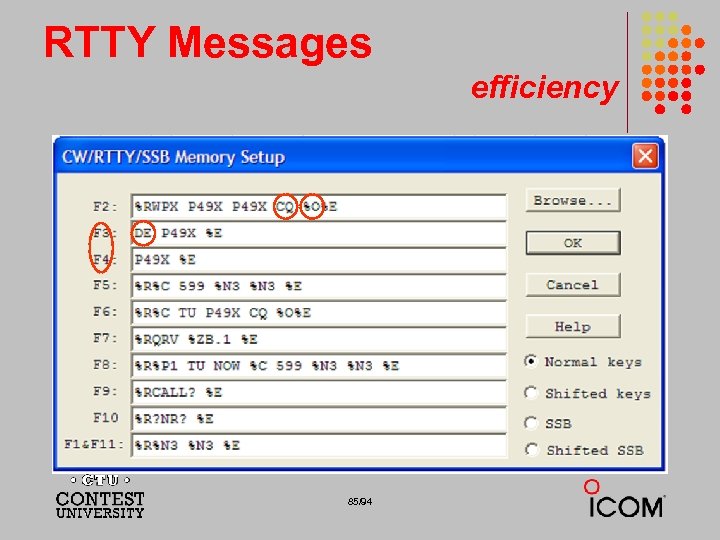 RTTY Messages efficiency 85/94
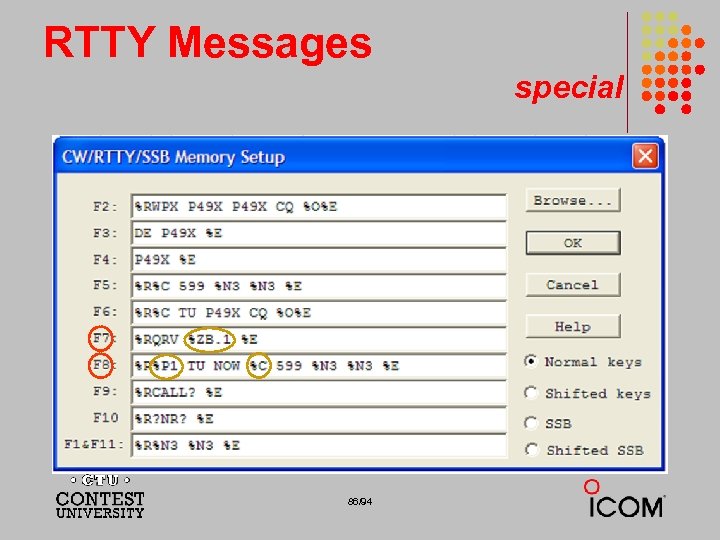 RTTY Messages special 86/94
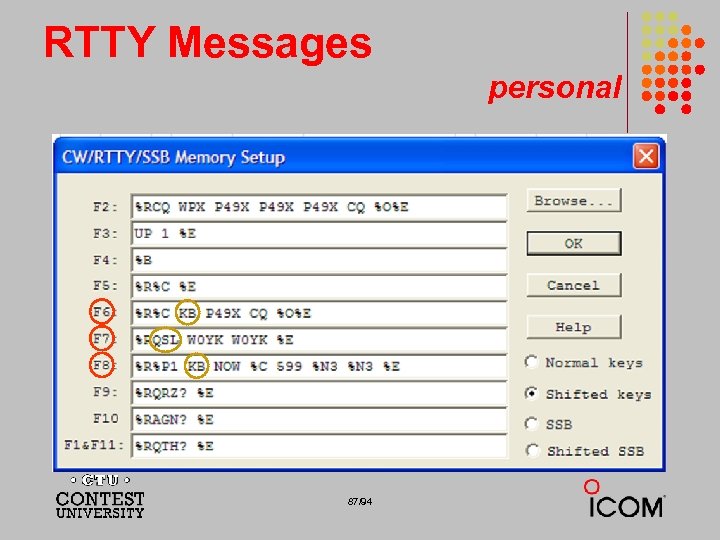 RTTY Messages personal 87/94
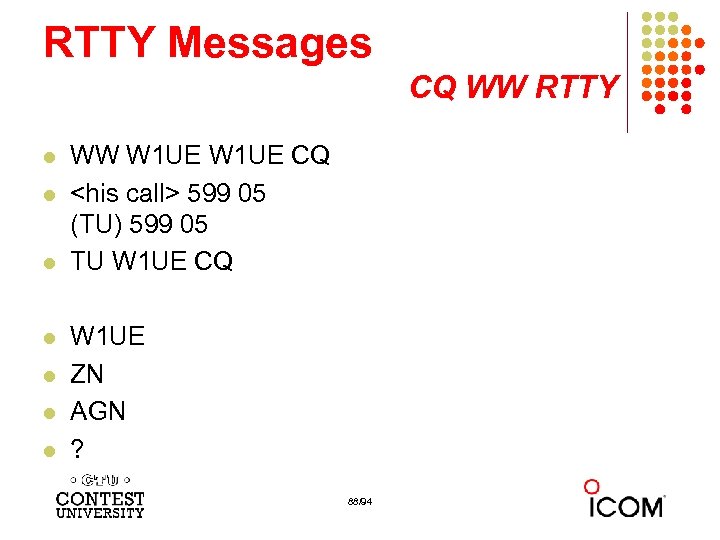 RTTY Messages CQ WW RTTY l l l l WW W 1 UE CQ
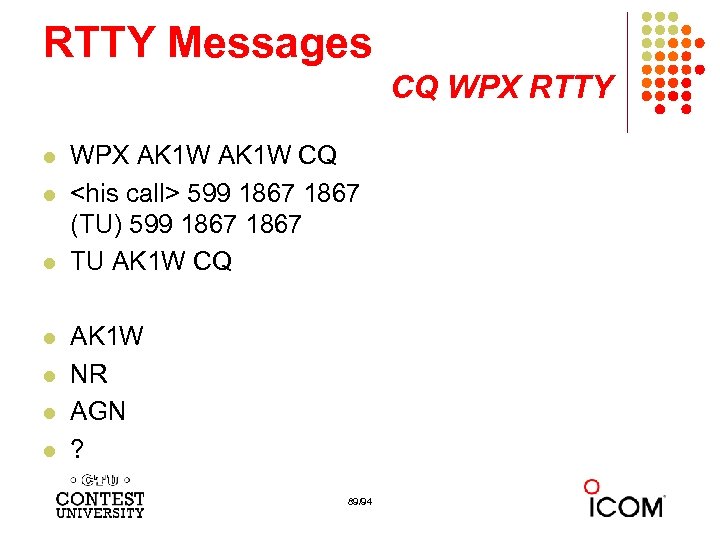 RTTY Messages CQ WPX RTTY l l l l WPX AK 1 W CQ
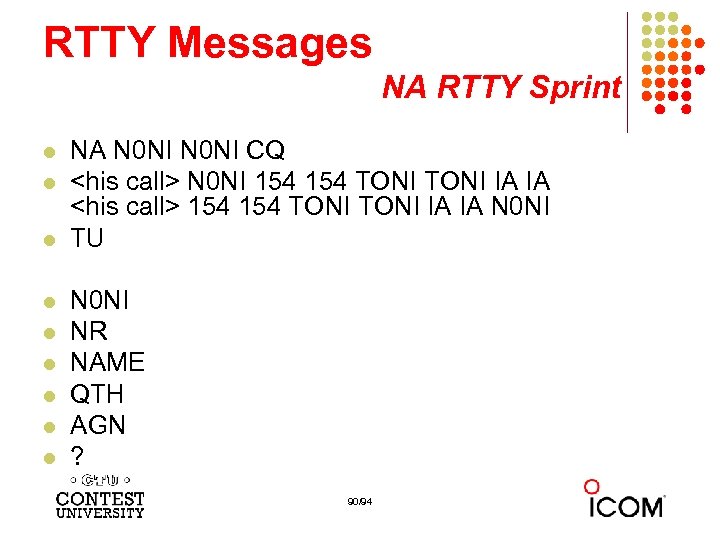 RTTY Messages NA RTTY Sprint l l l l l NA N 0 NI CQ
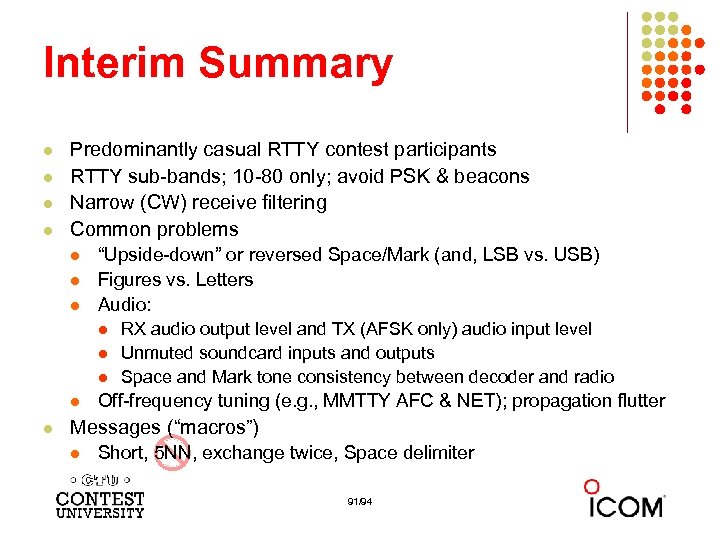 Interim Summary l l Predominantly casual RTTY contest participants RTTY sub-bands; 10 -80 only; avoid PSK & beacons Narrow (CW) receive filtering Common problems l l l “Upside-down” or reversed Space/Mark (and, LSB vs. USB) Figures vs. Letters Audio: l l l RX audio output level and TX (AFSK only) audio input level Unmuted soundcard inputs and outputs Space and Mark tone consistency between decoder and radio Off-frequency tuning (e. g. , MMTTY AFC & NET); propagation flutter Messages (“macros”) l Short, 5 NN, exchange twice, Space delimiter 91/94
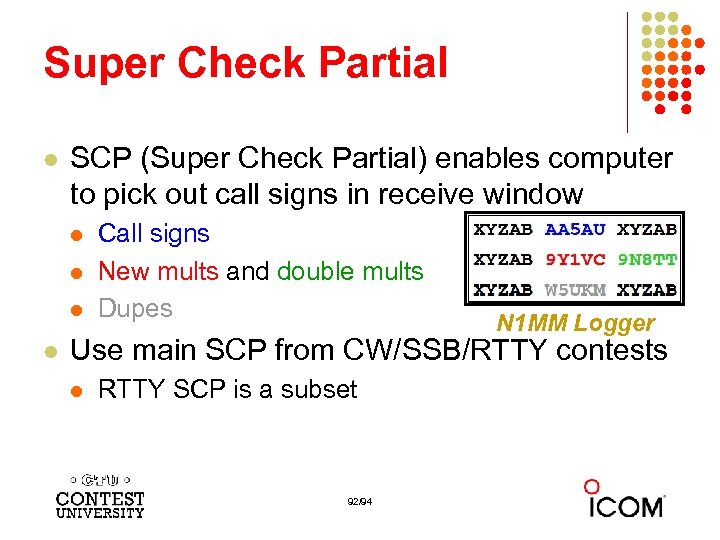 Super Check Partial l SCP (Super Check Partial) enables computer to pick out call signs in receive window l l Call signs New mults and double mults Dupes N 1 MM Logger Use main SCP from CW/SSB/RTTY contests l RTTY SCP is a subset 92/94
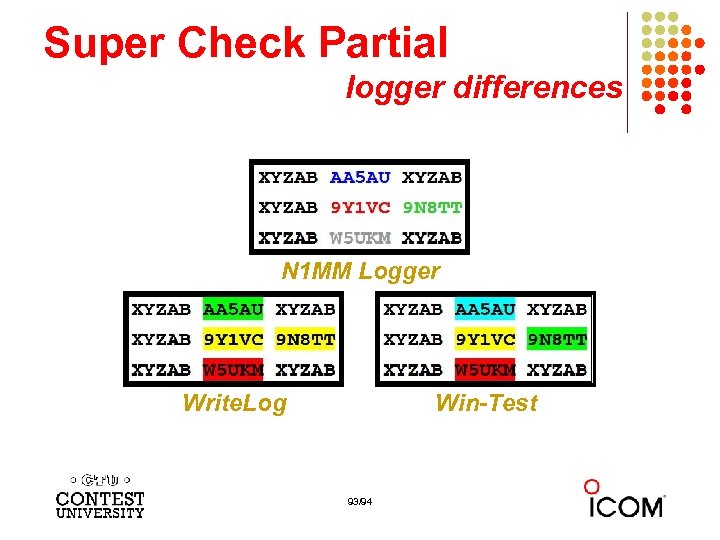 Super Check Partial logger differences N 1 MM Logger Write. Log Win-Test 93/94
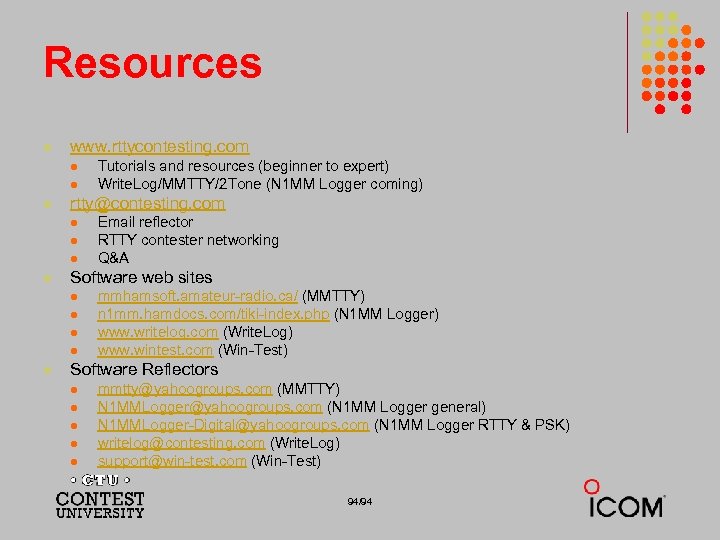 Resources l www. rttycontesting. com l l l rtty@contesting. com l l Email reflector RTTY contester networking Q&A Software web sites l l l Tutorials and resources (beginner to expert) Write. Log/MMTTY/2 Tone (N 1 MM Logger coming) mmhamsoft. amateur-radio. ca/ (MMTTY) n 1 mm. hamdocs. com/tiki-index. php (N 1 MM Logger) www. writelog. com (Write. Log) www. wintest. com (Win-Test) Software Reflectors l l l mmtty@yahoogroups. com (MMTTY) N 1 MMLogger@yahoogroups. com (N 1 MM Logger general) N 1 MMLogger-Digital@yahoogroups. com (N 1 MM Logger RTTY & PSK) writelog@contesting. com (Write. Log) support@win-test. com (Win-Test) 94/94