 Скачать презентацию CSE 91 Fall 2009 Embedded Systems Rajesh K
44a78181446d46f268aa916207962676.ppt
- Количество слайдов: 42



CSE 91 Fall 2009 Embedded Systems Rajesh K. Gupta Computer Science and Engineering University of California, San Diego. © 2009 R. Gupta, UCSD
Topics We Will Discuss • What are embedded systems? • How do computers ‘interface’? • What has that got to do with computers and ‘chips’? • Hands-on Exercise: Do It Yourself Computing – How do we connect different components? – How do we program embedded systems? Keywords: Embedded Computer Programmable Systems on Chip PSOC I 2 C, Serial, USB, ASCII © 2009 R. Gupta, UCSD ISA

© 2009 R. Gupta, UCSD
The Computing Experience • The Computer Center – Mainframe computing • The Personal Computer – Desktop, laptop, palm top computing • The Ubiquitous Embedded Computer – Mobile, purpose-built. © 2009 R. Gupta, UCSD
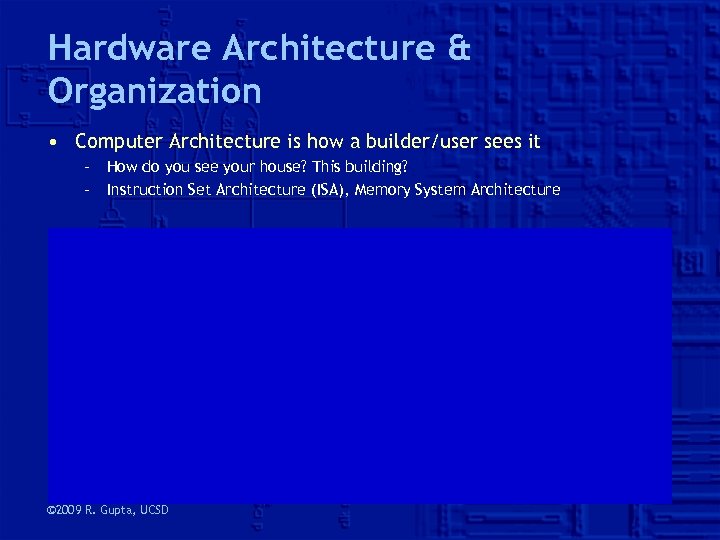
Hardware Architecture & Organization • Computer Architecture is how a builder/user sees it – How do you see your house? This building? – Instruction Set Architecture (ISA), Memory System Architecture • Computer Organization refers to the structure of a computer: CPU Controller Address control enables selects R/W Data. Path Data data conditions © 2009 R. Gupta, UCSD Memory
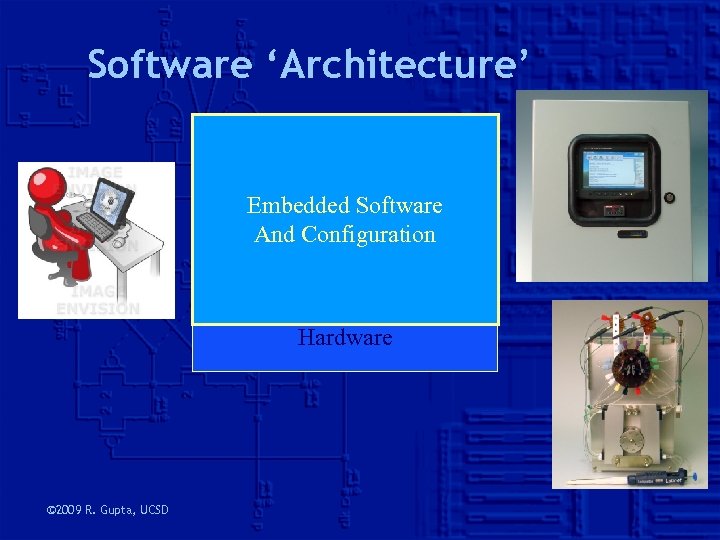
Software ‘Architecture’ Application Compiler Embedded Software And Configuration Assembler Micro-operations Hardware © 2009 R. Gupta, UCSD
A Personal Computer (PC) • Uses commodity components and standard interfaces to build the machine • Choose different components for performance, capacity, cost – Faster hard drive, processor, memory, interfaces © 2009 R. Gupta, UCSD
PC Components • Case: – desktop, minitower, mid case, mid tower, full tower, large tower – include a power supply (typically 200 watts) • CPU and CPU fan – sold as a chip • Motherboard – single-board computer – contains place holders for CPU and Memories – Memory modules • Interfaces – Video (card and monitor) – Others: (I/O card) “Floppy, CD-ROM, Keyboard, Hard drive, Sound card, Speakers, Modem, Tape/zip , Mouse” © 2009 R. Gupta, UCSD
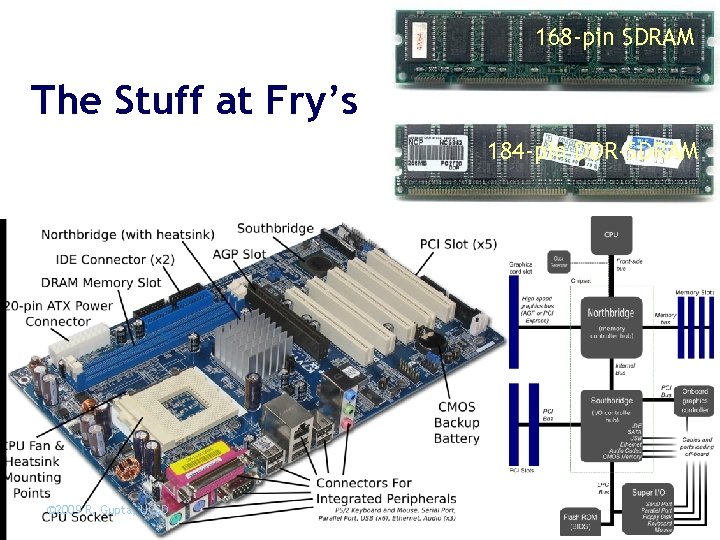
168 -pin SDRAM The Stuff at Fry’s 184 -pin DDR-SDRAM © 2009 R. Gupta, UCSD
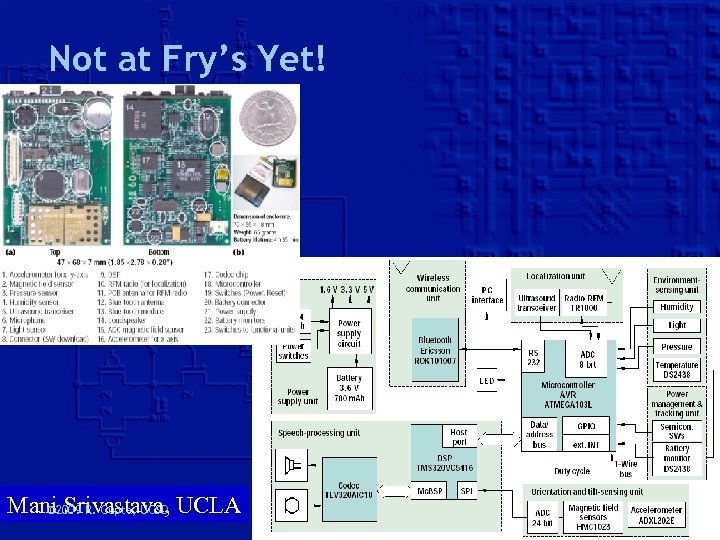
Not at Fry’s Yet! Mani 2009 R. Gupta, UCSD UCLA © Srivastava,
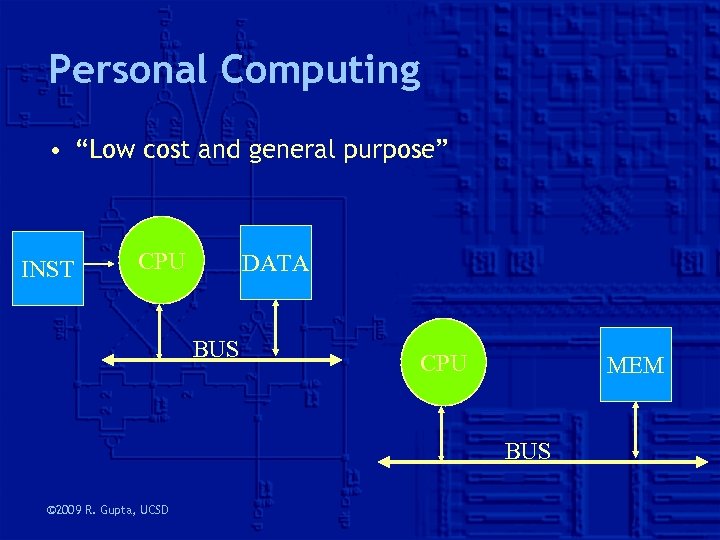
Personal Computing • “Low cost and general purpose” INST CPU DATA BUS CPU MEM BUS © 2009 R. Gupta, UCSD
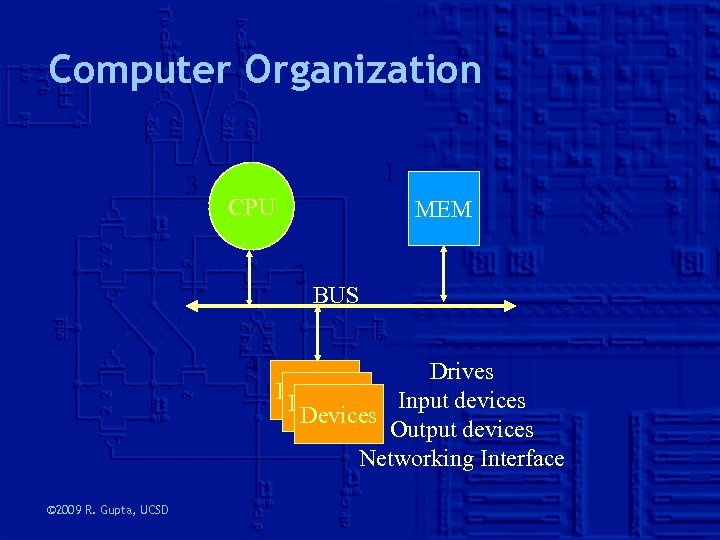
Computer Organization 3 1 CPU MEM 2 4 © 2009 R. Gupta, UCSD BUS Drives Devices Input devices Devices Output devices Networking Interface
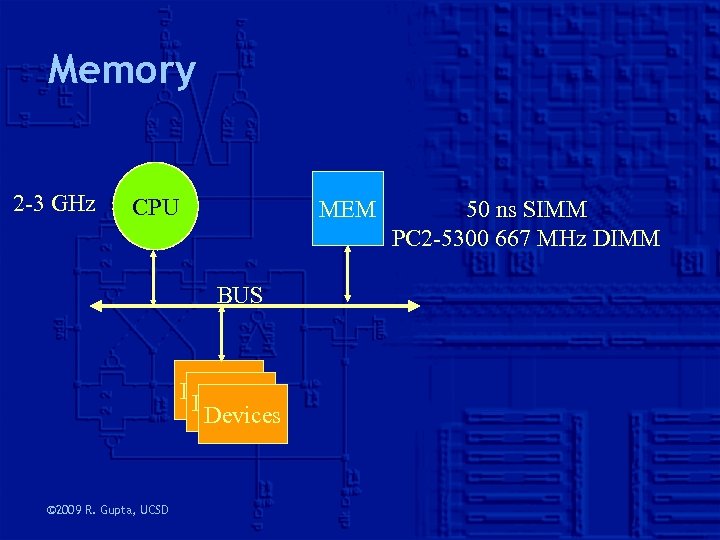
Memory 2 -3 GHz CPU MEM BUS Devices © 2009 R. Gupta, UCSD 50 ns SIMM PC 2 -5300 667 MHz DIMM
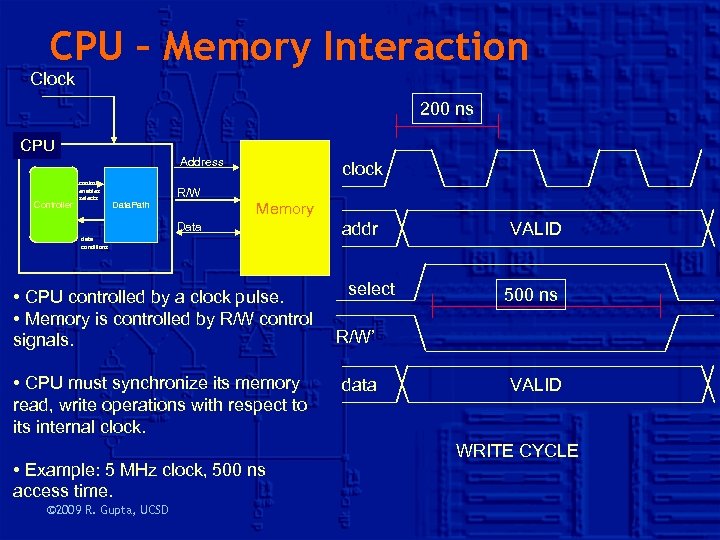
CPU – Memory Interaction Clock 200 ns CPU Address Controller control enables selects Data. Path R/W clock Memory Data data conditions • CPU controlled by a clock pulse. • Memory is controlled by R/W control signals. • CPU must synchronize its memory read, write operations with respect to its internal clock. • Example: 5 MHz clock, 500 ns access time. © 2009 R. Gupta, UCSD addr select VALID 500 ns R/W’ data VALID WRITE CYCLE
A Processor’s Interfaces • Two basic types – Communicate ‘via’ memory • Sender writes to a memory location • Receiver reads from that memory location – Communicate directly • Sender and receivers connected by ‘ports’ • How do we measure goodness of an interface? – Maximum data-rate of transfer? Bits or bytes per second? © 2009 R. Gupta, UCSD
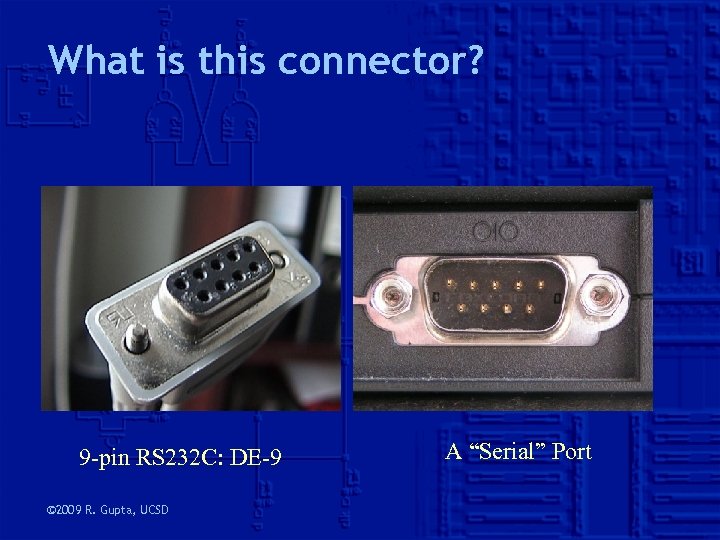
What is this connector? 9 -pin RS 232 C: DE-9 © 2009 R. Gupta, UCSD A “Serial” Port
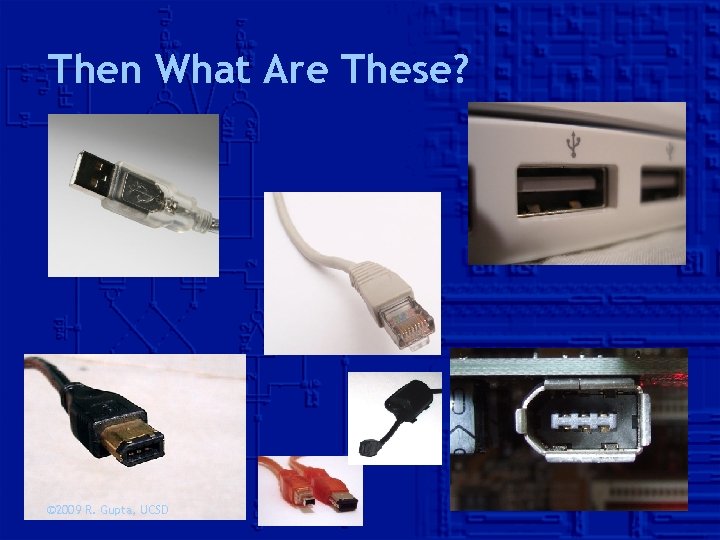
Then What Are These? © 2009 R. Gupta, UCSD
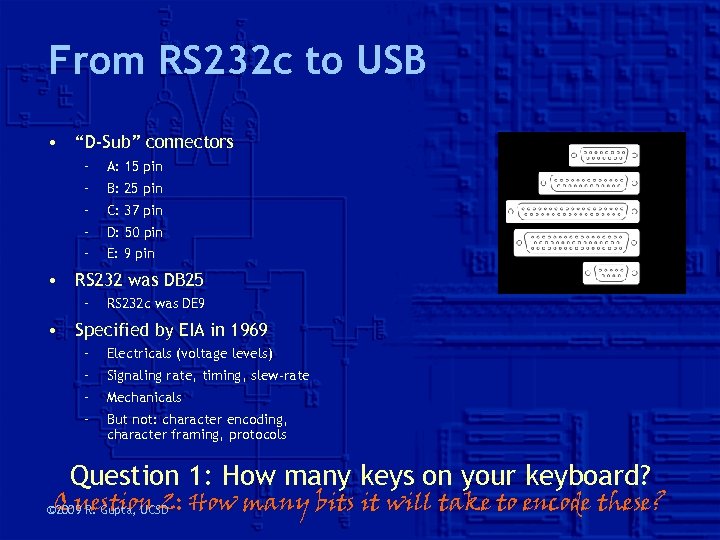
From RS 232 c to USB • “D-Sub” connectors – A: 15 pin – B: 25 pin – C: 37 pin – D: 50 pin – E: 9 pin • RS 232 was DB 25 – RS 232 c was DE 9 • Specified by EIA in 1969 – Electricals (voltage levels) – Signaling rate, timing, slew-rate – Mechanicals – But not: character encoding, character framing, protocols Question 1: How many keys on your keyboard? Question 2: How many bits it will take to encode these? © 2009 R. Gupta, UCSD
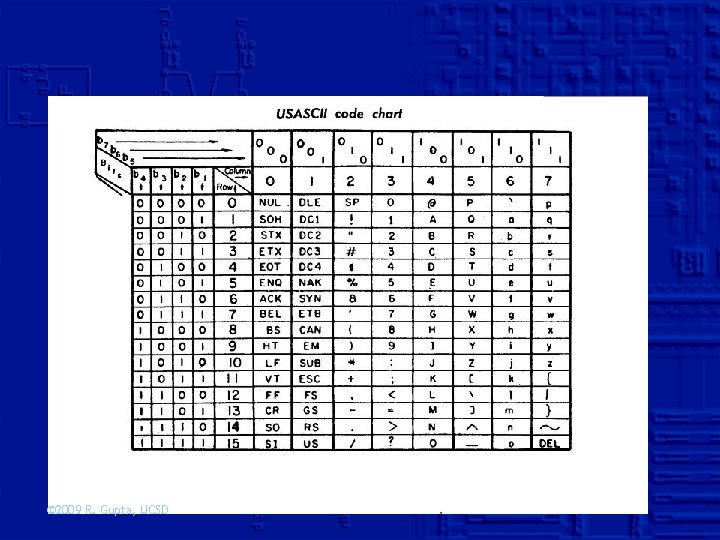
What is ASCII? • American Standard Code for Information Interchange – Published in 1963, revised 1967, 1986 • 128 characters, incl. 33 non-printing or control – 94 printable characters: 26 + 10 + 11 -25 symbols – Is SPACE printable? • 8 -bit extension by MAC OS Roman • Unicode and Universal Character Set (UCS) – UTF-8, UTF-16, UTF-32 © 2009 R. Gupta, UCSD
© 2009 R. Gupta, UCSD
Interface Basics 1. Who/Where to send/receive information? – Ports: mechanicals, electrical 2. What information to send? – Signals and Packets: Electrical signaling, logical encoding 3. How to send the information? – Protocols: synchronous, asynchronous How do we measure goodness of an interface? © 2009 R. Gupta, UCSD
1. Ports • Which door to knock at or open? • All processors already have one door: memory – Memory-mapped IO • They may have additional I/O ports – How are these ports identified? – How are devices connecting to these ports identified? • Mechanically, Electrically, or at a ‘higher level’ • Memory-mapped versus dedicated IO – What happens to CPU when I/O operation is in progress? © 2009 R. Gupta, UCSD
2. Signaling • How many wires? What do they carry? – Serial signaling: Send one bit at a time • Direction of signaling: Half and Full Duplex – Synchronous versus Asynchronous • Asynchronous serial communication – Send a START signal prior to each byte – And a STOP signal after each byte – Generally use more than 8 -bit to transmit a byte (10 to 12) • UART: Universal Asynchronous Receiver Transmitter – Again, no shared clock. The RX must lock onto data and detect individual bits – TX is a Parallel-to-Series converter • RX is a Series-to-Parallel converter © 2009 R. Gupta, UCSD
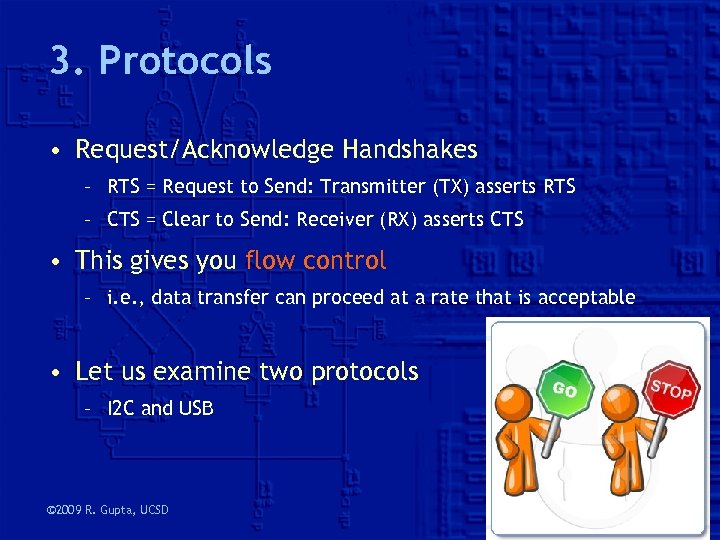
3. Protocols • Request/Acknowledge Handshakes – RTS = Request to Send: Transmitter (TX) asserts RTS – CTS = Clear to Send: Receiver (RX) asserts CTS • This gives you flow control – i. e. , data transfer can proceed at a rate that is acceptable • Let us examine two protocols – I 2 C and USB © 2009 R. Gupta, UCSD
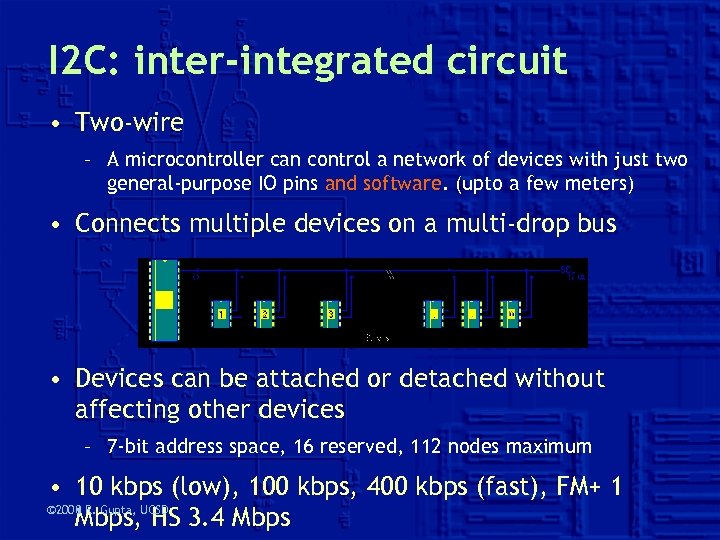
I 2 C: inter-integrated circuit • Two-wire – A microcontroller can control a network of devices with just two general-purpose IO pins and software. (upto a few meters) • Connects multiple devices on a multi-drop bus • Devices can be attached or detached without affecting other devices – 7 -bit address space, 16 reserved, 112 nodes maximum • 10 kbps (low), 100 kbps, 400 kbps (fast), FM+ 1 © 2008 R. Gupta, UCSD 2009 Mbps, HS 3. 4 Mbps
I 2 C Wires • Two bidirectional wires – SDA: Serial Data – SCL: Serial Clock • ‘Open drain’: normally high when not in use – MASTER node issues the SCL and addresses SLAVES – SLAVE node receives the SCL and the address – “Wired AND” logical function. © 2008 R. Gupta, UCSD 2009
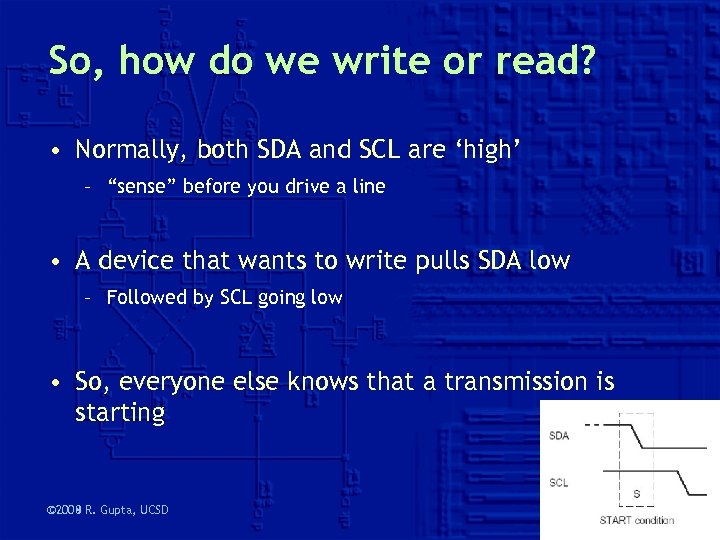
So, how do we write or read? • Normally, both SDA and SCL are ‘high’ – “sense” before you drive a line • A device that wants to write pulls SDA low – Followed by SCL going low • So, everyone else knows that a transmission is starting © 2008 R. Gupta, UCSD 2009
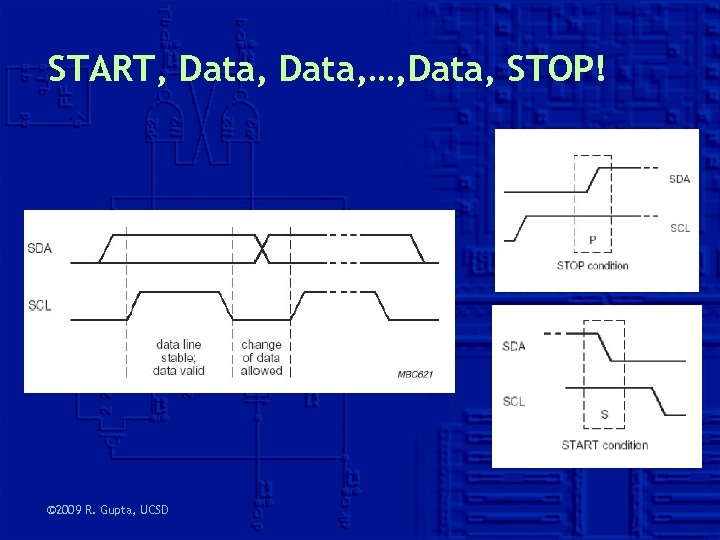
START, Data, …, Data, STOP! © 2009 R. Gupta, UCSD
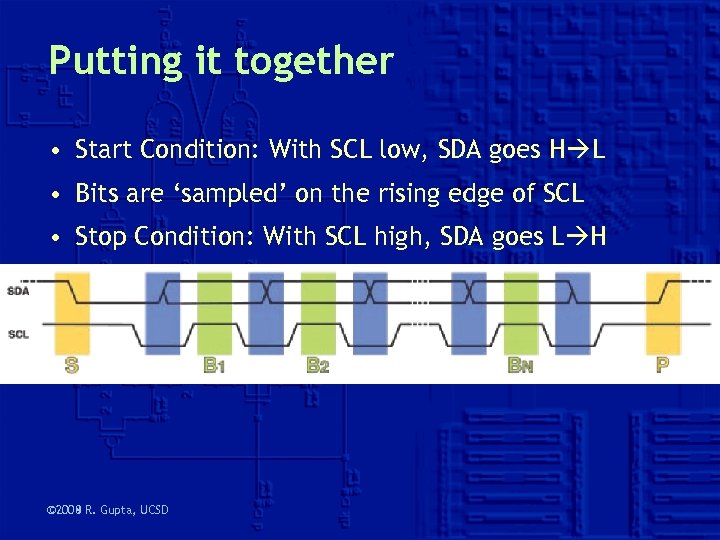
Putting it together • Start Condition: With SCL low, SDA goes H L • Bits are ‘sampled’ on the rising edge of SCL • Stop Condition: With SCL high, SDA goes L H © 2008 R. Gupta, UCSD 2009
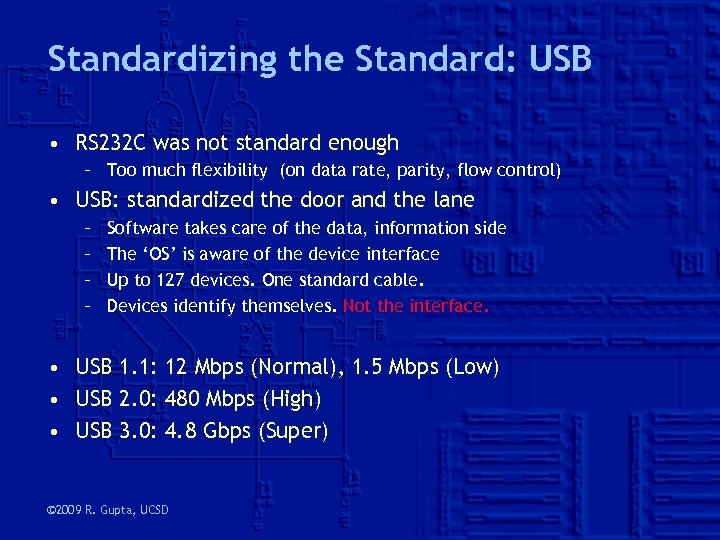
Standardizing the Standard: USB • RS 232 C was not standard enough – Too much flexibility (on data rate, parity, flow control) • USB: standardized the door and the lane – – Software takes care of the data, information side The ‘OS’ is aware of the device interface Up to 127 devices. One standard cable. Devices identify themselves. Not the interface. • USB 1. 1: 12 Mbps (Normal), 1. 5 Mbps (Low) • USB 2. 0: 480 Mbps (High) • USB 3. 0: 4. 8 Gbps (Super) © 2009 R. Gupta, UCSD
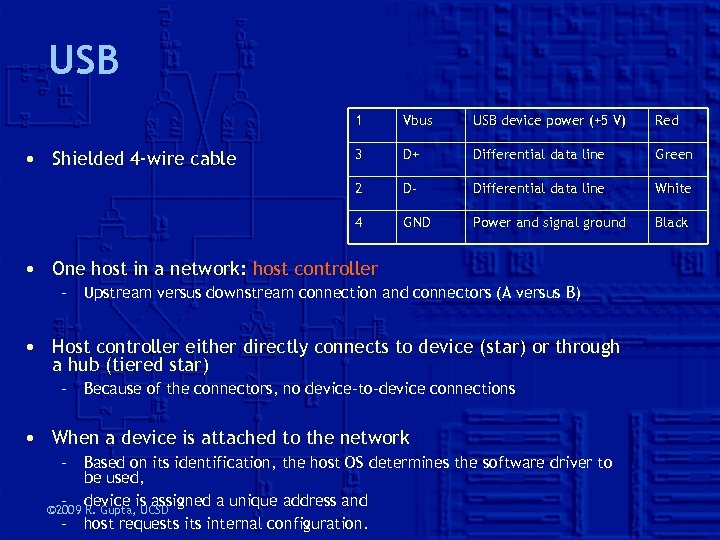
USB 1 USB device power (+5 V) Red 3 D+ Differential data line Green 2 D- Differential data line White 4 • Shielded 4 -wire cable Vbus GND Power and signal ground Black • One host in a network: host controller – Upstream versus downstream connection and connectors (A versus B) • Host controller either directly connects to device (star) or through a hub (tiered star) – Because of the connectors, no device-to-device connections • When a device is attached to the network – Based on its identification, the host OS determines the software driver to be used, – device is assigned a unique address and © 2009 R. Gupta, UCSD – host requests internal configuration.
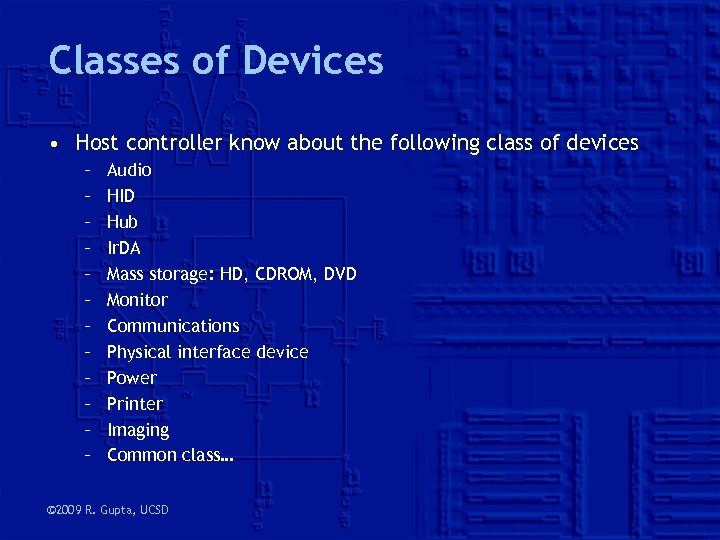
Classes of Devices • Host controller know about the following class of devices – – – Audio HID Hub Ir. DA Mass storage: HD, CDROM, DVD Monitor Communications Physical interface device Power Printer Imaging Common class… © 2009 R. Gupta, UCSD
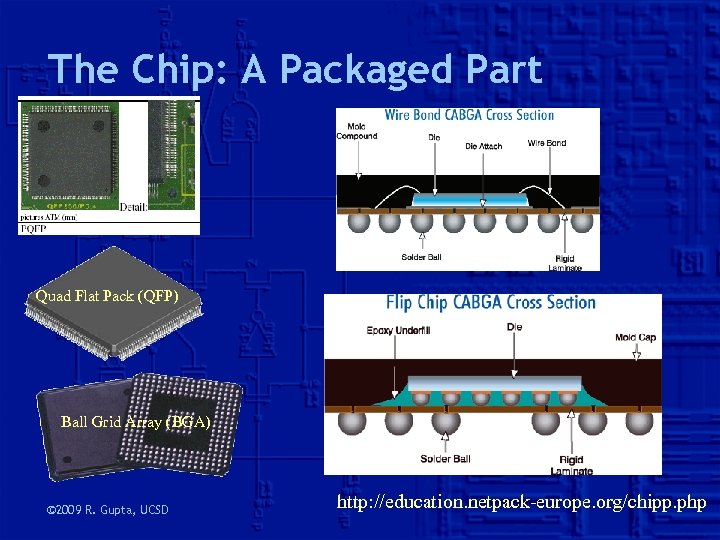
The Chip: A Packaged Part Quad Flat Pack (QFP) Ball Grid Array (BGA) © 2009 R. Gupta, UCSD http: //education. netpack-europe. org/chipp. php
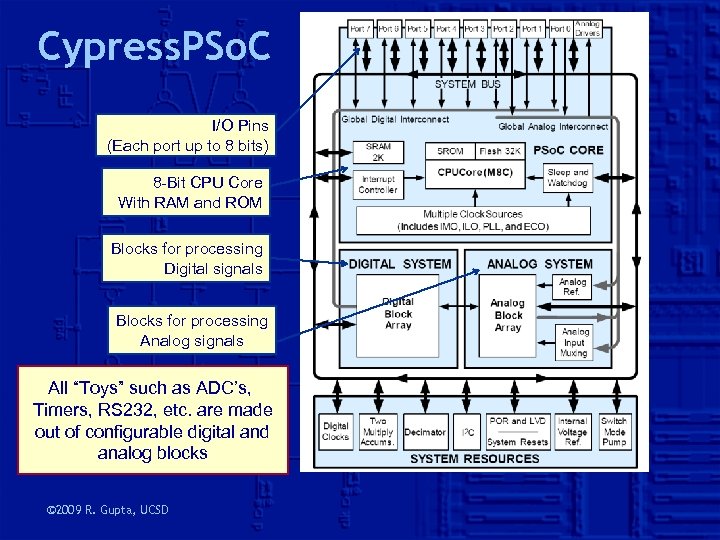
Cypress. PSo. C I/O Pins (Each port up to 8 bits) 8 -Bit CPU Core With RAM and ROM Blocks for processing Digital signals Blocks for processing Analog signals All “Toys” such as ADC’s, Timers, RS 232, etc. are made out of configurable digital and analog blocks © 2009 R. Gupta, UCSD
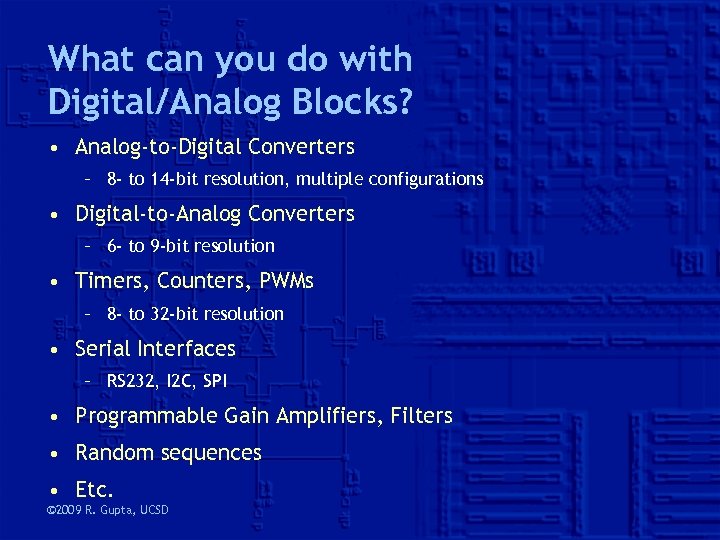
What can you do with Digital/Analog Blocks? • Analog-to-Digital Converters – 8 - to 14 -bit resolution, multiple configurations • Digital-to-Analog Converters – 6 - to 9 -bit resolution • Timers, Counters, PWMs – 8 - to 32 -bit resolution • Serial Interfaces – RS 232, I 2 C, SPI • Programmable Gain Amplifiers, Filters • Random sequences • Etc. © 2009 R. Gupta, UCSD
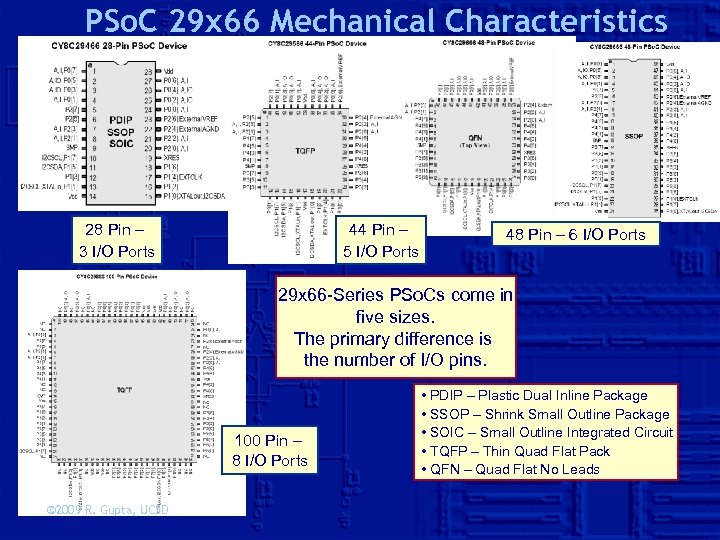
PSo. C 29 x 66 Mechanical Characteristics 28 Pin – 3 I/O Ports 44 Pin – 5 I/O Ports 48 Pin – 6 I/O Ports 29 x 66 -Series PSo. Cs come in five sizes. The primary difference is the number of I/O pins. 100 Pin – 8 I/O Ports © 2009 R. Gupta, UCSD • PDIP – Plastic Dual Inline Package • SSOP – Shrink Small Outline Package • SOIC – Small Outline Integrated Circuit • TQFP – Thin Quad Flat Pack • QFN – Quad Flat No Leads
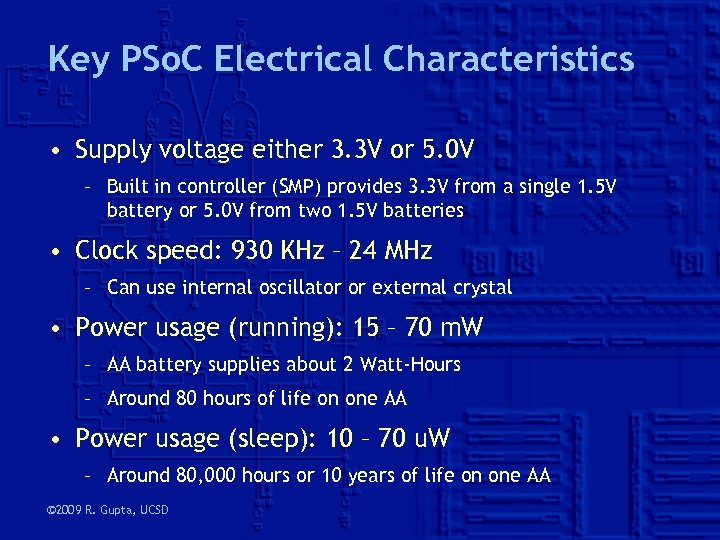
Key PSo. C Electrical Characteristics • Supply voltage either 3. 3 V or 5. 0 V – Built in controller (SMP) provides 3. 3 V from a single 1. 5 V battery or 5. 0 V from two 1. 5 V batteries • Clock speed: 930 KHz – 24 MHz – Can use internal oscillator or external crystal • Power usage (running): 15 – 70 m. W – AA battery supplies about 2 Watt-Hours – Around 80 hours of life on one AA • Power usage (sleep): 10 – 70 u. W – Around 80, 000 hours or 10 years of life on one AA © 2009 R. Gupta, UCSD
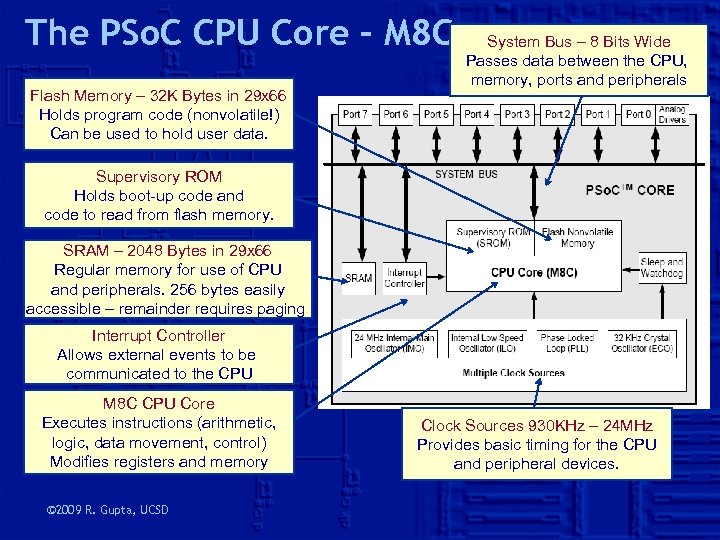
The PSo. C CPU Core – M 8 C Flash Memory – 32 K Bytes in 29 x 66 Holds program code (nonvolatile!) Can be used to hold user data. System Bus – 8 Bits Wide Passes data between the CPU, memory, ports and peripherals Supervisory ROM Holds boot-up code and code to read from flash memory. SRAM – 2048 Bytes in 29 x 66 Regular memory for use of CPU and peripherals. 256 bytes easily accessible – remainder requires paging. Interrupt Controller Allows external events to be communicated to the CPU M 8 C CPU Core Executes instructions (arithmetic, logic, data movement, control) Modifies registers and memory © 2009 R. Gupta, UCSD Clock Sources 930 KHz – 24 MHz Provides basic timing for the CPU and peripheral devices.
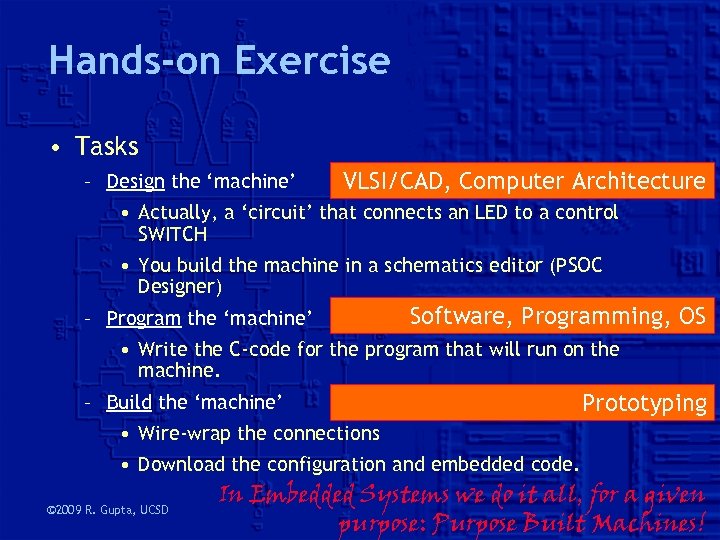
Hands-on Exercise • Tasks – Design the ‘machine’ VLSI/CAD, Computer Architecture • Actually, a ‘circuit’ that connects an LED to a control SWITCH • You build the machine in a schematics editor (PSOC Designer) – Program the ‘machine’ Software, Programming, OS • Write the C-code for the program that will run on the machine. – Build the ‘machine’ Prototyping • Wire-wrap the connections • Download the configuration and embedded code. © 2009 R. Gupta, UCSD In Embedded Systems we do it all, for a given purpose: Purpose Built Machines!
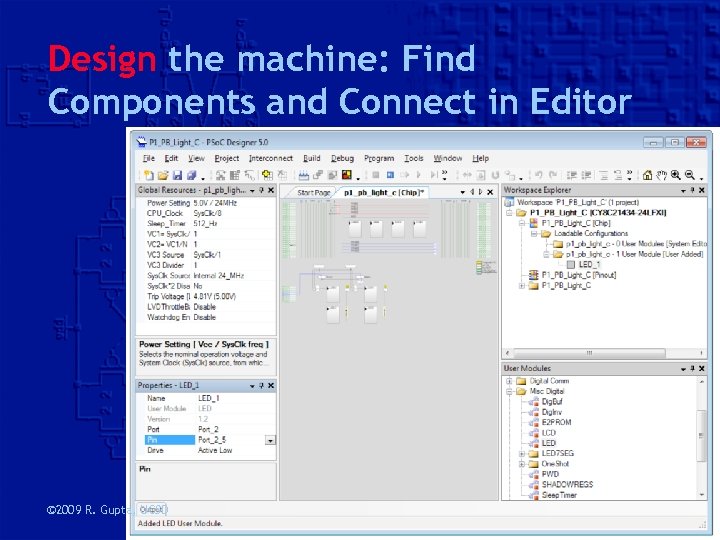
Design the machine: Find Components and Connect in Editor © 2009 R. Gupta, UCSD
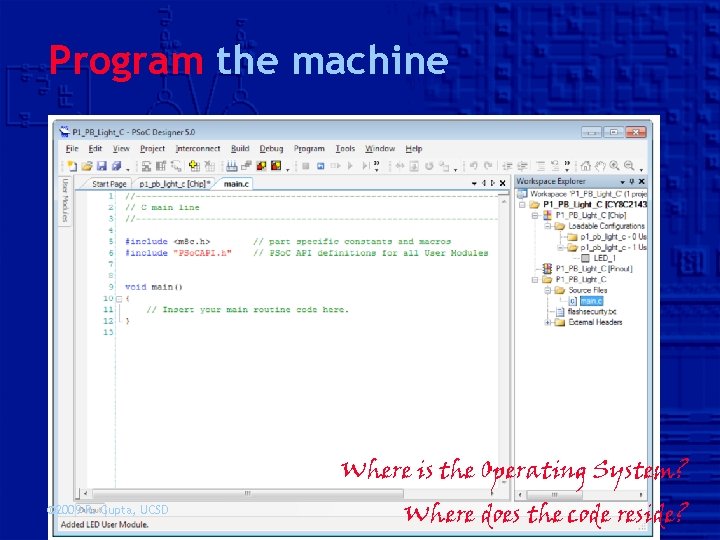
Program the machine • How do you make sure that the program never dies? – Repeat forever • How do you sample the switch? – Read PORT as a collection of 8 -bits – Extract the bit you want through a mask • How do you turn ON, OFF the LED? – Make calls to LED routines (written in assembly – why? ) Where is the Operating System? © 2009 R. Gupta, UCSD Where does the code reside?
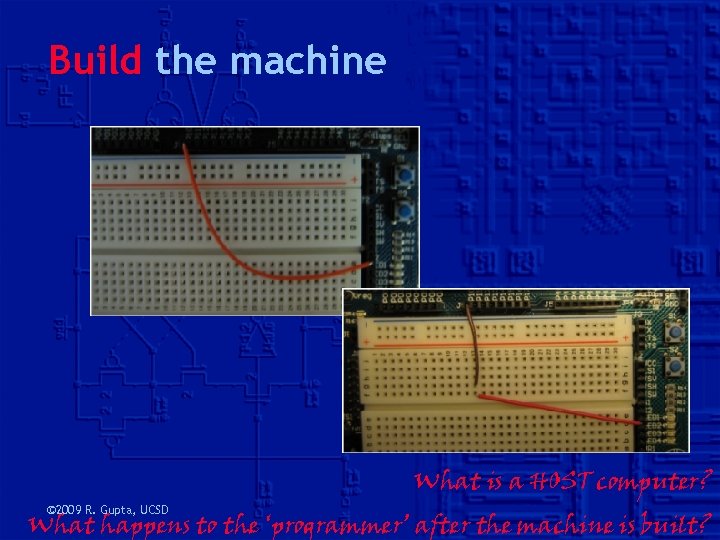
Build the machine © 2009 R. Gupta, UCSD What is a HOST computer? What happens to the ‘programmer’ after the machine is built?
Скачать презентацию CSE 91 Fall 2009 Embedded Systems Rajesh K
44a78181446d46f268aa916207962676.ppt