


 Скачать презентацию CSE 451 Operating Systems Winter 2011 Secondary Storage
210d4f43a9928586397d63b1d94b1ac2.ppt
- Количество слайдов: 16
 CSE 451: Operating Systems Winter 2011 Secondary Storage Mark Zbikowski Gary Kimura
 Secondary storage • Secondary storage typically: – is anything that is outside of “primary memory” – does not permit direct execution of instructions or data retrieval via machine load/store instructions • Characteristics: – – it’s large: 50 -1000 GB (or more!) it’s cheap: $0. 25/GB … er… $0. 10/Gb it’s persistent: data survives power loss it’s slow: milliseconds to access • why is this slow? – it does fail, if rarely • Big failures (disk dies) • Little failures (read/write errors, one byte in 10^13) 3/18/2018 2
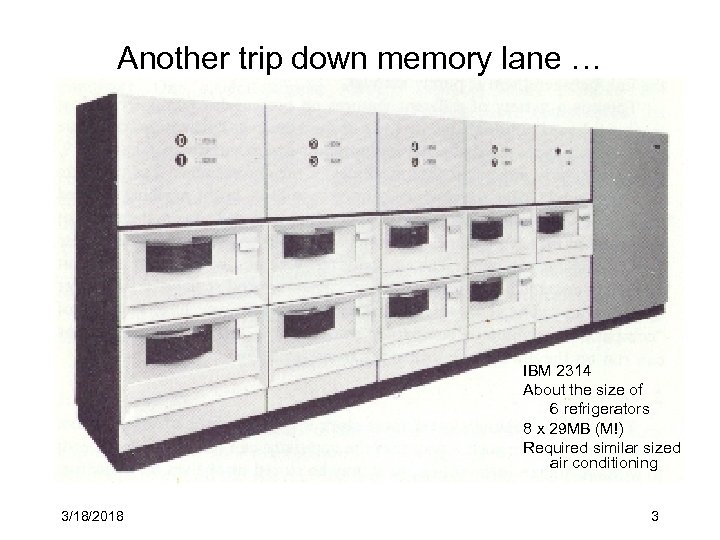 Another trip down memory lane … IBM 2314 About the size of 6 refrigerators 8 x 29 MB (M!) Required similar sized air conditioning 3/18/2018 3
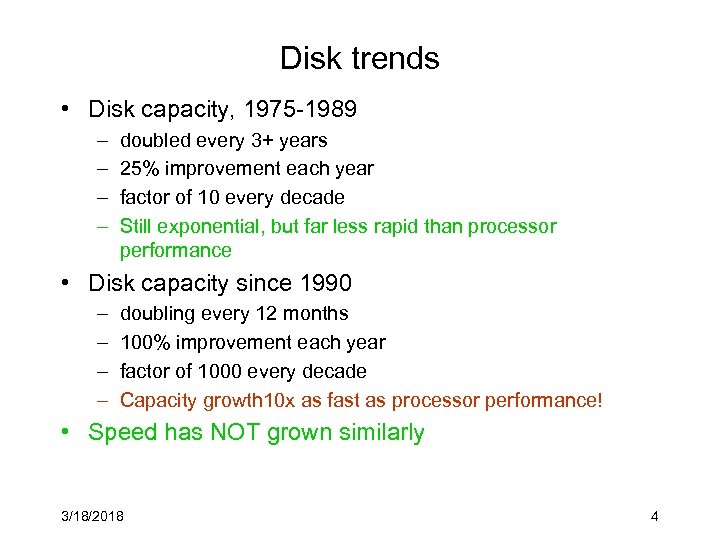 Disk trends • Disk capacity, 1975 -1989 – – doubled every 3+ years 25% improvement each year factor of 10 every decade Still exponential, but far less rapid than processor performance • Disk capacity since 1990 – – doubling every 12 months 100% improvement each year factor of 1000 every decade Capacity growth 10 x as fast as processor performance! • Speed has NOT grown similarly 3/18/2018 4
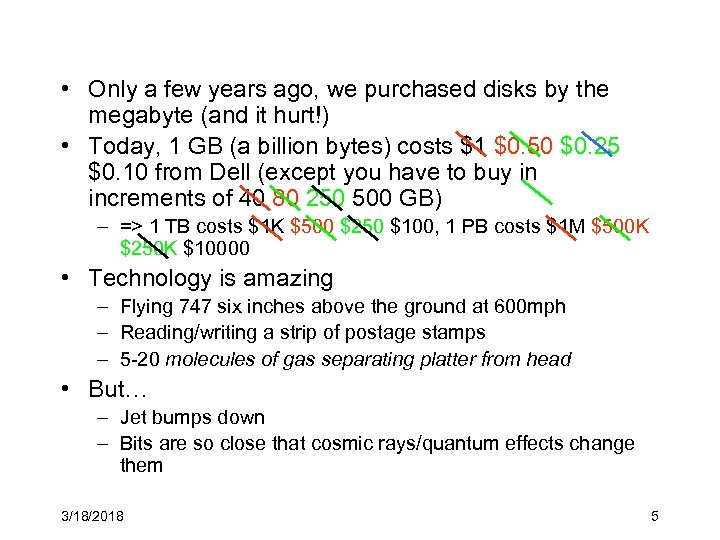 • Only a few years ago, we purchased disks by the megabyte (and it hurt!) • Today, 1 GB (a billion bytes) costs $1 $0. 50 $0. 25 $0. 10 from Dell (except you have to buy in increments of 40 80 250 500 GB) – => 1 TB costs $1 K $500 $250 $100, 1 PB costs $1 M $500 K $250 K $10000 • Technology is amazing – Flying 747 six inches above the ground at 600 mph – Reading/writing a strip of postage stamps – 5 -20 molecules of gas separating platter from head • But… – Jet bumps down – Bits are so close that cosmic rays/quantum effects change them 3/18/2018 5
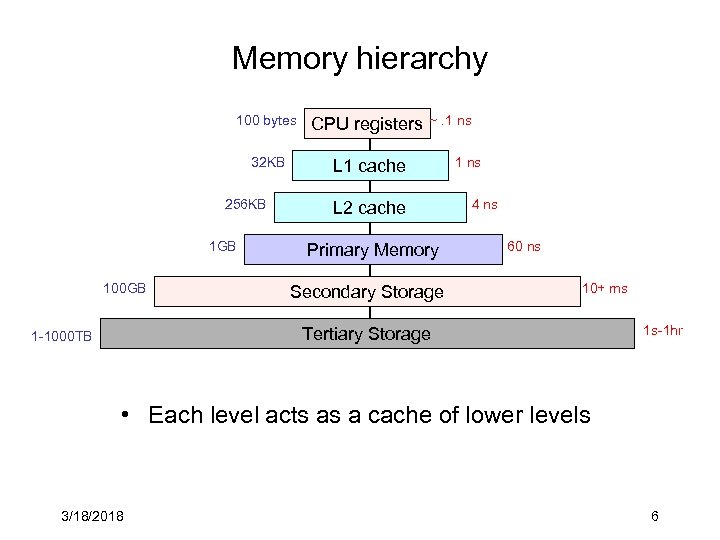 Memory hierarchy 100 bytes CPU registers 32 KB L 1 cache 256 KB 1 GB 100 GB ~. 1 ns L 2 cache Primary Memory Secondary Storage 1 ns 4 ns 60 ns 10+ ms Tertiary Storage 1 -1000 TB 1 s-1 hr • Each level acts as a cache of lower levels 3/18/2018 6
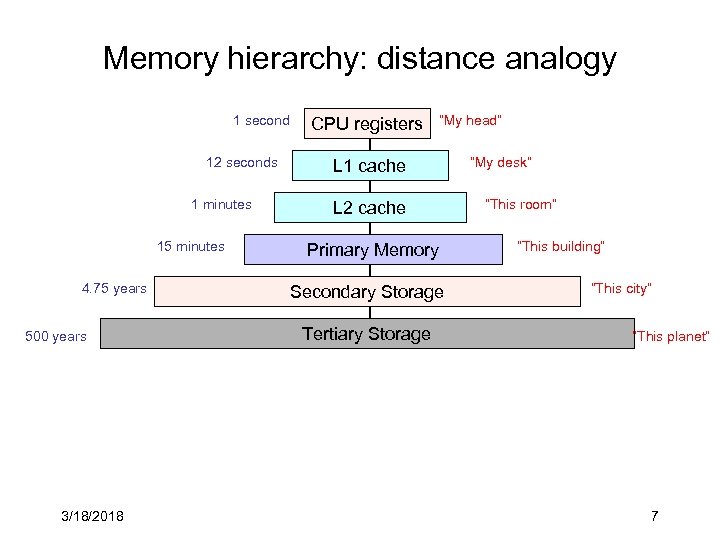 Memory hierarchy: distance analogy 1 second 12 seconds 1 minutes 15 minutes 4. 75 years 500 years 3/18/2018 CPU registers “My head” L 1 cache L 2 cache Primary Memory Secondary Storage Tertiary Storage “My desk” “This room” “This building” “This city” “This planet” 7
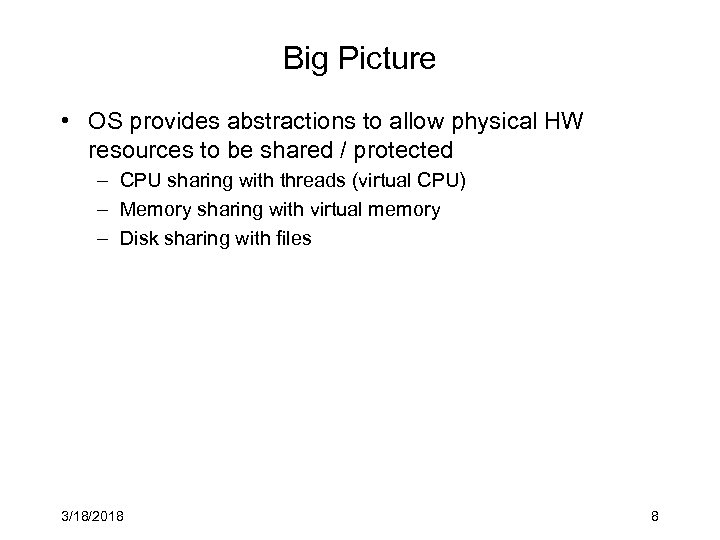 Big Picture • OS provides abstractions to allow physical HW resources to be shared / protected – CPU sharing with threads (virtual CPU) – Memory sharing with virtual memory – Disk sharing with files 3/18/2018 8
 Disks and the OS • Disks are messy, messy devices – errors, bad blocks, missed seeks, etc. • Job of OS is to hide this mess from higher-level software – low-level device drivers (initiate a disk read, etc. ) – higher-level abstractions (files, databases, etc. ) • OS may provide different levels of disk access to different clients – physical disk block (head, cylinder, sector) – disk logical block (disk block #) – file logical (filename, block or record or byte #) 3/18/2018 9
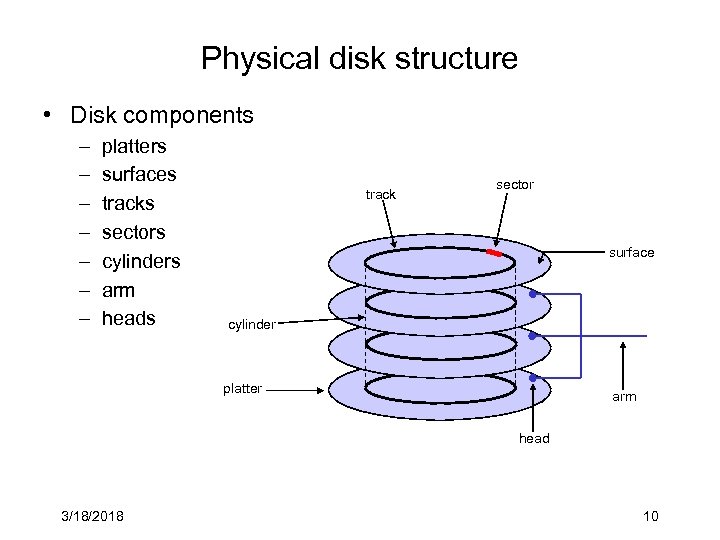 Physical disk structure • Disk components – – – – platters surfaces tracks sectors cylinders arm heads track sector surface cylinder platter arm head 3/18/2018 10
 Disk performance • Performance depends on a number of steps – seek: moving the disk arm to the correct cylinder • depends on how fast disk arm can move – seek times aren’t diminishing very quickly (why? ) – rotation (latency): waiting for the sector to rotate under head • depends on rotation rate of disk – rates are increasing, but slowly (why? ) – transfer: transferring data from surface into disk controller, and from there sending it back to host • depends on density of bytes on disk – increasing, relatively quickly • When the OS uses the disk, it tries to minimize the cost of all of these steps – particularly seeks and rotation 3/18/2018 11
 Performance via disk layout • OS may increase file block size in order to reduce seeking • OS may seek to co-locate “related” items in order to reduce seeking – blocks of the same file – data and metadata for a file 3/18/2018 12
 Performance via caching, pre-fetching • Keep data or metadata in memory to reduce physical disk access – problem? • If file access is sequential, fetch blocks into memory before requested 3/18/2018 13
 Performance via disk scheduling • Seeks are very expensive, so the OS attempts to schedule disk requests that are queued waiting for the disk – FCFS (do nothing) • reasonable when load is low • long waiting time for long request queues – SSTF (shortest seek time first) • minimize arm movement (seek time), maximize request rate • unfairly favors middle blocks – SCAN (elevator algorithm) • service requests in one direction until done, then reverse • skews wait times non-uniformly (why? ) – C-SCAN • like scan, but only go in one direction (typewriter) • uniform wait times 3/18/2018 14
 Interacting with disks • In the old days… – OS would have to specify cylinder #, sector #, surface #, transfer size • i. e. , OS needs to know all of the disk parameters • Modern disks are even more complicated – not all sectors are the same size, sectors are remapped, … – disk provides a higher-level interface, e. g. , SCSI • exports data as a logical array of blocks [0 … N] • maps logical blocks to cylinder/surface/sector • OS only needs to name logical block #, disk maps this to cylinder/surface/sector • on-board cache • as a result, physical parameters are hidden from OS – both good and bad 3/18/2018 15
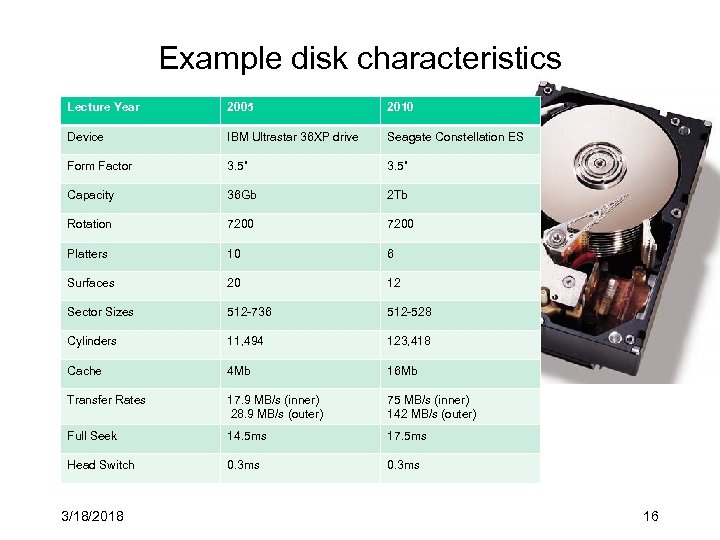 Example disk characteristics Lecture Year 2005 2010 Device IBM Ultrastar 36 XP drive Seagate Constellation ES Form Factor 3. 5” Capacity 36 Gb 2 Tb Rotation 7200 Platters 10 6 Surfaces 20 12 Sector Sizes 512 -736 512 -528 Cylinders 11, 494 123, 418 Cache 4 Mb 16 Mb Transfer Rates 17. 9 MB/s (inner) 28. 9 MB/s (outer) 75 MB/s (inner) 142 MB/s (outer) Full Seek 14. 5 ms 17. 5 ms Head Switch 0. 3 ms 3/18/2018 16