 Скачать презентацию CSCI 588 Design of User Interface Software Web
fffd471703900a20d3a0b2008dcbb83c.ppt
- Количество слайдов: 39




CSCI 588 Design of User Interface Software Web Based Productive Labor System Team No : 23 Members: Anurag Garg Preeti Parthasarathy (3096) Saurabh Gupta Location: On Campus
Web Based Productive Labor System Outline: l l l l l Topic Description System Requirements Navigation Map User Analysis Visual Design Main Page Design Screen Prototypes Lessons Learned Conclusion
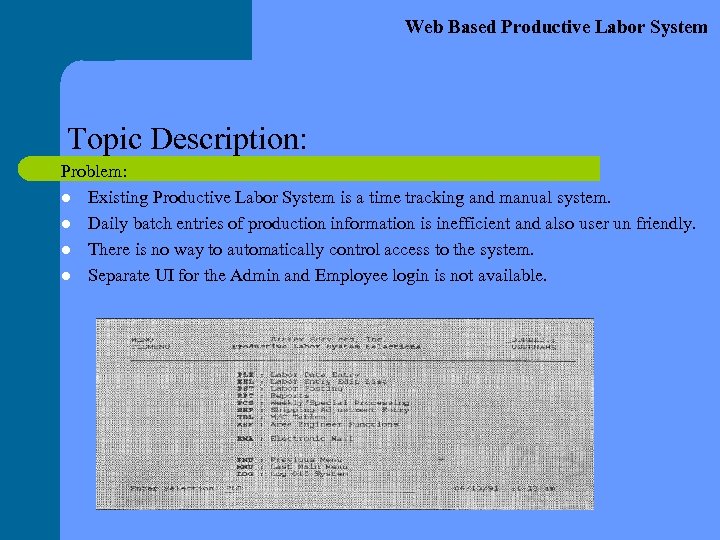
Web Based Productive Labor System Topic Description: Problem: l Existing Productive Labor System is a time tracking and manual system. l Daily batch entries of production information is inefficient and also user un friendly. l There is no way to automatically control access to the system. l Separate UI for the Admin and Employee login is not available.
Web Based Productive Labor System Topic Description: Solution: l l Web application for employee time tracking. User friendly interface provides efficient method for automated entry. Access to the PLS is controlled using an employee smart card identification. User privilege based administration control and employee login are provided which enhance the overall security of the system.
Web Based Productive Labor System Requirements: General Security Requirements: l Login – A login function is provided to authenticate users into PLS. – Optional Smart-Card usage for authentication. l User and Group Administration – The system provides privilege levels for management of users and user groups. – The system shall allow service Engineers and IT administrators to access data of any market center. – The system allows Payroll clerk, Productive labor data entry clerk, Market Center Controller, Production Manager/Supervisors, GM/Asst. GM and Office Managers to access data of the market center where they are employed only.
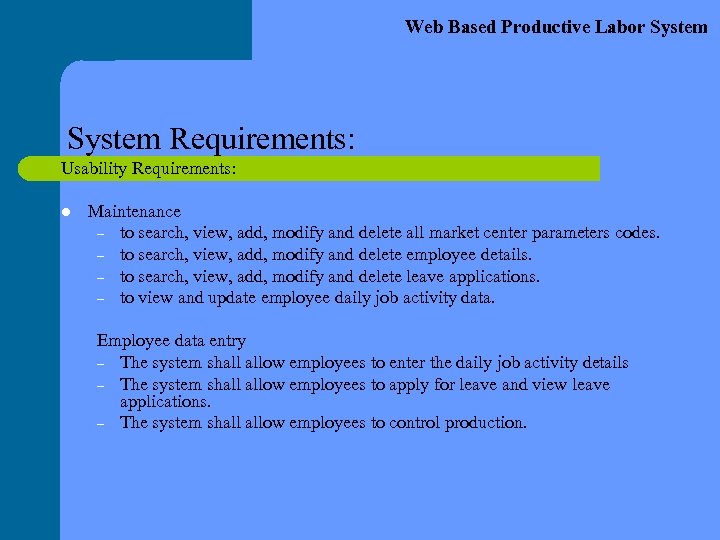
Web Based Productive Labor System Requirements: Usability Requirements: l Maintenance – to search, view, add, modify and delete all market center parameters codes. – to search, view, add, modify and delete employee details. – to search, view, add, modify and delete leave applications. – to view and update employee daily job activity data. Employee data entry – The system shall allow employees to enter the daily job activity details – The system shall allow employees to apply for leave and view leave applications. – The system shall allow employees to control production.
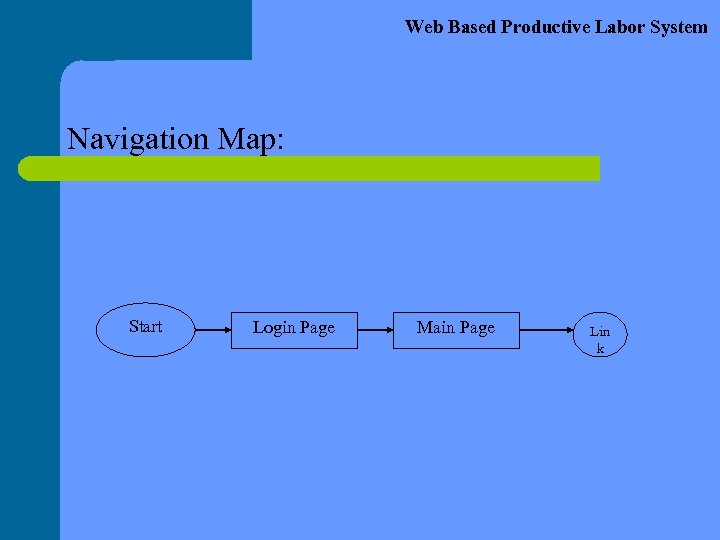
Web Based Productive Labor System Navigation Map: Start Login Page Main Page Lin k
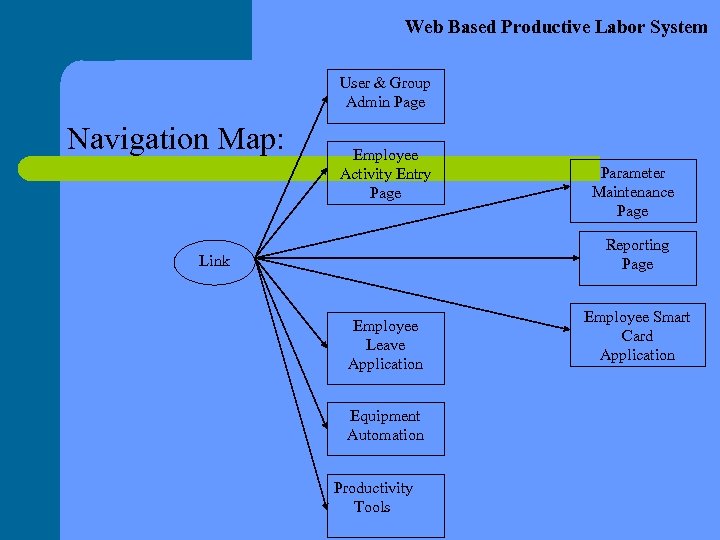
Web Based Productive Labor System User & Group Admin Page Navigation Map: Employee Activity Entry Page Parameter Maintenance Page Reporting Page Link Employee Leave Application Equipment Automation Productivity Tools Employee Smart Card Application
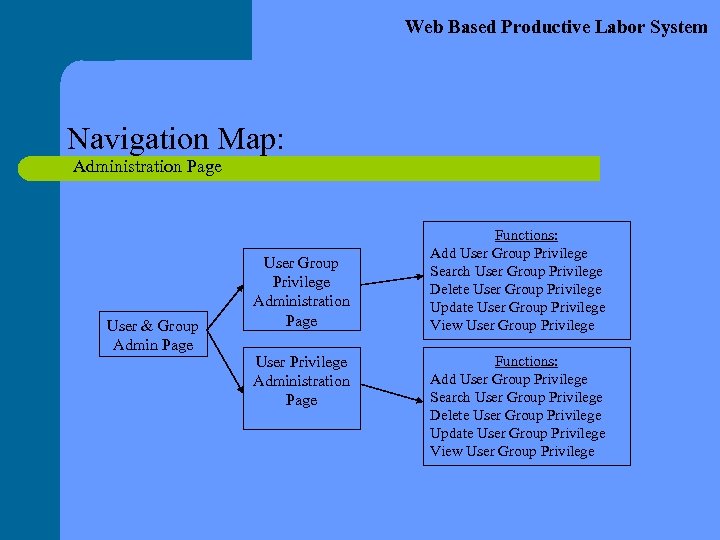
Web Based Productive Labor System Navigation Map: Administration Page User & Group Admin Page User Group Privilege Administration Page User Privilege Administration Page Functions: Add User Group Privilege Search User Group Privilege Delete User Group Privilege Update User Group Privilege View User Group Privilege
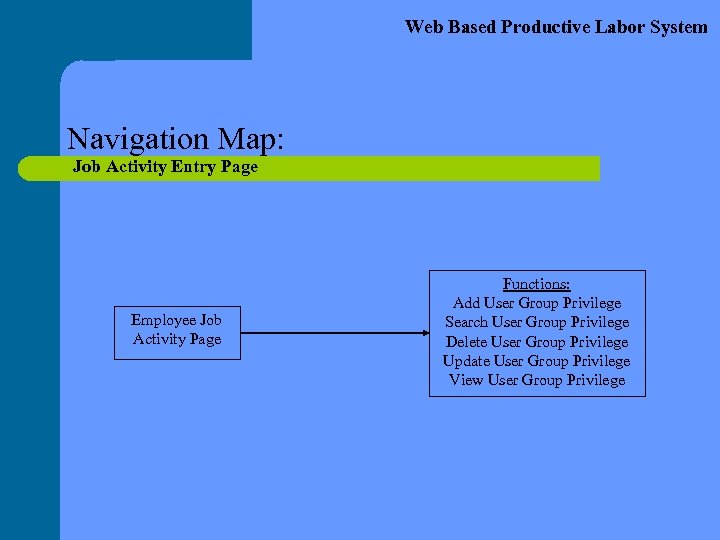
Web Based Productive Labor System Navigation Map: Job Activity Entry Page Employee Job Activity Page Functions: Add User Group Privilege Search User Group Privilege Delete User Group Privilege Update User Group Privilege View User Group Privilege
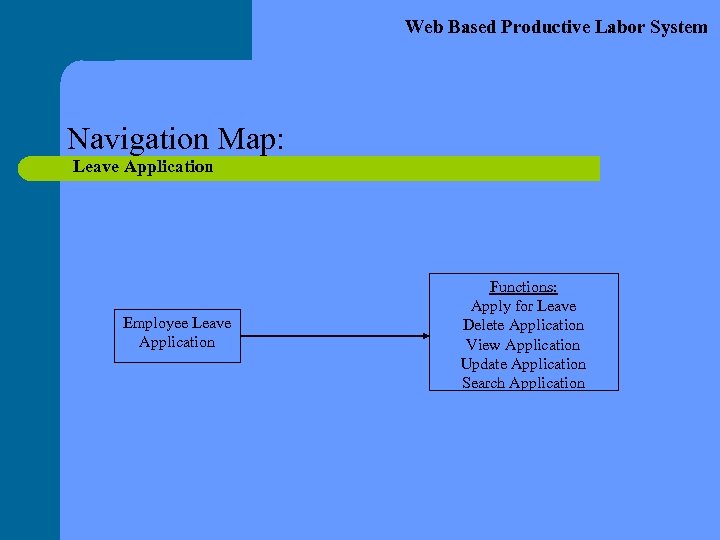
Web Based Productive Labor System Navigation Map: Leave Application Employee Leave Application Functions: Apply for Leave Delete Application View Application Update Application Search Application
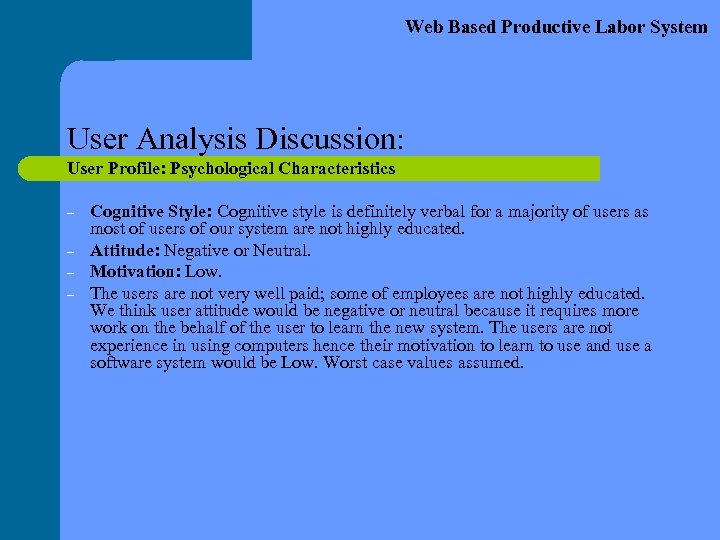
Web Based Productive Labor System User Analysis Discussion: User Profile: Psychological Characteristics – – Cognitive Style: Cognitive style is definitely verbal for a majority of users as most of users of our system are not highly educated. Attitude: Negative or Neutral. Motivation: Low. The users are not very well paid; some of employees are not highly educated. We think user attitude would be negative or neutral because it requires more work on the behalf of the user to learn the new system. The users are not experience in using computers hence their motivation to learn to use and use a software system would be Low. Worst case values assumed.
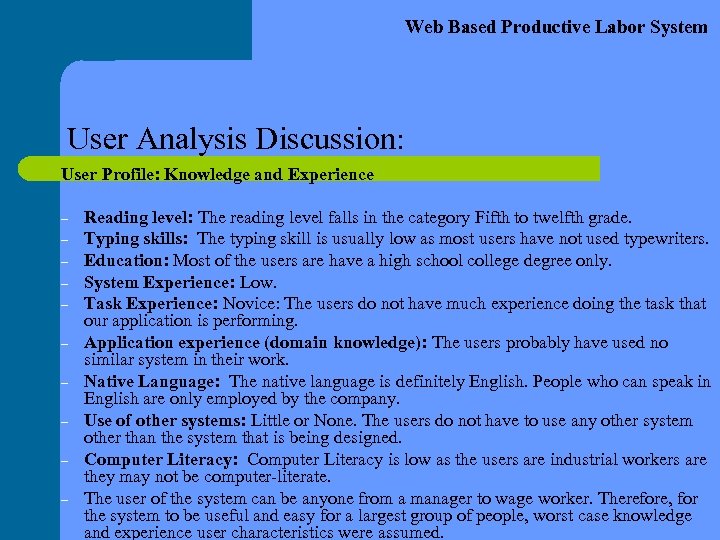
Web Based Productive Labor System User Analysis Discussion: User Profile: Knowledge and Experience – – – – – Reading level: The reading level falls in the category Fifth to twelfth grade. Typing skills: The typing skill is usually low as most users have not used typewriters. Education: Most of the users are have a high school college degree only. System Experience: Low. Task Experience: Novice: The users do not have much experience doing the task that our application is performing. Application experience (domain knowledge): The users probably have used no similar system in their work. Native Language: The native language is definitely English. People who can speak in English are only employed by the company. Use of other systems: Little or None. The users do not have to use any other system other than the system that is being designed. Computer Literacy: Computer Literacy is low as the users are industrial workers are they may not be computer-literate. The user of the system can be anyone from a manager to wage worker. Therefore, for the system to be useful and easy for a largest group of people, worst case knowledge and experience user characteristics were assumed.
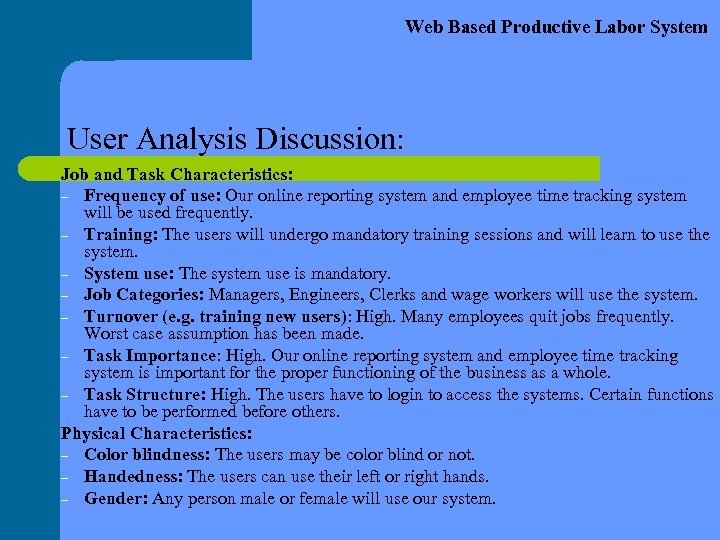
Web Based Productive Labor System User Analysis Discussion: Job and Task Characteristics: – Frequency of use: Our online reporting system and employee time tracking system will be used frequently. – Training: The users will undergo mandatory training sessions and will learn to use the system. – System use: The system use is mandatory. – Job Categories: Managers, Engineers, Clerks and wage workers will use the system. – Turnover (e. g. training new users): High. Many employees quit jobs frequently. Worst case assumption has been made. – Task Importance: High. Our online reporting system and employee time tracking system is important for the proper functioning of the business as a whole. – Task Structure: High. The users have to login to access the systems. Certain functions have to be performed before others. Physical Characteristics: – Color blindness: The users may be color blind or not. – Handedness: The users can use their left or right hands. – Gender: Any person male or female will use our system.
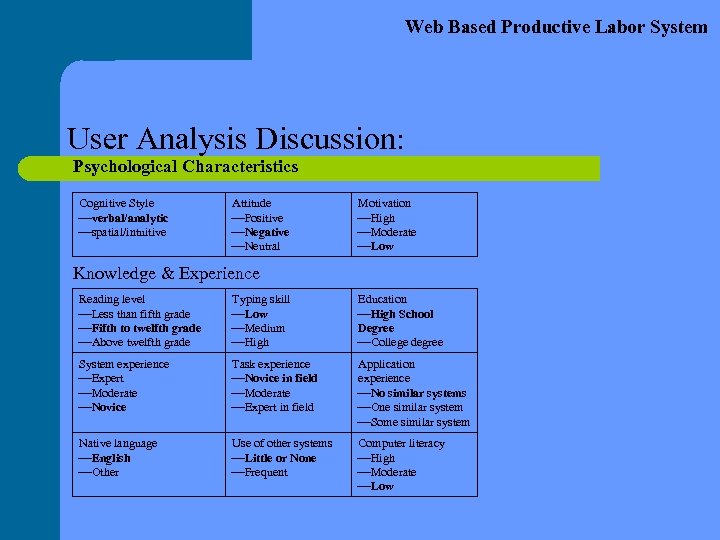
Web Based Productive Labor System User Analysis Discussion: Psychological Characteristics Cognitive Style verbal/analytic spatial/intuitive Attitude Positive Negative Neutral Motivation High Moderate Low Knowledge & Experience Reading level Less than fifth grade Fifth to twelfth grade Above twelfth grade Typing skill Low Medium High Education High School Degree College degree System experience Expert Moderate Novice Task experience Novice in field Moderate Expert in field Application experience No similar systems One similar system Some similar system Native language English Other Use of other systems Little or None Frequent Computer literacy High Moderate Low
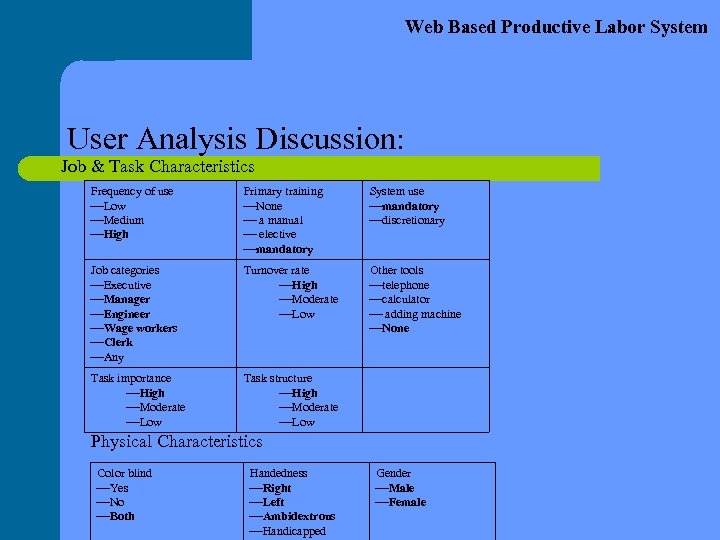
Web Based Productive Labor System User Analysis Discussion: Job & Task Characteristics Frequency of use Low Medium High Primary training None a manual elective mandatory System use mandatory discretionary Job categories Executive Manager Engineer Wage workers Clerk Any Turnover rate High Moderate Low Other tools telephone calculator adding machine None Task importance High Moderate Low Task structure High Moderate Low Physical Characteristics Color blind Yes No Both Handedness Right Left Ambidextrous Handicapped Gender Male Female
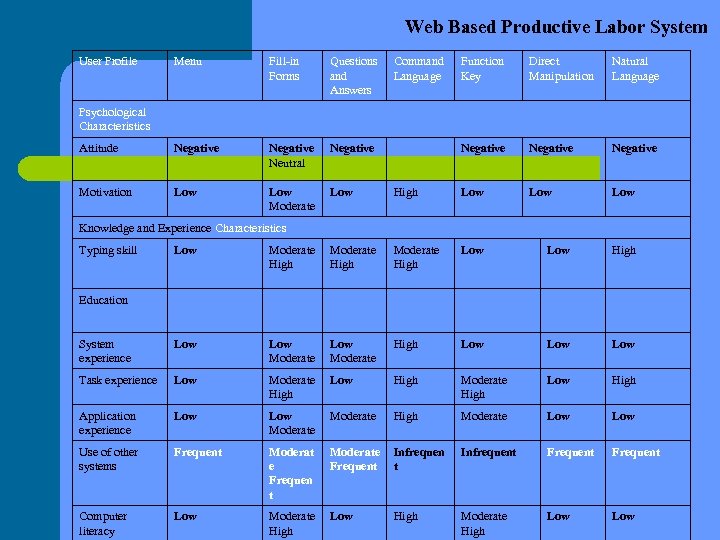
Web Based Productive Labor System User Profile Menu Fill-in Forms Questions and Answers Attitude Negative Neutral Negative Motivation Low Moderate Low Command Language Function Key Direct Manipulation Natural Language Negative High Low Low Psychological Characteristics Knowledge and Experience Characteristics Typing skill Low Moderate High Low High System experience Low Moderate High Low Low Task experience Low Moderate High Low High Application experience Low Moderate High Moderate Low Use of other systems Frequent Moderat e Frequen t Moderate Frequent Infrequent Frequent Computer literacy Low Moderate High Low High Moderate High Low Education
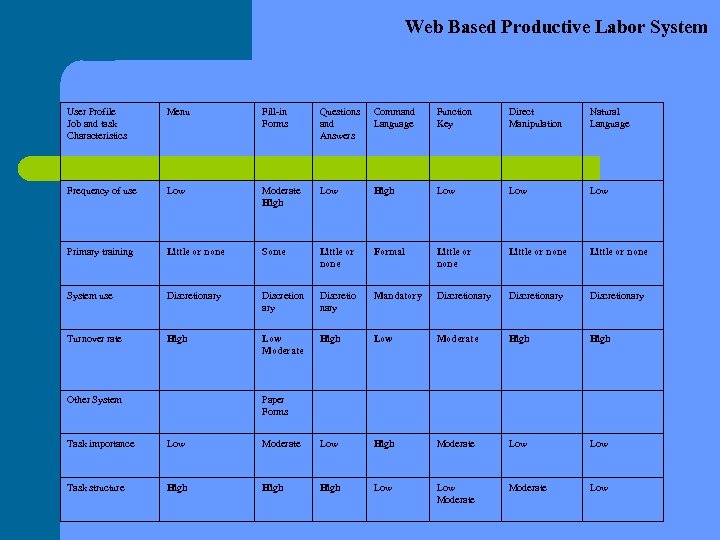
Web Based Productive Labor System User Profile Job and task Characteristics Menu Fill-in Forms Questions and Answers Command Language Function Key Direct Manipulation Natural Language Frequency of use Low Moderate High Low Low Primary training Little or none Some Little or none Formal Little or none System use Discretionary Discretion ary Discretio nary Mandatory Discretionary Turnover rate High Low Moderate High Other System Paper Forms Task importance Low Moderate Low High Moderate Low Task structure High Low Moderate Low
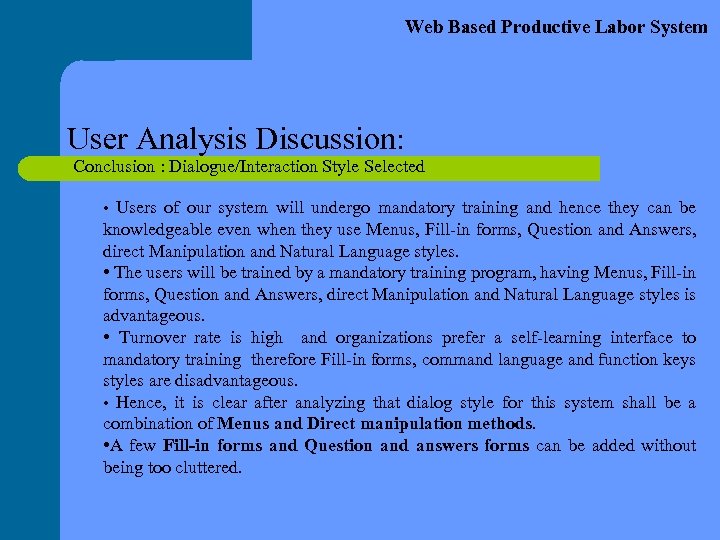
Web Based Productive Labor System User Analysis Discussion: Conclusion : Dialogue/Interaction Style Selected • Users of our system will undergo mandatory training and hence they can be knowledgeable even when they use Menus, Fill-in forms, Question and Answers, direct Manipulation and Natural Language styles. • The users will be trained by a mandatory training program, having Menus, Fill-in forms, Question and Answers, direct Manipulation and Natural Language styles is advantageous. • Turnover rate is high and organizations prefer a self-learning interface to mandatory training therefore Fill-in forms, command language and function keys styles are disadvantageous. • Hence, it is clear after analyzing that dialog style for this system shall be a combination of Menus and Direct manipulation methods. • A few Fill-in forms and Question and answers forms can be added without being too cluttered.
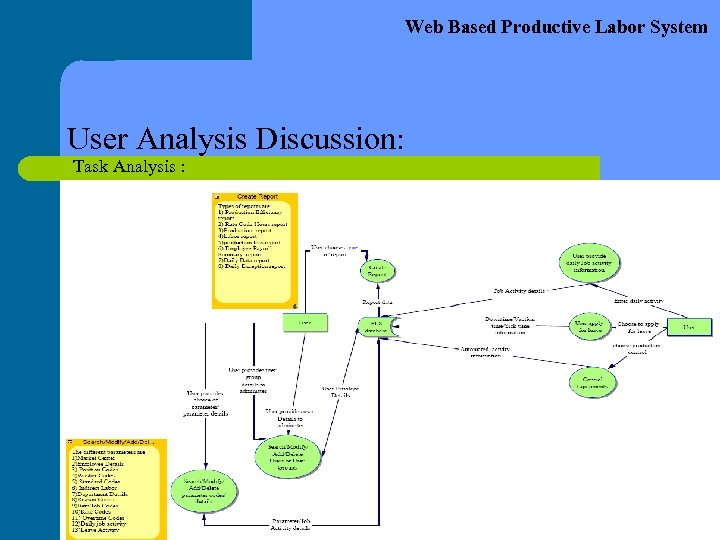
Web Based Productive Labor System User Analysis Discussion: Task Analysis :
Web Based Productive Labor System User Analysis Discussion: Primary task: User’s tasks involve filling job activity reports, filling leave applications, creating reports, operating equipment etc. Workload: User activity reporting should be an easy task. Environment: Industrial areas, lot of noise due to other machinery and no airconditioning. I/O Devices selected: Smart card reader. On swiping the smart card onto the reader user is automatically logged into the system.
Web Based Productive Labor System Visual Design: l l Follow structure in every web page. – Lists help focus the user's attention on a series of items and make digesting many bits of information easier. – Headings are preferable to lists, at the upper levels, because the larger, bolder font attracts the eye. Consistent style in all pages. A uniform page layout will help your users navigate, and give identity to the site. Example page layout is as follows. Header – Logo, banner, page name Body Footer Pages – Reference: http: //www. useit. com/alertbox/9611. html – Titles: Do not use different page titles for every page. The page should be titled with the name of the web application. – Add contact info on the pages. Text presentation: – Use back color text. Use 12 size font for easy readability – Blink should not be used. – Do not use too many font styles.
Web Based Productive Labor System Visual Design: l l l Menus – Reference: http: //www. merges. net/theory/20010226. html – Keep feedback simple: don't try to supplement menu choices with lengthy descriptions – We used motion cues over the menu icons for more feedback to user about what exactly the icon functionality is. – Keep menu items related. Navigational tools – Referenced http: //www. asktog. com/columns/007 silodesign. html – Must control the environment. Turn off the browser's controls. – Only allow exiting when it is safe or prudent. – Back up your application with good data integrity. – Avoid phrases like Return to. . . Buttons – Reference: http: //www. merges. net/theory/20010226. html – Use pliant buttons, if buttons are used. Implement a subtle visual cue for mouse rollovers – Buttons should be self explanatory.
Web Based Productive Labor System Visual Design: l l l Accessibility – Remember to include descriptions with each image. – For FORMS remember to include labels form fields. Testing – Test the pages with several browsers - including (at least) one text only, e. g. Lynx. – Check the links. Images – Don't use too many images, will slow down the page. Color – Use a browser safe palette for the colors. – Be selective use only a few colors. Accurate information – Reference: Course notes: 6 -112 – Online help and other document should reflect actual function.
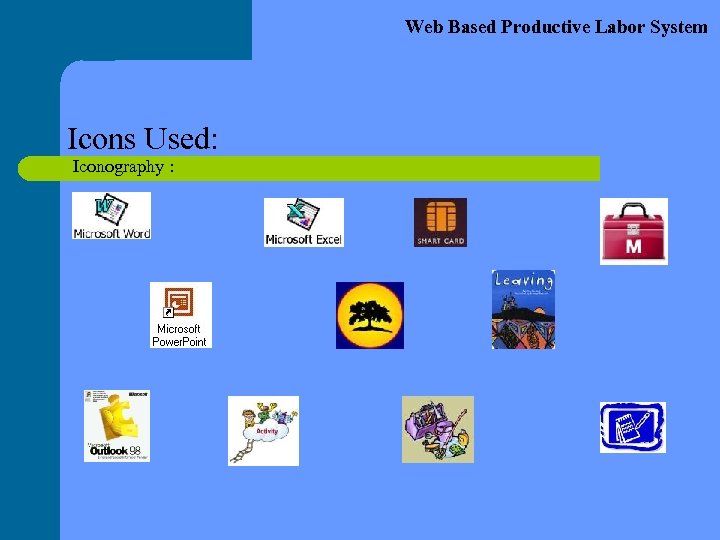
Web Based Productive Labor System Visual Design: l l l Icons – Reference: Course notes: 6 -112 – Icons should be memorable. Information presentation (Course notes 6 -112) – There should a balance between information breadth and depth. – Intuitive graphical interfaces effect performance. Decide on a background color or image for all the pages. Usually a white background (or one that's light) works better that a black background. It's much easier to read black text on a white background than it is to read white text on a black background. Make each individual page (text and graphics) less than 50 k
Web Based Productive Labor System Icons Used: Iconography :
Web Based Productive Labor System Screen Prototypes: Start Page:
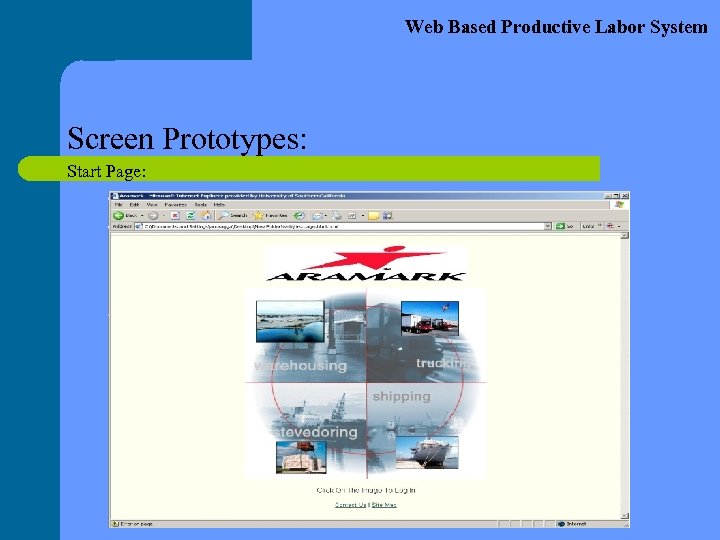
Web Based Productive Labor System Screen Prototypes: Start Page: The first page is the most important page from a presentation point of view. It is designed like a permanent screen saver. Since the PLS can be accessed from many kiosks and computers inside the company premises, this page with a big logo of the company in the centre provides a very good brand presence. The background is chosen to be off white so that it is not obtrusive to the eyes and appears soothing. It does not crave for attention but at the same time is noticeable. There are only 2 links on the page and these are in the standard blue color.
Web Based Productive Labor System Screen Prototypes: Login Page:
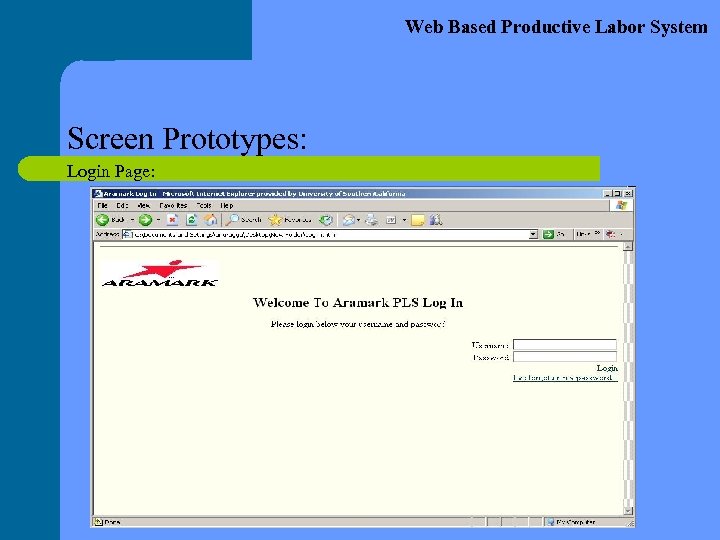
Web Based Productive Labor System Screen Prototypes: Login Page: The log in page is the second screen in the PLS interface. It also has the same background color as the start screen. This is done to provide an uniformity in the whole user interface. This page is very simple and has only the necessary information present on it. It is not cluttered with any animation or icons keeping the environment in mind.
Web Based Productive Labor System Screen Prototypes: Main Page:
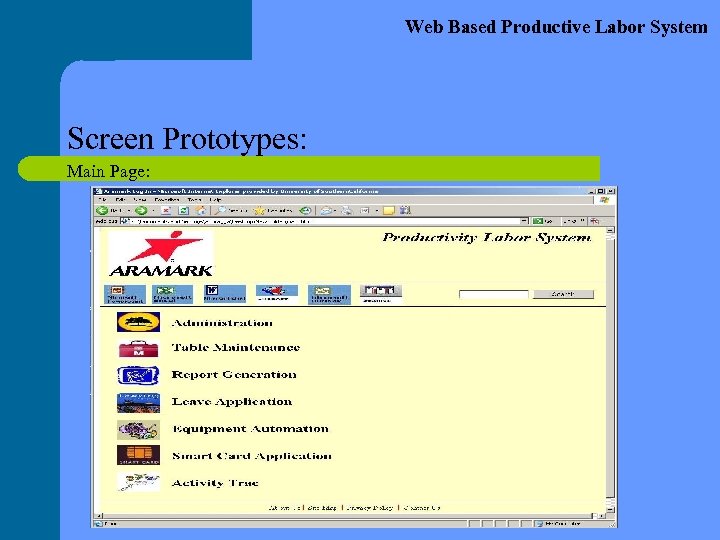
Web Based Productive Labor System Screen Prototypes: Main Page: The main page is the third screen in the PLS interface. It is the most important page and provides many important links to Administration, Table Maintenance, Report Generation, Leave Application, Equipment Maintenance, Smart Card Application and Activity Track. Each link has been provided with a respective and self explanatory icon. The Link names as well as the icons are work as hyper links to the respective pages. A toolbar has been provided at the top of the page which has common office applications like Microsoft Power. Point, Excel, Word, Outlook, Support and Settings. These tools are also represented using icons keeping the user profile in mind. The toolbar is clearly visible as a separate entity. A search field is also provided in it which lets the user search stuff through the company website.
Web Based Productive Labor System Screen Prototypes: Productivity Report Generation Page:
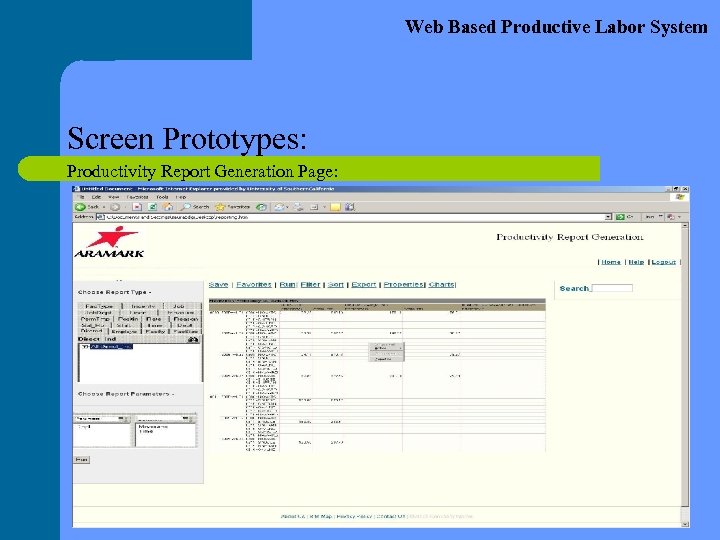
Web Based Productive Labor System Screen Prototypes: Productivity Report Generation Page: The Report Generation is one of the most important duties. The Administrator assigns the privilege to some employees (supervisors) to be able to access this page. This page provides many features which can are very handy during the generation of a typical report. These are Save, Assign, Run, Filter, Sort, Export, Properties, Charts. Besides the above mentioned options the supervisor can also choose from • Choose Report Type • Choose Report Options (Daily/Weekly/Quarterly)
Web Based Productive Labor System Screen Prototypes: Table Maintenance Page:
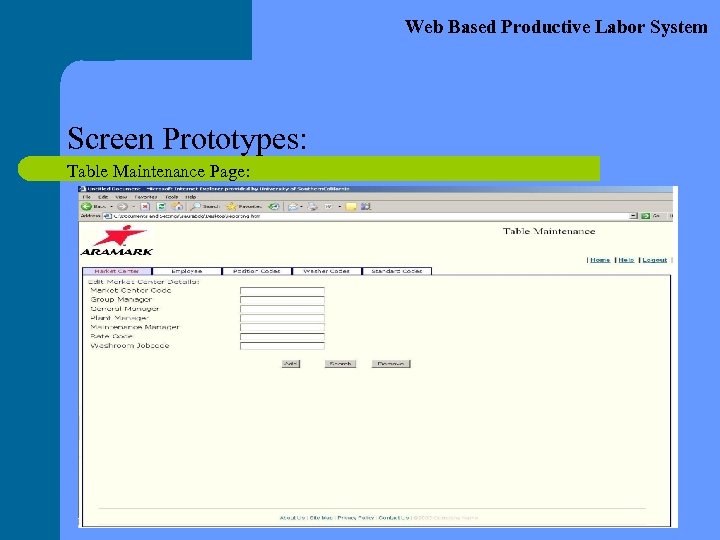
Web Based Productive Labor System Screen Prototypes: Table Maintenance Page: The Table maintenance page is used to maintain the parameters required for the day to day operations of the organization. The different parameters are Market Centre Details, Employee Details, Position Codes, Washer Codes, Standard Codes, Indirect Labor Details, Department Details, Region codes, Item Job Codes, Rate Codes, Overtime Codes, Daily Job Activity, Leave Applications. Again this page is also accessible only by a select group of supervisors. These supervisors are given the privileges by the administrator. Till now only a few pages have been implemented. The remaining pages will soon be implemented using the same templates.
Web Based Productive Labor System Lessons Learned: – – – Team Co-ordination above everything else. Importance of the Planning and Designing phase for any project implementation. Role of the User Interface in our day to day life. Plans For The Future: – To design the remaining pages in accordance with the template. – Perform Debug and thorough testing before handing it over to the client (Aramark). – Perform Maintenance for the UI on a regular basis and provide support as and when required.
Web Based Productive Labor System Conclusion: Comments & Tools Used l The PLS will hopefully increase the efficiency of the employees by providing a much easier to use and simpler to understand User Interface. l This will in effect increase the overall productivity in the company. l The PLS will provide a secure environment with different privilege levels to optimize the functionality offered to its different groups of users. l We used the following tools – HTML, VB. Net – Adobe Go Live
Web Based Productive Labor System Special Thanks – – Prof. Steve Jacobs Monvorath Phongpaibul Ramakrishna Soma Mike Nicosia
Скачать презентацию CSCI 588 Design of User Interface Software Web
fffd471703900a20d3a0b2008dcbb83c.ppt