 Скачать презентацию CS 8520 Artificial Intelligence Robotics Paula Matuszek Spring
0a8d839906ab4eeb4d9e52f8197146e0.ppt
- Количество слайдов: 39



CS 8520: Artificial Intelligence Robotics Paula Matuszek Spring, 2010 CSC 8520 Spring 2010. Paula Matuszek Slides based in part on www. jhu. edu/virtlab/course-info/ei/ppt/robotics-part 1. ppt and -part 2. ppt
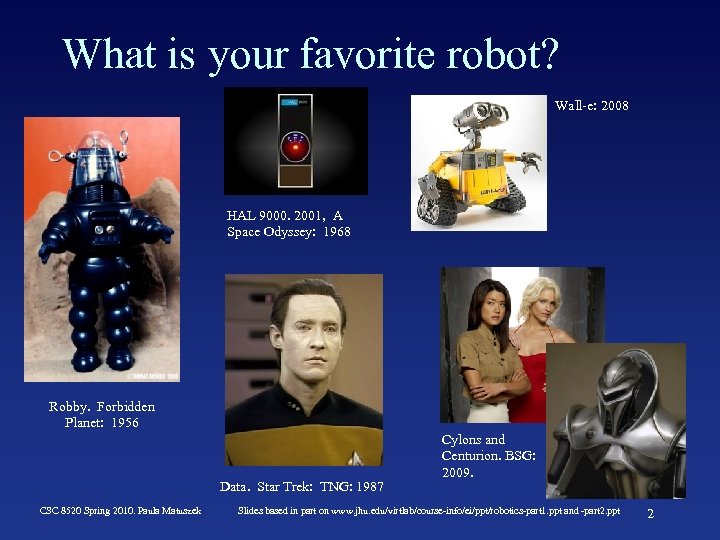
What is your favorite robot? Wall-e: 2008 HAL 9000. 2001, A Space Odyssey: 1968 Robby. Forbidden Planet: 1956 Data. Star Trek: TNG: 1987 CSC 8520 Spring 2010. Paula Matuszek Cylons and Centurion. BSG: 2009. Slides based in part on www. jhu. edu/virtlab/course-info/ei/ppt/robotics-part 1. ppt and -part 2. ppt 2
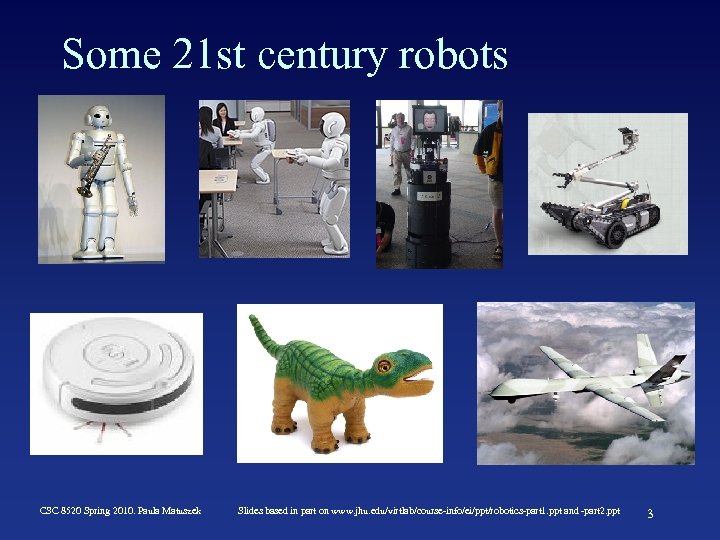
Some 21 st century robots CSC 8520 Spring 2010. Paula Matuszek Slides based in part on www. jhu. edu/virtlab/course-info/ei/ppt/robotics-part 1. ppt and -part 2. ppt 3
CSC 8520 Spring 2010. Paula Matuszek Slides based in part on www. jhu. edu/virtlab/course-info/ei/ppt/robotics-part 1. ppt and -part 2. ppt 4
What is a robot? Definition: “A robot is a reprogrammable, multifunctional manipulator designed to move material, parts, tools, or specialized devices through variable programmed motions for the performance of a variety of tasks. ” (Robot Institute of America) Alternate definition: “A robot is a one-armed, blind idiot with limited memory and which cannot speak, see, or hear. ” CSC 8520 Spring 2010. Paula Matuszek Slides based in part on www. jhu. edu/virtlab/course-info/ei/ppt/robotics-part 1. ppt and -part 2. ppt 5
What are robots good at? • What is hard for humans is easy for robots. – – Repetitive tasks. Continuous operation. Complicated calculations. Refer to huge databases. • What is easy for a human is hard for robots. – – – – Reasoning. Adapting to new situations. Flexible to changing requirements. Integrating multiple sensors. Resolving conflicting data. Synthesizing unrelated information. Creativity. CSC 8520 Spring 2010. Paula Matuszek Slides based in part on www. jhu. edu/virtlab/course-info/ei/ppt/robotics-part 1. ppt and -part 2. ppt 6
What tasks would you give robots? • Dangerous – – space exploration chemical spill cleanup disarming bombs disaster cleanup • Boring and/or repetitive – welding car frames – part pick and place – manufacturing parts. • High precision or high speed – electronics testing – surgery – precision machining. CSC 8520 Spring 2010. Paula Matuszek Slides based in part on www. jhu. edu/virtlab/course-info/ei/ppt/robotics-part 1. ppt and -part 2. ppt 7
Categories of Robots • Manipulators – Anchored somewhere: factory assembly lines, International Space Station, hospitals. – Common industrial robots • Mobile Robots – Move around environment – UGVs, UAVs, AUVs, UUVs – Mars rovers, delivery bots, ocean explorers • Mobile Manipulators – Both move and manipulate – Packbot, humanoid robots CSC 8520 Spring 2010. Paula Matuszek Slides based in part on www. jhu. edu/virtlab/course-info/ei/ppt/robotics-part 1. ppt and -part 2. ppt 8
What subsystems make up a robot? • Sensors – Stationary base – Mobile • Actuators • Control/Software CSC 8520 Spring 2010. Paula Matuszek Robert Stengel, Princeton Univ. Slides based in part on www. jhu. edu/virtlab/course-info/ei/ppt/robotics-part 1. ppt and -part 2. ppt 9
Sensors • Perceive the world – Passive sensors capture signals generated by environment. Background, lower power. E. G. : cameras. – Active sensors probe the environment. Explicitly triggered, more info, higher power consumption. E. G. sonar • What are they sensing – The environment: e. g. range finders, obstacle detection – The robot’s location: e. g. , gps, wireless stations – Robot’s own internals: proprioceptive sensors. e. g. : shaft decoders • Stop and think about that one for a moment. Close your eyes where’s your hand? Move it - where is it now? CSC 8520 Spring 2010. Paula Matuszek Slides based in part on www. jhu. edu/virtlab/course-info/ei/ppt/robotics-part 1. ppt and -part 2. ppt 10
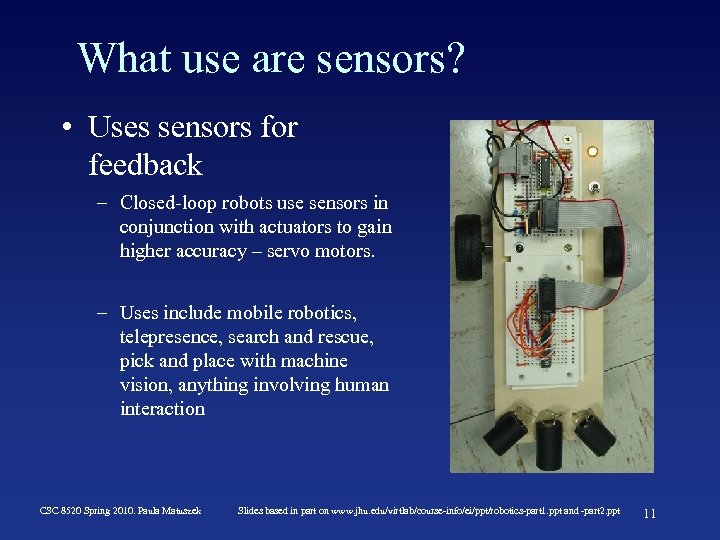
What use are sensors? • Uses sensors for feedback – Closed-loop robots use sensors in conjunction with actuators to gain higher accuracy – servo motors. – Uses include mobile robotics, telepresence, search and rescue, pick and place with machine vision, anything involving human interaction CSC 8520 Spring 2010. Paula Matuszek Slides based in part on www. jhu. edu/virtlab/course-info/ei/ppt/robotics-part 1. ppt and -part 2. ppt 11
Some typical sensors • Optical – Laser / radar – 3 D – Color spectrum • • • Pressure Temperature Chemical Motion & Accelerometer Acoustic • – Ultrasonic E-field Sensing CSC 8520 Spring 2010. Paula Matuszek Slides based in part on www. jhu. edu/virtlab/course-info/ei/ppt/robotics-part 1. ppt and -part 2. ppt 12
Effectors • Take some kind of action in the world • Involve movement of robot or subcomponent of robot • Robot actions could include – Pick and place: Move items between points – Continuous path control: Move along a programmable path – Sensory: Employ sensors for feedback (e-field sensing) CSC 8520 Spring 2010. Paula Matuszek Slides based in part on www. jhu. edu/virtlab/course-info/ei/ppt/robotics-part 1. ppt and -part 2. ppt 13
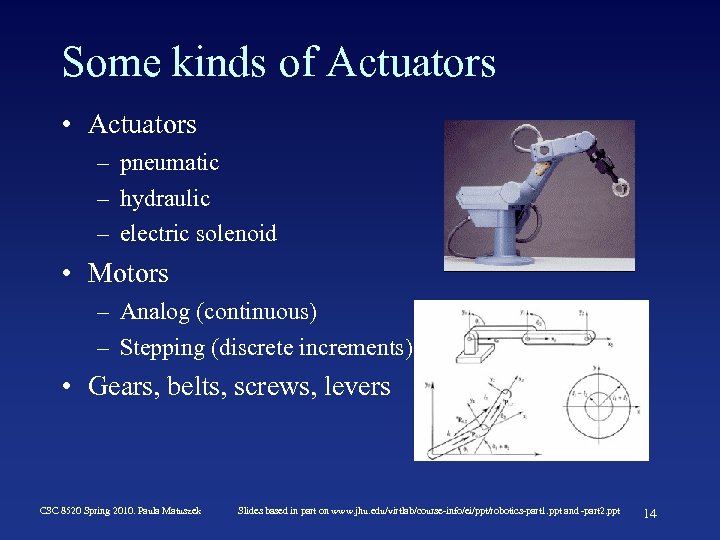
Some kinds of Actuators • Actuators – pneumatic – hydraulic – electric solenoid • Motors – Analog (continuous) – Stepping (discrete increments) • Gears, belts, screws, levers CSC 8520 Spring 2010. Paula Matuszek Slides based in part on www. jhu. edu/virtlab/course-info/ei/ppt/robotics-part 1. ppt and -part 2. ppt 14
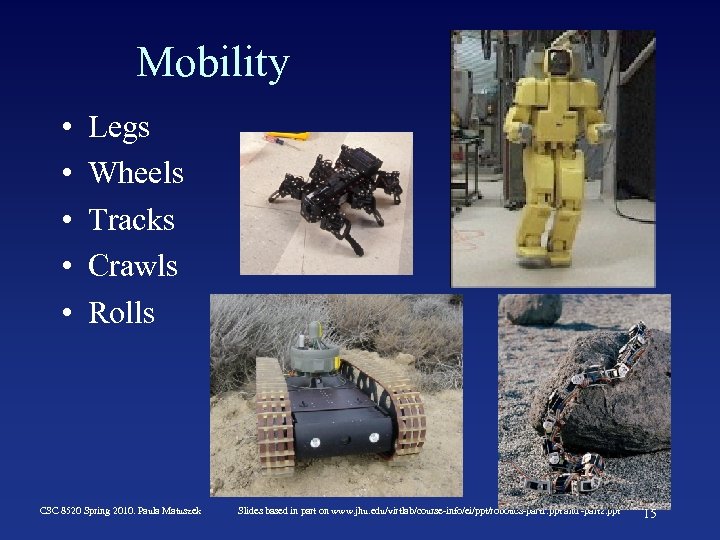
Mobility • • • Legs Wheels Tracks Crawls Rolls CSC 8520 Spring 2010. Paula Matuszek Slides based in part on www. jhu. edu/virtlab/course-info/ei/ppt/robotics-part 1. ppt and -part 2. ppt 15
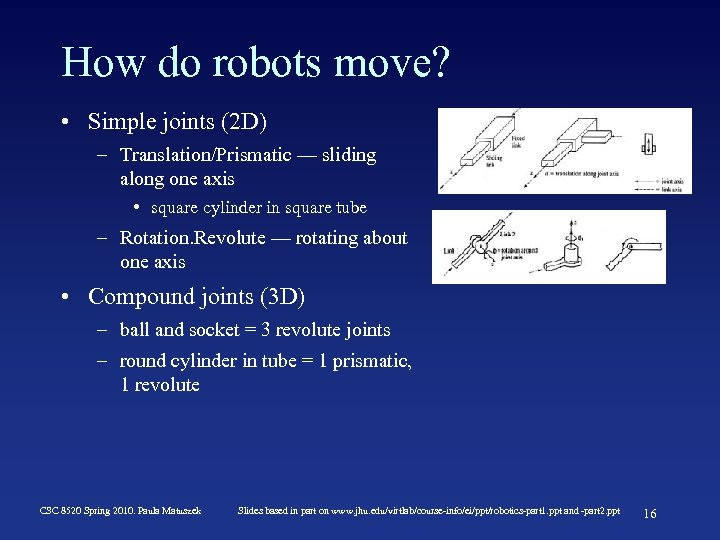
How do robots move? • Simple joints (2 D) – Translation/Prismatic — sliding along one axis • square cylinder in square tube – Rotation. Revolute — rotating about one axis • Compound joints (3 D) – ball and socket = 3 revolute joints – round cylinder in tube = 1 prismatic, 1 revolute CSC 8520 Spring 2010. Paula Matuszek Slides based in part on www. jhu. edu/virtlab/course-info/ei/ppt/robotics-part 1. ppt and -part 2. ppt 16
Degrees of Freedom (DOF) • Degrees of freedom = Number of independent directions a robot or its manipulator can move – 3 degrees of freedom: 2 translation, 1 rotation – 6 degrees of freedom: 3 translation, 3 rotation • How many degrees of freedom does your knee have? Your elbow? • Effective DOF vs controllable DOF: – Underwater explorer might have up or down, left or right, rolling. 3 controllable DOF. – Position includes x, y, z coordinates, yaw, roll, pitch. (together the pose or kinematic state). 6 effective DOF. • Holonomic: effective DOF = controllable DOF. CSC 8520 Spring 2010. Paula Matuszek Slides based in part on www. jhu. edu/virtlab/course-info/ei/ppt/robotics-part 1. ppt and -part 2. ppt 17
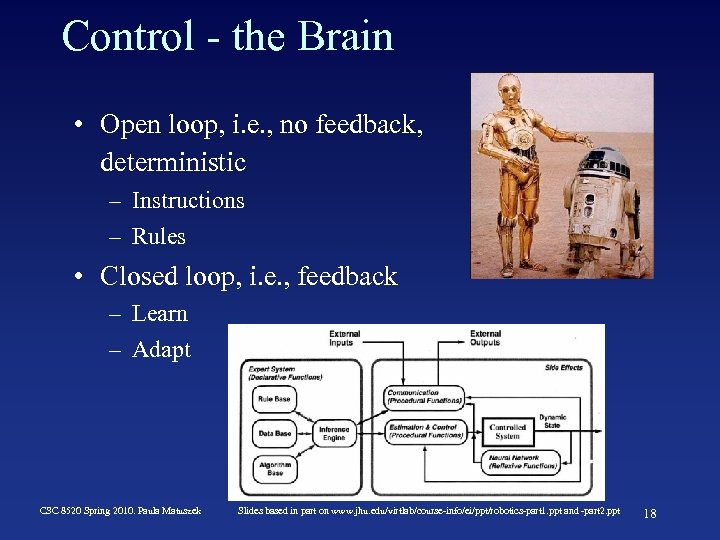
Control - the Brain • Open loop, i. e. , no feedback, deterministic – Instructions – Rules • Closed loop, i. e. , feedback – Learn – Adapt CSC 8520 Spring 2010. Paula Matuszek Slides based in part on www. jhu. edu/virtlab/course-info/ei/ppt/robotics-part 1. ppt and -part 2. ppt 18
What are some problems with control of robot actions? • Joint play, compounded through N joints. • Accelerating masses produce vibration, elastic deformations in links. • Torques, stresses transmitted depending on end actuator loads. • Feedback loop creates instabilities. – Delay between sensing and reaction. • Firmware and software problems – Especially with more intelligent approaches CSC 8520 Spring 2010. Paula Matuszek Slides based in part on www. jhu. edu/virtlab/course-info/ei/ppt/robotics-part 1. ppt and -part 2. ppt 19
Robotic Perception • Sensing isn’t enough: need to act on data sensed • Hard because data are noisy; environment is dynamic and partially observable. • Must be mapped into an internal representation – state estimation • Good representations – contain enough information for good decisions – structured for efficient updating – natural mapping between representation and real world. CSC 8520 Spring 2010. Paula Matuszek Slides based in part on www. jhu. edu/virtlab/course-info/ei/ppt/robotics-part 1. ppt and -part 2. ppt 20
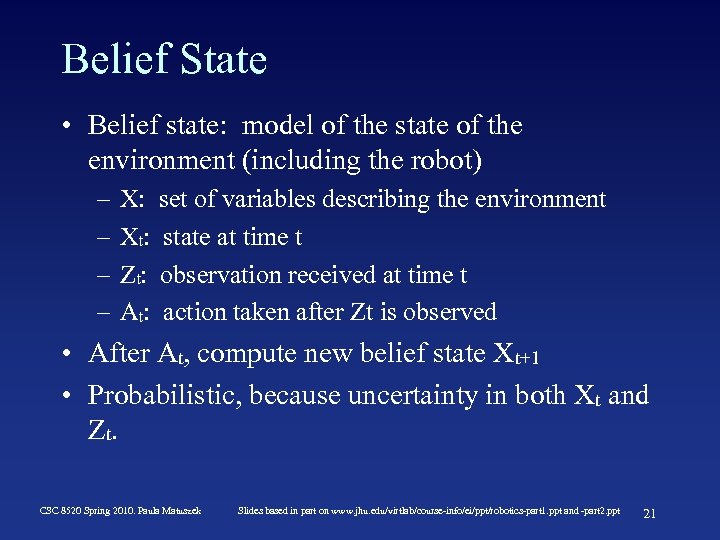
Belief State • Belief state: model of the state of the environment (including the robot) – – X: Xt : Z t: At : set of variables describing the environment state at time t observation received at time t action taken after Zt is observed • After At, compute new belief state Xt+1 • Probabilistic, because uncertainty in both Xt and Z t. CSC 8520 Spring 2010. Paula Matuszek Slides based in part on www. jhu. edu/virtlab/course-info/ei/ppt/robotics-part 1. ppt and -part 2. ppt 21
Some Perception Problems • Localization: where is the robot, where are other things in the environment – landmarks – range scans • Mapping: no map given, robot must determine both environment and position. – SLAM: Simultaneous localization and mapping • Probabilistic approaches typical, but cumbersome CSC 8520 Spring 2010. Paula Matuszek Slides based in part on www. jhu. edu/virtlab/course-info/ei/ppt/robotics-part 1. ppt and -part 2. ppt 22
Software Architectures • Low-level, reactive control – bottom-up, sensor results directly trigger actions • Model-based, deliberative planning – top-down, actions are triggered based on planning around a state model CSC 8520 Spring 2010. Paula Matuszek Slides based in part on www. jhu. edu/virtlab/course-info/ei/ppt/robotics-part 1. ppt and -part 2. ppt 23
Low-Level, Reactive Control • • Augmented finite state machines Sensed inputs and a clock determine next state Build bottom up, from individual motions Subsumption architecture synchronizes AFSMs, combines values from separate AFSMs. • Advantages: simple to develop, fast • Disadvantages: Fragile for bad sensor data, don’t support integration of complex data over time. • Typically used for simple tasks, like following a wall or moving a leg. CSC 8520 Spring 2010. Paula Matuszek Slides based in part on www. jhu. edu/virtlab/course-info/ei/ppt/robotics-part 1. ppt and -part 2. ppt 24
Model-Based Deliberative Planning • Belief State model – Current State, Goal State – Any of planning techniques – Typically use probabilistic methods • Advantages: can handle uncertain measurements and complex integrations, can be responsive to change or problems. • Disadvantages: slow; current algorithms can take minutes. Developing models for the number of actions involved in driving a complex robot too cumbersome. • Typically used for high-level actions such as whether to move and in which direction. CSC 8520 Spring 2010. Paula Matuszek Slides based in part on www. jhu. edu/virtlab/course-info/ei/ppt/robotics-part 1. ppt and -part 2. ppt 25
Hybrid Architectures • Usually, actually doing anything requires both reactive and deliberative processing. • Typical architecture is three-layer: – Reactive Layer: low-level control, tight senso-action loop, decision cycle of milliseconds – Deliberative layer: global solutions to complex tasks, model-based planning, decision cycle of minutes – Executive layer: glue. Accepts directions from deliberative layer, sequences actions for reactive layer, decision cycle of a second CSC 8520 Spring 2010. Paula Matuszek Slides based in part on www. jhu. edu/virtlab/course-info/ei/ppt/robotics-part 1. ppt and -part 2. ppt 26
How do you measures of performance of robot? • • • Speed and acceleration Resolution Working volume Accuracy Cost Plus all the kinds of evaluation functions we have talked about for any AI system. CSC 8520 Spring 2010. Paula Matuszek Slides based in part on www. jhu. edu/virtlab/course-info/ei/ppt/robotics-part 1. ppt and -part 2. ppt 27
Measures of Performance • Speed and acceleration – Faster speed often reduces resolution or increases cost – Varies depending on position, load. – Speed can be limited by the task the robot performs (welding, cutting) • Resolution – Often a speed tradeoff – The smallest movement the robot can make • Working volume – The space within which the robot operates. – Larger volume costs more but can increase the capabilities of a robot CSC 8520 Spring 2010. Paula Matuszek Slides based in part on www. jhu. edu/virtlab/course-info/ei/ppt/robotics-part 1. ppt and -part 2. ppt 28
Where are robots working now? • Healthcare and personal care – surgical aids, intelligent walkers, eldercare • Personal services – Roomba! Information kiosks, lawn mowers, golf caddies, museum guides • Entertainment – sports (robotic soccer) • Human augmentation – walking machines, exoskeletons, robotic hands, etc. CSC 8520 Spring 2010. Paula Matuszek Slides based in part on www. jhu. edu/virtlab/course-info/ei/ppt/robotics-part 1. ppt and -part 2. ppt 29
And more. . . • Industry and Agriculture – assembly, welding, painting, harvesting, mining, pick-andplace, packaging, inspection, . . . • Transportation – Autonomous helicopters, pilot assistance, materials movement • Cars (DARPA Grand Challenge, Urban Challenge) – Antilock brakes, lane following, collision detection CSC 8520 Spring 2010. Paula Matuszek • Exploration and Hazardous environments – Mars rovers, search and rescue, underwater and mine exploration, mine detection • Military – Reconnaissance, sentry, S&R, combat, EOD • Household – Cleaning, mopping, ironing, tending bar, entertainment, telepresence/surveillance Slides based in part on www. jhu. edu/virtlab/course-info/ei/ppt/robotics-part 1. ppt and -part 2. ppt 30
Tomorrow’s problems • Mechanisms – Morphology: What should robots look like? – Novel actuators/sensors • Estimation and Learning – Reinforcement Learning – Graphical Models – Learning by Demonstration • Manipulation (grasping) – What does the far side of an object look like? How heavy is it? How hard should it be gripped? How can it rotate? Regrasping? CSC 8520 Spring 2010. Paula Matuszek Slides based in part on www. jhu. edu/virtlab/course-info/ei/ppt/robotics-part 1. ppt and -part 2. ppt 31
And more. . . • Medical robotics – Autonomous surgery – Eldercare • Biological Robots – Biomimetic robots – Neurobotics • Navigation – Collision avoidance – SLAM/Exploration CSC 8520 Spring 2010. Paula Matuszek Slides based in part on www. jhu. edu/virtlab/course-info/ei/ppt/robotics-part 1. ppt and -part 2. ppt 32
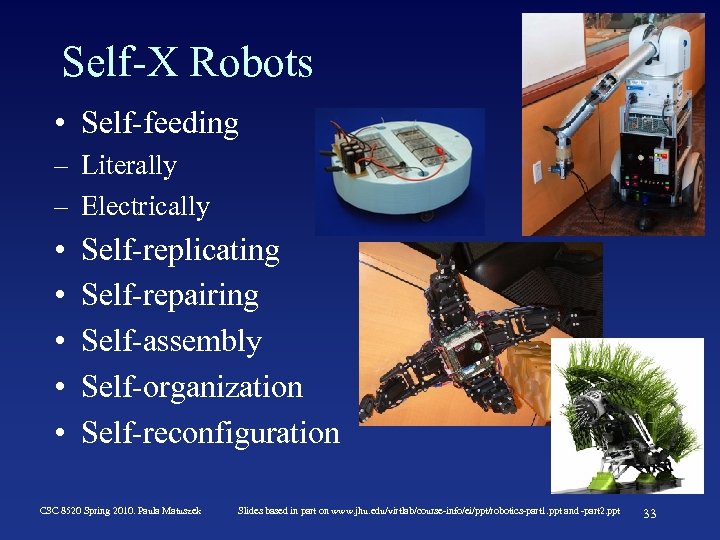
Self-X Robots • Self-feeding – Literally – Electrically • • • Self-replicating Self-repairing Self-assembly Self-organization Self-reconfiguration CSC 8520 Spring 2010. Paula Matuszek Slides based in part on www. jhu. edu/virtlab/course-info/ei/ppt/robotics-part 1. ppt and -part 2. ppt 33
Human-Robot Interaction • Social robots – In care contexts – In home contexts – In industrial contexts • Comprehension – Natural language – Grounded knowledge acquisition – Roomba: “Uh-oh” For example. . . CSC 8520 Spring 2010. Paula Matuszek Slides based in part on www. jhu. edu/virtlab/course-info/ei/ppt/robotics-part 1. ppt and -part 2. ppt 34
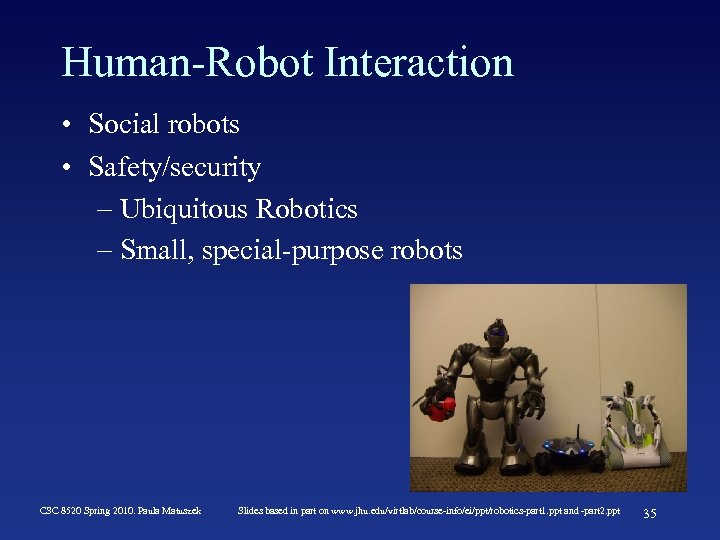
Human-Robot Interaction • Social robots • Safety/security – Ubiquitous Robotics – Small, special-purpose robots CSC 8520 Spring 2010. Paula Matuszek Slides based in part on www. jhu. edu/virtlab/course-info/ei/ppt/robotics-part 1. ppt and -part 2. ppt 35
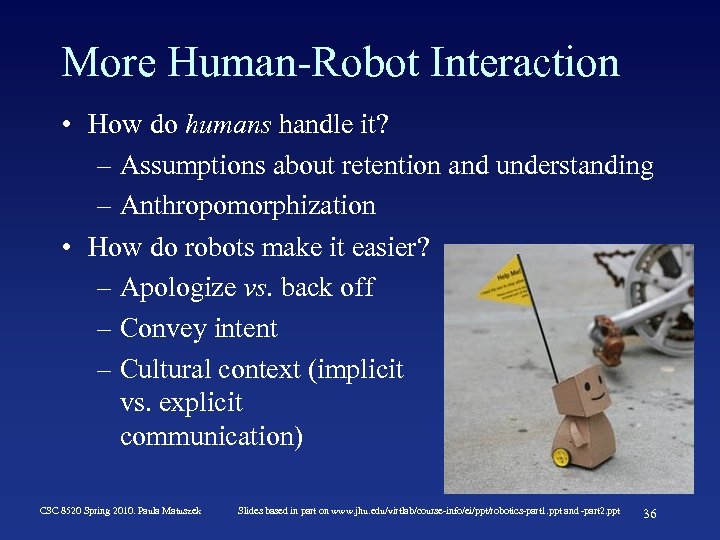
More Human-Robot Interaction • How do humans handle it? – Assumptions about retention and understanding – Anthropomorphization • How do robots make it easier? – Apologize vs. back off – Convey intent – Cultural context (implicit vs. explicit communication) CSC 8520 Spring 2010. Paula Matuszek Slides based in part on www. jhu. edu/virtlab/course-info/ei/ppt/robotics-part 1. ppt and -part 2. ppt 36
The Future of Robotics. Ø Ø Robots that can learn. Robots with artificial intelligence. Robots that make other robots. Swarms CSC 8520 Spring 2010. Paula Matuszek Slides based in part on www. jhu. edu/virtlab/course-info/ei/ppt/robotics-part 1. ppt and -part 2. ppt 37
Some good robotics videos. • Swimming fish: – – http: //vger. aa. washington. edu/research. html http: //www. newscientist. com/article/dn 14101 -shoal-of-robot-fish-casts-a-wider-data-net. html • Robot wars: – http: //robogames. net/videos. php • Japanese robots: – http: //www. ecst. csuchico. edu/~renner/Teaching/Robotics/videos. html (note: about half the links are broken) • Social robots: – http: //www. ai. mit. edu/projects/humanoid-robotics-group/kismet. html • Miscellaneous Robots: – – http: //www. newscientist. com/article/dn 9972 -video-top-10 -robots. html http: //grinding. be/category/robots • Swarms – http: //www. youtube. com/watch? v=Skvp. Ef. APXn 4 CSC 8520 Spring 2010. Paula Matuszek Slides based in part on www. jhu. edu/virtlab/course-info/ei/ppt/robotics-part 1. ppt and -part 2. ppt 38
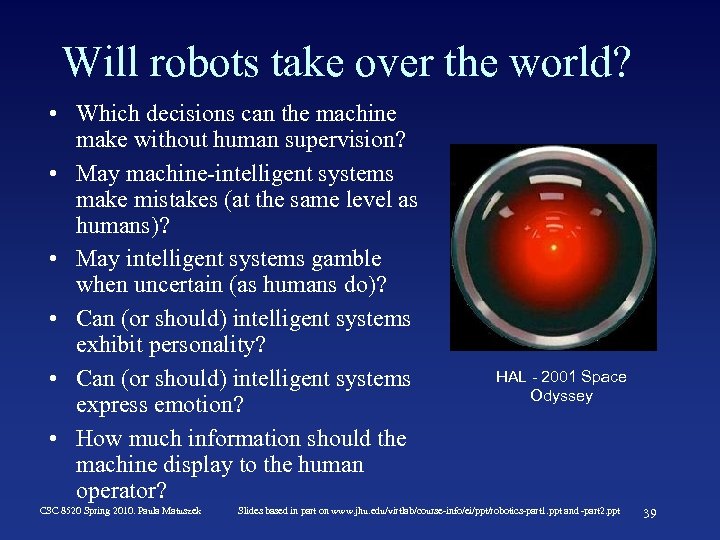
Will robots take over the world? • Which decisions can the machine make without human supervision? • May machine-intelligent systems make mistakes (at the same level as humans)? • May intelligent systems gamble when uncertain (as humans do)? • Can (or should) intelligent systems exhibit personality? • Can (or should) intelligent systems express emotion? • How much information should the machine display to the human operator? CSC 8520 Spring 2010. Paula Matuszek HAL - 2001 Space Odyssey Slides based in part on www. jhu. edu/virtlab/course-info/ei/ppt/robotics-part 1. ppt and -part 2. ppt 39
Скачать презентацию CS 8520 Artificial Intelligence Robotics Paula Matuszek Spring
0a8d839906ab4eeb4d9e52f8197146e0.ppt